Samsung Takes AI Appliances Global: AI Vision, Family Care, Energy Savings and 7-Year Updates

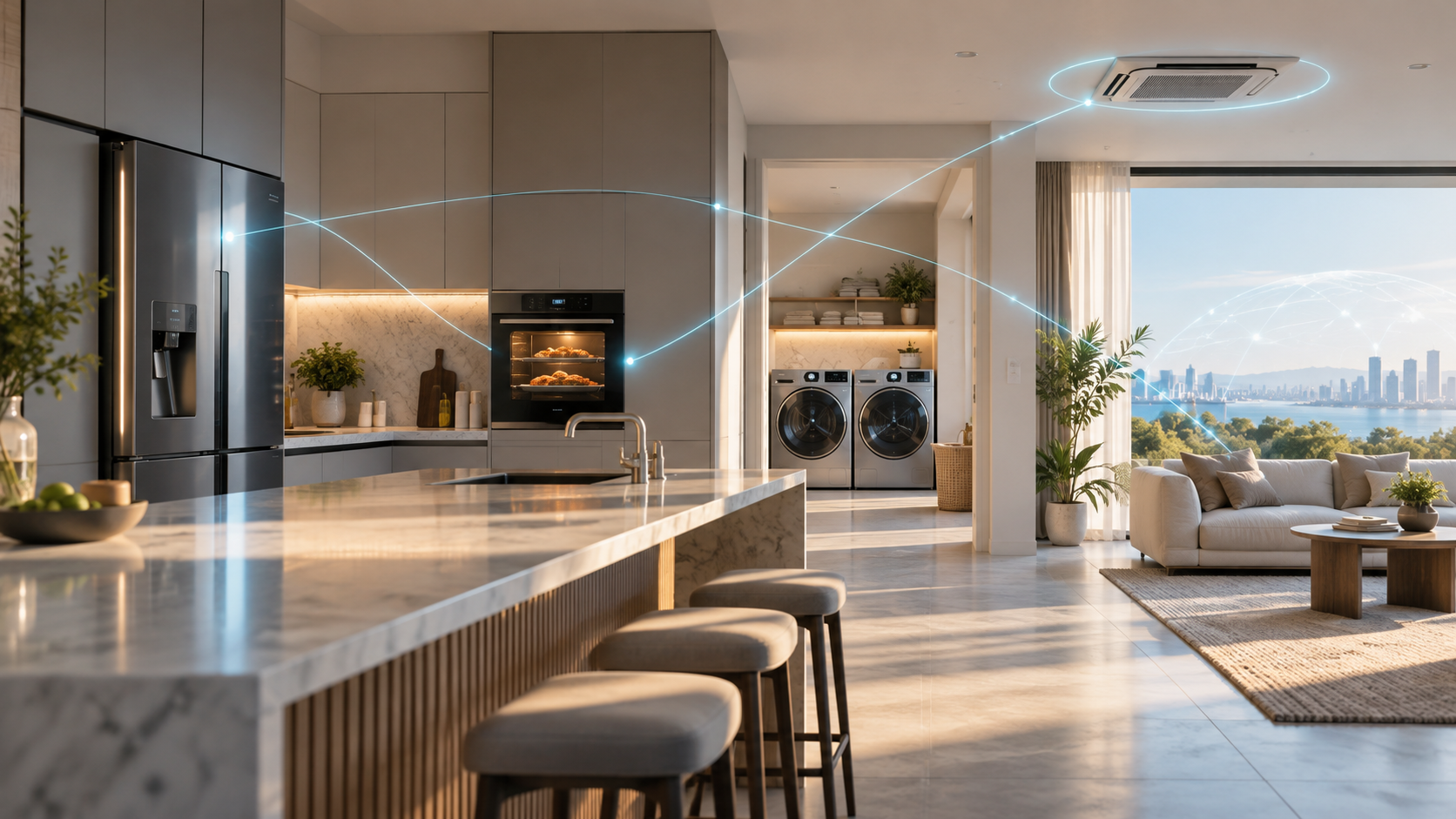
Connected kitchen, laundry and air conditioning appliances linked by subtle blue smart-home signals

Samsung is turning its appliance AI pitch into a regional strategy rather than one universal product bundle. At its October 20, 2026 “The Brief” events, the company outlined different priorities for North America, Europe, Latin America, Southwest Asia and Southeast Asia—from cameras that identify groceries to energy-saving built-ins, sleep-aware cooling and remote service tools.

The common thread is SmartThings, but the details matter. Many of the headline features require specific appliance models, a Samsung account, Wi-Fi, regional service availability or other Samsung devices. Several are previews rather than products you can buy everywhere today. Here is what Samsung actually announced, what is already relevant in the United States and which claims need a careful reading.

What Samsung announced

Samsung’s global appliance plan has five practical themes:

  • North America: more automated food recognition and camera-assisted cooking.
  • Europe: lower energy consumption and more integrated built-in appliances.
  • Latin America: one SmartThings control layer across refrigerators, washers and air conditioners.
  • Southwest Asia: cooling that reacts to sleep data, plus family check-in tools.
  • Southeast Asia: AI-equipped appliances, remote diagnostics and a preview of 2027 air conditioners.

Samsung says roughly 270 media and industry participants from 23 countries attended the regional sessions. That makes the event useful as a statement of direction, but it is not a single worldwide launch date or a promise that every feature will reach every market.

Five regions, five different priorities

Five regions, five different priorities

United States: AI Vision and AI Pro Cooking

In the United States, Samsung emphasized the kitchen. AI Vision on compatible Bespoke AI Family Hub refrigerators can recognize selected groceries and container labels, then add them to a Food List. AI Pro Cooking uses an oven camera to recognize certain ingredients, suggest settings and watch changes in the food’s appearance while it cooks.

That can reduce small chores, but neither camera replaces a person checking food safety, doneness or expiration. Samsung’s U.S. refrigerator information says AI Vision Inside recognizes and labels 37 unobscured fresh-food items under supported conditions. Other items may need manual names, and recognition can vary with placement and visibility.

Europe: energy efficiency and built-ins

Samsung’s European presentation focused on appliances that fit into a connected kitchen and on energy claims that can be compared against European labels. The company says a Bespoke AI Washer uses 65% less energy than the minimum threshold for EU Energy Efficiency Class A, while an announced dishwasher is up to 20% more efficient than that threshold.

Those percentages are relative to a regulatory baseline, not a promise that every cycle will cut a household’s bill by the same amount. Program choice, load, water temperature, local tariffs and older equipment all affect real savings. Samsung also highlighted its Extractor Induction Hob and AI Precise Cooling as parts of an integrated built-in lineup.

Latin America: SmartThings as the control layer

For Latin America, the story was less about a new appliance category and more about putting refrigerators, washing machines and air conditioners in one SmartThings experience. That approach is useful when the app exposes energy use, maintenance alerts and routines without requiring a different interface for every room.

It also raises the usual platform questions: which functions work locally, which depend on the cloud, how long a model receives updates and what happens if someone changes ecosystems. Buyers should check the exact model page and SmartThings compatibility before assuming every appliance shown at a briefing offers the same controls.

Southwest Asia: sleep-aware cooling and Family Care

Samsung highlighted Motion Wind air conditioners with five airflow modes and a WindFree Wearable Good Sleep feature that can use sleep and body-temperature signals from a Galaxy Watch or Galaxy Ring to adjust cooling. The same regional presentation also connected SmartThings Now and Family Care to household routines.

Family Care is best treated as a consent-based check-in feature, not medical monitoring. Samsung describes notifications based on connected-device activity and reminders for medication or hospital appointments, along with optional location-related alerts. A quiet home or inactive device can have harmless explanations, so a notification should prompt a human check rather than an emergency conclusion.

Southeast Asia: 2027 previews and remote service

In Southeast Asia, Samsung previewed 2027 air conditioners with AI Energy Mode, AI Vision and Bixby-related functions while also stressing longer software support. It says eligible Wi-Fi-enabled appliances can receive software updates for up to seven years after launch, starting with models introduced in 2024.

The phrase “up to” is important. Eligibility, update content and timing vary by product and region. Samsung’s Home Appliance Remote Management program can also use appliance data for diagnostics and guidance, including preventive recommendations, but availability and service scope are not uniform worldwide.

AI Vision still needs human checking

Computer vision is most useful when it shortens inventory work without pretending the inventory is perfect. A refrigerator camera can miss food hidden behind another item, misunderstand packaging or retain an outdated label after something is moved. Samsung’s own material says recognition results vary, and items outside the supported set require manual handling.

Use the Food List as a shopping aid, not a safety record. Confirm allergens, dates and spoiled food yourself. In the oven, verify internal temperature with an appropriate thermometer when it matters; a camera watching browning cannot measure whether the center of every food is safe.

Seven-year updates are useful but conditional

Longer software support matters because a connected appliance can remain in a home far longer than a phone. Seven years of eligible updates could reduce the risk of a still-functional refrigerator or washer losing integrations early. It may also give Samsung time to improve security, accessibility and service tools.

However, the commitment does not mean every old appliance gets seven more years starting today. Samsung says the policy begins with eligible Wi-Fi products launched in 2024, and the maximum period is measured from the product’s launch. Buyers should keep the model number, confirm the original launch year and ask what kinds of updates—security fixes, interface changes or new features—are covered in their country.

What U.S. shoppers can actually buy

Samsung already sells Family Hub and AI Vision Inside refrigerator configurations in the United States, but the global briefing mixes current products, regional demonstrations and future previews. A feature shown in Europe or Southeast Asia should not be treated as a confirmed U.S. feature until it appears on Samsung’s U.S. product or support page for the exact model.

Before buying, check four things:

  • The full model number, not only the series name used in marketing.
  • Whether the feature runs on the appliance, in SmartThings or through a cloud service.
  • Which phone, wearable, hub or Samsung account is required.
  • The written warranty and stated software-support window for your country.

That checklist is especially important for appliance bundles. A refrigerator screen, wearable-linked air conditioner and remote diagnostic service may belong to the same ecosystem but still follow different support schedules.

Relevant SmartThings hardware

A separate hub is not required for every Wi-Fi-connected Samsung appliance, and a hub does not add AI Vision or camera features to an appliance that lacks them. For households expanding into Zigbee, Thread or Matter accessories, the Aeotec Smart Home Hub 2 on Amazon is a current SmartThings-compatible option. It does not include Z-Wave, so owners of older Z-Wave locks, switches or sensors should verify migration needs before replacing an existing hub.

As an Amazon Associate, ReaderSpice earns from qualifying purchases.

The bottom line

Samsung’s regional appliance briefings show a more practical AI strategy than a single chatbot pasted onto every screen. Food recognition, energy management, unified control, sleep-aware cooling and remote diagnostics each solve different household problems, and the regional focus makes that clearer.

The tradeoff is fragmentation. Model numbers, accounts, wearables, cloud services and country-specific rollouts decide what actually works. Treat the October 20 announcement as a roadmap, verify the precise product in your market, and keep safety, caregiving and essential appliance controls usable without relying on an AI prediction.

Sources

Samsung Global Newsroom: The Brief global AI appliance announcement

Samsung U.S.: Bespoke refrigerators and AI Vision Inside

Samsung Global Newsroom: SmartThings Family Care update

Samsung Global Newsroom: Seven-year appliance software updates

Samsung Global Newsroom: CES 2026 home companion and remote management

Samsung Wallet Adds USDC Transfers: Eligibility, Fees and What to Know

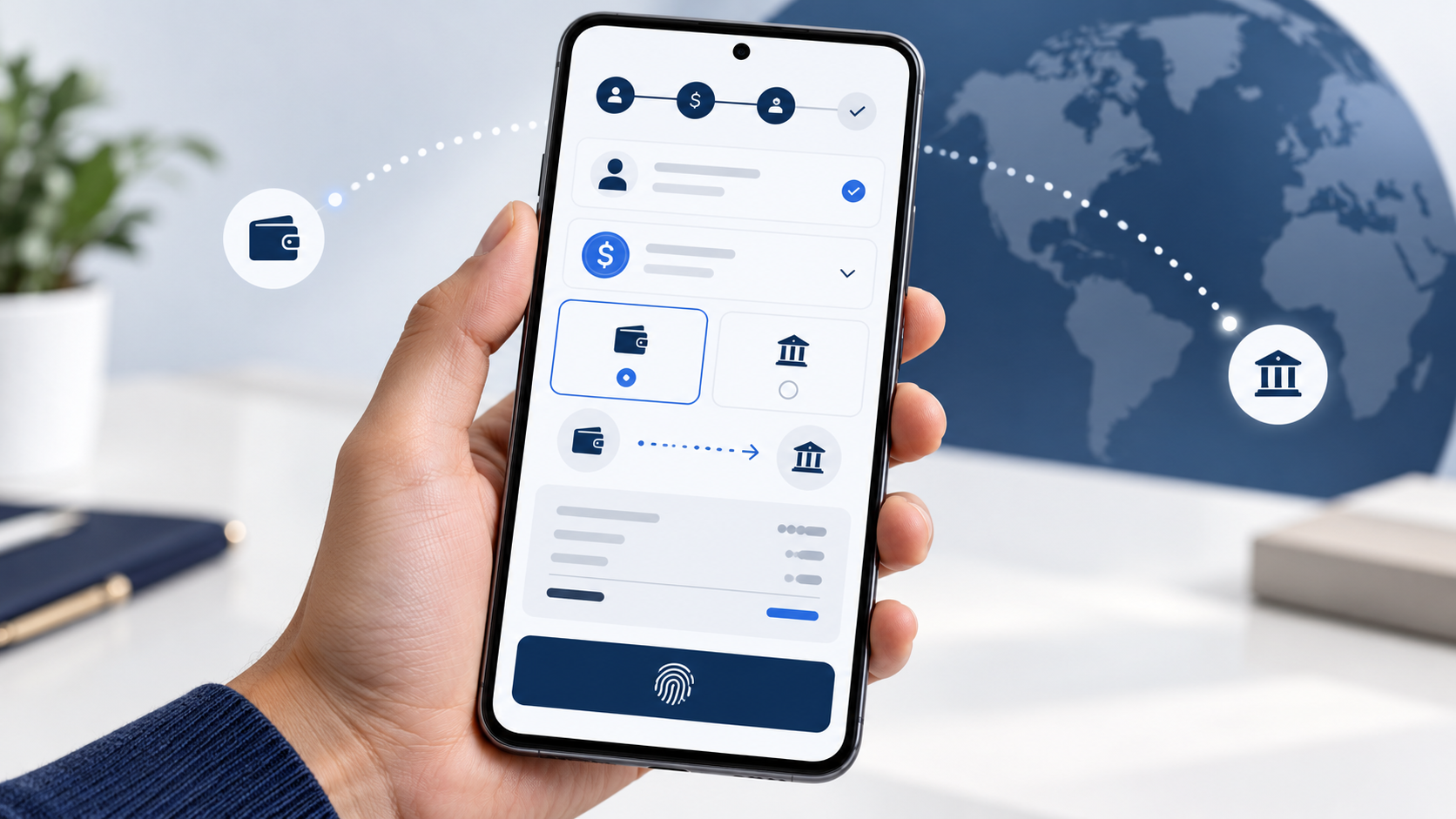
Galaxy-style smartphone showing secure USDC transfers from the United States worldwide

Samsung Wallet is adding built-in access to USDC stablecoin transfers for eligible Galaxy users in the United States during the last week of October 2026. The feature is designed for cross-border payments rather than speculative trading: users will be able to send USDC to compatible crypto wallets or route money to eligible bank accounts in more than 60 countries.

The convenience comes with important limits. Users must be at least 18, complete identity verification and use an eligible Galaxy device with Android 13 or later. Fees, delivery times and recipient eligibility depend on the transfer method, and the USDC balance is a digital asset rather than an FDIC-insured bank deposit.

Samsung Wallet USDC rollout quick take

  • Launch window: the last week of October 2026 for eligible users in the United States.
  • Eligibility: U.S. residents age 18 or older with a Samsung Account, a compatible Galaxy device running Android 13 or later, identity verification and biometric authentication.
  • Supported asset: USDC, a dollar-denominated stablecoin issued by Circle.
  • External-wallet transfers: Samsung says it will not charge a transfer fee, but a receiving wallet, exchange or blockchain network may impose costs.
  • Bank transfers: eligible bank accounts in more than 60 countries can receive local currency; destination-based fees apply and are shown before confirmation.
  • Custody and infrastructure: Bastion operates the stablecoin accounts and transfer framework, while Coinbase Prime Vault is the USDC sub-custodian.

How the new Samsung Wallet transfer flow works

How the new Samsung Wallet transfer flow works

Samsung is placing the stablecoin experience inside the existing Wallet app instead of requiring a separate crypto wallet. When an eligible user selects Buy Stablecoin, USDC will appear as the default dollar stablecoin. The account setup includes identity verification, device registration and biometric authentication.

For a transfer to an external wallet, the sender chooses a compatible destination that supports USDC on a blockchain network supported by Samsung Wallet. Samsung says transfers can arrive in seconds, but timing depends on network conditions. A recipient exchange or wallet provider may charge a fee even when Samsung does not.

For a bank transfer, the user chooses an eligible recipient account in a supported country. The system converts the USDC and routes the payout through local partners so the recipient can receive local currency without operating a crypto wallet. The app will show the fee and estimated delivery time before the sender confirms.

Who is eligible—and who is not

The service is limited at launch to eligible U.S. residents who are at least 18 years old. A Samsung Account, a Galaxy device compatible with Samsung Wallet and Android 13 or newer are required. Users must also complete account registration, identity verification and biometric setup on the registered device.

Samsung says the compatible installed base covers about 82 million U.S. Galaxy devices, but that number is not a promise that every phone, carrier, account or resident will qualify. The stablecoin option can depend on device model, software version, account status and compliance checks.

Transfers to sanctioned jurisdictions are prohibited. Bank-account support also varies by country, bank and account type. The final country list and eligibility details will appear inside Samsung Wallet, so users should verify the destination in the app instead of assuming that every bank in a listed country is supported.

External-wallet transfers and bank transfers have different fees

Samsung’s no-fee statement applies specifically to the fee Samsung charges for sending USDC to a compatible external wallet. It does not guarantee that the entire transaction is free. The recipient’s wallet or exchange can impose a deposit, conversion or withdrawal fee, and supported blockchain conditions can affect timing or cost.

Transfers to bank accounts are different. Samsung says fees apply, vary by destination and amount, and will be displayed with an estimated delivery time before confirmation. Users should compare the final amount the recipient is expected to receive with a bank remittance, card transfer or another money-transfer service.

Exchange rates also matter. A recipient may receive local currency, so the useful comparison is not only the displayed fee but the delivered amount after conversion. The cheapest headline fee can still produce a worse result if the exchange rate is less favorable.

Who holds the USDC

Samsung is not the bank, money transmitter or digital-asset custodian for this service and does not hold customer funds. Samsung says regulated partners provide the stablecoin accounts, custody and money movement.

Bastion supplies the stablecoin account, compliance and cross-border payment framework. Coinbase acts as Bastion’s official sub-custodian, with USDC safeguarded through Coinbase Prime Vault. Solana and Sui are among the partners providing blockchain-network support.

That structure removes the need for most users to manage private keys directly, but it also means access and transactions are subject to partner terms, identity screening, sanctions controls and service availability. Users should review the final in-app disclosures before depositing money.

USDC is designed to track the dollar, but it is not a bank deposit

USDC is intended to be redeemable one-for-one for U.S. dollars. Circle says the circulating tokens are backed by cash and short-term, highly liquid dollar assets, with reserve disclosures and monthly third-party assurance reports.

A stable value target does not make the asset risk-free. USDC is a digital asset, not legal tender, and should not be treated as a checking or savings balance. Coinbase states that USDC balances are not FDIC- or SIPC-insured. Users also face operational risks such as service outages, account restrictions, network congestion and sending funds to an incompatible address or network.

Before confirming an external-wallet transfer, check the exact network, recipient address and wallet support. Blockchain transfers can be difficult or impossible to reverse. For a bank payout, confirm the recipient name, bank details, delivered currency, fee and estimated arrival time.

What may come later

Samsung says future capabilities may include online stablecoin payments and tap-to-pay purchases using an eligible Galaxy device. Those are future possibilities, not launch-day promises. Samsung also points to potential expansion into additional markets as local regulations develop.

At launch, the practical use case is moving USDC or sending money abroad. Users should wait for the live app flow and published partner terms before assuming that Samsung Wallet can replace a payment card, checking account or conventional remittance service.

A relevant Galaxy phone for Samsung Wallet

The current Galaxy S26 Ultra is compatible with Samsung Wallet and remains Samsung’s flagship option for buyers who want the feature on a large-screen device. Check the Samsung Galaxy S26 Ultra on Amazon and verify the storage, color, seller, carrier compatibility and return policy before ordering. A new phone is not automatically required if an existing Galaxy model already meets Samsung Wallet’s compatibility and Android-version requirements.

As an Amazon Associate, ReaderSpice earns from qualifying purchases.

The bottom line

Samsung Wallet’s USDC rollout could make cross-border stablecoin transfers easier for eligible Galaxy users because the app handles account setup, custody integration, compliance checks and biometric authorization without requiring direct private-key management.

The limits are just as important. Eligibility is restricted, bank-transfer fees vary, external providers may charge costs, USDC is not an insured bank deposit, and destination or network mistakes can be costly. Compare the final delivered amount, review every confirmation screen and start with a small test transfer when using a new wallet or recipient.

Sources

Samsung Newsroom U.S.: Samsung Wallet stablecoin announcement

Coinbase: USDC in Samsung Wallet and custody details

Bastion: Samsung Wallet stablecoin infrastructure and compliance

Samsung: Samsung Wallet eligibility and digital-asset FAQ

Circle: USDC reserves and transparency

Coinbase: USDC rewards and deposit-insurance disclosure

Samsung SmartThings Now Update Adds Offline Control and Matter 1.6: What Changed

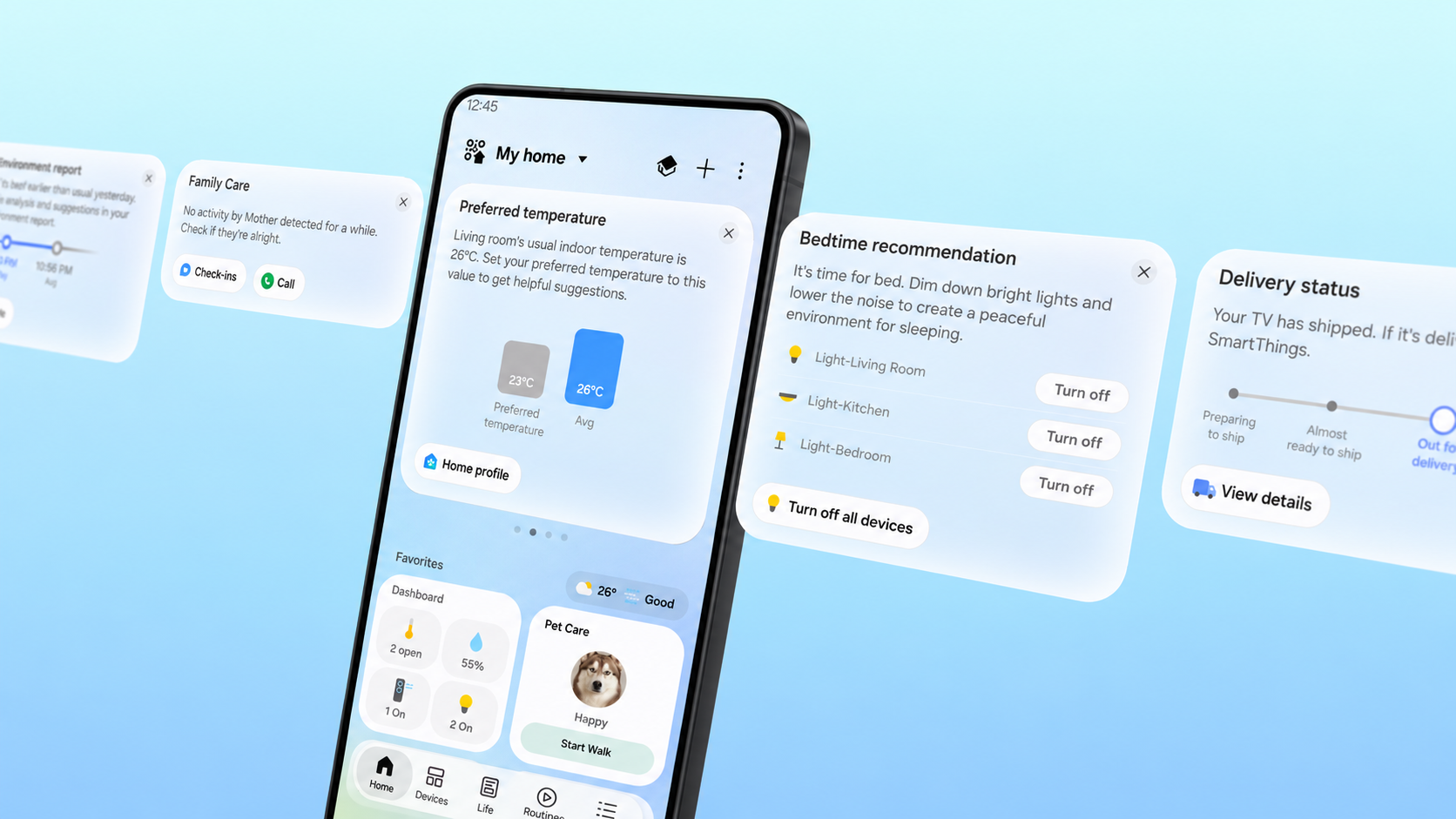
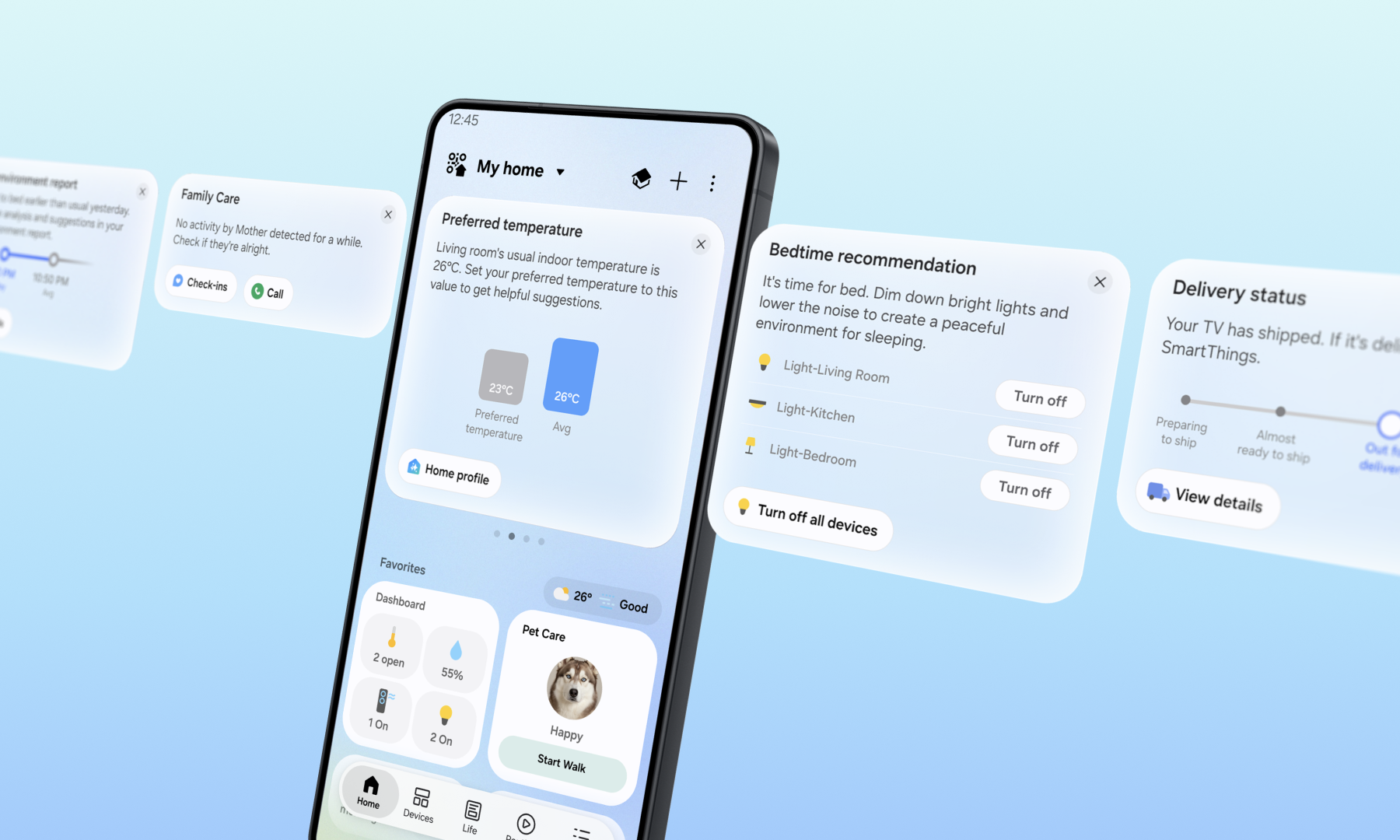
Samsung SmartThings Now cards for Family Care, temperature, bedtime and delivery status

Samsung’s latest SmartThings update is less about adding another menu and more about reducing the friction of running a connected home. SmartThings Now puts context-sensitive cards at the top of the Home tab, the redesigned app makes common controls easier to reach, and supported hubs can talk directly to a phone on the same Wi-Fi network when the internet connection is disrupted.

The most useful change is also the easiest to misunderstand: “offline control” does not mean every SmartThings device will work with the router unplugged or without a compatible hub. It means supported phones and hubs can keep communicating over the local home network when the outside internet connection is unavailable. Here is what changed, what equipment is supported and what to check before relying on it.

SmartThings update quick take

  • SmartThings Now: contextual cards surface timely information and suggested actions at the top of the Home tab.
  • Local control: a supported phone and SmartThings hub can communicate directly while connected to the same Wi-Fi network.
  • Claimed speed gain: Samsung says local control can improve response time by about 30% under its test conditions.
  • New interface: service cards, dashboards and device cards are reorganized, with a bottom Floating Bar for easier one-handed access.
  • Matter support: Samsung says the platform now supports Matter 1.6 and additional energy, closure, irrigation and soil-sensor device types.

What SmartThings Now actually does

What SmartThings Now actually does

SmartThings Now builds on Home Insight by combining information with an action the user can take immediately. Samsung’s examples include a Family Care alert when an older relative shows no device activity for an extended period, an arrival card suggesting lights and an air purifier before a user reaches home, and a bedtime recommendation that can switch off several lights at once.

The cards are intended to turn a status summary into the next useful step. After someone accepts a suggested action, SmartThings may offer to make it a routine so the same action can run automatically later. That makes the update more than a cosmetic feed, although the value will depend on which devices, services and permissions are connected to the account.

SmartThings Now also reviews the previous week of activity and can suggest changes to Home-tab Favorites. A seasonal device that is used less may be removed, while a frequently used device or routine may be promoted. Routine Insight provides a weekly view of automation activity and a place to remove routines that no longer make sense.

The redesigned Home tab should be easier to scan

The rest of the Home tab has been reorganized around dashboards, device cards and service cards. More compact service cards can show device status and numerical readings without taking over the screen, while the new Floating Bar puts frequently used controls near the bottom edge of a phone.

Samsung is also adding a Live Wallpaper that changes through the day. That is mostly visual polish; the practical improvements are denser information and controls that are easier to reach on large phones. The same general Home experience is available across supported mobile devices, Samsung smart TVs, Family Hub refrigerators, Samsung appliances with 7-inch or 9-inch screens, and Windows devices, though the exact layout and available cards will vary.

How local control works during an internet outage

Normally, a smart-home command may travel from a phone to a cloud service and then back to the hub or device. With the new local-control path, a supported SmartThings phone and hub on the same Wi-Fi network can communicate directly. Samsung says that can keep compatible controls responsive during temporary internet problems and can cut response time by roughly 30% compared with cloud routing in its controlled tests.

SmartThings automatically switches between local and cloud-based remote control depending on whether the phone is at home or away. Local control is available through the SmartThings app on Android and iOS with SmartThings Station, SmartThings V2, V3 and V4 hubs, plus hub-enabled Samsung smart TVs and Family Hub appliances.

This is not a promise that the whole smart home becomes cloud-independent. The router and local Wi-Fi still need to work, the phone must be on that network, and the command must involve compatible hardware and a locally supported path. Cloud-dependent integrations, account services, remote access and some automations may still fail when the internet is down.

What to test before you depend on offline control

  • Update the SmartThings app on every phone or tablet that manages the home.
  • Confirm the phone and hub are connected to the same local Wi-Fi network.
  • Identify which device commands and routines still work after temporarily disconnecting only the home’s internet service.
  • Keep safety-critical controls usable manually; do not treat an app or automation as the only way to operate a lock, alarm, light or medical device.
  • Use Offline Device Diagnostics if devices disappear after a router or network-name change. Samsung says the updated page can push new network information to all registered devices at once.

Matter 1.6 support needs one clarification

Samsung says its update adds Matter 1.6 support, improves stability and Group Control, and supports energy meters, specialized closures, irrigation devices and soil sensors. Those categories are useful for real-time power monitoring, gates and unusual doors, sprinkler systems and plant or lawn measurements.

There is an important standards detail. The Connectivity Standards Alliance says closures, soil sensors and expanded energy features arrived with Matter 1.5 in November 2025. Its Matter 1.6 release in June 2026 instead focuses on NFC-based commissioning, Joint Fabric for multi-ecosystem management, thermostat suggestions and several security and capability-reporting refinements. The practical interpretation is that SmartThings is expanding category support while moving its platform to Matter 1.6—not that every category first appeared in the 1.6 specification.

A standard and a platform update also do not guarantee that every product is ready on day one. Device makers still need compatible firmware and certification, and SmartThings support can vary by model, region and feature. Check a specific product in SmartThings before buying it solely for Matter 1.6.

Do you need a new SmartThings hub?

Not necessarily. Samsung explicitly lists SmartThings Station, V2, V3 and V4 hubs, along with hub-enabled Samsung TVs and Family Hub appliances, for the local-control feature. Owners of supported hardware should update the app and test their existing setup before purchasing anything.

For a new installation, the current Aeotec Smart Home Hub 2 on Amazon is a relevant SmartThings-compatible option with Zigbee, Thread and Matter support. It does not include Z-Wave, so it is not a like-for-like replacement for older SmartThings or Aeotec hubs in a home that already depends on Z-Wave switches, locks or sensors. Verify every protocol and model before replacing a working hub.

As an Amazon Associate, ReaderSpice earns from qualifying purchases.

Who will notice the update most

Households with many devices and routines should see the largest day-to-day benefit because SmartThings Now can surface the next likely action instead of forcing a search through rooms and services. Family Care users may also value actionable check-in cards, provided everyone understands what device-activity signals can and cannot indicate.

The local-control change matters most in homes with an unreliable internet connection or a supported hub serving many local devices. People using only cloud-to-cloud integrations may see less improvement. Matter 1.6 support is more future-facing: it broadens the platform’s foundation, but real value arrives only as compatible products and firmware reach users.

How to check for the new experience

Open SmartThings and look at the top of the Home tab for SmartThings Now cards, then check the app store for an available update if the redesigned screen has not appeared. Because SmartThings runs across phones, TVs, appliances and Windows PCs, rollout timing and available controls can differ by device and region.

After the update appears, review Favorites and routines rather than accepting every suggestion automatically. Delete stale routines, test arrival and bedtime actions while someone is home, and confirm that Family Care notifications are configured with the appropriate consent and expectations.

The bottom line

SmartThings Now is a thoughtful usability update because it connects information to an immediate action. The redesigned Home tab should reduce hunting, while local phone-to-hub control can make supported homes faster and more resilient during an internet outage.

The limits matter as much as the headline. Local Wi-Fi and a supported hub must remain available, cloud-dependent features may still fail, and Matter 1.6 support does not instantly make every device compatible. Update the app, test the commands that matter in your own home, and buy new hardware only after checking protocols and model support.

Sources

Samsung Newsroom U.S.: SmartThings Now and local control announcement

SmartThings Blog: SmartThings Now platform update

Samsung Support: SmartThings app and hub compatibility

Connectivity Standards Alliance: Matter 1.6 features

Connectivity Standards Alliance: Matter 1.5 device categories

Aeotec: Smart Home Hub 2 specifications

Samsung Galaxy SmartTag3: 8 Everyday Uses, iPhone Limits, Price and Release Date

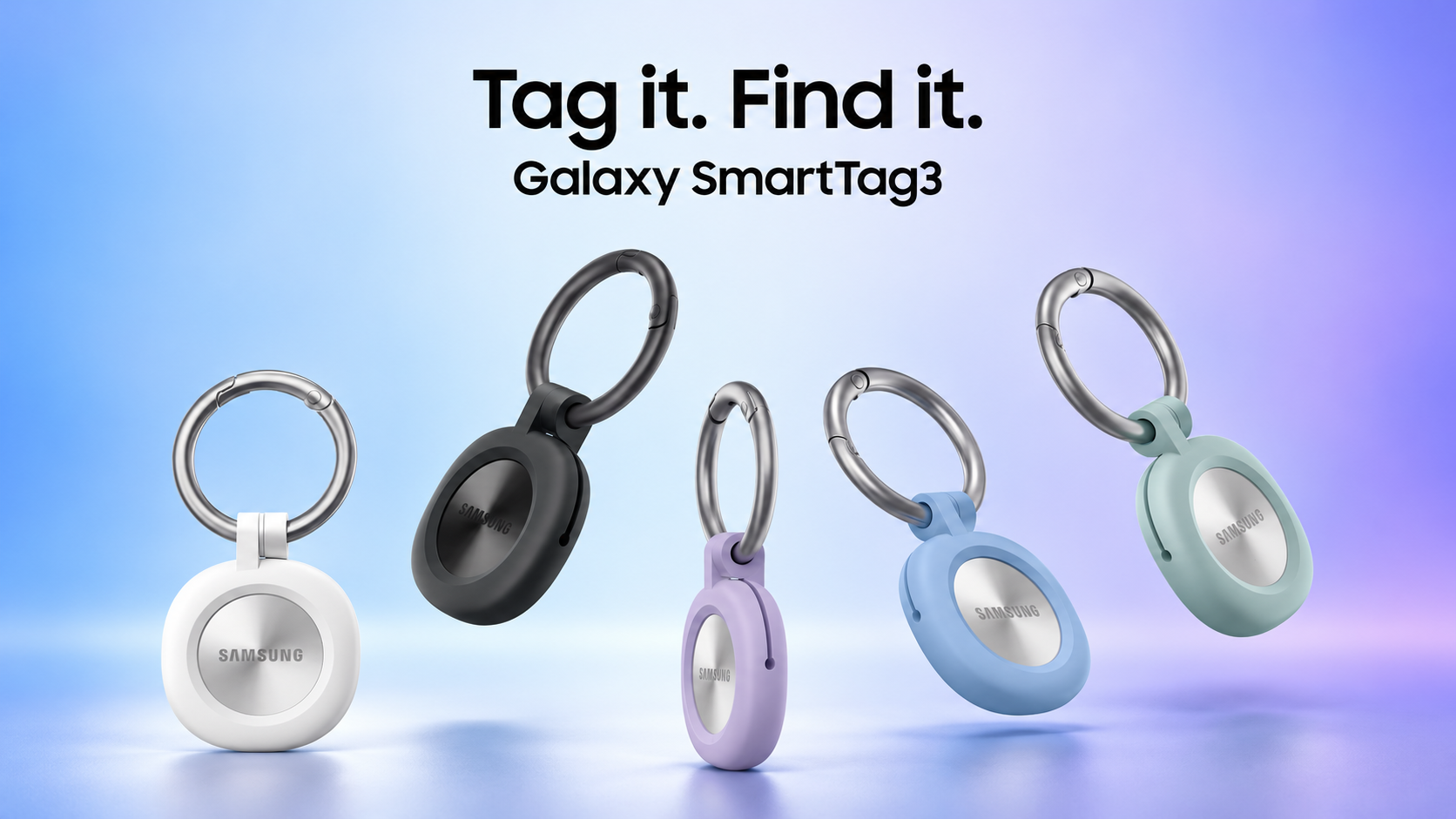
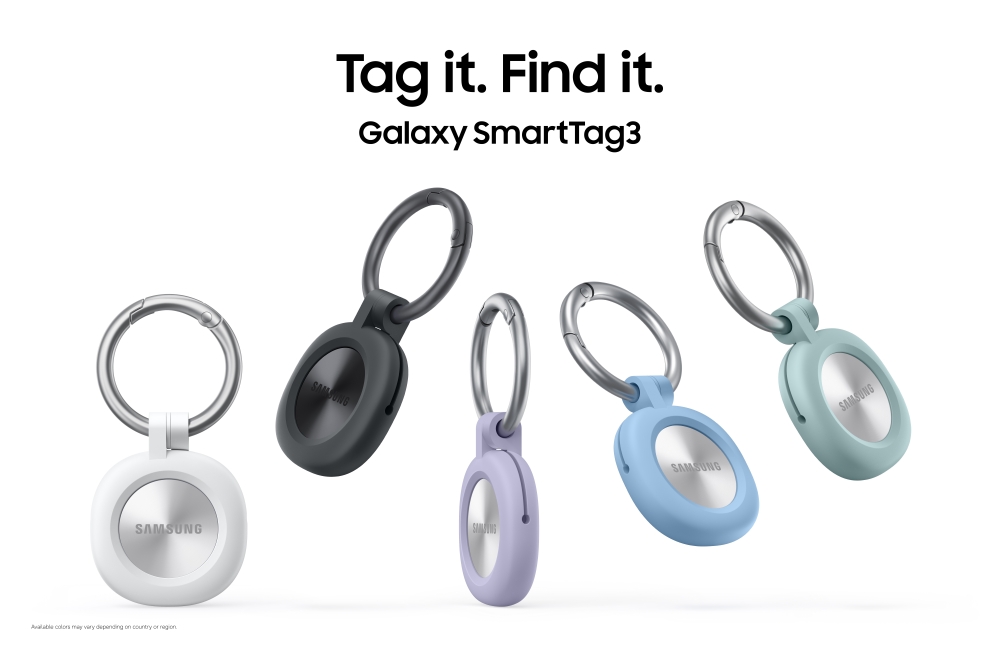
Samsung Galaxy SmartTag3 trackers in black, white, blue, purple and mint cases

Samsung’s Galaxy SmartTag3 is more than a smaller item tracker. It adds longer battery life, proactive movement and place alerts, wider close-range finding on supported Galaxy phones, and—most importantly for mixed-device households—core iPhone support for the first time in the SmartTag line.

The practical question is not simply whether the new tracker is better. It is which belongings benefit most, what an iPhone owner can actually do, and whether a current SmartTag2 owner needs to upgrade. Here is the useful breakdown before the U.S. launch.

Galaxy SmartTag3 quick take

  • U.S. price: $29.99 for one tag or $99.99 for a four-pack.
  • U.S. release: Samsung says it will be available by early November 2026.
  • Colors: Black and White; official cases and attachment accessories are sold separately.
  • Battery claim: up to 550 days in standard use or up to 790 days in Power Saving Mode.
  • Compatibility: core finding and sharing work on supported Galaxy and iOS devices, but the best precision and alert features remain Galaxy-only.

What changed with Galaxy SmartTag3

What changed with Galaxy SmartTag3

Samsung says the new tracker is about 35% smaller by volume and 33% lighter than the previous generation. The compact rounded body is designed to fit keys, smaller bags, luggage and pet collars, while separate Silicone and Loop cases add attachment options. The tag retains an IP67 water- and dust-resistance rating, although that does not make it suitable for swimming, beach use or permanent exposure to water.

Inside, a replaceable CR2032 battery powers up to 550 days of typical use, according to Samsung’s internal testing. Power Saving Mode can stretch the claim to 790 days, but it disables or reduces some features, including Compass View and ringtone settings. Real battery life will vary with alerts, finding sessions, temperature and replacement-battery quality.

The biggest technical change is the combination of Bluetooth 6.0 Channel Sounding and ultra-wideband. On compatible Galaxy phones, Compass View can provide directional guidance from up to 60 meters away under ideal line-of-sight conditions, then use UWB for more precise close-range locating. Walls, electronics and other obstacles can shorten that range.

8 practical ways to use Galaxy SmartTag3

1. Put one inside checked luggage

A tag cannot prevent an airline from misrouting a bag, but it can provide a last-seen location and help separate a baggage-system delay from a suitcase that never left the origin airport. SmartThings Find also lets supported users share the tag’s location with a family member who borrowed the suitcase.

2. Attach one securely to keys

Keys are the most obvious everyday use. Search Nearby, the audible ring and Compass View on supported Galaxy phones can narrow the search from a room or yard to the exact hiding place. Because the SmartTag3 body no longer provides the same integrated attachment opening as SmartTag2, budget for a compatible case or ring.

3. Track a backpack, purse or camera bag

Movement Detection Alert can be useful when a bag begins moving after it has disconnected from your phone. The feature depends on nearby participating Galaxy devices and network conditions, so it should be treated as an additional warning—not a real-time theft alarm or recovery guarantee.

4. Add one to a pet collar—with precautions

Location History, Movement Detection Alert and Place Notification can add another layer of awareness for a dog or other suitable pet. A SmartTag is not a GPS or cellular pet tracker, and updates depend on nearby Galaxy devices. Samsung also warns that the tag and coin-cell battery can be dangerous if detached or swallowed, so use a secure pet-specific holder, inspect it regularly and stop using damaged hardware.

5. Monitor a bicycle, toolbox or equipment case

Place Notification can alert you when a tagged item is detected moving into or out of a defined area, while Movement Detection Alert can flag motion after disconnection. Those tools may help with a bicycle, toolbox or job-site case, but alerts can be delayed or missed when no participating Galaxy device passes nearby.

6. Keep tabs on a wallet or slim daily-carry pouch

The smaller body is easier to fit into compact bags than SmartTag2, especially with a low-profile case. It may still be too thick for a traditional card slot, so check the dimensions of the wallet or organizer before buying accessories.

7. Turn the button into a smart-home shortcut

SmartThings IoT Control can trigger a preset routine from the tag button. Depending on your connected devices and setup, that could run an arrival scene, control compatible lights or start another routine without opening the phone.

8. Prepare Lost Mode before anything goes missing

NFC-powered Lost Mode can show registered contact information or a short message when someone scans the tag with a compatible NFC phone connected to the internet. Set it up in advance, include only the contact details you are comfortable sharing, and turn it off when it is no longer needed.

iPhone support is useful, but it is not feature parity

Galaxy SmartTag3 is the first model in the family to support iPhones. On supported iOS devices, users can check and share a tag’s location and use Search Nearby through SmartThings Find. That is enough for a mixed Galaxy-and-iPhone household to share luggage, keys or a pet tag without everyone carrying a Samsung phone.

Three important features are not available on iOS: Compass View, Ring Phone and Left Behind Alert. In practice, an iPhone owner gets the core network-location experience but not Samsung’s full precision-finding and separation-alert package.

Compatibility is also narrower than the phrase “cross-OS” might suggest. Samsung’s public announcement names Galaxy and iOS support. PhoneArena reported on October 7 that Samsung corrected an earlier statement and said other Android phones—including Pixel devices—are not supported, with no current plan to add them. Buyers should verify their exact phone before ordering.

Range and alerts come with conditions

Samsung’s up-to-60-meter Compass View claim applies only under clear line-of-sight conditions and only to Galaxy devices that support UWB or Bluetooth Channel Sounding. At launch, Samsung lists Bluetooth Channel Sounding support for a small group of recent Galaxy flagships, including the Galaxy S26 Ultra, S26 Plus, Z Fold8 and Z Fold8 Ultra.

Beyond direct Bluetooth range, the tag relies on the Galaxy Find Network. Samsung says more than 900 million participating Galaxy devices can serve as finding nodes, but an update still depends on a participating device being nearby, appropriate settings, connectivity and regional availability. This is a crowd-sourced finding network, not continuous satellite or cellular GPS.

Location History stores up to seven days. Place Notification is labeled a trial feature, and both movement and location alerts can be delayed or fail to arrive. Those limitations matter most for pets, high-value gear and situations where a prompt alert is essential.

U.S. price and release date

Samsung says Galaxy SmartTag3 will reach the United States by early November 2026. A single tag costs $29.99, while the four-pack costs $99.99. Black and White versions are planned, with case colors and accessory availability varying by retailer and market.

“By early November” is a launch window, not a specific store date. Shoppers should expect retailer pages and inventory to appear at different times rather than assuming every color, bundle and accessory will be available on the same day.

Should SmartTag2 owners upgrade?

If your SmartTag2 already covers your keys or luggage and its roughly year-plus battery life is sufficient, the new model is not an automatic upgrade. The strongest reasons to switch are a mixed Galaxy-and-iPhone household, the smaller body, proactive place and movement alerts, or a compatible Galaxy phone that can use the expanded Compass View range.

If you need a tracker now, the current Samsung Galaxy SmartTag2 on Amazon remains the directly relevant predecessor and works with compatible Galaxy phones and tablets. Check the seller, color and package count before buying, because listings can change as SmartTag3 approaches release.

As an Amazon Associate, ReaderSpice earns from qualifying purchases.

The bottom line

Galaxy SmartTag3 is a meaningful practical upgrade: smaller hardware, longer claimed battery life, proactive alerts and iPhone access make it easier to share across a household. Galaxy owners with the newest supported phones get the most complete experience, while iPhone users should view it as a capable shared tracker with important feature limits.

For luggage, keys and frequently shared belongings, the $29.99 price is competitive. For pets, theft recovery or anything safety-critical, use it only as an additional finding layer and plan around the limits of a nearby-device network.

Sources

Samsung Newsroom U.S.: Galaxy SmartTag3 announcement

Samsung Newsroom U.S.: Everyday uses for Galaxy SmartTag3

Samsung Global Newsroom: Galaxy SmartTag3 features and limitations

PhoneArena: SmartTag3 Android compatibility correction

Samsung: Galaxy SmartTag2 product page

Galaxy S27 Ultra Charging Leak: Samsung May Make 60W Faster Without Raising Wattage

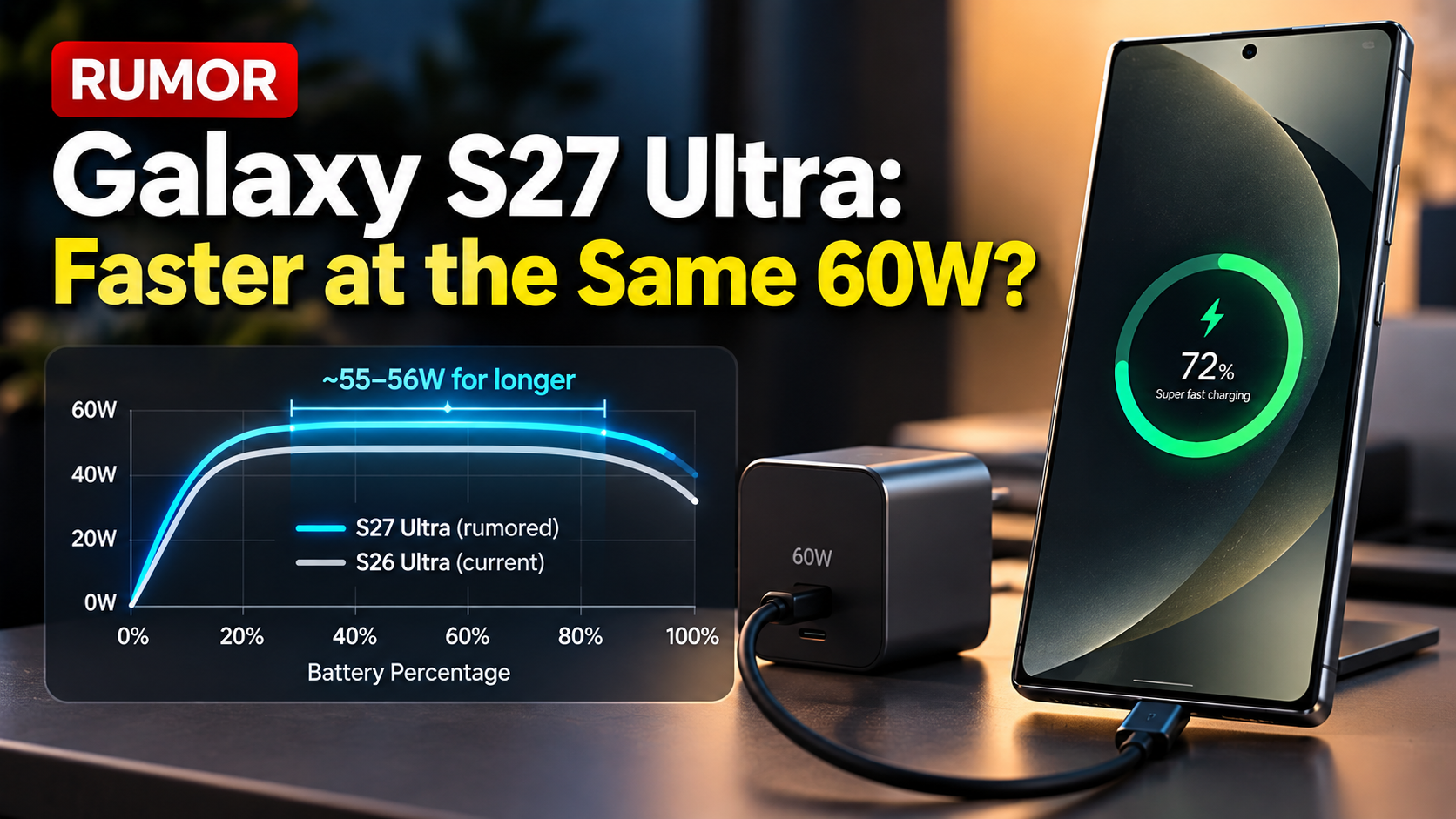
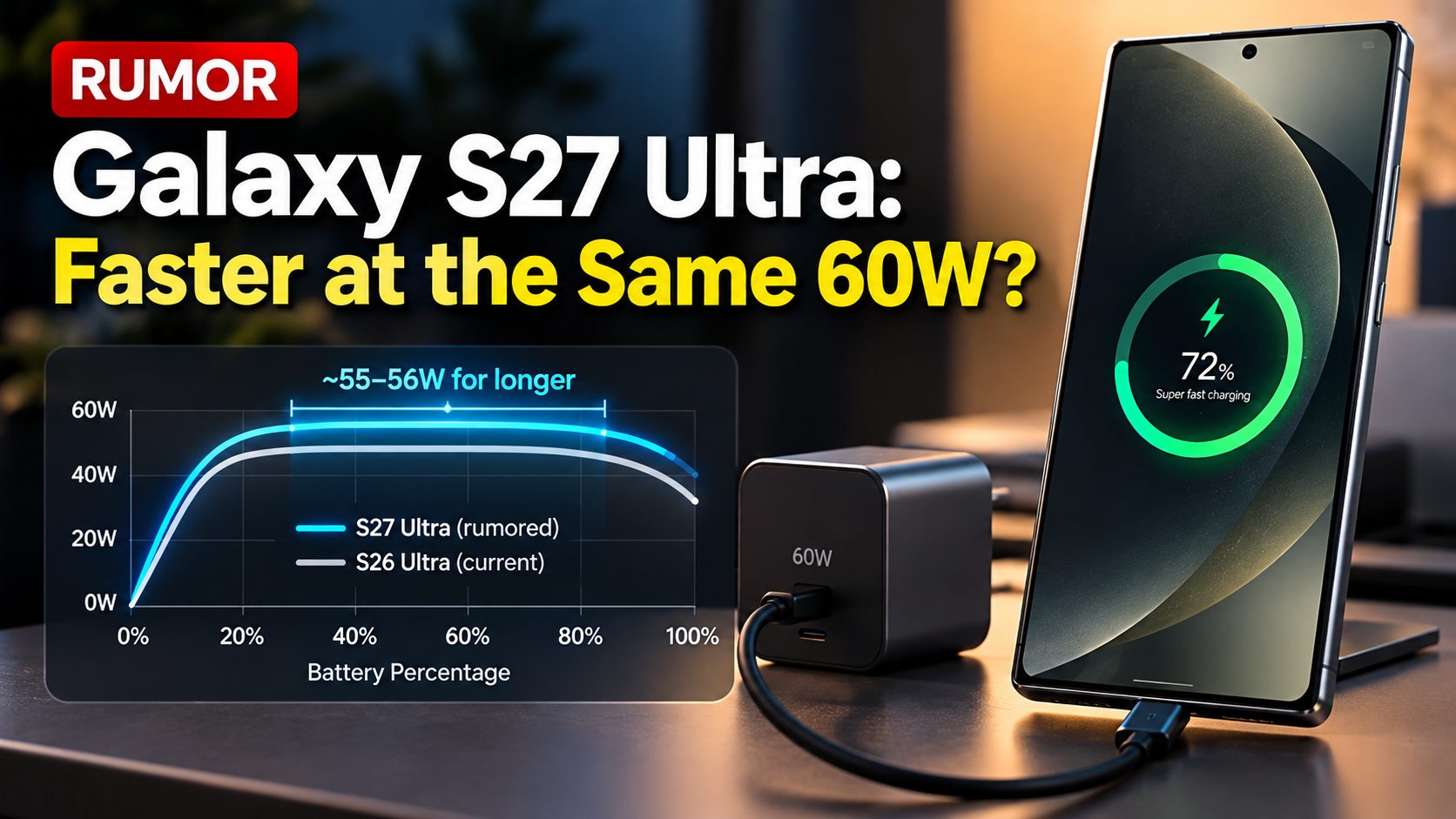
Galaxy S27 Ultra charging concept showing rumored sustained 55W to 56W charging at the same 60W peak

Samsung may be preparing a subtler charging upgrade for the Galaxy S27 Ultra than simply increasing the number printed on the charger. A new leak claims the upcoming Ultra will keep the same 60W wired charging ceiling as the Galaxy S26 Ultra, but could hold near-peak power for longer during the early part of a charge.

If accurate, that would mean the S27 Ultra could finish charging slightly faster even with its rumored larger 5,700mAh battery. Samsung has not announced the Galaxy S27 Ultra or confirmed these charging changes, so the details remain pre-release rumors.

The New Leak Is About the Charging Curve, Not a Higher Wattage

The New Leak Is About the Charging Curve, Not a Higher WattageAccording to a report from Android Authority citing leaker WalleGalaxy, Samsung is testing charging optimizations that may allow the Galaxy S27 Ultra to sustain roughly 55W to 56W for longer at the beginning of a charging session. The phone is still rumored to top out at 60W.
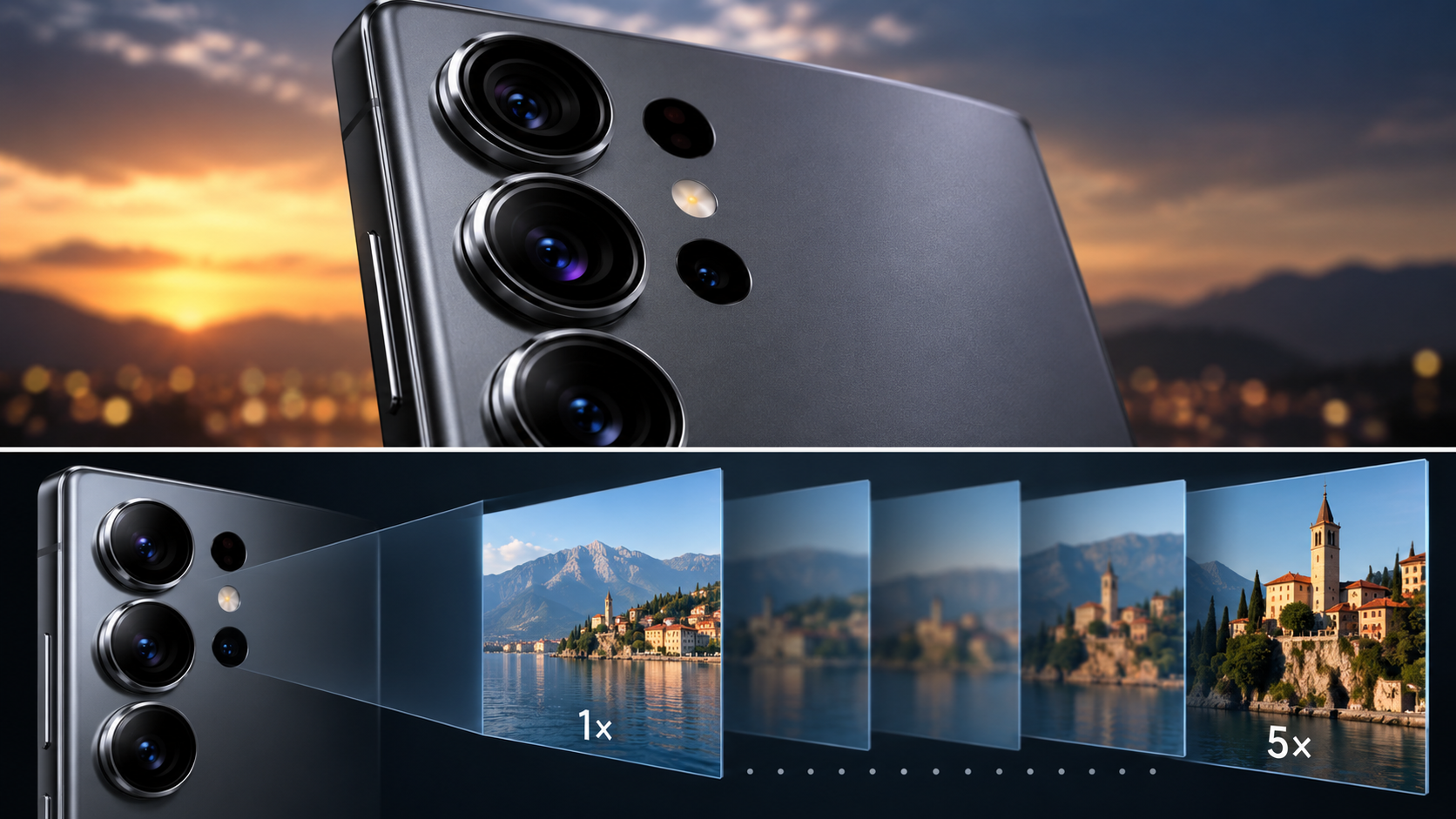
That distinction matters. A phone’s advertised maximum charging wattage is only the peak. Real charging speed depends on how long the device can remain near that peak before heat, battery state of charge and power-management rules force the wattage down. If Samsung can extend the high-power portion of the curve, the same 60W rating can deliver a shorter overall charging time.

How Much Faster Could the S27 Ultra Actually Be?

The leak claims the change could make a full charge around 2% to 3% faster than the Galaxy S26 Ultra. That would be a modest improvement rather than a dramatic leap, and it should be treated cautiously until independent testing is possible.

The interesting part is that the rumored S27 Ultra is also expected to use a larger battery. Previous reports have pointed to a 5,700mAh cell, compared with the 5,000mAh battery in the S26 Ultra. If Samsung can charge a larger battery in roughly the same—or slightly less—time, that would represent a meaningful efficiency improvement even though the headline wattage remains unchanged.

Why Sustained Power Can Matter More Than Peak Power

Charging systems rarely sit at their maximum rating from empty to full. Phones typically pull more power when the battery is low, then reduce power as temperature rises and the battery fills. This tapering protects battery health and manages heat.

That is why two phones with the same maximum wattage can have noticeably different charging times. Thermal design, voltage and current management, charger communication, battery chemistry and software all influence the curve. A longer 55W-to-56W window could therefore matter more in daily use than a brief higher peak that lasts only a few minutes.

The Rumored 5,700mAh Battery Changes the Context

The charging rumor becomes more important when paired with reports of a 5,700mAh battery for the Galaxy S27 Ultra. A larger battery could improve endurance, but without charging optimization it could also take longer to refill.

Samsung appears to be pursuing both sides of that equation: more capacity for runtime and a refined charging curve to keep refill times competitive. That approach would fit Samsung’s historically conservative charging strategy, which has generally emphasized thermal control and battery longevity rather than chasing the highest wattage numbers used by some rivals.

What Galaxy S26 Ultra Owners Should Expect

For Galaxy S26 Ultra owners, this rumor alone would not justify an upgrade. The S26 Ultra already introduced 60W wired charging, and a 2% to 3% improvement would be difficult to notice without side-by-side timing.

The bigger question is whether the charging optimization combines with the rumored 5,700mAh battery to deliver a better overall experience: longer battery life without a charging-time penalty. That combination would be much more meaningful than the charging percentage improvement by itself.

What Is Confirmed and What Is Still Rumor?

Samsung has not officially announced the Galaxy S27 Ultra, its battery capacity, charging curve or final wired charging specification. The sustained 55W-to-56W figure comes from a leak and should not be treated as a confirmed Samsung specification.

Multiple publications have now reported the claim, but they trace back to the same underlying leak. Independent certification data and Samsung’s eventual product specifications will be more important. Real-world charging tests will also be necessary because laboratory or internal test conditions can differ from everyday charging with cases, warm rooms and active phone use.

ReaderSpice Take

Keeping 60W while making 60W work harder would be a sensible Samsung upgrade. Peak wattage is easy to market, but sustained power is what determines whether a phone actually spends less time plugged in.

If the Galaxy S27 Ultra really pairs a 5,700mAh battery with a stronger early charging curve, Samsung could improve both endurance and charging convenience without entering a 100W-plus specification race. For now, the claimed 2% to 3% gain is too small to celebrate on its own, but the larger battery plus improved charging behavior is worth watching.

If you are shopping now rather than waiting for an unannounced phone, the current Samsung Galaxy S26 Ultra remains the relevant available Ultra model on Amazon.

Disclosure: As an Amazon Associate, ReaderSpice earns from qualifying purchases.

Sources

Android Authority — Samsung may have found a smart way to speed up Galaxy S27 Ultra charging

Tech Advisor — Samsung could get clever to achieve faster Galaxy S27 Ultra charging

Tom’s Guide — Galaxy S27 series price and battery reporting

Galaxy S27 Ultra Camera Leak: Samsung May Drop 3x Zoom but Make a Big Photography Upgrade

Galaxy S27 Ultra concept showing rumored three-camera layout, 200MP HP6 sensor and removal of dedicated 3x telephoto

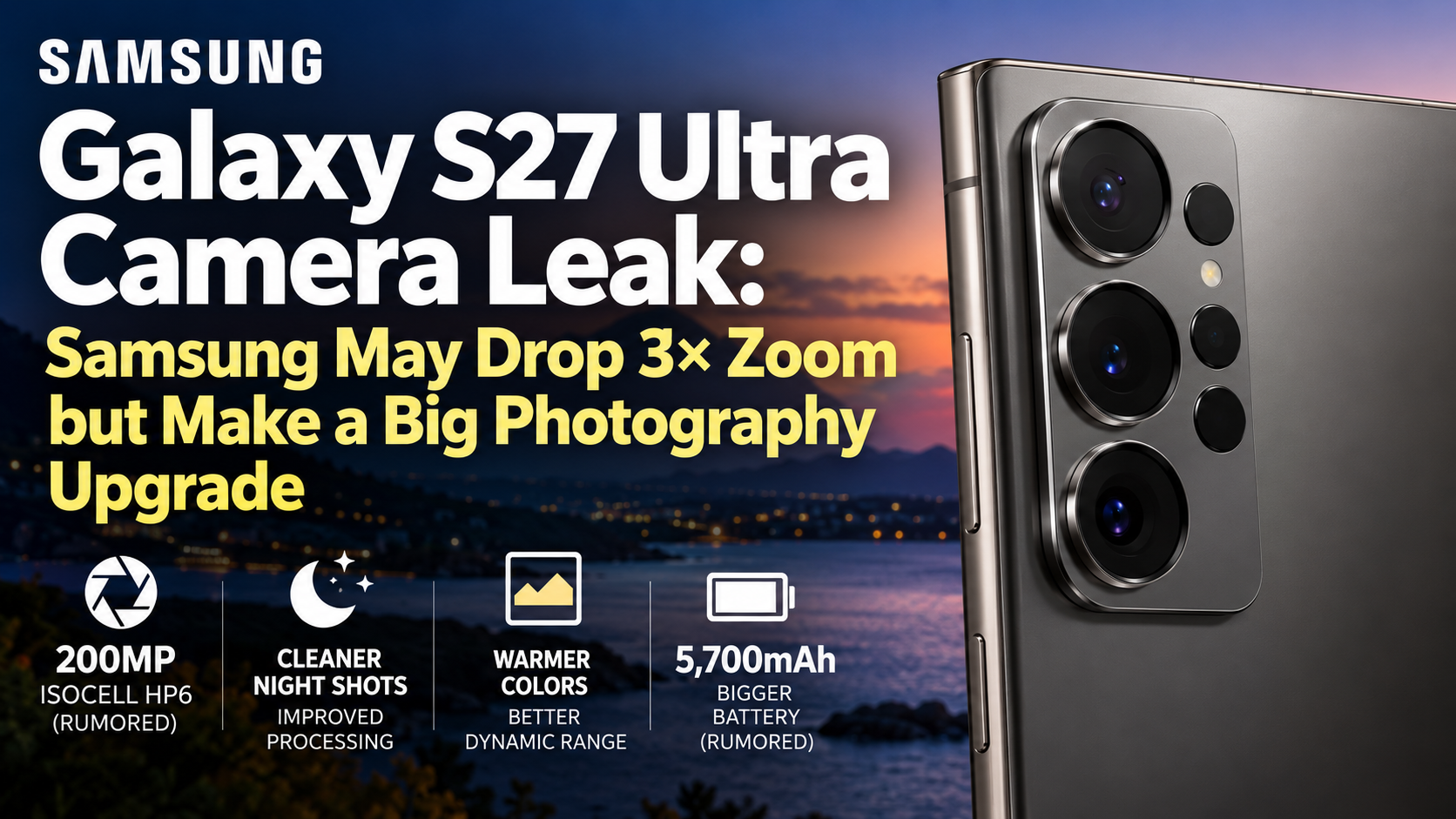
Samsung’s next Ultra flagship could make one of its most controversial camera changes in years. A new leak from long-time Samsung tipster Ice Universe says the Galaxy S27 Ultra will drop the dedicated 3x telephoto camera, leaving the phone to move from its main 1x camera directly to a 5x periscope telephoto. At the same time, the main camera is now rumored to use a new 200MP ISOCELL HP6 sensor designed to shoulder more of the zoom work.

That combination matters more than simply reducing the rear camera count from four lenses to three. If the leak is accurate, Samsung is betting that a higher-quality main sensor, in-sensor cropping and better computational photography can cover the everyday 2x-to-4x range well enough to replace a dedicated optical camera. Samsung has not announced the Galaxy S27 Ultra, so all S27-specific details below remain unconfirmed.

The New Leak Says the 3x Camera Is Going Away

The New Leak Says the 3x Camera Is Going Away

On September 29, Ice Universe said the Galaxy S27 Ultra will no longer use a dedicated 3x telephoto camera. 9to5Google reported the same claim while noting that leaked renders now show a three-camera rear arrangement rather than the four-camera setup used by the Galaxy S26 Ultra.

Under the rumored configuration, the S27 Ultra would use its main camera for the lower zoom range and then switch to the dedicated 5x periscope camera for longer reach. The 5x module itself is not expected to receive the previously rumored large-sensor 4x replacement; Ice Universe has instead said the 5x camera will retain a 1/2.52-inch sensor and f/2.9 aperture.

Why Losing 3x Zoom Could Be a Big Deal

Three-times zoom is useful because it sits in a natural range for portraits, pets, food, street photography and everyday subjects where 5x can feel too tight. A dedicated optical module also avoids asking the main camera to crop aggressively when light levels fall.

Removing that camera therefore creates a real question: can Samsung deliver consistent detail, texture and noise control from roughly 2x through 4x using the main sensor alone? In bright daylight, a 200MP sensor has substantial resolution available for cropping. Indoors or at night, however, computational processing and sensor efficiency become much more important.

The Rumored 200MP ISOCELL HP6 Is the Key

The same Ice Universe leak says the S27 Ultra will use a 200MP ISOCELL HP6 main sensor described as a Galaxy-customized relative of Samsung’s newer high-resolution sensor technology. Android Authority reports that the rumored HP6 could inherit ideas aimed at cleaner shadows, stronger dynamic range and better handling of difficult highlights.

Samsung has not officially announced an HP6 for the S27 Ultra, so those capabilities cannot yet be treated as confirmed specifications. But Samsung has publicly demonstrated why high-resolution sensors can help bridge focal-length gaps. Its ISOCELL Zoom Anyplace technology uses in-sensor remosaic processing to maintain high resolution while zooming into a selected area, and Samsung has previously described 200MP sensors as capable of seamless 2x and 4x in-sensor zoom.

That does not automatically mean a crop from the S27 Ultra’s main camera will equal a dedicated 3x telephoto in every condition. Lens characteristics, sensor readout, processing, shutter speed and available light all affect the result. The HP6 rumor is important because Samsung would need the main camera to do more work than before.

Samsung’s Camera Processing May Change Too

The hardware rumor is accompanied by a newer processing claim. Ice Universe says S27 Ultra photos currently show a warmer overall color tone than the Galaxy S26 Ultra, better control of small bright highlights and less visible noise in dark areas. Android Authority and other outlets have reported the same three claimed changes.

Those improvements could directly support Samsung’s three-camera strategy. Better highlight control would help with signs, streetlights and bright details in night scenes, while cleaner shadows could make cropped 2x-to-4x images more usable when the main camera has less light to work with. A warmer color profile could also make the difference between S26 Ultra and S27 Ultra photos immediately visible even when resolution looks similar.

What This Means for Galaxy S26 Ultra Owners

For Galaxy S26 Ultra owners, the rumored change is not a simple upgrade on paper. The S26 Ultra gives users dedicated 3x and 5x optical options. The S27 Ultra may instead simplify the hardware while asking a new main sensor and updated processing to fill the middle of the zoom range.

That could produce a better overall camera if Samsung’s main-sensor crop is cleaner and more consistent than the current 3x module. It could also be a downgrade for users who frequently shoot portraits or low-light subjects around 3x if the crop cannot match dedicated optics. The deciding factor will be real image quality, not the number of lenses on the back.

The Earlier 4x Super-Telephoto Rumor Now Looks Less Likely

ReaderSpice previously covered reports that Samsung was testing a larger 50MP 4x telephoto sensor. The latest Ice Universe information pushes strongly against that configuration for the retail S27 Ultra, saying the familiar 5x periscope remains while the 3x module disappears.

This is a good example of why pre-release hardware leaks need to be treated as moving targets. Samsung can test multiple prototypes before settling on a production design, and a configuration seen during development does not guarantee the final phone will ship that way.

How Credible Is the Latest Information?

Ice Universe has a long track record of Samsung-related leaks, and the new 3x claim lines up with recent CAD-based renders showing three rear cameras. That makes the report more notable than an isolated anonymous rumor. Even so, the word “confirmed” in a leaker’s post is not the same as confirmation from Samsung.

Samsung has not announced the Galaxy S27 Ultra, the HP6 sensor, the removal of the 3x camera or the final 5x specifications. Until Samsung publishes specifications—or multiple independent sources produce stronger production-stage evidence—the safest description is that these are increasingly consistent leaks rather than official facts.

ReaderSpice Take

The rumored removal of the 3x camera is risky, but it is not automatically a downgrade. Samsung has spent years developing high-resolution sensors and in-sensor zoom techniques specifically to extract useful detail from a main camera at intermediate focal lengths. If HP6 delivers better dynamic range, lower noise and strong crop quality, simplifying the camera array could make sense.

The test will be portraits and low-light zoom. Those are the situations where a dedicated optical camera has the clearest theoretical advantage. If Samsung can make 3x photos from the HP6 look cleaner than the S26 Ultra’s dedicated 3x camera while also improving 1x and night photography, the S27 Ultra could end up with fewer cameras but a stronger camera system.

If you are shopping now rather than waiting for an unannounced phone, the current Samsung Galaxy S26 Ultra remains the relevant available Ultra model on Amazon.

Disclosure: As an Amazon Associate, ReaderSpice earns from qualifying purchases.

Sources

9to5Google — Galaxy S27 Ultra’s missing camera shown in leaks is its 3x zoom

Android Authority — Latest Galaxy S27 Ultra leak brings good news for low-light shots, bad news for zoom

Samsung Global Newsroom — ISOCELL Zoom Anyplace and E2E AI Remosaic for 200MP sensors

Tom’s Guide — Galaxy S27 Ultra may scrap the 10MP telephoto lens

One UI 9 Is Rolling Out, but Our U.S. Unlocked Galaxy S26 Ultra Is Still on One UI 8.5

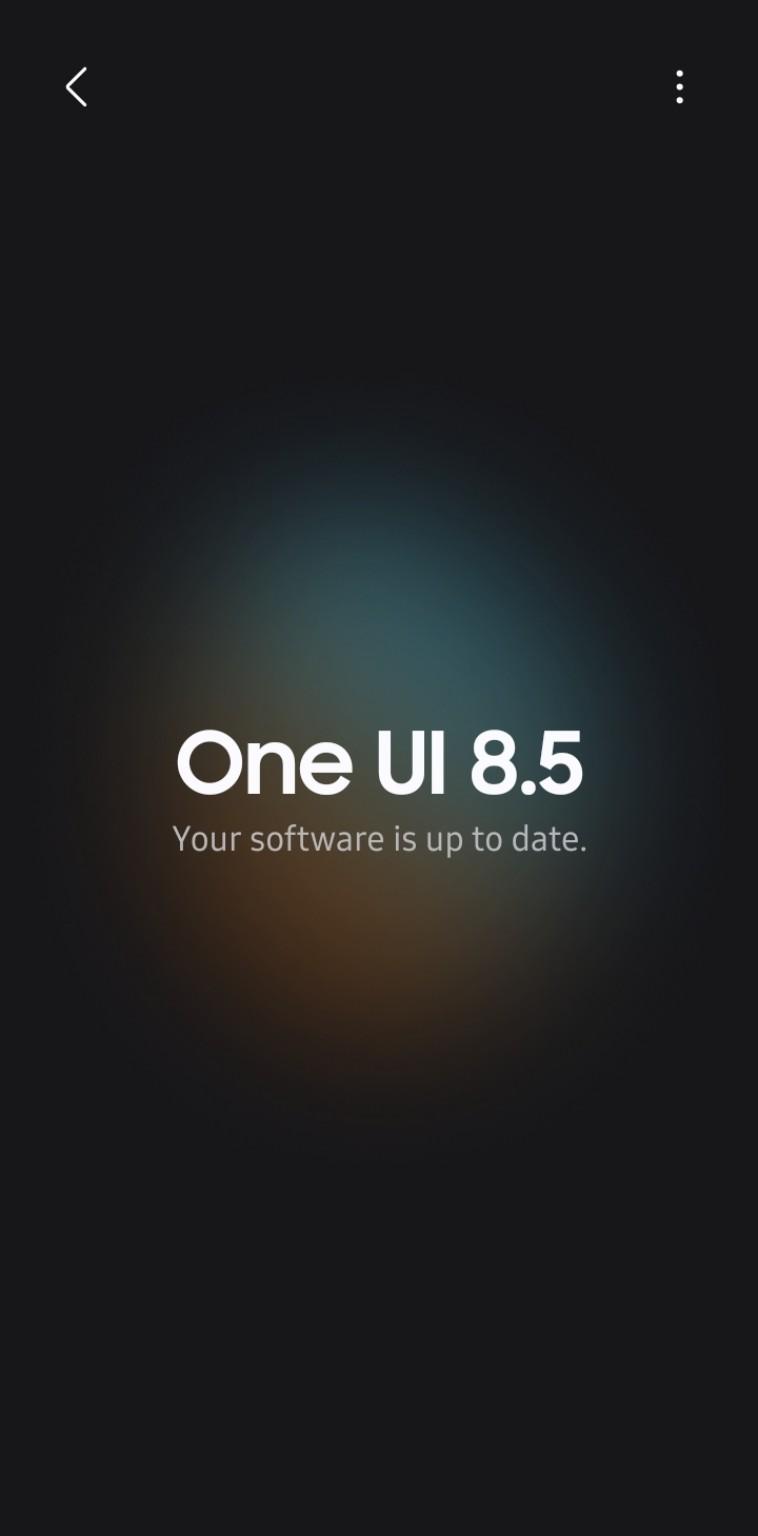
U.S. unlocked Samsung Galaxy S26 Ultra Software update screen showing One UI 8.5 and software up to date on September 21, 2026

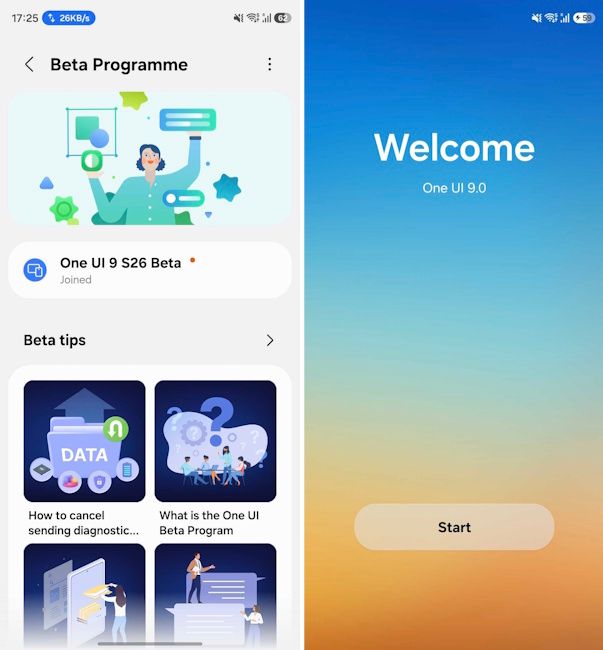
Samsung officially announced the One UI 9 rollout for the Galaxy S26 series on September 16, but the update is not appearing on every device at the same time. ReaderSpice checked a U.S. unlocked Galaxy S26 Ultra on September 21, and Samsung’s Software update screen still showed One UI 8.5 with the message “Your software is up to date.”

That makes the U.S. unlocked model an interesting real-world example of how Samsung’s staged rollout can differ from the headline launch date. The stable update exists, but it had not yet reached this particular U.S. unlocked S26 Ultra when we checked it.

Our U.S. Unlocked Galaxy S26 Ultra Is Still Waiting

At approximately 4:40 PM Central Time on September 21, 2026, we manually checked Settings > Software update > Download and install on a U.S. unlocked Galaxy S26 Ultra. The phone remained on One UI 8.5 and reported that its software was current.

Our U.S. Unlocked Galaxy S26 Ultra Is Still Waiting

ReaderSpice screenshot: U.S. unlocked Galaxy S26 Ultra still showing One UI 8.5 as up to date on September 21, 2026.

The screenshot above is from the device itself, rather than a carrier schedule or third-party rollout tracker. It does not prove that every U.S. unlocked S26 Ultra is still waiting, but it does confirm that the September 16 rollout announcement did not mean every eligible U.S. handset would receive the OTA immediately.

What Samsung Has Officially Said About the Rollout

Samsung Electronics America said on September 16 that One UI 9 was beginning to roll out to the Galaxy S26 Ultra, Galaxy S26+, and Galaxy S26. Samsung’s own availability note also says service availability can vary by region or country, OS and One UI version, device model, and phone carrier.

That distinction matters: “rollout begins” is not the same as a guaranteed same-day release for every regional variant and every unlocked device. Samsung distributes major firmware in stages, so two Galaxy S26 Ultra owners can see different update availability even when both devices are eligible.

Android Authority reported on September 16 that Canadian Galaxy S26 owners were expected to begin receiving One UI 9 on September 21, while a firm U.S. release date had not been confirmed at that time. That helps explain why a U.S. unlocked S26 Ultra can still legitimately show One UI 8.5 as current on September 21.

Why “Your Software Is Up to Date” Can Still Be Correct

Samsung’s OTA updater checks whether a newer approved firmware package is currently available for that specific device configuration. If One UI 9 has not yet been assigned to that handset’s rollout channel, the phone can correctly report that One UI 8.5 is up to date even though One UI 9 is already available in other markets or on other variants.

In other words, the message is describing what is available to that phone at that moment. It is not saying that One UI 9 does not exist or that the Galaxy S26 Ultra is ineligible for it.

What One UI 9 Brings to the Galaxy S26 Series

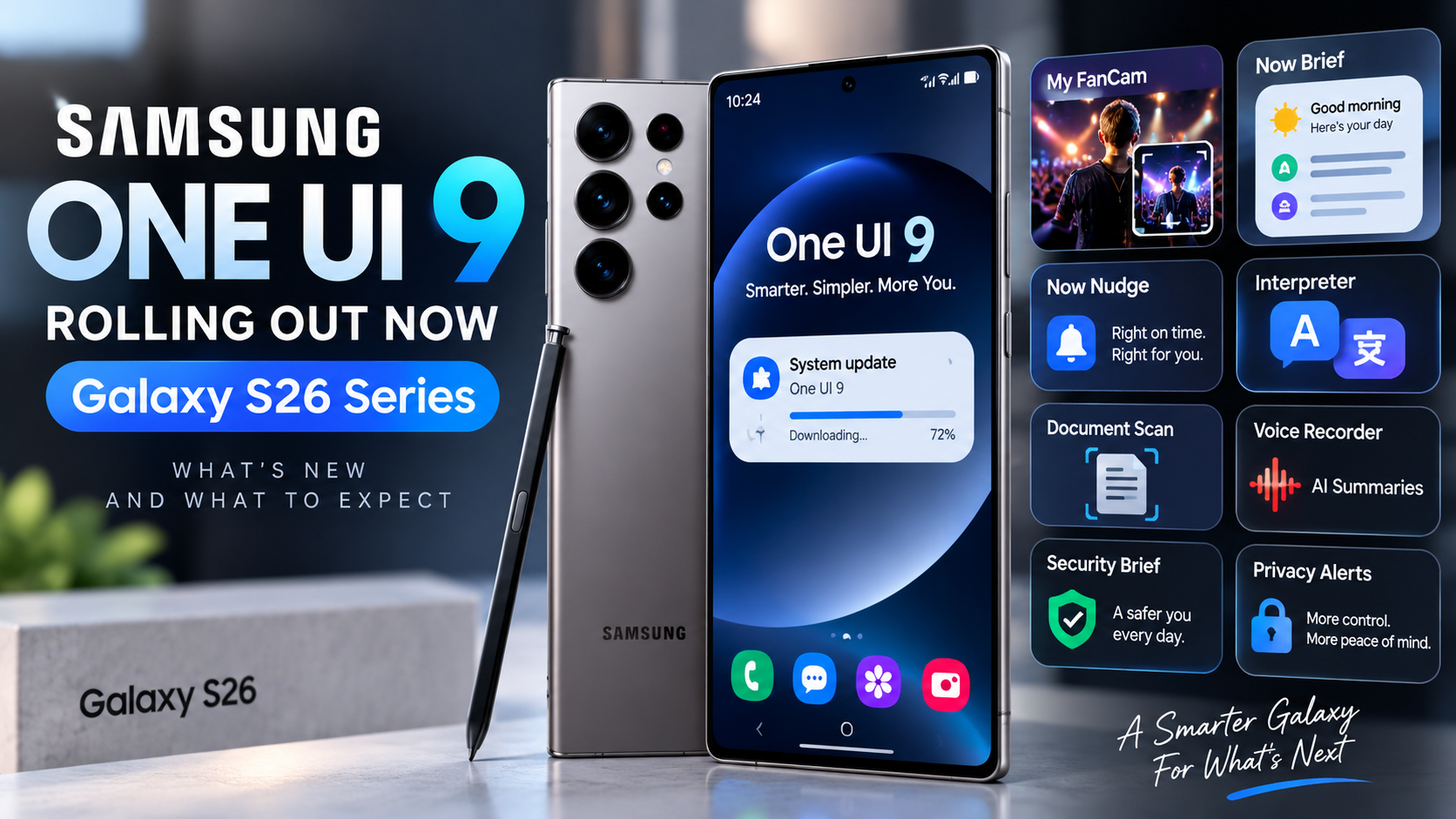
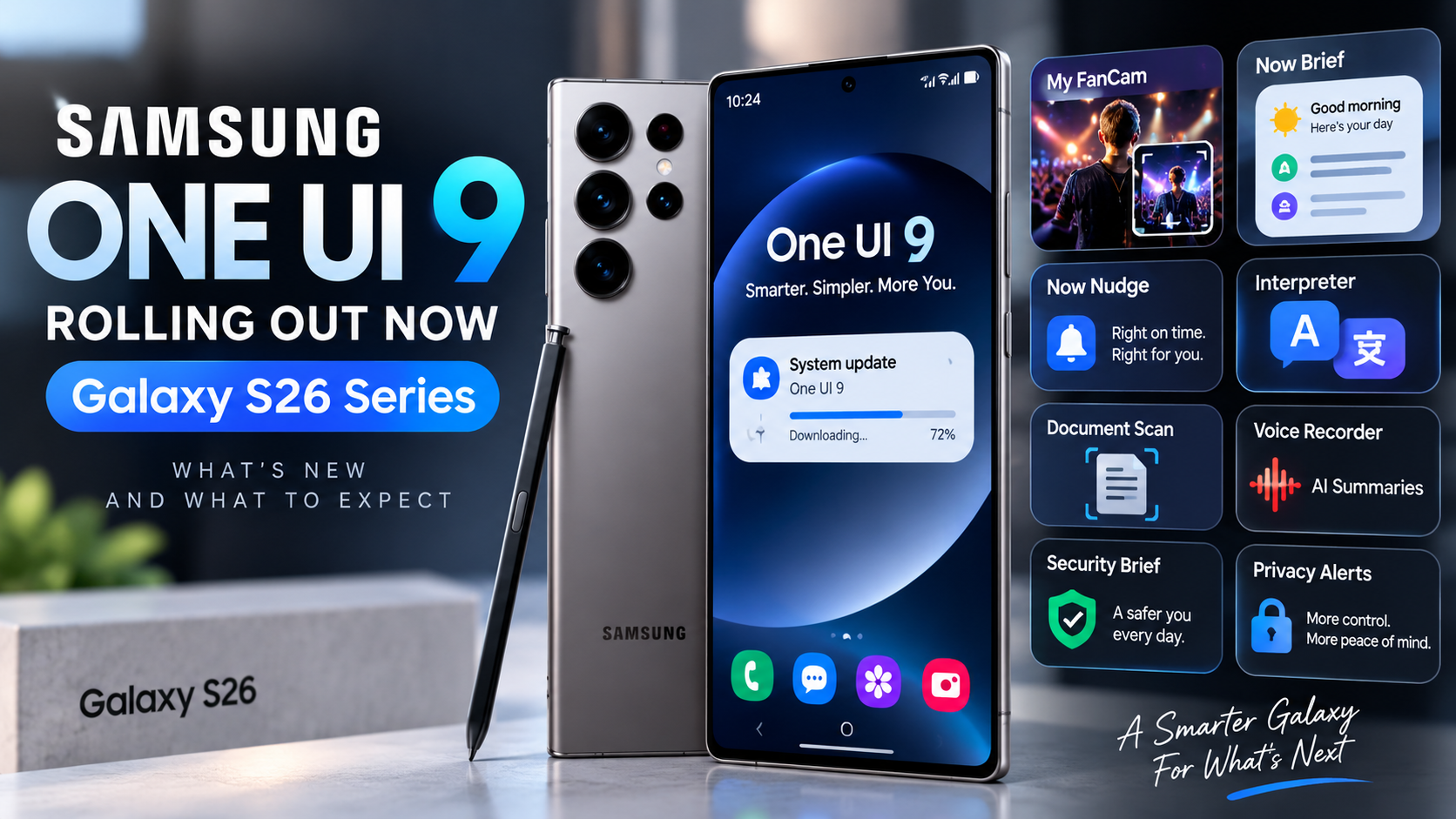
Samsung’s stable One UI 9 release expands several Galaxy AI and device-management features. My FanCam can track a selected person in recorded video and automatically reframe the footage. Now Brief gains more customizable and generative cards, while Now Nudge adds contextual suggestions designed to surface useful actions at the right time.

Samsung is also integrating warranty and device-care information more directly into Settings, adding Privacy Alerts on supported devices, and expanding scam-detection features in supported markets. As with the rollout itself, some functions depend on device, language, region, app support, and account requirements.

What U.S. Unlocked Galaxy S26 Owners Should Do

If your unlocked Galaxy S26, S26+, or S26 Ultra is still on One UI 8.5, the simplest approach is to keep checking Settings > Software update > Download and install periodically. There is no need to factory-reset the phone simply because the OTA has not appeared yet.

Before installing a major update, back up important photos and files, keep the phone charged, and make sure you have enough free storage. Users who are not comfortable manually flashing firmware are generally better off waiting for Samsung’s official OTA for their exact model and region.

ReaderSpice Will Keep Checking the U.S. Unlocked Rollout

Because we have a U.S. unlocked Galaxy S26 Ultra in hand, ReaderSpice can follow this rollout directly instead of relying only on release calendars. We will check the device again as Samsung expands One UI 9 availability and document the build number, download size, and first impressions once the stable update reaches it.

This also gives us a useful baseline: as of September 21 at roughly 4:40 PM CT, our unlocked U.S. Galaxy S26 Ultra was still on One UI 8.5 and Samsung’s updater said the software was up to date.

The Bottom Line

Samsung has officially started the One UI 9 rollout for the Galaxy S26 series, but the update is clearly not instantaneous across every eligible device. Our U.S. unlocked Galaxy S26 Ultra remained on One UI 8.5 five days after Samsung’s announcement, and the phone itself still reported no newer software available.

That does not necessarily indicate a problem with the phone. It is consistent with Samsung’s own language about regional, model, and carrier-dependent availability, as well as reporting that the U.S. did not yet have a firm public rollout date when the global expansion began.

Looking for the Galaxy S26 Ultra? Check the current price on Amazon (affiliate link).

Sources

Samsung U.S. Newsroom — Samsung Begins Official Rollout of One UI 9, Bringing the Latest Galaxy Experiences to More Devices

Android Authority — Galaxy S26 users in North America won’t have to wait much longer for One UI 9

Inline image: ReaderSpice screenshot of a U.S. unlocked Galaxy S26 Ultra showing One UI 8.5 and “Your software is up to date” on September 21, 2026.

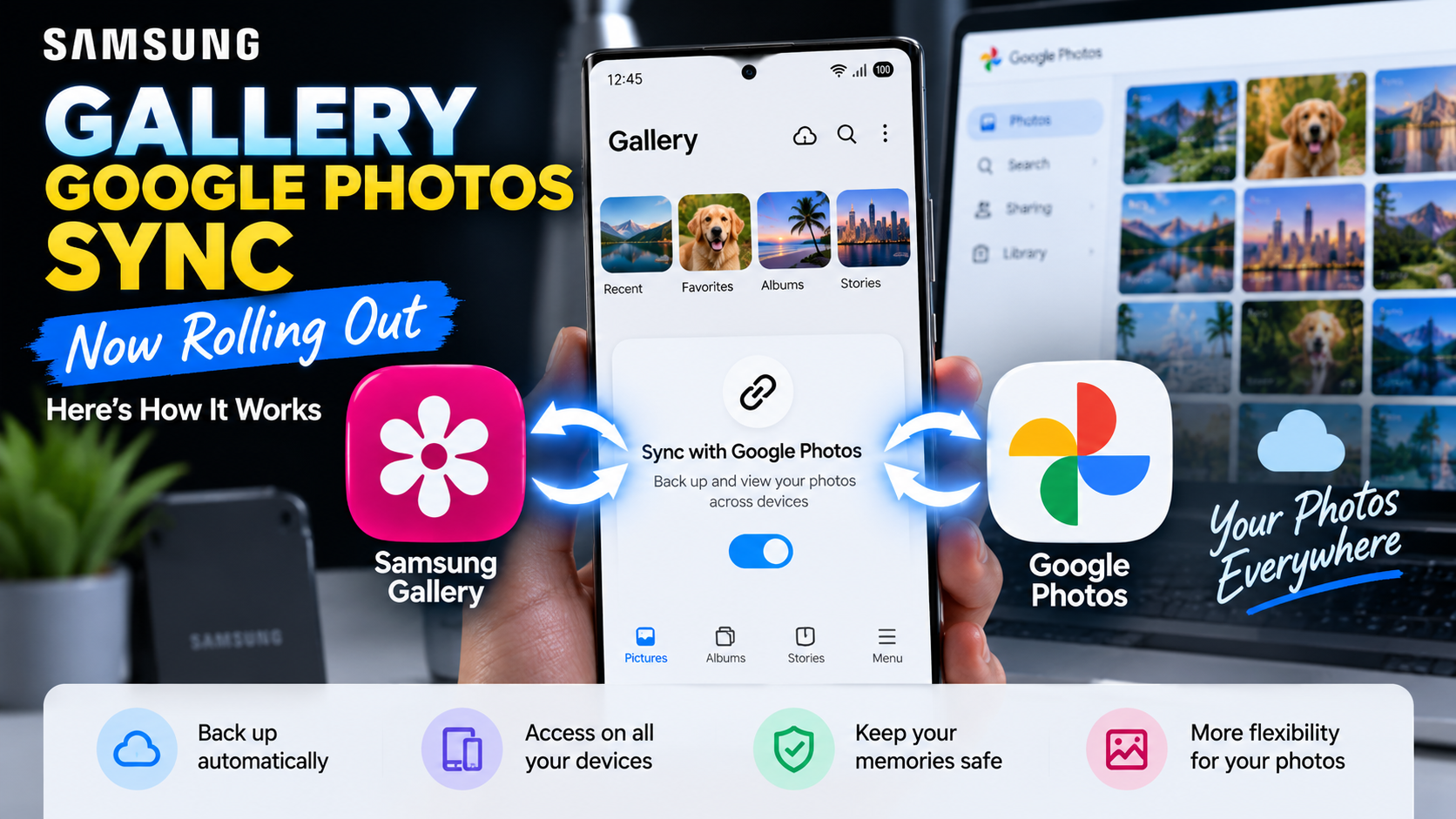
Samsung Gallery Google Photos Sync Starts Rolling Out: How It Works

Samsung Gallery Google Photos sync setup shown on a Galaxy phone with the new Sync photos and videos option

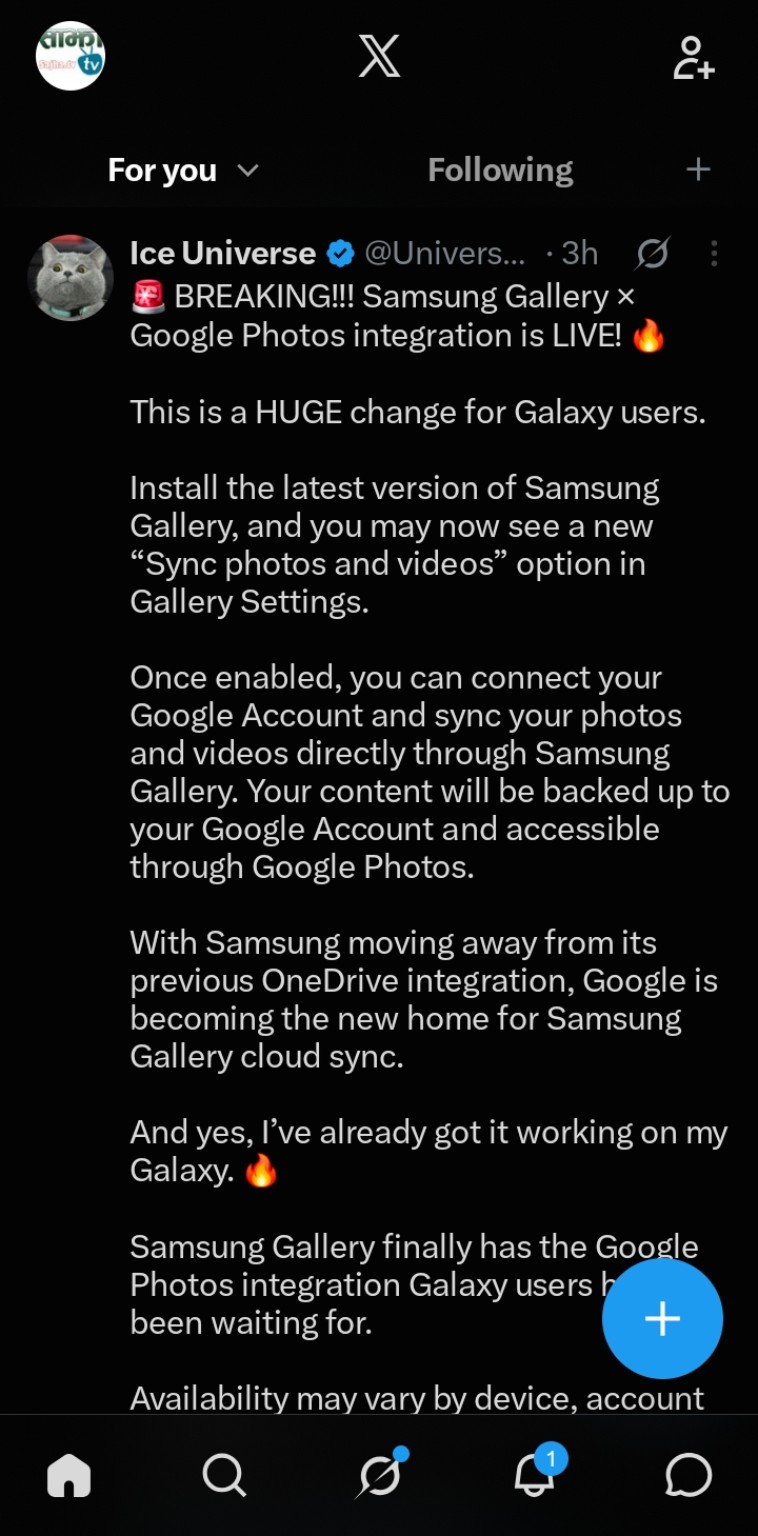
Samsung is beginning to roll out a major change to its Gallery app: direct syncing with Google Photos. New screenshots shared by Ice Universe on X show the feature working on a Galaxy device, including a new “Sync photos and videos” option inside Samsung Gallery settings.

The timing is important. Microsoft has confirmed that direct Samsung Gallery-to-OneDrive syncing ends on September 30, 2026. Google has published official documentation explaining how Samsung Gallery Cloud Sync works with a Google Account, confirming that synced photos and videos are stored in Google Photos.

Samsung Gallery’s Google Photos Sync Is Now Appearing for Users

Ice Universe shared screenshots showing Samsung Gallery version 15.9.01.7 with the new sync option available. The setup screen says users can keep photos and videos available across devices by syncing Gallery with Google.

Samsung Gallery’s Google Photos Sync Is Now Appearing for Users

Source: Ice Universe (@UniverseIce) on X

Samsung Gallery’s Google Photos Sync Is Now Appearing for Users

Source: Ice Universe (@UniverseIce) on X

Users choose a personal Google Account and continue through the setup process. The screenshots also indicate that a Samsung account is required on the device. Samsung says using the same Samsung account on other supported devices can provide access to synced photos and videos.

Samsung Gallery’s Google Photos Sync Is Now Appearing for Users

Source: Ice Universe (@UniverseIce) on X

Samsung Gallery’s Google Photos Sync Is Now Appearing for Users

Source: Ice Universe (@UniverseIce) on X

Samsung Gallery’s Google Photos Sync Is Now Appearing for Users

Source: Ice Universe (@UniverseIce) on X

Google Confirms How Samsung Gallery Cloud Sync Works

Google’s official Photos support documentation confirms that compatible Samsung devices can sync their native Gallery with a personal Google Account. Google says the feature requires a supported Samsung device, Android 13 or newer, and a personal Google Account. Google Workspace accounts and supervised accounts are not supported.

Once enabled, photos and videos can be backed up from Samsung Gallery to the user’s Google Account and accessed through Google Photos. Users can choose specific device folders such as Camera, Screenshots, or Downloads.

Important Differences From Normal Google Photos Backup

Google says media uploaded through Samsung Gallery Cloud Sync uses the user’s Google Account storage and is backed up in original quality. Deletions also synchronize: deleting a synced item in Samsung Gallery or Google Photos can remove it from both apps and cloud storage.

There is an important limitation. Photos backed up only through Samsung Gallery Cloud Sync are not automatically included in every Google Photos feature. Google says those items may not appear in Memories and highlights, Live albums, or Search unless they are also backed up through the Google Photos app.

Why Samsung Is Moving Away From OneDrive

Samsung Gallery has relied on Microsoft OneDrive for integrated cloud syncing for years. Microsoft says that integration ends September 30, 2026. Photos already stored in OneDrive will remain there, but after the cutoff they will no longer appear through Samsung Gallery’s direct OneDrive integration.

Users who want to remain with Microsoft can continue using OneDrive’s own camera backup. For Galaxy owners already invested in Google services, the new Gallery integration provides a more native path to keep Samsung Gallery backed up while accessing those files through Google Photos.

How to Check If You Have the New Feature

Open Samsung Gallery → Menu → Settings and look for “Sync photos and videos.” If it appears, select a personal Google Account and follow the on-screen permissions and setup steps.

The rollout appears gradual and may depend on device, account, software version, and region. Google notes that Gallery Cloud Sync availability can vary, so not seeing the option yet does not necessarily mean your Galaxy device will not receive it.

Shopping for a Galaxy S26 Ultra?

If you’re shopping for Samsung’s Galaxy S26 Ultra, you can check its current price and availability on Amazon.

Check the Samsung Galaxy S26 Ultra price on Amazon.

As an Amazon Associate, ReaderSpice may earn from qualifying purchases at no additional cost to you.

What This Means for Galaxy Users

The biggest change is convenience. Galaxy owners will no longer need Samsung Gallery’s old OneDrive connection to get integrated cloud syncing. Samsung Gallery can remain the primary gallery interface while Google handles cloud storage behind the scenes.

At the same time, Samsung Gallery Cloud Sync and conventional Google Photos backup are not completely identical. Anyone who relies heavily on Google Photos Search, Memories, or Live Albums should review Google’s documentation before changing an existing backup setup.

Sources

Ice Universe (@UniverseIce) on X — screenshots showing Samsung Gallery 15.9.01.7 and the new sync setup

Google Photos Help — Sync your Samsung Gallery with your Google Account

Microsoft Support — Changes to Samsung Gallery sync and OneDrive

9to5Google — Samsung Gallery adds Google Photos backup support

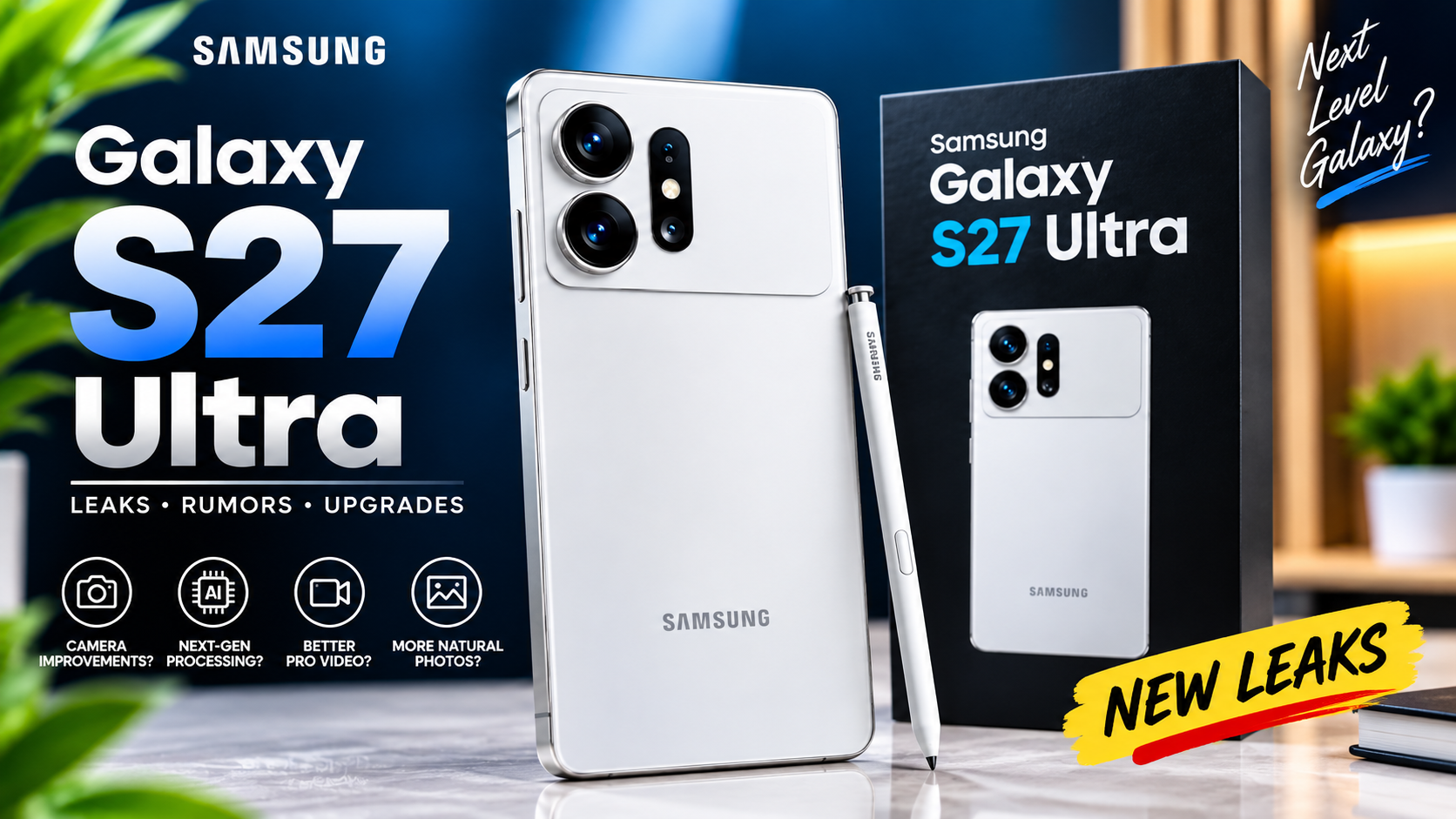
Samsung Galaxy S27 Ultra Camera Leak Points to More Natural Photos and Better Pro Video

Samsung’s Galaxy S27 Ultra may be getting a camera upgrade that is less about headline resolution and more about how photos and video actually look. A fresh leak claims Samsung is revising its image-processing pipeline to produce warmer, more natural-looking photos while also updating Samsung Log and the APV professional video codec for improved dynamic range.

The claims are interesting because they suggest Samsung could focus on computational photography and professional video tools even as some familiar camera hardware remains in place. However, the newest processing details come from a relatively unknown source, so they should be treated as an early rumor rather than a finalized specification.

A New Image-Processing Direction for the Galaxy S27 Ultra

A New Image-Processing Direction for the Galaxy S27 Ultra

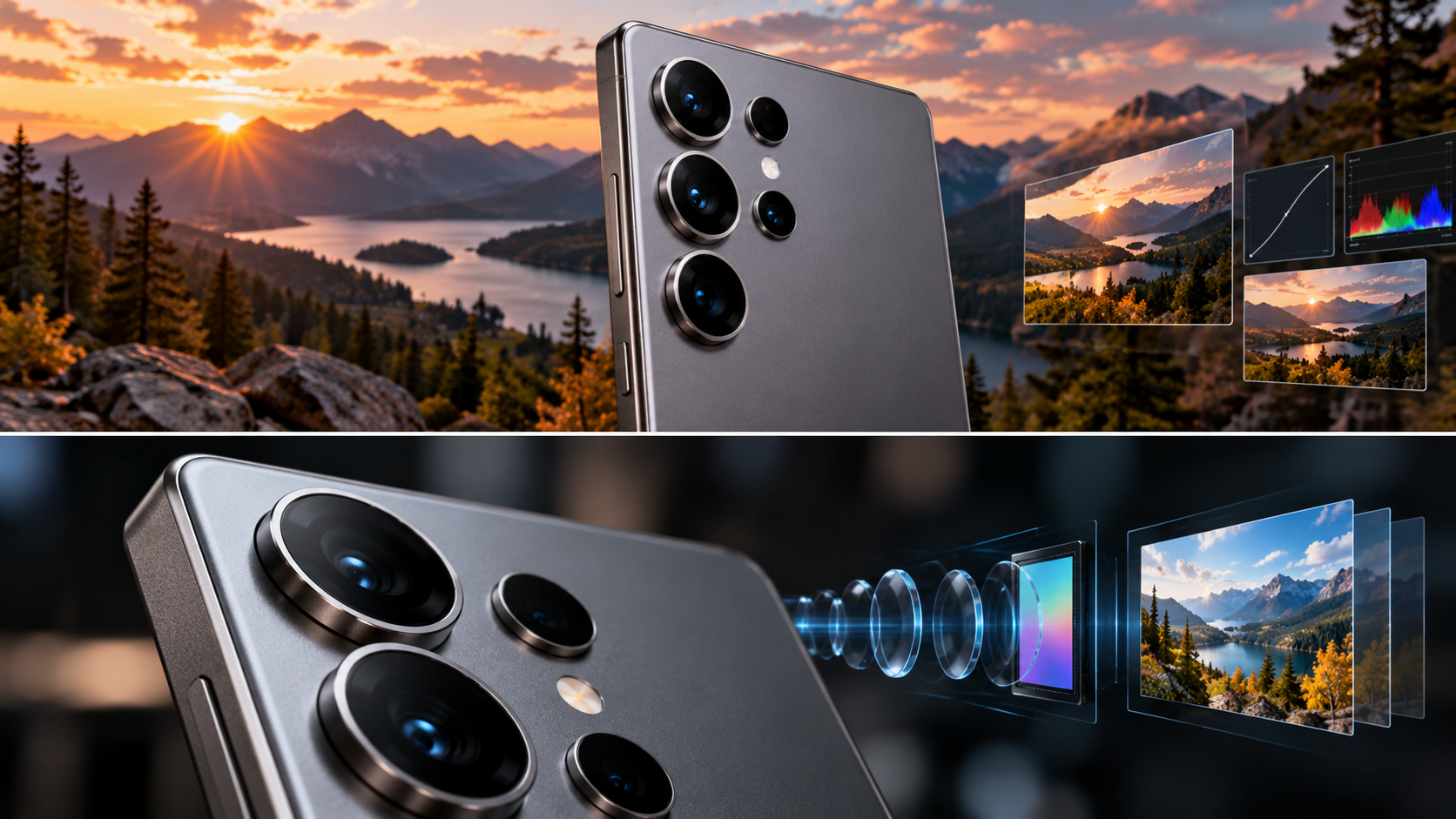
According to reporting from Android Authority and SamMobile, the Galaxy S27 Ultra is rumored to use a revised image-processing pipeline aimed at warmer and more natural color rendering. The current Galaxy S26 Ultra can lean cooler in some scenes, so a deliberate shift in color science could be noticeable even without a dramatic change in megapixel counts.

The leak also points to wider dynamic range. That could matter in difficult scenes such as sunsets, bright windows, backlit portraits, and landscapes where a phone has to preserve highlight detail without crushing darker areas. If Samsung combines improved processing with the other rumored sensor changes, the result could be a more meaningful camera upgrade than the specification sheet alone suggests.

Samsung Log and APV Could Get Better Too

Video is another part of the rumor. Samsung is said to be updating both Samsung Log and APV, or Advanced Professional Video. The goal is reportedly improved dynamic range rather than higher headline recording resolutions. Current reporting still points to 4K recording at up to 120 frames per second and 8K at 30 frames per second.

That would fit Samsung’s recent direction. Samsung Log gives creators a flatter image with more flexibility for color grading, while APV is designed for higher-quality professional workflows. Better dynamic range in those formats could be particularly useful for creators who want more control over highlights, shadows, and color in post-production.

For users who simply record family videos or quick clips, these changes may not be as obvious as a new zoom lens. For creators, however, improvements to Log, codec quality, and dynamic range can have a much larger effect on how far footage can be pushed during editing.

The 5x Telephoto Rumor Has Changed Again

This processing leak arrives while the Galaxy S27 Ultra’s zoom-camera story is also changing. Earlier rumors suggested Samsung was testing a larger 50MP 4x telephoto camera that could potentially replace the familiar 5x unit. More recent information from long-time Samsung leaker Ice Universe disputes that claim.

According to that newer report, Samsung is expected to retain a 5x periscope telephoto camera using a 1/2.52-inch sensor. Android Authority notes that this would be similar in size to the 5x hardware used in recent Galaxy Ultra models. The dedicated 3x telephoto is still rumored to be at risk of disappearing, although Samsung has not confirmed the final camera configuration.

That distinction matters. If Samsung keeps familiar 5x hardware, improvements to processing, color, HDR, and computational zoom become even more important. A camera system does not have to replace every sensor to improve, but Samsung would need its software pipeline to deliver visible gains.

How Credible Is This Leak?

The safest way to read the latest information is to separate the claims by source. The warmer color processing and updated Log/APV details were attributed to WalleGalaxy, an account Android Authority describes as relatively unknown. That makes those specific claims lower-confidence for now.

The 5x telephoto information has somewhat stronger sourcing because it comes from Ice Universe, who has a long history of Samsung-related leaks. Even so, it remains unofficial information about an unreleased phone, and Samsung could still change hardware or software before mass production.

There is also disagreement among current reports about the broader rear-camera layout. Some reports describe a move from four rear cameras to three, while others continue to reference a four-camera setup. Until multiple reliable sources converge—or Samsung announces the device—those details should not be treated as settled.

Why This Could Matter More Than Another Megapixel Increase

Smartphone cameras increasingly depend on the entire imaging pipeline: sensor data, HDR capture, noise reduction, sharpening, white balance, color mapping, and computational fusion. A phone can use excellent hardware and still produce disappointing results if the processing is too aggressive or inconsistent.

That is why the rumored move toward warmer, more natural color could be important. Samsung does not necessarily need every image to look warmer; consistency and believable skin tones are more valuable than simply changing the color temperature. The real question will be whether the company can preserve its punchy Galaxy look while producing more natural results when a scene calls for it.

For video, expanded dynamic range in Log and APV could similarly be more useful than another resolution increase. Many creators already have enough resolution at 4K. What they often need is cleaner tonal information, better highlight retention, and footage that grades predictably.

What We’re Watching Next

The next meaningful evidence would be corroboration from established Samsung sources, firmware or camera-app findings, supply-chain information, or early hardware samples. We will also be watching whether the rumored three-camera layout gains stronger support and whether Samsung really removes the dedicated 3x telephoto.

For now, the most interesting possibility is that the Galaxy S27 Ultra camera upgrade may be as much about image quality and creator tools as it is about new hardware. If the processing leak proves accurate, Samsung could be preparing a more natural photo style and a stronger professional-video workflow for its next Ultra flagship.

Sources

Android Authority — Samsung could give the Galaxy S27 Ultra a major camera processing upgrade

SamMobile — Galaxy S27 Ultra camera could have warmer colors and a wider dynamic range

Android Authority — Could Galaxy S27 Ultra bring zoom camera upgrades? New leak has bad news

Gadgets 360 — Samsung Galaxy S27 Ultra Could Get New Image Processing for More Natural Photos

Samsung One UI 9 Rollout Begins for Galaxy S26 Series: What’s New and What to Expect

Samsung has officially started rolling out One UI 9 to the Galaxy S26 series, marking the next major software update for its flagship phones. The rollout began September 16 with the Galaxy S26, Galaxy S26+, and Galaxy S26 Ultra, after One UI 9 first appeared on Samsung’s newest foldables.

For Galaxy S26 owners, this is more than a visual refresh. Samsung is emphasizing smarter Galaxy AI tools, more personalized daily information, easier device-care controls, and new privacy and communication features. Availability can still vary by market, carrier, language, and device, so some users may receive the update later than others.

What’s New in One UI 9?

One UI 9 expands Samsung’s AI-assisted experience while trying to make everyday tasks require fewer steps. Several of the most notable additions focus on video, personalized information, device support, translation, privacy, and contextual suggestions.


My FanCam Makes Recorded Video Easier to Reframe

My FanCam can automatically track a selected person in a recorded video and intelligently reframe the footage to keep that person centered as the scene changes. Samsung positions the feature as a way to turn performances, sports moments, family videos, and other moving scenes into more shareable clips with less manual editing.

For creators and parents who frequently record moving subjects, this could be one of the more immediately useful One UI 9 additions.

Now Brief Gets More Personal

Samsung is also expanding Now Brief with generative and editable cards. Users can choose more of the information that appears in their daily brief and create cards around areas such as health, weather, and video.

The goal is to make Now Brief feel less like a fixed information feed and more like a personalized dashboard built around what each user actually wants to see.

Now Nudge Adds Contextual Suggestions

Now Nudge is designed to surface useful actions based on what is happening on the phone. Depending on supported apps, language, and region, it can provide contextual suggestions involving messages, photos, and multitasking.

As with many Galaxy AI features, Samsung notes that availability and functionality can differ by region, language, device model, and supported application.

Interpreter and Communication Improvements

One UI 9 continues Samsung’s focus on translation and cross-language communication. Interpreter improvements are intended to make conversations across supported languages easier, although language packs, Samsung Account requirements, and regional availability can affect which capabilities are available.

Document Scan and Productivity Tools

Samsung is also improving tools that help users capture and work with information. Document scanning and related productivity features can reduce the friction involved in turning physical documents into usable digital content.

For users who rely on their Galaxy phone for work, school, receipts, forms, or travel documents, these smaller workflow improvements may be just as valuable as the headline AI features.

Warranty and Care Moves Into Settings

One UI 9 brings device support and protection information directly into the Settings menu. Samsung says users can check warranty coverage for connected mobile devices, run self-diagnostics, view repair estimates where available, manage Samsung Care+, and schedule service with fewer steps.

This is a practical improvement because support information no longer needs to feel separated from the device-management experience.

Privacy Alerts Add Another Layer of Awareness

Privacy Alerts are designed to help users notice potentially unusual background permission activity. Samsung says these alerts can surface through Now Brief on supported devices.

The feature does not replace normal permission management, but it can provide another signal when an app’s behavior may deserve attention. Samsung cautions that Privacy Alerts may not account for every relevant factor.

Scam Detection Expands in Supported Markets

Samsung is also expanding Scam Detection to additional countries and languages. The feature is intended to help identify potentially fraudulent calls in supported markets. Availability remains region-dependent, so it should not be assumed that every One UI 9 device will receive identical scam-protection capabilities at the same time.

Which Phones Get One UI 9 First?

Samsung’s official September 16 announcement says the rollout starts with:

One UI 9 previously debuted on the Galaxy Z Fold8 Ultra, Galaxy Z Fold8, and Galaxy Z Flip8. Samsung says the update will gradually expand to additional Galaxy devices, with timing varying by market and model.

Should Galaxy S26 Owners Update Immediately?

For most users, the official stable rollout is the version to watch for rather than installing unofficial software. Because Samsung distributes updates progressively, not seeing One UI 9 immediately does not necessarily mean anything is wrong with your phone.

Galaxy S26 owners can check Settings > Software update > Download and install. Before installing a major operating-system update, it is also sensible to back up important data and make sure the phone has sufficient battery and storage available.

What One UI 9 Means for Samsung’s Galaxy Strategy

One UI 9 shows Samsung continuing to move Galaxy AI from individual novelty features toward tools that appear throughout everyday phone use. My FanCam targets content creation, Now Brief and Now Nudge focus on personalized assistance, while Warranty and Care and Privacy Alerts address device management and trust.

The more important question will be how consistently these features work across languages, regions, carriers, and older Galaxy hardware as the rollout expands. Some One UI 9 capabilities have specific device or market requirements, so the experience on an S26 Ultra may not be identical to every Galaxy phone that receives the update later.

The Bottom Line

The Galaxy S26 series is at the front of Samsung’s wider One UI 9 rollout. The update combines new Galaxy AI capabilities with practical improvements to video editing, daily information, communication, device care, privacy, and security.

If you own a Galaxy S26, S26+, or S26 Ultra, watch the Software update section over the coming days as availability expands. ReaderSpice will continue following the rollout as One UI 9 reaches more Galaxy devices and Samsung reveals additional regional details.

Looking for the Galaxy S26 Ultra? Check the current price on Amazon (affiliate link).

Sources

Samsung Global Newsroom — Samsung Begins Official Rollout of One UI 9, Bringing the Latest Galaxy Experiences to More Devices

Samsung Mobile Press — One UI 9 Official Rollout