Final Cut Camera 2.4 Adds Variable Aperture to iPhone 18 Pro: What It Changes

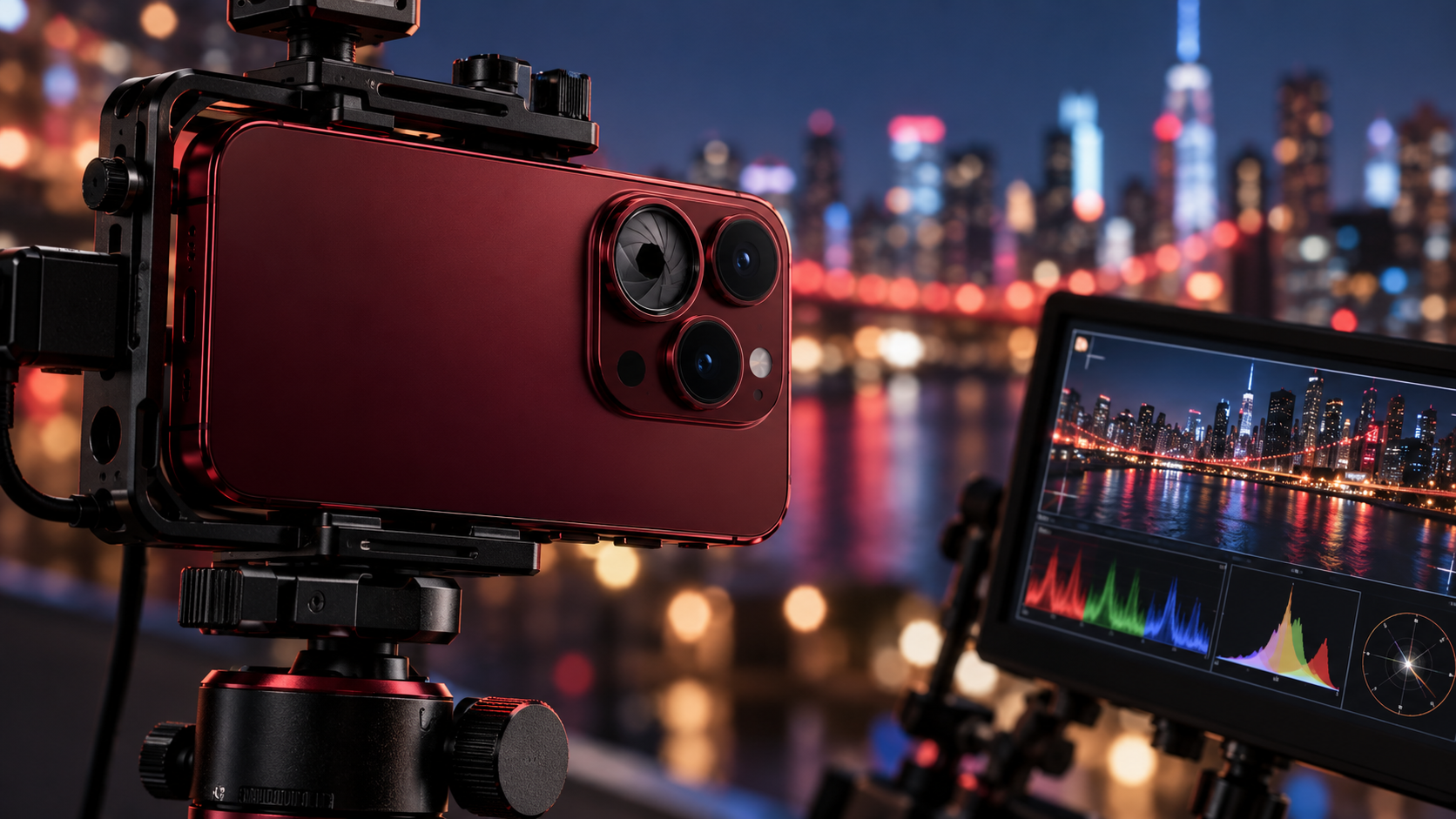
iPhone 18 Pro on a video rig with an adjustable aperture lens and professional monitoring scopes

Apple’s Final Cut Camera has received its most important update yet for mobile filmmakers. The new Final Cut Camera 2.4 brings direct variable-aperture control to iPhone 18 Pro, a redesigned interface, better exposure tools, and professional monitoring features that move the free app closer to a compact cinema-camera control center.

According to Apple’s announcement, the update is available now as a free download for supported iPhones. Some features work broadly with iOS 27, but physical aperture control is exclusive to the iPhone 18 Pro and iPhone 18 Pro Max because those models have Apple’s new variable-aperture Fusion Main camera.

Quick take

  • Final Cut Camera 2.4 is a free update.
  • Variable-aperture control requires an iPhone 18 Pro or iPhone 18 Pro Max.
  • The app adds shutter-priority and aperture-priority shooting modes.
  • New scopes, clean SDI output, and genlock offset target serious productions.
  • Regular ProRes and Apple Log footage can now carry editable Cinematic mode data.

How variable aperture changes iPhone video
How variable aperture changes iPhone video

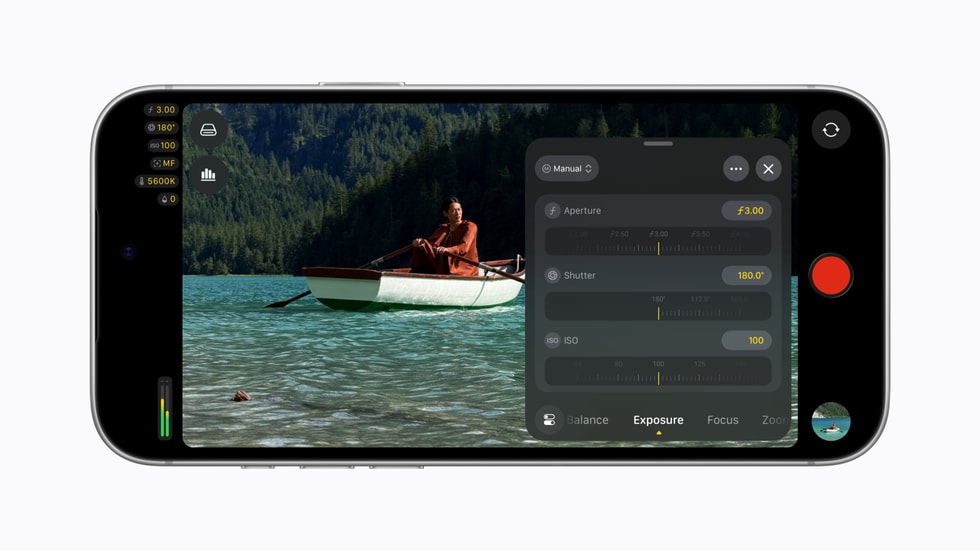
A conventional phone camera usually has a fixed aperture, so exposure is managed mainly through shutter speed, ISO, filters, and software processing. The iPhone 18 Pro’s Fusion Main camera can physically change its aperture. In Final Cut Camera 2.4, creators can select an aperture directly or let the app balance aperture and shutter behavior through priority modes.

That matters in three practical ways. A wider aperture lets in more light and can create shallower depth of field. A narrower aperture admits less light and keeps more of a scene in focus. Most importantly for video, aperture control gives filmmakers another way to hold a preferred shutter angle without immediately reaching for a stronger neutral-density filter or raising ISO.

The effect is not magic. A phone sensor and short focal length still produce more depth of field than a large-sensor cinema camera at comparable framing. But direct aperture control is a meaningful step because it gives creators a real optical choice rather than relying entirely on simulated background blur.

Aperture priority and shutter priority

Final Cut Camera now lets iPhone 18 Pro users choose aperture-priority or shutter-priority operation. Aperture priority is useful when depth of field or low-light performance is the creative priority. Shutter priority is better when motion rendering must remain consistent, such as maintaining a cinematic shutter angle while walking, panning, or filming action.

For controlled productions, manual aperture remains the most predictable option. Auto or priority modes are more convenient when light changes quickly, but creators should watch for visible exposure shifts during a take.

What else is new in Final Cut Camera 2.4

Apple redesigned the app around faster access to common controls and a cleaner viewfinder. The update includes:

  • Direct access to shutter angle, ISO, white balance, and aperture controls.
  • Customizable overlays with false color and clipping indicators.
  • Improved focus peaking with adjustable sensitivity.
  • A recording tally light and a two-finger gesture that clears the viewfinder.
  • A refreshed interface intended to reduce menu hunting while shooting.

False color and clipping indicators are particularly useful because they make exposure problems easier to spot before recording. Focus-peaking sensitivity should also help when working with detailed scenes or shallow depth of field, where an overly aggressive overlay can become distracting.

Professional scopes, clean SDI output, and genlock offset

Video scopes for more reliable exposure

With iOS 27, the app gains an RGB Parade and histogram. The RGB Parade separates red, green, and blue channel information, making color casts and channel clipping easier to diagnose. The histogram provides a fast overview of tonal distribution. Neither replaces a calibrated monitor, but both are valuable when shooting in Apple Log or under mixed lighting.

Clean SDI output for broadcast workflows

Final Cut Camera can now send a clean video signal through an HDMI-to-SDI converter. “Clean” means the outgoing feed omits the app’s controls and overlays, which makes the signal suitable for external recorders, switchers, monitors, and broadcast streaming systems. The feature is most relevant to multicamera crews and event producers; casual shooters are unlikely to need it.

Genlock offset solves a specialized timing problem

Genlock keeps multiple cameras synchronized to a common timing reference. The new offset control can compensate for latency differences between an iPhone and other genlocked cameras. Apple also says it can help reduce artifacts when recording displays. This is a niche addition, but it signals that Apple expects iPhones to appear in more professional multicamera rigs.

Cinematic effects now work with ProRes and Apple Log

The update also changes how creators can use Cinematic mode. Regular video recorded with Final Cut Camera can carry focus and depth information that remains adjustable in Final Cut Pro, including footage captured in ProRes and Apple Log. Editors can change focus points and depth of field after the shoot instead of committing to every focus decision on location.

Apple’s Creator Studio update says Final Cut Pro and Motion on Mac can apply these effects to native iPhone 18 Pro footage. For creators who prefer to capture a high-quality Log master and make aesthetic choices later, that is more useful than being locked into a separate Cinematic capture mode.

Who should install it

Every Final Cut Camera user benefits from the redesigned controls, exposure overlays, focus-peaking improvements, and monitoring tools. The update is most compelling for iPhone 18 Pro owners who shoot interviews, short films, product videos, live events, or multicamera projects.

Owners of older iPhones will not gain a physical variable aperture through software, but the interface and iOS 27 monitoring features can still improve their workflow. If your production depends on external monitoring or synchronization, confirm that every adapter, converter, cable, and destination device supports the required signal before a live shoot.

How to get started

  • Update the iPhone to iOS 27.
  • Install or update to new Final Cut Camera 2.4 from the App Store.
  • On iPhone 18 Pro, open the exposure controls and test manual aperture, aperture priority, and shutter priority.
  • Enable false color, clipping indicators, or scopes one at a time so the viewfinder stays readable.
  • Run a short recording test before using clean SDI output, genlock, ProRes, or Apple Log on a paid production.

A stable support is still one of the simplest upgrades for phone video. You can compare iPhone video tripod and rig options on Amazon. As an Amazon Associate, ReaderSpice earns from qualifying purchases.

Bottom line

Final Cut Camera 2.4 makes the iPhone 18 Pro’s variable aperture genuinely useful instead of leaving it as a hardware specification. Direct aperture control, priority modes, exposure overlays, scopes, clean SDI output, and genlock offset create a more coherent professional workflow from capture through Final Cut Pro. Most people will use only a fraction of these tools, but filmmakers now have more control over exposure, focus, motion, and monitoring without paying for the camera app itself.
Sources

Apple Newsroom: Final Cut Camera 2.4 update

Apple Newsroom: Apple Creator Studio updates

Apple iPhone Duo vs Samsung Galaxy Z Fold8: Which Foldable Is Right for You?

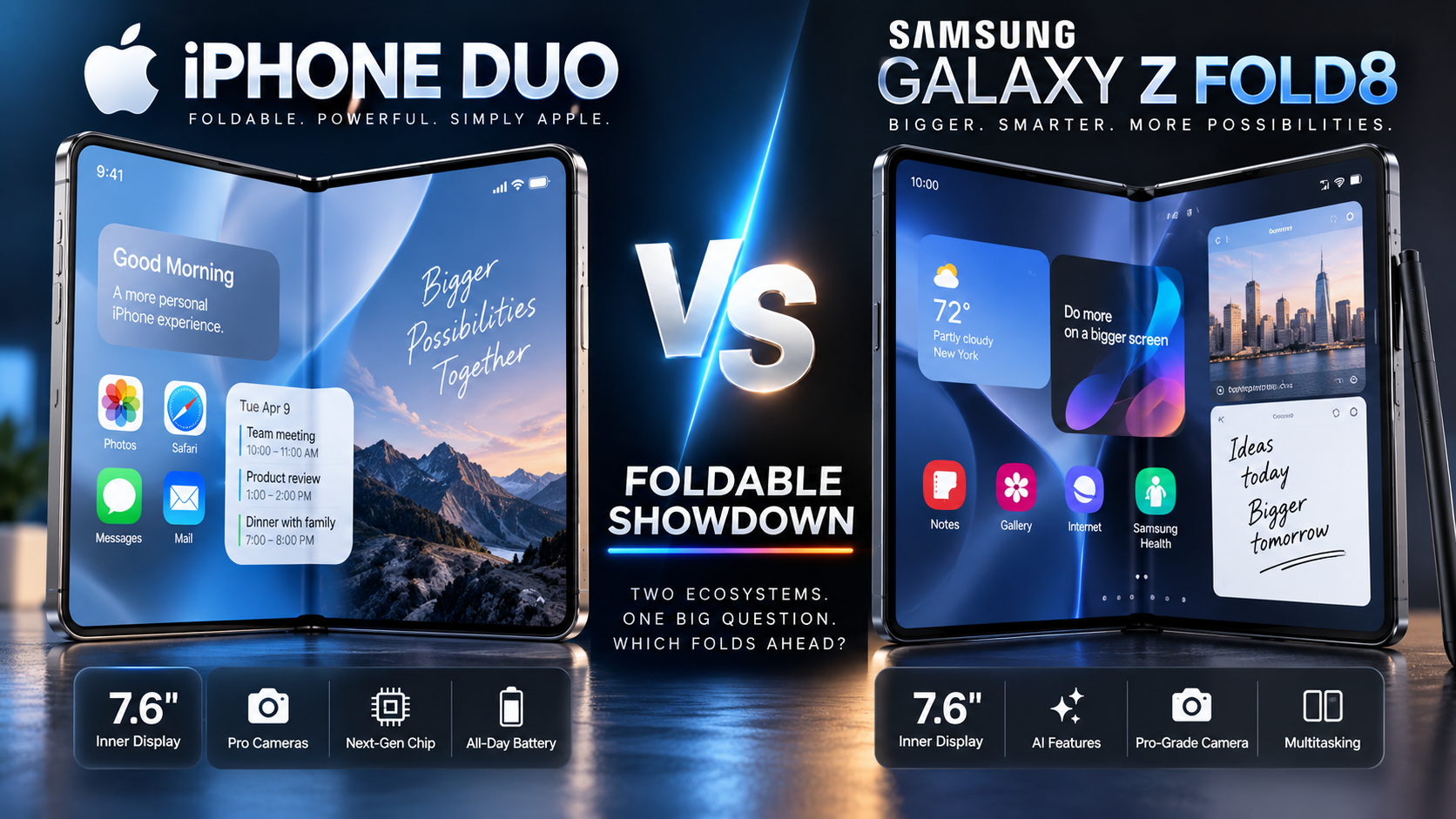
Apple has officially entered the foldable-phone market with the iPhone Duo, putting its first folding iPhone directly against Samsung’s Galaxy Z Fold8. Both use a passport-style book design, both open to a 7.6-inch display, and both target buyers willing to spend flagship-level money for a phone that can become a small tablet.

But these two foldables take noticeably different approaches. Apple emphasizes iOS integration, its A20 Pro chip, Apple Intelligence, Apple Pencil support and continuity between the two displays. Samsung’s Fold8 is dramatically lighter, thinner when unfolded, built around Galaxy AI and Android multitasking, and comes from a company with years of foldable-phone experience.

Here is how the iPhone Duo and Galaxy Z Fold8 compare based on their official specifications and announced features.

Design: Similar Idea, Very Different Weight

The biggest surprise is how similar the basic form factors are. Apple’s iPhone Duo has a 5.4-inch outer display and a 7.6-inch inner folding display. Samsung gives the Galaxy Z Fold8 a 5.5-inch cover display and the same 7.6-inch main-screen size.

The difference becomes much more obvious when you pick up the spec sheet. Samsung says the Galaxy Z Fold8 weighs just 201 grams and measures 4.5 mm thick when unfolded. Apple lists the iPhone Duo at 254 grams and 5.2 mm unfolded.

That makes the Fold8 53 grams lighter. For a device designed to be carried every day, that difference could be meaningful. Apple counters with a grade 5 titanium construction and a precision hinge, while Samsung uses Armor Aluminum, Gorilla Glass, an Armor FlexHinge and its Flex Titanium display reinforcement.

Displays: Both Give You a 7.6-Inch Canvas

Both phones open to a 7.6-inch OLED display with adaptive refresh rates up to 120Hz. Apple’s inner Super Retina XDR panel has a 2670-by-1878 resolution at 430 ppi, while Samsung’s Fold8 uses a 7.6-inch main display designed around a wider 4:3 aspect ratio.

Apple also applies a nano-texture finish to the inner screen to reduce glare. The iPhone Duo supports Apple Pencil (USB-C), which gives Apple an interesting productivity angle for handwritten notes, markup and creative work.

Samsung focuses heavily on side-by-side productivity. Its wide main screen supports Multi Window, and Samsung has spent several generations refining Android apps, drag-and-drop workflows and multitasking for Galaxy Fold devices.

iOS 27 vs Android and Galaxy AI

Software may be the biggest reason to choose one device over the other.

The iPhone Duo ships with iOS 27.1, with Apple redesigning parts of iOS specifically for the foldable form factor. When opened, the Duo can show two Home Screen pages, and Apple has adapted the Dock, navigation controls, Dynamic Island and Live Activities for the larger folding canvas. Content can react as the phone folds, rotates or switches displays.

The Duo also combines Apple Intelligence and Siri AI with the foldable interface. For people already using Macs, iPads, Apple Watches and AirPods, the broader Apple ecosystem may be one of its strongest advantages.

Samsung approaches productivity from the Android side. Galaxy Z Fold8 combines Galaxy AI with Google’s Gemini experiences and Samsung’s mature Multi Window system. Samsung specifically highlights side-by-side productivity and AI workflows on the Fold8’s larger display.

Performance: A20 Pro vs Snapdragon 8 Elite Gen 5 for Galaxy

Apple powers the iPhone Duo with its A20 Pro chip, along with a custom vapor chamber and dual-battery architecture. Samsung uses the Snapdragon 8 Elite Gen 5 for Galaxy, a customized Qualcomm platform with upgraded CPU, GPU and NPU performance.

Raw benchmark numbers will matter once the devices can be tested side by side, but both are positioned as premium flagship processors. In day-to-day use, the larger difference may come from how iOS and Android use the folding display rather than from processor speed alone.

Cameras: Two Different Takes on Foldable Photography

The iPhone Duo includes a 48MP Fusion Main camera and a 48MP Ultra Wide camera, with 2x optical-quality zoom. Apple also uses the folding design for new shooting options, including ways to use the outer display while taking photos and video.

Samsung’s Galaxy Z Fold8 has a 50MP Wide camera and a 50MP Ultra Wide camera, with up to 10x digital zoom. Samsung describes it as a camera system aimed at social-media creators and also takes advantage of the foldable body for flexible shooting positions.

Neither phone should automatically be judged by megapixel count alone. Image processing, video quality, low-light performance and consistency will require real-world testing.

Battery and Charging

Samsung lists a 4,800 mAh typical battery for the Galaxy Z Fold8 and rates it for up to 26 hours of video playback under its test conditions.

Apple does not market the iPhone Duo around a conventional mAh figure on its main product page. Instead, Apple uses a dual-battery architecture and describes the device as delivering all-day battery life. Real-world comparisons will be especially important because foldable battery life can vary significantly depending on how often the large inner screen is used.

Price and Availability

Apple’s iPhone Duo starts at $1,999 in the United States with 256GB of storage. Apple says pre-orders begin October 16, 2026, with availability beginning October 23.

Samsung launched the Galaxy Z Fold8 earlier, with general U.S. availability beginning August 7, 2026. Retail pricing and promotions can change, so buyers should compare current offers rather than relying only on launch pricing.

Amazon Shopping Links

ReaderSpice may earn a commission from qualifying purchases made through affiliate links, at no additional cost to you.

Shop Samsung Galaxy Z Fold8 on Amazon

Shop Apple iPhone models on Amazon

These are standard Amazon links for now and can be replaced with ReaderSpice affiliate links.

Where the iPhone Duo Stands Out

The iPhone Duo is particularly notable for bringing Apple’s ecosystem to a foldable for the first time. It combines the A20 Pro, iOS 27.1, Apple Intelligence, Apple Pencil support, a nano-texture 7.6-inch display and Apple’s familiar app ecosystem in a completely new iPhone form factor.

It is also Apple’s first generation of foldable hardware, which makes independent durability and long-term hinge testing worth watching once the phone reaches customers.

Where the Galaxy Z Fold8 Stands Out

Samsung’s Fold8 has a substantial portability advantage on paper. At 201 grams and 4.5 mm unfolded, it is considerably lighter and thinner than the iPhone Duo. Samsung also brings years of experience developing foldable software, Multi Window workflows and hinge designs.

For users who frequently run multiple apps at once or already use Galaxy and Google services, the Fold8’s Android-based multitasking environment offers a different experience from Apple’s approach.

Which One Fits Your Needs?

The specifications point to two distinct priorities rather than a universal winner. The iPhone Duo brings foldable hardware into Apple’s ecosystem, with iOS 27.1, Apple Intelligence, Apple Pencil support and tight integration with other Apple products. The Galaxy Z Fold8 emphasizes lower weight, a thinner unfolded design, established foldable multitasking and Galaxy AI.

People already invested in either ecosystem may find that software, apps, accessories and connected devices matter more than small differences in specifications. Buyers who are flexible between iOS and Android should also consider portability, multitasking style, cameras, durability and current pricing before deciding.

Sources

Apple Newsroom — Apple unveils iPhone Duo

Apple — iPhone Duo Technical Specifications

Samsung — Galaxy Z Fold8 Features

Samsung Newsroom — Making the Most of Your New Galaxy Z Fold8

9to5Mac — iPhone Duo vs Galaxy Z Fold8 specification comparison

iOS 27 Is Here: The Biggest New iPhone Features You Should Try First

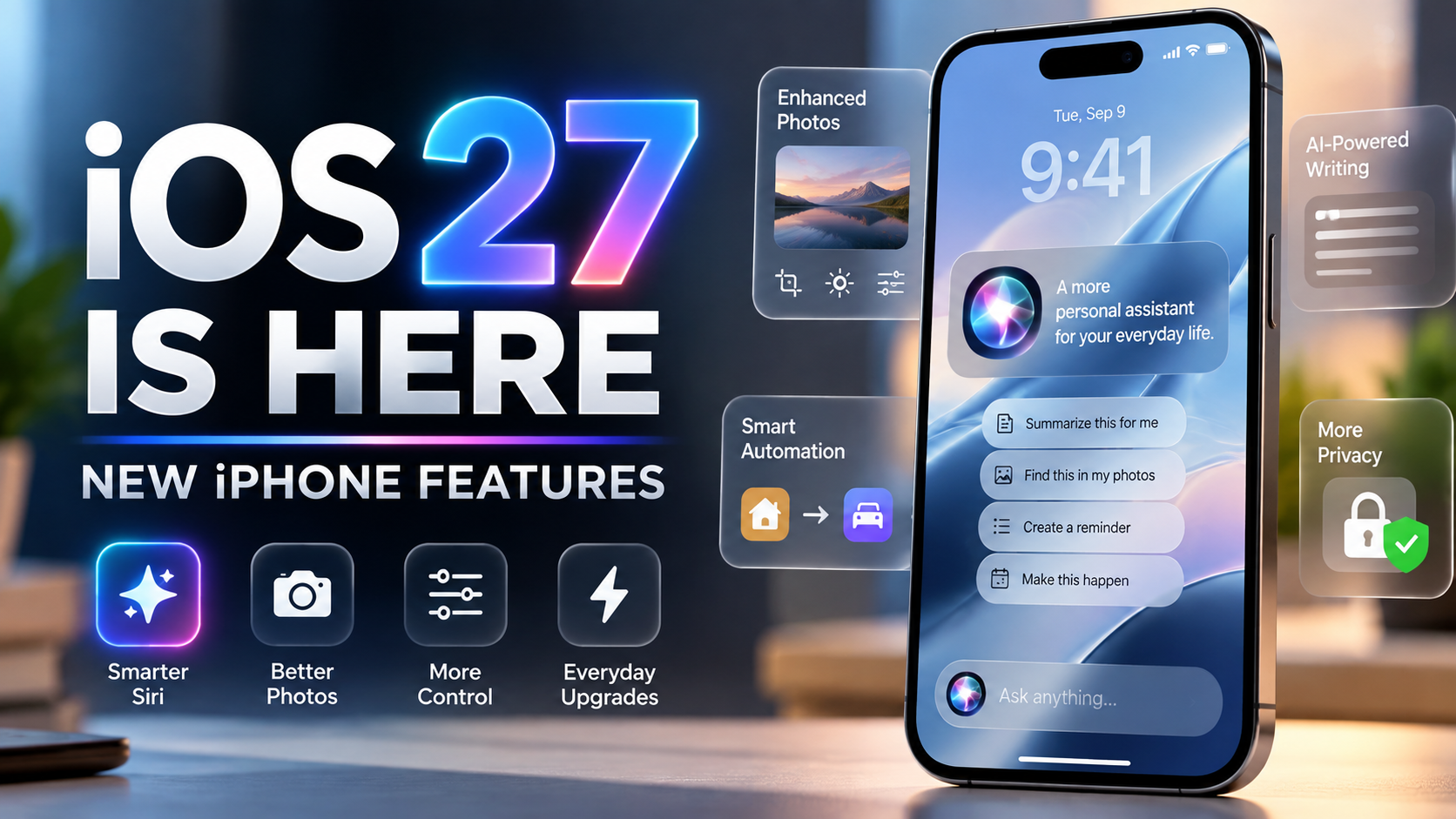
Apple has officially released iOS 27, bringing one of the biggest Siri upgrades in years alongside new Apple Intelligence features, photo-editing tools, design controls, parental protections, and performance improvements. The update began rolling out September 14, 2026, and is available for supported iPhones.

The headline feature is Siri AI, Apple’s reimagined assistant. But iOS 27 is more than an AI update. There are useful changes throughout the system that can make an iPhone feel smarter, more customizable, and easier to use.

Here are the iOS 27 features worth trying first, plus what you need to know about compatibility.

Siri AI Is the Star of iOS 27

Apple describes Siri AI as a more capable and conversational assistant built on the next generation of Apple Intelligence. Instead of handling only simple commands, the new Siri is designed to understand personal context, what is currently on your screen, and follow-up questions.

For example, Siri can surface relevant information from messages, emails, photos, and other personal content when responding to a request. Apple also says Siri can perform more actions across apps, such as helping draft an email or working with information already visible on the screen.

A dedicated Siri app is another major change. It gives users a place to revisit conversations, while iCloud can privately sync Siri conversation history across supported Apple devices.

Siri AI is initially rolling out in beta in English. Apple says French, Japanese, Korean, Portuguese, and Spanish support is coming next.

Try the New Photo Editing Tools

iOS 27 expands Apple Intelligence inside Photos. New tools include Spatial Reframing and improvements to Clean Up, giving compatible iPhones additional ways to adjust images after they have been captured.

Spatial Reframing can intelligently extend or reposition a photo to better fit a composition or wallpaper. This could be particularly useful when a favorite image does not naturally fit the iPhone Lock Screen.

Clean Up has also been improved for removing distracting objects or elements from an image. These features make the Photos app increasingly capable without requiring a separate editing app for quick fixes.

Siri Can Understand What’s on Your Screen

Onscreen awareness is one of the most practical parts of Siri AI. When something is displayed on your iPhone, you can ask Siri questions about it or request an action related to that content.

That could reduce the need to copy information between apps manually. Apple’s examples show Siri using information from webpages and personal content to answer questions and perform tasks.

This is one of the features that could make the new Siri feel substantially different from the older voice assistant, especially once more third-party apps support Siri’s expanded app actions.

More Control Over the Liquid Glass Look

iOS 27 continues Apple’s Liquid Glass design while giving users more control over its appearance. One notable addition is the ability to adjust the visual effect, making the interface easier to personalize.

For anyone who liked the overall design direction but wanted more control over transparency and readability, this is a small but welcome improvement.

Shortcuts Gets Smarter With Natural Language

Apple is also making automation easier. iOS 27 expands intelligence in Shortcuts, allowing users to create and work with automations using more natural language.

This has the potential to make Shortcuts more approachable for people who previously found building multi-step automations complicated. Instead of understanding every action in advance, users can describe more of what they want to accomplish and let the system help construct the workflow.

Better Writing Assistance Across iPhone

Apple Intelligence is more deeply integrated into everyday apps in iOS 27. Writing tools can help users compose, rewrite, and proofread text in places such as Mail and Messages.

The goal is not simply to generate text, but to make assistance available within the apps where people are already communicating. That can be useful for polishing an email, changing tone, or quickly improving a message without switching to another application.

New Parental Controls and Child Safety Features

iOS 27 also includes expanded tools for families. Apple has added stronger parental controls, including more options around age-appropriate apps, web browsing approvals, Screen Time, and communication safety.

These improvements are designed to give parents more control over what younger users can access while making those controls easier to manage from Apple devices.

Performance Improvements Matter Too

Not every meaningful upgrade needs to be flashy. Apple says its latest software releases include broader platform improvements intended to make devices more responsive and easier to use.

Apple highlights broad performance improvements in iOS 27, including up to 30% faster app launches, up to 70% faster loading of new captures in Photos, and up to 80% faster AirDrop transfers. Apple also lists more seamless switching between Wi‑Fi and cellular networks. Actual gains can vary by device and task.

Which iPhones Support iOS 27?

iOS 27 is available for iPhone 11 and later, as well as iPhone SE (2nd generation and later). However, installing iOS 27 does not mean every device receives every feature.

Apple Intelligence has stricter hardware requirements. Apple lists iPhone 15 Pro and iPhone 15 Pro Max, all iPhone 16 models, and later compatible iPhones among the supported devices for Apple Intelligence. Siri AI also requires an Apple Intelligence-capable device and is beginning its public rollout as a beta.

That distinction is important for owners of older supported iPhones: they can still receive iOS 27 and many of its system improvements, but the biggest AI features require newer hardware.

Should You Install iOS 27 Now?

For most users with a supported iPhone, iOS 27 is a significant update worth considering, especially if you own a device capable of running Apple Intelligence. Siri AI is the biggest reason to explore the release, but the photo tools, customization changes, family features, and system refinements make the update broader than Siri alone.

As with any major operating-system release, users who depend on critical work apps may prefer to verify app compatibility first. It is also sensible to back up important data before installing a major iOS update.

For compatible iPhones, the update can be found under Settings > General > Software Update.

The Bottom Line

iOS 27 marks a major step in Apple’s effort to make the iPhone more context-aware and useful through Apple Intelligence. Siri AI finally moves Siri toward richer conversations, personal context, onscreen understanding, and deeper app actions, while Apple has also added improvements that benefit users outside the AI experience.

If you have an Apple Intelligence-compatible iPhone, Siri AI and the new Photos features should be near the top of your list to try. On older supported iPhones, the design, safety, and performance changes still give iOS 27 plenty to explore.

Sources

Apple Newsroom — Major updates for Apple’s software platforms are now available

Apple — iOS 27 features, compatibility, and availability

Apple Support — Apple security releases and iOS 27 compatibility

The Verge — Apple releases iOS 27 with Siri AI

Apple iPhone Duo Official: First Foldable iPhone Starts at $1,999

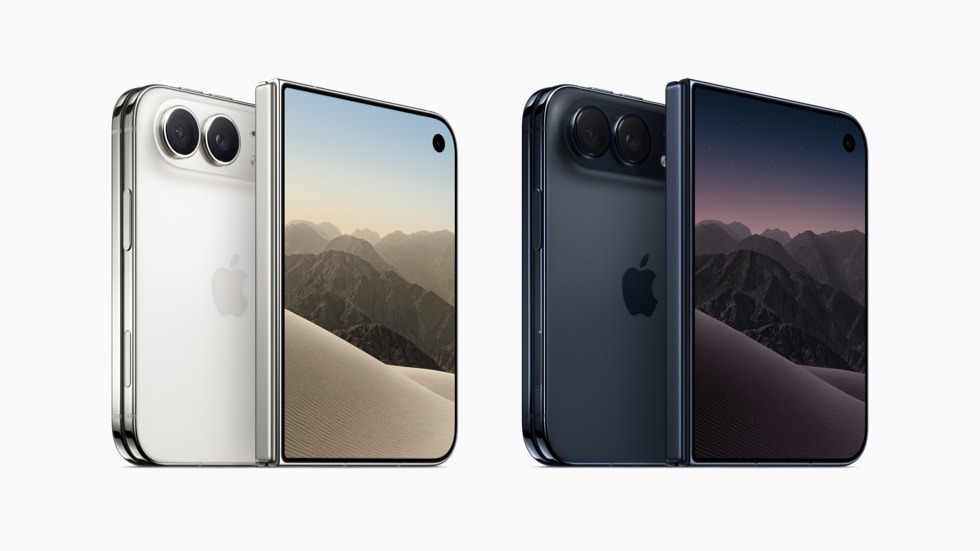
Apple iPhone Duo official foldable image.
Official Apple featured-image candidate — Source: Apple Newsroom

Apple’s foldable iPhone is no longer a rumor. The company has officially unveiled the iPhone Duo, a passport-shaped foldable that represents one of the biggest changes to the iPhone since the removal of the Home button.

The headline feature is a 7.6-inch inner display that opens into a tablet-like workspace while the phone retains a 5.4-inch outer display for normal one-handed use. Apple says the unfolded screen is its largest-ever iPhone display while the device remains pocketable when closed.

Price and Release Date

The iPhone Duo starts at $1,999 in the United States. Apple says the device will become available October 23, placing it above the iPhone 18 Pro Max as the company’s new ultra-premium iPhone option.

Two Displays, One iPhone

Apple has designed the Duo around a wider, passport-like shape rather than an unusually tall folding display. The inner screen supports multiple apps at once, allowing users to work with split-screen layouts and take advantage of apps optimized for the larger canvas. Apple demonstrated productivity scenarios involving apps such as Zoom and Slack.

Apple Pencil Support

In another first for iPhone, the iPhone Duo supports Apple Pencil. That pushes the Duo closer to the iPad experience and could make the device especially interesting for note-taking, annotation and creative work.

Touch ID Instead of Face ID

Apple is using Touch ID integrated into the side button rather than Face ID. Users can also unlock the Duo with Apple Watch. This is one of the clearest examples of Apple adapting familiar technologies to the engineering constraints of a foldable design.

Apple Silicon and Connectivity

The Duo uses Apple’s A20-class silicon and the company’s C2 cellular modem, continuing Apple’s move toward controlling more of the critical chips inside its devices. Apple is also emphasizing on-device AI and privacy across the new iPhone generation.

Cameras

The foldable includes dual rear cameras, with launch reporting describing two 48-megapixel cameras. The emphasis appears to be on keeping the device thin while still delivering a flagship-level camera experience, rather than matching every lens available on the Pro Max.

Built for iOS 27

The hardware story is only half of the Duo. Apple adapted iOS 27 to respond to different orientations and folding positions. Users can place apps side by side, pin video while using another portion of the display, and take advantage of layouts that change as the device is folded or rotated.

Why iPhone Duo Matters

Samsung, Google and Chinese manufacturers have spent years developing the foldable category, but Apple’s entry could push foldables further into the mainstream. At $1,999, this is clearly not a mass-market iPhone. It is a premium first-generation product designed to establish Apple’s approach to the category.

Bottom Line

The iPhone Duo is the most important new iPhone form factor in years. Its combination of a 7.6-inch inner display, Apple Pencil support, multitasking, Apple silicon and iOS 27 creates something closer to a pocketable iPhone-iPad hybrid than a conventional smartphone.

SOURCES

  • Apple September 9, 2026 event / Apple Events
  • Reuters — Apple debuts $1,999 foldable iPhone Duo
  • Associated Press — Apple unveils iPhone Duo
  • TechCrunch — Apple unveils its first foldable, the iPhone Duo
  • 9to5Mac — Apple unveils foldable iPhone Duo

VIDEO / MEDIA

Official Apple iPhone Duo launch page

Apple September 9, 2026 event video

iPhone 18 Pro Camera Code Leak Reveals Manual Focus, Exposure Scopes and Variable-Aperture Processing

iPhone 18 Pro camera leak featured image highlighting manual focus, exposure scopes and variable aperture

Updated: September 7, 2026

Fresh clues inside the iOS 27 beta may reveal where Apple is taking the iPhone camera next. A new code analysis points to a group of advanced shooting tools that are not currently available to users, including manual focus, focus peaking, exposure scopes, overexposure warnings, repeated self-timer shots, and image correction that changes according to aperture position.

The most important detail is the aperture-aware processing. On its own, software code does not prove that Apple will ship a mechanical variable-aperture camera. But the finding arrives after months of supply-chain reports and leaker claims that the iPhone 18 Pro generation—especially the iPhone 18 Pro Max—could introduce exactly that kind of hardware.

This makes the discovery more meaningful than a typical social-media rumor. The evidence appears to come from Apple’s own beta software, while the hardware connection is still unconfirmed and should be treated as a credible rumor rather than fact.

Five Advanced Camera Tools Found in iOS 27 Beta Code

MacRumors reported on September 7 that forum member “pdfu” identified references to five camera-related capabilities while examining iOS 27 beta code. None of these functions is enabled for regular users in the current beta, so Apple could still change, delay, or remove them before release.

1. Exposure scopes

The code reportedly contains support for exposure-analysis tools such as a histogram or waveform. These displays can help photographers and videographers judge whether a scene is too dark, too bright, or unevenly exposed without relying only on the on-screen preview.

2. Focus peaking and highlight warnings

Focus peaking appears to be another hidden capability. This type of overlay marks areas that are sharply focused, making manual focusing easier. Separate warning overlays could also identify clipped highlights or overexposed parts of the frame with visual patterns or color indicators.

3. Repeated self-timer photos

Apple also appears to have experimented with a self-timer option that can automatically begin another countdown after each shot. That could make it easier to capture several timed photos in sequence without restarting the timer manually.

4. Manual focus

The beta reportedly includes underlying controls for setting and locking focus manually. A similar focus slider appeared during earlier iOS development before being removed, but MacRumors says the newer code is restricted to devices that ship with iOS 27 or later. That restriction makes upcoming iPhone hardware especially relevant.

5. Aperture-aware image correction

This is the most notable discovery. The software reportedly contains lens-correction logic that can adjust processing as an aperture changes, using multiple calibration points rather than assuming one fixed lens opening.

That behavior would make sense for a physical variable-aperture system, where the lens can open wider or stop down depending on lighting conditions or shooting intent.

Why the Aperture Code Matters for iPhone 18 Pro Max

Variable aperture has been one of the more persistent iPhone 18 Pro camera rumors. Supply-chain analyst Ming-Chi Kuo previously said Apple was planning the feature for the iPhone 18 Pro generation. In April, ETNews reporting cited by MacRumors said suppliers were beginning production work for components associated with the new camera mechanism.

The model split remains less certain. Earlier reports pointed to both Pro models, while Ice Universe later claimed that variable aperture would be exclusive to the iPhone 18 Pro Max. Bloomberg’s Mark Gurman also drew attention to the possibility after commenting that Apple’s September event artwork could be a nod to a mechanical aperture on the Pro Max.

The new iOS 27 code does not settle that disagreement. It does, however, create a new software link between the long-running hardware rumor and Apple’s camera-processing pipeline.

What a Variable Aperture Could Change

Recent Pro iPhones use a fixed aperture on the main camera, meaning the physical lens opening does not change from shot to shot. A variable-aperture system would give Apple another way to control how much light reaches the sensor.

A wider aperture can be useful when more light is needed, while a narrower aperture can help control bright scenes and potentially provide different depth-of-field behavior. The practical benefit will depend heavily on Apple’s implementation, sensor size, lens design, and how much control the company gives users.

If Apple combines variable-aperture hardware with manual focus, exposure scopes, focus peaking, and highlight warnings, the bigger story could be a more creator-oriented Camera app rather than one isolated camera upgrade.

Confirmed, Credible and Still Speculative

  • Direct software evidence: According to the published code analysis, iOS 27 beta contains references to the advanced camera tools described above. The features are not currently exposed to users.
  • Credible rumor: Multiple established sources have reported that Apple is developing a variable-aperture main camera for the iPhone 18 Pro generation, with more recent reporting leaning toward the Pro Max as the likely recipient.
  • Still uncertain: Apple has not announced these hidden camera tools, and beta code can point to experiments that never ship. It is also not confirmed whether variable aperture will be exclusive to the iPhone 18 Pro Max or appear on both Pro models.

Why This Leak Stands Out

Most pre-launch iPhone rumors originate with suppliers, accessory makers, analysts, or social-media leakers. This report is different because the newest evidence comes from software code tied to Apple’s own operating system.

That still does not make every hidden feature a launch guarantee. Software development regularly includes unfinished, disabled, or abandoned functions. But aperture-dependent processing appearing just before an iPhone generation already linked to mechanical-aperture hardware is a notable convergence of software and supply-chain evidence.

Final Thoughts

The iPhone 18 Pro camera story is increasingly about direct control. If even part of this hidden camera toolkit reaches the final release, future iPhones could offer photographers and creators a more technical shooting experience with manual focus aids, better exposure monitoring, and processing designed to work with changing lens behavior.

The biggest remaining question is whether Apple reserves variable aperture for the iPhone 18 Pro Max. With Apple’s September 9 event approaching, the answer may be close.

Related ReaderSpice Coverage

Sources

MacRumors — Five iPhone 18 Pro Camera Features Seemingly Leak in Code (September 7, 2026)
MacRumors — iPhone 18 Pro Variable Aperture Camera Enters Production (April 16, 2026)
MacRumors — Only iPhone 18 Pro Max Rumored to Get Variable Aperture Camera (August 27, 2026)

Editorial note: This article was independently written from reported facts and source material. It does not reproduce source articles or copyrighted passages.