Meeting Owl 5 Is a $1,499 4K Conference Camera: The Upgrade and the Gaps

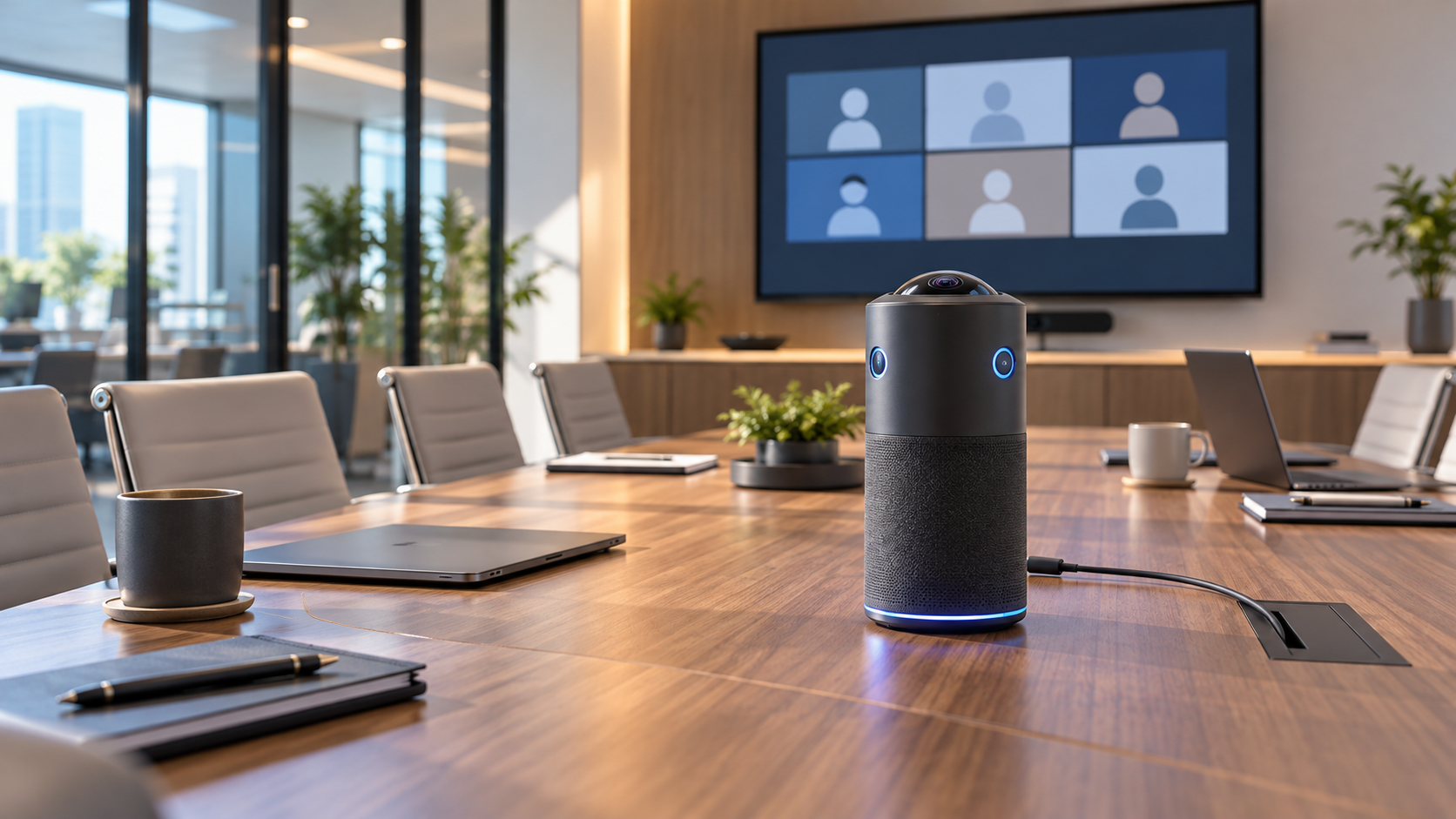
Generic 360-degree conference camera centered on a small hybrid meeting room table

Owl Labs has released the Meeting Owl 5, a $1,499 all-in-one conferencing camera for small hybrid meeting rooms. The new model combines 360-degree 4K output, a 20-megapixel sensor, eight beamforming microphones, a built-in speaker and USB-C connectivity in a redesigned device that sits in the center of a table.

It is cheaper than the $2,599 Meeting Owl 5 Pro and much sharper on paper than the 1080p Meeting Owl 3. That makes the standard Meeting Owl 5 look like the obvious middle choice. The buying decision is more complicated: Owl Labs recommends it for rooms with up to eight people, and several enterprise features are either absent or promised for a 2027 software update.

This is a launch analysis, not a hands-on review. Specifications and compatibility claims come from Owl Labs, while independent reporting is used to frame the tradeoffs. Teams should test the camera in their own room, lighting and conferencing platform before standardizing on it.

Meeting Owl 5 quick take

  • Price and availability: $1,499 in the United States from October 20, 2026; European availability is expected in early November.
  • Video: 360-degree field of view, 4K UHD output, 20-megapixel fisheye sensor and a stated 10-foot video pickup radius.
  • Audio: eight top-mounted beamforming microphones with an 18-foot pickup radius, plus one downward-firing speaker rated at 84 dB SPL RMS.
  • Room target: small rooms with up to eight people.
  • Connection: USB-C, Wi-Fi 6E and HDMI passthrough; Ethernet requires an adapter.
  • Important limits: no Microsoft Teams certification, no Expansion Mic support at launch and no wired or wireless multi-device pairing until a planned 2027 update.

What the new hardware changes

The headline improvement is 4K output. Older mainstream Meeting Owl models made the center-of-table format easy to deploy, but the Meeting Owl 3 is limited to 1080p. The Meeting Owl 5 uses a 20-megapixel fisheye sensor and Owl Labs’ AI-powered Owl Intelligence System to create a panoramic room view and cropped views of active speakers.

Audio receives an equally important overhaul. Owl Labs says the eight-microphone adaptive beamformer uses Fraunhofer upHear processing for voice tracking, dereverberation, echo cancellation and background-noise reduction. The microphones are now top-mounted, which should give them a clearer path to people around the table. Those claims still need independent room testing, especially in glass-walled spaces and rooms with hard surfaces.

The system runs on Qualcomm’s Dragonwing QCS6490 and Android 15. Owl Labs says that combination supports 4K video, voice tracking and enterprise-grade security. The chassis uses up to 45 percent post-consumer recycled plastic, while the company says 99 percent of the packaging is recyclable.

The small-room limit matters more than the 4K label

The small-room limit matters more than the 4K label

Owl Labs recommends the Meeting Owl 5 for small rooms with up to eight people. Its 10-foot video pickup radius describes how far the camera is intended to see useful detail; the microphones reach farther, to 18 feet. A long boardroom can therefore be audible without producing equally useful close-up video.

Placement is central to the design. A 360-degree camera works best near the middle of the group, where it can see faces around the table and use audio cues to frame the person speaking. Put it at one end of a long table and the farthest participants become smaller, while people nearest the camera can dominate the fisheye view.

The standard model cannot pair with another Meeting Owl at launch. Owl Labs plans wired and wireless pairing, plus Expansion Mic support, for 2027. Those are future features, not part of the product buyers receive today. Organizations equipping large or oddly shaped rooms should buy for the current capability and treat the update as a bonus only after it ships and passes testing.

Meeting Owl 5 versus Meeting Owl 5 Pro

Both current-generation models output 4K video, offer native HDMI passthrough and use the familiar 360-degree center-of-table concept. The $1,100 price gap reflects more than sensor resolution.

What the $2,599 Pro adds

  • A 64-megapixel fisheye sensor instead of 20 megapixels.
  • Native Ethernet rather than Ethernet through an adapter.
  • Wired and wireless multi-device pairing now, rather than a planned 2027 update.
  • Microsoft Teams certification and support for more standardized enterprise room deployments.
  • A Qualcomm Snapdragon 8250 processor rather than the QCS6490 used by the standard model.

What the standard model keeps

The Meeting Owl 5 retains 4K output, HDMI passthrough, Wi-Fi 6E, eight microphones, an 18-foot audio radius and broad UVC compatibility. It works as a USB camera, microphone and speaker with major web conferencing services, including Microsoft Teams, Zoom, Google Meet, Webex, GoToMeeting and Slack.

Compatibility is not the same as certification. Owl Labs lists Teams as supported, but its comparison page explicitly marks the standard Meeting Owl 5 as not Microsoft Teams certified. Companies with certified-device policies should check with IT before purchasing.

What 4K means for a 360-degree meeting camera

A 4K output specification does not mean every remote participant receives a full 4K close-up. The fisheye sensor captures the entire room, then software creates a panoramic strip and cropped speaker views from that shared image. Detail depends on distance, crop size, lighting, platform compression and the layout selected in the meeting app.

The 20-megapixel sensor provides enough source resolution for a 4K stream, but the standard model has less cropping headroom than the 64-megapixel Pro. Independent launch coverage identifies that difference as one of the clearest hardware compromises. Buyers should judge faces at the farthest planned seat, not the sharpness of the static panorama shown in a demo.

Setup and compatibility checklist

  • Measure the room. Confirm that every chair is within roughly 10 feet of the camera and that the camera can sit near the group’s center.
  • Check the host computer. Owl Labs lists Windows 7 or later, macOS 10.8 or later, ChromeOS and limited Ubuntu 16.04-or-later support, but a current supported operating system is the safer baseline.
  • Confirm the cable path. The box includes a 6.5-foot USB-C-to-USB-C SuperSpeed cable, a 16-foot USB-C-to-USB-A HighSpeed cable and a 10-foot power cable.
  • Plan display sharing. Native HDMI passthrough can send laptop content to the room display, but Owl Labs says the HDMI cable is not included.
  • Decide whether wired networking is mandatory. The standard model supports Wi-Fi 6E; Ethernet needs an adapter, while the Pro has native Ethernet.
  • Run a real meeting. Test active-speaker switching, far-seat detail, echo control, maximum speaker volume, screen sharing and account sign-in on every conferencing service the room uses.

Security, privacy and management questions

A center-of-room camera and microphone can capture everyone around a table, so deployment needs more than a technical check. Meeting owners should disclose recording, transcription and AI-summary features, follow local consent rules and make it obvious when video or audio is live.

The Meeting Owl 5 uses Owl Labs’ Nest management platform for device controls and analytics. Before a fleet purchase, administrators should review account roles, update policy, network requirements, device inventory, retention settings and whether the organization permits a Wi-Fi-connected Android-based conferencing appliance.

The product’s glowing owl eyes or alternate LED can act as a streaming indicator. That is helpful, but it should not replace clear meeting-room signage or a documented process for disabling recording when sensitive discussions begin.

Who should buy it

Good fit

The Meeting Owl 5 makes the most sense for small huddle rooms where teams want one portable device for camera, microphones and speaker, use a bring-your-own-device workflow and value 360-degree speaker framing. It is also the more defensible choice when $2,599 per room is difficult to justify and native Ethernet, certification and immediate camera pairing are not requirements.

Consider another option

Skip or postpone the purchase if the room regularly holds more than eight people, needs multiple synchronized cameras now, requires Microsoft Teams-certified hardware or mandates wired Ethernet without adapters. A conventional front-of-room camera may also be better when everyone faces the same display and the room does not need a panoramic table view.

Buying note and Amazon alternative

Meeting Owl 5 is sold directly by Owl Labs and authorized retailers. If you need a 4K Meeting Owl that is already established in the market, the previous-generation Meeting Owl 4+ is listed on Amazon under ASIN B0D4FB77HG. Compare current pricing, seller, warranty and return terms before ordering; it is not the new Meeting Owl 5.

Affiliate disclosure: ReaderSpice may earn a commission from qualifying purchases made through the Amazon link, at no additional cost to you.

Bottom line

Meeting Owl 5 brings the company’s mainstream conference camera into the 4K era while undercutting the Pro by $1,100. Its single-cable BYOD setup, HDMI passthrough, eight-microphone array and broad platform compatibility should make it attractive for small hybrid rooms.

The gaps define the product just as clearly. The standard model is not Teams certified, lacks native Ethernet, targets no more than eight people and depends on a future update for pairing and Expansion Mic support. Buy it for a room that fits today’s limits, not for the larger-room system Owl Labs says it may become in 2027.

Sources

Owl Labs: Meeting Owl 5 product page and technical specifications

Business Wire: Owl Labs Meeting Owl 5 launch announcement, October 20, 2026

Digital Camera World: Independent launch analysis and Meeting Owl 5 comparison
Meeting Owl 5 Is a $1,499 4K Conference Camera: The Upgrade and the Gaps

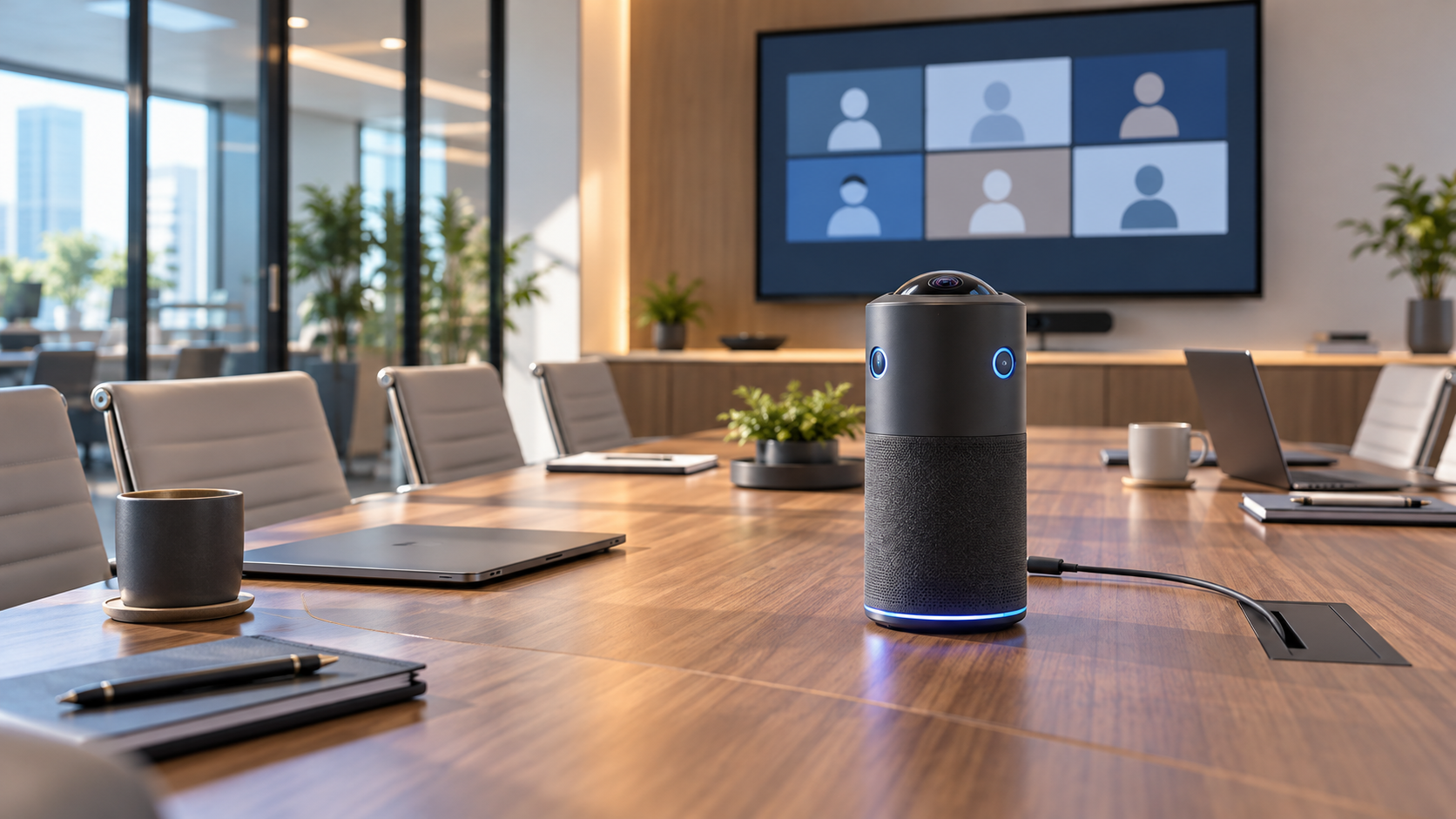
Generic 360-degree conference camera centered on a small hybrid meeting room table

Owl Labs has released the Meeting Owl 5, a $1,499 all-in-one conferencing camera for small hybrid meeting rooms. The new model combines 360-degree 4K output, a 20-megapixel sensor, eight beamforming microphones, a built-in speaker and USB-C connectivity in a redesigned device that sits in the center of a table.

It is cheaper than the $2,599 Meeting Owl 5 Pro and much sharper on paper than the 1080p Meeting Owl 3. That makes the standard Meeting Owl 5 look like the obvious middle choice. The buying decision is more complicated: Owl Labs recommends it for rooms with up to eight people, and several enterprise features are either absent or promised for a 2027 software update.

This is a launch analysis, not a hands-on review. Specifications and compatibility claims come from Owl Labs, while independent reporting is used to frame the tradeoffs. Teams should test the camera in their own room, lighting and conferencing platform before standardizing on it.

Meeting Owl 5 quick take

  • Price and availability: $1,499 in the United States from October 20, 2026; European availability is expected in early November.
  • Video: 360-degree field of view, 4K UHD output, 20-megapixel fisheye sensor and a stated 10-foot video pickup radius.
  • Audio: eight top-mounted beamforming microphones with an 18-foot pickup radius, plus one downward-firing speaker rated at 84 dB SPL RMS.
  • Room target: small rooms with up to eight people.
  • Connection: USB-C, Wi-Fi 6E and HDMI passthrough; Ethernet requires an adapter.
  • Important limits: no Microsoft Teams certification, no Expansion Mic support at launch and no wired or wireless multi-device pairing until a planned 2027 update.

What the new hardware changes

The headline improvement is 4K output. Older mainstream Meeting Owl models made the center-of-table format easy to deploy, but the Meeting Owl 3 is limited to 1080p. The Meeting Owl 5 uses a 20-megapixel fisheye sensor and Owl Labs’ AI-powered Owl Intelligence System to create a panoramic room view and cropped views of active speakers.

Audio receives an equally important overhaul. Owl Labs says the eight-microphone adaptive beamformer uses Fraunhofer upHear processing for voice tracking, dereverberation, echo cancellation and background-noise reduction. The microphones are now top-mounted, which should give them a clearer path to people around the table. Those claims still need independent room testing, especially in glass-walled spaces and rooms with hard surfaces.

The system runs on Qualcomm’s Dragonwing QCS6490 and Android 15. Owl Labs says that combination supports 4K video, voice tracking and enterprise-grade security. The chassis uses up to 45 percent post-consumer recycled plastic, while the company says 99 percent of the packaging is recyclable.

The small-room limit matters more than the 4K label

The small-room limit matters more than the 4K label

Owl Labs recommends the Meeting Owl 5 for small rooms with up to eight people. Its 10-foot video pickup radius describes how far the camera is intended to see useful detail; the microphones reach farther, to 18 feet. A long boardroom can therefore be audible without producing equally useful close-up video.

Placement is central to the design. A 360-degree camera works best near the middle of the group, where it can see faces around the table and use audio cues to frame the person speaking. Put it at one end of a long table and the farthest participants become smaller, while people nearest the camera can dominate the fisheye view.

The standard model cannot pair with another Meeting Owl at launch. Owl Labs plans wired and wireless pairing, plus Expansion Mic support, for 2027. Those are future features, not part of the product buyers receive today. Organizations equipping large or oddly shaped rooms should buy for the current capability and treat the update as a bonus only after it ships and passes testing.

Meeting Owl 5 versus Meeting Owl 5 Pro

Both current-generation models output 4K video, offer native HDMI passthrough and use the familiar 360-degree center-of-table concept. The $1,100 price gap reflects more than sensor resolution.

What the $2,599 Pro adds

  • A 64-megapixel fisheye sensor instead of 20 megapixels.
  • Native Ethernet rather than Ethernet through an adapter.
  • Wired and wireless multi-device pairing now, rather than a planned 2027 update.
  • Microsoft Teams certification and support for more standardized enterprise room deployments.
  • A Qualcomm Snapdragon 8250 processor rather than the QCS6490 used by the standard model.

What the standard model keeps

The Meeting Owl 5 retains 4K output, HDMI passthrough, Wi-Fi 6E, eight microphones, an 18-foot audio radius and broad UVC compatibility. It works as a USB camera, microphone and speaker with major web conferencing services, including Microsoft Teams, Zoom, Google Meet, Webex, GoToMeeting and Slack.

Compatibility is not the same as certification. Owl Labs lists Teams as supported, but its comparison page explicitly marks the standard Meeting Owl 5 as not Microsoft Teams certified. Companies with certified-device policies should check with IT before purchasing.

What 4K means for a 360-degree meeting camera

A 4K output specification does not mean every remote participant receives a full 4K close-up. The fisheye sensor captures the entire room, then software creates a panoramic strip and cropped speaker views from that shared image. Detail depends on distance, crop size, lighting, platform compression and the layout selected in the meeting app.

The 20-megapixel sensor provides enough source resolution for a 4K stream, but the standard model has less cropping headroom than the 64-megapixel Pro. Independent launch coverage identifies that difference as one of the clearest hardware compromises. Buyers should judge faces at the farthest planned seat, not the sharpness of the static panorama shown in a demo.

Setup and compatibility checklist

  • Measure the room. Confirm that every chair is within roughly 10 feet of the camera and that the camera can sit near the group’s center.
  • Check the host computer. Owl Labs lists Windows 7 or later, macOS 10.8 or later, ChromeOS and limited Ubuntu 16.04-or-later support, but a current supported operating system is the safer baseline.
  • Confirm the cable path. The box includes a 6.5-foot USB-C-to-USB-C SuperSpeed cable, a 16-foot USB-C-to-USB-A HighSpeed cable and a 10-foot power cable.
  • Plan display sharing. Native HDMI passthrough can send laptop content to the room display, but Owl Labs says the HDMI cable is not included.
  • Decide whether wired networking is mandatory. The standard model supports Wi-Fi 6E; Ethernet needs an adapter, while the Pro has native Ethernet.
  • Run a real meeting. Test active-speaker switching, far-seat detail, echo control, maximum speaker volume, screen sharing and account sign-in on every conferencing service the room uses.

Security, privacy and management questions

A center-of-room camera and microphone can capture everyone around a table, so deployment needs more than a technical check. Meeting owners should disclose recording, transcription and AI-summary features, follow local consent rules and make it obvious when video or audio is live.

The Meeting Owl 5 uses Owl Labs’ Nest management platform for device controls and analytics. Before a fleet purchase, administrators should review account roles, update policy, network requirements, device inventory, retention settings and whether the organization permits a Wi-Fi-connected Android-based conferencing appliance.

The product’s glowing owl eyes or alternate LED can act as a streaming indicator. That is helpful, but it should not replace clear meeting-room signage or a documented process for disabling recording when sensitive discussions begin.

Who should buy it

Good fit

The Meeting Owl 5 makes the most sense for small huddle rooms where teams want one portable device for camera, microphones and speaker, use a bring-your-own-device workflow and value 360-degree speaker framing. It is also the more defensible choice when $2,599 per room is difficult to justify and native Ethernet, certification and immediate camera pairing are not requirements.

Consider another option

Skip or postpone the purchase if the room regularly holds more than eight people, needs multiple synchronized cameras now, requires Microsoft Teams-certified hardware or mandates wired Ethernet without adapters. A conventional front-of-room camera may also be better when everyone faces the same display and the room does not need a panoramic table view.

Buying note and Amazon alternative

Meeting Owl 5 is sold directly by Owl Labs and authorized retailers. If you need a 4K Meeting Owl that is already established in the market, the previous-generation Meeting Owl 4+ is listed on Amazon under ASIN B0D4FB77HG. Compare current pricing, seller, warranty and return terms before ordering; it is not the new Meeting Owl 5.

Affiliate disclosure: ReaderSpice may earn a commission from qualifying purchases made through the Amazon link, at no additional cost to you.

Bottom line

Meeting Owl 5 brings the company’s mainstream conference camera into the 4K era while undercutting the Pro by $1,100. Its single-cable BYOD setup, HDMI passthrough, eight-microphone array and broad platform compatibility should make it attractive for small hybrid rooms.

The gaps define the product just as clearly. The standard model is not Teams certified, lacks native Ethernet, targets no more than eight people and depends on a future update for pairing and Expansion Mic support. Buy it for a room that fits today’s limits, not for the larger-room system Owl Labs says it may become in 2027.

Sources

Owl Labs: Meeting Owl 5 product page and technical specifications

Business Wire: Owl Labs Meeting Owl 5 launch announcement, October 20, 2026

Digital Camera World: Independent launch analysis and Meeting Owl 5 comparison
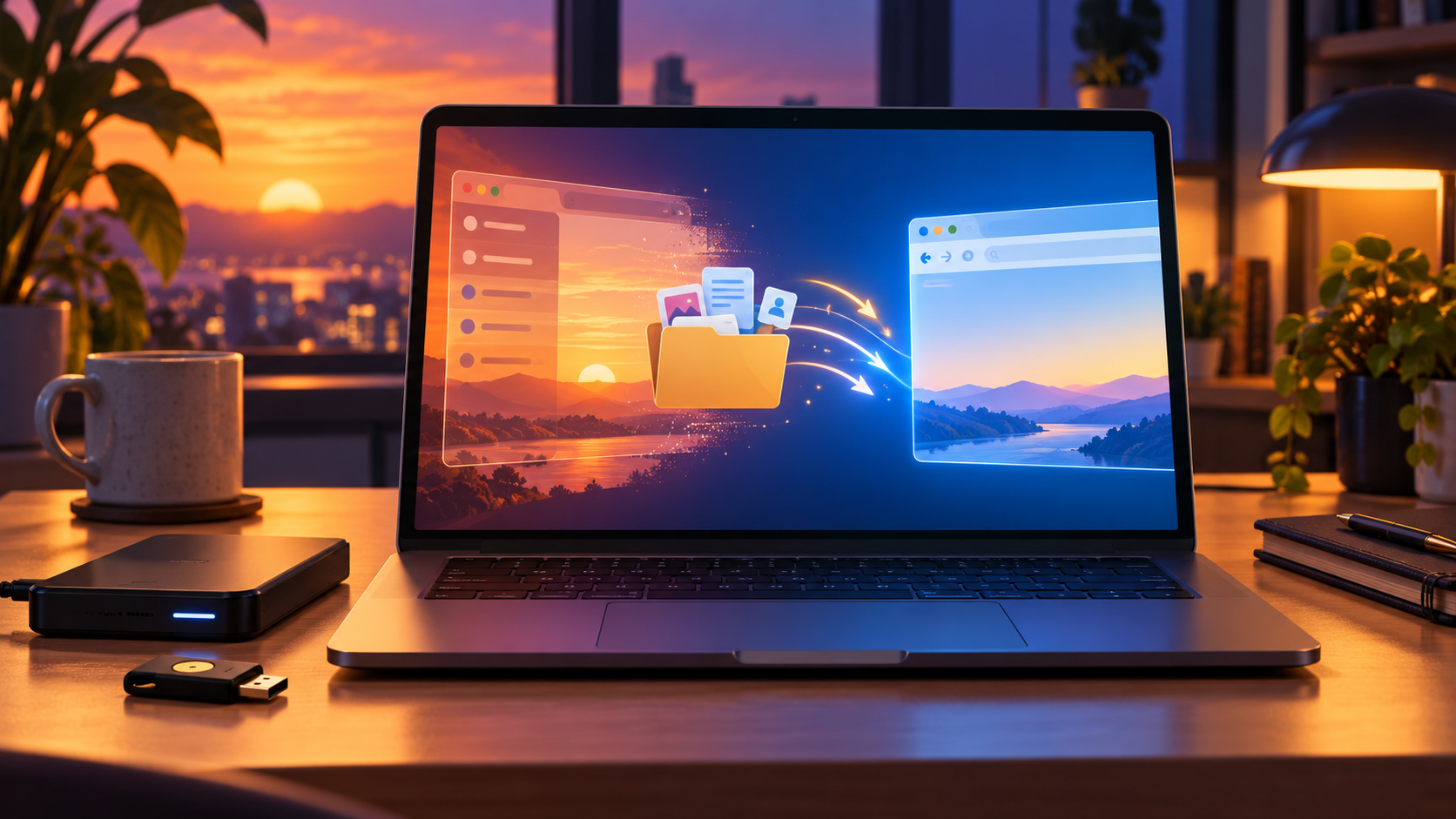
Arc Browser Shuts Down December 22: How to Export Your Spaces, Tabs and Passwords

Editorial illustration of a browser window fading into sunset while tabs, files and credentials move securely to a new browser

The Browser Company will switch off Arc’s desktop browser on December 22, 2026. On that date, Arc for macOS and Windows will stop working, Arc accounts will be deactivated and the company will begin deleting associated personal data. Existing desktop users have less than two months to preserve what matters and test a replacement.

The important detail is that Arc has several different kinds of data. Spaces and tabs use one export path; account-level personal data uses another; passwords, history and extensions require a browser-to-browser import or a separate export. Treating those as one backup can leave gaps.

This guide follows The Browser Company’s current shutdown documentation and separates confirmed steps from browser-specific caveats. Complete the migration early enough to verify everyday sites before Arc’s final day.

Shutdown timeline at a glance

  • October 22, 2026: The shutdown was announced and new Arc account creation ended.
  • November 23, 2026: Arc Search for iOS and Android loses AI features, sign-in and account sync; desktop Arc begins showing migration reminders.
  • December 15, 2026: Last day to request a copy of Arc account personal data or ask The Browser Company to delete it early.
  • December 22, 2026: Arc for macOS and Windows stops working, Arc accounts are deactivated, services are switched off and the Android app is removed from devices and Google Play.
  • Within 30 days after December 22: The Browser Company says remaining Arc personal data will be deleted. Arc Search on iOS can continue basic browsing, but its Arc account and AI services will already be gone.

What will stop working

The desktop cutoff is not merely the end of feature development. The official timeline says Arc on macOS and Windows will stop working on December 22. Until then, the desktop apps are expected to receive only basic updates and critical fixes, not new features.

Arc Search changes earlier. On November 23, the iOS and Android apps lose AI features, sign-in and sync. On December 22, the Android app is removed from Google Play and from installed Android devices. The iOS app remains a basic browser, but it should not be treated as a safe archive for synced Arc data.

If a work or school profile depends on Arc, involve the organization’s administrator now. Managed passwords, passkeys, certificates, extensions and single-sign-on sessions may not be portable through a personal browser import.

Back up first: Arc has two different exports

1. Export Spaces and tabs

Arc’s built-in Export Data command creates a file containing Spaces and tabs. It is useful as a reference and fallback, but The Browser Company says it is not a complete profile backup.

  • On macOS, open Arc > Settings > Advanced > Export Data.
  • On Windows, press Ctrl+, or open the Arc menu, choose Settings > Advanced, then select Export Spaces and tabs > Export Data.

Save the export outside Arc—ideally in a backed-up folder—and open it before moving on. Make sure the file lists the Spaces and tabs you expect.

2. Request account-level personal data

The Browser Company offers a separate request for a copy of personal data associated with an Arc account. The deadline is December 15, one week before desktop shutdown. The company warns that this account export does not include information stored only on a device, including browsing history and passwords.

Use the shutdown support page’s data-request link while you can still access the email address attached to the Arc account. Keep the delivered archive with your other migration records.

3. Move passwords, history and extensions

For the most complete assisted move, Dia can import Arc passwords, bookmarks, extensions and history. Other destination browsers may offer their own importers, but support varies by platform and version. If you use a separate password manager, confirm that its vault is fully synchronized and that its browser extension works in the destination browser.

Before deleting anything, sign in to several important accounts in the new browser, verify two-factor authentication and test at least one saved passkey. A visible bookmark is not proof that credentials or local history moved.

Move to Dia: the easiest complete migration

Move to Dia: the easiest complete migration

Dia is The Browser Company’s replacement browser and the path with the most explicit Arc import support. It uses a separate account, so an Arc login does not automatically become a Dia login.

  • Install Dia on the Mac or Windows PC that still has Arc and create or sign in to a Dia account.
  • When prompted during setup, choose the Arc import. In an existing Dia installation, open the import command for another browser and select Arc.
  • Select the available categories—such as passwords, bookmarks, extensions and history—and complete the import before December 22.
  • Check several Spaces after import. Dia converts Arc Spaces into Profiles and Arc Favorites into pinned tabs.
  • Open representative sites from every Profile, confirm extensions are enabled and test autofill, downloads, video calls and any work authentication.
  • Keep Arc and the independent export file until the new setup has worked for several days.

The import is a one-time copy, not ongoing synchronization. Changes made later in Arc will not automatically appear in Dia. If you continue using Arc after the first import, repeat any manual checks before the cutoff.

What will not survive in Dia

The Browser Company’s FAQ says Dia can reproduce much of Arc’s sidebar organization, but several Arc-specific features have no direct equivalent. These include Air Traffic Control, Boosts, Easels, Little Arc, Peek, TypeTravel and Instant Links.

That makes the export file important even for people who choose Dia. Save text or screenshots of custom Boosts, Easels and routing rules you want to rebuild. If a workflow relies on one of those tools, test the replacement behavior instead of assuming the visual migration preserved it.

Alternatives if you do not want Dia

Zen Browser: the closest visual idea

Zen is a Firefox-based browser with vertical tabs, workspaces and a layout that will feel familiar to many Arc users. Its biggest caveat is media compatibility: Zen’s official FAQ says it does not ship Google Widevine DRM, so services including Netflix, Disney+, Prime Video, Spotify and Apple Music may not play protected content in the browser. Test the exact services you use before committing.

Chrome, Edge or Firefox: conventional and well-supported

A mainstream browser is less visually similar to Arc but may be easier for managed work accounts, streaming services, extension compatibility and long-term support. Chrome and Edge accept Chromium extensions; Firefox has its own extension ecosystem. Import what each browser supports, then rebuild Spaces as profiles, tab groups, containers or bookmark folders.

Do not choose solely by how closely a sidebar resembles Arc. Verify password import, passkeys, video conferencing, protected media, printing, downloads, accessibility tools and every extension that is essential to your daily work.

Account-security checklist before switching

Browser migrations are a good time to remove credentials that should never be the only copy. Export or synchronize passwords through a trusted password manager, save recovery codes offline and add a second authentication method to high-value accounts.

For phishing-resistant two-factor authentication, the USB-C and NFC Yubico YubiKey 5C NFC (ASIN B08DHL1YDL) is available on Amazon. A hardware key is optional and does not replace a password manager or backup key, but it can keep account recovery independent of one browser installation.

Affiliate disclosure: ReaderSpice may earn a commission from qualifying purchases made through the Amazon link above, at no additional cost to you.

  • Add at least two sign-in methods to critical accounts before removing Arc.
  • Store recovery codes somewhere that does not depend on the old browser.
  • Keep a second hardware security key in a secure location if a key protects your primary email or password manager.
  • Confirm passkeys appear on the device or password manager where you expect them.
  • Sign out and back in to one noncritical account to test the new recovery path.

Final verification checklist

  • Open the independent Spaces-and-tabs export and confirm it is readable.
  • Request Arc account data no later than December 15 if you want a copy.
  • Verify passwords, history, extensions and bookmarks in the destination browser.
  • Test every Profile or workspace and rebuild any Arc-only feature you still need.
  • Check work logins, passkeys, protected media, video calls, printing and downloads.
  • Keep Arc installed until the replacement has worked reliably, but finish before December 22.
  • Delete old local exports securely after you have a verified backup and no longer need them.

The bottom line

Arc’s December 22 desktop shutdown is a hard deadline, not a routine end-of-support notice. The safest plan is to make both official exports, move browser-local data through a supported importer and spend several days validating the replacement.

Dia offers the cleanest official migration and translates Spaces into Profiles, but it does not carry every Arc feature. Zen is visually closer than most conventional browsers, yet its DRM limitation can be decisive. Chrome, Edge and Firefox are less Arc-like but may be more predictable for work, extensions and media. The right choice is the one that passes your real workflow tests before Arc can no longer open.

Sources

The Browser Company: Arc sunset key dates and what to expect — October 22, 2026

The Browser Company: Arc sunset frequently asked questions

The Browser Company: Move from Arc to Dia

The Browser Company: How to export data from Arc

Arc: Farewell and migration overview

The Verge: The Arc browser is shutting down — October 22, 2026

The Verge: Zen Browser review as an Arc replacement — October 25, 2026

Zen Browser documentation: Frequently asked questions and DRM limitation

Yubico: YubiKey 5C NFC specifications

Amazon: Yubico YubiKey 5C NFC (ASIN B08DHL1YDL)

Arc Browser Shuts Down December 22: How to Export Your Spaces, Tabs and Passwords

Editorial illustration of a browser window fading into sunset while tabs, files and credentials move securely to a new browser

The Browser Company will switch off Arc’s desktop browser on December 22, 2026. On that date, Arc for macOS and Windows will stop working, Arc accounts will be deactivated and the company will begin deleting associated personal data. Existing desktop users have less than two months to preserve what matters and test a replacement.

The important detail is that Arc has several different kinds of data. Spaces and tabs use one export path; account-level personal data uses another; passwords, history and extensions require a browser-to-browser import or a separate export. Treating those as one backup can leave gaps.

This guide follows The Browser Company’s current shutdown documentation and separates confirmed steps from browser-specific caveats. Complete the migration early enough to verify everyday sites before Arc’s final day.

Shutdown timeline at a glance

  • October 22, 2026: The shutdown was announced and new Arc account creation ended.
  • November 23, 2026: Arc Search for iOS and Android loses AI features, sign-in and account sync; desktop Arc begins showing migration reminders.
  • December 15, 2026: Last day to request a copy of Arc account personal data or ask The Browser Company to delete it early.
  • December 22, 2026: Arc for macOS and Windows stops working, Arc accounts are deactivated, services are switched off and the Android app is removed from devices and Google Play.
  • Within 30 days after December 22: The Browser Company says remaining Arc personal data will be deleted. Arc Search on iOS can continue basic browsing, but its Arc account and AI services will already be gone.

What will stop working

The desktop cutoff is not merely the end of feature development. The official timeline says Arc on macOS and Windows will stop working on December 22. Until then, the desktop apps are expected to receive only basic updates and critical fixes, not new features.

Arc Search changes earlier. On November 23, the iOS and Android apps lose AI features, sign-in and sync. On December 22, the Android app is removed from Google Play and from installed Android devices. The iOS app remains a basic browser, but it should not be treated as a safe archive for synced Arc data.

If a work or school profile depends on Arc, involve the organization’s administrator now. Managed passwords, passkeys, certificates, extensions and single-sign-on sessions may not be portable through a personal browser import.

Back up first: Arc has two different exports

1. Export Spaces and tabs

Arc’s built-in Export Data command creates a file containing Spaces and tabs. It is useful as a reference and fallback, but The Browser Company says it is not a complete profile backup.

  • On macOS, open Arc > Settings > Advanced > Export Data.
  • On Windows, press Ctrl+, or open the Arc menu, choose Settings > Advanced, then select Export Spaces and tabs > Export Data.

Save the export outside Arc—ideally in a backed-up folder—and open it before moving on. Make sure the file lists the Spaces and tabs you expect.

2. Request account-level personal data

The Browser Company offers a separate request for a copy of personal data associated with an Arc account. The deadline is December 15, one week before desktop shutdown. The company warns that this account export does not include information stored only on a device, including browsing history and passwords.

Use the shutdown support page’s data-request link while you can still access the email address attached to the Arc account. Keep the delivered archive with your other migration records.

3. Move passwords, history and extensions

For the most complete assisted move, Dia can import Arc passwords, bookmarks, extensions and history. Other destination browsers may offer their own importers, but support varies by platform and version. If you use a separate password manager, confirm that its vault is fully synchronized and that its browser extension works in the destination browser.

Before deleting anything, sign in to several important accounts in the new browser, verify two-factor authentication and test at least one saved passkey. A visible bookmark is not proof that credentials or local history moved.

Move to Dia: the easiest complete migration

Move to Dia: the easiest complete migration

Dia is The Browser Company’s replacement browser and the path with the most explicit Arc import support. It uses a separate account, so an Arc login does not automatically become a Dia login.

  • Install Dia on the Mac or Windows PC that still has Arc and create or sign in to a Dia account.
  • When prompted during setup, choose the Arc import. In an existing Dia installation, open the import command for another browser and select Arc.
  • Select the available categories—such as passwords, bookmarks, extensions and history—and complete the import before December 22.
  • Check several Spaces after import. Dia converts Arc Spaces into Profiles and Arc Favorites into pinned tabs.
  • Open representative sites from every Profile, confirm extensions are enabled and test autofill, downloads, video calls and any work authentication.
  • Keep Arc and the independent export file until the new setup has worked for several days.

The import is a one-time copy, not ongoing synchronization. Changes made later in Arc will not automatically appear in Dia. If you continue using Arc after the first import, repeat any manual checks before the cutoff.

What will not survive in Dia

The Browser Company’s FAQ says Dia can reproduce much of Arc’s sidebar organization, but several Arc-specific features have no direct equivalent. These include Air Traffic Control, Boosts, Easels, Little Arc, Peek, TypeTravel and Instant Links.

That makes the export file important even for people who choose Dia. Save text or screenshots of custom Boosts, Easels and routing rules you want to rebuild. If a workflow relies on one of those tools, test the replacement behavior instead of assuming the visual migration preserved it.

Alternatives if you do not want Dia

Zen Browser: the closest visual idea

Zen is a Firefox-based browser with vertical tabs, workspaces and a layout that will feel familiar to many Arc users. Its biggest caveat is media compatibility: Zen’s official FAQ says it does not ship Google Widevine DRM, so services including Netflix, Disney+, Prime Video, Spotify and Apple Music may not play protected content in the browser. Test the exact services you use before committing.

Chrome, Edge or Firefox: conventional and well-supported

A mainstream browser is less visually similar to Arc but may be easier for managed work accounts, streaming services, extension compatibility and long-term support. Chrome and Edge accept Chromium extensions; Firefox has its own extension ecosystem. Import what each browser supports, then rebuild Spaces as profiles, tab groups, containers or bookmark folders.

Do not choose solely by how closely a sidebar resembles Arc. Verify password import, passkeys, video conferencing, protected media, printing, downloads, accessibility tools and every extension that is essential to your daily work.

Account-security checklist before switching

Browser migrations are a good time to remove credentials that should never be the only copy. Export or synchronize passwords through a trusted password manager, save recovery codes offline and add a second authentication method to high-value accounts.

For phishing-resistant two-factor authentication, the USB-C and NFC Yubico YubiKey 5C NFC (ASIN B08DHL1YDL) is available on Amazon. A hardware key is optional and does not replace a password manager or backup key, but it can keep account recovery independent of one browser installation.

Affiliate disclosure: ReaderSpice may earn a commission from qualifying purchases made through the Amazon link above, at no additional cost to you.

  • Add at least two sign-in methods to critical accounts before removing Arc.
  • Store recovery codes somewhere that does not depend on the old browser.
  • Keep a second hardware security key in a secure location if a key protects your primary email or password manager.
  • Confirm passkeys appear on the device or password manager where you expect them.
  • Sign out and back in to one noncritical account to test the new recovery path.

Final verification checklist

  • Open the independent Spaces-and-tabs export and confirm it is readable.
  • Request Arc account data no later than December 15 if you want a copy.
  • Verify passwords, history, extensions and bookmarks in the destination browser.
  • Test every Profile or workspace and rebuild any Arc-only feature you still need.
  • Check work logins, passkeys, protected media, video calls, printing and downloads.
  • Keep Arc installed until the replacement has worked reliably, but finish before December 22.
  • Delete old local exports securely after you have a verified backup and no longer need them.

The bottom line

Arc’s December 22 desktop shutdown is a hard deadline, not a routine end-of-support notice. The safest plan is to make both official exports, move browser-local data through a supported importer and spend several days validating the replacement.

Dia offers the cleanest official migration and translates Spaces into Profiles, but it does not carry every Arc feature. Zen is visually closer than most conventional browsers, yet its DRM limitation can be decisive. Chrome, Edge and Firefox are less Arc-like but may be more predictable for work, extensions and media. The right choice is the one that passes your real workflow tests before Arc can no longer open.

Sources

The Browser Company: Arc sunset key dates and what to expect — October 22, 2026

The Browser Company: Arc sunset frequently asked questions

The Browser Company: Move from Arc to Dia

The Browser Company: How to export data from Arc

Arc: Farewell and migration overview

The Verge: The Arc browser is shutting down — October 22, 2026

The Verge: Zen Browser review as an Arc replacement — October 25, 2026

Zen Browser documentation: Frequently asked questions and DRM limitation

Yubico: YubiKey 5C NFC specifications

Amazon: Yubico YubiKey 5C NFC (ASIN B08DHL1YDL)

Qualcomm Snapdragon 8 Gen 3 Impresses in Galaxy S24 Ultra Benchmark Leaks.

Qualcomm is rumored to be launching the Snapdragon 8 Gen 3 chipset next month. A leaked benchmark score suggests that the overclocked Snapdragon 8 Gen 3, specifically designed for the Galaxy S24 Ultra, achieved an impressive multi-core score of 7,400 on Geekbench. This is a significant improvement compared to last year’s Snapdragon 8 Gen 2, which scored 4,975 on the same benchmark. According to the latest rumors, Samsung is expected to use its own Exynos 2400 SoC for the Galaxy S24 and S24+ while reserving the Snapdragon 8 Gen 3 exclusively for the Galaxy S24 Ultra. This strategy is similar to Apple’s approach with the iPhone 15 Pro models, which feature the new 3nm A17 Pro chipset, while the non-Pro versions are powered by the 4nm A16 Bionic. The Snapdragon 8 Gen 3 for Galaxy is rumored to include a prime CPU core running at 3.30GHz and three performance CPU cores at 3.15GHz, among other features. The official announcement of the Snapdragon 8 Gen 3 is expected to take place at the Snapdragon Tech Summit in October or November.

Powerful CPU and GPU:
The Snapdragon 8 Gen 3’s CPU and GPU are two of its standout features. The CPU, likely based on ARM’s Cortex-X2 architecture, is expected to provide a significant boost in single-core performance, essential for tasks that demand high processing power. Meanwhile, the GPU, believed to be an Adreno 730, promises to deliver stunning graphics and improved gaming experiences.

What Does This Mean for Consumers?
For consumers eagerly anticipating the next generation of flagship smartphones, the Snapdragon 8 Gen 3 brings good news. The impressive benchmark results suggest that upcoming devices equipped with this chipset will offer exceptional performance, making multitasking, gaming, and content consumption smoother and more enjoyable.

Additionally, the chipset’s AI capabilities can enhance everyday tasks and user experiences. From improved photography to extended battery life, these AI-driven features have the potential to make smartphones even more versatile and user-friendly.

On The Path of Spirituality

Prasad Aryal

Beginning Phase

the starting point

I was a science student. I am a person, who has been carrying materialistic thoughts for half of my life. I have always stood for materialism. At the age of 46, I was diagnosed with liver cirrhosis, which I did not know before. After sometime of being diagnosed, I suddenly passed out and my son brought me to hospital. After reaching hospital, doctors were trying to treat me however, I went into a coma for a week. During that time, the doctor lost hope and said that there is no chance of survival.

Doctor from the hospital called my family members because I was going near death. Later, all my relatives and family members were able to know about my critical situation. Doctor told me later that it was unbelievable and miraculous to come back conscious from a coma. I suffered from the disease for about three years and many times I was on the brink of death. I have never thought that I would survive by carrying someone else’s liver in my body.

Sometimes I feel that I have two humans inside me. I will always remember and thank the person who donated me his liver. Because of him, I am still alive in this world with his organ. Nobody knows what could happen anytime in their life. All the living creatures are mortal. Although anyone has the possibility of unexpected death. How can I trust my own long life? Sometimes my mind is in bad omen.

I have written all the above statements in my book, called “Kalejo Phereko Manchhe”, in Nepali that means liver transplanted man. I have seen my death very closely. I have suffered, I got to assimilate. Anyone could think America has prosperity and modern scientific prowess and it may look easy to transplant organs. But it is not as easy as everyone can think of. I was so lucky to get an opportunity to transplant my liver on time because more than 20% of patients die while they are waiting for an organ transplant.

No one has been able to conquer human death, even with any resources or technology. I’m not trying or wanting to disagree with science and technology because I was a science student and I have an interest in science and technology. Therefore, my liver transplant got successful and now I have a new life. Thanks to all doctors and nurses who believed in science/technology and putting these efforts on me.

After my transplant, I’ve turned into spiritual life. Science is based on proven facts while spirituality is transcendental. The feeling is deeply imprinted in my heart but these things have no proof or evidence. When I started to experience it, then I began to feel it. Spirituality is a warehouse of all kinds of knowledge. I used to understand that spiritual means only religious. I got distracted from materialism. But after the transplant, I tried to research spirituality. Now I am on to it.

I was born in Hindu Brahman family, but I never followed religion. I didn’t study the Sanskrit language. I never used to follow about our religion and tradition. I was not interested in these things before. So I never studied our Hindu culture, religion and tradition. In fact, I boycotted the Sanskrit language even though my father was a Pandit. I didn’t follow the path as he showed me, but I walked the other way. He always told me that he didn’t mind what courses I studied, but I have to read “Bhagavad Gita”. If a person dies without acquiring the knowledge of “Bhagavad Gita”, they never become free from hell.