UGREEN HomeAgent HA100 Is a $799 Local-AI NAS: Specs, Smart-Home Limits and Risks

Editorial illustration of a white local-AI NAS hub connecting a home security camera, smart lock, thermostat and family photo library

UGREEN’s HomeAgent HA100 is an unusual pre-retail product: part network-attached storage system, part local AI computer, part surveillance recorder and part smart-home hub. Reservations are open ahead of a Kickstarter campaign scheduled for November 17, 2026, with a promoted $799 offer against a stated $1,599 MSRP.

That price sounds aggressive for a device with 26 TOPS of local AI performance, 16GB of memory and storage expansion. The tradeoff is that HomeAgent is not simply a discounted conventional NAS. Its drive layout, networking, supported devices and still-developing software make it a more specialized—and riskier—purchase.

This preview separates UGREEN’s current claims from independent hands-on findings so buyers can decide whether to reserve early or wait for retail hardware and finished software.

The quick take

  • UGREEN lists the HA100 at $799 for reservation customers, with a $50 deposit required to secure the promoted offer.
  • The Kickstarter campaign is scheduled to begin November 17, 2026; hands-on reporting points to February 2027 shipping, not immediate delivery.
  • Its advertised 26 TOPS combines the Rockchip platform and a removable T20 AI accelerator.
  • The box combines two NAS data-drive bays, a dedicated surveillance-drive bay, an M.2 slot, a four-port PoE switch and smart-home radios.
  • Local AI can analyze camera activity, search events and control supported devices without making cloud processing the default.
  • The biggest cautions are beta software, limited present-day compatibility, non-expandable memory and no simple upgrade path to the faster HomeAgent models.

What the $799 reservation actually buys

UGREEN’s current campaign page lists the HomeAgent HA100 at $799, reduced from a stated $1,599 MSRP. A $50 reservation is required. The company also shows a $2,699 HA100 Pro and a $9,999 MasterAgent MA100 at promoted prices, making the entry model the only one likely to interest a mainstream enthusiast.

A reservation is not the same as buying a finished retail product. Kickstarter timelines, specifications and software can change, and the balance is still a large commitment after the deposit. Buyers should save screenshots of the exact package, refund terms, shipping estimate and included accessories shown when they reserve.

TechRadar’s October 19 hands-on says the HA100 and HA100 Pro reservation package includes a SynCare ID500 Pro camera, but UGREEN’s official campaign page also says some camera accessories are not sold separately and are unlocked only with a HomeAgent purchase. Confirm the bundle in the final pledge tier rather than assuming every early promotion will remain available.

HA100 hardware at a glance

HA100 hardware at a glance

The entry HomeAgent is built around a Rockchip RK3588 processor, 16GB of non-expandable LPDDR5 memory and a T20 accelerator. UGREEN markets 26 TOPS of total local-AI performance—20 TOPS from the accelerator plus 6 TOPS from the platform.

  • Rockchip RK3588 with four Cortex-A76 and four Cortex-A55 CPU cores.
  • 16GB LPDDR5 memory that is not user-expandable.
  • Two SATA bays for ordinary NAS storage plus one SATA bay allocated to surveillance storage.
  • One M.2 NVMe PCIe Gen 3 x1 slot for storage, cache or AI models.
  • One 2.5GbE network port for the main LAN connection.
  • Four integrated 10/100Mbps PoE ports with up to 65W total power for compatible cameras.
  • USB-C, two USB-A ports, HDMI and a front SD card slot.
  • Thread 1.4, Zigbee 3.0 and Bluetooth radios for smart-home connectivity.
  • A four-microphone array, dual 5W speakers and a touch-sensitive front display.
  • UGOS Pro with EXT4 and Btrfs support; the two general-purpose bays support Basic, JBOD, RAID 0 and RAID 1.

The capacity number needs clarification before backing

UGREEN’s campaign page currently advertises “up to 96TB storage.” TechRadar’s hands-on specification table instead describes 68TB as two 30TB SATA drives plus one 8TB M.2 drive, while separately identifying the third SATA bay as surveillance storage. Those figures may be counting different pools or updated drive qualifications.

Because the HA100 does not present three ordinary data bays, buyers should not assume they can build a conventional three-disk RAID 5 array. The hands-on unit supports RAID 0 or RAID 1 across its two main storage bays, while surveillance footage is assigned to a separate drive.

Ask UGREEN to confirm the maximum qualified drive size, whether the surveillance bay can ever join the primary pool, how camera retention is calculated and whether the M.2 slot can be used simultaneously for AI models and general storage. Capacity marketing is not a substitute for a usable-volume plan.

What local AI and Uliya are supposed to do

HomeAgent’s central idea is to keep supported recognition and automation work inside the home. UGREEN says local AI can identify people, vehicles, pets and packages, create event summaries, search footage by keyword and generate alerts without making a cloud subscription the default.

The system’s Uliya assistant can receive spoken questions through the hub, compatible cameras or UGREEN’s smart speaker. In the hands-on software, a locally running Qwen 3.5 4B model handled the basic assistant layer while modular recognition components watched for selected people, pets or parcels.

Local processing can reduce the amount of sensitive camera footage and household activity sent to remote servers, but “local” should not be treated as an absolute privacy guarantee. Remote access, optional cloud AI connections, mobile notifications and third-party integrations can still move data outside the box depending on settings.

Owners should review every connected account, disable cloud-model API keys they do not need, use unique credentials and keep backups separate from the HomeAgent. A locally stored copy is still vulnerable to theft, drive failure, accidental deletion and ransomware.

Matter support and the camera ecosystem

UGREEN says HomeAgent works with its own SynCare cameras and compatible Matter devices. Thread and Zigbee radios are built in, but protocol hardware alone does not guarantee that every device or feature will pair correctly.

TechRadar found the pre-release Smart Home app limited mainly to UGREEN peripherals and Matter accessories. Older devices without Matter pairing codes were not easy to bring into the system, which matters for households already invested in Philips Hue, Tapo, Smart Life, Google Home or Amazon Alexa hardware.

The integrated PoE switch is convenient for cameras because a single Ethernet cable can provide power and data. Its ports are only 10/100Mbps, though. That is adequate for many compressed camera streams, but it is not a substitute for the main 2.5GbE connection and could become a constraint with multiple high-bitrate cameras.

UGREEN’s camera lineup includes the indoor ID500 Pro, the wired outdoor OD600 Pro and a battery-and-solar OD800 Pro. Confirm which cameras can record continuously, which AI functions require HomeAgent, whether ONVIF or third-party cameras are supported and whether a camera can operate after the campaign bundle ends.

What still looks unfinished

The HA100 hardware shown to reviewers appears close to production, but the software is still beta. TechRadar reported a special mobile application for the hands-on unit, limited assistant behavior and a smart-home catalog that needs broader compatibility.

The current local model is designed for focused household tasks, not broad conversational intelligence. That may be a sensible privacy and performance choice, but buyers should not expect a private equivalent of a large cloud chatbot from 16GB of shared memory and a 26-TOPS appliance.

There is also no simple upgrade path from the HA100 to the HA100 Pro or MA100. The models use different processors, accelerators and expansion interfaces. If the entry model feels slow later, the path appears to be replacing the entire hub rather than swapping in a Pro-class module.

Before launch, UGREEN still needs to prove:

  • Reliable everyday operation after power failures, network interruptions and app updates.
  • Clear backup and restore procedures for the hub, camera database and AI configuration.
  • Broader compatibility beyond UGREEN accessories and basic Matter onboarding.
  • Predictable support periods for UGOS Pro, security patches and AI models.
  • Useful local voice responses without sending routine requests to a cloud model.

Reservation risk and the real total cost

The $799 hub price excludes the storage drives needed for a practical NAS and surveillance system. Add two NAS-rated data drives, a surveillance-rated drive, optional NVMe storage, cameras, network cabling and a backup destination before comparing HomeAgent with a standard NAS or cloud subscription.

A sensible budget should also account for:

  • Sales tax, shipping and any import charges shown during the final pledge.
  • At least two matching NAS drives if RAID 1 protection is required.
  • A separate backup drive or second NAS; RAID is not a backup.
  • A UPS or supported battery backup for clean shutdowns during outages.
  • Replacement-camera flexibility if proprietary accessories are discontinued.

Kickstarter campaigns can deliver late or change specifications. Treat the reservation as early-adopter hardware funding, not as a risk-free retail preorder. Use a payment method with appropriate consumer protections and read the campaign’s refund language before the final charge.

How it differs from a conventional NAS

A conventional four-bay NAS usually prioritizes flexible storage pools, mature backup tools, containers and third-party apps. HomeAgent prioritizes local event recognition, dedicated surveillance storage, voice control and first-party smart-home accessories. Neither approach is automatically better; they solve different problems.

Readers who mainly need centralized storage, Docker, media serving and broader drive configurations can compare the UGREEN DXP4800 Plus (ASIN B0D22JRHZB) on Amazon. It is a current four-bay, diskless NAS rather than a HomeAgent substitute, but it shows what buyers give up when they choose a specialized two-data-bay smart-home appliance.

Affiliate disclosure: ReaderSpice may earn a commission from qualifying purchases made through the Amazon link above, at no additional cost to you.

Choose HomeAgent if local camera intelligence and voice-controlled automations are the main goal. Choose a conventional NAS if storage flexibility, app maturity, media workflows or an existing Home Assistant setup matter more.

Who should reserve—and who should wait?

Reserve early if:

  • You are comfortable testing first-generation hardware and beta software.
  • Your smart home already uses Matter devices or you plan to buy UGREEN’s cameras.
  • Local video analysis and reduced cloud dependence matter more than maximum NAS flexibility.
  • You can absorb delays and still maintain separate backups and security coverage.

Wait for retail if:

  • You need proven compatibility with an existing mix of non-Matter devices.
  • You require RAID 5, four general-purpose drive bays, 10GbE or expandable memory.
  • You want independent long-term tests of recognition accuracy, noise, thermals and power use.
  • You need a guaranteed delivery date, simple returns and mature support documentation.

Checklist before paying the deposit

  • Verify that the November 17 campaign date and your regional shipping window are still current.
  • Save the exact pledge-tier description, included camera and early-bird price.
  • Confirm supported drive models, maximum capacity and the role of the surveillance bay.
  • List every existing smart-home device and check Matter compatibility one by one.
  • Ask whether third-party ONVIF cameras, Home Assistant bridges and cloud assistants are supported.
  • Price two data drives, a surveillance drive, backup storage and power protection.
  • Review privacy controls for remote access, camera recognition, stored faces and optional cloud AI.
  • Wait for final campaign specifications if any essential answer is missing.

The bottom line

UGREEN HomeAgent HA100 is one of the most ambitious home-storage products of 2026 because it tries to combine a NAS, NVR, local AI server and smart-home controller in one appliance. The $799 reservation price makes that experiment tempting, especially with a camera bundle.

The same integration creates its biggest risks. Two ordinary data bays limit storage options, compatibility is narrow in the beta software, memory is fixed and faster HomeAgent models require a new machine. For households that already use Matter and want local camera intelligence, the HA100 could become a useful private hub. Everyone else should wait for the Kickstarter specification, retail software and independent tests before treating it as a replacement for a mature NAS or smart-home platform.

Sources

UGREEN: HomeAgent crowdfunding page — pricing, memory, storage and local-AI claims

UGREEN: Smart Living launch event — HomeAgent lineup and accessories — September 9, 2026

UGREEN: Smart home hub with local storage — September 14, 2026

TechRadar: UGREEN HomeAgent HA100 hands-on — October 19, 2026

Kickstarter: UGREEN HomeAgent campaign page

Amazon: UGREEN DXP4800 Plus four-bay NAS (ASIN B0D22JRHZB)

Firefox 158.0.1 and Android 158.0.2 Block Compromised Certificates: What to Do

Laptop blocking a compromised digital certificate behind a protective security shield

Mozilla has issued an unusual pair of Firefox security updates after private keys tied to eight eMudhra intermediate certificates were reported compromised. Firefox 158.0.1 for desktop and Firefox 158.0.2 for Android contain protections intended to block certificates issued through the affected chain, including cases where Firefox’s normal remote blocklist delivery is disabled or unavailable.

The practical advice is straightforward: let Firefox update, restart it, and confirm the installed version. Most people do not need to delete certificates or change browser settings. Organizations that pin versions or block Mozilla’s Remote Settings service should treat the release as a priority deployment because the packaged update is the fallback protection for those environments.

Firefox certificate update at a glance

  • Incident reported to Mozilla: October 17, 2026, at 20:06 UTC.
  • Affected material: private keys associated with eight eMudhra intermediate certificates.
  • Immediate response: Mozilla added the affected certificates to OneCRL and completed distribution by 22:59 UTC, less than three hours after receiving the report.
  • Desktop release: Firefox 158.0.1, issued October 20.
  • Android follow-up: Firefox 158.0.2, issued October 21 to make sure the bundled OneCRL blocklist is installed at startup.
  • ESR releases: Firefox ESR 115.43.1 and Firefox ESR 153.5.1 carry the response for supported enterprise branches.
  • Security classification: Mozilla rates CVE-2026-113470 as high impact.

A secure-web certificate helps a browser establish that it is talking to the intended site and that the connection is encrypted. An intermediate certificate sits between a trusted root authority and the certificates presented by websites. If an intermediate private key is compromised, an attacker may be able to issue a fraudulent certificate that appears to chain back to a trusted authority.

What happened to the eMudhra certificates

Mozilla says it received the compromise report on Saturday, October 17. The report involved private keys associated with eight eMudhra intermediate certificates. Possession of those keys could allow an attacker to create certificates for domains the attacker does not control.

A fraudulent certificate is not automatically enough to read someone’s browsing traffic. The attacker would also need a way to intercept or redirect the connection—for example through a compromised network, malicious routing, hostile proxy or another man-in-the-middle position. In that situation, the certificate could help the attacker impersonate a legitimate website and potentially read or modify traffic that the victim believed was protected.

This distinction matters. Mozilla did not say that every Firefox user was attacked, nor that every certificate issued by eMudhra was fraudulent. The response blocks the affected certificate paths so they cannot be used to establish trust in Firefox.

Why compromised certificates matter

Why compromised certificates matter

The padlock in a browser address bar signals that the current connection is encrypted and that the site presented a certificate the browser accepted. It is not a guarantee that the organization behind the page is honest, and it depends on the integrity of the certificate chain.

A root certificate authority can delegate certificate issuance to intermediate authorities. Those intermediates sign website certificates. Browsers maintain trust stores and revocation mechanisms so a certificate path can be rejected when a key is lost, misused or otherwise unsafe. Blocking a compromised intermediate is therefore a way to prevent every certificate relying on that path from being accepted, without waiting for individual websites to change.

For everyday users, the visible effect should be minimal. A correctly updated browser silently refuses the affected chain. If a site still depends on one of the blocked certificates, Firefox may show a secure-connection error until the site operator replaces the certificate chain.

How Mozilla blocked the certificates

Mozilla first used OneCRL, its remotely delivered list of revoked certificates. The Firefox Security Team says the block reached standard Firefox configurations less than three hours after the report. OneCRL is distributed through Mozilla’s Remote Settings system, allowing urgent security-state changes between normal browser releases.

That fast response does not cover every configuration equally. An enterprise policy, network restriction or custom preference can prevent Remote Settings from arriving. Firefox 158.0.1 therefore includes the updated OneCRL data inside the application package, so the browser can enforce the block even when remote delivery is unavailable.

Mozilla also updated its Network Security Services trust store to NSS 3.131.1 and removed the root certificate that signed the affected intermediates. That broader step helps other applications based on Mozilla’s trust store, including products that do not receive Firefox’s OneCRL updates.

Which Firefox versions users should have

  • Firefox desktop release channel: version 158.0.1 or later.
  • Firefox for Android: version 158.0.2 or later.
  • Firefox ESR 153 branch: version 153.5.1 or later.
  • Firefox ESR 115 branch: version 115.43.1 or later.

Version numbers can move forward quickly. If Firefox offers a version newer than the numbers above, install the newer supported release rather than attempting to downgrade. A newer version should include the earlier security response unless Mozilla publishes a specific exception.

The desktop advisory for Firefox 158.0.1 also includes a separate high-impact SVG boundary-condition fix and several stability corrections. Release notes list fixes for unexpected scrolling while selecting text, a Windows print-to-PDF crash involving assistive technology, incorrect monitor selection on Linux, a built-in VPN startup problem and macOS drag-and-drop failures.

Why Android needed a second update

Mozilla initially released Firefox 158.0.1 for desktop and Android with the bundled blocklist. On October 21, it added Firefox for Android 158.0.2 after finding that some Android clients were not applying the bundled OneCRL changes immediately at startup.

The 158.0.2 release narrows that exposure window by ensuring the pre-distributed blocklist is installed as Firefox starts. Android users should not assume that having 158.0.1 is the end of the task; the relevant Android target is 158.0.2 or any newer release offered through the device’s app store.

How to check and update Firefox

  • On desktop, open the Firefox menu and choose Help, then About Firefox. On macOS, the About Firefox command is also available from the Firefox menu in the menu bar.
  • Allow Firefox to check for and download the update. When prompted, restart the browser so the new version is actually running.
  • Open About Firefox again and confirm version 158.0.1 or later.
  • On Android, open the Google Play Store, search for Firefox and install any available update. Then open Firefox, go to Settings and About Firefox, and confirm version 158.0.2 or later.
  • If Firefox came from the Microsoft Store or a Linux distribution repository, use that store or package manager because it may control the update channel.

Firefox normally updates automatically, but an update may not finish until the browser restarts. A managed work or school device may also be pinned to an administrator-approved version. If the About screen says updates are controlled by your organization, contact the administrator instead of trying to bypass policy.

What managed and offline devices need

The highest-priority cases are systems that do not receive Mozilla Remote Settings reliably. That can include locked-down enterprise images, offline workstations, filtered networks, lab machines and devices that remain open for long periods without restarting.

  • Confirm the installed Firefox or ESR version through inventory rather than assuming automatic updates completed.
  • Deploy the applicable 158.0.1, 153.5.1 or 115.43.1 package—or a newer supported release—through the organization’s normal software-management system.
  • Restart Firefox processes after deployment so the updated application and packaged blocklist are active.
  • Do not re-enable a blocked certificate chain merely to suppress a site error. Replace the server certificate chain or work with the site operator.
  • Review proxy, TLS-inspection and private-certificate deployments before changing trust settings; enterprise certificates are a separate configuration from the compromised public intermediates.

Administrators using a custom certificate authority for internal sites should test those sites after updating. An internal certificate error does not prove the public eMudhra incident caused it, and weakening certificate validation can create a larger security problem than the original outage.

What this update does not mean

The release is not evidence that Firefox’s encryption was broken. It is a trust-management response to compromised certificate keys. Mozilla’s rapid OneCRL distribution reduced exposure for standard configurations, while the packaged update covers systems that might miss that remote change.

The incident also does not require most people to reset every password. If you encountered a suspicious certificate warning, used an untrusted network during the affected period or believe you entered credentials into an impersonated site, update first, move to a known-trusted connection and change the affected password from a clean device. Otherwise, installing the browser update is the proportionate response.

Do not click through a certificate warning because a site appears familiar. Check the exact domain, reopen it from a trusted bookmark and let the site operator resolve the certificate problem. Certificate warnings are designed to stop the connection before credentials or other sensitive data are exposed.

Practical account security steps

  • Keep Firefox, Android and the operating system on supported releases.
  • Use unique passwords and a reputable password manager.
  • Enable phishing-resistant multifactor authentication or passkeys when an important account supports them.
  • Treat unexpected login prompts and certificate warnings as separate reasons to stop and verify the site.
  • Avoid changing advanced certificate settings unless an administrator or documented support process requires it.
  • On shared or managed devices, report warnings to IT instead of installing certificates supplied by an unknown website.

Is a hardware security key relevant here?

A hardware security key cannot fix a compromised certificate authority and does not replace the Firefox update. It can, however, add phishing-resistant authentication to supported accounts. Even if an attacker learns a password, a properly configured FIDO security key can make account takeover harder because authentication is bound to the legitimate website origin.

A verified option is the Yubico Security Key C NFC on Amazon. It uses USB-C or NFC and supports FIDO-based authentication, but compatibility depends on the account, device and sign-in method. Confirm those details and the current seller before ordering.

Affiliate disclosure: ReaderSpice may earn a commission from qualifying Amazon purchases made through the link above, at no additional cost to you.

Bottom line

Firefox users should update rather than panic. Mozilla says standard configurations received the OneCRL block within hours, and the browser releases add a packaged fallback for clients that missed remote delivery. Desktop users need Firefox 158.0.1 or later, while Android users should be on 158.0.2 or later.

The larger lesson is that HTTPS protection depends on more than encryption alone. Browsers also need a trusted certificate chain and a fast way to revoke unsafe intermediates. Keeping the browser current is what turns Mozilla’s certificate response into protection on the device in front of you.

Sources

Mozilla Security Blog: Protecting Firefox users after the eMudhra intermediate-certificate compromise

Mozilla MFSA 2026-111: Security vulnerabilities fixed in Firefox 158.0.1

Firefox 158.0.1 release notes

Firefox for Android 158.0.2 release notes

Mozilla MFSA 2026-116: Security vulnerabilities fixed in Firefox for Android 158.0.2

Mozilla Support: Update Firefox to the latest release

Firefox Source Docs: Remote Settings and the OneCRL security-state collection

Call of Duty: Modern Warfare 4 Is Out: Platforms, PC Requirements and What to Check

Gamer facing a modular global battlefield across PC, console and handheld screens

Call of Duty: Modern Warfare 4 launched worldwide on October 23, 2026, bringing its campaign, competitive multiplayer and the rebuilt DMZ extraction mode to current Xbox and PlayStation consoles, Windows PCs and Nintendo Switch 2. It is the first new Call of Duty release on a Nintendo platform in years, but not every version has the same subscription, hardware or security requirements.

The safest launch-day decision is not simply choosing the cheapest store. PC players need to confirm TPM 2.0, Secure Boot, storage and graphics support before paying. Console buyers should account for online-service subscriptions, downloads and platform-specific performance. Parents should also notice the Mature 17+ rating, interactive users and in-game purchases.

Modern Warfare 4 launch at a glance

  • Release date: October 23, 2026.
  • Platforms: Xbox Series X|S, Xbox on PC, PlayStation 5, Battle.net, Steam and Nintendo Switch 2.
  • Not supported: Xbox One and PlayStation 4.
  • Main modes: a cinematic campaign, multiplayer and the DMZ extraction mode.
  • Launch multiplayer: 20 maps, more than a dozen modes, 33 weapons, 33 Operators and progression through Level 55 and beyond.
  • PC requirements: a 115GB SSD, broadband internet, DirectX 12, TPM 2.0 and Secure Boot.
  • Game Pass status: Modern Warfare 4 is a standalone purchase and is not included with Game Pass at launch.
  • ESRB rating: Mature 17+ for Blood and Gore, Intense Violence, Strong Language and Use of Drugs; it also includes Users Interact and In-Game Purchases.

Launch details can change through patches and platform storefront updates. Check the exact edition, seller, region, language support and download size shown at checkout rather than assuming every listing is identical.

Where you can play it

Modern Warfare 4 is available on Xbox Series X|S, PlayStation 5, Windows PC and Nintendo Switch 2. PC buyers can choose the Xbox app, Battle.net or Steam. Xbox purchases support Xbox Play Anywhere when bought through participating Xbox and Microsoft storefronts, allowing one supported digital purchase to work across Xbox Series X|S and Xbox on PC with compatible progression and saves tied to the account.

The game does not support Xbox One or PlayStation 4. That distinction is important when shopping for a physical copy or gift: a familiar box design does not make a current-generation disc compatible with older hardware. Confirm the platform name printed on the listing and package.

Nintendo Switch 2 is a full launch platform, not a later port. Nintendo lists the Standard Edition at $69.99 in the United States. Availability, physical-versus-digital options, storage use and regional pricing can differ, so check the Nintendo eShop or retailer listing for the exact format.

What is included on day one

The campaign continues the modern storyline with fighting across the Korean Peninsula and missions in locations including New York and Paris. Multiplayer launches with 20 maps: 12 Core 6v6 maps, four Gunfight maps, three Ground War maps and Kill Block, a modular training facility. Infinity Ward also lists more than a dozen multiplayer modes, 33 weapons and 33 Operators.

Progression runs through Level 55 and expands into two Prestige paths. Weapon camouflage progress spans multiplayer and DMZ, with additional Warzone integration planned when Season 1 begins. Players who mainly care about one mode should still review installed content packs because the complete package can occupy much more storage after updates.

DMZ is a separate extraction loop built around deployments into Hajin. Players can enter alone or with a squad, pursue missions, collect equipment and decide when to extract. DMZ has its own Level 1–70 progression, while earned DMZ experience also contributes to overall player progression.

Kill Block changes the map every match

Kill Block is the most unusual launch map. Its central and outer modular sections can be rearranged into more than 500 configurations, changing routes, cover and sightlines between matches. The map supports 3v3 and the new 10v10 Gunfight format at launch, with broader mode support planned later.

That variability should reward communication and quick map reading more than memorizing a single route. It may also make early matches harder to learn. Players should use the first rounds to identify spawn areas, long sightlines and the current position of each slab instead of assuming yesterday’s path still exists.

The PC requirements deserve a preflight check

The PC requirements deserve a preflight check

Activision’s minimum desktop specification calls for Windows 10 64-bit with current updates, an AMD Ryzen 5 1400 or Intel Core i5-6600, 8GB of RAM, 3GB of video memory and an AMD Radeon RX 470, NVIDIA GeForce GTX 970 or 1060, or Intel Arc A580. An SSD with 115GB of available space is required.

The recommended target for 90 frames per second in multiplayer at High settings rises to Windows 11, a Ryzen 5 3600 or Intel Core i7-8700, 16GB of RAM, 8GB of video memory and a Radeon RX 6600 XT, GeForce RTX 3060 Ti or Intel Arc B580. These are launch specifications, not a guarantee of identical performance in every map or mode.

  • Confirm at least 115GB of free SSD space, then leave additional room for patches and shader data.
  • Update Windows and the graphics driver from the operating-system or hardware maker’s official source.
  • Verify DirectX 12 support and a broadband connection.
  • Intel Arc graphics require Resizable BAR.
  • Activision currently supports Intel and AMD processors with the required AVX instruction set; Arm-based Windows PCs are not listed as supported.

Laptop graphics can use the same family name as a desktop card while delivering different performance. Compare the exact laptop GPU and its power limit with Activision’s supported list rather than relying only on the marketing name.

How to check TPM 2.0 and Secure Boot safely

TPM 2.0 and Secure Boot are mandatory for Modern Warfare 4 online modes on PC. Activision says Windows 10 must be version 22H2 or later, the system must boot in UEFI mode, and the Windows disk should use the GPT partition style. A noncompliant PC can be blocked from all online modes.

  • Press Windows + R, type tpm.msc and confirm that the TPM is ready for use with Specification Version 2.0.
  • Open System Information, then check that BIOS Mode shows UEFI and Secure Boot State shows On.
  • Run Activision’s official Call of Duty Secure Attestation Wizard if the game reports a compliance problem.
  • If a setting is missing, consult the exact PC or motherboard support page before changing firmware options.

Do not follow a generic video that tells you to convert partitions or change firmware settings without confirming the model-specific procedure and maintaining a current backup. Activision warns that incorrect UEFI or BIOS changes can cause boot failures and recommends contacting the hardware maker or a professional when the process is unfamiliar.

Storage, downloads and launch-day patching

The 115GB PC figure is an at-launch requirement, not a permanent ceiling. Mandatory updates, language packs, campaign content, multiplayer files and later seasonal content can increase the footprint. On platforms that support selective installs, remove modes only through the game or console’s supported content-management screen so required shared files are not deleted accidentally.

Infinity Ward’s October 23 patch notes say several stability and crash issues were fixed at launch and more updates are planned. That makes a first-day download normal even for a physical copy. On PS5, automatic downloads may begin without presenting every content choice; users who closely manage storage should review installation options before leaving the console unattended.

Keep enough free space for the download and installation process, not only the final reported size. Some systems need temporary working space to unpack and replace large files.

What Switch 2 buyers should know

Nintendo’s release page confirms the campaign, multiplayer and DMZ on Switch 2. A Nintendo Switch Online membership and Nintendo Account are required for Multiplayer and DMZ, and internet access is required for online features. The membership is sold separately and can auto-renew after a trial or paid term.

Nintendo and Activision’s launch pages do not provide enough information to promise identical resolution, frame rate, field of view or loading behavior across Switch 2, PS5, Xbox and PC. Players who are sensitive to performance differences should wait for measured comparisons rather than treating cross-platform availability as proof of parity.

Before choosing Switch 2 for portability, verify download requirements, microSD Express capacity, controller preferences, voice-chat setup and whether the people you play with use compatible cross-platform features.

Subscriptions, accounts and online access

Modern Warfare 4 is not included with Game Pass at launch. Buying the game also does not automatically include the platform subscription required for paid online multiplayer on every console. Nintendo explicitly requires Nintendo Switch Online for Multiplayer and DMZ; Xbox and PlayStation players should check the current multiplayer-access rules for their region and account.

An Activision account and acceptance of the software and services agreement are required for connected features. Use a unique password, enable supported account security and confirm that the platform account is linked to the intended Activision profile before redeeming bonuses. Linking the wrong account can complicate progression and purchase recovery.

Is it suitable for younger players?

The ESRB rates Modern Warfare 4 Mature 17+ for Blood and Gore, Intense Violence, Strong Language and Use of Drugs. The rating summary describes realistic gunfire, explosions, blood effects, dismemberment and violent cutscenes. The game also includes user interaction and in-game purchases.

Parents should review the rating before purchase, then configure the console or PC account’s spending, communication, playtime and age controls. Muting voice chat does not remove every online interaction, and a platform-level purchase PIN is safer than relying on a child to decline every offer.

Which edition should you buy?

The Standard Edition contains the core game. The Vault Edition adds premium cosmetic and progression extras, including Operator packs, a Signature Weapon Collection, one season of BlackCell and a DMZ deployment bonus. Those additions do not replace the base purchase and should be valued as digital extras, not physical hardware.

Most players should start with Standard unless they already know they want the included cosmetic packs and seasonal content. Check whether a Vault upgrade is available later on the chosen platform before paying the higher price on day one.

Readers buying a physical PS5 copy can view Call of Duty: Modern Warfare 4 Standard Edition on Amazon. The verified listing is ASIN B0H37MKQ64; confirm the platform, seller, region, delivery date, bonus terms and return policy before ordering.

As an Amazon Associate, ReaderSpice earns from qualifying purchases.

A practical launch-day checklist

  • Confirm the exact platform and edition before purchase.
  • Check available storage and leave extra room for updates.
  • On PC, verify TPM 2.0, Secure Boot, UEFI/GPT, Windows version and GPU support before buying.
  • Install current system and graphics updates from official sources.
  • Review required online subscriptions and account links.
  • Set spending and communication controls for younger household members.
  • Expect launch patches and consult the official known-issues board if crashes or connection problems appear.

Bottom line

Modern Warfare 4 is a broad current-generation launch: campaign, 20-map multiplayer and a rebuilt DMZ arrive together across Xbox Series X|S, PS5, PC and Switch 2. The modular Kill Block map and dual Prestige paths add variety, while Nintendo’s day-one release makes this the widest platform launch the series has offered in years.

The practical caveats matter just as much. It is not on Game Pass at launch, PC online play requires TPM 2.0 and Secure Boot, the SSD requirement starts at 115GB, console online modes can require separate subscriptions, and the ESRB rating is Mature 17+. Verify those details first; then choose the platform and edition that match how you actually plan to play.

Sources

Call of Duty: Modern Warfare 4 worldwide launch announcement

Infinity Ward: Modern Warfare 4 launch patch notes

Call of Duty: Modern Warfare 4 maps and modes at launch

Activision Support: Modern Warfare 4 PC system requirements

Activision Support: TPM 2.0 and Secure Boot requirements

Nintendo: Modern Warfare 4 launch on Nintendo Switch 2

ESRB: Call of Duty: Modern Warfare 4 rating summary

Call of Duty: Modern Warfare 4 editions and platform details

Windows 11 Quick Settings Gets Phone Controls and an In-Panel Speed Test: Who Can Try It

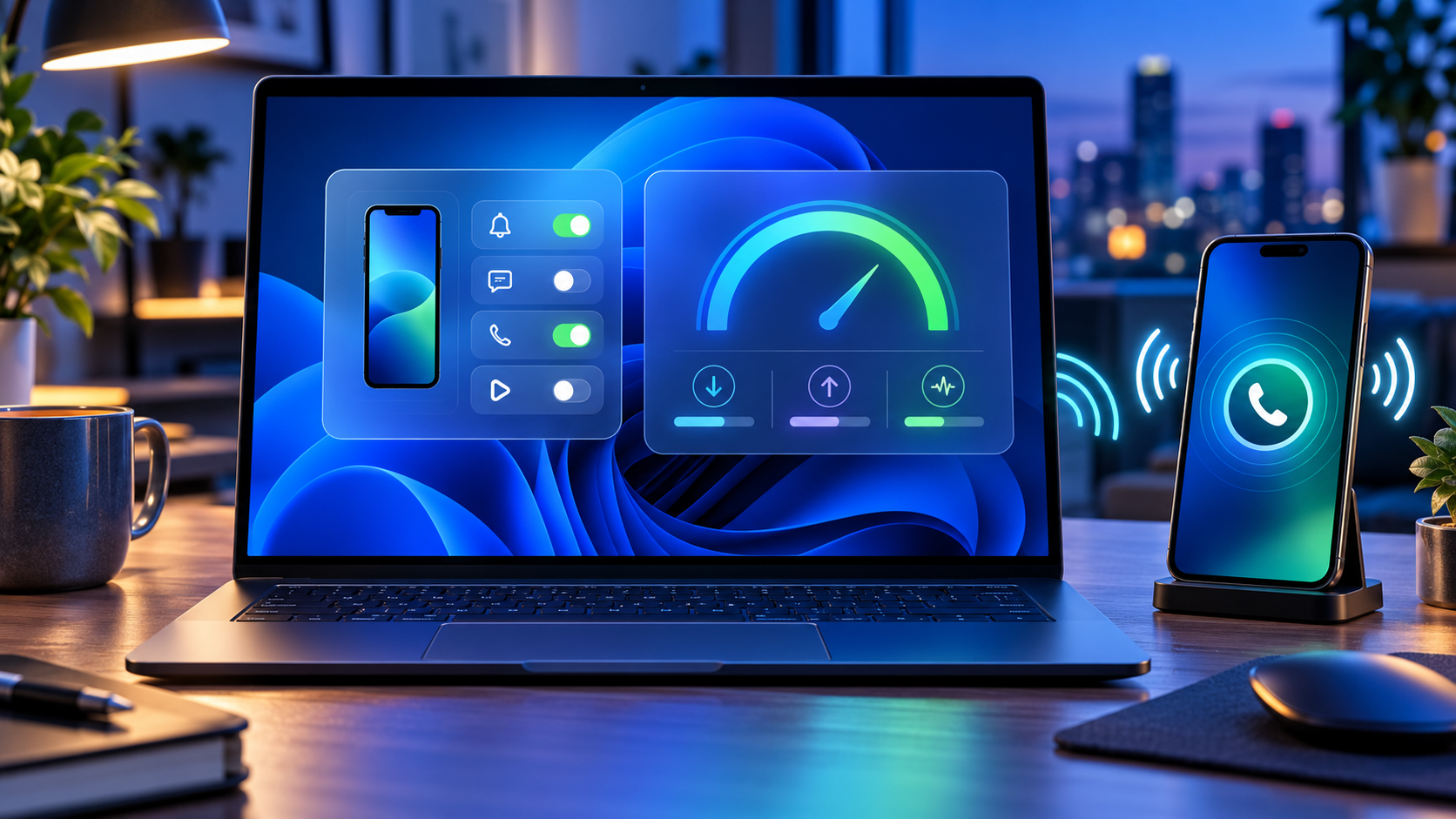
Windows laptop using Quick Settings to control a paired phone and measure internet speed

Microsoft is testing a new Windows 11 Quick Settings experience that puts connected-phone controls and an internet speed test directly inside the taskbar panel. The changes arrived October 23, 2026, in Experimental preview build 26340.9767 and are rolling out gradually to only a subset of Windows Insiders.

The distinction matters: these are preview features, not broadly available Windows 11 functions. Android phones receive the fuller initial control set, while iPhone support begins with a more limited status-focused view. A separate Beta build adds a redesigned, customizable File Explorer context menu, but that feature is not part of the same Experimental rollout.

Windows 11 preview changes at a glance

  • Quick Settings can show a connected phone’s battery status and supported controls.
  • Android users may be able to change Do Not Disturb, adjust ringer mode or make the phone play a sound.
  • Windows can run an internet speed test and display download, upload and ping results inside Quick Settings.
  • A new Magnifier option can disable the Windows key + Plus shortcut without disabling Magnifier itself.
  • Some Microsoft 365 subscribers can turn recurring billing back on from Windows Settings or Start.
  • The Experimental build improves network-location loading feedback and fixes recent taskbar and sign-in problems.
  • Beta build 26220.9757 separately tests a cleaner File Explorer right-click menu with customization controls.

These features are delivered through Controlled Feature Rollout. Installing the correct build does not guarantee that every switch appears immediately, and Microsoft says preview experiences can change, be removed or never reach normal Windows releases.

Phone controls move into Quick Settings

Phone controls move into Quick Settings

The new Mobile devices area is designed to reduce trips into the full Phone Link app. Open Quick Settings from the network, volume or battery area of the taskbar and look for Mobile devices. If a phone is already paired, Windows can show its battery status and the controls supported by that device.

Microsoft describes three practical actions for supported Android phones: turn Do Not Disturb on or off, change ringer mode and play a sound to locate the phone nearby. The last option is useful when a device is buried under a cushion or left in another room, while the notification and ringer controls can quiet a phone before a meeting without reaching for it.

Android receives the most complete initial implementation. Microsoft says iPhone support starts with a more limited, status-focused experience. Available controls can also vary by phone model, software version, region and PC configuration, so the presence of Mobile devices does not promise identical buttons on every setup.

If the phone is not connected, Quick Settings can guide the user into setup. Microsoft’s general Phone Link requirements call for a Windows PC, an Android device running Android 10 or later, and current Phone Link and Link to Windows software. The standard setup uses the same Wi-Fi network, although Phone Link can support mobile-data syncing when that option is enabled.

The speed test now stays inside the panel

Windows has previously exposed a taskbar speed-test command that opened the default browser. The new Experimental version goes further: it runs the test against the active connection and keeps progress and results inside Quick Settings.

The test can be started from the new Speed test tile, from the Wi-Fi or Cellular flyout, or by right-clicking the network icon in the system tray and choosing Test internet speed. The panel reports three measurements:

  • Download speed: how quickly data reaches the PC, affecting streaming, downloads and many cloud applications.
  • Upload speed: how quickly the PC sends data, important for backups, large file transfers and live video.
  • Ping: the round-trip delay to the test endpoint, which can matter more than raw bandwidth for calls, gaming and remote control.

A single result is a snapshot, not a diagnosis. Wi-Fi congestion, server distance, VPN routing, background downloads and the test endpoint can all affect the numbers. Compare several tests at different times, test both near and far from the router, and use Ethernet when possible to separate an internet-service problem from weak local Wi-Fi.

What to check when the result looks wrong

  • Pause cloud backups, game downloads and video streams, then repeat the test.
  • Confirm whether a VPN is active; it can add distance, encryption work and congestion.
  • Move closer to the access point and remove obvious obstructions for a Wi-Fi test.
  • Run a second test over Ethernet if the PC and router support it.
  • Compare another device on the same network to determine whether the slowdown is PC-specific.
  • Restart the modem and router only after noting current status lights and provider outage information.

Do not use one speed result to justify buying new networking hardware. First check the subscribed service tier, router placement, channel congestion, adapter driver, cable category and whether the PC is connected to 2.4GHz, 5GHz or 6GHz. A new router cannot make the provider connection faster than the plan or repair a damaged line.

The Beta channel gets a redesigned File Explorer menu

Microsoft released Beta preview build 26220.9757 on the same date, but its headline change is different. The build tests a redesigned File Explorer context menu intended to reduce top-level clutter, preserve common actions and let users control which commands appear.

That design targets a long-running Windows complaint: right-click menus can become crowded as applications register their own actions. A configurable menu could make everyday file operations easier to scan, but Microsoft is still collecting Insider feedback. It may change before release, and it is tied to the Beta channel rather than the Experimental phone and speed-test rollout.

The Beta build is based on Windows 11 version 25H2 through an enablement package. Experimental build 26340.9767 is based on version 26H2. Those branches should not be treated as interchangeable, and users should not switch channels solely to chase one menu or tile on a production computer.

Other changes in Experimental build 26340.9767

  • Windows Insider settings can filter feature flags by whether they are enabled.
  • Magnifier adds a toggle for the Windows key + Plus shortcut, which remains on by default.
  • Eligible Microsoft 365 subscribers with recurring billing turned off can re-enable it from Settings or Start.
  • File Explorer provides clearer progress feedback while loading slower locations such as network drives.
  • Narrator adds more math-reading languages, including Greek, Hungarian, Indonesian, Norwegian, Polish, Russian, Swedish and Vietnamese.
  • The Widgets picker gains a standard Windows frame with light and dark title bars.
  • Microsoft fixes a recent issue that could stop Explorer from loading after sign-in and another that incorrectly claimed the user’s password was wrong.

The recurring-billing control deserves a careful read. It is a convenience for people who deliberately want to restart subscription renewal; it should not be interpreted as a required Windows setting. Confirm the account, price, renewal date and payment method before turning billing back on.

How to check whether the features are available

  • Open Settings > Windows Update > Windows Insider Program and confirm the enrolled channel.
  • Install the offered preview update, restart when prompted and verify the build under Settings > System > About.
  • For the phone controls, open Quick Settings and look for Mobile devices.
  • For the network tool, look for Speed test in Quick Settings, the Wi-Fi or Cellular flyout, or the network icon’s right-click menu.
  • If the feature is absent, leave the PC enrolled and wait for the controlled rollout rather than forcing an unsupported package.

A watermark is normal on Insider preview builds. Microsoft also warns that active-development features may be incomplete, not fully localized or removed later. Back up important files and keep recovery options available before installing preview software.

Should you join the Insider Program for these features?

Most people should wait. Phone controls and an in-panel speed test are useful, but neither is worth adding preview risk to a work, school or family PC. Phone Link already provides broader device integration, and reliable browser-based speed tests remain available on stable Windows.

The Experimental channel is most appropriate for testers who understand staged features, can tolerate regressions and have a separate recovery plan. The Beta channel is closer to normal Windows behavior, but it is still pre-release software. Business-managed PCs should follow the organization’s update policy rather than personal preference.

A hardware option for faster local Wi-Fi

Readers who have confirmed that an older router—not the internet plan—is the bottleneck can compare the TP-Link Archer BE550 Wi-Fi 7 router on Amazon. The verified listing is ASIN B0CJSNSVMR; check the seller, modem compatibility, available Ethernet ports, client-device support and return terms before ordering.

As an Amazon Associate, ReaderSpice earns from qualifying purchases.

Bottom line

Windows 11’s new Quick Settings tests reduce friction in two believable ways: common phone actions can happen without opening Phone Link, and a basic network check can finish without sending the user into a browser. Android support is stronger than iPhone support at the start, and both features remain limited to a controlled Experimental rollout.

The customizable File Explorer context menu is promising too, but it belongs to a separate Beta build. Treat all three as previews, verify the exact channel and build, and wait for stable Windows if the PC cannot absorb bugs or unfinished behavior.

Sources

Windows Insider Blog: Announcing new builds for October 23, 2026

Microsoft Learn: Windows 11 Experimental Preview Build 26340.9767

Microsoft Learn: Windows 11 Beta Preview Build 26220.9757

Microsoft Support: Phone Link requirements and setup

Microsoft Support: Troubleshooting Phone Link connections

Microsoft Support: Why an internet connection can be slow

PowerToys 0.102 Adds Mouse Button Lock, CursorHide and Faster Shortcuts: What to Try

Windows desktop surrounded by mouse, keyboard, command palette, dictation and automation utility controls

Microsoft PowerToys 0.102 is a unusually practical Windows update. Released October 21, 2026, it adds two mouse tools that solve small but persistent annoyances, gives Command Palette a pinned quick-access shelf, adds on-device dictation to ZoomIt snips, and opens more utilities to terminal automation.

The current full release is version 0.102.2933.0. It is free, open source and available for 64-bit Windows 11 and Windows 10 version 2004 or newer. Existing users can update from PowerToys Settings; new users can install from Microsoft Store, GitHub or WinGet.

PowerToys 0.102 quick take

  • Mouse Button Lock lets Windows keep a mouse button logically held after a brief press-and-hold, then releases it on the next click.
  • CursorHide can hide the pointer while you type, after a chosen idle period, or both.
  • Command Palette gains an optional shelf for pinned and recent actions, with Alt+1 through Alt+9 shortcuts.
  • ZoomIt can pair a snipped screenshot with locally transcribed speech in one paste.
  • Keyboard Manager supports tap-alone remaps, and several PowerToys utilities can now be controlled from the command line.
  • Color Picker and Text Extractor move to WinUI 3, while FancyZones, Peek, Screen Ruler and other tools receive useful refinements.

This is not a Windows feature update and it does not arrive through the normal operating-system rollout. PowerToys is a separate Microsoft utility suite, so the changes appear only after PowerToys itself reaches version 0.102.

Two new mouse utilities solve a specific kind of friction

Two new mouse utilities solve a specific kind of friction

Mouse Button Lock is aimed at long drags and selections. Hold a mouse button for the configured delay, release your finger, and Windows continues treating the button as held. Click any mouse button to release the lock. That can help when moving large selections in creative software, dragging items across wide displays or using interfaces that demand sustained pressure.

The accessibility value is important. A long click-and-drag can be uncomfortable or impossible for some people. Mouse Button Lock does not replace Windows accessibility settings or specialized hardware, but it offers a low-friction option inside a tool many Windows users already run. Test the timing with a noncritical document before relying on it, because an overly short delay can activate unexpectedly.

CursorHide addresses a different annoyance: the pointer sitting on top of the sentence you are typing. It can hide the cursor during keyboard input, after inactivity, or under both conditions, then restore it as soon as mouse movement resumes. The option is especially useful in full-screen editors, code windows and presentation tools where a bright pointer can obstruct text.

Both features are opt-in under PowerToys Mouse Utilities. Enable one at a time, keep the defaults initially, and verify how it behaves with games, remote desktops and professional apps before leaving it active everywhere.

Command Palette gets a faster pinned shelf

PowerToys Command Palette already works as a searchable launcher for apps, files and commands. Version 0.102 adds an optional shelf to compact mode so pinned actions remain visible beneath the collapsed search box. Turn it on from Command Palette Settings > Appearance > Compact mode.

Once the shelf is enabled, Alt+1 through Alt+9 launches the visible items. Alt+Shift+number selects an item without running it. Pins can be dragged into a preferred order, and recent commands or apps can appear alongside them. The value is speed: a small set of repeated actions no longer requires expanding the palette and typing a query every time.

The update also adds fuzzy search inside Command Palette settings, keyboard-first dock navigation with Win+Alt+J, multiple dock clocks, copyable links to commands and settings, and support for assigning Command Palette to a supported Copilot key in Windows Settings.

Treat command links like any other automation shortcut. Review what they launch before sharing them, and be careful with links that execute scripts, elevated tools or commands copied from an untrusted message.

ZoomIt can combine a snip with spoken context

ZoomIt’s new Snip with dictation option is useful for bug reports, documentation and visual feedback. Enable it in ZoomIt settings, start a snip, hold Space while dragging the capture area and describe what the image shows. PowerToys transcribes the speech on the PC, and a single paste inserts both the screenshot and the text.

Local transcription reduces the need to send audio to a cloud service, but the resulting text still needs review. Product names, technical terms and noisy-room speech can be misheard. Confirm the microphone selected under ZoomIt’s Record settings, then proofread before sending a report.

ZoomIt 0.102 also brings smoother zoom transitions, better audio pacing in recordings and a correction for silent recordings on some multichannel and spatial-audio devices.

Keyboard Manager and the terminal become more capable

Keyboard Manager now supports tap-alone remaps. A key can perform a different action when tapped by itself while retaining its normal role inside a shortcut or mouse-key combination. This makes dual-purpose keys possible without sacrificing familiar chords. The editor also gains search, modifier and app filters, bulk deletion and a searchable key picker.

Large remapping sets deserve a backup and a gradual rollout. Change one mapping, test it in the apps that matter, and keep a way to open PowerToys Settings if the new behavior conflicts with sign-in, accessibility or remote-control software. IT teams can deploy and export profiles through Desired State Configuration v3.

The command line is another major theme. Advanced Paste can run built-in and saved custom actions without opening its interface, using files, standard input and output or the clipboard. Light Switch can report or change theme state and schedules. Settings can list or toggle utilities, while Peek can preview multiple files and folders. FancyZones, Image Resizer, File Locksmith and PowerDisplay commands are now available from any terminal folder when PowerToys is on PATH.

Automation makes repeatable workflows easier, but it also removes visual confirmation. Run the built-in help for a command before scripting it, test with copies of important files and avoid feeding sensitive clipboard content into an action you have not reviewed.

Smaller changes worth knowing about

  • Color Picker and Text Extractor move to WinUI 3. Existing shortcuts and settings should carry over.
  • FancyZones can switch layouts with the mouse wheel while a window is being dragged.
  • Peek adds read-only SQLite previews, folder item counts and Alt+Left or Alt+Right navigation.
  • Screen Ruler now measures device-independent pixels to account for monitor scaling.
  • Environment Variables can remove duplicate PATH entries while preserving their original order.
  • Quick Accent adds a searchable character reference inside Settings.
  • Workspaces asks for confirmation before launching an unverified app configured to run as administrator.
  • New+ fixes a File Explorer memory leak and improves handling of long paths.

Because PowerToys contains many independent modules, a release can be valuable even if the headline feature is not. Open the dashboard after updating and disable utilities you never use. That keeps shortcuts predictable and reduces the chance that two tools compete for the same key combination.

How to install or update PowerToys safely

  • If PowerToys is already installed, open Settings > General and choose Check for updates. Confirm that the version becomes 0.102.2933.0 or later.
  • For a new installation, use Microsoft Store, the official GitHub release page or WinGet. The supported WinGet command is winget install –id Microsoft.PowerToys –source winget.
  • On GitHub, choose the installer that matches the PC: x64 or ARM64. Per-user installers serve only the current account; machine-wide installers require broader access.
  • After setup, open the PowerToys dashboard and enable only the modules you plan to test.
  • Review shortcut conflicts, especially if you use screen capture, remote desktop, gaming overlays, macro software or accessibility tools.

Microsoft lists Windows 11 or Windows 10 version 2004, build 19041, as the minimum operating system and requires a 64-bit x64 or ARM64 processor. Setup can install the current Microsoft Edge WebView2 Runtime when needed. PowerToys includes an automatic update checker, and updates can also be requested manually.

Should you install version 0.102?

For current PowerToys users, the update is easy to recommend after normal backup and change-control practices. Mouse Button Lock and CursorHide are narrowly focused, Command Palette’s shelf saves repeated keystrokes, and the keyboard and command-line changes make the suite more flexible without forcing anyone to enable every module.

New users should start smaller. FancyZones, PowerRename, Peek and Image Resizer are approachable entry points; then add the 0.102 features that solve a real problem. PowerToys is not a performance booster, security suite or replacement shell. Its strength is reducing friction in specific Windows workflows.

A mouse that complements the new controls

Readers who want programmable buttons and a precision scroll wheel can compare the Logitech MX Master 3S on Amazon. The verified listing is ASIN B09HM94VDS; check the seller, receiver requirements, return policy and current compatibility details before buying.

As an Amazon Associate, ReaderSpice earns from qualifying purchases.

Bottom line

PowerToys 0.102 is a quality-of-life release rather than a dramatic Windows redesign. Mouse Button Lock can reduce the strain of sustained dragging, CursorHide clears the pointer from typing, and the Command Palette shelf brings pinned actions closer to one-keystroke access. ZoomIt dictation, tap-alone remaps and new command-line controls broaden the release for technical users.

The sensible approach is selective: update from an official source, turn on one utility at a time, test shortcuts in your real apps and keep only the features that remove friction. That is exactly where PowerToys is most useful.

Sources

Microsoft Windows Command Line Blog: PowerToys 0.102 release overview

Microsoft PowerToys GitHub: Version 0.102.2933.0 release notes

Microsoft Learn: PowerToys utilities overview

Microsoft Learn: Install PowerToys on Windows 11 and Windows 10

Inline image: Mouse Button Lock, CursorHide and compact shortcut shelf illustration

Inline image alt text: Hand using a mouse beside abstract cursor-lock and quick-access controls on a Windows desktop

Meta Adventurer AI Glasses Go on Sale at $249: The Charging-Case Tradeoff Explained

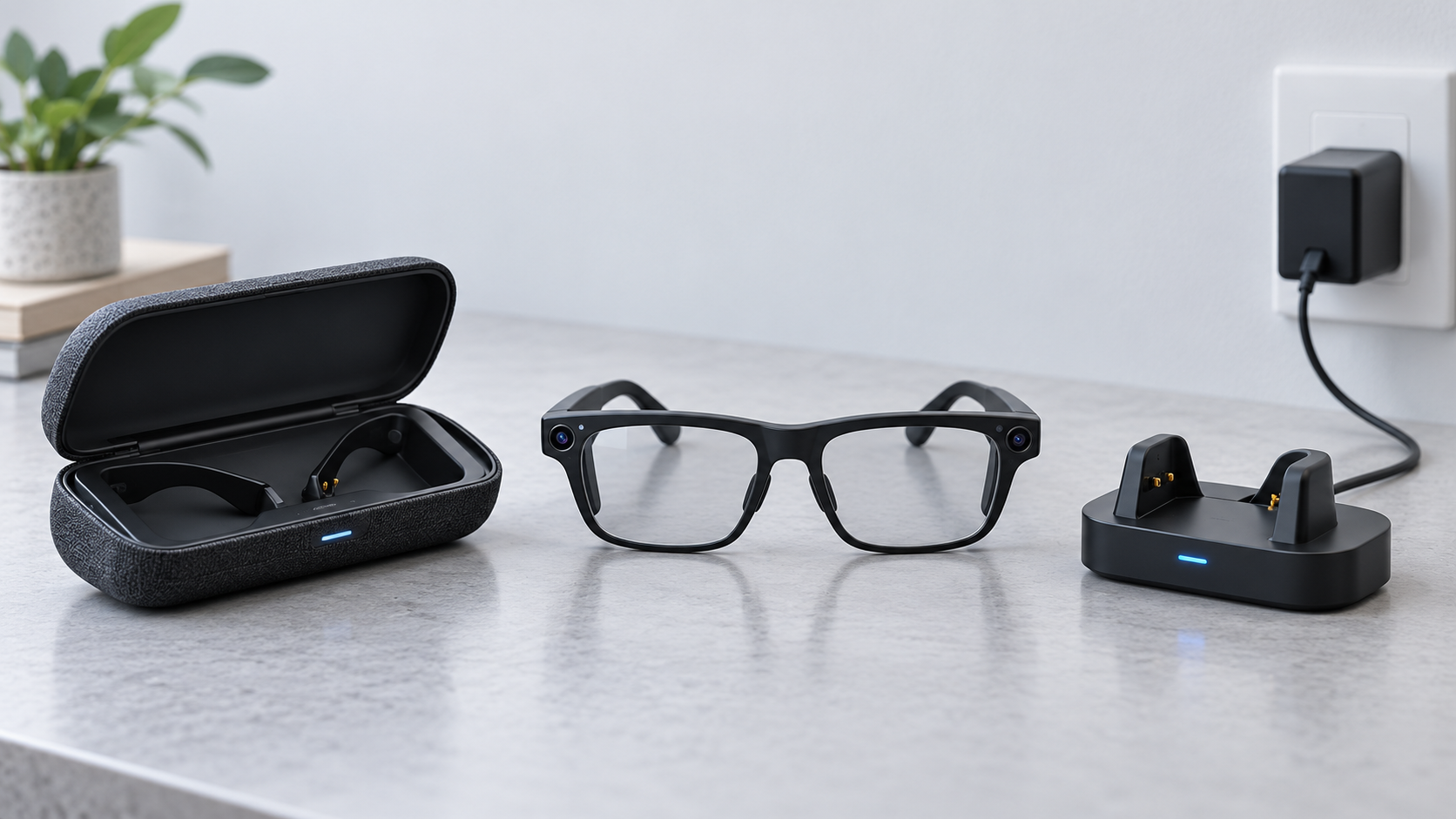
Black rectangular AI smart glasses with a small camera resting on a sunlit desk beside a phone and charging dock

Meta’s most affordable camera-equipped AI glasses are officially on sale October 23, 2026. The Meta Adventurer starts at $249 in Classic Black with gray lenses and a plug-in charging case, putting a 12-megapixel camera, 3K video, open-ear audio and Meta AI below the price of many competing smart glasses.

The low price has an important catch: the $249 package uses a charger that must be connected to power. Configurations with Meta’s foldable charging case start higher—the currently displayed Classic Black model with clear lenses is $299—and that portable case can add up to 40 hours of battery life away from an outlet. The glasses themselves keep the same core capabilities, so buyers are mainly choosing between the lowest entry price and more convenient charging on the road.

The quick take

  • The entry Meta Adventurer costs $249 and includes black frames, gray lenses and a plug-in charging case.
  • A $299 configuration shown on Meta’s U.S. store includes clear lenses and the foldable charging case.
  • Meta says the lower-priced version retains the same core features: Meta AI, a 12MP camera, 3K video and open-ear audio.
  • Battery life is rated at more than eight hours for the glasses; the portable case provides up to 40 additional hours, while the plug-in case does not act as an unplugged battery bank.
  • The rectangular frame comes in standard and large sizes, supports prescriptions and works with iOS 17 or later and Android 10 or later.
  • A visible capture LED signals photo or video use, but owners still need to ask permission and follow venue rules.

What went on sale October 23

Meta announced the Adventurer in September and set October 23 as the retail date in markets where Meta Glasses are sold. The headline $249 configuration pairs a black rectangular frame and gray lenses with the company’s simpler plug-in case. Other Adventurer combinations add different lenses, colors, sizes and the portable case, so the price on the product page can be higher than the advertised starting point.

The current U.S. product page shows Classic Black with clear lenses at $299 when the foldable charging case is selected. That is not a contradiction. The $249 price belongs to the specific black-and-gray package with the plug-in case. Prescription lenses, Transitions lenses and other treatments can raise the total further.

Availability is broader than a U.S.-only launch. Meta lists online sales in the United States, Canada, the United Kingdom, Australia, much of Western Europe, Japan, Mexico, Singapore, South Korea and the United Arab Emirates, with local inventory and configurations varying. Buyers should use the regional Meta store because prescription support, returns, financing and consumer-law coverage can differ by country.

The $249 plug-in case is the real tradeoff

The $249 plug-in case is the real tradeoff

Meta says the entry Adventurer has the same standard glasses features as more expensive Meta Glasses. The distinction is the included charger. The plug-in case connects to a power source with a cable and is not sold separately. It can bring the glasses to about 90 percent charge in roughly 75 minutes, but it cannot refill them while sitting unplugged in a bag.

The foldable charging case is a portable battery. Meta rates it for up to 40 hours of additional charging, allowing the glasses to be topped up between commutes, meetings or sightseeing stops without finding an outlet. Meta also sells that portable case separately for $89, so buying the $249 model and adding a case later would cost more than choosing an appropriate package at checkout.

The practical decision is straightforward. The plug-in package makes sense when the glasses will mostly be used near home, work or a vehicle charger. Travelers, all-day event attendees and heavy camera users are more likely to benefit from the portable case because 3K video, calls and AI requests can consume the frame battery faster than light audio use.

The core hardware is not cut down

Adventurer uses a 12MP ultra-wide camera with a 100-degree field of view. Still images are captured at 3024 by 4032 pixels. Video options include 3K Ultra HD at 30 frames per second, a 1080p-plus mode at 30 or 60 fps and a 720p-plus mode at 120 fps. Hyperlapse and slow-motion capture are supported.

Six microphones are distributed across the nose pads, temple arm and front frame. The open-ear speakers use adaptive volume so audio can respond to the surrounding environment. This design keeps the ear canal open, which is useful for awareness, but it also means nearby people may hear some sound at higher volumes and strong traffic noise can compete with music or calls.

The glasses store up to 1,000 photos or more than 100 thirty-second videos in 32GB of flash storage. Wi-Fi 6 tri-band connectivity covers 2.4GHz, 5GHz and 6GHz networks, while Bluetooth 5.4 and Bluetooth Low Energy handle phone pairing and related connections.

What Meta AI can do

With a paired phone and supported services, the glasses can answer questions about what the wearer sees, provide local recommendations, translate conversations, start calls and control music. Meta also promotes dynamic photo capture, which takes multiple frames and recommends a stronger result. Some features depend on region, language, connected accounts or a data connection, so the hardware specification should not be treated as a promise that every AI function works everywhere on day one.

There is no in-lens display. Adventurer is a camera-and-audio wearable, not an augmented-reality headset. Answers arrive primarily through the speakers or the companion Meta AI app. Anyone expecting maps, messages or captions floating in front of the eye should look at display-equipped products instead.

Battery, fit and prescription details

Meta rates the frame for more than eight hours per charge. Real endurance will vary with video recording, calls, music volume, AI use, wireless conditions and temperature. The number is best read as an upper-level product claim rather than a guarantee that every user will reach a full workday.

The rectangular frame is offered in standard and large sizes. Meta lists a weight of 53.8 grams for the standard frame and 54.8 grams for the large one. Both use a 22mm bridge, with 150mm temples on the standard size and 155mm temples on the large size. Three-way nose-pad adjustment and over-extension hinges are intended to improve fit, but the frame remains heavier than ordinary eyeglasses.

Prescription-ready versions support single-vision and progressive lenses. Meta lists a total-power range from -12.00 to +2.25, with cylinder correction up to 6.00. That is a broad range, but an optician should confirm lens thickness, pupillary distance and fit before purchase. In the U.S., prescription configurations can be ordered from Meta; third-party installation should be handled by a qualified professional.

Phone requirements and what is not included

The official compatibility floor is iOS 17 or later or Android 10 or later. A compatible phone, the Meta AI app, a Meta account and wireless connectivity are necessary for setup and many smart features. An operating-system version alone does not guarantee every phone model is supported, so buyers should check Meta’s live compatibility list before opening or customizing prescription lenses.

The standard foldable-case package includes the glasses, charging case, cleaning cloth, reference guide and prescription-lens guide. Meta states that a USB-C charging cable is not included. The lower-priced plug-in package uses its dedicated wired case instead, so shoppers should examine the exact in-box list shown for the selected configuration rather than assuming all bundles contain the same accessories.

Privacy is part of the ownership cost

Adventurer’s camera makes consent and location rules as important as battery life. Meta says a capture LED illuminates when the glasses take photos or record gallery video, and camera capture is blocked if that light is covered. The company also says captures remain on the glasses until the owner chooses to move them to the phone through the Meta AI app.

Those safeguards do not replace good behavior. Owners should ask before photographing people, avoid sensitive spaces and comply with workplace, school, medical, concert and private-property policies. The LED also cannot tell a bystander what will happen to an image after it is transferred to a phone.

Visual AI requests are another reason to review settings carefully. A camera-equipped assistant can process what is in front of the wearer even when the intent is not to create a keepsake. Before using the glasses around documents, screens, children or confidential work, review the Meta AI app’s capture, voice and data controls and switch off features that are not needed.

A verified Amazon alternative

Meta Adventurer is sold through Meta and certified retailers. Buyers who prefer Amazon can compare it with the established Ray-Ban Meta Gen 2 Wayfarer Large in Matte Black with clear lenses. That model includes a 12MP camera, 3K video, open-ear audio and Meta AI in a Ray-Ban frame, but its fit, styling, battery package and price are different from Adventurer.

Check the Ray-Ban Meta Gen 2 Wayfarer Large on Amazon (ASIN B0FLYD7G7D). Confirm the generation, frame size, lens type, seller and current return terms before ordering because Amazon can group several variations on one page.

Disclosure: ReaderSpice may earn a commission from qualifying Amazon purchases made through the link above, at no additional cost to you.

Who should choose each package

Choose the $249 plug-in version if

  • Your priority is the lowest purchase price.
  • You normally use the glasses near a reliable outlet or USB power source.
  • Gray lenses and the specific black frame fit your needs.
  • You do not expect to recharge the glasses while walking, traveling or attending long events.

Pay more for the portable case if

  • You travel frequently or use the camera away from power.
  • You want up to 40 hours of extra charging available in a bag or pocket.
  • You need clear, Transitions or prescription lenses that are not part of the entry bundle.
  • The convenience is worth more than the price gap and avoids an $89 case purchase later.

Buying checklist

  • Select the exact frame size, bridge fit, lens color and case type before looking at the final price.
  • Confirm that your phone appears on Meta’s current compatibility list and can run the required operating system.
  • Budget for prescription lenses, lens treatments, a USB-C cable or adapter, and any protection plan separately.
  • Review the 30-day return window and the 12-month manufacturing-defect warranty for the country and retailer handling the sale.
  • Test fit, microphone pickup, speaker leakage, battery life, camera alignment and capture LED behavior before the return period ends.

The bottom line

Meta Adventurer makes camera-equipped AI glasses more accessible without removing the camera, audio or AI features that define the category. The $249 package is real, but it is tied to one frame-and-lens combination and a plug-in charger. For buyers who stay close to power, that is a sensible way to save. For travel or heavy daily use, the $299-class portable-case configuration is likely the better value because it solves the product’s most predictable limitation: recharging away from an outlet.

Before buying, treat the glasses as both a wearable computer and a camera. Verify the selected package, check phone compatibility and prescription needs, understand the return policy, and use the capture controls in a way that respects the people around you.

Sources

Meta Newsroom: Ray-Ban Meta Audio and expanded Meta Glasses lineup

Meta Store: Adventurer price, specifications, case options and FAQs

Meta: Responsible innovation and privacy guidance for AI glasses

Amazon: Ray-Ban Meta Gen 2 Wayfarer Large (ASIN B0FLYD7G7D)

NVIDIA Minerva Maps AI Factories to Predict Failures: What It Does

AI data center topology map isolating an infrastructure fault before it disrupts a training job

NVIDIA has launched Minerva, an AIOps platform designed to connect infrastructure and workload telemetry across very large AI data centers. The goal is straightforward: identify a failing component before it wastes an expensive training run, then give operators enough context to act without digging through separate dashboards.

The October 22, 2026 announcement matters because an AI cluster can look healthy at the server level while a network interface, storage device or scheduler bottleneck quietly slows a job. Minerva builds a live map of hardware and workloads, applies machine learning to spot abnormal behavior and groups related symptoms into a smaller number of incidents. NVIDIA says the system can run on premises or as software as a service, but it has not published public list pricing.

Minerva at a glance

  • Product: NVIDIA Minerva, an AI-native AIOps and observability platform
  • Main job: correlate compute, network, storage, scheduler and workload telemetry
  • Core methods: dynamic knowledge graph, supervised and unsupervised machine learning, anomaly prediction and event correlation
  • Operator interface: dashboards plus the Sherlock natural-language assistant
  • Deployment: on premises or SaaS, from data collection to a turnkey platform
  • Integrations: OpenTelemetry, gNMI, syslog, DCGM, Slurm, JSON, Grafana, Slack, Microsoft Teams, PagerDuty, ServiceNow and Ansible
  • Scale claim: designed to reach clusters with hundreds of thousands of GPUs
  • Public pricing: not announced

What problem NVIDIA Minerva is trying to solve

AI training and inference depend on more than GPUs. A job may cross network switches, SuperNICs, DPUs, NVLink fabric, storage systems, schedulers and software libraries before it produces useful work. A degraded cable or an NVMe drive losing performance can surface as a slow training job rather than an obvious hardware failure.

Traditional monitoring often separates those layers. A networking team sees switch counters, an infrastructure team sees server health and a machine-learning team sees job throughput. Minerva is meant to connect those views so an operator can see which physical or software component is affecting a specific workload.

NVIDIA frames the outcome as higher “AI factory yield.” That is not a conventional manufacturing yield percentage. Here it refers to useful output measured through factors such as effective GPU hours, goodput, cluster uptime and token production. The relevant question for a buyer is whether Minerva improves those metrics enough to justify deployment and operational cost.

How Minerva traces a slow job to hardware

How Minerva traces a slow job to hardware

Minerva ingests telemetry from NVIDIA GPUs, networking, storage, NCCL communications, schedulers and active AI workloads. It turns those relationships into a dynamic knowledge graph: a continuously updated map of components, topology and the jobs using them.

If a training run slows down, the platform can connect the symptom to an abnormal interface, switch, GPU or storage device along the path. NVIDIA says its purpose-built models analyze billions of data points per hour, learn normal behavior, detect previously unseen anomalies and predict emerging failures. Topology-aware correlation can also collapse a flood of secondary alerts into one prioritized incident with a likely root cause.

The practical advantage is context. A temperature increase on one GPU may not matter by itself, but it becomes important when it lines up with lower job throughput and errors on the same path. Minerva’s value depends on the quality and coverage of the telemetry it receives; it cannot explain signals that are missing, inaccurate or outside the integrated stack.

Sherlock adds a natural-language operations layer

NVIDIA calls Minerva’s built-in multi-agent assistant Sherlock. Operators can ask questions about cluster health in natural language, receive answers grounded in current telemetry and get recommended remediation. An MCP server also lets customers connect external agentic tools.

That interface can reduce the time needed to move from an alert to an investigation, but it should not be treated as permission for autonomous repair by default. A wrong diagnosis or aggressive automated action could interrupt healthy workloads. Teams can keep a person in the loop, limit which systems an agent can change and connect automation only through approved infrastructure APIs.

Before enabling closed-loop remediation, operators should define:

  • Which actions require human approval
  • Which jobs, tenants or facilities an automation can affect
  • How proposed changes are logged and rolled back
  • What evidence is required before a component is quarantined
  • How access is separated between investigation and execution

Deployment options and integrations

Minerva is not presented as one fixed appliance. NVIDIA lists on-premises and SaaS deployment, open APIs, modular capabilities and Grafana integration. Customers can use Minerva primarily as a collector that feeds an existing observability stack, add its anomaly detection and correlation to outside tools, or adopt the full turnkey interface and assistant.

The platform accepts telemetry through standards and interfaces including OpenTelemetry, gNMI, syslog, DCGM, Slurm and JSON. NVIDIA also lists integrations with Slack, Microsoft Teams, PagerDuty, ServiceNow, Grafana, Ansible and infrastructure APIs. Those connections should make it easier to fit Minerva into incident-response workflows, but every integration expands the permissions and data flows that security teams must review.

Minerva is also tied closely to NVIDIA’s infrastructure roadmap. The company positions it as part of the Vera Rubin platform and the primary network-observability layer for NVIDIA AI factories. Minerva Collector is integrated with DSX OS, and NVIDIA says key collector capabilities will be open sourced in DSX OS. Organizations using mixed vendors should verify exactly which third-party components expose equivalent depth before assuming “full stack” means every device in the building.

Early adopters and the evidence gap

IREN is already using Minerva, while Aolani, Bitdeer AI, IBM, Jio, Lambda, Quake AI and Tesla plan deployments, according to NVIDIA. Dell Technologies, Lenovo and Supermicro are expected to offer it through their AI-factory operations portfolios.

Bitdeer says its deployment will use Minerva across training and inference infrastructure. The partner also cites NVIDIA internal tests in which an NVMe power fault was reduced from a multi-day outage to six hours and 81 noisy events were consolidated into a single alert. Those examples are useful, but they are vendor and partner claims rather than independent benchmarks.

NVIDIA has not disclosed broad customer pricing, a universal return-on-investment figure or a public comparison against general-purpose observability platforms. Results will vary with cluster design, telemetry coverage, incident history and staff workflow. Buyers should ask for a proof of value on their own jobs and failure modes instead of extrapolating from a showcase deployment.

What teams should verify before adopting Minerva

  • Telemetry coverage: confirm every critical GPU, switch, storage path, scheduler and workload emits supported signals.
  • Data location: document whether telemetry and incident context remain on premises or enter a SaaS environment.
  • Permissions: separate read-only investigation from actions that can drain nodes, restart services or change network configuration.
  • False positives: measure how often anomaly alerts lead to useful action instead of more noise.
  • Vendor mix: test visibility across non-NVIDIA storage, networking and management components.
  • Operational impact: compare mean time to detect, mean time to repair, interrupted GPU hours and job goodput before and after the pilot.
  • Exit plan: confirm that raw telemetry and incident history remain usable if the organization changes tools.

Who Minerva is for — and who can ignore it

Minerva is aimed at cloud providers, research labs and large enterprises operating dense NVIDIA GPU clusters. Its strongest case appears when separate teams manage compute, networking, storage and machine-learning workloads, and when a few hours of lost cluster time carry substantial cost.

It is not a consumer utility, a desktop GPU monitor or a small-business dashboard. Most organizations running a handful of accelerators will be better served by existing monitoring and scheduler tools. Readers who want hands-on experience with NVIDIA AI hardware at a much smaller scale can compare the NVIDIA Jetson Orin Nano Super Developer Kit on Amazon, but that board is not a Minerva deployment target or a substitute for an AI factory.

ReaderSpice may earn a commission from qualifying purchases made through affiliate links, at no additional cost to you.

Bottom line

NVIDIA Minerva is an attempt to turn fragmented AI-infrastructure telemetry into a connected operational model. The combination of a topology-aware knowledge graph, anomaly detection, alert correlation and a telemetry-grounded assistant could make large GPU clusters easier to diagnose and maintain.

The promise is credible enough for a serious pilot, not an automatic purchase. Minerva’s real value will depend on integration depth, data governance, false-positive rates and measured reductions in interrupted GPU hours. Until independent results and public pricing emerge, treat the launch as the beginning of validation rather than proof that every AI factory should standardize on it.

Sources

NVIDIA Blog: Minerva launch announcement and early deployment plans

NVIDIA: Minerva product capabilities, integrations and deployment models

Bitdeer AI: Minerva support, use cases and cited internal test examples

SiliconReport: Independent launch summary and deployment context

Google and Voltus Plan a 1-Gigawatt Virtual Power Plant: What PJM Customers Should Know

Smart homes with solar panels and batteries connected to the power grid and a distant data center at dusk

Google and Voltus announced a gigawatt-scale virtual power plant for the PJM electric grid on October 22, 2026. Instead of building one giant generating station, the project will coordinate thousands of smaller resources—such as smart thermostats, home batteries and flexible commercial equipment—so they can reduce demand or supply stored electricity when the grid is strained.

The headline sounds distant from everyday life, but the practical effects could reach households and businesses across parts of 13 states and Washington, D.C. Eligible participants may receive bill savings or cash payments. The tradeoff is that they allow an approved program to adjust connected equipment during a limited number of high-demand events, subject to the program’s rules.

What Google and Voltus announced

  • Google’s October 22 post describes an expanded 1-gigawatt virtual power plant across the PJM region, which serves about 67 million people.
  • Voltus says the system will aggregate flexible capacity from homes and businesses, including thermostats, batteries and industrial equipment.
  • When demand is high, participating assets can temporarily reduce electricity use, shift it to another time or discharge stored power.
  • Google is funding the capacity, while Voltus will aggregate and operate the resources and deliver financial benefits to participating customers.

This is an expansion of a June agreement that targeted up to 100 megawatts of flexible capacity each year under a three-year arrangement. Google says the new plan is a tenfold expansion and one of the largest known distributed-capacity portfolios funded by a hyperscaler.

The business logic is straightforward. A data center or other large new load needs dependable grid capacity, but traditional generation and transmission projects can take years. Paying many customers to make small, coordinated adjustments during peak periods can free capacity faster while sending some of the project’s value back to the homes and businesses providing that flexibility.

The two announcements describe the scale differently

Readers should not treat every number in the announcements as interchangeable. Google calls the expanded project a 1-gigawatt virtual power plant and a tenfold increase from the original 100-megawatt deal. Voltus’s October release says the announcement adds 1,070 megawatts after the initial 100 megawatts, wording that could imply a larger combined figure.

Neither company’s public announcement reconciles those descriptions. The safest interpretation is that this is a roughly gigawatt-scale expansion, not a promise that a precise amount of capacity will be active immediately. Aggregated capacity still has to be enrolled, qualified and available under the applicable PJM and utility rules.

How a virtual power plant works

How a virtual power plant works

A virtual power plant is software-coordinated capacity rather than a single physical site. PJM describes VPPs as connected groups of distributed energy resources that respond together to provide load flexibility or generation. The individual devices remain spread across homes, offices, warehouses and industrial sites.

  • Enrollment: A household or business joins an eligible demand-response or distributed-energy program and connects a qualifying device or controllable load.
  • Forecasting: The operator monitors grid conditions, market signals and the availability of enrolled resources.
  • Event: During a peak period, the operator sends a signal that can slightly adjust thermostats, pause flexible equipment, shift EV charging or discharge batteries.
  • Measurement and payment: The program measures the verified response under its rules and sends the promised bill credit, incentive or direct payment.

No single thermostat is powering a neighborhood. The value comes from coordinating many small actions at the same time. A two-degree thermostat adjustment or delayed charging session may be minor in one home, but thousands of synchronized changes can reduce the amount of generation the grid must call on during its most expensive and stressed hours.

What this could mean for homes and small businesses

The announcement does not automatically enroll everyone in PJM territory, and owning a smart thermostat or battery does not guarantee eligibility. Participation depends on the local utility, device, aggregator, service address and the rules of a specific program. Google and Voltus have not published one universal residential sign-up page, payment schedule or device list for the full expansion.

Potential benefits

  • Cash payments or utility bill credits for verified participation.
  • Lower energy use during costly peak periods, which may add savings beyond the program incentive.
  • Better use of existing thermostats, batteries, solar-plus-storage systems, EV chargers and other flexible equipment.
  • A larger pool of flexible capacity that can reduce grid stress during extreme weather or other supply constraints.

Important tradeoffs

  • Comfort can change temporarily if a thermostat is adjusted during an event.
  • Payments may depend on measured performance, enrollment dates, event participation and device connectivity.
  • An internet outage, dead battery, changed Wi-Fi password or disconnected account can make a device unavailable.
  • The operator, utility or device partner may receive energy-use, device-status and event-response data.
  • Program terms may allow opt-outs but reduce or eliminate incentives after repeated nonparticipation.

A good program should state the temperature limits, event length, expected number of events, opt-out method, payment formula and data-sharing terms before enrollment. Save those terms, because marketing summaries can omit conditions that decide the real value.

Where PJM operates—and why your address still matters

PJM coordinates wholesale electricity across all or parts of Delaware, Illinois, Indiana, Kentucky, Maryland, Michigan, New Jersey, North Carolina, Ohio, Pennsylvania, Tennessee, Virginia, West Virginia and Washington, D.C. Being in one of those jurisdictions is only the first filter. PJM’s footprint follows utility territories, not state borders.

A household should identify its electric utility and rate plan before assuming it can participate. For example, an earlier Voltus and Resideo program served eligible ComEd customers in Illinois and used Honeywell Home, ecobee or Google Nest thermostats. That history shows the type of consumer hardware that can join a VPP, but it does not prove those same devices or incentives will be available at every address in the new project.

Questions to answer before enrolling

  • Is the offer from your utility, a recognized device partner or an aggregator authorized for your service territory?
  • Which exact thermostat, battery, EV charger or equipment models qualify?
  • What is the enrollment payment, ongoing payment and performance requirement?
  • How many events may occur, how long can they last and what limits apply to temperature or battery discharge?
  • Can you override an event immediately, and does overriding affect payment?
  • What data is collected, who receives it, how long is it retained and can it be used for marketing?
  • What happens if you move, replace the device, change utilities or leave the program?

Do not pay an unfamiliar company merely to join a grid program. Confirm the offer through the utility or program operator using contact information obtained independently, and be skeptical of urgent calls asking for account credentials or remote access to a thermostat.

A relevant smart-thermostat example

The Google Nest Thermostat, ASIN B08HRPDYTP, is a verified retail example of the device category used in residential demand-response programs. Readers can check the Google Nest Thermostat on Amazon for current availability and confirm HVAC compatibility before buying. The listing notes that some systems require a C wire or another compatible power accessory.

Buying the thermostat is not the same as enrolling in the Google–Voltus project. Check your utility’s current program list first; otherwise, treat the thermostat as an energy-management purchase rather than a guaranteed source of payments.

Affiliate disclosure: ReaderSpice may earn a commission from qualifying Amazon purchases made through the link above, at no additional cost to you.

Will the project lower everyone’s electric bill?

The announcements promise financial benefits for participating customers, not an automatic bill reduction for every PJM customer. VPPs can reduce the need to build or run expensive capacity for short peak periods, and Google and Voltus argue that better use of existing grid resources can improve affordability. The size and timing of system-wide savings depend on market rules, program performance and how costs are allocated.

For an individual household, the math is simpler: compare the promised annual incentive with any equipment cost, installation expense, comfort impact and data-sharing tradeoff. A free enrollment program using hardware you already own may be attractive. Buying a battery solely for a modest demand-response payment is a much larger decision that requires a payback calculation, warranty review and backup-power assessment.

Bottom line

The Google–Voltus agreement is notable because it treats connected homes and businesses as grid infrastructure rather than passive electricity customers. If Voltus can enroll and coordinate the promised scale, the project could show how data-center growth and customer-owned devices can share economic value instead of competing only for scarce capacity.

For consumers, the useful action is not to buy hardware immediately. Identify your utility, wait for a verified local offer, read the event and privacy terms, and calculate the net payment using equipment you already own. The project is real, but household eligibility and savings will be local, conditional and program-specific.

Sources

Google: 1-gigawatt virtual power plant announcement, October 22, 2026

Voltus: One Gigawatt Bring Your Own Capacity agreement details

Voltus: Original 100-megawatt Google agreement from June 2026

Voltus and Resideo: Residential thermostat VPP program example

PJM: Territory served across 13 states and Washington, D.C.

PJM: Advanced Technology Initiative virtual power plant explainer

Amazon: Google Nest Thermostat (ASIN B08HRPDYTP)

Google and Voltus Plan a 1-Gigawatt Virtual Power Plant: What PJM Customers Should Know

Smart homes with solar panels and batteries connected to the power grid and a distant data center at dusk

Google and Voltus announced a gigawatt-scale virtual power plant for the PJM electric grid on October 22, 2026. Instead of building one giant generating station, the project will coordinate thousands of smaller resources—such as smart thermostats, home batteries and flexible commercial equipment—so they can reduce demand or supply stored electricity when the grid is strained.

The headline sounds distant from everyday life, but the practical effects could reach households and businesses across parts of 13 states and Washington, D.C. Eligible participants may receive bill savings or cash payments. The tradeoff is that they allow an approved program to adjust connected equipment during a limited number of high-demand events, subject to the program’s rules.

What Google and Voltus announced

  • Google’s October 22 post describes an expanded 1-gigawatt virtual power plant across the PJM region, which serves about 67 million people.
  • Voltus says the system will aggregate flexible capacity from homes and businesses, including thermostats, batteries and industrial equipment.
  • When demand is high, participating assets can temporarily reduce electricity use, shift it to another time or discharge stored power.
  • Google is funding the capacity, while Voltus will aggregate and operate the resources and deliver financial benefits to participating customers.

This is an expansion of a June agreement that targeted up to 100 megawatts of flexible capacity each year under a three-year arrangement. Google says the new plan is a tenfold expansion and one of the largest known distributed-capacity portfolios funded by a hyperscaler.

The business logic is straightforward. A data center or other large new load needs dependable grid capacity, but traditional generation and transmission projects can take years. Paying many customers to make small, coordinated adjustments during peak periods can free capacity faster while sending some of the project’s value back to the homes and businesses providing that flexibility.

The two announcements describe the scale differently

Readers should not treat every number in the announcements as interchangeable. Google calls the expanded project a 1-gigawatt virtual power plant and a tenfold increase from the original 100-megawatt deal. Voltus’s October release says the announcement adds 1,070 megawatts after the initial 100 megawatts, wording that could imply a larger combined figure.

Neither company’s public announcement reconciles those descriptions. The safest interpretation is that this is a roughly gigawatt-scale expansion, not a promise that a precise amount of capacity will be active immediately. Aggregated capacity still has to be enrolled, qualified and available under the applicable PJM and utility rules.

How a virtual power plant works

How a virtual power plant works

A virtual power plant is software-coordinated capacity rather than a single physical site. PJM describes VPPs as connected groups of distributed energy resources that respond together to provide load flexibility or generation. The individual devices remain spread across homes, offices, warehouses and industrial sites.

  • Enrollment: A household or business joins an eligible demand-response or distributed-energy program and connects a qualifying device or controllable load.
  • Forecasting: The operator monitors grid conditions, market signals and the availability of enrolled resources.
  • Event: During a peak period, the operator sends a signal that can slightly adjust thermostats, pause flexible equipment, shift EV charging or discharge batteries.
  • Measurement and payment: The program measures the verified response under its rules and sends the promised bill credit, incentive or direct payment.

No single thermostat is powering a neighborhood. The value comes from coordinating many small actions at the same time. A two-degree thermostat adjustment or delayed charging session may be minor in one home, but thousands of synchronized changes can reduce the amount of generation the grid must call on during its most expensive and stressed hours.

What this could mean for homes and small businesses

The announcement does not automatically enroll everyone in PJM territory, and owning a smart thermostat or battery does not guarantee eligibility. Participation depends on the local utility, device, aggregator, service address and the rules of a specific program. Google and Voltus have not published one universal residential sign-up page, payment schedule or device list for the full expansion.

Potential benefits

  • Cash payments or utility bill credits for verified participation.
  • Lower energy use during costly peak periods, which may add savings beyond the program incentive.
  • Better use of existing thermostats, batteries, solar-plus-storage systems, EV chargers and other flexible equipment.
  • A larger pool of flexible capacity that can reduce grid stress during extreme weather or other supply constraints.

Important tradeoffs

  • Comfort can change temporarily if a thermostat is adjusted during an event.
  • Payments may depend on measured performance, enrollment dates, event participation and device connectivity.
  • An internet outage, dead battery, changed Wi-Fi password or disconnected account can make a device unavailable.
  • The operator, utility or device partner may receive energy-use, device-status and event-response data.
  • Program terms may allow opt-outs but reduce or eliminate incentives after repeated nonparticipation.

A good program should state the temperature limits, event length, expected number of events, opt-out method, payment formula and data-sharing terms before enrollment. Save those terms, because marketing summaries can omit conditions that decide the real value.

Where PJM operates—and why your address still matters

PJM coordinates wholesale electricity across all or parts of Delaware, Illinois, Indiana, Kentucky, Maryland, Michigan, New Jersey, North Carolina, Ohio, Pennsylvania, Tennessee, Virginia, West Virginia and Washington, D.C. Being in one of those jurisdictions is only the first filter. PJM’s footprint follows utility territories, not state borders.

A household should identify its electric utility and rate plan before assuming it can participate. For example, an earlier Voltus and Resideo program served eligible ComEd customers in Illinois and used Honeywell Home, ecobee or Google Nest thermostats. That history shows the type of consumer hardware that can join a VPP, but it does not prove those same devices or incentives will be available at every address in the new project.

Questions to answer before enrolling

  • Is the offer from your utility, a recognized device partner or an aggregator authorized for your service territory?
  • Which exact thermostat, battery, EV charger or equipment models qualify?
  • What is the enrollment payment, ongoing payment and performance requirement?
  • How many events may occur, how long can they last and what limits apply to temperature or battery discharge?
  • Can you override an event immediately, and does overriding affect payment?
  • What data is collected, who receives it, how long is it retained and can it be used for marketing?
  • What happens if you move, replace the device, change utilities or leave the program?

Do not pay an unfamiliar company merely to join a grid program. Confirm the offer through the utility or program operator using contact information obtained independently, and be skeptical of urgent calls asking for account credentials or remote access to a thermostat.

A relevant smart-thermostat example

The Google Nest Thermostat, ASIN B08HRPDYTP, is a verified retail example of the device category used in residential demand-response programs. Readers can check the Google Nest Thermostat on Amazon for current availability and confirm HVAC compatibility before buying. The listing notes that some systems require a C wire or another compatible power accessory.

Buying the thermostat is not the same as enrolling in the Google–Voltus project. Check your utility’s current program list first; otherwise, treat the thermostat as an energy-management purchase rather than a guaranteed source of payments.

Affiliate disclosure: ReaderSpice may earn a commission from qualifying Amazon purchases made through the link above, at no additional cost to you.

Will the project lower everyone’s electric bill?

The announcements promise financial benefits for participating customers, not an automatic bill reduction for every PJM customer. VPPs can reduce the need to build or run expensive capacity for short peak periods, and Google and Voltus argue that better use of existing grid resources can improve affordability. The size and timing of system-wide savings depend on market rules, program performance and how costs are allocated.

For an individual household, the math is simpler: compare the promised annual incentive with any equipment cost, installation expense, comfort impact and data-sharing tradeoff. A free enrollment program using hardware you already own may be attractive. Buying a battery solely for a modest demand-response payment is a much larger decision that requires a payback calculation, warranty review and backup-power assessment.

Bottom line

The Google–Voltus agreement is notable because it treats connected homes and businesses as grid infrastructure rather than passive electricity customers. If Voltus can enroll and coordinate the promised scale, the project could show how data-center growth and customer-owned devices can share economic value instead of competing only for scarce capacity.

For consumers, the useful action is not to buy hardware immediately. Identify your utility, wait for a verified local offer, read the event and privacy terms, and calculate the net payment using equipment you already own. The project is real, but household eligibility and savings will be local, conditional and program-specific.

Sources

Google: 1-gigawatt virtual power plant announcement, October 22, 2026

Voltus: One Gigawatt Bring Your Own Capacity agreement details

Voltus: Original 100-megawatt Google agreement from June 2026

Voltus and Resideo: Residential thermostat VPP program example

PJM: Territory served across 13 states and Washington, D.C.

PJM: Advanced Technology Initiative virtual power plant explainer

Amazon: Google Nest Thermostat (ASIN B08HRPDYTP)

Blink Launches Five New Cameras With 4K, Pan-Tilt and 7,000-Foot Range: Which One Fits?

Five smart security camera styles monitoring a home, driveway and distant property at blue hour

Blink has announced five security cameras that fill very different roles: a 4K compact camera, a low-cost pan-tilt model, a battery-powered spotlight camera and two extended-range systems for large properties. All five opened for U.S. preorder on October 21, 2026, with prices ranging from $49.99 to $199.99.

The range is more useful than a simple resolution upgrade because Blink is addressing places normal home Wi-Fi and fixed-angle cameras do not cover well. But the headline numbers need context. The longest-range model requires a Sync Module XR+, the strongest AI features require compatible subscriptions, and video quality can fall at maximum range.

The five new Blink cameras at a glance

  • Blink Frontier XR+: $199.99 for a one-camera system with Sync Module XR+; designed for remote gates, fields, equipment and large properties; up to 7,000 feet with a clear line of sight.
  • Blink Outdoor 2K XR+: $149.99 for a one-camera system with Sync Module XR+; 2K video at normal distances, a 115-degree field of view and extended reach for driveways, detached garages and outbuildings.
  • Blink Mini 4K+: $79.99; Blink’s first 4K camera, with a 115-degree horizontal field of view, dual-band Wi-Fi 6, IP65 weather resistance and two-way audio.
  • Blink Spotlight Cam 2K+: $109.99; Blink’s first battery-powered spotlight camera, combining 2K video, motion-activated lighting, night vision and wire-free placement.
  • Blink Mini Pan-Tilt 2K+: $49.99; 350-degree pan, 115-degree tilt, night vision and two-way audio; outdoor use requires a separately sold Blink Camera Outdoor Adapter.

The Mini 4K+ and Mini Pan-Tilt 2K+ are also available for preorder in Canada, the United Kingdom, Germany, France, Italy, Spain, the Netherlands, Belgium, Australia and New Zealand. Blink says the three XR+ and spotlight models will come to Canada later, but it has not supplied a firm Canadian sale date for those products.

Frontier XR+ is built for acreage, not a typical front porch

Frontier XR+ is the most unusual model. Blink positions it as a trail-style camera for pastures, remote gates, equipment areas and job sites that may sit far beyond a home router. The advertised 7,000-foot figure applies only when the outdoor-mounted Sync Module XR+ and camera have open air between them with no obstruction.

That distinction matters. Trees, walls, vehicles, terrain and radio interference can reduce practical range. Blink’s own support material describes shorter ranges when obstructions are present, so buyers should treat 7,000 feet as a best-case ceiling rather than a guaranteed installation distance.

Before ordering, map the proposed hub and camera positions, confirm that the hub can remain powered and connected to the home network, and test the route before permanently mounting anything. A distant camera is only useful if its connection is stable enough to deliver alerts and clips when needed.

Outdoor 2K XR+ trades resolution for reach at maximum range

Outdoor 2K XR+ is the more conventional extended-range option. Blink lists up to 800 feet when some trees or structures interrupt the path and up to 2,700 feet with a clear line of sight. It records up to 2K under normal conditions but drops to as low as 1080p at maximum-range settings.

That tradeoff is reasonable if the alternative is no camera at all, but it changes how the product should be evaluated. A wide overview of a long driveway or detached garage may still be valuable at 1080p. Buyers who need facial or license-plate detail at long distance should wait for independent testing instead of assuming the 2K label applies in every mode.

Mini 4K+ is the detail-first option

Mini 4K+ is Blink’s first 4K security camera and its sharpest model on paper. The compact unit supports a 115-degree horizontal field of view, dual-band Wi-Fi 6, two-way talk and an IP65 rating, allowing indoor or outdoor placement when power and network coverage are available.

More pixels can make digital zoom and identification easier, but 4K also raises bandwidth and storage demands. Check upload speed at the intended location rather than only testing beside the router. If the camera will watch a small room or narrow doorway, a lower-resolution model with better placement may provide more useful evidence than a badly positioned 4K camera.

Blink also advertises person and vehicle detection through compatible subscription plans. For eligible AI-plan subscribers in the United States, Canada and the United Kingdom, Video Descriptions can generate short summaries of camera activity. Blink says that feature is not available to customers in Illinois because of state-specific legislation, and language support is limited.

Spotlight Cam 2K+ and Mini Pan-Tilt 2K+ solve placement problems

Spotlight Cam 2K+ is the straightforward choice for a dark side yard, gate or garage area where running power would be difficult. Its battery design allows flexible placement, while the motion-activated light can improve nighttime visibility and act as a visible deterrent. The practical questions are battery life in the chosen activity zone and whether frequent motion will create too many alerts.

Mini Pan-Tilt 2K+ focuses on coverage instead of maximum resolution. It can rotate through 350 degrees and tilt 115 degrees, making it useful for pets, playrooms or a patio where activity crosses a wide area. A moving camera still has blind moments: it can face the wrong direction, lose a fast-moving subject or miss an event outside the active tracking area.

Although Blink calls the model indoor/outdoor, outdoor installation requires the separately sold Outdoor Adapter. Include that accessory, a protected power route and weather exposure in the real cost. A $49.99 camera is not a $49.99 outdoor installation if the adapter and mounting work are essential.

Subscriptions change the real price

Blink cameras provide motion notifications and Live View without a subscription, but recording, cloud history and smart detection depend on the plan and device. Blink’s current plan material lists cloud storage for up to 60 days in the United States and several other markets, while some regions receive shorter retention.

Person and vehicle detection is a paid feature for compatible cameras. Video Descriptions also sits in eligible AI tiers rather than the basic hardware purchase. Plan names, pricing and device eligibility can change, so compare the current subscription table on the day you buy and calculate at least one year of service before deciding which camera is cheaper.

What buyers should check before installing

What buyers should check before installing

  • Confirm the camera’s power source, mounting height, weather exposure and Wi-Fi or XR+ path before drilling holes.
  • Test day and night framing. A porch light, reflective wall or nearby branch can ruin motion clips even when daytime video looks sharp.
  • Set narrow motion zones and review sensitivity before enabling frequent notifications.
  • Use a strong, unique Blink password and keep multi-factor authentication enabled.
  • Review every phone with account access and remove devices that no longer need control.
  • Decide how long clips should be retained and who in the household may view, download or share them.
  • Avoid aiming cameras into neighbors’ windows, private yards or areas where visitors reasonably expect privacy.

A verified Amazon preorder option

One verified listing is the Blink Mini Pan-Tilt 2K+ two-camera package, ASIN B0HMVJYPFZ. Readers can check the Blink Mini Pan-Tilt 2K+ on Amazon for current preorder availability, package color and shipping estimates. Confirm that the listing includes the exact camera count and any outdoor adapter you need before ordering.

Affiliate disclosure: ReaderSpice may earn a commission from qualifying Amazon purchases made through the link above, at no additional cost to you.

Which new Blink camera fits which buyer?

Choose Frontier XR+ if:

  • You need coverage across acreage, a farm, a long private drive or a remote work site.
  • You can install the required Sync Module XR+ outdoors with a reliable network and power connection.
  • You understand that maximum range requires clear line of sight and real-world obstructions will reduce it.

Choose Outdoor 2K XR+ if:

  • You need more range than standard Wi-Fi but want a conventional home-security camera rather than a trail-style unit.
  • A 1080p fallback at the farthest settings is acceptable for overview coverage.

Choose Mini 4K+ if:

  • Detail, digital zoom and a compact weather-resistant design matter most.
  • The installation point has strong dual-band Wi-Fi and dependable power.

Choose Spotlight Cam 2K+ if:

  • You need battery-powered nighttime coverage with a visible light around a garage, gate or side yard.

Choose Mini Pan-Tilt 2K+ if:

  • You want the lowest price and a motorized view for pets, rooms or a covered outdoor space.
  • You are willing to add the Outdoor Adapter for exposed installations.

Should you preorder?

Mini Pan-Tilt 2K+ is the easiest model to understand at $49.99: it offers wide motorized coverage at a low entry price, although outdoor use adds cost. Mini 4K+ is more compelling for buyers who know exactly where extra detail will help and have enough network capacity for 4K video.

The XR+ products deserve more caution. Their range claims address a real problem, but performance will depend heavily on terrain, obstructions and hub placement. Owners of large properties should wait for independent range, battery and image-quality tests unless they can buy with a flexible return policy and test the full installation path immediately.

Blink’s five-camera launch is broad enough that there is no universal best model. Start with the location, power and connection problem, then choose resolution and smart features. That approach is more reliable than buying the camera with the largest number on the specification sheet.

Sources

Amazon Devices: Blink five-camera launch, specifications, pricing and availability

Blink Support: Subscription plan features and cloud-storage limits

Blink Support: Frontier XR+ range and installation FAQ

Blink Support: Multi-factor authentication for Blink accounts

Blink Support: Personal-data privacy and security guidance

Amazon: Blink Mini Pan-Tilt 2K+ two-camera package (ASIN B0HMVJYPFZ)