DJI Osmo Pocket 3 Deal: Camera vs Creator Combo at Reported Record-Low Prices

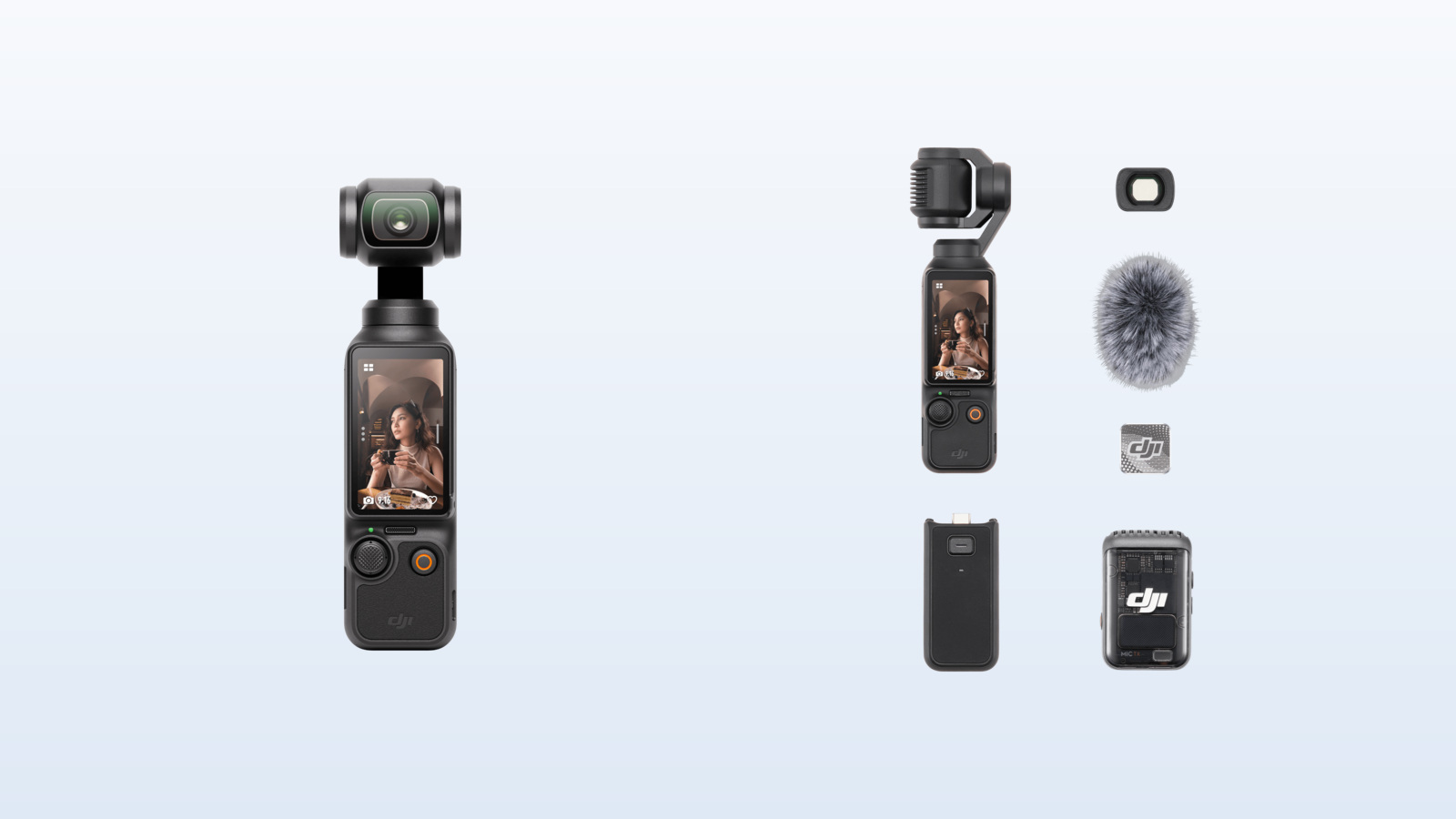
DJI Osmo Pocket 3 camera and Creator Combo accessories shown side by side

The DJI Osmo Pocket 3 is back in the deal spotlight. Amateur Photographer reported on October 7, 2026, that the pocket gimbal camera had fallen to unusually low promotional pricing, including a Creator Combo offer aimed squarely at YouTubers and solo creators. The important caveat is that retailer prices and sellers can change quickly, so the figures below are deal-report snapshots rather than a promise of today’s checkout price.

Even with newer pocket cameras on the market, the Pocket 3 remains a practical choice for people who want stabilized 4K video, reliable subject tracking and better low-light potential than a typical action camera—without carrying a mirrorless body, lens and separate gimbal.

The deal at a glance

  • Camera-only kit: deal coverage in early October cited pricing around $395, compared with DJI’s $439 store price.
  • Creator Combo: deal coverage on October 6–7 cited a $495 promotional price, compared with DJI’s $549 store price.
  • These are reported promotional prices, not a guarantee of the lowest price at every retailer or in every region.
  • Before ordering, confirm the seller, exact bundle contents, return policy and final checkout price.

The Creator Combo discount is especially notable because its accessories solve several common vlogging problems at once: wireless audio, longer operating time, a stable tabletop setup and a wider field of view. The camera-only option can still be the better buy if you already own those pieces.

Why the Pocket 3 still stands out for creators
Why the Pocket 3 still stands out for creators

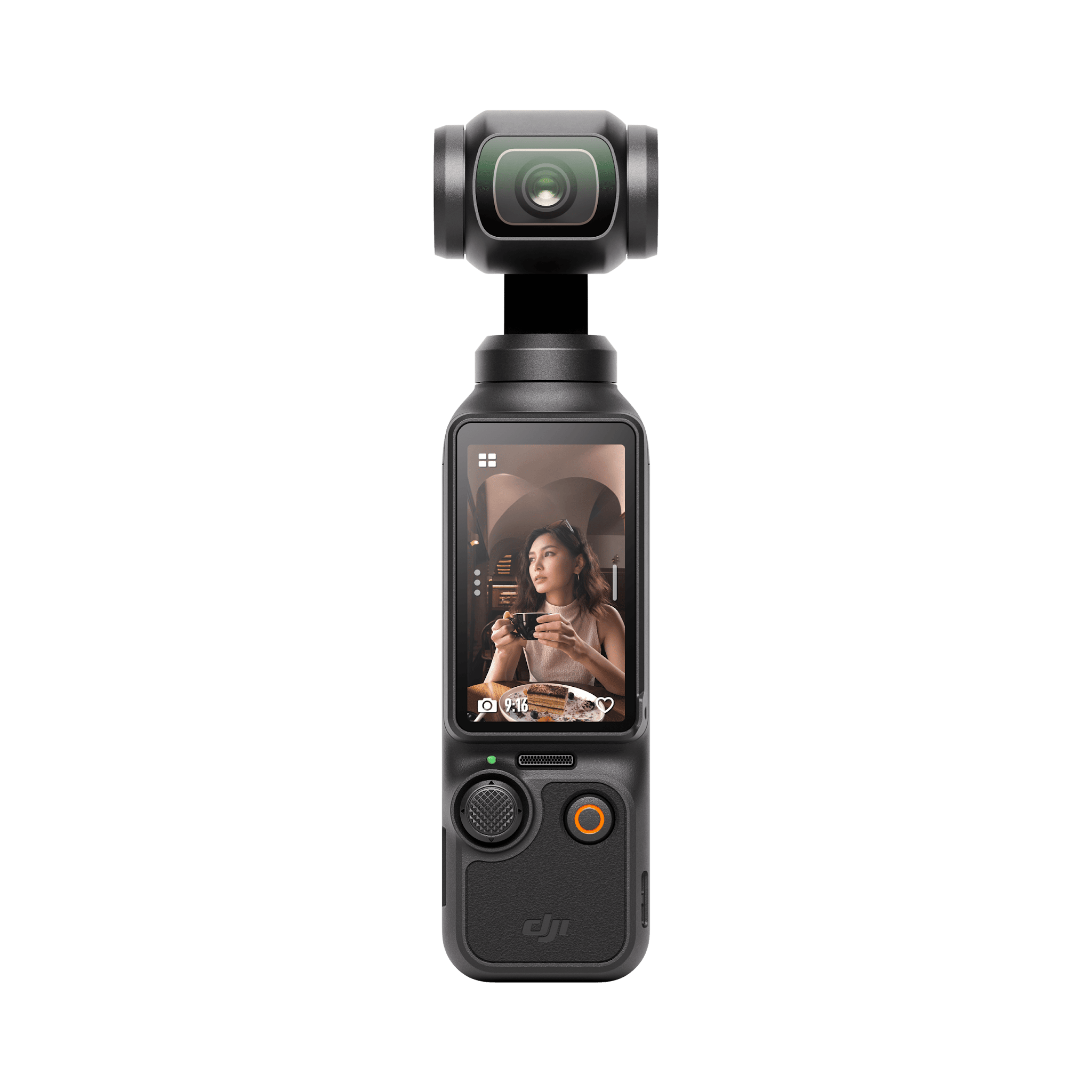
The Pocket 3 combines a 1-inch CMOS sensor with a three-axis mechanical gimbal. That hardware pairing is the reason it can produce smooth walking footage while retaining more natural motion than electronic stabilization alone. Its 20mm-equivalent f/2.0 lens is wide enough for handheld vlogging, travel scenes and room interiors without creating the extremely stretched look of some action cameras.

DJI lists 4K recording up to 120 frames per second in slow-motion mode, a rotating 2-inch OLED touchscreen, fast full-pixel focusing and ActiveTrack 6.0. The display turns between horizontal and vertical orientations, which makes it easier to frame standard YouTube video and portrait-oriented clips from the same small camera.

Battery performance is also useful for travel and event coverage. DJI rates the camera for up to 166 minutes under its 1080p/24 laboratory test, with an 80% charge in about 16 minutes and a full charge in about 32 minutes when used with a compatible charger. High-resolution recording, tracking, screen brightness and temperature will affect real-world endurance.

Camera only vs Creator Combo: What changes?
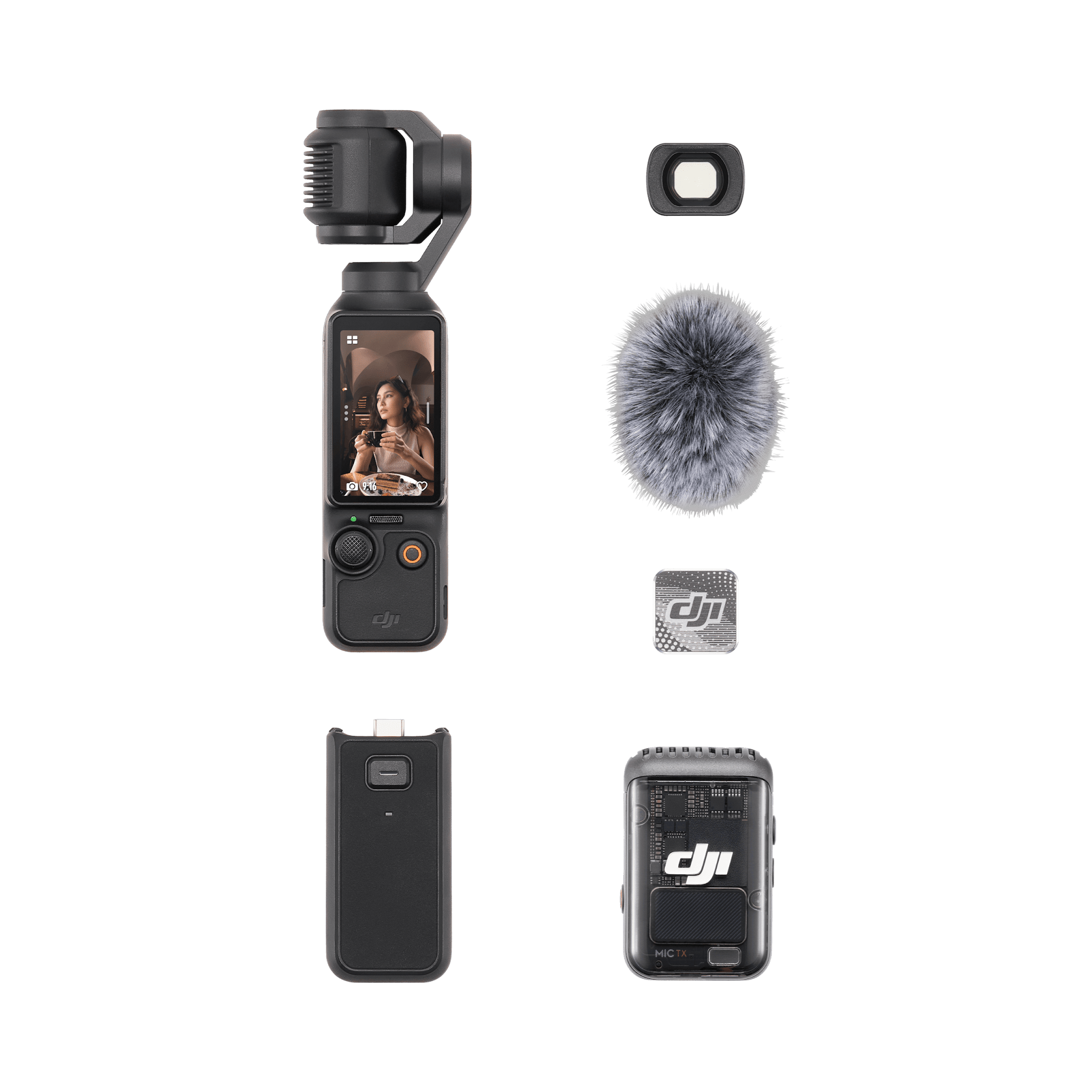
Camera only vs Creator Combo: What changes?

Both packages center on the same Osmo Pocket 3 camera, so image quality and stabilization do not improve merely because you choose the Creator Combo. The decision is about accessories and workflow.

Choose the camera-only kit if…

  • You already own a wireless microphone or normally record voiceovers later.
  • You have a compact tripod, USB-C power bank and carrying case that fit your workflow.
  • You want the lowest entry price and prefer to add accessories only when needed.

For an experienced creator with an established audio and support kit, the standard package avoids paying twice for gear. It is also the simpler choice for travelers who want the smallest possible setup.

Choose the Creator Combo if…

  • You film walk-and-talk videos, interviews or pieces to camera and need wireless audio.
  • You want a battery handle and mini tripod ready for long days and static shots.
  • You expect to use the wide-angle lens for arm’s-length framing, interiors or group clips.

The Creator Combo can be the stronger value when its sale premium over the basic kit is modest. Buying a comparable wireless microphone, handle, tripod, lens and bag separately can erase the apparent savings of the camera-only deal.

What is included in the Creator Combo?

DJI’s official Creator Combo listing includes the core camera accessories below. Retailer listings can vary, so compare the exact product description before paying.

  • DJI Osmo Pocket 3 camera
  • DJI Mic 2 transmitter with windscreen and clip magnet
  • Battery handle
  • Mini tripod
  • Wide-angle lens
  • Carrying bag, protective cover, wrist strap and USB-C cable

The Mic 2 transmitter is the bundle’s most important upgrade for many creators. Clear speech usually matters more to viewers than a small difference in image quality, and wireless audio makes it easier to keep the camera far enough away for a natural composition.

Shop the two DJI Osmo Pocket 3 options

Check the DJI Osmo Pocket 3 camera-only kit on Amazon

Check the DJI Osmo Pocket 3 Creator Combo on Amazon

Disclosure: ReaderSpice may earn a commission from qualifying purchases made through the Amazon links above, at no additional cost to you.

Amazon prices, sellers and stock can change without notice. Confirm that the listing is sold by Amazon or an authorized seller you trust, and verify that the package name matches the accessories shown before ordering.

What to check before buying

The listing and seller

A low price is less attractive if it comes from an unfamiliar marketplace seller, carries an unclear warranty or omits expected accessories. Read the seller line, delivery estimate, return window and bundle description—not just the headline price.

Storage and editing needs

The Pocket 3 requires a microSD card for recording. DJI’s current specifications list support for cards up to 1TB, but speed and reliability matter as much as capacity. Choose a compatible card from DJI’s recommended list, particularly if you plan to shoot high-frame-rate 4K video.

Weather and shooting distance

This is a compact gimbal camera, not a rugged waterproof action camera. Protect it from rain, sand and impacts, and remember that its fixed wide lens is optimized for people, travel and everyday scenes rather than distant wildlife or field sports.

The accessories you already own

The Creator Combo is not automatically better. If you already have strong audio gear and a compact support setup, the basic package may deliver identical footage for less. If you are starting from scratch, the Combo is often easier to justify because it arrives as a coherent kit.

Is the DJI Osmo Pocket 3 still worth buying in 2026?

Yes—when the discount is real and the camera matches the job. The Pocket 3 remains especially useful for travel vloggers, YouTube presenters, family filmmakers and one-person crews who prioritize smooth handheld footage and fast setup. Its large sensor, mechanical stabilization, rotating screen and tracking tools still form a well-balanced package.

The limitations are equally clear. It does not replace an interchangeable-lens camera for long telephoto work, specialized photography or the highest-end production needs. It also needs more weather protection than an action camera. Buyers who understand those tradeoffs can get substantial value from either kit.

Bottom line

Choose the camera-only deal if you already own the supporting gear. Choose the Creator Combo if wireless audio, a battery handle, mini tripod and wide-angle lens would otherwise be separate purchases. In both cases, treat the reported $395 and $495 prices as reference points from October 2026 deal coverage, then compare the live Amazon price and seller before checking out.

Sources

Amateur Photographer — DJI Osmo Pocket 3 deal report (October 7, 2026)

DJI — Osmo Pocket 3 product page

DJI — Osmo Pocket 3 specifications

DJI Store — Osmo Pocket 3 Creator Combo

Inline image 1: Official DJI Osmo Pocket 3 camera product image

Inline image 1 alt text: Front view of the DJI Osmo Pocket 3 gimbal camera

Inline image 1 source: DJI official Osmo Pocket 3 product page

Inline image 2: Official DJI Osmo Pocket 3 Creator Combo product image

Inline image 2 alt text: DJI Osmo Pocket 3 Creator Combo camera, microphone and filming accessories

Inline image 2 source: DJI official Creator Combo product page
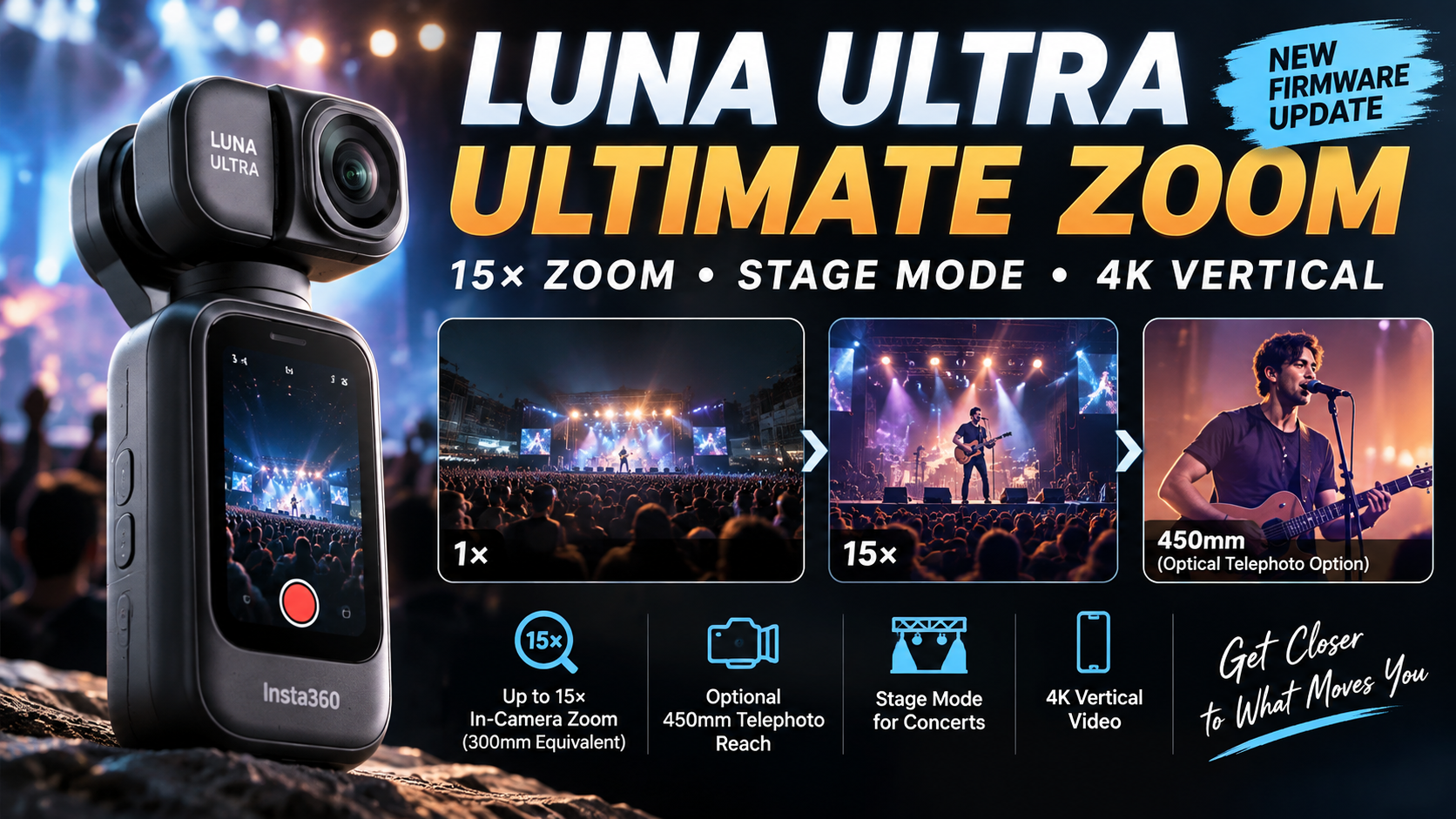
Insta360 Luna Ultra Ultimate Zoom Update Adds 15x Zoom, Stage Mode and 4K Vertical Video

Insta360 Luna Ultra Ultimate Zoom update showing 15x zoom, Stage Mode, 4K vertical video and optional 450mm telephoto reach

Insta360 has released its “Ultimate Zoom” update for the Luna Ultra, and it is a much bigger upgrade than a simple zoom tweak. The free firmware update raises the camera’s maximum in-camera zoom from 12x to 15x, adds a dedicated Stage Mode for concerts and live performances, brings 4K30 vertical video to Luna Ultra, and introduces several new creative shooting features.

Insta360 is also launching a new magnetic Ultra Telephoto Lens that extends the Luna Ultra’s reach to a 450mm-equivalent focal length. For existing Luna Ultra owners, however, the headline 15x zoom and Stage Mode arrive through the firmware update without requiring the new lens.

Inline Image 1Luna Ultra Zoom Jumps From 12x to 15x

The biggest change is the expanded in-camera zoom. Luna Ultra previously topped out at 12x, while the new firmware increases that limit to 15x, which Insta360 describes as a 300mm-equivalent field of view.

Insta360 says its dual professional imaging chips work with AI Remosaic processing to reconstruct details that can be lost during digital cropping. The goal is to keep distant people, text, buildings and landscapes clearer at high magnification.

The new 15x setting is available in Video, PureVideo, Stage Mode and Photo. Insta360 recommends 4K30fps when users want the best telephoto shooting experience.

A New Ultra Telephoto Lens Reaches 450mm Equivalent

The software update is only part of the Ultimate Zoom announcement. Insta360 has introduced an optional Ultra Telephoto Lens that magnetically attaches to Luna Ultra and extends the optical range by 1.5x.

With the accessory attached, the shooting range extends from 90mm to 450mm equivalent. The main camera is covered while the Ultra Telephoto Lens is being used, so this is an accessory specifically designed around the Luna Ultra’s telephoto camera rather than an add-on for the wide main lens.

That could make the camera considerably more useful for concerts, wildlife, travel details, architecture and other situations where creators cannot physically move closer to the subject.

A New Ultra Telephoto Lens Reaches 450mm EquivalentStage Mode Is Designed Specifically for Concerts
The new Stage Mode may be just as important as the extra zoom. Insta360 says it was developed for long-distance shooting at concerts, music festivals, theaters and other live events where lighting, moving performers and foreground obstructions can make normal tracking difficult.

Stage Mode uses dedicated image processing to maintain focus and exposure around performers. Face-specific filtering and adjusted focusing sensitivity are designed to reduce interference from objects such as glow sticks, while exposure processing suppresses harsh highlights and attempts to preserve dynamic range under stage lighting.

Insta360 also says the tracking model has been trained on concert footage to improve recognition, tracking and reacquisition of performers at high zoom levels and in low light.

Stage Audio and Ambient Audio Give Creators More Control

The update also introduces audio options intended for live events. Stage Audio emphasizes sound coming from the stage, while Ambient Audio retains more of the surrounding venue atmosphere.

This gives creators a choice between concentrating on the performance itself or preserving more of the feeling of being inside the crowd.

Luna Ultra Now Gets 4K Vertical Video

Another major addition is native 4K30fps vertical video. Luna Ultra can now use its rotating screen to switch into portrait-oriented recording, producing footage designed for TikTok, Instagram Reels and YouTube Shorts without requiring a horizontal-to-vertical crop in editing.

Insta360 says the feature uses 6K oversampling and supports zoom up to 6x. The company currently recommends staying at up to 3x for the best experience because image quality from the telephoto camera between 3x and 6x is still being optimized.

Zoom Live and Live Frame Get New Creative Options

The firmware adds Zoom Live, a shooting style that creates a smooth zoom-in effect during Live Frame capture. Insta360 is positioning it for portrait and lifestyle shots where creators want to add motion and emphasis without manually performing a complicated zoom.

Live Frame photos can also combine Beauty Mode effects with cinematic filters, providing more options for creating stylized images directly in-camera.

How to Get the Luna Ultra Ultimate Zoom Update

The new firmware is available free to Luna Ultra owners through the Insta360 app. Connect Luna Ultra to the app and follow the firmware-update prompt when it appears.

Insta360’s support documentation recommends having at least 20 percent battery remaining before updating and warns users not to power off the camera or remove the detachable touchscreen remote during installation.

What About the New Luna Ultra Zoom Bundle?

Insta360 is also introducing a Luna Ultra Zoom Bundle for $889.99 in the United States. It includes everything in the Standard Bundle along with a Carry Bag and the new Ultra Telephoto Lens.

Existing Luna Ultra owners do not need to buy the Zoom Bundle to receive the 15x in-camera zoom, Stage Mode or the other firmware features. The additional hardware is specifically for users who want the longer 450mm-equivalent reach.

Why This Is a Meaningful Luna Ultra Upgrade

At launch, Luna Ultra already stood out because of its dual-camera design, 1-inch main sensor, Leica optics and dedicated telephoto camera. The Ultimate Zoom update puts more emphasis on that second camera and gives it new use cases rather than simply increasing a specification on paper.

The combination of 15x in-camera zoom, AI Remosaic, concert-oriented tracking, dedicated stage audio processing and the optional 450mm-equivalent lens makes long-distance shooting a much bigger part of the Luna Ultra experience.

For creators, native 4K vertical video is another substantial addition because it makes the camera more practical for producing horizontal YouTube footage and vertical social content with the same device.

Sources

Insta360 — Luna Ultra firmware update announcement via PR Newswire

Insta360 Support — Luna Series Zoom Feature

Insta360 Support — Firmware Update Guide

RedShark News — Insta360 Luna Ultra Ultra Telephoto Lens, Stage Mode and firmware update

T3 — Hands-on with the Insta360 Luna Ultra Ultra Telephoto Lens

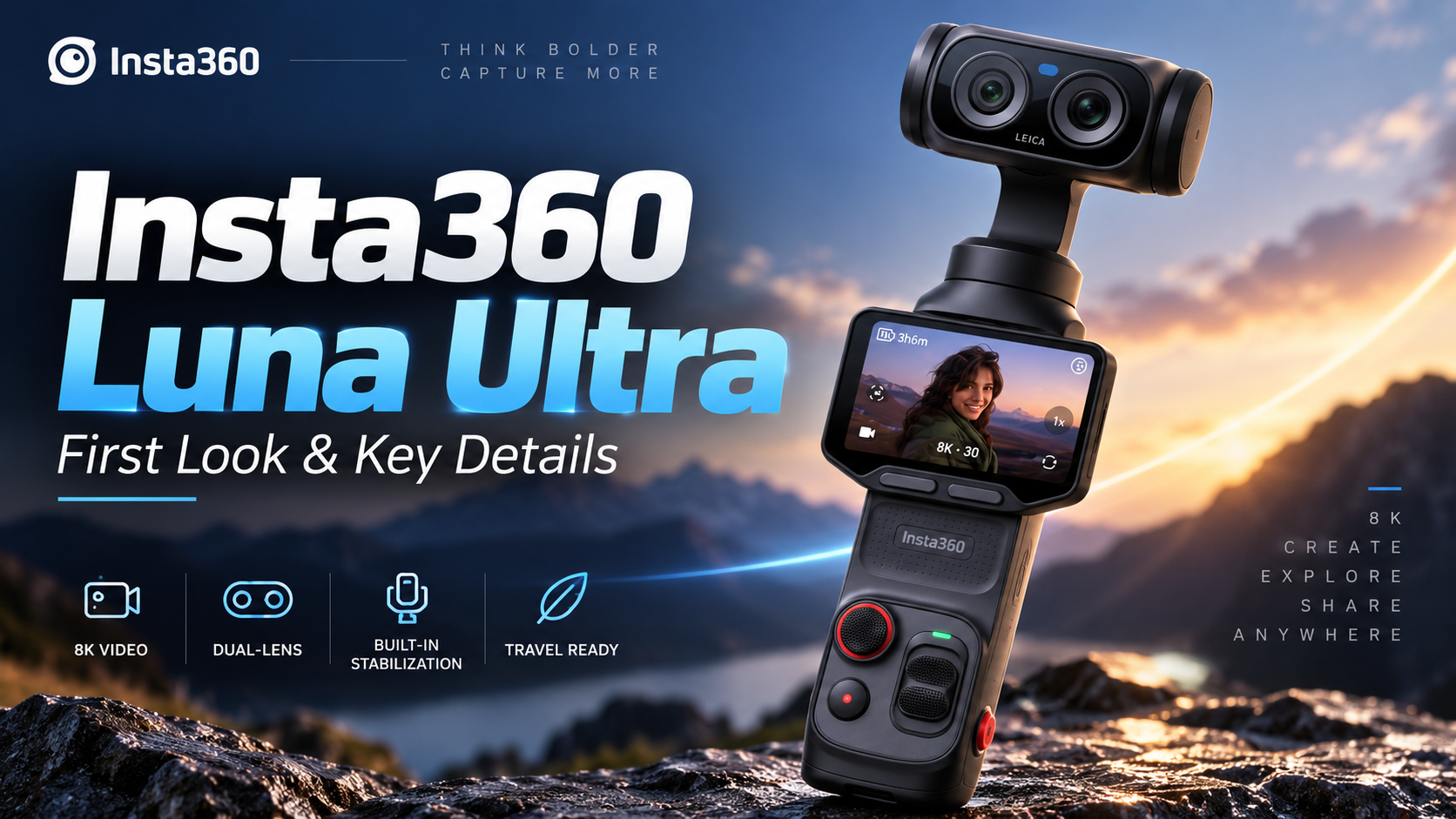
Insta360 Luna Ultra: Dual-Lens Leica Gimbal Camera Brings 8K, Telephoto Zoom and a Detachable Screen

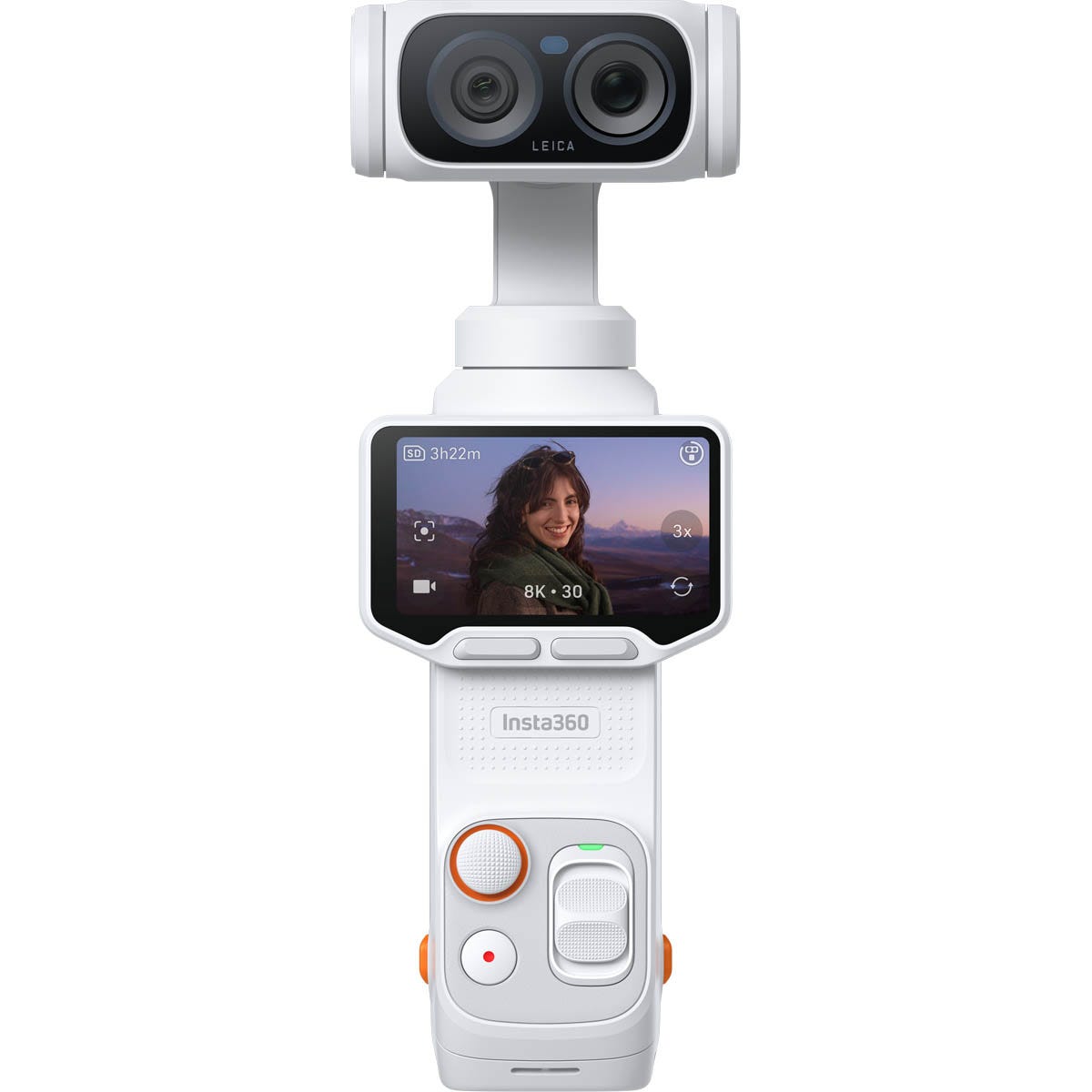
Insta360 has entered the premium pocket-gimbal camera fight with the Luna Ultra, a Leica co-engineered dual-lens camera aimed at creators who want stabilized video, serious zoom flexibility, and high-resolution recording without carrying a mirrorless camera and separate gimbal.

Announced on June 10, 2026, the Luna Ultra combines a 1-inch main camera with a 1/1.3-inch telephoto camera, Leica Summicron optics, 8K recording, a detachable OLED touchscreen and three-axis mechanical stabilization. U.S. pricing starts at $769.99.

Image: Insta360 Luna Ultra in Stellar White. Source: CANEX product listing (manufacturer product image).

Why the Dual-Camera Design Matters

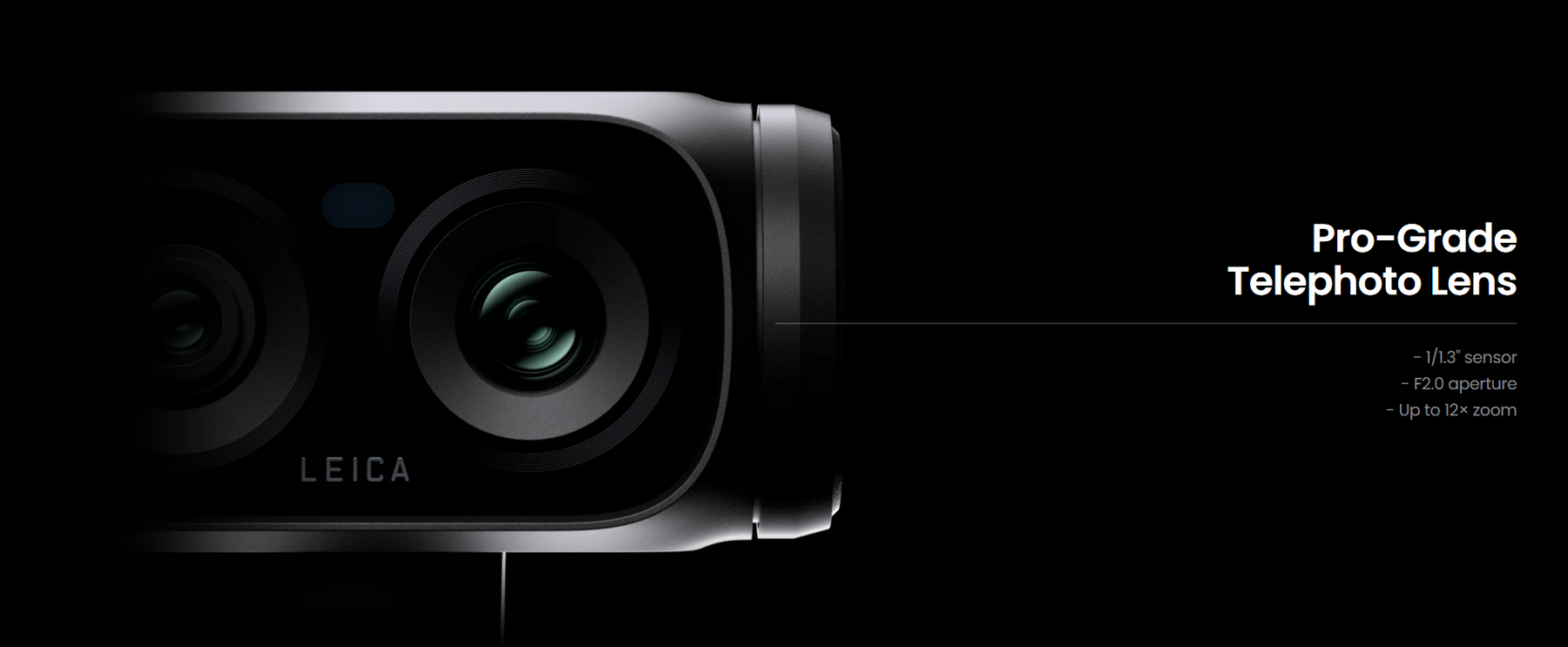
The Luna Ultra’s biggest distinction is its two-camera system. The main camera uses a 1-inch sensor with an f/1.8 lens and a 20mm-equivalent focal length, while the telephoto camera uses a 1/1.3-inch sensor with an f/2.0 lens and a 60mm-equivalent focal length.

That second camera gives creators more framing flexibility than a typical single-lens pocket gimbal. Insta360 lists up to 12x zoom for supported photo and video modes, including up to 6x Clarity Zoom. In 8K video, zoom is available from 1x to 6x, while supported 4K modes can extend to 12x.

8K Video, 4K120 and 10-Bit Recording

The Luna Ultra can record 8K 16:9 video at up to 30fps and 4K 16:9 video at up to 120fps. It also supports 10-bit video, Dolby Vision and I-Log, giving more flexibility to creators who want either ready-to-share footage or additional latitude for color work in post-production.

For slow motion, the camera supports 4K at up to 120fps and 1080p at up to 240fps. Maximum video bitrate is listed at 150Mbps, with H.265 encoding.

A Detachable Screen Changes How You Can Shoot

Image: Insta360 Luna Ultra Cosmic Black standard bundle and accessories. Source: Metapod product listing (manufacturer product image).

Another standout feature is the detachable 2-inch OLED touchscreen. The screen has a 318 x 564 resolution, 1,000-nit brightness and 60Hz refresh rate. Because it can operate away from the main camera body, it opens up more flexible monitoring and framing possibilities when the camera is positioned somewhere that would normally make its built-in display difficult to see.

The camera includes four microphones in total—three on the main unit and one on the detachable touchscreen remote. That design could be especially useful for solo creators, vloggers and people filming themselves.

Three-Axis Gimbal Stabilization and Creator-Focused Tracking

Unlike electronic-only stabilization, Luna Ultra uses a three-axis mechanical gimbal. Insta360 also pairs the hardware with intelligent tracking features designed to keep a subject framed while the camera moves.

This combination is particularly relevant for walking vlogs, product demonstrations, travel videos and solo creator setups where keeping a subject centered without a second camera operator can make shooting considerably easier.

Storage, Battery and Charging

Luna Ultra includes 47GB of internal storage and also supports microSD cards up to 2TB. USB-C uses USB 3.0 for transfers.

The main unit has a 1,550mAh battery, while the detachable touchscreen remote has its own 210mAh battery. Insta360 rates battery life at up to 240 minutes under its laboratory test conditions at 1080p/24fps with the screen and Wi-Fi turned off. The company lists approximately 23 minutes to reach 80% charge and about 38 minutes for a full charge when using a compatible 45W USB-C charging setup under its test conditions.

One limitation worth noting is environmental protection: Insta360 states that Luna Ultra is not waterproof, splashproof or dustproof. Creators planning beach, rain or dusty outdoor shoots will need to take additional precautions.

Who Is the Insta360 Luna Ultra For?

At $769.99, Luna Ultra is positioned as a premium creator camera rather than an inexpensive pocket camera. Its strongest appeal is likely to be the combination of a large 1-inch main sensor, dedicated telephoto camera, mechanical stabilization, high-resolution video and detachable monitoring screen in one relatively compact system.

For travel creators, vloggers and one-person production setups, the ability to move between wide framing and tighter telephoto shots without changing lenses could be especially useful. The detachable display and tracking tools also address a common problem for solo shooters: monitoring composition while standing away from the camera.

The bigger question for buyers is whether those features justify the premium over simpler single-lens gimbal cameras. For creators who expect to use the telephoto camera, 8K capture and remote-screen workflow regularly, Luna Ultra offers a notably different toolset rather than simply adding incremental specifications.

Price and Availability

Insta360 announced Luna Ultra on June 10, 2026. U.S. pricing starts at $769.99, with availability through the Insta360 Store and other retailers. Configurations and bundle pricing can vary by market.

Shop Insta360 Luna Ultra on Amazon

ReaderSpice may earn a commission from qualifying purchases made through this affiliate link, at no additional cost to you.

Sources

Insta360 — Luna Ultra Hardware Specifications

Insta360 — Luna Ultra Photo & Video Specifications

Insta360 — Luna Ultra Official Announcement

PR Newswire / Insta360 — Luna Ultra Launch Announcement