Google’s September 2026 Pixel Drop Adds Smarter VIPs, Scam Warnings and Watch Gestures

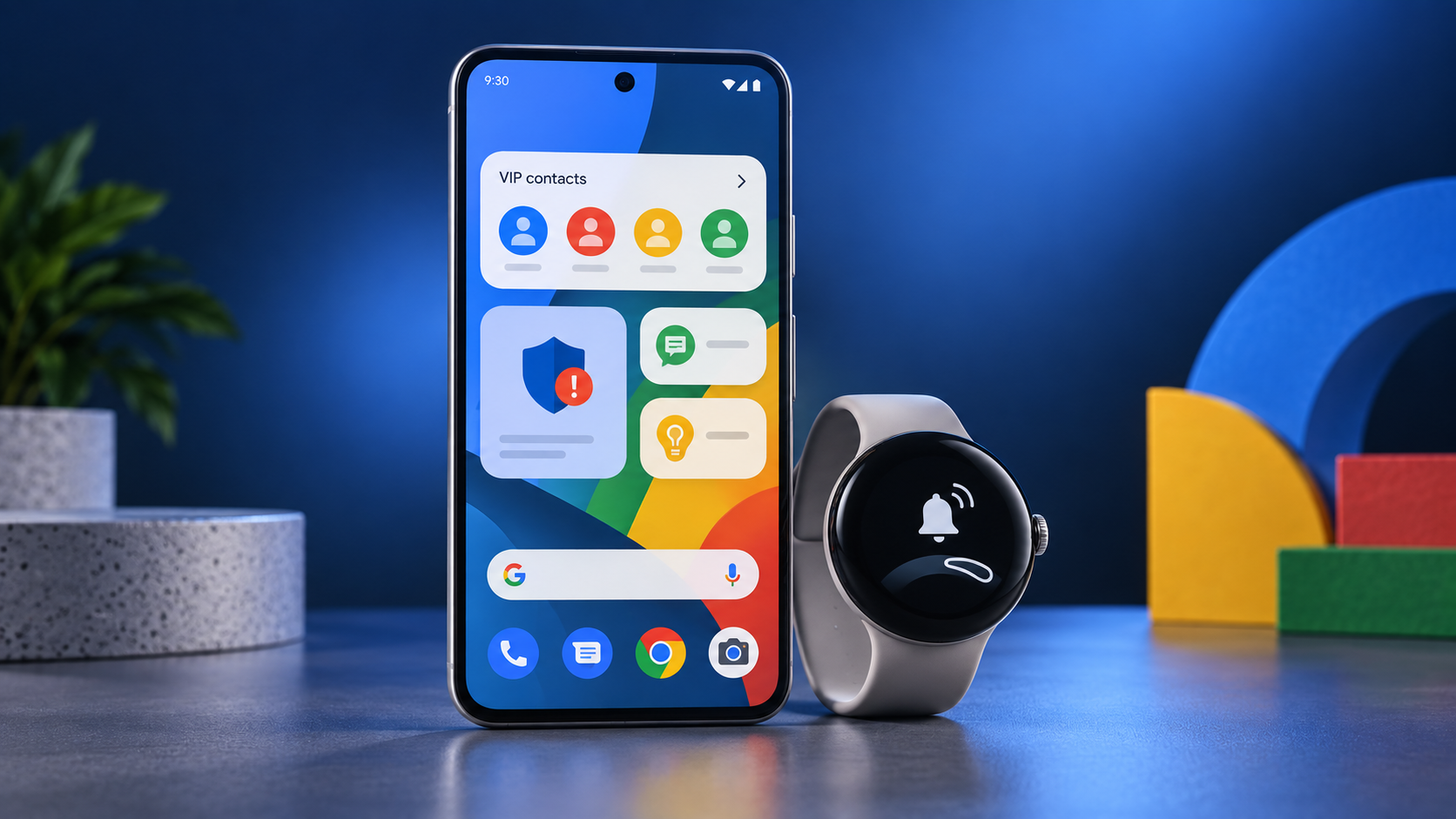
Google Pixel phone and Pixel Watch illustrating VIP contacts, scam warnings and watch gestures in the September 2026 Pixel Drop.

Google’s official September 2026 Pixel Drop is rolling out with practical updates for Pixel phones and watches. The release improves Pixel VIP contact widgets, expands scam warnings, adds more one-handed Pixel Watch controls, and introduces limited-time Harry Potter customization packs. Availability varies by device, country, language, carrier and app version.

Google has begun rolling out its September 2026 Pixel Drop, delivering a set of convenience, safety and wearable improvements rather than one dramatic flagship feature. The most useful changes focus on keeping important contacts close, warning users about suspicious messages earlier and making Pixel Watch interactions easier with one hand.

Confirmed: Google announced the update on September 15, 2026. The features are official, but availability is not universal. Some require specific Pixel models, supported countries or languages, current versions of Google apps, and the latest available system software.

Pixel VIPs become more useful from the home screen

Pixel VIPs already gives users a dedicated place for close friends and family, including recent interactions and shared information. The September update makes that experience faster to reach.

Updated home-screen widgets let users call or message a VIP with a single tap. A floating navigation control makes it easier to move between VIP profiles, while notification badges highlight unread or important messages without requiring users to open several communication apps.

Google’s support documentation says Pixel VIPs can include people using either Android or iOS devices. The feature itself is centered on the Pixel owner’s phone, so contacts do not need to own a Pixel.

Why it matters: This turns Pixel VIPs from a buried contact hub into a more useful daily shortcut. It is especially helpful for families, caregivers and anyone who regularly checks in with a small group of people.

Scam Detection expands, including Gboard warnings

Google is also expanding scam protection for messages. The company says Scam Detection for chat-app notifications is reaching additional regions and languages. In the United States, Gboard can provide inline warnings when a user is typing a response to a suspicious message in supported apps.

That distinction matters. This is not a promise that every fraudulent message will be caught, and it does not replace careful judgment. It is an additional warning layer designed to interrupt common social-engineering tactics before a user replies or shares sensitive information.

Confirmed limitations:

• Availability depends on the country, language, app and device.

• Google identifies Pixel 6 and newer phones for the expanded phone features.

• A warning is a risk signal, not proof that a message is fraudulent.

• Users should still verify unexpected requests through a trusted contact method.

Shop Google Pixel 11 on Amazon

Pixel Watch gains easier one-handed controls

The September Pixel Drop also improves Pixel Watch interaction. Google says Raise to Talk is being refined, while One Handed Gestures are gaining support in more apps. On supported watches, pinch-style controls can reduce the need to touch the screen when checking notifications or performing simple actions.

Google’s regional documentation identifies Pixel Watch 3 and newer for the newly expanded watch features, although the exact experience can differ by model and region.

Why it matters: Small gesture improvements can be genuinely useful while walking, exercising, carrying groceries or using the watch with the opposite hand occupied. The update is evolutionary, but it makes existing hardware easier to use.

Shop Google Pixel Watch 5 on Amazon

ReaderSpice may earn a commission from qualifying purchases made through this affiliate link, at no additional cost to you.

Harry Potter customization packs are the lighter addition

Google is pairing the practical updates with Harry Potter Audiobook Packs that can change a Pixel phone’s wallpaper, icons and sounds. Eligible users can also receive a two-month Audible trial.

This is a promotional, limited-time feature rather than a permanent system upgrade. Google says the theme packs are available through December 31, 2026, with offer availability and redemption terms varying by market.

Which Pixel devices are eligible?

Google’s announcement says the new phone features are available on Pixel 6 and newer devices, while the watch enhancements apply to Pixel Watch 3 and newer models. However, eligibility does not mean every feature arrives simultaneously.

Before assuming something is missing, users should check:

• Settings > System > Software updates

• Google Play system updates

• Updates for Contacts, Gboard and other relevant Google apps

• Regional and language availability

• Carrier rollout timing

Google notes that Pixel Drop releases can arrive in phases. A supported device may therefore receive the update later than another phone or watch in a different market.

What is confirmed and what is not

Confirmed by Google:

• Updated Pixel VIP home-screen widgets and notification badges

• Expanded scam warnings for supported messages and regions

• Pixel Watch Raise to Talk improvements

• Additional One Handed Gesture integrations

• Harry Potter customization packs and an eligible Audible trial

Not confirmed:

• A single worldwide release time for every feature

• Identical functionality across all countries, languages and carriers

• Compatibility with every messaging app

• Perfect detection of fraudulent messages

The bottom line

The September 2026 Pixel Drop is not a hardware-changing release, but it adds several features that can improve everyday use. Faster access to important contacts, earlier scam warnings and more convenient watch gestures are the strongest additions. Pixel owners should update both system software and Google apps, then check individual feature availability rather than expecting every change to appear at once.

Sources

Google — September Pixel Drop: New Pixel VIP updates, Pixel Watch features, and more

Google Pixel Help — Quickly access your favorite contacts with Pixel VIPs

Android Central — Google’s September Pixel Drop upgrades VIP contacts, scam detection and Pixel Watch

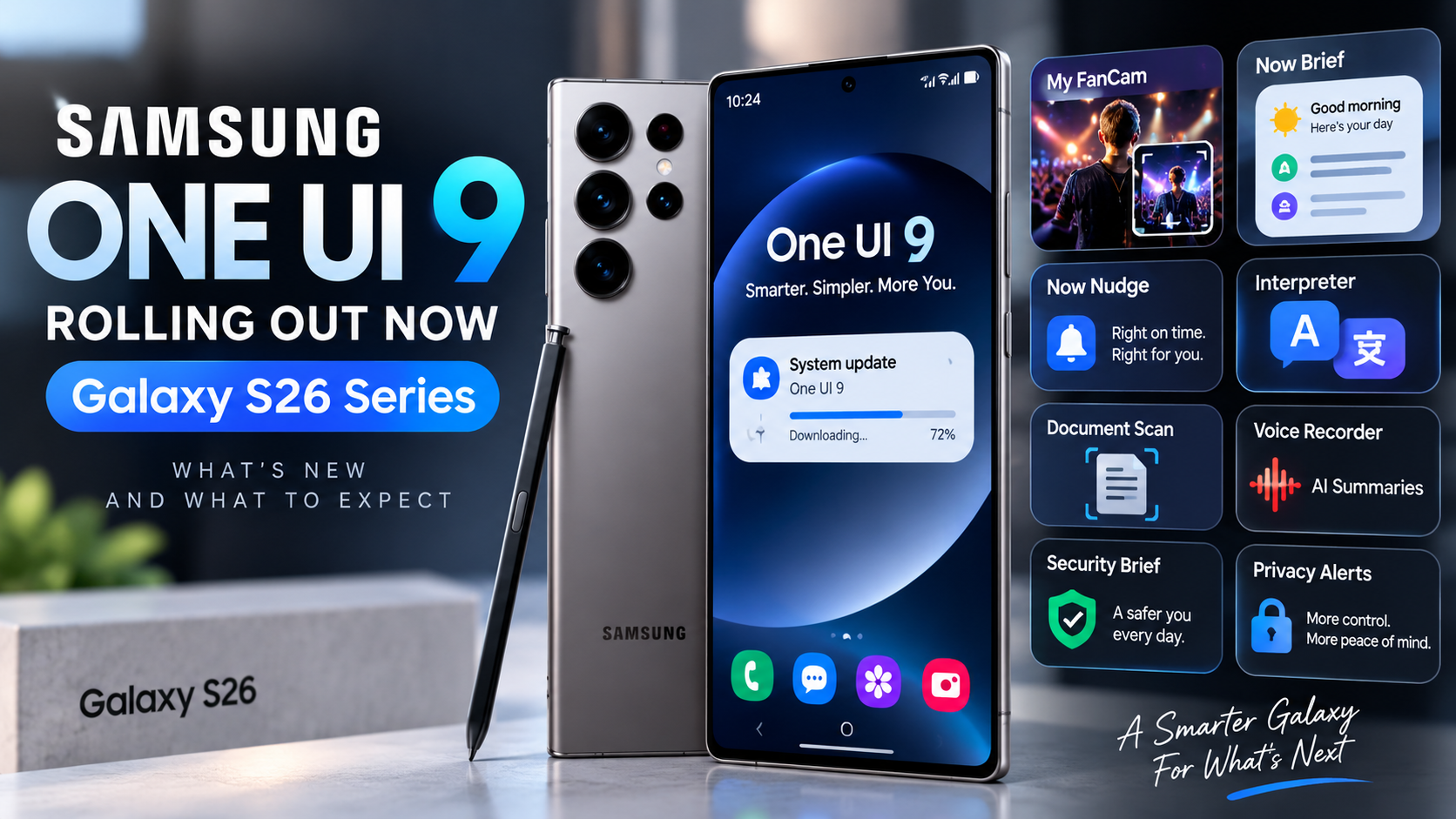
Samsung One UI 9 Rollout Begins for Galaxy S26 Series: What’s New and What to Expect

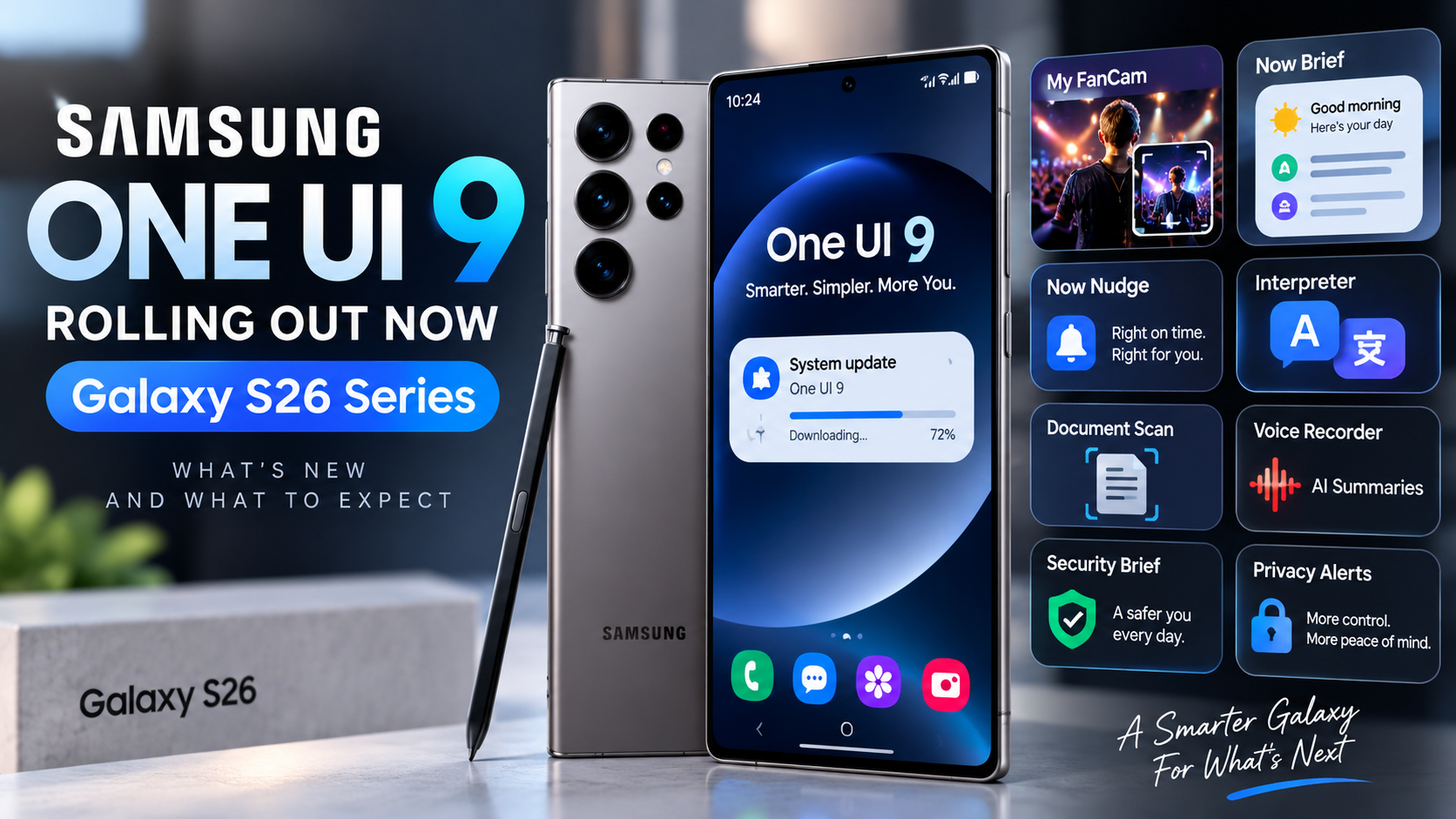
Samsung has officially started rolling out One UI 9 to the Galaxy S26 series, marking the next major software update for its flagship phones. The rollout began September 16 with the Galaxy S26, Galaxy S26+, and Galaxy S26 Ultra, after One UI 9 first appeared on Samsung’s newest foldables.

For Galaxy S26 owners, this is more than a visual refresh. Samsung is emphasizing smarter Galaxy AI tools, more personalized daily information, easier device-care controls, and new privacy and communication features. Availability can still vary by market, carrier, language, and device, so some users may receive the update later than others.

What’s New in One UI 9?

One UI 9 expands Samsung’s AI-assisted experience while trying to make everyday tasks require fewer steps. Several of the most notable additions focus on video, personalized information, device support, translation, privacy, and contextual suggestions.


My FanCam Makes Recorded Video Easier to Reframe

My FanCam can automatically track a selected person in a recorded video and intelligently reframe the footage to keep that person centered as the scene changes. Samsung positions the feature as a way to turn performances, sports moments, family videos, and other moving scenes into more shareable clips with less manual editing.

For creators and parents who frequently record moving subjects, this could be one of the more immediately useful One UI 9 additions.

Now Brief Gets More Personal

Samsung is also expanding Now Brief with generative and editable cards. Users can choose more of the information that appears in their daily brief and create cards around areas such as health, weather, and video.

The goal is to make Now Brief feel less like a fixed information feed and more like a personalized dashboard built around what each user actually wants to see.

Now Nudge Adds Contextual Suggestions

Now Nudge is designed to surface useful actions based on what is happening on the phone. Depending on supported apps, language, and region, it can provide contextual suggestions involving messages, photos, and multitasking.

As with many Galaxy AI features, Samsung notes that availability and functionality can differ by region, language, device model, and supported application.

Interpreter and Communication Improvements

One UI 9 continues Samsung’s focus on translation and cross-language communication. Interpreter improvements are intended to make conversations across supported languages easier, although language packs, Samsung Account requirements, and regional availability can affect which capabilities are available.

Document Scan and Productivity Tools

Samsung is also improving tools that help users capture and work with information. Document scanning and related productivity features can reduce the friction involved in turning physical documents into usable digital content.

For users who rely on their Galaxy phone for work, school, receipts, forms, or travel documents, these smaller workflow improvements may be just as valuable as the headline AI features.

Warranty and Care Moves Into Settings

One UI 9 brings device support and protection information directly into the Settings menu. Samsung says users can check warranty coverage for connected mobile devices, run self-diagnostics, view repair estimates where available, manage Samsung Care+, and schedule service with fewer steps.

This is a practical improvement because support information no longer needs to feel separated from the device-management experience.

Privacy Alerts Add Another Layer of Awareness

Privacy Alerts are designed to help users notice potentially unusual background permission activity. Samsung says these alerts can surface through Now Brief on supported devices.

The feature does not replace normal permission management, but it can provide another signal when an app’s behavior may deserve attention. Samsung cautions that Privacy Alerts may not account for every relevant factor.

Scam Detection Expands in Supported Markets

Samsung is also expanding Scam Detection to additional countries and languages. The feature is intended to help identify potentially fraudulent calls in supported markets. Availability remains region-dependent, so it should not be assumed that every One UI 9 device will receive identical scam-protection capabilities at the same time.

Which Phones Get One UI 9 First?

Samsung’s official September 16 announcement says the rollout starts with:

One UI 9 previously debuted on the Galaxy Z Fold8 Ultra, Galaxy Z Fold8, and Galaxy Z Flip8. Samsung says the update will gradually expand to additional Galaxy devices, with timing varying by market and model.

Should Galaxy S26 Owners Update Immediately?

For most users, the official stable rollout is the version to watch for rather than installing unofficial software. Because Samsung distributes updates progressively, not seeing One UI 9 immediately does not necessarily mean anything is wrong with your phone.

Galaxy S26 owners can check Settings > Software update > Download and install. Before installing a major operating-system update, it is also sensible to back up important data and make sure the phone has sufficient battery and storage available.

What One UI 9 Means for Samsung’s Galaxy Strategy

One UI 9 shows Samsung continuing to move Galaxy AI from individual novelty features toward tools that appear throughout everyday phone use. My FanCam targets content creation, Now Brief and Now Nudge focus on personalized assistance, while Warranty and Care and Privacy Alerts address device management and trust.

The more important question will be how consistently these features work across languages, regions, carriers, and older Galaxy hardware as the rollout expands. Some One UI 9 capabilities have specific device or market requirements, so the experience on an S26 Ultra may not be identical to every Galaxy phone that receives the update later.

The Bottom Line

The Galaxy S26 series is at the front of Samsung’s wider One UI 9 rollout. The update combines new Galaxy AI capabilities with practical improvements to video editing, daily information, communication, device care, privacy, and security.

If you own a Galaxy S26, S26+, or S26 Ultra, watch the Software update section over the coming days as availability expands. ReaderSpice will continue following the rollout as One UI 9 reaches more Galaxy devices and Samsung reveals additional regional details.

Looking for the Galaxy S26 Ultra? Check the current price on Amazon (affiliate link).

Sources

Samsung Global Newsroom — Samsung Begins Official Rollout of One UI 9, Bringing the Latest Galaxy Experiences to More Devices

Samsung Mobile Press — One UI 9 Official Rollout