Sony XYN Spatial Capture Is Live: Pricing, Compatible Cameras and Who It Is For

Creator uses a mirrorless camera and mounted smartphone to scan a sculpture into a glowing 3D spatial mesh

Sony has opened its XYN Spatial Capture Solution to customers in the United States and Canada, turning an April preview into a product creators can actually buy. The suite converts photographs of rooms, locations and physical objects into 3D computer-graphics assets for virtual production, games, product visualization and digital-twin work.

The new availability matters because Sony is no longer pitching XYN only as an enterprise demonstration. A free tier, monthly subscriptions starting at $20 and online token purchases lower the entry cost. The practical barrier is hardware: the guided capture app requires a supported Pro-model iPhone and a compatible Sony Alpha or Cinema Line camera, so this is not a phone-only scanning app.

This is a launch analysis based on Sony’s published specifications, pricing pages and capture documentation, not a hands-on review. The key buying question is whether XYN’s guided camera workflow and cloud generation are worth a recurring token system for the number and quality of 3D assets a team needs.

Sony XYN is now available in the United States and Canada

Sony announced commercial availability on October 27, 2026. The service is available in the United States, excluding U.S. territories, and Canada. Customers can register online, choose a plan, buy additional generation tokens and pay by credit card. Sony also lists Japan in the pricing terms, but the new North American announcement is specifically about U.S. and Canadian availability.

XYN is pronounced “zin.” It is a suite rather than one application, and the components divide the job into capture, cloud processing and display. That separation is important: the iPhone app guides the photography, but Sony’s cloud service does the computational work of turning the image set into a 3D asset.

What the three XYN applications do

XYN Spatial Scan Navi

Spatial Scan Navi is the capture assistant. A compatible iPhone mounts with a supported Sony camera and shows framing, coverage and distance guidance while the user photographs a location or object. The free plan limits Navi to three projects and up to 200 guided images per project; paid plans raise the image limit to 500 and remove the project cap.

XYN Spatial Scan

Spatial Scan is the cloud application that runs Sony’s Venus generation algorithm. It processes the uploaded photographs into a 3D computer-graphics asset. Generation consumes tokens, and the amount varies with the number of input images and the quality preset. Every listed plan includes 15GB of Scan storage.

XYN Spatial Renderer Plugin

The Renderer Plugin displays generated assets in virtual-production environments. Sony lists Unreal Engine, Disguise RendererStream and Aximmetry support. The commercial plugin is included only with the $209.05-per-month Creation 2000 + Renderer plan; lower tiers receive a watermarked trial that Sony says is not for commercial use.

How the Sony XYN capture workflow works

How the Sony XYN capture workflow works

The user connects a supported iPhone and Sony camera, selects a location or object workflow, and follows on-screen guidance while taking overlapping photographs from multiple angles. For object capture, the assisted mode sets a scan region based on subject size and helps the operator maintain a consistent distance around the full circumference.

After the capture is uploaded, Spatial Scan uses the selected quality and color settings to generate the asset. Sony says the object workflow can preserve transparency and gloss, while background assets can be prepared for virtual-production displays with HDR and color-management options. In the Renderer Plugin, splat editing, splat processing and flicker suppression are intended to make Gaussian-splat-style assets more usable on green-screen and LED-wall stages.

A sensible first test

  • Choose a matte, medium-size object with distinct surface detail and space to walk around it safely.
  • Use even, soft lighting and avoid moving shadows, reflections or background people during capture.
  • Complete the guided circuit without changing zoom, exposure or the object’s position.
  • Generate at Basic or Enhanced quality before spending tokens on a high-end preset.
  • Inspect thin edges, glossy areas, transparent parts and the underside before approving the asset for production.

XYN pricing and what the token math means

Sony offers a free plan, three fixed-price Creation plans and a custom enterprise option. Prices on the U.S. portal exclude tax and can change.

  • Free: $0 per month, no included tokens, three Navi projects, up to 200 guided images and 15GB of Scan storage. Additional tokens cost $20 per 500.
  • Creation 500: $20 per month with 500 tokens, unlimited Navi projects, up to 500 guided images and the Renderer trial.
  • Creation 2000: $67.32 per month with 2,000 tokens and the same capture limits, aimed at ongoing professional production.
  • Creation 2000 + Renderer: $209.05 per month with 2,000 tokens plus the commercial Renderer Plugin.
  • Custom: negotiated pricing and token volume for larger production pipelines.

The $20 plan does not buy one maximum-quality scan. Sony estimates that 500 tokens produce about three Basic assets or two Enhanced assets using 110 input images, but zero Advanced or Extreme assets. A 2,000-token allocation is estimated to cover about 13 Basic, 10 Enhanced, one Advanced or one Extreme asset.

Generation time also scales with quality. Sony estimates roughly 15 minutes for Basic, 30 minutes for Enhanced, one hour for Advanced and three hours for Extreme under its reference conditions. Input count, resolution and server congestion can change both token use and processing time.

Unused tokens expire six months after issuance and are nonrefundable. Subscriptions renew automatically unless canceled before renewal. Teams should treat expired token value, cloud storage and renderer licensing as part of the cost, not compare the monthly fee with a desktop photogrammetry license in isolation.

Compatible iPhones and Sony cameras

Spatial Scan Navi currently requires an iPhone 15 Pro, 15 Pro Max, 16 Pro, 16 Pro Max, 17 Pro or 17 Pro Max running iOS 18, iOS 26 or later. Standard iPhones and Android phones are not listed as compatible. The App Store description is equally explicit that the app cannot be used by itself.

Sony’s specification page lists the Alpha 1 II, Alpha 1, Alpha 9 III, Alpha 7R V, Alpha 7 IV, Alpha 7C II, Alpha 7CR, Alpha 7 V, Alpha 7R VI, FX2, FX3 and FX3A. The FX3 and FX3A require manual focus adjustment. Compatibility can change, so confirm the current model and firmware list before purchasing equipment around the workflow.

The dual-device requirement is the central tradeoff. A supported Pro iPhone provides guidance and monitoring while a Sony camera captures the image set. That can deliver more controlled photography than a quick phone scan, but it adds mounting, pairing, battery, storage and lens decisions to every job.

What object scanning adds to the original XYN pitch

Sony introduced XYN around location and background capture for virtual production. The commercial release expands the Venus algorithm to isolated physical objects such as props, consumer products, vehicles and industrial assets. Users can define the generation range, select quality and color workflows, and export an asset with transparency for use in a larger scene.

That makes XYN relevant beyond film stages. A game studio could digitize a practical prop, a product team could create a visualization model, a museum could document an artifact, and a production crew could preserve a location or object for later reshoots. Sony plans Lab apps by the end of 2026 so creators can test developing features, but those future tools should not be counted as current capability.

The biggest limitations to understand before subscribing

  • The free tier is a trial route, not free generation. It includes no tokens, and the Renderer trial adds watermarks and cannot be used commercially.
  • The capture app supports a narrow list of Pro iPhones and Sony cameras. Existing equipment outside that list does not qualify just because it can shoot high-resolution photos.
  • Cloud generation introduces upload time, service availability, storage and account-dependency risks that a local workflow may avoid.
  • Token use varies by image count, resolution and quality. A nominal monthly allocation does not guarantee a fixed number of deliverable assets.
  • Reflective, transparent, featureless, moving and very large subjects remain difficult capture cases. Sony’s guidance notes size limits, and marketing examples do not replace a workflow test.
  • The public material is primarily Sony’s own documentation and launch announcement. Independent production testing is still limited at launch.

Teams evaluating XYN should compare it with the workflow they already use, including camera time, cleanup labor, software licensing, local compute, revision speed and export requirements. A low monthly price can be attractive while the full production cost remains high if assets require extensive repair.

Who should try Sony XYN

Good candidates

  • Small virtual-production teams that already own supported Sony cameras and Pro iPhones.
  • VFX and game artists who want guided capture without building a photogrammetry pipeline from scratch.
  • Product-visualization teams that can standardize lighting and object setup.
  • Studios that need to preserve locations or props for later pickup shots and reshoots.

Who should wait

  • Casual users expecting a one-device phone scanner with instant local output.
  • Teams whose cameras or phones fall outside the compatibility list.
  • Projects involving confidential spaces that cannot be uploaded to an external cloud service without review.
  • High-volume pipelines that need predictable per-asset cost, automated batch processing or a broader choice of cameras.

The safest path is to start with the free account and a small token pack, generate representative assets at Basic and Enhanced quality, and measure capture time, upload time, processing time, cleanup and final usability. A successful demo scan is less important than a repeatable result on the hardest object or location the team handles regularly.

Buying note for a compatible Sony camera

Sony lists the Alpha 7 IV as compatible with XYN Spatial Scan Navi. It is a 33-megapixel full-frame hybrid camera and a reasonable existing-market option for teams that also need general stills and video work. Check the Sony Alpha 7 IV body on Amazon (ASIN B09JZT6YK5). Confirm the exact seller, included accessories, warranty and return policy before ordering.

Disclosure: ReaderSpice may earn a commission from qualifying purchases made through the Amazon link above, at no additional cost to you.

Do not buy the camera solely for XYN without confirming the current compatibility page, required phone, mounting hardware and the lenses Sony recommends for the subject sizes you plan to capture.

Bottom line

Sony XYN Spatial Capture is now a purchasable creator platform rather than a concept. Its strongest idea is a guided workflow that combines a Pro iPhone, a supported Sony camera, cloud generation and virtual-production rendering. Object capture makes the suite more versatile, while plans starting at $20 give small teams a realistic way to test it.

The apparent affordability needs context. Tokens expire, high-quality generations can consume a full 2,000-token allocation, the commercial renderer sits behind the $209.05 plan, and the hardware list is narrow. XYN is most compelling for creators who already own compatible gear and need repeatable 3D assets. Everyone else should test a difficult real project before committing to the subscription and cloud workflow.

Sources

Sony Electronics – XYN Spatial Capture commercial availability announcement, October 27, 2026

Sony XYN – Pricing, token estimates and plan comparison

Sony XYN – Spatial Scan Navi supported phones and cameras

Sony XYN – Object capture workflow guide

Apple App Store – XYN Spatial Scan Navi requirements and version history

Inline image alt text: Mirrorless camera and smartphone capturing a tabletop object while spatial points form a 3D mesh
Sigma FP2: A Tiny 6K Full-Frame Camera With Big Tradeoffs

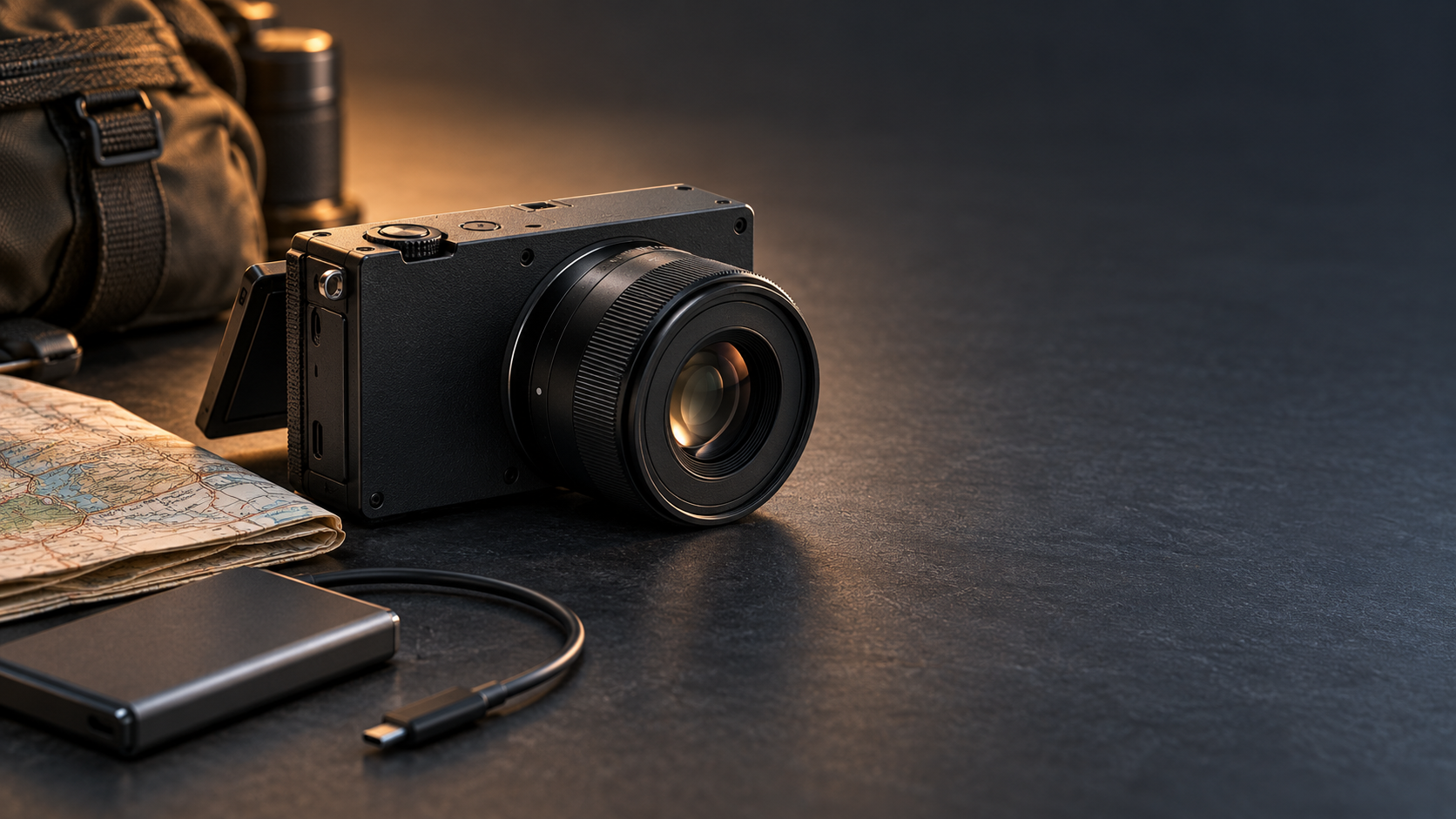
Compact black full-frame mirrorless camera with a small prime lens, travel map and external SSD cable

Sigma has revived its smallest full-frame camera concept with the FP2, a $2,199 modular hybrid that arrives November 11, 2026. The headline upgrades are substantial: a 24.5-megapixel partially stacked sensor, phase-detection autofocus, 6K open-gate video, a tilting screen, 70GB of built-in storage and much longer burst depth.

The appeal is easy to understand. The FP2 puts serious stills and cinema tools in a body small enough to build into a lightweight travel or gimbal rig. The catch is just as important: there is no in-body image stabilization, built-in viewfinder or conventional handgrip. The camera is deliberately incomplete until each buyer decides what to attach.

Sigma FP2 price, release date and key specifications

Sigma says the FP2 will be available on Wednesday, November 11, 2026. U.S. pricing starts at $2,199 for the body, while review coverage lists a $2,749 kit with either Sigma’s new EVF-21 electronic viewfinder or the compact 50mm F2 DG DN Contemporary lens.

The essentials at a glance:

  • 24.5MP partially stacked full-frame CMOS sensor
  • L-Mount lens system with separate STILL and CINE interfaces
  • Up to 20 frames per second for stills and a buffer rated for roughly 200 images
  • 6K open-gate recording at up to 59.94p in supported compressed formats
  • ProRes RAW recording to an external SSD, plus L-Log and 13 color modes
  • Hybrid phase- and contrast-detection autofocus with people, dog, cat and bird recognition
  • 70GB of internal storage, one SD card slot, two USB-C ports and full-size HDMI
  • Tilting 3.2-inch rear display; optional 5.76-million-dot EVF-21
  • Approximately 370-shot battery rating and 460g operating weight with battery and card

These numbers place the FP2 closer to a compact production tool than a conventional entry-level mirrorless camera. Its price makes the missing viewfinder and stabilization impossible to ignore, but the connectivity and recording options are unusually ambitious for the body size.

What the partially stacked sensor changes

The original Sigma fp was admired for its size but limited by slow sensor readout and contrast-detection autofocus. The FP2’s partially stacked sensor is designed to read data faster, helping reduce rolling-shutter distortion and supporting quicker bursts, higher frame-rate video and more responsive subject tracking.

Resolution remains around 24.5 megapixels. That is enough for large prints and most professional web work, but it offers less room for aggressive cropping than 40MP or 60MP rivals. The payoff is speed: Sigma now quotes up to 20fps and a buffer of about 200 frames, a major change from the original fp’s very shallow high-speed burst.

Early hands-on reports broadly agree that image quality is excellent and autofocus is much more dependable. Reviewers also note that subject selection can still be inconsistent. This is a meaningful upgrade, not proof that Sigma has surpassed the most mature sports and wildlife autofocus systems.

Why the FP2 is more video-first than it looks

Why the FP2 is more video-first than it looks

The small body hides a serious video toolset. Open-gate recording uses the full 3:2 sensor area, giving editors extra room to create widescreen and vertical crops from the same take. Supported compressed modes reach 6K/59.94p, while ProRes RAW is available to an external SSD at lower maximum frame rates. Cropped 4K can reach roughly 120p.

Sigma also includes monitoring tools, L-Log, gyro data for stabilization in post and dedicated CINE controls. Two USB-C ports matter here: one can handle high-speed storage while the other supports power or accessories. Full-size HDMI is a welcome choice on a camera likely to be connected to monitors and recorders.

That flexibility makes the FP2 especially interesting for solo filmmakers, travel crews and gimbal operators. A compact body can be easier to balance and can leave more payload capacity for a lens, cage, microphone or monitor. The built-in 70GB of storage is also a useful emergency reserve when a memory card is full or unavailable.

The biggest compromise: no in-body stabilization

The FP2 does not have mechanical in-body image stabilization. For stills, that means slower shutter speeds require steadier technique, a tripod or a stabilized lens. For handheld video, the limitation is more obvious: small camera movements remain visible, and electronic or post-production correction cannot fully reproduce sensor-shift stabilization.

Gyro metadata can help compatible software smooth footage later, but stabilization in post crops the frame and adds another processing step. Reviewers found handheld video challenging even with careful technique. Anyone imagining the FP2 as an all-in-one walkaround video camera should budget for a gimbal, rig support or stabilized L-Mount lens.

The limitation is less serious when the camera is locked to a tripod, mounted on a vehicle, placed on a motorized stabilizer or used in a controlled studio. In those jobs, removing the stabilization mechanism helps Sigma preserve the camera’s small dimensions. The design makes sense—but only for buyers whose workflow already solves camera shake.

A modular body means accessories can erase the size advantage

Sigma’s philosophy is to start with a clean rectangular body and let the owner add only what the job requires. That is attractive for specialized rigs, but less convenient for photographers who expect a camera to feel complete out of the box.

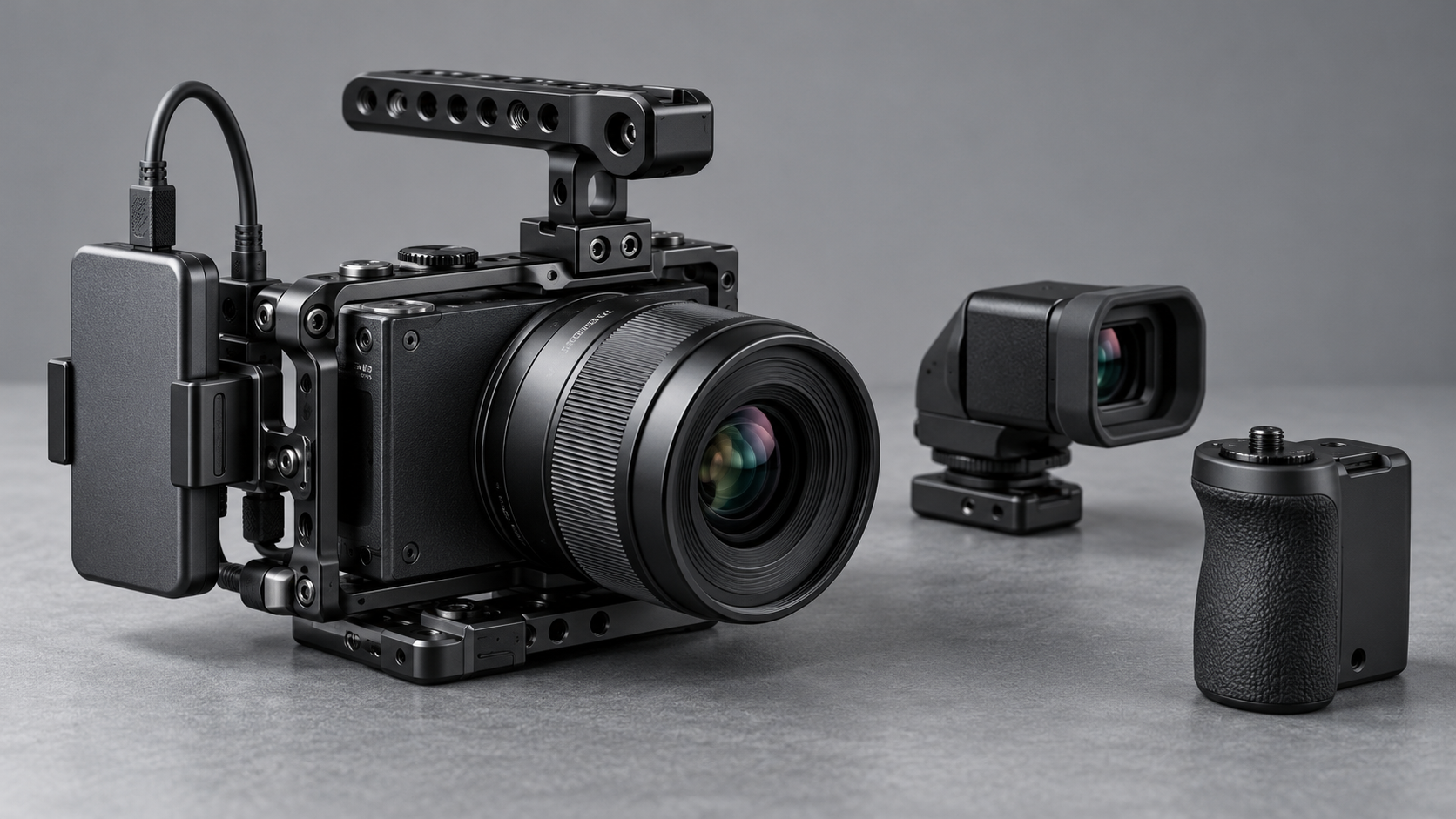
There is no built-in electronic viewfinder. The optional EVF-21 adds a high-resolution tilting OLED finder and an eye sensor, but it also adds cost and bulk. The flat body has no substantial grip, and larger lenses can make it front-heavy. A grip or cage improves handling while making the overall package less pocketable.

The same tradeoff applies to the hot shoe. Sigma offers a separate HU-21 hot-shoe unit for users who need flash or accessory mounting. Photographers should price the body, viewfinder, grip, hot shoe, spare battery and preferred lens as a system rather than treating $2,199 as the finished cost.

How the FP2 fits into an L-Mount kit

The FP2 uses the L-Mount shared by Sigma, Panasonic and Leica, so buyers can choose from compact primes, fast professional zooms and specialized cine glass. Small lenses are the natural match. Sigma’s 50mm F2 Contemporary kit option preserves the camera’s minimalist character while providing a general-purpose normal field of view.

Larger lenses are fully usable, but they shift the balance away from the body. A 24–70mm F2.8 zoom, for example, may be optically versatile yet demand a grip, cage or lens support. The FP2 is most convincing when the complete rig is designed around its size rather than when it is treated as a tiny body for any lens.

Who should consider the Sigma FP2?

The FP2 makes the most sense for:

  • Filmmakers who want 6K open-gate capture in a very small L-Mount body
  • Gimbal and drone operators who value low body volume and flexible mounting
  • Travel creators who can work with compact primes, an external SSD and planned stabilization
  • Studio shooters who prefer tethered, tripod-based or modular production setups
  • Existing L-Mount owners who already have lenses and accessories

It is a harder recommendation for photographers who rely on a viewfinder, shoot long handheld sessions or want stabilized stills and video without extra equipment. A larger conventional hybrid can deliver a more comfortable grip, built-in EVF and IBIS for less total system cost.

A relevant lens for the FP2

The compact Sigma 50mm F2 DG DN Contemporary for L-Mount is one of the FP2’s official kit-lens options and is a natural match for its small body. Check the Sigma 50mm F2 DG DN Contemporary for L-Mount on Amazon.

Disclosure: ReaderSpice may earn a commission from qualifying purchases made through the Amazon link above, at no additional cost to you.

Amazon prices, sellers and availability can change. Confirm that the listing is the L-Mount version—not the Sony E-mount version—and verify the seller and return policy before ordering.

Bottom line

The Sigma FP2 is not trying to be the safest all-round mirrorless camera. It is a compact full-frame imaging core that becomes a stills camera, cinema rig or travel kit depending on what surrounds it. The faster sensor, improved autofocus, deep burst, tilting display, internal storage and 6K open-gate recording address many weaknesses of the original fp.

Its omissions are equally defining. No IBIS, no built-in EVF and minimal ergonomics mean the smallest body can lead to a larger, more expensive complete setup. Buyers who need a modular 6K platform may find that trade worthwhile. Everyone else should compare the cost and size of the finished rig, not the body alone.

Sources

Sigma — FP2 launch schedule and official announcement

DPReview — Sigma FP2 review and full specifications

TechRadar — Sigma FP2 hands-on review

The Verge — Sigma FP2 launch, pricing and connectivity overview

Digital Camera World — Sigma FP2 hands-on video assessment

DJI Osmo Pocket 4P vs Insta360 Luna Ultra: The Dual-Lens Pocket Camera War Is Here

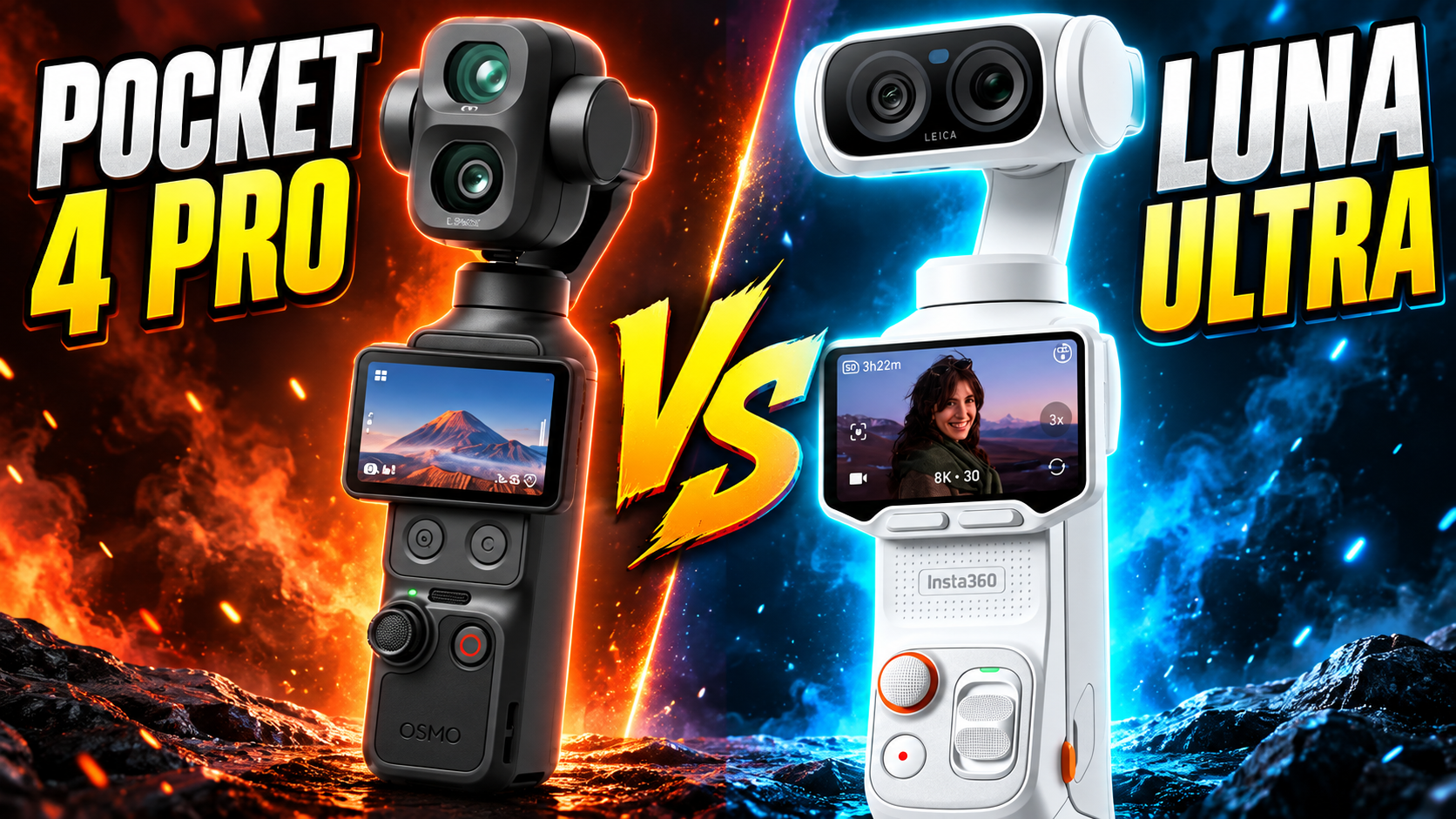
DJI and Insta360 are now fighting for the same creator with two of the most ambitious pocket gimbal cameras yet. The DJI Osmo Pocket 4P doubles down on cinematic 4K, extreme dynamic range, fast slow motion and DJI’s tracking ecosystem, while the Insta360 Luna Ultra pushes the category toward 8K, Leica optics, a detachable monitoring screen and a more flexible remote-shooting workflow.

Both cameras use a 1-inch main sensor, both add a dedicated 60mm-class telephoto camera, both have three-axis mechanical stabilization, and both are built for creators who want more than a phone without carrying a mirrorless camera and separate gimbal.

The similarities stop there. DJI and Insta360 made very different choices around resolution, color workflow, storage, screen design and creator features. Here is how the Osmo Pocket 4P and Luna Ultra compare based on current official specifications and announced features.

Quick Comparison: Two Dual-Lens Cameras, Two Different Priorities

DJI Osmo Pocket 4P: 1-inch wide camera, 1/1.28-inch 60mm med-tele camera, up to 17 stops of dynamic range in supported D-Log 2 shooting, 4K up to 240fps on the wide camera, ActiveTrack 8.0, 103GB built-in storage and up to 210 minutes of rated operating time.

Insta360 Luna Ultra: 1-inch 8K main camera, 1/1.3-inch 60mm telephoto camera, Leica Summicron optics, 8K30, 4K120, 10-bit I-Log, detachable 2-inch OLED monitoring screen, 47GB internal storage plus microSD expansion up to 2TB, and up to 240 minutes of rated battery life under Insta360’s laboratory conditions.

Camera Hardware: Surprisingly Similar on Paper

Image: DJI Osmo Pocket 4P official Cannes preview image. Source: DJI.

The basic camera layouts are remarkably close. DJI uses an all-new 1-inch CMOS wide-angle camera with a 20mm-equivalent f/2.0 lens and pairs it with a 1/1.28-inch 60mm-equivalent med-tele camera with an f/1.8 aperture. DJI says the wide camera can deliver up to 17 stops of dynamic range in its supported D-Log 2 workflow.

Luna Ultra also uses a 1-inch main camera, but its main Leica Summicron lens is slightly faster at f/1.8. Its secondary 60mm-equivalent telephoto camera uses a 1/1.3-inch sensor and an f/2.0 aperture. The difference in telephoto sensor size is small on paper, so real-world image processing, autofocus, highlight handling and low-light performance will matter more than the fractionally different sensor dimensions.

Both systems give creators a true wide-to-telephoto jump without swapping lenses. That is a major change for pocket gimbal cameras, which historically relied heavily on digital cropping once users wanted a tighter frame.

Resolution and Slow Motion: 8K vs Extreme 4K Frame Rates

This is one of the clearest differences. Luna Ultra can record 8K 16:9 video at up to 30fps and 4K at up to 120fps. It also supports 10-bit I-Log and Dolby Vision, giving creators both high-resolution capture and a professional grading option.

DJI takes a different route. The Osmo Pocket 4P tops out at 4K rather than 8K, but the wide camera can record 4K slow motion up to 240fps, while the med-tele camera can reach 4K up to 200fps in supported modes. For creators who film sports, action, product sequences or cinematic slow-motion inserts, those frame rates are a major advantage.

So the tradeoff is straightforward: Luna Ultra gives you more resolution for reframing and cropping, while Pocket 4P puts more emphasis on high-frame-rate 4K capture.

Dynamic Range and Color: DJI D-Log 2 vs Insta360 I-Log

DJI is heavily promoting the Osmo Pocket 4P’s new D-Log 2 workflow. DJI says the wide camera can reach up to 17 stops of dynamic range under its stated test conditions, which is unusually ambitious for a camera this small. The goal is to preserve more highlight and shadow information for color grading, especially in high-contrast scenes.

Insta360 counters with 10-bit I-Log on Luna Ultra, along with Dolby Vision and Leica color options. Insta360 lists a maximum video bitrate of 150Mbps and supports 10-bit video across its professional modes. Luna Ultra’s Leica partnership also gives it a distinctive color-science story that may appeal to creators who want attractive footage without always doing a heavy grade.

The important detail is that spec-sheet dynamic range and real usable dynamic range are not always the same thing. Independent side-by-side testing will still matter for skin tones, highlight roll-off, shadow noise and matching the wide and telephoto cameras.

Zoom and Telephoto: Both Reach 12x, but Differ in Approach

Both cameras are built around a 20mm wide view and a 60mm telephoto view, giving a natural 1x-to-3x optical jump. DJI advertises up to 12x zoom and ActiveTrack support at high zoom levels. The dedicated 60mm f/1.8 camera is particularly aimed at portraits and compressed-background shots.

Luna Ultra also reaches up to 12x in supported 4K modes and offers up to 6x Clarity Zoom. Its 8K mode supports zoom from 1x to 6x, and the second camera is central to Insta360’s five-focal-length shooting concept.

For creators who regularly film people, stages, street scenes or distant travel details, both cameras are far more flexible than a traditional single-lens pocket gimbal.

Screen and Solo-Creator Workflow: Luna Ultra Has the More Radical Design

Image: Insta360 Luna Ultra product configuration. Source: Metapod product listing (manufacturer product image).

DJI keeps a conventional integrated 2-inch OLED display on the Pocket 4P. That should feel familiar to anyone coming from the Pocket 3 or Pocket 4, and it keeps the camera simple and self-contained.

Luna Ultra does something much more unusual: its 2-inch OLED touchscreen can detach from the camera and operate as a remote monitor and controller. The detachable screen also has its own microphone. For a one-person production setup, that can be extremely useful when the camera is across the room, on a tripod, attached to a rig or positioned somewhere that makes a fixed screen hard to see.

For travel vlogging and handheld shooting, DJI’s simpler integrated design may be more straightforward. For solo creators who frequently film themselves from a distance, Insta360’s detachable screen can fundamentally change the workflow.

Tracking and Stabilization

Both cameras use three-axis mechanical gimbals, so neither relies only on electronic stabilization. DJI combines its gimbal with ActiveTrack 8.0 and specifically promotes subject tracking even at longer zoom settings.

Insta360 also provides intelligent tracking and framing features on Luna Ultra, including multi-person tracking and remote monitoring through the detachable display. Both are clearly designed for creators who work without a second camera operator.

Storage: DJI Gives More Built In, Insta360 Gives More Expansion

Osmo Pocket 4P includes 103GB of built-in storage according to DJI’s current product comparison information. That is a major convenience when you want to start recording immediately without relying on a memory card.

Luna Ultra includes 47GB of internal storage, but it also supports microSD cards up to 2TB. That makes Luna Ultra considerably more expandable for long trips, extended shoots and large 8K projects.

The better approach depends on your workflow: DJI gives you more usable space inside the camera from day one, while Insta360 gives you far more potential capacity through removable media.

Battery and Charging

DJI rates the Osmo Pocket 4P for up to 210 minutes of operation when recording 1080p/24fps under its specified laboratory conditions. DJI also states that the camera can reach 80% charge in about 18 minutes and 100% in about 32 minutes with a compatible PD charger.

Insta360 rates Luna Ultra for up to 240 minutes at 1080p/24fps with the screen and Wi-Fi off under laboratory conditions. It lists about 23 minutes to reach 80% and around 38 minutes for a full charge using a compatible 45W USB-C setup.

These battery numbers are not directly representative of demanding 4K120, 4K240 or 8K recording, so creators should expect shorter real-world endurance in high-resolution, high-frame-rate modes.

Size and Weight

DJI lists the Osmo Pocket 4P at about 230 grams. Insta360 lists Luna Ultra at approximately 233 grams in Cosmic Black and 235 grams in Stellar White. In practical terms, they are in the same weight class.

That makes this comparison especially interesting: both companies have managed to fit two cameras, a mechanical gimbal and a touchscreen into a device that still weighs well under a typical mirrorless camera body before adding a lens.

Price and Availability

Pricing varies by region. DJI’s regional stores currently list the Osmo Pocket 4P from roughly USD $609 in some markets, while availability and pricing differ by country. Insta360 lists Luna Ultra in the United States at $769.99.

That gives DJI a lower entry price in markets where both are officially sold, but regional availability is important and buyers should check the current local store before comparing purely on price.

Shop Insta360 Luna Ultra on Amazon

ReaderSpice may earn a commission from qualifying purchases made through this affiliate link, at no additional cost to you.

Which One Fits Your Workflow?

The Osmo Pocket 4P makes the strongest case for creators who prioritize high-frame-rate 4K, maximum dynamic-range potential, DJI’s tracking ecosystem, substantial built-in storage and a more conventional pocket-camera workflow.

Luna Ultra stands out for creators who want 8K capture, Leica optics, a detachable monitoring screen, expandable storage and a remote-shooting design built around solo production. Its 8K resolution also gives more room for reframing in post, while the detachable screen is genuinely different from DJI’s approach.

Neither camera is simply a copy of the other. DJI is leaning toward compact cinematic performance and speed; Insta360 is leaning toward resolution, flexible monitoring and creator-oriented hardware experimentation. That makes this one of the most interesting pocket-camera matchups of 2026.

Sources

DJI — Osmo Pocket 4P Product Page

DJI — Osmo Pocket 4P Official Cannes Announcement

DJI — Osmo Pocket 4P / Pocket Series Comparison

DJI Support — Osmo Pocket 4P Charging and Battery Information

Insta360 — Luna Ultra Hardware Specifications

Insta360 — Luna Ultra Photo & Video Specifications

Insta360 — Luna Ultra Official Announcement

Digital Camera World — DJI Osmo Pocket 4P vs Insta360 Luna Ultra Comparison

Insta360 Luna Ultra: Dual-Lens Leica Gimbal Camera Brings 8K, Telephoto Zoom and a Detachable Screen

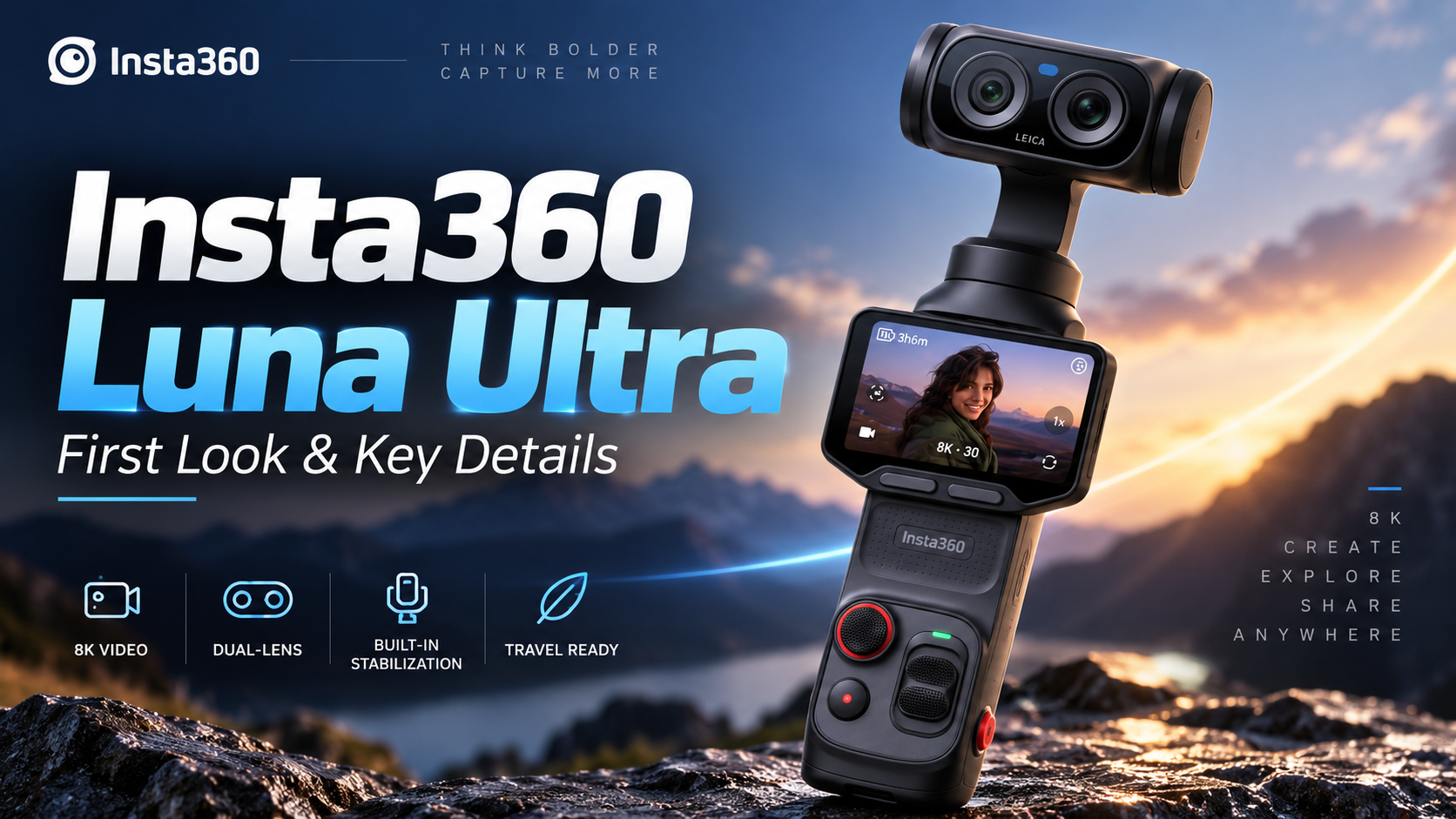
Insta360 has entered the premium pocket-gimbal camera fight with the Luna Ultra, a Leica co-engineered dual-lens camera aimed at creators who want stabilized video, serious zoom flexibility, and high-resolution recording without carrying a mirrorless camera and separate gimbal.

Announced on June 10, 2026, the Luna Ultra combines a 1-inch main camera with a 1/1.3-inch telephoto camera, Leica Summicron optics, 8K recording, a detachable OLED touchscreen and three-axis mechanical stabilization. U.S. pricing starts at $769.99.

Image: Insta360 Luna Ultra in Stellar White. Source: CANEX product listing (manufacturer product image).

Why the Dual-Camera Design Matters

The Luna Ultra’s biggest distinction is its two-camera system. The main camera uses a 1-inch sensor with an f/1.8 lens and a 20mm-equivalent focal length, while the telephoto camera uses a 1/1.3-inch sensor with an f/2.0 lens and a 60mm-equivalent focal length.

That second camera gives creators more framing flexibility than a typical single-lens pocket gimbal. Insta360 lists up to 12x zoom for supported photo and video modes, including up to 6x Clarity Zoom. In 8K video, zoom is available from 1x to 6x, while supported 4K modes can extend to 12x.

8K Video, 4K120 and 10-Bit Recording

The Luna Ultra can record 8K 16:9 video at up to 30fps and 4K 16:9 video at up to 120fps. It also supports 10-bit video, Dolby Vision and I-Log, giving more flexibility to creators who want either ready-to-share footage or additional latitude for color work in post-production.

For slow motion, the camera supports 4K at up to 120fps and 1080p at up to 240fps. Maximum video bitrate is listed at 150Mbps, with H.265 encoding.

A Detachable Screen Changes How You Can Shoot

Image: Insta360 Luna Ultra Cosmic Black standard bundle and accessories. Source: Metapod product listing (manufacturer product image).

Another standout feature is the detachable 2-inch OLED touchscreen. The screen has a 318 x 564 resolution, 1,000-nit brightness and 60Hz refresh rate. Because it can operate away from the main camera body, it opens up more flexible monitoring and framing possibilities when the camera is positioned somewhere that would normally make its built-in display difficult to see.

The camera includes four microphones in total—three on the main unit and one on the detachable touchscreen remote. That design could be especially useful for solo creators, vloggers and people filming themselves.

Three-Axis Gimbal Stabilization and Creator-Focused Tracking

Unlike electronic-only stabilization, Luna Ultra uses a three-axis mechanical gimbal. Insta360 also pairs the hardware with intelligent tracking features designed to keep a subject framed while the camera moves.

This combination is particularly relevant for walking vlogs, product demonstrations, travel videos and solo creator setups where keeping a subject centered without a second camera operator can make shooting considerably easier.

Storage, Battery and Charging

Luna Ultra includes 47GB of internal storage and also supports microSD cards up to 2TB. USB-C uses USB 3.0 for transfers.

The main unit has a 1,550mAh battery, while the detachable touchscreen remote has its own 210mAh battery. Insta360 rates battery life at up to 240 minutes under its laboratory test conditions at 1080p/24fps with the screen and Wi-Fi turned off. The company lists approximately 23 minutes to reach 80% charge and about 38 minutes for a full charge when using a compatible 45W USB-C charging setup under its test conditions.

One limitation worth noting is environmental protection: Insta360 states that Luna Ultra is not waterproof, splashproof or dustproof. Creators planning beach, rain or dusty outdoor shoots will need to take additional precautions.

Who Is the Insta360 Luna Ultra For?

At $769.99, Luna Ultra is positioned as a premium creator camera rather than an inexpensive pocket camera. Its strongest appeal is likely to be the combination of a large 1-inch main sensor, dedicated telephoto camera, mechanical stabilization, high-resolution video and detachable monitoring screen in one relatively compact system.

For travel creators, vloggers and one-person production setups, the ability to move between wide framing and tighter telephoto shots without changing lenses could be especially useful. The detachable display and tracking tools also address a common problem for solo shooters: monitoring composition while standing away from the camera.

The bigger question for buyers is whether those features justify the premium over simpler single-lens gimbal cameras. For creators who expect to use the telephoto camera, 8K capture and remote-screen workflow regularly, Luna Ultra offers a notably different toolset rather than simply adding incremental specifications.

Price and Availability

Insta360 announced Luna Ultra on June 10, 2026. U.S. pricing starts at $769.99, with availability through the Insta360 Store and other retailers. Configurations and bundle pricing can vary by market.

Shop Insta360 Luna Ultra on Amazon

ReaderSpice may earn a commission from qualifying purchases made through this affiliate link, at no additional cost to you.

Sources

Insta360 — Luna Ultra Hardware Specifications

Insta360 — Luna Ultra Photo & Video Specifications

Insta360 — Luna Ultra Official Announcement

PR Newswire / Insta360 — Luna Ultra Launch Announcement