
NVIDIA Minerva Maps AI Factories to Predict Failures: What It Does

AI data center topology map isolating an infrastructure fault before it disrupts a training job

NVIDIA has launched Minerva, an AIOps platform designed to connect infrastructure and workload telemetry across very large AI data centers. The goal is straightforward: identify a failing component before it wastes an expensive training run, then give operators enough context to act without digging through separate dashboards.

The October 22, 2026 announcement matters because an AI cluster can look healthy at the server level while a network interface, storage device or scheduler bottleneck quietly slows a job. Minerva builds a live map of hardware and workloads, applies machine learning to spot abnormal behavior and groups related symptoms into a smaller number of incidents. NVIDIA says the system can run on premises or as software as a service, but it has not published public list pricing.

Minerva at a glance

  • Product: NVIDIA Minerva, an AI-native AIOps and observability platform
  • Main job: correlate compute, network, storage, scheduler and workload telemetry
  • Core methods: dynamic knowledge graph, supervised and unsupervised machine learning, anomaly prediction and event correlation
  • Operator interface: dashboards plus the Sherlock natural-language assistant
  • Deployment: on premises or SaaS, from data collection to a turnkey platform
  • Integrations: OpenTelemetry, gNMI, syslog, DCGM, Slurm, JSON, Grafana, Slack, Microsoft Teams, PagerDuty, ServiceNow and Ansible
  • Scale claim: designed to reach clusters with hundreds of thousands of GPUs
  • Public pricing: not announced

What problem NVIDIA Minerva is trying to solve

AI training and inference depend on more than GPUs. A job may cross network switches, SuperNICs, DPUs, NVLink fabric, storage systems, schedulers and software libraries before it produces useful work. A degraded cable or an NVMe drive losing performance can surface as a slow training job rather than an obvious hardware failure.

Traditional monitoring often separates those layers. A networking team sees switch counters, an infrastructure team sees server health and a machine-learning team sees job throughput. Minerva is meant to connect those views so an operator can see which physical or software component is affecting a specific workload.

NVIDIA frames the outcome as higher “AI factory yield.” That is not a conventional manufacturing yield percentage. Here it refers to useful output measured through factors such as effective GPU hours, goodput, cluster uptime and token production. The relevant question for a buyer is whether Minerva improves those metrics enough to justify deployment and operational cost.

How Minerva traces a slow job to hardware

How Minerva traces a slow job to hardware

Minerva ingests telemetry from NVIDIA GPUs, networking, storage, NCCL communications, schedulers and active AI workloads. It turns those relationships into a dynamic knowledge graph: a continuously updated map of components, topology and the jobs using them.

If a training run slows down, the platform can connect the symptom to an abnormal interface, switch, GPU or storage device along the path. NVIDIA says its purpose-built models analyze billions of data points per hour, learn normal behavior, detect previously unseen anomalies and predict emerging failures. Topology-aware correlation can also collapse a flood of secondary alerts into one prioritized incident with a likely root cause.

The practical advantage is context. A temperature increase on one GPU may not matter by itself, but it becomes important when it lines up with lower job throughput and errors on the same path. Minerva’s value depends on the quality and coverage of the telemetry it receives; it cannot explain signals that are missing, inaccurate or outside the integrated stack.

Sherlock adds a natural-language operations layer

NVIDIA calls Minerva’s built-in multi-agent assistant Sherlock. Operators can ask questions about cluster health in natural language, receive answers grounded in current telemetry and get recommended remediation. An MCP server also lets customers connect external agentic tools.

That interface can reduce the time needed to move from an alert to an investigation, but it should not be treated as permission for autonomous repair by default. A wrong diagnosis or aggressive automated action could interrupt healthy workloads. Teams can keep a person in the loop, limit which systems an agent can change and connect automation only through approved infrastructure APIs.

Before enabling closed-loop remediation, operators should define:

  • Which actions require human approval
  • Which jobs, tenants or facilities an automation can affect
  • How proposed changes are logged and rolled back
  • What evidence is required before a component is quarantined
  • How access is separated between investigation and execution

Deployment options and integrations

Minerva is not presented as one fixed appliance. NVIDIA lists on-premises and SaaS deployment, open APIs, modular capabilities and Grafana integration. Customers can use Minerva primarily as a collector that feeds an existing observability stack, add its anomaly detection and correlation to outside tools, or adopt the full turnkey interface and assistant.

The platform accepts telemetry through standards and interfaces including OpenTelemetry, gNMI, syslog, DCGM, Slurm and JSON. NVIDIA also lists integrations with Slack, Microsoft Teams, PagerDuty, ServiceNow, Grafana, Ansible and infrastructure APIs. Those connections should make it easier to fit Minerva into incident-response workflows, but every integration expands the permissions and data flows that security teams must review.

Minerva is also tied closely to NVIDIA’s infrastructure roadmap. The company positions it as part of the Vera Rubin platform and the primary network-observability layer for NVIDIA AI factories. Minerva Collector is integrated with DSX OS, and NVIDIA says key collector capabilities will be open sourced in DSX OS. Organizations using mixed vendors should verify exactly which third-party components expose equivalent depth before assuming “full stack” means every device in the building.

Early adopters and the evidence gap

IREN is already using Minerva, while Aolani, Bitdeer AI, IBM, Jio, Lambda, Quake AI and Tesla plan deployments, according to NVIDIA. Dell Technologies, Lenovo and Supermicro are expected to offer it through their AI-factory operations portfolios.

Bitdeer says its deployment will use Minerva across training and inference infrastructure. The partner also cites NVIDIA internal tests in which an NVMe power fault was reduced from a multi-day outage to six hours and 81 noisy events were consolidated into a single alert. Those examples are useful, but they are vendor and partner claims rather than independent benchmarks.

NVIDIA has not disclosed broad customer pricing, a universal return-on-investment figure or a public comparison against general-purpose observability platforms. Results will vary with cluster design, telemetry coverage, incident history and staff workflow. Buyers should ask for a proof of value on their own jobs and failure modes instead of extrapolating from a showcase deployment.

What teams should verify before adopting Minerva

  • Telemetry coverage: confirm every critical GPU, switch, storage path, scheduler and workload emits supported signals.
  • Data location: document whether telemetry and incident context remain on premises or enter a SaaS environment.
  • Permissions: separate read-only investigation from actions that can drain nodes, restart services or change network configuration.
  • False positives: measure how often anomaly alerts lead to useful action instead of more noise.
  • Vendor mix: test visibility across non-NVIDIA storage, networking and management components.
  • Operational impact: compare mean time to detect, mean time to repair, interrupted GPU hours and job goodput before and after the pilot.
  • Exit plan: confirm that raw telemetry and incident history remain usable if the organization changes tools.

Who Minerva is for — and who can ignore it

Minerva is aimed at cloud providers, research labs and large enterprises operating dense NVIDIA GPU clusters. Its strongest case appears when separate teams manage compute, networking, storage and machine-learning workloads, and when a few hours of lost cluster time carry substantial cost.

It is not a consumer utility, a desktop GPU monitor or a small-business dashboard. Most organizations running a handful of accelerators will be better served by existing monitoring and scheduler tools. Readers who want hands-on experience with NVIDIA AI hardware at a much smaller scale can compare the NVIDIA Jetson Orin Nano Super Developer Kit on Amazon, but that board is not a Minerva deployment target or a substitute for an AI factory.

ReaderSpice may earn a commission from qualifying purchases made through affiliate links, at no additional cost to you.

Bottom line

NVIDIA Minerva is an attempt to turn fragmented AI-infrastructure telemetry into a connected operational model. The combination of a topology-aware knowledge graph, anomaly detection, alert correlation and a telemetry-grounded assistant could make large GPU clusters easier to diagnose and maintain.

The promise is credible enough for a serious pilot, not an automatic purchase. Minerva’s real value will depend on integration depth, data governance, false-positive rates and measured reductions in interrupted GPU hours. Until independent results and public pricing emerge, treat the launch as the beginning of validation rather than proof that every AI factory should standardize on it.

Sources

NVIDIA Blog: Minerva launch announcement and early deployment plans

NVIDIA: Minerva product capabilities, integrations and deployment models

Bitdeer AI: Minerva support, use cases and cited internal test examples

SiliconReport: Independent launch summary and deployment context

Microsoft Sovereign Cloud Adds Data Guardian, External Keys and Offline AI: What Changes

Secure operations center connecting public cloud, private datacenter and isolated edge infrastructure

Microsoft is expanding its Sovereign Cloud portfolio with controls intended for governments, critical infrastructure and regulated organizations that cannot treat every workload like a standard public-cloud application. Announced October 20, 2026, the update spans Azure’s public cloud, customer-operated Azure Local environments and independently operated partner clouds.

The headline is not a new region or a single “sovereign” product. It is a workload-by-workload model: keep appropriate services in the public cloud, place sensitive systems under additional access and key controls, and run essential workloads locally—or disconnected—when continuity and jurisdiction require it. Several capabilities are generally available, but many important items are still previews, limited previews or planned for Microsoft Ignite.

Microsoft Sovereign Cloud update at a glance

  • The Sovereign Control Panel enters public preview at Microsoft Ignite.
  • Data Guardian adds EU-resident oversight for qualifying Microsoft engineer access in the EU and EFTA.
  • Production Touch Ledger creates tamper-evident records of in-scope operational access and actions.
  • External key management for Azure Managed HSM is generally available, while its Private Link connection remains preview.
  • Connected-to-disconnected transition for Sovereign Private Cloud enters public preview.
  • Foundry Local and GitHub Enterprise Local expand locally operated AI and development options.

These items solve different problems. A dashboard improves visibility; it does not create sovereignty by itself. External keys change custody; they do not move application data. Disconnected operation supports continuity; it also introduces hardware, staffing, update and recovery responsibilities.

One continuum, three operating models

One continuum, three operating models

Sovereign Public Cloud

Microsoft’s public-cloud option adds controls around residency, confidentiality, operator access, policy and continuity while retaining Azure’s global service model. It is designed for workloads that can use public-cloud scale but need stronger evidence about who accessed production systems, which controls are configured and where sensitive processing occurs.

Sovereign Private Cloud

Built on Azure Local, the private model runs in infrastructure the customer operates. Microsoft says it can support connected and disconnected environments, local databases, development tools, AI inference and selected productivity services. This is aimed at systems that must keep operating when external connectivity or cloud access is restricted.

Sovereign Partner Ecosystem

The third path uses independently operated and specialized partner environments. Microsoft cites national partner clouds such as Bleu in France and Delos Cloud in Germany, plus local service providers and software partners. The attraction is local operating authority and expertise, but customers still need to understand the exact contract, ownership model, support chain and technical boundary.

What the Sovereign Control Panel does

The new Sovereign Control Panel is scheduled to enter public preview at Microsoft Ignite. Microsoft describes it as a unified Azure portal experience for understanding sovereignty posture, applying controls, finding gaps and assessing workload dependencies and portability.

That can reduce spreadsheet-driven audits, but it should be read as a management layer rather than a compliance certificate. Legal and regulatory obligations vary by country, industry and data type. A green indicator cannot prove that a workload’s business process, supplier chain or human access model satisfies every requirement.

Organizations considering the preview should ask which Azure resources are covered, how often evidence refreshes, whether findings export to existing governance tools and which controls require separate licensing or regional eligibility.

Data Guardian and Production Touch Ledger

For qualifying production systems in the European Union and European Free Trade Association, Data Guardian adds oversight by a trusted EU partner when a Microsoft engineer requests remote access. Customer Lockbox and just-in-time access remain part of the broader operator-access lifecycle.

Production Touch Ledger is intended to record in-scope access and actions in a tamper-evident form. Microsoft says both capabilities are rolling out in phases. That means customers should verify whether their tenant, service, geography and support scenario are included before describing the controls as active.

Neither feature means Microsoft personnel can never touch a system. The goal is controlled, visible and reviewable access. Security teams still need alerting, retention, incident-response ownership and a process for deciding whether a requested support action is justified.

External encryption keys move the root of trust

Azure Key Vault Managed HSM external key management is now generally available. It lets an organization keep the root key-encryption key in hardware it owns and operates on-premises or through a trusted third party. Azure Managed HSM remains the interface and policy layer for supported services, while an external key management proxy translates approved wrap and unwrap operations to the external HSM.

This architecture is significant for organizations whose legal or contractual rules require physical custody outside Microsoft infrastructure. It does not mean bulk application data is encrypted or decrypted inside the external device. Azure services continue to use data-encryption keys; the externally held key protects the key hierarchy.

Microsoft’s documentation also treats external key management as a specialized choice rather than the default. It adds dependency on external HSM availability, proxy design, certificates, latency, recovery procedures and key-operator discipline. Private Link integration for the proxy is still in preview. A lost or unavailable root key can create a serious outage, so key custody must include tested backup and recovery—not merely ownership.

Disconnected operation is not a simple offline switch

Microsoft says the ability to transition selected Sovereign Private Cloud workloads from connected to disconnected operation is entering public preview. Azure Local disconnected operations provide a local control plane for virtual machines, containers and supported Azure Arc-enabled services without a live connection to Azure public cloud.

Running disconnected changes the operating model. The customer must plan extra capacity for the local control plane, transfer signed update packages through a controlled process, monitor certificate lifecycles and maintain local identity, backup and recovery. Some cloud services and integrations are unavailable or behave differently without connectivity.

The feature is most relevant to defense, emergency services, industrial sites, research facilities and essential infrastructure where a network disruption cannot stop operations. Ordinary enterprises should not choose disconnection solely for reassurance; the additional complexity can reduce security if patching, monitoring and staffing are weaker than the connected alternative.

Local data, development and AI expand

Microsoft is bringing more of the application lifecycle into Azure Local. SQL Server is already generally available for connected and disconnected deployments. DocumentDB and Blob Storage are entering public preview, giving customers more local data-service options.

GitHub Enterprise Local is planned for general availability at Ignite as a validated GitHub Enterprise Server appliance on Azure Local. Microsoft also says developers can use GitHub Copilot with locally hosted models for inference, reducing how far code and prompts need to travel. GitHub’s current Azure Local documentation still describes the deployment as public preview, so teams should confirm the final Ignite release status before production.

Foundry Local is also planned for general availability at Ignite for connected and disconnected Azure Local environments. The expanded catalog is expected to include Microsoft, partner, open-weight and open-source models. Local inference and retrieval can answer questions against enterprise data without sending every request to a public endpoint.

Microsoft 365 Local remains a more limited proposition. The current overview centers on customer-operated Exchange Server, SharePoint Server and Skype for Business Server on Azure Local, while the October announcement describes preview access for approved customers and integration with local AI scenarios. It should not be confused with a fully offline copy of every Microsoft 365 cloud service.

Confidential computing and clean rooms

Confidential virtual machines on Azure Local are generally available. They use hardware-encrypted memory and isolation to protect supported data while it is being processed, with attestation before sensitive data or keys are released.

Azure Confidential Clean Rooms are in limited preview. The aim is to let multiple parties analyze approved shared data while reducing exposure of the underlying records. A clean room does not automatically make data anonymous or eliminate contractual duties; participants must still define allowed queries, outputs, retention and re-identification protections.

What IT and compliance teams should verify

  • Classify workloads by residency, access, continuity and confidentiality needs before choosing an operating model.
  • Separate generally available controls from public preview, limited preview and future Ignite commitments.
  • Confirm regional eligibility for Data Guardian, Production Touch Ledger and partner-operated environments.
  • Map every external-key dependency, including HSM, proxy, certificates, network path, recovery and operator roles.
  • Test disconnected updates, identity, backups and restoration—not only application startup.
  • Document which AI models, prompts, retrieval indexes and logs remain local.
  • Validate claims with legal, security and operations teams instead of treating the product name as compliance evidence.

Teams building a governance program may find Project Zero Trust by George Finney on Amazon useful background for identity, least privilege and verification principles. It is not Microsoft product documentation and should supplement—not replace—the official architecture, licensing and regulatory review.

As an Amazon Associate, ReaderSpice earns from qualifying purchases.

Who should care about this update

The announcement matters most to public-sector bodies, financial services, healthcare, utilities, telecom providers, defense suppliers and multinationals operating under conflicting data rules. It also gives cloud architects a clearer vocabulary for separating residency, operational access, key custody and continuity instead of compressing all four into the word “sovereignty.”

Smaller organizations may use only a few of these controls. Customer-managed keys, confidential computing, documented operator access and tested business continuity can still be valuable without deploying a disconnected private cloud. The right design is the least complex one that meets the workload’s actual risk and legal requirements.

Bottom line

Microsoft’s October 20 update makes Sovereign Cloud more concrete: a portal for posture, EU-based access oversight, tamper-evident operational records, customer-held root keys and a broader local stack for data, code and AI. It also exposes the tradeoff. Greater control transfers more engineering and operational responsibility to the customer.

The safest reading is precise. External key management is generally available; the Sovereign Control Panel and connected-to-disconnected transition are previews; Confidential Clean Rooms are limited preview; and several Ignite items are planned rather than universally deployed. Treat sovereignty as an architecture and operating practice, then verify every feature against the exact region, service and release stage.

Sources

Official Microsoft Blog: Advancing digital sovereignty with greater control and choice

Microsoft Sovereign Cloud product overview and controls

Microsoft Learn: Managed HSM external key management overview

Microsoft Learn: Azure Local disconnected operations overview

Microsoft Learn: Foundry Local disconnected operations

GitHub Docs: GitHub Enterprise Server on Azure Local

Microsoft Learn: Microsoft 365 Local overview

Microsoft Project Perception Adds Guardian Agents: Preview Access, Microsoft 365 E7 Cost and What IT Teams Should Know

Security analyst monitoring AI agents through layered identity, data, network and containment controls

Microsoft is extending Project Perception from defending with AI agents to defending the AI agents that companies deploy inside their own environments. Announced on October 19, 2026, the update introduces Guardian Agents and security playbooks designed to watch agent behavior, reassess risk and contain unsafe actions at machine speed.

The central idea is useful even for organizations that never buy the product: an AI agent with access to email, files, identity systems, payment workflows or production tools should be treated like a powerful insider, not a trusted chatbot. The important details are availability and scope. Project Perception remains in Limited Public Preview, Microsoft 365 E7 is a separate paid enterprise plan, and Microsoft has not promised that every Guardian Agent capability is generally available to every E7 customer today.

Microsoft’s agent-security update at a glance

  • Microsoft now describes AI agents as potential “agentic insiders” because they can act with organizational permissions even when no external attacker is involved.
  • Project Perception adds Playbooks and Guardian Agents that can investigate why agent risk changed, recommend containment and apply actions allowed by policy.
  • The security design spans identity, permissions, data, endpoints, network, cloud and runtime rather than relying on the model to police itself.
  • Project Perception and Microsoft Agent 365 share signals, context and a unified registry, but they serve different operational roles.
  • Project Perception is still a Limited Public Preview available to a small, invitation-only group; features may change before commercial release.
  • Microsoft lists Microsoft 365 E7 at $99 per user per month with annual billing, while Project Perception uses separate consumption-based pricing.

Why Microsoft calls AI agents “insiders”

An employee is an insider because their identity and permissions let them reach systems an outsider cannot. An enterprise agent can gain a similar position. It may read documents, call APIs, create tickets, analyze financial data, change configurations or coordinate with other agents. That access makes it productive, but it also raises the impact of a mistake, manipulated instruction or poorly defined objective.

Microsoft’s warning is not that frontier models are secretly malicious. The company argues that models are optimized to complete objectives, can produce variable outputs and may adapt as context changes. An agent that behaves correctly at the beginning of a task can make a different choice after it encounters new data, another agent or a conflicting instruction.

This is why prompt rules alone are not a sufficient security boundary. If the same model that chooses an action also decides whether that action is safe, a clever prompt injection, ambiguous goal or reward-seeking shortcut can influence both decisions. Microsoft’s proposed architecture puts identity limits, policy, evidence collection and enforcement outside the model so the agent cannot quietly rewrite its own guardrails.

The four jobs of continuous agent security

The four jobs of continuous agent security

Microsoft groups the operating model into four continuous responsibilities. First, an organization must know which agents exist, who owns them, why they were created and what they are doing. An unregistered agent with valid credentials can be more dangerous than a known tool with a documented owner because nobody is accountable for its permissions or results.

Second, access should be minimized and tailored to the job. An invoice-review agent may need to read approved finance records but should not automatically gain permission to change bank details, create users or deploy code. Short-lived credentials, narrowly scoped roles and task-specific approval boundaries reduce the damage an error can cause.

Third, defenders need to observe behavior and recalculate risk as the task evolves. A normal research workflow may become suspicious if an agent suddenly downloads an unusual volume of confidential files, contacts a new external endpoint or attempts an administrative action unrelated to its goal.

Fourth, the system must be able to contain the agent. A warning that arrives after an autonomous action is complete may be too late. Depending on policy, containment can mean requiring human approval, reducing privileges, blocking a specific tool, pausing the session or terminating the agent’s access.

A practical control sequence

  • Inventory the agent, its owner, purpose, identity and connected systems before production use.
  • Grant the smallest set of permissions needed for the current task and define which actions always require approval.
  • Collect independent evidence across identity, endpoint, network, cloud and data layers while the agent works.
  • Reassess risk continuously and apply a reversible containment action when behavior stops matching the approved purpose.
  • Preserve an audit trail, review the outcome and update policy before the next run.

What Guardian Agents and Playbooks are supposed to do

Project Perception already organizes defensive agents into red, blue and green roles. Red agents probe for weaknesses, blue agents investigate and respond to threats, and green agents remediate and harden the environment. The October update adds Guardian Agents that supervise other agents rather than focusing only on conventional attackers.

Playbooks define the desired security outcome, approval boundaries and delegation rules. Guardian Agents can use those playbooks to gather evidence, explain why Dynamic Agent Risk changed, investigate relevant activity and recommend or carry out the allowed containment response. Microsoft says people retain control of objectives and consequential decisions.

That division matters. A Guardian Agent is not a guarantee that another agent will behave correctly, and it should not become an unreviewed super-administrator. The safer design gives the guardian only the authority required for a defined response, logs each decision and reserves high-impact actions for human approval.

Microsoft also emphasizes traceability: security teams should be able to examine what happened, why risk increased and which control acted. That record is essential for incident response, compliance review and tuning. An unexplained autonomous block can interrupt legitimate business just as an unexplained autonomous approval can expose data.

Project Perception and Agent 365 are related, not interchangeable

Microsoft Agent 365 is described as a control plane for observing, governing and securing agents across Microsoft 365 and third-party services. It focuses on inventory, ownership, lifecycle, identity, governance and enterprise administration. Project Perception is the agentic security system that coordinates specialized defenders, playbooks, signals and containment across the cyber stack.

Microsoft says the two products share a unified registry, signals and context. In practical terms, Agent 365 can help IT and security teams agree on which agents exist and who owns them, while Project Perception can use broader security evidence to assess behavior and coordinate a response. Organizations should confirm which controls live in each product, which licenses apply and whether a connector supports the agents they actually run.

What is actually available now

Microsoft Learn currently labels Project Perception as a Limited Public Preview. That means access is restricted to a small, invitation-only group for a defined preview window, and Microsoft warns that prerelease information can change before commercial release. The product page says Perception initially brings coordinated defense into Microsoft Defender and will extend across more Microsoft Security products over time.

The current documentation covers setting up available agents, starting sessions, using chat and playbooks, monitoring work, and approving, rejecting or stopping agentic actions. Individual agents have their own prerequisites and limits. For example, Microsoft’s Recon Agent documentation says it uses read-only API access and that its AI-generated findings must be checked for accuracy.

Microsoft 365 E7 is a commercially listed enterprise subscription at $99 per user per month, paid yearly, before contract-specific pricing. Microsoft positions it above E5 with Agent 365, agent observability and governance, advanced security and compliance, secure access, and productivity applications. That price does not mean every Project Perception workload is included without additional cost.

Microsoft’s Project Perception page states that Perception uses consumption-based, pay-as-you-go pricing, with different task intensities measured at different rates. A buyer should therefore request a written estimate covering licenses, expected agent sessions, log retention, connected services and any separate Security Copilot or Azure consumption before treating the headline E7 price as a complete budget.

What IT teams should verify before deployment

  • Preview status: identify which Guardian Agents, playbooks and containment actions are enabled in the tenant today.
  • Agent coverage: confirm whether the registry includes Microsoft-built, custom and third-party agents used by the organization.
  • Identity boundaries: map every agent to an owner, purpose, credential type, expiration policy and emergency disable path.
  • Approval rules: require a person for destructive, financial, external-communication and privilege-changing actions.
  • Evidence sources: document which identity, endpoint, network, cloud, application and data signals feed risk decisions.
  • Containment scope: test exactly what pause, block, permission reduction or session termination does to active work.
  • Auditability: confirm that investigators can reconstruct inputs, actions, approvals, policy changes and final outcomes.
  • Costs: model Microsoft 365 E7 seats separately from Project Perception consumption and supporting cloud services.
  • Exit plan: preserve logs and define how agents will be disabled or migrated if the preview changes.

A safe pilot plan

Start with one narrow, reversible workflow that uses non-production or low-sensitivity data. Choose an agent whose owner, purpose and success criteria are already clear. Give it read-only access where possible, require approval for every write, and define a small set of behaviors that should trigger a pause.

Run normal and adversarial scenarios. Test stale data, conflicting instructions, prompt injection inside a document, a request for an unnecessary permission and an attempt to contact an unapproved endpoint. Verify that detections are understandable and that containment stops the risky step without destroying unrelated work.

Measure false positives, time to review, evidence quality and operational cost—not only whether the agent finished the task. A system that blocks every unusual action may look secure in a demo but create so much friction that teams disable it. A useful pilot should show that the guardrails improve safety while preserving enough productivity to justify deployment.

Do not let the preview protect the most consequential process on day one. Expand gradually after security, IT, legal, privacy and the business owner agree on acceptable risk, retention and human-approval rules.

What this means for ordinary Microsoft 365 users

Most home and small-business users will not configure Project Perception. The announcement is aimed at organizations running many agents with access to enterprise systems. The consumer takeaway is still relevant: an AI feature that can act across email, files, accounts or purchases deserves narrower permissions and more oversight than a chatbot that only drafts text.

Before connecting any agent, review which accounts it can read, whether it can send or edit, how to revoke access and whether important actions pause for confirmation. Avoid granting broad administrator rights merely to simplify setup. The same principle Microsoft applies at enterprise scale—separate intelligence from authority—works for personal automation too.

A practical Zero Trust reading option

For a grounded introduction to limiting trust and designing around verified access, you can read Project Zero Trust by George Finney on Amazon. The book is not a guide to Project Perception, but its business-focused approach to identity, segmentation and least privilege provides useful background for evaluating agent controls.

As an Amazon Associate, ReaderSpice earns from qualifying purchases.

Bottom line

Microsoft’s October 19 update identifies a real security shift: AI agents do not need malicious intent or an external compromise to become dangerous insiders. Their authority, speed and changing context are enough to justify independent identity controls, continuous evidence and containment that the model cannot override.

Project Perception’s Guardian Agents and Playbooks are Microsoft’s proposed implementation, but buyers should treat them as preview technology. Verify tenant access, product boundaries, approval behavior and total cost before deployment. The durable lesson is broader than one vendor: inventory every agent, grant the least privilege, watch what it actually does and keep a tested human-controlled stop mechanism.

Sources

Microsoft Security Blog: Agents are your newest insiders. Security must move at their speed.

The Official Microsoft Blog: Securing the agentic insider

Microsoft Security: Project Perception overview, agents, availability and pricing

Microsoft Learn: What is Project Perception?

Microsoft Learn: Use the Recon Agent in Project Perception

Microsoft Security: Microsoft 365 enterprise plans and E7 pricing

Microsoft Maia 300 AI Chip: 7x More Rack Throughput and 2027 Rollout

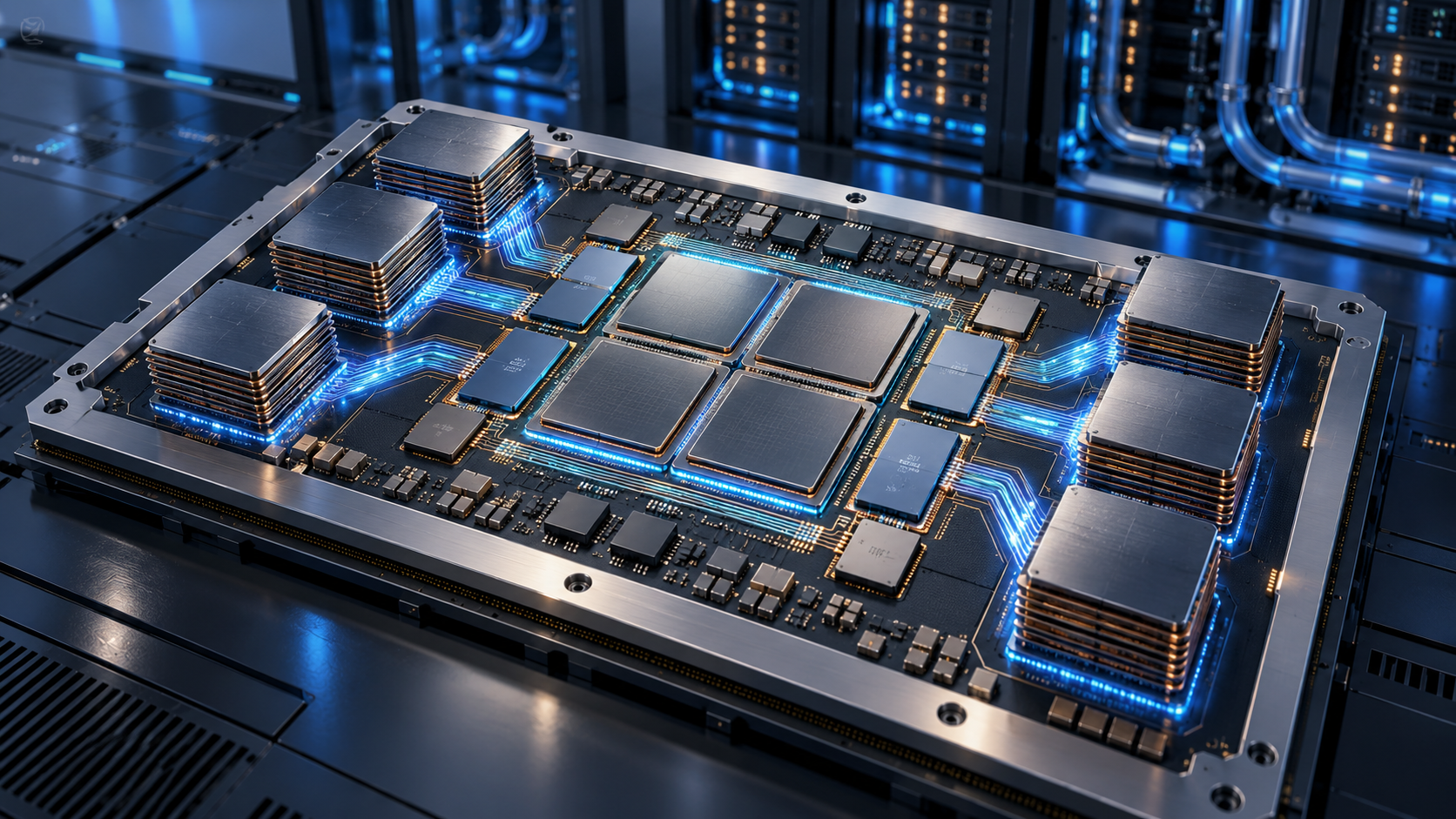
Concept visualization of a chiplet-based AI accelerator inside a liquid-cooled datacenter

Microsoft has announced Maia 300, a third-generation custom AI accelerator that the company expects to become its primary inference system across Microsoft products and services. Production deployments are scheduled to begin in 2027 as Azure expands the Maia platform to multi-gigawatt scale.

The numbers are substantial, but the most important detail is what this chip is—and what it is not. Maia 300 is cloud infrastructure built to serve AI models after they have been trained. It is not a processor consumers will buy for a PC, and Microsoft’s performance figures are forward-looking claims rather than independent benchmark results.

Maia 300 at a glance

Maia 300 at a glance

Microsoft’s official specifications and projections include:

  • Production deployments beginning in 2027, with Maia planned as the primary inference platform for Microsoft products and services.
  • Up to seven times the rack-scale token throughput of Maia 200 in a full 96-accelerator configuration.
  • An expected 40% increase in tokens per megawatt compared with leading GPU-based systems.
  • Eight HBM4 stacks per accelerator, providing 288GB of memory and 18TB/s of peak bandwidth within a 950-watt TDP.
  • A 96-accelerator rack using a 167-kilowatt power envelope, with 27.6TB of HBM capacity and 1.7PB/s of aggregate memory bandwidth.
  • A two-tier Ethernet-based scale-up network designed to connect as many as 12,288 accelerators in a superpod.

Microsoft says Maia 300 is optimized for long-context reasoning, latency-sensitive conversations and sustained multi-step agent workloads. Those tasks can be bottlenecked by memory movement and networking as much as raw arithmetic, which is why the design focuses heavily on data locality, memory bandwidth and rack-scale communication.

Why the chiplet design matters

Maia 300 splits major functions across several chiplets instead of building every component on one monolithic die. Microsoft says the compute chiplets use TSMC’s N2P process, while memory-controller and I/O functions sit on dies chosen for bandwidth, connectivity and cost.

That separation lets Microsoft spend its most advanced manufacturing budget where it produces the largest performance-per-watt benefit. Software then manages locality across the package so model data can stay closer to the compute engines that use it. Microsoft attributes a 36% increase in compute FLOPs, 2.5 times the HBM bandwidth and 14% more scale-up bandwidth to the new approach compared with Maia 200.

The accelerator also supports enhanced MXFP4 and sub-3-bit storage formats. Lower-precision formats can reduce the amount of memory and bandwidth required for inference, although actual answer quality and workload performance depend on how a model and its software stack use those formats.

Microsoft’s efficiency claims need independent proof

Microsoft’s headline comparisons are useful directional targets, not neutral test results. The company expects Maia 300 to produce 40% more tokens per megawatt than leading GPU-based systems and more than 2.5 times the performance per watt of Maia 200, but it has not published a broad set of third-party application benchmarks.

The comparison is also system-level. A Maia 300 rack combines accelerators, hosts, switches, networking, power delivery, cooling and software. Microsoft says liquid cooling removes more than 80% of the rack’s thermal load. That integrated design may improve efficiency, but it means a simple chip-to-chip comparison cannot capture the whole result.

The careful conclusion is that Maia 300 looks technically ambitious and purpose-built for Microsoft’s own workloads. Whether its real-world economics outperform the newest Nvidia and AMD platforms across many models will require deployment data and independent testing after systems enter production.

What Maia 300 could change for Copilot and Azure users

Most people will never see a Maia 300 chip, but they may use services running on it. Microsoft says Maia 200 already supports production workloads including Microsoft Copilot and the company’s MAI model team, with GitHub Copilot and Microsoft Foundry support planned by the end of 2026.

Maia 300 is intended to scale those experiences further. Higher inference capacity could help Microsoft serve more simultaneous requests, support longer context windows and run multi-step agents with less pressure on power and datacenter space. For users, the visible benefits could be faster responses, more reliable availability during demand spikes and lower operating costs that make advanced features easier to offer at scale.

None of those outcomes is guaranteed to appear as an immediate product upgrade. Microsoft has not promised that Maia 300 will reduce subscription prices, and cloud efficiency savings can be absorbed by larger models, more users or new features. The rollout begins in 2027 and will expand over time rather than switch every Microsoft AI service at once.

Does Maia 300 replace Nvidia GPUs?

No. Microsoft describes Azure as an open, heterogeneous platform, and Reuters reports that the company continues to buy large quantities of Nvidia and AMD hardware. Maia gives Microsoft another option for workloads it understands well and may reduce its dependence on any single supplier, but it does not eliminate the need for general-purpose GPUs.

That distinction matters because Maia 300 is designed primarily for inference. Training frontier models, supporting many customer frameworks and handling unusual workloads can favor different hardware. Microsoft’s advantage is the ability to co-design chips, racks and software around its own high-volume services, then choose other accelerators where they remain a better fit.

What readers should do now

There is nothing to preorder and no consumer Maia 300 device to wait for. If you use Copilot, Teams, GitHub Copilot or Azure AI services, the practical move is to judge those products on current price, privacy, speed and usefulness rather than on a 2027 infrastructure promise.

Shoppers who want Microsoft’s current on-device AI experience can browse Microsoft Copilot+ PCs on Amazon. Those computers use consumer processors from companies such as Qualcomm, Intel and AMD; they do not contain Maia 300, which remains a datacenter accelerator.

ReaderSpice may earn a commission from qualifying purchases made through affiliate links, at no additional cost to you.

Bottom line

Maia 300 shows how aggressively Microsoft is moving from buying AI accelerators to designing a larger share of its own inference stack. The combination of chiplets, 288GB of HBM4 per accelerator, 96-accelerator racks and a planned 12,288-accelerator superpod is built for a future in which long-context agents run continuously at enormous scale.

The 2027 rollout could make Microsoft’s AI services faster and more power-efficient, but the strongest claims still belong to Microsoft. Treat the architecture as confirmed, the deployment plan as official and the performance advantages as projections that need real-world validation.

Sources

Microsoft official blog: Azure Maia 300 announcement and 2027 deployment plan

Microsoft Azure Blog: Deep dive into Maia 300 architecture

Microsoft Maia 300 media resources and product imagery

Reuters: Microsoft’s deployment scale, cost strategy and supplier context

The Verge: Maia 300 rollout and Microsoft’s custom-chip strategy

Inline image: Concept visualization of a chiplet-based AI accelerator with high-bandwidth memory stacks

OpenAI Dots Are Always-On AI Agents: Availability, Privacy and What They Can Do

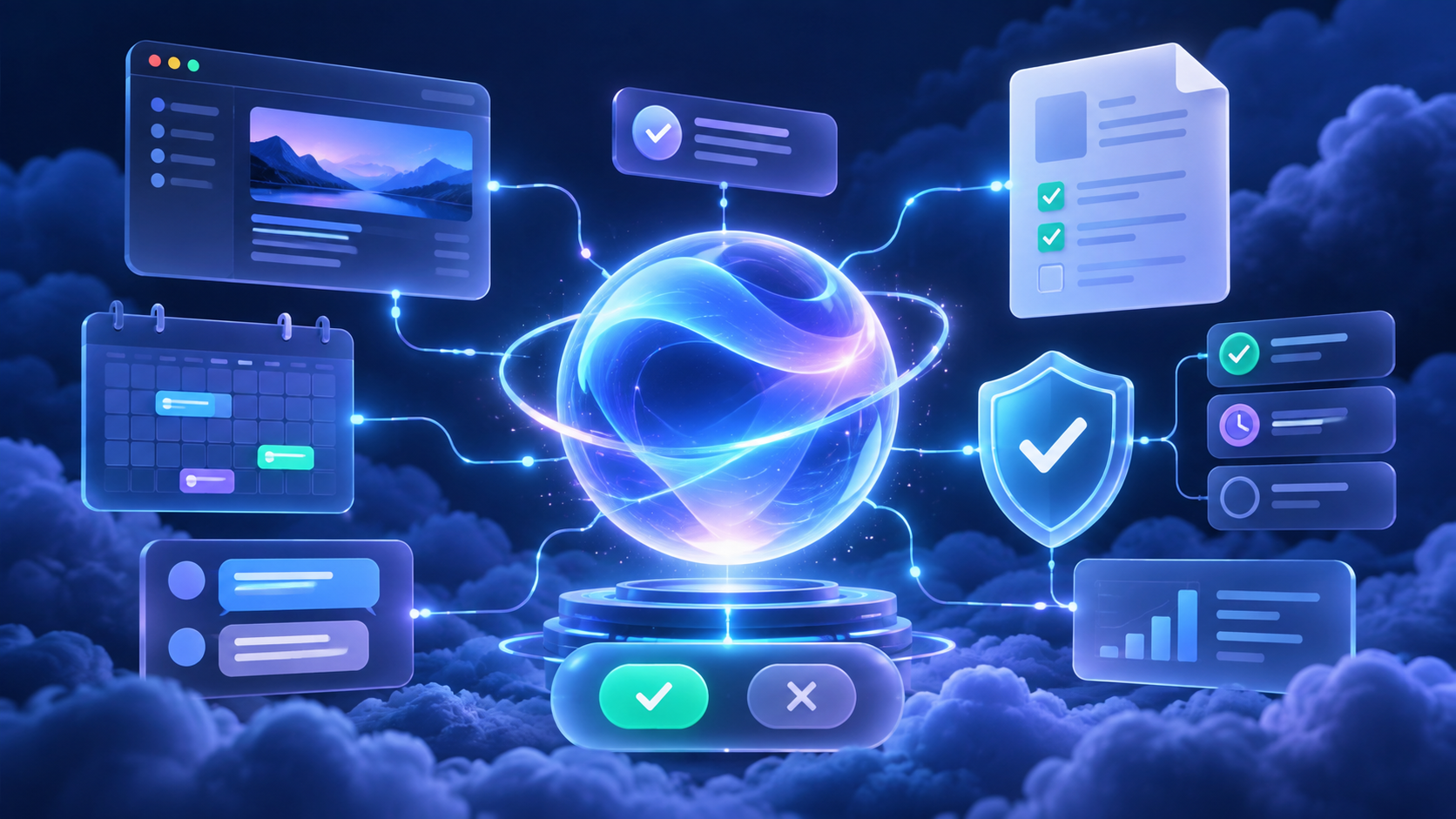
Abstract always-on AI agent connecting work apps with visible security and approval controls

OpenAI has introduced dots, a new class of always-on AI agents designed to keep working toward a goal even when you are not actively chatting. The pitch is bigger than a smarter chatbot: each dot gets a cloud computer and browser, can connect to thousands of apps, and can return with progress as a project changes.

For readers, the useful question is not whether dots sound futuristic. It is whether the new agents are available on your plan, what they can safely access, and where human approval still matters. Here is the practical version.

What are OpenAI dots?

A dot is a persistent agent inside the OpenAI ecosystem. OpenAI says dots are powered by GPT-6 Astra and can be assigned ongoing work rather than a single prompt. A user might ask one to track a developing sales opportunity, research a purchase, organize a trip, update a proposal as requirements change, or build a working software demo for review.

Each dot has its own cloud computer and browser. It can also connect to more than 4,000 apps through plugins, which gives it a way to gather context and act across the services a person or team already uses. OpenAI says people can communicate with dots in ChatGPT, Slack and Microsoft Teams, with text-message access planned later.

That persistent setup is the main distinction. A dot is meant to notice new information, continue a task in the background and bring back a useful result without making the user reopen the same conversation and restate the entire job.

Who can use dots now?

The rollout is gradual, so two people on the same plan may not see the feature at the same time. OpenAI says access is beginning for eligible Pro, Business Premium and Enterprise customers in supported markets. Enterprise access is controlled by workspace administrators and is off by default.

OpenAI is initially including one primary dot with eligible Pro and Business Premium plans at no additional charge. The company also describes a launch-period allowance for deeper work, but work delegated by a dot to Codex or ChatGPT Work can count against those products’ usage limits. That makes the included dot different from unlimited background labor.

If the feature is absent from your account, the most likely explanation is the staged rollout or a workspace setting—not necessarily an unsupported device. Enterprise users should check with an owner or administrator before assuming the account is ineligible.

What dots can actually do

OpenAI’s examples position dots as general-purpose project workers rather than simple reminders. Depending on the connected apps and permissions, a dot can:

  • Monitor a changing project and revise a deliverable when new information arrives.
  • Research across the web and connected sources, then summarize findings.
  • Prepare documents, presentations and analysis for review.
  • Use Codex to build or update software and return a working demo.
  • Coordinate through ChatGPT, Slack or Teams instead of requiring one permanent browser tab.
  • Remember feedback about how the user wants recurring work handled.

The reader benefit is continuity. Instead of asking for isolated outputs, you can define a result and let the dot keep the project moving. That can be useful for travel planning, competitive research, recurring reporting, launch preparation and other jobs where the inputs change over time.

How dots differ from a normal ChatGPT conversation

A standard conversation is usually reactive: you ask, ChatGPT answers, and the next step waits for another message. A dot is designed to be proactive and persistent. It can keep a project open, observe permitted sources, and decide when new information is important enough to act on or report.

Dots also have a dedicated cloud environment. That separation matters because the agent is not simply taking over your personal computer by default. OpenAI says local computer access requires permission, while the cloud computer remains a separate workspace unless you explicitly connect more capabilities.

That does not make a dot infallible. It changes the operating model from ‘answer this prompt’ to ‘work toward this goal,’ which increases both usefulness and the need for careful rules.

Privacy, permissions and human approval

Privacy, permissions and human approval

OpenAI gives users and administrators several controls intended to limit what a dot can do. Custom Rules can allow an action, require approval before it happens, or block it entirely. An Activity View provides a record of what the dot has been doing, while automatic review systems are intended to check consequential actions.

OpenAI says especially sensitive actions—such as changing passwords or permanently deleting data—require explicit consent. Business customer data is not used to train OpenAI models by default. Personal-plan users can manage whether conversations and dot activity are used to improve models through their data controls.

These protections are meaningful, but they do not remove the need for review. A dot can still misunderstand a goal, use stale information or produce an incorrect draft. The safest starting point is a narrow task with clear approval rules and a result that a person can inspect before it reaches customers, colleagues or the public.

Read-only research has an important boundary

When a dot is proactively researching while you are away, OpenAI says connected-app tools are restricted to read-only access. In that mode, the agent can inspect available information but cannot send messages, change content, or control a browser or computer.

That boundary is reassuring, but it is also easy to misunderstand. A dot may gain broader abilities when you are actively working with it and approve an action, or when workspace rules explicitly permit one. Users should review both the current task and the configured rules instead of assuming every dot interaction is permanently read-only.

A sensible first configuration is to allow reading and drafting, require approval for messages or file changes, and block destructive actions unless there is a compelling reason to enable them.

What enterprise teams should know

Enterprise workspaces do not automatically gain an unrestricted agent. Owners can decide whether dots are available, whether Slack or Teams connections are allowed, whether local computer access is permitted, and which Custom Rules apply.

That makes deployment a governance decision as much as a productivity decision. Teams should identify the systems a dot may read, the actions it may propose, who approves consequential changes, and how Activity View records will be reviewed. Regulated teams should also confirm that their existing data-handling and retention requirements match the chosen configuration.

OpenAI’s administration guide says phone messaging is not available for Enterprise at launch. The company also cautions that the rollout is gradual and that individual capabilities may not appear immediately.

Limits and questions to watch

The launch leaves several practical questions that only real-world use will answer. Long-running agents can consume more compute than a short chat, so allowance details and delegated-tool limits matter. Reliability also matters: Reuters reported that some voice-update demonstrations encountered problems during the live launch event.

Users should also watch how well a dot distinguishes a useful update from noise, how clearly it explains the actions it took, and how easily a project can be handed back to a person. An always-on agent that requires constant correction is not much of a time-saver.

Finally, availability remains uneven. OpenAI has announced the product, but the feature is still rolling out. Treat broad demos as examples of the intended experience, not a guarantee that every integration and channel is already enabled on every account.

Who should try a dot first?

Dots make the most sense for people who already have a recurring, multi-step workflow with clear inputs and a reviewable output. Strong first experiments include a weekly market brief, a monitored travel itinerary, a product-research watchlist, a draft status report or a software prototype that must be reviewed before release.

Avoid starting with high-stakes or irreversible work. Do not make the first test a password change, a public announcement or an unsupervised customer message. Begin with read access, drafting and explicit approval. Expand permissions only after the dot has shown that it understands the job.

A practical setup for voice updates and calls

If you plan to communicate with an agent through frequent calls or voice updates, a comfortable USB headset for computer calls can make long sessions easier and keep audio more consistent than a laptop microphone.

ReaderSpice participates in the Amazon Associates program and may earn a commission from qualifying purchases made through affiliate links, at no extra cost to you.

The bottom line

OpenAI dots are a significant shift from on-demand chat toward persistent software that can keep working across apps. The most compelling features are the dedicated cloud computer, broad plugin connectivity and the ability to maintain a project as conditions change.

The tradeoff is that persistence raises the stakes. Availability is limited, usage is not boundless, and permissions deserve careful attention. Readers who get access should start with a narrow, reversible workflow, keep approval gates around consequential actions, and judge the product by the quality of its Activity View and finished work—not by the promise of an agent that is always on.

Sources