Google’s October 29, 2026 Google Home release is more useful than its modest label suggests. On supported Android devices, compatible Matter smart plugs and energy monitors can now surface live power and cumulative energy data. The same release also fixes several Nest camera and doorbell problems, improves older Nest hardware, and addresses a Wi-Fi 7 setup issue affecting speakers.
This is a phased, device-dependent update rather than one universal feature switch. What appears in your app will depend on your phone platform, Google Home app version, device firmware, hardware capabilities, account region and, for some camera features, a Google Home Premium plan.
The practical takeaway: update the Google Home app and the affected devices, then check the exact controller or history view described below. If a feature is absent, that does not automatically mean the rollout failed; the hardware may not expose the needed Matter measurement cluster, or Google may still be staging the change.
What changed in the October 29 Google Home update
- Android can show real-time power in milliwatts and cumulative energy in kilowatt-hours for supported Matter smart plugs and energy-monitoring devices.
- Google Home recognizes more Matter closure types—including garage doors, gates, windows, blinds and cabinets—with more accurate icons and controls.
- An iOS camera-timeline bug that could show ‘Video Not Available’ at the end of an event or across a gap has been fixed.
- Foldable Android phones should no longer get stuck on a loading spinner when the device is folded or unfolded during a full-screen camera view.
- The first-generation wired Nest Doorbell gets better person and Familiar Face detection at distance and from wider angles.
- Legacy Nest cameras receive Wi-Fi reconnect, night-vision, audio/video sync and status-light fixes, depending on model.
- Speakers gain reliability fixes for playback, stereo pairs, Bluetooth resume, groups and Wi-Fi 7 WPA3 setup.
Matter energy data arrives on Android
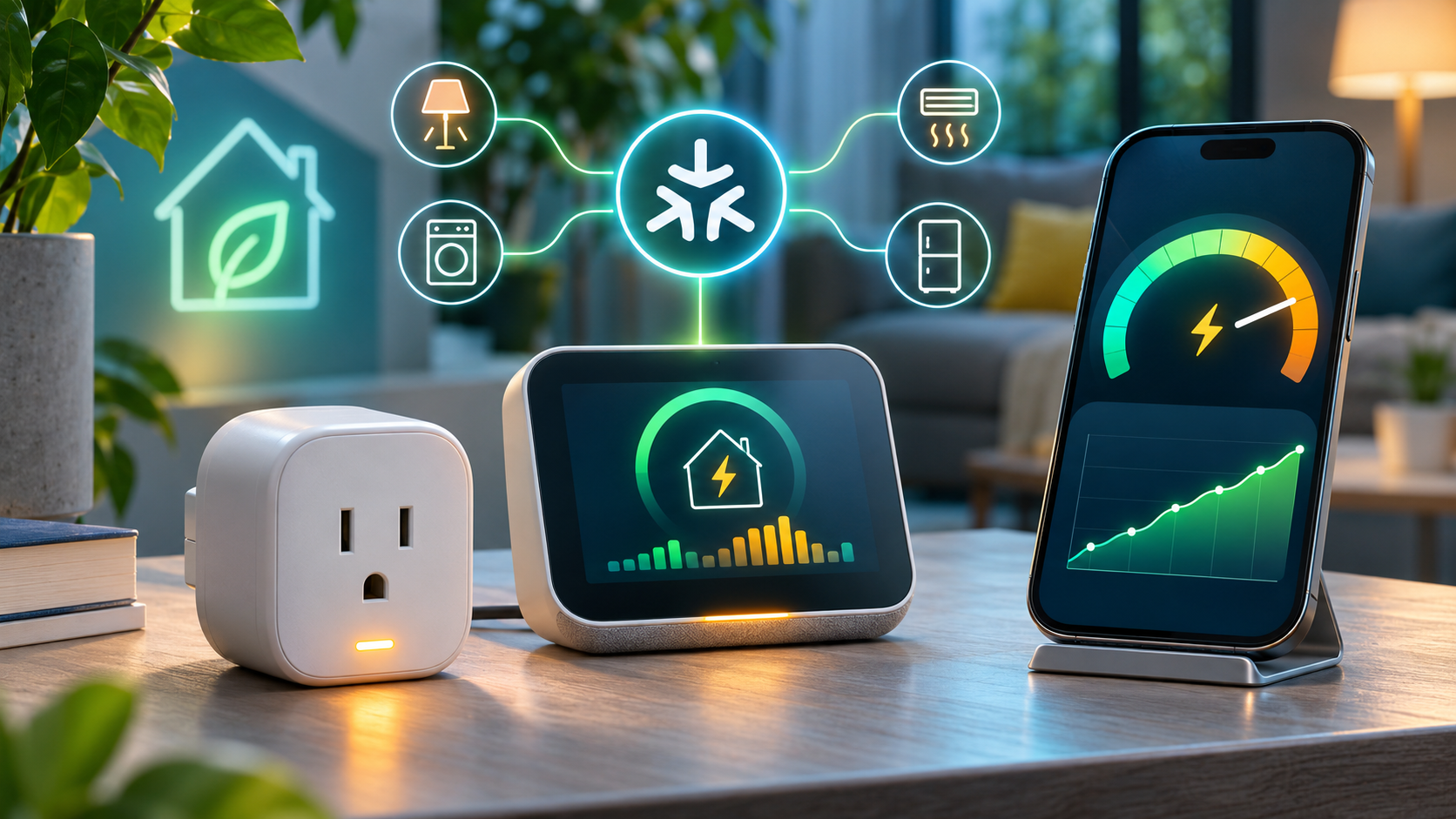
Supported Matter energy devices can expose live power and cumulative energy inside Google Home on Android.
For compatible hardware, Google says Android device tiles and controllers can display two distinct measurements. Real-time power is reported in milliwatts (mW), a snapshot of what the device is drawing now. Cumulative energy is reported in kilowatt-hours (kWh), the running total that is more useful for comparing appliances over time.
The distinction matters. Power answers ‘how much is this using right now?’ while energy answers ‘how much has it used across a period?’ A kettle can have high instantaneous power but little total energy if it runs for only a few minutes; a lower-power device can consume more energy if it stays on all day.
This feature does not turn every Matter outlet into a meter. The device must implement and expose the relevant electrical measurement and energy-management capabilities, and its manufacturer firmware must report them correctly. Treat the figures as a household troubleshooting and comparison tool unless the manufacturer explicitly states that the hardware is revenue-grade or suitable for billing.
How to check energy readings in Google Home
- Update the Google Home app from the Play Store and install any available firmware update for the Matter device or its hub.
- Open Google Home on Android, select the compatible smart plug or energy monitor, and inspect its device tile or controller.
- Look for live power in mW and cumulative energy in kWh. If only on/off controls appear, confirm the device’s specifications actually list energy monitoring—not merely Matter support.
- Compare a known load, such as a lamp, in both the manufacturer app and Google Home. Large or persistent discrepancies should be investigated with the device maker.
- Record a baseline before changing routines. A single live reading is less useful than comparing cumulative energy across similar days or weeks.
Nest camera and doorbell fixes
The iOS timeline should stop throwing false errors
On iPhone and iPad, scrolling to the end of an event or into a normal gap could incorrectly produce a ‘Video Not Available’ message. Google says that condition is fixed. In Google Home, recorded history sits below the live camera view and can be displayed as a timeline or an event list. Normal gaps remain expected when an account uses event-only history and nothing was recorded.
Foldable Android live view gets unstuck
Google also fixed a full-screen live-view problem on foldable Android phones. Folding or unfolding the device could leave the camera stream stuck behind an indefinite loading spinner. The fix is narrow but valuable for owners who use a foldable as a portable camera monitor.
First-generation wired Nest Doorbell detection improves
The wired first-generation Nest Doorbell gets improved person and Familiar Face detection, especially when visitors are farther away or viewed at an angle. Familiar Face alerts still depend on compatible hardware, account eligibility and a Google Home Premium subscription. Face recognition also carries local privacy and consent obligations; Google notes that the feature is unavailable for cameras based in Illinois.
Older Nest cameras get reliability updates
Google’s legacy-device notes cover several specific annoyances rather than a single blanket update:
- More stable reconnection after a Wi-Fi interruption on affected older cameras.
- Faster switching between normal and night vision, with the transition shortened by roughly 15 to 20 seconds on supported models.
- Improved audio/video synchronization on the first-generation wired Nest Doorbell.
- A status-light correction for Nest Cam IQ hardware.
Because these changes are model-specific, the safest test is simple: note the exact camera model, confirm its firmware is current, reproduce the old failure once, then compare behavior after the update. Avoid factory-resetting a working camera solely because a release note exists; resets can add setup risk without accelerating a server-side rollout.
Wi-Fi 7 speaker compatibility and audio fixes
The speaker update addresses a setup and connection problem involving some Wi-Fi 7 networks using WPA3. That does not mean every speaker becomes a Wi-Fi 7 radio; it means affected Google speakers should work more reliably with the security and compatibility behavior of newer routers.
Google also lists fixes for intermittent playback, stereo-pair tuning, local device discovery, resuming after Bluetooth use, speaker-group visibility and ending Google Meet calls. If a speaker group is still missing, first confirm all devices are on the same household network and Google account, then restart the router and speakers before rebuilding the group.
Other useful app, router and streaming changes
- Matter closures: More accurate icons and controls for garages, gates, windows, blinds and cabinets on Android.
- Thermostats: A one-tap energy-saving shortcut where supported.
- Nest Wifi: Reliability work including DNS fallback improvements.
- Google TV Streamer / Chromecast: Security and performance updates; capabilities still vary by device generation.
- Google Home Premium: Features are accessible from the profile area, but availability depends on plan and region.
What the update does not guarantee
- Immediate availability on every account. Google commonly phases app, firmware and server-side changes.
- Energy data from every Matter device. The hardware must expose the relevant measurement capability.
- Billing-grade accuracy. Use a utility meter or certified instrument for financial or safety-critical decisions.
- Unlimited camera history. Retention depends on the applicable Google Home Premium plan and camera configuration.
- Familiar Face availability everywhere. Hardware, subscription, account settings and local law can all limit it.
- A reason to replace working hardware. Test the update against a real problem before buying anything.
Optional thermostat upgrade
Google’s one-tap energy-saving shortcut may make a connected thermostat more convenient, but it is not evidence that every thermostat exposes the new Matter energy readings. A relevant, established retail example is the Google Nest Thermostat on Amazon (ASIN B08HRPDYTP). Confirm HVAC compatibility, regional availability and supported Google Home features before buying; current price and stock can change.
Affiliate disclosure: ReaderSpice may earn a commission from qualifying purchases made through the Amazon link above, at no extra cost to you.
Bottom line
Google Home’s October 29 update is a collection of small changes with unusually broad practical reach. Matter energy readings make compatible devices more informative, while the camera, doorbell, speaker and network fixes remove friction from products people already own. The right response is to update, verify the specific capability on your hardware, and measure the result—not to assume every feature applies to every device.
Sources
- Google Home & Nest Community: Google Home Release Notes — October 29, 2026
- Google Home Developers: DeviceEnergyManagement Matter reference
- Google Home Developers: ElectricalPowerMeasurement Matter reference
- Google Home Help: Learn about video history in the Google Home app
- Google Home Help: Familiar face detection
- Amazon: Google Nest Thermostat (ASIN B08HRPDYTP)