Google Meet Adds Post-Quantum Encryption: What Changes and Who Gets It

Laptop video meeting protected by a quantum-resistant encryption shield and secure data connections

Google Meet is adding post-quantum cryptography to calls, giving everyday video meetings an extra layer of protection against a threat that does not exist at practical scale yet: a future quantum computer capable of breaking widely used public-key encryption.

Google began the gradual rollout on October 12, 2026, for laptop web clients and Google Meet room hardware. Mobile support is coming later. The change is automatic, applies to personal and paid Workspace accounts, and does not add a new button or setting. That simplicity is welcome, but it also makes the update easy to misunderstand.

Google Meet post-quantum encryption at a glance

  • Google is adding post-quantum cryptography, or PQC, to Meet calls to reduce future quantum-computing risk.
  • The rollout started October 12 for laptop web clients and Meet room hardware, with up to 15 days for visibility.
  • Mobile support is planned, but Google has not announced a specific Android or iPhone date.
  • The protection is available to all Workspace customers, Workspace Individual subscribers and personal Google accounts.
  • There is no administrator control or user setting, and Google says no action is required.

What Google changed inside Meet

Google says Meet calls now use post-quantum cryptography as an additional protection for the cryptographic exchanges that secure a session. The first wave covers browsers on laptops and Google Meet room hardware. The rollout is server-managed, so a host does not need to recreate meetings, change an organization policy or ask every participant to enable a feature.

The update is designed to be invisible during normal use. Meeting links, joining steps, call controls, captions, recordings and collaboration features should behave as before. Google has not announced a special PQC badge, and its rollout post explicitly says users can continue using Meet normally.

Google previously used quantum-safe encryption for client-side encrypted Meet calls. The October rollout expands that direction to ordinary Meet traffic rather than reserving quantum-resistant protection for organizations using the more specialized client-side encryption configuration.

Why “store now, decrypt later” matters

Why “store now, decrypt later” matters

A cryptographically relevant quantum computer does not exist today. The concern is that an attacker could capture encrypted traffic now, preserve it for years and attempt to decrypt it after future hardware becomes powerful enough. Security teams call this a “store now, decrypt later” attack.

That risk is most important when information remains valuable for a long time. A routine team check-in may age quickly, while legal discussions, medical research, product plans, government work or merger conversations can stay sensitive for years. Protecting today’s traffic before a capable quantum computer arrives reduces the value of collecting that traffic in advance.

This is also why migration is beginning before the threat becomes immediate. Encryption changes take years to standardize, test and deploy across browsers, mobile apps, room systems, networks and identity services. Waiting until a large quantum computer is operational would leave too little time to replace vulnerable systems safely.

What post-quantum cryptography does—and does not do

Post-quantum cryptography uses mathematical problems that are believed to resist both conventional and quantum attacks. NIST has finalized standards including ML-KEM for establishing shared secrets and ML-DSA and SLH-DSA for digital signatures. Google has been deploying standardized PQC in hybrid configurations that combine new algorithms with established cryptography.

A hybrid approach is important because it avoids betting the connection on only one new construction. The classical component preserves familiar protection, while the post-quantum component adds resistance to future quantum attacks. Google’s Meet announcement does not publish every protocol detail, so readers should not assume a specific algorithm or parameter set beyond what Google has formally documented.

PQC does not make a meeting invulnerable. It cannot stop a participant from recording the screen, prevent phishing, repair a compromised Google account or remove an unwanted guest who was admitted. It also should not be confused with a promise that every Meet session is end-to-end encrypted.

How this differs from Meet’s existing encryption

Google Meet already encrypts meeting traffic in transit between a participant’s device and Google’s data centers. Recordings stored in Google Drive are encrypted at rest. Google’s help documentation says standard meetings and upgraded Meet calls are cloud-encrypted, using established transport protections including DTLS and SRTP.

Personal accounts can enable additional end-to-end encryption for certain direct calls, although doing so disables some cloud-assisted features. Business and education accounts use cloud encryption for normal calls and do not receive that personal-account toggle.

Client-side encryption is a separate enterprise feature. With CSE, an organization connects an external identity provider and key service, and Google’s servers cannot decrypt the meeting media. It is limited to eligible Workspace editions and changes how meetings are created, joined and managed. The new PQC rollout does not replace CSE or eliminate its administrative requirements.

Who gets the upgrade and when

Google lists the new protection for all Google Workspace customers, Workspace Individual subscribers and users with personal Google accounts. Rapid Release and Scheduled Release domains share the same rollout window because the change is infrastructure-level rather than a visible productivity feature.

The initial deployment began October 12 for laptop web clients and meeting room hardware, with Google allowing up to 15 days for the rollout. Mobile support is described only as “coming soon.” Until Google publishes a mobile date, Android and iPhone users should not assume the feature has reached every call.

There is no admin control and no end-user toggle. That means an organization cannot accelerate the deployment, while an individual cannot verify it by hunting through Meet settings. The safest interpretation is that eligible web and room clients receive the protection progressively as Google completes the rollout.

What users and administrators should do

Google says no action is required to receive the update. Even so, normal maintenance still matters because a secure service depends on the browser, operating system, room hardware and account remaining trustworthy.

  • Keep Chrome or another supported browser updated and restart it after major security updates.
  • Keep Meet room hardware and mobile apps on their supported release channels.
  • Use multifactor authentication or passkeys to reduce the risk of account takeover.
  • Review guest access, host controls and recording permissions for sensitive meetings.
  • Use client-side encryption when organizational policy requires control of encryption keys and the edition supports it.

Organizations with long-lived confidential data should treat Meet’s rollout as one part of a wider migration. NIST advises organizations to inventory quantum-vulnerable cryptography and begin moving toward finalized standards now. Email gateways, VPNs, code signing, identity systems, backups and custom applications will not become quantum-ready merely because a meeting service has been upgraded.

A practical upgrade for clearer Meet calls

Encryption works in the background, but call quality still depends on the camera and microphone. Readers improving a laptop meeting setup can compare the Logitech Brio 4K webcam on Amazon. It supports 4K video, HDR correction and multiple fields of view, although actual Meet quality also depends on bandwidth, lighting and account settings.

ReaderSpice may earn a commission from qualifying purchases made through affiliate links, at no additional cost to you.

Bottom line

Google Meet’s post-quantum rollout is a meaningful infrastructure update precisely because most users will not notice it. It reduces the future value of intercepted meeting traffic without changing how people schedule or join a call, and Google is extending the protection across personal accounts, paid Workspace editions and room systems.

It is not a signal that today’s encryption has suddenly failed, nor is it a substitute for access controls, account security or client-side encryption. The practical takeaway is simpler: keep clients current, continue applying ordinary meeting security, and let Google’s gradual rollout add quantum-resistant protection in the background.

Sources

Google Workspace Updates: Google Meet now uses post-quantum cryptography

Google Meet Help: Learn about call and meeting encryption

Google Meet Help: Learn about client-side encryption

Google Cloud: Post-quantum cryptography roadmap

NIST: Post-quantum cryptography standards and migration guidance
Gmail Live and AI Inbox Reach Workspace: Voice Search, Source Cards and Action Items

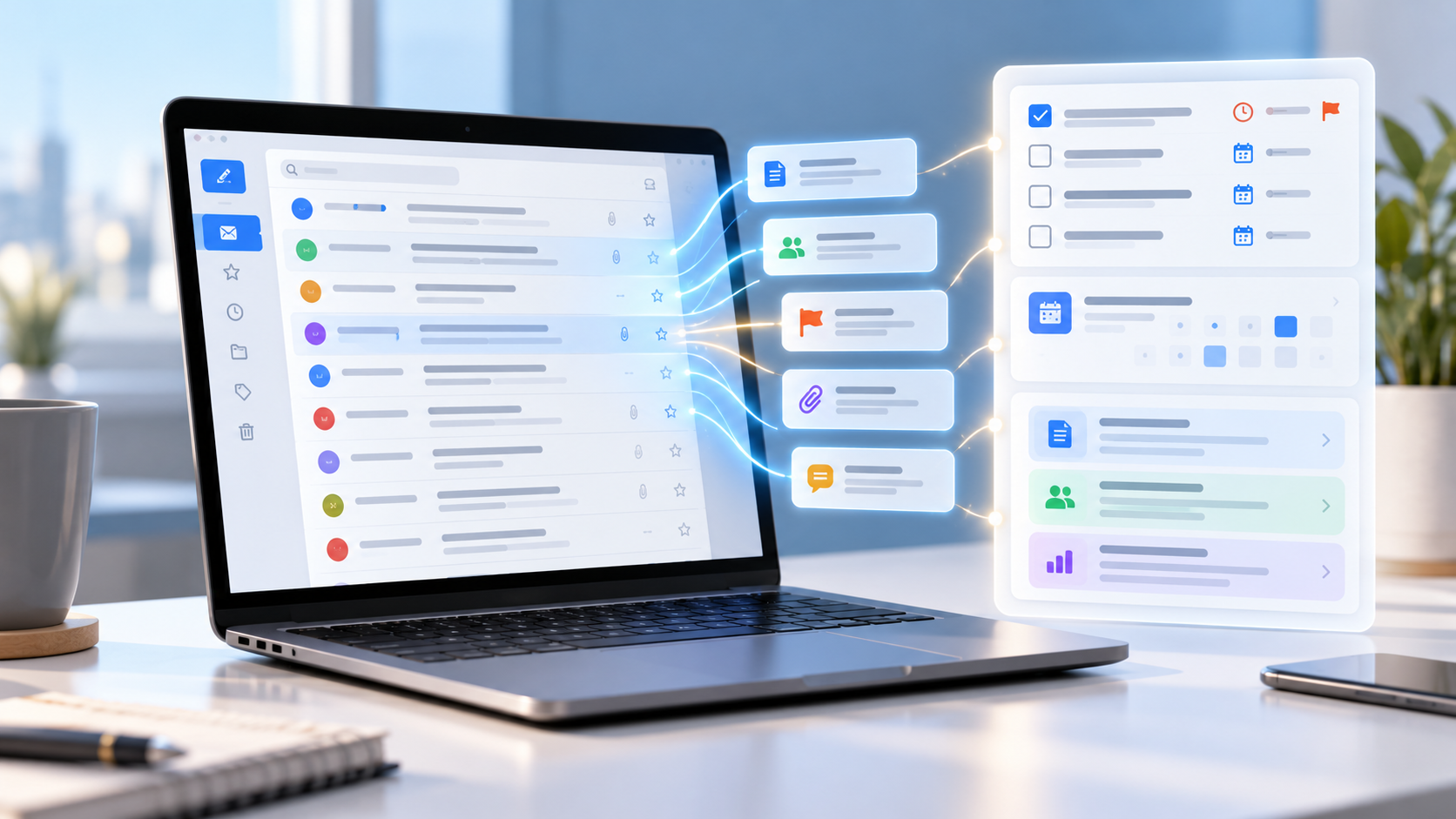
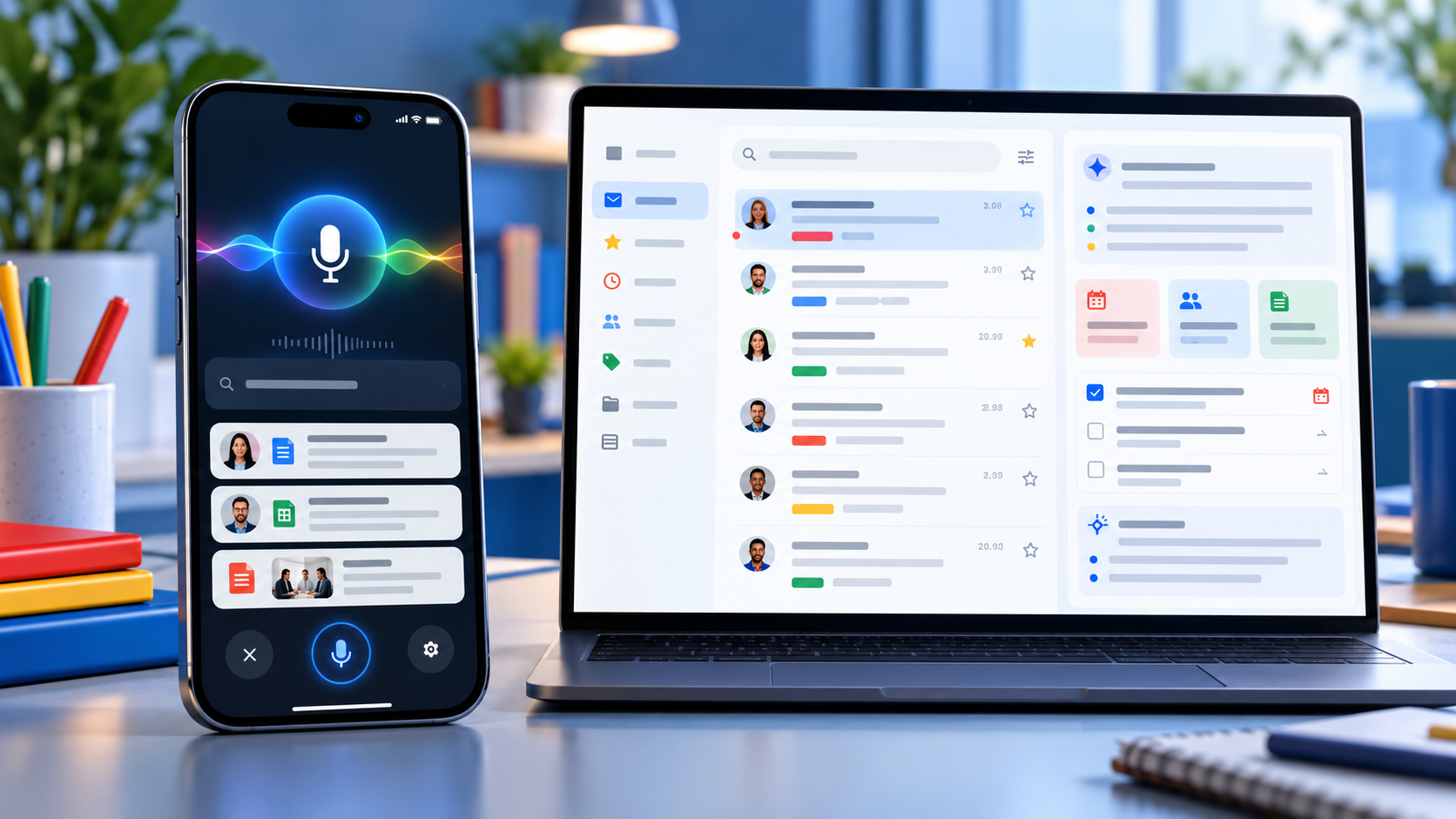
Smartphone and laptop showing Gmail Live voice inbox search, source cards and AI-prioritized email tasks

Google is bringing two of Gmail’s most ambitious Gemini features to more paid Workspace accounts. Gmail Live turns inbox search into a spoken conversation on Android and iPhone, while AI Inbox builds a separate view of priority topics, deadlines and suggested to-dos drawn from email.

The October 2026 expansion can save time, but availability is unusually specific. Both features are currently limited to the United States and English, require eligible plans and depend on Gmail smart-feature settings. Google also labels both experiences as beta, so readers should verify important answers against the original messages.

Gmail Live and AI Inbox at a glance

  • Gmail Live lets users ask spoken questions about their email and hear synthesized answers on supported Android phones and iPhones.
  • Each Gmail Live turn can show an email source card, giving users a path back to the messages behind an answer.
  • AI Inbox extracts suggested to-dos, deliverables and deadlines, then summarizes priority topics across conversations.
  • Both features currently require U.S. availability, English language settings, eligible plans and Gmail smart features.
  • Google is using gradual rollouts, so an eligible account may wait as long as 15 days—or longer for some editions—before the features appear.

Gmail Live turns inbox search into a conversation

Gmail Live is designed for questions that would otherwise require several searches or long email threads. A user can ask for a flight gate, an order update, a training deadline or the latest message from a manager, then interrupt, refine the question or follow up without starting a new search.

Google says the feature uses current Gemini models to provide low-latency, inbox-aware voice search. Answers are spoken aloud, making the experience useful when typing is inconvenient. The feature is available inside the Gmail mobile app rather than on the desktop web interface.

This is not a hands-free license to trust every response. Email can contain old reservations, revised deadlines or several messages with similar subjects. Before acting, open the cited message and confirm that the sender, date, attachment status and latest reply match the answer.

Source cards make Gmail Live answers easier to audit

Google now surfaces an email source card prominently at each conversational turn. Users can tap a link inside a response to open the exact email or open the Sources card to see all cited messages. Selecting an email ends the Live session, while a View search page option returns the user to Gmail’s standard results.

That source path is the most important reliability feature in the update. If Gmail Live says a payment is due or a flight leaves from a certain gate, the original message remains the authoritative record. The source card also helps reveal when an answer blended details from more than one thread.

Google’s rollout post says users can choose a preferred Gmail Live voice. At publication time, Google’s Android help page still says the voice cannot be changed. That documentation mismatch likely reflects a staged interface update, so do not assume the voice selector has reached every account yet.

How to start Gmail Live

  • Open the Gmail app on a supported Android phone or iPhone and sign in to an eligible account.
  • Look for the Gmail Live entry point near the top of the app or in the search area.
  • Grant microphone permission the first time Gmail asks, then accept the displayed terms.
  • Ask a question aloud, interrupt to refine it or select a suggested prompt.
  • Use the Sources card to inspect the messages behind the response before acting.

Google’s help page says Gmail Live does not currently work on Android tablets. Work and school users also depend on their administrator allowing Gemini beta access, while personal accounts need Google AI Plus, Pro or Ultra. Smart features in Workspace and other Google products must be enabled.

AI Inbox builds a prioritized view of work and deadlines

AI Inbox builds a prioritized view of work and deadlines

AI Inbox appears as a separate destination in Gmail’s menu. Its Suggested to-dos section extracts high-priority tasks from incoming messages and can emphasize a deadline or required action. Topics to catch up on summarizes important projects, travel plans, reservations, purchases and other threads that may be scattered across the inbox.

Users can open the related message, reply, mark a to-do complete or remove an inaccurate item. Feedback controls allow a positive or negative rating, and Google includes a report-abuse option for unsafe suggestions.

The feature may take time to populate. Google says the first set of to-dos and topics can take a few hours after smart features are enabled and, in some cases, as long as seven days. A quiet account may show an empty AI Inbox.

What AI Inbox includes—and what it misses

AI Inbox currently focuses on Gmail’s Primary tab. It does not use messages filed under Social or Promotions, and it filters out spam plus messages that are archived, deleted, muted or snoozed. That means a valid deadline can be absent simply because the message sits outside Primary.

Google’s help documentation also says AI Inbox does not support attachments, delegated inboxes or encrypted email. A task described only in a PDF, a shared mailbox or a client-side encrypted message may therefore be invisible to the feature.

The practical rule is simple: treat AI Inbox as a triage layer, not a complete task manager. Continue checking labels, calendar events, shared mailboxes and any project system that holds obligations outside ordinary Gmail messages.

Availability and rollout timing

Gmail Live began a gradual rollout to Rapid Release and Scheduled Release domains on October 15, with Google allowing up to 15 days for visibility. Eligible editions include Business and Enterprise plans, Frontline Plus, Workspace for Nonprofits, several Gemini add-ons, Google AI Pro for Education and Google AI Plus, Pro and Ultra consumer plans.

AI Inbox started reaching Rapid Release domains on October 12 and is scheduled to begin for Scheduled Release domains on October 26, also with a gradual rollout of up to 15 days. Google lists Business, Enterprise, Frontline Plus and AI Pro for Education availability, but separately notes that Starter and Education editions will receive the feature later. That means plan eligibility does not guarantee the same launch date.

Both features currently require a U.S. account experience with English set to EN-US. App version, administrator settings, account type and rollout stage can all explain why one eligible user sees the new menu while another does not.

Privacy and history controls deserve a review

Gmail Live saves transcripts in the user’s Gemini in Workspace conversation history. Google says users can review and delete that history from a web browser. The microphone can be muted during a session, and Gmail cannot start Live if microphone permission is denied.

AI Inbox generates its recommendations from content and activity across Workspace apps. Google notes that some to-dos or topics may be generated for optimization without appearing in the visible AI Inbox. Users can open View all on the web to inspect more of that generated data.

For work accounts, administrators control several Gemini and smart-feature settings, but Google says AI Inbox itself currently has no dedicated admin control. Organizations handling regulated or confidential information should review Workspace’s data-protection terms, retention policies and beta-feature settings before treating either feature as a standard workflow.

Five checks before relying on Gmail’s AI features

  • Open the cited email and confirm the latest date, sender and thread before acting.
  • Check attachments manually because AI Inbox does not support them.
  • Look outside Primary for deadlines that may be in Promotions, an archived label or a delegated inbox.
  • Review Gemini in Workspace conversation history and delete sensitive transcripts when appropriate.
  • Keep important tasks in a real calendar or project system instead of assuming AI Inbox is complete.

A practical device for Gmail Live

Gmail Live is built for mobile use, so a current Android phone with strong battery life and reliable microphones is the most natural fit. Readers comparing compatible hardware can view the unlocked Google Pixel 11 on Amazon.

ReaderSpice may earn a commission from qualifying purchases made through affiliate links, at no additional cost to you.

Bottom line

Gmail Live and AI Inbox make Gmail more proactive in two different ways: one answers spoken questions with source cards, while the other organizes tasks and priority topics before the user searches. For busy inboxes, both can reduce the time spent opening threads.

Their limits matter as much as their convenience. U.S.-only availability, English requirements, beta status, rollout delays and unsupported message types mean neither feature should be treated as a complete record. The safest workflow is to use Gemini for triage, then verify every consequential detail in the original email.

Sources

Google Workspace Updates: Gmail Live rollout for Workspace users

Gmail Help: Talk naturally with Gmail Live

Google Workspace Updates: Gmail AI Inbox rollout

Gmail Help: Manage to-dos and topics with AI Inbox

Google: Gmail is entering the Gemini era

Googlebook Preorders Are Live From $899: Models, Features and Release Date

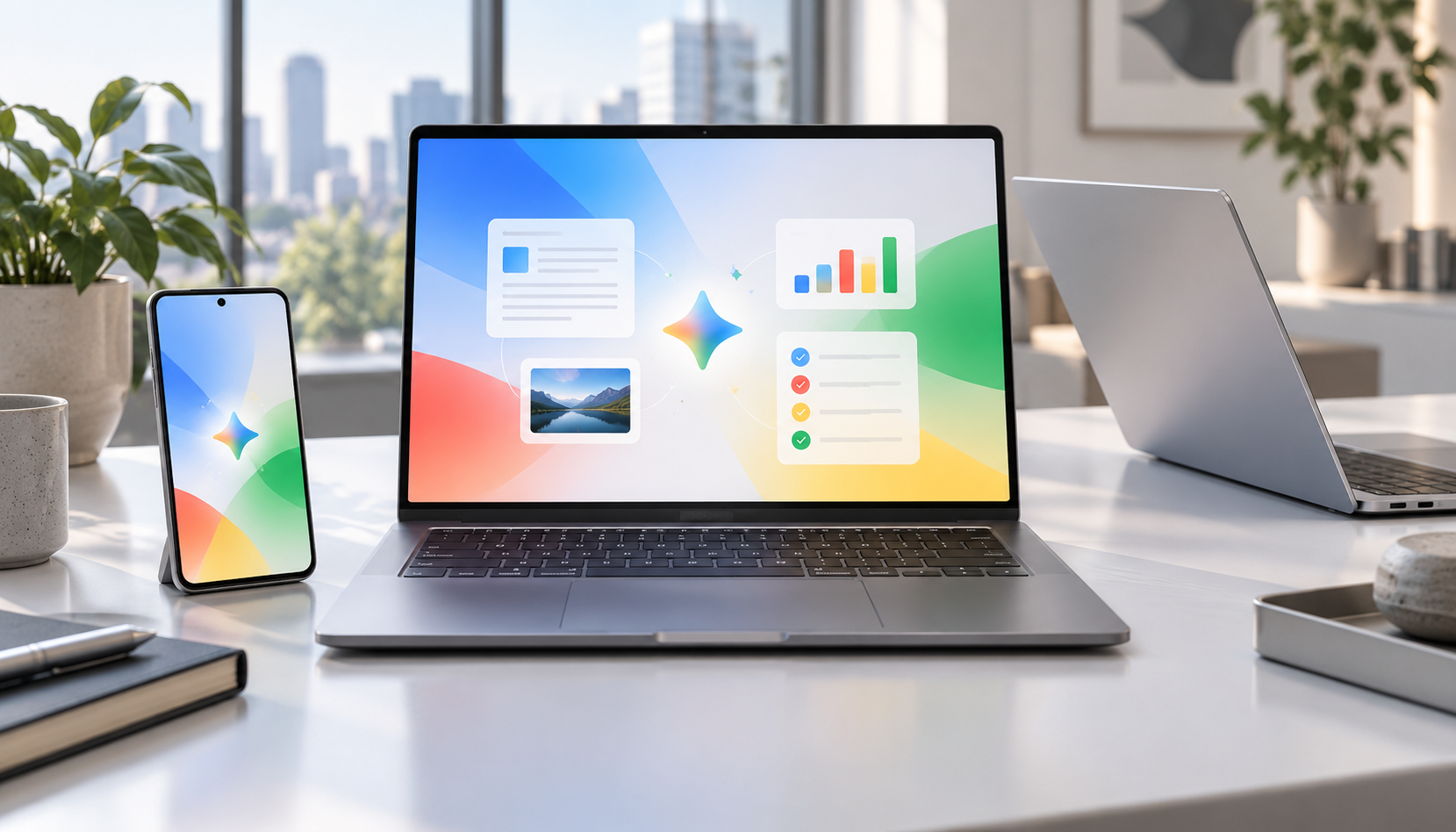
Premium Googlebook-style laptops beside an Android phone displaying a colorful AI productivity workspace

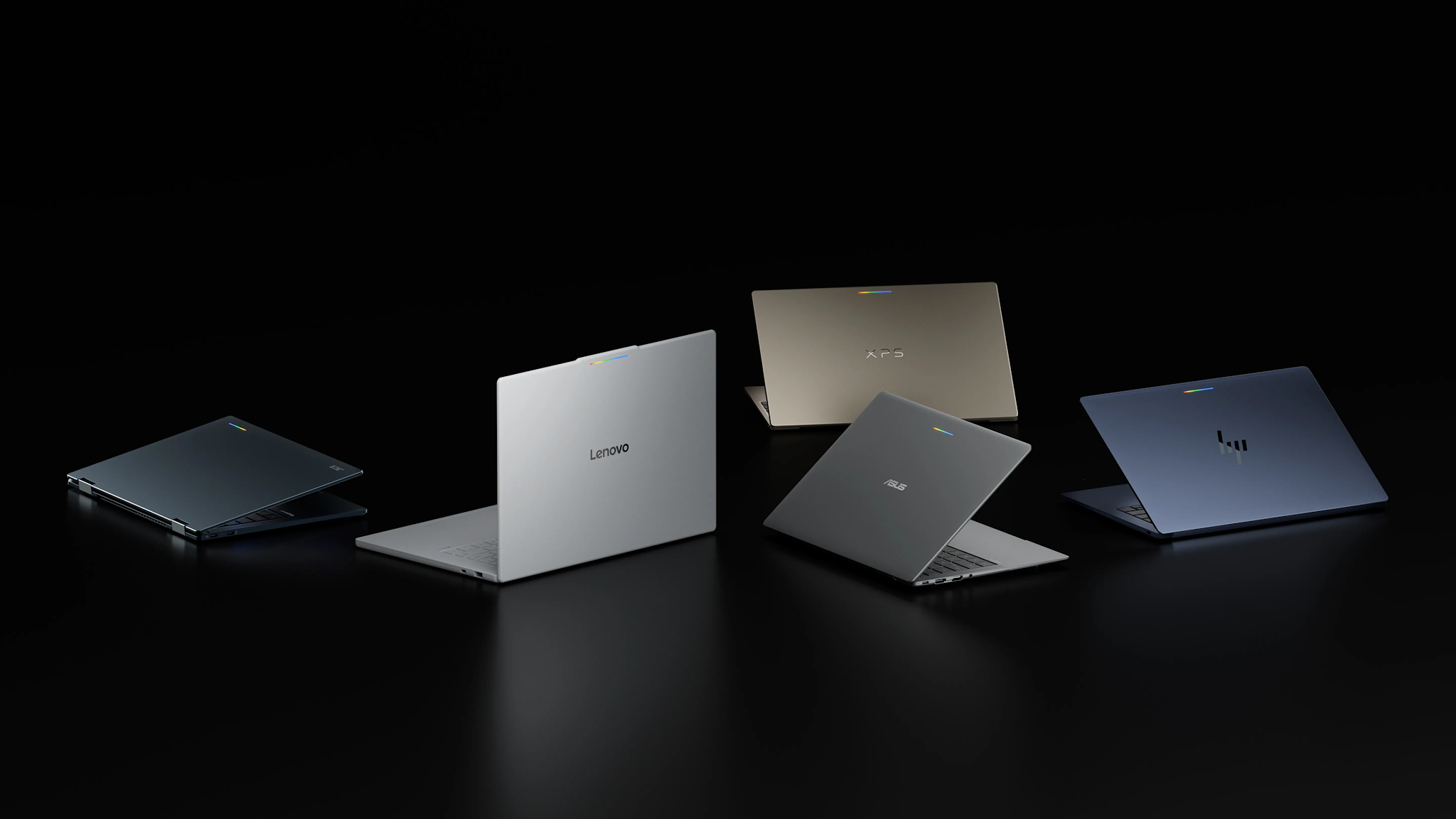
Googlebook preorders opened on September 21, 2026, turning Google’s new AI-first laptop platform from a spring preview into a real five-model lineup. Prices start at $899, the first systems come from Acer, ASUS, Dell, HP and Lenovo, and retail availability is scheduled for October 4.

The launch matters because Googlebook is not simply a renamed Chromebook. Google is positioning it as a premium laptop category built around Gemini Intelligence, Android-phone continuity, stronger baseline hardware and long software support. That also puts the machines directly against MacBook Air and premium Windows laptops rather than bargain Chromebooks.

Googlebook prices and release date

Googlebook prices and release date

Google’s official comparison page lists five preorder models:

  • Acer Googlebook 14 — from $899; 14-inch 2.8K OLED touchscreen, Intel Core Ultra 5, 16GB RAM, 512GB storage and up to 16 hours of claimed battery life.
  • ASUS Googlebook 14 — from $1,299; 14-inch 2.8K OLED touchscreen, Intel Core Ultra 5, 16GB RAM, 512GB storage and up to 16 hours.
  • Dell XPS Googlebook — from $999; 13.4-inch 2.5K LCD touchscreen, Snapdragon X Elite, 16GB RAM, 512GB storage and up to 18 hours.
  • HP Googlebook 14 — from $1,299; 14-inch 2.8K OLED touchscreen, Snapdragon X Elite, 16GB RAM, 512GB storage and up to 19 hours.
  • Lenovo Googlebook 15 — from $1,099; 15.3-inch 2.8K OLED touchscreen, Intel Core Ultra 5, 16GB RAM, 512GB storage and up to 13 hours.

Those are Google’s listed starting configurations, not every option a manufacturer may sell. Memory, storage, processors and promotional prices can vary by configuration and retailer. Google also notes that battery estimates come from controlled tests, so real-world endurance will depend on brightness, connectivity and workload.

The first Googlebooks are available to preorder now and are due in stores October 4. Google says its one-year Google AI Pro offer applies to eligible users who purchase and activate an eligible Googlebook on or after October 1, 2026.

What makes a Googlebook different

Every launch model has at least 16GB of RAM and uses either an Intel Core Ultra or Qualcomm Snapdragon X Elite processor. The shared design language includes a dedicated G key and a glowbar that can show charging and battery status. Google’s lineup page also lists biometric authentication, although the exact face- or fingerprint-unlock hardware varies by model.

The bigger distinction is software. Googlebook combines technology from Android with desktop foundations from ChromeOS, then places Gemini features throughout the experience:

  • Magic Pointer activates Gemini from the cursor so users can ask about, compare or act on selected on-screen content.
  • Rambler turns spoken, unstructured thoughts into cleaned-up, formatted text.
  • Smart file search can find files and photos by their contents rather than only by filename.
  • Cast My Apps opens compatible Android-phone apps on the laptop.
  • Continue On moves a supported task from an Android phone to Googlebook.
  • Quick Access surfaces phone files from the laptop without a manual transfer.

Google says the cross-device features require setup and a phone running Android 17 or newer. Several AI tools also have age, language, country or accuracy limitations, so buyers should check regional availability instead of assuming every advertised feature will work immediately.

Which Googlebook looks best for different buyers

Acer Googlebook 14: the value and 2-in-1 choice

The Acer is the least expensive entry and the only convertible 2-in-1 in the first wave, according to The Verge. Its OLED touchscreen and 16-hour claim make it the most obvious starting point for students, travelers and buyers who want tablet-style flexibility. The publication also reports that $899 is an initial launch price that Acer may reassess, so the lowest price may not be permanent.

Dell XPS Googlebook: the compact premium option

Dell’s 2.2-pound XPS Googlebook is the thinnest-looking choice and pairs Snapdragon X Elite with an 18-hour claim. Its drawback is connectivity: two USB-C ports and no built-in HDMI or USB-A, so frequent peripheral users may need a hub.

HP Googlebook 14: the battery and storage leader

HP posts the longest official battery estimate at up to 19 hours and is the only launch model reported with storage options up to 1TB. It also supports both face authentication and a fingerprint reader. At $1,299, however, it needs to compete on experience and endurance, not price.

ASUS Googlebook 14: the light, port-friendly model

The ASUS model weighs 2.2 pounds and is one of the better-connected choices, with USB-C, USB-A, HDMI and a headphone jack in higher-detail launch reporting. That balance should appeal to travelers who do not want to pack a dongle, though its $1,299 starting price is tied for the highest in Google’s current shop.

Lenovo Googlebook 15: the big-screen pick

Lenovo’s 15.3-inch OLED display is the largest of the five, while its $1,099 starting price sits between Acer and the premium 14-inch models. It is the best fit for buyers prioritizing screen space and built-in HDMI over minimum weight.

Included subscriptions add value, with caveats

Eligible Googlebook buyers receive one year of Google AI Pro, which Google values at $249.99 and bundles with 5TB of cloud storage, Gemini Pro, Gemini features in Gmail and Drive, and other services. Google also advertises more than $300 in additional limited-time app benefits, including three months of YouTube Premium, BandLab, Adobe Photoshop and CapCut, plus 12 months of Luminar and GeForce NOW.

Treat those subscriptions as a bonus, not as a permanent price reduction. Offers have eligibility rules and expiration dates, and paid services may renew after a trial. Buyers should review the redemption terms and set a reminder before any trial ends.

Should you preorder or wait for reviews?

Preordering makes the most sense for someone already committed to Android, comfortable with Google’s app ecosystem and attracted to a specific launch configuration. The Acer’s introductory price may also give early buyers a reason to move quickly.

Most shoppers should still wait for independent reviews. Google’s battery figures are controlled-test estimates; real-world performance, fan behavior, display quality, app compatibility and the usefulness of Gemini features need hands-on testing. The $899-to-$1,299 range also overlaps with mature MacBook and Windows alternatives, so software fit matters as much as specifications.

If you want a less expensive Google laptop today, you can browse current Chromebook Plus laptops on Amazon. They will not provide the full Googlebook feature set, but they remain relevant alternatives for web-first work, school and everyday use.

ReaderSpice may earn a commission from qualifying purchases made through affiliate links, at no additional cost to you.

Bottom line

Googlebook is Google’s clearest attempt in years to define a premium laptop experience of its own. The lineup starts with meaningful hardware differences rather than five near-identical machines: Acer emphasizes value and versatility, Dell compactness, HP endurance, ASUS portability and ports, and Lenovo screen size. The unanswered question is whether Gemini and Android continuity feel valuable enough in daily use to justify prices that reach $1,299. Reviews should answer that soon.

Sources

Googlebook official product and feature overview

Googlebook official lineup, prices and specifications

Google’s original Googlebook announcement

Reuters report on the September 21 preorder launch

The Verge comparison of the first five Googlebooks

Google Removes Pixel Tablet From Its Store as Discontinuation Signs Mount

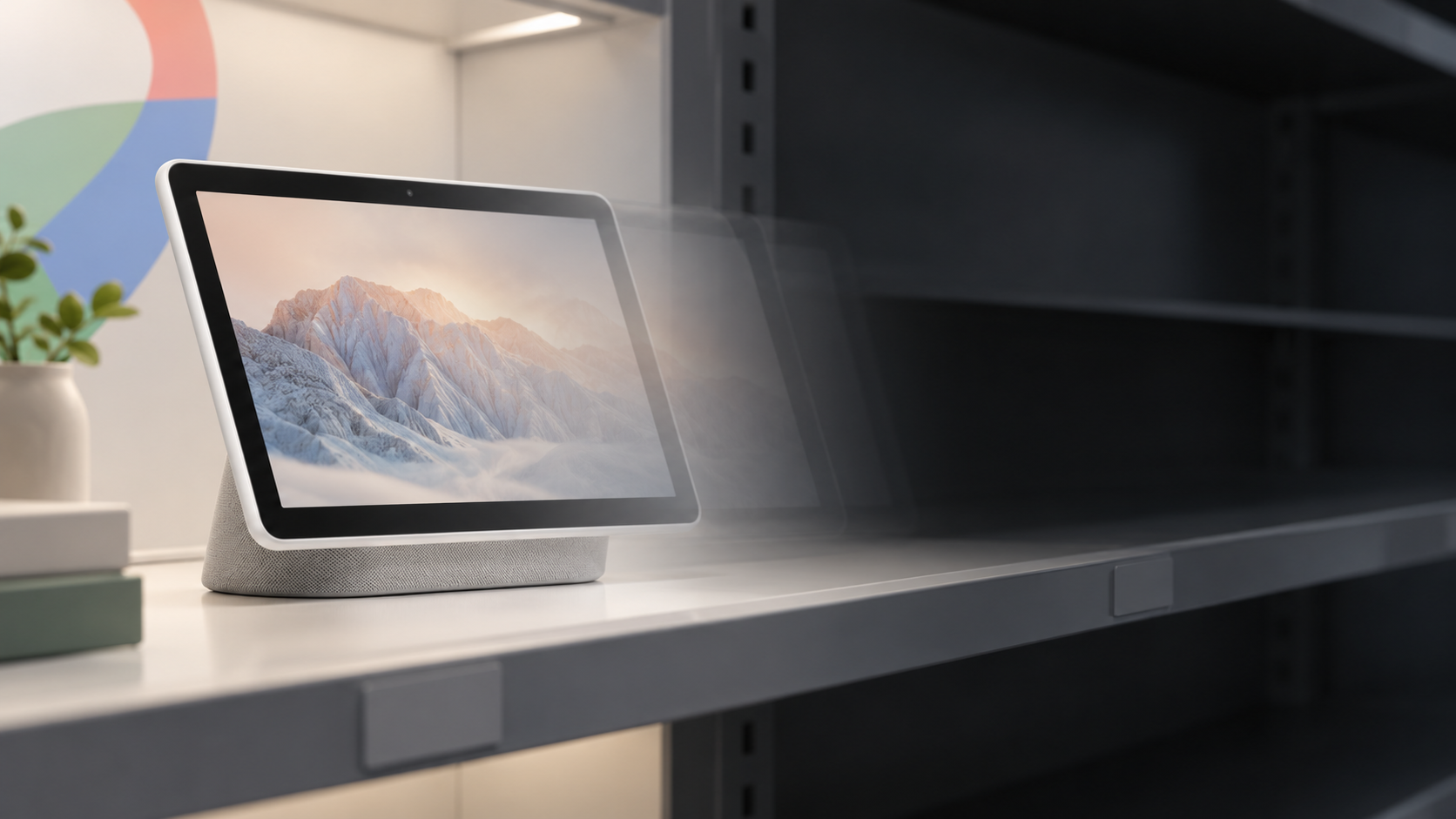
Google has removed the Pixel Tablet product page and the tablet category from its online Store, a strong sign that sales have ended. However, Google has not publicly confirmed that the product is discontinued, and its support page still promises updates through June 2028.

What is confirmed?

The Pixel Tablet is no longer listed for sale on the Google Store. The former product URL now redirects to the Store homepage, and the “Tablet” category has disappeared from the navigation. That is a concrete change to Google’s retail lineup, not a leak.

Independent checks by 9to5Google, Engadget and The Verge all found the same result. Engadget also reported that the Pixel Tablet was unavailable from Amazon and no longer available new from Best Buy when it checked. Those retail signals make a simple temporary stock shortage less likely.

What Google has not confirmed

Google has not issued a public statement declaring the Pixel Tablet discontinued. Engadget said it asked Google for confirmation and had not received an answer when its report was updated on September 10, 2026.

That distinction matters. Store removal strongly suggests the end of sales, but it does not prove that Google has permanently abandoned Pixel tablets or that a replacement cannot appear later. Until Google speaks, “appears discontinued” is more accurate than treating the product line’s future as settled.

What owners should know

The disappearance from the Store does not mean existing tablets immediately lose support. Google’s official Pixel Tablet support page says the device is guaranteed five years of operating-system and security updates, through June 2028. Google also says those updates may include new features delivered through Pixel Drops.

For current owners, the practical picture is therefore clearer than the product’s retail status:

● • Existing Pixel Tablets should continue receiving OS and security updates through June 2028.

● • Google has not announced an early end to software support.

● • Replacement accessories may become harder to find if remaining stock continues to disappear.

● • Warranty, repair and support information remains available through Google’s help pages.

A short-lived experiment with a distinctive idea

Google introduced the Pixel Tablet in 2023 as a hybrid Android tablet and smart-home display. Its Charging Speaker Dock let the tablet charge while operating in Hub Mode, giving it a rolethat conventional Android tablets did not offer. That approach was the Pixel Tablet’s most distinctive idea, but Google never released asecond-generation model. The product’s Store removal now leaves Google without a tablet in its current hardware catalog, even as the company continues to sell Pixel phones, watches, earbuds and smart-home products.

What this means for buyers

People considering a used or remaining-new Pixel Tablet should weigh the update commitmentagainst hardware availability. Support through June 2028 still gives the device useful life, butaccessory availability and long-term repair options deserve closer scrutiny once first-party sales end.

For most buyers, waiting is the safer choice unless the Pixel Tablet is deeply discounted and its dock-focused features specifically fit their needs. There is no officially announced successor to compare against, and Google has not provided a time table for returning to the tablet market.

Bottom line

The evidence is strong that Google has ended first-party sales of the Pixel Tablet: the product page redirects away, the Store’s tablet category is gone, and major retailers no longer shownormal new-device availability. What remains unconfirmed is the broader conclusion that Googlehas permanently exited tablets.

For owners, the most important confirmed fact is unchanged: Google still lists guaranteed Pixel Tablet OS and security updates through June 2028.

Sources