Adobe Premiere Mobile Adds Licensed Music: 60-Second Clips, Usage Rules and Release Timing

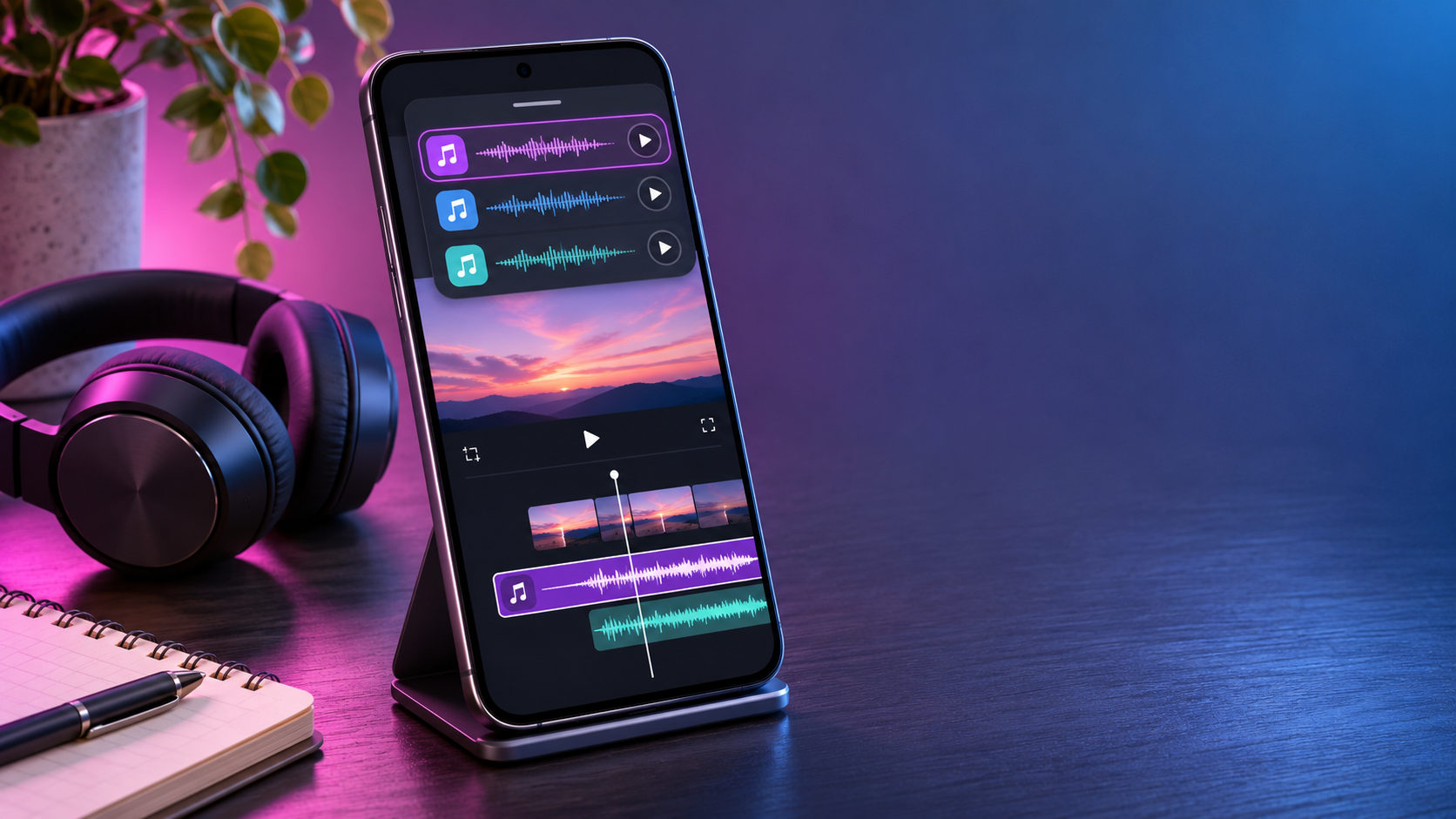
Smartphone showing a mobile video timeline with colorful music waveforms beside headphones on a creator desk

Adobe is preparing to put recognizable music from Universal Music Group and Warner Music Group directly inside Premiere mobile. The announcement is notable because the new catalog is designed for editing, not merely listening: creators will be able to discover a track, cut a video around it and export the finished project from the same mobile app.

The headline sounds simple, but the license is narrower than the phrase “fully licensed music” can suggest. Adobe says each project can use up to 60 seconds of a popular track, the music is for personal and non-commercial use, and the feature is only described as coming soon. Those limits matter to anyone posting monetized videos, producing client work or building branded social campaigns.

What Adobe announced

On November 3, 2026, Adobe said it was working with UMG and WMG to add music clips from leading artists to Premiere mobile. The library will sit inside Adobe’s free mobile editor rather than requiring users to import a song obtained elsewhere. Adobe’s announcement describes the following launch features:

  • Browse, search and preview trending music by artist or track.
  • Filter the catalog by genre and duration, bookmark favorites and explore label-curated collections.
  • Place as much as 60 seconds of a popular song in a video.
  • Start from customizable templates paired with music.
  • Export the edit and post it to supported licensed social platforms.

Adobe has not published a firm release date, country list, named-artist roster or catalog size. “Coming soon” is the only timing provided, so readers should treat the feature as announced rather than universally available today.

How the music library will work
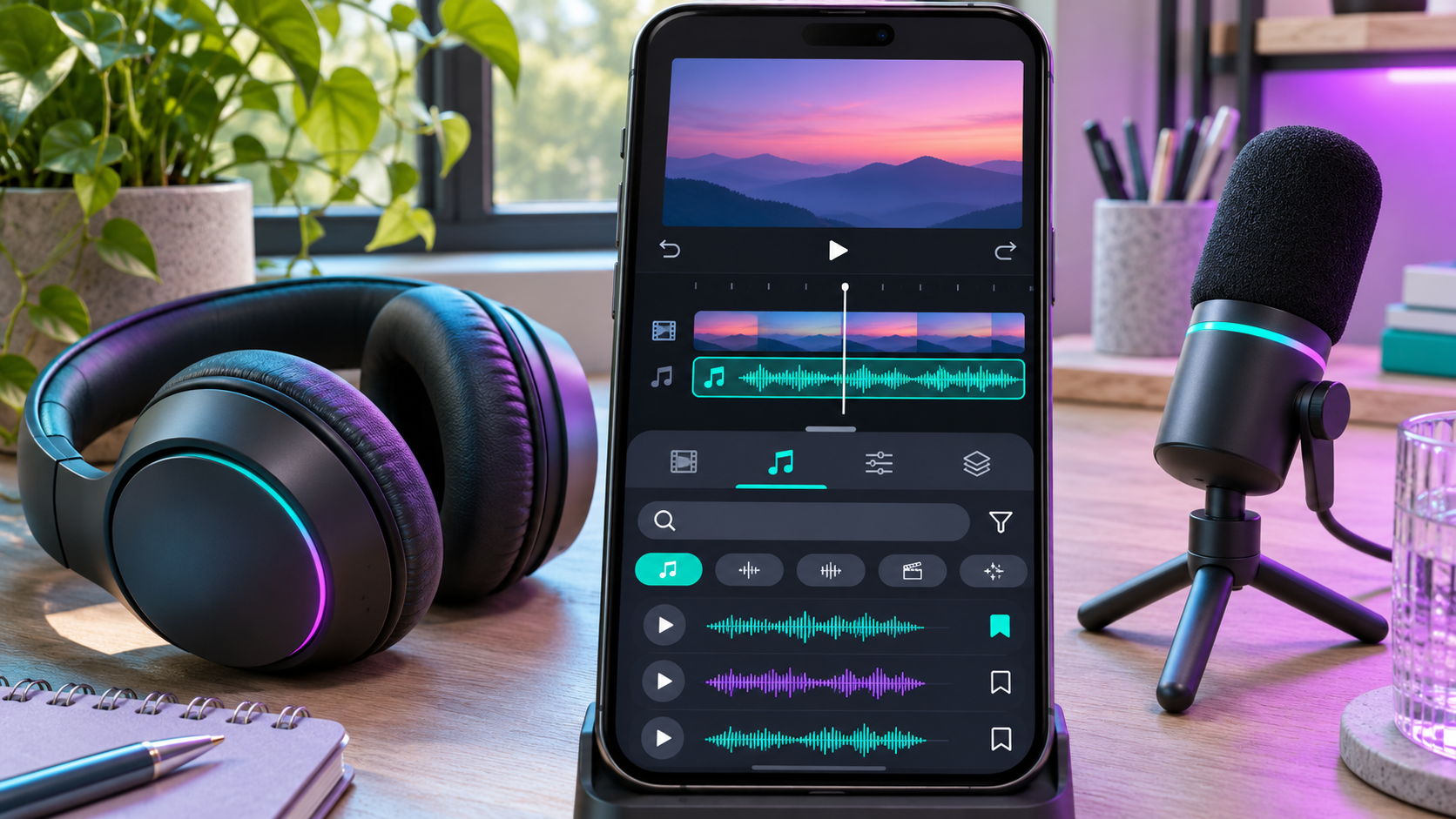
How the music library will work

The planned workflow removes several steps from mobile editing. Instead of leaving Premiere, locating a song, downloading a file and checking whether it can be used, a creator will be able to audition tracks inside the app and add one to the timeline. Search by artist or title should help when someone already knows the song; genre and duration filters should be more useful when the edit needs a mood or a precise running time.

Bookmarks can also turn the catalog into a working shortlist. That sounds minor, but it is practical when an editor wants to compare several tracks against the same sequence. Label-featured collections and music-powered templates will provide a more guided route for short-form creators who prefer to begin with a rhythm and then fit clips to it.

Adobe has not explained whether every song will expose the same editable segment, whether creators can choose any 60-second passage, or whether some tracks will have shorter permitted excerpts. The in-app license screen at release will be more authoritative than assumptions based on the announcement.

The 60-second limit matters

Sixty seconds is enough for many Reels, Shorts and TikTok-style edits, but it is not a blanket license for a full song. A 90-second video may need a shorter music bed, a second cleared track or an original sound layer. Even in a video under one minute, editors should confirm that the selected clip and export remain within the limit shown by Premiere.

The cap also shapes the edit. Creators can choose the strongest musical moment, line up cuts with the beat and use natural sound or voiceover elsewhere. Saving a clean project version without the commercial track is sensible because it makes a future re-edit easier if the destination, client or licensing status changes.

Personal use is not commercial use

Adobe explicitly says UMG and WMG tracks will be licensed for personal, non-commercial use. That is the most important qualification in the announcement. A family video, hobby edit or ordinary personal post may fit that description; a paid client deliverable, sponsored clip, brand campaign, product advertisement or other revenue-generating project may not.

Monetization makes the boundary especially important. A creator account can contain both personal posts and commercial work, while platform programs may pay for otherwise ordinary videos. Adobe has not published a detailed decision tree for every scenario. If money, a client or a brand is involved, do not assume the mobile library covers the project. Adobe directs users who need commercial music toward Adobe Stock Audio.

Licensing language can change between announcement and launch, and individual tracks may carry their own terms. Read the license presented in Premiere mobile when selecting the song, note the date and destination, and keep a record with the project. For high-value campaigns, obtain advice from the rights holder or a qualified professional rather than relying on a general product announcement.

Where finished videos can be posted

Adobe says finished videos can be posted to a creator’s “favorite licensed social platforms,” but the announcement does not provide an exhaustive list. Secondary coverage has associated the feature with mainstream short-form destinations, yet the final set of supported services and territories should be confirmed inside the app when the library launches.

A license from the editing app and a platform’s automated copyright system are related but not identical. A supported upload can still be scanned, muted, restricted or routed through a dispute process if metadata does not match or rights differ by region. That does not necessarily mean the user lacks permission; it means the platform applies its own detection and enforcement workflow. Before a time-sensitive post, test the export privately or as an unlisted upload when the destination provides that option.

What Adobe has not confirmed

Several practical questions remain open:

  • The exact release date and whether iPhone and Android receive the library simultaneously.
  • Which artists, songs and catalog regions will be available at launch.
  • Whether UMG and WMG content arrives together or in stages.
  • Whether the same song can be used in multiple projects under one personal license.
  • Which social platforms, territories and account types are covered.
  • Whether the licensed catalog will later expand to Premiere Pro on desktop.

The absence of those details is not evidence that a feature is missing; it simply means Adobe has not committed publicly. Anyone planning a campaign around a particular song should wait for the live catalog and track-specific terms.

How to prepare Premiere mobile

  • Install the current Premiere mobile release from the official app store and keep automatic updates enabled if appropriate.
  • Sign in with an Adobe account if a catalog or asset prompts for authentication; local editing and export requirements can differ from cloud and stock features.
  • Confirm the track’s permitted duration, territories, platforms and commercial status before editing around it.
  • Save a clean duplicate of the project without the licensed track.
  • Keep a screenshot or project note showing the license terms and export date.
  • Recheck the destination platform’s music and monetization rules immediately before publishing.

Premiere mobile already includes tools beyond basic cutting, including Enhance Audio for reducing distracting noise and Firefly-powered options for generating creative assets. Some cloud or generative features can require sign-in, credits or a paid plan even though the core mobile editor is free. Check the current in-app prompt instead of assuming every asset follows the music library’s terms.

A useful mobile audio accessory

Editing starts with the recording. The Shure MV88+ USB-C Video Kit is a genuinely relevant option for creators who want cleaner source audio before bringing footage into Premiere mobile. Shure describes the kit as a phone-based recording rig with a stereo condenser microphone, phone clamp, Manfrotto PIXI tripod, USB-C and Lightning cables, real-time headphone monitoring and support for mobile recording apps. Verify connector compatibility with your specific phone before ordering.

Affiliate disclosure: ReaderSpice may earn a commission from qualifying Amazon purchases made through the link above, at no additional cost to you.

Bottom line

Adobe’s UMG and WMG partnerships could make Premiere mobile much more convenient for personal short-form editing. Searchable popular music, templates and an in-app workflow reduce friction, while the 60-second cap is compatible with many social videos. The catch is equally clear: the announced license is personal and non-commercial, the supported platform list is not yet public, and Adobe has not set an exact release date.

The right approach is to welcome the convenience without treating it as unlimited music clearance. Check the live track terms, keep evidence with the project and use a commercial catalog such as Adobe Stock Audio when the work involves a client, brand or monetization.

Sources

DJI Osmo Pocket 3 Deal: Camera vs Creator Combo at Reported Record-Low Prices

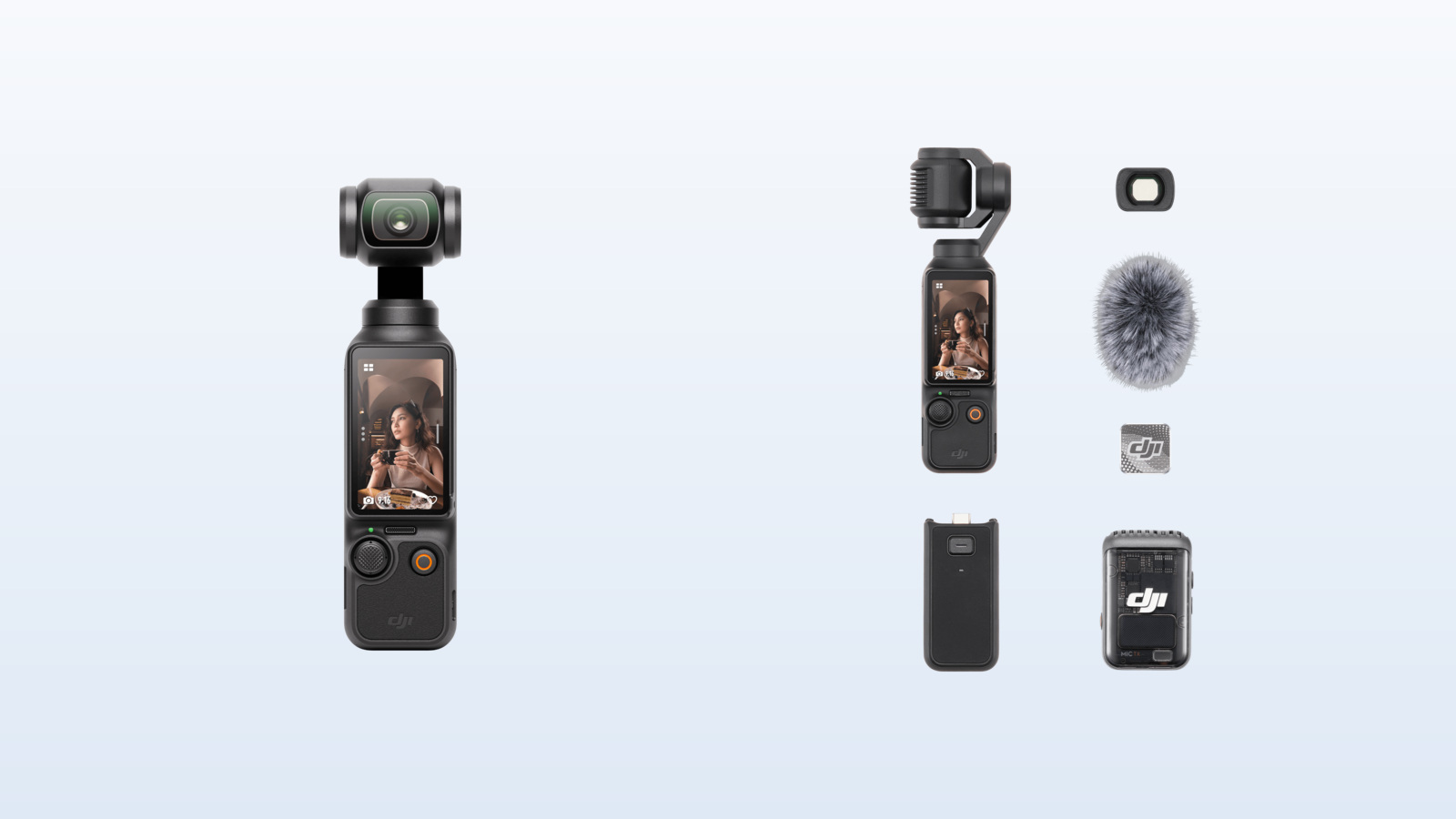
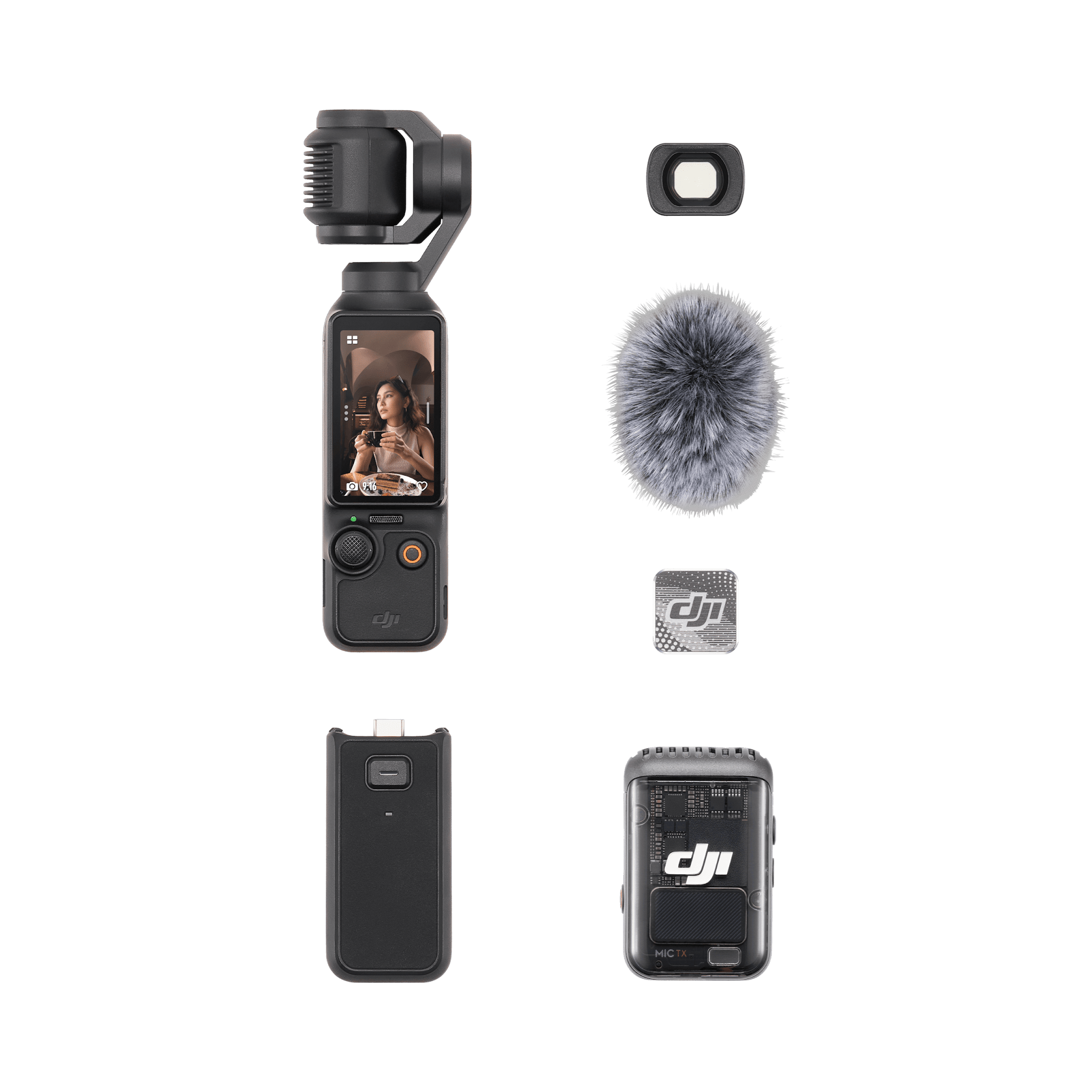
DJI Osmo Pocket 3 camera and Creator Combo accessories shown side by side

The DJI Osmo Pocket 3 is back in the deal spotlight. Amateur Photographer reported on October 7, 2026, that the pocket gimbal camera had fallen to unusually low promotional pricing, including a Creator Combo offer aimed squarely at YouTubers and solo creators. The important caveat is that retailer prices and sellers can change quickly, so the figures below are deal-report snapshots rather than a promise of today’s checkout price.

Even with newer pocket cameras on the market, the Pocket 3 remains a practical choice for people who want stabilized 4K video, reliable subject tracking and better low-light potential than a typical action camera—without carrying a mirrorless body, lens and separate gimbal.

The deal at a glance

  • Camera-only kit: deal coverage in early October cited pricing around $395, compared with DJI’s $439 store price.
  • Creator Combo: deal coverage on October 6–7 cited a $495 promotional price, compared with DJI’s $549 store price.
  • These are reported promotional prices, not a guarantee of the lowest price at every retailer or in every region.
  • Before ordering, confirm the seller, exact bundle contents, return policy and final checkout price.

The Creator Combo discount is especially notable because its accessories solve several common vlogging problems at once: wireless audio, longer operating time, a stable tabletop setup and a wider field of view. The camera-only option can still be the better buy if you already own those pieces.

Why the Pocket 3 still stands out for creators

Why the Pocket 3 still stands out for creators

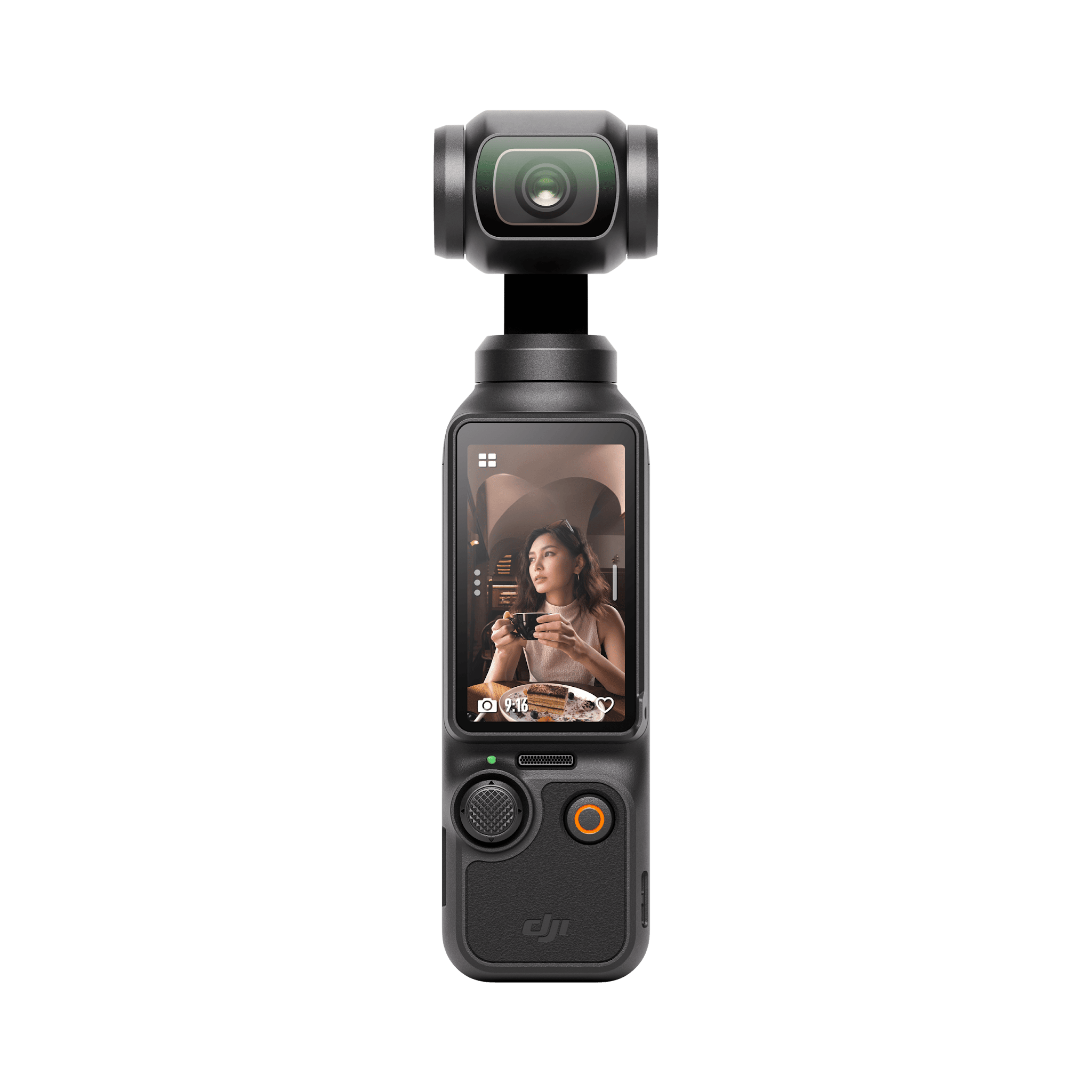
The Pocket 3 combines a 1-inch CMOS sensor with a three-axis mechanical gimbal. That hardware pairing is the reason it can produce smooth walking footage while retaining more natural motion than electronic stabilization alone. Its 20mm-equivalent f/2.0 lens is wide enough for handheld vlogging, travel scenes and room interiors without creating the extremely stretched look of some action cameras.

DJI lists 4K recording up to 120 frames per second in slow-motion mode, a rotating 2-inch OLED touchscreen, fast full-pixel focusing and ActiveTrack 6.0. The display turns between horizontal and vertical orientations, which makes it easier to frame standard YouTube video and portrait-oriented clips from the same small camera.

Battery performance is also useful for travel and event coverage. DJI rates the camera for up to 166 minutes under its 1080p/24 laboratory test, with an 80% charge in about 16 minutes and a full charge in about 32 minutes when used with a compatible charger. High-resolution recording, tracking, screen brightness and temperature will affect real-world endurance.

Camera only vs Creator Combo: What changes?

Camera only vs Creator Combo: What changes?

Both packages center on the same Osmo Pocket 3 camera, so image quality and stabilization do not improve merely because you choose the Creator Combo. The decision is about accessories and workflow.

Choose the camera-only kit if…

  • You already own a wireless microphone or normally record voiceovers later.
  • You have a compact tripod, USB-C power bank and carrying case that fit your workflow.
  • You want the lowest entry price and prefer to add accessories only when needed.

For an experienced creator with an established audio and support kit, the standard package avoids paying twice for gear. It is also the simpler choice for travelers who want the smallest possible setup.

Choose the Creator Combo if…

  • You film walk-and-talk videos, interviews or pieces to camera and need wireless audio.
  • You want a battery handle and mini tripod ready for long days and static shots.
  • You expect to use the wide-angle lens for arm’s-length framing, interiors or group clips.

The Creator Combo can be the stronger value when its sale premium over the basic kit is modest. Buying a comparable wireless microphone, handle, tripod, lens and bag separately can erase the apparent savings of the camera-only deal.

What is included in the Creator Combo?

DJI’s official Creator Combo listing includes the core camera accessories below. Retailer listings can vary, so compare the exact product description before paying.

  • DJI Osmo Pocket 3 camera
  • DJI Mic 2 transmitter with windscreen and clip magnet
  • Battery handle
  • Mini tripod
  • Wide-angle lens
  • Carrying bag, protective cover, wrist strap and USB-C cable

The Mic 2 transmitter is the bundle’s most important upgrade for many creators. Clear speech usually matters more to viewers than a small difference in image quality, and wireless audio makes it easier to keep the camera far enough away for a natural composition.

Shop the two DJI Osmo Pocket 3 options

Check the DJI Osmo Pocket 3 camera-only kit on Amazon

Check the DJI Osmo Pocket 3 Creator Combo on Amazon

Disclosure: ReaderSpice may earn a commission from qualifying purchases made through the Amazon links above, at no additional cost to you.

Amazon prices, sellers and stock can change without notice. Confirm that the listing is sold by Amazon or an authorized seller you trust, and verify that the package name matches the accessories shown before ordering.

What to check before buying

The listing and seller

A low price is less attractive if it comes from an unfamiliar marketplace seller, carries an unclear warranty or omits expected accessories. Read the seller line, delivery estimate, return window and bundle description—not just the headline price.

Storage and editing needs

The Pocket 3 requires a microSD card for recording. DJI’s current specifications list support for cards up to 1TB, but speed and reliability matter as much as capacity. Choose a compatible card from DJI’s recommended list, particularly if you plan to shoot high-frame-rate 4K video.

Weather and shooting distance

This is a compact gimbal camera, not a rugged waterproof action camera. Protect it from rain, sand and impacts, and remember that its fixed wide lens is optimized for people, travel and everyday scenes rather than distant wildlife or field sports.

The accessories you already own

The Creator Combo is not automatically better. If you already have strong audio gear and a compact support setup, the basic package may deliver identical footage for less. If you are starting from scratch, the Combo is often easier to justify because it arrives as a coherent kit.

Is the DJI Osmo Pocket 3 still worth buying in 2026?

Yes—when the discount is real and the camera matches the job. The Pocket 3 remains especially useful for travel vloggers, YouTube presenters, family filmmakers and one-person crews who prioritize smooth handheld footage and fast setup. Its large sensor, mechanical stabilization, rotating screen and tracking tools still form a well-balanced package.

The limitations are equally clear. It does not replace an interchangeable-lens camera for long telephoto work, specialized photography or the highest-end production needs. It also needs more weather protection than an action camera. Buyers who understand those tradeoffs can get substantial value from either kit.

Bottom line

Choose the camera-only deal if you already own the supporting gear. Choose the Creator Combo if wireless audio, a battery handle, mini tripod and wide-angle lens would otherwise be separate purchases. In both cases, treat the reported $395 and $495 prices as reference points from October 2026 deal coverage, then compare the live Amazon price and seller before checking out.

Sources

Amateur Photographer — DJI Osmo Pocket 3 deal report (October 7, 2026)

DJI — Osmo Pocket 3 product page

DJI — Osmo Pocket 3 specifications

DJI Store — Osmo Pocket 3 Creator Combo

Inline image 1: Official DJI Osmo Pocket 3 camera product image

Inline image 1 alt text: Front view of the DJI Osmo Pocket 3 gimbal camera

Inline image 1 source: DJI official Osmo Pocket 3 product page

Inline image 2: Official DJI Osmo Pocket 3 Creator Combo product image

Inline image 2 alt text: DJI Osmo Pocket 3 Creator Combo camera, microphone and filming accessories

Inline image 2 source: DJI official Creator Combo product page

Final Cut Camera 2.4 Adds Variable Aperture to iPhone 18 Pro: What It Changes

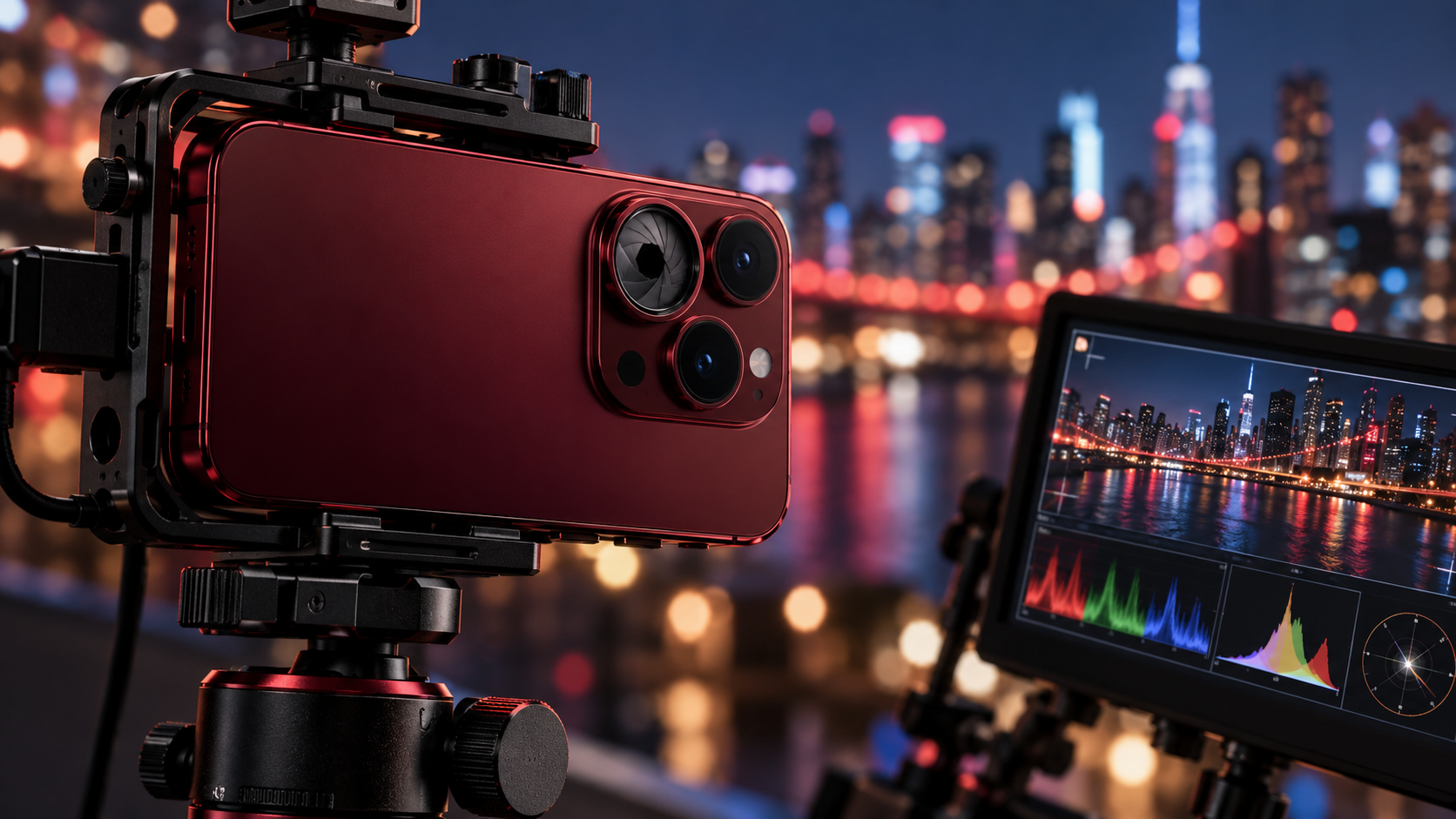
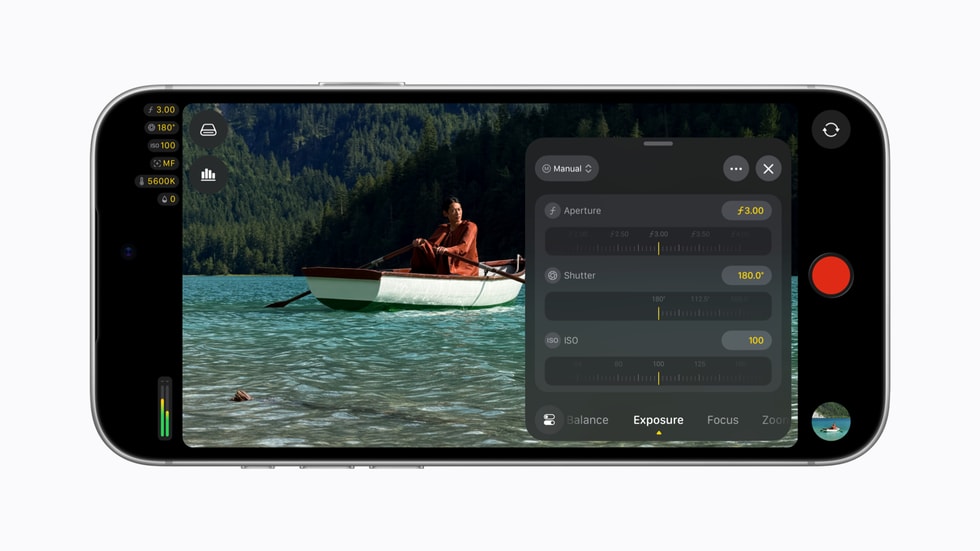
iPhone 18 Pro on a video rig with an adjustable aperture lens and professional monitoring scopes

Apple’s Final Cut Camera has received its most important update yet for mobile filmmakers. The new Final Cut Camera 2.4 brings direct variable-aperture control to iPhone 18 Pro, a redesigned interface, better exposure tools, and professional monitoring features that move the free app closer to a compact cinema-camera control center.

According to Apple’s announcement, the update is available now as a free download for supported iPhones. Some features work broadly with iOS 27, but physical aperture control is exclusive to the iPhone 18 Pro and iPhone 18 Pro Max because those models have Apple’s new variable-aperture Fusion Main camera.

Quick take

  • Final Cut Camera 2.4 is a free update.
  • Variable-aperture control requires an iPhone 18 Pro or iPhone 18 Pro Max.
  • The app adds shutter-priority and aperture-priority shooting modes.
  • New scopes, clean SDI output, and genlock offset target serious productions.
  • Regular ProRes and Apple Log footage can now carry editable Cinematic mode data.

How variable aperture changes iPhone video

How variable aperture changes iPhone video

A conventional phone camera usually has a fixed aperture, so exposure is managed mainly through shutter speed, ISO, filters, and software processing. The iPhone 18 Pro’s Fusion Main camera can physically change its aperture. In Final Cut Camera 2.4, creators can select an aperture directly or let the app balance aperture and shutter behavior through priority modes.

That matters in three practical ways. A wider aperture lets in more light and can create shallower depth of field. A narrower aperture admits less light and keeps more of a scene in focus. Most importantly for video, aperture control gives filmmakers another way to hold a preferred shutter angle without immediately reaching for a stronger neutral-density filter or raising ISO.

The effect is not magic. A phone sensor and short focal length still produce more depth of field than a large-sensor cinema camera at comparable framing. But direct aperture control is a meaningful step because it gives creators a real optical choice rather than relying entirely on simulated background blur.

Aperture priority and shutter priority

Final Cut Camera now lets iPhone 18 Pro users choose aperture-priority or shutter-priority operation. Aperture priority is useful when depth of field or low-light performance is the creative priority. Shutter priority is better when motion rendering must remain consistent, such as maintaining a cinematic shutter angle while walking, panning, or filming action.

For controlled productions, manual aperture remains the most predictable option. Auto or priority modes are more convenient when light changes quickly, but creators should watch for visible exposure shifts during a take.

What else is new in Final Cut Camera 2.4

Apple redesigned the app around faster access to common controls and a cleaner viewfinder. The update includes:

  • Direct access to shutter angle, ISO, white balance, and aperture controls.
  • Customizable overlays with false color and clipping indicators.
  • Improved focus peaking with adjustable sensitivity.
  • A recording tally light and a two-finger gesture that clears the viewfinder.
  • A refreshed interface intended to reduce menu hunting while shooting.

False color and clipping indicators are particularly useful because they make exposure problems easier to spot before recording. Focus-peaking sensitivity should also help when working with detailed scenes or shallow depth of field, where an overly aggressive overlay can become distracting.

Professional scopes, clean SDI output, and genlock offset

Video scopes for more reliable exposure

With iOS 27, the app gains an RGB Parade and histogram. The RGB Parade separates red, green, and blue channel information, making color casts and channel clipping easier to diagnose. The histogram provides a fast overview of tonal distribution. Neither replaces a calibrated monitor, but both are valuable when shooting in Apple Log or under mixed lighting.

Clean SDI output for broadcast workflows

Final Cut Camera can now send a clean video signal through an HDMI-to-SDI converter. “Clean” means the outgoing feed omits the app’s controls and overlays, which makes the signal suitable for external recorders, switchers, monitors, and broadcast streaming systems. The feature is most relevant to multicamera crews and event producers; casual shooters are unlikely to need it.

Genlock offset solves a specialized timing problem

Genlock keeps multiple cameras synchronized to a common timing reference. The new offset control can compensate for latency differences between an iPhone and other genlocked cameras. Apple also says it can help reduce artifacts when recording displays. This is a niche addition, but it signals that Apple expects iPhones to appear in more professional multicamera rigs.

Cinematic effects now work with ProRes and Apple Log

The update also changes how creators can use Cinematic mode. Regular video recorded with Final Cut Camera can carry focus and depth information that remains adjustable in Final Cut Pro, including footage captured in ProRes and Apple Log. Editors can change focus points and depth of field after the shoot instead of committing to every focus decision on location.

Apple’s Creator Studio update says Final Cut Pro and Motion on Mac can apply these effects to native iPhone 18 Pro footage. For creators who prefer to capture a high-quality Log master and make aesthetic choices later, that is more useful than being locked into a separate Cinematic capture mode.

Who should install it

Every Final Cut Camera user benefits from the redesigned controls, exposure overlays, focus-peaking improvements, and monitoring tools. The update is most compelling for iPhone 18 Pro owners who shoot interviews, short films, product videos, live events, or multicamera projects.

Owners of older iPhones will not gain a physical variable aperture through software, but the interface and iOS 27 monitoring features can still improve their workflow. If your production depends on external monitoring or synchronization, confirm that every adapter, converter, cable, and destination device supports the required signal before a live shoot.

How to get started

  • Update the iPhone to iOS 27.
  • Install or update to new Final Cut Camera 2.4 from the App Store.
  • On iPhone 18 Pro, open the exposure controls and test manual aperture, aperture priority, and shutter priority.
  • Enable false color, clipping indicators, or scopes one at a time so the viewfinder stays readable.
  • Run a short recording test before using clean SDI output, genlock, ProRes, or Apple Log on a paid production.

A stable support is still one of the simplest upgrades for phone video. You can compare iPhone video tripod and rig options on Amazon. As an Amazon Associate, ReaderSpice earns from qualifying purchases.

Bottom line

Final Cut Camera 2.4 makes the iPhone 18 Pro’s variable aperture genuinely useful instead of leaving it as a hardware specification. Direct aperture control, priority modes, exposure overlays, scopes, clean SDI output, and genlock offset create a more coherent professional workflow from capture through Final Cut Pro. Most people will use only a fraction of these tools, but filmmakers now have more control over exposure, focus, motion, and monitoring without paying for the camera app itself.

Sources

Apple Newsroom: Final Cut Camera 2.4 update

Apple Newsroom: Apple Creator Studio updates