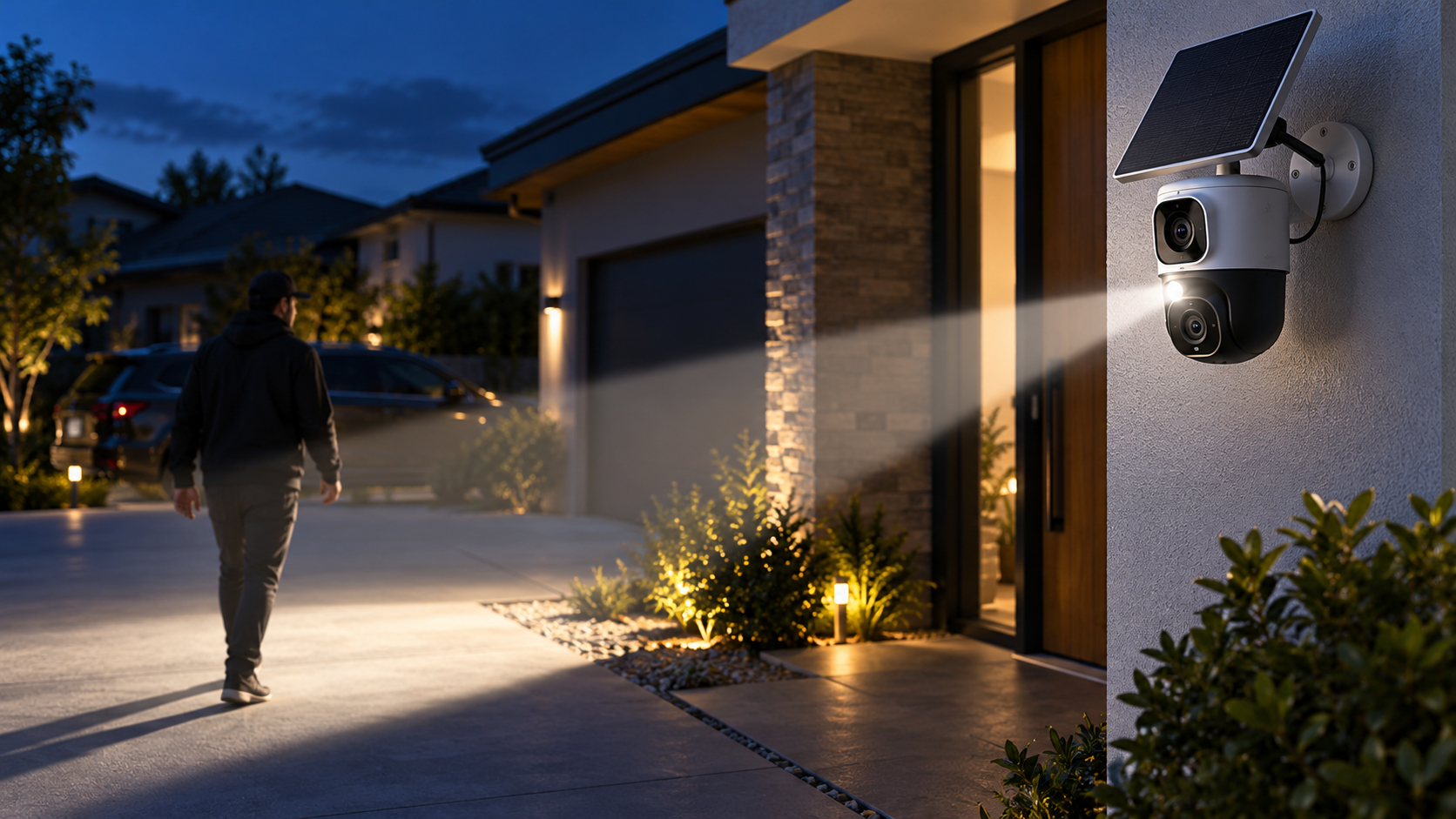
Baseus has launched an outdoor security camera with a deliberately conspicuous idea: instead of flooding an entire yard with light, the PrimeSentinel U2 Pro aims a narrow motorized spotlight at a detected person and follows that person as they move.
The $269.99 camera pairs two 3K views, local storage, a rechargeable battery and a small solar panel. Its tracking light could make a visitor or intruder immediately aware that the property is watching, but buyers should understand the feature’s range, privacy implications and subscription questions before treating it as a replacement for a mature wired surveillance system.
This launch guide separates Baseus’s performance claims from the practical decisions that determine whether the U2 Pro will work at a particular front door, driveway or side yard.
The quick take
- The PrimeSentinel U2 Pro launched in the United States on October 20, 2026, with Amazon availability around $270.
- A fixed 3K camera watches the main scene while a second 3K motorized camera pans and tilts through 360 degrees.
- Its signature feature is a focused spotlight beam that follows detected people rather than illuminating the entire area.
- Baseus says tracking is processed on the camera, while recorded video can be stored on a microSD card up to 512GB.
- Battery life is advertised at up to 150 days, but frequent detection, cold weather, weak Wi-Fi and limited sunlight can shorten that estimate.
- The main risks are placement-dependent tracking, uncertain long-term software support, possible cloud-AI charges and the privacy impact of aiming a visible beam at people near the property boundary.
What launched and what it costs
The full product name is Baseus Security PrimeSentinel U2 Pro Outdoor 3K Dual Camera. The Verge reported U.S. Amazon availability at $269.99 on October 20, while other launch coverage rounded the preorder price to $280 and pointed to early-November shipping. Prices, stock and delivery windows can change, so the Amazon checkout page—not a launch headline—should be treated as the current offer.
The retail package is reported to include the battery-powered camera and a 3W solar panel. A microSD card is not included. Buyers should also confirm whether the mounting hardware, charging cable and any extended warranty shown on the product page are part of the exact seller’s package.
The verified listing is the Baseus U2 Pro (ASIN B0HHCGXDZ4) on Amazon. ReaderSpice may earn a commission from qualifying purchases made through this link, at no additional cost to you.
How the dual-camera system covers the scene
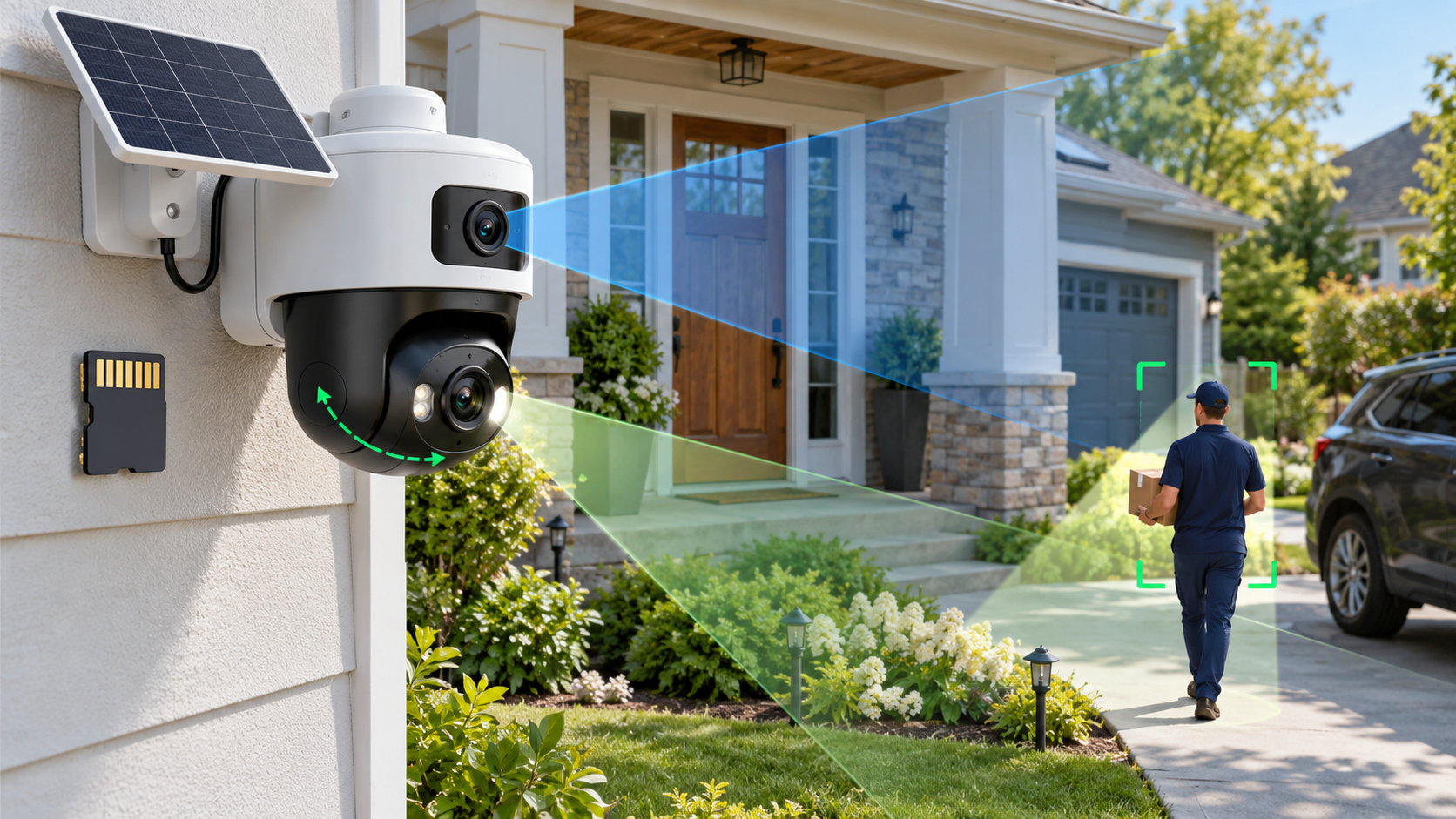
The upper camera is a fixed 3K view intended to keep a doorway, gate or driveway continuously framed. Launch coverage lists a 130-degree field of view and 8x digital zoom. The lower 3K camera is motorized, allowing it to pan and tilt while following activity outside the fixed frame.
That two-camera layout matters because a moving camera can otherwise abandon the original scene while tracking. The fixed lens preserves a wide reference view, while the lower lens can concentrate on a person or vehicle. The arrangement should still be tested from the final mounting position; a wide specification does not eliminate blind corners created by walls, eaves, trees or parked vehicles.
Reported hardware and platform features include:
- Dual 3K cameras with a fixed upper view and a motorized lower view.
- A 130-degree primary field of view and up to 8x digital zoom.
- Full-color night vision, a built-in siren and two-way audio.
- Dual passive infrared sensors plus AI-assisted person, pet and vehicle detection.
- 2.4GHz and 5GHz Wi-Fi support, according to the product listing and launch coverage.
- Live-view support on compatible Alexa and Google Home displays.
- A weather-resistant IP65 enclosure for outdoor placement.
What the target-tracking spotlight actually changes
Most outdoor cameras either use infrared illumination that people cannot see or switch on a broad floodlight after motion is detected. The U2 Pro instead projects a sharply defined beam and steers it with the motorized lower camera. The person being followed can see that the system has noticed them.
That visibility is the deterrence argument. A broad floodlight may look like ordinary porch lighting, while a moving beam feels intentional. The same light may also improve color and subject detail in nighttime footage because illumination is concentrated where the camera is looking.
The feature is not a guarantee that an intruder will leave, and it should not be described as a substitute for locks, alarms or professional monitoring. A person can move behind an obstruction, outside the motor’s range or beyond the detection zone. Heavy rain, insects, reflective surfaces and backlighting can also affect any camera’s detection and image quality.
Owners should decide whether the spotlight activates for every detected person, only during certain hours or only inside selected zones. A delivery driver approaching a marked front door is different from someone crossing a private side yard, and the automation should reflect that distinction.
Tracking limits matter more than the headline claim
Baseus’s published test figures, as reported by Gizmodo and T3, describe person tracking from roughly three to eight meters. The company says the system can follow someone moving about 1.8 meters per second within that range, while faster subjects require more distance for the mechanism to keep up.
Those numbers are controlled test results, not a promise for every property. Camera height, downward angle, Wi-Fi quality, detection sensitivity and the direction of travel all matter. A person moving directly toward the camera may be easier to keep centered than someone cutting quickly across the edge of the frame.
The reported vehicle-tracking figure—close to 19 mph at about eight meters—should be interpreted carefully. It does not turn the camera into a traffic-monitoring system, and digital zoom does not create optical detail that was never captured. License-plate legibility will depend on distance, lighting, shutter behavior and motion blur.
Before relying on the feature for a long driveway, buyers should measure the real distance from the proposed mounting point to the detection area and compare it with the three-to-eight-meter person-tracking range.
What runs on-device and what may reach the cloud
Gizmodo asked Baseus directly whether the tracking feature depends on cloud processing. The company said moving-object detection and pan-and-tilt control run on the device, that tracking data does not need to be sent to the cloud and that no tracking-related data is stored; only recorded video is saved.
That answer is useful but narrow. A camera can process motion locally while still using the internet for remote viewing, notifications, account authentication, firmware updates or optional AI summaries. Users should distinguish the mechanics of following a person from every other data flow in the app.
Launch reports describe AI alerts that can differentiate people, pets and vehicles and can generate contextual event summaries. T3 reports that cloud-based AI analysis and summaries require a subscription. Before buying, confirm which classifications run locally, which features remain free and whether a paid plan is required for package-related descriptions or extended history.
Privacy-conscious owners should review the Baseus Security app’s permissions, account-security options, retention settings and any cloud toggle during setup. A local microSD card does not prevent remote access if the account itself is compromised.
Storage, encryption and subscriptions
The U2 Pro supports microSD cards up to 512GB, according to multiple launch reports. Footage is motion-triggered rather than described as continuous 24/7 recording. Actual retention will vary with event frequency, clip length, resolution, audio settings and the card’s endurance.
T3 reports AES and RSA protections for stored footage and communications. Those terms indicate that encryption is part of the design, but they do not answer every operational question. Buyers should still ask whether the card can be read outside the camera, how encryption keys are recovered after a reset and whether exported clips remain protected.
Use a high-endurance card rated for security-camera workloads if the manufacturer allows it. Consumer cards can wear out under repeated writes. Format the card through the official app, test playback after setup and check periodically for recording gaps or card-health warnings.
Because launch coverage is not fully consistent about free cloud video versus paid cloud AI, do not assume “no subscription required” means every feature is free forever. Confirm the current plan table for remote history, downloads, detection categories and AI summaries in the user’s country.
Battery and solar claims need real-world context
Baseus advertises a 7,800mAh battery and up to 150 days of operation without solar assistance. That is a best-case estimate. A busy sidewalk, frequent live viewing, long clips, repeated spotlight use, weak signal strength and cold temperatures can materially increase power consumption.
The included 3W solar panel is claimed to generate roughly one day of power from about 40 minutes of suitable sunlight. That does not mean forty minutes of shade, winter sun or indirect light will deliver the same energy. Rooflines, trees and seasonal sun angles should be checked before drilling the mount.
Place the panel where it can receive direct sun while keeping the camera at the height and angle needed for detection. If those goals conflict, use the panel’s extension placement rather than compromising the camera view.
Owners should watch the battery trend during the first two weeks instead of trusting a single percentage reading. If charge declines daily, shorten recordings, reduce unnecessary zones, improve Wi-Fi coverage or reposition the panel before bad weather makes the deficit worse.
Installation and coverage planning
Baseus says the U2 Pro can be installed quickly, but the physical mounting may be the easiest part. A useful setup begins with a coverage plan: identify the approach path, expected detection distance, property boundary, Wi-Fi signal and available sunlight.
Mount high enough to discourage tampering but not so high that faces become the tops of heads. Avoid pointing the fixed lens directly at the rising or setting sun, and leave enough clearance for the lower camera and spotlight to rotate without hitting a wall, gutter or eave.
Use the live view to walk every important path at daytime and night. Test a slow approach, a brisk cross-frame movement and a vehicle entering the driveway. Check whether the fixed lens keeps the whole scene while the lower lens tracks.
A wireless camera still depends on the home network. Test both Wi-Fi bands at the installation point and do not assume the faster 5GHz band will be stronger outdoors. A stable 2.4GHz connection may be more reliable through exterior walls.
After setup, confirm that alerts arrive when the phone is locked, clips are actually written to the card and two-way audio is understandable. A camera that looks connected in the app but misses recordings is not ready for security duty.
Privacy and neighbor considerations
A visible beam that follows people is more intrusive than a stationary porch light. Aim the camera and spotlight inside the property boundary whenever possible. Avoid tracking public sidewalks, neighboring windows, shared driveways or areas where people reasonably expect privacy.
Local laws can regulate audio recording, video surveillance, notice requirements and the use of cameras in rental or shared properties. Homeowner-association and landlord rules may impose additional limits. ReaderSpice is not offering legal advice; owners should check the rules that apply where the camera is installed.
If the app offers activity zones, privacy masks or spotlight zones, configure them before enabling aggressive tracking. Test from the neighbor’s perspective at night to see whether the beam reaches beyond the intended area.
Do not enable audio simply because the microphone exists. Two-way talk can be useful at a door, but continuous audio capture may raise different consent questions than video. Use the least intrusive setting that still meets the security goal.
Tell household members how the camera works, who can access it and how long clips are retained. Remove old phones and shared accounts promptly, use a unique password and enable multi-factor authentication if Baseus offers it.
How it compares with a conventional floodlight camera
The U2 Pro’s focused beam may draw a subject’s attention more effectively than a broad floodlight, and the dual-camera layout keeps a reference view while the lower lens moves. Its battery-and-solar design also avoids running mains power to the installation point.
A hardwired floodlight camera can provide brighter area lighting and continuous power. It may be better for a driveway that doubles as a work area, a high-traffic entrance or a location where winter sunlight is unreliable. Some wired models also support continuous recording through a compatible recorder.
The U2 Pro is more compelling where active visual deterrence, flexible placement and local microSD storage matter more than maximum illumination. It is less compelling for buyers who want optical zoom, verified 24/7 recording, PoE networking or integration with an existing network video recorder.
Compare total ownership cost rather than launch price alone: add a high-endurance microSD card, any cloud plan, a Wi-Fi extender if needed and the possibility of replacing the battery-powered unit earlier than a wired camera.
Who should buy—and who should wait?
Consider the U2 Pro if:
- You want a visible deterrent that clearly signals when a person has been detected.
- A dual-camera view is more useful than a single pan-and-tilt camera for the property layout.
- Battery and solar power solve a real installation problem.
- Local microSD storage is sufficient and you are comfortable checking card health.
- The three-to-eight-meter reported tracking range matches the area you need to protect.
Wait or choose another system if:
- You need continuous 24/7 recording, PoE, optical zoom or guaranteed NVR compatibility.
- The camera must cover a public sidewalk or shared space where a tracking beam could create privacy conflicts.
- Your installation point has weak Wi-Fi, heavy shade or extreme winter weather.
- You need a mature, independently tested ecosystem with a clearly documented long-term support policy.
- You are unwilling to pay for cloud AI if the free detection features prove too limited.
Checklist before ordering
- Verify that ASIN B0HHCGXDZ4 is sold by an authorized seller and matches the U.S. warranty.
- Confirm the current price, shipping date, return window and exact package contents.
- Measure the distance from the mounting point to every intended tracking zone.
- Check that the camera can be aimed inside the property boundary.
- Identify a solar-panel location with direct sun across different seasons.
- Review the current Baseus subscription table for AI summaries and cloud history.
- Budget for a compatible high-endurance microSD card up to 512GB.
- Confirm Wi-Fi signal, alert delivery, clip recording and battery trend during the return period.
The bottom line
The Baseus PrimeSentinel U2 Pro is a distinctive outdoor camera because its light behaves like part of the tracking system rather than a simple motion-triggered floodlight. Two 3K views, local storage and solar-assisted power make the $269.99 package attractive for a front entrance or compact driveway where the reported tracking range fits.
Its most important feature is also its biggest responsibility. A spotlight that follows people must be aimed carefully, configured with sensible zones and evaluated against privacy rules. Buyers should treat the battery, solar and AI claims as starting points to test during the return window—not as guarantees for every property.
Sources
The Verge: Baseus U2 Pro launch, pricing and core specifications — October 20, 2026
Gizmodo: On-device tracking, data handling and preorder details — October 20, 2026
T3: Tracking range, storage encryption and cloud-AI notes — October 21, 2026
Digital Camera World: Battery, weather rating and launch specifications — October 20, 2026
Amazon: Baseus U2 Pro 3K dual-lens outdoor security camera (ASIN B0HHCGXDZ4)
Inline image 1: Editorial illustration of dual fixed-and-moving camera coverage with a solar panel and local microSD storage