
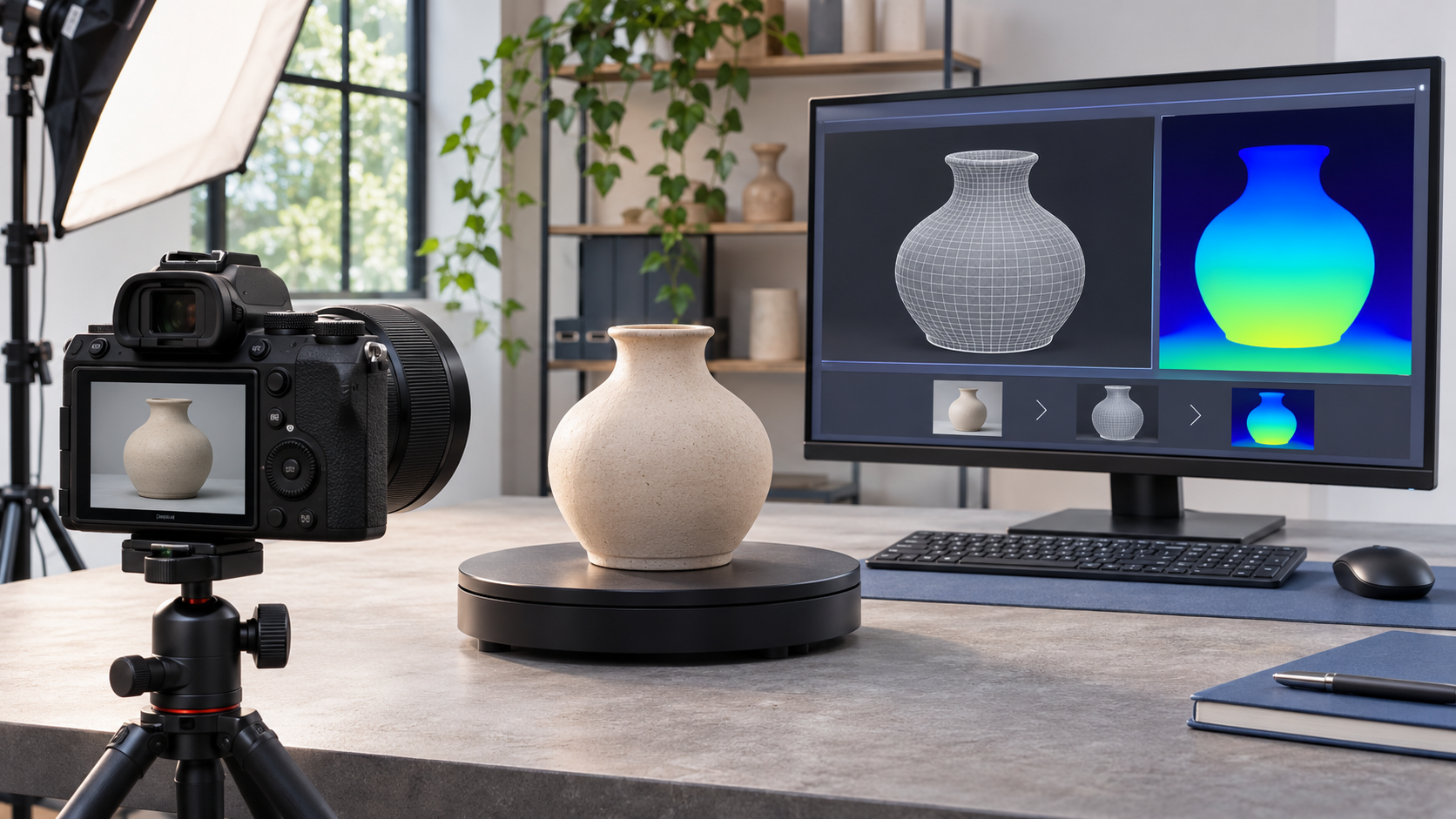
Canon’s Dual Pixel 3D Converter turns depth and phase-detection data captured by a compatible EOS R camera into a textured 3D model from one photograph. Version 1.0.0 is available for Windows 11 and can export OBJ, GLB or an MP4 preview, giving product photographers and small online shops a faster starting point than a traditional multi-angle photogrammetry session.
The simple headline needs an important qualifier: the software does not work with every Canon camera, every RF lens or every computer. Canon currently lists eight EOS R bodies, 12 lenses and Windows 11 24H2 or later. Most supported bodies use Dual Pixel RAW files, while the EOS R8 Mark II is identified as the model that can supply a JPEG with distance data.
ReaderSpice has not independently tested the converter, so the quality claims in this guide are Canon’s. A single-view reconstruction can be useful for a product page, concept visualization or Blender starting point, but it should not be mistaken for a fully measured 360-degree scan. The best way to evaluate it is with a clean subject, controlled light and the exact camera-lens combination Canon supports.
Canon Dual Pixel 3D at a glance
- Current version: Dual Pixel 3D Converter 1.0.0 for Windows.
- Input: Dual Pixel RAW, or JPEG with distance data on the EOS R8 Mark II.
- Output: OBJ with supporting material and texture files, self-contained GLB, or an MP4 preview video.
- Supported operating system: 64-bit Windows 11 version 24H2 or later.
- Minimum memory: 8GB RAM; Canon recommends 16GB or more.
- Processor guidance: Intel Core i-series; Canon recommends Core i7 or higher.
- Storage and display: at least 2GB free and a 1024 x 768 or higher display.
- Core editing tools: background removal, depth adjustment, texture replacement and preview-video backgrounds and effects.
- Main constraint: a supported camera must be paired with one of Canon’s listed RF or RF-S lenses and current firmware.
How the one-photo 3D workflow works

A sharp, evenly lit source image gives the converter more useful texture and depth information than a blurred or reflective capture.
Canon’s Dual Pixel CMOS AF sensor records paired photodiode information across the image sensor. The camera normally uses that difference for phase-detection autofocus. In a compatible file, the converter can also use the relationship between the paired signals as depth information, then combine it with the photograph’s color and texture to estimate the visible scene geometry.
That is why one exposure can produce a three-dimensional result without a dedicated depth scanner. It is also why ordinary JPEGs from older bodies are not interchangeable with the required files: a normal flat image does not contain the additional data the application expects. Canon specifically marks the EOS R8 Mark II as supporting JPEG with distance data; other listed bodies rely on the compatible Dual Pixel RAW workflow.
The application can preserve the photographed background or isolate the main subject. After conversion, the user can change the model depth, replace its surface texture with another edited image and add a background or effect for an MP4 preview. OBJ is the more open, multi-file route for editing; GLB packages geometry and texture more conveniently for many web and 3D viewers.
Compatible EOS R cameras
Canon’s current U.S. compatibility page and software page list the following camera bodies:
- EOS R5
- EOS R5 Mark II — Canon lists firmware version 1.3.1 or later.
- EOS R6 Mark II
- EOS R6 Mark III
- EOS R7
- EOS R8
- EOS R8 Mark II — the listed body for JPEG with distance data.
- EOS R10
Update a compatible body to its latest available firmware before troubleshooting the desktop app. Canon Australia’s FAQ says current firmware is required, while Canon’s application page gives the R5 Mark II a specific minimum of 1.3.1. If the file is not recognized, confirm the camera firmware, capture format and lens before reinstalling the software.
Compatible RF and RF-S lenses
The supported body is only half of the requirement. Canon lists these 12 lenses for version 1.0.0:
- RF24-70mm F2.8 L IS USM
- RF24-50mm F4.5-6.3 IS STM
- RF24-105mm F4 L IS USM
- RF24-105mm F4-7.1 IS STM
- RF35mm F1.8 Macro IS STM
- RF50mm F1.8 STM
- RF70-200mm F2.8 L IS USM
- RF70-200mm F4 L IS USM
- RF85mm F2 Macro IS STM
- RF100mm F2.8 L Macro IS USM
- RF-S18-45mm F4.5-6.3 IS STM
- RF-S18-150mm F3.5-6.3 IS STM
A lens being an RF-mount product does not make it compatible automatically. The converter needs the calibration and optical behavior Canon has implemented for the listed combinations. Recheck the official page after an app update because support can expand or change, and do not buy a lens solely on the assumption that a similar focal length will be added later.
How to install and make a first model
- Confirm the PC runs 64-bit Windows 11 24H2 or later and has at least 8GB of RAM and 2GB of free storage. Canon recommends 16GB RAM and an Intel Core i7-class processor or better.
- Update the camera firmware, mount one of the supported lenses and select the compatible capture format. On the EOS R8 Mark II, use the documented JPEG-with-distance-data path; on the other supported bodies, use the Dual Pixel RAW workflow.
- Place a clearly separated subject against an uncluttered background. Use a tripod when practical, focus carefully and avoid motion blur. Diffuse light helps preserve texture without hard reflections or deep clipped shadows.
- Download the official Windows installer from Canon, extract the ZIP archive, run the installer executable and follow the setup prompts. Close other applications if Canon’s installer page instructs you to do so.
- Transfer the source file to the PC and open it in Dual Pixel 3D Converter. Start with the default conversion before increasing depth or removing the background; an extreme correction can hide whether the source capture is the actual problem.
- Inspect edges, thin parts, holes, reflective areas and the model’s unseen side. Replace the texture with an edited JPEG only after the geometry is usable, then export OBJ or GLB for further work.
- Open the export in the intended viewer, e-commerce platform or Blender project. Test scale, orientation, texture paths and web performance instead of assuming a successful export is ready for production.
What OBJ, GLB and MP4 are for
OBJ for an editable production handoff
Canon lists OBJ with MTL and JPG output. That familiar structure separates geometry, material instructions and texture, which makes it practical for inspection and repair in Blender or another 3D application. Keep the related files together when moving the model; an OBJ without its material or texture can appear gray or incomplete.
GLB for a portable packaged asset
GLB stores the model in a compact binary container and is convenient for many web viewers, presentations and asset libraries. It reduces the chance of losing a separate texture file, but the model still needs to be tested in the final platform for scale, polygon count, lighting and browser performance.
MP4 for people who only need a view
The preview-video option creates a conventional video that can show the generated model with a background and effects. It is useful when a site, message or presentation cannot display an interactive 3D object. It does not preserve interactive rotation or editable geometry; keep the OBJ or GLB project as the master asset.
The important limits of a one-shot model
A single camera position cannot directly photograph surfaces hidden behind the subject. Any geometry on the far side is therefore reconstructed from the data and Canon’s algorithm rather than observed from a second viewpoint. Canon Australia says users can refine an export in software such as Blender to correct distortions or develop a 180-degree result toward a full 360-degree model. That editing step is a warning against treating the first export as a measured digital twin.
- Glossy, transparent and nearly textureless subjects can give a vision system fewer stable visual cues.
- Thin edges, hair, foliage, repeating patterns and deep openings deserve close inspection after conversion.
- Motion blur and missed focus damage both photographic detail and the depth estimate available to the converter.
- A wide aperture may make the subject attractive in a photo while leaving too little of it sharp for a clean model.
- A one-view result is not an engineering measurement, a preservation scan or proof of exact dimensions.
- Windows-only availability excludes a Mac-only workflow unless the user adds a compatible Windows computer.
For a product listing, compare the generated model with the real item from several angles and disclose when the visualization is approximate. For manufacturing, cultural heritage, medical or other precision work, use a calibrated scanning or photogrammetry process that matches the accuracy requirement.
A supported low-cost prime lens option
Canon includes the RF50mm F1.8 STM in the version 1.0.0 compatibility list. Readers who already own a supported body can compare the Canon RF50mm F1.8 STM on Amazon (ASIN B08MFVH7SV). Verify that the seller listing is the Canon RF-mount model 4515C002, then check the current price, return terms and warranty before ordering.
A 50mm prime is compact and can be useful for controlled tabletop subjects, but it is not automatically the best working distance for every scene. On the APS-C EOS R7 or R10, its field of view is tighter than on a full-frame body. Choose the camera position, background clearance and subject size first, and remember that the software still requires a listed camera, the correct file type and current firmware.
Affiliate disclosure: ReaderSpice may earn a commission from qualifying Amazon purchases made through the link above, at no additional cost to you.
Who should try it
Dual Pixel 3D Converter is most interesting for an EOS R owner who already has a supported lens and needs a quick textured asset for product visualization, a lightweight web preview, a concept presentation or a starting mesh. In that situation, the cost and setup burden can be lower than assembling a multi-camera rig or learning a full photogrammetry capture sequence.
It is less compelling for a Mac-only editor, an owner of an unsupported body or lens, or anyone who needs exact all-around geometry with minimal cleanup. Buying an entire compatible camera kit only for this first release is difficult to justify without testing Canon’s sample files and the intended delivery platform first.
The bottom line
Canon Dual Pixel 3D Converter makes one-photo 3D creation unusually approachable by reusing data that compatible EOS R cameras already record. Its OBJ, GLB and MP4 outputs, background removal and texture tools give photographers a practical bridge from a still image to a shareable model.
The bridge is narrow: eight supported cameras, 12 lenses, current firmware and Windows 11 24H2 or later. Treat the first result as a reconstruction that needs visual inspection and, often, 3D editing. Existing owners have a sensible experiment; precision users and buyers building a kit from scratch should keep a conventional scan or multi-angle workflow in the comparison.
Sources
Canon U.S.A.: Dual Pixel 3D overview, workflow and compatibility
Canon: Dual Pixel 3D Converter 1.0.0 features, system requirements and applicable models
Canon Australia: Dual Pixel 3D compatibility and FAQ
Canon support: Dual Pixel 3D Converter 1.0.0 installer and setup instructions
Amazon: Canon RF50mm F1.8 STM (ASIN B08MFVH7SV)