
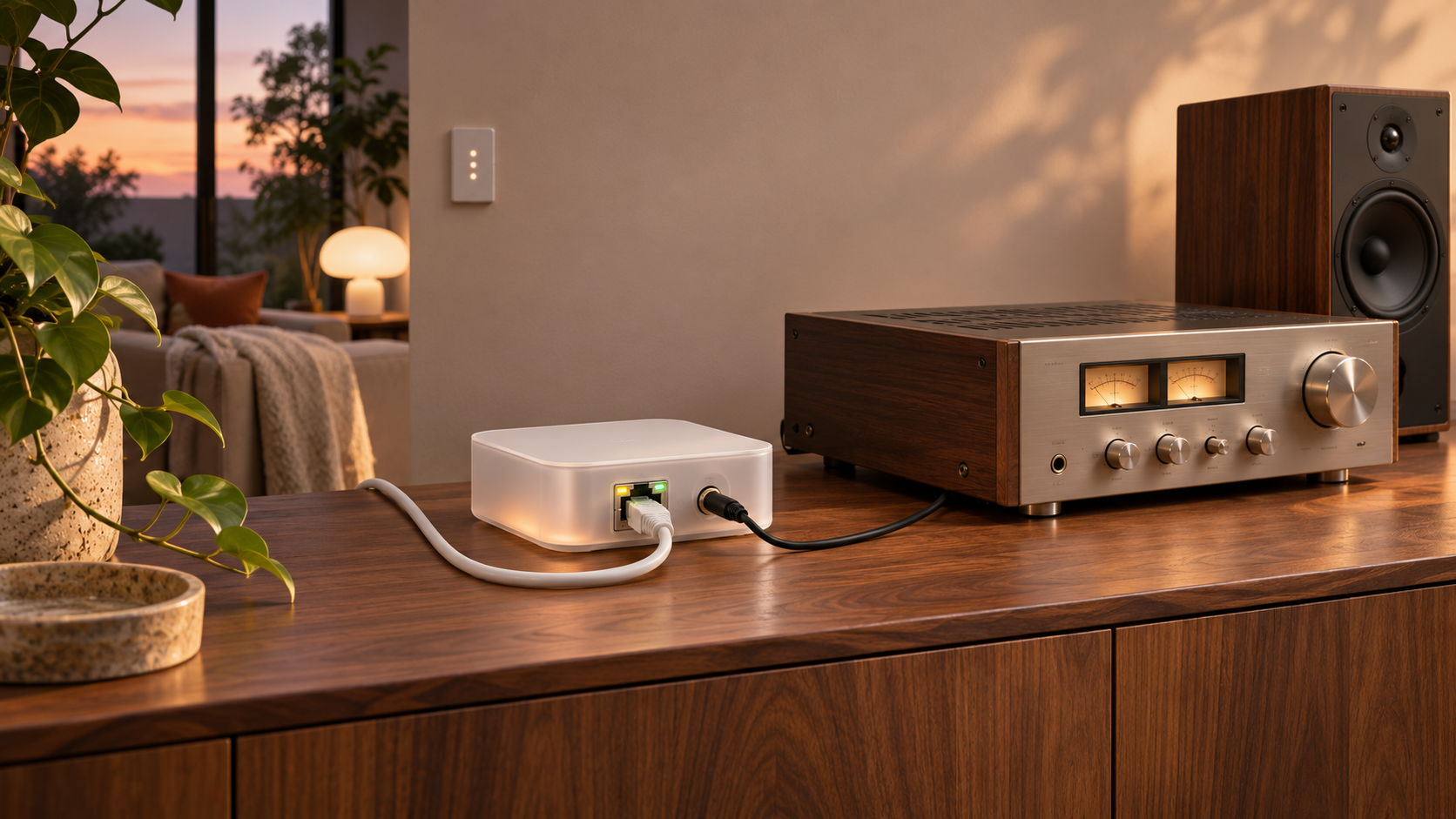
Home Assistant Connect AUX-2 is a $69 smart-home multi-tool designed to keep useful equipment in service. Nabu Casa launched it worldwide on November 11, 2026, with audio output, two RS-232 ports, USB device hosting, a Bluetooth proxy, Ethernet, Wi-Fi and Power over Ethernet in a 106 x 63 x 25 mm enclosure.
Its most appealing job is adding modern, synchronized playback to an older stereo through Music Assistant. The same box can also control compatible televisions, receivers, UPS units and other serial equipment, or place a Home Assistant Connect ZWA-2 adapter where Z-Wave coverage is strongest. Those uses depend on the right cables, integrations and network design; AUX-2 is not an amplifier, a general Bluetooth-audio receiver or a radio hub by itself.
This is a launch-day specification and setup assessment, not a long-term review. The recommendations below distinguish the functions Nabu Casa documents as ready from experimental options such as Zigbee-over-network operation.
Home Assistant Connect AUX-2 at a glance
- Price and availability: $69 or EUR 59 recommended MSRP, launched worldwide on November 11, 2026. US pricing excludes tax; retailer prices and stock vary by region.
- Audio: one combined 3.5 mm analog or optical S/PDIF output, 16-bit/48 kHz stereo, with FLAC, MP3 and WAV decoding.
- Control: two 3.5 mm RS-232 serial ports with independent TX/RX switches; an additional USB adapter is required for RS-485 or Modbus hardware.
- Radio hosting: USB-A supports Connect ZWA-2, while Connect ZBT-2 Zigbee use is experimental. AUX-2 does not contain a Z-Wave, Zigbee or Thread radio of its own.
- Networking: 2.4 GHz Wi-Fi or wired Ethernet. Wired service is recommended when AUX-2 hosts a radio or synchronized audio player.
- Power: USB-C at 5 V/2 A or better, or 802.3af Power over Ethernet, using one power source at a time.
- Software: Home Assistant 2026.9 or later and the ESPHome integration. Music Assistant is the free playback app for the Sendspin player.
- Important exclusions: no audio input, no Bluetooth audio, no speaker amplifier and no audio, serial or power cable in the box.
What the $69 box actually does
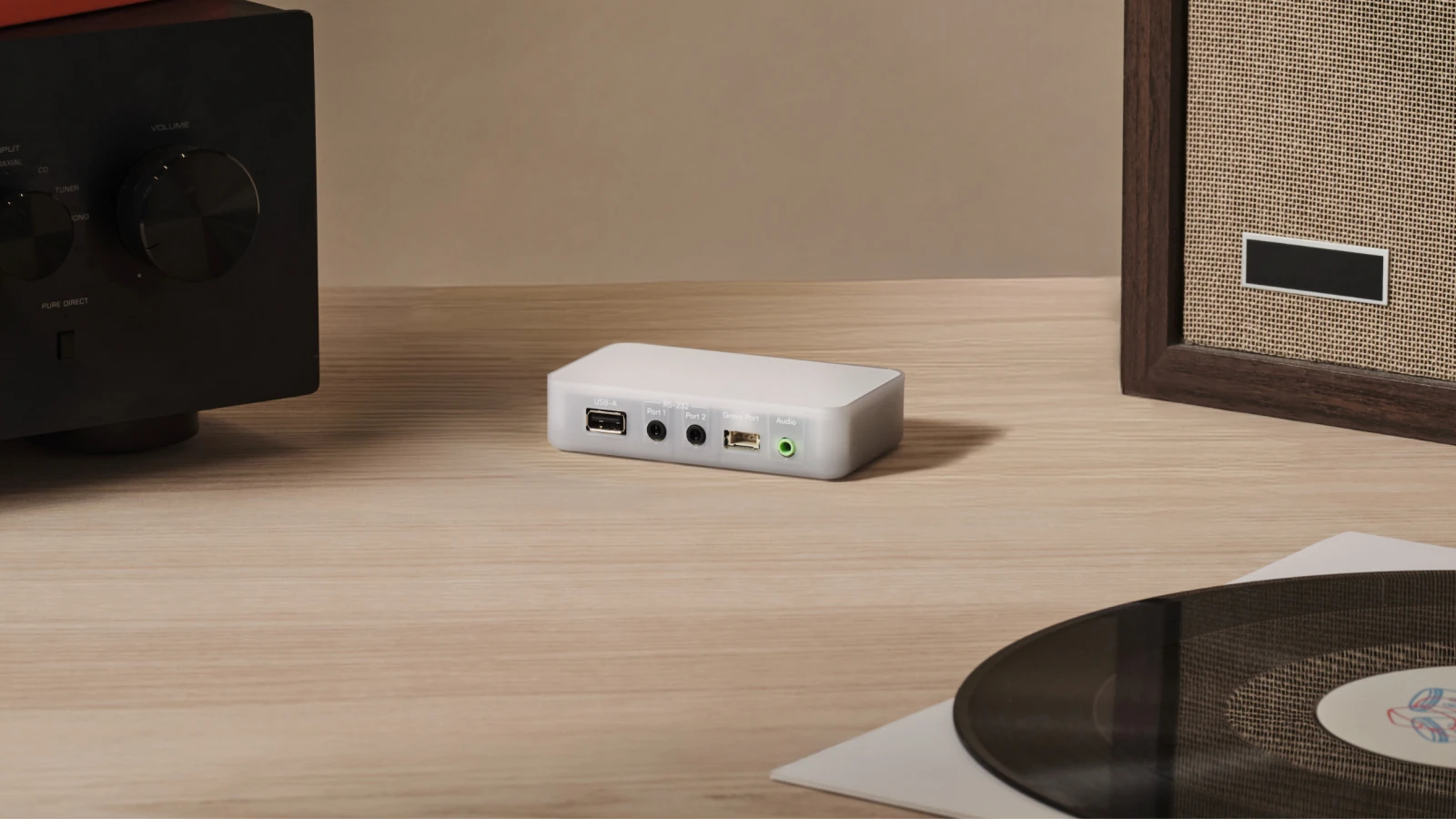
Connect AUX-2 is designed to add local audio streaming and control to equipment that still works but lacks modern smart-home features. Image: Home Assistant.
AUX-2 is best understood as a network endpoint for several Home Assistant functions. It can expose its audio output as a Sendspin player, pass Home Assistant commands to supported serial equipment, relay Bluetooth Low Energy devices, and carry a supported USB adapter over the local network. That combination is more flexible than a single-purpose streamer, but every function still relies on Home Assistant and compatible software.
The ESP32-S3 device runs unlocked ESPHome firmware and includes a Grove port for GPIO or I2C sensors. Tinkerers can add environmental sensors or flash custom firmware, while a standard installation can remain on the supported factory configuration. The enclosure is intended for dry indoor locations between 0 and 65 degrees Celsius.
Ports, audio and networking specifications
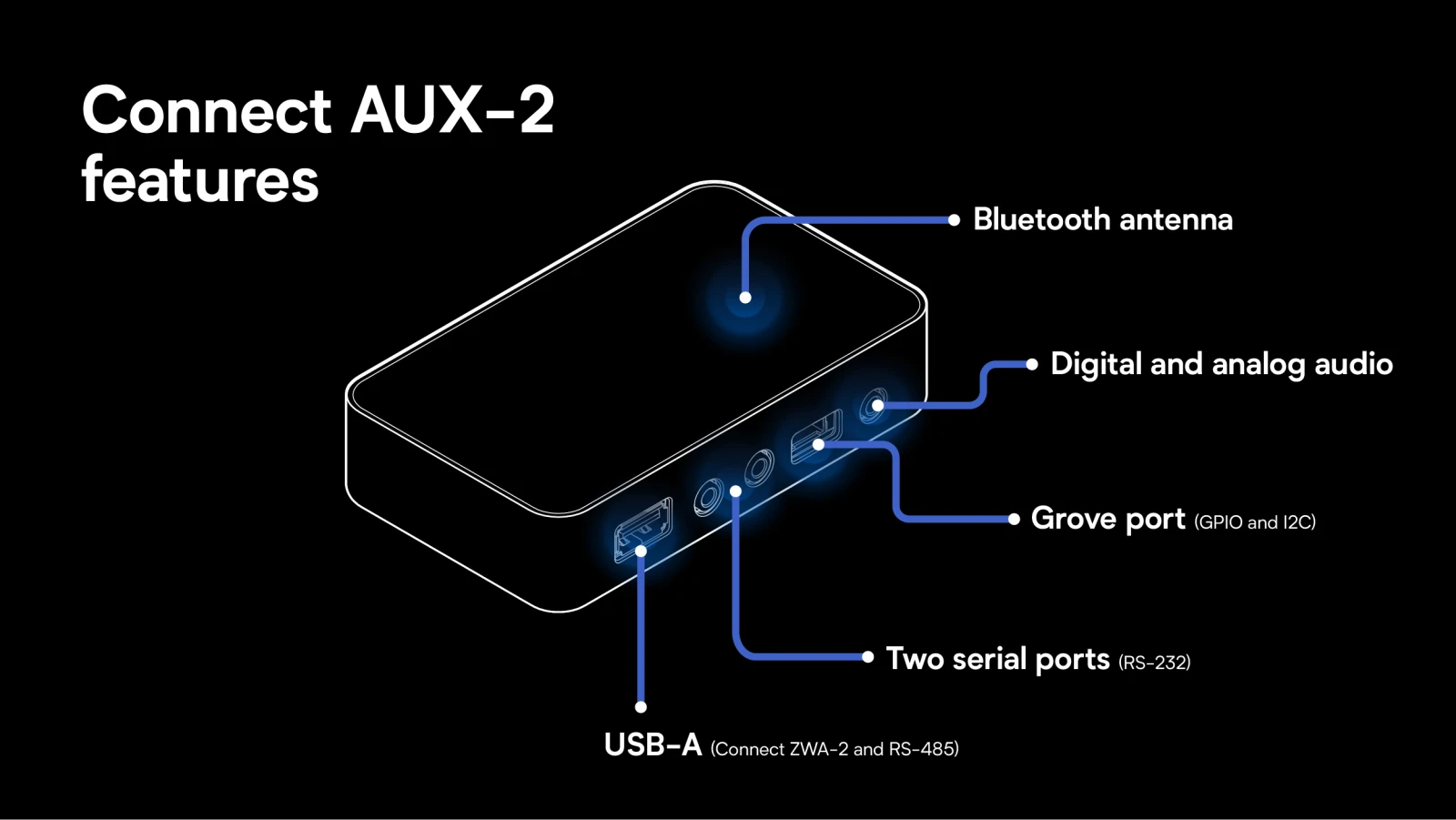
The audio jack, two serial ports and USB-A host port serve different jobs; identify the port and cable before connecting equipment. Image: Home Assistant.
- Processor: Espressif ESP32-S3.
- DAC: Texas Instruments PCM5122 with a quoted 112 dB signal-to-noise ratio.
- Audio output: combined analog 3.5 mm and optical S/PDIF; one output mode at a time. Digital output supports stereo PCM lossless audio.
- Serial: two RS-232 ports on 3.5 mm connectors, with bottom-mounted switches that swap transmit and receive lines for cable compatibility.
- USB: one USB-A data port for Connect ZWA-2 or an RS-485 adapter.
- Other expansion: Grove connector for supported ESPHome GPIO and I2C modules.
- Wireless: 2.4 GHz 802.11b/g/n Wi-Fi and Bluetooth 5 Low Energy.
- Wired: Ethernet for data; 802.3af PoE can carry data and power on one cable. If Ethernet is used without PoE, USB-C power is required.
- Size and weight: 106 x 63 x 25 mm and 104 g.
Turn a classic stereo into a Music Assistant player
Connect the combined audio output to an auxiliary input, powered speakers or a receiver. AUX-2 detects whether the connection is analog or optical and sends 16-bit/48 kHz stereo through the appropriate path. It cannot drive passive speakers directly, so those speakers still need an amplifier.
Music Assistant discovers AUX-2 as a Sendspin player and can group it with other compatible players. Sendspin is intended to improve timing across different speaker ecosystems, but Music Assistant still describes parts of the broader group-bridging experience as evolving or experimental. Exact synchronization depends on player firmware, network conditions and the protocols in the group.
- Place AUX-2 near the amplifier or powered speaker and choose either wired Ethernet or 2.4 GHz Wi-Fi. Wired Ethernet is the more predictable option for synchronized playback.
- Provide power through a compliant PoE switch or injector, or connect a 5 V/2 A USB-C supply. Do not attach both power sources.
- Connect either a suitable 3.5 mm analog cable or mini-TOSLINK optical cable to an input on the audio equipment. Cables are sold separately.
- Add AUX-2 to Home Assistant through the ESPHome integration, then install and open Music Assistant.
- Confirm AUX-2 appears as a Sendspin player, test it alone, and only then add other players to a group. Adjust per-player delays if the group exposes audible timing differences.
Use RS-232 for TVs, receivers and equipment
The two RS-232 ports can control two compatible devices at once. That can give Home Assistant power, input, volume or status control without leaving a television or receiver connected to a poorly maintained cloud service. Serial support also extends beyond home theater to some UPS systems, climate controllers, solar equipment and other professional hardware.
A physical serial port is not enough on its own. The exact model needs a Home Assistant integration that understands its command set, and some products require serial control to be enabled in their own settings. Connector pinouts vary among DB9, RJ11, mini-DIN and other formats, so verify the equipment manual before buying a converter cable.
The serial sockets use the same 3.5 mm shape found on audio gear but are not audio outputs. Factory stickers help prevent confusion. If a compatible cable reverses transmit and receive lines, the switches on the bottom of AUX-2 can swap them without cutting or rewiring the cable. RS-485 and Modbus devices require a separate USB RS-485 adapter rather than either RS-232 socket.
Put a Z-Wave adapter where it works best
A Connect ZWA-2 can plug into AUX-2’s USB-A port and communicate with Home Assistant over the network. This can move the Z-Wave antenna away from a server rack, basement, thick wall or other poor radio location. Nabu Casa says it tested the Z-Wave configuration for months and recommends Ethernet, ideally PoE, for the most reliable link.
The radio remains in the external ZWA-2; AUX-2 only hosts and transports it. A USB extension may still help keep a radio away from electrical noise, metal surfaces or the AUX-2 enclosure. Relocating an established Z-Wave controller can change mesh routes, so allow the network time to settle and diagnose coverage methodically rather than repeatedly moving it.
Zigbee works, but it is not ready for everyone
Connect ZBT-2 can also be hosted through AUX-2, but Nabu Casa labels this path new and not widely tested. It requires Home Assistant 2026.11 or later and currently works only with ZHA, not Zigbee2MQTT. Wi-Fi can also add interference in the 2.4 GHz band, making wired Ethernet especially sensible for an experimental Zigbee deployment.
Treat this as a testing option rather than the default way to deploy a production Zigbee coordinator. Keep a backup of the Home Assistant configuration, follow the developer setup guide, and do not migrate a stable network merely because the USB port is available.
Thread is not supported
AUX-2 cannot extend Thread devices, and Nabu Casa says Thread connectivity is not planned for this product. The company found the networked serial path too latency-sensitive for a reliable Thread radio link. A ZBT-2 attached to AUX-2 therefore should not be presented as a remote Thread border router.
Bluetooth proxy and placement
AUX-2 automatically becomes a Home Assistant Bluetooth proxy after it is added. Its dedicated antenna can bring Bluetooth Low Energy sensors and accessories into Home Assistant without a vendor hub, and multiple proxies can improve coverage and provide alternate paths around walls or dead zones.
This feature handles Bluetooth smart-home data, not Bluetooth music. AUX-2 cannot send or receive Bluetooth audio. Ethernet placement also leaves the radio free from sharing airtime with Wi-Fi, which can improve consistency when Bluetooth coverage is the priority.
Power and network setup
PoE is the cleanest installation when a compliant switch or injector is available: one Ethernet cable supplies both network access and power. Standard Ethernet without PoE also works, but USB-C power is then required. A Wi-Fi installation needs the same USB-C supply and supports only 2.4 GHz networks.
Use one power source at a time. Plan cable length and strain relief before mounting the light enclosure, and avoid hot, dusty or damp locations. The box includes AUX-2, a quick-start guide, and warranty and safety information; no USB-C supply, Ethernet, audio or serial cable is included.
Home Assistant and software requirements
- Home Assistant 2026.9 or later is required to set up and manage AUX-2.
- The device is added through the ESPHome integration and is designed for local control.
- Music Assistant is required for the intended Sendspin music-player workflow and is installed separately.
- Serial control works only when a compatible Home Assistant integration supports the target equipment.
- Experimental ZBT-2 hosting requires Home Assistant 2026.11 or later and ZHA.
- The unlocked bootloader allows custom firmware, but a custom build moves the installation outside the ordinary supported factory path.
What you need to buy separately
- A 5 V/2 A USB-C supply unless the installation uses PoE.
- An Ethernet cable for wired networking, plus a compatible PoE switch or injector if PoE is the power plan.
- The correct analog, optical and serial cables for the equipment. Check connector type and pinout rather than assuming every 3.5 mm cable is equivalent.
- An amplifier when the target speakers are passive.
- A Connect ZWA-2 for Z-Wave, or a Connect ZBT-2 for the experimental ZHA-only Zigbee path.
- A USB RS-485 adapter for Modbus or other RS-485 equipment.
- A working Home Assistant system; AUX-2 is an accessory and does not replace the Home Assistant host.
Home Assistant Green for a new system
Readers who need a dedicated Home Assistant appliance can compare Home Assistant Green on Amazon (ASIN B0CXVKSG19). Green runs Home Assistant OS and provides Gigabit Ethernet and two USB ports, but AUX-2 is not included and Green does not contain a built-in Zigbee or Thread radio. An existing supported Home Assistant installation can use AUX-2 without buying a new hub. Verify the seller, exact bundle, price, availability and return terms before ordering.
Affiliate disclosure: ReaderSpice may earn a commission from qualifying Amazon purchases made through the link above, at no additional cost to you.
Who should buy it and who should skip it
AUX-2 makes sense when
- A good amplifier, receiver or powered speaker needs local network playback and Music Assistant grouping.
- Home Assistant can already control the exact RS-232 equipment and the installation benefits from two serial ports.
- A ZWA-2 or Bluetooth proxy needs to be moved away from the Home Assistant server and Ethernet is available.
- One compact, open ESPHome device can replace several single-purpose bridges.
Skip it or wait when
- The goal is Bluetooth audio input, recording, passive-speaker amplification or a stand-alone streamer without Home Assistant.
- The target serial device has no Home Assistant integration or uses an undocumented protocol.
- Thread is required, Zigbee2MQTT is non-negotiable, or an experimental ZHA network path is unacceptable.
- A stable existing USB radio already has good placement and no network extension problem to solve.
The bottom line
Home Assistant Connect AUX-2 is a thoughtfully combined accessory rather than a universal smart-home hub. At $69, its value comes from doing several local jobs in one place: 16-bit/48 kHz audio output, two RS-232 links, reliable Bluetooth proxy coverage, and network placement for a ZWA-2, all with PoE as an installation option.
The limits protect buyers from the wrong expectations. It outputs but does not capture or amplify audio, Bluetooth is for device data rather than music, serial hardware needs a matching integration, Zigbee remains experimental, and Thread is unsupported. For a compatible stereo, receiver or remote Z-Wave location, AUX-2 can preserve useful hardware and reduce cloud dependence. For other jobs, the right dedicated adapter will be simpler.
Sources
Home Assistant: Connect AUX-2 product page, specifications, compatibility and FAQ
Home Assistant: Connect AUX-2 launch announcement – November 11, 2026
Music Assistant: player groups and cross-protocol synchronization guidance
Music Assistant: Sendspin player support and current limitations
Home Assistant: Bluetooth integration and remote proxy documentation
Seeed Studio: Home Assistant Connect AUX-2 retailer listing and specifications
Amazon: Home Assistant Green (ASIN B0CXVKSG19)