
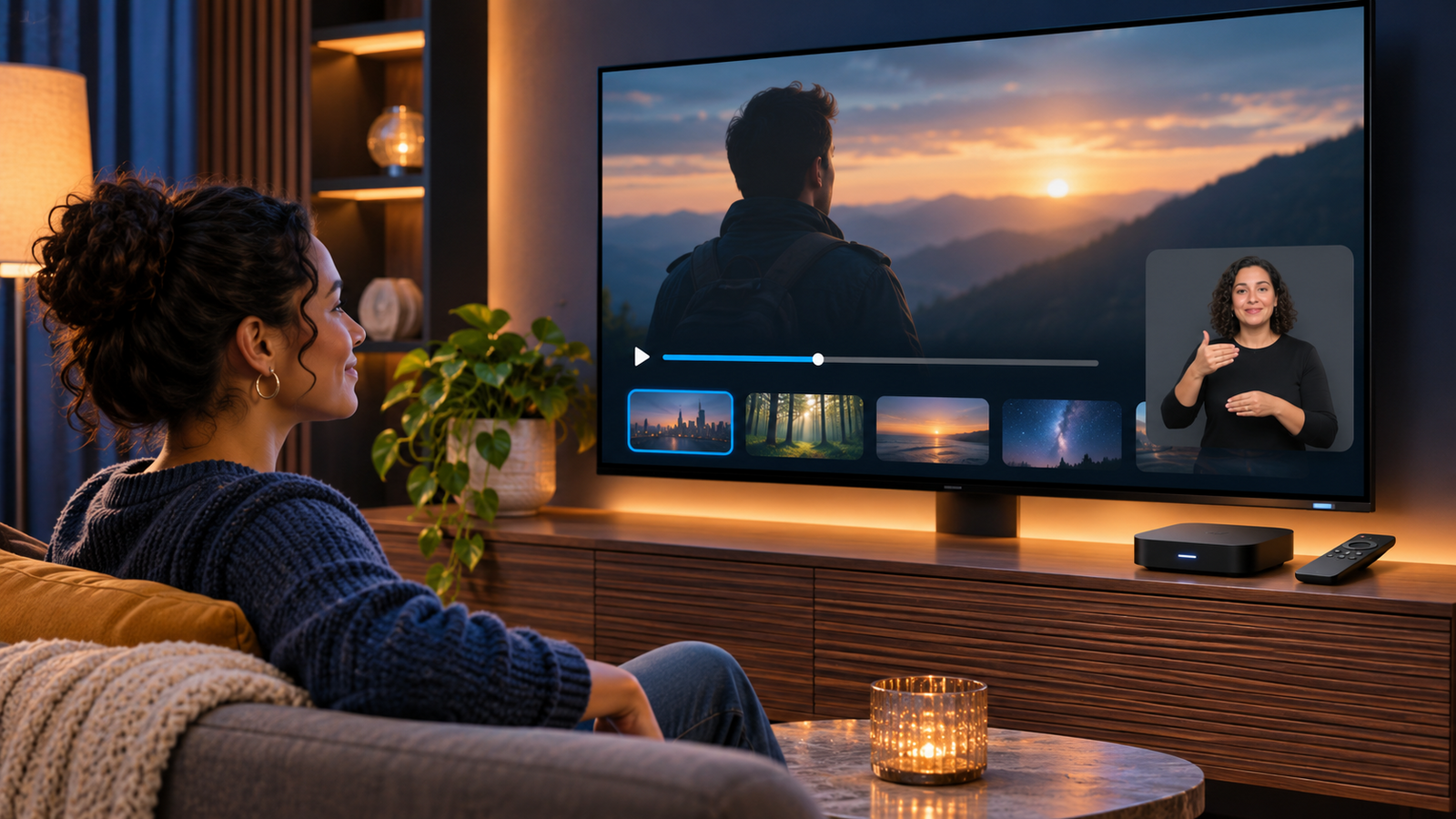
Apple TV is adding built-in American Sign Language (ASL) and British Sign Language (BSL) interpretation to selected Apple Originals on November 13, 2026. The feature puts a human signer inside the video presentation, giving Deaf and hard-of-hearing viewers an option that is meaningfully different from captions alone.
The first supported release is the documentary Being Heumann. Apple has also confirmed F1, with Way of the Warrior Kid and Greyhound due later in 2026. Here is what is confirmed, how to enable the feature on different devices, and what to check before downloading or buying streaming hardware.
The quick take
- Launch date: November 13, 2026, beginning with Being Heumann.
- Languages: American Sign Language and British Sign Language, where offered for a title.
- Required software: iOS 27.2, iPadOS 27.2, macOS 27.2, tvOS 27.2, visionOS 27.2 or later, or the latest Apple TV app software on a supported third-party device.
- Where to enable it: the Apple TV app’s Sign Language accessibility setting, or the Sign Language button on a supported title.
- Storage warning: Apple says downloads can be about twice the original size because a separate interpreted version is downloaded.
What Apple TV’s Sign Language feature does
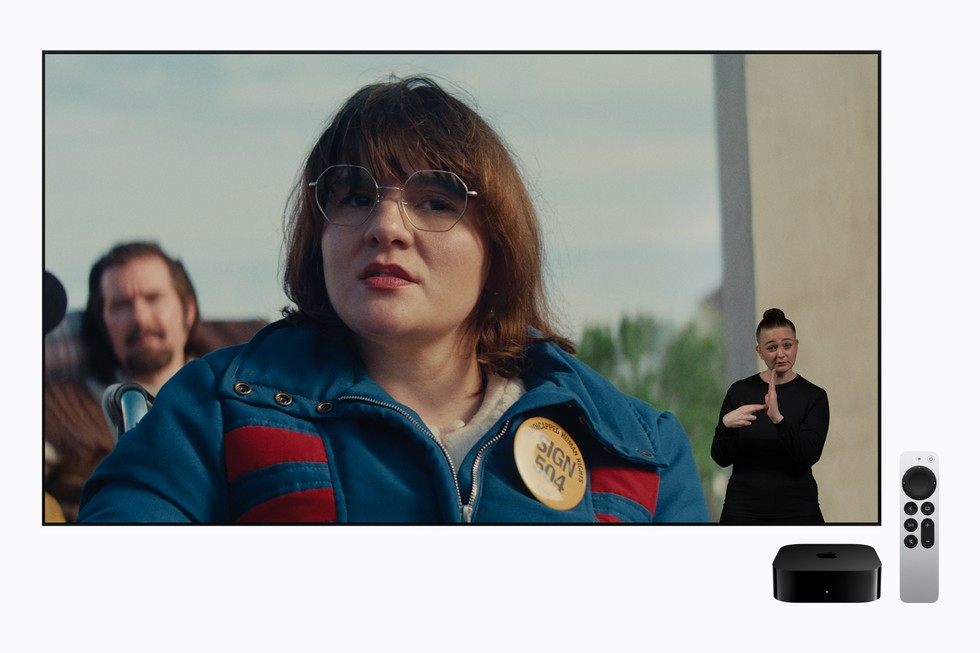
Apple’s Sign Language feature is an interpreted version of a movie or show, not a speech-to-text overlay. When it is available, a signer appears within the video presentation and interprets the spoken dialogue and important context in ASL or BSL. Apple says the versions were designed and tested with Deaf people and native signers, and each interpretation was crafted for the individual title.
That title-by-title production matters. Sign languages have their own grammar and cultural conventions, so this is not simply English captions converted word for word or an automatically generated visual layer. Apple’s launch material describes human interpretation integrated into the viewing experience.
Supported titles at launch and later in 2026
Apple has named four Apple Originals so far, but they do not all arrive at the same time:
- Being Heumann — ASL and BSL interpretation begins November 13, alongside the documentary’s global premiere.
- F1 — confirmed for the feature; availability may depend on device, software and region.
- Way of the Warrior Kid — interpretation is planned later in 2026.
- Greyhound — interpretation is planned later in 2026.
Apple says more Apple Originals will follow. A title should not be treated as supported merely because it is in the Apple TV catalog: look for the Sign Language control or find it in Apple’s dedicated collection.
Devices and software requirements
Apple lists iOS 27.2, iPadOS 27.2, macOS 27.2, tvOS 27.2 and visionOS 27.2 as the minimum versions for its own current platforms. Supported smart TVs and streaming devices need the latest available Apple TV app software. Availability can vary by country, region, device model and title.
Before troubleshooting, update both the operating system and the Apple TV app. If the Sign Language setting or playback icon still does not appear, confirm that the specific title and language are available on that device in your region.
How to turn it on on iPhone or iPad
- Open the Settings app.
- Tap Apps, then tap TV.
- Tap Sign Language.
- Choose American Sign Language or British Sign Language when the choice is available.
- Open a supported title in the Apple TV app and confirm that the Sign Language option is active.
You can also use the control shown on a supported title or during playback. If you plan to watch offline, leave enough free storage for the larger download.
How to turn it on on Apple TV 4K, smart TVs and streaming devices
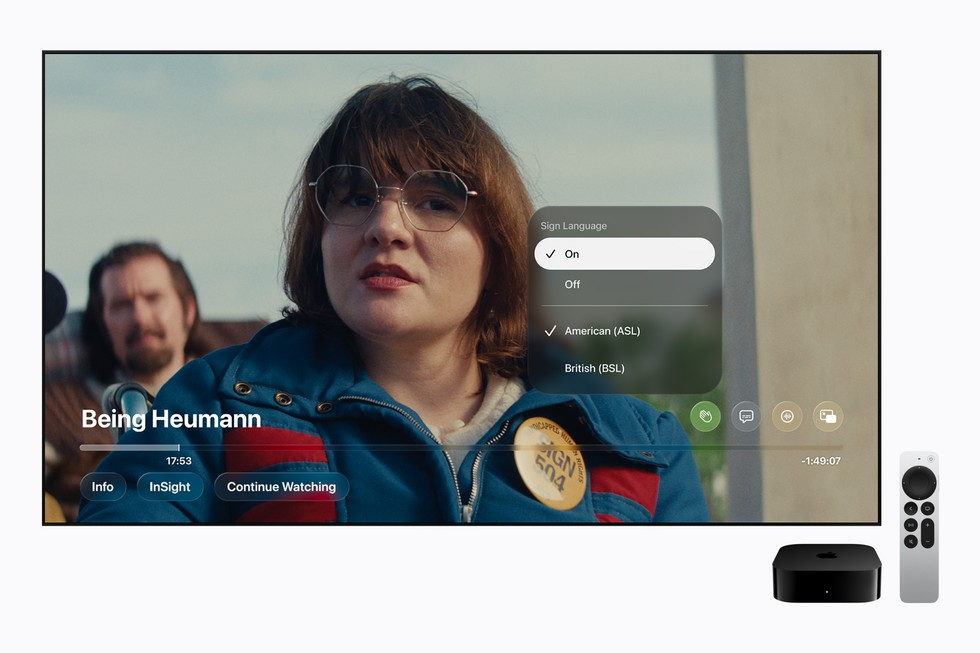
- Open the Apple TV app and display its sidebar.
- Select Settings.
- Open Accessibility, then select Sign Language.
- Choose ASL or BSL, if both are offered for the title.
- Start a supported movie or episode and look for the Sign Language icon in the playback controls.
Menu names can differ slightly on third-party television and streaming platforms. Apple’s requirement is a supported device running the latest Apple TV app software; the presence of the Apple TV app alone does not guarantee that every accessibility feature is available on every model.
Android and Apple Vision Pro setup
Android
In the Apple TV app on Android, open the app settings and look for Sign Language. Select a supported language, then open a compatible title. Apple gives the same storage warning for interpreted downloads on Android: they can be about twice the original size.
Apple Vision Pro
On Apple Vision Pro, open Settings, choose Apps, select TV, then choose Sign Language. Pick ASL or BSL when available. The feature requires visionOS 27.2 or later.
How to find movies and shows with interpretation
Apple says viewers can search the Apple TV app with phrases such as “with ASL.” It is also introducing a collection called “Movies & Shows with American Sign Language.” A supported title displays a Sign Language button or icon, which is the most reliable confirmation for the device and region you are using.
Because Apple is rolling the feature out title by title, search results and collections should grow over time. Recheck the title page after updating the app if a newly announced title does not immediately show the control.
What happens during playback
On a supported title, open the playback controls and select the Sign Language icon. Choose ASL or BSL if the title offers both. The interpreted presentation then plays as part of the video experience. You can still use other available accessibility options, such as captions or audio descriptions, according to your needs and the title’s support.
If the icon is missing, check four things in order: the title is on Apple’s supported list, your software is current, the feature is available in your country or region, and your specific device supports it.
Downloads can be about twice as large
Enabling Sign Language affects offline storage. Apple says the Apple TV app downloads a separate ASL or BSL version alongside the original, so a download can be roughly twice the normal size. That is especially relevant on phones, tablets and entry-level storage configurations.
- Check the available storage before downloading a long movie.
- Use Wi-Fi if your mobile plan has a data cap.
- Delete the interpreted download after watching if space is tight.
- Do not assume a previously downloaded copy will gain interpretation automatically; redownload after enabling the setting if necessary.
Sign language interpretation is not the same as captions
- Sign language interpretation communicates through a natural visual language with its own grammar and expression.
- Captions render dialogue and sound information as written text.
- Audio descriptions narrate important visual action for blind and low-vision viewers.
These features solve different access needs and can complement one another. For viewers whose first or preferred language is ASL or BSL, interpretation can convey meaning and emotion in a more direct way than written English captions alone.
A third-party streaming option to consider
The Amazon Fire TV Stick 4K Plus (ASIN B0F7Z4QZTT) is a current 4K streaming device that supports the Apple TV app. Apple says third-party devices must be supported and run the latest app software, so verify the Sign Language feature on your exact model and in your region before buying specifically for this purpose.
Affiliate disclosure: ReaderSpice may earn a commission from qualifying Amazon purchases made through the link above, at no extra cost to you.
Who this feature helps — and its current limits
The launch is a meaningful addition for Deaf viewers who use ASL or BSL, families watching together, and people learning or maintaining a sign language. Its biggest limit is catalog size: only a small group of Apple Originals has been announced, and device or regional support may not be universal at launch.
Apple has not presented the feature as automatic interpretation for its entire catalog. The quality-focused, title-specific approach should produce a better experience, but it also means expansion will take time. Check for the icon on each movie or show rather than relying on a general Apple TV subscription or app installation.
Bottom line
Apple TV’s new ASL and BSL interpretation is a real accessibility layer built around human signers, not a replacement for captions or an AI-generated shortcut. Update to version 27.2 on Apple platforms, enable Sign Language in the Apple TV app, and start with Being Heumann on November 13. For offline viewing, budget about twice the usual download space, and treat support on third-party hardware as model- and region-specific until the icon appears on the title itself.
Sources
Apple Newsroom — Apple TV introduces new Sign Language interpretation feature
Apple Support — Change Apple TV app settings on iPhone and iPad
Apple Support — Change accessibility settings in the Apple TV app
Apple Support — Control playback in the Apple TV app
Apple Support — Change Apple TV app settings on Android
Apple Support — Change Apple TV app settings on Apple Vision Pro