
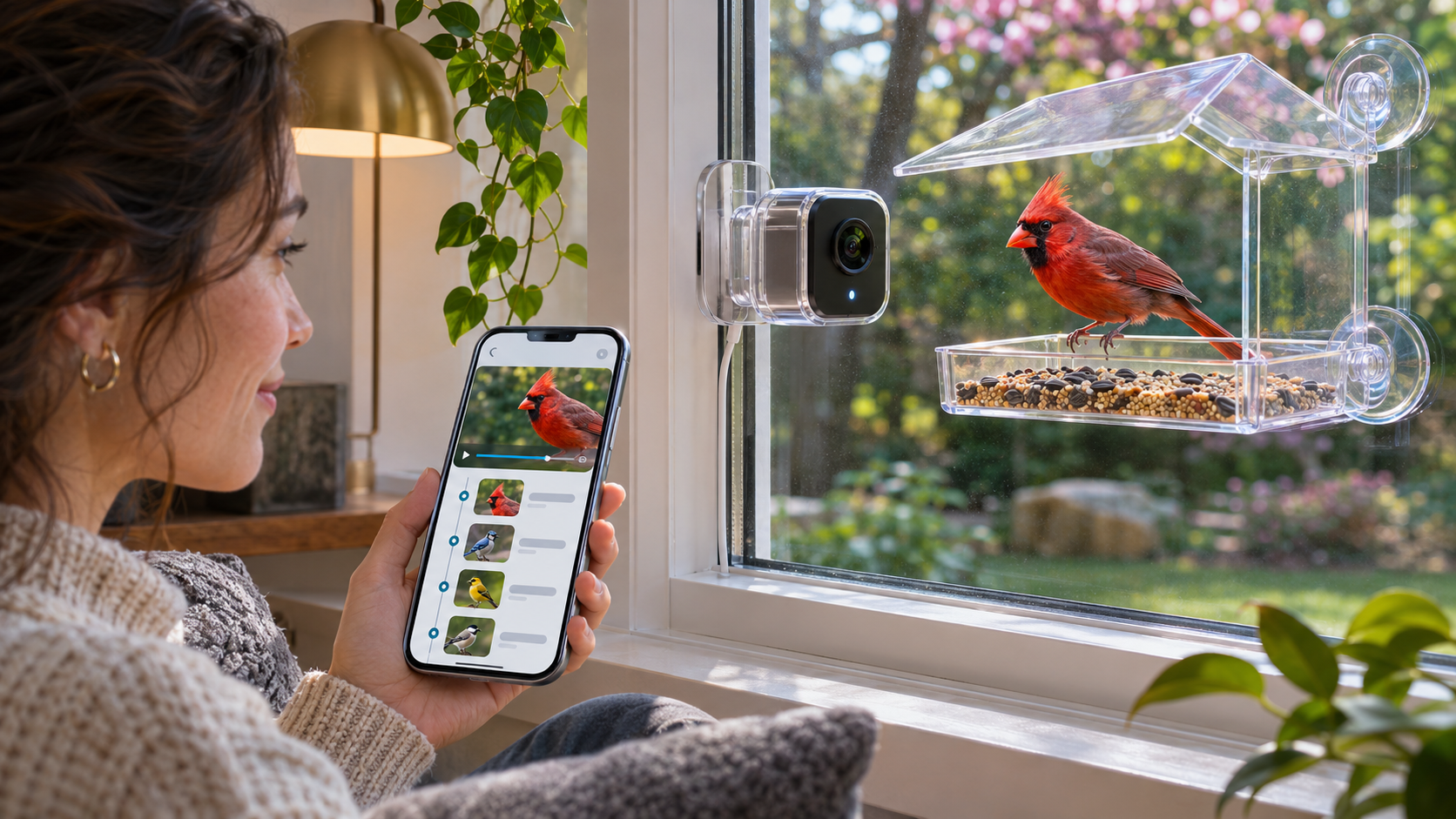
Wyze launched the Window Bird Cam on November 24, 2026, pairing a close-focus indoor camera with a clear feeder mounted outside the same window. The $69.98 kit is designed to bring birds within four to eight inches of the lens while keeping the electronics indoors, connected to continuous power and close to home Wi-Fi. The camera records 1080p video at 30 frames per second, sends basic bird-arrival alerts and can save continuous footage to a microSD card without a paid plan.
The hardware is simple; the service decision needs more attention. Every camera includes three months of Bird Watch, which adds species identification, a bird reference library, full-length cloud visit videos and alerts without the free tier’s five-minute cooldown. Wyze lists the service at $6.99 per month or $69.99 per year per camera, but its launch-day product FAQ and its updated subscription terms describe the trial’s end differently. Buyers should verify the enrollment screen and cancellation status instead of assuming the trial will or will not renew.
This is a sourced launch guide, not a hands-on review. ReaderSpice has not tested suction-cup retention, focus accuracy, species identification, night image quality, notification reliability, Wi-Fi performance or long-term recording endurance.
Wyze Window Bird Cam at a glance
- Price: $69.98 for the camera and feeder; the optional Window Bird Cam Perch is $14.98.
- Launch: available from Wyze.com starting November 24, 2026; Home Depot also lists model WYZE_WBDC_OFL at $69.98.
- Video: 1080p HD at 30 fps with a lens tuned for birds roughly four to eight inches away.
- Mounting: the camera stays inside; the clear feeder mounts outside the glass with four twist-lock suction cups.
- Power and network: an included 10-foot cable supplies continuous indoor power, avoiding a battery or solar panel.
- Free features: live view, stream sharing, basic bird alerts with a five-minute cooldown and local microSD recording up to 512GB.
- Bird Watch: species identification, confidence scores, editable IDs, Bird Wiki, 60-day cloud visit history and alerts without a cooldown.
- Subscription: three included months, then $6.99 monthly or $69.99 yearly per camera if continued.
- Audio: the camera has no microphone, speaker or siren and does not record birdsong.
How the indoor-camera and outdoor-feeder setup works
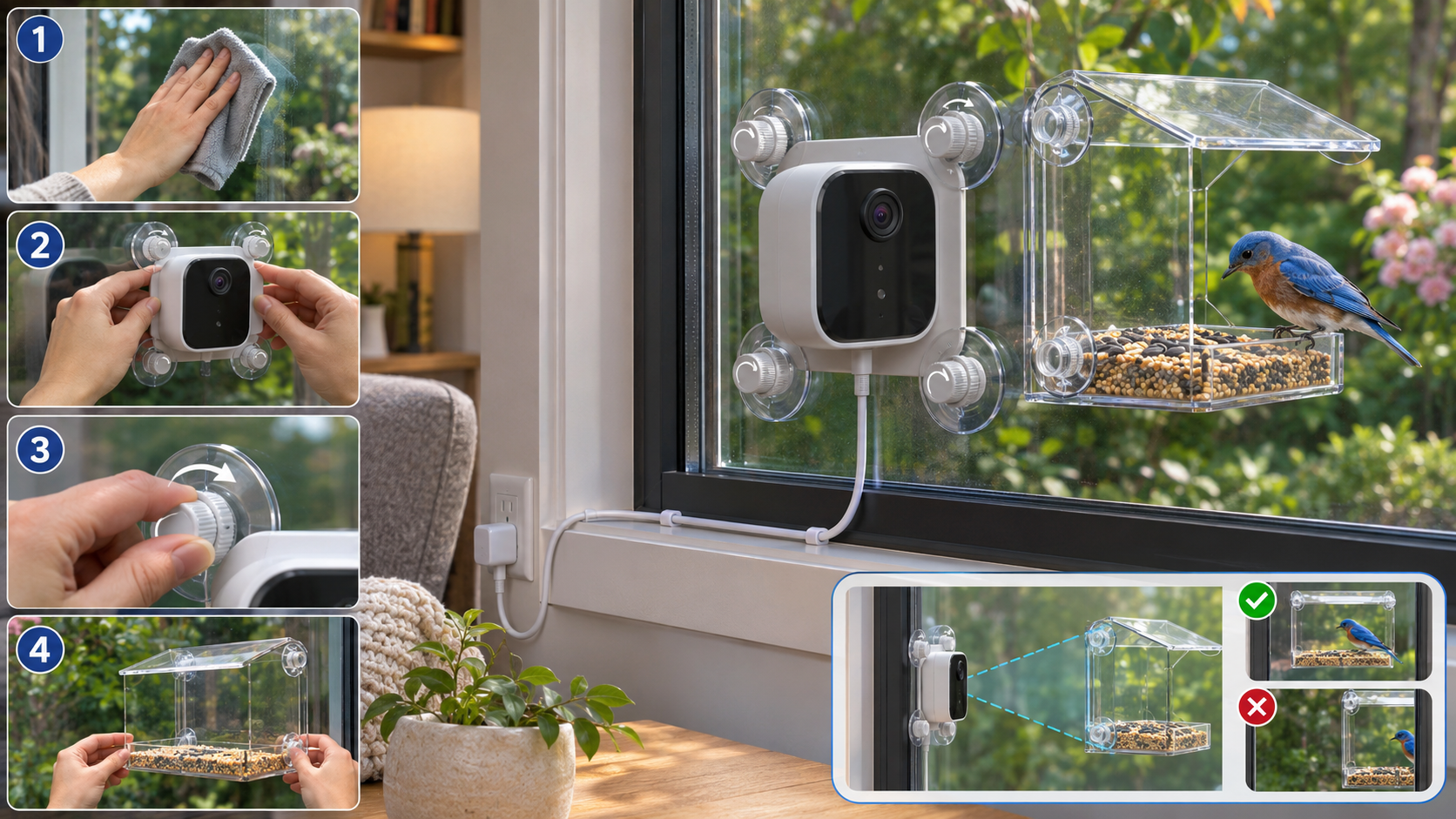
The camera and feeder align through the glass so the electronics remain indoors while birds land outside. Illustration: ReaderSpice.
The camera faces outward from the room while the feeder attaches to the exterior side of the same pane. Wyze includes a positioning template, mounting stickers, cable clips and a 10-foot power cable. The clear feeder uses four twist-lock suction cups and a removable seed tray with drainage. Because the lens is tuned for close focus rather than a wide security view, the bird should remain sharp while the yard falls out of focus.
Continuous power should make the live stream faster to wake and avoids carrying a battery feeder indoors for charging. The indoor position also keeps the camera body out of rain and snow. The outdoor feeder still depends on a clean, sound pane and correctly locked suction cups, so installation quality matters more than the marketing image suggests.
A careful setup checklist
- Choose a structurally sound window with a useful view, nearby indoor power and reliable Wi-Fi. Avoid cracked glass, loose screens and panes that must be opened frequently.
- Clean and fully dry both sides of the glass before mounting. Dirt, grease and moisture can weaken suction and degrade image quality.
- Use the supplied template to align the indoor lens with the feeder’s portrait zone before locking the exterior cups.
- Twist all feeder suction cups firmly and test the empty feeder by hand before adding seed. Recheck the mount after severe temperature changes or storms.
- Route the power cable with the supplied clips so it cannot be pinched by the window, pulled by a pet or become a trip hazard.
- Set up the camera in the Wyze app, update firmware if offered and confirm live view before filling the tray.
- Add a compatible microSD card if local recording is the plan, format it in the app and play back a test recording.
- Configure alerts, sharing and Bird Watch only after the basic live and local paths work.
What remains free without Bird Watch
A Bird Watch subscription is not required to use the camera. Wyze says free users keep live viewing, unlimited camera sharing with invited friends and family, basic bird-arrival notifications and local recording. The free alert path has a five-minute cooldown, so several birds arriving in quick succession may appear as one notification window rather than separate alerts.
Local recording is the most important free feature. The product page says the Window Bird Cam supports continuous 24/7 recording on a microSD card up to 512GB, sold separately. Local storage avoids paying solely for a recording timeline, but the card remains in the camera and can fail, fill or be reformatted. Test playback after setup and again after firmware or app updates.
The camera stream can be shared with invited Wyze accounts, while an individual visit clip can be shared separately. Sharing a whole camera is a persistent permission; sharing one clip is a limited disclosure. Review invited accounts periodically and remove access that is no longer needed.
Bird Watch adds AI identification and cloud history
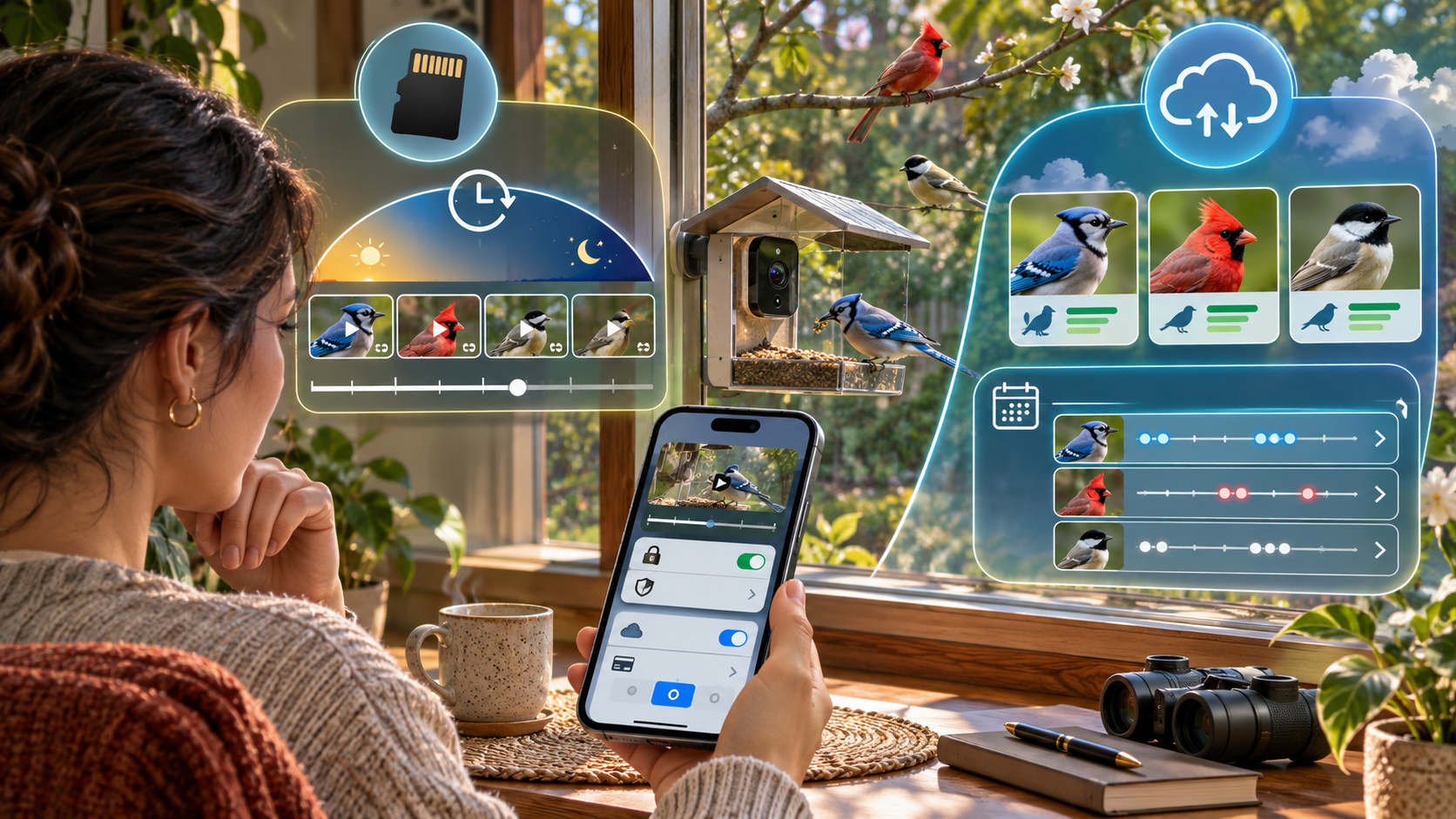
Free local recording and paid cloud identification solve different problems; buyers should decide which one they actually need. Illustration: ReaderSpice.
Bird Watch processes camera images and video with AI to detect birds, classify species, generate species information and organize visits. Identification results include a confidence score and can be edited when the service gets a bird wrong. The Bird Wiki adds reference photos and male, female and juvenile comparisons, while the cloud history keeps full visits for 60 days.
The plan also removes the free notification cooldown, which may matter at a busy feeder. It is licensed per camera and is separate from Cam Plus and other Wyze security subscriptions. A home with two Window Bird Cams therefore needs two Bird Watch memberships for identification and cloud visit features on both devices.
The camera has no audio hardware, and Bird Watch does not add sound detection. It cannot capture birdsong, work as an intercom or replace a security camera with a microphone, siren and broad field of view. Its narrow close-focus design is a strength for feeder portraits and a limitation for general surveillance.
The three-month trial has conflicting renewal language
Wyze’s launch-day product FAQ says there is no automatic charge when the three included months end and that the owner can choose whether to continue. However, the Bird Watch supplemental terms updated November 24 say a free trial will automatically convert to a paid monthly or annual subscription unless the user cancels before the trial ends. Those statements cannot both describe the same default enrollment path without additional conditions.
The safest approach is to treat the account screen and checkout disclosure as controlling for the specific enrollment. Before enabling Bird Watch, record whether a payment method is required, whether the plan shows a renewal date, which billing interval is selected and where cancellation appears. After cancellation, confirm that the account reports an end date rather than a future charge. A screenshot of the enrollment terms is useful if the product page and account later disagree.
Bird Watch cost per camera
- $6.99 per month equals $83.88 over twelve months if kept continuously.
- $69.99 per year is $13.89 less than twelve monthly payments.
- Two cameras at the annual rate cost $139.98 per year because the service is licensed per camera.
- The $14.98 perch is a one-time hardware accessory and does not include or replace Bird Watch.
- Cam Plus and other Wyze camera plans do not include Bird Watch according to the product FAQ.
Privacy and placement checks
A bird camera can still capture people, neighboring windows, vehicles and property beyond the feeder. Aim the close-focus view at the feeder and vegetation rather than a sidewalk, bedroom window or neighbor’s yard. Review live view and recorded clips at day and night, and use the narrowest field that serves bird observation.
Wyze’s Bird Watch terms say AI may derive information and inferences from images and video. Its privacy policy says camera services collect images and video according to storage settings and may process device logs, event data and usage information. Cloud identification therefore involves more than storing a neutral clip; the service analyzes content to classify and organize it.
The absence of a microphone reduces audio privacy risk, but video-sharing choices still matter. Use a unique Wyze password, enable multifactor authentication where available, review invited users, remove old devices and avoid posting clips that expose an address, school uniform, license plate or predictable household routine.
A relevant 512GB high-endurance microSD card on Amazon
Wyze lists local recording support up to 512GB for the Window Bird Cam. A relevant option is the SanDisk 512GB High Endurance microSDXC card with adapter on Amazon (ASIN B0CD2MXZ34). Independent Amazon indexing identifies model SDSQQNR-512G-GN6IA as a 512GB UHS-I, U3, V30 card designed for dash cams and home-monitoring systems. SanDisk’s official specifications list the 512GB capacity in the High Endurance family.
Wyze has not named this specific SanDisk model as a required or certified card. Confirm the listing’s ASIN and seller, use a genuine card, format it through the Wyze app when prompted and test continuous playback before relying on it. A high-capacity card extends retention; it does not replace backups of an important clip.
Affiliate disclosure: ReaderSpice may earn a commission from qualifying Amazon purchases made through this link, at no additional cost to you.
Who should consider it and who should wait
Consider it now
- Apartment, townhouse or suburban users who can safely mount a feeder on an accessible window.
- Bird watchers who value close portraits, a fast live view and local recording without a mandatory subscription.
- Households with weak yard Wi-Fi where keeping the camera indoors improves network reliability.
- Families who want to invite relatives to a feeder stream without giving them the owner account.
Wait or compare alternatives
- Anyone who wants birdsong, two-way audio, a siren or broad security coverage.
- Renters or homeowners who cannot safely access the exterior glass for installation and cleaning.
- Buyers who want confirmed species-identification accuracy before paying for a per-camera service.
- Users uncomfortable with AI analysis and cloud storage of video, or those who cannot resolve the trial-renewal disclosure in their account.
- Locations where the intended view would capture a neighbor’s private space or frequent pedestrian activity.
The bottom line
The Wyze Window Bird Cam is a thoughtful $69.98 design because it moves the electronics indoors while putting the feeder and close-focus subject outside. Free live viewing, sharing, basic alerts and 512GB local recording make the hardware usable without a subscription, and the lack of audio narrows one privacy concern.
Bird Watch is optional but not trivial: it adds identification, 60-day cloud visits and faster alerts at a per-camera price. Wyze’s conflicting launch-day renewal language is the reason to read the actual enrollment screen, verify cancellation and keep a record of the terms. Install the feeder carefully, test local playback, aim away from private spaces and pay for the AI plan only if species history and cloud visits are worth the recurring cost.
Sources
- Wyze — Window Bird Cam product page, price, specifications and Bird Watch comparison
- Wyze via Business Wire — Window Bird Cam and Bird Watch launch, November 24, 2026
- Wyze — Supplemental Terms for Bird Watch Service, updated November 24, 2026
- Wyze — Privacy Policy for camera content, device data and AI processing
- Wyze — Window Bird Cam Perch specifications and compatibility
- Home Depot — Wyze Window Bird Cam model WYZE_WBDC_OFL
- SanDisk — High Endurance microSD card specifications
- Amazon — SanDisk 512GB High Endurance microSDXC, ASIN B0CD2MXZ34 (affiliate link)