Starship Flight 14 Now Targets September 28: Launch Time and Mission Plan

Starship Flight 14 launching from coastal Texas with September 28 orbital test text

SpaceX is now targeting Monday, September 28, 2026, for Starship Flight 14, a mission designed to move the vehicle beyond its previous suborbital tests and into a sustained orbital flight. The nearly 10-hour mission is expected to circle Earth six times, deploy 26 Starlink V3 satellites and end with controlled ocean splashdowns for both stages.

The date has moved from an earlier September 22 target. SpaceX has not publicly identified a specific reason for the change, and the company continues to describe the schedule as a target rather than a guarantee. Vehicle readiness, weather, range coordination and regulatory clearance can all affect a launch attempt.

Starship Flight 14 launch date and time

SpaceX’s official mission page lists liftoff no earlier than September 28 from Starbase in South Texas. The 75-minute launch window is scheduled to open at 7:15 a.m. Central, or 8:15 a.m. Eastern.

That timing is unusually viewer-friendly for the United States, but anyone planning to watch should check the official mission page again shortly before the window opens. Starship test schedules can change with little notice, and a hold during the countdown can push the attempt deeper into the window or to another day.

How to watch Starship Flight 14

SpaceX is expected to provide live coverage through its official channels. The safest place to start is the Starship Flight 14 mission page, which should carry the latest countdown status and viewing link when coverage becomes available.

A livestream typically begins shortly before liftoff. Because the planned mission lasts close to 10 hours, SpaceX may provide updates during the coast phase before the Ship returns for its Pacific splashdown.

The mission plan at a glance

  • Launch from Starbase, Texas, during a 75-minute window opening at 7:15 a.m. CT.
  • Fly Starship on its first planned sustained orbital trajectory after 13 suborbital integrated flight tests.
  • Complete six orbits at an altitude of roughly 275 kilometers, or 171 miles.
  • Deploy 26 Starlink V3 satellites during the mission.
  • Send Super Heavy to a controlled splashdown in the Gulf of Mexico rather than attempting a launch-tower catch.
  • Return the Ship to a controlled Pacific Ocean splashdown west of Chile after nearly 10 hours.

Why reaching orbit changes the test

The first 13 integrated Starship flights followed suborbital trajectories. Flight 14 is planned to keep the Ship in orbit long enough to complete six laps around Earth, making thermal control, navigation, communications and long-duration vehicle operations more important than on the earlier tests.

The longer profile also gives SpaceX more time to collect data on how Starship behaves in space. Reentry remains one of the program’s hardest challenges: the stainless-steel Ship must survive extreme heating while maintaining enough control to reach its designated splashdown zone.

Three of the Starlink satellites are expected to carry cameras aimed at the Ship’s heat shield, according to Space.com. Those views could give engineers another perspective on tile performance and any damage accumulated during launch, the orbital coast and reentry.

Flight 14 will carry 26 Starlink V3 satellites

SpaceX says Flight 14 will deploy 26 Starlink V3 satellites. The mission therefore combines a major Starship test with a practical payload demonstration, although it remains an experimental flight and the satellite deployment is part of the test plan.

Starlink V3 spacecraft are intended to add network capacity and support faster service. Carrying 26 at once would demonstrate why SpaceX sees Starship’s large payload volume and mass capacity as central to the next phase of the Starlink constellation.

The company’s Starship overview lists the full stack at 124 meters, or 407 feet, tall, with more than 100 metric tons of payload capacity to low Earth orbit in its reusable configuration. Super Heavy uses 33 Raptor engines, while the Ship has six.

What happens to Super Heavy and the Ship

Flight 14 is not scheduled to attempt a tower catch. After stage separation, Super Heavy is expected to perform its return sequence and make a controlled splashdown in the Gulf of Mexico. Skipping a catch keeps the focus on the new orbital mission profile while still testing booster guidance and landing-burn performance.

The Ship is expected to remain in orbit for nearly 10 hours before reentering and aiming for a controlled splashdown in the Pacific Ocean west of Chile. The plan does not include recovery of either stage; both ocean landings are test objectives.

What could delay the launch

September 28 remains a target. SpaceX still needs the vehicle, launch site and range to be ready, and regulatory requirements must be satisfied before liftoff. South Texas weather and upper-level winds can also affect the countdown.

Readers should treat the posted opening time as the beginning of a window, not a fixed appointment. If the flight slips, SpaceX’s mission page will be the most authoritative source for a replacement date and time.

A current Starlink option for travelers and remote work

Flight 14’s V3 payload is not the same hardware sold to consumers. Readers exploring currently available satellite-internet equipment can compare current Starlink Mini kits and accessories on Amazon. The compact Mini is intended for portable connectivity, while the V3 satellites aboard Flight 14 are part of the space-based network infrastructure.

As an Amazon Associate, ReaderSpice earns from qualifying purchases.

Why Flight 14 matters

A successful sustained orbital mission would be a meaningful step between Starship’s suborbital test campaign and the repeatable orbital operations SpaceX ultimately needs. The key milestones are not limited to liftoff: orbital endurance, satellite deployment, heat-shield performance, controlled reentry and accurate splashdowns all matter.

Even if every objective is not completed, Flight 14 should produce data that shapes the next vehicle and mission. For viewers, the practical takeaway is simple: the current target is September 28 at 7:15 a.m. CT, but check SpaceX’s official page before setting an alarm.

Sources

SpaceX: Starship Flight 14 mission page

SpaceX: Starship vehicle overview

Space.com: Flight 14 delay and orbital mission report

San Antonio Express-News: Flight 14 mission and satellite deployment details
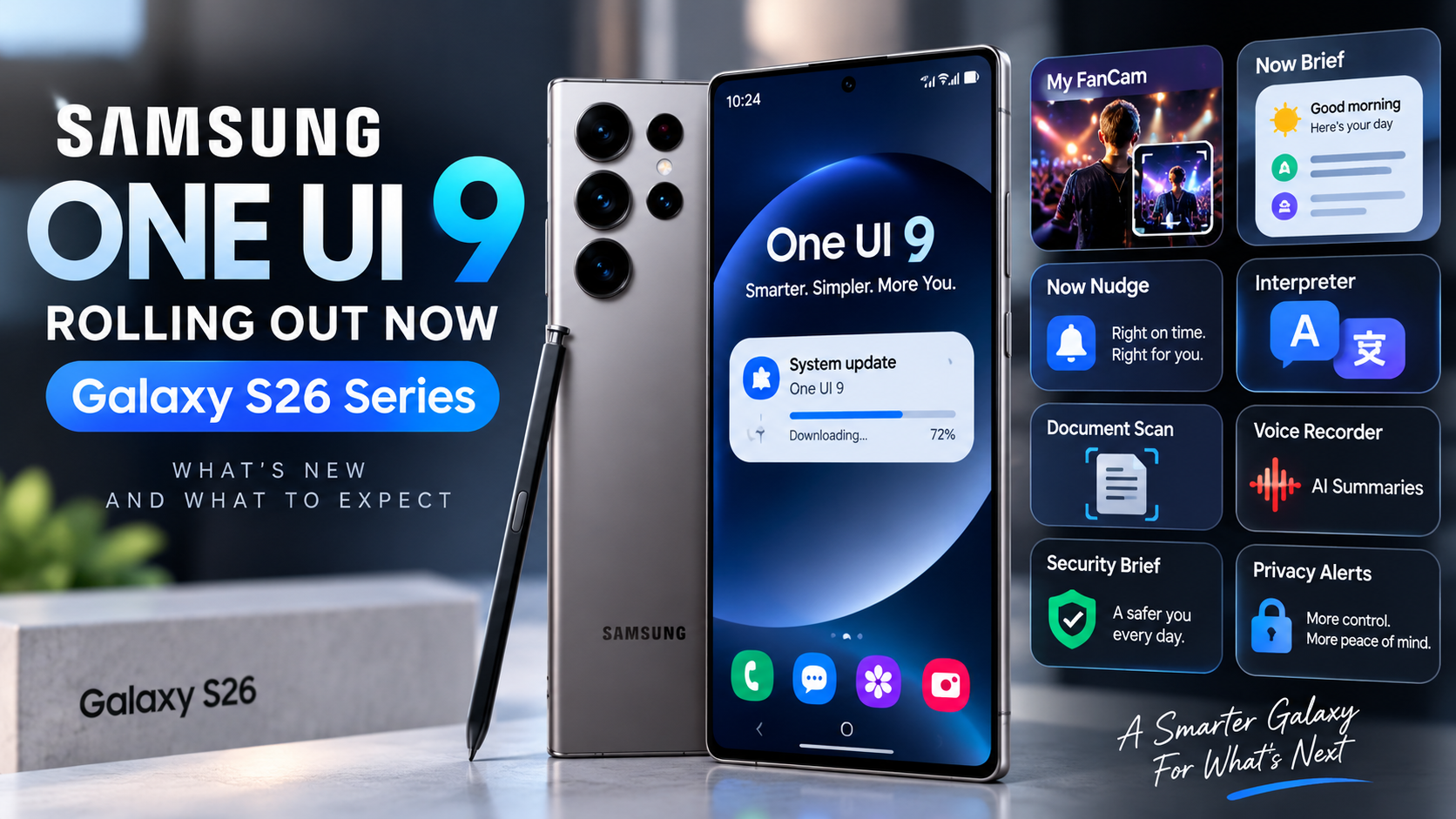
One UI 9 Is Rolling Out, but Our U.S. Unlocked Galaxy S26 Ultra Is Still on One UI 8.5

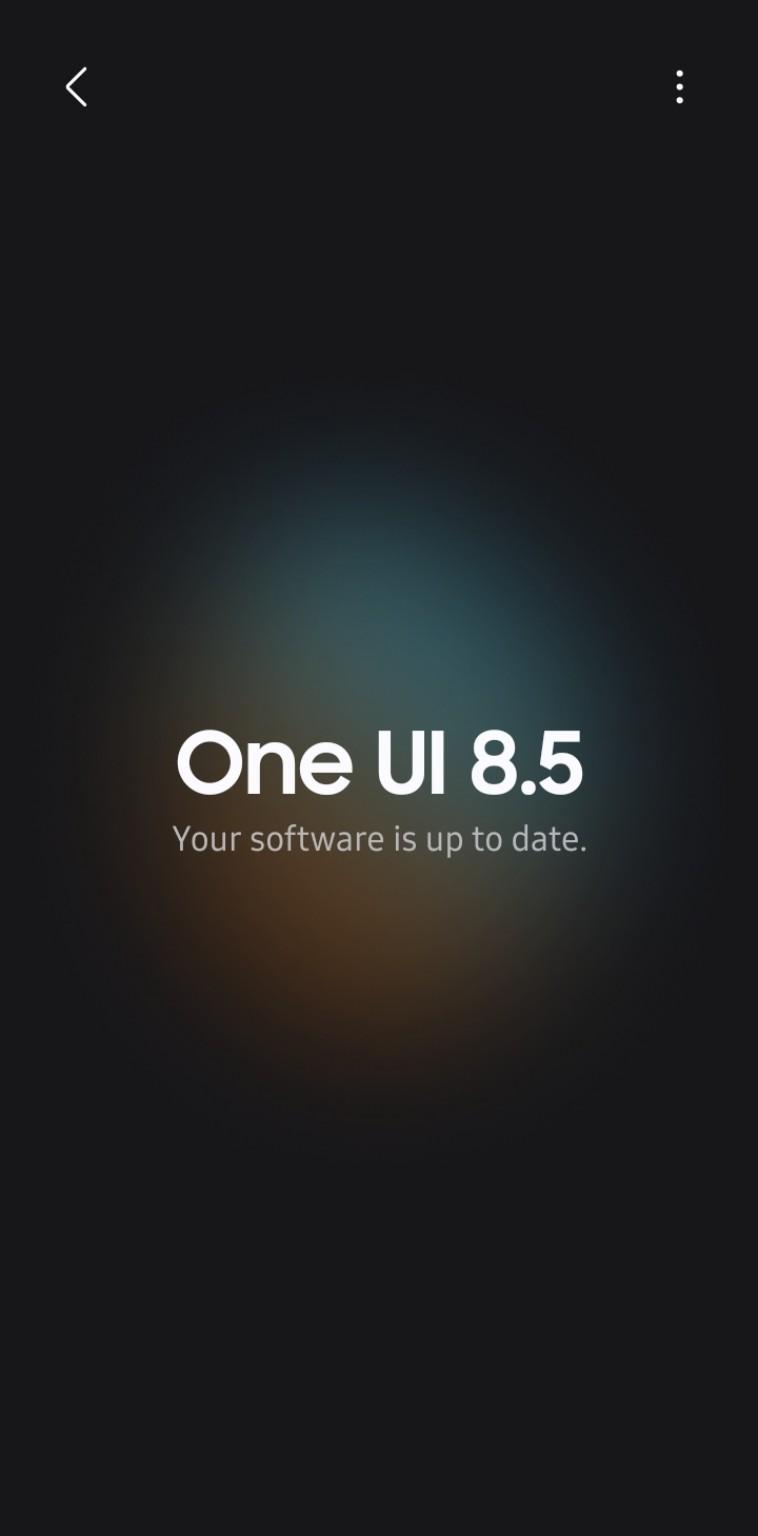
U.S. unlocked Samsung Galaxy S26 Ultra Software update screen showing One UI 8.5 and software up to date on September 21, 2026

Samsung officially announced the One UI 9 rollout for the Galaxy S26 series on September 16, but the update is not appearing on every device at the same time. ReaderSpice checked a U.S. unlocked Galaxy S26 Ultra on September 21, and Samsung’s Software update screen still showed One UI 8.5 with the message “Your software is up to date.”

That makes the U.S. unlocked model an interesting real-world example of how Samsung’s staged rollout can differ from the headline launch date. The stable update exists, but it had not yet reached this particular U.S. unlocked S26 Ultra when we checked it.

Our U.S. Unlocked Galaxy S26 Ultra Is Still Waiting

At approximately 4:40 PM Central Time on September 21, 2026, we manually checked Settings > Software update > Download and install on a U.S. unlocked Galaxy S26 Ultra. The phone remained on One UI 8.5 and reported that its software was current.

Our U.S. Unlocked Galaxy S26 Ultra Is Still Waiting

ReaderSpice screenshot: U.S. unlocked Galaxy S26 Ultra still showing One UI 8.5 as up to date on September 21, 2026.

The screenshot above is from the device itself, rather than a carrier schedule or third-party rollout tracker. It does not prove that every U.S. unlocked S26 Ultra is still waiting, but it does confirm that the September 16 rollout announcement did not mean every eligible U.S. handset would receive the OTA immediately.

What Samsung Has Officially Said About the Rollout

Samsung Electronics America said on September 16 that One UI 9 was beginning to roll out to the Galaxy S26 Ultra, Galaxy S26+, and Galaxy S26. Samsung’s own availability note also says service availability can vary by region or country, OS and One UI version, device model, and phone carrier.

That distinction matters: “rollout begins” is not the same as a guaranteed same-day release for every regional variant and every unlocked device. Samsung distributes major firmware in stages, so two Galaxy S26 Ultra owners can see different update availability even when both devices are eligible.

Android Authority reported on September 16 that Canadian Galaxy S26 owners were expected to begin receiving One UI 9 on September 21, while a firm U.S. release date had not been confirmed at that time. That helps explain why a U.S. unlocked S26 Ultra can still legitimately show One UI 8.5 as current on September 21.

Why “Your Software Is Up to Date” Can Still Be Correct

Samsung’s OTA updater checks whether a newer approved firmware package is currently available for that specific device configuration. If One UI 9 has not yet been assigned to that handset’s rollout channel, the phone can correctly report that One UI 8.5 is up to date even though One UI 9 is already available in other markets or on other variants.

In other words, the message is describing what is available to that phone at that moment. It is not saying that One UI 9 does not exist or that the Galaxy S26 Ultra is ineligible for it.

What One UI 9 Brings to the Galaxy S26 Series

Samsung’s stable One UI 9 release expands several Galaxy AI and device-management features. My FanCam can track a selected person in recorded video and automatically reframe the footage. Now Brief gains more customizable and generative cards, while Now Nudge adds contextual suggestions designed to surface useful actions at the right time.

Samsung is also integrating warranty and device-care information more directly into Settings, adding Privacy Alerts on supported devices, and expanding scam-detection features in supported markets. As with the rollout itself, some functions depend on device, language, region, app support, and account requirements.

What U.S. Unlocked Galaxy S26 Owners Should Do

If your unlocked Galaxy S26, S26+, or S26 Ultra is still on One UI 8.5, the simplest approach is to keep checking Settings > Software update > Download and install periodically. There is no need to factory-reset the phone simply because the OTA has not appeared yet.

Before installing a major update, back up important photos and files, keep the phone charged, and make sure you have enough free storage. Users who are not comfortable manually flashing firmware are generally better off waiting for Samsung’s official OTA for their exact model and region.

ReaderSpice Will Keep Checking the U.S. Unlocked Rollout

Because we have a U.S. unlocked Galaxy S26 Ultra in hand, ReaderSpice can follow this rollout directly instead of relying only on release calendars. We will check the device again as Samsung expands One UI 9 availability and document the build number, download size, and first impressions once the stable update reaches it.

This also gives us a useful baseline: as of September 21 at roughly 4:40 PM CT, our unlocked U.S. Galaxy S26 Ultra was still on One UI 8.5 and Samsung’s updater said the software was up to date.

The Bottom Line

Samsung has officially started the One UI 9 rollout for the Galaxy S26 series, but the update is clearly not instantaneous across every eligible device. Our U.S. unlocked Galaxy S26 Ultra remained on One UI 8.5 five days after Samsung’s announcement, and the phone itself still reported no newer software available.

That does not necessarily indicate a problem with the phone. It is consistent with Samsung’s own language about regional, model, and carrier-dependent availability, as well as reporting that the U.S. did not yet have a firm public rollout date when the global expansion began.

Looking for the Galaxy S26 Ultra? Check the current price on Amazon (affiliate link).

Sources

Samsung U.S. Newsroom — Samsung Begins Official Rollout of One UI 9, Bringing the Latest Galaxy Experiences to More Devices

Android Authority — Galaxy S26 users in North America won’t have to wait much longer for One UI 9

Inline image: ReaderSpice screenshot of a U.S. unlocked Galaxy S26 Ultra showing One UI 8.5 and “Your software is up to date” on September 21, 2026.

Audient Horizon 8P, 16 and 32: Price, Specs and September 28 Release

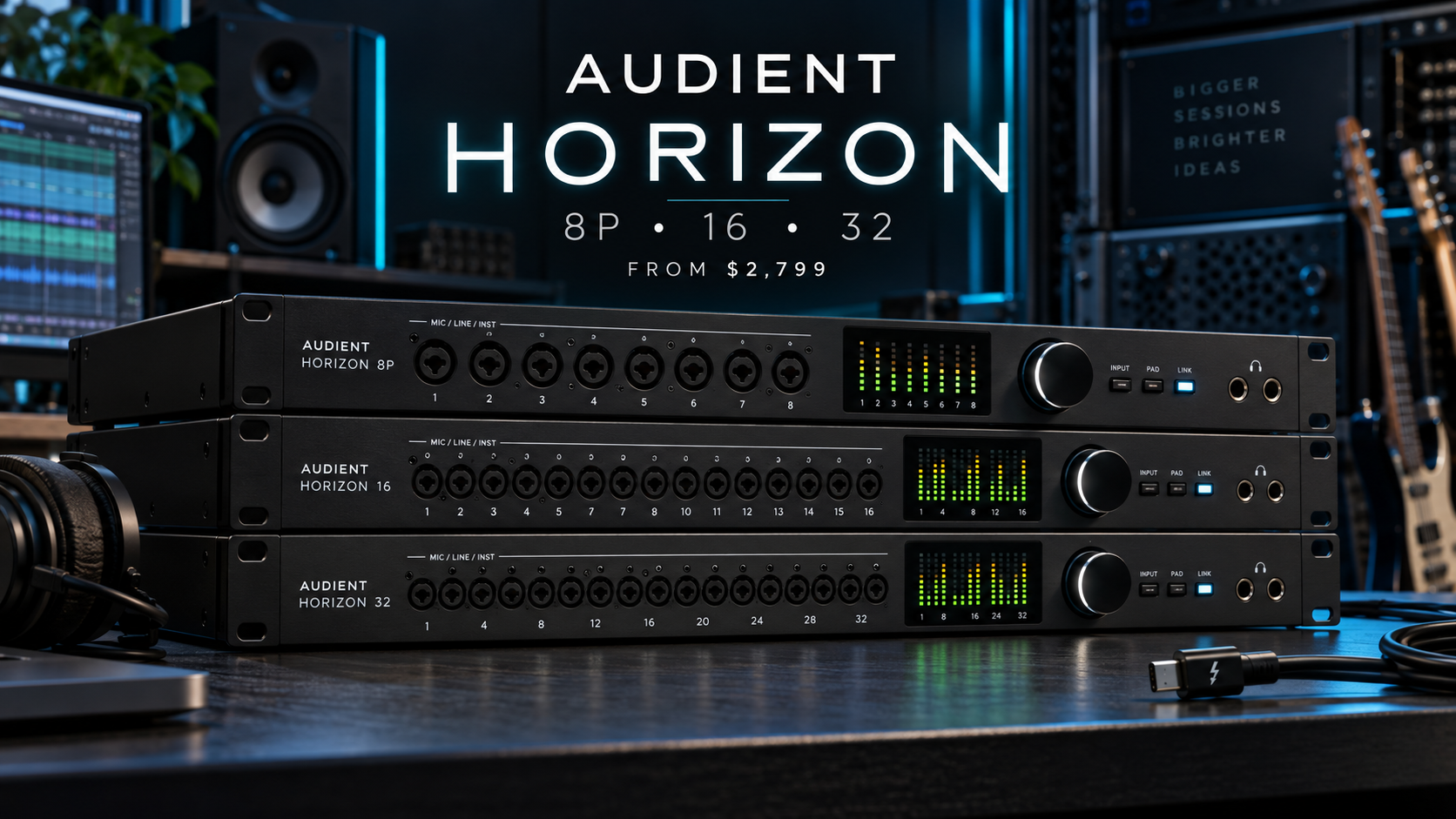
Illustrative Audient Horizon 8P, 16 and 32 rackmount audio interfaces in a recording studio

Audient is moving into higher-end commercial studio territory with Horizon, a three-model family of rackmount Thunderbolt 3 audio interfaces built around the same 32-bit conversion platform. The lineup includes the microphone-focused Horizon 8P and two line-level converters—the Horizon 16 and Horizon 32—designed for studios that already own preamps, consoles or outboard processors.

All three models are scheduled to become available on September 28, 2026. U.S. pricing starts at $2,799, placing Horizon well above Audient’s desktop iD and EVO products and squarely in the professional studio category.

What Audient announced

Horizon is not a single interface in three cosmetic variations. Audient has divided the range by workflow: recording through microphones, integrating a rack of analog equipment, or connecting a large-format console to a DAW. The shared conversion, driver and control system means buyers choose by channel layout rather than accepting lower performance on the less expensive model.

Audient says the platform has been in development for five years. MusicRadar independently reported that the range uses the same core architecture across all three models and confirmed the launch pricing and September 28 availability.

Shared specifications across the Horizon range

  • 32-bit, 192kHz AD/DA conversion
  • Up to 133dB of dynamic range
  • Claimed 0.99ms round-trip latency at 192kHz with a 64-sample buffer
  • Thunderbolt 3 connection with forward compatibility for Thunderbolt 4 and 5
  • Dual ADAT I/O and BNC word-clock connectivity
  • Unified macOS driver supporting as many as four Horizon units
  • Maximum 200-input/200-output configuration with four Horizon 32 interfaces
  • Digital recall for input gain and system settings
  • Horizon Control software with routing, cue mixes and monitoring profiles

Audient currently describes the Horizon interfaces as macOS-only. Windows users should not assume compatibility unless the company announces a supported driver.

Audient Horizon 8P: built for tracking

The Horizon 8P is the model for studios that regularly record singers, instruments, podcasts or full sessions through microphones. It provides 24 inputs and 32 outputs, including eight Audient Console mic preamps with 75dB of gain.

Its ORBIT Control changes input impedance among three settings—2.8k ohms, 1.2k ohms and 220 ohms—so engineers can alter how supported microphones interact with the analog preamp before conversion. The front panel also includes two JFET instrument inputs and two headphone outputs, while DB25 and ADAT connections support hybrid expansion.

The 8P is the only Horizon model with built-in microphone preamps. That distinction matters: buyers of the Horizon 16 or 32 will need external preamps for microphones.

Audient Horizon 16: the hybrid-studio hub

The Horizon 16 is aimed at studios that already have favored mic preamps, compressors, equalizers and other analog equipment. It offers 16 channels of line I/O over DB25 connections and is listed as a 34-input/34-output interface when its digital and monitoring connections are counted.

A dedicated stereo mix-bus input lets engineers capture an analog mix without consuming the primary line channels. That makes the 16 the most balanced option for a project studio moving from mostly in-the-box production toward a permanently connected outboard setup.

Audient Horizon 32: for consoles and large racks

The Horizon 32 doubles the line-level capacity with 32 channels over eight DB25 connectors and a total 50-input/50-output specification. It is designed to bridge a console or large outboard rack to a DAW from one rack unit.

This model makes the most sense in commercial rooms that need many simultaneous analog paths. A creator recording one or two microphones at a desk would pay for capacity they are unlikely to use—and would still need microphone preamps.

Why there is no onboard DSP

Unlike interfaces built around proprietary DSP plug-in ecosystems, Horizon relies on the connected Mac for plug-in processing. Audient’s argument is that modern Apple silicon can now deliver low enough latency to monitor through native VST, AU and AAX plug-ins without requiring a separate processing platform.

The benefit is plug-in freedom and no requirement to buy into a closed DSP catalog. The tradeoff is equally important: performance depends on the computer, session load, sample rate and buffer settings. Audient’s 0.99ms figure is a best-case measurement at 192kHz and a 64-sample buffer, not a promise that every real-world project will run at that latency.

Horizon Control and studio scalability

Audient rebuilt its control software for Horizon. The app includes a full routing matrix, four recallable cue mixes and monitoring profiles for speaker systems up to 9.1.6. Input gains and system settings can be recalled digitally, which should make returning to complex sessions faster.

Up to four units can be daisy-chained under one macOS driver. The headline 200×200 capacity comes from connecting four Horizon 32 interfaces, so smaller combinations will provide fewer channels. Studios should also budget for suitable Thunderbolt connectivity, DB25 snakes, external preamps and any ADAT expansion needed for the final configuration.

Price and availability

  • Horizon 8P: $2,799 / £2,199 / €2,499
  • Horizon 16: $2,799 / £2,199 / €2,499
  • Horizon 32: $3,499 / £2,799 / €3,299
  • Availability: September 28, 2026
  • Warranty: three years

Pricing comes from Audient’s launch information as reported by MusicRadar. Retail pricing and stock can vary by country and dealer after launch.

Which Horizon model should you choose?

  • Choose Horizon 8P if you need eight built-in mic preamps for recording vocals, instruments, drums or live sessions.
  • Choose Horizon 16 if you already own external preamps and outboard gear and want a permanently patched hybrid studio.
  • Choose Horizon 32 if you need to connect a console or large analog rack with 32 line-level channels in one unit.
  • Skip Horizon for a smaller desktop interface if you only record one or two sources and do not need DB25, large cue systems or commercial-studio scalability.

A more affordable Audient option

Horizon is overkill for most home creators. Readers who want Audient preamps and a compact USB workflow can compare currently available Audient iD14 MKII audio interfaces on Amazon. It is not a Horizon substitute for large studios, but it is a more realistic entry point for voiceovers, music production and two-channel creator setups.

Disclosure: ReaderSpice may earn a commission from qualifying Amazon purchases at no extra cost to you.

The bottom line

Audient Horizon is a focused professional launch rather than a general-purpose creator upgrade. The 8P handles microphone tracking, the 16 integrates a serious outboard rack, and the 32 bridges consoles and large analog systems. Their shared conversion and driver platform simplifies the choice, but macOS-only support, external-cabling costs and the absence of onboard DSP deserve as much attention as the impressive latency and dynamic-range figures.

Sources

Audient: Horizon range overview

Audient: Horizon 8P specifications

Audient: Horizon 16 specifications

Audient: Horizon 32 specifications

MusicRadar: Audient Horizon launch, pricing and availability

Insta360 Luna Ultra Ultimate Zoom Update Adds 15x Zoom, Stage Mode and 4K Vertical Video

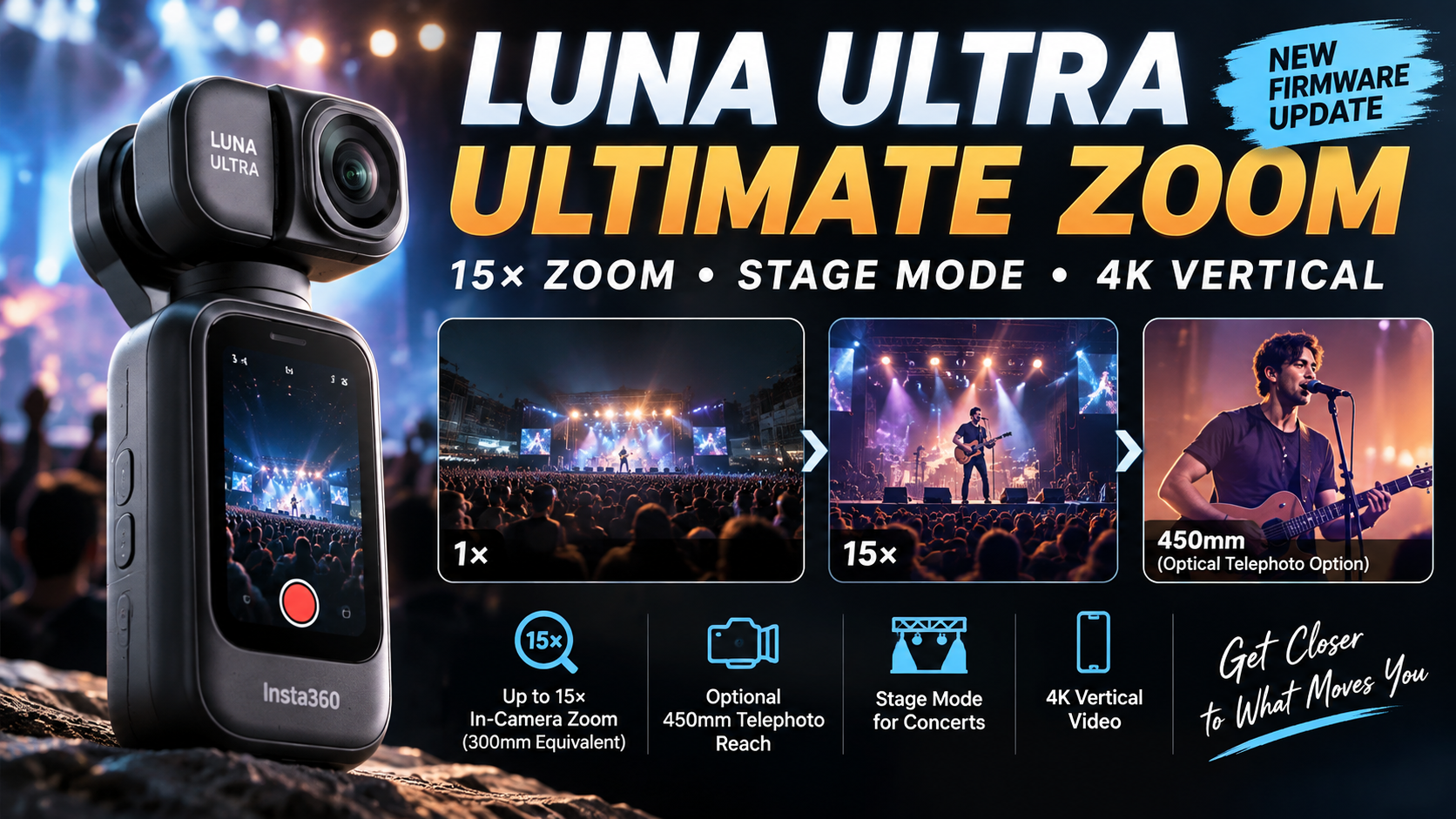
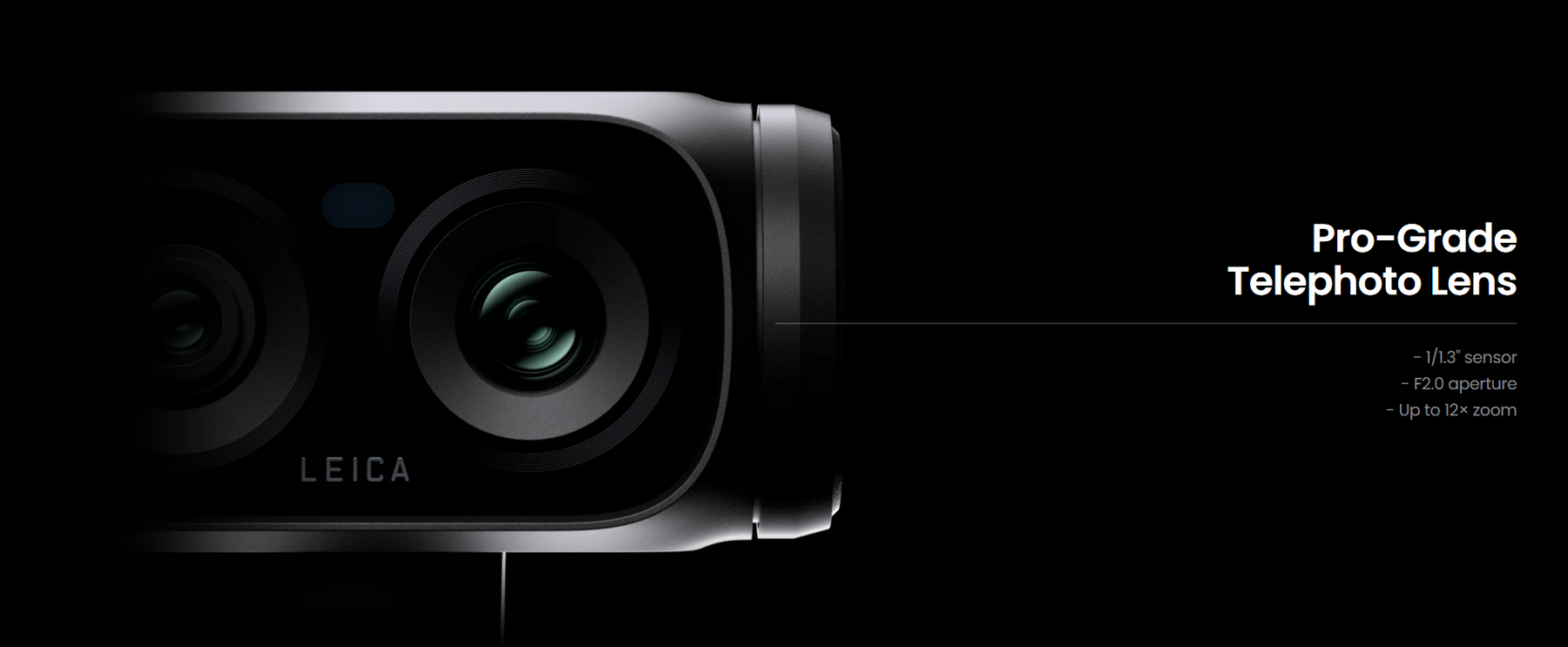
Insta360 Luna Ultra Ultimate Zoom update showing 15x zoom, Stage Mode, 4K vertical video and optional 450mm telephoto reach

Insta360 has released its “Ultimate Zoom” update for the Luna Ultra, and it is a much bigger upgrade than a simple zoom tweak. The free firmware update raises the camera’s maximum in-camera zoom from 12x to 15x, adds a dedicated Stage Mode for concerts and live performances, brings 4K30 vertical video to Luna Ultra, and introduces several new creative shooting features.

Insta360 is also launching a new magnetic Ultra Telephoto Lens that extends the Luna Ultra’s reach to a 450mm-equivalent focal length. For existing Luna Ultra owners, however, the headline 15x zoom and Stage Mode arrive through the firmware update without requiring the new lens.

Inline Image 1Luna Ultra Zoom Jumps From 12x to 15x

The biggest change is the expanded in-camera zoom. Luna Ultra previously topped out at 12x, while the new firmware increases that limit to 15x, which Insta360 describes as a 300mm-equivalent field of view.

Insta360 says its dual professional imaging chips work with AI Remosaic processing to reconstruct details that can be lost during digital cropping. The goal is to keep distant people, text, buildings and landscapes clearer at high magnification.

The new 15x setting is available in Video, PureVideo, Stage Mode and Photo. Insta360 recommends 4K30fps when users want the best telephoto shooting experience.

A New Ultra Telephoto Lens Reaches 450mm Equivalent

The software update is only part of the Ultimate Zoom announcement. Insta360 has introduced an optional Ultra Telephoto Lens that magnetically attaches to Luna Ultra and extends the optical range by 1.5x.

With the accessory attached, the shooting range extends from 90mm to 450mm equivalent. The main camera is covered while the Ultra Telephoto Lens is being used, so this is an accessory specifically designed around the Luna Ultra’s telephoto camera rather than an add-on for the wide main lens.

That could make the camera considerably more useful for concerts, wildlife, travel details, architecture and other situations where creators cannot physically move closer to the subject.

A New Ultra Telephoto Lens Reaches 450mm EquivalentStage Mode Is Designed Specifically for Concerts
The new Stage Mode may be just as important as the extra zoom. Insta360 says it was developed for long-distance shooting at concerts, music festivals, theaters and other live events where lighting, moving performers and foreground obstructions can make normal tracking difficult.

Stage Mode uses dedicated image processing to maintain focus and exposure around performers. Face-specific filtering and adjusted focusing sensitivity are designed to reduce interference from objects such as glow sticks, while exposure processing suppresses harsh highlights and attempts to preserve dynamic range under stage lighting.

Insta360 also says the tracking model has been trained on concert footage to improve recognition, tracking and reacquisition of performers at high zoom levels and in low light.

Stage Audio and Ambient Audio Give Creators More Control

The update also introduces audio options intended for live events. Stage Audio emphasizes sound coming from the stage, while Ambient Audio retains more of the surrounding venue atmosphere.

This gives creators a choice between concentrating on the performance itself or preserving more of the feeling of being inside the crowd.

Luna Ultra Now Gets 4K Vertical Video

Another major addition is native 4K30fps vertical video. Luna Ultra can now use its rotating screen to switch into portrait-oriented recording, producing footage designed for TikTok, Instagram Reels and YouTube Shorts without requiring a horizontal-to-vertical crop in editing.

Insta360 says the feature uses 6K oversampling and supports zoom up to 6x. The company currently recommends staying at up to 3x for the best experience because image quality from the telephoto camera between 3x and 6x is still being optimized.

Zoom Live and Live Frame Get New Creative Options

The firmware adds Zoom Live, a shooting style that creates a smooth zoom-in effect during Live Frame capture. Insta360 is positioning it for portrait and lifestyle shots where creators want to add motion and emphasis without manually performing a complicated zoom.

Live Frame photos can also combine Beauty Mode effects with cinematic filters, providing more options for creating stylized images directly in-camera.

How to Get the Luna Ultra Ultimate Zoom Update

The new firmware is available free to Luna Ultra owners through the Insta360 app. Connect Luna Ultra to the app and follow the firmware-update prompt when it appears.

Insta360’s support documentation recommends having at least 20 percent battery remaining before updating and warns users not to power off the camera or remove the detachable touchscreen remote during installation.

What About the New Luna Ultra Zoom Bundle?

Insta360 is also introducing a Luna Ultra Zoom Bundle for $889.99 in the United States. It includes everything in the Standard Bundle along with a Carry Bag and the new Ultra Telephoto Lens.

Existing Luna Ultra owners do not need to buy the Zoom Bundle to receive the 15x in-camera zoom, Stage Mode or the other firmware features. The additional hardware is specifically for users who want the longer 450mm-equivalent reach.

Why This Is a Meaningful Luna Ultra Upgrade

At launch, Luna Ultra already stood out because of its dual-camera design, 1-inch main sensor, Leica optics and dedicated telephoto camera. The Ultimate Zoom update puts more emphasis on that second camera and gives it new use cases rather than simply increasing a specification on paper.

The combination of 15x in-camera zoom, AI Remosaic, concert-oriented tracking, dedicated stage audio processing and the optional 450mm-equivalent lens makes long-distance shooting a much bigger part of the Luna Ultra experience.

For creators, native 4K vertical video is another substantial addition because it makes the camera more practical for producing horizontal YouTube footage and vertical social content with the same device.

Sources

Insta360 — Luna Ultra firmware update announcement via PR Newswire

Insta360 Support — Luna Series Zoom Feature

Insta360 Support — Firmware Update Guide

RedShark News — Insta360 Luna Ultra Ultra Telephoto Lens, Stage Mode and firmware update

T3 — Hands-on with the Insta360 Luna Ultra Ultra Telephoto Lens

TV Makers Set New Energy-Efficiency Targets for 2028: What Buyers Should Know

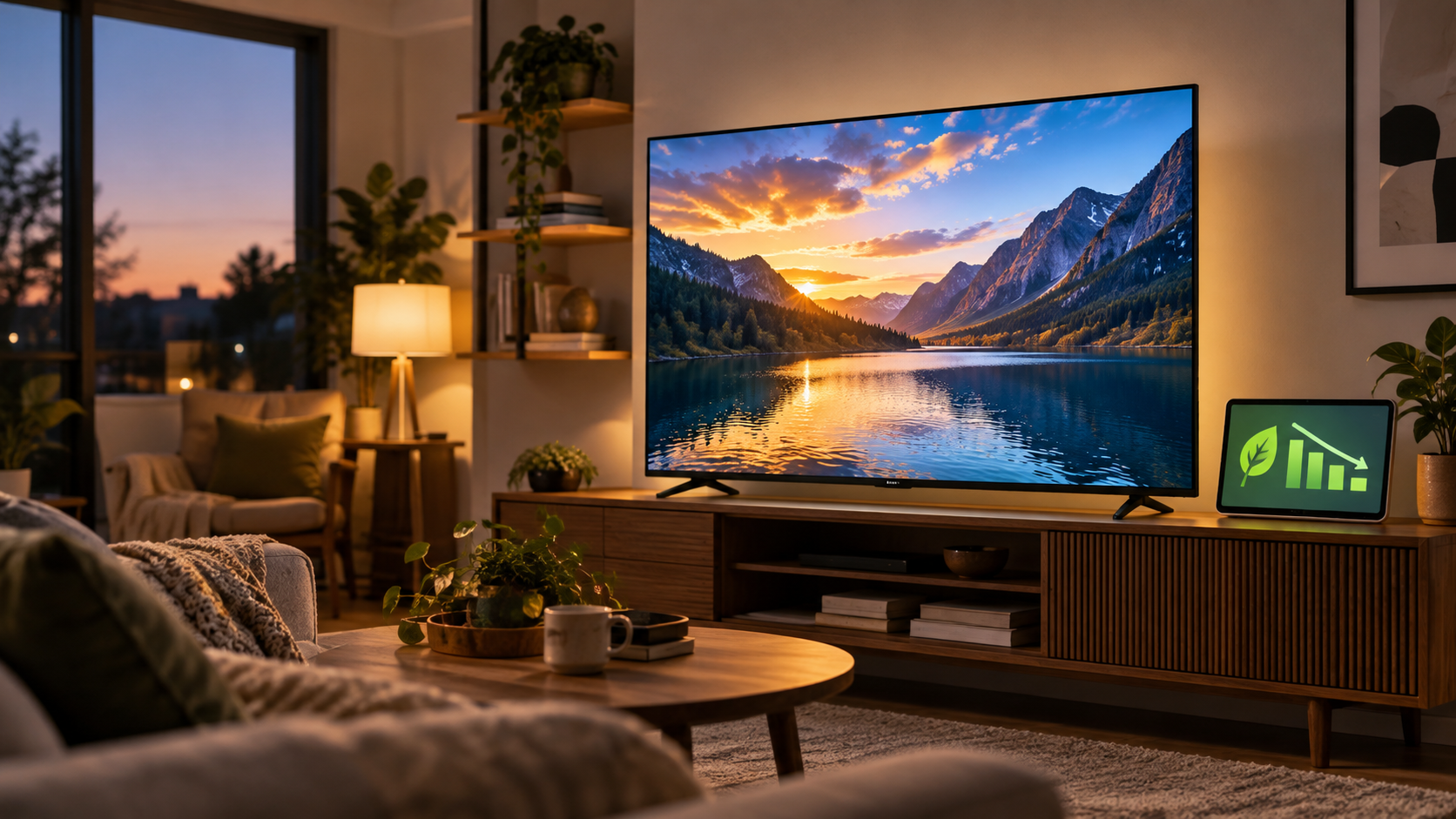
Energy-efficient television in a modern living room with a declining power-use graphic

TV manufacturers and energy-efficiency groups are expanding a North American voluntary agreement that could change how many new televisions use power. The update, announced on September 16, 2026, adds on-mode efficiency targets for LCD and OLED sets, broadens participation to cover all major TV brands, and projects about $1.8 billion in annual consumer electricity-bill savings once the program is fully implemented.

That headline does not mean every television will suddenly cost less to run, and the agreement is not a federal regulation. It does mean participating manufacturers have committed to making efficiency a portfolio-wide target while preserving screen size, picture quality, pricing and feature competition.

What changes for TVs in 2028

Beginning on April 1, 2028, each manufacturer signatory commits that at least 90% of its new televisions sold in the United States or Canada will meet the agreement’s first-tier on-mode power limits. “On mode” is the power a TV uses while displaying content, so this part of the agreement reaches beyond the smaller amount of electricity consumed while a set is waiting in standby.

The manufacturer list includes Hisense, LG, Roku, Samsung, Skyworth, Sony, TCL and Vizio, plus Best Buy and Walmart for television brands sold under their control. Google is a commercial signatory, while the American Council for an Energy-Efficient Economy, the Northwest Energy Efficiency Alliance and Pacific Gas & Electric participate as energy advocates.

Why LCD and OLED TVs use different measurements

The program does not apply one blunt wattage ceiling to every screen. Backlit LCD televisions are evaluated with a formula tied mainly to viewable screen area, while non-backlit televisions such as OLED models use a formula that also considers light output, resolution and standard- and high-dynamic-range picture modes.

That distinction matters because a 75-inch backlit LCD and a self-emissive OLED do not produce an image in the same way. A technology-aware approach is intended to encourage lower consumption without treating brightness, HDR capability or a larger screen as automatic failures. Testing uses the ANSI/CTA-2037-D method, which is designed to reflect real-world viewing conditions more closely than a single static test pattern.

How much energy could the agreement save?

CTA and its partners estimate the new on-mode commitments will save about 2 terawatt-hours of electricity during the first seven years. They say that is in addition to a projected 10 terawatt-hours of annual savings from standby commitments adopted earlier.

Under the standby provision, 90% of televisions sold by each participating manufacturer must use no more than 2 watts in standby beginning on April 1, 2026. The combined program is projected to reduce consumer electricity bills by roughly $1.8 billion per year once fully implemented. Those are industry-wide projections, not a guaranteed dollar amount for any one household; an individual bill depends on TV size, picture settings, daily viewing time and local electricity rates.

What TV buyers should check now

Shoppers do not need to wait until 2028 to compare energy use. The yellow EnergyGuide label and ENERGY STAR information can help distinguish models that are similar in size and features. A very large or extremely bright TV can still use more electricity than a smaller model even when both are efficient for their class.

  • Compare the estimated annual energy use on similarly sized models.
  • Check whether an energy-saving or eco picture mode preserves the brightness and color you want.
  • Disable quick-start or always-listening features if you do not use them and they increase standby power.
  • Measure an existing TV with a Kill A Watt electricity usage monitor if you want real household data instead of an estimate.

ReaderSpice may earn a commission from qualifying Amazon purchases. This does not affect the price you pay.

What the voluntary agreement does not guarantee

The commitment is measured across each manufacturer’s sales portfolio, not as a pass-or-fail rule for every individual model. A company may still sell power-hungry flagship televisions as long as its overall sales mix meets the 90% target. The agreement also allows a process for new features that consume meaningful power and were not anticipated by the existing formulas.

Oversight comes from a steering committee, annual reports and an independent administrator. Energy advocates may independently test reported models, and the agreement specifies a 10% tolerance for verification testing. That structure adds accountability, but readers should still treat the $1.8 billion figure as a forecast and compare the actual energy information for the TV they plan to buy.

The bottom line

For buyers, the practical result should be a broader selection of efficient TVs rather than a new badge that instantly identifies every compliant model. The 2028 target gives manufacturers time to redesign power management, display electronics and default picture settings. Until then, the best approach is to compare televisions of similar size, check annual energy estimates, and choose settings that balance picture quality with power use.

Sources

Consumer Technology Association announcement

Northwest Energy Efficiency Alliance summary

Full television energy-efficiency voluntary agreement

JKMAX Heated Blanket Recall: 195,000 Units Recalled After 53 Burn Injuries

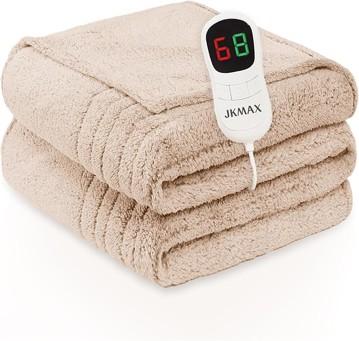
JKMAX heated blanket recall warning showing 195,000 units recalled for fire and burn risks

If you own a JKMAX heated blanket or heating pad, stop using it now. The U.S. Consumer Product Safety Commission announced the recall on September 17, 2026, after hundreds of reports that the products overheated, smoked, melted or burned.

The recall covers about 195,000 units sold through Amazon from September 2022 through July 2026. Federal safety officials say the internal wire elements can overheat, creating fire and burn hazards. JKMAX has received 577 incident reports, including 53 burn injuries.

What the JKMAX recall covers

What the JKMAX recall covers

The recall includes every JKMAX heating pad and heated blanket identified in the CPSC notice. The products were sold in blue, gray, brown and red, and were made from polyester with a detachable white controller.

Owners should not assume a blanket is safe because it has not shown visible damage. The reported failures involve internal wiring, so a product can become hazardous before scorch marks or melting are obvious.

Why the blankets and pads were recalled

According to the CPSC, the internal wire elements can overheat. Reported symptoms include smoking, melting and burning—warning signs that can lead to skin injuries or ignite nearby bedding and furniture.

The scale of the incident reports makes this more than a precautionary paperwork recall. With 577 reports and 53 burn injuries, owners should treat the stop-use instruction as urgent. Unplug the product and do not test it again, even briefly.

Which JKMAX products are affected

The CPSC notice lists these JKMAX model numbers:

  • JKMAX-002
  • JKMAX-7284B
  • JKMAX-6284B
  • JKMAX-10090B
  • JKMAX-8490B

The federal notice says all JKMAX heating pads and heated blankets are included. If the branding matches but the model label is hard to read, stop using the product while you confirm it through the recall process.

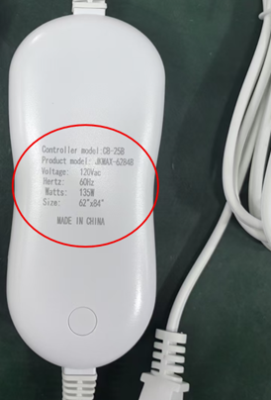
Where to find the model number

Where to find the model number

Look on the back of the detachable white remote and on the packaging label. Photograph the label before contacting JKMAX; a clear image can make it easier to document the product and follow the refund instructions.

What owners should do now

  • Stop using the heated blanket or heating pad immediately and unplug it.
  • Keep the controller, product label and packaging if available.
  • Photograph the model number and the complete product before beginning the refund process.
  • Contact JKMAX for the company’s full-refund instructions.
  • Do not sell, donate or give away a recalled unit.

Do not keep using the item while waiting for a refund. If you notice smoke, melting, discoloration or a burning smell, move away from the product if it is unsafe to approach and contact emergency services when needed.

How to check an old Amazon order

Because the affected products were sold on Amazon from September 2022 through July 2026, your order history can help identify a unit when the packaging is gone or the label is difficult to read. Open Amazon order history and search for “JKMAX,” “heated blanket” or “heating pad.”

  • Compare the order date and product description with the recalled sales window.
  • Save a screenshot of the order page, seller information and model description.
  • Do not rely on a listing photo alone; confirm the controller or packaging label whenever possible.

Keep the product until you have reviewed JKMAX’s refund directions, but leave it unplugged and stored where it cannot be used accidentally. If the company requests proof of purchase or product photographs, your order record can help document the claim.

How to contact JKMAX

JKMAX says consumers can request a full refund. The company can be reached at 800-917-5732 from 8:30 a.m. to 6 p.m. Eastern, Monday through Friday, or by email at JkmaxRecall@outlook.com. Refund information is also available on the JKMAX recall website.

The CPSC recall number is 26-778. Keep that number with your notes in case you need to explain which safety action applies to your product.

Why this recall matters

Heated bedding combines electricity, flexible wiring and prolonged contact with fabric and skin. That makes overheating particularly dangerous, especially when a person is asleep, has limited mobility or may not notice a hot spot quickly.

After removing the recalled product, check that sleeping areas have working smoke alarms. A practical option is to compare First Alert smoke alarms on Amazon, but a smoke alarm does not make a recalled heated blanket safe to use.

Disclosure: ReaderSpice may earn a commission from qualifying Amazon purchases at no additional cost to you.

The bottom line

About 195,000 JKMAX heated blankets and heating pads are under recall after 577 reports of smoking, melting or burning and 53 reported burn injuries. Stop using the product, check the controller or packaging for the model number, and follow JKMAX’s refund instructions. Do not resume use even if your unit appears normal.

Sources

U.S. Consumer Product Safety Commission — JKMAX heated blanket and heating pad recall

Beaumont Enterprise — Amazon recall covers 195,000 JKMAX heated blankets and pads

Google Home MCP Lets AI Agents Control Your Smart Home: What It Can and Can’t Do

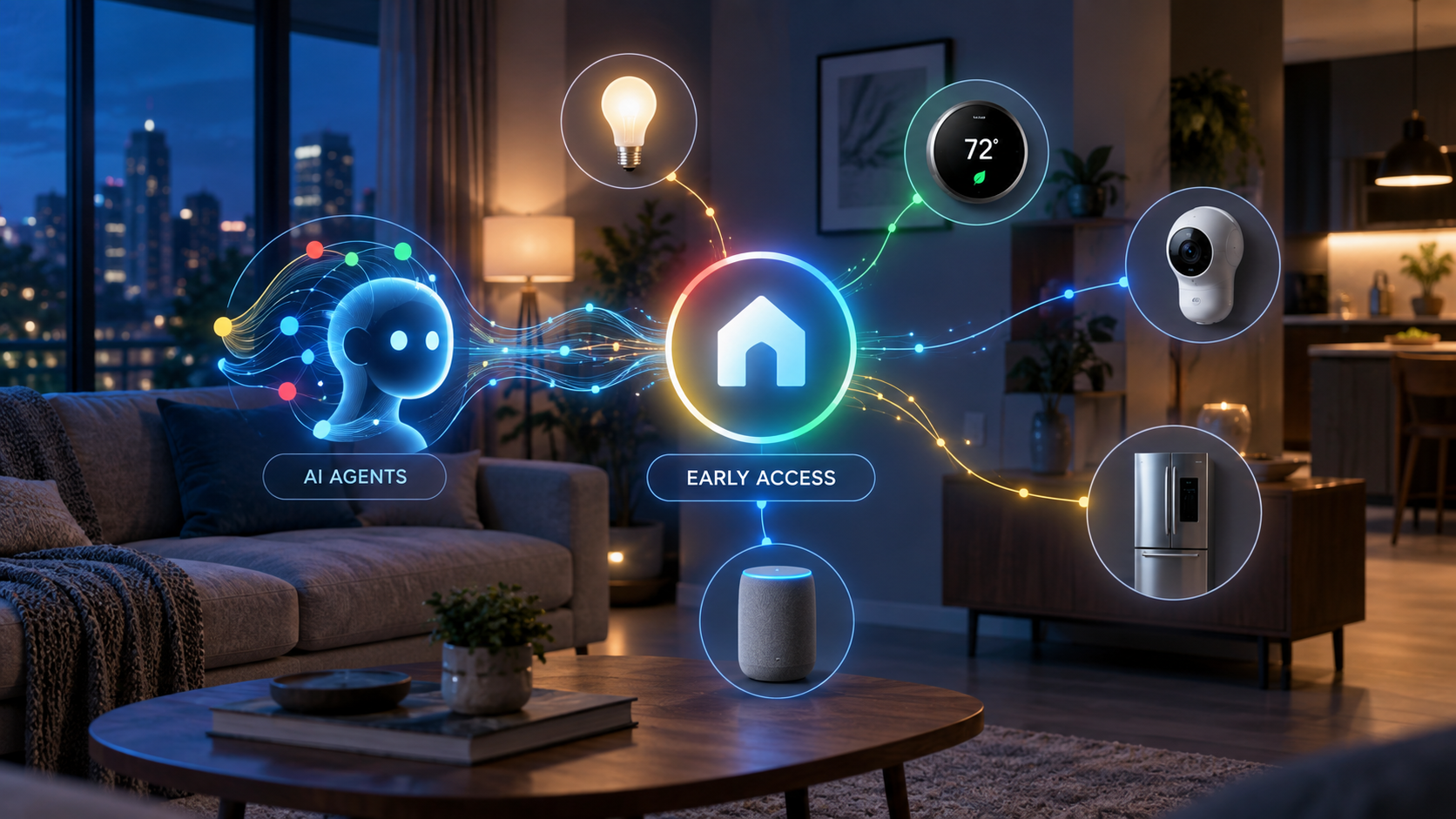
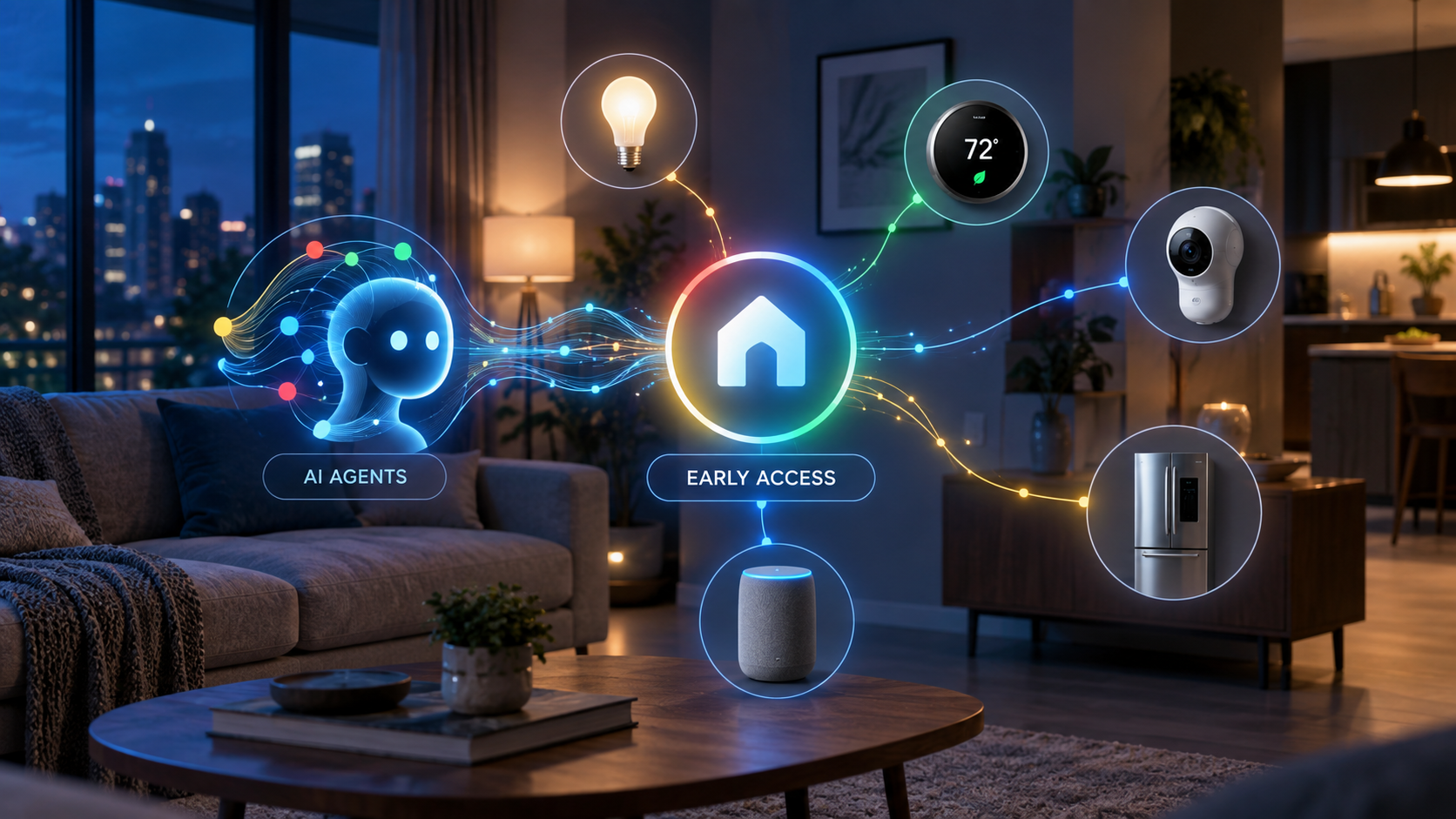
Concept illustration of AI agents securely connecting to Google Home smart lights, thermostat, camera, speaker and appliance controls during early access

Google is opening its smart-home platform to a new class of AI assistants. The early-access Google Home Model Context Protocol server lets compatible agents inspect connected devices, monitor their status, review event history and carry out supported actions through Google Home.

This is a meaningful step beyond asking a voice assistant to switch off a light. Home MCP gives an AI client a structured way to understand the layout and history of a home, reason across that information and perform permitted tasks. It also introduces serious privacy and safety questions because an external AI agent may receive access to sensitive household data.

Google Home MCP is an early-access bridge

Google Home MCP is an early-access bridge

MCP, or Model Context Protocol, is a standard that allows an AI application to connect with outside tools and data sources. Google’s Home MCP server acts as a controlled bridge between an MCP-compatible assistant and the devices already connected to a Google Home structure.

Google lists Google Antigravity, Claude Cowork and OpenClaw as compatible examples. The integration does not replace Gemini for Home or the normal Google Home app. Instead, it adds another route through which an approved AI client can read information and issue supported commands.

The service remains labeled Early Access. That matters: setup is aimed at technically comfortable users, some traits are experimental, and Google acknowledges that latency can be longer than expected.

What the Home MCP server can access

Google’s official documentation divides the server’s current capabilities into five areas:

  • Structure discovery: retrieve the homes and structures that the signed-in account has authorized.
  • Resource discovery: list devices, rooms, supported traits, attributes and available command schemas.
  • State monitoring: check whether devices are connected and read their current trait states.
  • Device control: run supported actions on a selected device, such as turning compatible lights off.
  • Historical analysis: examine state changes and event logs across a selected period.

That combination is what makes the feature more interesting than a typical voice-command integration. An agent can potentially connect information across several devices instead of handling each one as an isolated command.

What you need before it will work

Home MCP is not a one-tap feature for every Google Home user. Google says the prerequisites include an active Google Home setup, a Google Home Premium Advanced subscription, access to a Google Cloud project and an MCP-compatible AI client.

Setup requires enabling the Home API in Google Cloud, configuring an OAuth consent screen, creating credentials and authorizing the chosen AI client. Google’s guide includes connection instructions for Antigravity, Claude Cowork and OpenClaw.

The Verge reports that Premium Advanced costs $20 per month or $200 per year in the United States and that access is rolling out gradually. Availability can therefore differ between accounts even when the subscription and technical prerequisites are satisfied.

What AI agents can do with it

Google’s sample prompts show the practical direction. A connected agent can count lights, check whether a home is secure, turn off outdoor lighting or summarize what happened while the homeowner was away. Because the server can expose both live status and historical events, more advanced uses could include investigating why a device stopped responding or identifying patterns in energy and appliance use.

The system can also support more contextual experiences. The Verge describes possibilities such as cross-camera analysis, reviewing device-state history and creating a custom smart-home dashboard through natural-language instructions. These examples should be treated as use cases rather than a promise that every AI client or device combination will behave identically.

If you already use Google Home hardware, you can compare currently available devices such as the Google Nest Hub (2nd Gen) on Amazon. As an Amazon Associate, ReaderSpice earns from qualifying purchases.

Important safety and privacy limits

The most important part of Google’s documentation is its warning. Connecting a real home to an AI agent allows that agent to control devices and access home data on the user’s behalf. Google applies rate limits and blocks sensitive actions such as unlocking doors, but it still cautions that an agent may behave unexpectedly or undesirably.

Users should review exactly which home structure they authorize, understand the permissions requested by the AI client and tell other household members that an agent may access device information. Google also suggests creating a separate home with test devices for development instead of immediately connecting a primary household.

Access can be revoked from the Google Home app or the user’s Google Account. Familiar-face information requires a separate consent process and compatible Nest camera or doorbell hardware with the appropriate subscription and feature enabled.

What it cannot do yet

The early-access server has meaningful boundaries. Google says creating and managing Google Home automations through MCP is not currently supported. Some experimental device traits may fail, and response latency may be noticeable. Safety policies also prevent certain high-risk commands.

Those restrictions are sensible, but they mean Home MCP should not be viewed as a fully autonomous household manager. It is better understood as a developer-oriented connection layer that can read, analyze and control supported parts of a home under defined permissions.

Who should try it now

Home MCP is most compelling for smart-home enthusiasts, developers and advanced users who already understand Google Cloud projects, OAuth credentials and MCP clients. It could be especially useful for troubleshooting complex homes, exploring device history or prototyping dashboards and assistants.

Most households should wait for simpler consumer controls and broader availability. Early adopters should begin with low-risk devices such as lights and test plugs, review every permission and avoid granting access to a primary home until they understand the agent’s behavior.

The bottom line

Google Home MCP turns the smart home into a data and control layer that outside AI agents can understand. Its real promise is not merely switching devices on and off—it is allowing an agent to reason across live status, history and multiple connected products.

The tradeoff is equally clear: more capable access increases the consequences of incorrect commands, weak permission choices or unpredictable agent behavior. Home MCP is an important early look at agent-powered homes, but its Early Access label and Google’s own warnings deserve as much attention as the headline features.

Sources

Google Home Developers — Google Home MCP Server user guide

The Verge — Google will now let any AI agent run your smart home

Bose Ultra Open Earbuds 2nd Gen and Sport Open Earbuds: Price, Features and Release Date

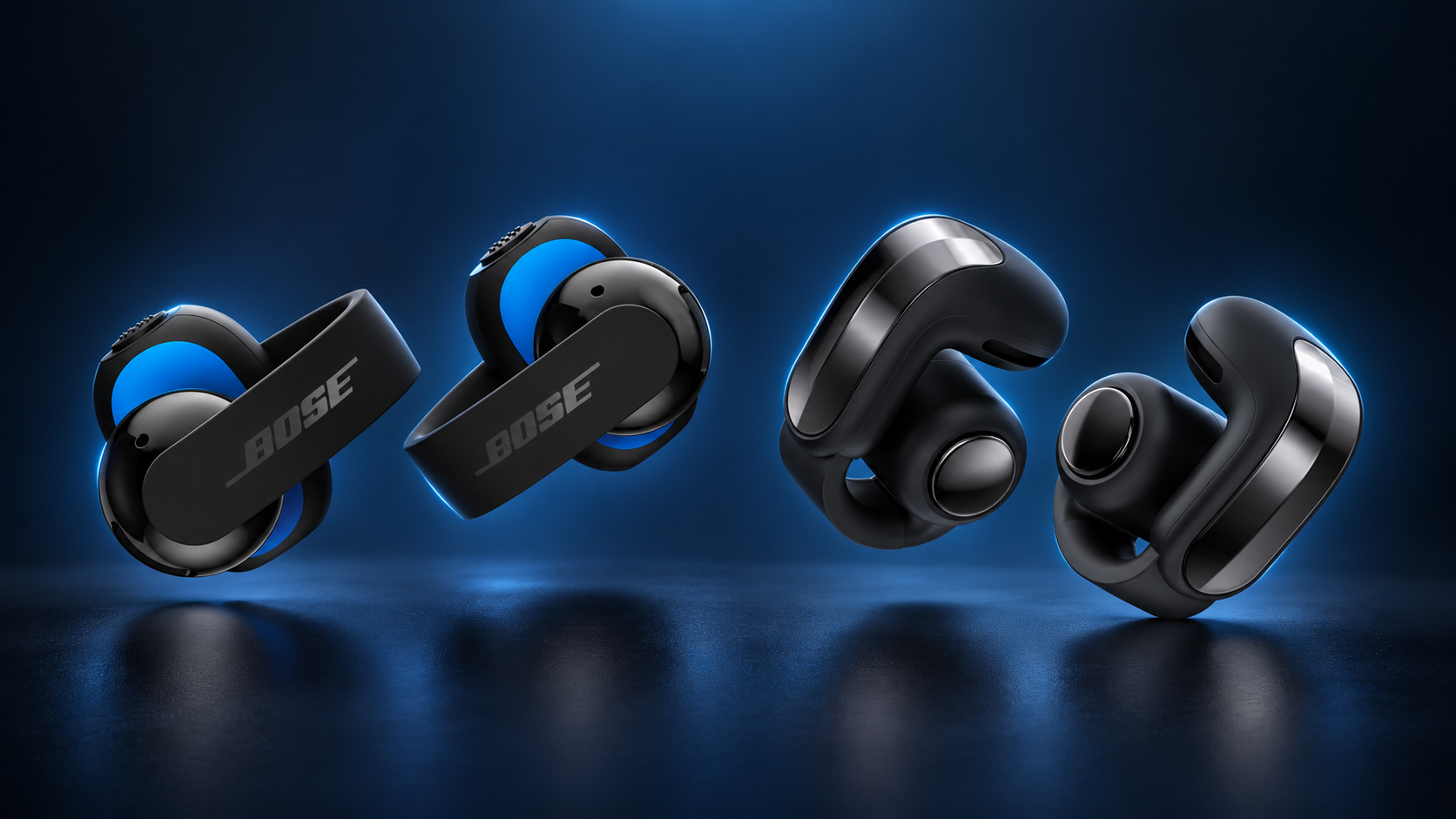
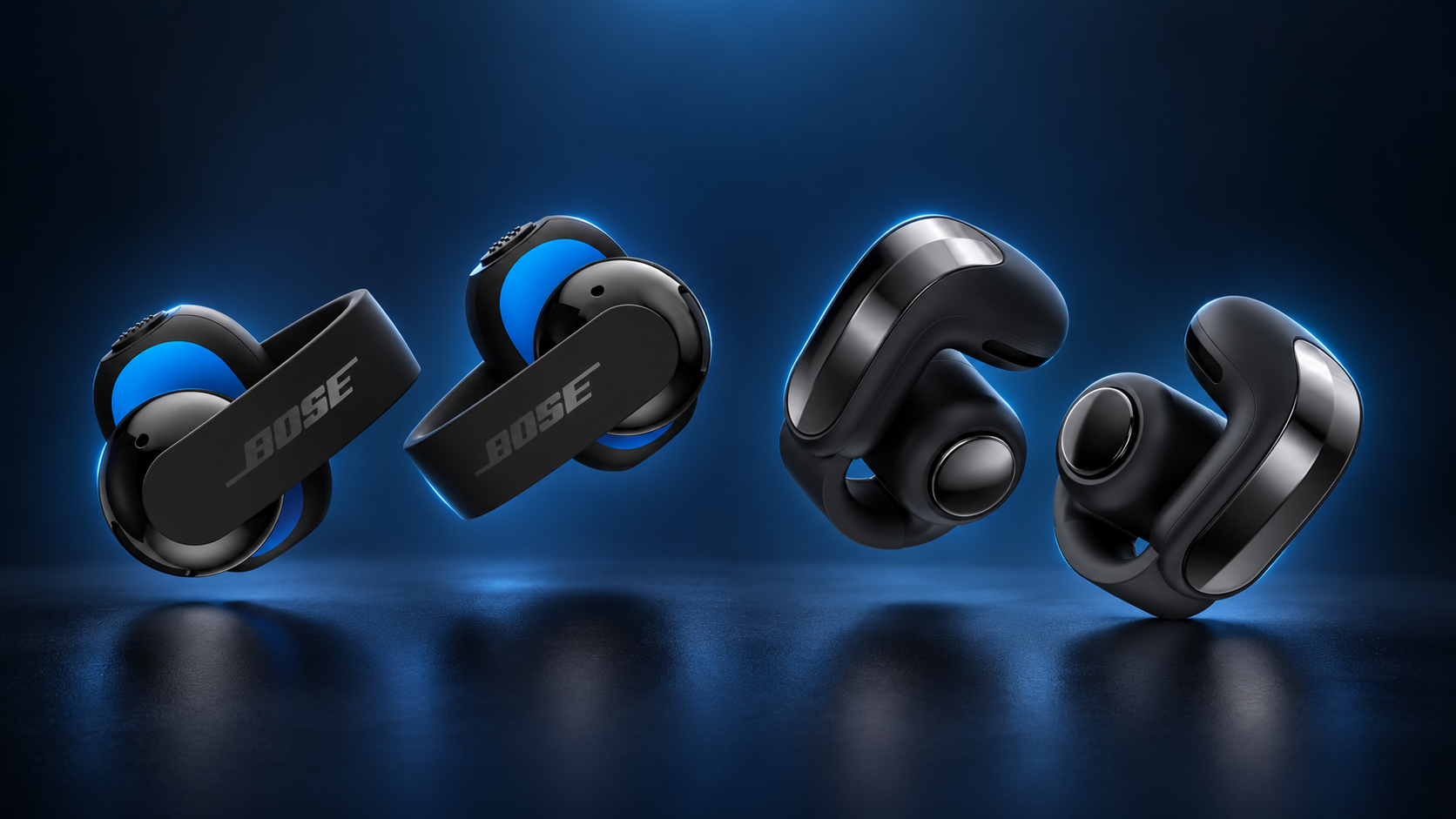
Bose Sport Open Earbuds and Bose Ultra Open Earbuds 2nd Gen shown side by side on a blue studio background

Bose is expanding its open-ear lineup with two new clip-on models aimed at very different buyers. The $299 Bose Ultra Open Earbuds (2nd Gen) upgrade the company’s premium everyday design, while the $199 Bose Sport Open Earbuds prioritize stability, durability and physical controls for workouts. Preorders opened September 19, 2026, and both models are scheduled to reach U.S. buyers on October 1.

The important distinction is simple: these are not noise-canceling earbuds. Both models leave the ear canal open so users can hear traffic, announcements and conversations around them. Bose is betting that improved bass, smarter volume control, clearer calls and longer battery life can make that tradeoff more appealing.

Bose now has two open-ear options for different buyers

Bose now has two open-ear options for different buyers

The Ultra Open Earbuds (2nd Gen) retain the sculpted cuff shape of the original model and are designed for commuting, work and all-day listening. The Sport Open Earbuds use a slimmer C-arm cuff with soft silicone, a grippier finish and textured buttons intended to remain easy to press during a sweaty workout.

Both use Bose OpenAudio technology, which sends sound through the air near the ear instead of using bone conduction. Because the design remains open, neither model offers active noise cancellation. That makes them most attractive to runners, walkers, cyclists and office users who prefer environmental awareness over isolation.

Price, preorder date and release date

Bose confirmed the following U.S. launch details:

  • Bose Ultra Open Earbuds (2nd Gen): $299
  • Bose Sport Open Earbuds: $199
  • Preorders: opened September 19, 2026
  • U.S. availability: October 1, 2026

Both models come in Black and White Smoke. The Sport model also gets a limited-edition Eucalyptus Green finish, while the Ultra model adds Cherry Chocolate, Olive Green and Sky Pink limited colors.

What is new in the Ultra Open Earbuds 2nd Gen?

The flagship model’s headline upgrades focus on sound, calls, battery life and convenience rather than a dramatic redesign. Bose says a newly engineered driver produces deeper bass and higher maximum volume than the first generation. SpeechClarity uses a dedicated microphone and voice pickup unit in each earbud to separate the wearer’s voice from background noise during calls.

A new Cinema Mode uses Bose TrueSpatial processing to widen the soundstage for movies, videos and podcasts while keeping dialogue centered. It works with any content source, so it does not depend on a particular streaming service or a special audio mix.

Battery life rises to up to nine hours per charge, with another 19.5 hours stored in the case. The redesigned case can stand upright and finally supports wireless charging. Compatible Android devices can also use Snapdragon Sound and aptX Adaptive for higher-quality audio, lower latency and more reliable connectivity.

What makes the Sport Open Earbuds different?

The $199 Sport model is the more practical choice for exercise. Its soft silicone cuff is designed to stay secure during running and energetic movement, while physical textured buttons control music, calls and volume without relying on touch gestures.

The Sport Open Earbuds carry an IP54 rating for sweat, splashes and dust. Auto Volume adjusts playback as environmental noise changes, which could help when a route moves from a quiet trail to a busy street. Bose rates the earbuds for up to seven hours per charge, and the wireless charging case stores up to 22 additional hours.

Shared connectivity and features

Both models use Bluetooth Core 5.4, support multipoint connections with two devices, and include SBC and AAC codecs. Google Fast Pair simplifies setup with Android phones. Users can configure shortcuts for Spotify Tap and their phone’s native voice assistant through the Bose app.

Bose says a post-launch firmware update will add Google Find Hub, Alexa+ and an Apple Music shortcut. Those features should be treated as planned rather than available on day one. The company has not provided a precise date for that update.

Which model looks like the better value?

The Sport Open Earbuds are likely the better fit for runners and gym users who want a secure open design, IP54 protection and tactile controls without paying flagship pricing. The Ultra model asks $100 more for stronger audio ambitions, longer earbud battery life, Cinema Mode, aptX Adaptive support and a more premium finish.

People who regularly fly, commute on loud trains or want maximum isolation should remember that neither model includes active noise cancellation. Traditional sealed earbuds remain a better match for blocking outside noise. Open-ear earbuds are designed to keep the outside world audible, not make it disappear.

It is also worth waiting for independent testing before assuming the claimed bass, call quality and battery improvements translate perfectly to real use. Bose’s specifications are confirmed, but comfort, sound leakage and fit can vary considerably from one person to another.

Buying options and affiliate disclosure

Disclosure: ReaderSpice may earn a commission from qualifying purchases made through affiliate links, at no extra cost to you.

The new models are currently available for preorder through Bose. Readers who want the established predecessor can check the current Bose Ultra Open Earbuds on Amazon while comparing pricing and availability.

Sources

Bose — official Sport Open Earbuds and Ultra Open Earbuds (2nd Gen) announcement

Bose — Sport Open Earbuds product page

Bose — Ultra Open Earbuds (2nd Gen) product page

The Verge — Bose’s next open earbuds have more bass, volume and battery life

Snap SPECS AR Glasses: $2,195 Price, AI Features and Fall 2026 Release

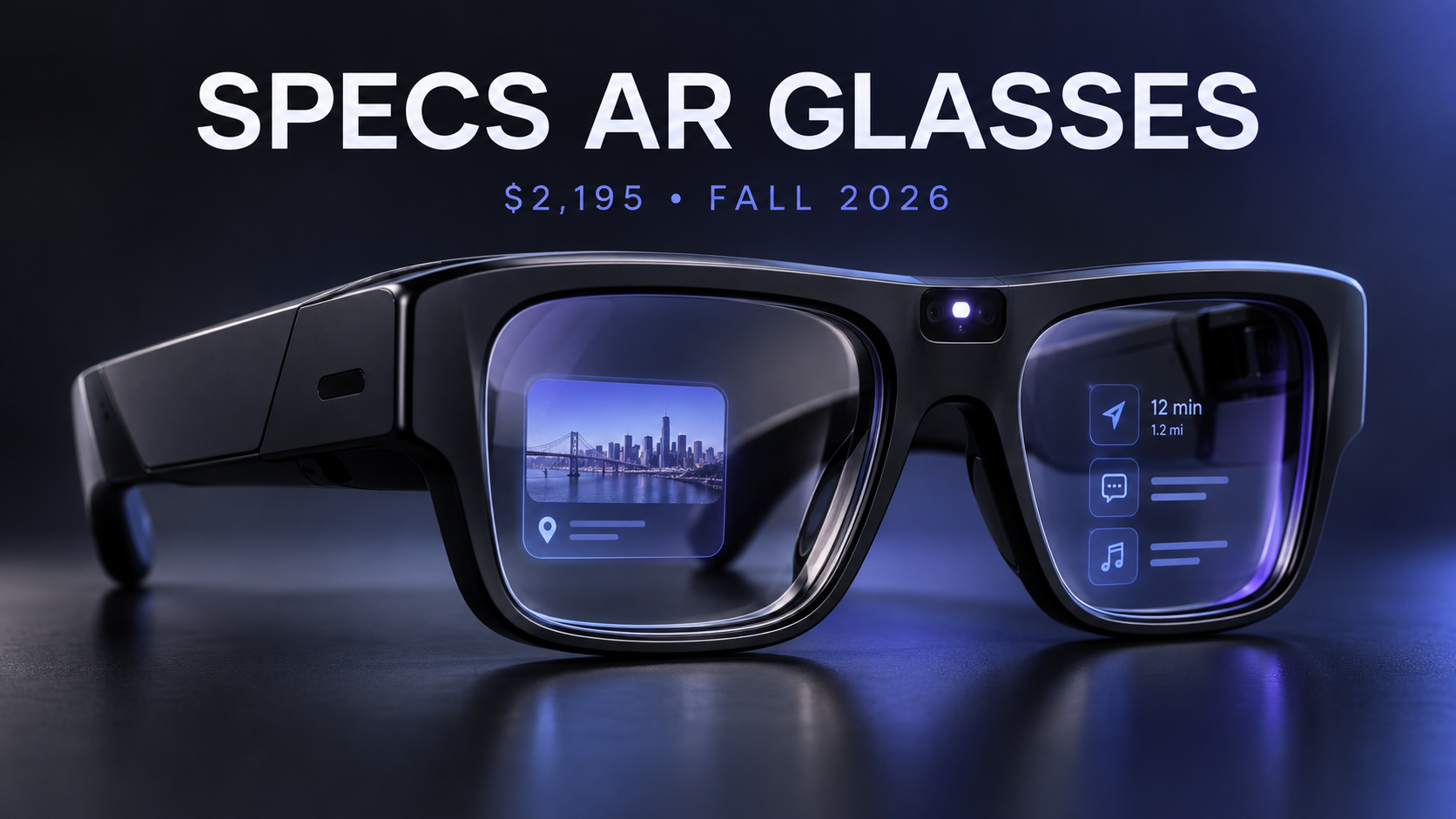
Snap SPECS augmented-reality glasses with AI interface and $2,195 fall 2026 launch details

Snap has officially opened preorders for SPECS, its first consumer augmented-reality glasses. The new wearable costs $2,195, puts a transparent display and self-contained computing hardware inside the frame, and is expected to start shipping later in fall 2026 in the United States, United Kingdom and France.

This is not another lightweight pair of camera glasses. SPECS are closer to a compact spatial computer: they can place navigation, translation, entertainment, work tools and AI-generated information into the wearer’s field of view. That ambition also explains the unusually high price and the much bulkier frame.

Here is what Snap has confirmed, what SPECS Intelligence adds, and who should—or should not—consider preordering.

What Snap officially announced

Snap’s September 16 announcement expands SPECS from a previously revealed hardware project into a complete commercial platform. Preorders are now available in the U.S., UK and France with a $200 refundable deposit. Shipping is expected later this fall, although Snap has not provided a specific delivery date.

The company also confirmed an in-person SPECS First Look experience at Westfield Century City in Los Angeles beginning October 1. That is important for a device this expensive and unusual: buyers can see how the display looks, test the fit and judge the weight before committing.

SPECS hardware: what you get

The glasses use see-through waveguide displays with a 51-degree field of view. Snap compares the perceived size to a 115-inch screen viewed from about 10 feet away. The frame contains the computing hardware itself, so SPECS do not require a separate processing puck or tethered battery pack.

Confirmed hardware and design details include:

  • Two frame sizes: 47mm Narrow Fit and 52mm Wide Fit
  • A weight of 132 grams for the 47mm model or 136 grams for the 52mm model
  • Custom stereo speakers and six high-signal-to-noise MEMS microphones
  • Bluetooth phone pairing for calls, notifications and music
  • Hand and voice interaction through Snap’s AI-native operating system
  • A prominent external LED that illuminates or flashes during photo, video or audio recording

At well over 130 grams, SPECS are substantially heavier than ordinary eyeglasses and many camera-first smart glasses. The hardware is technically ambitious, but comfort will be one of the biggest questions for early buyers.

SPECS Intelligence extends beyond the glasses

SPECS Intelligence is Snap’s new “anticipatory” AI service. Instead of only waiting for a question, it is designed to organize information from accounts and tools a user chooses to connect, then surface relevant context at useful moments.

Snap’s examples include preparing decisions and reminders before a meeting, combining flight, hotel and dinner details for a trip, and flagging a work deadline that overlaps with travel. On the glasses, that information can appear directly in view. The service can reportedly connect to tools such as Gmail and Slack.

The preview is already available through the SPECS iOS app in the U.S. for users 18 and older. A fuller invitation-only experience is planned for Mac, with access offered through a waitlist. Snap has not announced an Android version.

Beyond AI, the glasses support visual translation in 60 languages, walking navigation, a browser for streaming services, Bluetooth calling, a virtual workspace, and shared augmented-reality experiences. Snap is also working with the NBA, WNBA, Spotify, Tripadvisor, Shopify and HBO Max on specialized experiences.

What the $2,195 price includes

The standard SPECS price is $2,195. Snap requires a $200 refundable deposit at preorder, with the remaining balance collected closer to shipment. A $2,395 Connected Case bundle adds a charging case that provides four additional charges and cellular connectivity.

In the U.S., Verizon plans start at $10 per month for existing Verizon customers and $20 per month for non-Verizon customers. Snap is also partnering with Orange in France and EE in the UK, with local pricing to be announced.

This positioning makes SPECS an early-adopter and professional tool rather than a mass-market replacement for a phone. The base model costs far more than Meta’s camera-focused smart glasses, but SPECS also include true see-through AR displays and onboard spatial computing.

Privacy: what Snap says

Smart glasses raise immediate privacy questions, especially when cameras and microphones are pointed at people nearby. Snap says SPECS do not use facial recognition to identify people and do not continuously record or save audio, video or photos. The center LED is designed to alert bystanders whenever recording is active.

For SPECS Intelligence, Snap says users choose which accounts and services to connect. The company states that Snap personnel cannot view personal content used with the service, and that content from connected accounts will not be used to train or fine-tune its AI models or to deliver personalized ads.

Those are meaningful commitments, but buyers should still review the final privacy settings and permissions before connecting email, calendars, workplace tools or travel accounts. An assistant that anticipates needs must process substantial personal context to be useful.

Who SPECS are really for

Snap is pitching SPECS to both consumers and businesses. For individuals, the strongest use cases are hands-free navigation, live translation, large virtual displays, interactive learning and creative AR. For enterprises, Snap is partnering with Salesforce, NVIDIA, Amazon Web Services, Trifork and Hololight for hands-free tasks on store floors, in factories and in the field.

The enterprise angle may be more convincing at launch. A company can justify a premium device if it reduces training time, overlays repair instructions or gives workers real-time access to inventory and customer data. Most consumers will need a clearer daily benefit before spending more than $2,000 on glasses.

Should you preorder?

SPECS are one of the most technically interesting consumer wearables announced in 2026, but preorder caution is sensible. The price is high, the frame is heavy, the software ecosystem is still developing and the exact shipping date remains unconfirmed.

Interested buyers should try the Los Angeles demo if possible, verify which frame size fits, and wait for independent battery-life, display-quality and comfort testing. The $200 deposit is refundable, but early access still means accepting first-generation compromises.

A more affordable smart-glasses alternative

If you want hands-free photos, calls and audio without a full AR display, you can compare Ray-Ban Meta smart glasses on Amazon. They are not a direct substitute for SPECS, but they represent the more established camera-and-audio category at a much lower price.

Disclosure: ReaderSpice may earn a commission from qualifying Amazon purchases at no additional cost to you.

Sources

Snap Newsroom — Making Computing More Human with SPECS

SPECS official product page and FAQ

Reuters — Snap targets enterprises with Salesforce, NVIDIA and AWS tools

The Verge — SPECS Intelligence comes to iOS and Mac

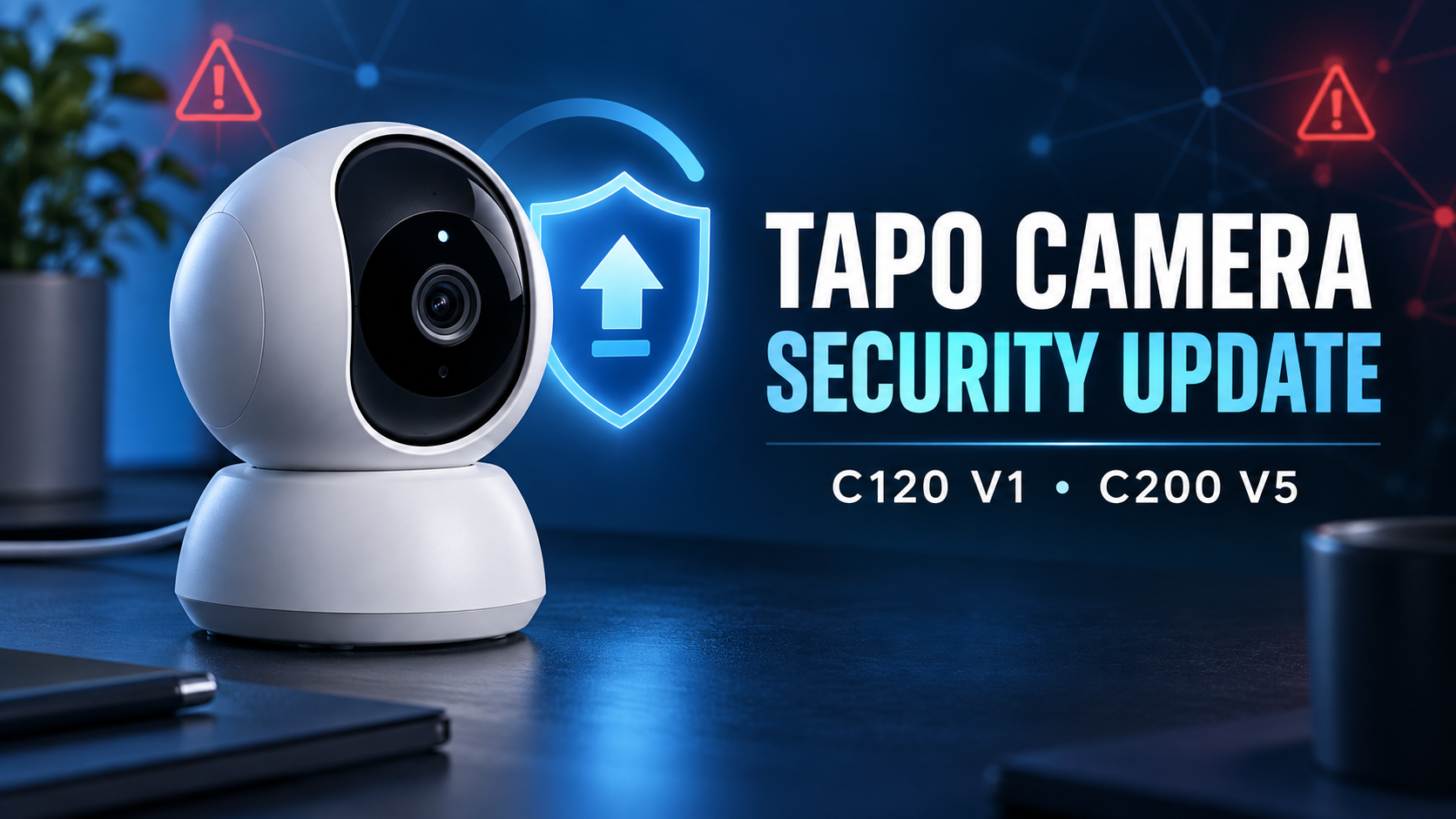
TP-Link Tapo C120 and C200 Security Flaws: Update Your Camera Now

Smart indoor camera beside a security shield and firmware update symbol for the Tapo C120 V1 and C200 V5 security update

Two high-severity security flaws affect specific hardware versions of TP-Link’s Tapo C120 and C200 cameras. TP-Link has released patched firmware, so owners should check the model and hardware version in the Tapo app and install the latest update now.

The important limitation is that this is not a warning about every Tapo camera. TP-Link’s advisory identifies the Tapo C120 hardware version V1 and Tapo C200 hardware version V5. Older or different hardware revisions are not listed in this advisory, although keeping any connected camera current remains good practice.

Which Tapo cameras are affected?

  • Tapo C120 V1 — affected by CVE-2026-15315. Fixed in firmware 1.9.3 Build 260521 or later.
  • Tapo C200 V5 — affected by CVE-2026-15315 and CVE-2026-15316. Fixed in firmware V5_1.4.6 Build 260709 Rel.27675n or later.

If your camera has a different hardware version, do not install firmware intended for V1 or V5 manually. Use the Tapo app or the correct regional TP-Link support page so the device receives the package built for its exact model and revision.

What the security flaws could allow

CVE-2026-15315: authentication bypass

The first flaw affects the local login process. TP-Link says an attacker on the local network could exploit weak challenge-parameter validation, bypass normal authentication and obtain administrative session tokens without knowing the owner’s password.

That administrative access could allow unauthorized configuration changes and other privileged actions. OPSWAT, the research group that reported the issue, says access may also expose privacy-sensitive functions such as live video and stored recordings. The vulnerability has a CVSS 4.0 score of 8.7, rated High.

CVE-2026-15316: denial of service

The second flaw affects only the listed Tapo C200 V5 hardware. A nearby-network attacker could send an oversized encrypted credential value during the camera’s onboarding flow. Insufficient validation can make the HTTPS service crash or cause the camera to restart, temporarily interrupting management and monitoring. TP-Link rates this flaw High with a CVSS 4.0 score of 7.1.

Why local network access still matters

Both vulnerabilities require network access to the affected camera. That is an important boundary: the advisory does not describe a one-click attack that any random person on the internet can launch against every Tapo camera. Still, local-network access is not the same as harmless. A compromised computer, an untrusted guest device, weak Wi-Fi security or an exposed camera-management interface could put an attacker in the right position.

For a device that may watch living spaces, entrances or a child’s room, the safest response is to patch promptly rather than rely only on the local-network requirement.

How to update a Tapo C120 or C200

  • Open the Tapo app and tap your affected camera.
  • Open Device Settings, then select Firmware Update. TP-Link also allows you to check all devices from Me > Firmware Update.
  • Confirm the hardware version and install the newest firmware offered for that exact camera.
  • Keep the camera powered and connected during installation. Do not unplug it while the update is being applied.
  • After the camera restarts, return to Firmware Update and confirm that no newer version is pending.

TP-Link’s official firmware-update guide shows both update paths. Automatic Update can also be enabled, but it is still worth checking manually after a security advisory because staged rollouts may not reach every device at the same moment.

What to do after installing the patch

  • Do not expose the camera’s local management interface directly to the internet.
  • Use WPA2 or WPA3 security with a strong, unique Wi-Fi password.
  • Place cameras and other smart-home devices on a guest or IoT network when your router supports network isolation.
  • Review shared Tapo-account access and remove people or devices that no longer need it.
  • Enable automatic firmware updates, then periodically verify that the camera is still current.

A firmware patch closes the reported defects, but network segmentation and careful account management reduce the damage another compromised smart-home device could cause.

Should you replace the camera?

Not solely because of these two flaws. TP-Link has provided fixes for the affected hardware, and updating is the direct remedy. Replacement makes more sense if your camera can no longer receive security updates, repeatedly fails to update or no longer fits your privacy and monitoring needs.

If you are comparing current alternatives or accessories, you can browse Tapo cameras and accessories on Amazon. ReaderSpice participates in the Amazon Associates Program and may earn a commission from qualifying purchases at no additional cost to you.

Bottom line

Owners of Tapo C120 V1 and C200 V5 cameras should update immediately. The authentication-bypass flaw could grant an attacker on the local network administrative access, while the C200-specific input-validation flaw could interrupt camera management and monitoring. Check the hardware revision first, accept only the firmware offered for that exact device, and confirm the update completed successfully.

Sources

TP-Link security advisory for Tapo C120 and C200

OPSWAT technical disclosure of CVE-2026-15315 and CVE-2026-15316

TP-Link guide to updating Tapo and Kasa firmware

NIST NVD record for CVE-2026-15315

NIST NVD record for CVE-2026-15316