Meta Ray-Ban Display Adds Cycling Navigation and Hologram Calls: What’s New

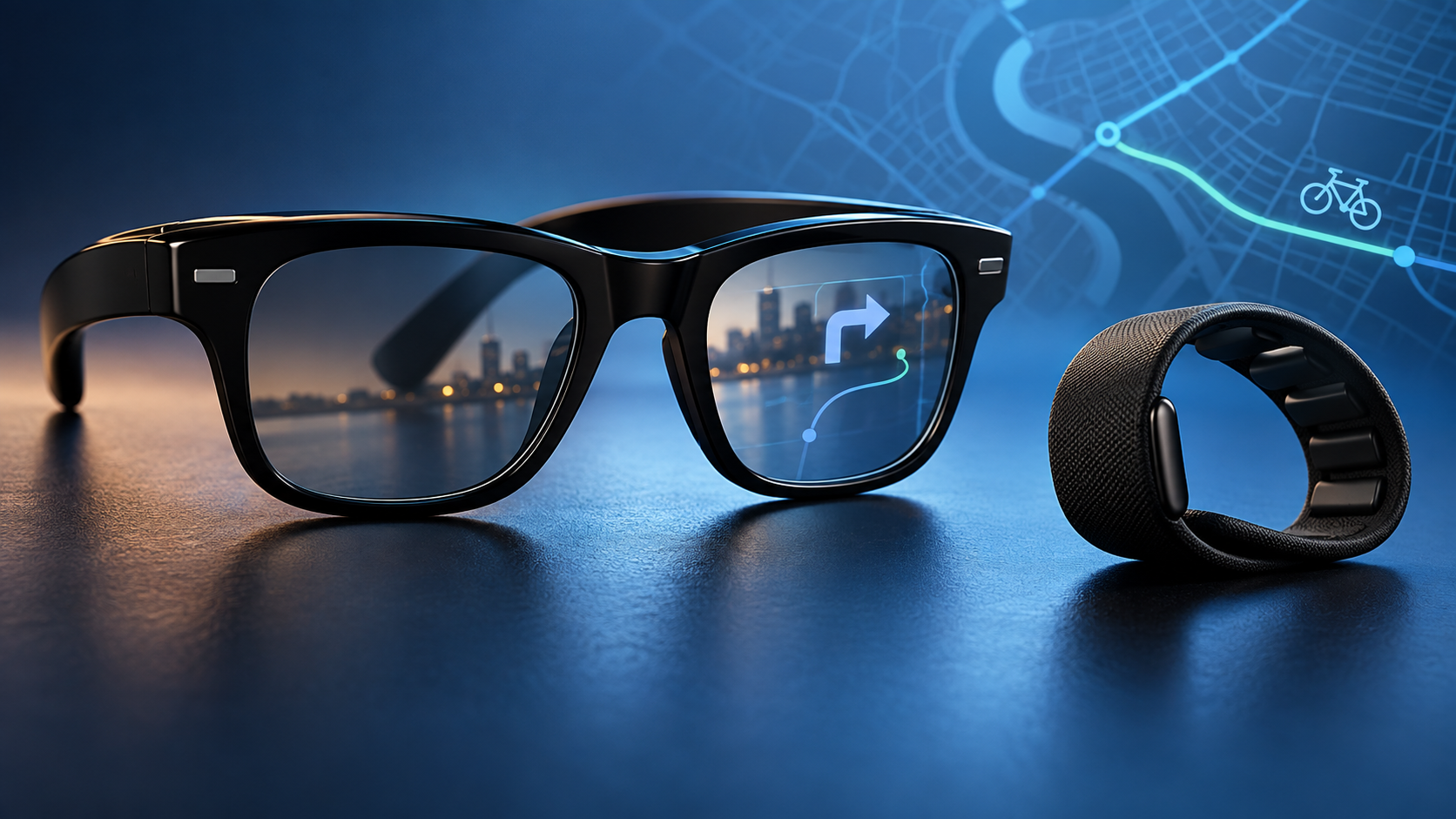
Black smart display glasses and neural wristband with cycling and transit navigation graphics

Meta is turning its $799 Meta Ray-Ban Display glasses into a more capable everyday display. The newest software roadmap adds turn-by-turn directions for cycling and public transit, richer walking cues, better calendar controls, mirrored phone notifications and a forthcoming WhatsApp calling feature that creates a photorealistic digital version of the wearer.

The update matters because it pushes the glasses beyond quick AI answers and camera previews. Some additions are scheduled for later this month, while others remain early-access or “coming soon” features. That distinction is important for anyone deciding whether to buy now.

What Meta is adding now

The headline changes are:

  • Cycling and public-transit directions in the United States and Canada.
  • Walking directions that can reference visible landmarks, such as a distinctive house.
  • A Hologram calling mode for WhatsApp that animates a generated likeness of the wearer.
  • Expanded calendar actions, mirrored phone notifications and Threads Community feeds.
  • Dolby Atmos capture for videos and a new Explore app for discovering experiences.

Cycling and transit navigation arrive

Cycling and transit navigation arrive

Meta says cycling and public-transit turn-by-turn directions are coming to Meta Ray-Ban Display in the United States and Canada. Walking navigation is also becoming more conversational: instead of relying only on street names and distances, the glasses can point to a visual landmark and tell you to turn there.

That approach could make directions easier to follow without staring at a phone, especially in unfamiliar neighborhoods or at transit transfers. It does not mean riders should treat the lens as a full map. The small display is best used for short prompts, and cyclists still need to keep their attention on traffic, signals and road conditions.

The navigation expansion builds on the product’s existing walking directions. Meta Ray-Ban Display has a full-color display in the right lens and comes with the Meta Neural Band, which interprets small wrist and finger movements. The bundle starts at $799.

Hologram calls: a generated face, not a live camera feed

Meta’s “Hologram” name sounds more futuristic than the actual experience. The feature creates a photorealistic digital likeness after the owner records a short selfie video. During a WhatsApp call, the glasses use the wearer’s voice to drive facial expressions in that generated image.

The practical benefit is that callers can appear on video while wearing the glasses, even though the front-facing camera cannot film the wearer’s own face. It is not a three-dimensional projection floating in the room, and it is not a conventional live selfie-camera feed. That distinction should keep expectations realistic.

Meta says Hologram will enter early access in the United States later this fall. Early access usually means availability may be limited and the experience can change before a broader rollout. Buyers should not treat it as a guaranteed, finished feature at purchase.

Notifications, calendars and Threads move onto the display

Meta is also filling in smaller gaps that determine whether wearable displays are useful day to day. Calendar support can show attendees and let the wearer accept, decline or join a meeting. The calendar additions are initially in English in the United States.

Mirrored notifications are coming soon, with controls for which phone alerts appear on the glasses. That could reduce phone checks, but it also creates a new reason to tune notification settings carefully; sending every alert into the lens would quickly become distracting.

Threads Community feeds are being added, while a new Explore app is intended to help owners find experiences built for the glasses. Video capture is gaining Dolby Atmos audio. None of these changes turns the device into a general-purpose augmented-reality headset, but together they make the display feel less like a demo and more like a compact companion screen.

Where Meta Ray-Ban Display is available

Meta now sells the glasses online in the United States. Sales are also open in Canada and the United Kingdom. France, Italy and Germany can preorder, with retail availability planned for October.

The package includes the glasses and Meta Neural Band. Meta’s launch information lists up to six hours of mixed use for the glasses and up to 30 hours total with the charging case. The Neural Band is rated for up to 18 hours and has IPX7 water resistance, while the glasses themselves should still be treated as everyday electronics rather than sports goggles.

Availability, supported apps and individual features vary by country and language. Shoppers outside the United States should confirm the exact feature list on Meta’s regional store before buying rather than assuming every announced function is active on day one.

Is this update useful enough to justify $799?

For existing owners, navigation is the most immediately valuable part of the update. Cycling and transit prompts expand the situations where the display can save a phone check. Calendar actions and selective notification mirroring could also help commuters and people who spend much of the day moving between meetings.

For new buyers, the answer depends on whether the in-lens display and wristband are worth the premium. The less expensive Ray-Ban Meta line already offers a camera, open-ear audio and Meta AI, but it does not provide the same visual display or neural-band controls.

ReaderSpice may earn a commission from qualifying purchases.

Readers who want the camera-and-audio experience without the in-lens display can compare the current Ray-Ban Meta Gen 2 Wayfarer on Amazon.

The $799 Display model makes the strongest case for people who will regularly use private visual prompts, navigation, live captions and message controls. Hologram calling is interesting, but it remains an early-access extra rather than a reason by itself to spend the money.

Before you buy

  • Check the regional feature list, supported phone requirements and prescription-lens options.
  • Expect announced features to arrive in stages; “coming soon” is not the same as available today.
  • Review notification permissions so sensitive messages do not appear unexpectedly in the lens.
  • Use the recording indicator responsibly and get consent where local rules or the situation require it.

If privacy around camera glasses is your main concern, read ReaderSpice’s guide to recognizing when smart glasses are recording.

The bottom line

This is a meaningful software expansion for Meta Ray-Ban Display. Navigation for bicycles and public transit gives the glasses a clearer practical role, while calendar actions and notification mirroring make the display more useful between trips. Hologram calls show where Meta wants wearable video communication to go, but the limited early-access rollout means buyers should judge the product primarily on features available in their region now.

Sources

Meta: New Features for Meta Ray-Ban Display

Meta: Introducing Meta Ray-Ban Display and the Meta Neural Band

Reuters: Meta launches smart glasses with a built-in display

Reuters: Privacy fears challenge smart glasses and AI wearables
Sonos Ace Ultra and Beam Ultra Launch September 29: Price, Specs and Buying Advice

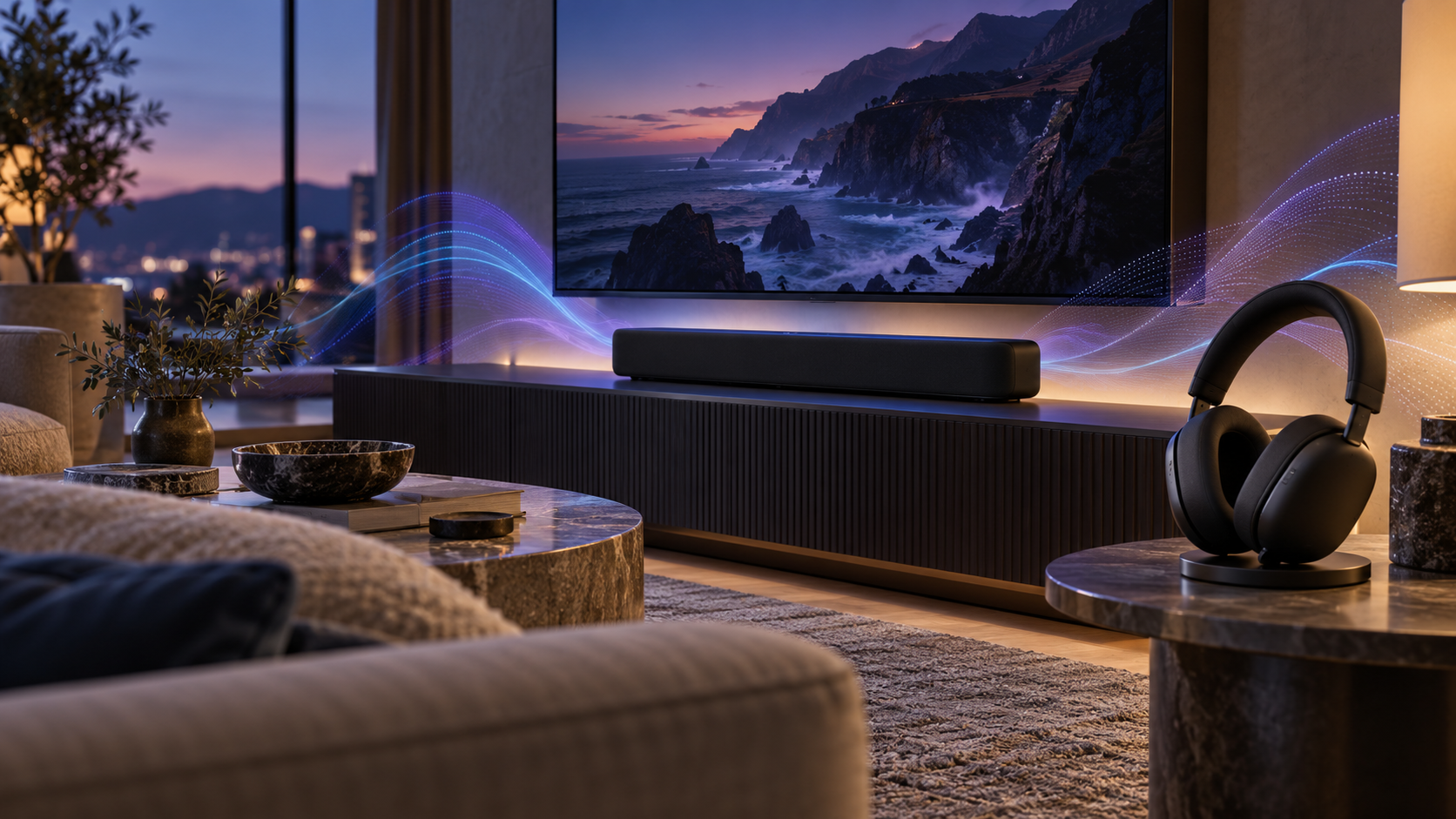
Premium over-ear headphones beside a compact soundbar in a modern living room

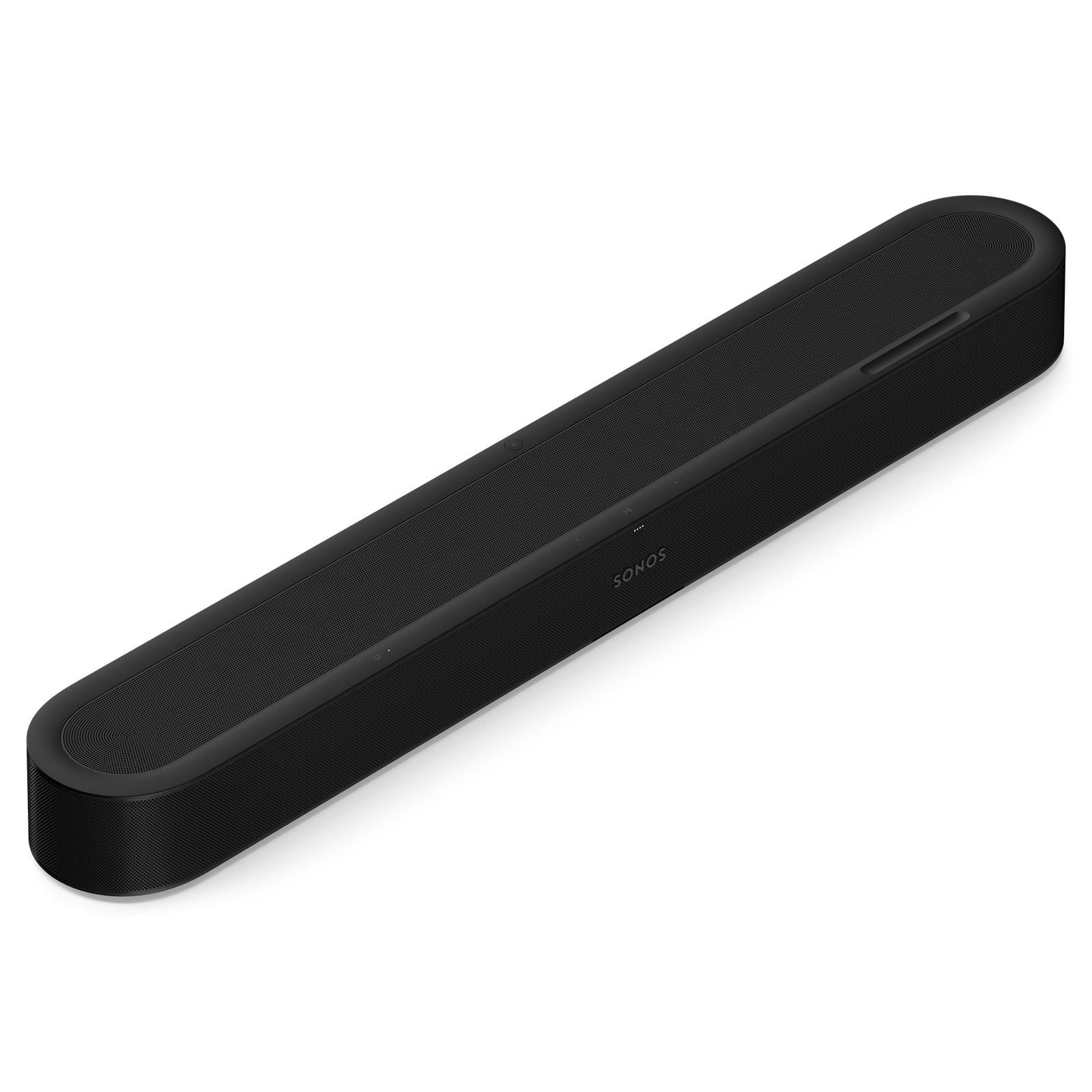
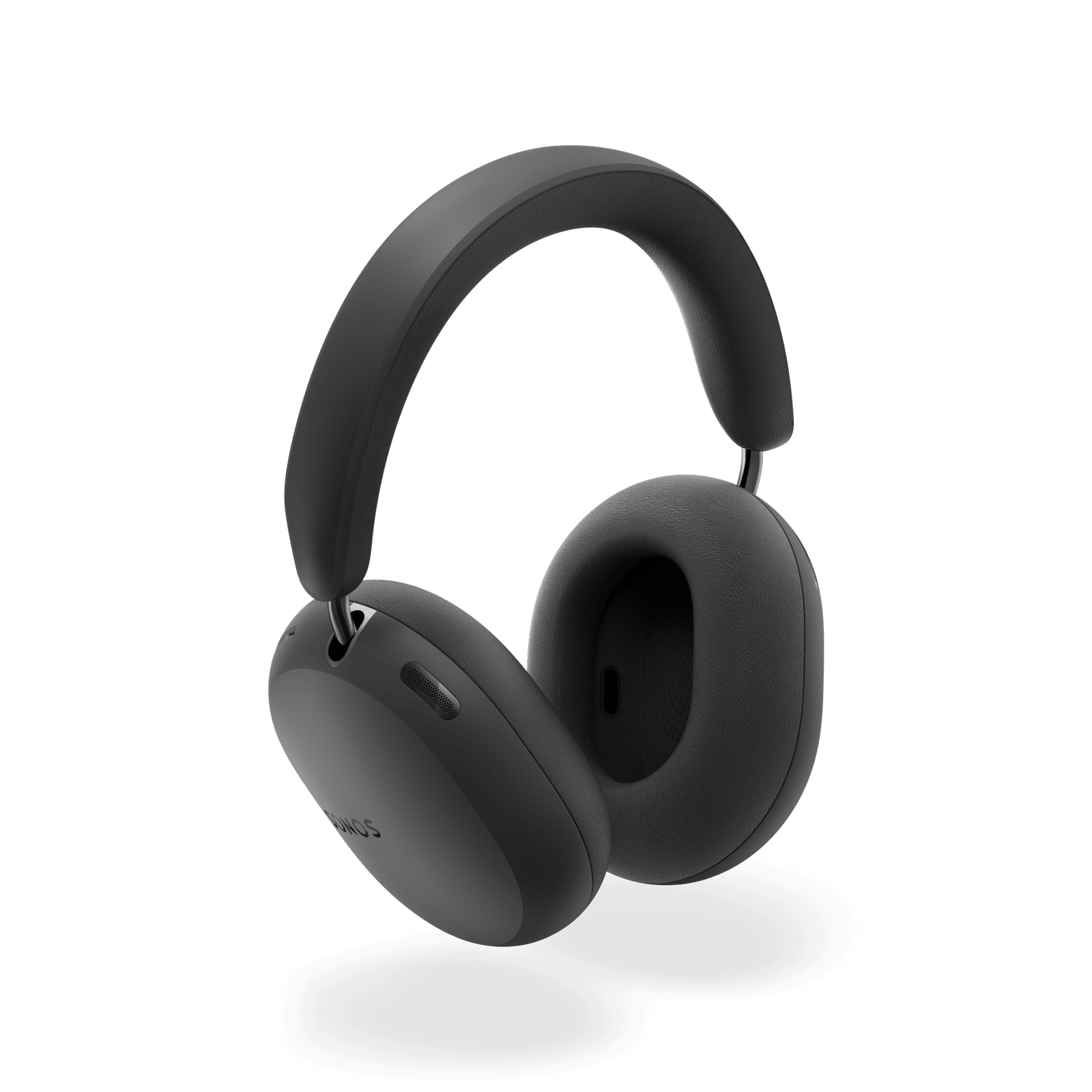
Sonos is putting two new premium audio products on sale September 29, 2026: the $449 Ace Ultra over-ear headphones and the $699 Beam Ultra compact soundbar. Both are available to preorder now, but the bigger story is how tightly they plug into the company’s Sonos 27 platform.

The hardware upgrades are substantial on paper. Beam Ultra adds real upward-firing drivers and a 7.1.2-channel Dolby Atmos layout, while Ace Ultra brings stronger adaptive noise cancellation, longer battery life and direct system-to-headphone handoff. Neither product has completed ReaderSpice’s independent review process, so performance claims below are identified as manufacturer claims or early hands-on impressions.

ReaderSpice may earn a commission from purchases made through links in this article. As an Amazon Associate, we earn from qualifying purchases.

Price and September 29 release date

  • Sonos Ace Ultra costs $449 in the United States and comes in black, soft white, agave and sand.
  • Sonos Beam Ultra costs $699 in the United States and comes in matte black or white.
  • Preorders are open now, with Sonos estimating shipments beginning September 29, 2026.
  • Ace Ultra includes a travel case, USB-C cable and USB-C-to-3.5mm cable. Beam Ultra includes its power and HDMI cables.

Sonos Beam Ultra: true 7.1.2 Atmos in a compact bar

Sonos Beam Ultra: true 7.1.2 Atmos in a compact bar

Beam Ultra sits between the $499 Beam (Gen 2) and the $1,099 Arc Ultra. Its nine-driver architecture includes five tweeters and four low-profile woofers. Two of the tweeters fire upward through directional horns, giving Dolby Atmos content physical height channels instead of relying only on virtualization.

The soundbar measures 29.53 inches wide, 2.56 inches tall and 4.13 inches deep, so it remains much easier to place than many flagship bars. It supports HDMI eARC/ARC, Wi-Fi 6, Bluetooth 5.3, AirPlay 2 and Sonos Trueplay room tuning on both iOS and Android.

Dialogue is another focus. Sonos says its redesigned center channel and four adjustable levels of AI Speech Enhancement can bring voices forward when effects or room noise make them difficult to hear. Night Sound compresses loud moments and lifts quieter detail for late viewing.

Early demonstrations reported wider, more separated Atmos effects, stronger mid-bass and clearer dialogue than Beam (Gen 2), but a controlled review will still need to test bass extension, overhead precision, music balance and performance in rooms with difficult ceilings.

Who should consider Beam Ultra?

  • Choose Beam Ultra if you want real upward-firing Atmos channels in a soundbar that is still under 30 inches wide.
  • Keep Beam (Gen 2) on your shortlist if $699 is too high or your room and content will not benefit from height channels.
  • Consider Arc Ultra instead for a large room or when maximum scale matters more than size and price.

Sonos Ace Ultra: stronger ANC and whole-home linking

Sonos Ace Ultra: stronger ANC and whole-home linking

Ace Ultra uses a new Sonos-designed 40mm driver in each ear cup and ten microphones for noise control, calls, Aware mode and TrueCinema. Sonos claims up to twice the active noise cancellation of the original Ace, while adaptive EQ compensates for acoustic leaks caused by glasses, hair or fit.

Battery life rises from 30 to as much as 35 hours with ANC enabled. A three-minute charge is rated for up to three hours of playback. Lossless audio is available over compatible Qualcomm aptX Bluetooth devices or a USB-C connection, and listeners can choose a simpler three-band EQ or a more precise eight-band EQ.

The defining feature is Headphone Linking. In early access, pressing the Content Key can pull music or TV audio from a nearby compatible Sonos product to the headphones, then send it back without opening the phone app. TV Audio Swap, Dolby Atmos, TrueCinema room calibration and dynamic head tracking remain part of the private-listening pitch.

Sonos also designed the ear cushions and battery to be replaceable, a welcome durability improvement for headphones expected to last several years. Replacement pricing and long-term parts availability will matter as much as the design promise.

Who should consider Ace Ultra?

  • Ace Ultra makes the most sense for an existing Sonos household that will use Headphone Linking and TV Audio Swap.
  • Frequent travelers may value the 35-hour ANC rating, fast charging and four color choices.
  • Buyers who only need Bluetooth headphones should wait for full comparative reviews against Sony, Bose and Apple models.

How the new models compare with what you can buy today

The original Sonos Ace remains listed at $349, while Beam (Gen 2) remains $499. That creates a clear $100 headphone step and a $200 soundbar step. The Ultras justify those premiums mainly through deeper Sonos-system integration and hardware that directly addresses limitations in the older products.

If you need a compact Sonos soundbar immediately and do not require upward-firing speakers, the current Sonos Beam (Gen 2) on Amazon remains the lower-cost route. Waiting until independent reviews publish could also reveal launch promotions or discounts on the outgoing models.

What to verify before ordering

  • Check that your television has HDMI ARC or eARC; eARC is required for the highest-bandwidth formats listed by Sonos.
  • Measure the available width and depth on your console, and leave the top of Beam Ultra unobstructed so its height drivers can work properly.
  • Confirm which Sonos products support the specific linking, surround and TV Audio Swap features you want.
  • Treat the two-times-stronger ANC figure, 35-hour battery claim and sound-quality promises as claims until independent tests confirm them.
  • Remember that Headphone Linking is launching in early access, so features and reliability may change.

Early verdict

Beam Ultra looks like the more consequential upgrade because physical upward-firing drivers change what a compact Beam can reproduce. Ace Ultra is a more targeted proposition: its improvements are meaningful, but its strongest advantage appears only when paired with the wider Sonos ecosystem.

For current Sonos owners, both products deserve attention. Everyone else should compare the full system cost, wait for measured reviews and decide whether Sonos-only conveniences are worth paying more for. Preorders are not necessary for shoppers who want verified performance rather than launch-day availability.

Sources

Sonos Beam Ultra official product page

Sonos Ace Ultra official product page

Sonos newsroom announcement for Beam Ultra and Ace Ultra

The Verge launch report and specification breakdown

TechRadar interview and early Beam Ultra listening impressions

EverBoard Is a $500 Digital Gameboard With AI Game Creation: What to Know

Family gathered around a large digital tabletop gameboard during game night

EverBoard is entering the digital-tabletop market with a 21.5-inch touchscreen built for up to six people, more than 50 games at launch and an AI tool that can turn a spoken or typed idea into a playable game. The system is scheduled to arrive exclusively at Best Buy in the United States during the 2026 holiday season.

Polygon reports a $499.99 price, putting EverBoard in premium-console territory before any ongoing subscription cost. The pitch is appealing: one shared screen, no controllers or loose pieces, familiar Hasbro games and new games that families can create together. But several important buying details—including the EverPass renewal price, exact release date and full hardware specifications—have not yet been announced.

ReaderSpice may earn a commission from qualifying Amazon purchases. Families who prefer a physical game night can compare the CATAN base game while waiting for EverBoard’s launch details.

EverBoard quick facts

  • Reported price: $499.99, according to Polygon.
  • Display: 21.5-inch touchscreen designed to be used from every side of a table.
  • Players: Up to six people on one device, without separate controllers.
  • Launch library: More than 50 games through the EverPass service.
  • Licensed games: Monopoly, Connect 4, Chutes and Ladders and Scrabble are among the announced Hasbro titles.
  • Availability: Best Buy exclusive in the U.S. during the 2026 holiday season; the exact date remains unannounced.

What EverBoard is—and what it is not

EverBoard is a horizontal touchscreen meant to sit on a dining table or coffee table. Players gather around the same display and make moves directly on the screen. EverBoard says the system is intended for children, parents and grandparents, with no controller pairing, physical game pieces or lengthy setup.

The approach is different from playing a board-game app on an iPad. A 21.5-inch shared surface gives multiple players room to participate at once, while the software can automate setup, scoring and rule enforcement. It also removes the need to store boxes of pieces. The tradeoff is obvious: the entire game night depends on one electronic device, its software library and the company’s long-term support.

EverBoard’s September 24 announcement says the launch catalog will combine licensed Hasbro games with puzzles, drawing activities, arcade-style games and original titles. The company says new games will be added monthly, but it has not published a complete launch list.

How EverVibe turns prompts into a game

Family using an AI-assisted tabletop game creator on a shared touchscreen

EverVibe Game Creator is the feature that most clearly separates EverBoard from a conventional digital board-game collection. Players can describe a game with voice or text, and the system generates a playable experience from that prompt. That could let a family build a trivia game around a vacation, turn a child’s story into a simple adventure or quickly prototype house rules.

Polygon’s launch interview adds an important safeguard: created games remain private unless an adult approves them for publication. EverBoard’s moderation team then reviews a submitted game before it can be shared publicly. Those controls are reassuring, but parents should still treat generated games as supervised activities until the system’s filters, privacy settings and account tools can be tested in real homes.

The company has not yet explained which AI model powers EverVibe, how prompts or voice recordings are stored, whether generated games work offline or what limits apply to creation. Those questions matter for a product marketed to families and should be answered before purchase.

What the $500 price does—and does not—include

Every EverBoard includes one month of EverPass. The subscription unlocks the full library of more than 50 launch games and, according to Polygon, the game-creation capability. EverBoard has not disclosed EverPass’s monthly or annual price, whether any games remain playable without a subscription, or whether individual titles can be purchased separately.

That missing number is central to the value calculation. A $499.99 device could be reasonable for a household that regularly buys premium board games and uses the system every week. It becomes harder to justify if core features require an expensive recurring plan. Buyers should wait for the renewal price and post-subscription behavior before treating the hardware price as the total cost.

The announcement also leaves basic hardware questions unanswered, including screen resolution, storage, Wi-Fi requirements, ports, warranty length, repair options and whether the display resists spills. EverBoard’s official launch page promises software and security updates until at least March 2029, which is useful to know but represents only a little more than two years of support from the planned holiday 2026 launch.

Five things to verify before ordering

  • EverPass renewal price and whether cancellation removes access to downloaded or built-in games.
  • The final launch-game list, including which titles support all six players.
  • Parental controls, account requirements, data retention and voice-recording settings for EverVibe.
  • Hardware details such as resolution, connectivity, spill resistance, warranty coverage and replacement policy.
  • A firm on-sale date, return window and whether Best Buy stores will have demonstration units.

A hands-on demo would be especially valuable. Touchscreen latency, viewing angles, glare and how well six people can reach the display are difficult to judge from promotional material. Families should also consider whether they want a screen to replace physical components or merely supplement traditional games.

How EverBoard compares with existing digital gameboards

EverBoard is not the first large touchscreen built for tabletop play. Arcade1Up’s Infinity Game Board and Infinity Game Table established the basic category with digital versions of familiar board games. EverBoard’s differentiator is EverVibe: it is selling creation, not just a catalog.

That makes the product more ambitious, but also less proven. Licensed classics provide a familiar starting point; the long-term appeal will depend on the quality of generated games, the pace of new releases and whether the subscription feels fair. A clever prompt-to-game demo is not the same as a balanced game families will replay.

The absence of controllers and pieces could be a genuine advantage for quick setup and accessibility. It can also flatten the tactile pleasure that makes board games special. EverBoard will need to show that its shared-screen design adds social interaction instead of simply putting another display in the middle of the table.

Early verdict

EverBoard has a clear idea and a credible set of launch hooks: a large shared touchscreen, six-player support, recognizable Hasbro games and a moderated AI creation system. It also arrives with meaningful unknowns. The $499.99 hardware price is only half the buying decision until EverPass pricing, offline access, hardware specifications and the complete launch library are public.

For now, EverBoard is worth watching rather than preordering blindly. Families interested in a holiday purchase should sign up for updates on EverBoard’s official launch page and compare the final subscription terms with the cost—and lasting ownership—of physical games.

Sources

EverBoard Inc. launch announcement

Polygon interview and launch report

EverBoard official launch page and software-update policy

AI Shopping Agents Raise Fraud and Privacy Risks: 8 Safety Checks Before You Buy

Shopper reviewing an AI-assisted online purchase with payment and privacy protections

AI shopping agents promise to compare products, fill carts and eventually complete purchases with less work from you. The convenience is real, but so is the jump in responsibility: a tool that moves from recommending a product to spending money can expose payment data, misunderstand instructions or leave shoppers unsure who is accountable when something goes wrong.

Those concerns moved beyond theory this week. On September 22, 2026, major banks warned that agentic commerce is developing faster than the consumer protections around it. The safest approach today is to let AI do the research while keeping a human approval step before checkout.

AI shopping agents are moving into checkout

Traditional shopping chatbots answer questions or surface links. An agentic shopping tool can take additional actions on a shopper’s behalf, such as browsing several stores, adding items to a cart, applying preferences and preparing or submitting a payment. The more authority it receives, the more useful it can be—and the larger the consequences of a bad recommendation, compromised account or misunderstood instruction.

Interest is growing quickly. Reuters reported that AI-originated searches at British retailer John Lewis climbed from 0.3% to 2.5% in one year. Payment networks and technology companies are meanwhile building systems that identify an agent, verify its authority and pass safer payment credentials without exposing the underlying card number.

Why banks are warning now

A group that included NatWest, Bank of America, ING, Capital One, Commonwealth Bank of Australia and ASB Bank told policymakers that shoppers may not know whether an AI agent is acting in their best interest. The banks highlighted risks involving sensitive financial information, insecure payment routes, scams and unclear options for getting money back.

Their proposed protections include clear disclosure when AI is involved, more transparency about how recommendations are made, stronger data safeguards, interoperability and meaningful consumer choice. In plain language, the shopper should know which system is acting, what it is allowed to do, which data it can see and how to stop or challenge a purchase.

Retailers are drawing their own boundaries. Amazon recently blocked Meta’s Muse shopping agent, saying the tool accessed its service without authorization and raised transparency, privacy and security concerns. Meta said Muse could not access secure login or payment information. The dispute, covered by The Verge, shows that an agent may work on one storefront but be limited or rejected on another.

Where the risks show up

The danger is not simply that an AI will pick the wrong color. A shopping agent may combine browsing history, personal preferences, delivery addresses, account credentials and payment instructions. If permissions are vague, that data can travel farther than a shopper expects or remain connected longer than necessary.

An agent can also be manipulated by a misleading product page, fake review, malicious instruction or fraudulent merchant. Even without an attack, it may optimize for price while overlooking return restrictions, subscription terms, shipping costs, compatibility or a seller’s reputation. And if the agent, retailer and payment provider disagree about who authorized the transaction, resolving a refund can become more complicated.

Eight safety checks before authorizing a purchase

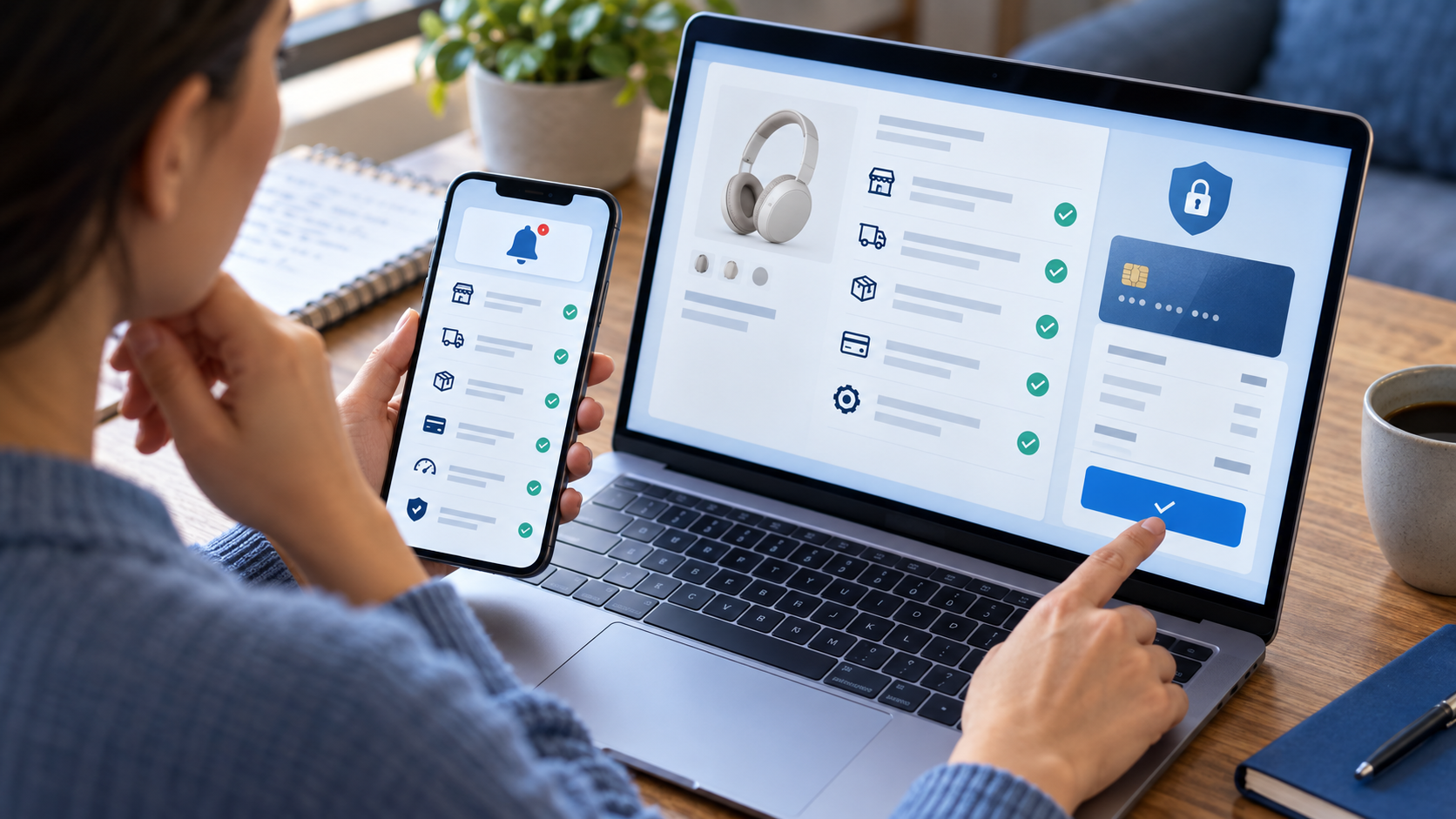
Shopper reviewing eight safety checks before authorizing an AI-assisted purchase

1. Require approval at checkout

Use a setting that makes the agent stop before the final purchase. Review the exact product, seller, quantity, total price, delivery address and payment method yourself. Fully autonomous buying is a poor default for unfamiliar sellers, subscriptions, travel, high-value products or anything with strict return rules.

2. Set narrow spending and merchant limits

Give the agent the smallest useful authority. A per-purchase ceiling is better than a broad monthly promise, and an approved merchant list is safer than open-ended permission to buy anywhere. Category restrictions can also prevent an agent from substituting a product that creates a safety, compatibility or warranty problem.

3. Prefer tokenized or limited-use payment credentials

Where available, use a card issuer’s virtual number, network token or other credential that can be paused or replaced without exposing the primary account number. Mastercard explains that tokenization substitutes a unique alternate number for the card number. That reduces exposure, but it does not make a fraudulent or mistaken purchase harmless.

4. Never paste raw passwords or card details into a chat

A legitimate checkout should use a clearly identified payment flow. Do not give an agent your banking password, one-time security code or complete card credentials in ordinary conversation. If an AI tool asks for information that your bank says it will never request, stop and open the bank or retailer’s official app directly.

5. Verify the merchant outside the agent’s summary

Open the product page yourself and check the seller name, final price, shipping date, return window, warranty and recurring charges. For an unfamiliar store, confirm the domain carefully and look for independent contact information. An agent’s polished summary is not proof that a seller is genuine.

6. Turn on immediate transaction alerts

Enable purchase notifications from the card issuer or wallet so you can see a charge as soon as it happens. After an agent-assisted order, review both the retailer confirmation and the payment alert. Act quickly if the amount, merchant or item does not match what you approved.

7. Limit memory, history and connected-account access

Review which conversations, shopping histories, inboxes, loyalty accounts and payment methods the agent can use. Remove connections that are not needed for the current task, and delete stored instructions that contain sensitive details. A shopping assistant should not need permanent access to every part of your digital life.

8. Know the refund and dispute route before buying

Check whether the agent provider, merchant or card issuer handles problems first. Save the agent’s instructions, the item page, your approval screen and the order confirmation. The FTC advises consumers who paid a scammer to contact the payment company promptly and ask whether the transaction can be reversed.

If an agent-assisted purchase goes wrong

Move quickly and preserve a clear record. The most useful first steps are:

  • Save screenshots of the agent’s recommendation, your approval and the retailer’s confirmation.
  • Contact the merchant through its official website or app and request cancellation or a refund.
  • Notify the card issuer or payment provider if the charge was unauthorized, fraudulent or materially different from what you approved.
  • Change exposed passwords, revoke the agent’s permissions and review connected accounts for other activity.

Do not assume every agentic payment has the same protections. Visa, Mastercard and Ant International began work on a common trust framework in September 2026 to help identify and verify shopping agents, but standards and product controls remain in development. Check the terms of the specific service and payment method you use.

The practical bottom line

AI shopping agents are already useful for comparing specifications, building shortlists and finding alternatives. The higher-risk step is letting software make an irreversible financial decision. Until agent identity, authorization, liability and dispute handling are consistent across services, keep checkout approval in human hands.

A hardware security key can add strong sign-in protection to accounts that support security keys or passkeys. Hardware security keys are available on Amazon; verify compatibility with your devices and important accounts before buying.

Disclosure: ReaderSpice may earn a commission from qualifying Amazon purchases made through links in this article, at no additional cost to you.

Sources

Reuters: Banks warn AI shopping bots raise scam, fraud and data-privacy risks

The Verge: Amazon blocks Meta’s Muse AI agent

Reuters: Payment firms team up on an AI agent trust framework

Federal Trade Commission: What to do if you were scammed

Mastercard: A history of payment cards and tokenization

Hubble Network Opens Satellite Connectivity to Bluetooth Devices: What It Means

Low Earth orbit satellite receiving Bluetooth signals from cargo and remote sensor devices

Hubble Network says its satellite constellation is now generally available to developers who want ordinary Bluetooth Low Energy devices to send location and sensor data from beyond cellular coverage. The September 23 announcement sounds almost unbelievable: a low-power radio found in trackers, sensors and industrial equipment can reach satellites hundreds of kilometers overhead without a dedicated satellite modem.

The important qualifier is that this is a developer platform, not a switch that instantly gives every pair of earbuds, phone or consumer tracker satellite service. A compatible product needs Hubble’s software development kit, suitable firmware, an antenna and radio design that can support the link, power management, service provisioning and access to the network.

What Hubble announced

Hubble opened its satellite network to general availability on September 23, 2026. The company says manufacturers can add its SDK to products built around Bluetooth Low Energy radios and enable them to transmit small packets of location or sensor information through orbit when cellular or local gateway coverage is unavailable.

The Seattle startup also announced a $200 million Series C funding round led by Smith Point Capital. Reuters reported that the round values Hubble at $1.6 billion and brings its total funding to $300 million. Hubble says the money will help expand its current six-satellite constellation to 60 satellites by 2030.

How Bluetooth reaches a satellite

Bluetooth is normally associated with short-range links between nearby devices, but achievable range depends on transmit power, receiver sensitivity, antenna design, the data rate and the surrounding environment. Hubble’s system is optimized to detect extremely weak Bluetooth Low Energy transmissions from orbit and to carry compact telemetry rather than high-bandwidth consumer traffic.

A participating device broadcasts a specially configured signal. A Hubble satellite passing overhead receives that message, and Hubble’s network routes the data to the developer’s application. The model is best suited to small, occasional updates such as a location point, temperature reading, equipment state or alert.

What Bluetooth-to-satellite can and cannot do

Remote cargo sensor sending compact Bluetooth telemetry to a low Earth orbit satellite

Hubble’s announcement expands what developers can build, but it should not be confused with satellite broadband or emergency satellite calling on a smartphone.

What it can support:

  • Location updates from equipment, cargo and remote assets
  • Small sensor readings such as temperature, humidity or equipment status
  • Alerts from devices operating outside reliable cellular coverage
  • Low-cost tracking designs that avoid a separate satellite modem

What it does not automatically provide:

  • Voice calls, video streaming or normal internet access
  • Instant satellite capability for every Bluetooth gadget already in your home
  • Continuous real-time GPS tracking without considering power, satellite passes and update frequency
  • A universal replacement for cellular, Wi-Fi or purpose-built emergency communicators

Why this could matter

Dedicated satellite hardware has traditionally added meaningful cost, size and power requirements to a connected product. Hubble claims its approach can add less than 50 cents to the bill of materials for a new design because manufacturers can use a Bluetooth radio already present in the device. That is a company estimate, not a guaranteed retail price.

The biggest opportunity is likely industrial rather than consumer. Shipping labels could report the location or condition of individual packages instead of only the pallet carrying them. Construction equipment, farm assets, environmental sensors and remote field gear could send basic updates after leaving cellular coverage. Disaster response and infrastructure monitoring are other potential uses, provided the devices are engineered and provisioned correctly.

What consumers should know

Existing Bluetooth accessories do not become satellite-connected simply because the network is open. A manufacturer must integrate Hubble’s SDK, test the radio and antenna configuration, manage network credentials and decide how frequently the device should transmit. Battery life, enclosure materials, orientation, terrain and local regulations can all affect performance.

Consumers should also distinguish a finding network from live navigation. A small tracker may send periodic sightings or sensor messages, but that does not mean it will deliver a moving dot every second. Coverage can depend on satellite availability and the product’s transmission schedule. Hubble has not announced a universal consumer subscription or an upgrade path for every current Bluetooth tracker.

For comparison, current Bluetooth item trackers and accessories on Amazon rely on nearby phones or their own supported finding networks; shoppers should not assume they include Hubble satellite access unless the manufacturer explicitly says so.

Where the network stands

Hubble says it has six satellites in low Earth orbit and plans to reach 60 by 2030. Its separate terrestrial finding network reportedly includes more than 100 million gateways across 170 countries and more than three million square miles. The company says more than 500,000 devices are active on that terrestrial network, over 10 times the figure from a year earlier.

Those numbers come from Hubble and describe a network that is still expanding. Real-world availability, message delay and performance will vary by device design, geography and satellite visibility. Developers evaluating the platform should test the exact hardware and deployment environment rather than treating “global” as a promise of uninterrupted coverage.

Partners and early use cases

Hubble identifies Texas Instruments, Samsara, InPlay and Reelables among companies working with its technology. Texas Instruments previously collaborated with Hubble on Bluetooth-to-satellite connectivity, while Reelables has been developing printable smart labels for cargo. Samsara is exploring coverage for connected equipment operating beyond traditional networks.

These partnerships show why the launch matters even if most consumers cannot buy a Hubble-enabled tracker today. General availability gives manufacturers a clearer path from pilot projects to commercial deployments.

Privacy, security and reliability questions

Making more objects trackable also creates data-governance responsibilities. Buyers and businesses should ask who can view location and sensor information, how long it is retained, whether transmissions and stored data are encrypted, and how a lost or resold device is removed from an account.

Organizations also need a fallback plan. A low-power satellite message should not be the only safety channel for a worker in a dangerous location, and a Bluetooth tracker is not a substitute for a certified emergency beacon. Hubble’s service could be valuable for visibility and telemetry, but the requirements are different when human safety depends on a message arriving.

Bottom line

Hubble Network’s general-availability launch is a meaningful step toward making satellite telemetry cheaper and easier to add to everyday hardware. Its most credible near-term benefit is small location and sensor messages from purpose-built Bluetooth Low Energy devices outside normal network coverage.

The headline is not that every Bluetooth device can suddenly talk to space. It is that manufacturers now have another way to design that capability without adding a dedicated satellite modem. The real test will be commercial products, transparent pricing and dependable performance as Hubble grows from six satellites toward its planned 60-satellite constellation.

Disclosure: ReaderSpice may earn a commission from qualifying purchases made through Amazon links, at no additional cost to you.

Sources

Hubble Network general-availability and funding announcement

Reuters report on Hubble Network’s $200 million funding round

Texas Instruments and Hubble Network collaboration announcement

Bluetooth SIG explanation of Bluetooth range

How to Tell If Smart Glasses Are Recording You—and What to Do

Smart glasses with an illuminated recording indicator highlighting wearable camera privacy concerns

Smart glasses are moving from novelty to everyday wearable, but their tiny cameras create a problem that smartphones rarely do: the person being recorded may not realize a camera is pointed at them. That concern has intensified ahead of Meta Connect 2026, as courts, workplaces and public facilities debate restrictions on camera-equipped eyewear.

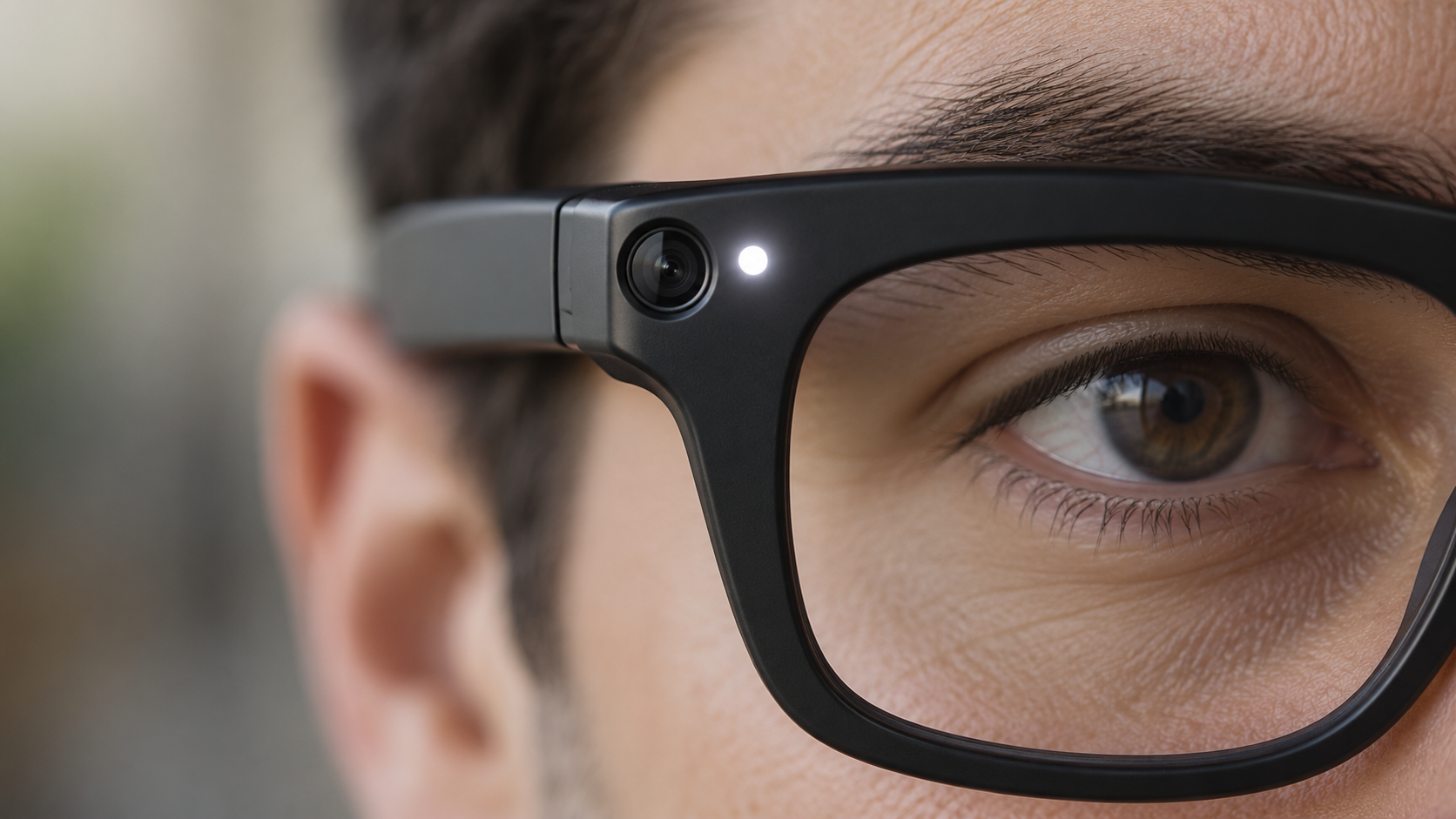
Meta says its AI glasses use a visible Capture LED and disable the camera if that light is covered or damaged. Those safeguards help, but they do not eliminate questions about consent, saved footage, cloud processing or the rules of a private venue. Here is how to recognize the recording signal, what it actually means and how both bystanders and owners can respond responsibly.

How to recognize the recording indicator

Close-up of camera-equipped smart glasses with the white recording indicator illuminated

On current Meta AI glasses, look at the front corner of the frame near the camera. Meta calls the small white light there the Capture LED. According to the company, it blinks briefly when the wearer takes a photo for the gallery and continues blinking throughout a video recording.

Meta says the light has no user-accessible off switch. If the glasses detect that the LED is blocked, physically altered or destroyed, the camera is supposed to disable itself until the obstruction is removed. That safeguard is designed to prevent a wearer from simply covering the light while continuing to record.

What the Capture LED tells you

A visible blinking white LED is the clearest sign that compatible Meta glasses are saving a photo or video for the wearer’s gallery. For video, Meta says the light should keep blinking for the entire recording. A brief blink may indicate a still photo.

Owners should not assume everyone recognizes the signal. The light is small, unfamiliar to many people and may be harder to notice from a distance or in a bright environment. The most respectful practice is to announce the recording and ask permission when people are identifiable, even when the device is functioning exactly as designed.

What the light does not guarantee

The LED is a useful indicator, not a universal privacy guarantee. Different brands can use different lights, sounds or no standardized signal at all. An ordinary-looking frame may also contain a camera that does not follow Meta’s design.

Meta’s privacy page specifically connects the Capture LED to photos and videos captured for the wearer’s gallery. The company separately says that a visual Meta AI question can briefly activate the camera to analyze what the wearer sees. Meta says faces and license plates are automatically blurred in that process and the images used to generate the answer are not saved to the gallery. That distinction matters: a gallery recording and temporary AI camera processing are not necessarily the same event.

Photos can also leave the glasses. Meta says gallery media remains private on the device until the owner imports it or enables auto-import; after import, it is stored in the phone’s gallery and can be shared like other media. The LED cannot tell a bystander what happens to a file after capture.

What to do if you think you are being recorded

Start with a calm, direct question. Ask whether the glasses have a camera, whether they are recording and what the white light means. Many owners may be willing to stop once they understand that someone is uncomfortable.

If you do not consent, state that clearly and move away if practical. In a business, school, workplace, medical office, court, gym, locker room or other managed property, contact staff or security and ask about the venue’s policy. Private locations can impose rules that are stricter than general public-space law.

Practical steps include:

  • Say clearly that you do not want to be photographed or recorded.
  • Ask the wearer to stop and, when appropriate, delete the clip in your presence.
  • Move children or sensitive documents out of the camera’s view.
  • Notify venue staff if the wearer ignores a posted policy or reasonable request.
  • Document the time, place and device description if the incident involves harassment or a safety concern.
  • Contact local authorities for threats, stalking, intimate-area recording or another urgent risk.

Do not grab the glasses or attempt to damage them. That can escalate the situation and may create separate legal or safety problems.

Sensitive places deserve extra caution

Meta’s own responsible-use guidance tells owners to power the glasses off in locations such as doctors’ offices, locker rooms and schools. Confidential meetings, restrooms, changing areas, courtrooms and spaces involving children also demand particular care.

Restrictions are already expanding. Reuters reported on September 17 that Australia was considering a prohibition on camera-equipped smart glasses in government workplaces. The report also noted bans in Oslo schools and courts in England and Wales. Reuters separately reported on September 22 that privacy fears, lawsuits and venue restrictions are becoming a broader obstacle for AI wearables.

Rules can change quickly and vary by jurisdiction. Audio recording is especially important because consent laws differ. A camera being visible—or a person standing in a public place—does not answer every question about audio, harassment, commercial use or reasonable expectations of privacy. This article is practical guidance, not legal advice; check local law when the stakes are serious.

How smart-glasses owners can reduce privacy risks

Owners carry most of the responsibility because they control when the camera and microphones are used. A short explanation before recording is more reliable than expecting strangers to identify a tiny LED.

Good habits include:

  • Ask permission before recording identifiable people in conversations or close range.
  • Explain the Capture LED and keep it fully visible.
  • Power the glasses off or remove them in sensitive and confidential spaces.
  • Follow school, workplace, courtroom and venue policies without argument.
  • Keep the glasses and companion app updated so current anti-tampering safeguards are installed.
  • Review auto-import, cloud and sharing settings before capturing sensitive material.
  • Delete accidental recordings promptly and avoid posting people who did not consent.
  • Never use the glasses to intimidate, embarrass or secretly target another person.

Why privacy is becoming the smart-glasses test

The category’s most useful features—hands-free video, microphones and AI that can interpret the surroundings—are also the features most likely to make bystanders uneasy. Reuters reported that companies are testing camera-free glasses, deliberate push-to-record controls and more local processing as ways to earn trust.

That is an important shift. Better image quality and faster AI will not make smart glasses socially acceptable if people cannot tell when sensing or recording occurs. Visible indicators, hardware shutters, local processing, clear retention rules and meaningful consent controls may become as important as battery life or camera resolution.

For readers evaluating the technology firsthand, current Ray-Ban Meta smart glasses are available through Amazon; prices, generations and frame styles vary, so confirm the exact model before buying.

Bottom line

On Meta AI glasses, a blinking white Capture LED is the key sign that a photo or gallery video is being captured. Meta says blocking or damaging that light disables the camera, but the signal is not a universal standard and cannot explain every form of temporary AI processing or what happens to media after import.

If you are uncomfortable, ask directly, state your preference and involve venue staff when necessary. If you own the glasses, announce recordings, obtain consent and power them off in sensitive spaces. The technology will succeed only if the people in front of the camera can trust the person behind it.

Disclosure: ReaderSpice may earn a commission from qualifying purchases made through Amazon links, at no additional cost to you.

Sources

Meta AI glasses privacy and Capture LED guidance

Meta AI glasses questions and answers

Reuters report on AI wearables and privacy concerns

Reuters report on proposed smart-glasses workplace restrictions

Beats 360 Headphones Cost $349.99: Features, Release Date and Early Verdict

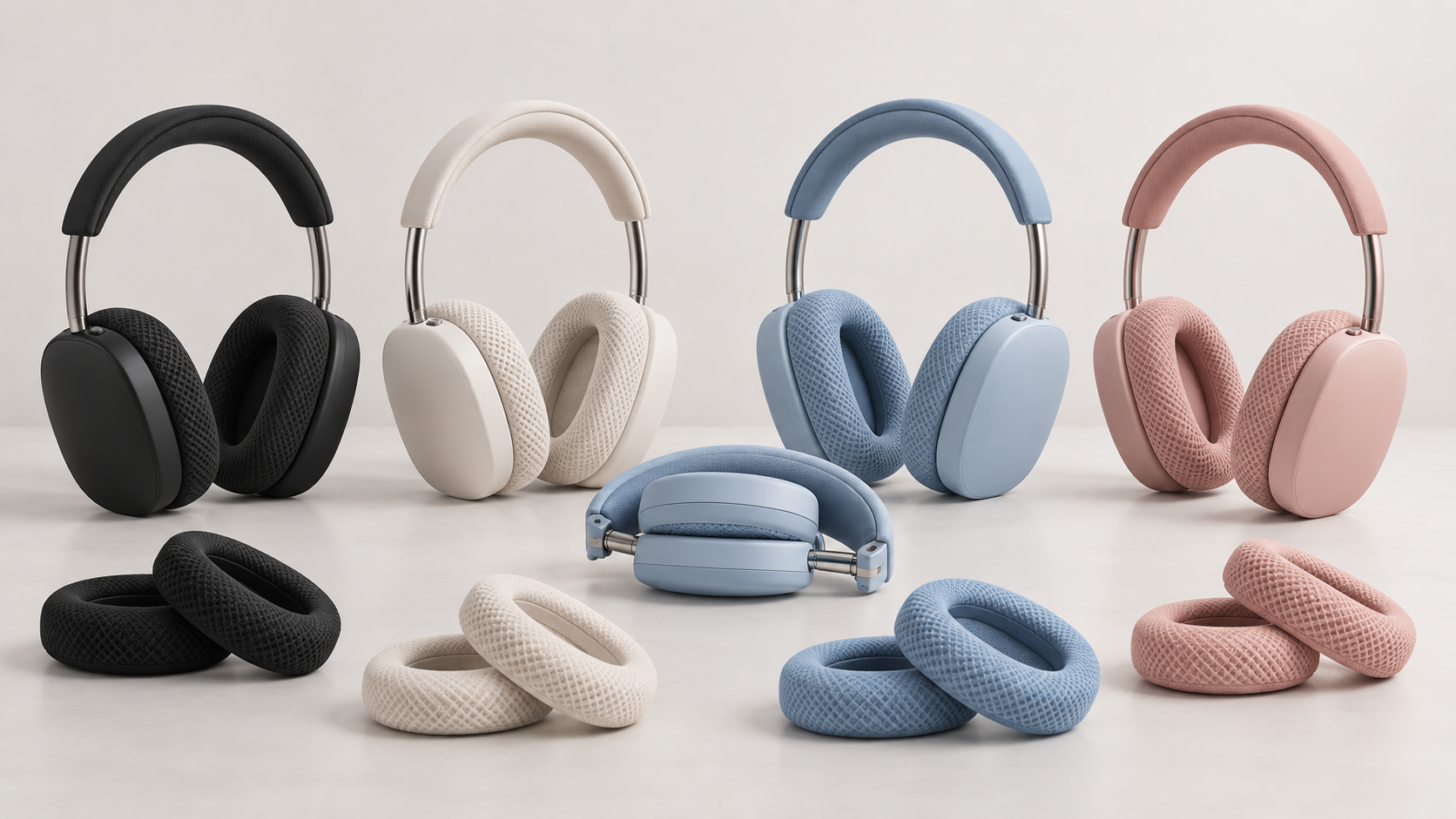
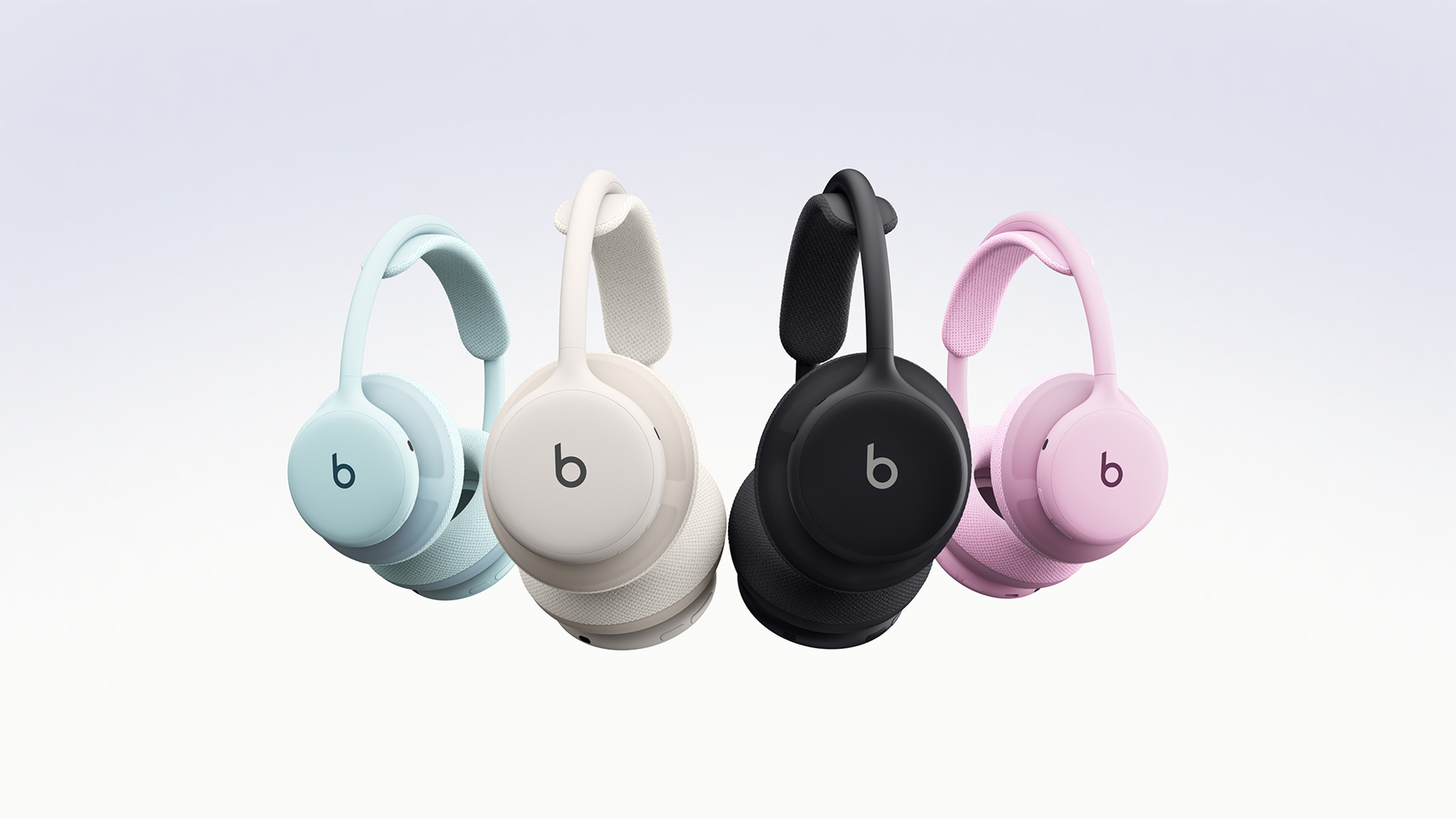
Beats 360 headphones in black, cloud, sky and pink with interchangeable knit cushions

Beats has launched its first customizable over-ear headphones. The Beats 360 cost $349.99, are available to order now, and reach stores on September 24, 2026. Their pitch is unusually specific: a premium noise-canceling headphone that can handle sweat, swap between workout and everyday cushions, and work deeply with both Apple and Android devices.

That makes the Beats 360 more interesting than a routine flagship refresh. They are IPX4 rated, use removable ear and headband cushions, and promise up to 32 hours of listening even with active noise cancellation and Personalized Spatial Audio enabled. But early reviews also identify meaningful tradeoffs, including no wired listening, no wear detection and a fit that may feel tight on larger heads.

Beats 360 price and release date

Beats 360 headphones in Black, Cloud, Pink and Sky with interchangeable cushions

Beats 360 orders opened on September 22 for $349.99 in the United States. The headphones go on sale in stores on September 24 in Black, Cloud, Pink and Sky. Each pair includes matching Performance Knit cushions and a woven ripstop carrying case.

Extra Cushion Kits include both earcup and headband cushions. Performance Knit versions come in Black, Cloud, Pink, Sky, Navy and Volt, while the softer UltraPlush version comes in Black and Cloud. Beats is offering the kits for $9.99 in select markets through October 31, 2026, while supplies last; the normal price is $49.99.

What makes Beats 360 different

The defining feature is not a new codec or another AI mode. It is the modular physical design. Both the ear cushions and headband cushion detach, letting owners change color, replace worn material or keep a clean set ready after exercise. The two materials serve different purposes: breathable Performance Knit ships with the headphones and targets workouts, while engineered-leather UltraPlush aims for longer everyday sessions.

Key confirmed specifications include:

  • IPX4 sweat and water resistance for non-water exercise
  • Custom dual-magnet drivers with three-layer diaphragms
  • Adaptive active noise cancellation, Transparency mode and Adaptive EQ
  • Personalized Spatial Audio with dynamic head tracking and Dolby Atmos
  • Nine microphones for noise cancellation and voice pickup
  • Bluetooth 5.3 with native Apple and Android features
  • 294.5-gram weight and a fold-flat design
  • USB-C charging with up to one hour of playback from a five-minute charge

Sound, ANC and battery life

Beats says its adaptive system provides up to 1.75 times more combined active and passive noise cancellation than Beats Studio Pro under its stated test method. Independent impressions are encouraging but more nuanced. The Verge found good noise cancellation, strong bass and clear highs, while noting that the midrange could sound muddled. Engadget described the tuning as energetic and bass-forward and reported that its review unit was tracking ahead of the official battery estimate.

The official claim is up to 32 hours with ANC and Personalized Spatial Audio enabled, or with Adaptive EQ active. Transparency mode lowers the figure to 24 hours. Those are strong numbers for a premium over-ear model, but battery life will vary with volume, settings and wireless conditions.

Apple and Android support

The custom Beats chip provides one-touch pairing, always-on Hey Siri, automatic switching, Audio Sharing, FaceTime Spatial Audio and Apple’s Find My on compatible Apple hardware. Network location in Find My requires iOS 27 or later.

Android users get Fast Pair, Audio Switch and Find Hub. The Beats app requires Android 15 or later. This balanced platform support is a practical advantage for households that mix iPhones, Android phones and tablets.

What early reviews say

The workout focus is real, but the design will not suit everyone. The Verge found the headphones stable for moderate exercise, though they could shift during sprints or sit-ups. Its reviewer also found the knit cushions somewhat itchy during long sessions. Engadget praised the customization and sound, but found the clamp uncomfortable on a larger head and said the similar-feeling controls take time to learn.

Several omissions matter at $349.99. There is no 3.5mm input, no wired USB-C audio, no lossless USB-C playback and no automatic pause when the headphones are removed. Buyers who routinely plug headphones into an airplane seat, game controller, audio interface or laptop should treat the wireless-only design as a dealbreaker rather than a footnote.

Beats 360 versus Beats Studio Pro

Beats has cut the official Studio Pro price to $299.99. The older model lacks the Beats 360’s IPX4 rating, removable headband cushion and workout-focused knit pads, but it supports 3.5mm audio and lossless listening over USB-C. It also offers up to 40 hours with ANC off, compared with the Beats 360’s 32-hour headline figure.

The decision is therefore straightforward. Choose Beats 360 if sweat resistance, replaceable cushions and a secure active-use design are the priority. Choose Studio Pro if wired flexibility, USB-C lossless audio or a lower list price matters more. Readers considering the older model can check the current price for Beats Studio Pro on Amazon.

Who should buy Beats 360?

  • Best fit: people who prefer over-ear headphones at the gym, want an official sweat-resistance rating and value replaceable cushions.
  • Consider carefully: listeners with larger heads, runners doing high-impact training and anyone sensitive to textured knit material.
  • Skip them: travelers and creators who need a wired connection, listeners who want lossless USB-C audio, or buyers who expect automatic pause at this price.

Early verdict

Beats 360 fills a real gap: premium over-ear noise-canceling headphones designed to survive sweat instead of merely appearing at the gym. The modular cushions are useful for hygiene and longevity, not just color matching, and the cross-platform support is unusually complete.

The $349.99 price is easier to justify for workout-focused buyers than for general listeners. Bose and Sony remain strong alternatives for maximum noise cancellation, while Beats Studio Pro is more versatile for wired use. For the right person, however, the combination of IPX4 protection, long battery life and replaceable contact surfaces makes the Beats 360 genuinely distinct.

Disclosure: ReaderSpice may earn a commission from qualifying purchases made through Amazon links, at no additional cost to you.

Sources

Beats official Beats 360 announcement

Beats 360 official product page

The Verge Beats 360 hands-on review

Engadget Beats 360 review

Nuance Audio Plus Hearing Glasses Start at $829: What’s New and Who They’re For

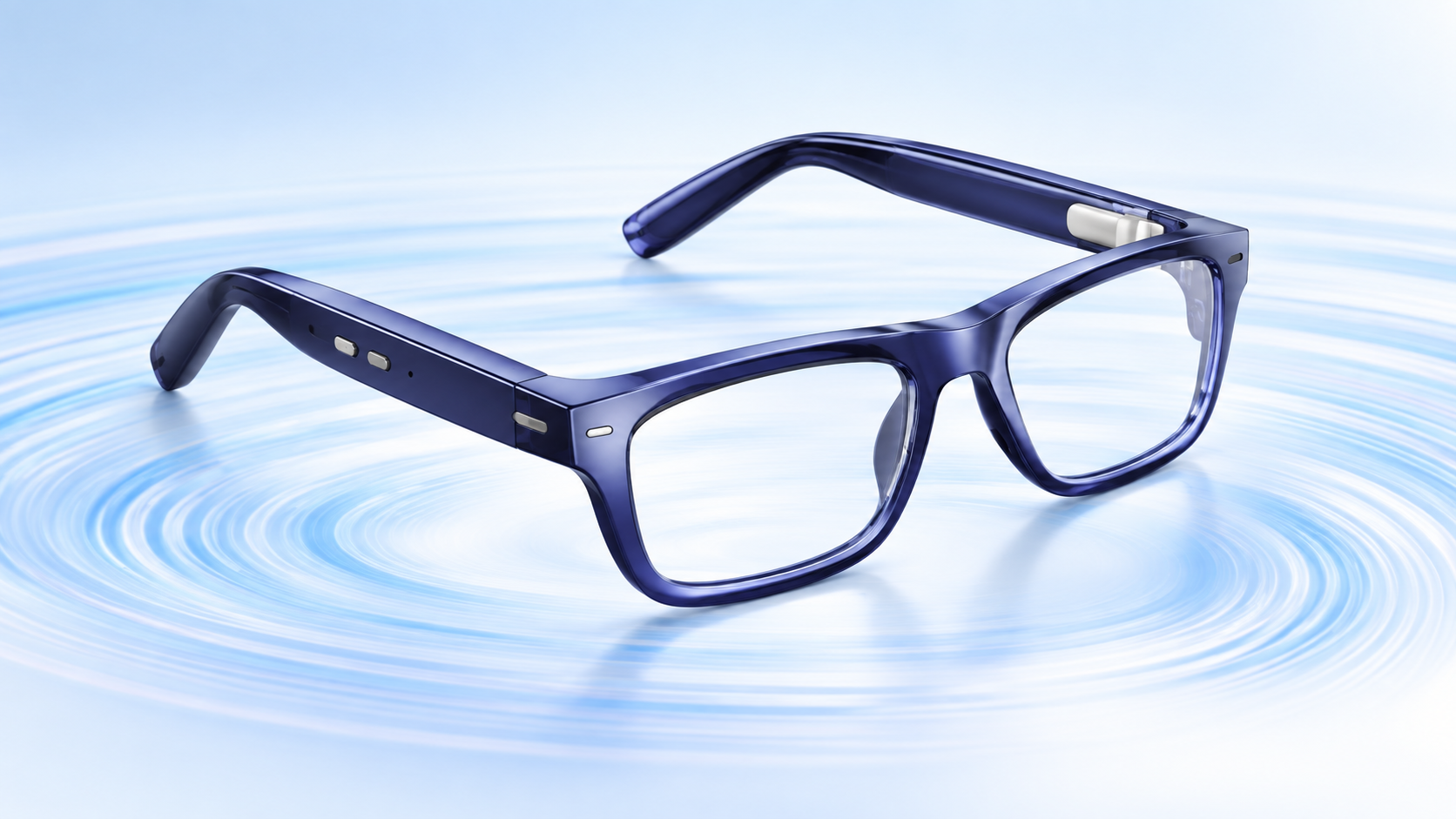
Deep blue Nuance Audio Plus hearing glasses with built-in hearing technology on a light blue sound-wave background

Nuance Audio Plus puts an over-the-counter hearing aid into a pair of everyday-looking eyeglasses, and the new generation is now available in the United States starting at $829. The upgrade targets a practical problem: helping adults follow conversations without wearing a separate in-ear device or drawing attention to hearing technology.

The new model keeps the open-ear design of the original Nuance Audio glasses while improving speech clarity, amplification, battery life and physical controls. It also adds hands-free iPhone calling. Those changes make the Plus version more flexible, but its price, four-hour charging time and limited phone support mean shoppers should compare it carefully with conventional OTC hearing aids.

Nuance Audio Plus price and availability

Deep blue Nuance Audio Plus hearing glasses with built-in open-ear speakers and frame controls

The official Nuance Audio Plus lineup is available now in the U.S. from $829 before optional prescription lenses or lens treatments. The standard first-generation Nuance Audio glasses remain on sale from $699, so the Plus upgrade carries at least a $130 premium.

The Plus model comes in Square, Upturn and Panthos frame shapes. Color choices include shiny black, shiny burgundy, deep blue, amber and olive green. Both prescription and non-prescription configurations are offered, allowing one frame to handle vision correction and hearing assistance.

Nuance includes a foldable case, cleaning cloth, charging pad and USB-C cable. A charging case and Remote Plus controller are optional purchases. The company advertises free returns within 30 days, which matters for a device whose comfort and benefit can vary substantially from person to person.

What changes with Nuance Audio Plus

The second-generation model is not an AI-camera wearable or a display headset. It is a focused accessibility device with hidden speakers built into thicker-than-normal temple arms. Compared with the original version, the meaningful changes are:

  • Improved sound amplification and clearer speech in noisy environments
  • Up to 10 hours of battery life
  • A dedicated power slider and separate volume controls on the frame
  • Sleep mode when the temples are folded, with automatic wake when opened
  • Hands-free answering for incoming calls when paired with an iPhone
  • More frame shapes and colors

The absence of a camera is also a useful distinction. Nuance Audio Plus is designed to help the wearer hear, not to record people or overlay digital information. That gives it a clearer purpose and avoids many of the privacy questions attached to camera-equipped smart glasses.

How the hearing modes work

The companion Nuance Audio app provides two main listening modes. Frontal mode emphasizes the person directly in front of the wearer, making it the logical choice for a restaurant table, appointment or face-to-face conversation. All-Around mode raises sounds from the broader environment and may suit a group discussion, television viewing or a walk outside.

Users can choose among four preset amplification profiles and three noise-reduction levels. That is more customization than a simple personal sound amplifier, but it is still a self-managed OTC system rather than an individually programmed prescription hearing aid.

Battery, controls and phone compatibility

Nuance rates the Plus glasses for up to 10 hours of use, while a full charge takes about four hours. Actual runtime will depend on volume, listening conditions and calling. Folding the arms places the glasses into sleep mode instead of fully powering them down, so they can resume quickly when reopened.

The new on-frame slider and volume buttons reduce dependence on the phone app for everyday adjustments. Call answering is more limited: the hands-free feature works with iPhone, but The Verge reports that it is not supported on Android. Android users should therefore view the glasses primarily as hearing assistance rather than a calling accessory.

Who should consider these hearing glasses

Nuance Audio Plus is aimed at adults with perceived mild to moderate hearing loss who already wear glasses, dislike in-ear hardware or want a discreet all-in-one option. It may be especially appealing to someone who mainly struggles with conversation in restaurants, meetings or other noisy places.

It is less compelling for shoppers who need all-day-plus runtime, want audio streaming features on Android, prefer an almost invisible in-ear design or have severe hearing loss. Conventional OTC models can also cost less. One alternative currently sold on Amazon is the Sony CRE-C20 self-fitting OTC hearing aid, which uses a compact in-ear design instead of eyeglass speakers.

Affiliate disclosure: ReaderSpice may earn a commission from qualifying Amazon purchases at no additional cost to you.

What to check before buying

The FDA says OTC hearing aids are intended for adults age 18 and older with perceived mild to moderate hearing loss. They are not meant to treat severe or profound loss, and shoppers should not assume that a more expensive device will automatically provide a better fit.

Before ordering, consider these questions:

  • Do you need prescription lenses, and what will the finished total cost be?
  • Is 10 hours of claimed battery life enough for your normal day?
  • Are you comfortable charging for roughly four hours?
  • Will the iPhone-only call feature affect your decision?
  • Can you test the glasses in several real environments during the return window?
  • Do you have sudden hearing changes, pain, drainage, dizziness, one-sided hearing loss or one-sided ringing that should be evaluated by a clinician first?

The FDA specifically advises seeking medical care for those red-flag symptoms. Even without them, an audiologist can help determine whether an OTC product is appropriate and whether the glasses provide enough benefit in the situations that matter most.

Nuance Audio Plus versus the original model

The original Nuance Audio remains the value option at $699. The Plus model makes the strongest case for its extra cost if longer battery life, physical volume controls, better speech handling and iPhone calling solve specific problems for you. If the base model already delivers enough hearing support and you do not need those additions, saving $130 or more may be the smarter choice.

The bottom line

Nuance Audio Plus is a thoughtful accessibility upgrade: it looks like eyewear, avoids a camera, combines prescription-lens options with open-ear hearing help and adds controls that should make daily use easier. Its $829 starting price is high enough that buyers should use the 30-day return period deliberately—trying quiet conversations, restaurants, television and outdoor settings before deciding to keep it.

The most important limitation is fit for purpose. These are OTC hearing aids for adults with perceived mild to moderate loss, not a substitute for professional care when symptoms are sudden, severe or uneven between ears.

Sources

Nuance Audio official U.S. hearing-glasses lineup

The Verge launch report on Nuance Audio Plus

FDA guide to over-the-counter hearing aids

Googlebook Preorders Are Live From $899: Models, Features and Release Date

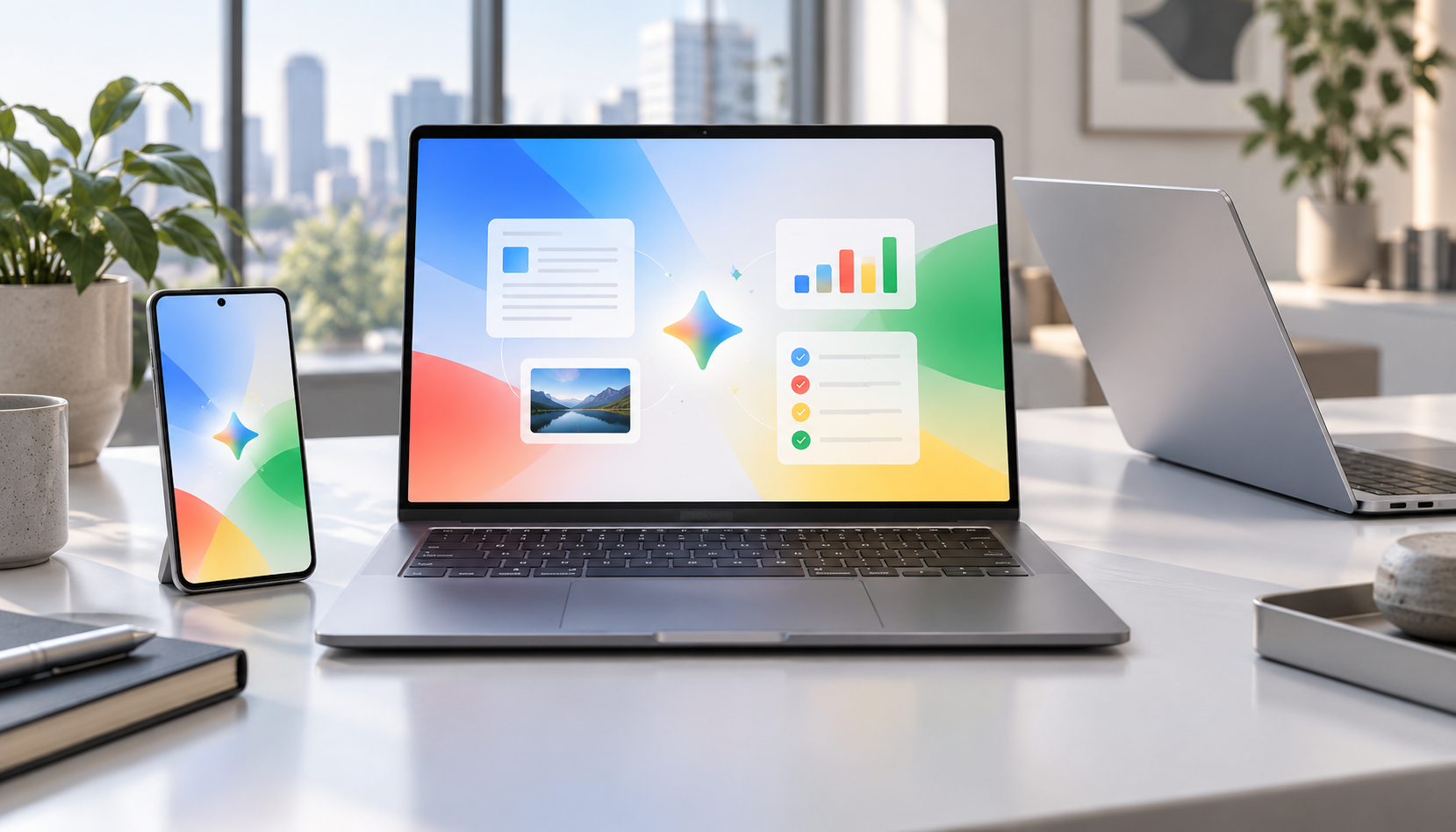
Premium Googlebook-style laptops beside an Android phone displaying a colorful AI productivity workspace

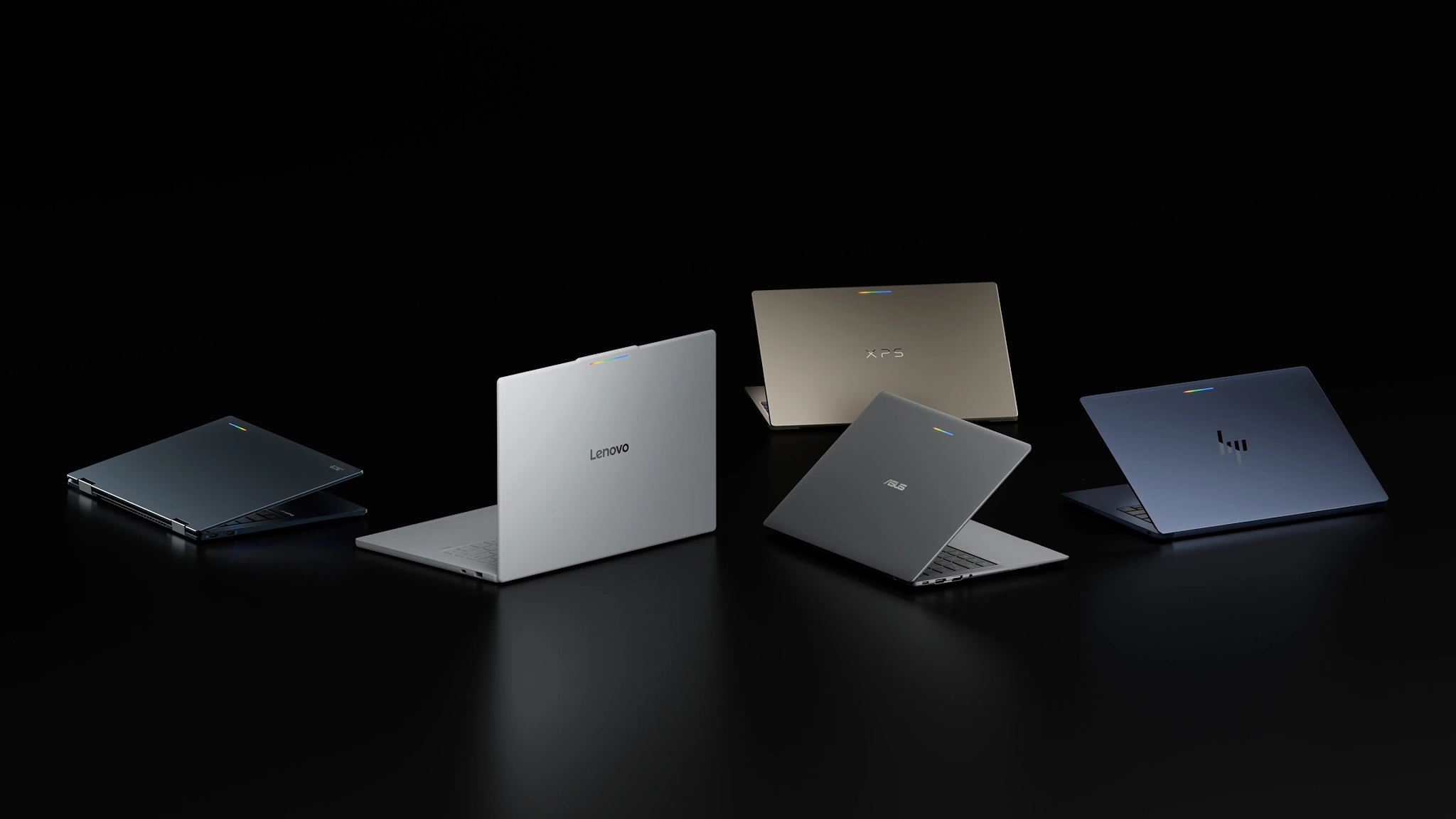
Googlebook preorders opened on September 21, 2026, turning Google’s new AI-first laptop platform from a spring preview into a real five-model lineup. Prices start at $899, the first systems come from Acer, ASUS, Dell, HP and Lenovo, and retail availability is scheduled for October 4.

The launch matters because Googlebook is not simply a renamed Chromebook. Google is positioning it as a premium laptop category built around Gemini Intelligence, Android-phone continuity, stronger baseline hardware and long software support. That also puts the machines directly against MacBook Air and premium Windows laptops rather than bargain Chromebooks.

Googlebook prices and release date

Googlebook prices and release date

Google’s official comparison page lists five preorder models:

  • Acer Googlebook 14 — from $899; 14-inch 2.8K OLED touchscreen, Intel Core Ultra 5, 16GB RAM, 512GB storage and up to 16 hours of claimed battery life.
  • ASUS Googlebook 14 — from $1,299; 14-inch 2.8K OLED touchscreen, Intel Core Ultra 5, 16GB RAM, 512GB storage and up to 16 hours.
  • Dell XPS Googlebook — from $999; 13.4-inch 2.5K LCD touchscreen, Snapdragon X Elite, 16GB RAM, 512GB storage and up to 18 hours.
  • HP Googlebook 14 — from $1,299; 14-inch 2.8K OLED touchscreen, Snapdragon X Elite, 16GB RAM, 512GB storage and up to 19 hours.
  • Lenovo Googlebook 15 — from $1,099; 15.3-inch 2.8K OLED touchscreen, Intel Core Ultra 5, 16GB RAM, 512GB storage and up to 13 hours.

Those are Google’s listed starting configurations, not every option a manufacturer may sell. Memory, storage, processors and promotional prices can vary by configuration and retailer. Google also notes that battery estimates come from controlled tests, so real-world endurance will depend on brightness, connectivity and workload.

The first Googlebooks are available to preorder now and are due in stores October 4. Google says its one-year Google AI Pro offer applies to eligible users who purchase and activate an eligible Googlebook on or after October 1, 2026.

What makes a Googlebook different

Every launch model has at least 16GB of RAM and uses either an Intel Core Ultra or Qualcomm Snapdragon X Elite processor. The shared design language includes a dedicated G key and a glowbar that can show charging and battery status. Google’s lineup page also lists biometric authentication, although the exact face- or fingerprint-unlock hardware varies by model.

The bigger distinction is software. Googlebook combines technology from Android with desktop foundations from ChromeOS, then places Gemini features throughout the experience:

  • Magic Pointer activates Gemini from the cursor so users can ask about, compare or act on selected on-screen content.
  • Rambler turns spoken, unstructured thoughts into cleaned-up, formatted text.
  • Smart file search can find files and photos by their contents rather than only by filename.
  • Cast My Apps opens compatible Android-phone apps on the laptop.
  • Continue On moves a supported task from an Android phone to Googlebook.
  • Quick Access surfaces phone files from the laptop without a manual transfer.

Google says the cross-device features require setup and a phone running Android 17 or newer. Several AI tools also have age, language, country or accuracy limitations, so buyers should check regional availability instead of assuming every advertised feature will work immediately.

Which Googlebook looks best for different buyers

Acer Googlebook 14: the value and 2-in-1 choice

The Acer is the least expensive entry and the only convertible 2-in-1 in the first wave, according to The Verge. Its OLED touchscreen and 16-hour claim make it the most obvious starting point for students, travelers and buyers who want tablet-style flexibility. The publication also reports that $899 is an initial launch price that Acer may reassess, so the lowest price may not be permanent.

Dell XPS Googlebook: the compact premium option

Dell’s 2.2-pound XPS Googlebook is the thinnest-looking choice and pairs Snapdragon X Elite with an 18-hour claim. Its drawback is connectivity: two USB-C ports and no built-in HDMI or USB-A, so frequent peripheral users may need a hub.

HP Googlebook 14: the battery and storage leader

HP posts the longest official battery estimate at up to 19 hours and is the only launch model reported with storage options up to 1TB. It also supports both face authentication and a fingerprint reader. At $1,299, however, it needs to compete on experience and endurance, not price.

ASUS Googlebook 14: the light, port-friendly model

The ASUS model weighs 2.2 pounds and is one of the better-connected choices, with USB-C, USB-A, HDMI and a headphone jack in higher-detail launch reporting. That balance should appeal to travelers who do not want to pack a dongle, though its $1,299 starting price is tied for the highest in Google’s current shop.

Lenovo Googlebook 15: the big-screen pick

Lenovo’s 15.3-inch OLED display is the largest of the five, while its $1,099 starting price sits between Acer and the premium 14-inch models. It is the best fit for buyers prioritizing screen space and built-in HDMI over minimum weight.

Included subscriptions add value, with caveats

Eligible Googlebook buyers receive one year of Google AI Pro, which Google values at $249.99 and bundles with 5TB of cloud storage, Gemini Pro, Gemini features in Gmail and Drive, and other services. Google also advertises more than $300 in additional limited-time app benefits, including three months of YouTube Premium, BandLab, Adobe Photoshop and CapCut, plus 12 months of Luminar and GeForce NOW.

Treat those subscriptions as a bonus, not as a permanent price reduction. Offers have eligibility rules and expiration dates, and paid services may renew after a trial. Buyers should review the redemption terms and set a reminder before any trial ends.

Should you preorder or wait for reviews?

Preordering makes the most sense for someone already committed to Android, comfortable with Google’s app ecosystem and attracted to a specific launch configuration. The Acer’s introductory price may also give early buyers a reason to move quickly.

Most shoppers should still wait for independent reviews. Google’s battery figures are controlled-test estimates; real-world performance, fan behavior, display quality, app compatibility and the usefulness of Gemini features need hands-on testing. The $899-to-$1,299 range also overlaps with mature MacBook and Windows alternatives, so software fit matters as much as specifications.

If you want a less expensive Google laptop today, you can browse current Chromebook Plus laptops on Amazon. They will not provide the full Googlebook feature set, but they remain relevant alternatives for web-first work, school and everyday use.

ReaderSpice may earn a commission from qualifying purchases made through affiliate links, at no additional cost to you.

Bottom line

Googlebook is Google’s clearest attempt in years to define a premium laptop experience of its own. The lineup starts with meaningful hardware differences rather than five near-identical machines: Acer emphasizes value and versatility, Dell compactness, HP endurance, ASUS portability and ports, and Lenovo screen size. The unanswered question is whether Gemini and Android continuity feel valuable enough in daily use to justify prices that reach $1,299. Reviews should answer that soon.

Sources

Googlebook official product and feature overview

Googlebook official lineup, prices and specifications

Google’s original Googlebook announcement

Reuters report on the September 21 preorder launch

The Verge comparison of the first five Googlebooks

Galaxy Watch 4 Support Has Ended: What Owners Should Do Now

Galaxy Watch 4 and Watch 4 Classic beside a fading security update shield

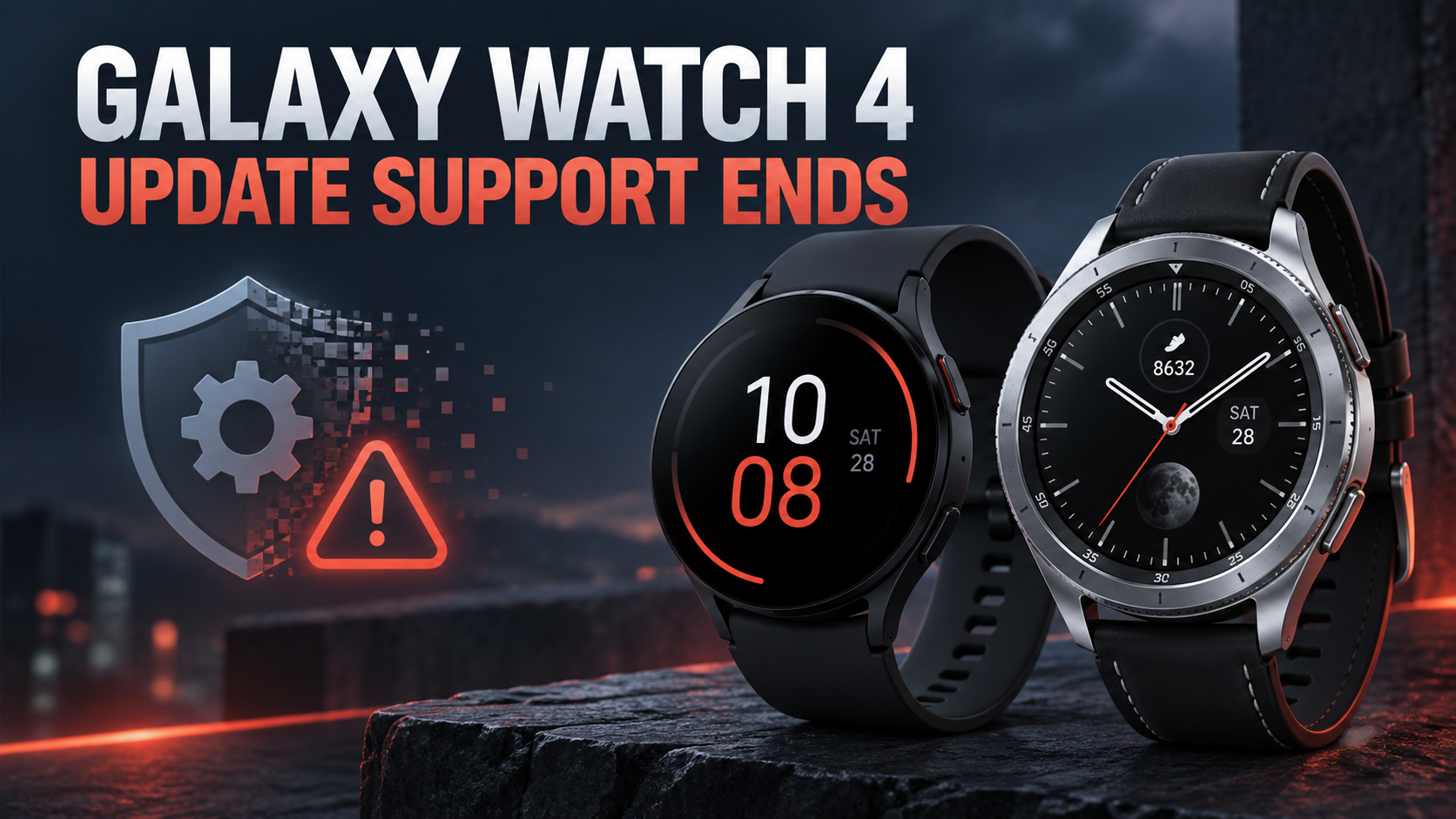
Samsung has removed the Galaxy Watch 4 and Galaxy Watch 4 Classic from its current wearable security-update list, signaling the end of regular software support for the two 2021 smartwatches. Both devices should continue working, but owners should no longer expect routine security patches, operating-system upgrades or compatibility fixes.

The change closes a five-year support period for the first Samsung watches built on the jointly developed Wear OS platform. It also makes the Galaxy Watch 5, Watch 5 Pro and newer models the oldest Samsung wearables still listed for quarterly security updates.

What changed for the Galaxy Watch 4 series

Samsung’s official security-update scope currently names the Galaxy Watch 5 series through the Galaxy Watch 9 generation, along with the Galaxy Watch FE, Watch Ultra models and Galaxy XR. The Galaxy Watch 4 and Watch 4 Classic are absent.

Samsung explains that wearable devices on the list receive regular updates containing Google Wear OS patches and Samsung-specific fixes. It also notes that the list can change when Samsung’s internal support period or the Wear OS support period expires.

Removal from the list means the Watch 4 line is no longer scheduled for those regular updates. Samsung could still issue an exceptional fix if a serious problem required one, but owners should not plan around an unpromised emergency patch.

Which watches are affected

  • Samsung Galaxy Watch 4, including the 40mm and 44mm sizes.
  • Samsung Galaxy Watch 4 Classic, including the 42mm and 46mm sizes.

The change does not apply to the Galaxy Watch 5, Watch 5 Pro or later generations. Samsung’s current support page still includes those devices in its quarterly wearable-update group.

Will a Galaxy Watch 4 stop working?

No. End of regular support does not remotely disable the watch. Existing fitness tracking, notifications, alarms, apps, Samsung Health synchronization and Bluetooth or LTE functions should continue as long as the watch, phone and required services remain compatible.

The risk increases gradually. New vulnerabilities may remain unpatched, future phone or app updates can introduce compatibility problems, and developers may eventually stop supporting the older Wear OS version. Battery aging and unavailable replacement parts can become more immediate concerns than software support for some owners.

Check for the final available update

Before deciding what to do, install every update Samsung has already released. The Galaxy Wearable app supports watch software updates and remains the simplest place to check a paired Galaxy Watch.

  • Open the Galaxy Wearable app on the connected Android phone.
  • Choose Watch settings, then Watch software update.
  • Select Download and install and follow the prompts.
  • Keep the watch charged and connected until the installation finishes.

Menu wording can vary slightly by phone, carrier and Galaxy Wearable version. If no update appears, the watch may already have the latest package available for its model and region.

Five steps for safer continued use

  • Keep the paired phone, Galaxy Wearable app, Samsung Health and installed watch apps fully updated.
  • Use a secure screen lock and protect the connected Samsung and Google accounts with strong passwords and two-step verification.
  • Remove unused apps and revoke permissions that are no longer necessary, especially for location, microphone, contacts and health data.
  • Be cautious with unfamiliar watch faces or apps, and install software only from trusted stores and developers.
  • Review wallet, payment and sensitive work-account use. A supported replacement is the safer choice when the watch carries credentials or confidential notifications.

When replacing the watch makes sense

There is no need to throw away a Watch 4 that still works well, especially if it is used mainly for time, workouts and basic notifications. Replacement becomes easier to justify when the watch handles contactless payments, workplace accounts or sensitive health information; when it develops app-pairing problems; or when battery life is no longer practical.

An unsupported wearable also deserves extra scrutiny if it is used by a child, an older family member or anyone who depends on emergency and health features. Reliability and compatibility matter as much as the newest feature list in those situations.

What to do before selling or recycling

Back up supported settings through the Galaxy Wearable or Samsung account options, confirm that Samsung Health data has synchronized, remove payment cards and then reset the watch. Also remove it from Samsung Find or Google device-management services so the next owner can activate it cleanly.

A factory reset erases local content, but owners should still verify that the watch no longer appears as an active trusted device on their Samsung and Google accounts. Use a reputable electronics recycling program if the battery or display makes resale impractical.

Current Samsung Galaxy Watch alternatives

Owners who want ongoing security support can compare current Samsung Galaxy Watch 9 models on Amazon. A newer model should deliver a longer remaining update window, fresher battery hardware and better compatibility with current Galaxy phones, although prices and available sizes can change.

As an Amazon Associate, ReaderSpice earns from qualifying purchases.

The bottom line

Galaxy Watch 4 and Watch 4 Classic owners do not need to panic, but they should recognize that routine support has ended. Install the last available update, reduce unnecessary access to sensitive data and watch for compatibility problems. If the device is used for payments, work accounts or safety-critical features, moving to a currently supported model is the more cautious long-term choice.

Sources

Samsung Mobile Security: Current security-update scope

Android Central: Galaxy Watch 4 support-cycle report

Google Play: Galaxy Wearable app features and updates

Samsung Support: Galaxy Wearable app and device help