Google Messages Adds Enhanced Scam Protection: Private AI Compute, Link Checks and Call Safeguards

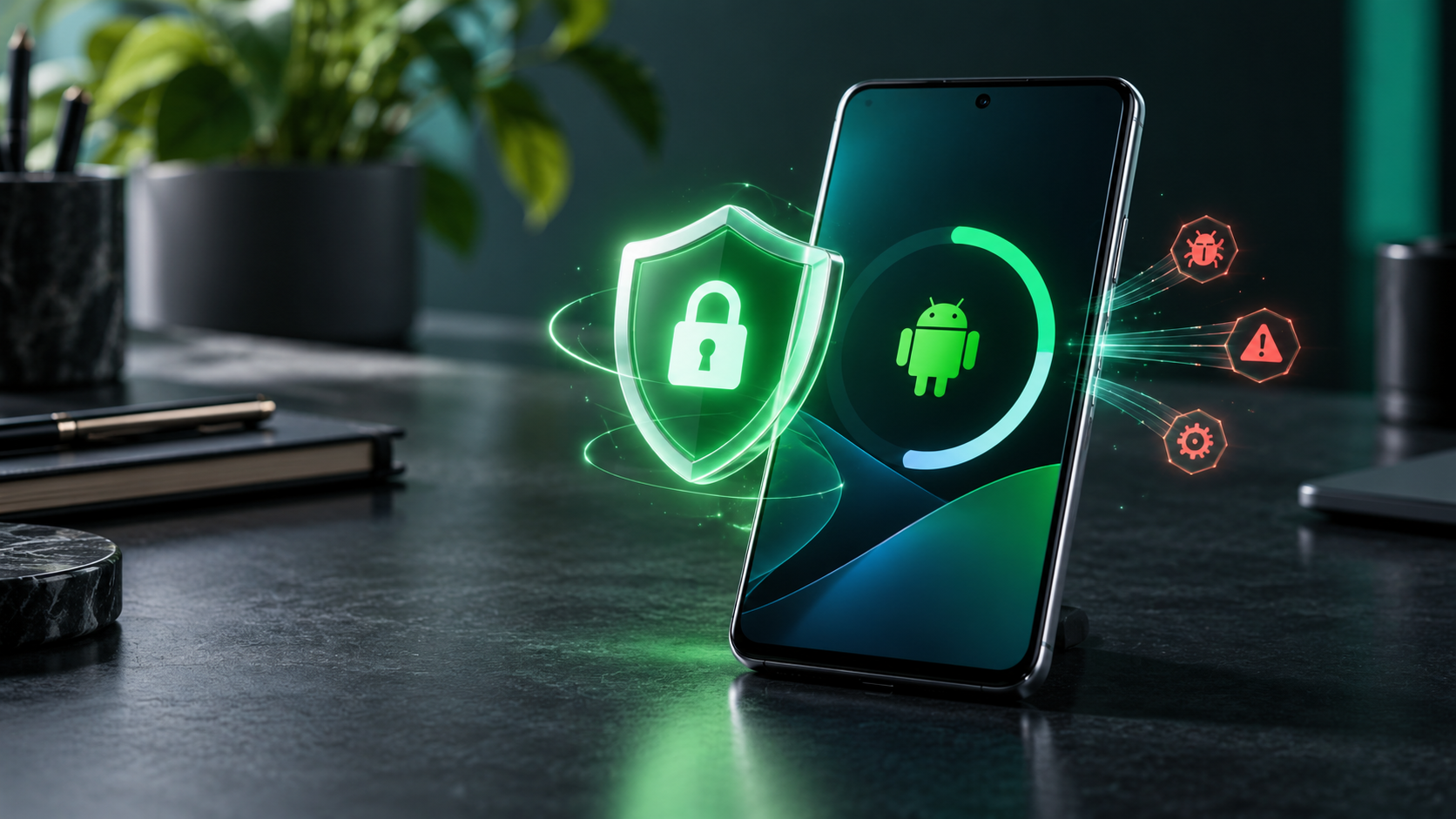
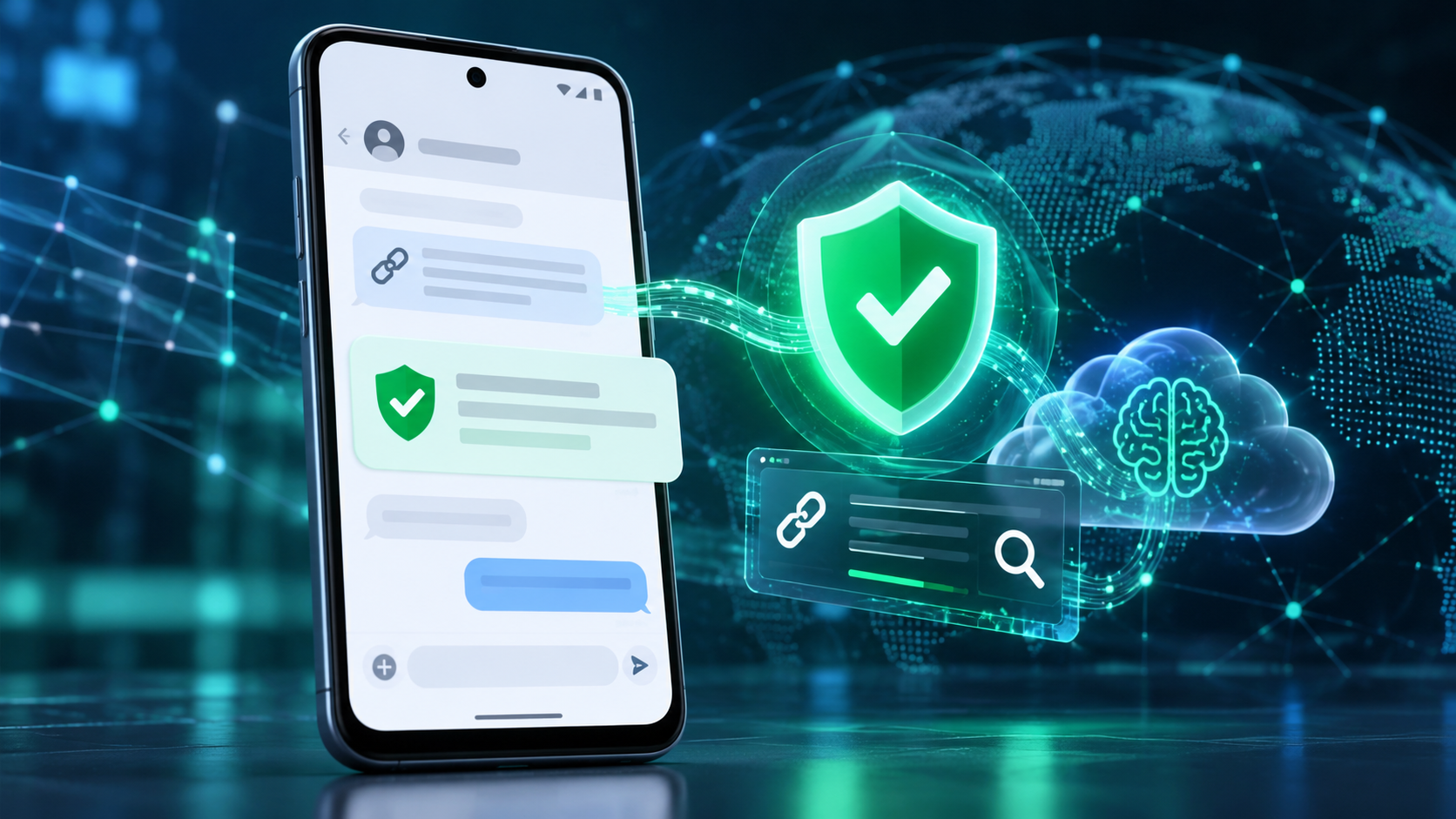
Android phone using AI-powered scam detection, malicious-link checks and private cloud analysis

Google is adding a new layer of Android scam defense that looks beyond obvious spam. Announced on October 14, 2026, Enhanced protection in Google Messages can use Google’s Private AI Compute to evaluate the broader intent of conversations with unknown senders, while Gemini Nano adds more advanced checks for unfamiliar links before a user taps them.

The release also expands scam warnings beyond Pixel phones, blocks apps from quietly enabling call forwarding, and hides login or payment fields during screen sharing. The details matter because availability, processing location and rollout timing differ by feature. Here is what Android users should expect—and what these protections do not guarantee.

Android’s October 2026 scam defenses at a glance

  • Enhanced protection in Google Messages is optional and is scheduled to roll out over the coming weeks.
  • Private AI Compute lets cloud Gemini models analyze complex message context from unknown senders inside an encrypted, dedicated environment.
  • Gemini Nano uses on-device processing plus real-time web signals to check unfamiliar links on supported newer phones.
  • Chat-notification scam warnings are expanding from Pixel to hundreds of millions of additional Android devices later in 2026.
  • Android 15 and newer devices are getting automatic masking of login and payment fields during Chrome and WebView screen sharing this month.
  • Call-forwarding protection is due in early December on Pixel and other select devices.

Enhanced protection looks for slow-burn scam intent

Traditional filters are good at catching a known malicious link or a familiar spam pattern. A patient scammer can behave differently: start with friendly small talk, build trust over several messages and reveal the real request only later. Google says Enhanced protection is designed to recognize that kind of slow-burn intent more quickly in conversations with numbers that are not saved as contacts.

The mode extends the existing on-device Scam Detection system rather than replacing it. When enabled, Google Messages can call on larger Gemini models in the cloud to understand more context than a smaller local model may handle alone. A warning remains a risk signal, not proof that a person is committing fraud, and the absence of a warning does not make a request safe.

What Private AI Compute changes—and what it does not

Google says the cloud analysis runs inside Private AI Compute, a hardware-protected environment that uses encryption and remote attestation. The company describes the data as private to the user and inaccessible to anyone else, including Google. That is different from sending an ordinary chat transcript to a general cloud service.

It is also different from fully local processing. The enhanced conversation analysis uses cloud Gemini models, while other parts of Android’s scam defense continue to run on the device. Users who prefer to keep all supported analysis local can leave Enhanced protection disabled and still use the protections available in the standard mode.

Reporting a message as spam is a separate choice. Google’s help documentation says a user can optionally send the selected message and its contents to Google to improve detection. That voluntary report should not be confused with the protected processing used by the feature itself.

Gemini Nano checks links before you open them

Known phishing pages can be blocked through reputation lists, but newly registered scam sites may not yet appear in those databases. With Enhanced protection enabled, Gemini Nano combines on-device analysis with current web signals to judge whether an unfamiliar link looks trustworthy before it opens.

Google is also redesigning link warnings for messages from unknown numbers. The extra checkpoint is meant to slow down an impulsive tap and explain the risk more clearly. Google lists the checkpoint for Android 6 and newer devices, but the more advanced Gemini Nano link analysis has narrower hardware requirements.

The company currently identifies Pixel 10 and newer phones, the Galaxy S26 series, Galaxy Z Flip8 and Z Fold8, plus other selected devices for the Gemini Nano link checks. Device, language, country, app and system-service versions can all affect whether the feature appears.

Chat scam alerts are expanding beyond Pixel

Android already offers notification-level Scam Detection on selected Pixel phones. It can warn about a suspicious message from a supported chat app before the user opens the conversation. Google says that on-device feature will expand later this year to hundreds of millions of additional devices.

The announced manufacturer partners include HONOR, Infinix, iQOO, itel, JOVI, Motorola, OPPO, OnePlus, realme, TECNO, vivo and Xiaomi. That list does not mean every current model receives the feature at the same time. Manufacturer support, local availability and compatible system components still determine eligibility.

Google’s current Android Help page says notification Scam Detection is on by default where supported. To review the setting, open Android Settings, search for “Scam Detection,” and check the Message scams control. Google also warns that the system may not catch every scam.

Call-forwarding and screen-sharing safeguards
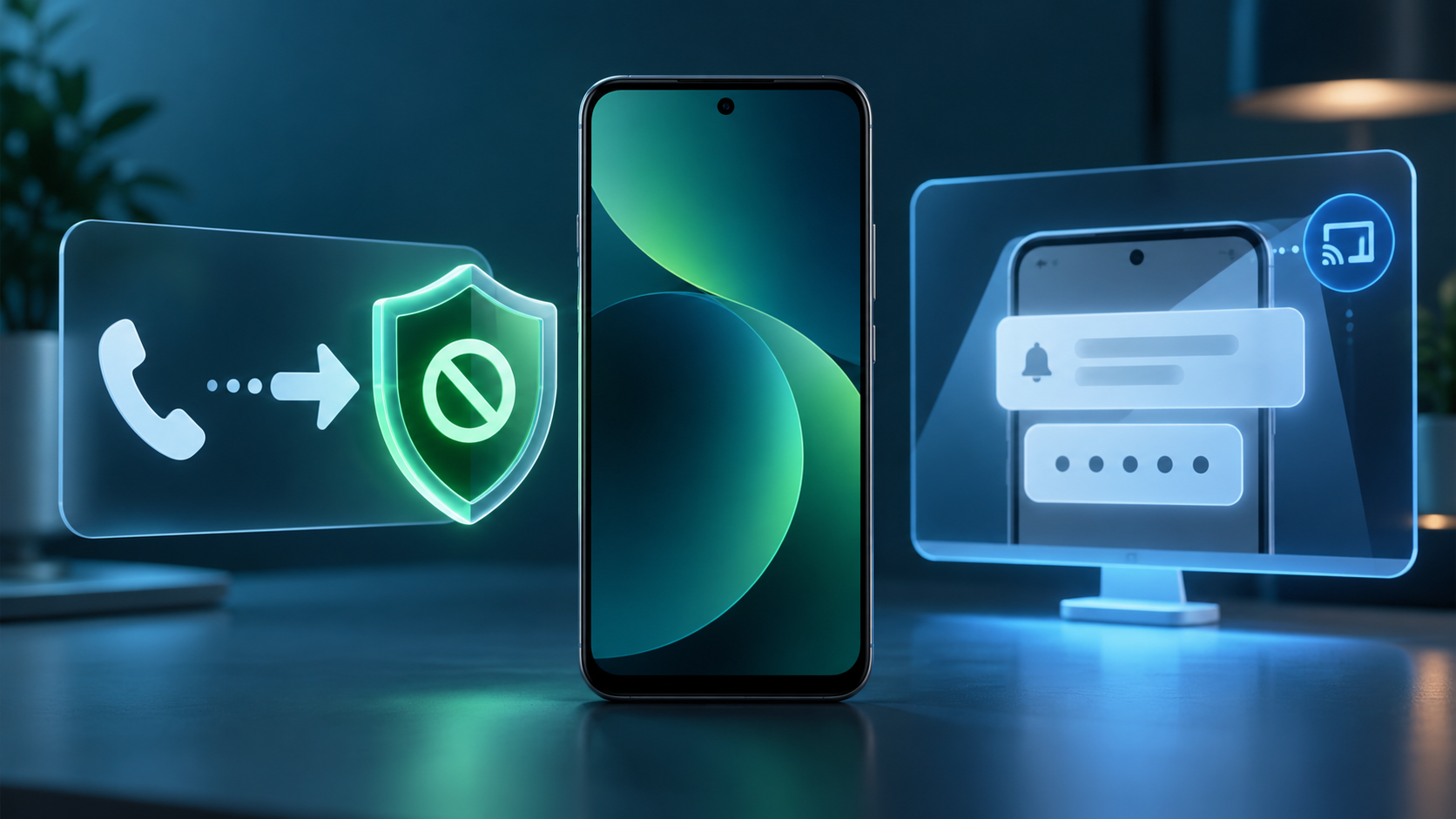
Call-forwarding and screen-sharing safeguards

Phone scams often ask a target to dial a forwarding code or install an app that changes call settings. Once incoming calls are redirected, a criminal may try to capture one-time passcodes or account-recovery calls. Android’s new protection blocks apps from silently turning on call forwarding in the background and warns before a manually entered MMI forwarding code can take effect.

That protection is scheduled to start in early December on Pixel and other select devices. It is not a universal Android feature on announcement day, so users should keep their phone and Google system components updated and continue treating unexpected forwarding instructions as suspicious.

Screen-sharing protection follows a different schedule. Android already hides some sensitive fields in native apps. During October, Google is extending automatic masking to Chrome and Android WebView on Android 15 and newer devices, blanking login fields and payment screens during a live share.

Why these protections matter during a live scam

Many mobile scams succeed by keeping the victim moving: stay on the call, share the screen, open a link, type a code and act before checking with anyone else. The new protections insert pauses at several of those steps. A link warning, a hidden password field or a call-forwarding alert can break the script long enough for someone to reconsider.

No technical feature can replace independent verification. If a caller claims to be a bank, delivery company, government agency or family member, end the conversation and contact the organization through a number or app you already trust. Never read a one-time code to an unsolicited caller, and do not install remote-access software at a stranger’s direction.

How to prepare your Android phone

  • Update Google Messages, Phone by Google, Chrome and Google Play system components through their normal update channels.
  • In Android Settings, search for Scam Detection and confirm that Message scams is enabled if your device supports it.
  • When Enhanced protection appears in Google Messages, review the privacy explanation before opting in rather than assuming it is the same as local-only detection.
  • Treat links from unknown numbers cautiously even when no warning appears, and verify urgent requests in a separate trusted channel.
  • If screen sharing is necessary, stop the session before opening a banking app, password manager or account-recovery page.
  • Check call-forwarding status with your carrier if calls or one-time codes unexpectedly stop arriving.

Who gets each feature and when

  • Enhanced protection in Google Messages: opt-in rollout over the coming weeks; exact account, language and device availability may vary.
  • Private AI Compute conversation analysis: tied to Enhanced protection and focused on conversations with unknown senders.
  • Gemini Nano link checks: Pixel 10 and newer, Galaxy S26 series, Galaxy Z Flip8 and Z Fold8, and other selected devices.
  • Unfamiliar-link checkpoints: available on Android 6 and newer devices, subject to rollout and regional support.
  • Screen-share privacy in Chrome and WebView: rolling out in October to Android 15 and newer devices.
  • Call-forwarding protection: starting in early December on Pixel and other select devices.

A relevant upgrade option

Some of the most advanced protections require newer hardware and Android AI system services. Readers comparing supported devices can browse current Android phones on Amazon, then confirm the exact model, region, update policy and feature eligibility with the manufacturer before buying.

As an Amazon Associate, ReaderSpice earns from qualifying purchases.

The bottom line

Google’s October Android security update targets the moments when modern scams become dangerous: a long conversation that suddenly turns urgent, a fresh phishing link, a screen-share request or a forwarding code. Enhanced protection adds more capable cloud analysis through Private AI Compute, while Gemini Nano and Android system safeguards cover links, notifications, calls and shared screens.

The rollout is fragmented by design. Some protections are broad, others need recent flagship hardware, and call-forwarding warnings do not begin until December. Keep the core apps and system services updated, inspect the setting when it arrives, and continue verifying every high-pressure request outside the original conversation.

Sources

Google Security Blog: New Android protections against mobile scams

Google Blog: How Private AI Compute protects sensitive cloud processing

Android Help: Manage Scam Detection for chat messages

Android Help: How AICore and Gemini Nano work on supported devices

Android: How real-time scam detection protects calls and messages

Google Play Adds Personal AI Apps, Gamer DNA and 48-Hour Sprints

Android phone showing Google Play AI app creation, Gamer DNA recommendations and gaming features

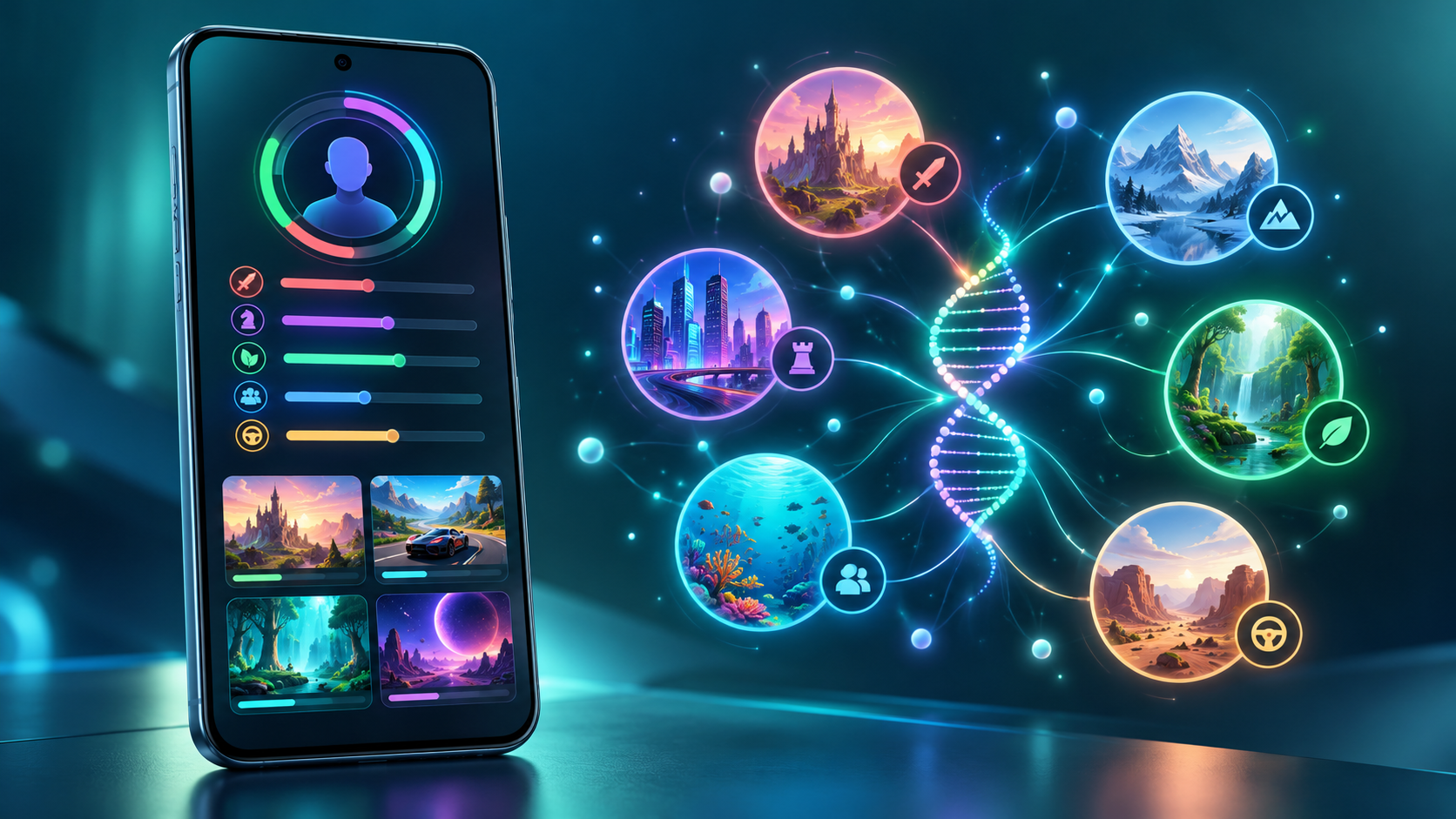
Google Play is turning its store into more than a place to download finished apps. On October 13, 2026, Google announced a package of changes that lets adults launch private AI-built Android apps on their own phones, adds AI-assisted app comparisons, and introduces a personalized game-discovery system called Gamer DNA.

The same release adds 48-hour multiplayer Sprints, short gameplay recordings and broader community tools. Some features are available immediately, while others are limited by country, language, age, device or rollout timing. Here is what changed and what Android users should check before opting in.

Google Play’s October 2026 update at a glance

  • Personal AI apps built in Google AI Studio can run privately on a user’s own Android device without a Play developer account.
  • Ask Play can compare apps using store information and summarized user sentiment.
  • Game Finder uses an optional Gamer DNA profile to recommend titles and explain why they may fit.
  • Sprints create 48-hour challenges for groups of two to five players, while Sidekick can capture 30-second Playbacks on select devices.
  • Community Posts are available across games and languages with automatic translation; developer posts and official announcements are rolling out over the coming weeks.

Personal AI apps no longer require a developer account

Google AI Studio can now produce a custom Android app and send it through Google Play to the builder’s own device. Google says a standard Google account is enough for this private use; a Play developer account is not required. The rollout began October 13 in select markets, including the United States, for users age 18 and older.

This is not the same as publishing an app in the public Play Store. A personal project remains private and separate from the public catalog. Google plans to add limited sharing with close friends and family in the coming months, but an app intended for general distribution still needs a professional developer account and must pass Google Play’s normal Trust & Safety and quality reviews.

The practical benefit is faster experimentation: someone can make a small tracker, calculator, event helper or other personal utility without first learning the full Play Console workflow. The limitation is equally important. AI-generated code can contain logic errors, expose data or request more access than necessary. Before using a generated app with personal information, review every permission, test it with non-sensitive data and avoid treating AI output as automatically secure.

Ask Play and Play in Gemini change app discovery

Ask Play already answers questions about apps. Google says it can now generate side-by-side comparisons that highlight key differences and user sentiment. That could be useful when two apps have similar store descriptions, but generated summaries should be treated as a starting point. Check the current listing for subscription terms, privacy disclosures, offline support and device compatibility before installing or paying.

Play in Gemini will bring apps, games and developer content into Gemini conversations. Google says the feature will begin rolling out to Gemini users soon. Its developer announcement describes one-tap app recommendations and installation, including voice interaction through Gemini Live. Because the consumer announcement does not promise an exact date for every account, readers should expect a phased release rather than immediate availability everywhere.

Game Finder builds a Gamer DNA profile

Game Finder builds a Gamer DNA profile

Game Finder is Google Play’s new recommendation layer for games. Its Gamer DNA profile analyzes how a person plays and combines that activity with preferences the person has shared. Google says users can specify games, genres and mechanics, then tune the profile with “More of this” and “Less of this” feedback.

Recommendations can show how players with a similar profile engage with a title, how many followed players are using it, summaries of reviews, and which games are trending. That mix matters: some explanations are generated from Play data, while community activity and reviews come from other users. A polished AI summary is not the same as a hands-on review, and it may miss battery drain, aggressive monetization or controller problems.

Google’s help documentation lists several requirements for the full Game Finder experience: the user must be in the United States, use English, be at least 18 and have an active Play Games profile. Play personalization and Play History—including app-usage data—also need to be enabled for the complete personalized experience. Google says additional markets are coming, but it has not provided a complete expansion schedule.

How to control Gamer DNA and Play History

Gamer DNA is optional, and Google provides controls for both the profile and the broader data that shapes recommendations. In the Play Store, tap the profile picture, open Personalization in Play and review the main personalization switch, Play History and the content-specific options.

Play History can include Play searches, pages viewed in the store, app usage and certain information shared by apps. Users can turn the main history setting off, exclude activity on Play, exclude app usage, delete individual events or clear history. Auto-delete can be set to 3, 18 or 36 months.

Turning off Play History stops new activity from being saved to the account’s Play History, but it does not stop all collection or processing. Google says it may still temporarily associate activity with an account for contextual experiences, debugging and service maintenance, and it retains records of acquired items so they remain downloadable. Play Games profile data is also separate from Play History.

For a privacy-first setup, review the Gamer DNA card before accepting it, remove preferences that feel inaccurate, use the shortest retention period that fits your needs and periodically inspect recent Play History. Less data may make recommendations less precise, but it gives the profile less long-term behavioral information to use.

Sprints, Sidekick Playbacks and Community Posts

Sprints are short, 48-hour challenges that match groups of two to five players. Google says they are rolling out to all markets, making them one of the least restricted features in this release. The format is designed for brief competition rather than the long seasonal commitment common in mobile games.

Sidekick, Google Play’s in-game overlay, is gaining 30-second Playbacks on select devices. That gives players a quick way to capture a moment without leaving a game, although recording availability can depend on the phone, game and rollout.

Community Posts let players ask and answer questions from a game’s detail page. Google says the feature works across games and languages with automatic translation. Developer posts and official announcements are due over the coming weeks, which could make the same area useful for patch notes and event notices. Automatic translations can lose nuance, so important account, payment or troubleshooting instructions should still be checked against the developer’s original language when possible.

What parents should know about age sharing

Google is also adding a Family Link option that allows a parent to share a child’s age range with an app. The company describes this as a way to provide the minimum information required for an age-appropriate experience instead of disclosing a full birth date.

This is a choice, not a reason to skip the app’s privacy policy. Availability varies by region, and parents should review what the receiving app says it will do with age-range data. A child’s permissions, purchases, chat features and in-game social settings still deserve separate checks.

Who gets each feature and when

  • Personal AI apps: rolling out from October 13 in select markets, including the U.S., for users 18 and older; close-circle sharing is planned for the coming months.
  • Game Finder and Gamer DNA: rolling out in English to U.S. users age 18 and older; an active Play Games profile is required.
  • Sprints: rolling out to all markets now for groups of two to five players.
  • Sidekick Playbacks: rolling out on select devices and limited to 30-second recordings.
  • Community Posts: available across games and languages with automatic translation; developer posts and official announcements are expected over the coming weeks.
  • Play in Gemini: announced for a rollout to Gemini users soon, without a universal account-by-account date.

What Android users should do now

Update the Google Play Store and Google Play Games, then check the profile menu for Personalization in Play and Game Finder. If a new feature is missing, confirm the country, language, age and Play Games profile requirements before troubleshooting. Staged server-side releases can arrive without a separate app update.

Anyone trying personal AI apps should start with a low-risk project and scrutinize requested permissions. Gamers who enable Gamer DNA should review Play History and retention settings rather than accepting the defaults without inspection. Parents should treat age-range sharing as one privacy control, not a substitute for reviewing an app’s data practices.

For games that support physical input, you can browse Android gaming controllers on Amazon and verify Bluetooth or USB-C compatibility with your phone before ordering.

As an Amazon Associate, ReaderSpice earns from qualifying purchases.

The bottom line

Google Play’s October 2026 update combines a genuinely useful creation shortcut with a much more personalized game-discovery system. Running a private AI-built app without a developer account lowers the barrier to experimentation, while Game Finder may surface better matches than a popularity chart.

The tradeoff is more reliance on generated summaries and behavioral data. Use the new tools with clear boundaries: verify app claims, minimize permissions, review Play History and remember that availability differs by market and account. Sprints and Community Posts are easier additions to try, while Gamer DNA deserves a deliberate privacy check before it becomes part of everyday recommendations.

Sources

Google: New on Google Play—More ways to create, discover and play

Android Developers Blog: New tools for discovery and engagement

Google Play Help: Game Finder eligibility and requirements

Google Play Help: Understand and manage Gamer DNA

Google Play Help: Manage personalization and Play History

Google Play Help: Manage a child’s Google Play apps with Family Link

Android Authority: Google Play Game Finder and Gamer DNA rollout

Amazon Kids Tablet 8 vs 11: Prices, Parental Controls and Which to Buy

Amazon Kids Tablet 8 and Kids Tablet 11 in colorful protective cases

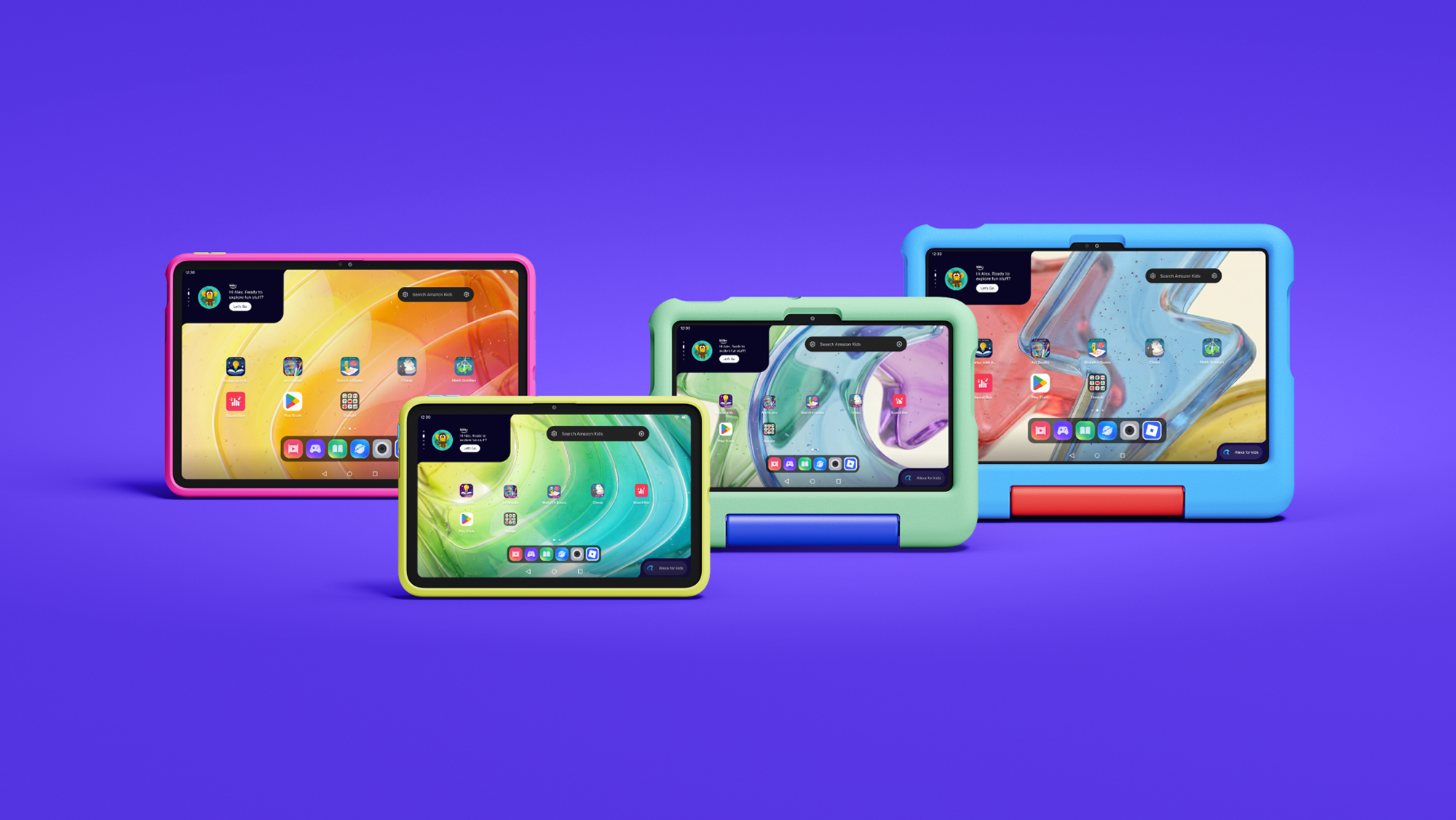
Amazon has introduced a new family of Kids Tablets that replaces the old Fire-only software formula with full Android and parent-managed access to Google Play. The lineup starts at $229.99, comes in 8.7-inch and 11-inch sizes, and ships in versions designed for children ages 3 and up or 6 and up.

The biggest upgrade is not simply a faster processor or a sharper screen. Parents can approve Google Play downloads, manage screen time remotely and keep Amazon Kids+ content and learning goals in the same dashboard. The buying decision therefore comes down to screen size, memory, case style, subscription cost and how much control a family wants over mainstream Android apps.

ReaderSpice may earn a commission from purchases made through links in this article. As an Amazon Associate, we earn from qualifying purchases.

Amazon Kids Tablet prices and release date

  • Amazon Kids Tablet 8: starts at $229.99 with an 8.7-inch display, 4GB of RAM and 64GB of storage.
  • Amazon Kids Tablet 11: starts at $329.99 with an 11-inch 2.5K display, 8GB of RAM and stylus support.
  • Both sizes are sold in versions for ages 3+ and ages 6+, with different protective cases and age-tuned experiences.
  • Every bundle includes one year of Amazon Kids+ and access to Parent Dashboard controls.
  • U.S. preorders are open, with shipping scheduled to begin October 14, 2026.
  • Amazon also lists October 14 availability for Canada, Mexico and Japan, followed by several European markets on October 19.

Amazon’s new Kids Tablet family

Amazon’s new Kids Tablet family

Amazon is using the Kids Tablet name rather than treating these devices as simple Fire tablet bundles. Both sizes run Android and support Google Mobile Services, which gives them access to the same Google Play ecosystem used by mainstream Android tablets.

That removes a long-standing limitation of earlier Fire Kids models, but it does not give children unrestricted app access. Amazon says every Google Play download goes through parental approval. The Parent Dashboard can also manage content filters, web access, time limits and learning goals from the tablet, a web browser or the companion app on a parent’s phone.

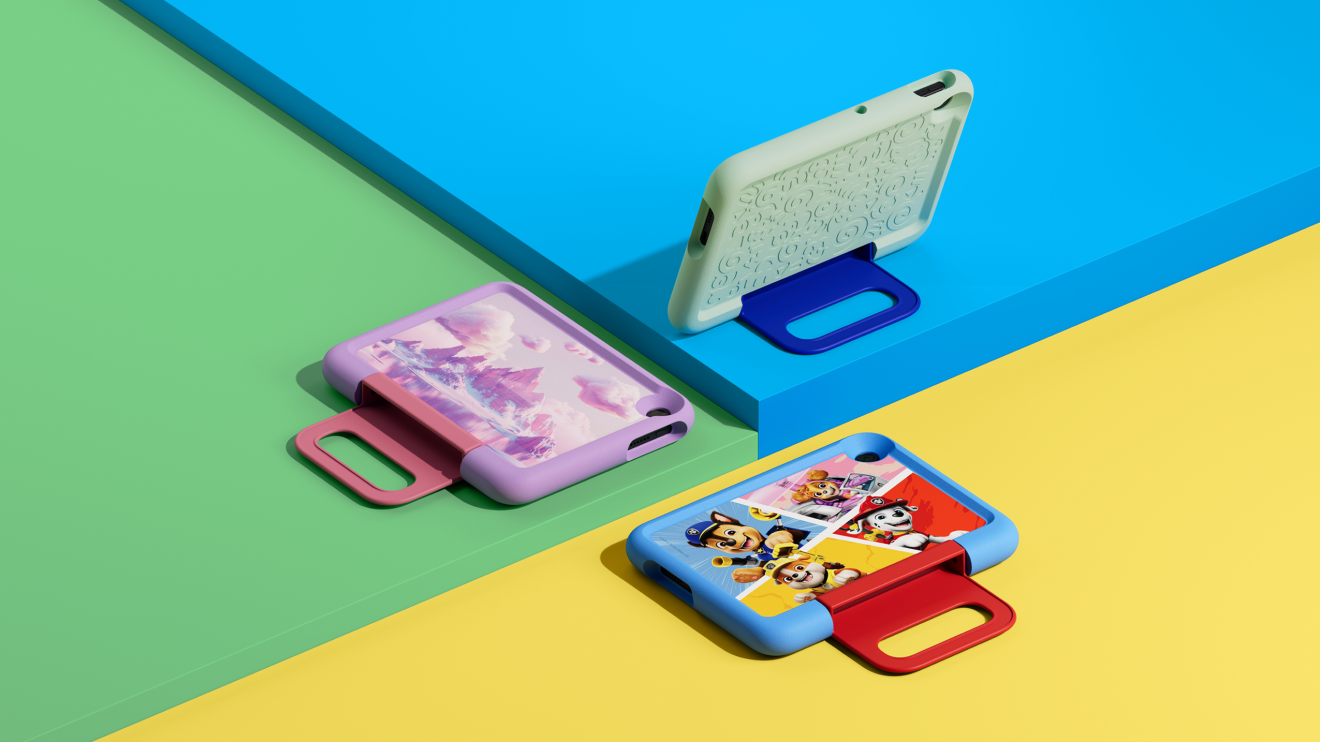
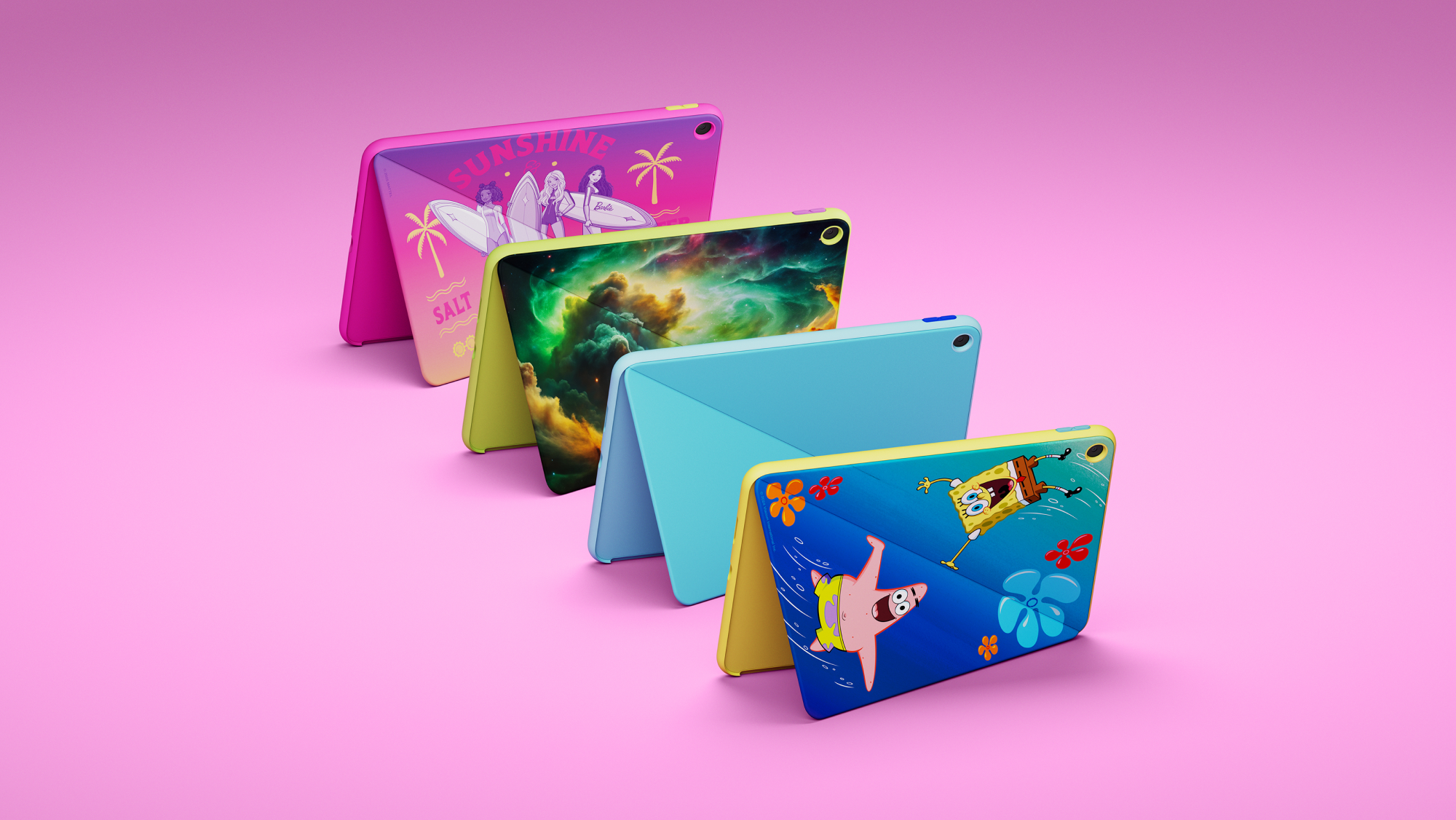
The four main bundle choices are Kids Tablet 8 for ages 3+, Kids Tablet 8 for ages 6+, Kids Tablet 11 for ages 3+, and Kids Tablet 11 for ages 6+. Character designs include Paw Patrol, Barbie and SpongeBob, though exact colors and characters can vary by size and market.

Kids Tablet 8 is the portable and lower-cost option

The Kids Tablet 8 uses an 8.7-inch 1340-by-800 IPS display. Amazon’s developer specifications list 4GB of LPDDR5 memory, 64GB or 128GB of internal storage, Wi-Fi 6, Bluetooth 5.3, an 8-megapixel rear camera and a 5-megapixel front camera.

Amazon rates the smaller tablet for up to 14 hours of video playback. That is a manufacturer estimate rather than an independent ReaderSpice test, so brightness, Wi-Fi use, games and background activity can change real-world battery life.

The 8.7-inch size is easier for smaller hands and less bulky for road trips, flights and restaurant bags. Its lower-resolution screen and 4GB of RAM make it the weaker choice for demanding games, split-screen work or keeping many apps open, but those limits may matter less for books, video and basic learning apps.

Kids Tablet 11 adds the screen and memory older children may need

The Kids Tablet 11 steps up to an 11-inch 2560-by-1600 IPS display, 8GB of LPDDR5 memory and 64GB or 128GB of storage. Amazon’s specifications also list Wi-Fi 6, Bluetooth 5.3 and 8-megapixel cameras on both the front and back.

The sharper screen and doubled memory are meaningful for drawing, schoolwork, multitasking and graphics-heavy games. Stylus support also gives the larger model a role beyond entertainment, although families should confirm whether the desired stylus is included with the exact bundle or sold separately.

The $100 price difference buys a much denser display and more memory, not just a larger body. For a child who will keep the tablet for several years, use more demanding apps or type longer assignments, the 11-inch model has the stronger hardware foundation.

Cases for ages 3+ and 6+

Cases for ages 3+ and 6+

Amazon differentiates the age bundles primarily through their cases and child experience. The ages-3+ versions use a thicker soft bumper intended for younger children, while the ages-6+ versions use a slimmer hard case with a built-in kickstand.

Choose the age-3+ bundle when drop protection and a larger gripping surface matter more than portability. Choose the age-6+ bundle when the child is likely to carry the tablet in a backpack, prop it up for video or use it for homework. Parents should still compare the exact listing because themed designs and included accessories can differ.

Amazon’s announcement specifies a one-year limited warranty for the new Kids Tablets. Buyers familiar with older Fire Kids bundles should not assume that the same two-year worry-free replacement policy applies to every new configuration; verify the warranty shown on the final product page before ordering.

Parent Dashboard makes Google Play access manageable

Parent Dashboard is the control center for each child profile. Amazon says parents can set daily screen-time limits, create different weekday and weekend schedules, review recent activity, adjust age filters, manage web browsing, pause a device remotely and set Learn First goals that prioritize educational activity before entertainment.

Parents can create profiles for up to four children and change settings from the tablet, a browser or the Amazon Kids+ Parent Dashboard app for iOS and Android. That matters in multi-child households because each profile can have its own age filter, schedule and approved content.

Google Play access remains a parent decision. A child can request an app, but an adult approves the download. Amazon’s own help pages warn that third-party apps may contain advertising, outside links, in-app purchases, separate subscriptions or requests for personal information. Approval should therefore include checking the app’s developer, permissions, age rating and purchase settings rather than treating Google Play approval as a one-time switch.

Kids+ and Storybuilder add an ongoing subscription cost

Each tablet includes one year of Amazon Kids+, which combines books, videos, games, apps and audiobooks from brands such as Disney, Nickelodeon, LEGO and Sesame Street. Amazon lists ongoing U.S. pricing from $7.99 per month for Prime members and $8.99 per month for non-Prime customers after the included period.

At those published rates, another year costs $95.88 with Prime or $107.88 without Prime before taxes or future price changes. Families should decide whether the Kids+ catalog remains useful before the included year renews, especially if most preferred apps already come from Google Play.

Storybuilder is the new AI-assisted creative feature. Children can describe characters, settings and plot ideas by voice, and the service produces illustrated stories or comic books. Amazon says parents can view what children create in Parent Dashboard. Because it is a generative feature for children, parents should review the available controls and talk through what information should not be included in prompts.

Storage and app support need a pre-purchase check

Amazon’s developer specifications list 64GB and 128GB configurations for both sizes and show no external storage. That makes the storage tier important for families that download many games, movies or offline learning materials. The 64GB model may be adequate for streaming and lighter use, while the 128GB option provides more headroom when apps and videos will remain on the tablet.

The Kids Tablet 8 and 11 use the same MediaTek MT8189 platform according to Amazon’s technical pages, but memory and display differences can still affect experience. Neither model has independent long-term test data yet, so buyers who are not in a hurry may want to wait for reviews covering durability, thermal behavior, standby drain, display brightness and real battery life.

Which Amazon Kids Tablet should you buy?

  • Choose Kids Tablet 8 for younger children, frequent travel, lighter entertainment use and the lowest starting price.
  • Choose Kids Tablet 11 for older children, a sharper screen, drawing, homework, heavier games and longer-term use.
  • Choose an ages-3+ bundle for the thick bumper case and easier grip.
  • Choose an ages-6+ bundle for the slimmer kickstand case and easier backpack storage.
  • Choose 128GB when the child will keep many large games or offline videos; Amazon’s specifications do not list microSD expansion.
  • Wait for reviews if battery life, ruggedness or performance matters more than receiving the tablet at launch.

Amazon buying links

Compare the Amazon Kids Tablet 8 on Amazon for the current age bundle, storage option, case design, seller and delivery date before ordering.

Compare the Amazon Kids Tablet 11 on Amazon if the sharper 2.5K display, 8GB of memory and stylus support better fit the child’s needs.

As an Amazon Associate, ReaderSpice earns from qualifying purchases.

The bottom line

The new Kids Tablets are a more flexible choice than the old Fire-only approach because parents can approve mainstream Google Play apps without abandoning Amazon’s child profiles and management tools. That flexibility also creates more setup responsibility: adults must review app permissions, purchases, web access and subscription renewal rather than relying only on the included case and age label.

Kids Tablet 8 is the practical travel and younger-child pick. Kids Tablet 11 is the stronger long-term device for older children, creative work and demanding apps. For either size, choose the case style first, then storage, and treat the included year of Kids+ as a trial whose recurring cost should be reviewed before renewal.

Sources

Amazon: Kids Tablet launch, pricing, parental controls and availability

Amazon developer specifications: Kids Tablet 8

Amazon developer specifications: Kids Tablet 11

Amazon Help: Parent Dashboard controls and child profiles

The Verge: Kids Tablet Google Play access and launch details

October 2026 Android Security Update: Critical Fixes and Pixel Rollout

Android phone protected by a glowing security shield during the October 2026 security update

Google’s October 2026 Android security update addresses critical flaws that can be triggered without user interaction, while supported Pixel phones are receiving an additional October patch and a small set of practical bug fixes. If your phone offers the update, this is one to install promptly.

The Android Security Bulletin was published on October 5, 2026. Google’s separate Pixel bulletin followed on October 6, and the company began a phased Pixel rollout the same day. Timing still depends on the device, carrier and region, so two eligible phones may not receive the update simultaneously.

Why this October security update matters

The most serious Android issue in the October bulletin is a critical vulnerability in the System component that could allow local elevation of privilege without extra execution privileges or user interaction. In plain language, a malicious process could potentially gain access it should not have without requiring the owner to tap a link or approve a prompt.

The bulletin also lists a critical remote denial-of-service flaw in the Android Framework. Google assigns severity according to the effect a vulnerability could have on an affected device if exploited. A critical rating does not, by itself, mean Google has observed attacks in the wild, and the October bulletin does not say these flaws are being actively exploited.

The critical Android vulnerabilities

Google’s October bulletin groups the most important issues into several categories:

  • Framework: CVE-2026-58865 is rated critical for remote denial of service and requires no user interaction.
  • System privilege escalation: CVE-2026-55269, CVE-2026-55280, CVE-2026-58835 and CVE-2026-58880 are rated critical.
  • System denial of service: CVE-2026-49933 and CVE-2026-55265 are rated critical.
  • System remote code execution: CVE-2026-49878 is rated high severity.

Remote code execution is typically the most alarming label because it can allow code to run on a target device. Privilege-escalation flaws can let code that is already present gain broader permissions, while denial-of-service bugs can crash or disable a component. The exact risk depends on the vulnerable code path, device configuration and whether an attacker can reach it.

Pixel phones get additional October fixes

Supported Pixel phones receive a 2026-10-05 security patch level that incorporates the Android-wide October fixes plus Pixel-specific corrections. Google says all supported Pixel devices will receive the 2026-10-05 patch level or later.

The Pixel bulletin lists three critical Pixel-specific flaws: CVE-2026-55330 in Bluetooth, CVE-2026-56952 in GDMC and CVE-2026-55307 in GSA. It also includes high-severity kernel fixes. Google’s public bulletin identifies the affected components and severity, but it does not provide exploit instructions.

Pixel bug fixes included in the rollout

The October Pixel update also addresses several user-visible problems on supported models:

  • A keyboard that sometimes failed to appear in search fields on Pixel 8 through Pixel 11 families.
  • Distorted ringtone audio during some VoIP calls on Pixel 8 through Pixel 10 families.
  • Incorrect photo or video orientation on Pixel 11 models.

Google says the rollout is phased over roughly a week and varies by carrier and device. That means the update can be official even if the download button has not appeared on a particular phone yet.

How to check your Android security patch level

How to check your Android security patch level

Open Settings, then go to About phone or About tablet and choose Android version. Look for both Android security update and Google Play system update. To actively check for an available operating-system update, open Settings, select System, then Software updates.

For most Android devices, a security patch level of 2026-10-01 or later indicates that the core October bulletin fixes are included. Supported Pixel phones should show 2026-10-05 or later after Google’s October update is installed. Other manufacturers may use their own rollout calendars and may bundle the fixes into a later-dated patch.

Google Play system updates are worth checking separately. Android 10 and newer devices can receive some security improvements through Google Play system updates even when the phone maker’s full firmware update has not arrived.

What to do if the update is not available yet

  • Connect to Wi-Fi and charge the phone to at least 75 percent before trying again.
  • Restart the phone, then return to Settings > System > Software updates.
  • Check the Google Play system update under Settings > About phone > Android version.
  • Keep Google Play Protect enabled; it is on by default on devices with Google Mobile Services.
  • Remember that carrier approval and staged deployment can delay an otherwise eligible device.

Do not install firmware packages from unfamiliar websites just to get the patch early. Official over-the-air updates or manufacturer support tools are the safer route, because the package and model compatibility can be verified.

Which Pixel phones are still supported

Google’s current support policy gives Pixel 8 and newer phones seven years of operating-system and security updates from the date each model first became available in the Google Store. Pixel 6 and Pixel 7 families receive five years. Pixel 5a and earlier models no longer receive Android version or security updates from Google.

If an unsupported phone is still in daily use, reduce exposure by keeping apps updated, leaving Play Protect enabled and avoiding sensitive activity on the device. Replacement is the more durable fix because application updates cannot repair vulnerabilities in abandoned system components.

A practical upgrade path for unsupported phones

If you are replacing an out-of-support Pixel, compare current Google Pixel phones on Amazon before buying. Choose a model with a long remaining support window rather than focusing only on the lowest upfront price.

ReaderSpice may earn a commission from qualifying purchases made through this affiliate link, at no additional cost to you.

Should you install the update immediately?

Yes. The October package fixes multiple critical vulnerabilities, and supported Pixel phones also receive stability corrections. Back up anything irreplaceable, connect to reliable Wi-Fi, charge the battery, install the update and restart when prompted. Pixel updates become active after a restart.

Owners of other Android brands should check their manufacturer’s update page if the October patch is not yet available. Google publishes the platform fixes, but each manufacturer is responsible for packaging and distributing them to its eligible devices.

Bottom line

The October 2026 Android security release is a meaningful maintenance update, not a cosmetic one. It closes critical no-interaction vulnerabilities, adds Pixel-specific protections and resolves several everyday Pixel bugs. Check both the Android security patch and Google Play system update, and aim for 2026-10-05 or later on a supported Pixel.

Sources

Android Security Bulletin—October 2026

Pixel Update Bulletin—October 2026

Google Pixel Community: October 2026 update

Google Android Help: Check and update your Android version

Google Pixel Help: Learn when you’ll get software updates

Inline image: Android phone displaying completed security and system update checks

Inline image alt text: Android phone showing completed security update and system update checks

Googlebook Preorders Are Live From $899: Models, Features and Release Date

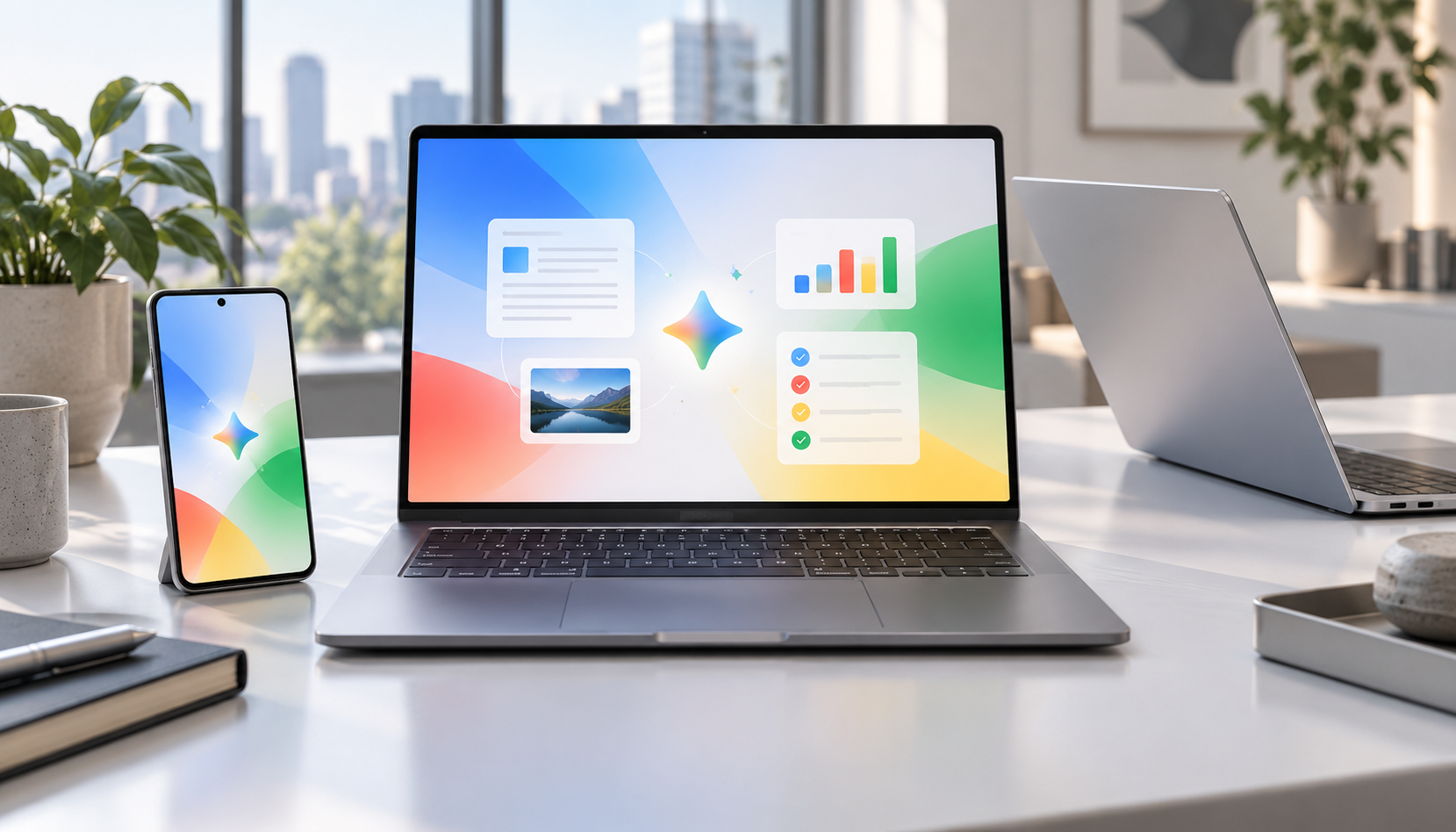
Premium Googlebook-style laptops beside an Android phone displaying a colorful AI productivity workspace

Googlebook preorders opened on September 21, 2026, turning Google’s new AI-first laptop platform from a spring preview into a real five-model lineup. Prices start at $899, the first systems come from Acer, ASUS, Dell, HP and Lenovo, and retail availability is scheduled for October 4.

The launch matters because Googlebook is not simply a renamed Chromebook. Google is positioning it as a premium laptop category built around Gemini Intelligence, Android-phone continuity, stronger baseline hardware and long software support. That also puts the machines directly against MacBook Air and premium Windows laptops rather than bargain Chromebooks.

Googlebook prices and release date

Googlebook prices and release date

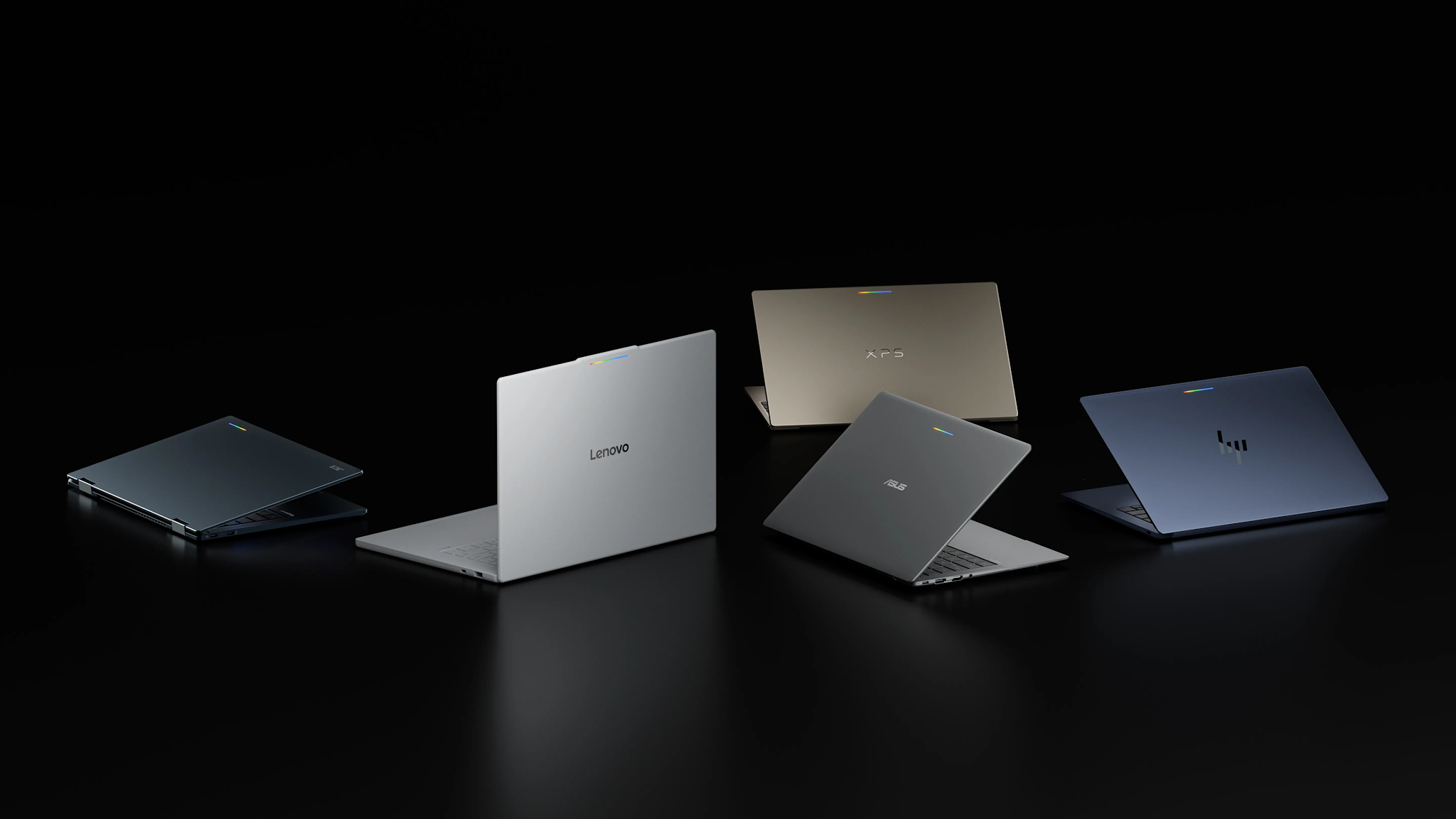
Google’s official comparison page lists five preorder models:

  • Acer Googlebook 14 — from $899; 14-inch 2.8K OLED touchscreen, Intel Core Ultra 5, 16GB RAM, 512GB storage and up to 16 hours of claimed battery life.
  • ASUS Googlebook 14 — from $1,299; 14-inch 2.8K OLED touchscreen, Intel Core Ultra 5, 16GB RAM, 512GB storage and up to 16 hours.
  • Dell XPS Googlebook — from $999; 13.4-inch 2.5K LCD touchscreen, Snapdragon X Elite, 16GB RAM, 512GB storage and up to 18 hours.
  • HP Googlebook 14 — from $1,299; 14-inch 2.8K OLED touchscreen, Snapdragon X Elite, 16GB RAM, 512GB storage and up to 19 hours.
  • Lenovo Googlebook 15 — from $1,099; 15.3-inch 2.8K OLED touchscreen, Intel Core Ultra 5, 16GB RAM, 512GB storage and up to 13 hours.

Those are Google’s listed starting configurations, not every option a manufacturer may sell. Memory, storage, processors and promotional prices can vary by configuration and retailer. Google also notes that battery estimates come from controlled tests, so real-world endurance will depend on brightness, connectivity and workload.

The first Googlebooks are available to preorder now and are due in stores October 4. Google says its one-year Google AI Pro offer applies to eligible users who purchase and activate an eligible Googlebook on or after October 1, 2026.

What makes a Googlebook different

Every launch model has at least 16GB of RAM and uses either an Intel Core Ultra or Qualcomm Snapdragon X Elite processor. The shared design language includes a dedicated G key and a glowbar that can show charging and battery status. Google’s lineup page also lists biometric authentication, although the exact face- or fingerprint-unlock hardware varies by model.

The bigger distinction is software. Googlebook combines technology from Android with desktop foundations from ChromeOS, then places Gemini features throughout the experience:

  • Magic Pointer activates Gemini from the cursor so users can ask about, compare or act on selected on-screen content.
  • Rambler turns spoken, unstructured thoughts into cleaned-up, formatted text.
  • Smart file search can find files and photos by their contents rather than only by filename.
  • Cast My Apps opens compatible Android-phone apps on the laptop.
  • Continue On moves a supported task from an Android phone to Googlebook.
  • Quick Access surfaces phone files from the laptop without a manual transfer.

Google says the cross-device features require setup and a phone running Android 17 or newer. Several AI tools also have age, language, country or accuracy limitations, so buyers should check regional availability instead of assuming every advertised feature will work immediately.

Which Googlebook looks best for different buyers

Acer Googlebook 14: the value and 2-in-1 choice

The Acer is the least expensive entry and the only convertible 2-in-1 in the first wave, according to The Verge. Its OLED touchscreen and 16-hour claim make it the most obvious starting point for students, travelers and buyers who want tablet-style flexibility. The publication also reports that $899 is an initial launch price that Acer may reassess, so the lowest price may not be permanent.

Dell XPS Googlebook: the compact premium option

Dell’s 2.2-pound XPS Googlebook is the thinnest-looking choice and pairs Snapdragon X Elite with an 18-hour claim. Its drawback is connectivity: two USB-C ports and no built-in HDMI or USB-A, so frequent peripheral users may need a hub.

HP Googlebook 14: the battery and storage leader

HP posts the longest official battery estimate at up to 19 hours and is the only launch model reported with storage options up to 1TB. It also supports both face authentication and a fingerprint reader. At $1,299, however, it needs to compete on experience and endurance, not price.

ASUS Googlebook 14: the light, port-friendly model

The ASUS model weighs 2.2 pounds and is one of the better-connected choices, with USB-C, USB-A, HDMI and a headphone jack in higher-detail launch reporting. That balance should appeal to travelers who do not want to pack a dongle, though its $1,299 starting price is tied for the highest in Google’s current shop.

Lenovo Googlebook 15: the big-screen pick

Lenovo’s 15.3-inch OLED display is the largest of the five, while its $1,099 starting price sits between Acer and the premium 14-inch models. It is the best fit for buyers prioritizing screen space and built-in HDMI over minimum weight.

Included subscriptions add value, with caveats

Eligible Googlebook buyers receive one year of Google AI Pro, which Google values at $249.99 and bundles with 5TB of cloud storage, Gemini Pro, Gemini features in Gmail and Drive, and other services. Google also advertises more than $300 in additional limited-time app benefits, including three months of YouTube Premium, BandLab, Adobe Photoshop and CapCut, plus 12 months of Luminar and GeForce NOW.

Treat those subscriptions as a bonus, not as a permanent price reduction. Offers have eligibility rules and expiration dates, and paid services may renew after a trial. Buyers should review the redemption terms and set a reminder before any trial ends.

Should you preorder or wait for reviews?

Preordering makes the most sense for someone already committed to Android, comfortable with Google’s app ecosystem and attracted to a specific launch configuration. The Acer’s introductory price may also give early buyers a reason to move quickly.

Most shoppers should still wait for independent reviews. Google’s battery figures are controlled-test estimates; real-world performance, fan behavior, display quality, app compatibility and the usefulness of Gemini features need hands-on testing. The $899-to-$1,299 range also overlaps with mature MacBook and Windows alternatives, so software fit matters as much as specifications.

If you want a less expensive Google laptop today, you can browse current Chromebook Plus laptops on Amazon. They will not provide the full Googlebook feature set, but they remain relevant alternatives for web-first work, school and everyday use.

ReaderSpice may earn a commission from qualifying purchases made through affiliate links, at no additional cost to you.

Bottom line

Googlebook is Google’s clearest attempt in years to define a premium laptop experience of its own. The lineup starts with meaningful hardware differences rather than five near-identical machines: Acer emphasizes value and versatility, Dell compactness, HP endurance, ASUS portability and ports, and Lenovo screen size. The unanswered question is whether Gemini and Android continuity feel valuable enough in daily use to justify prices that reach $1,299. Reviews should answer that soon.

Sources

Googlebook official product and feature overview

Googlebook official lineup, prices and specifications

Google’s original Googlebook announcement

Reuters report on the September 21 preorder launch

The Verge comparison of the first five Googlebooks

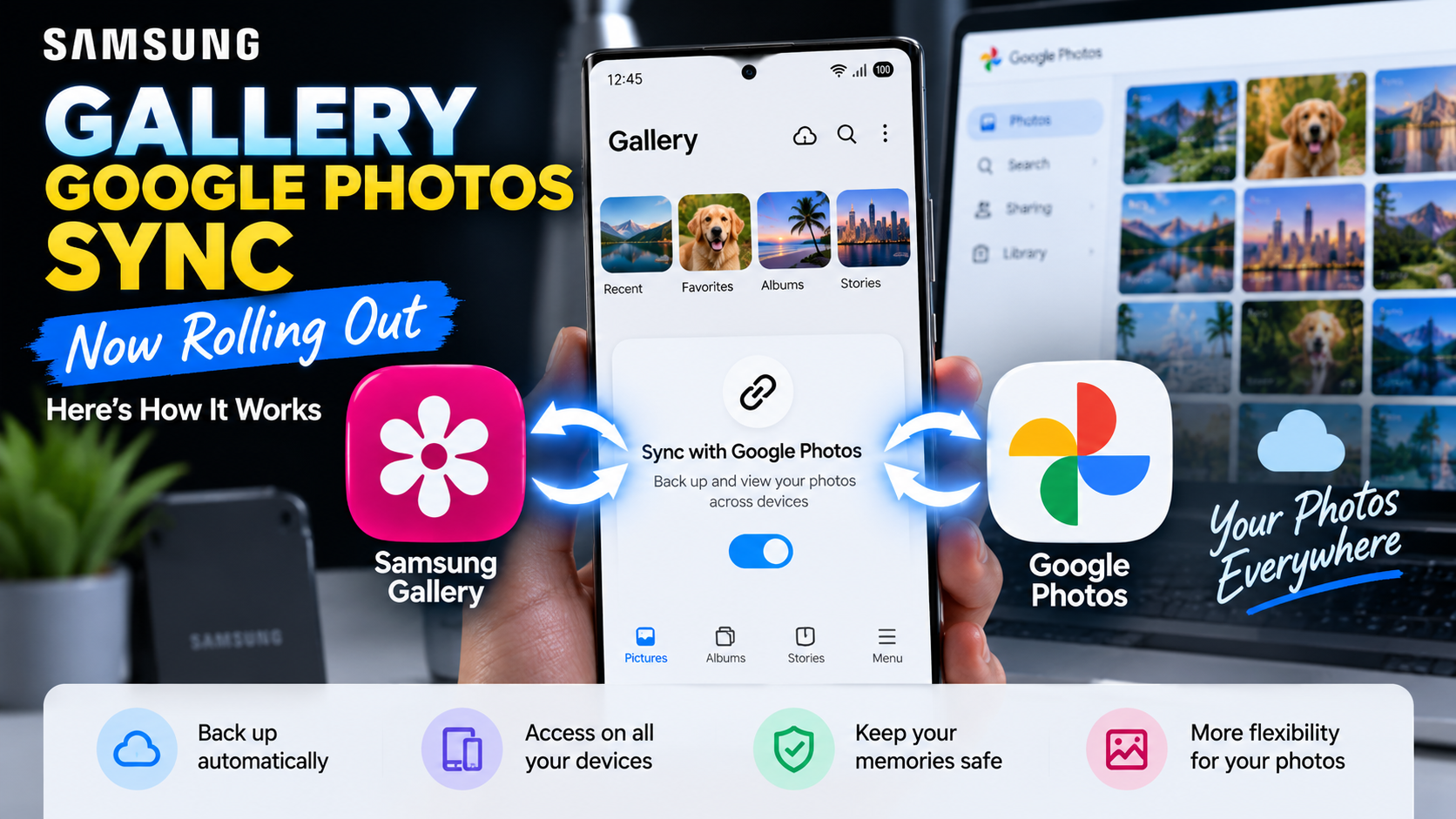
Samsung Gallery Google Photos Sync Starts Rolling Out: How It Works

Samsung Gallery Google Photos sync setup shown on a Galaxy phone with the new Sync photos and videos option

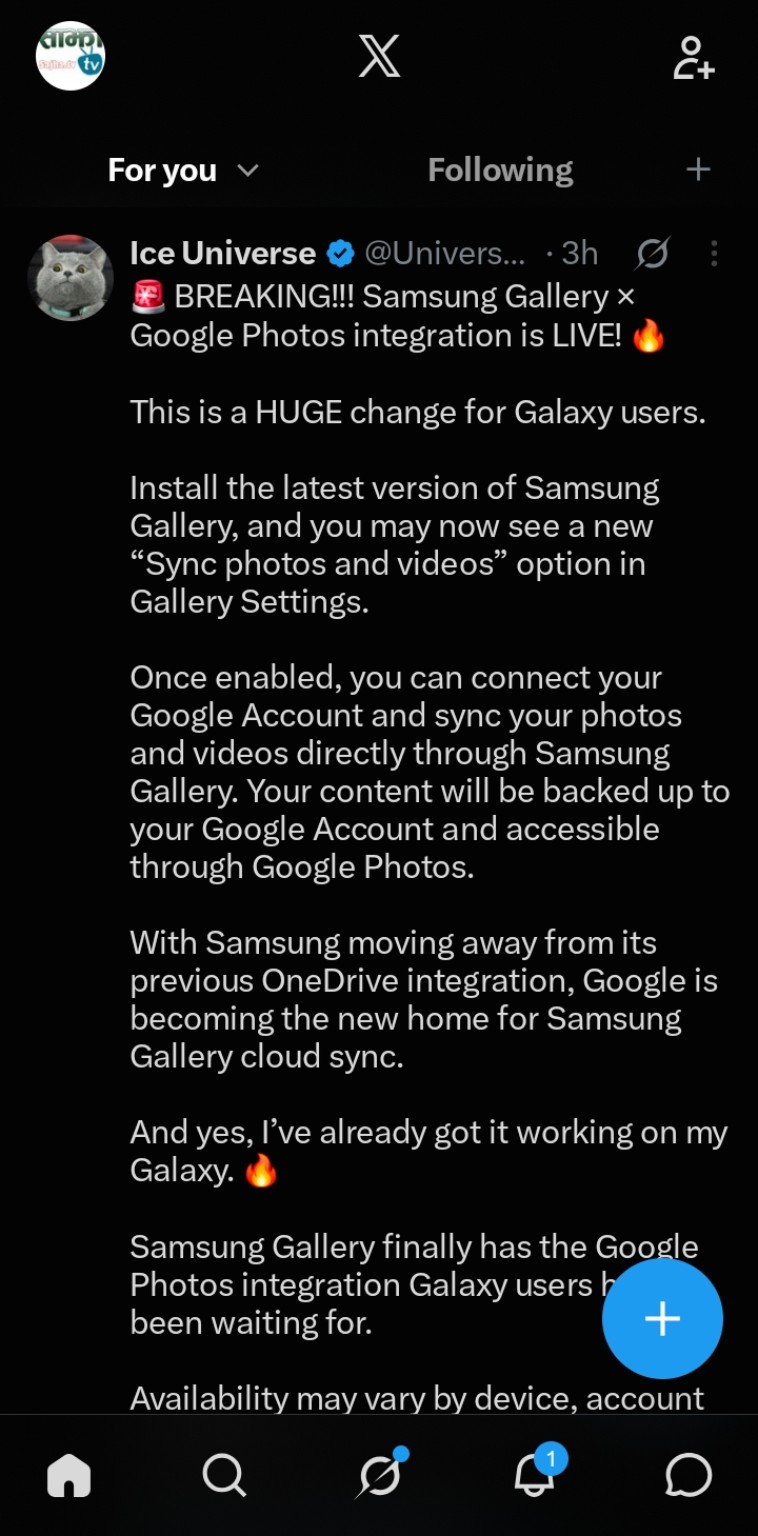
Samsung is beginning to roll out a major change to its Gallery app: direct syncing with Google Photos. New screenshots shared by Ice Universe on X show the feature working on a Galaxy device, including a new “Sync photos and videos” option inside Samsung Gallery settings.

The timing is important. Microsoft has confirmed that direct Samsung Gallery-to-OneDrive syncing ends on September 30, 2026. Google has published official documentation explaining how Samsung Gallery Cloud Sync works with a Google Account, confirming that synced photos and videos are stored in Google Photos.

Samsung Gallery’s Google Photos Sync Is Now Appearing for Users

Ice Universe shared screenshots showing Samsung Gallery version 15.9.01.7 with the new sync option available. The setup screen says users can keep photos and videos available across devices by syncing Gallery with Google.

Samsung Gallery’s Google Photos Sync Is Now Appearing for Users

Source: Ice Universe (@UniverseIce) on X

Samsung Gallery’s Google Photos Sync Is Now Appearing for Users

Source: Ice Universe (@UniverseIce) on X

Users choose a personal Google Account and continue through the setup process. The screenshots also indicate that a Samsung account is required on the device. Samsung says using the same Samsung account on other supported devices can provide access to synced photos and videos.

Samsung Gallery’s Google Photos Sync Is Now Appearing for Users

Source: Ice Universe (@UniverseIce) on X

Samsung Gallery’s Google Photos Sync Is Now Appearing for Users

Source: Ice Universe (@UniverseIce) on X

Samsung Gallery’s Google Photos Sync Is Now Appearing for Users

Source: Ice Universe (@UniverseIce) on X

Google Confirms How Samsung Gallery Cloud Sync Works

Google’s official Photos support documentation confirms that compatible Samsung devices can sync their native Gallery with a personal Google Account. Google says the feature requires a supported Samsung device, Android 13 or newer, and a personal Google Account. Google Workspace accounts and supervised accounts are not supported.

Once enabled, photos and videos can be backed up from Samsung Gallery to the user’s Google Account and accessed through Google Photos. Users can choose specific device folders such as Camera, Screenshots, or Downloads.

Important Differences From Normal Google Photos Backup

Google says media uploaded through Samsung Gallery Cloud Sync uses the user’s Google Account storage and is backed up in original quality. Deletions also synchronize: deleting a synced item in Samsung Gallery or Google Photos can remove it from both apps and cloud storage.

There is an important limitation. Photos backed up only through Samsung Gallery Cloud Sync are not automatically included in every Google Photos feature. Google says those items may not appear in Memories and highlights, Live albums, or Search unless they are also backed up through the Google Photos app.

Why Samsung Is Moving Away From OneDrive

Samsung Gallery has relied on Microsoft OneDrive for integrated cloud syncing for years. Microsoft says that integration ends September 30, 2026. Photos already stored in OneDrive will remain there, but after the cutoff they will no longer appear through Samsung Gallery’s direct OneDrive integration.

Users who want to remain with Microsoft can continue using OneDrive’s own camera backup. For Galaxy owners already invested in Google services, the new Gallery integration provides a more native path to keep Samsung Gallery backed up while accessing those files through Google Photos.

How to Check If You Have the New Feature

Open Samsung Gallery → Menu → Settings and look for “Sync photos and videos.” If it appears, select a personal Google Account and follow the on-screen permissions and setup steps.

The rollout appears gradual and may depend on device, account, software version, and region. Google notes that Gallery Cloud Sync availability can vary, so not seeing the option yet does not necessarily mean your Galaxy device will not receive it.

Shopping for a Galaxy S26 Ultra?

If you’re shopping for Samsung’s Galaxy S26 Ultra, you can check its current price and availability on Amazon.

Check the Samsung Galaxy S26 Ultra price on Amazon.

As an Amazon Associate, ReaderSpice may earn from qualifying purchases at no additional cost to you.

What This Means for Galaxy Users

The biggest change is convenience. Galaxy owners will no longer need Samsung Gallery’s old OneDrive connection to get integrated cloud syncing. Samsung Gallery can remain the primary gallery interface while Google handles cloud storage behind the scenes.

At the same time, Samsung Gallery Cloud Sync and conventional Google Photos backup are not completely identical. Anyone who relies heavily on Google Photos Search, Memories, or Live Albums should review Google’s documentation before changing an existing backup setup.

Sources

Ice Universe (@UniverseIce) on X — screenshots showing Samsung Gallery 15.9.01.7 and the new sync setup

Google Photos Help — Sync your Samsung Gallery with your Google Account

Microsoft Support — Changes to Samsung Gallery sync and OneDrive

9to5Google — Samsung Gallery adds Google Photos backup support

Google Pixel 11 Pro and Pro XL Are Here: What Does the Extra $200 Buy?

Google’s Pixel 11 Pro and Pixel 11 Pro XL are officially released. Announced on August 12, the phones reached retail on August 20, 2026, with US launch prices starting at $1,099 and $1,299. Both begin at 256GB. For buyers, the central question is whether the XL’s larger format justifies another $200. Source: Google’s launch announcement.

Affiliate disclosure: As an Amazon Associate I earn from qualifying purchases.

Check price and availability on Amazon (paid link). Confirm the model, storage, seller and final price on Amazon before purchasing.

Pixel 11 Pro vs Pixel 11 Pro XL: Key specifications

Feature Pixel 11 Pro Pixel 11 Pro XL
US starting price $1,099 $1,299
Display 6.3-inch LTPO OLED 6.8-inch LTPO OLED
Refresh rate 1–120Hz 1–120Hz
Processor Google Tensor G6 Google Tensor G6
Typical battery capacity 4,850mAh 5,115mAh
Wireless charging Up to 25W, Qi2.2 Up to 25W, Qi2.2
Storage / RAM 256GB / 12GB; 512GB or 1TB / 16GB 256GB / 12GB; 512GB or 1TB / 16GB

Hardware figures: Google Store’s Japanese specification page; US launch prices: Google’s announcement. Confirm local configurations before purchase.

The XL’s advantages are size and charging

Google lists wired charging to approximately 55% in 30 minutes for the Pro, versus 75% for the XL, using suitable separately sold USB-C PPS chargers. Those are manufacturer test figures, not ReaderSpice measurements. The XL’s larger battery also should not be read as a guaranteed proportional increase in runtime.

Our buying take: the smaller Pro is the more sensible starting point if pocketability matters. Choose the XL if a larger screen for editing, maps or watching videos is worth the added cost and size.

Pro cameras on both models

Both phones list a 50MP main camera, 48MP ultrawide and 48MP telephoto with 5x optical zoom. That makes the larger phone a screen-and-battery decision rather than a requirement for the listed Pro camera hardware. Source: Google’s specifications.

Google also introduces 5x Portrait Mode and up to 120x Pro Zoom. The latter combines processing with the camera system; it is not 120x optical zoom. Google says the redesigned telephoto sensor improves light sensitivity, while Night Sight captures faster. Real-world image quality still needs to be judged from samples, especially at extreme zoom. Source: Google’s camera announcement.

Magic Capture and tools for solo creators

Magic Capture can produce photos and video during the same session, automatically selecting moments and applying edits such as cropping and unblurring. Camera Looks adds customizable styles at capture. Source: Google’s feature overview.

Creator Suite is particularly relevant to people filming themselves. Google describes a teleprompter that scrolls as you speak, social framing guides, project folders and Storyboard tools for trimming and rearranging clips. Rambler adds voice input designed to clean up filler words. These features could reduce steps between an idea and a finished clip, although that is an editorial assessment rather than a hands-on verdict. Availability and language restrictions apply to AI features. Source: Google’s feature overview.

A notification light and long-term support

HiLight uses colored LEDs around the flash for information such as incoming calls and Gemini activity. Both Pro phones also receive seven years of OS, security and Pixel Drop updates. Source: Google.

Which one makes more sense?

The Pixel 11 Pro is our default pick on specifications for buyers who want to keep spending lower. The XL is easier to justify when screen space and faster wired top-ups are daily priorities. Before choosing, compare the final price of your preferred storage tier: the cheapest version also has less RAM. This is a launch comparison based on official information, not a hands-on review.