
Microsoft released Windows 11 Insider Preview Build 26320.9876 to the Beta Channel on November 6, 2026. The build moves Beta testers from version 25H2 to version 26H2 and starts a gradual rollout of a rebuilt Windows Search, more flexible Live Captions, new File Explorer navigation and several sign-in improvements.
This is pre-release software, not a normal public Windows update. Microsoft says the version jump is delivered through an enablement package, so the higher build number alone should not create a dramatic change. The practical value is in the individual features—and many may arrive gradually, change during testing or never reach a stable release.
Windows 11 Build 26320.9876 at a glance
- Release date: November 6, 2026, for Windows Insiders in the Beta Channel.
- Version change: Beta moves from Windows 11 25H2 to 26H2 through an enablement package.
- Headline feature: a WinUI 3-based Search experience with faster results, typo and synonym matching, and inline actions.
- Accessibility: Live Captions can transcribe system audio, microphone input or both.
- File Explorer: typing ~ in the address bar opens the current user profile; ~\AppData opens that subfolder directly.
- Important limit: the new Search supports English only in this initial rollout.
- Best audience: testers with a backup and a secondary or noncritical PC—not people seeking the most stable Windows experience.
What the move to Windows 11 26H2 actually means
Build 26320.9876 is the first Beta Channel build listed for Windows 11 version 26H2. Microsoft’s Flight Hub says 26H2 builds sit on top of version 25H2 and use an enablement package to raise the build family from 26200 to 26320 in Beta. That mechanism turns on a newer release identity without requiring a full operating-system replacement.
The distinction matters because a version label is not a feature guarantee. A PC can report 26H2 while a headline feature is still hidden by staged rollout. Microsoft also warns that Insider experiments can be changed, removed or replaced before a public release. Treat this build as a test vehicle, not as evidence that the final 26H2 feature set is locked.
How the new Windows Search works
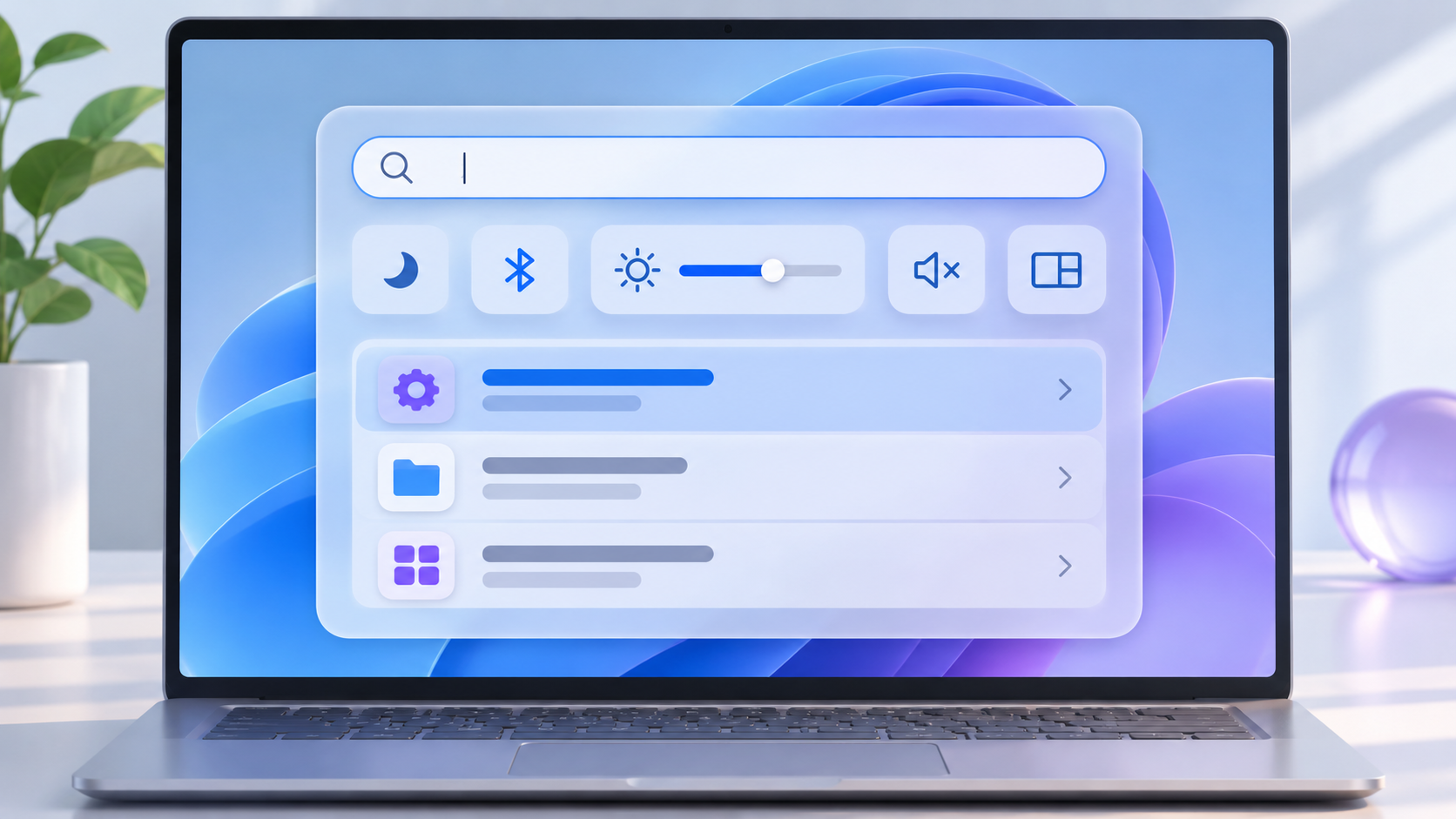
Concept illustration of the new Search workflow and inline actions.
Microsoft is rebuilding Windows Search on WinUI 3 with a cleaner result layout and more efficient matching. The update is designed to understand common typos and synonyms, reducing the need to type an exact setting or app name. Search can also surface an action instead of only a destination.
Inline actions in the initial preview can turn on dark mode or Bluetooth, change screen brightness, mute the PC and arrange windows. That could remove several clicks for common tasks, especially for people who prefer the keyboard. The feature is rolling out gradually and supports English only at first, so two Beta PCs on the same build may not show the same experience.
Other changes worth testing
Live Captions gains a clearer audio-source choice
Live Captions can now listen to system audio, the microphone or both. A user can caption an in-person conversation without also transcribing a video playing on the PC, or caption computer audio during a meeting without adding nearby room noise. The change is useful for accessibility and for anyone following speech in a noisy environment, but the output still needs human review when accuracy matters.
File Explorer accepts the tilde shortcut
The File Explorer address bar now recognizes ~ as the current user’s profile folder. Typing ~\AppData jumps directly into AppData, while ~\Downloads opens the Downloads folder inside that profile. The shortcut is convenient for troubleshooting and development work, but AppData contains configuration data that should not be deleted casually.
Windows Hello can brighten a dim screen
Windows Hello facial recognition can temporarily raise display brightness when the room is too dark for a reliable scan. The option appears under Settings > Accounts > Sign-in options > Facial recognition (Windows Hello). It is a targeted sign-in aid, not a general brightness automation, and it only helps devices that support Windows Hello face recognition.
Gaming quick settings and passwordless work sign-in
Xbox mode gains the full taskbar quick-settings set inside the Gaming Task View navigation bar, reducing the need to leave the game-focused interface. Separately, web sign-in expands to Microsoft Entra hybrid-joined devices. Eligible organizations can use a FIDO2 security key, a phone passkey or a Temporary Access Pass at the lock screen while still receiving a Kerberos ticket for on-premises resources. That enterprise feature depends on administrator policy and is not a reason for a home user to install the build.
Microsoft 365 Family storage appears in Settings
Settings can now show shared cloud-storage use across a Microsoft 365 Family subscription. Microsoft says subscriptions purchased after October 8, 2026 can see the view under Settings > Accounts > Cloud storage. Older subscriptions are scheduled to gain it after the first renewal on or after May 2, 2027. The panel is informational; it does not increase the plan’s storage allowance.
Who should install this Beta build
Install Build 26320.9876 only if the PC is already enrolled in the Beta Channel, you want to test a listed feature, and you can tolerate unfinished behavior. Developers, accessibility testers, IT teams validating 26H2 and enthusiasts with a secondary machine are the clearest audience.
Wait if this is the only computer you use for work, school, travel, audio production, assistive technology or other time-sensitive tasks. Do not join the Insider Program solely to obtain the new Search early. Microsoft’s own support guidance says Insider builds are less stable than production releases, are not serviced like normal builds and eventually expire.
A safer install and recovery checklist
- Confirm the PC is already in Settings > Windows Update > Windows Insider Program and assigned to the Beta Channel. Do not change a managed work or school device without IT approval.
- Back up irreplaceable files to a verified destination. If device encryption or BitLocker is active, confirm that the recovery key is available from another device.
- Record the current version and build with winver or Settings > System > About. This makes it easier to confirm what changed.
- Connect a laptop to power, save open work and disconnect nonessential docks, storage and audio accessories before the restart.
- Open Settings > Windows Update, check for updates and install Build 26320.9876 only if it is offered to the enrolled Beta device.
- After restarting, test sound, networking, Bluetooth, printers, cameras, accessibility tools, VPN software, virtualization and any business-critical apps.
- Use Feedback Hub to report a reproducible problem. Include the build number, steps and relevant diagnostics without exposing private information.
If the build causes a serious problem, open Settings > System > Recovery and review the available rollback options. Microsoft notes that the Go back option is usually time-limited and can remove apps, drivers and settings added after the upgrade. If Windows will not start, use Windows Recovery Environment and follow Microsoft’s recovery guidance. Returning to an earlier build does not automatically unenroll the device from the Insider Program.
A relevant Windows 11 PC to compare
Readers comparing current Windows 11 hardware can view the Microsoft Surface Pro (2026) 13-inch 2-in-1 on Amazon. The verified U.S. listing is ASIN B0GW9HT856 for a platinum configuration with a Snapdragon X2 Plus processor, 16GB of RAM and 512GB of storage. Check the exact configuration, keyboard inclusion, seller, price, compatibility and return terms before ordering. Buying a new PC is not required for this Insider build, and a stable production machine is the better choice for most readers.
As an Amazon Associate, ReaderSpice earns from qualifying purchases.
Bottom line
Build 26320.9876 is a meaningful Beta milestone because it moves Windows Insiders to 26H2 and previews a more useful Search experience. Live Captions source controls, the File Explorer tilde shortcut and targeted sign-in improvements add practical value beyond the version number.
The caution is equally important: this is still pre-release software, the new Search is English-only at launch, and staged rollout means features can be absent even after installation. Test it on a recoverable device if the changes solve a real need. Everyone else should wait for Microsoft to validate the work and bring the finished pieces to a public release.
Sources
Microsoft Learn: Windows 11 Insider Beta Preview Build 26320.9876
Windows Insider Blog: Announcing new builds for November 6, 2026
Microsoft Learn: Windows Insider Flight Hub
Microsoft Support: Join the Windows Insider Program and manage Insider settings
Microsoft Support: Recovery options in Windows
Microsoft Support: Go back to the previous version of Windows