
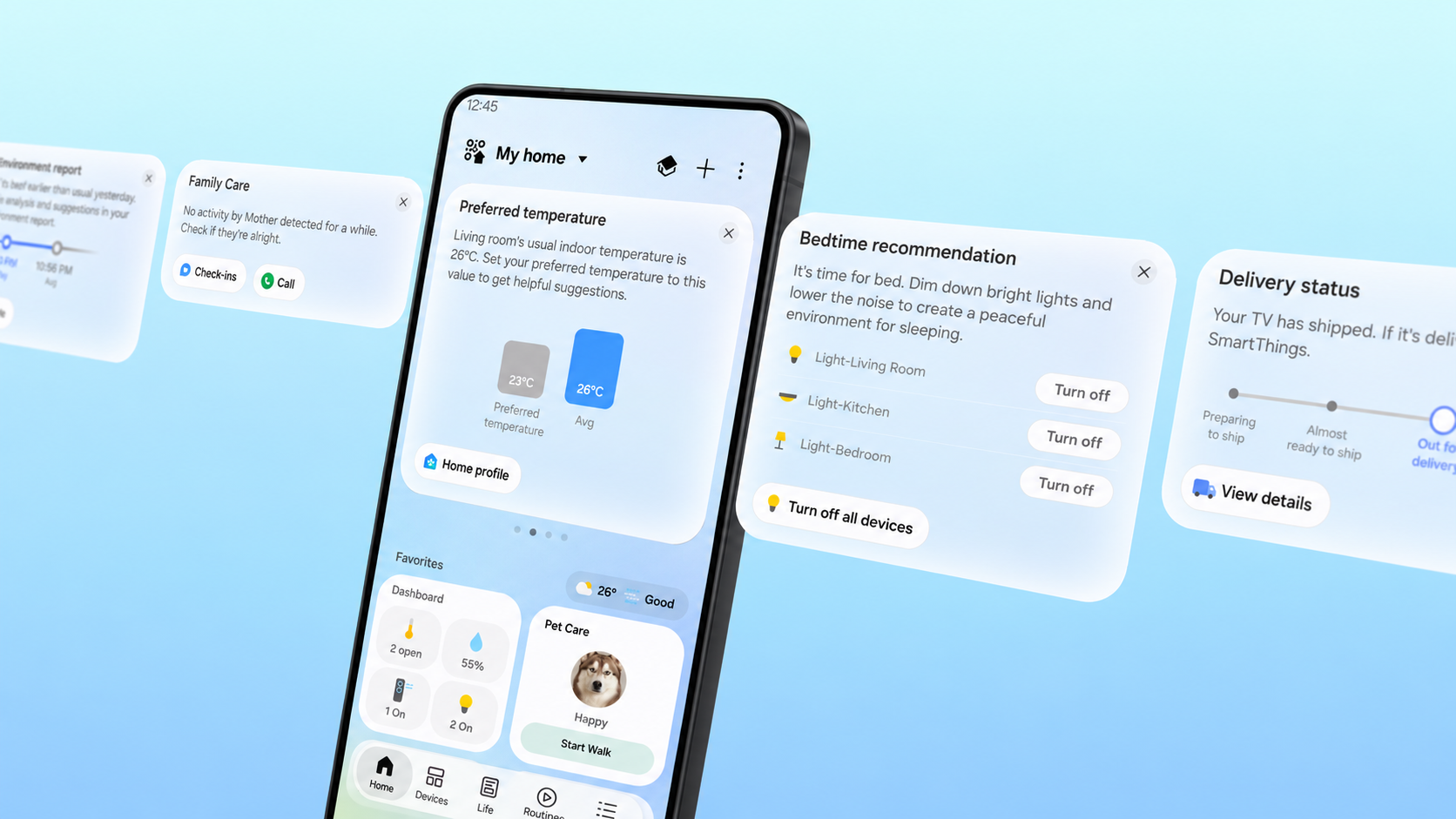
Samsung’s latest SmartThings update is less about adding another menu and more about reducing the friction of running a connected home. SmartThings Now puts context-sensitive cards at the top of the Home tab, the redesigned app makes common controls easier to reach, and supported hubs can talk directly to a phone on the same Wi-Fi network when the internet connection is disrupted.
The most useful change is also the easiest to misunderstand: “offline control” does not mean every SmartThings device will work with the router unplugged or without a compatible hub. It means supported phones and hubs can keep communicating over the local home network when the outside internet connection is unavailable. Here is what changed, what equipment is supported and what to check before relying on it.
SmartThings update quick take
- SmartThings Now: contextual cards surface timely information and suggested actions at the top of the Home tab.
- Local control: a supported phone and SmartThings hub can communicate directly while connected to the same Wi-Fi network.
- Claimed speed gain: Samsung says local control can improve response time by about 30% under its test conditions.
- New interface: service cards, dashboards and device cards are reorganized, with a bottom Floating Bar for easier one-handed access.
- Matter support: Samsung says the platform now supports Matter 1.6 and additional energy, closure, irrigation and soil-sensor device types.
What SmartThings Now actually does
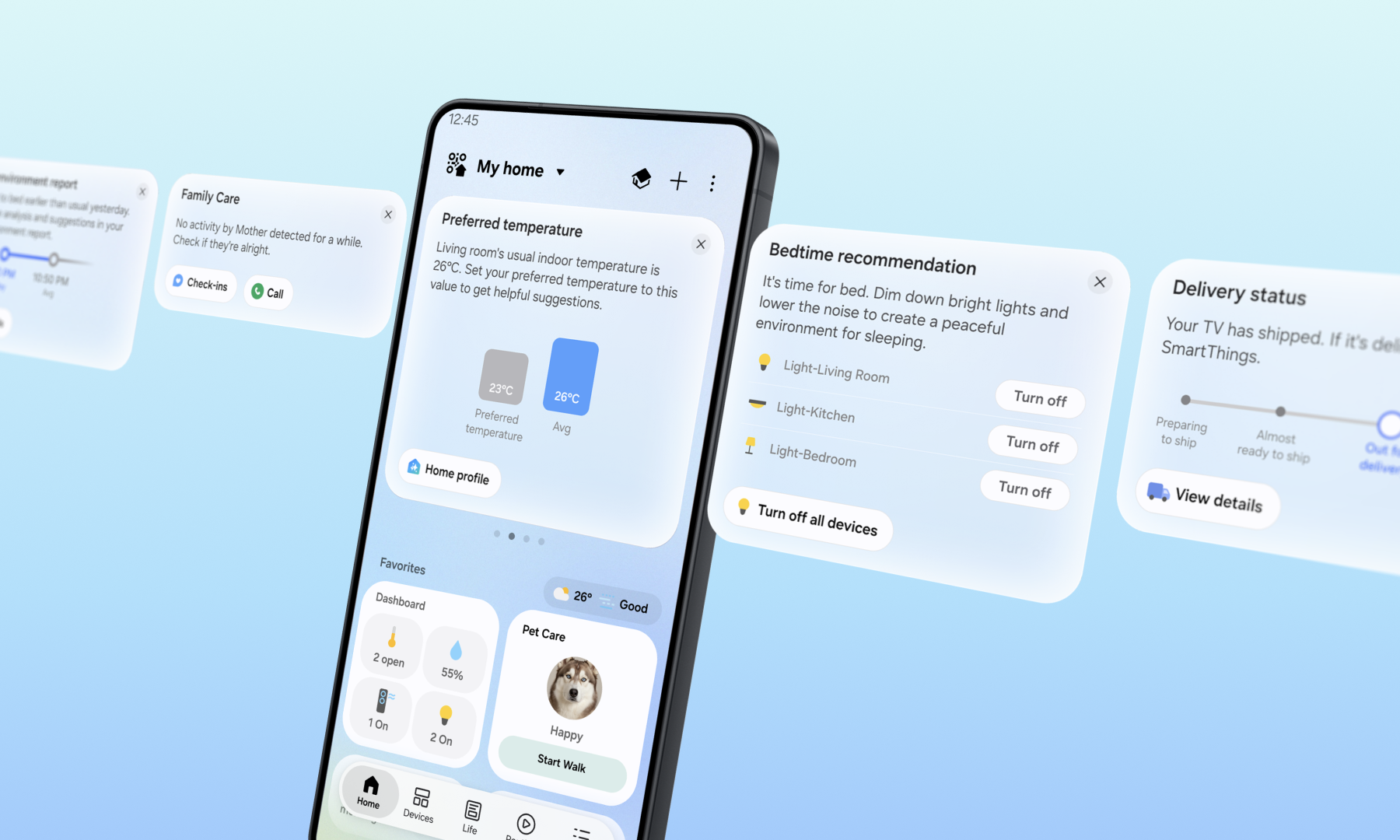
SmartThings Now builds on Home Insight by combining information with an action the user can take immediately. Samsung’s examples include a Family Care alert when an older relative shows no device activity for an extended period, an arrival card suggesting lights and an air purifier before a user reaches home, and a bedtime recommendation that can switch off several lights at once.
The cards are intended to turn a status summary into the next useful step. After someone accepts a suggested action, SmartThings may offer to make it a routine so the same action can run automatically later. That makes the update more than a cosmetic feed, although the value will depend on which devices, services and permissions are connected to the account.
SmartThings Now also reviews the previous week of activity and can suggest changes to Home-tab Favorites. A seasonal device that is used less may be removed, while a frequently used device or routine may be promoted. Routine Insight provides a weekly view of automation activity and a place to remove routines that no longer make sense.
The redesigned Home tab should be easier to scan
The rest of the Home tab has been reorganized around dashboards, device cards and service cards. More compact service cards can show device status and numerical readings without taking over the screen, while the new Floating Bar puts frequently used controls near the bottom edge of a phone.
Samsung is also adding a Live Wallpaper that changes through the day. That is mostly visual polish; the practical improvements are denser information and controls that are easier to reach on large phones. The same general Home experience is available across supported mobile devices, Samsung smart TVs, Family Hub refrigerators, Samsung appliances with 7-inch or 9-inch screens, and Windows devices, though the exact layout and available cards will vary.
How local control works during an internet outage
Normally, a smart-home command may travel from a phone to a cloud service and then back to the hub or device. With the new local-control path, a supported SmartThings phone and hub on the same Wi-Fi network can communicate directly. Samsung says that can keep compatible controls responsive during temporary internet problems and can cut response time by roughly 30% compared with cloud routing in its controlled tests.
SmartThings automatically switches between local and cloud-based remote control depending on whether the phone is at home or away. Local control is available through the SmartThings app on Android and iOS with SmartThings Station, SmartThings V2, V3 and V4 hubs, plus hub-enabled Samsung smart TVs and Family Hub appliances.
This is not a promise that the whole smart home becomes cloud-independent. The router and local Wi-Fi still need to work, the phone must be on that network, and the command must involve compatible hardware and a locally supported path. Cloud-dependent integrations, account services, remote access and some automations may still fail when the internet is down.
What to test before you depend on offline control
- Update the SmartThings app on every phone or tablet that manages the home.
- Confirm the phone and hub are connected to the same local Wi-Fi network.
- Identify which device commands and routines still work after temporarily disconnecting only the home’s internet service.
- Keep safety-critical controls usable manually; do not treat an app or automation as the only way to operate a lock, alarm, light or medical device.
- Use Offline Device Diagnostics if devices disappear after a router or network-name change. Samsung says the updated page can push new network information to all registered devices at once.
Matter 1.6 support needs one clarification
Samsung says its update adds Matter 1.6 support, improves stability and Group Control, and supports energy meters, specialized closures, irrigation devices and soil sensors. Those categories are useful for real-time power monitoring, gates and unusual doors, sprinkler systems and plant or lawn measurements.
There is an important standards detail. The Connectivity Standards Alliance says closures, soil sensors and expanded energy features arrived with Matter 1.5 in November 2025. Its Matter 1.6 release in June 2026 instead focuses on NFC-based commissioning, Joint Fabric for multi-ecosystem management, thermostat suggestions and several security and capability-reporting refinements. The practical interpretation is that SmartThings is expanding category support while moving its platform to Matter 1.6—not that every category first appeared in the 1.6 specification.
A standard and a platform update also do not guarantee that every product is ready on day one. Device makers still need compatible firmware and certification, and SmartThings support can vary by model, region and feature. Check a specific product in SmartThings before buying it solely for Matter 1.6.
Do you need a new SmartThings hub?
Not necessarily. Samsung explicitly lists SmartThings Station, V2, V3 and V4 hubs, along with hub-enabled Samsung TVs and Family Hub appliances, for the local-control feature. Owners of supported hardware should update the app and test their existing setup before purchasing anything.
For a new installation, the current Aeotec Smart Home Hub 2 on Amazon is a relevant SmartThings-compatible option with Zigbee, Thread and Matter support. It does not include Z-Wave, so it is not a like-for-like replacement for older SmartThings or Aeotec hubs in a home that already depends on Z-Wave switches, locks or sensors. Verify every protocol and model before replacing a working hub.
As an Amazon Associate, ReaderSpice earns from qualifying purchases.
Who will notice the update most
Households with many devices and routines should see the largest day-to-day benefit because SmartThings Now can surface the next likely action instead of forcing a search through rooms and services. Family Care users may also value actionable check-in cards, provided everyone understands what device-activity signals can and cannot indicate.
The local-control change matters most in homes with an unreliable internet connection or a supported hub serving many local devices. People using only cloud-to-cloud integrations may see less improvement. Matter 1.6 support is more future-facing: it broadens the platform’s foundation, but real value arrives only as compatible products and firmware reach users.
How to check for the new experience
Open SmartThings and look at the top of the Home tab for SmartThings Now cards, then check the app store for an available update if the redesigned screen has not appeared. Because SmartThings runs across phones, TVs, appliances and Windows PCs, rollout timing and available controls can differ by device and region.
After the update appears, review Favorites and routines rather than accepting every suggestion automatically. Delete stale routines, test arrival and bedtime actions while someone is home, and confirm that Family Care notifications are configured with the appropriate consent and expectations.
The bottom line
SmartThings Now is a thoughtful usability update because it connects information to an immediate action. The redesigned Home tab should reduce hunting, while local phone-to-hub control can make supported homes faster and more resilient during an internet outage.
The limits matter as much as the headline. Local Wi-Fi and a supported hub must remain available, cloud-dependent features may still fail, and Matter 1.6 support does not instantly make every device compatible. Update the app, test the commands that matter in your own home, and buy new hardware only after checking protocols and model support.
Sources
Samsung Newsroom U.S.: SmartThings Now and local control announcement
SmartThings Blog: SmartThings Now platform update
Samsung Support: SmartThings app and hub compatibility
Connectivity Standards Alliance: Matter 1.6 features
Connectivity Standards Alliance: Matter 1.5 device categories
Aeotec: Smart Home Hub 2 specifications