
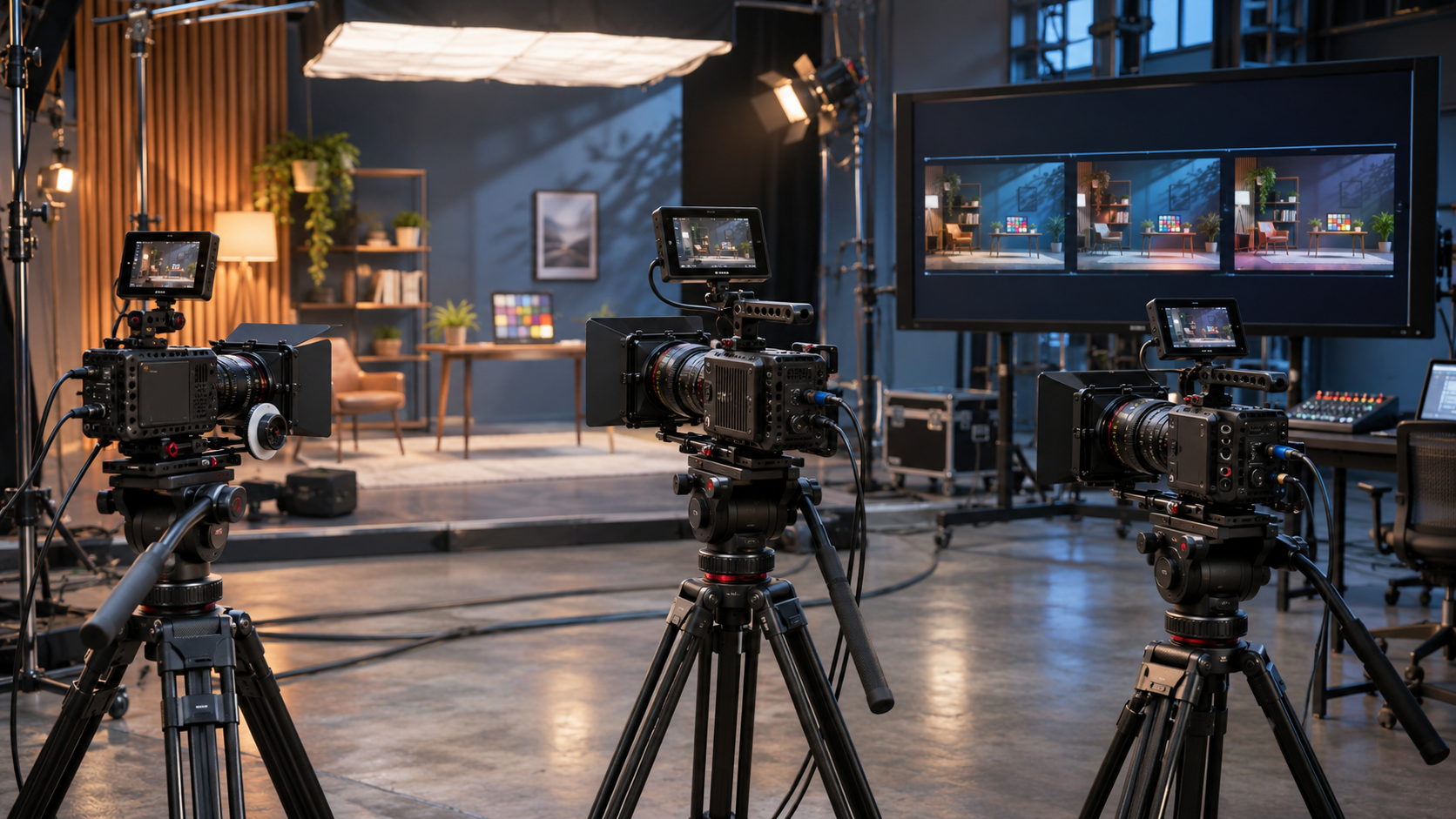
Canon has announced a coordinated December firmware update for four Cinema EOS cameras: the EOS C400, EOS C80, EOS C50 and EOS R5 C. Canon Japan schedules the free releases for December 17, 2026, while Canon USA describes a broader December window. The useful part is not a single headline feature but a model-specific set of color, slow-motion, monitoring, control and accessory changes.
The four cameras do not receive an identical package. Multi Matrix color adjustment is listed for the C400, C80 and C50, not the R5 C. Several Slow & Fast Motion improvements apply only to particular models, while support for Canon’s new DM-E10D microphone and two remote controllers spans all four. The C50 gets the most distinctive still-photo additions, including a 1/8000-second shutter option and flash support.
This is an announced release, not firmware that owners should install early from an unofficial source. Canon’s current U.S. advisories still show the existing October 2026 versions for the three newer Cinema EOS bodies and version 1.1.3.1 for the R5 C. Regional dates, version numbers and final release notes should be confirmed on the support page for each camera when the files appear.
Canon Cinema EOS December firmware at a glance
- Planned timing: Canon Japan lists December 17, 2026; Canon USA says the firmware will be available by December 2026.
- C400, C80 and C50: gain Multi Matrix color adjustment, expanded DISP Level 2 information, assignable sensor-mode switching, RF lens function-button assignment, Canon Log 2/Log 3 black-level adjustment and added CV metadata values.
- C400 and C80: gain autofocus during 72p, 75p, 90p and 96p Slow & Fast recording, select-dial shutter/aperture control and stabilization support for lenses beyond 1,000mm equivalent.
- C50: gains external audio during Slow & Fast standby, a 1/8000-second shutter setting and flash support in photo mode.
- All four cameras: add support for the DM-E10D digital microphone and TC-N3/TC-E3 remote controllers.
- R5 C: is included in the accessory and control rollout, but Canon’s matrix does not list Multi Matrix, the new Slow & Fast features or the C50-only still-photo changes for this model.
- Separate software: Canon also introduced Camera Control Center for managing large compatible camera fleets over its XC Protocol.
Multi Matrix color matching explained
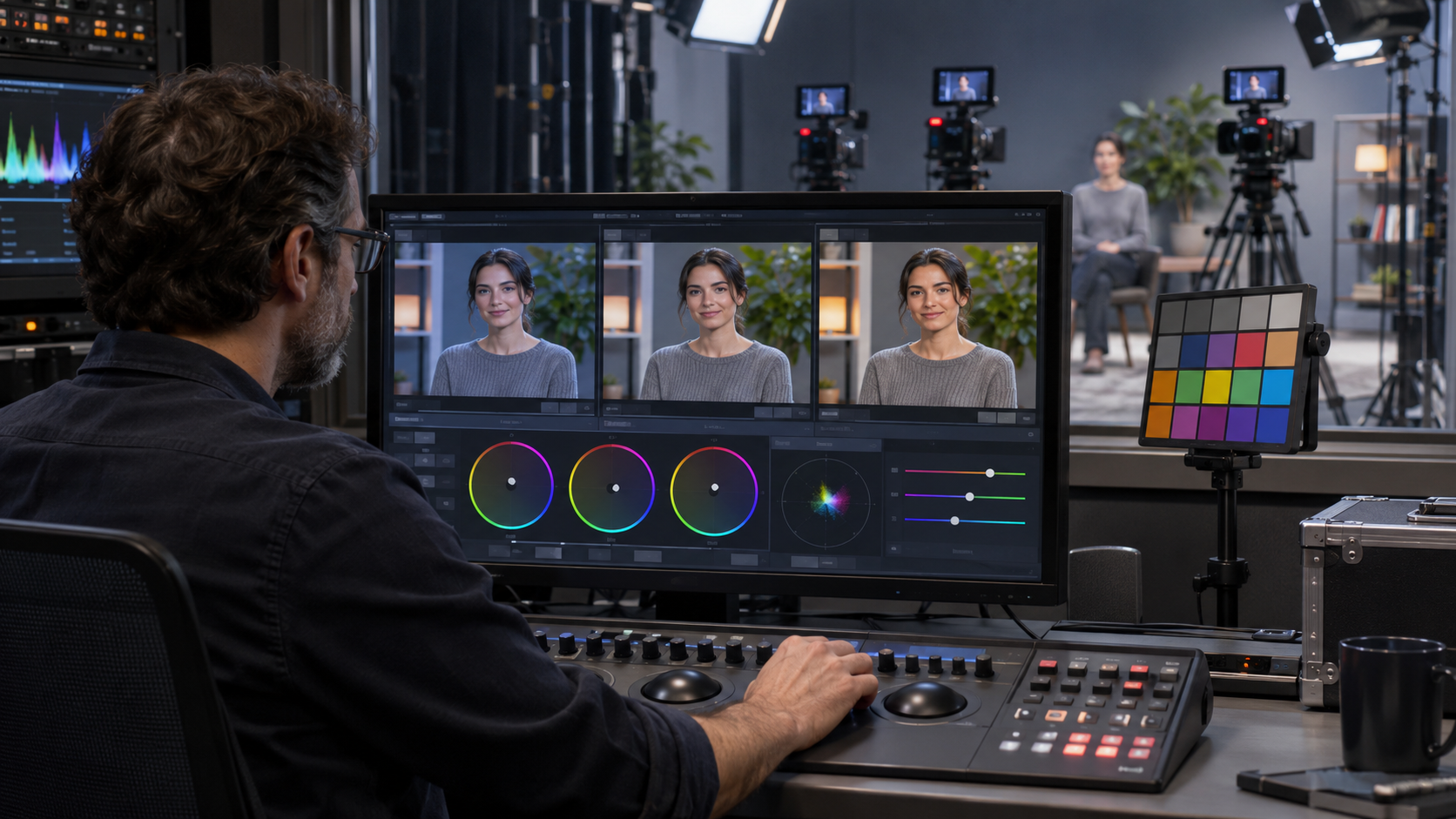
Multi Matrix is the most production-oriented addition for the C400, C80 and C50. Canon says it lets an operator divide the hue circle into 16 or 32 ranges and adjust hue and saturation for each range inside Custom Picture. An area-display aid can isolate the portion of the image affected by the selected range.
That is useful when several camera bodies need to reproduce a difficult brand color, costume, product finish or team uniform consistently. Instead of pushing an entire color channel, an operator can make a narrower correction and preserve nearby colors. It can also reduce the amount of matching required in post when a scene uses different Cinema EOS bodies.
Multi Matrix is not a substitute for exposure, white balance, a color-managed workflow or proper camera profiling. It is also not listed for the EOS R5 C in Canon Japan’s feature table. Teams should save a known baseline Custom Picture, test the intended lighting and chart, and document every adjustment before using the feature across multiple cameras.
Which cameras receive which features
Canon’s announcement is easiest to understand as four overlapping packages rather than one universal update. The model breakdown below follows Canon Japan’s November 4 matrix and separates newly added functions from features a model already supports.
EOS C400
The C400 gains Multi Matrix, expanded DISP Level 2 information, an assignable sensor-mode switch, RF lens function-button assignment and Canon Log 2/Log 3 black-level adjustment. Slow & Fast recording adds autofocus at 72p, 75p, 90p and 96p. Operators also gain select-dial control over shutter and aperture, stabilization support beyond 1,000mm equivalent and CV metadata values for zoom and focus encoders.
EOS C80
The C80 receives the same main color, display, sensor-mode, RF lens, black-level, CV metadata and high-frame-rate autofocus additions as the C400. Its update also adds select-dial shutter/aperture operation and stabilization support for focal lengths above 1,000mm equivalent. Canon lists external audio during Slow & Fast standby as already supported on both the C80 and C400.
EOS C50
The C50 receives Multi Matrix, expanded DISP Level 2 information, assignable sensor-mode switching, RF lens function-button assignment, Canon Log black-level adjustment and CV metadata values. Autofocus at 72p through 96p, select-dial shutter/aperture control and stabilization beyond 1,000mm are already supported, according to Canon’s matrix. The new C50-specific additions are external audio during Slow & Fast standby, 1/8000-second shutter selection and flash support in photo mode.
EOS R5 C
The R5 C participates in the shared accessory update for the DM-E10D microphone and TC-N3/TC-E3 remotes, and Canon lists select-dial shutter/aperture operation as already supported. Canon’s matrix does not assign Multi Matrix, the new high-frame-rate autofocus, external Slow & Fast standby audio, sensor-mode assignment, expanded DISP Level 2 data or the C50 still-photo changes to the R5 C. Owners should wait for the final R5 C release notes before assuming any unlisted change.
Slow & Fast mode: autofocus and audio changes
The C400 and C80 gain autofocus while recording Slow & Fast Motion at 72p, 75p, 90p and 96p. The C50 already supports that capability, while Canon does not list it for the R5 C. The change should make intermediate high-frame-rate work easier when a subject cannot be held at a fixed distance.
The C50 separately gains external audio during Slow & Fast standby. The wording is important: Canon describes audio input during standby, which helps a crew monitor or prepare sound before recording. It should not be read as a promise that off-speed clips record synchronized production audio. The C400 and C80 already support the standby behavior; the R5 C is not listed.
Autofocus performance still depends on the lens, subject, frame rate, light level and AF configuration. Before a commercial shoot, record a moving subject at every planned speed and confirm tracking behavior, transition speed and whether the editing system interprets the off-speed clips as expected.
One-touch sensor mode switching
The C400, C80 and C50 gain the ability to assign sensor crop mode to a camera button. This turns a menu-level setting into a direct control and can speed up a focal-length change when swapping lenses is impractical. It is particularly useful for documentary, live-event and multicamera work where an operator must respond without breaking the take.
Sensor mode changes affect field of view and can change available resolution, frame-rate or image-quality options. Treat the button as a deliberate format switch, not a digital zoom. Crews should verify the recorded raster, metadata and lens coverage in every assigned mode and avoid placing the control where it can be triggered accidentally.
Canon Log black-level adjustment and CV metadata
Canon is adding black-level adjustment for Canon Log 2 and Canon Log 3 on the C400, C80 and C50. Fine control over the image floor can help a camera department match bodies or respond to a specific monitoring and grading pipeline. A black-level control is not a recovery tool for severe underexposure; raising or lowering the floor can reveal noise or clip shadow distinctions if used aggressively.
The same three models add zoom and focus encoder values to CV metadata. Those values can support virtual production, lens-data logging and downstream systems that need more precise information about lens state. Exact compatibility depends on the lens, connection and receiving software, so teams should validate the complete chain rather than assuming every RF lens or third-party application exposes the same data.
C50 gains 1/8000 shutter and flash support
The C50 adds a 1/8000-second shutter option and supports flash photography in photo mode. A faster shutter can help control bright ambient light or freeze motion, but it also cuts exposure and can reveal banding under some LEDs or electronic lighting. It does not replace neutral-density control for motion-picture work where a consistent shutter angle is normally preferred.
Canon says conventional five-pin flashes can be used through the AD-E1 Multi-Function Shoe Adapter. Flash timing, exposure automation and compatibility vary by unit, so owners should confirm their exact Speedlite or trigger against Canon’s final documentation before relying on it for an assignment.
New accessory support across all four cameras
The C400, C80, C50 and R5 C all gain support for Canon’s DM-E10D digital shotgun microphone. Canon says the microphone connects through the Multi-Function Shoe, can receive power and exchange digital audio without a separate cable, and offers selectable directionality and noise-reduction functions.
The same four cameras add support for the TC-N3 and TC-E3 timer remote controllers. Remote compatibility can be useful for locked-off shots, repeated intervals and situations where touching the camera would introduce movement. Port type, adapter needs and available functions can differ by body, so the final camera and accessory manuals remain the authority.
Camera Control Center is a separate rollout
Canon’s announcement also introduces Camera Control Center, a desktop application designed to manage up to 200 compatible PTZ, Pro Video and Cinema EOS cameras through the XC Protocol. Canon positions it for broadcast, houses of worship, education and other productions that need centralized control and monitoring.
This software is not the same thing as the December 17 camera firmware. Canon describes Windows availability first and macOS later, while regional timing language may differ. Production teams should confirm the supported operating system, camera list, network design and license terms when the download page becomes available.
Release timing and a safe update plan
Canon Japan lists December 17, 2026, for the free firmware, while Canon USA uses a broader by-December timeframe. That makes December 17 the announced Japanese schedule, not a guarantee that every regional support site will publish every file at the same hour. Version numbers, file sizes and model-specific cautions were not included in the initial announcement.
Current U.S. advisories list firmware 1.0.8.1 for the C400 and C80, 1.0.6.1 for the C50 and 1.1.3.1 for the R5 C. Those are useful baselines, not predictions of the next version number. Wait for the official support page for the exact camera to change before downloading anything.
- Record the camera’s current firmware version, custom button assignments, Custom Pictures and network settings.
- Wait for Canon’s official regional support page to publish the file and complete release notes for the exact model.
- Use a fully charged battery or an approved continuous-power setup and a camera-formatted compatible memory card.
- Follow Canon’s file-placement and update instructions exactly; do not rename files or use a package intended for another camera.
- Do not remove power, open the card door or operate controls while the update is in progress.
- After installation, verify the version and rebuild any setting that did not carry over as expected.
- Run a short production test covering recording formats, autofocus, audio, timecode, lens data, monitoring, accessories and post-production ingest before paid work.
A Canon EOS R5 C buying note
Readers comparing a hybrid Cinema EOS body can use the Canon EOS R5 C camera body listing on Amazon (ASIN B0B1935YM9) as a current product reference. The R5 C combines an RF-mount full-frame body with separate photo and Cinema EOS operating modes, but this December announcement gives it a narrower feature set than the C400, C80 or C50.
Check the seller, region, warranty, return policy and included accessories before purchasing. A practical video kit can also require RF lenses or an adapter, high-speed media, batteries or external power, audio equipment, rigging and storage. Buy for the camera’s current documented capabilities; an announced firmware feature should not be treated as delivered until the official file and release notes are available.
Affiliate disclosure: ReaderSpice may earn a commission from qualifying Amazon purchases made through the link above, at no additional cost to you.
What remains unknown
- The final version numbers, download sizes and complete change logs for each camera.
- Whether every region will publish all four firmware packages on December 17 or use a staggered schedule.
- Any additional R5 C fixes or improvements beyond the accessory support highlighted in Canon’s matrix.
- How Multi Matrix settings are copied, backed up or translated across different Cinema EOS models.
- The final Camera Control Center download date, supported operating systems, licensing details and complete compatibility list.
- Whether specific lenses, flashes, microphones or remote-control functions carry model-dependent restrictions not described in the announcement.
Bottom line
Canon’s December Cinema EOS firmware is a practical workflow release, but its value depends on the camera. The C400, C80 and C50 receive the deepest color and control additions, with Multi Matrix standing out for multicamera matching. The C400 and C80 gain useful high-frame-rate autofocus, while the C50 gets the most distinctive photo-mode and Slow & Fast standby changes.
The R5 C remains part of the rollout, but Canon’s own matrix lists a smaller set of additions for it. Owners should use the model-by-model table, not the broad announcement headline, when planning an update. The safest course is to wait for the official regional download, preserve current settings and validate the entire camera-to-post workflow before using new firmware on a production.
Sources
Canon USA: Cinema EOS firmware update announcement — November 4, 2026
Canon Japan: Model-by-model Cinema EOS firmware feature matrix — November 4, 2026
Canon Japan: Cinema EOS firmware press release and December 17 schedule
Canon USA: Current Canon product advisories and firmware versions
Canon USA: EOS R5 C support and downloads
Amazon: Canon EOS R5 C camera body (ASIN B0B1935YM9)