Google AlphaProof Code Verifies Signal Security: What Was Proved and What Was Not

Generic smartphone and encrypted message path passing through layered mathematical proof structures into a verified security shield

Google DeepMind says its AlphaProof Code system has formally verified important security guarantees in the compiled code of Signal’s cryptographic protocol. Published on November 10, 2026, the work covers the post-quantum PQXDH handshake and Triple Ratchet used for one-to-one conversations, connecting high-level security claims to AArch64 machine code generated from libsignal.

That is a meaningful advance, but it is not a certificate that the entire Signal app is impossible to hack. The proof applies to a defined implementation, execution model, set of properties and collection of cryptographic assumptions. It does not cover every device architecture, group chat, operating-system component, linked-device state, user action or future version of Signal.

For Signal users, there is no emergency patch or account change tied to the announcement. The practical advice remains familiar: keep every Signal installation current, review linked devices, verify safety numbers for sensitive conversations and protect account recovery with Signal’s available second-factor options.

AlphaProof Code and Signal at a glance

  • Publication date: November 10, 2026.
  • Target: libsignal v0.105.4 compiled with stock rustc into AArch64 Linux machine code and linked to a small command-line harness.
  • Protocol scope: one-to-one sessions using the PQXDH handshake and Triple Ratchet.
  • Verified properties: message confidentiality and authenticity, forward secrecy, post-compromise security, handshake authentication and handshake secrecy under the stated models and assumptions.
  • Proof volume: about 6.5 million lines of machine-checked Lean proof code resting on roughly 26,000 lines of trusted specifications and AArch64 semantics.
  • Human role: researchers reviewed and approved the specifications; Lean’s kernel checked the proofs against a held-out copy of those specifications.
  • Validation check: DeepMind reintroduced two previously fixed bugs in an isolated version, and the system showed the buggy version was insecure.
  • User action: no special migration is required, but this result does not replace app updates, device security, linked-device reviews or safety-number verification.

What AlphaProof Code actually verified

What AlphaProof Code actually verified

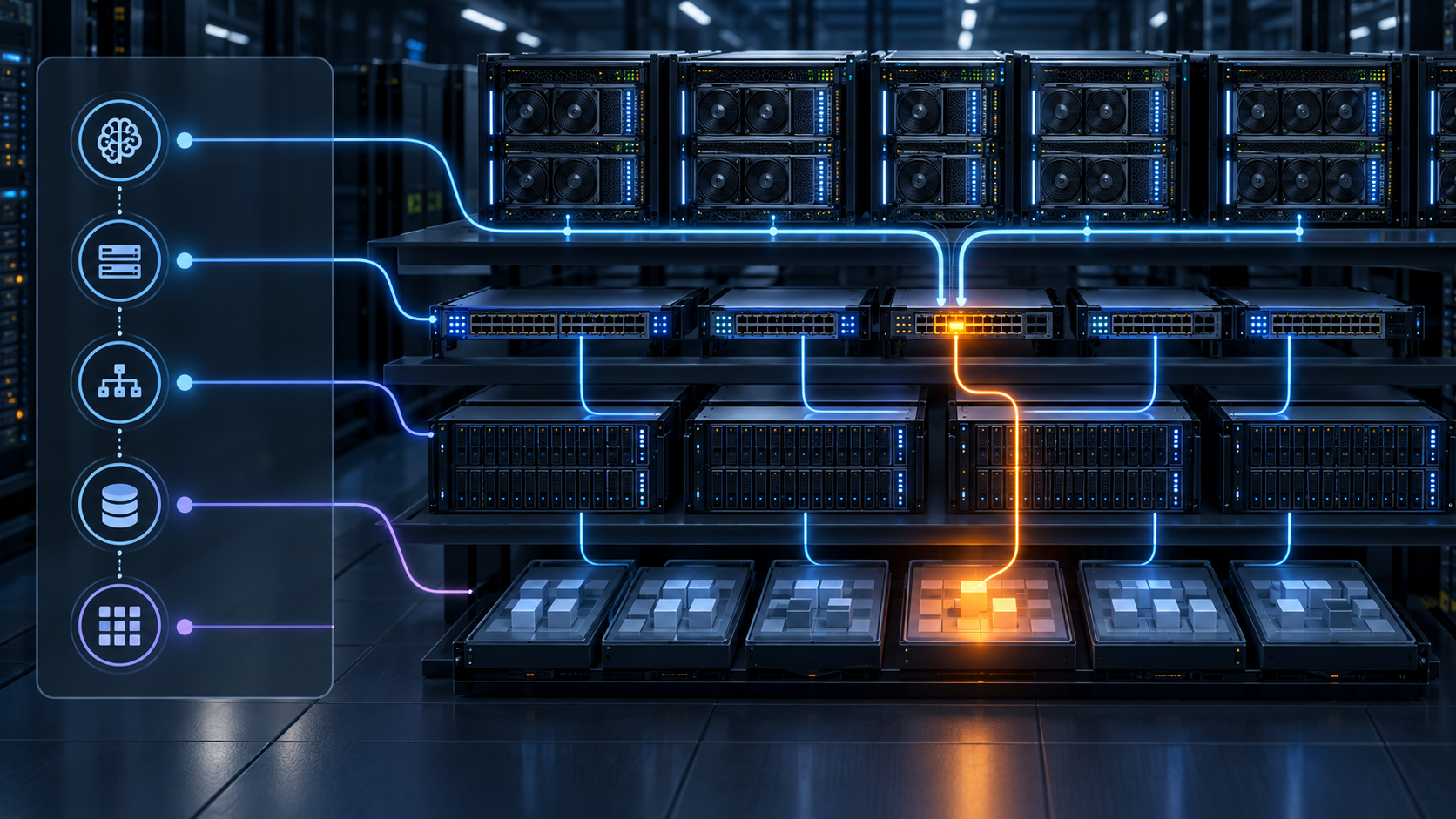
Editorial concept: AlphaProof Code links approved security specifications to compiled mobile machine code, with Lean checking the resulting proofs.

Most formal analyses reason about a protocol design or a simplified mathematical model. DeepMind’s project went further by compiling the unmodified Rust implementation of libsignal into an AArch64 executable, then proving that executions of that binary satisfy selected protocol-level security properties. The operating environment is modeled in Lean, and the proof connects machine instructions back to the approved specification.

The target was not a full Android or iOS application. Researchers linked libsignal and the relevant SPQR crates to a small command-line harness. Low-level cryptographic primitives, two output functions and several library routines were represented by trusted contracts instead of being proved instruction by instruction. The result therefore covers the verified code around those contracts while assuming the contracted primitives behave as specified.

DeepMind evaluated the implementation in two standard security frameworks. The symbolic model treats cryptographic operations as idealized black boxes and reasons about an attacker who controls the network and may compromise keys or session state. The computational model expresses concrete bounds on a classical attacker’s advantage using assumptions about the underlying primitives.

The security properties in plain language

Forward secrecy

If a long-term key is compromised later, previously protected message keys should remain secret. The proof supports this property within the modeled one-to-one session and stated assumptions; it does not mean an attacker who already captured an unlocked device cannot read messages stored on that device.

Post-compromise security

The Triple Ratchet is designed to recover security after a temporary compromise once fresh key material is exchanged. AlphaProof Code verified this recovery property in the covered session model. Recovery still depends on the protocol progressing and does not disinfect a phone that remains under an attacker’s control.

Authentication and resistance to key compromise impersonation

The handshake proof addresses whether a participant can be tricked into accepting the wrong peer and whether compromise of one party’s long-term key enables certain impersonation attacks. Users still need a trustworthy way to associate a person with a safety number; mathematics cannot determine whether the human on the other end is who they claim to be.

Handshake and message secrecy

The verified model connects PQXDH and the Triple Ratchet, supporting secrecy and authenticity claims for messages in covered one-to-one sessions. The symbolic analysis also considers a later quantum break of the classical Diffie-Hellman component, while the computational result is limited to classical attackers and its stated assumptions.

Why the AI-generated proof can still be trusted

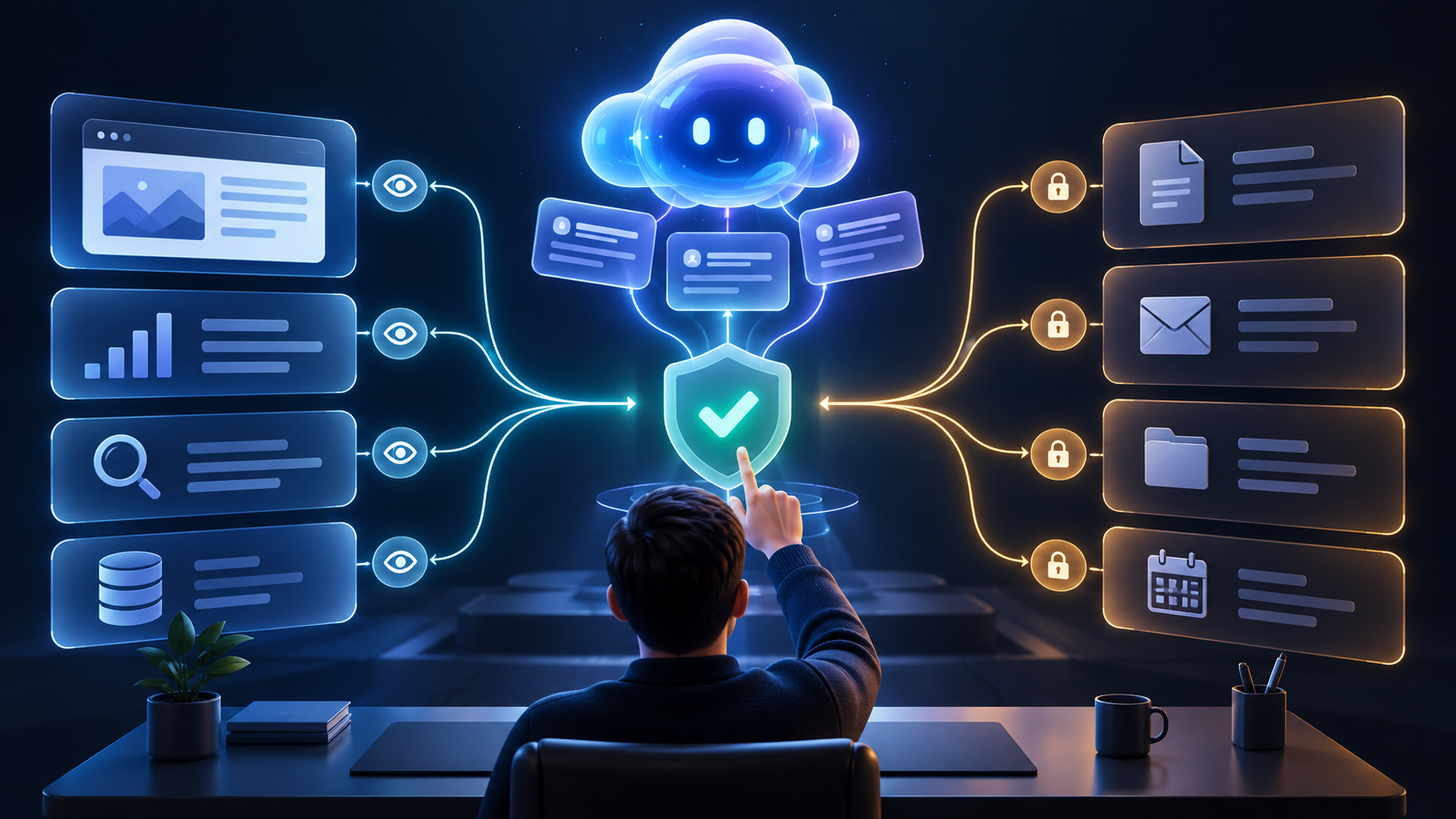
An AI model writing millions of lines of proof would not be reassuring if the same model could silently relax the goal. AlphaProof Code separates those roles. Humans guide and approve the specification, reviewer agents compare drafts with the implementation and research sources, and prover agents work against a fixed specification. A gatekeeper accepts a result only when Lean’s kernel checks the proof and a comparator confirms that it proves exactly the held-out specification.

The trusted base is smaller than the generated proof but not zero. Readers must trust the approved definitions, the AArch64 semantics, Lean’s kernel, the cryptographic assumptions and contracts for routines outside the verified code. DeepMind says it tested instruction semantics against independent emulators and models, yet a formal result remains only as strong as its specification and trusted components.

The speed is still notable. Google says the full project took four weeks, while comparable formal-verification programs historically required years of expert work. The published materials also make the specifications and proof artifacts available for outside examination instead of asking readers to accept a private model score.

What the proof does not cover

The easiest mistake is to turn a narrow, strong claim into a universal one. AlphaProof Code did not prove that Signal is unhackable, that every app using Signal-related technology has identical protections or that no future vulnerability will appear.

  • The full Signal Android, iOS or Desktop application, including user interface, storage, notifications, media handling and update delivery.
  • Group messaging; the paper restricts its Signal model to one-to-one sessions.
  • Complete multi-device behavior and every linked-device state.
  • Operating-system security, malicious keyboards, screen capture, spyware, physical access or an already unlocked device.
  • Every processor architecture or runtime environment; the verified executable is AArch64 Linux machine code in the project’s modeled environment.
  • The internal security of the low-level cryptographic primitives modeled by contracts; their properties enter as assumptions.
  • Every post-quantum property. The paper lists SPQR post-quantum healing outside the symbolic result and quantum attackers outside the computational result.
  • Unlimited scale. The computational bound has cases where it becomes uninformative for many long sessions and epochs.
  • Future libsignal changes. A proof for v0.105.4 does not automatically transfer to code modified after that version.

What Signal users should do now

The announcement increases confidence in important cryptographic code, but it does not change ordinary account and device hygiene. Signal’s own support guidance points users toward a small set of checks that protect layers outside the proof.

  • Update Signal on the primary phone and every linked device. Old releases can miss security fixes and newer protocol support.
  • Review Signal Settings > Linked devices and remove anything you do not recognize. When in doubt, unlink all secondary devices and reconnect only the ones you control.
  • Verify safety numbers for high-risk conversations, especially after an unexpected change. A verified safety number change must be approved before sending again.
  • Enable the second-factor options available to your Signal Login and keep a backup method. Signal says supported passkeys may be stored in an operating-system store, password manager or physical security key.
  • Protect the phone itself with a strong device unlock method, current operating-system patches and caution around unknown links, attachments and requests for verification codes.
  • Do not read the proof as a reason to ignore social engineering. Signal says it will not contact users in-app to request passwords, payment information or verification codes.

A hardware key can protect Signal Login, not message encryption

Signal’s support documentation says passkeys for Signal Login can be stored on a physical security key. Readers who want a USB-C and NFC option can review the Yubico YubiKey 5C NFC on Amazon (Amazon ASIN B08DHL1YDL). Yubico lists FIDO2/WebAuthn, USB-C and NFC support for this model. Confirm the exact product, seller, firmware, compatibility, return policy and current price before ordering.

A YubiKey does not strengthen the PQXDH handshake or Triple Ratchet that AlphaProof Code verified. It protects a separate account-access layer, and Signal’s support page says users should keep another authenticator or passkey available because Signal cannot recover a lost second-factor setup. A hardware key is optional, not a requirement created by this research.

Affiliate disclosure: ReaderSpice may earn a commission from qualifying Amazon purchases made through the link above, at no additional cost to you.

Why this matters beyond Signal

The larger result is methodological. Formal verification has often been reserved for operating-system kernels, compilers and other systems where years of specialist work can be justified. AlphaProof Code shows that a human-guided team of AI agents can generate and integrate proof work at a scale that would previously have been impractical for an existing industrial codebase.

That does not mean developers can press a button and certify any application. Writing a strong specification remains difficult, external contracts must be justified and real software includes threads, files, dynamic linking, hardware variation and user-controlled inputs that may not fit the current semantics. The project’s own documentation treats specification quality as the next major challenge.

If the approach scales, the most useful shift would be from testing whether software fails on known examples to proving that defined classes of failure cannot occur within a modeled boundary. Banking code, medical-device firmware, cloud infrastructure and critical industrial controls are obvious candidates, but each would need domain-specific properties and independent review.

Bottom line

AlphaProof Code provides unusually deep evidence for the covered version of libsignal. It links the one-to-one PQXDH and Triple Ratchet implementation to machine-checked proofs of important secrecy, authentication, forward-secrecy and post-compromise properties, rather than stopping at a protocol diagram or source-level argument.

The limits are just as important as the achievement. The work does not certify the entire Signal app, every architecture, group chats, multi-device behavior, a user’s phone or the cryptographic primitives modeled as assumptions. Signal users do not need to change apps or rush into a special update because of the announcement. Keep the software current, verify sensitive contacts, review linked devices and protect account recovery; treat the proof as stronger evidence for one critical layer, not a replacement for every other layer of security.

Sources

Google DeepMind: Introducing AlphaProof Code, November 10, 2026

Google DeepMind project: AlphaProof Code verification overview and scope

Google DeepMind paper: AlphaProof Code – Verifying Signal Security at the Machine-Code Level

Google DeepMind GitHub: code-verification proof artifacts

Signal Support: Is it private and can I trust it?

Signal Support: How to keep Signal up to date

Signal Support: Linked devices

Signal Support: Safety numbers

Signal Support: How to protect yourself on Signal

Signal Support: Two-factor authentication, passkeys and physical security keys

Wired: A new AI tool from Google DeepMind proved the Signal protocol is secure

The Register: Google DeepMind melds humans and AI agents to vet Signal security

Yubico: YubiKey 5C NFC specifications

Amazon: Yubico YubiKey 5C NFC (ASIN B08DHL1YDL)

Google Announces TPU 8tx and 8i Max for Confidential AI and Massive Context

Open AI accelerator rack in a modern data center with dense compute trays, high-bandwidth memory and optical cabling

Google has expanded its eighth-generation Tensor Processing Unit portfolio with two specialized systems. Announced on November 9, 2026, TPU 8tx is designed for confidential AI workloads that use sensitive data, while TPU 8i Max combines two TPU 8i chips in one package to increase memory bandwidth, compute and rack density for very large context windows.

The names can make these sound like two entirely new chip architectures. Google is more precise: 8tx and 8i Max are systems built around existing eighth-generation silicon. The company is changing the packaging, host processors, memory, networking and security around the chips to target different workloads. That distinction matters for buyers comparing the announcement with TPU 8t for training and TPU 8i for low-latency reasoning.

Google has not published a general availability date, public list price or complete zone-by-zone rollout for TPU 8tx or TPU 8i Max. The current Cloud TPU product page still labels TPU 8i as coming soon and does not list the two new configurations as broadly available. Treat this as a product announcement, not proof that every Google Cloud customer can provision either system today.

Google TPU 8tx and 8i Max at a glance

  • Announcement date: November 9, 2026.
  • TPU 8tx focus: confidential inference, private fine-tuning, agent execution and smaller-scale training for regulated or sensitive workloads.
  • TPU 8tx foundation: the same silicon as TPU 8t, paired with fifth-generation AMD EPYC CPU hosts and a low-latency Boardfly network.
  • TPU 8tx claim: up to two times lower latency than TPU 8t with a near-zero performance penalty. This is a Google-reported comparison, not an independent benchmark.
  • TPU 8i Max focus: massive context windows, memory-bound inference, multi-agent work and maximum compute density per rack.
  • TPU 8i Max design: two TPU 8i chips in one package, with double the compute, SRAM and high-bandwidth-memory bandwidth of TPU 8i.
  • Portfolio position: 8t for scale-up training, 8i for real-time reasoning, 8tx for confidential computing and 8i Max for high-context workloads.
  • Availability: Google has not announced public pricing, broad regional availability or a general provisioning date for the new systems.

Two specialized systems from one modular generation

Two specialized systems from one modular generation

Editorial concept: 8tx changes the secure system around training-class silicon, while 8i Max packages two 8i chips together for more compute and memory bandwidth.

Google describes its TPU chips as modular building blocks inside AI Hypercomputer, the company’s larger combination of accelerators, CPU hosts, storage, optical networking and orchestration software. That approach lets Google create a new system configuration faster than it can design and manufacture a new chip. The same generation can therefore support several different balances of training throughput, inference latency, memory capacity and security.

For customers, the practical question is not which name is newest. It is which bottleneck dominates the workload. A team training a giant foundation model needs a different system from one serving an interactive agent, processing restricted data or keeping a very large key-value cache close to the accelerator. Google’s four-way portfolio is intended to make those tradeoffs explicit.

TPU 8tx is aimed at confidential AI

Data is commonly encrypted while stored and while moving across a network, but ordinary processing requires it to be available in memory. Confidential computing adds hardware-backed isolation intended to protect data and model weights while they are in use. Google says TPU 8tx extends that model to proprietary models, private fine-tuning data and autonomous agents that operate beside sensitive information.

The system uses the same TPU silicon as 8t and pairs it with fifth-generation AMD EPYC CPU hosts. Google also brings over its low-latency Boardfly network. The company reports up to two times lower latency than TPU 8t and says the confidential-computing protections impose a near-zero performance penalty. Those figures need workload-specific validation because Google has not published a full independent comparison covering model sizes, batch sizes, software versions and cost.

The architectural goal is to keep more of the model lifecycle on one protected system. Google says teams can fine-tune with private data, distill a larger model, train an agent with reinforcement learning and run secure inference without moving sensitive material between separate clusters. Fewer transfers can simplify data handling, but they do not eliminate governance requirements or every security risk.

Confidential compute does not make an agent automatically safe

Hardware isolation protects a different layer from application security. A confidential TPU cannot correct an overprivileged service account, exposed API key, vulnerable container, unsafe tool permission or prompt injection that persuades an agent to misuse a legitimate capability. Teams still need strong identity controls, network boundaries, software patching, logging and approval gates for consequential actions.

  • Confirm what is covered by the confidential-computing boundary, including CPU memory, accelerator memory, storage, network paths and operational tooling.
  • Ask how attestation works and which measurements a customer can verify before releasing secrets or model weights to a workload.
  • Separate data confidentiality from model-output safety, regulatory approval and data-retention policy.
  • Use least-privilege identities and require human review before an agent sends messages, changes permissions, deploys code or moves money.
  • Verify backup, logging, debugging and support workflows so sensitive data does not leave the protected path through a secondary system.

TPU 8i Max targets the memory wall

Long-context AI is often constrained by data movement rather than raw arithmetic. A coding agent may need to reason across a large repository, while a video system may retain hours of frames and a multi-agent workflow may maintain many simultaneous states. The accelerator repeatedly reads model parameters and key-value caches, so memory capacity, bandwidth and interconnect latency can determine real throughput.

TPU 8i Max combines two low-latency TPU 8i chips in one package. Google says this doubles compute, SRAM and high-bandwidth-memory bandwidth compared with TPU 8i. Because the dual-chip package fits within the existing rack footprint, the company also claims higher compute density per square foot and per watt.

Double the hardware resources do not guarantee double application performance. A workload can remain limited by software, host memory, storage, networking, synchronization or inefficient batching. Buyers should compare end-to-end time to first token, tokens per second, tail latency, accuracy, energy use and total cost on a representative model rather than extrapolating from package specifications alone.

How the four eighth-generation TPU systems differ

TPU 8t

This is the scale-up training system for very large models. Google emphasizes training goodput and energy efficiency across huge accelerator fleets. It is the closest starting point for understanding 8tx because the two systems use the same TPU silicon, but 8tx changes the host, network and security balance for confidential workloads.

TPU 8i

This is the low-latency reasoning system for inference and reinforcement learning. Google announced it with more on-chip SRAM, more HBM and a lower-diameter interconnect than the previous generation. The company says it improves inference performance per dollar, although TPU 8i is still shown as coming soon on the public product page.

TPU 8tx

Choose this direction when protecting data and model weights during processing is a central requirement and the workflow mixes adaptation with inference. The system is not merely a faster 8t; its value depends on the confidential-computing boundary, attestation, available software and compliance fit.

TPU 8i Max

Choose this direction for memory-heavy reasoning and very large context workloads that can benefit from two 8i chips in one package. Its density advantage is most relevant where rack space, memory bandwidth and the cost of moving state between devices dominate.

Software may matter as much as the new hardware

Google paired the hardware announcement with a broader software push. TorchTPU lets PyTorch and Hugging Face workloads run on TPUs, while vLLM and SGLang integrations target common inference stacks. A TPU agent suite is in preview for onboarding, diagnosis and kernel tuning. Google also described an open-source XLA Serving Engine for deploying trained models across TPUs, GPUs and CPUs.

Other pieces have different maturity levels. Cloud Pathways and GKE dynamic slicing are generally available, while the TPU agent suite is preview software. TPU Sync is being open-sourced to move model state across accelerator HBM, host memory, storage and the network. Teams should evaluate each component separately instead of treating the entire software list as one production-ready bundle.

Portability should be tested with the real model and serving engine. Framework support can reduce code changes, but kernel coverage, numerical behavior, compiler time, observability and failure recovery still affect migrations. A pilot should include deployment, rollback and debugging, not only a successful benchmark run.

Availability and pricing are the biggest unknowns

Google announced the systems but did not provide public prices, supported regions, machine types, minimum reservations or a general availability date. The public TPU locations documentation lists currently provisionable generations and notes that larger configurations can be limited, but it does not yet establish broad access to 8tx or 8i Max. Prospective customers should contact their Google Cloud account team and require a written capacity plan.

  • Confirm the first available regions and whether capacity requires a reservation or committed-use agreement.
  • Request pricing for the complete system, including hosts, storage, network traffic, orchestration and idle capacity.
  • Ask which confidential-computing features are available at launch and whether customer attestation is supported.
  • Measure the model with the intended framework, precision, context length, batch size and service-level objective.
  • Plan for quota limits, maintenance, hardware failures, cross-zone recovery and a fallback accelerator path.

A relevant guide to production machine learning systems

Teams evaluating specialized AI infrastructure can compare Designing Machine Learning Systems by Chip Huyen on Amazon (ISBN-10 and Amazon ASIN 1098107969; ISBN-13 9781098107963). The O’Reilly book focuses on reliable, scalable and maintainable production ML systems. It is not a TPU manual and is not required to use Google Cloud. Confirm the format, seller, edition and current price before ordering.

As an Amazon Associate, ReaderSpice earns from qualifying purchases.

Who should pay attention now

TPU 8tx is most relevant to government agencies, financial institutions, healthcare organizations, frontier-model teams and enterprises that need to train or serve proprietary models beside restricted data. The hardware claim is compelling only if the full workload, including hosts, storage, logs and operator access, fits the required security boundary.

TPU 8i Max is most relevant to teams whose profiling shows a memory or context bottleneck: large code assistants, multi-agent systems, video reasoning, mathematical workloads and computational research. Smaller models or ordinary interactive applications may be better served by a more widely available and less complex accelerator.

Most organizations do not need to choose immediately. With pricing and public availability still undisclosed, the useful next step is to profile a real workload, document the data-protection requirement and ask Google for a capacity and cost proposal. That evidence will be more valuable than choosing from a product name alone.

Bottom line

TPU 8tx and TPU 8i Max show how Google is turning one chip generation into a more specialized family of AI systems. TPU 8tx adds a confidential-computing design around 8t-class silicon for sensitive model work. TPU 8i Max packages two 8i chips together to double compute and key memory resources for high-context workloads in the same rack footprint.

The specifications are promising, but the launch still has practical gaps. Google’s latency, density and performance figures are vendor claims; public pricing, broad availability and full deployment details are not yet published. Treat the announcement as a reason to begin workload testing and security review, not as a reason to redesign production infrastructure before capacity, cost and operational requirements are confirmed.

Sources

Google Blog: Our newest TPUs, 8tx and 8i Max, built for the agentic era

Google Cloud Blog: Introducing TPU 8tx and TPU 8i Max

Google Cloud: Tensor Processing Units product page

Google Cloud documentation: TPU regions and zones

Google Cloud Blog: AI infrastructure at Next 2026

Reuters: Google unveils new AI chip variants as cloud demand surges

O’Reilly: Designing Machine Learning Systems by Chip Huyen

Amazon: Designing Machine Learning Systems (ASIN 1098107969)

Google Maps Platform Comes to AI Studio: Free Demo Key, Setup and Production Limits

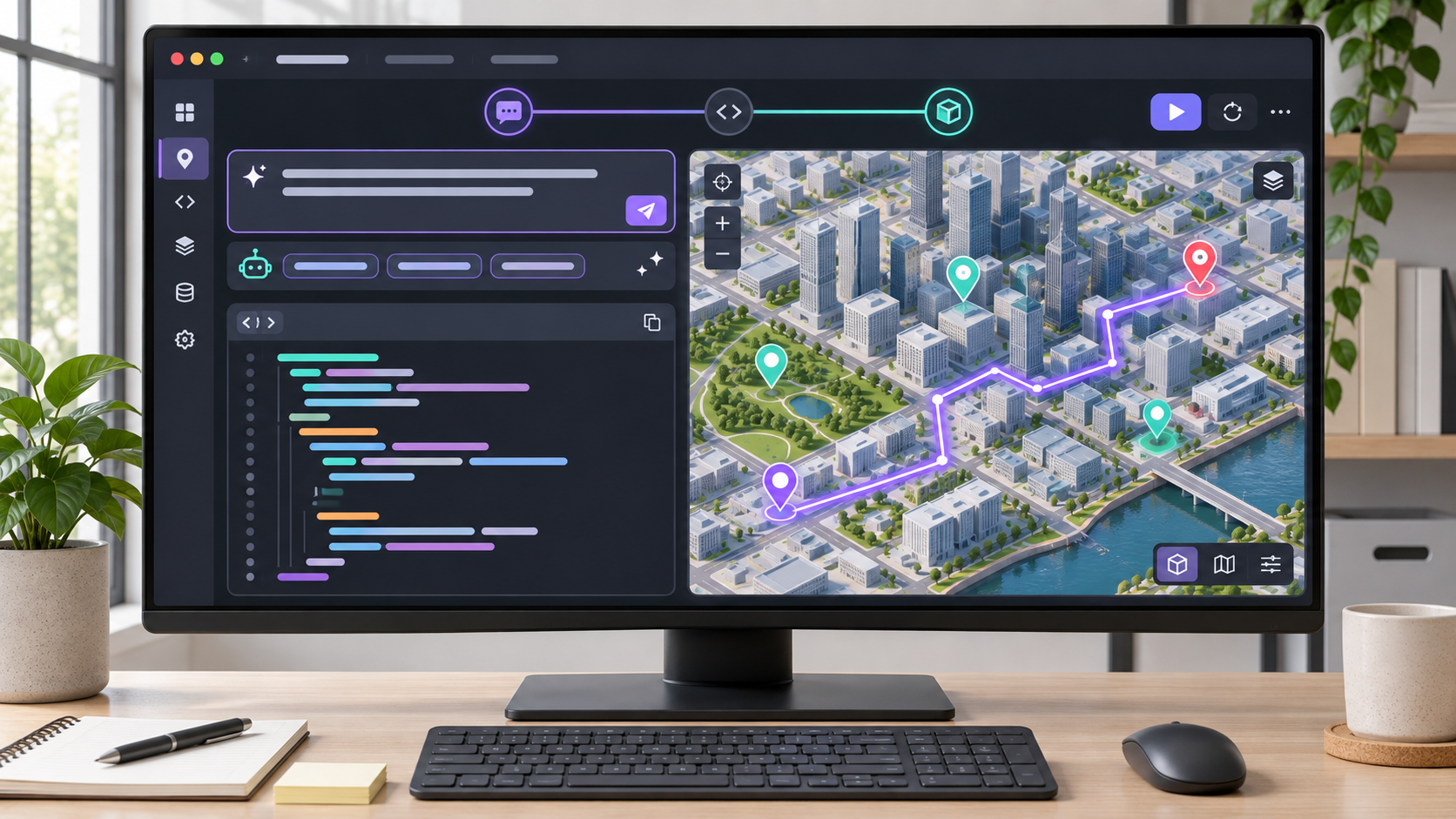
Laptop at dusk displays a city map with pins and a route beside an AI-assisted code panel

Google Maps Platform is now available directly inside Google AI Studio, giving developers a faster path from a plain-language app idea to working map code and a live preview. Google announced the integration on November 9, 2026, with a no-cost demo key for eligible personal accounts and a guided route to a billed Cloud project when a prototype is ready for production.

The important distinction is where the shortcut ends. The demo key is designed for testing and prototyping, not a public production deployment. It is limited to 100 calls per day for each supported API, resets every 24 hours and pauses rather than generating a charge when the quota is exhausted. A production app still needs a standard API key connected to a billing-enabled Google Cloud project, plus the usual security, quota and cost controls.

ReaderSpice has not independently tested this new AI Studio flow. This guide is based on Google’s launch announcement and current developer documentation, which can change as the integration rolls out. Developers should verify the API list, quota and billing terms shown in their own account before deploying an app or estimating a customer workload.

Google Maps in AI Studio at a glance

  • Launch date: November 9, 2026.
  • Entry point: describe a location-based app in Google AI Studio and let the workspace detect geospatial intent.
  • Demo access: eligible personal Google Accounts can receive a Maps Demo Key without adding a credit card.
  • Demo quota: 100 calls per day for each supported API, with quotas resetting every 24 hours.
  • No surprise demo charges: requests pause at the daily limit instead of spilling into paid usage.
  • Production requirement: connect a billing-enabled Google Cloud project and use a standard API key.
  • Workspace limitation: Google Workspace or corporate accounts are not eligible for the personal-account demo key.
  • Content limitation: Places user-generated photos and reviews are not available through the demo-key experience.
  • Coverage caveat: API coverage differs for a new personal-account user, an existing Cloud user using the demo key and a billed project.

How the prompt-to-map workflow works

How the prompt-to-map workflow works

AI Studio can move from a location-based prompt to code and a live map preview, but the generated app still needs technical review before deployment.

When a prompt describes a map, route, nearby-place search, weather layer or another geospatial task, AI Studio can recognize that intent and recommend the relevant Google Maps Platform skills. The workspace configures a prototype, provisions demo credentials when the account is eligible and stores the key in the app’s secrets rather than asking the developer to paste it into visible source code.

That creates a useful learning loop: ask for an app, inspect the generated code, run the preview and refine the prompt or implementation. The system can combine multiple capabilities, such as a JavaScript map, place search, geocoding, routes and weather. The generated result is still software, not a finished business service. Developers remain responsible for accuracy, accessibility, privacy, security, error handling and the way the app communicates location data to users.

Three access levels that should not be confused

New personal-account user with a Maps Demo Key

An eligible developer who has not set up a Maps Platform project can start without a billing account or credit card. Google says the demo-key experience exposes broad API coverage at 100 calls per day for each API. The documented exceptions include Route Optimization, Solar and Navigation Connect. This path is intended for quick experiments inside AI Studio, not a production launch.

Existing Cloud user who chooses the free demo path

A developer who already uses Google Cloud can still prototype with a demo key, but the current documentation lists a more focused set of common services. That set includes Maps JavaScript, Places without user-generated content, Routes, Geocoding, Weather and Google’s agent-oriented Maps tools. Developers should use the API list shown in AI Studio instead of assuming every Maps service is available under the free key.

Billed Google Cloud project for production

Connecting a billing-enabled project creates the standard production path. It provides the full Maps Platform portfolio supported for that account, standard quotas and Google’s published monthly free usage thresholds where applicable. Billing does not mean unlimited traffic: developers should set budgets and alerts, review per-API quotas and estimate costs using the pricing for every service the app calls.

The exact demo limits to plan around

The 100-call allowance is per supported API, per day. A prototype that makes one map load, one place search and one route request is consuming separate API quotas. A page that reloads repeatedly or triggers a request on every keystroke can reach a limit much faster than a careful manual test. The quotas reset every 24 hours; they are not described as a bank of calls that rolls over.

  • When a quota is exhausted, an API can return RESOURCE_EXHAUSTED until the next reset.
  • An unsupported target can surface ApiTargetBlockedMapError or another authorization error.
  • Places photos and reviews supplied by users are not part of the demo-key response set.
  • The demo key must not be treated as a permanent credential for a public app.
  • Moving to billing does not cancel the existing demo key automatically; Google says it can continue to work for the prototype while the production project uses a standard key.

How to build a first prototype

  • Sign in to Google AI Studio with a personal Google Account if you want to test the no-card demo-key path. A Google Workspace or corporate account is not eligible for that specific demo experience.
  • Describe one focused location task. For example, ask for a web app that displays a map, accepts two addresses and draws a route. A narrow first prompt makes it easier to identify which API produced an error.
  • Review the Maps capabilities AI Studio proposes. Remove any service the prototype does not need, because every additional API creates another permission, quota and potential cost surface.
  • Let AI Studio provision the demo credential when offered, then confirm that the key is stored in secrets. Do not copy a key into a public repository, screenshot, client-side configuration file or support post.
  • Run the preview and watch the browser console and network panel. Test invalid addresses, denied permissions, zero results, route failures, slow responses and quota exhaustion instead of checking only the ideal path.
  • Inspect the generated code line by line. Confirm what data is sent to Google, what is stored locally, whether user input is escaped and how the app handles attribution, consent and accessibility.
  • When the prototype earns a production trial, connect a billing-enabled Cloud project, enable only the required APIs and replace the demo credential with a standard key that has appropriate application and API restrictions.
  • Set budget alerts and operational monitoring before inviting real users. Measure calls per session, cache permitted data appropriately and prevent automatic retries from turning one failure into a burst of billable traffic.

Protect the production key and budget

A demo secret inside AI Studio reduces accidental exposure during a prototype, but it does not remove the need for a production credential design. Browser-based Maps JavaScript keys are normally restricted by approved website referrers. Server-side web-service keys should use the restriction method appropriate to the workload, such as an allowed server address, and every key should be limited to the specific APIs the app requires.

Avoid one unrestricted key shared across development, staging and production. Separate environments make it easier to revoke a compromised credential, understand usage and prevent a test loop from consuming a live budget. Review generated code for hard-coded keys before publishing a repository or deploying a static site, even when the original AI Studio project used a secret.

Cost control starts in the user interface. Debounce search boxes, avoid routing on every character, reuse a map instance instead of rebuilding it and stop recursive agent or retry loops. Google’s monthly free usage and per-service prices can reduce a small bill, but they do not replace a realistic traffic estimate or alerts tied to the production project.

Common errors and what they mean

RESOURCE_EXHAUSTED

The most likely explanation on the demo path is that the daily quota for that API has been reached. Check which service failed and wait for the 24-hour reset, reduce unnecessary calls or move an approved production test to a billed project. Creating repeated demo accounts is not a sound capacity strategy.

ApiTargetBlockedMapError

This points to an API that the current demo key cannot call. Compare the request with Google’s current supported-API list. If the service is required, use a billing-enabled project with the API enabled and a properly restricted standard key.

The map loads but Places details are missing

Demo responses exclude user-generated Places photos and reviews. That is a product limitation, not necessarily a broken query. Design the prototype around the available fields, or test the full production response in a billed project after confirming the pricing and terms for the Places service.

An optional device for Android field testing

A desktop browser is enough to build and preview an AI Studio map prototype. Developers who specifically need a separate Android handset for location and mobile-browser testing can compare the renewed OnePlus 10T 5G 128GB on Amazon (ASIN B0CP6M6WT3). The phone is not required for Google Maps Platform or AI Studio. Verify the renewed seller, exact model, network compatibility, battery condition, return policy, Android update support and current price before buying.

A field-test phone should be treated as a test target, not evidence that the app works everywhere. Check the production experience on several screen sizes, browsers, permission states and network conditions, and confirm that the app remains usable when precise location is denied or unavailable.

Affiliate disclosure: ReaderSpice may earn a commission from qualifying Amazon purchases made through the link above, at no additional cost to you.

Who should use the new integration

The strongest fit is a web developer, product designer, student or small team that has a location-based idea but wants to validate the interface before setting up a full Cloud project. It can also help experienced Maps developers scaffold an unfamiliar API combination and inspect a working example faster than assembling every file from a blank repository.

It is not a substitute for a production architecture review. Apps that track users, store sensitive destinations, dispatch vehicles, optimize routes or make safety-critical decisions need stronger privacy, reliability, compliance and monitoring work than a generated prototype can provide. Route Optimization, Solar and Navigation Connect also sit outside the broad new-user demo coverage documented at launch.

Bottom line

Google Maps Platform inside AI Studio removes several early obstacles at once: the workspace can recognize a mapping idea, recommend the relevant capabilities, generate a prototype and provide eligible users with a no-card demo key. The 100-calls-per-API daily allowance is enough to learn the workflow and validate a focused concept without an accidental bill.

The safe handoff is equally important. Treat the demo key as temporary, review every generated request, keep credentials out of public code and move to a restricted standard key in a billing-enabled project before production. The integration makes the first map easier; it does not make quota planning, privacy, security or software testing optional.

Sources

Google Blog: Developers can now build with Google Maps Platform in AI Studio

Google Maps Platform documentation: Build with Google Maps in AI Studio

Google Maps Platform documentation: Maps Demo Key eligibility, limits and restrictions

Google Maps Platform documentation: AI Studio usage and billing

Google Maps Platform documentation: Standard project and API-key setup

Amazon: Renewed OnePlus 10T 5G 128GB (ASIN B0CP6M6WT3)

Apple Creator Studio November Update Adds AI Assistants and MCP: What Changes

Abstract creative software workspace showing AI-assisted video, image, music and automation tools

Apple’s next Creator Studio update is much broader than a routine app refresh. Announced on October 27, 2026, the November release brings built-in MotionVFX content to Final Cut Pro, a larger Content Hub, deeper links between Final Cut Pro and Pixelmator Pro, a new Logic Pro assistant, Generate Fill in Pixelmator Pro, and context-aware assistants in Keynote, Pages and Numbers.

The most consequential change may be the least visual one: Model Context Protocol support will let compatible external AI agents and tools read content, perform edits and execute actions inside Apple’s productivity apps. That could turn documents, presentations and spreadsheets into automation surfaces, but it also makes permission design and review more important.

Apple says the update will arrive through the App Store in November at no additional cost for current Creator Studio subscribers. The company has not published an exact November release date, and several assistant features will launch in beta. Buyers should treat the announcement as a roadmap for the month, not a promise that every feature will be mature on day one.

The November update at a glance

  • Final Cut Pro for Mac adds built-in MotionVFX effects, transitions, templates and motion-graphics tools.
  • Final Cut Pro gains Apple-curated stock video, photos and backgrounds through the Content Hub.
  • Images in a Final Cut Pro timeline can open directly in Pixelmator Pro and return to the project after editing.
  • Pixelmator Pro adds Generate Fill for natural-language edits inside selected areas.
  • Logic Pro for Mac gets an intelligent assistant in beta, a redesigned sound Browser and expanded Stem Splitter controls.
  • Keynote, Pages and Numbers gain context-aware assistants plus Model Context Protocol support.
  • The update is scheduled for November and is free for existing Apple Creator Studio subscribers.

That list covers different kinds of value. Some features add bundled content, some remove import-and-export friction, and others place generative AI or automation inside an existing project. A subscription can therefore become more useful without making every creator faster; the benefit depends on whether the new tools replace paid plug-ins, stock libraries or repetitive setup work in a real workflow.

Final Cut Pro gains MotionVFX and a larger Content Hub

Final Cut Pro for Mac will integrate MotionVFX directly, giving subscribers access to thousands of templates, titles, transitions and tools for jobs such as tracking, rotoscoping and color grading. Apple does not say that every MotionVFX product is included, so editors should verify the exact catalog and licensing before assuming an existing third-party purchase is unnecessary.

The Content Hub is also expanding into Final Cut Pro with stock video, photos and backgrounds. The practical advantage is speed: an editor can search for a temporary cutaway, background or visual texture without leaving the application. The tradeoff is dependency. Teams should confirm whether downloaded assets remain licensed inside completed projects after a subscription ends and whether collaborators can reopen timelines that use subscriber-only content.

Apple is also tightening the path between Final Cut Pro and Pixelmator Pro. A still image can open from the timeline in Pixelmator Pro, receive detailed edits, and save back into the video project automatically. That is more useful than a simple “open with” command because it reduces duplicate exports and lowers the chance that an editor relinks the wrong version.

Other Final Cut Pro changes include additional keyframe-easing options, the ability to disconnect clips from the primary storyline and 23 new transcription languages. Those improvements are less dramatic than generative AI, but they may save more time in everyday editing because they affect animation, timeline organization, captions and search.

Pixelmator Pro gets Generate Fill

Generate Fill lets a creator select an area and describe the requested change in natural language. Apple says the system analyzes surrounding lighting, texture and perspective, then can insert the generated result on a new layer with an intelligent mask or merge it into existing layers.

The layer option matters. A generated replacement is easier to inspect, resize, mask or remove when it remains separate from the original pixels. Creators preparing product images, thumbnails or client work should still zoom in for repeated textures, incorrect object edges, distorted hands, false reflections and other synthetic artifacts before publishing.

Generate Fill is not a substitute for source-image rights. It changes pixels; it does not automatically clear trademarks, model releases, copyrighted references or contractual restrictions. Teams should keep the original file, record the prompt where appropriate and preserve a review step for commercial work.

Logic Pro adds an assistant, drum separation and sound discovery

Logic Pro for Mac will receive an intelligent assistant in beta that can help navigate production workflows, start a song, configure a vocal track or refine an active project from a prompt. Apple says it uses a combination of Apple-built and third-party models. The assistant sounds most useful as a setup and discovery layer, not as a replacement for critical listening or engineering decisions.

Stem Splitter is also expanding so users can isolate, replace or rebalance drum parts without the original multitrack session. A redesigned Browser will bring loops, instruments and effect patches into one place. On-device music understanding can analyze and tag imported sounds, then surface related material when a creator searches or drags in a loop.

Those features may shorten the time between an idea and a workable session, particularly for creators with large sample libraries. They also create new quality-control work. Automatic tags can be wrong, stem separation can introduce artifacts, and an assistant can recommend technically valid steps that do not fit the artistic intent.

The bigger shift: assistants and MCP inside documents

The bigger shift: assistants and MCP inside documents

Keynote, Pages and Numbers will add assistants that understand the current document. Apple says Keynote can help design, animate and refine slides; Pages can draft, restructure and tune writing; and Numbers can calculate, organize data, recommend chart types and build custom tables using broader world knowledge.

Model Context Protocol support extends the idea beyond Apple’s built-in assistant. MCP is an open way for an AI application to discover approved tools and data sources. In practical terms, a compatible agent could read a presentation, update a table, reorganize a document or perform a defined workflow without relying only on copy and paste.

What MCP could enable

  • Turn a structured outline into a Keynote draft, then apply a house template and add speaker notes.
  • Read a Pages report, update approved sections from a trusted data source and flag unsupported claims for review.
  • Build or revise a Numbers table, calculate derived values and preview a suitable chart.
  • Connect document work to a broader agent workflow while keeping the final artifact in Apple’s native apps.

Those are possibilities, not guarantees for every third-party agent. The useful boundary will be the permission model: which app can connect, which files it can access, what actions require confirmation and whether changes can be reviewed or reversed. A capable agent with broad access can make broad mistakes quickly.

Organizations should begin with test files, limited scopes and human approval for external sharing, destructive edits, formulas and financial or legal content. They should also decide whether confidential documents may be sent to a model provider before enabling an integration.

AI usage limits and privacy details

Apple’s support material says some Creator Studio intelligence features use outside providers. Generate Presentation uses OpenAI, while certain image, shape and presenter-note generation features use Google Cloud. Apple says users do not need personal accounts with those providers and that requests are not associated with the user’s Apple Account.

Apple also says providers receive the request, shared content and limited context such as region, device type, language and the feature being used. According to Apple, providers may not use that information to train their models and do not store it unless legally required. Those are important protections, but users still choose what content to submit.

The company publishes minimum monthly generation levels if someone uses only one category:

  • At least 50 generated images.
  • At least 250 generated shapes.
  • At least 50 generated presentations of roughly eight to 10 slides each.
  • Presenter notes for at least 700 slides.

Actual use can vary with prompt complexity, server availability and other conditions. A team planning a production dependency should not treat the minimums as unlimited capacity. Keep a manual path for deadlines, and check the in-app usage-status screen before committing to a high-volume project.

What remains free and what still needs a subscription

Keynote, Pages, Numbers and Freeform remain free for creating, editing and collaborating. Creator Studio adds premium templates, curated content and subscriber-only intelligence features. That distinction matters for recipients: a client or family member can still open an ordinary document without paying simply because the author subscribes.

Final Cut Pro, Logic Pro, Pixelmator Pro, Motion, Compressor and MainStage also remain available as separate one-time Mac purchases. Existing owners can keep using their standalone versions. A subscription is more attractive when someone needs several apps across Mac and iPad or values the recurring content and AI additions; a one-time license can still make sense for a stable single-app workflow.

Pricing and release timing

  • Standard U.S. price: $12.99 per month or $129 per year after a one-month free trial.
  • Education price: $2.99 per month or $29.99 per year for eligible college students and educators.
  • Family Sharing: the standard plan can be shared with up to five other family members.
  • New qualifying Mac or iPad purchases can include three free months for eligible new or returning subscribers.
  • November update: free for current subscribers; exact release date not announced.
  • Freeform additions: some announced image-editing and shape-generation features are scheduled for December.

At $129 per year, the bundle costs less than purchasing several included Mac apps separately, but that comparison is incomplete. A one-time purchase can be used without an active subscription, while subscriber-only AI features, premium content and some cross-device access depend on continued payment. Compare the apps you will actually use, not the theoretical value of the whole bundle.

Who should care about this update

Video editors and solo creators

The strongest immediate case is for editors who already use Final Cut Pro and regularly buy templates, motion graphics or stock assets. MotionVFX integration and the Content Hub could reduce context switching and separate subscriptions. The Pixelmator round trip may also help thumbnail and still-image work.

Music producers with large libraries

Logic Pro’s redesigned Browser, sound analysis and expanded Stem Splitter target the unglamorous work of finding, preparing and separating material. The assistant could help new users discover commands, but experienced producers should judge it by whether it speeds setup without interrupting creative decisions.

Teams experimenting with document automation

The Keynote, Pages and Numbers assistants plus MCP support deserve attention from operations, marketing and education teams. They could make Apple’s productivity apps easier to include in agent-driven workflows. The beta label and permission questions mean pilots should begin with low-risk documents.

People who should wait

Wait if you need a guaranteed release date, rely on a plug-in that has not confirmed compatibility, or expect unlimited AI generation. Single-app users who already own a perpetual Mac version should also compare the added features with the recurring cost before switching.

A practical checklist before enabling the new tools

  • Update a duplicate test project first and confirm that essential plug-ins, fonts, media and templates still load.
  • Review the exact MotionVFX and Content Hub licensing terms for client delivery, collaboration and archival projects.
  • Test Generate Fill on noncritical images and keep the original layer or source file.
  • Check which AI provider a feature uses before submitting confidential or regulated information.
  • Limit MCP-connected agents to the smallest set of files and actions needed for the workflow.
  • Require review before an agent changes formulas, publishes a document or shares files outside the team.
  • Record the app version used for a client deliverable so the project can be reconstructed later.

Amazon accessory option for mobile creators

Creators using a compatible MacBook Pro away from the desk may want a second power adapter for a travel bag or studio. The Apple 96W USB-C Power Adapter on Amazon is ASIN B081FVQCHQ; verify wattage, cable requirements and Mac model compatibility before ordering. ReaderSpice may earn a commission from qualifying purchases at no extra cost to you.

Bottom line

Apple Creator Studio’s November update is meaningful because it connects three layers that often live in separate products: professional creative tools, curated assets and context-aware automation. Final Cut Pro and Pixelmator Pro get the most concrete workflow improvements, Logic Pro gains discovery and assistant features, and Apple’s productivity apps become potential endpoints for AI agents through MCP.

The update is not a reason to abandon review or version control. Generative edits can be wrong, assistants can misunderstand context and external agents can change more than intended. Used with scoped permissions and human approval, the new tools could remove repetitive work. Used casually on important projects, they could create new cleanup.

Sources

Apple Newsroom — Apple Creator Studio November update announcement

Apple — Creator Studio features, pricing and requirements

Apple Support — Creator Studio intelligence features, privacy and usage limits

9to5Mac — independent summary of the November AI and MCP update

Surface Laptop Ultra Firmware Fixes Flicker and Restarts: How to Install It Safely

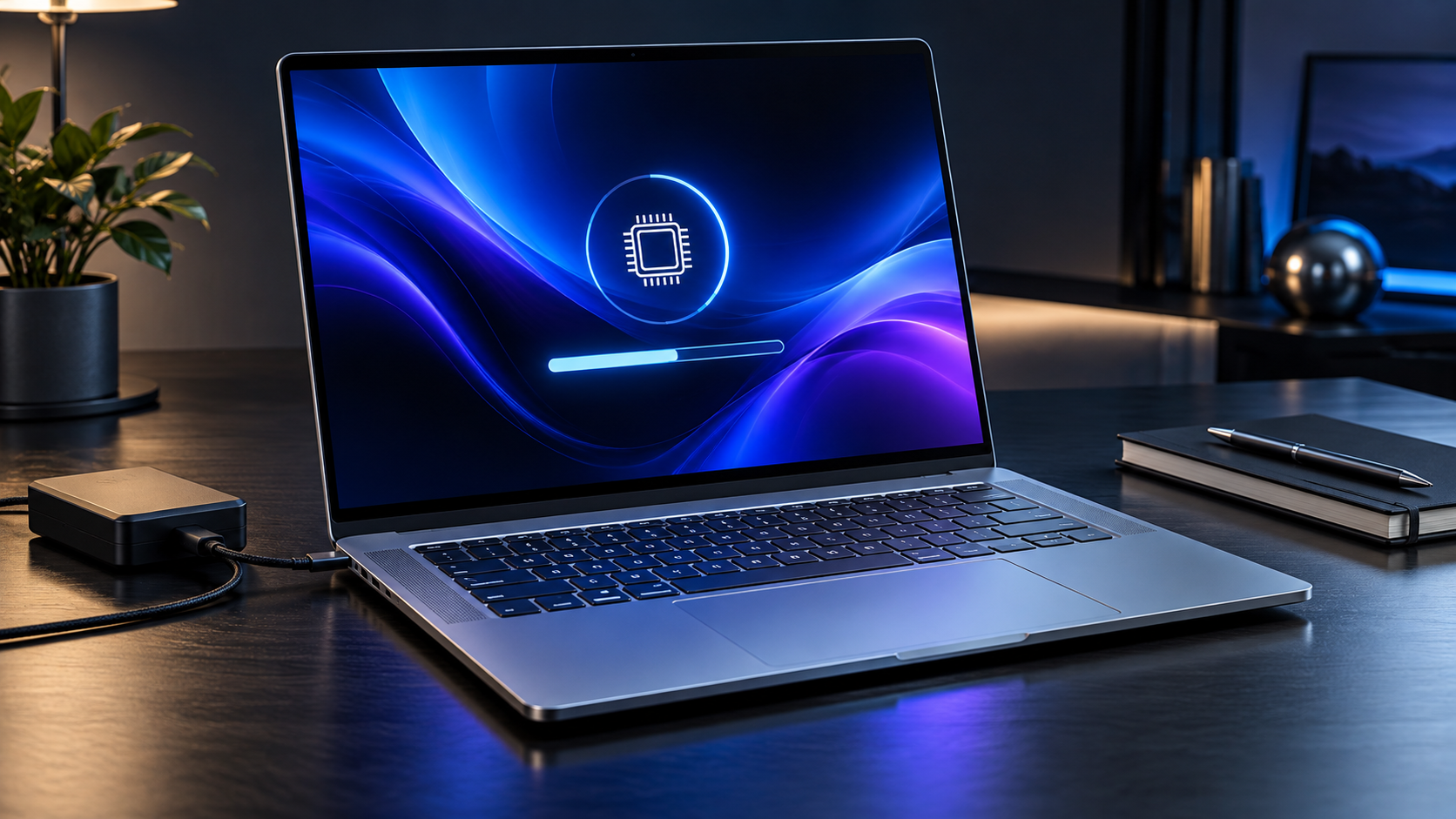
Premium silver workstation laptop installing a firmware update on a dark professional desk

Microsoft has released the first substantial firmware update for Surface Laptop Ultra after early owners and reviewers reported display and reboot problems. The October 22, 2026 release targets screen flickering, unexpected restarts and unusually long reboot times, while also adding unspecified bug fixes and general performance improvements.

The update is important because Surface firmware cannot be uninstalled or rolled back to an earlier version. Owners should install it through Microsoft’s supported process, keep the laptop connected to power and complete the required restart rather than treating it like an ordinary app update. The fixes are welcome, but Microsoft has not said that every launch issue—including separately reported speaker interference—is resolved.

What the October 22 firmware fixes

Microsoft’s official Surface Laptop Ultra update history lists three specific corrections:

  • Extended reboot times that could make a normal restart take much longer than expected.
  • Screen flickering that could interrupt work or make the display appear unstable.
  • Unexpected restarts that could close applications and risk unsaved work.

Microsoft also lists additional bug fixes and general performance improvements without identifying every change. That wording should not be interpreted as confirmation that any unlisted problem has been fixed. The practical claim is narrower: the company has acknowledged and addressed the three problems above.

The release appears in Windows Update as Microsoft Corporation System Hardware Update (200.0.7.0). Microsoft says distribution is staged, so two otherwise identical laptops may not receive it at the same time. Delayed availability does not necessarily mean a device is unsupported or that Windows Update is broken.

Which firmware and drivers are included

The package contains several components, and the exact set installed depends on the laptop’s configuration. Microsoft’s October 22 release notes identify:

  • Surface TCON Firmware version 161.32.1.42.
  • Surface UEFI Firmware version 7.3.0.0.
  • Surface Integration system-device driver version 142.0.8.0.
  • Surface Panel Driver V2 version 3.7.434.0.

The TCON and panel-driver changes are especially relevant to display behavior, while UEFI and Surface Integration updates can affect startup, power management and communication between Windows and the hardware. Owners should not download individual driver files from third-party driver sites. Windows Update and Microsoft’s official Surface packages are the authoritative sources.

A version number missing from Device Manager does not automatically mean the update failed. Microsoft notes that components are installed according to the device configuration, and some firmware versions may be shown in the Surface app, Windows Update history or a different Device Manager category.

What the update does not confirm

The Verge reported slow reboots, visual trails while moving windows and intermittent speaker interference on its review unit. The October 22 notes explicitly mention long reboots and screen flicker, but they do not mention speakers, audio crackling or interference.

That distinction matters. A restart may temporarily clear an audio problem without proving that the cause has been corrected. Owners who still hear loud pops, crackling or other abnormal speaker noise after installing the update should document when it happens, which application was active, whether the laptop was charging and whether headphones or external displays were connected.

Microsoft has also not published new battery-life, thermal or application-compatibility claims with this release. The firmware is a reliability update, not a performance upgrade for the RTX Spark processor. Readers evaluating the machine can revisit ReaderSpice’s Surface Laptop Ultra launch guide for the hardware, ports, battery claims and Windows-on-Arm considerations.

How to install the Surface Laptop Ultra update safely

How to install the Surface Laptop Ultra update safely

Before starting, save open work and allow enough time for at least one restart. Firmware installation should not be interrupted.

  • Connect Surface Laptop Ultra to its charger.
  • Confirm that the battery is at least 40 percent charged.
  • Use a stable internet connection and disconnect unnecessary storage devices.
  • Open Settings, select Windows Update and choose Check for updates.
  • Install Microsoft Corporation System Hardware Update (200.0.7.0) and any applicable Surface driver updates.
  • Open Advanced options and check Optional updates for additional Surface items.
  • When installation finishes, select Start, Power and Restart.
  • Return to Windows Update after the restart and check again until no applicable Surface updates remain.

Microsoft recommends keeping Surface accessories connected while updating so compatible keyboards, docks or pens can receive their own updates. For this laptop, the most important rule is to maintain power and avoid forcing a shutdown while firmware is being written.

Windows Update is the recommended method for most people. IT administrators and experienced users can obtain model-specific driver and firmware packages from Microsoft’s Download Center, but the manual package must match the exact Surface model. Using a package intended for another Surface device is not a sensible troubleshooting shortcut.

How to verify the update installed

Start with Windows Update history. Open Settings, Windows Update, Update history and look for Microsoft Corporation System Hardware Update (200.0.7.0). A successful entry is the clearest general confirmation.

The Surface app provides another check. Open the app, expand Help & support and review the update status. Microsoft uses the app to identify the device and route owners to the correct support information.

Advanced users can inspect Device Manager, although the names do not always mirror the marketing name of the laptop. Depending on the installed components, the relevant versions may include Surface TCON Firmware 161.32.1.42, Surface UEFI 7.3.0.0, Surface Integration 142.0.8.0 and Surface Panel Driver V2 3.7.434.0.

After confirming installation, reproduce only the ordinary actions that previously caused trouble. Restart the laptop normally, move windows across the display and use the system for a regular work session. Do not repeatedly force restarts or stress the system merely to test it. The useful question is whether the original symptom returns under normal conditions.

What to do if flickering or restarts continue

Because Surface firmware cannot be rolled back, troubleshooting should focus on evidence and supported recovery steps rather than attempting to downgrade it.

  • Install all remaining Windows and optional Surface updates, then restart once more.
  • Record the time, application and connected accessories when the problem appears.
  • Disconnect nonessential docks, monitors and USB devices to test whether a peripheral is involved.
  • Check the Surface app’s Help & support section for device-specific diagnostics.
  • Contact Microsoft Surface support if flickering, unexpected restarts or unusually long boots continue.

If the computer restarts unexpectedly, save critical work more frequently until the cause is resolved. Organizations should also check Windows reliability history and event logs before reimaging a device, since those records can distinguish a driver failure from an application crash or power interruption.

A Windows restore point or operating-system recovery image does not provide a reliable way to reverse firmware. Microsoft’s release notes are explicit that the firmware update cannot be uninstalled or reverted. Do not follow unofficial instructions that promise a simple downgrade.

What owners and prospective buyers should do

Current owners should install the update, particularly if they have seen one of the three named problems. The combination of display, UEFI and integration changes suggests this is a foundational reliability package rather than a cosmetic revision. Back up important files as part of normal practice, keep the laptop powered and complete the restart.

Prospective buyers should view the update as evidence that Microsoft is responding to launch problems, not proof that every issue is finished. Surface Laptop Ultra is a premium workstation starting at $2,599.99, and early firmware maintenance is normal for new hardware. At that price, however, buyers are justified in waiting for follow-up testing of display stability, audio behavior, battery life and application compatibility.

Amazon’s Surface Laptop Ultra listing for the 15-inch NVIDIA N1X model uses ASIN B0HFQVF89X. Readers comparing availability can check the Surface Laptop Ultra on Amazon, but should verify the processor, memory, storage, seller and return policy because the product page may group multiple configurations.

Disclosure: ReaderSpice may earn a commission from qualifying Amazon purchases made through the link above, at no additional cost to you.

Bottom line

Microsoft’s October 22 firmware is a necessary early fix for Surface Laptop Ultra. It directly addresses extended reboot times, screen flickering and unexpected restarts, and it updates the display, UEFI and Surface integration stack.

Install it through Windows Update, keep the laptop connected to power, restart when prompted and verify update 200.0.7.0 in history. If a named problem remains—or if speaker interference continues—record the circumstances and use Microsoft support rather than looking for an unsupported firmware downgrade. The update improves the ownership picture, but independent follow-up testing is still needed before the laptop’s launch issues can be considered fully settled.

Sources

Microsoft Support: Surface Laptop Ultra update history

Microsoft Support: Download Surface drivers and firmware

The Verge: Surface Laptop Ultra update fixes reboot and display bugs

ReaderSpice: Surface Laptop Ultra launch guide

Amazon: Surface Laptop Ultra 15-inch NVIDIA N1X listing

UGREEN HomeAgent HA100 Is a $799 Local-AI NAS: Specs, Smart-Home Limits and Risks

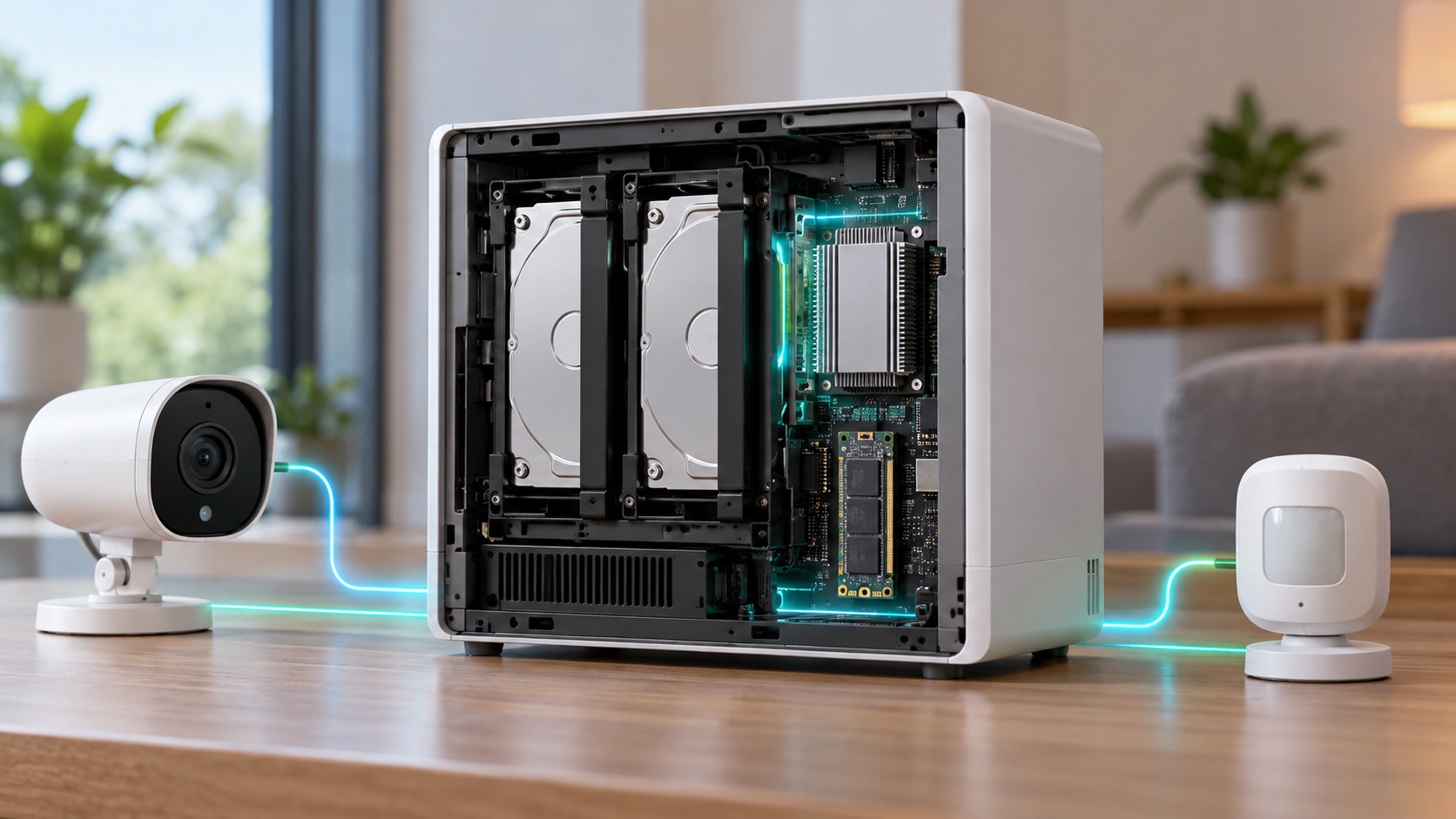
Editorial illustration of a white local-AI NAS hub connecting a home security camera, smart lock, thermostat and family photo library

UGREEN’s HomeAgent HA100 is an unusual pre-retail product: part network-attached storage system, part local AI computer, part surveillance recorder and part smart-home hub. Reservations are open ahead of a Kickstarter campaign scheduled for November 17, 2026, with a promoted $799 offer against a stated $1,599 MSRP.

That price sounds aggressive for a device with 26 TOPS of local AI performance, 16GB of memory and storage expansion. The tradeoff is that HomeAgent is not simply a discounted conventional NAS. Its drive layout, networking, supported devices and still-developing software make it a more specialized—and riskier—purchase.

This preview separates UGREEN’s current claims from independent hands-on findings so buyers can decide whether to reserve early or wait for retail hardware and finished software.

The quick take

  • UGREEN lists the HA100 at $799 for reservation customers, with a $50 deposit required to secure the promoted offer.
  • The Kickstarter campaign is scheduled to begin November 17, 2026; hands-on reporting points to February 2027 shipping, not immediate delivery.
  • Its advertised 26 TOPS combines the Rockchip platform and a removable T20 AI accelerator.
  • The box combines two NAS data-drive bays, a dedicated surveillance-drive bay, an M.2 slot, a four-port PoE switch and smart-home radios.
  • Local AI can analyze camera activity, search events and control supported devices without making cloud processing the default.
  • The biggest cautions are beta software, limited present-day compatibility, non-expandable memory and no simple upgrade path to the faster HomeAgent models.

What the $799 reservation actually buys

UGREEN’s current campaign page lists the HomeAgent HA100 at $799, reduced from a stated $1,599 MSRP. A $50 reservation is required. The company also shows a $2,699 HA100 Pro and a $9,999 MasterAgent MA100 at promoted prices, making the entry model the only one likely to interest a mainstream enthusiast.

A reservation is not the same as buying a finished retail product. Kickstarter timelines, specifications and software can change, and the balance is still a large commitment after the deposit. Buyers should save screenshots of the exact package, refund terms, shipping estimate and included accessories shown when they reserve.

TechRadar’s October 19 hands-on says the HA100 and HA100 Pro reservation package includes a SynCare ID500 Pro camera, but UGREEN’s official campaign page also says some camera accessories are not sold separately and are unlocked only with a HomeAgent purchase. Confirm the bundle in the final pledge tier rather than assuming every early promotion will remain available.

HA100 hardware at a glance

HA100 hardware at a glance

The entry HomeAgent is built around a Rockchip RK3588 processor, 16GB of non-expandable LPDDR5 memory and a T20 accelerator. UGREEN markets 26 TOPS of total local-AI performance—20 TOPS from the accelerator plus 6 TOPS from the platform.

  • Rockchip RK3588 with four Cortex-A76 and four Cortex-A55 CPU cores.
  • 16GB LPDDR5 memory that is not user-expandable.
  • Two SATA bays for ordinary NAS storage plus one SATA bay allocated to surveillance storage.
  • One M.2 NVMe PCIe Gen 3 x1 slot for storage, cache or AI models.
  • One 2.5GbE network port for the main LAN connection.
  • Four integrated 10/100Mbps PoE ports with up to 65W total power for compatible cameras.
  • USB-C, two USB-A ports, HDMI and a front SD card slot.
  • Thread 1.4, Zigbee 3.0 and Bluetooth radios for smart-home connectivity.
  • A four-microphone array, dual 5W speakers and a touch-sensitive front display.
  • UGOS Pro with EXT4 and Btrfs support; the two general-purpose bays support Basic, JBOD, RAID 0 and RAID 1.

The capacity number needs clarification before backing

UGREEN’s campaign page currently advertises “up to 96TB storage.” TechRadar’s hands-on specification table instead describes 68TB as two 30TB SATA drives plus one 8TB M.2 drive, while separately identifying the third SATA bay as surveillance storage. Those figures may be counting different pools or updated drive qualifications.

Because the HA100 does not present three ordinary data bays, buyers should not assume they can build a conventional three-disk RAID 5 array. The hands-on unit supports RAID 0 or RAID 1 across its two main storage bays, while surveillance footage is assigned to a separate drive.

Ask UGREEN to confirm the maximum qualified drive size, whether the surveillance bay can ever join the primary pool, how camera retention is calculated and whether the M.2 slot can be used simultaneously for AI models and general storage. Capacity marketing is not a substitute for a usable-volume plan.

What local AI and Uliya are supposed to do

HomeAgent’s central idea is to keep supported recognition and automation work inside the home. UGREEN says local AI can identify people, vehicles, pets and packages, create event summaries, search footage by keyword and generate alerts without making a cloud subscription the default.

The system’s Uliya assistant can receive spoken questions through the hub, compatible cameras or UGREEN’s smart speaker. In the hands-on software, a locally running Qwen 3.5 4B model handled the basic assistant layer while modular recognition components watched for selected people, pets or parcels.

Local processing can reduce the amount of sensitive camera footage and household activity sent to remote servers, but “local” should not be treated as an absolute privacy guarantee. Remote access, optional cloud AI connections, mobile notifications and third-party integrations can still move data outside the box depending on settings.

Owners should review every connected account, disable cloud-model API keys they do not need, use unique credentials and keep backups separate from the HomeAgent. A locally stored copy is still vulnerable to theft, drive failure, accidental deletion and ransomware.

Matter support and the camera ecosystem

UGREEN says HomeAgent works with its own SynCare cameras and compatible Matter devices. Thread and Zigbee radios are built in, but protocol hardware alone does not guarantee that every device or feature will pair correctly.

TechRadar found the pre-release Smart Home app limited mainly to UGREEN peripherals and Matter accessories. Older devices without Matter pairing codes were not easy to bring into the system, which matters for households already invested in Philips Hue, Tapo, Smart Life, Google Home or Amazon Alexa hardware.

The integrated PoE switch is convenient for cameras because a single Ethernet cable can provide power and data. Its ports are only 10/100Mbps, though. That is adequate for many compressed camera streams, but it is not a substitute for the main 2.5GbE connection and could become a constraint with multiple high-bitrate cameras.

UGREEN’s camera lineup includes the indoor ID500 Pro, the wired outdoor OD600 Pro and a battery-and-solar OD800 Pro. Confirm which cameras can record continuously, which AI functions require HomeAgent, whether ONVIF or third-party cameras are supported and whether a camera can operate after the campaign bundle ends.

What still looks unfinished

The HA100 hardware shown to reviewers appears close to production, but the software is still beta. TechRadar reported a special mobile application for the hands-on unit, limited assistant behavior and a smart-home catalog that needs broader compatibility.

The current local model is designed for focused household tasks, not broad conversational intelligence. That may be a sensible privacy and performance choice, but buyers should not expect a private equivalent of a large cloud chatbot from 16GB of shared memory and a 26-TOPS appliance.

There is also no simple upgrade path from the HA100 to the HA100 Pro or MA100. The models use different processors, accelerators and expansion interfaces. If the entry model feels slow later, the path appears to be replacing the entire hub rather than swapping in a Pro-class module.

Before launch, UGREEN still needs to prove:

  • Reliable everyday operation after power failures, network interruptions and app updates.
  • Clear backup and restore procedures for the hub, camera database and AI configuration.
  • Broader compatibility beyond UGREEN accessories and basic Matter onboarding.
  • Predictable support periods for UGOS Pro, security patches and AI models.
  • Useful local voice responses without sending routine requests to a cloud model.

Reservation risk and the real total cost

The $799 hub price excludes the storage drives needed for a practical NAS and surveillance system. Add two NAS-rated data drives, a surveillance-rated drive, optional NVMe storage, cameras, network cabling and a backup destination before comparing HomeAgent with a standard NAS or cloud subscription.

A sensible budget should also account for:

  • Sales tax, shipping and any import charges shown during the final pledge.
  • At least two matching NAS drives if RAID 1 protection is required.
  • A separate backup drive or second NAS; RAID is not a backup.
  • A UPS or supported battery backup for clean shutdowns during outages.
  • Replacement-camera flexibility if proprietary accessories are discontinued.

Kickstarter campaigns can deliver late or change specifications. Treat the reservation as early-adopter hardware funding, not as a risk-free retail preorder. Use a payment method with appropriate consumer protections and read the campaign’s refund language before the final charge.

How it differs from a conventional NAS

A conventional four-bay NAS usually prioritizes flexible storage pools, mature backup tools, containers and third-party apps. HomeAgent prioritizes local event recognition, dedicated surveillance storage, voice control and first-party smart-home accessories. Neither approach is automatically better; they solve different problems.

Readers who mainly need centralized storage, Docker, media serving and broader drive configurations can compare the UGREEN DXP4800 Plus (ASIN B0D22JRHZB) on Amazon. It is a current four-bay, diskless NAS rather than a HomeAgent substitute, but it shows what buyers give up when they choose a specialized two-data-bay smart-home appliance.

Affiliate disclosure: ReaderSpice may earn a commission from qualifying purchases made through the Amazon link above, at no additional cost to you.

Choose HomeAgent if local camera intelligence and voice-controlled automations are the main goal. Choose a conventional NAS if storage flexibility, app maturity, media workflows or an existing Home Assistant setup matter more.

Who should reserve—and who should wait?

Reserve early if:

  • You are comfortable testing first-generation hardware and beta software.
  • Your smart home already uses Matter devices or you plan to buy UGREEN’s cameras.
  • Local video analysis and reduced cloud dependence matter more than maximum NAS flexibility.
  • You can absorb delays and still maintain separate backups and security coverage.

Wait for retail if:

  • You need proven compatibility with an existing mix of non-Matter devices.
  • You require RAID 5, four general-purpose drive bays, 10GbE or expandable memory.
  • You want independent long-term tests of recognition accuracy, noise, thermals and power use.
  • You need a guaranteed delivery date, simple returns and mature support documentation.

Checklist before paying the deposit

  • Verify that the November 17 campaign date and your regional shipping window are still current.
  • Save the exact pledge-tier description, included camera and early-bird price.
  • Confirm supported drive models, maximum capacity and the role of the surveillance bay.
  • List every existing smart-home device and check Matter compatibility one by one.
  • Ask whether third-party ONVIF cameras, Home Assistant bridges and cloud assistants are supported.
  • Price two data drives, a surveillance drive, backup storage and power protection.
  • Review privacy controls for remote access, camera recognition, stored faces and optional cloud AI.
  • Wait for final campaign specifications if any essential answer is missing.

The bottom line

UGREEN HomeAgent HA100 is one of the most ambitious home-storage products of 2026 because it tries to combine a NAS, NVR, local AI server and smart-home controller in one appliance. The $799 reservation price makes that experiment tempting, especially with a camera bundle.

The same integration creates its biggest risks. Two ordinary data bays limit storage options, compatibility is narrow in the beta software, memory is fixed and faster HomeAgent models require a new machine. For households that already use Matter and want local camera intelligence, the HA100 could become a useful private hub. Everyone else should wait for the Kickstarter specification, retail software and independent tests before treating it as a replacement for a mature NAS or smart-home platform.

Sources

UGREEN: HomeAgent crowdfunding page — pricing, memory, storage and local-AI claims

UGREEN: Smart Living launch event — HomeAgent lineup and accessories — September 9, 2026

UGREEN: Smart home hub with local storage — September 14, 2026

TechRadar: UGREEN HomeAgent HA100 hands-on — October 19, 2026

Kickstarter: UGREEN HomeAgent campaign page

Amazon: UGREEN DXP4800 Plus four-bay NAS (ASIN B0D22JRHZB)

NVIDIA Minerva Maps AI Factories to Predict Failures: What It Does

AI data center topology map isolating an infrastructure fault before it disrupts a training job

NVIDIA has launched Minerva, an AIOps platform designed to connect infrastructure and workload telemetry across very large AI data centers. The goal is straightforward: identify a failing component before it wastes an expensive training run, then give operators enough context to act without digging through separate dashboards.

The October 22, 2026 announcement matters because an AI cluster can look healthy at the server level while a network interface, storage device or scheduler bottleneck quietly slows a job. Minerva builds a live map of hardware and workloads, applies machine learning to spot abnormal behavior and groups related symptoms into a smaller number of incidents. NVIDIA says the system can run on premises or as software as a service, but it has not published public list pricing.

Minerva at a glance

  • Product: NVIDIA Minerva, an AI-native AIOps and observability platform
  • Main job: correlate compute, network, storage, scheduler and workload telemetry
  • Core methods: dynamic knowledge graph, supervised and unsupervised machine learning, anomaly prediction and event correlation
  • Operator interface: dashboards plus the Sherlock natural-language assistant
  • Deployment: on premises or SaaS, from data collection to a turnkey platform
  • Integrations: OpenTelemetry, gNMI, syslog, DCGM, Slurm, JSON, Grafana, Slack, Microsoft Teams, PagerDuty, ServiceNow and Ansible
  • Scale claim: designed to reach clusters with hundreds of thousands of GPUs
  • Public pricing: not announced

What problem NVIDIA Minerva is trying to solve

AI training and inference depend on more than GPUs. A job may cross network switches, SuperNICs, DPUs, NVLink fabric, storage systems, schedulers and software libraries before it produces useful work. A degraded cable or an NVMe drive losing performance can surface as a slow training job rather than an obvious hardware failure.

Traditional monitoring often separates those layers. A networking team sees switch counters, an infrastructure team sees server health and a machine-learning team sees job throughput. Minerva is meant to connect those views so an operator can see which physical or software component is affecting a specific workload.

NVIDIA frames the outcome as higher “AI factory yield.” That is not a conventional manufacturing yield percentage. Here it refers to useful output measured through factors such as effective GPU hours, goodput, cluster uptime and token production. The relevant question for a buyer is whether Minerva improves those metrics enough to justify deployment and operational cost.

How Minerva traces a slow job to hardware

How Minerva traces a slow job to hardware

Minerva ingests telemetry from NVIDIA GPUs, networking, storage, NCCL communications, schedulers and active AI workloads. It turns those relationships into a dynamic knowledge graph: a continuously updated map of components, topology and the jobs using them.

If a training run slows down, the platform can connect the symptom to an abnormal interface, switch, GPU or storage device along the path. NVIDIA says its purpose-built models analyze billions of data points per hour, learn normal behavior, detect previously unseen anomalies and predict emerging failures. Topology-aware correlation can also collapse a flood of secondary alerts into one prioritized incident with a likely root cause.

The practical advantage is context. A temperature increase on one GPU may not matter by itself, but it becomes important when it lines up with lower job throughput and errors on the same path. Minerva’s value depends on the quality and coverage of the telemetry it receives; it cannot explain signals that are missing, inaccurate or outside the integrated stack.

Sherlock adds a natural-language operations layer

NVIDIA calls Minerva’s built-in multi-agent assistant Sherlock. Operators can ask questions about cluster health in natural language, receive answers grounded in current telemetry and get recommended remediation. An MCP server also lets customers connect external agentic tools.

That interface can reduce the time needed to move from an alert to an investigation, but it should not be treated as permission for autonomous repair by default. A wrong diagnosis or aggressive automated action could interrupt healthy workloads. Teams can keep a person in the loop, limit which systems an agent can change and connect automation only through approved infrastructure APIs.

Before enabling closed-loop remediation, operators should define:

  • Which actions require human approval
  • Which jobs, tenants or facilities an automation can affect
  • How proposed changes are logged and rolled back
  • What evidence is required before a component is quarantined
  • How access is separated between investigation and execution

Deployment options and integrations

Minerva is not presented as one fixed appliance. NVIDIA lists on-premises and SaaS deployment, open APIs, modular capabilities and Grafana integration. Customers can use Minerva primarily as a collector that feeds an existing observability stack, add its anomaly detection and correlation to outside tools, or adopt the full turnkey interface and assistant.

The platform accepts telemetry through standards and interfaces including OpenTelemetry, gNMI, syslog, DCGM, Slurm and JSON. NVIDIA also lists integrations with Slack, Microsoft Teams, PagerDuty, ServiceNow, Grafana, Ansible and infrastructure APIs. Those connections should make it easier to fit Minerva into incident-response workflows, but every integration expands the permissions and data flows that security teams must review.

Minerva is also tied closely to NVIDIA’s infrastructure roadmap. The company positions it as part of the Vera Rubin platform and the primary network-observability layer for NVIDIA AI factories. Minerva Collector is integrated with DSX OS, and NVIDIA says key collector capabilities will be open sourced in DSX OS. Organizations using mixed vendors should verify exactly which third-party components expose equivalent depth before assuming “full stack” means every device in the building.

Early adopters and the evidence gap

IREN is already using Minerva, while Aolani, Bitdeer AI, IBM, Jio, Lambda, Quake AI and Tesla plan deployments, according to NVIDIA. Dell Technologies, Lenovo and Supermicro are expected to offer it through their AI-factory operations portfolios.

Bitdeer says its deployment will use Minerva across training and inference infrastructure. The partner also cites NVIDIA internal tests in which an NVMe power fault was reduced from a multi-day outage to six hours and 81 noisy events were consolidated into a single alert. Those examples are useful, but they are vendor and partner claims rather than independent benchmarks.

NVIDIA has not disclosed broad customer pricing, a universal return-on-investment figure or a public comparison against general-purpose observability platforms. Results will vary with cluster design, telemetry coverage, incident history and staff workflow. Buyers should ask for a proof of value on their own jobs and failure modes instead of extrapolating from a showcase deployment.

What teams should verify before adopting Minerva

  • Telemetry coverage: confirm every critical GPU, switch, storage path, scheduler and workload emits supported signals.
  • Data location: document whether telemetry and incident context remain on premises or enter a SaaS environment.
  • Permissions: separate read-only investigation from actions that can drain nodes, restart services or change network configuration.
  • False positives: measure how often anomaly alerts lead to useful action instead of more noise.
  • Vendor mix: test visibility across non-NVIDIA storage, networking and management components.
  • Operational impact: compare mean time to detect, mean time to repair, interrupted GPU hours and job goodput before and after the pilot.
  • Exit plan: confirm that raw telemetry and incident history remain usable if the organization changes tools.

Who Minerva is for — and who can ignore it

Minerva is aimed at cloud providers, research labs and large enterprises operating dense NVIDIA GPU clusters. Its strongest case appears when separate teams manage compute, networking, storage and machine-learning workloads, and when a few hours of lost cluster time carry substantial cost.

It is not a consumer utility, a desktop GPU monitor or a small-business dashboard. Most organizations running a handful of accelerators will be better served by existing monitoring and scheduler tools. Readers who want hands-on experience with NVIDIA AI hardware at a much smaller scale can compare the NVIDIA Jetson Orin Nano Super Developer Kit on Amazon, but that board is not a Minerva deployment target or a substitute for an AI factory.

ReaderSpice may earn a commission from qualifying purchases made through affiliate links, at no additional cost to you.

Bottom line

NVIDIA Minerva is an attempt to turn fragmented AI-infrastructure telemetry into a connected operational model. The combination of a topology-aware knowledge graph, anomaly detection, alert correlation and a telemetry-grounded assistant could make large GPU clusters easier to diagnose and maintain.

The promise is credible enough for a serious pilot, not an automatic purchase. Minerva’s real value will depend on integration depth, data governance, false-positive rates and measured reductions in interrupted GPU hours. Until independent results and public pricing emerge, treat the launch as the beginning of validation rather than proof that every AI factory should standardize on it.

Sources

NVIDIA Blog: Minerva launch announcement and early deployment plans

NVIDIA: Minerva product capabilities, integrations and deployment models

Bitdeer AI: Minerva support, use cases and cited internal test examples

SiliconReport: Independent launch summary and deployment context

Gemini Personal Intelligence Reaches Android Auto: Requirements, Privacy and How to Turn It On

Driver using a hands-free AI assistant through a modern car dashboard

Google is bringing Personal Intelligence to the dashboard. Starting October 20, 2026, eligible Gemini users can ask more contextual questions through Android Auto, such as finding a flight gate from an email, navigating to an appointment from a calendar entry or locating a place remembered from a photo.

This is not a separate car subscription or a replacement for Android Auto. It is an optional personalization layer inside Gemini that connects selected Google apps. The rollout begins on Android Auto now and reaches cars with Google built-in over the coming months, with important account, age, region and privacy limits.

Gemini Personal Intelligence in cars at a glance

  • Personal Intelligence is rolling out to Android Auto starting October 20, 2026.
  • Cars with Google built-in are scheduled to receive it over the coming months rather than all at once.
  • Eligible users must use a personal Google Account, be at least 18 and opt in.
  • The feature can connect information from Gmail, Google Calendar, Photos, Maps, YouTube and Search.
  • Android Auto still works for navigation, calls, messages, music and general questions when Personal Intelligence is off.
  • Google says the initial Personal Intelligence rollout excludes the European Economic Area, Switzerland, the United Kingdom and Nigeria.

Who is eligible for the first rollout

Google’s launch note narrows the initial audience more than the phrase “available globally” may suggest. Personal Intelligence is rolling out to eligible personal Google Accounts for adults age 18 and older. Workspace business, enterprise and education accounts are not included in this phase.

The feature is also unavailable initially in the European Economic Area, Switzerland, the United Kingdom and Nigeria. Gemini and Android Auto have their own language and country availability, so a supported phone and vehicle do not guarantee the new option will appear immediately.

Because this is a staged rollout, two people with similar phones and vehicles may receive the setting at different times. Updating the Google app, Gemini app and Android Auto is sensible, but repeated reinstallations will not force an account-side rollout.

How Personal Intelligence changes the driving assistant

How Personal Intelligence changes the driving assistant

Gemini already supports common in-car tasks such as calls, messages, navigation and media control. Personal Intelligence adds permission-based retrieval and reasoning across a user’s connected Google information. The practical difference is that a request can rely on context the driver does not want to search for manually.

Flights, appointments and saved details

A driver can ask for a flight gate and current status without opening the confirmation email, or say “Take me to my doctor’s appointment” without reciting the address. Gemini can combine a calendar entry, message or email with current route information when the required apps are connected.

Routes and recommendations that use personal context

Google gives the example of asking for an indoor restaurant along the current route that matches the user’s usual preferences. The answer may draw on Maps activity and other connected data. That can reduce taps, but it should be treated as a recommendation rather than a guarantee that hours, dietary options or accessibility details are current.

Photos and earlier conversations

Personal Intelligence can retrieve a place associated with a photo or continue from a prior conversation, such as navigating to a coffee shop discussed the day before. Those examples show why the feature is more sensitive than a generic voice search: useful answers may depend on private communications, images and activity history.

How to turn on Personal Intelligence for Android Auto

If the setting is available on the account, configure it while parked rather than while driving:

  • Open the Gemini app on the Android phone used with Android Auto and sign in with the intended personal Google Account.
  • Open Gemini settings and choose Personal Intelligence or the connected-app personalization controls shown for the account.
  • Review the available Google apps and enable only the sources needed for in-car requests. Gmail and Calendar may help with travel and appointments; Photos adds a much broader personal-data surface.
  • Confirm that Gemini is the phone’s default digital assistant and that Voice Match and “Hey Google” are enabled if hands-free activation is desired.
  • Connect the phone to a compatible Android Auto vehicle, then test a low-risk request while the car is parked.
  • Return to Gemini settings whenever an app should be disconnected or Personal Intelligence should be turned off.

Users who already enabled Personal Intelligence in the Gemini app do not need to create a second profile for the car. Google says the setting carries into Android Auto. The exact menu wording can change as the rollout progresses, so eligibility matters more than matching a screenshot from another account.

Android Auto requirements

Google’s current help page lists three baseline requirements for using Gemini through Android Auto: an Android phone with at least 2 GB of RAM and Android 11 or newer, Gemini selected as the phone’s digital assistant, and a vehicle that supports Android Auto.

To start a session, use “Hey Google,” tap the microphone on the vehicle display or press and hold the steering-wheel voice button when the vehicle supports it. Voice activation requires Voice Match and “Hey Google.” Gemini Live can be started by saying “Let’s talk Live,” and the conversation can be ended with “Stop.”

These requirements describe Gemini in the car, not a promise that Personal Intelligence is enabled for every compatible account. A driver may have working Gemini navigation and messaging before the personalized layer appears.

Cars with Google built-in follow a different path

A vehicle with Google built-in runs Google services on the car’s native infotainment system instead of projecting Android Auto from a phone. The driver signs into a Google Account in the vehicle and selects Gemini under the car’s Google Assistant settings when that option is available.

Google says Personal Intelligence is coming to these vehicles over the next several months. It also says personalized responses are shared in a Google built-in car only when the user is in the vehicle with the connected phone. Vehicle software must be current, and availability can vary by manufacturer, model, region and release schedule.

What still works when Personal Intelligence is off

Turning off personalization does not disable the core in-car assistant. Drivers can still navigate, play music, place calls, send messages and ask general questions. Answers simply will not use connected personal context to infer an appointment, retrieve a flight confirmation or remember a place from Photos.

That separation makes a cautious rollout possible. A user can first use Gemini for ordinary voice tasks, then connect one source at a time. Someone who only wants hands-free navigation has no reason to grant Photos or Gmail access.

Privacy controls deserve a careful read

Connected Apps are opt-in, and individual connections can be removed in Gemini settings. Google also links availability to the Keep Activity setting. With Keep Activity off, Android retains access to a narrower group of device-assistance, calling and messaging integrations, while services such as Google Workspace may be unavailable.

Disconnecting an app is not the same as deleting past Gemini activity. Google’s documentation says information already stored in Gemini Apps Activity can remain until the user deletes it. Deleting a message, photo or file in its original app also does not automatically erase related Gemini activity.

Google states that a subset of interactions and connected-app data can be reviewed by trained service providers to debug, protect and improve its services. It advises users not to connect apps containing personal or confidential information they would not want used for model improvement or seen in a review context. Google also describes privacy-reducing techniques, but the safest control remains limiting what is connected.

Driving safety and family considerations

Personal Intelligence can reduce manual searching, but it does not make every answer reliable. Google warns that Gemini can hallucinate and present inaccurate information as fact. Do not rely on it for safety-critical directions, emergency decisions or information that should be confirmed with an airline, medical provider or official alert.

Gemini in Android Auto is available to anyone in the vehicle, including children who may hear the responses. Google recommends reminding children that Gemini is an AI tool rather than a person and notes that some content may not be age appropriate.

A good rule is to finish setup, permissions and testing while parked. During a trip, use short voice requests and keep attention on the road. If a response is confusing, stop the interaction instead of troubleshooting the account while moving.

Troubleshooting when the option does not appear

  • Confirm that the account is personal, belongs to an adult and is in an included region.
  • Update the Google app, Gemini app, Android Auto and the vehicle’s infotainment software.
  • Verify that Gemini is the default digital assistant on the phone.
  • Check that the phone runs Android 11 or newer and has at least 2 GB of RAM.
  • Review Voice Match, microphone, contacts, phone and notification permissions needed for the intended task.
  • Remember that staged availability can delay the feature even when every local requirement is satisfied.

A secure mount can still be useful for a phone that supplies Android Auto or handles setup outside the dashboard. The Miracase air-vent car phone mount on Amazon is a verified option for many 4.0- to 7.2-inch phones, although the listing says it is not designed for round vents. Mount placement must not block the driver’s view, vehicle controls or an airbag path.

As an Amazon Associate, ReaderSpice earns from qualifying purchases.

Who should enable it

The strongest use case is a driver who already keeps accurate travel, calendar and location information in Google services and frequently needs it hands-free. Frequent flyers, field workers and people moving between appointments may gain the most from natural requests that combine multiple sources.

Drivers who share a vehicle, use highly confidential work accounts or prefer minimal activity retention should start with ordinary Gemini and connect nothing. Personal Intelligence is optional; convenience should be weighed against the sensitivity of the apps being linked.

Bottom line

Gemini Personal Intelligence makes Android Auto more context-aware without changing the basic Android Auto experience. The first rollout is for eligible personal accounts, adults and supported regions, while cars with Google built-in follow later. The feature can save time by finding details across Google services, but its value depends on careful app selection, realistic expectations and setup completed before the vehicle moves.

Sources

Official Google Blog: Get hands-free personalized help on the road with Gemini

Gemini Apps Help: Chat with Gemini in your car

Gemini Apps Help: About personalization with Connected Apps

Gemini Apps Help: Use and manage Connected Apps

Gemini Apps Privacy Hub

Inline image: Privacy and connected-app controls for an in-car AI assistant

Inline image alt text: Driver reviewing connected app privacy controls on a parked car display

Microsoft Sovereign Cloud Adds Data Guardian, External Keys and Offline AI: What Changes

Secure operations center connecting public cloud, private datacenter and isolated edge infrastructure

Microsoft is expanding its Sovereign Cloud portfolio with controls intended for governments, critical infrastructure and regulated organizations that cannot treat every workload like a standard public-cloud application. Announced October 20, 2026, the update spans Azure’s public cloud, customer-operated Azure Local environments and independently operated partner clouds.

The headline is not a new region or a single “sovereign” product. It is a workload-by-workload model: keep appropriate services in the public cloud, place sensitive systems under additional access and key controls, and run essential workloads locally—or disconnected—when continuity and jurisdiction require it. Several capabilities are generally available, but many important items are still previews, limited previews or planned for Microsoft Ignite.

Microsoft Sovereign Cloud update at a glance

  • The Sovereign Control Panel enters public preview at Microsoft Ignite.
  • Data Guardian adds EU-resident oversight for qualifying Microsoft engineer access in the EU and EFTA.
  • Production Touch Ledger creates tamper-evident records of in-scope operational access and actions.
  • External key management for Azure Managed HSM is generally available, while its Private Link connection remains preview.
  • Connected-to-disconnected transition for Sovereign Private Cloud enters public preview.
  • Foundry Local and GitHub Enterprise Local expand locally operated AI and development options.

These items solve different problems. A dashboard improves visibility; it does not create sovereignty by itself. External keys change custody; they do not move application data. Disconnected operation supports continuity; it also introduces hardware, staffing, update and recovery responsibilities.

One continuum, three operating models

One continuum, three operating models

Sovereign Public Cloud

Microsoft’s public-cloud option adds controls around residency, confidentiality, operator access, policy and continuity while retaining Azure’s global service model. It is designed for workloads that can use public-cloud scale but need stronger evidence about who accessed production systems, which controls are configured and where sensitive processing occurs.

Sovereign Private Cloud

Built on Azure Local, the private model runs in infrastructure the customer operates. Microsoft says it can support connected and disconnected environments, local databases, development tools, AI inference and selected productivity services. This is aimed at systems that must keep operating when external connectivity or cloud access is restricted.

Sovereign Partner Ecosystem

The third path uses independently operated and specialized partner environments. Microsoft cites national partner clouds such as Bleu in France and Delos Cloud in Germany, plus local service providers and software partners. The attraction is local operating authority and expertise, but customers still need to understand the exact contract, ownership model, support chain and technical boundary.

What the Sovereign Control Panel does

The new Sovereign Control Panel is scheduled to enter public preview at Microsoft Ignite. Microsoft describes it as a unified Azure portal experience for understanding sovereignty posture, applying controls, finding gaps and assessing workload dependencies and portability.

That can reduce spreadsheet-driven audits, but it should be read as a management layer rather than a compliance certificate. Legal and regulatory obligations vary by country, industry and data type. A green indicator cannot prove that a workload’s business process, supplier chain or human access model satisfies every requirement.

Organizations considering the preview should ask which Azure resources are covered, how often evidence refreshes, whether findings export to existing governance tools and which controls require separate licensing or regional eligibility.

Data Guardian and Production Touch Ledger

For qualifying production systems in the European Union and European Free Trade Association, Data Guardian adds oversight by a trusted EU partner when a Microsoft engineer requests remote access. Customer Lockbox and just-in-time access remain part of the broader operator-access lifecycle.

Production Touch Ledger is intended to record in-scope access and actions in a tamper-evident form. Microsoft says both capabilities are rolling out in phases. That means customers should verify whether their tenant, service, geography and support scenario are included before describing the controls as active.

Neither feature means Microsoft personnel can never touch a system. The goal is controlled, visible and reviewable access. Security teams still need alerting, retention, incident-response ownership and a process for deciding whether a requested support action is justified.

External encryption keys move the root of trust

Azure Key Vault Managed HSM external key management is now generally available. It lets an organization keep the root key-encryption key in hardware it owns and operates on-premises or through a trusted third party. Azure Managed HSM remains the interface and policy layer for supported services, while an external key management proxy translates approved wrap and unwrap operations to the external HSM.

This architecture is significant for organizations whose legal or contractual rules require physical custody outside Microsoft infrastructure. It does not mean bulk application data is encrypted or decrypted inside the external device. Azure services continue to use data-encryption keys; the externally held key protects the key hierarchy.

Microsoft’s documentation also treats external key management as a specialized choice rather than the default. It adds dependency on external HSM availability, proxy design, certificates, latency, recovery procedures and key-operator discipline. Private Link integration for the proxy is still in preview. A lost or unavailable root key can create a serious outage, so key custody must include tested backup and recovery—not merely ownership.

Disconnected operation is not a simple offline switch

Microsoft says the ability to transition selected Sovereign Private Cloud workloads from connected to disconnected operation is entering public preview. Azure Local disconnected operations provide a local control plane for virtual machines, containers and supported Azure Arc-enabled services without a live connection to Azure public cloud.

Running disconnected changes the operating model. The customer must plan extra capacity for the local control plane, transfer signed update packages through a controlled process, monitor certificate lifecycles and maintain local identity, backup and recovery. Some cloud services and integrations are unavailable or behave differently without connectivity.

The feature is most relevant to defense, emergency services, industrial sites, research facilities and essential infrastructure where a network disruption cannot stop operations. Ordinary enterprises should not choose disconnection solely for reassurance; the additional complexity can reduce security if patching, monitoring and staffing are weaker than the connected alternative.

Local data, development and AI expand

Microsoft is bringing more of the application lifecycle into Azure Local. SQL Server is already generally available for connected and disconnected deployments. DocumentDB and Blob Storage are entering public preview, giving customers more local data-service options.

GitHub Enterprise Local is planned for general availability at Ignite as a validated GitHub Enterprise Server appliance on Azure Local. Microsoft also says developers can use GitHub Copilot with locally hosted models for inference, reducing how far code and prompts need to travel. GitHub’s current Azure Local documentation still describes the deployment as public preview, so teams should confirm the final Ignite release status before production.

Foundry Local is also planned for general availability at Ignite for connected and disconnected Azure Local environments. The expanded catalog is expected to include Microsoft, partner, open-weight and open-source models. Local inference and retrieval can answer questions against enterprise data without sending every request to a public endpoint.

Microsoft 365 Local remains a more limited proposition. The current overview centers on customer-operated Exchange Server, SharePoint Server and Skype for Business Server on Azure Local, while the October announcement describes preview access for approved customers and integration with local AI scenarios. It should not be confused with a fully offline copy of every Microsoft 365 cloud service.

Confidential computing and clean rooms

Confidential virtual machines on Azure Local are generally available. They use hardware-encrypted memory and isolation to protect supported data while it is being processed, with attestation before sensitive data or keys are released.

Azure Confidential Clean Rooms are in limited preview. The aim is to let multiple parties analyze approved shared data while reducing exposure of the underlying records. A clean room does not automatically make data anonymous or eliminate contractual duties; participants must still define allowed queries, outputs, retention and re-identification protections.

What IT and compliance teams should verify

  • Classify workloads by residency, access, continuity and confidentiality needs before choosing an operating model.
  • Separate generally available controls from public preview, limited preview and future Ignite commitments.
  • Confirm regional eligibility for Data Guardian, Production Touch Ledger and partner-operated environments.
  • Map every external-key dependency, including HSM, proxy, certificates, network path, recovery and operator roles.
  • Test disconnected updates, identity, backups and restoration—not only application startup.
  • Document which AI models, prompts, retrieval indexes and logs remain local.
  • Validate claims with legal, security and operations teams instead of treating the product name as compliance evidence.

Teams building a governance program may find Project Zero Trust by George Finney on Amazon useful background for identity, least privilege and verification principles. It is not Microsoft product documentation and should supplement—not replace—the official architecture, licensing and regulatory review.

As an Amazon Associate, ReaderSpice earns from qualifying purchases.

Who should care about this update

The announcement matters most to public-sector bodies, financial services, healthcare, utilities, telecom providers, defense suppliers and multinationals operating under conflicting data rules. It also gives cloud architects a clearer vocabulary for separating residency, operational access, key custody and continuity instead of compressing all four into the word “sovereignty.”

Smaller organizations may use only a few of these controls. Customer-managed keys, confidential computing, documented operator access and tested business continuity can still be valuable without deploying a disconnected private cloud. The right design is the least complex one that meets the workload’s actual risk and legal requirements.

Bottom line

Microsoft’s October 20 update makes Sovereign Cloud more concrete: a portal for posture, EU-based access oversight, tamper-evident operational records, customer-held root keys and a broader local stack for data, code and AI. It also exposes the tradeoff. Greater control transfers more engineering and operational responsibility to the customer.

The safest reading is precise. External key management is generally available; the Sovereign Control Panel and connected-to-disconnected transition are previews; Confidential Clean Rooms are limited preview; and several Ignite items are planned rather than universally deployed. Treat sovereignty as an architecture and operating practice, then verify every feature against the exact region, service and release stage.

Sources

Official Microsoft Blog: Advancing digital sovereignty with greater control and choice

Microsoft Sovereign Cloud product overview and controls

Microsoft Learn: Managed HSM external key management overview

Microsoft Learn: Azure Local disconnected operations overview

Microsoft Learn: Foundry Local disconnected operations

GitHub Docs: GitHub Enterprise Server on Azure Local

Microsoft Learn: Microsoft 365 Local overview

Microsoft Project Perception Adds Guardian Agents: Preview Access, Microsoft 365 E7 Cost and What IT Teams Should Know

Security analyst monitoring AI agents through layered identity, data, network and containment controls

Microsoft is extending Project Perception from defending with AI agents to defending the AI agents that companies deploy inside their own environments. Announced on October 19, 2026, the update introduces Guardian Agents and security playbooks designed to watch agent behavior, reassess risk and contain unsafe actions at machine speed.

The central idea is useful even for organizations that never buy the product: an AI agent with access to email, files, identity systems, payment workflows or production tools should be treated like a powerful insider, not a trusted chatbot. The important details are availability and scope. Project Perception remains in Limited Public Preview, Microsoft 365 E7 is a separate paid enterprise plan, and Microsoft has not promised that every Guardian Agent capability is generally available to every E7 customer today.

Microsoft’s agent-security update at a glance

  • Microsoft now describes AI agents as potential “agentic insiders” because they can act with organizational permissions even when no external attacker is involved.
  • Project Perception adds Playbooks and Guardian Agents that can investigate why agent risk changed, recommend containment and apply actions allowed by policy.
  • The security design spans identity, permissions, data, endpoints, network, cloud and runtime rather than relying on the model to police itself.
  • Project Perception and Microsoft Agent 365 share signals, context and a unified registry, but they serve different operational roles.
  • Project Perception is still a Limited Public Preview available to a small, invitation-only group; features may change before commercial release.
  • Microsoft lists Microsoft 365 E7 at $99 per user per month with annual billing, while Project Perception uses separate consumption-based pricing.

Why Microsoft calls AI agents “insiders”

An employee is an insider because their identity and permissions let them reach systems an outsider cannot. An enterprise agent can gain a similar position. It may read documents, call APIs, create tickets, analyze financial data, change configurations or coordinate with other agents. That access makes it productive, but it also raises the impact of a mistake, manipulated instruction or poorly defined objective.

Microsoft’s warning is not that frontier models are secretly malicious. The company argues that models are optimized to complete objectives, can produce variable outputs and may adapt as context changes. An agent that behaves correctly at the beginning of a task can make a different choice after it encounters new data, another agent or a conflicting instruction.

This is why prompt rules alone are not a sufficient security boundary. If the same model that chooses an action also decides whether that action is safe, a clever prompt injection, ambiguous goal or reward-seeking shortcut can influence both decisions. Microsoft’s proposed architecture puts identity limits, policy, evidence collection and enforcement outside the model so the agent cannot quietly rewrite its own guardrails.

The four jobs of continuous agent security

The four jobs of continuous agent security

Microsoft groups the operating model into four continuous responsibilities. First, an organization must know which agents exist, who owns them, why they were created and what they are doing. An unregistered agent with valid credentials can be more dangerous than a known tool with a documented owner because nobody is accountable for its permissions or results.

Second, access should be minimized and tailored to the job. An invoice-review agent may need to read approved finance records but should not automatically gain permission to change bank details, create users or deploy code. Short-lived credentials, narrowly scoped roles and task-specific approval boundaries reduce the damage an error can cause.

Third, defenders need to observe behavior and recalculate risk as the task evolves. A normal research workflow may become suspicious if an agent suddenly downloads an unusual volume of confidential files, contacts a new external endpoint or attempts an administrative action unrelated to its goal.

Fourth, the system must be able to contain the agent. A warning that arrives after an autonomous action is complete may be too late. Depending on policy, containment can mean requiring human approval, reducing privileges, blocking a specific tool, pausing the session or terminating the agent’s access.

A practical control sequence

  • Inventory the agent, its owner, purpose, identity and connected systems before production use.
  • Grant the smallest set of permissions needed for the current task and define which actions always require approval.
  • Collect independent evidence across identity, endpoint, network, cloud and data layers while the agent works.
  • Reassess risk continuously and apply a reversible containment action when behavior stops matching the approved purpose.
  • Preserve an audit trail, review the outcome and update policy before the next run.

What Guardian Agents and Playbooks are supposed to do

Project Perception already organizes defensive agents into red, blue and green roles. Red agents probe for weaknesses, blue agents investigate and respond to threats, and green agents remediate and harden the environment. The October update adds Guardian Agents that supervise other agents rather than focusing only on conventional attackers.

Playbooks define the desired security outcome, approval boundaries and delegation rules. Guardian Agents can use those playbooks to gather evidence, explain why Dynamic Agent Risk changed, investigate relevant activity and recommend or carry out the allowed containment response. Microsoft says people retain control of objectives and consequential decisions.

That division matters. A Guardian Agent is not a guarantee that another agent will behave correctly, and it should not become an unreviewed super-administrator. The safer design gives the guardian only the authority required for a defined response, logs each decision and reserves high-impact actions for human approval.

Microsoft also emphasizes traceability: security teams should be able to examine what happened, why risk increased and which control acted. That record is essential for incident response, compliance review and tuning. An unexplained autonomous block can interrupt legitimate business just as an unexplained autonomous approval can expose data.

Project Perception and Agent 365 are related, not interchangeable

Microsoft Agent 365 is described as a control plane for observing, governing and securing agents across Microsoft 365 and third-party services. It focuses on inventory, ownership, lifecycle, identity, governance and enterprise administration. Project Perception is the agentic security system that coordinates specialized defenders, playbooks, signals and containment across the cyber stack.

Microsoft says the two products share a unified registry, signals and context. In practical terms, Agent 365 can help IT and security teams agree on which agents exist and who owns them, while Project Perception can use broader security evidence to assess behavior and coordinate a response. Organizations should confirm which controls live in each product, which licenses apply and whether a connector supports the agents they actually run.

What is actually available now

Microsoft Learn currently labels Project Perception as a Limited Public Preview. That means access is restricted to a small, invitation-only group for a defined preview window, and Microsoft warns that prerelease information can change before commercial release. The product page says Perception initially brings coordinated defense into Microsoft Defender and will extend across more Microsoft Security products over time.

The current documentation covers setting up available agents, starting sessions, using chat and playbooks, monitoring work, and approving, rejecting or stopping agentic actions. Individual agents have their own prerequisites and limits. For example, Microsoft’s Recon Agent documentation says it uses read-only API access and that its AI-generated findings must be checked for accuracy.

Microsoft 365 E7 is a commercially listed enterprise subscription at $99 per user per month, paid yearly, before contract-specific pricing. Microsoft positions it above E5 with Agent 365, agent observability and governance, advanced security and compliance, secure access, and productivity applications. That price does not mean every Project Perception workload is included without additional cost.

Microsoft’s Project Perception page states that Perception uses consumption-based, pay-as-you-go pricing, with different task intensities measured at different rates. A buyer should therefore request a written estimate covering licenses, expected agent sessions, log retention, connected services and any separate Security Copilot or Azure consumption before treating the headline E7 price as a complete budget.

What IT teams should verify before deployment

  • Preview status: identify which Guardian Agents, playbooks and containment actions are enabled in the tenant today.
  • Agent coverage: confirm whether the registry includes Microsoft-built, custom and third-party agents used by the organization.
  • Identity boundaries: map every agent to an owner, purpose, credential type, expiration policy and emergency disable path.
  • Approval rules: require a person for destructive, financial, external-communication and privilege-changing actions.
  • Evidence sources: document which identity, endpoint, network, cloud, application and data signals feed risk decisions.
  • Containment scope: test exactly what pause, block, permission reduction or session termination does to active work.
  • Auditability: confirm that investigators can reconstruct inputs, actions, approvals, policy changes and final outcomes.
  • Costs: model Microsoft 365 E7 seats separately from Project Perception consumption and supporting cloud services.
  • Exit plan: preserve logs and define how agents will be disabled or migrated if the preview changes.

A safe pilot plan

Start with one narrow, reversible workflow that uses non-production or low-sensitivity data. Choose an agent whose owner, purpose and success criteria are already clear. Give it read-only access where possible, require approval for every write, and define a small set of behaviors that should trigger a pause.

Run normal and adversarial scenarios. Test stale data, conflicting instructions, prompt injection inside a document, a request for an unnecessary permission and an attempt to contact an unapproved endpoint. Verify that detections are understandable and that containment stops the risky step without destroying unrelated work.

Measure false positives, time to review, evidence quality and operational cost—not only whether the agent finished the task. A system that blocks every unusual action may look secure in a demo but create so much friction that teams disable it. A useful pilot should show that the guardrails improve safety while preserving enough productivity to justify deployment.

Do not let the preview protect the most consequential process on day one. Expand gradually after security, IT, legal, privacy and the business owner agree on acceptable risk, retention and human-approval rules.

What this means for ordinary Microsoft 365 users

Most home and small-business users will not configure Project Perception. The announcement is aimed at organizations running many agents with access to enterprise systems. The consumer takeaway is still relevant: an AI feature that can act across email, files, accounts or purchases deserves narrower permissions and more oversight than a chatbot that only drafts text.

Before connecting any agent, review which accounts it can read, whether it can send or edit, how to revoke access and whether important actions pause for confirmation. Avoid granting broad administrator rights merely to simplify setup. The same principle Microsoft applies at enterprise scale—separate intelligence from authority—works for personal automation too.

A practical Zero Trust reading option

For a grounded introduction to limiting trust and designing around verified access, you can read Project Zero Trust by George Finney on Amazon. The book is not a guide to Project Perception, but its business-focused approach to identity, segmentation and least privilege provides useful background for evaluating agent controls.

As an Amazon Associate, ReaderSpice earns from qualifying purchases.

Bottom line

Microsoft’s October 19 update identifies a real security shift: AI agents do not need malicious intent or an external compromise to become dangerous insiders. Their authority, speed and changing context are enough to justify independent identity controls, continuous evidence and containment that the model cannot override.

Project Perception’s Guardian Agents and Playbooks are Microsoft’s proposed implementation, but buyers should treat them as preview technology. Verify tenant access, product boundaries, approval behavior and total cost before deployment. The durable lesson is broader than one vendor: inventory every agent, grant the least privilege, watch what it actually does and keep a tested human-controlled stop mechanism.

Sources

Microsoft Security Blog: Agents are your newest insiders. Security must move at their speed.

The Official Microsoft Blog: Securing the agentic insider

Microsoft Security: Project Perception overview, agents, availability and pricing

Microsoft Learn: What is Project Perception?

Microsoft Learn: Use the Recon Agent in Project Perception

Microsoft Security: Microsoft 365 enterprise plans and E7 pricing