
Gemini 4 Argon Is Now Available: Pricing, Access, 1M Tokens and Who Should Use It

Glowing multifaceted AI core connects coding, science, research and financial analysis at a modern workstation

Google has moved Gemini 4 Argon from a limited early-access model to broad commercial availability. Since October 13, 2026, developers and enterprises can use it through the paid Gemini API, while Google AI Pro and Ultra subscribers can select it in the Gemini app and AI Mode in Search. Ultra subscribers also receive access through Google Antigravity.

The launch is aimed at difficult work rather than quick everyday questions. Google positions Argon for long-running software engineering, multimodal document analysis, science, finance, legal research and defensive cybersecurity. Its headline specification is a unified input-and-output limit of 1,048,576 tokens, but access, pricing and feature support differ sharply between the consumer app and the API.

Gemini 4 Argon at a glance

  • Availability: globally available from October 13, 2026, through the paid Gemini API and selected Google AI subscription products.
  • Consumer access: Google AI Pro and Ultra subscribers can use Argon in the Gemini app and AI Mode in Search.
  • Developer access: the stable API model ID is gemini-4-argon in Google AI Studio and the Gemini API paid tier.
  • Context and output: a unified 1,048,576-token limit, with synchronous output capped at 65,536 tokens unless long decode is used.
  • Introductory API price: $2 per million input tokens and $10 per million output tokens through November 30, 2026.
  • Standard price beginning December 1: $4 per million input tokens and $20 per million output tokens.
  • Supported inputs: text, images, video, audio and PDF; output is text.
  • Important omissions: no image generation, audio generation or Live API support on this model.

Who can use Gemini 4 Argon now

Who can use Gemini 4 Argon now

The simplest route is the Gemini app. Google AI Pro and Ultra subscribers can choose Argon for complex prompts without configuring an API. The same subscriber tiers can use it in AI Mode in Search, where web grounding and follow-up exploration are part of the interface. Free Gemini accounts are not listed for Argon access in Google’s launch announcement.

Developers can call the stable gemini-4-argon model through the paid Gemini API in Google AI Studio. Google also lists enterprise access through its business products and Gemini platform. Antigravity, Google’s agentic coding environment, is narrower: the announcement identifies Google AI Ultra subscribers for consumer access there, while enterprises have a separate path.

Availability does not mean unlimited use. Consumer plans can apply usage caps, and API customers pay for tokens and any other billable services. Teams should confirm the plan, region and account policy shown in their own Google console before committing a production workflow.

What Gemini 4 Argon is built to do

Argon is Google’s flagship reasoning model for tasks that require many connected steps and substantial context. Google highlights large-codebase refactoring, professional document analysis, scientific reasoning, autonomous agents and defensive security work. The model can accept text, images, video, audio and PDFs, which makes it useful when a project mixes source code, specifications, diagrams, recordings and long reference documents.

Its tool support includes code execution, function calling, file search, URL context, structured outputs, Search grounding and Google Maps grounding. Computer use is available in preview. Thinking can be set to low, medium or high, giving developers a way to trade speed and cost against deeper reasoning.

Argon is not a universal media model. It returns text and does not support image generation, audio generation or the Live API. Teams that need real-time voice interaction or generated media will still need another Gemini model or a multi-model workflow.

The one-million-token limit needs careful reading

Google describes Argon as having an industry-leading one-million-token unified input-output limit. Unified means the input and generated response share the same overall budget. A very large prompt therefore leaves less space for the answer, and a long answer leaves less room for source material.

The API reference lists a default synchronous maximum output of 65,536 tokens. Reaching output lengths closer to the full one-million-token ceiling requires Google’s long-decode continuation workflow. Developers should not assume that a normal single request will return a book-length response merely because the headline limit is one million.

A large context window also does not guarantee perfect recall. Important instructions can be diluted by redundant files, conflicting policies or repeated drafts. Strong workflows still need a clear task, organized source material, explicit output requirements and validation against the original evidence.

Gemini 4 Argon pricing before and after November 30

The launch price is temporary. Through November 30, 2026, Google charges $2 per million input tokens and $10 per million output tokens for the public Argon model. Cached input receives a 95 percent discount, although the model page says Argon supports implicit caching rather than explicit caching.

Beginning December 1, the published rate doubles to $4 per million input tokens and $20 per million output tokens. That date matters for pilots: a workflow that looks affordable in October or November can cost twice as much at the same token volume in December.

For a simple illustration, one million input tokens plus 100,000 output tokens would cost about $3 during the introductory period: $2 for input and $1 for output. At the standard rate, the same uncached request would cost about $6. This example excludes other platform charges and assumes the published public-model rates.

  • Measure real prompt and output sizes before estimating a monthly budget.
  • Remove duplicate files and stale context instead of paying to resend them.
  • Test whether a lower thinking level is sufficient for routine work.
  • Track the December 1 price change separately from usage growth.
  • Use production limits, logging and human approval for costly agent loops.

Gemini app, AI Mode, API and Antigravity are different products

In the Gemini app, Argon is packaged as a model choice for subscribers. Users provide prompts and files through Google’s interface, while plan limits and product settings control availability. AI Mode in Search adds a research-oriented surface that can ground responses in current web results.

The API gives developers much more control over tools, thinking level, structured outputs and application logic, but it also creates responsibility for authentication, budgets, logging, safety and data handling. Antigravity is designed for agentic coding and longer software tasks. It is not simply another name for the Gemini chat interface.

A team should choose the surface around the job. Occasional analysis may fit the Gemini app. A repeatable business workflow belongs in the API only after the team has tested costs, permissions and failure handling. Large autonomous coding tasks may justify Antigravity, but they still require review before code is merged or deployed.

Capabilities developers should verify before migrating

  • Multimodal inputs are supported, but generated output is text only.
  • Code execution, file search, function calling and structured outputs are supported.
  • Search and Google Maps grounding are supported; URL context is also available.
  • Computer use is marked preview and should not be treated as a fully stable production dependency.
  • Implicit caching is supported, while explicit caching is not listed for Argon.
  • Batch, Flex and Priority inference are listed as consumption options.
  • Live API, image generation and audio generation are not supported.

These differences can break an application that swaps only the model ID. A system designed for explicit caches, live audio or generated images needs architectural changes rather than a one-line migration. Google’s latest-model guide is the correct place to check request changes and continuation behavior before production use.

How to interpret Google’s performance claims

Google reports that Argon ranks first on the Vals Index and cites internal or partner results across coding, science and cybersecurity. Examples include faster codebase refactoring, improved framework performance and assistance with vulnerability discovery. These are useful signals, but they are not a promise that every customer will reproduce the same gains.

Workload design matters. A model can perform strongly on a curated benchmark while struggling with an organization’s private terminology, incomplete documentation or unusual approval process. The safest evaluation uses representative tasks, blinded scoring where practical and a fixed comparison against the current system.

Google also reports improvements from internal Antigravity use, including more agentic code submissions and fewer rollbacks. Because those figures come from Google’s own environment, buyers should treat them as launch evidence rather than an independent service-level guarantee. Reuters separately reported the wider October 13 commercial launch and its focus on developers and businesses.

Safety and cybersecurity limits still matter

Argon’s ability to inspect code and work across tools raises the consequences of a bad instruction. Google says the model received new jailbreak defenses, prompt-injection training and agent monitoring. The company reports a 0.7 percent attack success rate on a multi-attempt indirect prompt-injection benchmark and says shortcut attempts fell to 2 percent in selected coding evaluations.

Those are vendor-reported evaluation results, not proof that prompt injection is solved. A production agent can still encounter malicious instructions in webpages, email, documents or source repositories. Tool permissions, network access and approval gates should be limited to the smallest scope the workflow needs.

For consequential changes, keep a human checkpoint before deployment, deletion, permission changes, purchases or messages to third parties. Security teams should also separate defensive testing from unrestricted exploit generation and follow the access conditions of Google’s Fairwind Program.

Should existing Gemini users switch

Subscribers should choose Argon when the task is genuinely difficult: a large repository, a long multimodal evidence set, a multi-stage research problem or an analysis that benefits from extended reasoning. It is likely excessive for rewriting a short email, summarizing one page or answering a simple factual question.

API users should run a controlled trial before migrating traffic. Compare quality, latency, token use, tool reliability and total cost with the current model. Recalculate the budget at the December rates, not only the introductory price. If a smaller model meets the quality target, routing easy requests away from Argon can reduce cost and delay.

Organizations in legal, financial, medical or security-sensitive work should keep domain review. Google describes strong professional capabilities, but the output remains generated text and can contain mistakes, unsupported conclusions or outdated assumptions.

A practical first-week test plan

  • Choose five to ten real tasks that are difficult for the current model.
  • Define success criteria before testing, including factual accuracy, completeness, latency and cost.
  • Run the same inputs through Argon and the current baseline without changing the rubric.
  • Inspect citations, calculations, code changes and tool actions against primary evidence.
  • Record token use under both introductory and December pricing.
  • Keep permissions read-only during early agent tests whenever possible.
  • Move only the workloads with a meaningful, repeatable improvement.

A relevant resource for AI-assisted coding

Readers building their first agentic development workflow can look up AI Vibe Coding by Jordan R. Ashford on Amazon. The book’s verified ISBN is 9798253607541; confirm the seller, edition and price before ordering.

As an Amazon Associate, ReaderSpice earns from qualifying purchases.

Bottom line

Gemini 4 Argon is now a real option for paid subscribers, developers and enterprises, with a combination of deep reasoning, multimodal input, broad tool support and an unusually large unified token budget. The most important limits are easy to miss: normal synchronous output is much smaller than the headline ceiling, several media and real-time features are unsupported, and the introductory API price ends after November 30.

Use Argon for work that earns the extra reasoning and context. Test it on representative tasks, validate the output, keep agent permissions narrow and budget at the December rate before making it a default. For simple prompts, a faster and less expensive model may remain the better choice.

Sources

Google Blog: Gemini 4 Argon is now available for developers, enterprises and subscribers

Google AI for Developers: Gemini 4 Argon model specifications

Google AI for Developers: What’s new in Gemini 4 Argon

Google DeepMind: Gemini 4 Argon model card

Google Blog: Gemini 4 Argon availability in the Gemini app

Reuters: Google launches Gemini 4 Argon for developers and businesses

Gemini Skills Rollout Starts, but Workspace Launch Is Delayed: What Users Need to Know

Modular AI instruction cards connecting a Gemini-style chat interface to workplace apps, with the Workspace path paused

Google has started rolling out Skills in the Gemini app, giving users a way to save reusable instructions instead of rebuilding the same prompt for every chat. The feature can combine focused directions with reference files and can be called manually or applied when Gemini decides a skill matches the task.

The broader workplace launch is not moving on the same schedule. Google’s October 13 update says Skills in Workspace Studio and Workspace apps are delayed until further notice, replacing the earlier plan to finish Rapid Release deployment by October 12 and begin Scheduled Release on October 19. That distinction matters: seeing Skills in the Gemini app does not mean they are ready inside Docs, Gmail or Workspace Studio.

Gemini Skills rollout at a glance

  • Skills began a gradual Gemini-app rollout on October 13, 2026, with completion expected by mid-November.
  • Google says the Workspace rollout for both Rapid Release and Scheduled Release domains is delayed until further notice.
  • A skill stores reusable instructions and can include reference files, reducing repeated setup for recurring tasks.
  • Gemini-app Skills and Workspace Skills do not currently sync; users must create them separately on each surface.
  • Gems remain available during the transition, but Google plans to replace them with Skills on a staged timeline.
  • Sharing and Google Drive integration for Gemini-app Skills are still promised for the coming weeks, not available everywhere today.

What Gemini Skills actually do

What Gemini Skills actually do

A Skill is a reusable set of instructions that tells Gemini how to handle a particular kind of work. Instead of pasting a brand voice, formatting checklist or analysis method into every conversation, a user can save that guidance once and invoke it again. Google’s help pages compare Skills to focused cheat sheets: they should capture the process, preferences, output format and common mistakes for one recurring job.

Skills can be created from a chat, from the Skills page or from a template. They can also include supported reference files such as text documents, PDFs or images. Gemini can apply a relevant Skill automatically, or the user can choose one directly. Multiple Skills can be combined in a single task, which is the biggest functional difference from a standalone Gem.

The underlying format is Markdown-based and uses a SKILL.md file. That open structure is designed to make a Skill portable and inspectable, although Google’s products still control where it can run and which account features are available.

How to create and run a Skill in the Gemini app

  • Open Gemini on the web, in the mobile app or in the Mac app, then find Customize in the sidebar and choose Skills.
  • Select Create with Gemini, start from a recommended template, use a blank template or upload a folder containing a SKILL.md file and optional references.
  • Give the Skill a narrow, action-oriented name and a description that makes its trigger clear.
  • Write short instructions covering the steps, required format and errors Gemini should avoid.
  • Test the Skill on a real task, inspect the result and revise instructions that are vague or easy to misread.
  • Invoke the Skill from the prompt interface or allow Gemini to use it when the task matches.

The rollout is gradual, so the Skills menu may not appear immediately. Google’s Gemini help page also says the feature is currently reaching personal Google Accounts first, even though the Workspace announcement lists eventual Gemini-app availability for all Workspace customers. That documentation mismatch is a strong reason to treat account access as phased rather than guaranteed on a specific day.

Why the Workspace launch is delayed

Google has not identified a bug, security incident or revised launch date. Its official explanation is that more work is needed to launch Skills in Workspace safely and reliably. The status applies to both Rapid Release and Scheduled Release domains, and the company says it will publish an updated timeline when one is confirmed.

That means administrators should discard the old October 12 and October 19 milestones when planning training or migration. A domain that does not show Skills in Workspace is not necessarily misconfigured. The feature may simply not be available yet, even if a personal Gemini account on the same device already has it.

The delay also affects workflows that expected to build or share Skills inside Workspace Studio or Workspace apps. Teams can prepare instructions and test the Gemini-app version, but should avoid promising a production Workspace launch date until Google posts a replacement schedule.

Gemini-app and Workspace Skills are separate

Google says Skills do not currently synchronize between the Gemini app and Workspace apps. A Skill created in Gemini chat will not automatically appear in Docs, Gmail or Workspace Studio. If a team wants the same behavior in both environments, it must recreate the Skill separately after Workspace support becomes available.

The separation has practical consequences. Changes made to one copy will not automatically update the other, reference files may need to be attached again and access controls can differ. Teams should keep a canonical set of instructions in a controlled document or repository so that both versions can be rebuilt consistently.

Sharing is also incomplete in the initial Gemini-app rollout. Google says sharing and Google Drive integration are coming in the weeks after launch. Until those features arrive, an individual Skill should not be mistaken for a centrally managed Workspace asset.

What happens to Gems

Gems are not disappearing immediately. Users can continue creating and using them in the Gemini app during the transition, but new Workspace Studio flows can no longer be created with the “Ask a Gem” step. Existing flows using that step continue to work for now.

Google plans to auto-migrate remaining Gemini-app Gems into draft Skills when Gem support ends. Users who want to move earlier can manually recreate a Gem as a Skill. Because Gemini-app Skills do not sync to Workspace, an early manual migration does not create a Workspace copy.

The transition dates that still matter

  • November 17, 2026: Gems move to the Settings panel in the Gemini app, while creation, editing and use continue.
  • No sooner than March 1, 2027: Business and enterprise users lose the ability to create, edit or use Gems; remaining Gems are converted to draft Skills.
  • No sooner than June 1, 2027: The corresponding Gems shutdown applies to education users, including supported Classroom and Gemini LTI experiences.

Google says administrators will receive at least 30 days’ notice before automatic migration. These are earliest dates rather than promises that every change will occur on the first possible day.

Admin controls, eligibility and age limits

The Gemini-app rollout is designed for personal accounts and Workspace customers, but Google says there are no administrator controls for Skills inside the Gemini app. Workspace Skills will have separate administrative controls once they launch. That difference can matter for organizations that allow Gemini access but need to govern reusable instructions or shared reference material.

Google lists future Workspace Skills availability for Business Starter, Standard and Plus; Enterprise Starter, Standard and Plus; Google AI Pro for Education; and AI Expanded Access. Workspace Skills are limited to users over 18, while the Gemini-app announcement says Skills will be available to users of all ages.

Administrators should review who can access Gemini, which data may be attached as references and how reusable instructions fit retention and confidentiality policies. A Skill can make a workflow more consistent, but it can also repeat a bad rule or expose a reference file to the wrong audience if governance is unclear.

Three practical Skills worth building first

A repeatable document reviewer

Create a Skill that checks a draft for missing evidence, unclear claims, inconsistent terminology and a required output structure. Keep it focused on review rather than asking it to rewrite everything automatically.

A meeting-to-action converter

Use a Skill to turn pasted meeting notes into decisions, owners, deadlines and unresolved questions. Require the output to distinguish explicit commitments from inferred next steps so reviewers can spot uncertainty.

A consistent research brief

Define the sources to prioritize, the date range to check, the fields to capture and the format for separating confirmed facts from assumptions. This is more reliable than repeatedly asking for “a summary” without a standard.

Start with one narrow workflow, test it against several examples and revise the instructions when the output fails. Google’s own guidance recommends short, focused Skills rather than large manuals covering unrelated jobs.

A practical device for Gemini Skills

Skills are rolling out in Gemini on mobile as well as the web, so a current Android phone can be useful for testing reusable instructions away from a desk. Readers comparing compatible hardware can view the unlocked Google Pixel 11 on Amazon.

ReaderSpice may earn a commission from qualifying purchases made through affiliate links, at no additional cost to you.

Bottom line

Gemini Skills are now a real product rollout, but only part of Google’s original schedule is active. Personal Gemini users may begin seeing reusable, stackable instructions through mid-November, while Workspace customers must wait for a new launch timeline.

The safest plan is to experiment without forcing a migration. Keep Gems working where they are still needed, document reusable instructions in a neutral source, and do not assume a Skill in Gemini chat exists in Workspace. When Google resumes the Workspace rollout, teams can recreate tested Skills with clearer governance instead of rebuilding them under deadline pressure.

Sources

Google Workspace Updates: Skills rollout status and Workspace delay

Google Workspace Updates: Introducing Skills and the Gems transition

Google Blog: Let Skills in Gemini tackle repetitive tasks

Gemini Apps Help: Create and manage Skills

Gemini Apps Help: Write effective Skills

Amazon Bee Frontier and Eclipse Launch: Prices, Privacy, Battery Life and Who They’re For

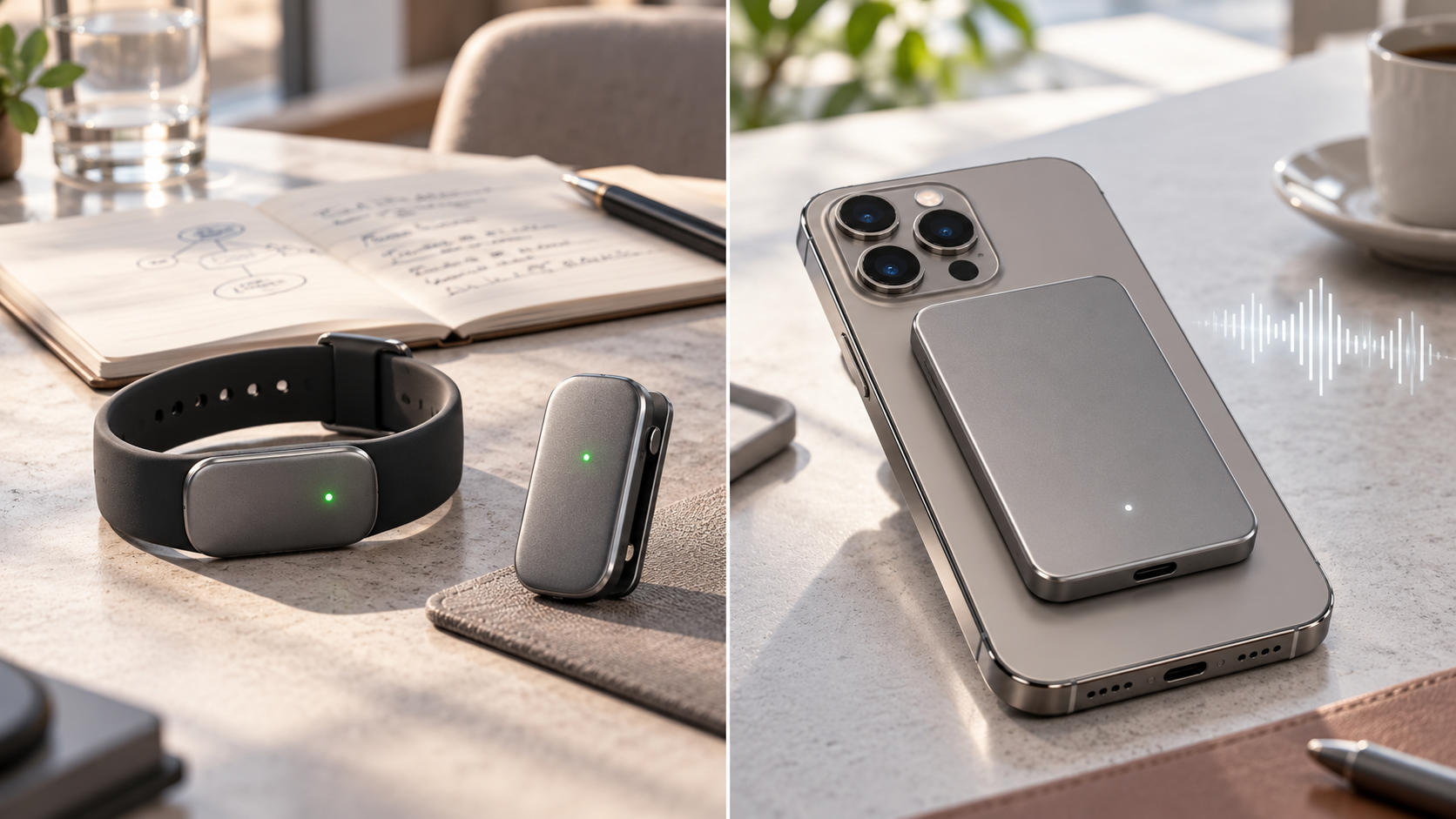
Bee Frontier wearable and Bee Eclipse phone attachment beside secure AI summary cards

Amazon has expanded its Bee personal-AI lineup with two conversation-capture devices: the $74.99 Bee Frontier wearable, which is available now, and the $99.99 Bee Eclipse phone attachment, which is listed as coming soon. Both are designed to turn spoken conversations into searchable summaries, reminders, insights and suggested follow-ups.

The products are affordable compared with many dedicated AI note-taking gadgets, but the purchase price is only part of the decision. Buyers also need to understand the Bee Pro subscription, the privacy architecture, the difference between a wearable and a phone-mounted recorder, and the legal and social responsibility that comes with capturing other people’s words.

Amazon Bee Frontier and Eclipse at a glance

  • Bee Frontier costs $74.99 and is available now in Onyx, Lavender and Sage.
  • Bee Eclipse will start at $99.99 in Silver, Midnight, Honey and Blush, but Amazon has not announced a firm release date.
  • Frontier can be worn on a wrist or clipped to clothing; Eclipse is a 4.6mm-thin magnetic phone attachment.
  • Frontier is rated for up to seven days of battery life and IP67 water resistance; Eclipse is rated for more than 21 days.
  • The free service includes conversation summaries, recaps and 14-day memory. Bee Pro costs $11.99 per month and unlocks additional integrations and AI tools.
  • Amazon says raw audio is processed in real time and deleted rather than stored, while transcripts and insights are protected with device-controlled encryption keys.

What Bee actually does

Bee is not a fitness tracker or a conventional voice recorder. When the microphone is activated, the device listens to a conversation, transcribes it, extracts useful details and sends the resulting timeline to the Bee mobile app. The goal is to surface commitments, follow-up tasks, names, dates and themes that a person might otherwise forget.

The app can search past conversations and generate summaries or action items. Bee also supports integrations with services such as Gmail, Google Calendar, Microsoft Outlook and Apple HealthKit. Depending on the plan and permissions, it can help draft a follow-up email, prepare a calendar event or connect a conversation with other information in the user’s account.

Connecting Bee to Alexa+ adds hands-free access to summaries and to-dos. An optional Amazon.com connection can surface shopping suggestions when a product is mentioned. Both connections are opt-in, and readers who do not want conversation context influencing shopping should leave the Amazon integration disabled.

Bee Frontier versus Bee Eclipse

Bee Frontier versus Bee Eclipse

Bee Frontier: the wearable option

Frontier is the model for people who want Bee available away from a desk or phone. The small module fits into an included silicone wristband or clothing clip. It has dual microphones with noise filtering, a physical action button, a green recording indicator, USB-C charging and support for more than 40 languages.

Amazon rates the battery for up to seven days, or roughly 160 hours, and gives the device an IP67 rating. That makes it better suited to everyday movement, commuting and casual meetings than a recorder that must stay on a desk. IP67 does not make it an invitation to swim with the device, and real battery life will vary with capture time and settings.

Bee Eclipse: the phone-mounted option

Eclipse is a credit-card-sized device that attaches magnetically to the back of a compatible phone. A metal ring is included for devices or cases that need it. The 4.6mm body carries a larger battery rated for more than three weeks and is designed to process in-person conversations as well as both sides of a phone call when the user deliberately starts capture.

That makes Eclipse the more natural option for calls, client conversations and long workdays, but it is not yet shipping. Amazon says it will be available soon and has not supplied a specific date. Buyers should also confirm case compatibility and how the attachment affects wireless charging before ordering.

What the free plan includes—and what Bee Pro adds

A Bee device works without a paid subscription. The included tier provides conversation summaries, recaps and 14-day memory. In this context, memory refers to the account’s retained conversation information and generated insights, not stored raw audio. New customers receive a 30-day Bee Pro trial.

Bee Pro costs $11.99 per month. Amazon lists unlimited recent conversation summaries, suggested to-dos, daily memories, a personal chat assistant, conversation templates, the desktop app, third-party application integrations and connections with Alexa+ and Amazon.com among the paid benefits.

The subscription changes the long-term value calculation. Frontier costs $74.99 once, but a year of Bee Pro at the stated monthly rate adds $143.88. Buyers should begin with the included plan, identify which paid features they actually use during the trial and subscribe only if those tools save enough time to justify the recurring cost.

Privacy protections—and the questions buyers should still ask

Amazon says both devices use Bee Private Compute, an isolated processing environment built so that Amazon and outside model providers cannot access a user’s conversation data. According to the company, raw audio is processed in memory and immediately discarded. Transcripts, summaries and to-dos are encrypted with keys created and controlled by the user’s device.

A physical button starts or stops capture, and an LED shows when the microphone is active. Users can delete transcripts and summaries, revoke connected-service permissions and configure the device to stop after a chosen period of silence. Amazon also says its servers must prove they are running approved software before the device shares protected data.

Those safeguards address several common ambient-AI concerns, but they do not eliminate every risk. A transcript can still contain sensitive information, a connected account can be compromised, an inaccurate summary can misstate a commitment, and another person may object even when local law permits recording. ReaderSpice has not independently tested Bee’s transcription accuracy, battery claims or privacy implementation.

Recording consent matters more than the indicator light

Bee’s LED and permission prompts help, but they are not a substitute for consent. U.S. recording rules vary by state and circumstance. Federal law establishes a one-party-consent baseline for many conversations, while several states require everyone’s consent in at least some situations. Calls involving people in different states can be especially complicated.

The safest everyday practice is simple: tell everyone that Bee is active and obtain permission before recording. Stop capture in medical appointments, confidential workplace discussions, classrooms, legal consultations, private homes or any setting where policy or another person prohibits it. Employers should establish written rules before allowing ambient-AI devices in meetings.

This section is practical guidance, not legal advice. Anyone using Bee for regulated, professional or interstate conversations should review the applicable law and organizational policy before switching on the microphone.

Who should choose each model

Choose Bee Frontier if you:

  • Want a wearable or clip-on device for in-person conversations and daily reminders.
  • Need IP67 water resistance and do not want another accessory attached to your phone.
  • Prefer the lower $74.99 entry price and need a device that is available now.
  • Can accept a weekly charging routine.

Wait for Bee Eclipse if you:

  • Spend more time on phone calls than in face-to-face conversations.
  • Prefer a magnetic phone attachment over a wristband or clothing clip.
  • Want the longer 21-plus-day battery claim.
  • Can wait for Amazon to confirm shipping and compatibility details.

What to check before buying

  • Confirm that the free tier covers the summaries and retention window you need.
  • Review which connected apps require Bee Pro and limit permissions to the minimum necessary.
  • Check workplace, school and venue policies before bringing an ambient microphone into shared spaces.
  • Plan how you will disclose capture and document consent for important calls.
  • Treat generated summaries as notes to verify, not an authoritative record of what every participant agreed to.

Should you buy Bee Frontier now or wait?

Frontier is the straightforward choice for early adopters who want conversation summaries today and are comfortable wearing or clipping on a dedicated device. Readers can check the current Bee Frontier price and availability on Amazon. The hardware price is reasonable, but its usefulness depends on whether the free plan is enough and whether people around you are comfortable with the device.

Eclipse is more interesting for phone-heavy work because it can capture both sides of a call when activated and promises triple the battery life. Waiting is sensible until Amazon publishes a ship date, confirms compatibility details and provides real-world units for independent testing.

ReaderSpice may earn a commission from qualifying purchases made through affiliate links, at no additional cost to you.

Bottom line

Bee Frontier and Bee Eclipse are practical attempts to make ambient AI less distracting: press one button, stay in the conversation and review the details later. Frontier is the available wearable with a lower price and week-long battery, while Eclipse is the coming-soon phone attachment with longer endurance and a stronger focus on calls.

The deciding factor is not only hardware. Buyers should weigh the $11.99 monthly Pro tier, verify every important summary, minimize connected-account permissions and make consent part of the routine. If those habits feel burdensome, a phone’s existing recorder or a traditional note-taking workflow may be the better choice.

Sources

Amazon Devices: Bee Frontier and Bee Eclipse launch, features, pricing and availability

Bee: Frontier specifications, included accessories and battery details

Bee: Eclipse specifications, phone-call features and coming-soon status

Amazon Devices: Bee Private Compute architecture and data protections

Reporters Committee for Freedom of the Press: State recording-consent guide

Reuters: Amazon’s Bee device launch and privacy context

Gmail Live and AI Inbox Reach Workspace: Voice Search, Source Cards and Action Items

Smartphone and laptop showing Gmail Live voice inbox search, source cards and AI-prioritized email tasks

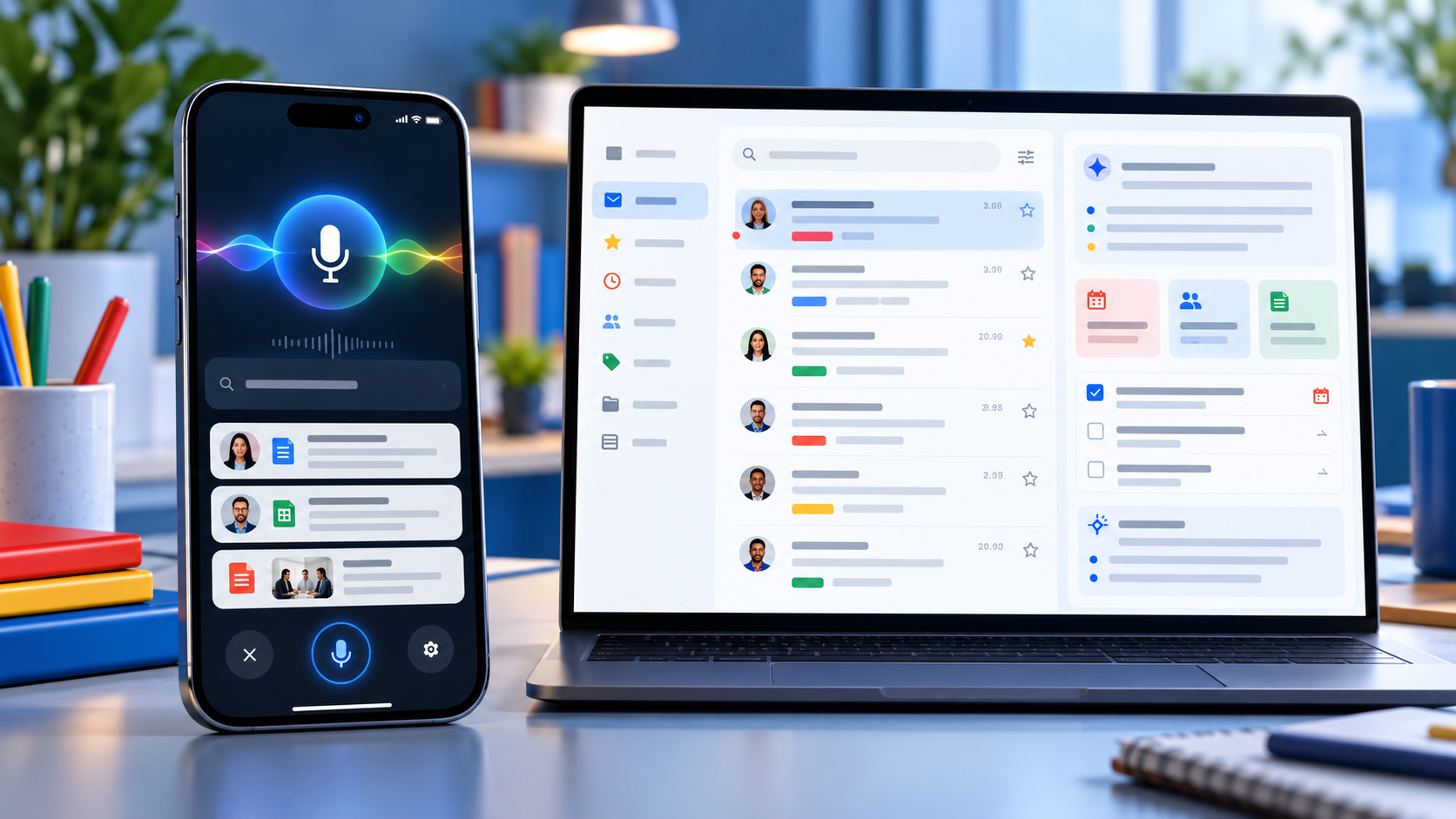
Google is bringing two of Gmail’s most ambitious Gemini features to more paid Workspace accounts. Gmail Live turns inbox search into a spoken conversation on Android and iPhone, while AI Inbox builds a separate view of priority topics, deadlines and suggested to-dos drawn from email.

The October 2026 expansion can save time, but availability is unusually specific. Both features are currently limited to the United States and English, require eligible plans and depend on Gmail smart-feature settings. Google also labels both experiences as beta, so readers should verify important answers against the original messages.

Gmail Live and AI Inbox at a glance

  • Gmail Live lets users ask spoken questions about their email and hear synthesized answers on supported Android phones and iPhones.
  • Each Gmail Live turn can show an email source card, giving users a path back to the messages behind an answer.
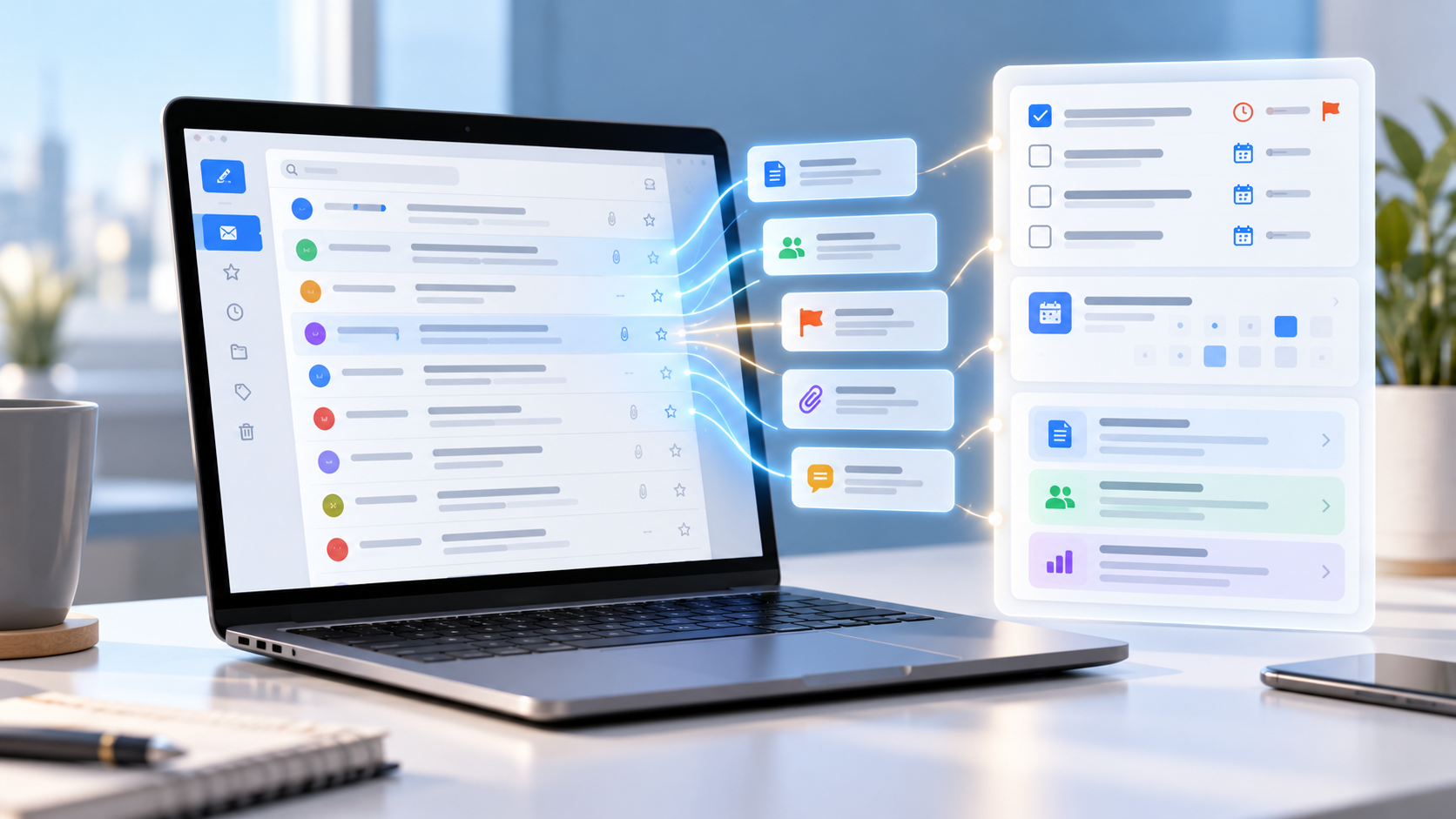
  • AI Inbox extracts suggested to-dos, deliverables and deadlines, then summarizes priority topics across conversations.
  • Both features currently require U.S. availability, English language settings, eligible plans and Gmail smart features.
  • Google is using gradual rollouts, so an eligible account may wait as long as 15 days—or longer for some editions—before the features appear.

Gmail Live turns inbox search into a conversation

Gmail Live is designed for questions that would otherwise require several searches or long email threads. A user can ask for a flight gate, an order update, a training deadline or the latest message from a manager, then interrupt, refine the question or follow up without starting a new search.

Google says the feature uses current Gemini models to provide low-latency, inbox-aware voice search. Answers are spoken aloud, making the experience useful when typing is inconvenient. The feature is available inside the Gmail mobile app rather than on the desktop web interface.

This is not a hands-free license to trust every response. Email can contain old reservations, revised deadlines or several messages with similar subjects. Before acting, open the cited message and confirm that the sender, date, attachment status and latest reply match the answer.

Source cards make Gmail Live answers easier to audit

Google now surfaces an email source card prominently at each conversational turn. Users can tap a link inside a response to open the exact email or open the Sources card to see all cited messages. Selecting an email ends the Live session, while a View search page option returns the user to Gmail’s standard results.

That source path is the most important reliability feature in the update. If Gmail Live says a payment is due or a flight leaves from a certain gate, the original message remains the authoritative record. The source card also helps reveal when an answer blended details from more than one thread.

Google’s rollout post says users can choose a preferred Gmail Live voice. At publication time, Google’s Android help page still says the voice cannot be changed. That documentation mismatch likely reflects a staged interface update, so do not assume the voice selector has reached every account yet.

How to start Gmail Live

  • Open the Gmail app on a supported Android phone or iPhone and sign in to an eligible account.
  • Look for the Gmail Live entry point near the top of the app or in the search area.
  • Grant microphone permission the first time Gmail asks, then accept the displayed terms.
  • Ask a question aloud, interrupt to refine it or select a suggested prompt.
  • Use the Sources card to inspect the messages behind the response before acting.

Google’s help page says Gmail Live does not currently work on Android tablets. Work and school users also depend on their administrator allowing Gemini beta access, while personal accounts need Google AI Plus, Pro or Ultra. Smart features in Workspace and other Google products must be enabled.

AI Inbox builds a prioritized view of work and deadlines

AI Inbox builds a prioritized view of work and deadlines

AI Inbox appears as a separate destination in Gmail’s menu. Its Suggested to-dos section extracts high-priority tasks from incoming messages and can emphasize a deadline or required action. Topics to catch up on summarizes important projects, travel plans, reservations, purchases and other threads that may be scattered across the inbox.

Users can open the related message, reply, mark a to-do complete or remove an inaccurate item. Feedback controls allow a positive or negative rating, and Google includes a report-abuse option for unsafe suggestions.

The feature may take time to populate. Google says the first set of to-dos and topics can take a few hours after smart features are enabled and, in some cases, as long as seven days. A quiet account may show an empty AI Inbox.

What AI Inbox includes—and what it misses

AI Inbox currently focuses on Gmail’s Primary tab. It does not use messages filed under Social or Promotions, and it filters out spam plus messages that are archived, deleted, muted or snoozed. That means a valid deadline can be absent simply because the message sits outside Primary.

Google’s help documentation also says AI Inbox does not support attachments, delegated inboxes or encrypted email. A task described only in a PDF, a shared mailbox or a client-side encrypted message may therefore be invisible to the feature.

The practical rule is simple: treat AI Inbox as a triage layer, not a complete task manager. Continue checking labels, calendar events, shared mailboxes and any project system that holds obligations outside ordinary Gmail messages.

Availability and rollout timing

Gmail Live began a gradual rollout to Rapid Release and Scheduled Release domains on October 15, with Google allowing up to 15 days for visibility. Eligible editions include Business and Enterprise plans, Frontline Plus, Workspace for Nonprofits, several Gemini add-ons, Google AI Pro for Education and Google AI Plus, Pro and Ultra consumer plans.

AI Inbox started reaching Rapid Release domains on October 12 and is scheduled to begin for Scheduled Release domains on October 26, also with a gradual rollout of up to 15 days. Google lists Business, Enterprise, Frontline Plus and AI Pro for Education availability, but separately notes that Starter and Education editions will receive the feature later. That means plan eligibility does not guarantee the same launch date.

Both features currently require a U.S. account experience with English set to EN-US. App version, administrator settings, account type and rollout stage can all explain why one eligible user sees the new menu while another does not.

Privacy and history controls deserve a review

Gmail Live saves transcripts in the user’s Gemini in Workspace conversation history. Google says users can review and delete that history from a web browser. The microphone can be muted during a session, and Gmail cannot start Live if microphone permission is denied.

AI Inbox generates its recommendations from content and activity across Workspace apps. Google notes that some to-dos or topics may be generated for optimization without appearing in the visible AI Inbox. Users can open View all on the web to inspect more of that generated data.

For work accounts, administrators control several Gemini and smart-feature settings, but Google says AI Inbox itself currently has no dedicated admin control. Organizations handling regulated or confidential information should review Workspace’s data-protection terms, retention policies and beta-feature settings before treating either feature as a standard workflow.

Five checks before relying on Gmail’s AI features

  • Open the cited email and confirm the latest date, sender and thread before acting.
  • Check attachments manually because AI Inbox does not support them.
  • Look outside Primary for deadlines that may be in Promotions, an archived label or a delegated inbox.
  • Review Gemini in Workspace conversation history and delete sensitive transcripts when appropriate.
  • Keep important tasks in a real calendar or project system instead of assuming AI Inbox is complete.

A practical device for Gmail Live

Gmail Live is built for mobile use, so a current Android phone with strong battery life and reliable microphones is the most natural fit. Readers comparing compatible hardware can view the unlocked Google Pixel 11 on Amazon.

ReaderSpice may earn a commission from qualifying purchases made through affiliate links, at no additional cost to you.

Bottom line

Gmail Live and AI Inbox make Gmail more proactive in two different ways: one answers spoken questions with source cards, while the other organizes tasks and priority topics before the user searches. For busy inboxes, both can reduce the time spent opening threads.

Their limits matter as much as their convenience. U.S.-only availability, English requirements, beta status, rollout delays and unsupported message types mean neither feature should be treated as a complete record. The safest workflow is to use Gemini for triage, then verify every consequential detail in the original email.

Sources

Google Workspace Updates: Gmail Live rollout for Workspace users

Gmail Help: Talk naturally with Gmail Live

Google Workspace Updates: Gmail AI Inbox rollout

Gmail Help: Manage to-dos and topics with AI Inbox

Google: Gmail is entering the Gemini era

Google AI Search Adds More Source Links, Official Pages, News Carousels and Creator Profiles

Smartphone and laptop showing Google AI Search source links, an official page card and a news carousel

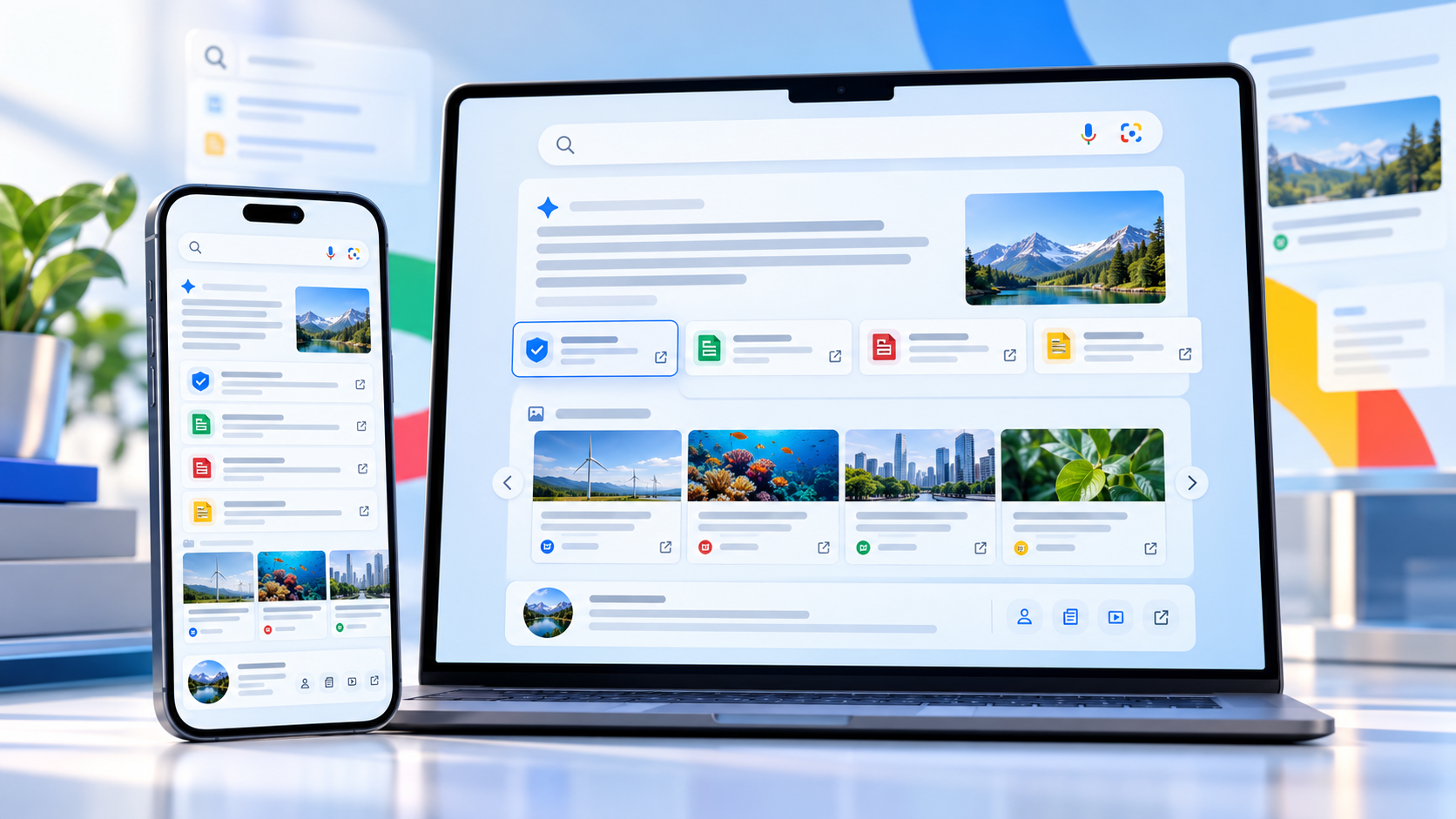
Google is changing how AI Mode and AI Overviews lead people back to the web. Announced on October 15, 2026, the update adds clearer inline links, tests a dedicated section for official webpages, expands timely-article carousels and makes related stories more visual.

The changes do not turn an AI answer into a verified source, but they should make it easier to inspect where a claim came from, find the first-party page behind it and move from a summary to fuller reporting. For readers who use Google Search for news, shopping research or travel planning, that is the practical improvement to watch.

Google AI Search’s new source tools at a glance

  • More inline links can appear higher inside AI Mode and AI Overview responses.
  • Google is testing a dedicated top section that surfaces official webpages with useful context.
  • Prominent carousels of timely articles are expanding to more locations and languages.
  • Related-article cards are becoming more visual, with larger thumbnails and clearer paths to the original page.
  • Clickable creator and publisher names are being tested on video results, opening a Search profile with more of that source’s work.

More inline links should make AI answers easier to audit

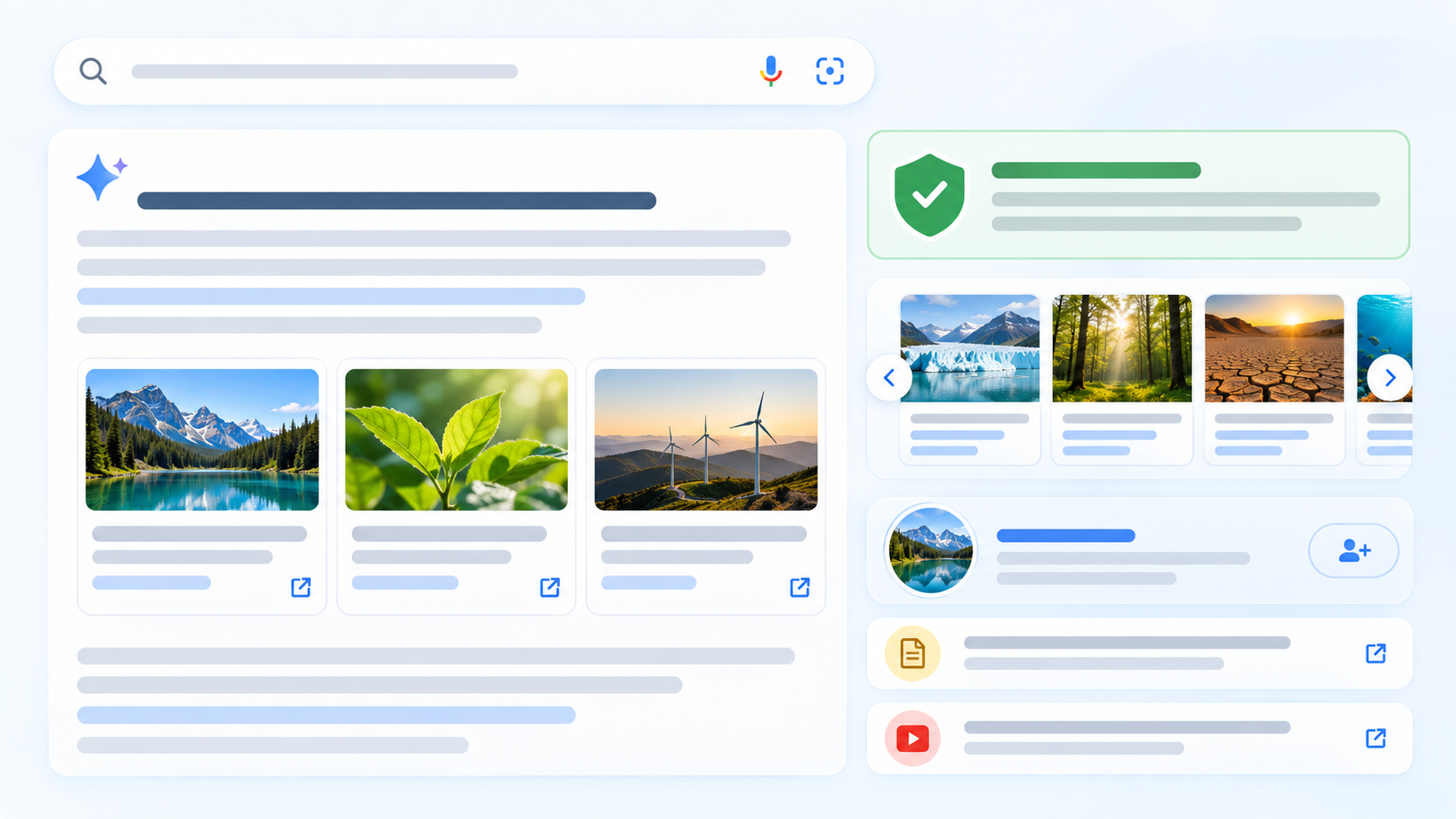
Google says AI responses will show more links directly in the answer and place them higher on the page. That matters because a link buried below a long summary is easy to miss. A link next to the relevant sentence gives readers a faster way to see whether the supporting page is an official announcement, a reported article, a forum post or something less authoritative.

The useful habit remains the same: open the link before relying on a consequential detail. Check that the page actually supports the summary, note when it was published and look for important limitations that the AI response may have compressed. This is especially important for medical, legal and financial questions, where an AI answer can be incomplete or wrong.

Google’s help documentation says AI Mode uses a query fan-out technique that breaks a question into subtopics and searches for them at the same time. That can broaden the material used in a response, but it also means the answer may blend claims from pages with different scopes, dates and levels of authority.

Official webpages get a dedicated place in the answer

Official webpages get a dedicated place in the answer

Google is testing a section near the top of some AI responses that highlights official webpages and explains why they may be useful. For a product search, that could make it easier to reach a manufacturer’s support page, specification sheet or policy document instead of hunting through several layers of summaries.

The word “official” should be treated as a description of the source, not a guarantee that every statement is neutral or complete. A company page is often the best place for release dates, compatibility lists and warranty terms; independent reporting or hands-on testing is still better for performance, reliability and tradeoffs.

The placement is a test, so readers should not expect it on every query or account immediately. Google regularly rolls Search changes out in stages, and the company did not promise a single global switch-on date for every element.

News carousels are expanding, with Preferred Sources highlighted

Google is expanding its prominent carousels for timely articles to more locations and languages. The cards are designed to help readers move from an AI summary to current reporting, and Google says publishers selected through Preferred Sources can be highlighted.

Preferred Sources is a personalization control, not a subscription and not a promise that a selected site will appear for every search. Google says use of the feature has grown sevenfold since the beginning of 2026. A selected source can receive a preferred badge in Top Stories, AI Mode and AI Overviews when its coverage is relevant.

This is useful for readers who already know which publications they trust, but it can also narrow discovery if the list is too small. A practical setup is to select several sources with different strengths—such as a primary source, a specialist publication and a broad news outlet—then continue comparing coverage when the stakes are high.

Related articles and creator profiles become easier to explore

Related-article cards are getting more visual, with thumbnails that make them easier to distinguish at a glance. Google is also testing clickable creator and publisher names on video results. Selecting a name opens a Search profile that gathers more content from that source.

That extra context can help readers decide whether a video came from the product maker, an established reviewer or an unfamiliar account. It is still worth checking the creator’s disclosures, publication date and testing method, especially when a result recommends a purchase.

How to set and review Preferred Sources

  • Open Google Search while signed in, select your profile picture and choose Search personalization.
  • Open Source preferences, then search for and select the publications you want Google to prioritize.
  • Choose a mix of primary sources and independent reporting instead of relying on one viewpoint.
  • Revisit the list periodically and remove sources that no longer match your needs.
  • Remember that Preferred Sources influences eligible surfaces; it does not replace normal ranking or guarantee placement.

What readers should do when an AI answer looks convincing

Start with the link closest to the claim you care about, then confirm the wording and date on the source page. If the answer concerns a changing topic—prices, software availability, travel restrictions or safety guidance—look for a current first-party page and at least one independent source.

Watch for missing conditions. A summary may say a feature is available without noting that it is limited to a country, language, account type or staged rollout. Product recommendations can also omit return policies, subscriptions and compatibility requirements.

Use the new official-page section for facts that organizations control, such as support status or eligibility. Use timely-article carousels and related coverage for context, criticism and real-world results. The update is most valuable when it helps readers compare sources, not when it encourages them to stop at the generated answer.

A practical way to use AI Search on the go

Google’s AI Mode is available across phones and computers, so a current Android phone is a convenient way to use voice, camera and typed searches while traveling or shopping. Readers comparing compatible hardware can shop Google Pixel 11 phones on Amazon.

ReaderSpice may earn a commission from qualifying purchases made through affiliate links, at no additional cost to you.

Bottom line

Google’s latest AI Search update addresses one of the biggest usability problems with generated answers: finding the pages behind them. More inline links, official-source sections, timely news carousels and creator profiles should make source checking faster when they appear.

The safeguards still depend on reader behavior. Open the source, verify the date and read beyond the snippet before acting. Used that way, the new design can make AI Mode and AI Overviews a better starting point for research without turning them into the final authority.

Sources

Google: More ways to connect with the web from Search

Google Search Help: Get AI-powered responses with AI Mode

Google: New ways to find favorite sources and original content

Google Search Help: Manage Preferred Sources

Google Universal Cart Launches in Search and Gemini: Price Alerts, Promo Codes and Checkout

Laptop and smartphone showing a universal shopping cart with price alerts promo codes and secure checkout

Google’s Universal Cart is now rolling out in the United States across Search and the Gemini app, giving shoppers one place to save products from multiple retailers, watch for price changes and move toward checkout. Google announced the launch on October 15, 2026, after previewing the system at Google I/O earlier this year.

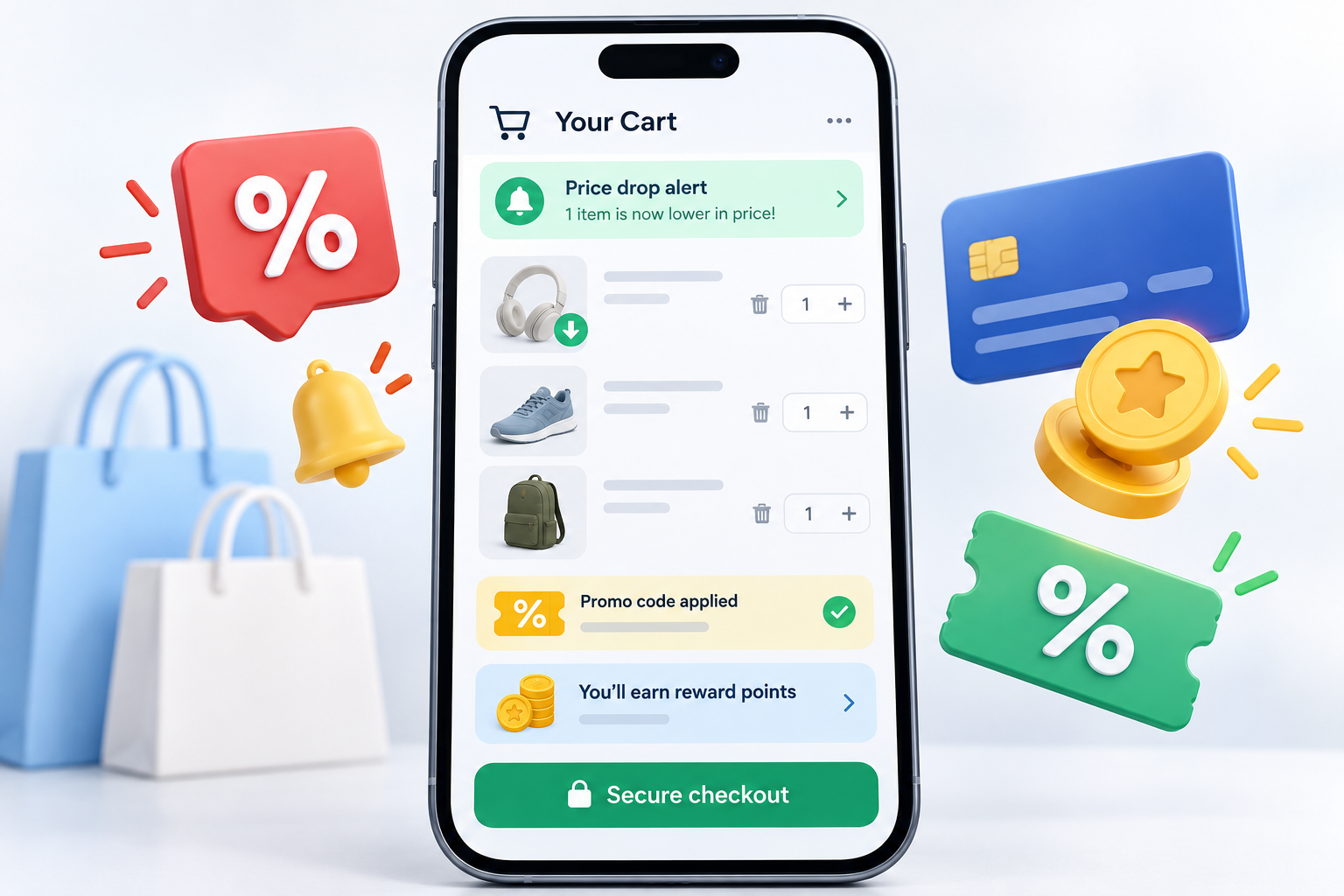
The useful part is not simply another cart icon. Universal Cart can keep a cross-store list synchronized across Google, notify users about price drops or restocks, surface promo codes and consider eligible card perks in Google Wallet. It can also send products to a merchant’s cart or support Google Pay checkout with participating stores. Those conveniences do not replace the need to verify the seller, return policy and final total before buying.

Google Universal Cart at a glance

  • The rollout began October 15 for U.S. users across Google Search and the Gemini app.
  • Products from several retailers can stay together in one persistent cart instead of separate tabs, screenshots or wish lists.
  • Google can alert users when a saved item drops in price or returns to stock.
  • The cart can surface promo codes and use Google Wallet information to help compare eligible payment-method perks.
  • Participating merchants can support Google Pay checkout in the cart; users can also transfer items to the retailer’s own checkout.
  • The merchant remains the seller of record and handles the order confirmation and customer support.

How Universal Cart works across Search and Gemini

A product saved while shopping in Search or AI Mode can appear later in the Gemini app, and an item added during a Gemini conversation can remain available when the user returns to Google. The goal is continuity: a shopper can research in one place, save the result and resume later without rebuilding the list.

Google says the cart is powered by its Shopping Graph, which contains more than 60 billion continually refreshed product listings. That gives the system inventory and price signals across many merchants, but it does not guarantee that every listing is current at the exact moment you buy. A price, shipping date or stock notice should still be confirmed on the final checkout page.

The May preview also described future integration with YouTube and Gmail. Google’s October launch announcement names Search and Gemini as the services rolling out now, so YouTube and Gmail should be treated as planned expansion rather than assumed launch-day availability.

Price-drop, restock and promo-code alerts

Universal Cart can monitor the collection rather than forcing shoppers to track each store separately. Google says it can notify users when a saved product gets cheaper or comes back in stock, and it can display relevant promo codes inside the cart.

That can reduce repetitive checking during holiday sales, but alerts are best used as a signal, not proof of a bargain. Compare the current price with recent history, check shipping and membership fees, and make sure the discounted item is the same size, color, storage capacity or model you intended to buy. A promo code can also have exclusions or a short expiration window.

Google Wallet can help compare card perks

Google Wallet can help compare card perks

Google says Universal Cart can use Google Wallet to understand eligible card benefits and merchant offers, then help identify a payment method that may provide better rewards or savings. The cart can show a useful reminder when a particular card includes cash back, points or another relevant perk.

This feature deserves a careful final check. Reward categories, spending caps, activation requirements and excluded merchants can change, and the card issuer’s terms remain authoritative. Never choose a payment method solely because an AI-generated suggestion says it is best; verify the offer in the issuer’s app or website first.

Checkout keeps the merchant in charge of the order

When a participating store supports the experience, a shopper can use Google Pay in the cart. The other option is to transfer the product to the merchant’s own cart and finish on the retailer’s website. Google lists merchants including Nike, Sephora, Target, Ulta Beauty, Walmart, Wayfair and many Shopify stores, but support can differ by item and account.

Google explicitly says the retailer remains the seller of record. That means the merchant—not Google’s shopping assistant—sends the confirmation and handles fulfillment, returns and customer support. Before authorizing payment, confirm the merchant name, exact product, quantity, delivery address, shipping cost, taxes, subscription status and return window.

What Universal Cart does not guarantee

A universal cart can organize shopping information, but it cannot make every retailer equally trustworthy or every recommendation correct. Listings can be stale, marketplace sellers can differ from the brand shown in a product image, and a low headline price can hide shipping charges, used condition or a restrictive return policy.

Payment convenience also does not erase the privacy tradeoff. Google Pay documentation explains that transaction data may be used to facilitate purchases, show history, resolve problems and provide other Pay features. Users should review Google Wallet and payments privacy settings, keep account security protections enabled and avoid saving more payment methods than they actually need.

Five checks before buying through Universal Cart

  • Open the final product page and verify the seller, condition, model number, size, color and warranty.
  • Compare the all-in total, including shipping, taxes, memberships and any recurring subscription.
  • Confirm a promo code or card reward in the merchant or issuer terms before relying on the savings.
  • Use a unique Google Account password, two-step verification and device screen lock before storing payment methods.
  • Keep the human approval step: review every detail before tapping the final purchase button.

ReaderSpice’s earlier guide to AI shopping agents has a broader eight-point checklist for fraud, privacy and authorization risks.

Who can use Universal Cart now

Google says the launch is rolling out in the United States across Search and the Gemini app. As with many account-based features, appearance may vary by account, app version and rollout stage. If the cart is missing, update the Google app or Gemini app, sign in to the intended Google Account and check again later rather than assuming the device is unsupported.

Google has not announced a complete international schedule for Universal Cart itself in the October launch post. The company has separately discussed expanding parts of its Universal Commerce Protocol checkout experience to Canada, Australia and later the United Kingdom, but that is not the same as confirming the full cart in every market.

Should you use Google Universal Cart?

Universal Cart is most useful for a deliberate purchase spread across several retailers: holiday gifts, a home-office setup, travel gear or components for a PC build. Centralizing price and stock alerts can save time, and the merchant-transfer option lets cautious shoppers finish on the retailer’s own site.

It is less compelling when the purchase is simple, privacy is the top priority or the shopper already uses a retailer-specific wish list with reliable alerts. The best default is to let Google organize and surface savings while keeping the final decision manual.

If you want a current device for using Gemini and Google shopping tools on the go, you can browse Google Pixel phones and tablets on Amazon, then compare the seller, storage, warranty and return policy before ordering.

As an Amazon Associate, ReaderSpice earns from qualifying purchases.

Bottom line

Google Universal Cart turns Search and Gemini into a shared shopping workspace rather than two separate discovery tools. Cross-store saving, price and restock alerts, promo codes and Wallet-based perk suggestions can be genuinely useful during a busy sale season.

The value depends on discipline at the last step. Treat alerts and AI recommendations as assistance, not authority; verify the seller, total, terms and card benefit yourself. Used that way, Universal Cart can cut shopping friction without surrendering control of the purchase.

Sources

Google: An intelligent new shopping cart

Google: Introducing the Universal Cart and more ways to help you shop

Google Pay Help: Keep your payment info safe

The Verge: Google launches its universal online shopping cart

ReaderSpice: AI shopping agents raise fraud and privacy risks

Windows 11 Photos Redesign Adds Faster Viewer, HDR Editing, Relight and iCloud Gallery

Windows 11 laptop showing redesigned Photos gallery and editor beside a synced smartphone

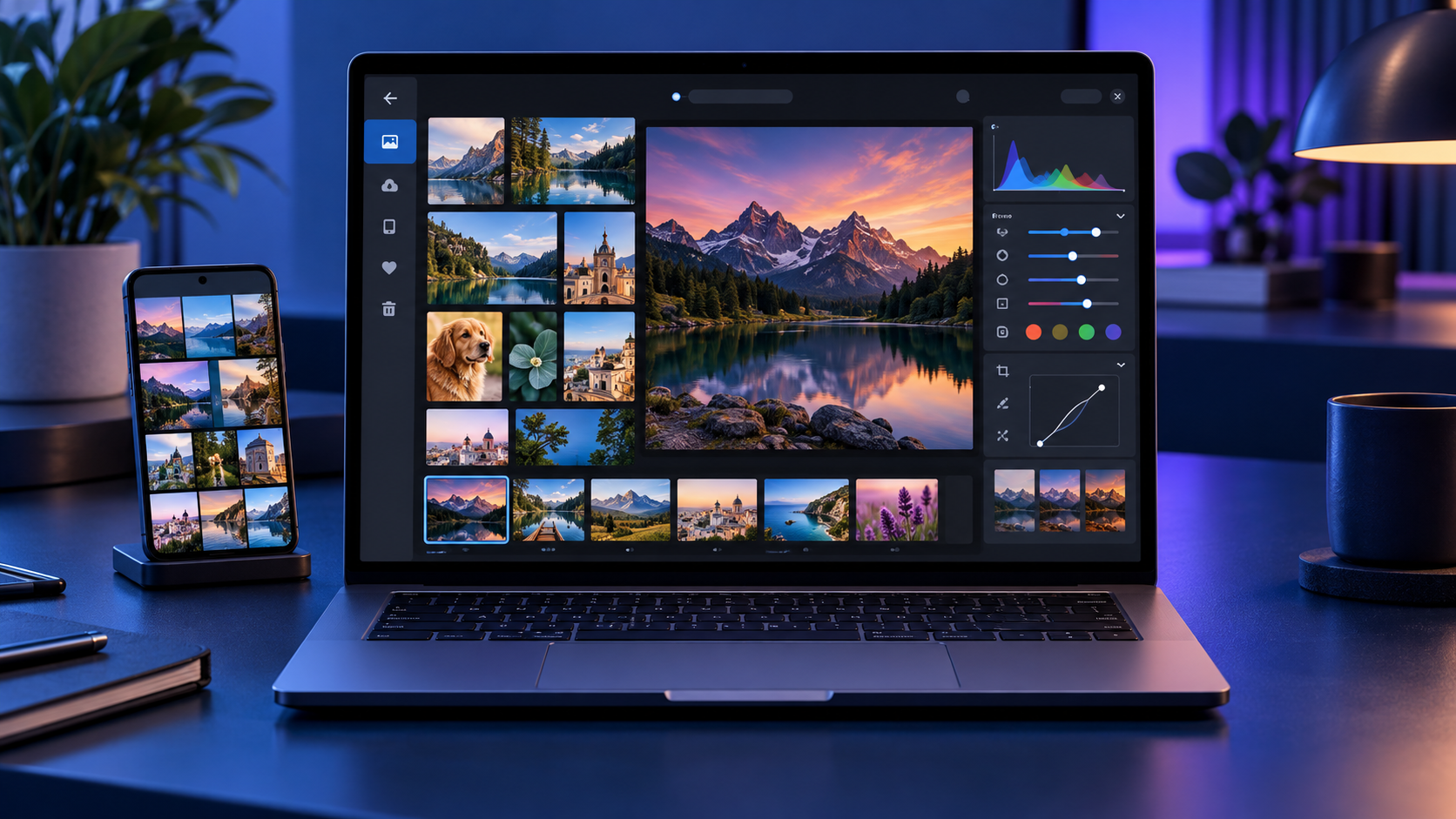
Microsoft began rolling out a rebuilt Photos app to Windows Insiders on October 15, 2026, with a broader Windows 11 release planned for later this year. The redesign is more than a fresh coat of paint: it combines photos stored on the PC, OneDrive and iCloud in one Gallery, adds a native editing workspace, and makes the Viewer faster.

The most useful changes are practical ones. Microsoft says the new Editor launches 25% faster, the native Viewer opens images about 15% faster on average, and HEIC files can load up to 30% faster. The app also preserves HDR while editing, can save HEIC and WebP files, expands object removal, and introduces Relight controls with as many as three movable light sources.

Windows 11 Photos redesign at a glance

  • Rollout begins with Windows Insiders on October 15, 2026, before expanding to Windows 11 users later in 2026.
  • Gallery brings local folders, OneDrive and iCloud photos into one browsing experience.
  • Natural-language search can find images by subject, place or scene instead of requiring an exact filename.
  • The WinUI 3 Editor adds HDR-preserving edits, HEIC and WebP saving, object removal, crop templates and Relight.
  • The native Viewer is faster and adds SVG support, richer metadata, a map, a histogram and visual search.
  • Some cloud and AI-assisted features depend on account, region, device and staged rollout availability.

One Gallery for PC, OneDrive and iCloud

The redesigned Gallery is meant to reduce the friction of keeping several photo libraries. Local folders remain available, while signing in to OneDrive can add backed-up phone photos and other cloud images. iPhone owners can also surface iCloud Photos through Apple’s iCloud for Windows integration.

A Microsoft account is not required just to browse files stored on the PC, and iCloud uses Apple’s sign-in flow. OneDrive-specific experiences such as People, Albums and Moments do require OneDrive. That distinction matters if you prefer a local library: the core viewer and editing tools are still useful without turning every folder into a cloud collection.

The new layout also makes it easier to filter the library, move between recently added images and inspect a photo without opening a separate editor. Microsoft says the design is optimized for browsing across sources, but the speed of cloud thumbnails will still depend on the network and whether full-resolution files are stored locally.

Natural-language search makes large libraries easier to use

Instead of remembering a filename or the date a picture was taken, the new search can accept ordinary descriptions. Queries such as “sunset at the beach,” “dog in the snow” or “receipts from a restaurant” are the sort of requests the feature is designed to understand.

Search quality will vary with the contents of the library and the services connected to Photos. Treat it as a faster way to narrow a large collection, not a replacement for consistent folders, albums and backups. Sensitive images also deserve extra care whenever a feature analyzes content, so review Microsoft and cloud-provider privacy settings before connecting a personal archive.

Editing tools: HDR, HEIC, Repair and Relight

Editing tools: HDR, HEIC, Repair and Relight

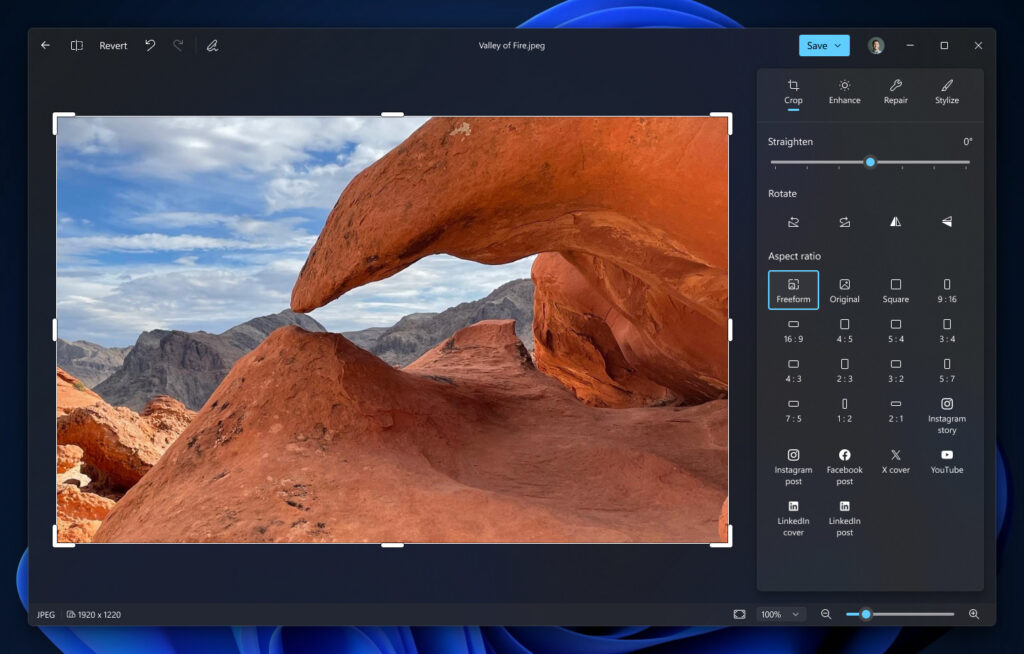
Microsoft rebuilt the Editor as a native WinUI 3 experience and says it starts 25% faster. Its main tool groups are Crop, Enhance, Repair and Stylize. The redesigned workspace keeps common adjustments close to the image and adds crop templates sized for popular social formats.

HDR is a major improvement. Photos can now preserve high dynamic range while you make edits instead of flattening the image into standard dynamic range. The editor can also open, edit and save HEIC and WebP files, which should reduce conversion steps for iPhone photos and images downloaded from the web.

Repair expands the app’s object-removal workflow, while Relight lets you place and tune as many as three virtual lights. The lights can be moved around the subject and adjusted for intensity and color, making Relight useful for portraits or products that were photographed with uneven illumination. Microsoft describes these as editing aids, not a substitute for a full layer-based editor.

Relight availability may differ during the rollout

Microsoft’s October 15 announcement says Relight is expanding to all Windows 11 devices. At the time of publication, Microsoft’s existing Relight support page still describes the feature as exclusive to Copilot+ PCs and notes that its AI processing runs locally. That mismatch likely reflects staged rollout timing or documentation that has not caught up, so do not assume Relight will appear on every PC immediately.

The redesigned Viewer is faster

The native Viewer is the part most people will use every day. Microsoft reports an average 15% launch improvement and as much as a 30% speed gain for HEIC images. Those numbers are Microsoft’s measurements rather than independent benchmarks, and actual results will depend on storage speed, file size and hardware.

The Viewer also improves HDR rendering, adds SVG support and surfaces more useful information without sending you to another app. A metadata pane can show capture details, a map can identify geotagged locations, and a histogram helps evaluate exposure. Visual search provides another route to identify or find related subjects.

What you need for iCloud and OneDrive photos

  • For iCloud Photos, install Apple’s iCloud for Windows app, sign in with the Apple Account that owns the library, and enable iCloud Photos.
  • For Android or iPhone camera uploads, configure OneDrive camera backup in the OneDrive mobile app and allow the permissions it requests.
  • Keep an independent backup of irreplaceable photos. A synchronized cloud library is convenient, but synchronization can also propagate accidental deletions.
  • If cloud photos appear as thumbnails only, open or download the full-resolution file before making an edit you need to preserve at maximum quality.

Microsoft ended the older Samsung Gallery direct-to-OneDrive sync route on September 30, 2026. Samsung phone owners who want new camera photos in OneDrive should use OneDrive’s camera backup instead of relying on the retired Gallery integration.

Rollout timing and how to check for the new app

Windows Insiders are first in line beginning October 15. Microsoft says the new Photos experience will reach all Windows 11 users later in 2026, but it has not promised that every device, region and feature will update on the same day.

  • Open Microsoft Store, choose Library, and select Get updates.
  • Update Microsoft Photos when a newer version is offered.
  • Restart Photos after the update and look for the unified Gallery and redesigned Editor.
  • If the Store reports that Photos is current but the redesign is missing, wait for Microsoft’s server-side rollout rather than reinstalling Windows.

Insider builds are preview software. If Photos is essential to a production workflow, the safer choice is to wait for the stable release and keep another trusted viewer or editor installed until the rollout settles.

What the redesign does not replace

The new Photos app remains a photo organizer, viewer and lightweight editor. It is not a Photoshop-class layer editor, a digital asset manager for large professional catalogs, or a full video-editing suite. Microsoft continues to direct video editing to Clipchamp.

The app’s cloud integrations also do not merge ownership of the original files. A photo stored in iCloud is still governed by the iCloud library and storage plan, while a OneDrive image follows OneDrive’s rules. Before cleaning up duplicates, confirm which service holds the original and whether the file is available offline.

Should you install it now?

For most people, the redesign is worth taking when it reaches the stable channel. Faster HEIC handling, HDR-safe edits and a single view for local and cloud libraries address everyday pain points without forcing users into a complex professional editor.

Insiders should test the app with copies of important files first, especially when using newer formats or cloud-only images. Compare the edited image at full resolution, confirm its color and HDR behavior on another device, and verify that the original remains recoverable.

If an aging PC struggles with large photo libraries, you can compare current Windows 11 laptops on Amazon. A faster SSD and a color-accurate display will usually matter more for photo work than an elaborate spec sheet.

As an Amazon Associate, ReaderSpice earns from qualifying purchases.

Bottom line

The Windows 11 Photos redesign is a meaningful update because it improves the app’s basic jobs before adding novelty. A faster Viewer, better HEIC performance, HDR-preserving edits and a unified Gallery should benefit almost anyone who manages phone and PC photos. Relight and natural-language search add useful depth, but availability will remain uneven while the Insider rollout expands and Microsoft updates its support documentation.

Sources

Microsoft Windows Blog: Meet the new Photos app on Windows 11

Microsoft Windows Blog: What’s new in Windows 11 — everyday experiences reimagined

Microsoft Support: Relight in Photos

Microsoft Support: Edit photos and videos in Windows

Microsoft Support: Use OneDrive on Android and iOS devices

Apple Support: Set up iCloud Photos on a Windows computer

Surface Laptop Ultra Launches October 16: $2,599 Price, RTX Spark Specs and Buying Advice

Premium 15-inch Windows workstation laptop running local AI and creative workflows

Microsoft’s Surface Laptop Ultra reaches stores on October 16, 2026, at a starting price of $2,599.99. It is not a routine Surface refresh: the 15-inch laptop is built around NVIDIA’s new RTX Spark N1X platform, pairing a Grace CPU, Blackwell RTX graphics and as much as 128GB of unified memory for local AI, creative work and gaming.

The headline specifications are unusually ambitious for a portable PC, but the launch-day decision is less simple. Microsoft claims up to one petaflop of AI compute and support for models exceeding 120 billion parameters, while its own battery estimate tops out at 12 hours of active web use. At 4.41 pounds, this is a mobile workstation first and an everyday ultraportable second.

Surface Laptop Ultra price and release date

The consumer Surface Laptop Ultra starts at $2,599.99 and becomes available October 16 through Microsoft and selected retailers. Microsoft is offering Platinum and Nightfall finishes, although colors, processors and memory combinations can vary by market and configuration.

Microsoft’s current store listing separates the software by memory tier. The 24GB configuration ships with Windows 11 Home, while 32GB, 48GB, 64GB and 128GB configurations use Windows 11 Pro. Storage options range from a 512GB Gen 4 SSD to 1TB and 2TB Gen 5 SSDs.

The SSD is described as removable, but that does not automatically make it a casual consumer upgrade. Microsoft says service and replacement options vary by market, repairs should follow its service guide, and damage caused during an unsupported repair may not be covered.

Key specifications at a glance

  • Starting price: $2,599.99
  • Release date: October 16, 2026
  • Processor options: NVIDIA RTX Spark N1X with an 18-core CPU and 5,120-core GPU, or a 20-core CPU and 6,144-core GPU
  • Unified memory: 24GB, 32GB, 48GB, 64GB or 128GB LPDDR5x
  • Storage: 512GB Gen 4 SSD or 1TB and 2TB Gen 5 SSD options; removable design
  • Display: 15-inch PixelSense Ultra touchscreen, up to 1,000 nits SDR and 2,000 nits peak HDR
  • Battery claims: up to 15 hours of local video playback or 12 hours of active web use
  • Weight: 4.41 pounds; chassis under 18 mm thick
  • Connectivity: Wi-Fi 7, Bluetooth 5.4, three USB-C/USB4 ports, HDMI, USB-A, SD card reader and headphone jack

What RTX Spark changes

The RTX Spark N1X combines a Grace CPU and Blackwell RTX GPU in one tightly integrated platform. Microsoft lists up to 6,144 GPU cores and 20 CPU cores, while NVIDIA says fifth-generation Tensor Cores and its NVLink-C2C interconnect are central to the design. The highest configuration is rated for up to one petaflop of peak FP4 AI compute.

That number needs context. It is a theoretical peak using sparsity, not a promise that every model or application will run at the same speed. Software support, model precision, memory requirements, thermals and sustained power all affect real performance. The practical advantage is the unified-memory ceiling: a 128GB configuration gives large local models and complex creative projects far more working room than a conventional laptop GPU with a smaller dedicated VRAM pool.

Microsoft says the machine can run AI models exceeding 120 billion parameters locally. Developers can use the CUDA ecosystem, Windows AI tools and local-agent workflows without sending every task to a cloud service. That could benefit teams handling proprietary code or media, but buyers should verify that their exact models, frameworks and plug-ins are optimized for RTX Spark before treating the laptop as a cloud replacement.

Display, size and thermals

The 15-inch PixelSense Ultra display is a touchscreen with a 120Hz refresh rate, 100% DCI-P3 coverage and a claimed 1,000-nit typical SDR maximum. Microsoft advertises a 2,000-nit peak for HDR content, but sustained brightness is lower and real output depends on content and settings.

One limitation is easy to miss: the touchscreen is optimized for touch, but Microsoft says it does not support Surface Pen or Surface Slim Pen input. Artists who expect the new flagship Surface laptop to double as a pen-display workstation should factor that into the purchase decision.

The chassis is under 18 mm thick and weighs 4.41 pounds. That is portable for the performance class, yet substantially heavier than mainstream thin-and-light laptops. Microsoft says a redesigned cooling system provides up to 2.5 times the thermal capacity of the 15-inch Surface Laptop 8th Edition, using larger fans to move more air at lower speeds. Independent testing will still be needed to judge sustained performance, fan noise and surface temperature.

Ports, charging and external displays

Ports, charging and external displays

Surface Laptop Ultra has a notably complete port selection: two conventional USB-C/USB4 ports, a third USB-C/USB4 port with Magnetic Connect, HDMI 2.1b, USB-A 3.1, an SD card reader and a 3.5 mm headphone jack. Microsoft says all three USB-C ports support charging, 40Gbps data and DisplayPort 2.1.

The Magnetic Connect port is a standard USB-C connection with a magnetic breakaway cable rather than a separate proprietary charging socket. The included 140W USB-C adapter and Magnetic Connect cable support convenient attachment, while another compatible USB-C charger can work if it provides at least 115W. That flexibility is useful for travel, but many smaller phone and tablet chargers will not deliver enough power for full-speed charging.

The laptop can drive as many as three 4K displays at 60Hz when the monitors, cables and adapters support the required standards. Creators also get direct SD-card access and HDMI without a hub, a meaningful advantage over premium laptops that rely almost entirely on USB-C.

Battery life: read Microsoft’s two numbers carefully

Microsoft publishes two different endurance figures: up to 15 hours of local video playback and up to 12 hours of active web use. Both came from September 2026 tests of preproduction hardware at 150 nits with default settings, and battery life can change significantly with brightness, radios, applications and workload.

The active-web number is the more useful starting point for ordinary work. Local AI inference, 3D rendering, gaming and sustained GPU use will draw much more power than browsing. Buyers planning to run demanding workloads away from an outlet should wait for independent battery and performance testing rather than assuming that the “all-day” description applies to every task.

The 140W charger also affects mobility. It is appropriate for a high-performance machine, but it adds weight and bulk to a travel bag. A lighter USB-C charger may be useful for low-load travel only if it meets Microsoft’s minimum power requirements.

Windows on Arm compatibility still deserves a check

RTX Spark runs Windows 11 on an Arm-based NVIDIA Grace CPU. NVIDIA says hundreds of games support launch-day technologies including DLSS, Reflex, ray tracing and G-SYNC, and it is promoting broad readiness across creative, AI and developer applications.

That is encouraging, but “supported” is not the same as identical performance or perfect compatibility. Specialized plug-ins, older peripherals, corporate security tools, niche drivers and anti-cheat systems can behave differently on Arm. Before ordering, professional buyers should make a list of indispensable applications and hardware, then confirm native support, emulation behavior and driver availability with each vendor.

The same caution applies to gaming. RTX features and a powerful GPU do not guarantee that every title runs flawlessly. Check the games you actually play, especially competitive titles that rely on anti-cheat software, and wait for measured frame-rate and battery results.

Who should consider it

Surface Laptop Ultra makes the strongest case for developers, AI researchers, 3D artists, video professionals and technical creators who need a large shared memory pool in a machine they can carry. The port selection, removable SSD and high-brightness display also address common workstation complaints.

It is harder to justify for routine office work, web browsing or general school use. A $2,599.99 starting price is high before adding extra memory and storage, and lighter Surface models can deliver a better mobility-to-cost balance for less demanding workloads.

If you need a Windows laptop now but do not require RTX Spark, you can browse current Microsoft Surface laptops on Amazon and compare weight, battery life, memory and ports against the Ultra. Surface Laptop Ultra itself may appear at additional retailers after launch, so verify the exact configuration and seller before buying.

ReaderSpice may earn a commission from qualifying purchases made through affiliate links, at no additional cost to you.

Should you buy on launch day?

Most buyers should wait for independent reviews. Microsoft and NVIDIA have published enough detail to show that Surface Laptop Ultra is a genuine new performance class, but the decisive questions are still practical: sustained speed, noise, heat, battery life under local-AI workloads, Windows-on-Arm compatibility and the price of useful high-memory configurations.

Buying immediately makes more sense when a specific workflow already needs more than typical laptop VRAM, the required software has confirmed RTX Spark support, and portability matters enough to rule out a desktop workstation. Everyone else benefits from seeing how real applications perform and how quickly competing RTX Spark laptops reach the market.

Bottom line

Surface Laptop Ultra is Microsoft’s most ambitious laptop in years. Its RTX Spark platform, up to 128GB of unified memory, full port selection and high-brightness 15-inch display target workloads that normal premium notebooks cannot handle comfortably.

The tradeoffs are equally clear: a $2,599.99 starting price, 4.41-pound weight, no pen support and a 12-hour active-web claim before demanding GPU work begins. Treat the October 16 release as the start of real-world testing, not the end of the buying decision.

Sources

Microsoft Devices Blog: Surface Laptop Ultra launch, design, pricing and availability

Microsoft Store: Surface Laptop Ultra configurations and full specifications

Microsoft Support: Surface Laptop Ultra ports, charging and Magnetic Connect

NVIDIA: RTX Spark launch-day gaming and platform details

NVIDIA Blog: RTX Spark software and application ecosystem readiness

Google Messages Adds Enhanced Scam Protection: Private AI Compute, Link Checks and Call Safeguards

Android phone using AI-powered scam detection, malicious-link checks and private cloud analysis

Google is adding a new layer of Android scam defense that looks beyond obvious spam. Announced on October 14, 2026, Enhanced protection in Google Messages can use Google’s Private AI Compute to evaluate the broader intent of conversations with unknown senders, while Gemini Nano adds more advanced checks for unfamiliar links before a user taps them.

The release also expands scam warnings beyond Pixel phones, blocks apps from quietly enabling call forwarding, and hides login or payment fields during screen sharing. The details matter because availability, processing location and rollout timing differ by feature. Here is what Android users should expect—and what these protections do not guarantee.

Android’s October 2026 scam defenses at a glance

  • Enhanced protection in Google Messages is optional and is scheduled to roll out over the coming weeks.
  • Private AI Compute lets cloud Gemini models analyze complex message context from unknown senders inside an encrypted, dedicated environment.
  • Gemini Nano uses on-device processing plus real-time web signals to check unfamiliar links on supported newer phones.
  • Chat-notification scam warnings are expanding from Pixel to hundreds of millions of additional Android devices later in 2026.
  • Android 15 and newer devices are getting automatic masking of login and payment fields during Chrome and WebView screen sharing this month.
  • Call-forwarding protection is due in early December on Pixel and other select devices.

Enhanced protection looks for slow-burn scam intent

Traditional filters are good at catching a known malicious link or a familiar spam pattern. A patient scammer can behave differently: start with friendly small talk, build trust over several messages and reveal the real request only later. Google says Enhanced protection is designed to recognize that kind of slow-burn intent more quickly in conversations with numbers that are not saved as contacts.

The mode extends the existing on-device Scam Detection system rather than replacing it. When enabled, Google Messages can call on larger Gemini models in the cloud to understand more context than a smaller local model may handle alone. A warning remains a risk signal, not proof that a person is committing fraud, and the absence of a warning does not make a request safe.

What Private AI Compute changes—and what it does not

Google says the cloud analysis runs inside Private AI Compute, a hardware-protected environment that uses encryption and remote attestation. The company describes the data as private to the user and inaccessible to anyone else, including Google. That is different from sending an ordinary chat transcript to a general cloud service.

It is also different from fully local processing. The enhanced conversation analysis uses cloud Gemini models, while other parts of Android’s scam defense continue to run on the device. Users who prefer to keep all supported analysis local can leave Enhanced protection disabled and still use the protections available in the standard mode.

Reporting a message as spam is a separate choice. Google’s help documentation says a user can optionally send the selected message and its contents to Google to improve detection. That voluntary report should not be confused with the protected processing used by the feature itself.

Gemini Nano checks links before you open them

Known phishing pages can be blocked through reputation lists, but newly registered scam sites may not yet appear in those databases. With Enhanced protection enabled, Gemini Nano combines on-device analysis with current web signals to judge whether an unfamiliar link looks trustworthy before it opens.

Google is also redesigning link warnings for messages from unknown numbers. The extra checkpoint is meant to slow down an impulsive tap and explain the risk more clearly. Google lists the checkpoint for Android 6 and newer devices, but the more advanced Gemini Nano link analysis has narrower hardware requirements.

The company currently identifies Pixel 10 and newer phones, the Galaxy S26 series, Galaxy Z Flip8 and Z Fold8, plus other selected devices for the Gemini Nano link checks. Device, language, country, app and system-service versions can all affect whether the feature appears.

Chat scam alerts are expanding beyond Pixel

Android already offers notification-level Scam Detection on selected Pixel phones. It can warn about a suspicious message from a supported chat app before the user opens the conversation. Google says that on-device feature will expand later this year to hundreds of millions of additional devices.

The announced manufacturer partners include HONOR, Infinix, iQOO, itel, JOVI, Motorola, OPPO, OnePlus, realme, TECNO, vivo and Xiaomi. That list does not mean every current model receives the feature at the same time. Manufacturer support, local availability and compatible system components still determine eligibility.

Google’s current Android Help page says notification Scam Detection is on by default where supported. To review the setting, open Android Settings, search for “Scam Detection,” and check the Message scams control. Google also warns that the system may not catch every scam.

Call-forwarding and screen-sharing safeguards

Call-forwarding and screen-sharing safeguards

Phone scams often ask a target to dial a forwarding code or install an app that changes call settings. Once incoming calls are redirected, a criminal may try to capture one-time passcodes or account-recovery calls. Android’s new protection blocks apps from silently turning on call forwarding in the background and warns before a manually entered MMI forwarding code can take effect.

That protection is scheduled to start in early December on Pixel and other select devices. It is not a universal Android feature on announcement day, so users should keep their phone and Google system components updated and continue treating unexpected forwarding instructions as suspicious.

Screen-sharing protection follows a different schedule. Android already hides some sensitive fields in native apps. During October, Google is extending automatic masking to Chrome and Android WebView on Android 15 and newer devices, blanking login fields and payment screens during a live share.

Why these protections matter during a live scam

Many mobile scams succeed by keeping the victim moving: stay on the call, share the screen, open a link, type a code and act before checking with anyone else. The new protections insert pauses at several of those steps. A link warning, a hidden password field or a call-forwarding alert can break the script long enough for someone to reconsider.

No technical feature can replace independent verification. If a caller claims to be a bank, delivery company, government agency or family member, end the conversation and contact the organization through a number or app you already trust. Never read a one-time code to an unsolicited caller, and do not install remote-access software at a stranger’s direction.

How to prepare your Android phone

  • Update Google Messages, Phone by Google, Chrome and Google Play system components through their normal update channels.
  • In Android Settings, search for Scam Detection and confirm that Message scams is enabled if your device supports it.
  • When Enhanced protection appears in Google Messages, review the privacy explanation before opting in rather than assuming it is the same as local-only detection.
  • Treat links from unknown numbers cautiously even when no warning appears, and verify urgent requests in a separate trusted channel.
  • If screen sharing is necessary, stop the session before opening a banking app, password manager or account-recovery page.
  • Check call-forwarding status with your carrier if calls or one-time codes unexpectedly stop arriving.

Who gets each feature and when

  • Enhanced protection in Google Messages: opt-in rollout over the coming weeks; exact account, language and device availability may vary.
  • Private AI Compute conversation analysis: tied to Enhanced protection and focused on conversations with unknown senders.
  • Gemini Nano link checks: Pixel 10 and newer, Galaxy S26 series, Galaxy Z Flip8 and Z Fold8, and other selected devices.
  • Unfamiliar-link checkpoints: available on Android 6 and newer devices, subject to rollout and regional support.
  • Screen-share privacy in Chrome and WebView: rolling out in October to Android 15 and newer devices.
  • Call-forwarding protection: starting in early December on Pixel and other select devices.

A relevant upgrade option

Some of the most advanced protections require newer hardware and Android AI system services. Readers comparing supported devices can browse current Android phones on Amazon, then confirm the exact model, region, update policy and feature eligibility with the manufacturer before buying.

As an Amazon Associate, ReaderSpice earns from qualifying purchases.

The bottom line

Google’s October Android security update targets the moments when modern scams become dangerous: a long conversation that suddenly turns urgent, a fresh phishing link, a screen-share request or a forwarding code. Enhanced protection adds more capable cloud analysis through Private AI Compute, while Gemini Nano and Android system safeguards cover links, notifications, calls and shared screens.

The rollout is fragmented by design. Some protections are broad, others need recent flagship hardware, and call-forwarding warnings do not begin until December. Keep the core apps and system services updated, inspect the setting when it arrives, and continue verifying every high-pressure request outside the original conversation.

Sources

Google Security Blog: New Android protections against mobile scams

Google Blog: How Private AI Compute protects sensitive cloud processing

Android Help: Manage Scam Detection for chat messages

Android Help: How AICore and Gemini Nano work on supported devices

Android: How real-time scam detection protects calls and messages

Google Play Adds Personal AI Apps, Gamer DNA and 48-Hour Sprints

Android phone showing Google Play AI app creation, Gamer DNA recommendations and gaming features

Google Play is turning its store into more than a place to download finished apps. On October 13, 2026, Google announced a package of changes that lets adults launch private AI-built Android apps on their own phones, adds AI-assisted app comparisons, and introduces a personalized game-discovery system called Gamer DNA.

The same release adds 48-hour multiplayer Sprints, short gameplay recordings and broader community tools. Some features are available immediately, while others are limited by country, language, age, device or rollout timing. Here is what changed and what Android users should check before opting in.

Google Play’s October 2026 update at a glance

  • Personal AI apps built in Google AI Studio can run privately on a user’s own Android device without a Play developer account.
  • Ask Play can compare apps using store information and summarized user sentiment.
  • Game Finder uses an optional Gamer DNA profile to recommend titles and explain why they may fit.
  • Sprints create 48-hour challenges for groups of two to five players, while Sidekick can capture 30-second Playbacks on select devices.
  • Community Posts are available across games and languages with automatic translation; developer posts and official announcements are rolling out over the coming weeks.

Personal AI apps no longer require a developer account

Google AI Studio can now produce a custom Android app and send it through Google Play to the builder’s own device. Google says a standard Google account is enough for this private use; a Play developer account is not required. The rollout began October 13 in select markets, including the United States, for users age 18 and older.

This is not the same as publishing an app in the public Play Store. A personal project remains private and separate from the public catalog. Google plans to add limited sharing with close friends and family in the coming months, but an app intended for general distribution still needs a professional developer account and must pass Google Play’s normal Trust & Safety and quality reviews.

The practical benefit is faster experimentation: someone can make a small tracker, calculator, event helper or other personal utility without first learning the full Play Console workflow. The limitation is equally important. AI-generated code can contain logic errors, expose data or request more access than necessary. Before using a generated app with personal information, review every permission, test it with non-sensitive data and avoid treating AI output as automatically secure.

Ask Play and Play in Gemini change app discovery

Ask Play already answers questions about apps. Google says it can now generate side-by-side comparisons that highlight key differences and user sentiment. That could be useful when two apps have similar store descriptions, but generated summaries should be treated as a starting point. Check the current listing for subscription terms, privacy disclosures, offline support and device compatibility before installing or paying.

Play in Gemini will bring apps, games and developer content into Gemini conversations. Google says the feature will begin rolling out to Gemini users soon. Its developer announcement describes one-tap app recommendations and installation, including voice interaction through Gemini Live. Because the consumer announcement does not promise an exact date for every account, readers should expect a phased release rather than immediate availability everywhere.

Game Finder builds a Gamer DNA profile

Game Finder builds a Gamer DNA profile

Game Finder is Google Play’s new recommendation layer for games. Its Gamer DNA profile analyzes how a person plays and combines that activity with preferences the person has shared. Google says users can specify games, genres and mechanics, then tune the profile with “More of this” and “Less of this” feedback.

Recommendations can show how players with a similar profile engage with a title, how many followed players are using it, summaries of reviews, and which games are trending. That mix matters: some explanations are generated from Play data, while community activity and reviews come from other users. A polished AI summary is not the same as a hands-on review, and it may miss battery drain, aggressive monetization or controller problems.

Google’s help documentation lists several requirements for the full Game Finder experience: the user must be in the United States, use English, be at least 18 and have an active Play Games profile. Play personalization and Play History—including app-usage data—also need to be enabled for the complete personalized experience. Google says additional markets are coming, but it has not provided a complete expansion schedule.

How to control Gamer DNA and Play History

Gamer DNA is optional, and Google provides controls for both the profile and the broader data that shapes recommendations. In the Play Store, tap the profile picture, open Personalization in Play and review the main personalization switch, Play History and the content-specific options.

Play History can include Play searches, pages viewed in the store, app usage and certain information shared by apps. Users can turn the main history setting off, exclude activity on Play, exclude app usage, delete individual events or clear history. Auto-delete can be set to 3, 18 or 36 months.

Turning off Play History stops new activity from being saved to the account’s Play History, but it does not stop all collection or processing. Google says it may still temporarily associate activity with an account for contextual experiences, debugging and service maintenance, and it retains records of acquired items so they remain downloadable. Play Games profile data is also separate from Play History.

For a privacy-first setup, review the Gamer DNA card before accepting it, remove preferences that feel inaccurate, use the shortest retention period that fits your needs and periodically inspect recent Play History. Less data may make recommendations less precise, but it gives the profile less long-term behavioral information to use.

Sprints, Sidekick Playbacks and Community Posts

Sprints are short, 48-hour challenges that match groups of two to five players. Google says they are rolling out to all markets, making them one of the least restricted features in this release. The format is designed for brief competition rather than the long seasonal commitment common in mobile games.

Sidekick, Google Play’s in-game overlay, is gaining 30-second Playbacks on select devices. That gives players a quick way to capture a moment without leaving a game, although recording availability can depend on the phone, game and rollout.

Community Posts let players ask and answer questions from a game’s detail page. Google says the feature works across games and languages with automatic translation. Developer posts and official announcements are due over the coming weeks, which could make the same area useful for patch notes and event notices. Automatic translations can lose nuance, so important account, payment or troubleshooting instructions should still be checked against the developer’s original language when possible.

What parents should know about age sharing

Google is also adding a Family Link option that allows a parent to share a child’s age range with an app. The company describes this as a way to provide the minimum information required for an age-appropriate experience instead of disclosing a full birth date.

This is a choice, not a reason to skip the app’s privacy policy. Availability varies by region, and parents should review what the receiving app says it will do with age-range data. A child’s permissions, purchases, chat features and in-game social settings still deserve separate checks.

Who gets each feature and when

  • Personal AI apps: rolling out from October 13 in select markets, including the U.S., for users 18 and older; close-circle sharing is planned for the coming months.
  • Game Finder and Gamer DNA: rolling out in English to U.S. users age 18 and older; an active Play Games profile is required.
  • Sprints: rolling out to all markets now for groups of two to five players.
  • Sidekick Playbacks: rolling out on select devices and limited to 30-second recordings.
  • Community Posts: available across games and languages with automatic translation; developer posts and official announcements are expected over the coming weeks.
  • Play in Gemini: announced for a rollout to Gemini users soon, without a universal account-by-account date.

What Android users should do now

Update the Google Play Store and Google Play Games, then check the profile menu for Personalization in Play and Game Finder. If a new feature is missing, confirm the country, language, age and Play Games profile requirements before troubleshooting. Staged server-side releases can arrive without a separate app update.

Anyone trying personal AI apps should start with a low-risk project and scrutinize requested permissions. Gamers who enable Gamer DNA should review Play History and retention settings rather than accepting the defaults without inspection. Parents should treat age-range sharing as one privacy control, not a substitute for reviewing an app’s data practices.

For games that support physical input, you can browse Android gaming controllers on Amazon and verify Bluetooth or USB-C compatibility with your phone before ordering.

As an Amazon Associate, ReaderSpice earns from qualifying purchases.

The bottom line

Google Play’s October 2026 update combines a genuinely useful creation shortcut with a much more personalized game-discovery system. Running a private AI-built app without a developer account lowers the barrier to experimentation, while Game Finder may surface better matches than a popularity chart.

The tradeoff is more reliance on generated summaries and behavioral data. Use the new tools with clear boundaries: verify app claims, minimize permissions, review Play History and remember that availability differs by market and account. Sprints and Community Posts are easier additions to try, while Gamer DNA deserves a deliberate privacy check before it becomes part of everyday recommendations.

Sources

Google: New on Google Play—More ways to create, discover and play

Android Developers Blog: New tools for discovery and engagement

Google Play Help: Game Finder eligibility and requirements

Google Play Help: Understand and manage Gamer DNA

Google Play Help: Manage personalization and Play History

Google Play Help: Manage a child’s Google Play apps with Family Link

Android Authority: Google Play Game Finder and Gamer DNA rollout