
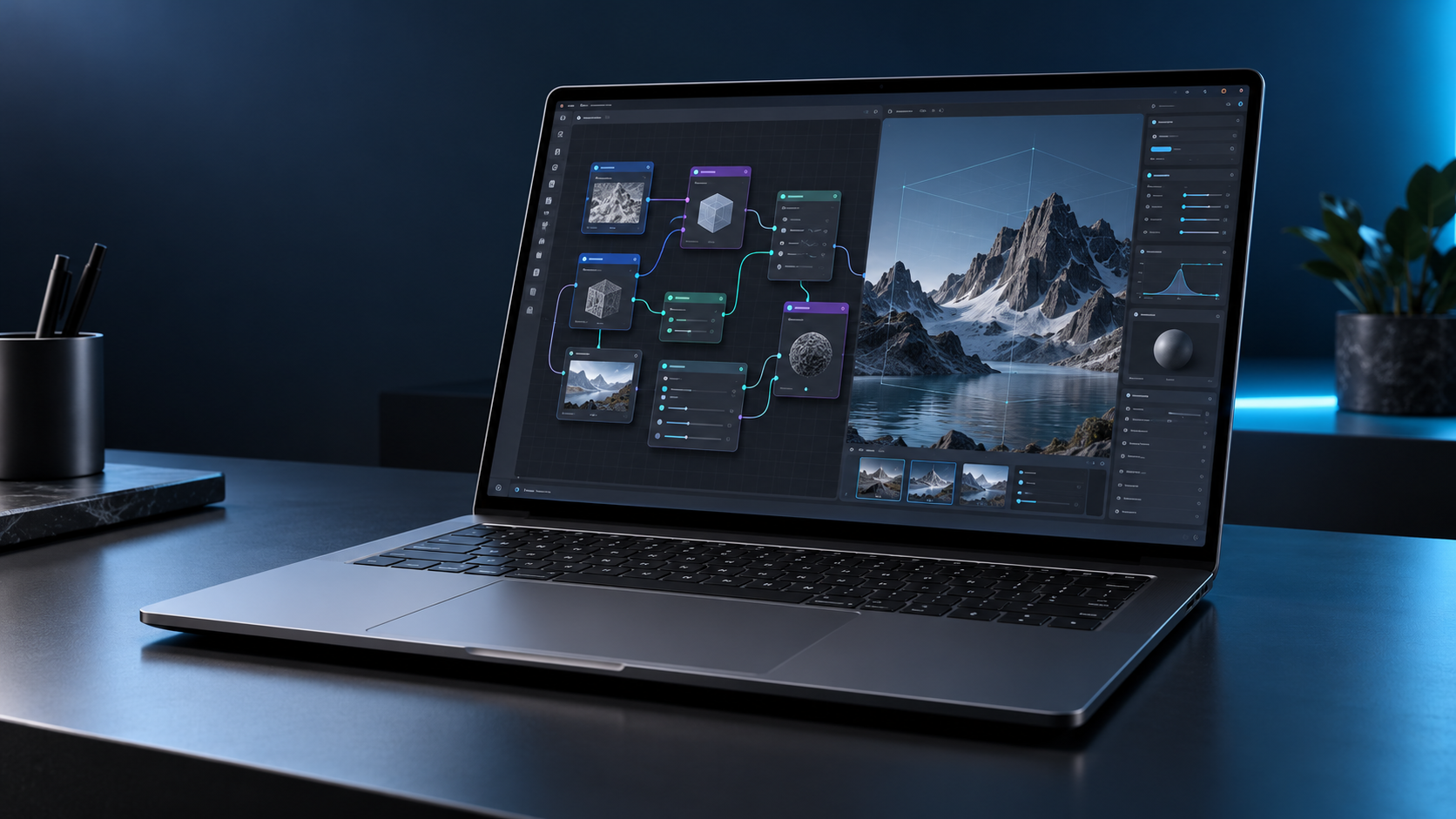
Microsoft’s Surface Laptop Ultra reaches stores on October 16, 2026, at a starting price of $2,599.99. It is not a routine Surface refresh: the 15-inch laptop is built around NVIDIA’s new RTX Spark N1X platform, pairing a Grace CPU, Blackwell RTX graphics and as much as 128GB of unified memory for local AI, creative work and gaming.
The headline specifications are unusually ambitious for a portable PC, but the launch-day decision is less simple. Microsoft claims up to one petaflop of AI compute and support for models exceeding 120 billion parameters, while its own battery estimate tops out at 12 hours of active web use. At 4.41 pounds, this is a mobile workstation first and an everyday ultraportable second.
Surface Laptop Ultra price and release date
The consumer Surface Laptop Ultra starts at $2,599.99 and becomes available October 16 through Microsoft and selected retailers. Microsoft is offering Platinum and Nightfall finishes, although colors, processors and memory combinations can vary by market and configuration.
Microsoft’s current store listing separates the software by memory tier. The 24GB configuration ships with Windows 11 Home, while 32GB, 48GB, 64GB and 128GB configurations use Windows 11 Pro. Storage options range from a 512GB Gen 4 SSD to 1TB and 2TB Gen 5 SSDs.
The SSD is described as removable, but that does not automatically make it a casual consumer upgrade. Microsoft says service and replacement options vary by market, repairs should follow its service guide, and damage caused during an unsupported repair may not be covered.
Key specifications at a glance
- Starting price: $2,599.99
- Release date: October 16, 2026
- Processor options: NVIDIA RTX Spark N1X with an 18-core CPU and 5,120-core GPU, or a 20-core CPU and 6,144-core GPU
- Unified memory: 24GB, 32GB, 48GB, 64GB or 128GB LPDDR5x
- Storage: 512GB Gen 4 SSD or 1TB and 2TB Gen 5 SSD options; removable design
- Display: 15-inch PixelSense Ultra touchscreen, up to 1,000 nits SDR and 2,000 nits peak HDR
- Battery claims: up to 15 hours of local video playback or 12 hours of active web use
- Weight: 4.41 pounds; chassis under 18 mm thick
- Connectivity: Wi-Fi 7, Bluetooth 5.4, three USB-C/USB4 ports, HDMI, USB-A, SD card reader and headphone jack
What RTX Spark changes
The RTX Spark N1X combines a Grace CPU and Blackwell RTX GPU in one tightly integrated platform. Microsoft lists up to 6,144 GPU cores and 20 CPU cores, while NVIDIA says fifth-generation Tensor Cores and its NVLink-C2C interconnect are central to the design. The highest configuration is rated for up to one petaflop of peak FP4 AI compute.
That number needs context. It is a theoretical peak using sparsity, not a promise that every model or application will run at the same speed. Software support, model precision, memory requirements, thermals and sustained power all affect real performance. The practical advantage is the unified-memory ceiling: a 128GB configuration gives large local models and complex creative projects far more working room than a conventional laptop GPU with a smaller dedicated VRAM pool.
Microsoft says the machine can run AI models exceeding 120 billion parameters locally. Developers can use the CUDA ecosystem, Windows AI tools and local-agent workflows without sending every task to a cloud service. That could benefit teams handling proprietary code or media, but buyers should verify that their exact models, frameworks and plug-ins are optimized for RTX Spark before treating the laptop as a cloud replacement.
Display, size and thermals
The 15-inch PixelSense Ultra display is a touchscreen with a 120Hz refresh rate, 100% DCI-P3 coverage and a claimed 1,000-nit typical SDR maximum. Microsoft advertises a 2,000-nit peak for HDR content, but sustained brightness is lower and real output depends on content and settings.
One limitation is easy to miss: the touchscreen is optimized for touch, but Microsoft says it does not support Surface Pen or Surface Slim Pen input. Artists who expect the new flagship Surface laptop to double as a pen-display workstation should factor that into the purchase decision.
The chassis is under 18 mm thick and weighs 4.41 pounds. That is portable for the performance class, yet substantially heavier than mainstream thin-and-light laptops. Microsoft says a redesigned cooling system provides up to 2.5 times the thermal capacity of the 15-inch Surface Laptop 8th Edition, using larger fans to move more air at lower speeds. Independent testing will still be needed to judge sustained performance, fan noise and surface temperature.
Ports, charging and external displays
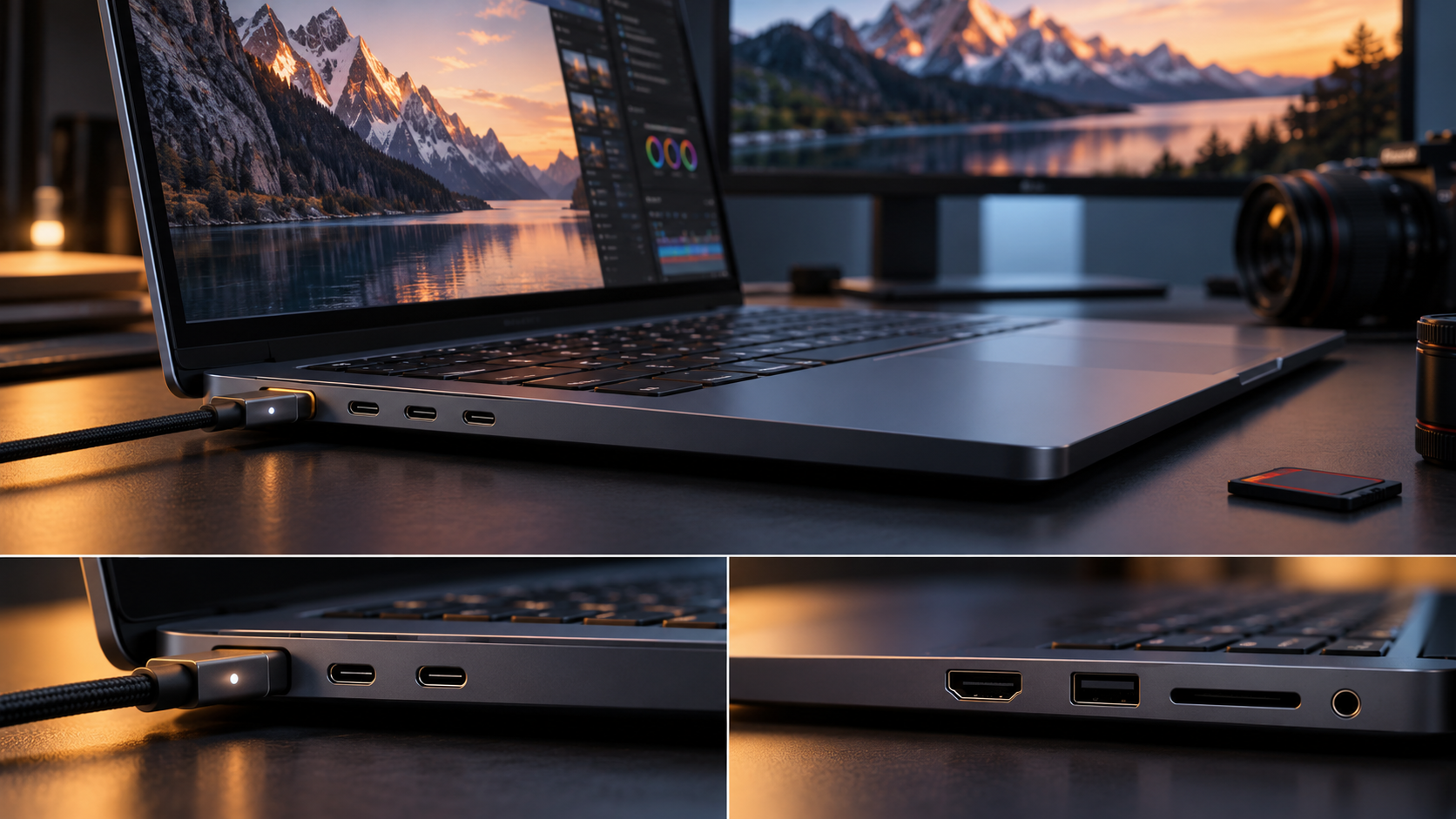
Surface Laptop Ultra has a notably complete port selection: two conventional USB-C/USB4 ports, a third USB-C/USB4 port with Magnetic Connect, HDMI 2.1b, USB-A 3.1, an SD card reader and a 3.5 mm headphone jack. Microsoft says all three USB-C ports support charging, 40Gbps data and DisplayPort 2.1.
The Magnetic Connect port is a standard USB-C connection with a magnetic breakaway cable rather than a separate proprietary charging socket. The included 140W USB-C adapter and Magnetic Connect cable support convenient attachment, while another compatible USB-C charger can work if it provides at least 115W. That flexibility is useful for travel, but many smaller phone and tablet chargers will not deliver enough power for full-speed charging.
The laptop can drive as many as three 4K displays at 60Hz when the monitors, cables and adapters support the required standards. Creators also get direct SD-card access and HDMI without a hub, a meaningful advantage over premium laptops that rely almost entirely on USB-C.
Battery life: read Microsoft’s two numbers carefully
Microsoft publishes two different endurance figures: up to 15 hours of local video playback and up to 12 hours of active web use. Both came from September 2026 tests of preproduction hardware at 150 nits with default settings, and battery life can change significantly with brightness, radios, applications and workload.
The active-web number is the more useful starting point for ordinary work. Local AI inference, 3D rendering, gaming and sustained GPU use will draw much more power than browsing. Buyers planning to run demanding workloads away from an outlet should wait for independent battery and performance testing rather than assuming that the “all-day” description applies to every task.
The 140W charger also affects mobility. It is appropriate for a high-performance machine, but it adds weight and bulk to a travel bag. A lighter USB-C charger may be useful for low-load travel only if it meets Microsoft’s minimum power requirements.
Windows on Arm compatibility still deserves a check
RTX Spark runs Windows 11 on an Arm-based NVIDIA Grace CPU. NVIDIA says hundreds of games support launch-day technologies including DLSS, Reflex, ray tracing and G-SYNC, and it is promoting broad readiness across creative, AI and developer applications.
That is encouraging, but “supported” is not the same as identical performance or perfect compatibility. Specialized plug-ins, older peripherals, corporate security tools, niche drivers and anti-cheat systems can behave differently on Arm. Before ordering, professional buyers should make a list of indispensable applications and hardware, then confirm native support, emulation behavior and driver availability with each vendor.
The same caution applies to gaming. RTX features and a powerful GPU do not guarantee that every title runs flawlessly. Check the games you actually play, especially competitive titles that rely on anti-cheat software, and wait for measured frame-rate and battery results.
Who should consider it
Surface Laptop Ultra makes the strongest case for developers, AI researchers, 3D artists, video professionals and technical creators who need a large shared memory pool in a machine they can carry. The port selection, removable SSD and high-brightness display also address common workstation complaints.
It is harder to justify for routine office work, web browsing or general school use. A $2,599.99 starting price is high before adding extra memory and storage, and lighter Surface models can deliver a better mobility-to-cost balance for less demanding workloads.
If you need a Windows laptop now but do not require RTX Spark, you can browse current Microsoft Surface laptops on Amazon and compare weight, battery life, memory and ports against the Ultra. Surface Laptop Ultra itself may appear at additional retailers after launch, so verify the exact configuration and seller before buying.
ReaderSpice may earn a commission from qualifying purchases made through affiliate links, at no additional cost to you.
Should you buy on launch day?
Most buyers should wait for independent reviews. Microsoft and NVIDIA have published enough detail to show that Surface Laptop Ultra is a genuine new performance class, but the decisive questions are still practical: sustained speed, noise, heat, battery life under local-AI workloads, Windows-on-Arm compatibility and the price of useful high-memory configurations.
Buying immediately makes more sense when a specific workflow already needs more than typical laptop VRAM, the required software has confirmed RTX Spark support, and portability matters enough to rule out a desktop workstation. Everyone else benefits from seeing how real applications perform and how quickly competing RTX Spark laptops reach the market.
Bottom line
Surface Laptop Ultra is Microsoft’s most ambitious laptop in years. Its RTX Spark platform, up to 128GB of unified memory, full port selection and high-brightness 15-inch display target workloads that normal premium notebooks cannot handle comfortably.
The tradeoffs are equally clear: a $2,599.99 starting price, 4.41-pound weight, no pen support and a 12-hour active-web claim before demanding GPU work begins. Treat the October 16 release as the start of real-world testing, not the end of the buying decision.
Sources
Microsoft Devices Blog: Surface Laptop Ultra launch, design, pricing and availability
Microsoft Store: Surface Laptop Ultra configurations and full specifications
Microsoft Support: Surface Laptop Ultra ports, charging and Magnetic Connect
NVIDIA: RTX Spark launch-day gaming and platform details
NVIDIA Blog: RTX Spark software and application ecosystem readiness