Gemini Omni 1.2 Flash Goes GA: 15-Second AI Video, $0.07 Pricing and Google Vids Limits

Creator editing AI-generated cinematic video scenes on an ultrawide monitor in a modern studio

Google has released Gemini Omni 1.2 Flash as a generally available video-generation and editing model. The November 5, 2026 launch extends clips to 15 seconds, lowers the published 720p price to $0.07 per generated second, and adds multi-turn editing designed to revise the same scene instead of restarting from a blank prompt.

The headline numbers are useful, but access depends on where the model is used. Developers get the model through supported Google Cloud and Gemini API surfaces, Google Vids is rolling it out across listed Workspace and consumer editions, and the Gemini app applies separate subscription and regional limits. A 15-second maximum also does not turn one generation into a finished commercial; continuity, audio, rights and factual accuracy still need human review.

This is a launch analysis and workflow guide based on Google documentation, not a ReaderSpice hands-on benchmark. Performance, consistency and speed claims come from Google unless otherwise stated.

Disclosure: ReaderSpice may earn a commission from qualifying purchases made through Amazon links, at no additional cost to you.

Gemini Omni 1.2 Flash at a glance

  • Release: generally available beginning November 5, 2026.
  • Model ID: gemini-omni-1.2-flash.
  • Video duration: 3 to 15 seconds for generation and editing; first-and-last-frame workflows are limited to 3 to 10 seconds.
  • Output formats: 16:9 and 9:16 at 360p, 720p, 1080p or 4K, according to the current model documentation.
  • Published 720p price: $0.07 per output second, 30% below Gemini Omni 1.1 Flash.
  • Core features: text-to-video, image-to-video, reference-guided generation, video editing, extension, upscaling and synchronized audio.
  • Availability: Gemini API, Google Cloud, Gemini for business and Google Vids, with product-specific plans, limits and rollout timing.
  • Important caveat: audio-reference input remains allowlisted rather than generally open.

What the 15-second limit changes

The previous Flash model topped out at 10 seconds. Five additional seconds gives a prompt more room for an establishing shot, an action and a reaction without an immediate cut. That can be useful for product demonstrations, short ads, virtual try-ons, explainers and social clips where a complete beat must fit inside one generation.

The limit is still short enough that a 30- or 60-second piece needs multiple generations or extensions. Each transition becomes a continuity risk: wardrobe, product details, room layout, lighting, camera direction and voice characteristics can drift between clips. A production plan should therefore define a reference frame, shot list and continuity checklist before spending generation credits.

What conversational editing changes

What conversational editing changes

Multi-turn editing is meant to revise the same clip while keeping the subject and visual identity consistent.

Google describes multi-turn editing as the ability to keep refining a clip through conversation. A user might replace a product, change the lighting, move the camera or alter a background without rebuilding the entire shot. Reference following is also improved so a character, object or brand element should remain more consistent across revisions.

“Improved” is not “locked.” Creators should inspect logos, labels, faces, hands, geometry, color and product proportions after every revision. Keep the original reference assets and approved frame available, compare each pass at full resolution, and stop using a generated shot when a correction creates a new defect elsewhere.

Pricing math for real projects

At the published 720p rate, a 10-second output costs about $0.70 and a 15-second output costs about $1.05. A simple 30-second sequence made from two 15-second generations starts around $2.10, while a 60-second sequence made from four starts around $4.20. Those figures cover the output seconds only and do not account for input charges, retries, discarded generations, upscaling, storage, editing labor or platform-specific pricing.

The cost of the first acceptable take matters more than the price of one generation. A $1.05 clip that takes eight attempts effectively carries at least $8.40 in output charges before other costs. Use 360p or 720p for drafts, approve the motion and composition first, then upscale or regenerate only the selected shots at higher resolution.

Developer access and API limits

Google lists Gemini Omni 1.2 Flash as globally available in its supported cloud region and identifies November 5, 2026 as the release date. The current model page routes video work through the Interactions API rather than the standard GenerateContent or Chat Completions endpoints. Teams should use the documented model ID and supported endpoint instead of assuming a text-model integration can be renamed and reused unchanged.

The model accepts text, image and video references, with current documentation listing up to 10 images and three videos per prompt. Generation and editing outputs can run from 3 to 15 seconds. Video extension adds 3 to 10 seconds, and upscaling can target 1080p or 4K. Google also lists synchronized speech, music and sound effects, but audio-reference input is gated behind allowlisting.

Production deployments should log the prompt, model version, input references, output settings and final asset approval. Google lists a retirement date of November 5, 2027 or later for this version, so applications also need a migration plan rather than treating the model ID as permanent.

Google Vids rollout and account requirements

Google Vids began a full rollout on November 5 that Google says should take one to three days for feature visibility. The Workspace update lists Business Starter, Standard and Plus; Enterprise Starter, Standard and Plus; Enterprise Essentials editions; Nonprofits; Individual; Education Plus; Google AI Pro for Education; Teaching and Learning; AI Expanded Access; and personal Google accounts with Google AI Pro or Ultra.

Google says there is no separate admin control for this Vids update. That does not mean every user receives unlimited generations. Product limits, account entitlements and organizational policies still apply, and AI Expanded Access is specifically described as providing higher usage limits.

The Gemini app is a separate surface. Google’s help page says clips can be 3 to 10 seconds for supported users, with up to 15 seconds for AI Ultra subscribers. It also says video editing and avatar creation are unavailable in the EEA, Switzerland, the United Kingdom and some U.S. states. Buyers should therefore verify the exact product, plan, country and account before assuming the general 15-second model limit applies everywhere.

Quality, audio and disclosure checks

Google highlights clearer lip-sync, more natural dialogue, stronger speaker variety and better reference consistency. Those are launch claims, not a guarantee that every output will be ready for publication. Dialogue can still mispronounce names, change accents, invent words or lose sync after an edit. Music and sound effects need the same review for timing, rights and suitability.

Google says generated outputs carry an imperceptible SynthID watermark, and the model documentation lists Content Credentials support. Publishers should still disclose materially synthetic visuals when context could mislead a viewer, especially for news, demonstrations, testimonials, health, finance, politics or depictions of real people and products.

A practical creator workflow

  • Write a shot list and continuity sheet before generating anything.
  • Create low-resolution drafts to validate framing, motion and timing.
  • Use the same approved product, character and location references across related shots.
  • Make one editing request per turn so a defect can be traced to a specific change.
  • Check faces, hands, labels, logos, geometry, dialogue, lip-sync and sound effects frame by frame.
  • Upscale only accepted shots, then finish pacing, captions, music and color in a conventional editor.
  • Archive prompts, references, output IDs, licenses and final approval notes with the project.

Storage still matters for AI video

AI generation does not remove the need for local project storage. Reference images, source clips, multiple rejected generations, 4K upscales and final exports can grow quickly. The Crucial X9 Pro 4TB portable SSD is a directly relevant creator-storage option listed on Amazon under ASIN B0C9WGQY8G. It uses USB-C and is marketed for professional creative workflows; verify capacity, seller, warranty and current price before ordering.

View the Crucial X9 Pro 4TB portable SSD on Amazon. A fast drive helps with local editing and archiving, but it does not change Gemini usage limits or generation speed in Google’s cloud.

Who should use Gemini Omni 1.2 Flash now?

A strong fit for:

  • Teams producing short product, advertising, social or training clips at volume.
  • Creators who need iterative video edits without rebuilding every scene from scratch.
  • Developers prepared to use the documented video API, log costs and review every output.
  • Google Vids users whose edition and region receive the new model during rollout.

Wait or use another workflow if:

  • A project needs long unbroken scenes, exact physical behavior or frame-perfect continuity.
  • The subject is a real person or sensitive event and a synthetic depiction could mislead viewers.
  • The required editing or avatar feature is restricted in the user’s region.
  • The budget cannot absorb retries, upscaling and human review beyond the headline per-second rate.

Bottom line

Gemini Omni 1.2 Flash is a meaningful production update because it combines a longer 15-second ceiling, lower 720p pricing and conversational editing in a generally available model. The strongest practical improvement is not simply five extra seconds; it is the chance to revise an existing clip while preserving more of its subject and visual identity.

The limits remain important. Access varies across the API, Google Vids and the Gemini app, audio references are allowlisted, and a short AI video still needs continuity control, rights review and conventional post-production. Treat $0.07 per second as the cost of one output pass, not the total cost of a finished, publishable video.

Sources

Google — Gemini Omni 1.2 Flash launch announcement, November 5, 2026

Google Cloud — Gemini Omni 1.2 Flash generally available

Google DeepMind — Gemini Omni 1.2 Flash model card

Google Cloud documentation — Gemini Omni 1.2 Flash model specifications

Google Cloud documentation — model versions and lifecycle

Google Workspace Updates — Gemini Omni 1.2 Flash in Google Vids

Google Gemini Apps Help — video generation features and product limits

Amazon — Crucial X9 Pro 4TB portable SSD, ASIN B0C9WGQY8G

Chrome Enhanced Autofill Can Use Gmail: Setup, Privacy Controls and Limits

Laptop showing a generic enhanced autofill suggestion beside a phone with email messages and privacy controls

Chrome can now suggest information from Gmail while a person fills out an online form. Google announced the expanded enhanced-autofill feature on October 28, 2026, using Gemini with Personal Intelligence to surface details such as order numbers, package tracking information and flight bookings without requiring a separate inbox search.

The convenience is real, but the feature is narrower than the headline may suggest. It is beginning to roll out in the United States for eligible Gemini in Chrome users who are at least 18 and have opted into Personal Intelligence. It works on desktop, Android and iOS, and it can be turned off independently in Chrome settings.

This guide explains what enhanced autofill can pull from Gmail, how to verify the source before accepting a suggestion, how to enable or disable it on each platform and which privacy controls matter. The safest use is deliberate: review the field, confirm the source email and submit only information that belongs on the site in front of you.

Chrome enhanced autofill at a glance

  • Announced October 28, 2026, with a gradual U.S. rollout.
  • Available on desktop, Android and iOS for eligible users age 18 or older.
  • Requires Gemini in Chrome and an opt-in to Personal Intelligence.
  • Can suggest Gmail details related to flights, vehicles, orders and package tracking.
  • Shows Gemini-powered suggestions in a form-field dropdown or mobile suggestion chip.
  • Lets the user open the original Gmail source before accepting a suggestion.
  • Can be disabled under Chrome’s Autofill and passwords settings.

Who can use the Gmail-powered feature now

Google’s current help documentation lists four gates: the person must be in the United States, be 18 or older, have access to Gemini in Chrome and opt into Gemini Personal Intelligence. The feature is rolling out rather than appearing for every eligible account at the same moment, so a missing setting does not necessarily mean Chrome is outdated or misconfigured.

Personal and managed accounts may not behave the same way. Google says some Personal Intelligence experiences are designed for personal Google accounts, while work or school administrators can restrict Gemini, connected apps or Chrome settings. If Enhanced autofill is absent from a managed browser, check organization policy before reinstalling Chrome or repeatedly changing profiles.

The rollout also depends on the active Chrome profile. Someone who uses one profile for personal Gmail and another for work should confirm which avatar and Google Account are selected before enabling the feature. An autofill suggestion is useful only when it comes from the intended inbox and belongs to the task being completed.

How Gmail-powered enhanced autofill works

How Gmail-powered enhanced autofill works

When Chrome recognizes a supported field, enhanced autofill can offer a Gemini-marked suggestion derived from connected Gmail information. Google gives examples such as flight details, vehicle information, order numbers and tracking data. The suggestion appears where a normal autofill option would appear; Chrome does not submit the form until the user chooses the suggestion and continues through the website’s own workflow.

The distinction between suggestion and submission matters. A matching order number can still belong to a different return, a flight can be outdated after a schedule change, and a vehicle identifier can be inappropriate for a public or unfamiliar website. Treat the feature as a faster way to locate information, not as proof that the information is current or that the requesting site is trustworthy.

Verify the Gmail source before filling a field

On desktop, hover over the Gemini suggestion and open its menu, then choose the source link. Chrome opens the original Gmail message in a new tab. On Android or iOS, touch and hold the suggestion chip and choose View sources. Compare the sender, date, order or reservation number and recipient before inserting anything.

A source email can be authentic while the form is not. Confirm the domain in the address bar, especially for returns, travel changes, warranty claims and delivery problems. If the page arrived through an unsolicited message, reopen the retailer, airline or carrier from a trusted bookmark or official app before sharing an order number or other account detail.

How to turn enhanced autofill on or off on desktop

  • Open Chrome and select the three-dot menu.
  • Choose Settings, then Autofill and passwords.
  • Open Autofill settings and select Enhanced autofill.
  • Turn Find and fill with Gemini on or off.
  • If the control is missing, confirm the active profile, age eligibility, U.S. availability, Gemini in Chrome access and Personal Intelligence enrollment.

Turning the feature off stops Chrome from presenting these Gmail-derived enhanced suggestions. It does not delete the Gmail messages that supplied earlier suggestions, erase ordinary saved addresses or payment methods, or automatically disconnect every Google app from Gemini. Those controls live in separate settings and should be reviewed separately.

How to manage it on Android and iPhone

On Android, open Chrome, select the three-dot menu, choose Settings, then Autofill and passwords. Open Enhanced autofill and use the Find and fill with Gemini switch. To inspect a suggestion, long-press the chip above the keyboard, choose View sources and open the relevant email.

On iPhone or iPad, open Chrome, tap More, then Settings. Choose Autofill and passwords, open Autofill settings, select Enhanced autofill and change Find and fill with Gemini. The source-review gesture is similar: touch and hold the suggestion chip, choose View sources and verify the email before filling the field.

Menu labels can shift slightly during rollout or between app versions. Update Chrome from the official app store, restart the browser and confirm that the intended Google Account is signed in. Do not install a profile, extension or third-party app that promises to unlock the feature early.

Remove an outdated suggestion without deleting the email

Google says information pulled from Gmail cannot be edited inside Chrome. On desktop, open the suggestion menu and choose Remove from Chrome. On mobile, long-press the suggestion chip and choose Remove suggestion or Remove. That action removes the Chrome suggestion but leaves the original Gmail message intact.

Deleting the original email has a different effect: Google says it also removes the corresponding suggestion. That is not a good reason to delete a receipt, itinerary or warranty record that still has value. Remove the suggestion from Chrome when the email should remain archived, and delete the email only when normal record-retention and account needs allow it.

If the underlying reservation or order changed, use the newest official confirmation rather than trusting an older suggestion. Chrome may surface what the connected inbox contains; it cannot guarantee that a merchant, airline or carrier has not issued a later update in another message or app.

Privacy controls that matter

Google says sensitive data used by enhanced autofill is encrypted and that the feature can be managed in Chrome settings. Its general autofill documentation also says Chrome sends form structure, field names and a hashed version of the site’s domain to Google so it can match information to fields. After submission, Chrome can send information about the form structure and the types of data submitted to improve predictions.

Gemini and Personal Intelligence add another layer. Google says connecting apps is opt-in, users choose which eligible apps to connect and connected-app access can be turned off. Google’s Personal Intelligence documentation says Gmail inbox content is not used directly to train Gemini models, while limited information such as prompts and responses may be used after steps intended to filter or obscure personal data.

These are different controls with different effects. Disabling enhanced autofill stops the Gmail-powered form suggestions. Disconnecting Google Workspace from Gemini affects connected-app access more broadly across Gemini experiences. Gemini Apps Activity and Keep Activity determine how some interactions are stored. A privacy review should check each relevant setting instead of assuming one switch controls the entire data path.

Enhanced autofill and Connected Apps are not the same switch

In Gemini in Chrome, Connected Apps settings can link services such as Gmail, Calendar, Drive, Photos and YouTube. Google says disconnecting an app applies across Gemini Apps, including Gemini in Chrome. That broader change may affect summaries, personalized answers and other tasks beyond autofill.

Use the narrowest control that matches the goal. Turn off enhanced autofill if Gmail-based form suggestions are the only concern. Review Connected Apps when Gemini should not access Gmail or another service at all. Review Gemini Apps Activity when the question is retention of interactions. Record the change before troubleshooting, because toggling several settings at once makes it difficult to know which control caused the result.

When not to accept an autofill suggestion

  • The page domain is unfamiliar, misspelled or reached through an unsolicited link.
  • The suggestion belongs to another person, account, trip, vehicle or order.
  • The email is old and a newer confirmation may exist.
  • The field asks for more information than the stated task requires.
  • The form concerns financial, medical, legal or identity data and the source cannot be verified.
  • A shared device or the wrong Chrome profile is active.
  • The website asks for an order number or tracking code before showing a clear privacy policy or support purpose.

Autofill reduces typing; it does not evaluate the business requesting the data. Pause when a suggestion reveals more than expected, and type only the minimum necessary information after confirming the site. For sensitive support cases, the official retailer, airline or carrier app may provide a safer authenticated channel than an open web form.

Optional Google Account protection with a security key

Because enhanced autofill depends on Gmail and a signed-in Chrome profile, protecting the Google Account remains important. A physical security key can provide phishing-resistant authentication for compatible Google sign-ins and other services. It does not control what enhanced autofill can access, but it can make account takeover harder if a password is exposed.

One compatible option is the Yubico YubiKey 5C NFC (ASIN B08DHL1YDL). It supports USB-C and NFC, and Yubico lists Google Accounts among supported services. Confirm connector compatibility with every device, register a backup sign-in method and consider a second key before relying on one physical key for an important account.

Affiliate disclosure: ReaderSpice may earn a commission from qualifying Amazon purchases made through the link above, at no additional cost to you.

Troubleshooting when enhanced autofill does not appear

  • Update Chrome through the official browser or app-store update path.
  • Confirm that the active profile uses an eligible personal Google Account in the United States.
  • Check that the account holder is 18 or older and has Gemini in Chrome access.
  • Verify that Personal Intelligence is enabled and that the relevant Google Workspace connection is available.
  • Look for organization policies if the browser or account is managed by work or school.
  • Test a supported form with a recent order, flight or vehicle-related email rather than an unrelated field.
  • Wait for the staged rollout if every requirement is satisfied but the control is still absent.

Avoid broad troubleshooting that weakens other protections. Clearing all browser data, disabling Safe Browsing or installing an unverified extension is not required for this feature and can create new problems. Start with eligibility, profile and settings checks, then wait for rollout rather than forcing access.

The bottom line

Chrome’s Gmail-powered enhanced autofill is a practical shortcut for details that are difficult to remember and easy to mistype. Source links, removable suggestions and a dedicated on-off switch give users meaningful control, while desktop and mobile support makes the feature useful across common form-filling workflows.

The feature should still be treated as an assistant, not an authority. Verify the Gmail source, confirm the website, use the correct Chrome profile and submit only the fields the task requires. If the convenience is not worth the connected-inbox access, turn off enhanced autofill and review Gemini Connected Apps separately.

Sources

Google Blog – Chrome enhanced autofill now pulls data from Gmail

Google Chrome Help – Fill out forms automatically in Chrome on desktop

Google Chrome Help – Use enhanced autofill on Android

Google Chrome Help – Use enhanced autofill on iPhone and iPad

Google Chrome Help – How Chrome protects autofill and password data

Google Chrome Help – Customize Gemini in Chrome and Connected Apps

Gemini Apps Help – Gemini Apps Privacy Hub

Yubico – YubiKey 5C NFC

Amazon – Yubico YubiKey 5C NFC, ASIN B08DHL1YDL

Inline image: Gmail-powered enhanced autofill source review

Inline image alt text: Person reviewing a browser autofill suggestion linked to order and flight emails before inserting it into a form

Google Genie 4: Real-Time AI Worlds, Native Audio, Access and Limits

Interactive AI world forming from neural geometry with landscapes, weather, audio waves and a simulated city.

Google DeepMind introduced Genie 4 on October 27, 2026 as a research-preview world model that generates interactive environments in real time. Unlike a conventional image or video generator, it lets a tester move through a simulated scene and change the weather, camera, characters or events with natural-language instructions while the world continues running.

The announcement is visually striking, but access and limitations matter more than the demos. Genie 4 is initially available only to trusted testers. Google says it is coming soon to Google AI Ultra subscribers through Project Genie and to selected early-access partners through the Gemini API and Google AI Studio, without announcing a general release date or public price.

Google Genie 4 at a glance

  • Announced: October 27, 2026.
  • Current status: research preview for a limited group of trusted testers.
  • Broader access: coming soon to Google AI Ultra subscribers in Project Genie and selected API and AI Studio partners.
  • Core capabilities: real-time world generation, natural-language steering, simulated physics, characters and native audio.
  • Current limits: short sessions, visual drift, imperfect object permanence, text rendering and audio accuracy.
  • Disclosure: Google says generated video and audio will carry SynthID watermarking.

What Genie 4 can do

What Genie 4 can do

Genie 4 creates a world that can respond to a person’s movement and instructions instead of rendering one fixed clip. Google’s demonstrations show users navigating with standard keyboard controls while typing changes such as moving the camera, adding a person or object, or turning clear weather into a storm. The model then tries to preserve the surrounding scene as the new instruction takes effect.

Google says the system improves photorealism, fluid motion and the behavior of people and objects. It also models events such as collisions, flowing water and wind moving through trees. These are research demonstrations rather than independent benchmarks, so they show intended behavior but do not prove that every generated world will remain physically accurate.

Real-time steering and native audio

The most important change from earlier Genie research is the combination of live steering and sound. Genie 4 generates ambient noise, music and interactive dialogue alongside the visual scene. A character can react to an event or a user’s direction while the simulated environment continues, giving creators a rough, explorable draft instead of a passive video.

That does not make Genie 4 a finished game engine or film-production system. Google acknowledges that audio can be inaccurate, text inside a world may be unreadable, and details can change during longer sessions or after repeated edits. Creators will still need conventional tools for continuity, editing, rights clearance and final delivery.

How Gemini models guide the simulation

Genie 4 incorporates technology from the Gemini family. Google says Gemini Omni helps anchor simulations in real-world appearance and behavior, while Gemini 3.8 Flash operates as a guiding agent that observes incoming frames, breaks goals into steps and checks whether each step has succeeded. If the world changes or a user intervenes, the planning loop can adjust.

Google also demonstrated Genie 4 with Gemini 4 Argon and Gemini Robotics. In one example, Argon breaks a task into smaller actions and sends those steps into the world as it is rendered. The experiment is intended to explore how robots and software agents might train or be evaluated in varied simulated environments before interacting with physical equipment.

Why simulation matters for robots and agents

Training in simulation can expose an agent to rare, dangerous or expensive scenarios without putting people or machinery at immediate risk. It can also generate many variations of a task, helping researchers test whether an agent succeeds only under familiar conditions. A useful simulation still needs validation, because an unrealistic world can teach the wrong behavior or hide failure modes that appear in real settings.

Who can use Genie 4 now

Genie 4 is not a generally available product. Trusted testers in creative industries, journalism, education, gaming and engineering have the first preview. Google has opened a Project Genie waitlist and says Google AI Ultra subscribers are among the next groups planned for access, followed by selected early-access partners using the Gemini API and Google AI Studio.

Google has not published a firm rollout date, country list, API price, output resolution or frame-rate specification. It also has not promised that every research-demo capability will appear in the eventual subscriber or developer experience. Readers should avoid unofficial downloads, browser extensions or “early access” pages that ask for credentials or payment outside Google’s documented channels.

The limitations are as important as the demos

Google describes Genie 4 as early and evolving. The model can support only a few minutes of continuous interaction, and visual details may drift as a session runs longer. Object permanence can fail after multiple complex edits or extensive navigation, which means an item, character or architectural feature may move, change or disappear.

Complex interactions among several independent agents remain difficult. The model cannot reproduce real-world locations with perfect accuracy, legible text is inconsistent, and spatial or physical details may be wrong. Native audio is also a work in progress. These constraints make the preview more suitable for exploration, pre-visualization and controlled experiments than for authoritative historical reconstruction, safety-critical training or final commercial media.

  • Verify important physical and spatial behavior against real data.
  • Keep generated historical or journalistic scenes clearly labeled as simulations.
  • Do not treat a simulated outcome as proof that a robot or agent is safe in the real world.
  • Check music, dialogue, faces and other outputs for rights and consent issues.
  • Preserve prompts, settings and human edits when reproducibility matters.

What creators, developers and educators should prepare

The best first use is a bounded prototype. A filmmaker might explore camera blocking and lighting before a shoot. A game team could test the feel of an environment before building production assets. An educator could demonstrate a concept while making clear that the generated scene is an illustration, not primary evidence. Developers evaluating agent behavior should define success criteria before the run and compare simulated results with real tests.

Google says every generated video and audio output will include SynthID, its imperceptible watermarking system. Watermarking can support provenance, but it does not replace visible disclosure when an audience could mistake a simulation for recorded reality. Newsrooms, schools and brands should label synthetic scenes in the surrounding caption, narration or credits.

For readers who want a broader foundation in agents, planning, robotics and responsible AI, Artificial Intelligence: A Modern Approach, 4th Edition by Stuart Russell and Peter Norvig remains a useful reference. Compare the book on Amazon before ordering, and verify the edition, seller, format and current price.

Affiliate disclosure: ReaderSpice may earn a commission from qualifying Amazon purchases made through the link above, at no additional cost to you.

What Genie 4 is not

Genie 4 should not be confused with a new public version of Gemini chat, a conventional video editor or a downloadable game engine. It is a research-preview world model with limited access. The interactive demonstrations are generated examples, not evidence that the model can reproduce every location, person or real event accurately.

It also does not eliminate the need for human direction. A coherent project still requires a goal, constraints, review and decisions about what is factual, safe and appropriate to publish. The technology can shorten the path from an idea to an explorable draft, but the draft remains synthetic and provisional.

The bottom line

Google Genie 4 is a meaningful step beyond one-shot AI media because it combines navigable worlds, real-time natural-language changes, simulated physics and native audio. The integration of Gemini planning models also points toward training environments where software agents and robots can be tested across many scenarios.

The immediate reality is narrower: Genie 4 is limited to trusted testers, wider access is only promised for later, and the worlds can drift during short sessions. Creators and developers should view it as an experimental pre-visualization and simulation tool, disclose synthetic scenes clearly, and validate important behavior outside the generated world.

Sources

Google Blog — Introducing Genie 4 for real-time interactive simulation

Google DeepMind — Genie 4: A new generation of world simulation

Google DeepMind — Genie 4 model page, limitations and responsibility

TechCrunch — Genie 4 adds audio, realism and real-time steering

Pearson — Artificial Intelligence: A Modern Approach, 4th Edition

Amazon — Artificial Intelligence: A Modern Approach, 4th Edition, ASIN 0134610997

Gemini 4 Carbon: Cybersecurity Benchmarks, Limited Access and Pricing Explained

Faceted carbon crystal inside a protective shield surrounded by secure code and network interfaces.

Google introduced Gemini 4 Carbon on October 28, 2026 as a frontier model aimed at long-running software-engineering work and cybersecurity defense. The headline is not simply that a new Gemini model exists. Carbon is being rolled out cautiously to selected defenders first, while Google continues pre-release testing and guardrail work before broader developer, business and consumer access.

That limited release matters. Carbon is not a model most Gemini users can select today, and Google has not published a general availability date. The announcement is best read as a capability and pricing preview: strong benchmark claims, a focus on vulnerability discovery and patching, and an introductory API price that is scheduled to rise later.

Gemini 4 Carbon at a glance

  • Announced: October 28, 2026.
  • Initial access: selected cyber defenders and trusted partners through Google’s Fairwind Program.
  • Broader rollout: planned for developers, businesses and consumers, with no firm public date.
  • Introductory price: $2 per million input tokens and $10 per million output tokens.
  • Later price: Google says $4 per million input tokens and $20 per million output tokens after the introductory period.
  • Primary focus: long-horizon coding, agentic engineering and cybersecurity defense.

Google also lists cached input tokens at 95% below the introductory input rate. That can lower the cost of workloads that repeatedly reuse a large codebase or reference corpus, but actual spending will depend on context size, tool calls, retry behavior and how long an agent remains active.

What Carbon is built to do

What Carbon is built to do

Carbon is designed for work that cannot be completed reliably in one short response. Google says internal teams have used it on engineering jobs that run for days, including tracing subtle bugs through large repositories, testing hypotheses, and producing patches after earlier approaches fail.

The useful distinction is persistence rather than simple prompt length. A long-horizon system needs to preserve goals, inspect evidence, recover from dead ends and avoid changing unrelated code. Carbon’s announced improvements target that chain of work: coding quality, multimodal understanding, computer use, agentic planning and the ability to operate across very large contexts.

Cybersecurity is the defining angle

Google positions Carbon across three defensive stages. First, it searches for real vulnerabilities. Second, it checks whether a suspected flaw can actually be exploited so teams can prioritize risk. Third, it attempts to repair the underlying cause rather than merely describing the issue.

The company reports an 88.2% score on SEC-bench Pro for vulnerability discovery, 54.8% on ExploitGym for exploitation, and 71.0% on CWE-bench for patching. Google also says Carbon more than doubled the success rate of secure-code generation compared with Gemini 4 Argon in internal testing.

Those figures are meaningful signals, but they are not a warranty. Benchmark environments constrain tools, targets and evaluation criteria. Real organizations add proprietary code, incomplete documentation, permissions, production dependencies and legal limits. Security teams should treat Carbon as an assistant whose findings need reproduction, review and controlled remediation.

The benchmark claims need context

Google says Carbon ranks first on version 5.0 of the Artificial Analysis Intelligence Index with a score of 59. On Google DeepMind’s comparison table, it also posts 65.2% on Terminal-Bench 4.0, 61.2% on FrontierSWE 2 and 81.5% on the listed OSWorld 2.1 offline subset.

Different benchmarks test different skills, and a high aggregate rank does not mean one model leads every task. Carbon’s strongest public case is the combination of competitive general performance with a concentrated jump in cyber-defense evaluations. Buyers should compare the model against their own repository, languages, deployment stack and incident-response process before assuming the benchmark order will transfer.

Safety claims are part of the rollout

Google says Carbon reduced unsupported claims by about half compared with Argon in its internal testing and cut high-severity misalignment alerts by almost 80% in live coding environments. It also reports a 0.0% attack success rate on the evaluated Gray Swan indirect prompt-injection benchmark.

A zero score on one test should not be read as immunity. Prompt-injection defenses can change when an agent connects to email, tickets, browsers, code hosts or internal documents. Least-privilege credentials, isolated environments, approval gates and audit logs remain necessary even when a model performs well in controlled evaluations.

Who can use Gemini 4 Carbon now

Carbon’s first users are selected cybersecurity defenders and trusted partners. Google says it is participating in the U.S. government’s voluntary pre-release testing process and will expand access gradually through the Fairwind Program while collecting feedback.

Regular Gemini app users, Google AI Pro or Ultra subscribers, and general API developers should not assume Carbon is available merely because the model has been announced. Gemini 4 Argon remains the broadly referenced Gemini 4 option in Google’s current consumer and developer surfaces, while Carbon is described as coming later.

Organizations interested in early access should use Google’s official program pages rather than third-party downloads, unofficial endpoints or model files. A fake “Carbon access” page could be especially dangerous because the target audience is likely to grant code, cloud or security-tool permissions.

How the pricing could affect real projects

At the introductory rate, a workload consuming one million input tokens and one million output tokens would carry a published model charge of $12 before discounts, platform fees or other services. After the introductory period, the same token mix would be $24 at Google’s stated future rates.

That simplified example can understate an agentic task. A multi-day workflow may repeatedly inspect files, generate tests, call tools, revise patches and retain a large context. Teams should measure the total run rather than comparing only the price per request.

  • Set a budget and maximum run time before starting an autonomous task.
  • Limit the repository, branches and cloud resources the agent can reach.
  • Require human approval before merging code or changing production systems.
  • Log prompts, tool calls, retrieved files, patches and test results.
  • Reproduce every security finding in an isolated environment.

What developers and security teams should prepare

The most valuable preparation is not writing a longer prompt. It is making the environment auditable. Repositories need clear test commands, dependency locks, ownership rules and a defined path from a suspected issue to a reviewed patch.

For vulnerability work, teams should separate detection from exploitation and remediation. A model that finds a suspicious pattern should not automatically receive broad permission to exploit a live system. Use replicas or purpose-built test environments, record the evidence and route high-risk actions through authorized staff.

A classic reference such as Hacking: The Art of Exploitation, 2nd Edition by Jon Erickson can help readers understand the low-level concepts behind memory errors, networking and exploit development. Compare the book on Amazon before ordering, and verify the edition, seller, format and current price.

Affiliate disclosure: ReaderSpice may earn a commission from qualifying Amazon purchases made through the link above, at no additional cost to you.

What regular Gemini users should know

Carbon’s announcement does not replace the Gemini model already selected in a user’s account. It also does not guarantee that every benchmarked capability will arrive unchanged in the consumer app. Google may apply different tools, limits, safety controls and context windows across Gemini, Google AI Studio, enterprise products and the API.

The practical takeaway is to wait for the official availability notice and model documentation. When Carbon reaches broader access, compare its permissions, pricing and data controls with the task at hand. For coding help, begin with a disposable branch and tests. For security analysis, keep sensitive systems out of reach until the workflow has been validated.

The bottom line

Gemini 4 Carbon is a notable model announcement because Google is pairing long-horizon engineering claims with unusually specific cybersecurity results. Its 88.2% SEC-bench Pro, 54.8% ExploitGym and 71.0% CWE-bench scores suggest a stronger focus on the full defensive cycle from discovery to patching.

The immediate limitation is access. Carbon is starting with selected defenders, not the general public, and broader availability has no fixed date. Its introductory pricing is attractive on paper, but long-running agents can consume far more tokens and tool time than a single chat. The safest reading is promising but provisional: validate the model on controlled workloads, keep humans in the approval path and wait for official access.

Sources

Google Blog — Gemini 4 Carbon: our next frontier model

Google DeepMind — Gemini 4 model page and benchmark table

Google DeepMind — Gemini 4 Carbon evaluation methodology

Reuters — Google launches Gemini 4 Carbon with cybersecurity focus

No Starch Press — Hacking: The Art of Exploitation, 2nd Edition

Amazon — Hacking: The Art of Exploitation, 2nd Edition, ASIN 1593271441

Gemini Can Now Create and Edit Files in Chat: Supported Formats, Limits and a Safer Workflow

Laptop showing an AI chat workspace editing documents, PDFs, spreadsheets, slides and code.

Google has expanded the Gemini app from a place that mainly returns answers into a workspace where users can generate, preview and refine complete files without leaving the conversation. The new experience brings documents, PDFs, spreadsheets, presentations, text files and code into a single chat-centered workflow.

Google announced the change on October 29, 2026. It is available now to personal Google accounts, Google Workspace customers and Workspace Individual subscribers in every language where the Gemini app is offered. The important caveat is that device support varies: PDF preview and editing work on the web and mobile, while the broader file-editing experience is currently web-only.

What changed inside the Gemini app

A generated file can now open inside the Gemini conversation instead of appearing only as a download or a link to another editor. On the web, users can expand the file to a full-screen view, type changes directly, highlight a passage or visual element and ask Gemini to revise only that selection. They can also continue prompting Gemini to restructure, shorten or extend the file.

The practical benefit is continuity. A user can move from a prompt to a draft, inspect the draft and make a targeted correction without repeatedly downloading versions or rebuilding the file in a separate application. Export remains available when the work is ready for Google Drive, Google Docs, Google Sheets or a standard downloadable format.

This is still an editing surface, not an approval system. Gemini can make a file look complete while leaving incorrect facts, broken formulas, weak citations or misleading charts inside it. The closer the file gets to publication, grading, finance, compliance or customer use, the more important a manual review becomes.

Supported file types and device boundaries

  • PDFs: Preview and editing are supported in Gemini on both the web and mobile. A user can generate a PDF, inspect its pages and request or type revisions.
  • Documents and text: Gemini can create Google Docs, DOCX, LaTeX, Markdown, RTF and TXT files. Direct in-chat editing for the broader document experience is currently centered on the web.
  • Spreadsheets and tabular files: Gemini can build Google Sheets, XLSX, CSV and TSV outputs, preview structured data and export the result for continued work.
  • Presentations: Users can generate and refine slide content, preview a deck and then open it in Google Slides or download it as PPTX or PDF.
  • Code and web files: Gemini can create common programming languages and web formats, including Python, JavaScript, TypeScript, HTML and React-related files.

Google’s help documentation lists a wider range of formats that Gemini can generate than the October announcement names as direct-edit examples. That distinction matters: the ability to create or download a format does not guarantee that every element in that format has a full native editor in every Gemini client.

Generation, preview and export are separate stages

Generation produces a file from the prompt and any approved source material. Preview lets the user inspect what Gemini created. Editing changes the file, either manually or through another prompt. Export moves the result to Drive, a Workspace editor or a downloadable format. Treating those as four separate checkpoints makes it easier to catch errors before they become part of the final asset.

How to create and edit a file in Gemini

  • Open the Gemini app with the Google account that should own the finished file.
  • Describe the output precisely. Name the file type, audience, source material, required sections, tone and any facts that must remain unchanged.
  • Ask Gemini to generate the file. If the task depends on existing material, attach only the files that are necessary and permitted for that account.
  • Open the generated file in the conversation. On the web, expand it to full screen when a larger editing canvas is useful.
  • Make small, auditable revisions. Type a correction directly, highlight the exact section that needs work or prompt Gemini with a narrow instruction.
  • Export or download the result, then open the exported copy in its destination application and verify that layout, formulas, links and media survived the handoff.

A prompt that defines the review boundary

A useful prompt is more specific than “make a spreadsheet” or “turn this into a PDF.” For example: “Create an XLSX project tracker with columns for owner, due date, status and risk. Use only the attached milestone list. Do not invent dates. Add formulas for overdue items, but do not add external links.” The instruction names the format, required structure, allowed source and facts Gemini must not fabricate.

This is different from whole-deck editing in Google Slides

Google also launched multi-slide editing inside Google Slides, but the two experiences solve different problems. The Slides side panel edits selected slides or an entire existing presentation in the native Slides application. The new Gemini-app file workspace is broader: it starts in chat, spans several file types and can hand the result to another editor or download.

For a presentation that already has a theme, speaker notes, approved charts and collaborators, native Slides is usually the safer place for a deck-wide update. For a first draft that begins as notes, a table or a written brief, the Gemini app can be the faster starting surface. Moving between the two is useful, but it also creates a handoff that must be checked.

A safer workflow before you export

A safer workflow before you export

A human review pass between generation and export keeps the speed advantage while giving the final file a clear owner.

  • Start from controlled source material. Use the newest approved brief, dataset or notes rather than asking Gemini to reconstruct facts from memory.
  • Name the invariants. Tell Gemini which numbers, quotations, formulas, citations, filenames and legal statements it must not change.
  • Edit in small passes. Separate structure, factual correction, tone and visual cleanup so each change is easier to inspect.
  • Check calculations independently. Recompute totals, sample spreadsheet formulas and inspect chart ranges before relying on the output.
  • Open every link and citation. A polished reference list is not evidence that the sources exist or support the surrounding claim.
  • Inspect the exported file in its destination app. Confirm page breaks, fonts, image crops, formulas, comments and accessibility details after the handoff.
  • Keep a clean source copy. Save the original notes or dataset separately so an attractive generated file never becomes the only record.

Limits that matter in real work

  • Mobile support is narrower. Google says PDF preview and editing work on mobile, but documents, spreadsheets, slide decks, Markdown, TXT and code editing are currently web-only.
  • Upload limits still apply. Google’s help page says a prompt can accept up to 10 files when available; most non-video files can be up to 100 MB. Plan and account limits can change.
  • Spreadsheet structure can fail silently. A formula may reference the wrong row, a date can become text, or a chart can omit part of the range while the sheet still looks professional.
  • PDF and presentation layout needs visual review. Long tables, unusual fonts, embedded media and dense diagrams can shift during generation or export.
  • Generated facts and citations are not automatically verified. Compare important claims with the original source, especially when Gemini rewrites or compresses them.
  • File ownership and permissions can change at export. Confirm the destination account, folder and sharing state before treating the exported file as the official copy.

Privacy and account ownership

For personal Google accounts, Gemini Apps Activity settings influence how chats and uploaded material are retained and used. Google’s Privacy Hub says that when Keep Activity is on, activity can be used to improve services with help from human reviewers. Temporary chats and conversations created while Keep Activity is off have different retention and training behavior, but Google still retains them for a limited period to provide and protect the service.

Work and school accounts can have different protections and administrator controls. Before uploading customer records, unreleased product details, employee information, financial data or student work, confirm the policy for the exact account in use. Deleting a source file from Drive does not automatically erase related Gemini activity, so data minimization is safer than relying on cleanup later.

A practical rule is simple: do not upload confidential material unless the organization has approved Gemini for that data class and the user understands where the generated file will be stored. Use synthetic or redacted examples when the goal is to test a workflow.

Three useful projects to try first

A PDF study guide from approved notes

Upload a clean set of lecture notes, ask for a structured study guide and require Gemini to keep quoted definitions unchanged. Review the outline, verify every date and formula, then export the PDF and inspect the final page breaks on the device where students will read it.

A spreadsheet tracker with visible formulas

Ask for a simple tracker whose formulas remain visible and easy to audit. Test it with sample rows before adding real operational data. This is safer than starting with payroll, tax, inventory or financial statements where a small formula error can have an outsized consequence.

A presentation draft before native Slides review

Use Gemini to turn an approved brief into a slide outline and first-pass deck. Then move the file into Google Slides for theme cleanup, speaker-note review, chart validation and collaboration. The chat workspace is a fast draft surface; the native editor remains the better final checkpoint.

One practical accessory for longer editing sessions

A compact external keyboard can make full-screen document and spreadsheet editing more comfortable on a laptop or tablet. The Logitech MX Keys Mini is a relevant example with Bluetooth connectivity, backlit keys and support for major desktop and mobile operating systems. Check the Logitech MX Keys Mini on Amazon for current pricing and availability.

Affiliate disclosure: ReaderSpice may earn a commission from qualifying purchases made through the Amazon link above, at no additional cost to you.

Bottom line

Gemini’s new file workspace removes friction between asking for an asset and refining it. PDFs get the widest device support, while documents, spreadsheets, slide decks, text files and code gain a more complete editing experience on the web. For lightweight drafts, study materials, trackers and early presentations, that can save meaningful time.

The feature is most useful when generation and approval remain separate. Define the source, constrain the change, review the file at full size, verify facts and calculations, and inspect the exported copy in its destination app. The faster path is valuable precisely because it leaves more time for the judgment the model cannot supply.

Sources

Google Blog — Edit and preview documents directly in Gemini (October 29, 2026)

Google Workspace Updates — Create, preview, and edit files directly in the Gemini app

Gemini Apps Help — Use Gemini Apps and generate files from chats

Gemini Apps Help — Upload and analyze files in Gemini Apps

Gemini Apps Privacy Hub — Activity, retention and human review

Logitech — MX Keys Mini specifications and compatibility

Gemini’s New Small-Business Hub Connects Shopify, Canva and Xero: What Owners Should Check

Small-business owner using an AI dashboard for branding, analytics and connected apps in a modern studio

Google is giving small-business owners a dedicated place inside the Gemini app to build a brand, analyze finances, understand customers and connect everyday business services. The company announced the rollout on October 20, 2026, with access beginning globally over the following days for Gemini app users.

The launch is more than a collection of suggested prompts. Google says owners can define a reusable visual style, turn spreadsheets and receipts into financial graphics, and connect Gemini to Google Business Profile, Google Ads and Google Workspace as well as third-party services including Adobe, Canva, Dropbox, Shopify, Wix, Zoho and Xero. The useful part is consolidation; the risk is giving one assistant access to more business context than it actually needs.

The quick take

  • A new business landing page is rolling out inside Gemini as a central hub for branding, finance, customer insights and other recurring work.
  • Owners can upload a website, brand kit, fonts or color palettes so Gemini can reuse a consistent visual style.
  • Google says Gemini can analyze spreadsheets, receipts and purchase records and turn them into financial graphics and interactive models.
  • Named connections include Google Business Profile, Google Ads, Google Workspace, Adobe, Canva, Dropbox, Shopify, Wix, Zoho and Xero.
  • The rollout begins globally in the coming days for Gemini app users, so two eligible accounts may not receive the page at the same time.
  • Connected services keep their own privacy rules. Owners should connect the minimum data required, review Gemini Apps Activity and verify every output before using it for money or customer decisions.

What Google actually announced

Google describes the new landing page as a workspace for small-business tasks rather than a separate subscription or a new accounting platform. It brings several capabilities into one starting point: creating brand assets, reviewing financial information, understanding customer trends and working with connected services.

The announcement says tens of millions of small-business owners already use Gemini. Google highlights examples ranging from product descriptions and local-search analysis to farming budgets and customer-service content. Those stories show the intended audience, but they are not independent proof that the tools will produce the same time savings for every business.

Google also draws a line between this consumer-facing rollout and managed organizational use. The new hub is beginning to roll out for Gemini app users; companies that need centralized administration, advanced data governance and enterprise controls are directed toward Google’s business offerings.

A reusable brand style is the headline creative feature

A business can define its visual identity by providing a website, brand kit, fonts or color palette. Google says Gemini combines that context with Nano Banana 2.1, its current image-generation model, to create coordinated visuals for launches and ongoing campaigns. The style can be retained so the owner does not have to upload the same guidance for every request.

That persistence can reduce repetitive setup, but it does not replace human brand review. Generated images may distort products, invent packaging details or produce inconsistent colors. A small business should keep approved logo files, color values, typefaces and examples in a controlled brand kit, then compare every generated asset against it before publishing.

A practical first test

  • Choose a low-risk campaign, such as a weekend promotion or seasonal social post.
  • Upload only the approved brand assets needed for that test.
  • Ask Gemini for three concepts with a defined audience, format and call to action.
  • Check product accuracy, spelling, accessibility, claims and image rights before exporting anything.
  • Save the approved version outside the chat so the final asset and its source are documented.

Financial insights need verification, not blind trust

Google says the hub can transform messy spreadsheets, receipts and purchase records into clearer financial graphics and interactive models. That could help an owner spot cash-flow patterns, compare product performance or prepare questions for a bookkeeper. It does not turn Gemini into a certified accountant, a tax system or an authoritative ledger.

Before uploading records, remove information that is unnecessary for the analysis: full card numbers, bank credentials, tax identifiers, employee details and customer contact data. Work from a copy rather than the accounting system’s only export. After Gemini produces a chart or summary, reconcile totals, dates, filters and currency against the original records.

Use the output to investigate, not to post final entries. A confident explanation can still be based on an omitted column, a misunderstood refund or a date parsed in the wrong format. Decisions about taxes, payroll, credit, lending or legal obligations should go back to the underlying records and a qualified professional.

Connected apps need a permission plan

Connected apps need a permission plan

The named connection list is broad: Google Business Profile, Google Ads and Google Workspace sit alongside Adobe, Canva, Dropbox, Shopify, Wix, Zoho and Xero. Each connection may expose different data and supported actions. A store connection could contain products and orders, while an accounting connection could hold transactions and invoices.

Google’s Gemini Privacy Hub says connected Google services handle data under Google’s policies, while third-party services process data under their own privacy policies. That means one Gemini workflow can cross multiple data-governance boundaries. The connection screen, the third party’s authorization page and the business account’s own admin settings all matter.

Questions to answer before connecting

  • What exact data can Gemini read, create or change in this service?
  • Is access limited to the owner’s account, or does it reach shared company records?
  • Can the connection be restricted to a store, workspace, folder or other narrow scope?
  • Which employees can use the connected app, and who can approve sensitive actions?
  • How can the token or connection be revoked, and what happens to prior chats afterward?
  • Does the third party retain prompts, files or generated content under a separate policy?

Gemini Apps Activity changes the privacy picture

For users age 18 and older, Google says Keep Activity is on by default. That setting controls whether Gemini conversations and uploaded material appear in Gemini Apps Activity and affects which connected apps remain available. Turning it off does not mean the service instantly forgets every interaction: Google says conversations can still be retained with the account for up to 72 hours to provide the service and process feedback.

Owners should review the Activity setting before uploading brand or financial material, not after. A Workspace administrator may control activity settings for work or school accounts. Personal-account behavior and managed Workspace protections are not interchangeable, so confirm which Google Account is active in Gemini before opening company files.

Connected-app availability can also depend on account type, age, region, device and rollout stage. If a named service does not appear, repeatedly reinstalling the app is unlikely to override an account-side rollout or administrator restriction.

A safer setup checklist for owners

  • Open Gemini with the intended business or personal Google Account and confirm which account is shown.
  • Review Gemini Apps Activity, retention choices and administrator controls before adding files.
  • Start with one low-risk connection and inspect every permission shown by Gemini and the third party.
  • Use sample or redacted data for the first branding and finance tests.
  • Require human approval before publishing creative work, changing ads, updating storefront content or acting on financial analysis.
  • Record which connections are active, who approved them and when they should be reviewed.
  • Revoke unused services from Gemini and the provider’s own connected-app settings.
  • Protect the Google Account with a passkey or phishing-resistant security key and maintain recovery options.

What the hub can save—and what it cannot

The best use cases are repetitive but reviewable: drafting product descriptions, summarizing customer feedback, generating campaign variations, visualizing a clean copy of sales data and preparing questions for an adviser. These tasks benefit from speed without requiring the model to become the system of record.

The hub is a weaker fit for irreversible actions or regulated decisions. Do not allow an AI-generated answer alone to send payments, change payroll, file taxes, grant refunds, alter legal terms or publish health and employment claims. Google’s own help material warns users not to rely on Gemini output for financial advice.

Connected apps also create failure modes that are easy to overlook. A prompt can target the wrong store, an outdated spreadsheet can produce a polished but stale chart, and generated marketing copy can promise a feature the product does not have. Keep source data, approval steps and rollback paths visible.

A verified account-security option

Because the hub can connect to business profiles, files and financial services, securing the Google Account is part of using it responsibly. Google says passkeys and security keys provide strong phishing-resistant protection, and its Advanced Protection guidance recommends a primary key plus a backup when physical keys are used.

One verified option is the Yubico Security Key C NFC, a USB-C and NFC FIDO security key. The Amazon listing is ASIN B0BVNRXFHT. Check the Yubico Security Key C NFC on Amazon, confirm that the connector type and supported sign-in methods match every device and account you plan to protect, and buy a backup rather than relying on a single physical key.

Affiliate disclosure: ReaderSpice may earn a commission from qualifying Amazon purchases made through the link above, at no additional cost to you.

Who should use it now

The new hub is most useful for an owner who already works across Google services and wants a faster way to prepare drafts, visuals and exploratory analysis. It can also help a solo operator who lacks a dedicated marketing or data team, provided the owner is willing to verify outputs and keep permissions narrow.

Wait or test cautiously if the business handles regulated records, multiple client accounts or shared financial systems without clear administrator oversight. A larger organization may need managed Gemini and Workspace controls rather than a personal Gemini account connected ad hoc to company services.

The bottom line

Google’s small-business hub makes Gemini more practical by putting branding, financial analysis, customer insight and connected apps in one place. Its value comes from reducing tool switching and preserving useful context, not from replacing the owner’s judgment or the business’s source systems.

Start small: connect one service, use redacted data, verify every result and document who can approve actions. The feature becomes more powerful as connections accumulate, which is exactly why permissions, activity settings and account security should be set before the hub becomes part of daily operations.

Sources

Google Blog: New Gemini tools for small business owners

Gemini Apps Help: Gemini Apps Privacy Hub

Gemini Apps Help: Connected Apps availability and requirements

Gemini Apps Help: Manage and delete Gemini Apps activity

Google Account Help: Make your account more secure

Google Account Help: Advanced Protection questions

Yubico: YubiKey 5C NFC product information

Amazon: Yubico Security Key C NFC (ASIN B0BVNRXFHT)

Gemini Apps Can Now Export to Google Sites: How It Works, Who Gets It and Sharing Risks

Interactive app cards flowing into a website publishing canvas

Google has added a direct publishing bridge between Gemini and Google Sites. Interactive apps created in the Gemini app can now be exported into a new private Sites draft, where they remain interactive and can be customized before publication.

The feature removes the awkward step of copying code or rebuilding a Gemini prototype in a separate web tool. It also creates a new responsibility: the exported draft inherits Google Sites and Google Drive rules, so creators still need to review who can edit the draft, who can view the published site and whether any embedded files are shared with the intended audience.

What changed

Google announced the launch on October 19, 2026. From an interactive app in Gemini, the user chooses Export and then Google Sites. Google opens a new Sites draft rather than publishing immediately. The app is placed in that draft as an interactive experience, and the creator can add pages, text, images and other Sites elements before choosing Publish.

That distinction matters. Export is a handoff into an editable site project, not a one-click public release. The draft begins private, while publishing and sharing remain separate decisions controlled in Google Sites.

How the export workflow works

How the export workflow works

The workflow is short, but it helps to understand what each stage creates:

  • Build or open an interactive app in Gemini Canvas. Test the app’s controls, sample data and mobile layout before exporting.
  • Open the app’s export menu and choose Google Sites. Google creates a new, private Sites draft.
  • Review the imported app in Sites. Add a title, explanatory copy, navigation and any supporting material the audience will need.
  • Open the site’s sharing settings and decide who can edit the draft. Keep draft access narrower than published-view access.
  • Use Preview to test desktop, tablet and phone layouts. Check interactive controls again after the handoff.
  • Choose Publish, select the web address and set who can view the published version.

Google says the feature is available now on the web, Android and iOS for both Rapid Release and Scheduled Release domains. The command may appear in a different place depending on the Gemini surface and screen size, but the result is the same: a separate Sites draft that can be edited and governed like another Google Site.

Who gets it

The export is available to Google Workspace customers, Workspace Individual subscribers and personal Google Account users who already have access to the Gemini app. It does not create a separate Gemini entitlement, so an account without Gemini access will not gain the feature simply because Sites is available.

For work and school accounts, Google Sites must be turned on and the user must be allowed to create and edit sites. Google introduced no new administrator switch specifically for Gemini-to-Sites export. Existing Sites and Drive policies continue to decide what users can create, share and publish.

What administrators should verify

  • Google Sites is enabled for the organizational unit or group that needs the workflow.
  • Users are permitted to create and edit Sites, not only view published sites.
  • External sharing and publishing rules match the organization’s intended audience.
  • Drive sharing rules allow required embedded files to be seen without exposing unrelated material.
  • A review owner is defined for public, customer-facing or student-facing apps.

Private draft does not mean risk-free

A new export starts as a private draft, which reduces accidental exposure, but privacy can change as collaborators are added. Google Sites maintains separate access controls for the draft and the published site. A creator can restrict editing to named people while allowing a broader group to view the published version.

Editors may be able to publish, change permissions or add people unless the owner disables those capabilities in Sites settings. Teams handling customer, employee or student information should review editor privileges before inviting collaborators, especially when the same site will eventually be visible outside the organization.

The Gemini app has its own sharing model for Canvas apps. Google’s help documentation warns that a public Gemini app link can allow anyone with the link to view and interact with data associated with that app. Exporting to Sites avoids treating that public Gemini link as the final delivery mechanism, but it does not erase the need to inspect what the app stores, generates or requests from visitors.

Embedded Drive content needs separate permission checks

A Sites page can display content from Drive, including documents, presentations, spreadsheets and forms. Publishing the site does not automatically grant access to every embedded file. If the file remains restricted, a visitor may see an access request or an empty embed even though the surrounding page loads correctly.

Before publishing, open the site from a private browser window or a test account that represents the intended audience. Test the interactive Gemini app and every Drive embed. If a file must be shared more broadly, change that file’s permissions deliberately rather than opening an entire folder.

A safer publishing checklist

  • Remove real customer, employee, financial, health or student data from prototypes and sample records.
  • Confirm the exported app behaves correctly after it is placed in Sites, including on a phone-sized preview.
  • Set draft editors first, then configure the published audience separately.
  • Disable editors’ ability to publish or change permissions when a single owner should control release.
  • Verify each embedded Drive item with a test account that has no extra internal access.
  • Add a visible owner, update date and contact path for apps that support an ongoing process.
  • Re-test after major Gemini edits instead of assuming the Sites version updated automatically.

Where the feature is genuinely useful

The best uses are lightweight experiences that benefit from a surrounding page. A teacher could create a practice quiz and place instructions, a rubric and class resources around it. A product team could turn a rough calculator or decision tool into an internal launch page. A small business could embed a guided intake prototype beside service details and contact information.

The direct export is less compelling when the app needs authentication, a governed database, payment processing, audit logs or a formal deployment pipeline. Google Sites remains a no-code publishing surface, not a substitute for a production application platform. Treat the workflow as a fast path for explainers, prototypes, classroom activities and controlled internal tools.

What to check before relying on it

Google’s announcement says the exported app is interactive and ready to customize, but it does not promise that every Canvas capability, connected service or stateful behavior will work in every Sites context. Test the exact app rather than assuming parity. Pay particular attention to mobile interaction, sign-in prompts, data persistence and features that call Gemini.

Also keep the source workflow clear. The Sites draft is a new asset, so later edits in the original Gemini conversation should not be assumed to appear automatically on the published site. Record which Gemini app produced the site and who owns the final Sites version.

Practical hardware note

The workflow runs in the browser and does not require a high-end computer. For teams choosing a low-maintenance device for Sites editing, you can compare current Chromebook Plus laptops on Amazon. Check the exact model, memory, storage, seller and return policy before buying; listings and configurations change frequently.

Affiliate disclosure: ReaderSpice may earn a commission from qualifying purchases made through Amazon links, at no additional cost to you.

Bottom line

Gemini-to-Sites export turns an interactive AI prototype into a shareable web project without a manual rebuild. The strongest part of the launch is the private-draft handoff: creators get a chance to add context, test layouts and set permissions before anything becomes public.

The safest approach is to treat export, draft sharing and publication as three separate checkpoints. Verify the app, restrict editors, test embedded files with a clean account and only then publish to the intended audience. That small amount of governance is what separates a useful no-code shortcut from an accidental access problem.

Sources

Google Workspace Updates: Publish interactive apps from the Gemini app to Google Sites

Gemini Apps Help: Create docs, apps and more with Canvas

Google Sites Help: Invite others to edit your site

Google Sites Help: Add Google files, videos and website content

Googlebook Preorders Are Live From $899: Models, Features and Release Date

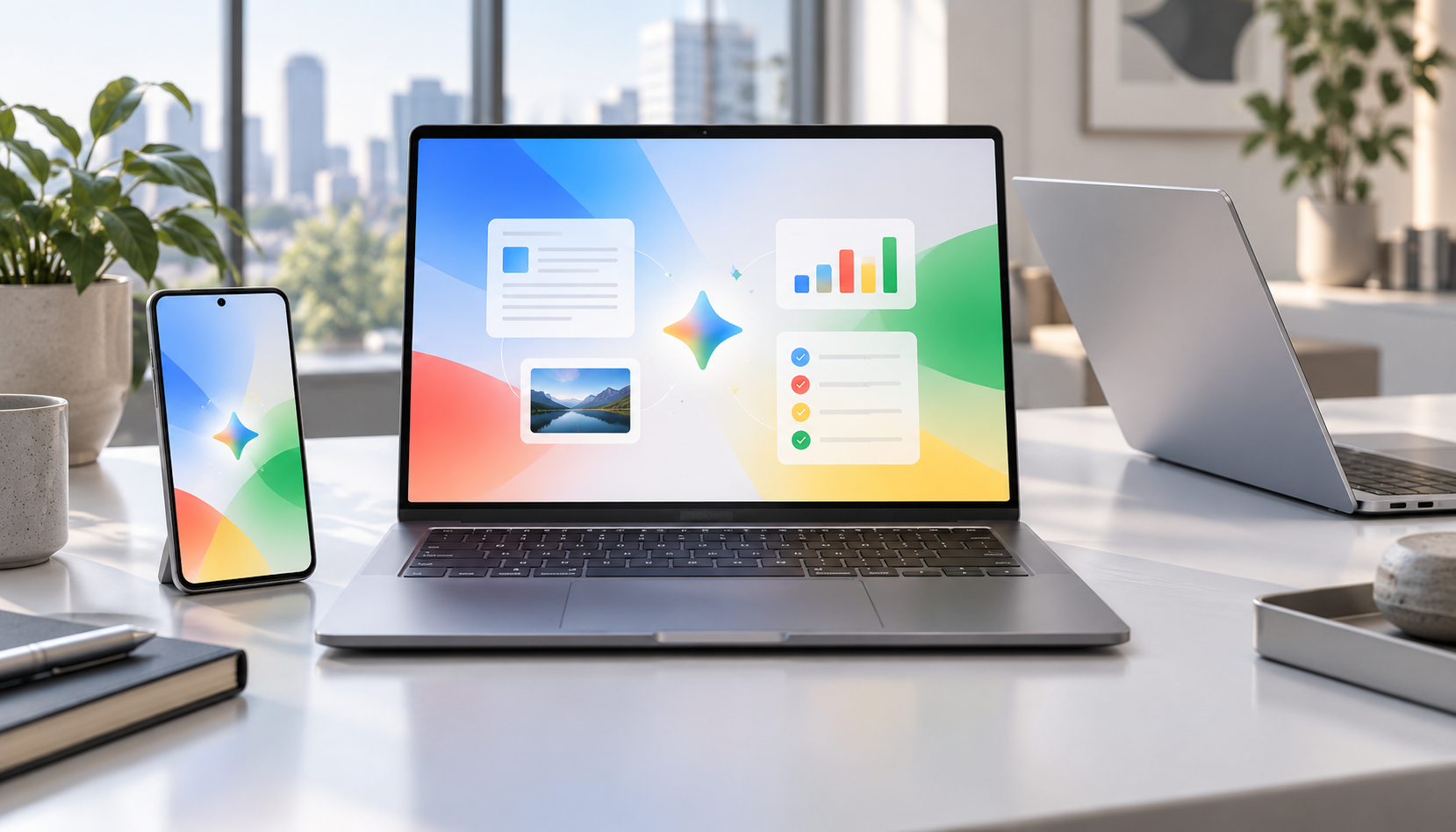
Premium Googlebook-style laptops beside an Android phone displaying a colorful AI productivity workspace

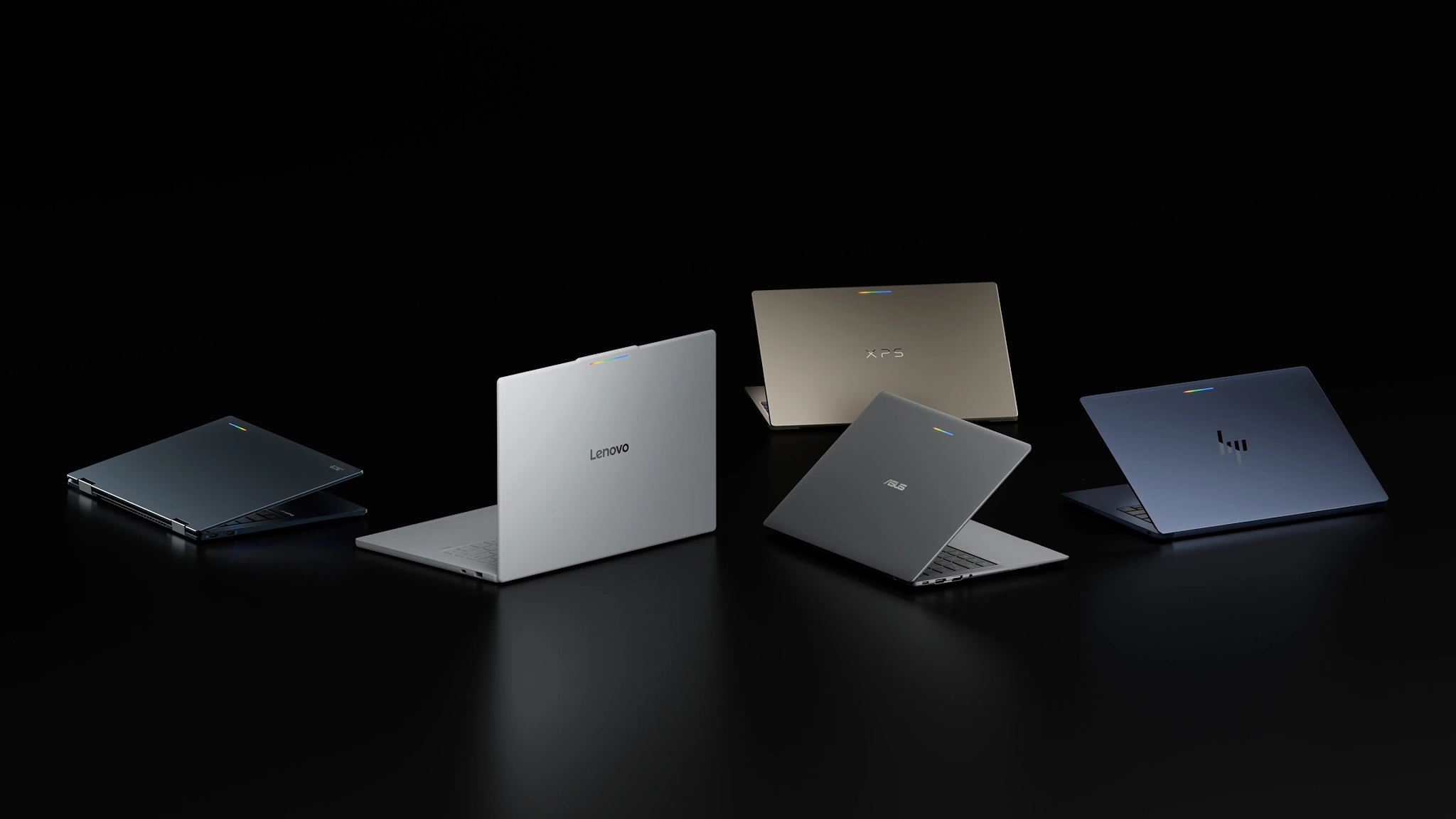
Googlebook preorders opened on September 21, 2026, turning Google’s new AI-first laptop platform from a spring preview into a real five-model lineup. Prices start at $899, the first systems come from Acer, ASUS, Dell, HP and Lenovo, and retail availability is scheduled for October 4.

The launch matters because Googlebook is not simply a renamed Chromebook. Google is positioning it as a premium laptop category built around Gemini Intelligence, Android-phone continuity, stronger baseline hardware and long software support. That also puts the machines directly against MacBook Air and premium Windows laptops rather than bargain Chromebooks.

Googlebook prices and release date

Googlebook prices and release date

Google’s official comparison page lists five preorder models:

  • Acer Googlebook 14 — from $899; 14-inch 2.8K OLED touchscreen, Intel Core Ultra 5, 16GB RAM, 512GB storage and up to 16 hours of claimed battery life.
  • ASUS Googlebook 14 — from $1,299; 14-inch 2.8K OLED touchscreen, Intel Core Ultra 5, 16GB RAM, 512GB storage and up to 16 hours.
  • Dell XPS Googlebook — from $999; 13.4-inch 2.5K LCD touchscreen, Snapdragon X Elite, 16GB RAM, 512GB storage and up to 18 hours.
  • HP Googlebook 14 — from $1,299; 14-inch 2.8K OLED touchscreen, Snapdragon X Elite, 16GB RAM, 512GB storage and up to 19 hours.
  • Lenovo Googlebook 15 — from $1,099; 15.3-inch 2.8K OLED touchscreen, Intel Core Ultra 5, 16GB RAM, 512GB storage and up to 13 hours.

Those are Google’s listed starting configurations, not every option a manufacturer may sell. Memory, storage, processors and promotional prices can vary by configuration and retailer. Google also notes that battery estimates come from controlled tests, so real-world endurance will depend on brightness, connectivity and workload.

The first Googlebooks are available to preorder now and are due in stores October 4. Google says its one-year Google AI Pro offer applies to eligible users who purchase and activate an eligible Googlebook on or after October 1, 2026.

What makes a Googlebook different

Every launch model has at least 16GB of RAM and uses either an Intel Core Ultra or Qualcomm Snapdragon X Elite processor. The shared design language includes a dedicated G key and a glowbar that can show charging and battery status. Google’s lineup page also lists biometric authentication, although the exact face- or fingerprint-unlock hardware varies by model.

The bigger distinction is software. Googlebook combines technology from Android with desktop foundations from ChromeOS, then places Gemini features throughout the experience:

  • Magic Pointer activates Gemini from the cursor so users can ask about, compare or act on selected on-screen content.
  • Rambler turns spoken, unstructured thoughts into cleaned-up, formatted text.
  • Smart file search can find files and photos by their contents rather than only by filename.
  • Cast My Apps opens compatible Android-phone apps on the laptop.
  • Continue On moves a supported task from an Android phone to Googlebook.
  • Quick Access surfaces phone files from the laptop without a manual transfer.

Google says the cross-device features require setup and a phone running Android 17 or newer. Several AI tools also have age, language, country or accuracy limitations, so buyers should check regional availability instead of assuming every advertised feature will work immediately.

Which Googlebook looks best for different buyers

Acer Googlebook 14: the value and 2-in-1 choice

The Acer is the least expensive entry and the only convertible 2-in-1 in the first wave, according to The Verge. Its OLED touchscreen and 16-hour claim make it the most obvious starting point for students, travelers and buyers who want tablet-style flexibility. The publication also reports that $899 is an initial launch price that Acer may reassess, so the lowest price may not be permanent.

Dell XPS Googlebook: the compact premium option

Dell’s 2.2-pound XPS Googlebook is the thinnest-looking choice and pairs Snapdragon X Elite with an 18-hour claim. Its drawback is connectivity: two USB-C ports and no built-in HDMI or USB-A, so frequent peripheral users may need a hub.

HP Googlebook 14: the battery and storage leader

HP posts the longest official battery estimate at up to 19 hours and is the only launch model reported with storage options up to 1TB. It also supports both face authentication and a fingerprint reader. At $1,299, however, it needs to compete on experience and endurance, not price.

ASUS Googlebook 14: the light, port-friendly model

The ASUS model weighs 2.2 pounds and is one of the better-connected choices, with USB-C, USB-A, HDMI and a headphone jack in higher-detail launch reporting. That balance should appeal to travelers who do not want to pack a dongle, though its $1,299 starting price is tied for the highest in Google’s current shop.

Lenovo Googlebook 15: the big-screen pick

Lenovo’s 15.3-inch OLED display is the largest of the five, while its $1,099 starting price sits between Acer and the premium 14-inch models. It is the best fit for buyers prioritizing screen space and built-in HDMI over minimum weight.

Included subscriptions add value, with caveats

Eligible Googlebook buyers receive one year of Google AI Pro, which Google values at $249.99 and bundles with 5TB of cloud storage, Gemini Pro, Gemini features in Gmail and Drive, and other services. Google also advertises more than $300 in additional limited-time app benefits, including three months of YouTube Premium, BandLab, Adobe Photoshop and CapCut, plus 12 months of Luminar and GeForce NOW.

Treat those subscriptions as a bonus, not as a permanent price reduction. Offers have eligibility rules and expiration dates, and paid services may renew after a trial. Buyers should review the redemption terms and set a reminder before any trial ends.

Should you preorder or wait for reviews?

Preordering makes the most sense for someone already committed to Android, comfortable with Google’s app ecosystem and attracted to a specific launch configuration. The Acer’s introductory price may also give early buyers a reason to move quickly.

Most shoppers should still wait for independent reviews. Google’s battery figures are controlled-test estimates; real-world performance, fan behavior, display quality, app compatibility and the usefulness of Gemini features need hands-on testing. The $899-to-$1,299 range also overlaps with mature MacBook and Windows alternatives, so software fit matters as much as specifications.

If you want a less expensive Google laptop today, you can browse current Chromebook Plus laptops on Amazon. They will not provide the full Googlebook feature set, but they remain relevant alternatives for web-first work, school and everyday use.

ReaderSpice may earn a commission from qualifying purchases made through affiliate links, at no additional cost to you.

Bottom line

Googlebook is Google’s clearest attempt in years to define a premium laptop experience of its own. The lineup starts with meaningful hardware differences rather than five near-identical machines: Acer emphasizes value and versatility, Dell compactness, HP endurance, ASUS portability and ports, and Lenovo screen size. The unanswered question is whether Gemini and Android continuity feel valuable enough in daily use to justify prices that reach $1,299. Reviews should answer that soon.

Sources

Googlebook official product and feature overview

Googlebook official lineup, prices and specifications

Google’s original Googlebook announcement

Reuters report on the September 21 preorder launch

The Verge comparison of the first five Googlebooks