
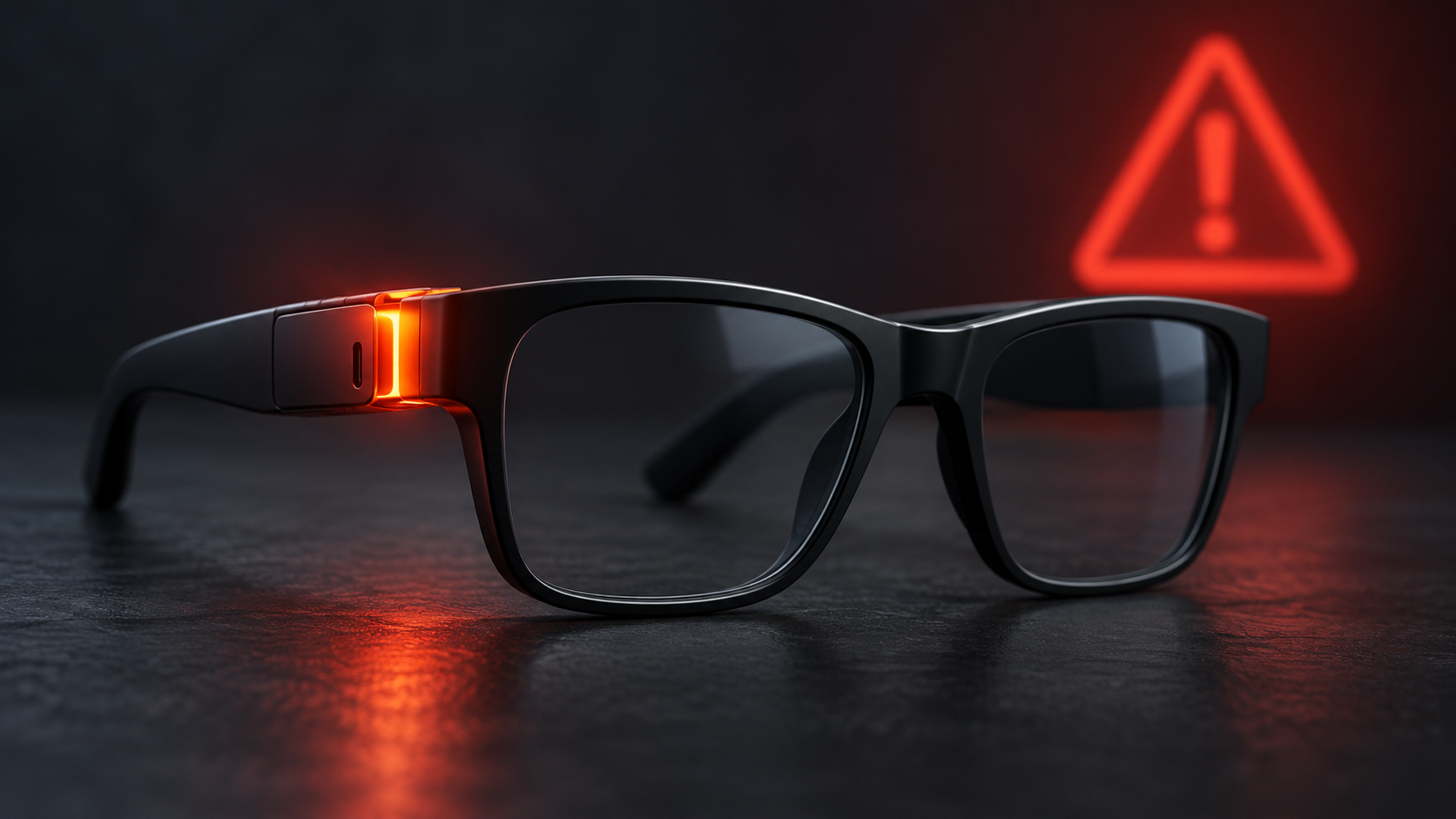
Owners of INMO Air3 smart glasses should stop using them until INMO completes a free online repair that updates the system to version V3.16. The September 24, 2026 recall follows 10 reports of the glasses overheating, including reports of a burning sensation near the face and left side of the ear.
The U.S. Consumer Product Safety Commission says about 1,643 units were sold in the United States, with another 120 sold in Canada. The problem is concentrated in the left temple during extended use, making this a safety issue rather than a routine optional software update.
Why the INMO Air3 smart glasses were recalled
The recalled Air3 contains rechargeable lithium-ion batteries and is designed for AI translation, AI-assisted productivity and media streaming. According to CPSC, the left temple can overheat during extended use and create a burn hazard serious enough to pose a risk of severe injury.
INMO reported 10 overheating incidents to U.S. regulators. CPSC says those reports included users experiencing a burning sensation on the face and around the left ear. Health Canada reported no Canadian incidents or injuries as of September 17, but still instructs owners to stop using the glasses and install version 3.16 before wearing them again.
How to identify recalled INMO Air3 glasses
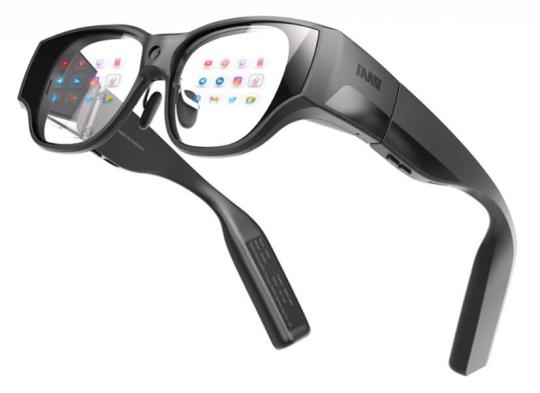
The recall covers black INMO smart glasses with model number AIR3. CPSC says the affected glasses were sold with AI translation, productivity and streaming features. They were available online from December 2025 through August 2026 for approximately $900 to $1,300.
Sales channels included Amazon.com, Kickstarter.com and Inmoxr.com. The U.S. recall number is 26-797.
Find the AIR3 label inside the right temple
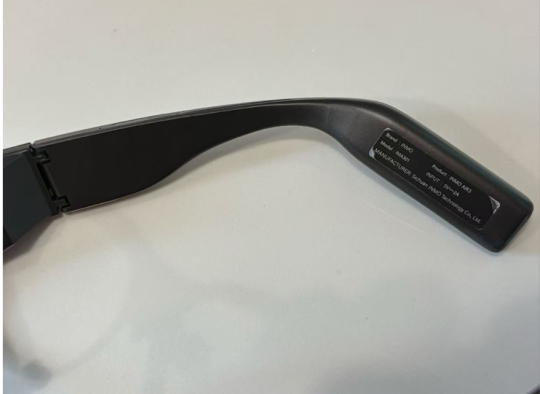
Look on the inner side of the right temple, or arm, for a label printed with both “AIR3” and “INMO.” Do not rely only on the overall shape: other smart-glasses models can look similar, while this recall is specific to the Air3.
What owners should do now
Treat version V3.16 as the recall repair, not as an ordinary feature update. The safest approach is to leave the glasses powered off and unworn until INMO confirms the update process and the device reports the corrected version.
Use this checklist:
- Stop wearing and using the INMO Air3 immediately, even if it has never felt unusually warm.
- Do not continue a long session to test whether your unit overheats. The reported problem can occur during extended use close to the face and ear.
- Contact INMO at support.usa@inmoxr.com or 888-212-9620 between 9 a.m. and 5 p.m. ET, Monday through Friday.
- Be ready to send a clear photo showing the Air3 model, plus the order number and purchase channel if available.
- Complete the company-assisted online update to version V3.16 and verify the installed version before resuming use.
- If the glasses are hot, swollen, damaged or smell unusual, stop handling or charging them and ask INMO for device-specific safety instructions.
How the free V3.16 repair works
CPSC describes the remedy as a free repair and says INMO will assist users with an online system update to V3.16. INMO’s recall page asks owners to email its support team with a photo of the affected Air3, an order number when available and the purchase channel.
Because the repair changes the system software, owners should not assume that downloading an unrelated app update completes the recall. Obtain the instructions through INMO’s recall channel, keep any confirmation email and check the version shown on the glasses after the process finishes.
The company’s public notice calls the program a voluntary product-safety improvement, while CPSC classifies it as a recall. For consumers, the practical instruction is the same: stop using the Air3 and complete the V3.16 repair before wearing it again.
What if your glasses already overheated?
If you felt heat or a burning sensation near the left temple, discontinue use and report the incident to INMO. U.S. owners can also submit a product-safety report to CPSC through SaferProducts.gov. Preserve purchase information and photos, but do not put the glasses back on simply to reproduce the problem.
Owners should also avoid charging a device that appears damaged, swollen or abnormally hot. The recall notice does not direct consumers to discard the glasses; it provides a software-based repair. Follow INMO’s instructions rather than attempting to open or repair the frame yourself.
Buying different smart glasses instead
If you decide not to wait for the repair, compare current alternatives carefully for camera indicators, update support, battery placement and return policies. ReaderSpice’s guide on how to tell if smart glasses are recording explains the privacy signals and limitations bystanders should understand.
You can also compare Ray-Ban Meta smart glasses on Amazon, but verify the exact model, seller and current safety notices before buying. As an Amazon Associate, ReaderSpice earns from qualifying purchases.
Bottom line
The Air3 recall is narrow but important because the product sits directly against the face and ear. If the inside of the right temple says AIR3 and INMO, stop using the glasses and contact the company for the V3.16 online repair. Resume use only after the corrected version is installed and confirmed.
Sources
U.S. Consumer Product Safety Commission: INMO Air3 Smart Glasses Recall
INMO: Air3 Voluntary Product Safety Improvement and Update Instructions
Health Canada: Recent Consumer Product Recalls and Safety Alerts