

Google Play is turning its store into more than a place to download finished apps. On October 13, 2026, Google announced a package of changes that lets adults launch private AI-built Android apps on their own phones, adds AI-assisted app comparisons, and introduces a personalized game-discovery system called Gamer DNA.
The same release adds 48-hour multiplayer Sprints, short gameplay recordings and broader community tools. Some features are available immediately, while others are limited by country, language, age, device or rollout timing. Here is what changed and what Android users should check before opting in.
Google Play’s October 2026 update at a glance
- Personal AI apps built in Google AI Studio can run privately on a user’s own Android device without a Play developer account.
- Ask Play can compare apps using store information and summarized user sentiment.
- Game Finder uses an optional Gamer DNA profile to recommend titles and explain why they may fit.
- Sprints create 48-hour challenges for groups of two to five players, while Sidekick can capture 30-second Playbacks on select devices.
- Community Posts are available across games and languages with automatic translation; developer posts and official announcements are rolling out over the coming weeks.
Personal AI apps no longer require a developer account
Google AI Studio can now produce a custom Android app and send it through Google Play to the builder’s own device. Google says a standard Google account is enough for this private use; a Play developer account is not required. The rollout began October 13 in select markets, including the United States, for users age 18 and older.
This is not the same as publishing an app in the public Play Store. A personal project remains private and separate from the public catalog. Google plans to add limited sharing with close friends and family in the coming months, but an app intended for general distribution still needs a professional developer account and must pass Google Play’s normal Trust & Safety and quality reviews.
The practical benefit is faster experimentation: someone can make a small tracker, calculator, event helper or other personal utility without first learning the full Play Console workflow. The limitation is equally important. AI-generated code can contain logic errors, expose data or request more access than necessary. Before using a generated app with personal information, review every permission, test it with non-sensitive data and avoid treating AI output as automatically secure.
Ask Play and Play in Gemini change app discovery
Ask Play already answers questions about apps. Google says it can now generate side-by-side comparisons that highlight key differences and user sentiment. That could be useful when two apps have similar store descriptions, but generated summaries should be treated as a starting point. Check the current listing for subscription terms, privacy disclosures, offline support and device compatibility before installing or paying.
Play in Gemini will bring apps, games and developer content into Gemini conversations. Google says the feature will begin rolling out to Gemini users soon. Its developer announcement describes one-tap app recommendations and installation, including voice interaction through Gemini Live. Because the consumer announcement does not promise an exact date for every account, readers should expect a phased release rather than immediate availability everywhere.
Game Finder builds a Gamer DNA profile
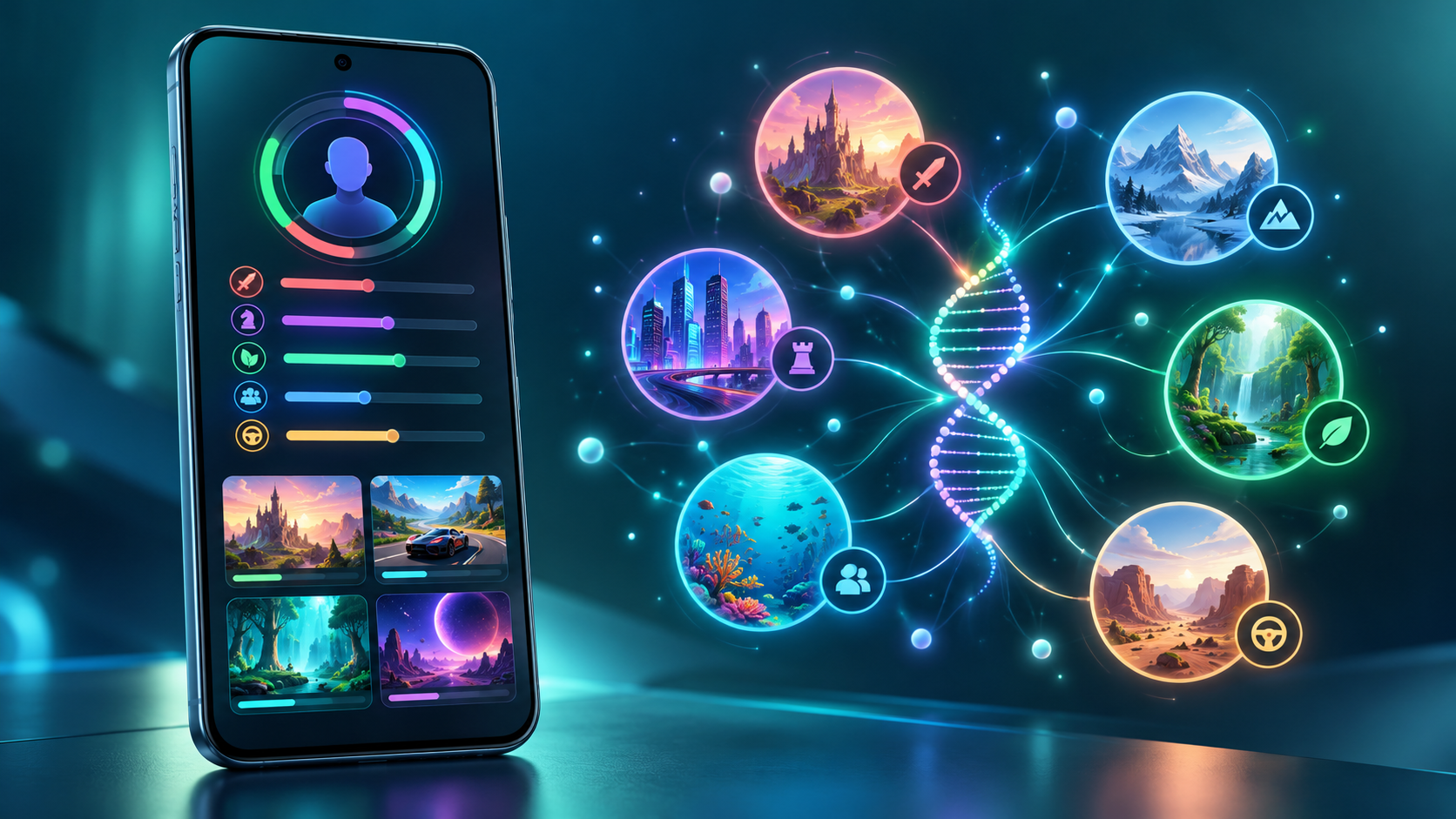
Game Finder is Google Play’s new recommendation layer for games. Its Gamer DNA profile analyzes how a person plays and combines that activity with preferences the person has shared. Google says users can specify games, genres and mechanics, then tune the profile with “More of this” and “Less of this” feedback.
Recommendations can show how players with a similar profile engage with a title, how many followed players are using it, summaries of reviews, and which games are trending. That mix matters: some explanations are generated from Play data, while community activity and reviews come from other users. A polished AI summary is not the same as a hands-on review, and it may miss battery drain, aggressive monetization or controller problems.
Google’s help documentation lists several requirements for the full Game Finder experience: the user must be in the United States, use English, be at least 18 and have an active Play Games profile. Play personalization and Play History—including app-usage data—also need to be enabled for the complete personalized experience. Google says additional markets are coming, but it has not provided a complete expansion schedule.
How to control Gamer DNA and Play History
Gamer DNA is optional, and Google provides controls for both the profile and the broader data that shapes recommendations. In the Play Store, tap the profile picture, open Personalization in Play and review the main personalization switch, Play History and the content-specific options.
Play History can include Play searches, pages viewed in the store, app usage and certain information shared by apps. Users can turn the main history setting off, exclude activity on Play, exclude app usage, delete individual events or clear history. Auto-delete can be set to 3, 18 or 36 months.
Turning off Play History stops new activity from being saved to the account’s Play History, but it does not stop all collection or processing. Google says it may still temporarily associate activity with an account for contextual experiences, debugging and service maintenance, and it retains records of acquired items so they remain downloadable. Play Games profile data is also separate from Play History.
For a privacy-first setup, review the Gamer DNA card before accepting it, remove preferences that feel inaccurate, use the shortest retention period that fits your needs and periodically inspect recent Play History. Less data may make recommendations less precise, but it gives the profile less long-term behavioral information to use.
Sprints, Sidekick Playbacks and Community Posts
Sprints are short, 48-hour challenges that match groups of two to five players. Google says they are rolling out to all markets, making them one of the least restricted features in this release. The format is designed for brief competition rather than the long seasonal commitment common in mobile games.
Sidekick, Google Play’s in-game overlay, is gaining 30-second Playbacks on select devices. That gives players a quick way to capture a moment without leaving a game, although recording availability can depend on the phone, game and rollout.
Community Posts let players ask and answer questions from a game’s detail page. Google says the feature works across games and languages with automatic translation. Developer posts and official announcements are due over the coming weeks, which could make the same area useful for patch notes and event notices. Automatic translations can lose nuance, so important account, payment or troubleshooting instructions should still be checked against the developer’s original language when possible.
What parents should know about age sharing
Google is also adding a Family Link option that allows a parent to share a child’s age range with an app. The company describes this as a way to provide the minimum information required for an age-appropriate experience instead of disclosing a full birth date.
This is a choice, not a reason to skip the app’s privacy policy. Availability varies by region, and parents should review what the receiving app says it will do with age-range data. A child’s permissions, purchases, chat features and in-game social settings still deserve separate checks.
Who gets each feature and when
- Personal AI apps: rolling out from October 13 in select markets, including the U.S., for users 18 and older; close-circle sharing is planned for the coming months.
- Game Finder and Gamer DNA: rolling out in English to U.S. users age 18 and older; an active Play Games profile is required.
- Sprints: rolling out to all markets now for groups of two to five players.
- Sidekick Playbacks: rolling out on select devices and limited to 30-second recordings.
- Community Posts: available across games and languages with automatic translation; developer posts and official announcements are expected over the coming weeks.
- Play in Gemini: announced for a rollout to Gemini users soon, without a universal account-by-account date.
What Android users should do now
Update the Google Play Store and Google Play Games, then check the profile menu for Personalization in Play and Game Finder. If a new feature is missing, confirm the country, language, age and Play Games profile requirements before troubleshooting. Staged server-side releases can arrive without a separate app update.
Anyone trying personal AI apps should start with a low-risk project and scrutinize requested permissions. Gamers who enable Gamer DNA should review Play History and retention settings rather than accepting the defaults without inspection. Parents should treat age-range sharing as one privacy control, not a substitute for reviewing an app’s data practices.
For games that support physical input, you can browse Android gaming controllers on Amazon and verify Bluetooth or USB-C compatibility with your phone before ordering.
As an Amazon Associate, ReaderSpice earns from qualifying purchases.
The bottom line
Google Play’s October 2026 update combines a genuinely useful creation shortcut with a much more personalized game-discovery system. Running a private AI-built app without a developer account lowers the barrier to experimentation, while Game Finder may surface better matches than a popularity chart.
The tradeoff is more reliance on generated summaries and behavioral data. Use the new tools with clear boundaries: verify app claims, minimize permissions, review Play History and remember that availability differs by market and account. Sprints and Community Posts are easier additions to try, while Gamer DNA deserves a deliberate privacy check before it becomes part of everyday recommendations.
Sources
Google: New on Google Play—More ways to create, discover and play
Android Developers Blog: New tools for discovery and engagement
Google Play Help: Game Finder eligibility and requirements
Google Play Help: Understand and manage Gamer DNA
Google Play Help: Manage personalization and Play History
Google Play Help: Manage a child’s Google Play apps with Family Link
Android Authority: Google Play Game Finder and Gamer DNA rollout