Windows 11 Quick Settings Gets Phone Controls and an In-Panel Speed Test: Who Can Try It

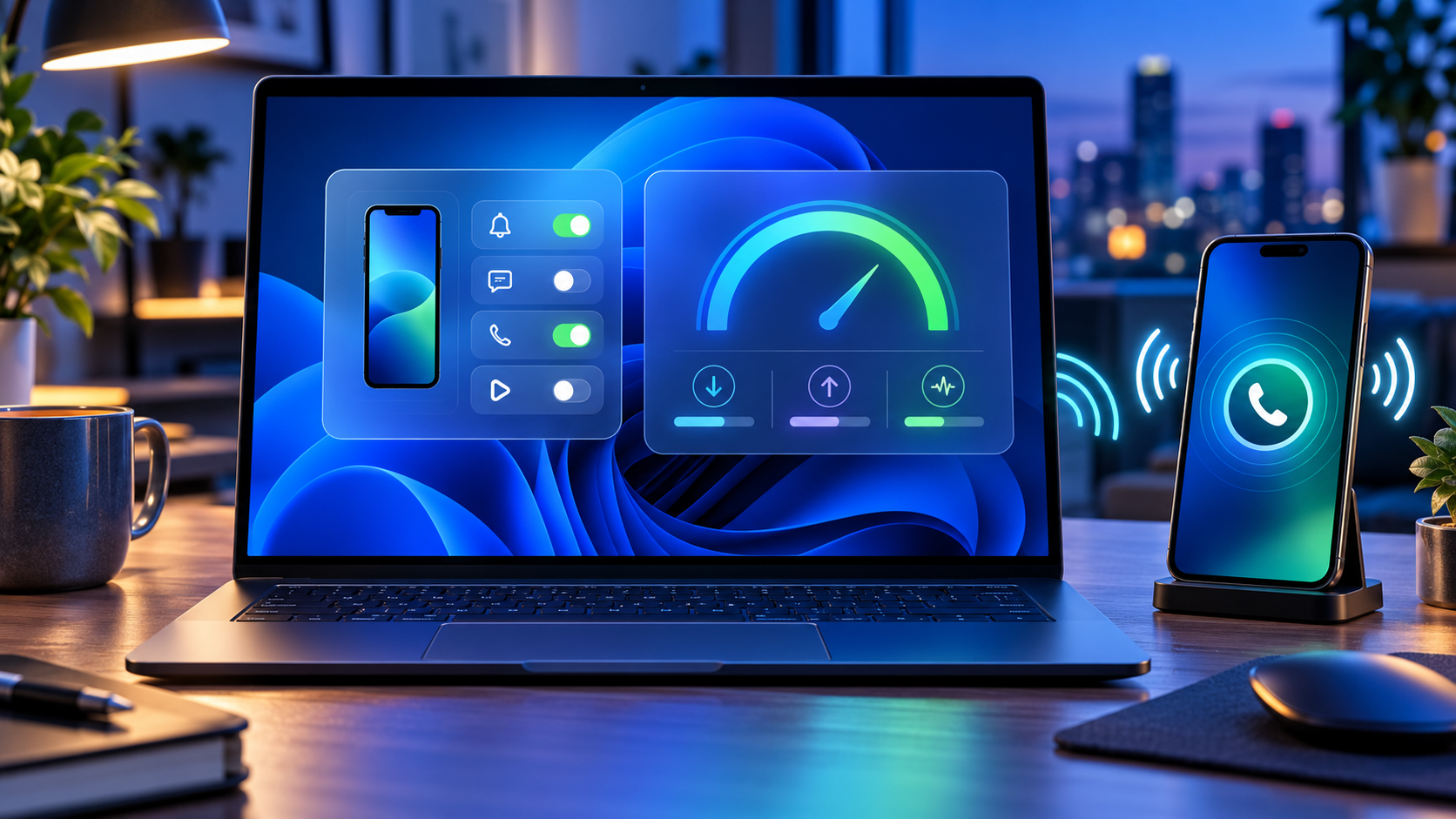
Windows laptop using Quick Settings to control a paired phone and measure internet speed

Microsoft is testing a new Windows 11 Quick Settings experience that puts connected-phone controls and an internet speed test directly inside the taskbar panel. The changes arrived October 23, 2026, in Experimental preview build 26340.9767 and are rolling out gradually to only a subset of Windows Insiders.

The distinction matters: these are preview features, not broadly available Windows 11 functions. Android phones receive the fuller initial control set, while iPhone support begins with a more limited status-focused view. A separate Beta build adds a redesigned, customizable File Explorer context menu, but that feature is not part of the same Experimental rollout.

Windows 11 preview changes at a glance

  • Quick Settings can show a connected phone’s battery status and supported controls.
  • Android users may be able to change Do Not Disturb, adjust ringer mode or make the phone play a sound.
  • Windows can run an internet speed test and display download, upload and ping results inside Quick Settings.
  • A new Magnifier option can disable the Windows key + Plus shortcut without disabling Magnifier itself.
  • Some Microsoft 365 subscribers can turn recurring billing back on from Windows Settings or Start.
  • The Experimental build improves network-location loading feedback and fixes recent taskbar and sign-in problems.
  • Beta build 26220.9757 separately tests a cleaner File Explorer right-click menu with customization controls.

These features are delivered through Controlled Feature Rollout. Installing the correct build does not guarantee that every switch appears immediately, and Microsoft says preview experiences can change, be removed or never reach normal Windows releases.

Phone controls move into Quick Settings
Phone controls move into Quick Settings

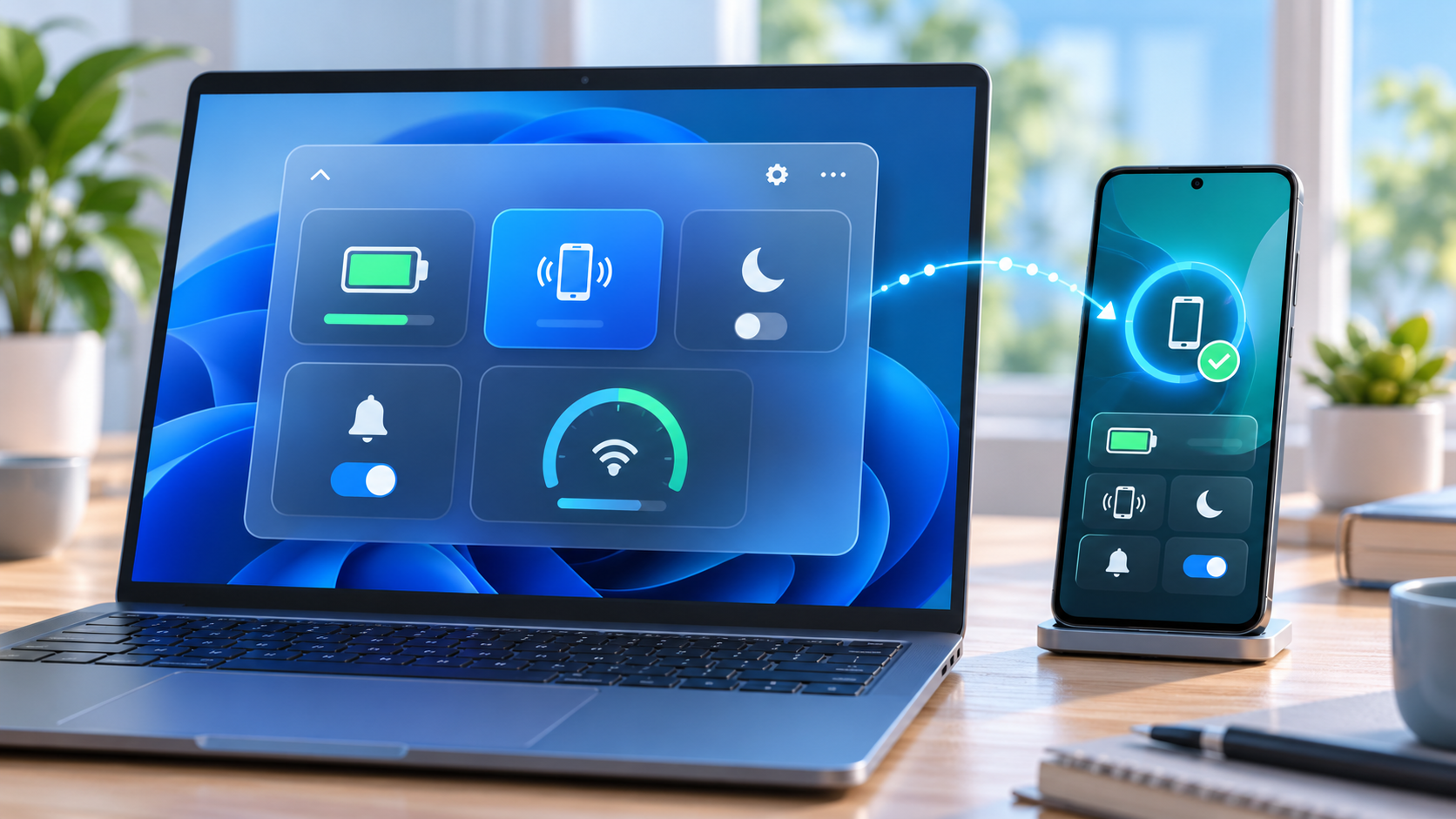
The new Mobile devices area is designed to reduce trips into the full Phone Link app. Open Quick Settings from the network, volume or battery area of the taskbar and look for Mobile devices. If a phone is already paired, Windows can show its battery status and the controls supported by that device.

Microsoft describes three practical actions for supported Android phones: turn Do Not Disturb on or off, change ringer mode and play a sound to locate the phone nearby. The last option is useful when a device is buried under a cushion or left in another room, while the notification and ringer controls can quiet a phone before a meeting without reaching for it.

Android receives the most complete initial implementation. Microsoft says iPhone support starts with a more limited, status-focused experience. Available controls can also vary by phone model, software version, region and PC configuration, so the presence of Mobile devices does not promise identical buttons on every setup.

If the phone is not connected, Quick Settings can guide the user into setup. Microsoft’s general Phone Link requirements call for a Windows PC, an Android device running Android 10 or later, and current Phone Link and Link to Windows software. The standard setup uses the same Wi-Fi network, although Phone Link can support mobile-data syncing when that option is enabled.

The speed test now stays inside the panel

Windows has previously exposed a taskbar speed-test command that opened the default browser. The new Experimental version goes further: it runs the test against the active connection and keeps progress and results inside Quick Settings.

The test can be started from the new Speed test tile, from the Wi-Fi or Cellular flyout, or by right-clicking the network icon in the system tray and choosing Test internet speed. The panel reports three measurements:

  • Download speed: how quickly data reaches the PC, affecting streaming, downloads and many cloud applications.
  • Upload speed: how quickly the PC sends data, important for backups, large file transfers and live video.
  • Ping: the round-trip delay to the test endpoint, which can matter more than raw bandwidth for calls, gaming and remote control.

A single result is a snapshot, not a diagnosis. Wi-Fi congestion, server distance, VPN routing, background downloads and the test endpoint can all affect the numbers. Compare several tests at different times, test both near and far from the router, and use Ethernet when possible to separate an internet-service problem from weak local Wi-Fi.

What to check when the result looks wrong

  • Pause cloud backups, game downloads and video streams, then repeat the test.
  • Confirm whether a VPN is active; it can add distance, encryption work and congestion.
  • Move closer to the access point and remove obvious obstructions for a Wi-Fi test.
  • Run a second test over Ethernet if the PC and router support it.
  • Compare another device on the same network to determine whether the slowdown is PC-specific.
  • Restart the modem and router only after noting current status lights and provider outage information.

Do not use one speed result to justify buying new networking hardware. First check the subscribed service tier, router placement, channel congestion, adapter driver, cable category and whether the PC is connected to 2.4GHz, 5GHz or 6GHz. A new router cannot make the provider connection faster than the plan or repair a damaged line.

The Beta channel gets a redesigned File Explorer menu

Microsoft released Beta preview build 26220.9757 on the same date, but its headline change is different. The build tests a redesigned File Explorer context menu intended to reduce top-level clutter, preserve common actions and let users control which commands appear.

That design targets a long-running Windows complaint: right-click menus can become crowded as applications register their own actions. A configurable menu could make everyday file operations easier to scan, but Microsoft is still collecting Insider feedback. It may change before release, and it is tied to the Beta channel rather than the Experimental phone and speed-test rollout.

The Beta build is based on Windows 11 version 25H2 through an enablement package. Experimental build 26340.9767 is based on version 26H2. Those branches should not be treated as interchangeable, and users should not switch channels solely to chase one menu or tile on a production computer.

Other changes in Experimental build 26340.9767

  • Windows Insider settings can filter feature flags by whether they are enabled.
  • Magnifier adds a toggle for the Windows key + Plus shortcut, which remains on by default.
  • Eligible Microsoft 365 subscribers with recurring billing turned off can re-enable it from Settings or Start.
  • File Explorer provides clearer progress feedback while loading slower locations such as network drives.
  • Narrator adds more math-reading languages, including Greek, Hungarian, Indonesian, Norwegian, Polish, Russian, Swedish and Vietnamese.
  • The Widgets picker gains a standard Windows frame with light and dark title bars.
  • Microsoft fixes a recent issue that could stop Explorer from loading after sign-in and another that incorrectly claimed the user’s password was wrong.

The recurring-billing control deserves a careful read. It is a convenience for people who deliberately want to restart subscription renewal; it should not be interpreted as a required Windows setting. Confirm the account, price, renewal date and payment method before turning billing back on.

How to check whether the features are available

  • Open Settings > Windows Update > Windows Insider Program and confirm the enrolled channel.
  • Install the offered preview update, restart when prompted and verify the build under Settings > System > About.
  • For the phone controls, open Quick Settings and look for Mobile devices.
  • For the network tool, look for Speed test in Quick Settings, the Wi-Fi or Cellular flyout, or the network icon’s right-click menu.
  • If the feature is absent, leave the PC enrolled and wait for the controlled rollout rather than forcing an unsupported package.

A watermark is normal on Insider preview builds. Microsoft also warns that active-development features may be incomplete, not fully localized or removed later. Back up important files and keep recovery options available before installing preview software.

Should you join the Insider Program for these features?

Most people should wait. Phone controls and an in-panel speed test are useful, but neither is worth adding preview risk to a work, school or family PC. Phone Link already provides broader device integration, and reliable browser-based speed tests remain available on stable Windows.

The Experimental channel is most appropriate for testers who understand staged features, can tolerate regressions and have a separate recovery plan. The Beta channel is closer to normal Windows behavior, but it is still pre-release software. Business-managed PCs should follow the organization’s update policy rather than personal preference.

A hardware option for faster local Wi-Fi

Readers who have confirmed that an older router—not the internet plan—is the bottleneck can compare the TP-Link Archer BE550 Wi-Fi 7 router on Amazon. The verified listing is ASIN B0CJSNSVMR; check the seller, modem compatibility, available Ethernet ports, client-device support and return terms before ordering.

As an Amazon Associate, ReaderSpice earns from qualifying purchases.

Bottom line

Windows 11’s new Quick Settings tests reduce friction in two believable ways: common phone actions can happen without opening Phone Link, and a basic network check can finish without sending the user into a browser. Android support is stronger than iPhone support at the start, and both features remain limited to a controlled Experimental rollout.

The customizable File Explorer context menu is promising too, but it belongs to a separate Beta build. Treat all three as previews, verify the exact channel and build, and wait for stable Windows if the PC cannot absorb bugs or unfinished behavior.

Sources

Windows Insider Blog: Announcing new builds for October 23, 2026

Microsoft Learn: Windows 11 Experimental Preview Build 26340.9767

Microsoft Learn: Windows 11 Beta Preview Build 26220.9757

Microsoft Support: Phone Link requirements and setup

Microsoft Support: Troubleshooting Phone Link connections

Microsoft Support: Why an internet connection can be slow

PowerToys 0.102 Adds Mouse Button Lock, CursorHide and Faster Shortcuts: What to Try

Windows desktop surrounded by mouse, keyboard, command palette, dictation and automation utility controls

Microsoft PowerToys 0.102 is a unusually practical Windows update. Released October 21, 2026, it adds two mouse tools that solve small but persistent annoyances, gives Command Palette a pinned quick-access shelf, adds on-device dictation to ZoomIt snips, and opens more utilities to terminal automation.

The current full release is version 0.102.2933.0. It is free, open source and available for 64-bit Windows 11 and Windows 10 version 2004 or newer. Existing users can update from PowerToys Settings; new users can install from Microsoft Store, GitHub or WinGet.

PowerToys 0.102 quick take

  • Mouse Button Lock lets Windows keep a mouse button logically held after a brief press-and-hold, then releases it on the next click.
  • CursorHide can hide the pointer while you type, after a chosen idle period, or both.
  • Command Palette gains an optional shelf for pinned and recent actions, with Alt+1 through Alt+9 shortcuts.
  • ZoomIt can pair a snipped screenshot with locally transcribed speech in one paste.
  • Keyboard Manager supports tap-alone remaps, and several PowerToys utilities can now be controlled from the command line.
  • Color Picker and Text Extractor move to WinUI 3, while FancyZones, Peek, Screen Ruler and other tools receive useful refinements.

This is not a Windows feature update and it does not arrive through the normal operating-system rollout. PowerToys is a separate Microsoft utility suite, so the changes appear only after PowerToys itself reaches version 0.102.

Two new mouse utilities solve a specific kind of friction

Two new mouse utilities solve a specific kind of friction

Mouse Button Lock is aimed at long drags and selections. Hold a mouse button for the configured delay, release your finger, and Windows continues treating the button as held. Click any mouse button to release the lock. That can help when moving large selections in creative software, dragging items across wide displays or using interfaces that demand sustained pressure.

The accessibility value is important. A long click-and-drag can be uncomfortable or impossible for some people. Mouse Button Lock does not replace Windows accessibility settings or specialized hardware, but it offers a low-friction option inside a tool many Windows users already run. Test the timing with a noncritical document before relying on it, because an overly short delay can activate unexpectedly.

CursorHide addresses a different annoyance: the pointer sitting on top of the sentence you are typing. It can hide the cursor during keyboard input, after inactivity, or under both conditions, then restore it as soon as mouse movement resumes. The option is especially useful in full-screen editors, code windows and presentation tools where a bright pointer can obstruct text.

Both features are opt-in under PowerToys Mouse Utilities. Enable one at a time, keep the defaults initially, and verify how it behaves with games, remote desktops and professional apps before leaving it active everywhere.

Command Palette gets a faster pinned shelf

PowerToys Command Palette already works as a searchable launcher for apps, files and commands. Version 0.102 adds an optional shelf to compact mode so pinned actions remain visible beneath the collapsed search box. Turn it on from Command Palette Settings > Appearance > Compact mode.

Once the shelf is enabled, Alt+1 through Alt+9 launches the visible items. Alt+Shift+number selects an item without running it. Pins can be dragged into a preferred order, and recent commands or apps can appear alongside them. The value is speed: a small set of repeated actions no longer requires expanding the palette and typing a query every time.

The update also adds fuzzy search inside Command Palette settings, keyboard-first dock navigation with Win+Alt+J, multiple dock clocks, copyable links to commands and settings, and support for assigning Command Palette to a supported Copilot key in Windows Settings.

Treat command links like any other automation shortcut. Review what they launch before sharing them, and be careful with links that execute scripts, elevated tools or commands copied from an untrusted message.

ZoomIt can combine a snip with spoken context

ZoomIt’s new Snip with dictation option is useful for bug reports, documentation and visual feedback. Enable it in ZoomIt settings, start a snip, hold Space while dragging the capture area and describe what the image shows. PowerToys transcribes the speech on the PC, and a single paste inserts both the screenshot and the text.

Local transcription reduces the need to send audio to a cloud service, but the resulting text still needs review. Product names, technical terms and noisy-room speech can be misheard. Confirm the microphone selected under ZoomIt’s Record settings, then proofread before sending a report.

ZoomIt 0.102 also brings smoother zoom transitions, better audio pacing in recordings and a correction for silent recordings on some multichannel and spatial-audio devices.

Keyboard Manager and the terminal become more capable

Keyboard Manager now supports tap-alone remaps. A key can perform a different action when tapped by itself while retaining its normal role inside a shortcut or mouse-key combination. This makes dual-purpose keys possible without sacrificing familiar chords. The editor also gains search, modifier and app filters, bulk deletion and a searchable key picker.

Large remapping sets deserve a backup and a gradual rollout. Change one mapping, test it in the apps that matter, and keep a way to open PowerToys Settings if the new behavior conflicts with sign-in, accessibility or remote-control software. IT teams can deploy and export profiles through Desired State Configuration v3.

The command line is another major theme. Advanced Paste can run built-in and saved custom actions without opening its interface, using files, standard input and output or the clipboard. Light Switch can report or change theme state and schedules. Settings can list or toggle utilities, while Peek can preview multiple files and folders. FancyZones, Image Resizer, File Locksmith and PowerDisplay commands are now available from any terminal folder when PowerToys is on PATH.

Automation makes repeatable workflows easier, but it also removes visual confirmation. Run the built-in help for a command before scripting it, test with copies of important files and avoid feeding sensitive clipboard content into an action you have not reviewed.

Smaller changes worth knowing about

  • Color Picker and Text Extractor move to WinUI 3. Existing shortcuts and settings should carry over.
  • FancyZones can switch layouts with the mouse wheel while a window is being dragged.
  • Peek adds read-only SQLite previews, folder item counts and Alt+Left or Alt+Right navigation.
  • Screen Ruler now measures device-independent pixels to account for monitor scaling.
  • Environment Variables can remove duplicate PATH entries while preserving their original order.
  • Quick Accent adds a searchable character reference inside Settings.
  • Workspaces asks for confirmation before launching an unverified app configured to run as administrator.
  • New+ fixes a File Explorer memory leak and improves handling of long paths.

Because PowerToys contains many independent modules, a release can be valuable even if the headline feature is not. Open the dashboard after updating and disable utilities you never use. That keeps shortcuts predictable and reduces the chance that two tools compete for the same key combination.

How to install or update PowerToys safely

  • If PowerToys is already installed, open Settings > General and choose Check for updates. Confirm that the version becomes 0.102.2933.0 or later.
  • For a new installation, use Microsoft Store, the official GitHub release page or WinGet. The supported WinGet command is winget install –id Microsoft.PowerToys –source winget.
  • On GitHub, choose the installer that matches the PC: x64 or ARM64. Per-user installers serve only the current account; machine-wide installers require broader access.
  • After setup, open the PowerToys dashboard and enable only the modules you plan to test.
  • Review shortcut conflicts, especially if you use screen capture, remote desktop, gaming overlays, macro software or accessibility tools.

Microsoft lists Windows 11 or Windows 10 version 2004, build 19041, as the minimum operating system and requires a 64-bit x64 or ARM64 processor. Setup can install the current Microsoft Edge WebView2 Runtime when needed. PowerToys includes an automatic update checker, and updates can also be requested manually.

Should you install version 0.102?

For current PowerToys users, the update is easy to recommend after normal backup and change-control practices. Mouse Button Lock and CursorHide are narrowly focused, Command Palette’s shelf saves repeated keystrokes, and the keyboard and command-line changes make the suite more flexible without forcing anyone to enable every module.

New users should start smaller. FancyZones, PowerRename, Peek and Image Resizer are approachable entry points; then add the 0.102 features that solve a real problem. PowerToys is not a performance booster, security suite or replacement shell. Its strength is reducing friction in specific Windows workflows.

A mouse that complements the new controls

Readers who want programmable buttons and a precision scroll wheel can compare the Logitech MX Master 3S on Amazon. The verified listing is ASIN B09HM94VDS; check the seller, receiver requirements, return policy and current compatibility details before buying.

As an Amazon Associate, ReaderSpice earns from qualifying purchases.

Bottom line

PowerToys 0.102 is a quality-of-life release rather than a dramatic Windows redesign. Mouse Button Lock can reduce the strain of sustained dragging, CursorHide clears the pointer from typing, and the Command Palette shelf brings pinned actions closer to one-keystroke access. ZoomIt dictation, tap-alone remaps and new command-line controls broaden the release for technical users.

The sensible approach is selective: update from an official source, turn on one utility at a time, test shortcuts in your real apps and keep only the features that remove friction. That is exactly where PowerToys is most useful.

Sources

Microsoft Windows Command Line Blog: PowerToys 0.102 release overview

Microsoft PowerToys GitHub: Version 0.102.2933.0 release notes

Microsoft Learn: PowerToys utilities overview

Microsoft Learn: Install PowerToys on Windows 11 and Windows 10

Inline image: Mouse Button Lock, CursorHide and compact shortcut shelf illustration

Inline image alt text: Hand using a mouse beside abstract cursor-lock and quick-access controls on a Windows desktop

Chiricahua Is America’s Newest National Park: What Changes and How to Plan a Visit

Sunrise lights the rhyolite pinnacles and winding scenic road at Chiricahua National Park in southeastern Arizona

Chiricahua National Monument became Chiricahua National Park on October 20, 2026, when the Chiricahua National Park Act was signed into law. The redesignation makes the 12,000-acre ‘Wonderland of Rocks’ in southeastern Arizona the United States’ newest national park and Arizona’s fourth, joining Grand Canyon, Petrified Forest and Saguaro.

For travelers, the immediate change is smaller than the new title suggests. The boundary did not expand, the National Park Service says hiking, camping and scenic driving will continue, and the same narrow roads, remote setting and limited services still shape a visit. The biggest near-term effect may be attention: more people will now add Chiricahua to national-park lists, making advance planning more important at a park with small trailhead lots and just 23 reservable campsites.

Chiricahua National Park at a glance

  • New status: redesignated from national monument to national park on October 20, 2026.
  • Location: southeastern Arizona near Willcox, about 120 road miles east of Tucson.
  • Landscape: rhyolite pinnacles, balanced rocks, canyons and sky-island forest formed after volcanic activity roughly 27 million years ago.
  • Main experiences: Bonita Canyon Scenic Drive, Massai Point, Echo Canyon, hiking, birding, historic Faraway Ranch and dark-sky viewing.
  • Current entrance charge: no park entrance fee; camping and some reservations still cost money.
  • Campground: Bonita Canyon has 23 sites, all by reservation, with no hookups, showers or dump station.
  • Connectivity: cell service is rare; download maps and essential information before leaving Willcox or Sunizona.

What the national park designation changes

The October 20 law changes the unit’s name and recognizes the national significance of its geology, biodiversity and cultural history. The National Park Service and Department of the Interior describe the redesignation as a new chapter for an area first protected as a national monument in 1924. It also raises Chiricahua’s profile within the best-known group of National Park Service sites.

The practical impact is likely to emerge over time. National park status can increase search interest, road-trip traffic and demand for nearby lodging. That matters here because the park has one paved entrance, one small campground and compact parking areas at major trailheads. A quiet weekday can still feel spacious, but holiday, spring-break and mild-weather weekends may fill earlier as awareness grows.

The law does not create a new park out of unprotected land. The same landscape was already managed by the National Park Service, and the Interior Department says the park will continue offering the same core activities. Travelers should not assume the new label guarantees new hotels, restaurants, transit, parking or cellular coverage.

What does not change for visitors

  • The existing park boundary and approximately 12,000 protected acres remain the starting point for a visit.
  • Bonita Canyon Drive remains a narrow, winding road with strict vehicle-length limits.
  • Private vehicles remain the practical way to reach the park; rideshare and taxi service are not dependable nearby.
  • Food, fuel, ice, charging and most supplies are outside the park, generally 30 to 40 miles away in Willcox or Sunizona.
  • Weather, fire restrictions, trail conditions and temporary facility closures can still change daily plans.
  • Cultural resources and the park’s importance to the Chiricahua Apache require the same respect as the scenery.

The best first visit: Massai Point and Echo Canyon

The best first visit: Massai Point and Echo Canyon

A first visit works best when it combines the eight-mile Bonita Canyon Scenic Drive with one trail suited to the group. The road ends at Massai Point, where broad views reveal how the rock pinnacles rise from forested slopes above the desert basin. Short interpretive walking and picnic opportunities make the overlook useful even for visitors who do not plan a long hike.

Echo Canyon provides the classic walk-between-the-rocks experience. Trail length depends on the chosen route, so use the current NPS hiking guide rather than a screenshot or an old blog description. The terrain includes uneven stone, stairs, steep grades and exposed edges. Start with a shorter option if anyone is adjusting to elevation, and carry more water than the cool-looking pine-and-oak scenery might suggest.

Parking at Echo Canyon, Sugarloaf and other upper-road trailheads is limited. Arrive early, avoid blocking turnarounds and have a legal fallback such as Massai Point or a lower-elevation walk. There is no guarantee that national park status will immediately add parking capacity.

A realistic one-day plan

  • Arrive with a full fuel tank, downloaded map, water, food and layers before the visitor center opens.
  • Stop at the visitor center for current trail, weather, fire and program information.
  • Drive first to the upper trailhead or Massai Point while parking is available.
  • Choose one primary hike, then save Faraway Ranch or a short nature trail for the return drive.
  • Leave enough daylight for the winding descent and avoid driving unfamiliar unpaved approaches after dark.

Road and vehicle limits can change the entire plan

The paved approach from Willcox follows Interstate 10 to Highway 186, then Highway 181. From Sunizona, Highway 181 reaches the same single park entrance. NPS warns that Pinery Canyon Road and Apache Pass are winding, rocky dirt roads that can become impassable after rain or snow; a navigation app’s shortcut should not replace the paved route for an ordinary rental car.

Vehicles and trailers longer than 29 feet must stop at Faraway Ranch, and vehicles longer than 24 feet are not allowed beyond the campground on the upper scenic drive. Even some legal-size vehicles may struggle with low branches, tight parking or unlevel campground approaches. Large-RV travelers should consider leaving the rig in Willcox or Sunizona and using a smaller vehicle.

The paved park road ends at Massai Point; it is not a through-route across the Chiricahua Mountains. Download an offline map, fuel or charge before turning onto Highways 186 and 181, and do not count on a last-minute rideshare if the car becomes unusable.

Camping requires a reservation and self-sufficiency

Bonita Canyon Campground is open year-round and contains 23 sites, all reserved through Recreation.gov. The NPS says the campground often fills during holidays, October and January through April. There are flush toilets, potable water, picnic tables and food lockers, but no electrical hookups, showers, dump station, camp store, ice or firewood sales.

Standard sites are listed at $25 per night and the tent-only group site at $50, subject to change. The road dip and tree cover impose a 29-foot maximum vehicle or trailer length, while individual sites may be shorter or harder to enter. Read the dimensions and full description of the exact campsite before booking.

Cell reception and campground internet are absent. Bring food, water containers, approved cooking equipment and current fire-restriction information. Nights at roughly 5,400 feet can be cold even when lower-elevation Arizona feels warm; the park rises above 7,000 feet and higher areas may be cooler and windier.

Weather, elevation and safety deserve desert-level planning

Chiricahua is a sky island, not a flat low-desert park. Summer heat, monsoon thunderstorms, winter snow, cold nights and rapid elevation changes can all affect a trip. NPS advises hikers to carry water and electrolytes, sun protection, salty snacks and appropriate footwear, and to allow time to adjust to thinner air.

Start early, turn back before fatigue becomes a navigation problem and keep wildlife at a distance. Bicycles and e-bikes are not permitted on park trails. Pets, fire, camping and food-storage rules vary by location, so check the current park alerts and the superintendent’s rules before arrival rather than relying on a guide written for the former monument.

Accessibility and low-impact options

Travelers who cannot use steep trails can still experience the park through scenic pullouts, Massai Point, the visitor center area and the ADA-accessible Bonita Creek Trail. The NPS identifies campsite 8 as accessible and asks visitors seeking specific accommodations to contact the park in advance.

Conditions can change the usefulness of any one stop. Confirm restroom, trail-surface, parking and exhibit access shortly before the trip. A companion should never park in a roadway or create a new pullout to shorten the walk.

A verified map option—and a free official alternative

Amazon lists Chiricahua National Monument Map: Guide to Hiking and Camping at Chiricahua National Monument by Anthony Brown (ASIN B0D7QH6J23). Its title uses the former designation because it predates the October 2026 name change. Treat any commercial guide as a supplement, verify its publication details and compare every route with current NPS information.

Check the Chiricahua map and hiking guide on Amazon (ASIN B0D7QH6J23). Confirm the author, format, edition, seller and return terms before ordering.

The NPS also provides a free printable park map and hiking guide. Download those official files for the latest agency routes and carry a paper copy because mobile reception is unreliable.

Disclosure: ReaderSpice may earn a commission from qualifying Amazon purchases made through the link above, at no additional cost to you.

Planning checklist

  • Check the NPS alerts, weather and fire restrictions on the morning of travel.
  • Download the official park map and hiking guide for offline use.
  • Confirm vehicle length and parking limits before bringing an RV or trailer.
  • Reserve Bonita Canyon Campground; do not expect walk-in campsites.
  • Fill the fuel tank or charge the vehicle and buy food, water and ice before the final approach.
  • Choose a primary trail and at least one lower-effort alternative.
  • Respect closures, cultural sites, wildlife and Leave No Trace principles.

The bottom line

Chiricahua’s new national park title is significant, but a visit still depends on the realities of a small, remote mountain park. The rock spires, scenic drive, trails and campground are not newly created attractions; they are the same resources the National Park Service has protected for more than a century under a more prominent name.

Plan for increased interest without assuming expanded services. Arrive early, use the official map, respect vehicle limits, reserve camping and bring what you need from town. That preparation leaves more time for the reason to go: walking among one of the Southwest’s most unusual volcanic landscapes.

Sources

U.S. Department of the Interior: Chiricahua becomes America’s newest national park — October 21, 2026

National Park Service: Official redesignation announcement

National Park Service: Directions, paved approaches and vehicle limits

National Park Service: Hiking guidance and safety

National Park Service: Bonita Canyon Campground reservations, facilities and fees

National Park Service: Free printable park maps and hiking guide

Amazon: Chiricahua map and hiking guide (ASIN B0D7QH6J23)

Meta Adventurer AI Glasses Go on Sale at $249: The Charging-Case Tradeoff Explained

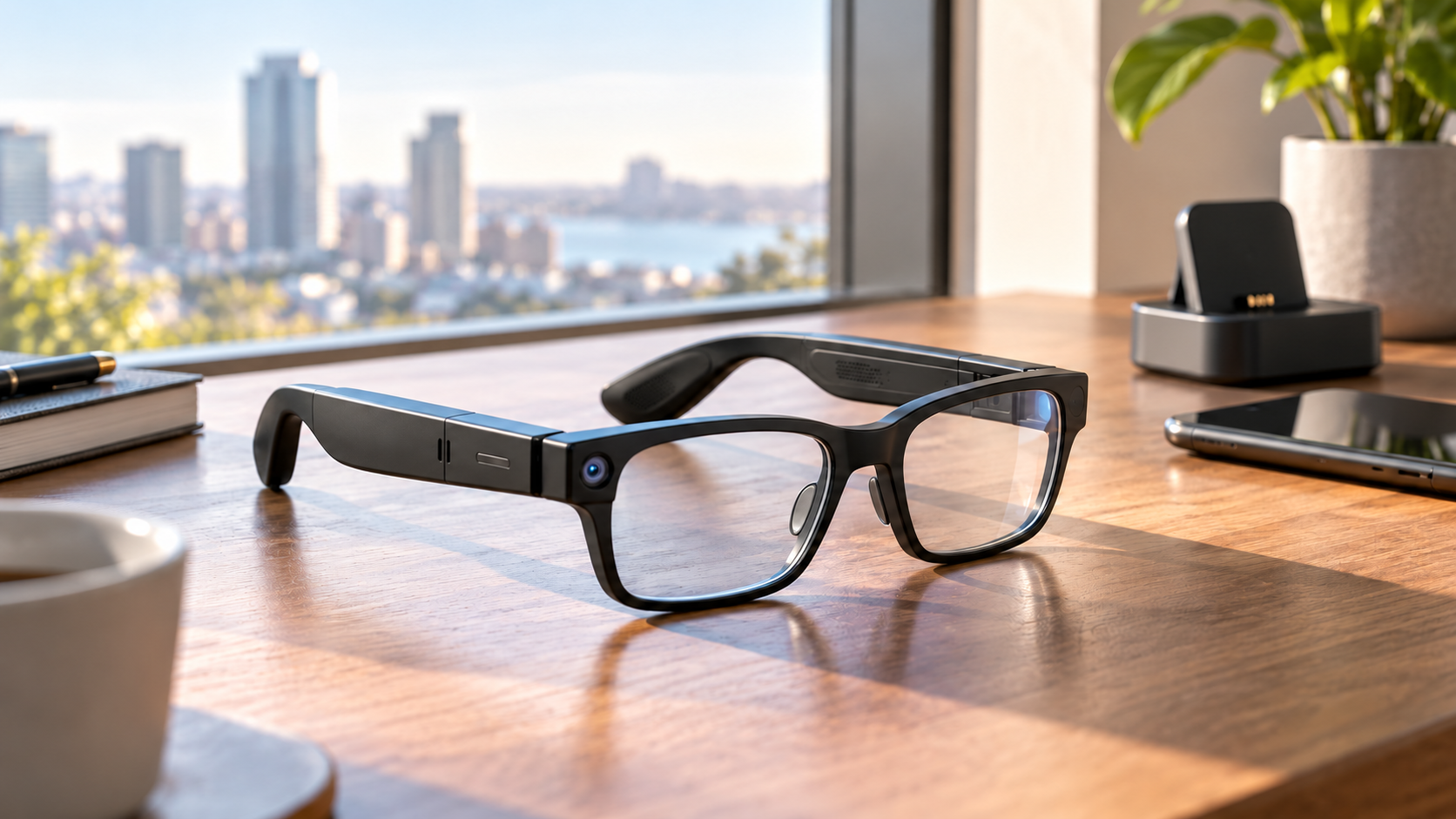
Black rectangular AI smart glasses with a small camera resting on a sunlit desk beside a phone and charging dock

Meta’s most affordable camera-equipped AI glasses are officially on sale October 23, 2026. The Meta Adventurer starts at $249 in Classic Black with gray lenses and a plug-in charging case, putting a 12-megapixel camera, 3K video, open-ear audio and Meta AI below the price of many competing smart glasses.

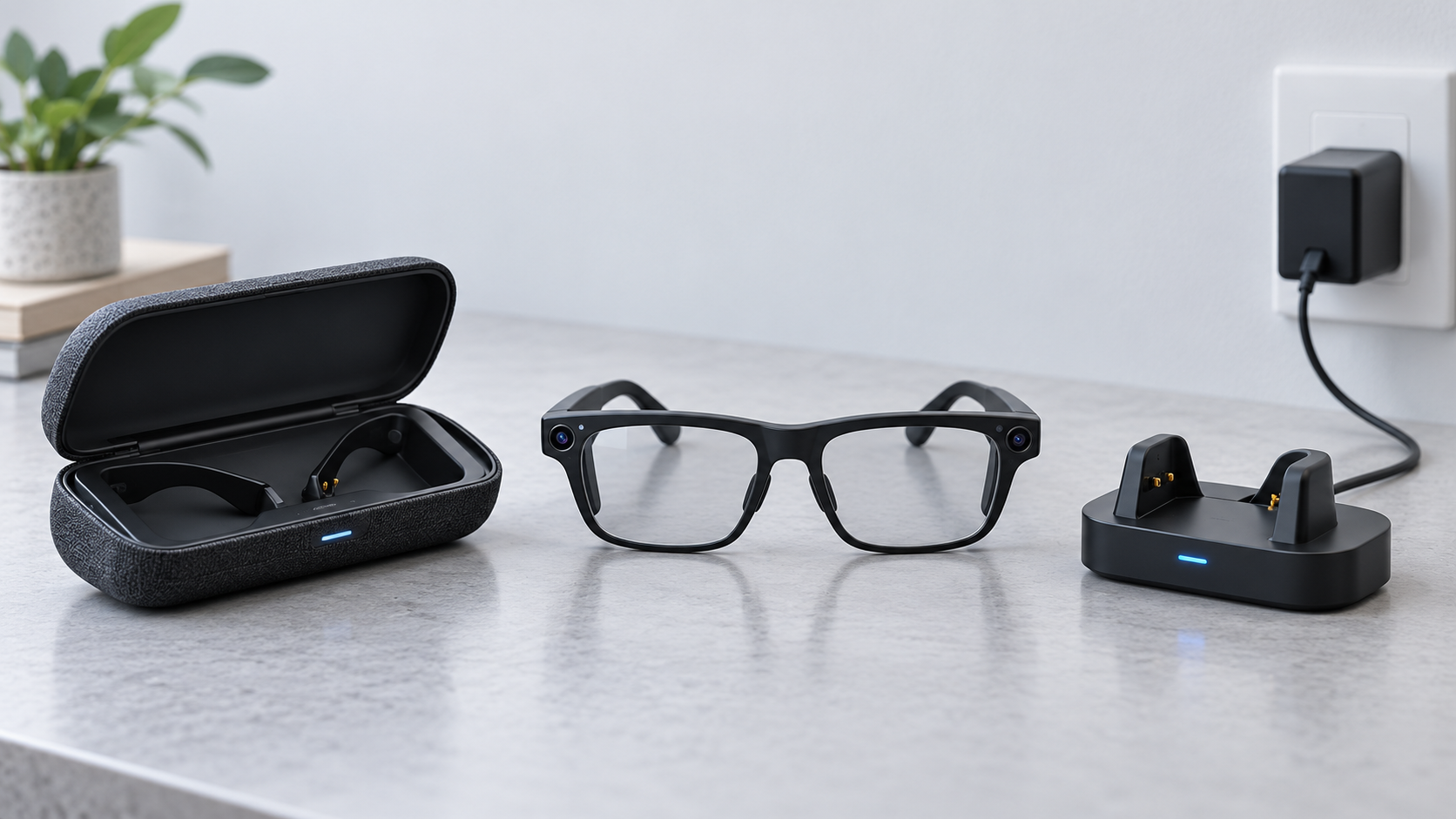
The low price has an important catch: the $249 package uses a charger that must be connected to power. Configurations with Meta’s foldable charging case start higher—the currently displayed Classic Black model with clear lenses is $299—and that portable case can add up to 40 hours of battery life away from an outlet. The glasses themselves keep the same core capabilities, so buyers are mainly choosing between the lowest entry price and more convenient charging on the road.

The quick take

  • The entry Meta Adventurer costs $249 and includes black frames, gray lenses and a plug-in charging case.
  • A $299 configuration shown on Meta’s U.S. store includes clear lenses and the foldable charging case.
  • Meta says the lower-priced version retains the same core features: Meta AI, a 12MP camera, 3K video and open-ear audio.
  • Battery life is rated at more than eight hours for the glasses; the portable case provides up to 40 additional hours, while the plug-in case does not act as an unplugged battery bank.
  • The rectangular frame comes in standard and large sizes, supports prescriptions and works with iOS 17 or later and Android 10 or later.
  • A visible capture LED signals photo or video use, but owners still need to ask permission and follow venue rules.

What went on sale October 23

Meta announced the Adventurer in September and set October 23 as the retail date in markets where Meta Glasses are sold. The headline $249 configuration pairs a black rectangular frame and gray lenses with the company’s simpler plug-in case. Other Adventurer combinations add different lenses, colors, sizes and the portable case, so the price on the product page can be higher than the advertised starting point.

The current U.S. product page shows Classic Black with clear lenses at $299 when the foldable charging case is selected. That is not a contradiction. The $249 price belongs to the specific black-and-gray package with the plug-in case. Prescription lenses, Transitions lenses and other treatments can raise the total further.

Availability is broader than a U.S.-only launch. Meta lists online sales in the United States, Canada, the United Kingdom, Australia, much of Western Europe, Japan, Mexico, Singapore, South Korea and the United Arab Emirates, with local inventory and configurations varying. Buyers should use the regional Meta store because prescription support, returns, financing and consumer-law coverage can differ by country.

The $249 plug-in case is the real tradeoff

The $249 plug-in case is the real tradeoff

Meta says the entry Adventurer has the same standard glasses features as more expensive Meta Glasses. The distinction is the included charger. The plug-in case connects to a power source with a cable and is not sold separately. It can bring the glasses to about 90 percent charge in roughly 75 minutes, but it cannot refill them while sitting unplugged in a bag.

The foldable charging case is a portable battery. Meta rates it for up to 40 hours of additional charging, allowing the glasses to be topped up between commutes, meetings or sightseeing stops without finding an outlet. Meta also sells that portable case separately for $89, so buying the $249 model and adding a case later would cost more than choosing an appropriate package at checkout.

The practical decision is straightforward. The plug-in package makes sense when the glasses will mostly be used near home, work or a vehicle charger. Travelers, all-day event attendees and heavy camera users are more likely to benefit from the portable case because 3K video, calls and AI requests can consume the frame battery faster than light audio use.

The core hardware is not cut down

Adventurer uses a 12MP ultra-wide camera with a 100-degree field of view. Still images are captured at 3024 by 4032 pixels. Video options include 3K Ultra HD at 30 frames per second, a 1080p-plus mode at 30 or 60 fps and a 720p-plus mode at 120 fps. Hyperlapse and slow-motion capture are supported.

Six microphones are distributed across the nose pads, temple arm and front frame. The open-ear speakers use adaptive volume so audio can respond to the surrounding environment. This design keeps the ear canal open, which is useful for awareness, but it also means nearby people may hear some sound at higher volumes and strong traffic noise can compete with music or calls.

The glasses store up to 1,000 photos or more than 100 thirty-second videos in 32GB of flash storage. Wi-Fi 6 tri-band connectivity covers 2.4GHz, 5GHz and 6GHz networks, while Bluetooth 5.4 and Bluetooth Low Energy handle phone pairing and related connections.

What Meta AI can do

With a paired phone and supported services, the glasses can answer questions about what the wearer sees, provide local recommendations, translate conversations, start calls and control music. Meta also promotes dynamic photo capture, which takes multiple frames and recommends a stronger result. Some features depend on region, language, connected accounts or a data connection, so the hardware specification should not be treated as a promise that every AI function works everywhere on day one.

There is no in-lens display. Adventurer is a camera-and-audio wearable, not an augmented-reality headset. Answers arrive primarily through the speakers or the companion Meta AI app. Anyone expecting maps, messages or captions floating in front of the eye should look at display-equipped products instead.

Battery, fit and prescription details

Meta rates the frame for more than eight hours per charge. Real endurance will vary with video recording, calls, music volume, AI use, wireless conditions and temperature. The number is best read as an upper-level product claim rather than a guarantee that every user will reach a full workday.

The rectangular frame is offered in standard and large sizes. Meta lists a weight of 53.8 grams for the standard frame and 54.8 grams for the large one. Both use a 22mm bridge, with 150mm temples on the standard size and 155mm temples on the large size. Three-way nose-pad adjustment and over-extension hinges are intended to improve fit, but the frame remains heavier than ordinary eyeglasses.

Prescription-ready versions support single-vision and progressive lenses. Meta lists a total-power range from -12.00 to +2.25, with cylinder correction up to 6.00. That is a broad range, but an optician should confirm lens thickness, pupillary distance and fit before purchase. In the U.S., prescription configurations can be ordered from Meta; third-party installation should be handled by a qualified professional.

Phone requirements and what is not included

The official compatibility floor is iOS 17 or later or Android 10 or later. A compatible phone, the Meta AI app, a Meta account and wireless connectivity are necessary for setup and many smart features. An operating-system version alone does not guarantee every phone model is supported, so buyers should check Meta’s live compatibility list before opening or customizing prescription lenses.

The standard foldable-case package includes the glasses, charging case, cleaning cloth, reference guide and prescription-lens guide. Meta states that a USB-C charging cable is not included. The lower-priced plug-in package uses its dedicated wired case instead, so shoppers should examine the exact in-box list shown for the selected configuration rather than assuming all bundles contain the same accessories.

Privacy is part of the ownership cost

Adventurer’s camera makes consent and location rules as important as battery life. Meta says a capture LED illuminates when the glasses take photos or record gallery video, and camera capture is blocked if that light is covered. The company also says captures remain on the glasses until the owner chooses to move them to the phone through the Meta AI app.

Those safeguards do not replace good behavior. Owners should ask before photographing people, avoid sensitive spaces and comply with workplace, school, medical, concert and private-property policies. The LED also cannot tell a bystander what will happen to an image after it is transferred to a phone.

Visual AI requests are another reason to review settings carefully. A camera-equipped assistant can process what is in front of the wearer even when the intent is not to create a keepsake. Before using the glasses around documents, screens, children or confidential work, review the Meta AI app’s capture, voice and data controls and switch off features that are not needed.

A verified Amazon alternative

Meta Adventurer is sold through Meta and certified retailers. Buyers who prefer Amazon can compare it with the established Ray-Ban Meta Gen 2 Wayfarer Large in Matte Black with clear lenses. That model includes a 12MP camera, 3K video, open-ear audio and Meta AI in a Ray-Ban frame, but its fit, styling, battery package and price are different from Adventurer.

Check the Ray-Ban Meta Gen 2 Wayfarer Large on Amazon (ASIN B0FLYD7G7D). Confirm the generation, frame size, lens type, seller and current return terms before ordering because Amazon can group several variations on one page.

Disclosure: ReaderSpice may earn a commission from qualifying Amazon purchases made through the link above, at no additional cost to you.

Who should choose each package

Choose the $249 plug-in version if

  • Your priority is the lowest purchase price.
  • You normally use the glasses near a reliable outlet or USB power source.
  • Gray lenses and the specific black frame fit your needs.
  • You do not expect to recharge the glasses while walking, traveling or attending long events.

Pay more for the portable case if

  • You travel frequently or use the camera away from power.
  • You want up to 40 hours of extra charging available in a bag or pocket.
  • You need clear, Transitions or prescription lenses that are not part of the entry bundle.
  • The convenience is worth more than the price gap and avoids an $89 case purchase later.

Buying checklist

  • Select the exact frame size, bridge fit, lens color and case type before looking at the final price.
  • Confirm that your phone appears on Meta’s current compatibility list and can run the required operating system.
  • Budget for prescription lenses, lens treatments, a USB-C cable or adapter, and any protection plan separately.
  • Review the 30-day return window and the 12-month manufacturing-defect warranty for the country and retailer handling the sale.
  • Test fit, microphone pickup, speaker leakage, battery life, camera alignment and capture LED behavior before the return period ends.

The bottom line

Meta Adventurer makes camera-equipped AI glasses more accessible without removing the camera, audio or AI features that define the category. The $249 package is real, but it is tied to one frame-and-lens combination and a plug-in charger. For buyers who stay close to power, that is a sensible way to save. For travel or heavy daily use, the $299-class portable-case configuration is likely the better value because it solves the product’s most predictable limitation: recharging away from an outlet.

Before buying, treat the glasses as both a wearable computer and a camera. Verify the selected package, check phone compatibility and prescription needs, understand the return policy, and use the capture controls in a way that respects the people around you.

Sources

Meta Newsroom: Ray-Ban Meta Audio and expanded Meta Glasses lineup

Meta Store: Adventurer price, specifications, case options and FAQs

Meta: Responsible innovation and privacy guidance for AI glasses

Amazon: Ray-Ban Meta Gen 2 Wayfarer Large (ASIN B0FLYD7G7D)

NVIDIA Minerva Maps AI Factories to Predict Failures: What It Does

AI data center topology map isolating an infrastructure fault before it disrupts a training job

NVIDIA has launched Minerva, an AIOps platform designed to connect infrastructure and workload telemetry across very large AI data centers. The goal is straightforward: identify a failing component before it wastes an expensive training run, then give operators enough context to act without digging through separate dashboards.

The October 22, 2026 announcement matters because an AI cluster can look healthy at the server level while a network interface, storage device or scheduler bottleneck quietly slows a job. Minerva builds a live map of hardware and workloads, applies machine learning to spot abnormal behavior and groups related symptoms into a smaller number of incidents. NVIDIA says the system can run on premises or as software as a service, but it has not published public list pricing.

Minerva at a glance

  • Product: NVIDIA Minerva, an AI-native AIOps and observability platform
  • Main job: correlate compute, network, storage, scheduler and workload telemetry
  • Core methods: dynamic knowledge graph, supervised and unsupervised machine learning, anomaly prediction and event correlation
  • Operator interface: dashboards plus the Sherlock natural-language assistant
  • Deployment: on premises or SaaS, from data collection to a turnkey platform
  • Integrations: OpenTelemetry, gNMI, syslog, DCGM, Slurm, JSON, Grafana, Slack, Microsoft Teams, PagerDuty, ServiceNow and Ansible
  • Scale claim: designed to reach clusters with hundreds of thousands of GPUs
  • Public pricing: not announced

What problem NVIDIA Minerva is trying to solve

AI training and inference depend on more than GPUs. A job may cross network switches, SuperNICs, DPUs, NVLink fabric, storage systems, schedulers and software libraries before it produces useful work. A degraded cable or an NVMe drive losing performance can surface as a slow training job rather than an obvious hardware failure.

Traditional monitoring often separates those layers. A networking team sees switch counters, an infrastructure team sees server health and a machine-learning team sees job throughput. Minerva is meant to connect those views so an operator can see which physical or software component is affecting a specific workload.

NVIDIA frames the outcome as higher “AI factory yield.” That is not a conventional manufacturing yield percentage. Here it refers to useful output measured through factors such as effective GPU hours, goodput, cluster uptime and token production. The relevant question for a buyer is whether Minerva improves those metrics enough to justify deployment and operational cost.

How Minerva traces a slow job to hardware

How Minerva traces a slow job to hardware

Minerva ingests telemetry from NVIDIA GPUs, networking, storage, NCCL communications, schedulers and active AI workloads. It turns those relationships into a dynamic knowledge graph: a continuously updated map of components, topology and the jobs using them.

If a training run slows down, the platform can connect the symptom to an abnormal interface, switch, GPU or storage device along the path. NVIDIA says its purpose-built models analyze billions of data points per hour, learn normal behavior, detect previously unseen anomalies and predict emerging failures. Topology-aware correlation can also collapse a flood of secondary alerts into one prioritized incident with a likely root cause.

The practical advantage is context. A temperature increase on one GPU may not matter by itself, but it becomes important when it lines up with lower job throughput and errors on the same path. Minerva’s value depends on the quality and coverage of the telemetry it receives; it cannot explain signals that are missing, inaccurate or outside the integrated stack.

Sherlock adds a natural-language operations layer

NVIDIA calls Minerva’s built-in multi-agent assistant Sherlock. Operators can ask questions about cluster health in natural language, receive answers grounded in current telemetry and get recommended remediation. An MCP server also lets customers connect external agentic tools.

That interface can reduce the time needed to move from an alert to an investigation, but it should not be treated as permission for autonomous repair by default. A wrong diagnosis or aggressive automated action could interrupt healthy workloads. Teams can keep a person in the loop, limit which systems an agent can change and connect automation only through approved infrastructure APIs.

Before enabling closed-loop remediation, operators should define:

  • Which actions require human approval
  • Which jobs, tenants or facilities an automation can affect
  • How proposed changes are logged and rolled back
  • What evidence is required before a component is quarantined
  • How access is separated between investigation and execution

Deployment options and integrations

Minerva is not presented as one fixed appliance. NVIDIA lists on-premises and SaaS deployment, open APIs, modular capabilities and Grafana integration. Customers can use Minerva primarily as a collector that feeds an existing observability stack, add its anomaly detection and correlation to outside tools, or adopt the full turnkey interface and assistant.

The platform accepts telemetry through standards and interfaces including OpenTelemetry, gNMI, syslog, DCGM, Slurm and JSON. NVIDIA also lists integrations with Slack, Microsoft Teams, PagerDuty, ServiceNow, Grafana, Ansible and infrastructure APIs. Those connections should make it easier to fit Minerva into incident-response workflows, but every integration expands the permissions and data flows that security teams must review.

Minerva is also tied closely to NVIDIA’s infrastructure roadmap. The company positions it as part of the Vera Rubin platform and the primary network-observability layer for NVIDIA AI factories. Minerva Collector is integrated with DSX OS, and NVIDIA says key collector capabilities will be open sourced in DSX OS. Organizations using mixed vendors should verify exactly which third-party components expose equivalent depth before assuming “full stack” means every device in the building.

Early adopters and the evidence gap

IREN is already using Minerva, while Aolani, Bitdeer AI, IBM, Jio, Lambda, Quake AI and Tesla plan deployments, according to NVIDIA. Dell Technologies, Lenovo and Supermicro are expected to offer it through their AI-factory operations portfolios.

Bitdeer says its deployment will use Minerva across training and inference infrastructure. The partner also cites NVIDIA internal tests in which an NVMe power fault was reduced from a multi-day outage to six hours and 81 noisy events were consolidated into a single alert. Those examples are useful, but they are vendor and partner claims rather than independent benchmarks.

NVIDIA has not disclosed broad customer pricing, a universal return-on-investment figure or a public comparison against general-purpose observability platforms. Results will vary with cluster design, telemetry coverage, incident history and staff workflow. Buyers should ask for a proof of value on their own jobs and failure modes instead of extrapolating from a showcase deployment.

What teams should verify before adopting Minerva

  • Telemetry coverage: confirm every critical GPU, switch, storage path, scheduler and workload emits supported signals.
  • Data location: document whether telemetry and incident context remain on premises or enter a SaaS environment.
  • Permissions: separate read-only investigation from actions that can drain nodes, restart services or change network configuration.
  • False positives: measure how often anomaly alerts lead to useful action instead of more noise.
  • Vendor mix: test visibility across non-NVIDIA storage, networking and management components.
  • Operational impact: compare mean time to detect, mean time to repair, interrupted GPU hours and job goodput before and after the pilot.
  • Exit plan: confirm that raw telemetry and incident history remain usable if the organization changes tools.

Who Minerva is for — and who can ignore it

Minerva is aimed at cloud providers, research labs and large enterprises operating dense NVIDIA GPU clusters. Its strongest case appears when separate teams manage compute, networking, storage and machine-learning workloads, and when a few hours of lost cluster time carry substantial cost.

It is not a consumer utility, a desktop GPU monitor or a small-business dashboard. Most organizations running a handful of accelerators will be better served by existing monitoring and scheduler tools. Readers who want hands-on experience with NVIDIA AI hardware at a much smaller scale can compare the NVIDIA Jetson Orin Nano Super Developer Kit on Amazon, but that board is not a Minerva deployment target or a substitute for an AI factory.

ReaderSpice may earn a commission from qualifying purchases made through affiliate links, at no additional cost to you.

Bottom line

NVIDIA Minerva is an attempt to turn fragmented AI-infrastructure telemetry into a connected operational model. The combination of a topology-aware knowledge graph, anomaly detection, alert correlation and a telemetry-grounded assistant could make large GPU clusters easier to diagnose and maintain.

The promise is credible enough for a serious pilot, not an automatic purchase. Minerva’s real value will depend on integration depth, data governance, false-positive rates and measured reductions in interrupted GPU hours. Until independent results and public pricing emerge, treat the launch as the beginning of validation rather than proof that every AI factory should standardize on it.

Sources

NVIDIA Blog: Minerva launch announcement and early deployment plans

NVIDIA: Minerva product capabilities, integrations and deployment models

Bitdeer AI: Minerva support, use cases and cited internal test examples

SiliconReport: Independent launch summary and deployment context

Google and Voltus Plan a 1-Gigawatt Virtual Power Plant: What PJM Customers Should Know

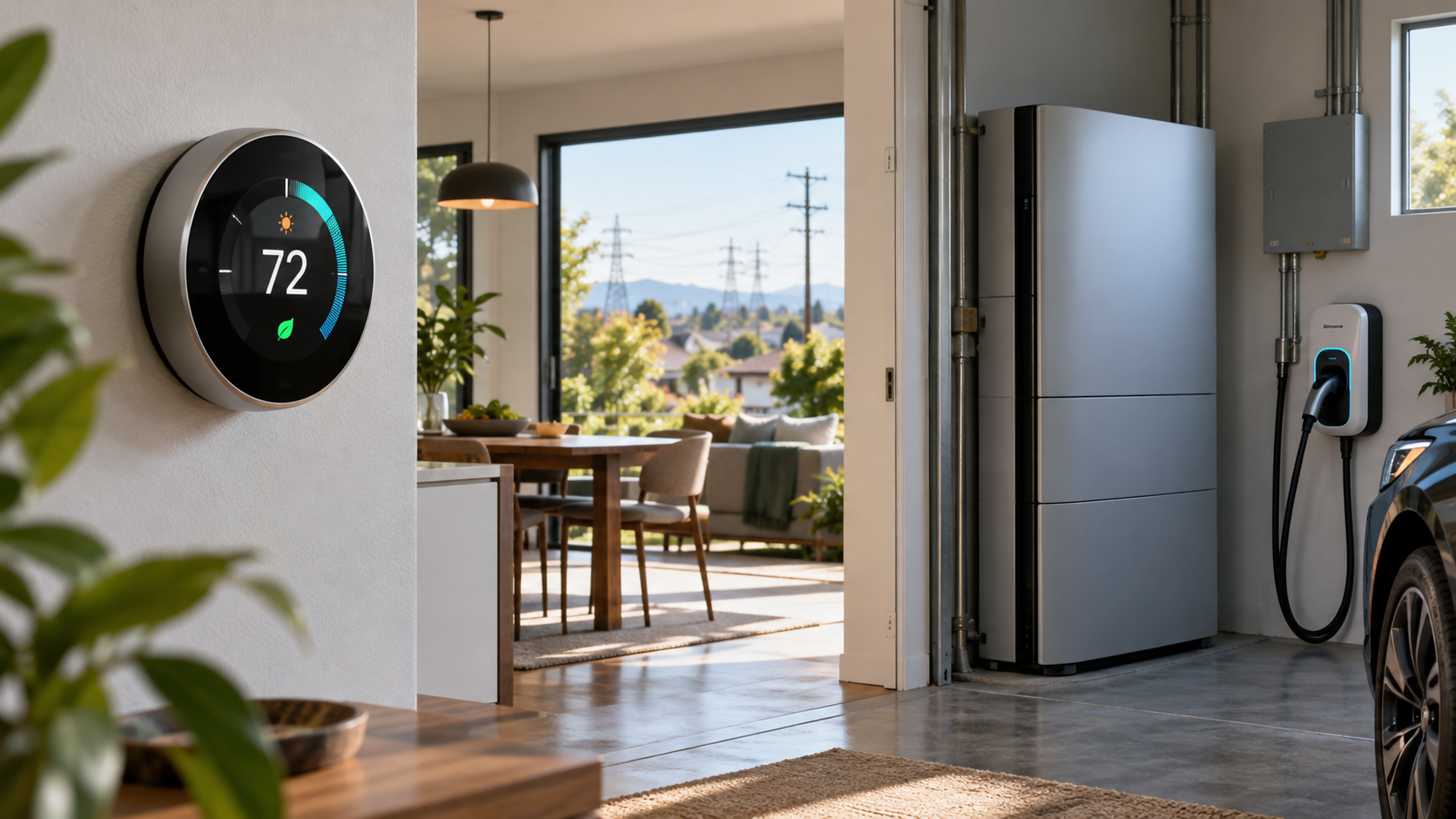
Smart homes with solar panels and batteries connected to the power grid and a distant data center at dusk

Google and Voltus announced a gigawatt-scale virtual power plant for the PJM electric grid on October 22, 2026. Instead of building one giant generating station, the project will coordinate thousands of smaller resources—such as smart thermostats, home batteries and flexible commercial equipment—so they can reduce demand or supply stored electricity when the grid is strained.

The headline sounds distant from everyday life, but the practical effects could reach households and businesses across parts of 13 states and Washington, D.C. Eligible participants may receive bill savings or cash payments. The tradeoff is that they allow an approved program to adjust connected equipment during a limited number of high-demand events, subject to the program’s rules.

What Google and Voltus announced

  • Google’s October 22 post describes an expanded 1-gigawatt virtual power plant across the PJM region, which serves about 67 million people.
  • Voltus says the system will aggregate flexible capacity from homes and businesses, including thermostats, batteries and industrial equipment.
  • When demand is high, participating assets can temporarily reduce electricity use, shift it to another time or discharge stored power.
  • Google is funding the capacity, while Voltus will aggregate and operate the resources and deliver financial benefits to participating customers.

This is an expansion of a June agreement that targeted up to 100 megawatts of flexible capacity each year under a three-year arrangement. Google says the new plan is a tenfold expansion and one of the largest known distributed-capacity portfolios funded by a hyperscaler.

The business logic is straightforward. A data center or other large new load needs dependable grid capacity, but traditional generation and transmission projects can take years. Paying many customers to make small, coordinated adjustments during peak periods can free capacity faster while sending some of the project’s value back to the homes and businesses providing that flexibility.

The two announcements describe the scale differently

Readers should not treat every number in the announcements as interchangeable. Google calls the expanded project a 1-gigawatt virtual power plant and a tenfold increase from the original 100-megawatt deal. Voltus’s October release says the announcement adds 1,070 megawatts after the initial 100 megawatts, wording that could imply a larger combined figure.

Neither company’s public announcement reconciles those descriptions. The safest interpretation is that this is a roughly gigawatt-scale expansion, not a promise that a precise amount of capacity will be active immediately. Aggregated capacity still has to be enrolled, qualified and available under the applicable PJM and utility rules.

How a virtual power plant works

How a virtual power plant works

A virtual power plant is software-coordinated capacity rather than a single physical site. PJM describes VPPs as connected groups of distributed energy resources that respond together to provide load flexibility or generation. The individual devices remain spread across homes, offices, warehouses and industrial sites.

  • Enrollment: A household or business joins an eligible demand-response or distributed-energy program and connects a qualifying device or controllable load.
  • Forecasting: The operator monitors grid conditions, market signals and the availability of enrolled resources.
  • Event: During a peak period, the operator sends a signal that can slightly adjust thermostats, pause flexible equipment, shift EV charging or discharge batteries.
  • Measurement and payment: The program measures the verified response under its rules and sends the promised bill credit, incentive or direct payment.

No single thermostat is powering a neighborhood. The value comes from coordinating many small actions at the same time. A two-degree thermostat adjustment or delayed charging session may be minor in one home, but thousands of synchronized changes can reduce the amount of generation the grid must call on during its most expensive and stressed hours.

What this could mean for homes and small businesses

The announcement does not automatically enroll everyone in PJM territory, and owning a smart thermostat or battery does not guarantee eligibility. Participation depends on the local utility, device, aggregator, service address and the rules of a specific program. Google and Voltus have not published one universal residential sign-up page, payment schedule or device list for the full expansion.

Potential benefits

  • Cash payments or utility bill credits for verified participation.
  • Lower energy use during costly peak periods, which may add savings beyond the program incentive.
  • Better use of existing thermostats, batteries, solar-plus-storage systems, EV chargers and other flexible equipment.
  • A larger pool of flexible capacity that can reduce grid stress during extreme weather or other supply constraints.

Important tradeoffs

  • Comfort can change temporarily if a thermostat is adjusted during an event.
  • Payments may depend on measured performance, enrollment dates, event participation and device connectivity.
  • An internet outage, dead battery, changed Wi-Fi password or disconnected account can make a device unavailable.
  • The operator, utility or device partner may receive energy-use, device-status and event-response data.
  • Program terms may allow opt-outs but reduce or eliminate incentives after repeated nonparticipation.

A good program should state the temperature limits, event length, expected number of events, opt-out method, payment formula and data-sharing terms before enrollment. Save those terms, because marketing summaries can omit conditions that decide the real value.

Where PJM operates—and why your address still matters

PJM coordinates wholesale electricity across all or parts of Delaware, Illinois, Indiana, Kentucky, Maryland, Michigan, New Jersey, North Carolina, Ohio, Pennsylvania, Tennessee, Virginia, West Virginia and Washington, D.C. Being in one of those jurisdictions is only the first filter. PJM’s footprint follows utility territories, not state borders.

A household should identify its electric utility and rate plan before assuming it can participate. For example, an earlier Voltus and Resideo program served eligible ComEd customers in Illinois and used Honeywell Home, ecobee or Google Nest thermostats. That history shows the type of consumer hardware that can join a VPP, but it does not prove those same devices or incentives will be available at every address in the new project.

Questions to answer before enrolling

  • Is the offer from your utility, a recognized device partner or an aggregator authorized for your service territory?
  • Which exact thermostat, battery, EV charger or equipment models qualify?
  • What is the enrollment payment, ongoing payment and performance requirement?
  • How many events may occur, how long can they last and what limits apply to temperature or battery discharge?
  • Can you override an event immediately, and does overriding affect payment?
  • What data is collected, who receives it, how long is it retained and can it be used for marketing?
  • What happens if you move, replace the device, change utilities or leave the program?

Do not pay an unfamiliar company merely to join a grid program. Confirm the offer through the utility or program operator using contact information obtained independently, and be skeptical of urgent calls asking for account credentials or remote access to a thermostat.

A relevant smart-thermostat example

The Google Nest Thermostat, ASIN B08HRPDYTP, is a verified retail example of the device category used in residential demand-response programs. Readers can check the Google Nest Thermostat on Amazon for current availability and confirm HVAC compatibility before buying. The listing notes that some systems require a C wire or another compatible power accessory.

Buying the thermostat is not the same as enrolling in the Google–Voltus project. Check your utility’s current program list first; otherwise, treat the thermostat as an energy-management purchase rather than a guaranteed source of payments.

Affiliate disclosure: ReaderSpice may earn a commission from qualifying Amazon purchases made through the link above, at no additional cost to you.

Will the project lower everyone’s electric bill?

The announcements promise financial benefits for participating customers, not an automatic bill reduction for every PJM customer. VPPs can reduce the need to build or run expensive capacity for short peak periods, and Google and Voltus argue that better use of existing grid resources can improve affordability. The size and timing of system-wide savings depend on market rules, program performance and how costs are allocated.

For an individual household, the math is simpler: compare the promised annual incentive with any equipment cost, installation expense, comfort impact and data-sharing tradeoff. A free enrollment program using hardware you already own may be attractive. Buying a battery solely for a modest demand-response payment is a much larger decision that requires a payback calculation, warranty review and backup-power assessment.

Bottom line

The Google–Voltus agreement is notable because it treats connected homes and businesses as grid infrastructure rather than passive electricity customers. If Voltus can enroll and coordinate the promised scale, the project could show how data-center growth and customer-owned devices can share economic value instead of competing only for scarce capacity.

For consumers, the useful action is not to buy hardware immediately. Identify your utility, wait for a verified local offer, read the event and privacy terms, and calculate the net payment using equipment you already own. The project is real, but household eligibility and savings will be local, conditional and program-specific.

Sources

Google: 1-gigawatt virtual power plant announcement, October 22, 2026

Voltus: One Gigawatt Bring Your Own Capacity agreement details

Voltus: Original 100-megawatt Google agreement from June 2026

Voltus and Resideo: Residential thermostat VPP program example

PJM: Territory served across 13 states and Washington, D.C.

PJM: Advanced Technology Initiative virtual power plant explainer

Amazon: Google Nest Thermostat (ASIN B08HRPDYTP)

Google and Voltus Plan a 1-Gigawatt Virtual Power Plant: What PJM Customers Should Know

Smart homes with solar panels and batteries connected to the power grid and a distant data center at dusk

Google and Voltus announced a gigawatt-scale virtual power plant for the PJM electric grid on October 22, 2026. Instead of building one giant generating station, the project will coordinate thousands of smaller resources—such as smart thermostats, home batteries and flexible commercial equipment—so they can reduce demand or supply stored electricity when the grid is strained.

The headline sounds distant from everyday life, but the practical effects could reach households and businesses across parts of 13 states and Washington, D.C. Eligible participants may receive bill savings or cash payments. The tradeoff is that they allow an approved program to adjust connected equipment during a limited number of high-demand events, subject to the program’s rules.

What Google and Voltus announced

  • Google’s October 22 post describes an expanded 1-gigawatt virtual power plant across the PJM region, which serves about 67 million people.
  • Voltus says the system will aggregate flexible capacity from homes and businesses, including thermostats, batteries and industrial equipment.
  • When demand is high, participating assets can temporarily reduce electricity use, shift it to another time or discharge stored power.
  • Google is funding the capacity, while Voltus will aggregate and operate the resources and deliver financial benefits to participating customers.

This is an expansion of a June agreement that targeted up to 100 megawatts of flexible capacity each year under a three-year arrangement. Google says the new plan is a tenfold expansion and one of the largest known distributed-capacity portfolios funded by a hyperscaler.

The business logic is straightforward. A data center or other large new load needs dependable grid capacity, but traditional generation and transmission projects can take years. Paying many customers to make small, coordinated adjustments during peak periods can free capacity faster while sending some of the project’s value back to the homes and businesses providing that flexibility.

The two announcements describe the scale differently

Readers should not treat every number in the announcements as interchangeable. Google calls the expanded project a 1-gigawatt virtual power plant and a tenfold increase from the original 100-megawatt deal. Voltus’s October release says the announcement adds 1,070 megawatts after the initial 100 megawatts, wording that could imply a larger combined figure.

Neither company’s public announcement reconciles those descriptions. The safest interpretation is that this is a roughly gigawatt-scale expansion, not a promise that a precise amount of capacity will be active immediately. Aggregated capacity still has to be enrolled, qualified and available under the applicable PJM and utility rules.

How a virtual power plant works

How a virtual power plant works

A virtual power plant is software-coordinated capacity rather than a single physical site. PJM describes VPPs as connected groups of distributed energy resources that respond together to provide load flexibility or generation. The individual devices remain spread across homes, offices, warehouses and industrial sites.

  • Enrollment: A household or business joins an eligible demand-response or distributed-energy program and connects a qualifying device or controllable load.
  • Forecasting: The operator monitors grid conditions, market signals and the availability of enrolled resources.
  • Event: During a peak period, the operator sends a signal that can slightly adjust thermostats, pause flexible equipment, shift EV charging or discharge batteries.
  • Measurement and payment: The program measures the verified response under its rules and sends the promised bill credit, incentive or direct payment.

No single thermostat is powering a neighborhood. The value comes from coordinating many small actions at the same time. A two-degree thermostat adjustment or delayed charging session may be minor in one home, but thousands of synchronized changes can reduce the amount of generation the grid must call on during its most expensive and stressed hours.

What this could mean for homes and small businesses

The announcement does not automatically enroll everyone in PJM territory, and owning a smart thermostat or battery does not guarantee eligibility. Participation depends on the local utility, device, aggregator, service address and the rules of a specific program. Google and Voltus have not published one universal residential sign-up page, payment schedule or device list for the full expansion.

Potential benefits

  • Cash payments or utility bill credits for verified participation.
  • Lower energy use during costly peak periods, which may add savings beyond the program incentive.
  • Better use of existing thermostats, batteries, solar-plus-storage systems, EV chargers and other flexible equipment.
  • A larger pool of flexible capacity that can reduce grid stress during extreme weather or other supply constraints.

Important tradeoffs

  • Comfort can change temporarily if a thermostat is adjusted during an event.
  • Payments may depend on measured performance, enrollment dates, event participation and device connectivity.
  • An internet outage, dead battery, changed Wi-Fi password or disconnected account can make a device unavailable.
  • The operator, utility or device partner may receive energy-use, device-status and event-response data.
  • Program terms may allow opt-outs but reduce or eliminate incentives after repeated nonparticipation.

A good program should state the temperature limits, event length, expected number of events, opt-out method, payment formula and data-sharing terms before enrollment. Save those terms, because marketing summaries can omit conditions that decide the real value.

Where PJM operates—and why your address still matters

PJM coordinates wholesale electricity across all or parts of Delaware, Illinois, Indiana, Kentucky, Maryland, Michigan, New Jersey, North Carolina, Ohio, Pennsylvania, Tennessee, Virginia, West Virginia and Washington, D.C. Being in one of those jurisdictions is only the first filter. PJM’s footprint follows utility territories, not state borders.

A household should identify its electric utility and rate plan before assuming it can participate. For example, an earlier Voltus and Resideo program served eligible ComEd customers in Illinois and used Honeywell Home, ecobee or Google Nest thermostats. That history shows the type of consumer hardware that can join a VPP, but it does not prove those same devices or incentives will be available at every address in the new project.

Questions to answer before enrolling

  • Is the offer from your utility, a recognized device partner or an aggregator authorized for your service territory?
  • Which exact thermostat, battery, EV charger or equipment models qualify?
  • What is the enrollment payment, ongoing payment and performance requirement?
  • How many events may occur, how long can they last and what limits apply to temperature or battery discharge?
  • Can you override an event immediately, and does overriding affect payment?
  • What data is collected, who receives it, how long is it retained and can it be used for marketing?
  • What happens if you move, replace the device, change utilities or leave the program?

Do not pay an unfamiliar company merely to join a grid program. Confirm the offer through the utility or program operator using contact information obtained independently, and be skeptical of urgent calls asking for account credentials or remote access to a thermostat.

A relevant smart-thermostat example

The Google Nest Thermostat, ASIN B08HRPDYTP, is a verified retail example of the device category used in residential demand-response programs. Readers can check the Google Nest Thermostat on Amazon for current availability and confirm HVAC compatibility before buying. The listing notes that some systems require a C wire or another compatible power accessory.

Buying the thermostat is not the same as enrolling in the Google–Voltus project. Check your utility’s current program list first; otherwise, treat the thermostat as an energy-management purchase rather than a guaranteed source of payments.

Affiliate disclosure: ReaderSpice may earn a commission from qualifying Amazon purchases made through the link above, at no additional cost to you.

Will the project lower everyone’s electric bill?

The announcements promise financial benefits for participating customers, not an automatic bill reduction for every PJM customer. VPPs can reduce the need to build or run expensive capacity for short peak periods, and Google and Voltus argue that better use of existing grid resources can improve affordability. The size and timing of system-wide savings depend on market rules, program performance and how costs are allocated.

For an individual household, the math is simpler: compare the promised annual incentive with any equipment cost, installation expense, comfort impact and data-sharing tradeoff. A free enrollment program using hardware you already own may be attractive. Buying a battery solely for a modest demand-response payment is a much larger decision that requires a payback calculation, warranty review and backup-power assessment.

Bottom line

The Google–Voltus agreement is notable because it treats connected homes and businesses as grid infrastructure rather than passive electricity customers. If Voltus can enroll and coordinate the promised scale, the project could show how data-center growth and customer-owned devices can share economic value instead of competing only for scarce capacity.

For consumers, the useful action is not to buy hardware immediately. Identify your utility, wait for a verified local offer, read the event and privacy terms, and calculate the net payment using equipment you already own. The project is real, but household eligibility and savings will be local, conditional and program-specific.

Sources

Google: 1-gigawatt virtual power plant announcement, October 22, 2026

Voltus: One Gigawatt Bring Your Own Capacity agreement details

Voltus: Original 100-megawatt Google agreement from June 2026

Voltus and Resideo: Residential thermostat VPP program example

PJM: Territory served across 13 states and Washington, D.C.

PJM: Advanced Technology Initiative virtual power plant explainer

Amazon: Google Nest Thermostat (ASIN B08HRPDYTP)

Blink Launches Five New Cameras With 4K, Pan-Tilt and 7,000-Foot Range: Which One Fits?

Five smart security camera styles monitoring a home, driveway and distant property at blue hour

Blink has announced five security cameras that fill very different roles: a 4K compact camera, a low-cost pan-tilt model, a battery-powered spotlight camera and two extended-range systems for large properties. All five opened for U.S. preorder on October 21, 2026, with prices ranging from $49.99 to $199.99.

The range is more useful than a simple resolution upgrade because Blink is addressing places normal home Wi-Fi and fixed-angle cameras do not cover well. But the headline numbers need context. The longest-range model requires a Sync Module XR+, the strongest AI features require compatible subscriptions, and video quality can fall at maximum range.

The five new Blink cameras at a glance

  • Blink Frontier XR+: $199.99 for a one-camera system with Sync Module XR+; designed for remote gates, fields, equipment and large properties; up to 7,000 feet with a clear line of sight.
  • Blink Outdoor 2K XR+: $149.99 for a one-camera system with Sync Module XR+; 2K video at normal distances, a 115-degree field of view and extended reach for driveways, detached garages and outbuildings.
  • Blink Mini 4K+: $79.99; Blink’s first 4K camera, with a 115-degree horizontal field of view, dual-band Wi-Fi 6, IP65 weather resistance and two-way audio.
  • Blink Spotlight Cam 2K+: $109.99; Blink’s first battery-powered spotlight camera, combining 2K video, motion-activated lighting, night vision and wire-free placement.
  • Blink Mini Pan-Tilt 2K+: $49.99; 350-degree pan, 115-degree tilt, night vision and two-way audio; outdoor use requires a separately sold Blink Camera Outdoor Adapter.

The Mini 4K+ and Mini Pan-Tilt 2K+ are also available for preorder in Canada, the United Kingdom, Germany, France, Italy, Spain, the Netherlands, Belgium, Australia and New Zealand. Blink says the three XR+ and spotlight models will come to Canada later, but it has not supplied a firm Canadian sale date for those products.

Frontier XR+ is built for acreage, not a typical front porch

Frontier XR+ is the most unusual model. Blink positions it as a trail-style camera for pastures, remote gates, equipment areas and job sites that may sit far beyond a home router. The advertised 7,000-foot figure applies only when the outdoor-mounted Sync Module XR+ and camera have open air between them with no obstruction.

That distinction matters. Trees, walls, vehicles, terrain and radio interference can reduce practical range. Blink’s own support material describes shorter ranges when obstructions are present, so buyers should treat 7,000 feet as a best-case ceiling rather than a guaranteed installation distance.

Before ordering, map the proposed hub and camera positions, confirm that the hub can remain powered and connected to the home network, and test the route before permanently mounting anything. A distant camera is only useful if its connection is stable enough to deliver alerts and clips when needed.

Outdoor 2K XR+ trades resolution for reach at maximum range

Outdoor 2K XR+ is the more conventional extended-range option. Blink lists up to 800 feet when some trees or structures interrupt the path and up to 2,700 feet with a clear line of sight. It records up to 2K under normal conditions but drops to as low as 1080p at maximum-range settings.

That tradeoff is reasonable if the alternative is no camera at all, but it changes how the product should be evaluated. A wide overview of a long driveway or detached garage may still be valuable at 1080p. Buyers who need facial or license-plate detail at long distance should wait for independent testing instead of assuming the 2K label applies in every mode.

Mini 4K+ is the detail-first option

Mini 4K+ is Blink’s first 4K security camera and its sharpest model on paper. The compact unit supports a 115-degree horizontal field of view, dual-band Wi-Fi 6, two-way talk and an IP65 rating, allowing indoor or outdoor placement when power and network coverage are available.

More pixels can make digital zoom and identification easier, but 4K also raises bandwidth and storage demands. Check upload speed at the intended location rather than only testing beside the router. If the camera will watch a small room or narrow doorway, a lower-resolution model with better placement may provide more useful evidence than a badly positioned 4K camera.

Blink also advertises person and vehicle detection through compatible subscription plans. For eligible AI-plan subscribers in the United States, Canada and the United Kingdom, Video Descriptions can generate short summaries of camera activity. Blink says that feature is not available to customers in Illinois because of state-specific legislation, and language support is limited.

Spotlight Cam 2K+ and Mini Pan-Tilt 2K+ solve placement problems

Spotlight Cam 2K+ is the straightforward choice for a dark side yard, gate or garage area where running power would be difficult. Its battery design allows flexible placement, while the motion-activated light can improve nighttime visibility and act as a visible deterrent. The practical questions are battery life in the chosen activity zone and whether frequent motion will create too many alerts.

Mini Pan-Tilt 2K+ focuses on coverage instead of maximum resolution. It can rotate through 350 degrees and tilt 115 degrees, making it useful for pets, playrooms or a patio where activity crosses a wide area. A moving camera still has blind moments: it can face the wrong direction, lose a fast-moving subject or miss an event outside the active tracking area.

Although Blink calls the model indoor/outdoor, outdoor installation requires the separately sold Outdoor Adapter. Include that accessory, a protected power route and weather exposure in the real cost. A $49.99 camera is not a $49.99 outdoor installation if the adapter and mounting work are essential.

Subscriptions change the real price

Blink cameras provide motion notifications and Live View without a subscription, but recording, cloud history and smart detection depend on the plan and device. Blink’s current plan material lists cloud storage for up to 60 days in the United States and several other markets, while some regions receive shorter retention.

Person and vehicle detection is a paid feature for compatible cameras. Video Descriptions also sits in eligible AI tiers rather than the basic hardware purchase. Plan names, pricing and device eligibility can change, so compare the current subscription table on the day you buy and calculate at least one year of service before deciding which camera is cheaper.

What buyers should check before installing

What buyers should check before installing

  • Confirm the camera’s power source, mounting height, weather exposure and Wi-Fi or XR+ path before drilling holes.
  • Test day and night framing. A porch light, reflective wall or nearby branch can ruin motion clips even when daytime video looks sharp.
  • Set narrow motion zones and review sensitivity before enabling frequent notifications.
  • Use a strong, unique Blink password and keep multi-factor authentication enabled.
  • Review every phone with account access and remove devices that no longer need control.
  • Decide how long clips should be retained and who in the household may view, download or share them.
  • Avoid aiming cameras into neighbors’ windows, private yards or areas where visitors reasonably expect privacy.

A verified Amazon preorder option

One verified listing is the Blink Mini Pan-Tilt 2K+ two-camera package, ASIN B0HMVJYPFZ. Readers can check the Blink Mini Pan-Tilt 2K+ on Amazon for current preorder availability, package color and shipping estimates. Confirm that the listing includes the exact camera count and any outdoor adapter you need before ordering.

Affiliate disclosure: ReaderSpice may earn a commission from qualifying Amazon purchases made through the link above, at no additional cost to you.

Which new Blink camera fits which buyer?

Choose Frontier XR+ if:

  • You need coverage across acreage, a farm, a long private drive or a remote work site.
  • You can install the required Sync Module XR+ outdoors with a reliable network and power connection.
  • You understand that maximum range requires clear line of sight and real-world obstructions will reduce it.

Choose Outdoor 2K XR+ if:

  • You need more range than standard Wi-Fi but want a conventional home-security camera rather than a trail-style unit.
  • A 1080p fallback at the farthest settings is acceptable for overview coverage.

Choose Mini 4K+ if:

  • Detail, digital zoom and a compact weather-resistant design matter most.
  • The installation point has strong dual-band Wi-Fi and dependable power.

Choose Spotlight Cam 2K+ if:

  • You need battery-powered nighttime coverage with a visible light around a garage, gate or side yard.

Choose Mini Pan-Tilt 2K+ if:

  • You want the lowest price and a motorized view for pets, rooms or a covered outdoor space.
  • You are willing to add the Outdoor Adapter for exposed installations.

Should you preorder?

Mini Pan-Tilt 2K+ is the easiest model to understand at $49.99: it offers wide motorized coverage at a low entry price, although outdoor use adds cost. Mini 4K+ is more compelling for buyers who know exactly where extra detail will help and have enough network capacity for 4K video.

The XR+ products deserve more caution. Their range claims address a real problem, but performance will depend heavily on terrain, obstructions and hub placement. Owners of large properties should wait for independent range, battery and image-quality tests unless they can buy with a flexible return policy and test the full installation path immediately.

Blink’s five-camera launch is broad enough that there is no universal best model. Start with the location, power and connection problem, then choose resolution and smart features. That approach is more reliable than buying the camera with the largest number on the specification sheet.

Sources

Amazon Devices: Blink five-camera launch, specifications, pricing and availability

Blink Support: Subscription plan features and cloud-storage limits

Blink Support: Frontier XR+ range and installation FAQ

Blink Support: Multi-factor authentication for Blink accounts

Blink Support: Personal-data privacy and security guidance

Amazon: Blink Mini Pan-Tilt 2K+ two-camera package (ASIN B0HMVJYPFZ)

Gemini’s New Small-Business Hub Connects Shopify, Canva and Xero: What Owners Should Check

Small-business owner using an AI dashboard for branding, analytics and connected apps in a modern studio

Google is giving small-business owners a dedicated place inside the Gemini app to build a brand, analyze finances, understand customers and connect everyday business services. The company announced the rollout on October 20, 2026, with access beginning globally over the following days for Gemini app users.

The launch is more than a collection of suggested prompts. Google says owners can define a reusable visual style, turn spreadsheets and receipts into financial graphics, and connect Gemini to Google Business Profile, Google Ads and Google Workspace as well as third-party services including Adobe, Canva, Dropbox, Shopify, Wix, Zoho and Xero. The useful part is consolidation; the risk is giving one assistant access to more business context than it actually needs.

The quick take

  • A new business landing page is rolling out inside Gemini as a central hub for branding, finance, customer insights and other recurring work.
  • Owners can upload a website, brand kit, fonts or color palettes so Gemini can reuse a consistent visual style.
  • Google says Gemini can analyze spreadsheets, receipts and purchase records and turn them into financial graphics and interactive models.
  • Named connections include Google Business Profile, Google Ads, Google Workspace, Adobe, Canva, Dropbox, Shopify, Wix, Zoho and Xero.
  • The rollout begins globally in the coming days for Gemini app users, so two eligible accounts may not receive the page at the same time.
  • Connected services keep their own privacy rules. Owners should connect the minimum data required, review Gemini Apps Activity and verify every output before using it for money or customer decisions.

What Google actually announced

Google describes the new landing page as a workspace for small-business tasks rather than a separate subscription or a new accounting platform. It brings several capabilities into one starting point: creating brand assets, reviewing financial information, understanding customer trends and working with connected services.

The announcement says tens of millions of small-business owners already use Gemini. Google highlights examples ranging from product descriptions and local-search analysis to farming budgets and customer-service content. Those stories show the intended audience, but they are not independent proof that the tools will produce the same time savings for every business.

Google also draws a line between this consumer-facing rollout and managed organizational use. The new hub is beginning to roll out for Gemini app users; companies that need centralized administration, advanced data governance and enterprise controls are directed toward Google’s business offerings.

A reusable brand style is the headline creative feature

A business can define its visual identity by providing a website, brand kit, fonts or color palette. Google says Gemini combines that context with Nano Banana 2.1, its current image-generation model, to create coordinated visuals for launches and ongoing campaigns. The style can be retained so the owner does not have to upload the same guidance for every request.

That persistence can reduce repetitive setup, but it does not replace human brand review. Generated images may distort products, invent packaging details or produce inconsistent colors. A small business should keep approved logo files, color values, typefaces and examples in a controlled brand kit, then compare every generated asset against it before publishing.

A practical first test

  • Choose a low-risk campaign, such as a weekend promotion or seasonal social post.
  • Upload only the approved brand assets needed for that test.
  • Ask Gemini for three concepts with a defined audience, format and call to action.
  • Check product accuracy, spelling, accessibility, claims and image rights before exporting anything.
  • Save the approved version outside the chat so the final asset and its source are documented.

Financial insights need verification, not blind trust

Google says the hub can transform messy spreadsheets, receipts and purchase records into clearer financial graphics and interactive models. That could help an owner spot cash-flow patterns, compare product performance or prepare questions for a bookkeeper. It does not turn Gemini into a certified accountant, a tax system or an authoritative ledger.

Before uploading records, remove information that is unnecessary for the analysis: full card numbers, bank credentials, tax identifiers, employee details and customer contact data. Work from a copy rather than the accounting system’s only export. After Gemini produces a chart or summary, reconcile totals, dates, filters and currency against the original records.

Use the output to investigate, not to post final entries. A confident explanation can still be based on an omitted column, a misunderstood refund or a date parsed in the wrong format. Decisions about taxes, payroll, credit, lending or legal obligations should go back to the underlying records and a qualified professional.

Connected apps need a permission plan

Connected apps need a permission plan

The named connection list is broad: Google Business Profile, Google Ads and Google Workspace sit alongside Adobe, Canva, Dropbox, Shopify, Wix, Zoho and Xero. Each connection may expose different data and supported actions. A store connection could contain products and orders, while an accounting connection could hold transactions and invoices.

Google’s Gemini Privacy Hub says connected Google services handle data under Google’s policies, while third-party services process data under their own privacy policies. That means one Gemini workflow can cross multiple data-governance boundaries. The connection screen, the third party’s authorization page and the business account’s own admin settings all matter.

Questions to answer before connecting

  • What exact data can Gemini read, create or change in this service?
  • Is access limited to the owner’s account, or does it reach shared company records?
  • Can the connection be restricted to a store, workspace, folder or other narrow scope?
  • Which employees can use the connected app, and who can approve sensitive actions?
  • How can the token or connection be revoked, and what happens to prior chats afterward?
  • Does the third party retain prompts, files or generated content under a separate policy?

Gemini Apps Activity changes the privacy picture

For users age 18 and older, Google says Keep Activity is on by default. That setting controls whether Gemini conversations and uploaded material appear in Gemini Apps Activity and affects which connected apps remain available. Turning it off does not mean the service instantly forgets every interaction: Google says conversations can still be retained with the account for up to 72 hours to provide the service and process feedback.

Owners should review the Activity setting before uploading brand or financial material, not after. A Workspace administrator may control activity settings for work or school accounts. Personal-account behavior and managed Workspace protections are not interchangeable, so confirm which Google Account is active in Gemini before opening company files.

Connected-app availability can also depend on account type, age, region, device and rollout stage. If a named service does not appear, repeatedly reinstalling the app is unlikely to override an account-side rollout or administrator restriction.

A safer setup checklist for owners

  • Open Gemini with the intended business or personal Google Account and confirm which account is shown.
  • Review Gemini Apps Activity, retention choices and administrator controls before adding files.
  • Start with one low-risk connection and inspect every permission shown by Gemini and the third party.
  • Use sample or redacted data for the first branding and finance tests.
  • Require human approval before publishing creative work, changing ads, updating storefront content or acting on financial analysis.
  • Record which connections are active, who approved them and when they should be reviewed.
  • Revoke unused services from Gemini and the provider’s own connected-app settings.
  • Protect the Google Account with a passkey or phishing-resistant security key and maintain recovery options.

What the hub can save—and what it cannot

The best use cases are repetitive but reviewable: drafting product descriptions, summarizing customer feedback, generating campaign variations, visualizing a clean copy of sales data and preparing questions for an adviser. These tasks benefit from speed without requiring the model to become the system of record.

The hub is a weaker fit for irreversible actions or regulated decisions. Do not allow an AI-generated answer alone to send payments, change payroll, file taxes, grant refunds, alter legal terms or publish health and employment claims. Google’s own help material warns users not to rely on Gemini output for financial advice.

Connected apps also create failure modes that are easy to overlook. A prompt can target the wrong store, an outdated spreadsheet can produce a polished but stale chart, and generated marketing copy can promise a feature the product does not have. Keep source data, approval steps and rollback paths visible.

A verified account-security option

Because the hub can connect to business profiles, files and financial services, securing the Google Account is part of using it responsibly. Google says passkeys and security keys provide strong phishing-resistant protection, and its Advanced Protection guidance recommends a primary key plus a backup when physical keys are used.

One verified option is the Yubico Security Key C NFC, a USB-C and NFC FIDO security key. The Amazon listing is ASIN B0BVNRXFHT. Check the Yubico Security Key C NFC on Amazon, confirm that the connector type and supported sign-in methods match every device and account you plan to protect, and buy a backup rather than relying on a single physical key.

Affiliate disclosure: ReaderSpice may earn a commission from qualifying Amazon purchases made through the link above, at no additional cost to you.

Who should use it now

The new hub is most useful for an owner who already works across Google services and wants a faster way to prepare drafts, visuals and exploratory analysis. It can also help a solo operator who lacks a dedicated marketing or data team, provided the owner is willing to verify outputs and keep permissions narrow.

Wait or test cautiously if the business handles regulated records, multiple client accounts or shared financial systems without clear administrator oversight. A larger organization may need managed Gemini and Workspace controls rather than a personal Gemini account connected ad hoc to company services.

The bottom line

Google’s small-business hub makes Gemini more practical by putting branding, financial analysis, customer insight and connected apps in one place. Its value comes from reducing tool switching and preserving useful context, not from replacing the owner’s judgment or the business’s source systems.

Start small: connect one service, use redacted data, verify every result and document who can approve actions. The feature becomes more powerful as connections accumulate, which is exactly why permissions, activity settings and account security should be set before the hub becomes part of daily operations.

Sources

Google Blog: New Gemini tools for small business owners

Gemini Apps Help: Gemini Apps Privacy Hub

Gemini Apps Help: Connected Apps availability and requirements

Gemini Apps Help: Manage and delete Gemini Apps activity

Google Account Help: Make your account more secure

Google Account Help: Advanced Protection questions

Yubico: YubiKey 5C NFC product information

Amazon: Yubico Security Key C NFC (ASIN B0BVNRXFHT)

Samsung Certified Re-Newed Phones Hit Amazon: 14 Models, Warranty and Buyer Checklist

Refurbished smartphones at an inspection station beside recyclable packaging, quality checks and warranty materials

Samsung is bringing its manufacturer-certified refurbished Galaxy phones to Amazon for the first time. The October 21, 2026 expansion adds 14 Galaxy S24 and S25 configurations to Amazon.com, with prices starting at $489 before taxes and fees.

The important word is certified. Samsung says these phones are serviced by its specialists, repaired with genuine Samsung parts, fitted with a certified new battery and tested at 147 quality checkpoints. That is a more specific promise than a marketplace listing labeled only “renewed,” but buyers still need to verify the exact seller, model, storage, warranty and return terms shown in the cart.

The quick take

  • Amazon now carries 14 Samsung Certified Re-Newed configurations across the Galaxy S24, S24 FE, S24+, S24 Ultra, S25, S25+ and S25 Ultra.
  • Every model in the launch list is unlocked and comes in one specified color, with one or two storage choices.
  • Samsung promises a certified new battery, genuine Samsung replacement parts, 147 quality checks and a new recyclable package.
  • The phones include a one-year limited manufacturer warranty; Samsung Care+ eligibility is separate and plan terms, fees and availability apply.
  • The advertised $489 starting price does not mean every model costs $489, and Amazon prices, sellers and stock can change.
  • Samsung’s S26 Certified Re-Newed phones remain exclusive to Samsung.com rather than joining this Amazon launch.

What launched on Amazon

Samsung’s announcement lists seven phone models and 14 storage configurations. The selection covers the 2024 Galaxy S24 generation and the 2025 Galaxy S25 generation, not the newer S26 family or Galaxy Z foldables.

Galaxy S24 configurations

  • Galaxy S24 FE: 128GB or 256GB in Graphite.
  • Galaxy S24: 128GB or 256GB in Onyx Black.
  • Galaxy S24+: 256GB or 512GB in Onyx Black.
  • Galaxy S24 Ultra: 256GB or 512GB in Titanium Black.

Galaxy S25 configurations

  • Galaxy S25: 128GB or 256GB in Silver Shadow.
  • Galaxy S25+: 256GB or 512GB in Silver Shadow.
  • Galaxy S25 Ultra: 256GB or 512GB in Titanium Black.

The narrow color selection is worth noticing. If a listing offers a different color, capacity or model under the same general wording, do not assume it belongs to Samsung’s announced Amazon assortment. Open the seller and warranty details and compare the product identifier with Samsung’s official list.

What Samsung Certified Re-Newed promises

Samsung says every Certified Re-Newed phone is inspected and serviced by Samsung specialists. Components that need replacement are repaired with 100% genuine Samsung parts, and each phone receives a certified new battery. Samsung’s direct program page also says a refreshed device receives a new IMEI number and current software before testing.

The phone must pass 147 quality checkpoints before receiving the Certified Re-Newed designation. Samsung does not publish a line-by-line public checklist in the launch announcement, so shoppers should understand the number as the company’s process claim rather than an independent ReaderSpice test.

Packaging is also refreshed. Samsung says the phone arrives in 100% recyclable packaging with a quick-start guide, data cable and SIM-eject pin. A charging brick is not listed among the included items. Buyers who need one should budget for a compatible USB-C power adapter rather than assuming it is in the box.

Certified Re-Newed is not the same as any renewed listing

Amazon hosts many used, renewed and refurbished phones from different sellers. Samsung Certified Re-Newed is the manufacturer’s own program: Samsung identifies the repair process, parts, battery, testing standard and manufacturer warranty. A generic Amazon Renewed phone can be refurbished and sold by another qualified supplier under Amazon’s program instead.

That distinction affects what you can reasonably expect. “Renewed” by itself does not prove that Samsung performed the work, installed a new Samsung battery or supplied a Samsung manufacturer warranty. The product page should explicitly identify Samsung Certified Re-Newed status and the one-year limited manufacturer warranty.

A lower-priced generic renewed phone may still be a sensible purchase, but compare like with like. Check battery expectations, cosmetic condition grade, included accessories, seller history, return period and who actually handles a warranty claim.

Warranty and return protection are separate

Samsung says the Amazon launch models include a one-year limited manufacturer warranty. A limited warranty is not accidental-damage insurance: it covers eligible defects under the written terms and excludes other circumstances. Save the order invoice and register or verify the device after delivery so warranty records can be corrected early if necessary.

Amazon’s Renewed Guarantee is a separate purchase-protection policy. Amazon says most Renewed products can be returned within 90 days, while Renewed Premium and Renewed Automotive products generally receive 365 days. The exact return window on the order page controls, and a return policy does not extend the manufacturer warranty.

Do not assume that every protection layer automatically stacks. Confirm the product-page return window, whether Amazon or a third-party seller fulfills the order, and whether Samsung recognizes the serial number for its one-year warranty. Screenshot those details before purchase.

How to verify the listing before you buy

How to verify the listing before you buy

Amazon can group multiple conditions and sellers around similar product names, so the visible headline is not enough. Use this checklist on the exact configuration you are adding to the cart:

  • Confirm the title says Samsung Certified Re-Newed, not only Renewed or Renewed Premium.
  • Match the model, storage and launch color to Samsung’s 14-item list.
  • Open the seller and fulfillment details instead of relying on the product-page badge alone.
  • Find the one-year limited Samsung manufacturer warranty in the listing or warranty document.
  • Check the stated return window and whether a restocking fee or condition requirement appears.
  • Verify that the phone is unlocked and supports the bands, carrier features and eSIM requirements you need.
  • Save the product page, order invoice, serial number and IMEI before transferring your data.

After delivery, inspect the frame, cameras, ports and display under bright light. Confirm the phone charges reliably, completes setup, recognizes Wi-Fi and cellular service, and shows the expected storage. Test speakers, microphones, cameras, biometrics, buttons and USB-C connectivity while the return window is open.

Why the new battery matters

Battery wear is one of the largest uncertainties in an ordinary used phone. Samsung’s certified new-battery promise removes some of that uncertainty because the battery should not carry the previous owner’s charge history. It does not guarantee a particular number of screen-on hours, since signal strength, display brightness, apps, temperature and background activity still affect runtime.

During the first week, check for rapid idle drain, unusual heat, unexpected shutdowns and charging interruptions. Install available system updates before judging battery life, then compare several normal days rather than one setup-heavy afternoon.

Price context: starting at $489

Samsung’s launch announcement says the Amazon assortment starts at $489, excluding taxes and fees. The least expensive listed configuration is the Galaxy S24 FE with 128GB, but the final price can move with stock and promotions. Higher-storage models and Ultra phones will cost more.

Do not compare the refurbished price only with the phone’s original launch price. Compare it with the current new price, carrier offers, trade-in deals and competing refurbished listings on the day you buy. A new phone on promotion can sometimes narrow the gap enough to justify new-device condition, a longer return window or bundled incentives.

Also compare the remaining useful support life. The S25 generation is newer, but the S24 models may deliver better value if the price gap is large and their performance already meets your needs. Confirm Samsung’s current security-update policy for the exact model rather than assuming every phone receives updates for the same number of years.

Carrier compatibility needs an exact check

Samsung describes its Certified Re-Newed phones as unlocked and compatible with major U.S. carriers. Unlocked does not guarantee every carrier feature on every plan. Frequency support, Wi-Fi calling, visual voicemail, eSIM activation and international roaming can depend on the exact model number and carrier provisioning.

Before buying, give the carrier the full model identifier from the listing. After delivery, confirm the IMEI is accepted before the return period expires. Do not cancel an existing device payment or carrier agreement until the replacement is activated and working.

Samsung Care+ is optional, not included

Samsung says the Amazon Certified Re-Newed phones are eligible for Samsung Care+. The protection plan is not bundled into the $489 starting price. Coverage, enrollment timing, service fees, claim approval, repair availability and exclusions depend on the selected plan and location.

A one-year manufacturer warranty addresses eligible defects; Care+ is designed for additional risks such as drops, spills and mechanical breakdowns under its terms. Compare the plan cost and service fees with the phone’s purchase price, a protective case and any credit-card coverage before enrolling.

A verified Amazon option

The Samsung Galaxy S24 FE Certified Re-Newed 128GB in Graphite is one of the configurations linked directly from Samsung’s launch announcement. Its Amazon ASIN is B0H4NKM455. Verify that the live page still shows the correct Certified Re-Newed status, storage, color, seller and one-year Samsung warranty before ordering.

Check the Samsung Galaxy S24 FE Certified Re-Newed on Amazon. Prices and availability can change.

Disclosure: ReaderSpice may earn a commission from qualifying Amazon purchases made through the link above, at no additional cost to you.

Who should buy—and who should wait

A Samsung Certified Re-Newed phone makes the most sense for someone who wants a recent Galaxy flagship, values a new battery and manufacturer warranty, and prefers a lower price to untouched retail packaging. The S24 FE is the least expensive entry, while the S24 Ultra and S25 Ultra preserve the larger cameras, S Pen features and premium hardware of their generations.

Wait or compare more carefully if the price is close to a new phone promotion, you need a color or storage option outside the launch list, or you are uncomfortable verifying sellers and warranty records. Shoppers seeking an S26 model should use Samsung.com for now because Samsung says its Certified Re-Newed S26 series remains exclusive there.

The bottom line

Samsung’s Amazon expansion makes its Certified Re-Newed program easier to find, and the combination of genuine parts, a certified new battery, 147 quality checks and a one-year manufacturer warranty is meaningful. The label still needs to be verified on the exact listing. Match the model and storage, confirm the seller and warranty, save the purchase evidence and test every major function before the return window closes.

Sources

Samsung U.S. Newsroom: Certified Re-Newed Galaxy phones launch on Amazon

Samsung: Certified Re-Newed program, process, models and FAQs

Samsung U.S. Newsroom: Galaxy S26 Certified Re-Newed availability

Amazon Customer Service: Amazon Renewed Guarantee

Amazon: Samsung Galaxy S24 FE Certified Re-Newed 128GB (ASIN B0H4NKM455)