Amazon’s 2026 Alexa Lineup: Prices, Privacy Tradeoffs and Which Echo Fits

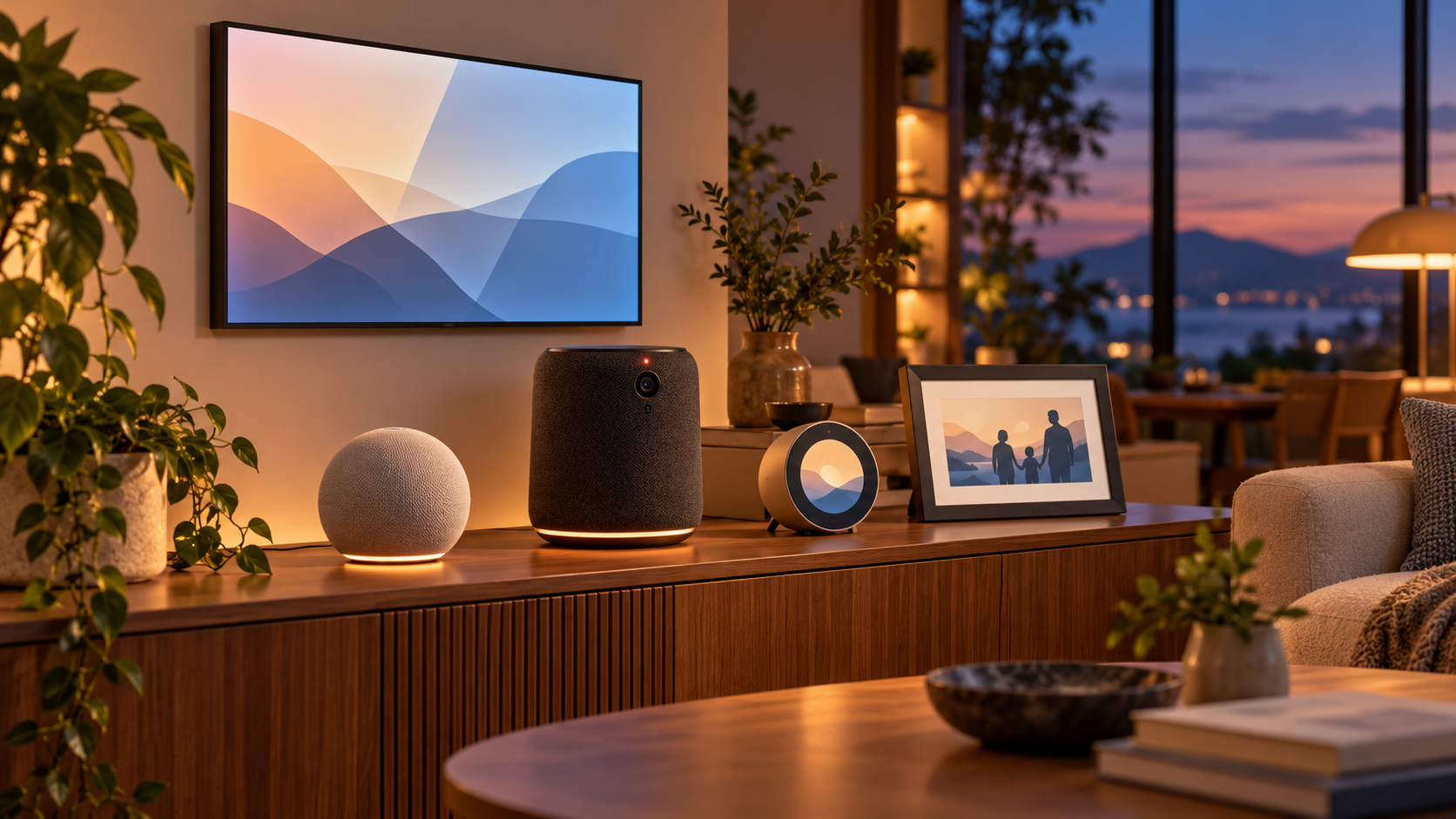
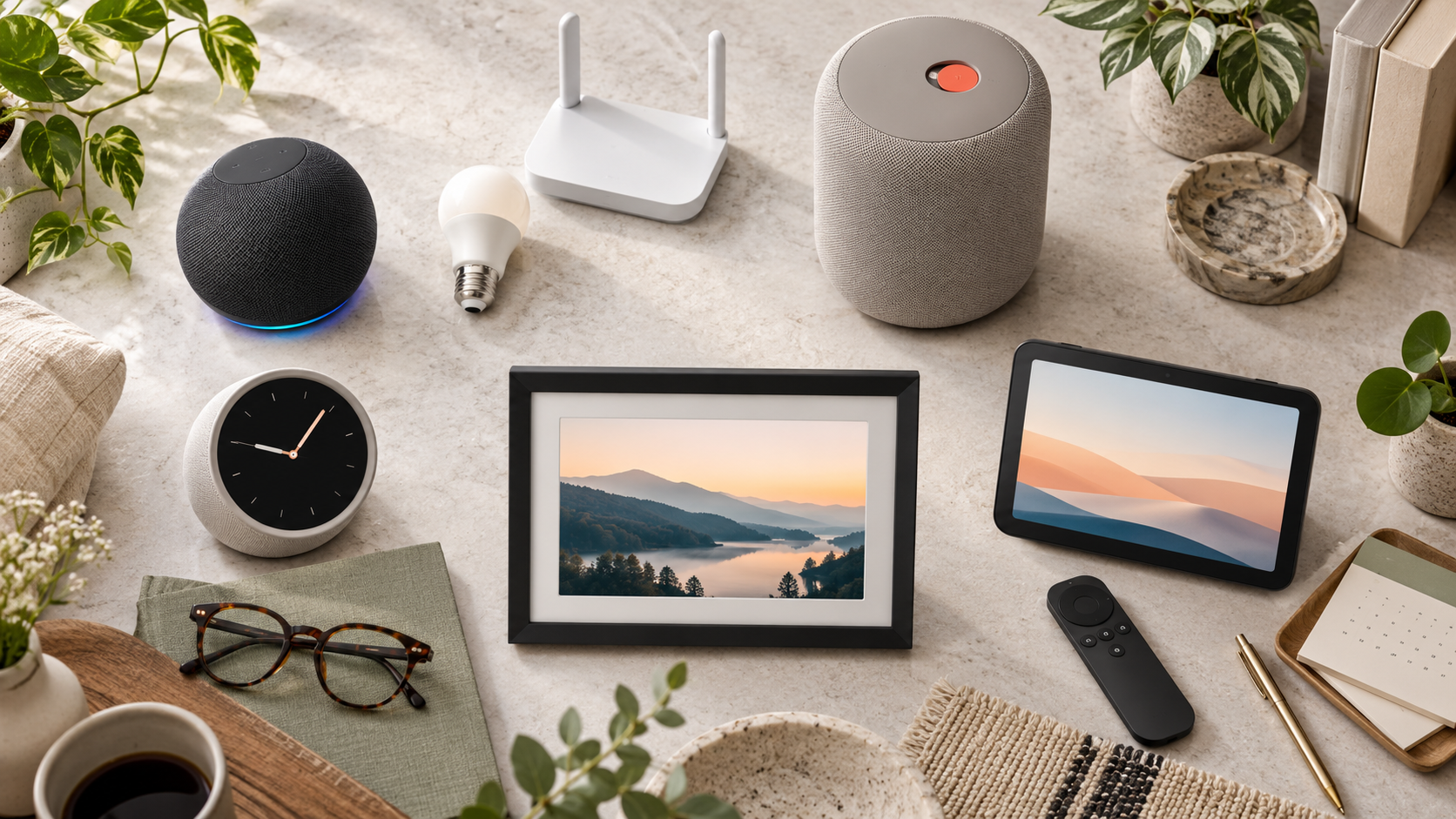
Five smart-home device types arranged in a warm modern living room, including a smart display, compact speaker, premium speaker, bedside clock and photo frame

Amazon has launched five Alexa devices that cover very different jobs: a $99.99 Echo Dot, a $249.99 Echo Studio with Home Camera, a $199.99 Echo Time bedside clock, a $199.99 Alexa Photo Frame and a $499.99 Echo Show 16. Four are on sale in the United States now; the Echo Show 16 is available for preorder and is due later in 2026.

The useful story is not simply that Amazon made Alexa hardware faster. The company is turning entry-level speakers into smart-home infrastructure, putting cameras into premium audio products, using ultrasound for sleep sensing and moving its largest display closer to a wall-mounted family dashboard. Those changes make the buying decision more practical—and more privacy-sensitive—than a list of specifications suggests.

Amazon’s five new Alexa devices at a glance

  • Echo Dot — $99.99; on sale now. Adds a built-in Zigbee, Matter and Thread smart-home hub, an eero Wi-Fi extender, AZ3 silicon, four microphones and 50 percent more bass than the previous generation.
  • Echo Studio with Home Camera — $249.99; on sale now. Combines Dolby Atmos audio, room adaptation, Live View and visual intelligence. The camera-free Echo Studio remains available for $219.99.
  • Echo Time — $199.99; on sale now. A camera-free 3.2-inch circular smart clock with optional sleep sensing, sunrise-style wake-up lighting and a smart alarm window of 10 to 60 minutes.
  • Alexa Photo Frame — $199.99 in black or $229 in birch or walnut; on sale now. Uses a 10-inch anti-glare touchscreen, Amazon Photos sync and Alexa-assisted photo search and selection.
  • Echo Show 16 — $499.99, or $569.99 with a Nanomatte display; preorder now with a $100 launch discount. Adds a 16-inch screen, Fire TV, night vision, a 13-megapixel camera and new family, photo and smart-home Screen Styles.

Amazon’s U.S. announcements say certain functions require Alexa+, which is included with Prime. International availability and pricing were not announced consistently across the launch pages, so buyers outside the United States should wait for a local listing rather than convert U.S. prices.

Which new Alexa device fits your room?
Which new Alexa device fits your room?

Echo Dot: the best value if you are building a smart home

The new Echo Dot is the most consequential upgrade for the broadest group of buyers. Its built-in hub supports Zigbee, Matter and Thread, which can reduce the need for a separate bridge when adding compatible bulbs, plugs, locks and sensors. The built-in eero extender can add up to 1,000 square feet of coverage, but that benefit applies to an existing compatible eero network—not every Wi-Fi setup.

At twice the traditional $50 entry price of many older Dots, it is no longer an impulse speaker. It makes the strongest case when the hub or eero function replaces something you would otherwise buy. If you only want timers, weather and background music, compare sale prices on earlier Echo models before paying $99.99.

Echo Studio with Home Camera: premium audio with a bigger trust decision

The camera-equipped Studio is the most unusual product in the lineup. Amazon says the camera enables Live View, object recognition, visual questions and future Fire TV video calling. Advanced Room Adaptation continuously tunes audio for the space, while Adaptive Volume adjusts playback as a listener moves around the room.

That combination may make sense in a living room where one device can serve as a music system, room monitor and Alexa interface. It is a poor fit for anyone who is uncomfortable with an always-present camera in an audio-first product. Amazon keeps the standard $219.99 Echo Studio in the range, so camera-free buyers do not need to accept the sensor to get the premium speaker.

Echo Time: a bedside choice for people who want no camera

Echo Time is deliberately camera-free and uses Omnisense sensors plus ultrasound to estimate sleep and breathing patterns. Its optional smart alarm can wake a user during lighter sleep within a selected 10- to 60-minute window before the target time. The screen can dim below typical daytime brightness and gradually brighten like a sunrise alarm.

The limitation is fundamental: sleep-stage estimation from a nightstand is not the same thing as a clinical sleep study. Treat it as a convenience feature, not a diagnosis or medical measurement. Couples and people with pets should also wait for independent testing to see how reliably it distinguishes the intended sleeper from movement nearby.

Alexa Photo Frame: best for households already using Amazon Photos

The Photo Frame is the simplest device to understand. It syncs with Amazon Photos, can surface images based on people, time and context, and accepts voice requests for a person, pet or trip. Prime members receive unlimited full-resolution photo storage, while every frame includes 90 days of Alexa+ according to Amazon.

Its value depends on the photo library you already maintain. A household using Google Photos, Apple Photos or a local server should consider the work and lock-in involved before switching. Because facial and contextual search touches personal memories, owners should review shared albums, household access and voice-note permissions before gifting a preconfigured frame.

Echo Show 16: the family dashboard and Fire TV option

Echo Show 16 is the most capable—and most expensive—device. The 16-inch display is larger than the Echo Show 15, while the redesigned chassis is nearly 40 percent thinner. Its 13-megapixel camera adds night vision and a wider field of view, and the audio system uses eight micro woofers and two tweeters. Fire TV and a remote are included.

The new Screen Styles are the reason to buy it: a family organizer, a photo display or a smart-home dashboard with Alexa Home Map. Amazon says Home Map can show connected devices in their rooms and, with compatible cameras, surface activity around a property. Some camera-map functions require additional Ring subscriptions, and the map preview is scheduled to roll out later rather than arrive fully formed on day one.

At $499.99 before stands, this is closer to a small TV or household control panel than a countertop assistant. The $100 preorder discount is meaningful, but independent testing of the Nanomatte screen, night vision and Home Map would be more useful than buying simply to secure the discount.

What Alexa+ changes—and what still costs extra

Amazon says the latest Alexa can hold more natural conversations, reason across several sources, ask clarifying questions and organize ongoing topics into Cards. The Echo Show 16 can generate visual layouts during a conversation, while the speaker products rely on voice responses. Alexa+ is included with Prime, but Amazon repeatedly notes that only certain features require it.

That wording matters because the hardware purchase does not guarantee every advertised experience forever or in every country. Prime membership, Ring plans, Kids+ and optional accessories can all change the real cost. Before ordering, list the functions you expect to use and confirm which subscription, account and compatible hardware each one needs.

Camera and sleep-sensing privacy questions to answer first

Amazon says camera-equipped Echo devices include a button that disables microphones and cameras, plus visible indicators when a camera stream is active. Echo Time sleep sensing is opt-in and can be disabled in the Alexa app or by muting the microphones. Those controls are useful, but they do not replace household consent and account security.

  • Decide whether every person using the room is comfortable with the camera, Live View, Visual ID or sleep sensing before enabling it.
  • Review every phone and household profile that can access the Alexa account, and remove devices that no longer need control.
  • Use a unique Amazon password and multi-factor authentication, then audit voice history, camera settings and saved profiles.
  • For Echo Time, start with the shortest acceptable alarm window and verify that ultrasound sensing works reliably in the actual bedroom.
  • For Echo Show 16 and Studio, place the device so the camera does not cover private areas or neighboring property.
  • Prefer the camera-free Echo Studio or Echo Time when the visual features do not solve a problem you actually have.

A verified Amazon option

The new Echo Dot is the most broadly useful entry in this lineup because its hub and networking functions may replace separate hardware. Readers can check the 2026 Echo Dot on Amazon (ASIN B0FXN2JWST) for current color, stock and shipping details. Confirm that the listing identifies the 2026 model before ordering.

Affiliate disclosure: ReaderSpice may earn a commission from qualifying Amazon purchases made through the link above, at no additional cost to you.

Should you buy now?

The Echo Dot is the clearest day-one recommendation for households that need a smart-home hub or already use eero. Echo Time is a reasonable camera-free bedside option for people who value a smart wake-up window and accept that consumer sleep sensing needs real-world validation. The Alexa Photo Frame is strongest for families already committed to Amazon Photos.

The Echo Studio with Home Camera and Echo Show 16 deserve more caution. Both add cameras to rooms where people may not expect them, and their most ambitious functions depend on Alexa+, account permissions or future software. Buy either for the audio, display and controls available now—not for a promised feature you cannot test yet.

Sources

Blink Launches Five New Cameras With 4K, Pan-Tilt and 7,000-Foot Range: Which One Fits?

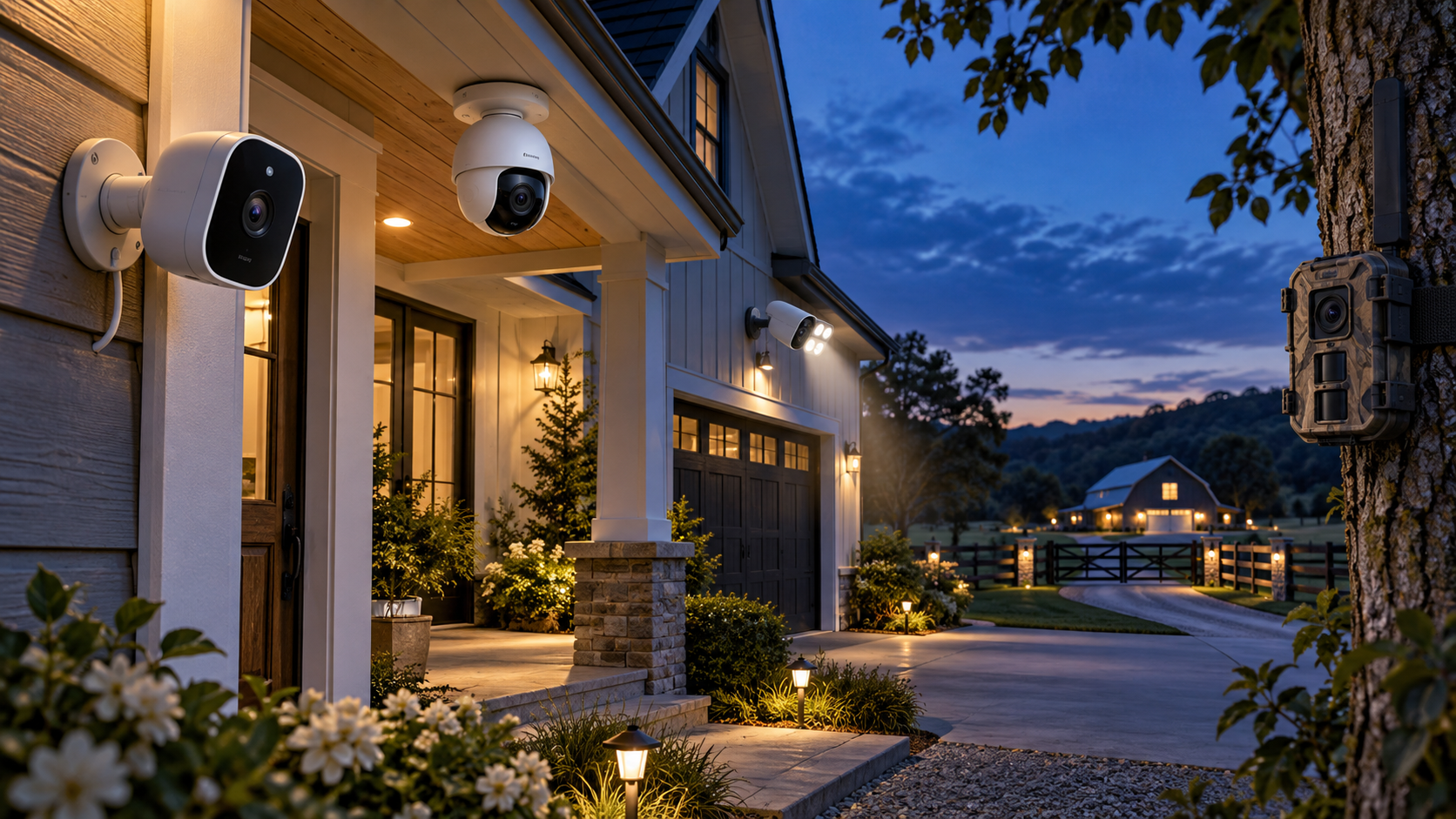
Five smart security camera styles monitoring a home, driveway and distant property at blue hour

Blink has announced five security cameras that fill very different roles: a 4K compact camera, a low-cost pan-tilt model, a battery-powered spotlight camera and two extended-range systems for large properties. All five opened for U.S. preorder on October 21, 2026, with prices ranging from $49.99 to $199.99.

The range is more useful than a simple resolution upgrade because Blink is addressing places normal home Wi-Fi and fixed-angle cameras do not cover well. But the headline numbers need context. The longest-range model requires a Sync Module XR+, the strongest AI features require compatible subscriptions, and video quality can fall at maximum range.

The five new Blink cameras at a glance

  • Blink Frontier XR+: $199.99 for a one-camera system with Sync Module XR+; designed for remote gates, fields, equipment and large properties; up to 7,000 feet with a clear line of sight.
  • Blink Outdoor 2K XR+: $149.99 for a one-camera system with Sync Module XR+; 2K video at normal distances, a 115-degree field of view and extended reach for driveways, detached garages and outbuildings.
  • Blink Mini 4K+: $79.99; Blink’s first 4K camera, with a 115-degree horizontal field of view, dual-band Wi-Fi 6, IP65 weather resistance and two-way audio.
  • Blink Spotlight Cam 2K+: $109.99; Blink’s first battery-powered spotlight camera, combining 2K video, motion-activated lighting, night vision and wire-free placement.
  • Blink Mini Pan-Tilt 2K+: $49.99; 350-degree pan, 115-degree tilt, night vision and two-way audio; outdoor use requires a separately sold Blink Camera Outdoor Adapter.

The Mini 4K+ and Mini Pan-Tilt 2K+ are also available for preorder in Canada, the United Kingdom, Germany, France, Italy, Spain, the Netherlands, Belgium, Australia and New Zealand. Blink says the three XR+ and spotlight models will come to Canada later, but it has not supplied a firm Canadian sale date for those products.

Frontier XR+ is built for acreage, not a typical front porch

Frontier XR+ is the most unusual model. Blink positions it as a trail-style camera for pastures, remote gates, equipment areas and job sites that may sit far beyond a home router. The advertised 7,000-foot figure applies only when the outdoor-mounted Sync Module XR+ and camera have open air between them with no obstruction.

That distinction matters. Trees, walls, vehicles, terrain and radio interference can reduce practical range. Blink’s own support material describes shorter ranges when obstructions are present, so buyers should treat 7,000 feet as a best-case ceiling rather than a guaranteed installation distance.

Before ordering, map the proposed hub and camera positions, confirm that the hub can remain powered and connected to the home network, and test the route before permanently mounting anything. A distant camera is only useful if its connection is stable enough to deliver alerts and clips when needed.

Outdoor 2K XR+ trades resolution for reach at maximum range

Outdoor 2K XR+ is the more conventional extended-range option. Blink lists up to 800 feet when some trees or structures interrupt the path and up to 2,700 feet with a clear line of sight. It records up to 2K under normal conditions but drops to as low as 1080p at maximum-range settings.

That tradeoff is reasonable if the alternative is no camera at all, but it changes how the product should be evaluated. A wide overview of a long driveway or detached garage may still be valuable at 1080p. Buyers who need facial or license-plate detail at long distance should wait for independent testing instead of assuming the 2K label applies in every mode.

Mini 4K+ is the detail-first option

Mini 4K+ is Blink’s first 4K security camera and its sharpest model on paper. The compact unit supports a 115-degree horizontal field of view, dual-band Wi-Fi 6, two-way talk and an IP65 rating, allowing indoor or outdoor placement when power and network coverage are available.

More pixels can make digital zoom and identification easier, but 4K also raises bandwidth and storage demands. Check upload speed at the intended location rather than only testing beside the router. If the camera will watch a small room or narrow doorway, a lower-resolution model with better placement may provide more useful evidence than a badly positioned 4K camera.

Blink also advertises person and vehicle detection through compatible subscription plans. For eligible AI-plan subscribers in the United States, Canada and the United Kingdom, Video Descriptions can generate short summaries of camera activity. Blink says that feature is not available to customers in Illinois because of state-specific legislation, and language support is limited.

Spotlight Cam 2K+ and Mini Pan-Tilt 2K+ solve placement problems

Spotlight Cam 2K+ is the straightforward choice for a dark side yard, gate or garage area where running power would be difficult. Its battery design allows flexible placement, while the motion-activated light can improve nighttime visibility and act as a visible deterrent. The practical questions are battery life in the chosen activity zone and whether frequent motion will create too many alerts.

Mini Pan-Tilt 2K+ focuses on coverage instead of maximum resolution. It can rotate through 350 degrees and tilt 115 degrees, making it useful for pets, playrooms or a patio where activity crosses a wide area. A moving camera still has blind moments: it can face the wrong direction, lose a fast-moving subject or miss an event outside the active tracking area.

Although Blink calls the model indoor/outdoor, outdoor installation requires the separately sold Outdoor Adapter. Include that accessory, a protected power route and weather exposure in the real cost. A $49.99 camera is not a $49.99 outdoor installation if the adapter and mounting work are essential.

Subscriptions change the real price

Blink cameras provide motion notifications and Live View without a subscription, but recording, cloud history and smart detection depend on the plan and device. Blink’s current plan material lists cloud storage for up to 60 days in the United States and several other markets, while some regions receive shorter retention.

Person and vehicle detection is a paid feature for compatible cameras. Video Descriptions also sits in eligible AI tiers rather than the basic hardware purchase. Plan names, pricing and device eligibility can change, so compare the current subscription table on the day you buy and calculate at least one year of service before deciding which camera is cheaper.

What buyers should check before installing

What buyers should check before installing

  • Confirm the camera’s power source, mounting height, weather exposure and Wi-Fi or XR+ path before drilling holes.
  • Test day and night framing. A porch light, reflective wall or nearby branch can ruin motion clips even when daytime video looks sharp.
  • Set narrow motion zones and review sensitivity before enabling frequent notifications.
  • Use a strong, unique Blink password and keep multi-factor authentication enabled.
  • Review every phone with account access and remove devices that no longer need control.
  • Decide how long clips should be retained and who in the household may view, download or share them.
  • Avoid aiming cameras into neighbors’ windows, private yards or areas where visitors reasonably expect privacy.

A verified Amazon preorder option

One verified listing is the Blink Mini Pan-Tilt 2K+ two-camera package, ASIN B0HMVJYPFZ. Readers can check the Blink Mini Pan-Tilt 2K+ on Amazon for current preorder availability, package color and shipping estimates. Confirm that the listing includes the exact camera count and any outdoor adapter you need before ordering.

Affiliate disclosure: ReaderSpice may earn a commission from qualifying Amazon purchases made through the link above, at no additional cost to you.

Which new Blink camera fits which buyer?

Choose Frontier XR+ if:

  • You need coverage across acreage, a farm, a long private drive or a remote work site.
  • You can install the required Sync Module XR+ outdoors with a reliable network and power connection.
  • You understand that maximum range requires clear line of sight and real-world obstructions will reduce it.

Choose Outdoor 2K XR+ if:

  • You need more range than standard Wi-Fi but want a conventional home-security camera rather than a trail-style unit.
  • A 1080p fallback at the farthest settings is acceptable for overview coverage.

Choose Mini 4K+ if:

  • Detail, digital zoom and a compact weather-resistant design matter most.
  • The installation point has strong dual-band Wi-Fi and dependable power.

Choose Spotlight Cam 2K+ if:

  • You need battery-powered nighttime coverage with a visible light around a garage, gate or side yard.

Choose Mini Pan-Tilt 2K+ if:

  • You want the lowest price and a motorized view for pets, rooms or a covered outdoor space.
  • You are willing to add the Outdoor Adapter for exposed installations.

Should you preorder?

Mini Pan-Tilt 2K+ is the easiest model to understand at $49.99: it offers wide motorized coverage at a low entry price, although outdoor use adds cost. Mini 4K+ is more compelling for buyers who know exactly where extra detail will help and have enough network capacity for 4K video.

The XR+ products deserve more caution. Their range claims address a real problem, but performance will depend heavily on terrain, obstructions and hub placement. Owners of large properties should wait for independent range, battery and image-quality tests unless they can buy with a flexible return policy and test the full installation path immediately.

Blink’s five-camera launch is broad enough that there is no universal best model. Start with the location, power and connection problem, then choose resolution and smart features. That approach is more reliable than buying the camera with the largest number on the specification sheet.

Sources

Amazon Devices: Blink five-camera launch, specifications, pricing and availability

Blink Support: Subscription plan features and cloud-storage limits

Blink Support: Frontier XR+ range and installation FAQ

Blink Support: Multi-factor authentication for Blink accounts

Blink Support: Personal-data privacy and security guidance

Amazon: Blink Mini Pan-Tilt 2K+ two-camera package (ASIN B0HMVJYPFZ)

Samsung Certified Re-Newed Phones Hit Amazon: 14 Models, Warranty and Buyer Checklist

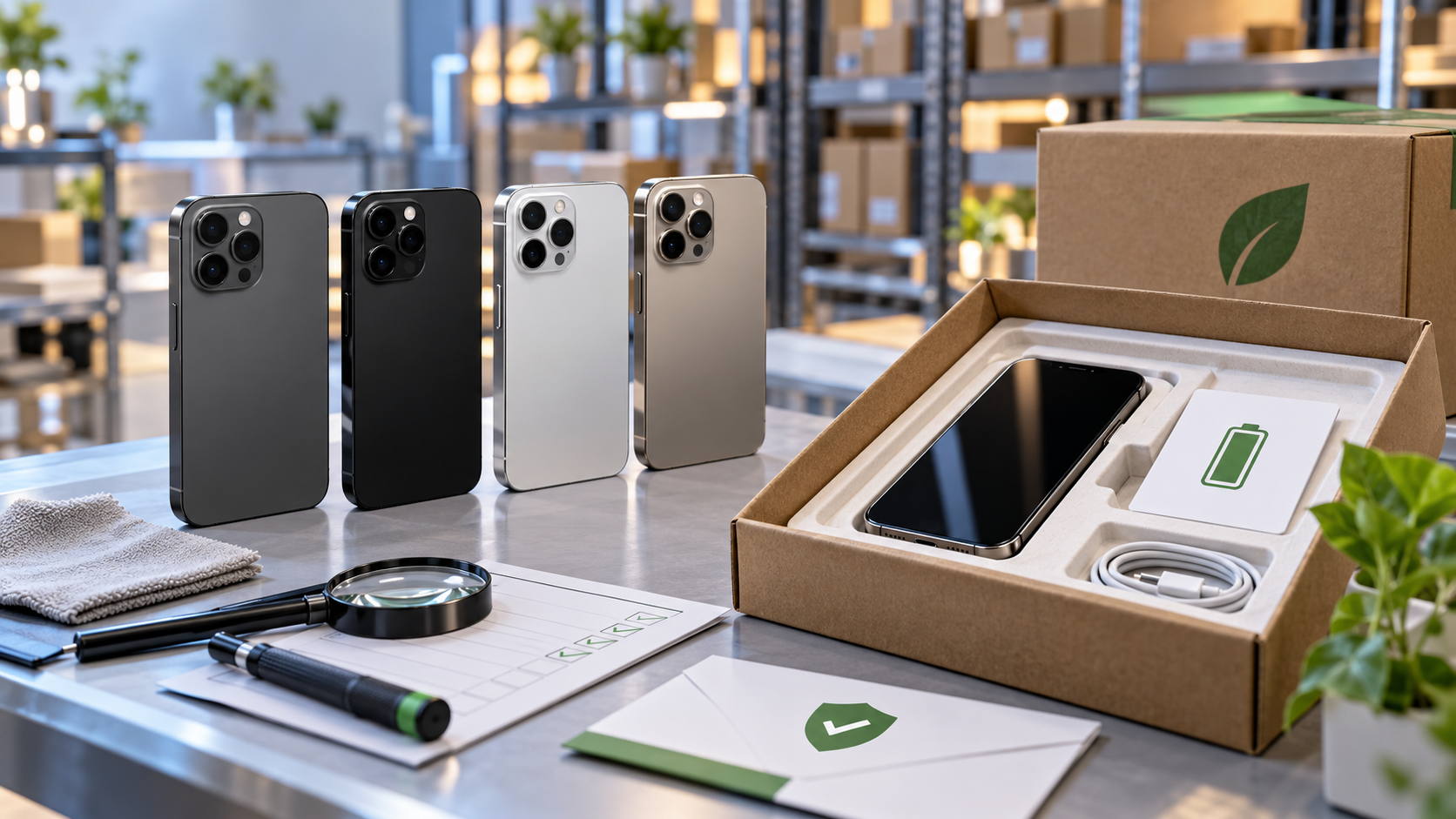
Refurbished smartphones at an inspection station beside recyclable packaging, quality checks and warranty materials

Samsung is bringing its manufacturer-certified refurbished Galaxy phones to Amazon for the first time. The October 21, 2026 expansion adds 14 Galaxy S24 and S25 configurations to Amazon.com, with prices starting at $489 before taxes and fees.

The important word is certified. Samsung says these phones are serviced by its specialists, repaired with genuine Samsung parts, fitted with a certified new battery and tested at 147 quality checkpoints. That is a more specific promise than a marketplace listing labeled only “renewed,” but buyers still need to verify the exact seller, model, storage, warranty and return terms shown in the cart.

The quick take

  • Amazon now carries 14 Samsung Certified Re-Newed configurations across the Galaxy S24, S24 FE, S24+, S24 Ultra, S25, S25+ and S25 Ultra.
  • Every model in the launch list is unlocked and comes in one specified color, with one or two storage choices.
  • Samsung promises a certified new battery, genuine Samsung replacement parts, 147 quality checks and a new recyclable package.
  • The phones include a one-year limited manufacturer warranty; Samsung Care+ eligibility is separate and plan terms, fees and availability apply.
  • The advertised $489 starting price does not mean every model costs $489, and Amazon prices, sellers and stock can change.
  • Samsung’s S26 Certified Re-Newed phones remain exclusive to Samsung.com rather than joining this Amazon launch.

What launched on Amazon

Samsung’s announcement lists seven phone models and 14 storage configurations. The selection covers the 2024 Galaxy S24 generation and the 2025 Galaxy S25 generation, not the newer S26 family or Galaxy Z foldables.

Galaxy S24 configurations

  • Galaxy S24 FE: 128GB or 256GB in Graphite.
  • Galaxy S24: 128GB or 256GB in Onyx Black.
  • Galaxy S24+: 256GB or 512GB in Onyx Black.
  • Galaxy S24 Ultra: 256GB or 512GB in Titanium Black.

Galaxy S25 configurations

  • Galaxy S25: 128GB or 256GB in Silver Shadow.
  • Galaxy S25+: 256GB or 512GB in Silver Shadow.
  • Galaxy S25 Ultra: 256GB or 512GB in Titanium Black.

The narrow color selection is worth noticing. If a listing offers a different color, capacity or model under the same general wording, do not assume it belongs to Samsung’s announced Amazon assortment. Open the seller and warranty details and compare the product identifier with Samsung’s official list.

What Samsung Certified Re-Newed promises

Samsung says every Certified Re-Newed phone is inspected and serviced by Samsung specialists. Components that need replacement are repaired with 100% genuine Samsung parts, and each phone receives a certified new battery. Samsung’s direct program page also says a refreshed device receives a new IMEI number and current software before testing.

The phone must pass 147 quality checkpoints before receiving the Certified Re-Newed designation. Samsung does not publish a line-by-line public checklist in the launch announcement, so shoppers should understand the number as the company’s process claim rather than an independent ReaderSpice test.

Packaging is also refreshed. Samsung says the phone arrives in 100% recyclable packaging with a quick-start guide, data cable and SIM-eject pin. A charging brick is not listed among the included items. Buyers who need one should budget for a compatible USB-C power adapter rather than assuming it is in the box.

Certified Re-Newed is not the same as any renewed listing

Amazon hosts many used, renewed and refurbished phones from different sellers. Samsung Certified Re-Newed is the manufacturer’s own program: Samsung identifies the repair process, parts, battery, testing standard and manufacturer warranty. A generic Amazon Renewed phone can be refurbished and sold by another qualified supplier under Amazon’s program instead.

That distinction affects what you can reasonably expect. “Renewed” by itself does not prove that Samsung performed the work, installed a new Samsung battery or supplied a Samsung manufacturer warranty. The product page should explicitly identify Samsung Certified Re-Newed status and the one-year limited manufacturer warranty.

A lower-priced generic renewed phone may still be a sensible purchase, but compare like with like. Check battery expectations, cosmetic condition grade, included accessories, seller history, return period and who actually handles a warranty claim.

Warranty and return protection are separate

Samsung says the Amazon launch models include a one-year limited manufacturer warranty. A limited warranty is not accidental-damage insurance: it covers eligible defects under the written terms and excludes other circumstances. Save the order invoice and register or verify the device after delivery so warranty records can be corrected early if necessary.

Amazon’s Renewed Guarantee is a separate purchase-protection policy. Amazon says most Renewed products can be returned within 90 days, while Renewed Premium and Renewed Automotive products generally receive 365 days. The exact return window on the order page controls, and a return policy does not extend the manufacturer warranty.

Do not assume that every protection layer automatically stacks. Confirm the product-page return window, whether Amazon or a third-party seller fulfills the order, and whether Samsung recognizes the serial number for its one-year warranty. Screenshot those details before purchase.

How to verify the listing before you buy

How to verify the listing before you buy

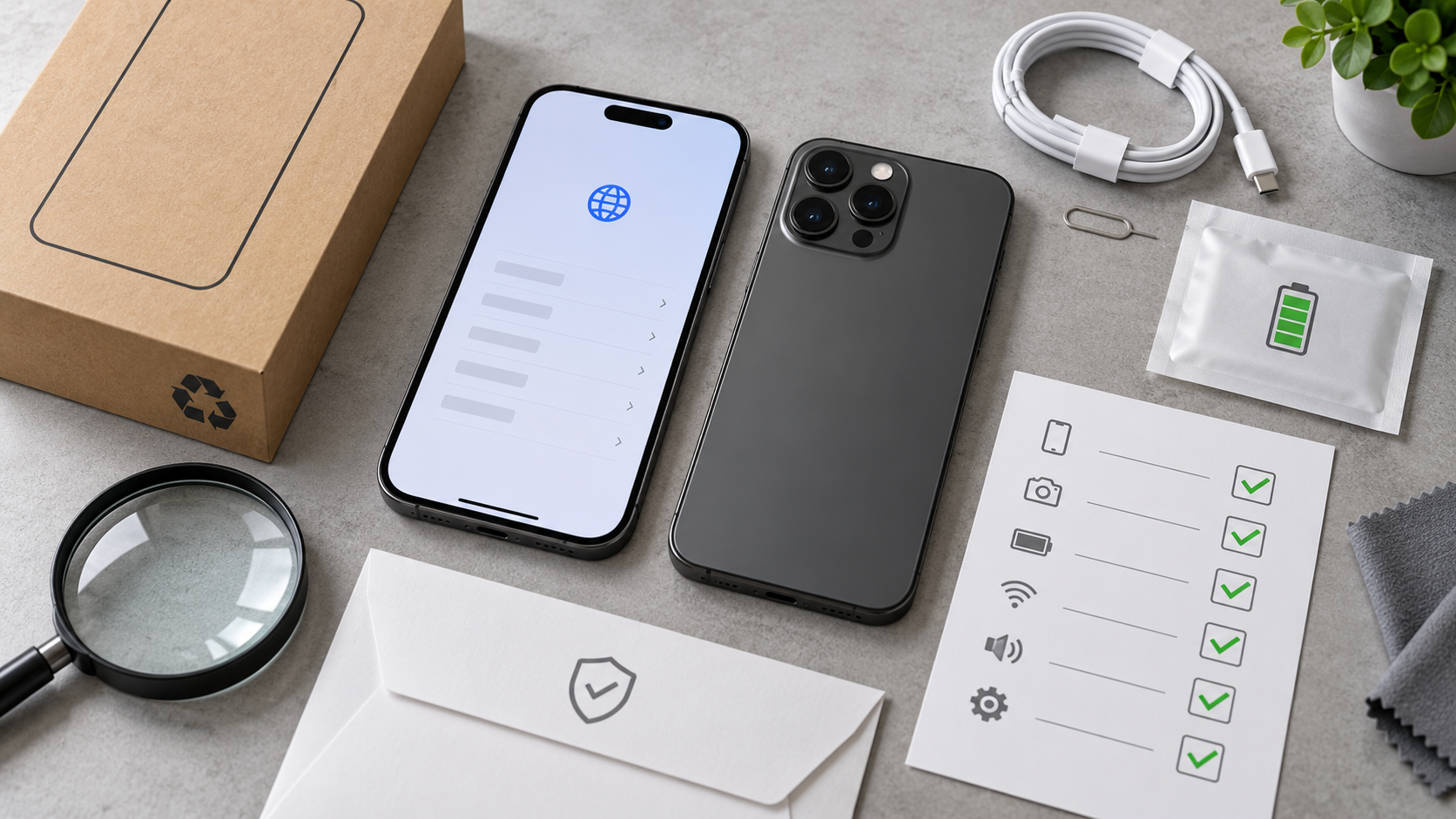
Amazon can group multiple conditions and sellers around similar product names, so the visible headline is not enough. Use this checklist on the exact configuration you are adding to the cart:

  • Confirm the title says Samsung Certified Re-Newed, not only Renewed or Renewed Premium.
  • Match the model, storage and launch color to Samsung’s 14-item list.
  • Open the seller and fulfillment details instead of relying on the product-page badge alone.
  • Find the one-year limited Samsung manufacturer warranty in the listing or warranty document.
  • Check the stated return window and whether a restocking fee or condition requirement appears.
  • Verify that the phone is unlocked and supports the bands, carrier features and eSIM requirements you need.
  • Save the product page, order invoice, serial number and IMEI before transferring your data.

After delivery, inspect the frame, cameras, ports and display under bright light. Confirm the phone charges reliably, completes setup, recognizes Wi-Fi and cellular service, and shows the expected storage. Test speakers, microphones, cameras, biometrics, buttons and USB-C connectivity while the return window is open.

Why the new battery matters

Battery wear is one of the largest uncertainties in an ordinary used phone. Samsung’s certified new-battery promise removes some of that uncertainty because the battery should not carry the previous owner’s charge history. It does not guarantee a particular number of screen-on hours, since signal strength, display brightness, apps, temperature and background activity still affect runtime.

During the first week, check for rapid idle drain, unusual heat, unexpected shutdowns and charging interruptions. Install available system updates before judging battery life, then compare several normal days rather than one setup-heavy afternoon.

Price context: starting at $489

Samsung’s launch announcement says the Amazon assortment starts at $489, excluding taxes and fees. The least expensive listed configuration is the Galaxy S24 FE with 128GB, but the final price can move with stock and promotions. Higher-storage models and Ultra phones will cost more.

Do not compare the refurbished price only with the phone’s original launch price. Compare it with the current new price, carrier offers, trade-in deals and competing refurbished listings on the day you buy. A new phone on promotion can sometimes narrow the gap enough to justify new-device condition, a longer return window or bundled incentives.

Also compare the remaining useful support life. The S25 generation is newer, but the S24 models may deliver better value if the price gap is large and their performance already meets your needs. Confirm Samsung’s current security-update policy for the exact model rather than assuming every phone receives updates for the same number of years.

Carrier compatibility needs an exact check

Samsung describes its Certified Re-Newed phones as unlocked and compatible with major U.S. carriers. Unlocked does not guarantee every carrier feature on every plan. Frequency support, Wi-Fi calling, visual voicemail, eSIM activation and international roaming can depend on the exact model number and carrier provisioning.

Before buying, give the carrier the full model identifier from the listing. After delivery, confirm the IMEI is accepted before the return period expires. Do not cancel an existing device payment or carrier agreement until the replacement is activated and working.

Samsung Care+ is optional, not included

Samsung says the Amazon Certified Re-Newed phones are eligible for Samsung Care+. The protection plan is not bundled into the $489 starting price. Coverage, enrollment timing, service fees, claim approval, repair availability and exclusions depend on the selected plan and location.

A one-year manufacturer warranty addresses eligible defects; Care+ is designed for additional risks such as drops, spills and mechanical breakdowns under its terms. Compare the plan cost and service fees with the phone’s purchase price, a protective case and any credit-card coverage before enrolling.

A verified Amazon option

The Samsung Galaxy S24 FE Certified Re-Newed 128GB in Graphite is one of the configurations linked directly from Samsung’s launch announcement. Its Amazon ASIN is B0H4NKM455. Verify that the live page still shows the correct Certified Re-Newed status, storage, color, seller and one-year Samsung warranty before ordering.

Check the Samsung Galaxy S24 FE Certified Re-Newed on Amazon. Prices and availability can change.

Disclosure: ReaderSpice may earn a commission from qualifying Amazon purchases made through the link above, at no additional cost to you.

Who should buy—and who should wait

A Samsung Certified Re-Newed phone makes the most sense for someone who wants a recent Galaxy flagship, values a new battery and manufacturer warranty, and prefers a lower price to untouched retail packaging. The S24 FE is the least expensive entry, while the S24 Ultra and S25 Ultra preserve the larger cameras, S Pen features and premium hardware of their generations.

Wait or compare more carefully if the price is close to a new phone promotion, you need a color or storage option outside the launch list, or you are uncomfortable verifying sellers and warranty records. Shoppers seeking an S26 model should use Samsung.com for now because Samsung says its Certified Re-Newed S26 series remains exclusive there.

The bottom line

Samsung’s Amazon expansion makes its Certified Re-Newed program easier to find, and the combination of genuine parts, a certified new battery, 147 quality checks and a one-year manufacturer warranty is meaningful. The label still needs to be verified on the exact listing. Match the model and storage, confirm the seller and warranty, save the purchase evidence and test every major function before the return window closes.

Sources

Samsung U.S. Newsroom: Certified Re-Newed Galaxy phones launch on Amazon

Samsung: Certified Re-Newed program, process, models and FAQs

Samsung U.S. Newsroom: Galaxy S26 Certified Re-Newed availability

Amazon Customer Service: Amazon Renewed Guarantee

Amazon: Samsung Galaxy S24 FE Certified Re-Newed 128GB (ASIN B0H4NKM455)

Amazon Bee Frontier and Eclipse Launch: Prices, Privacy, Battery Life and Who They’re For

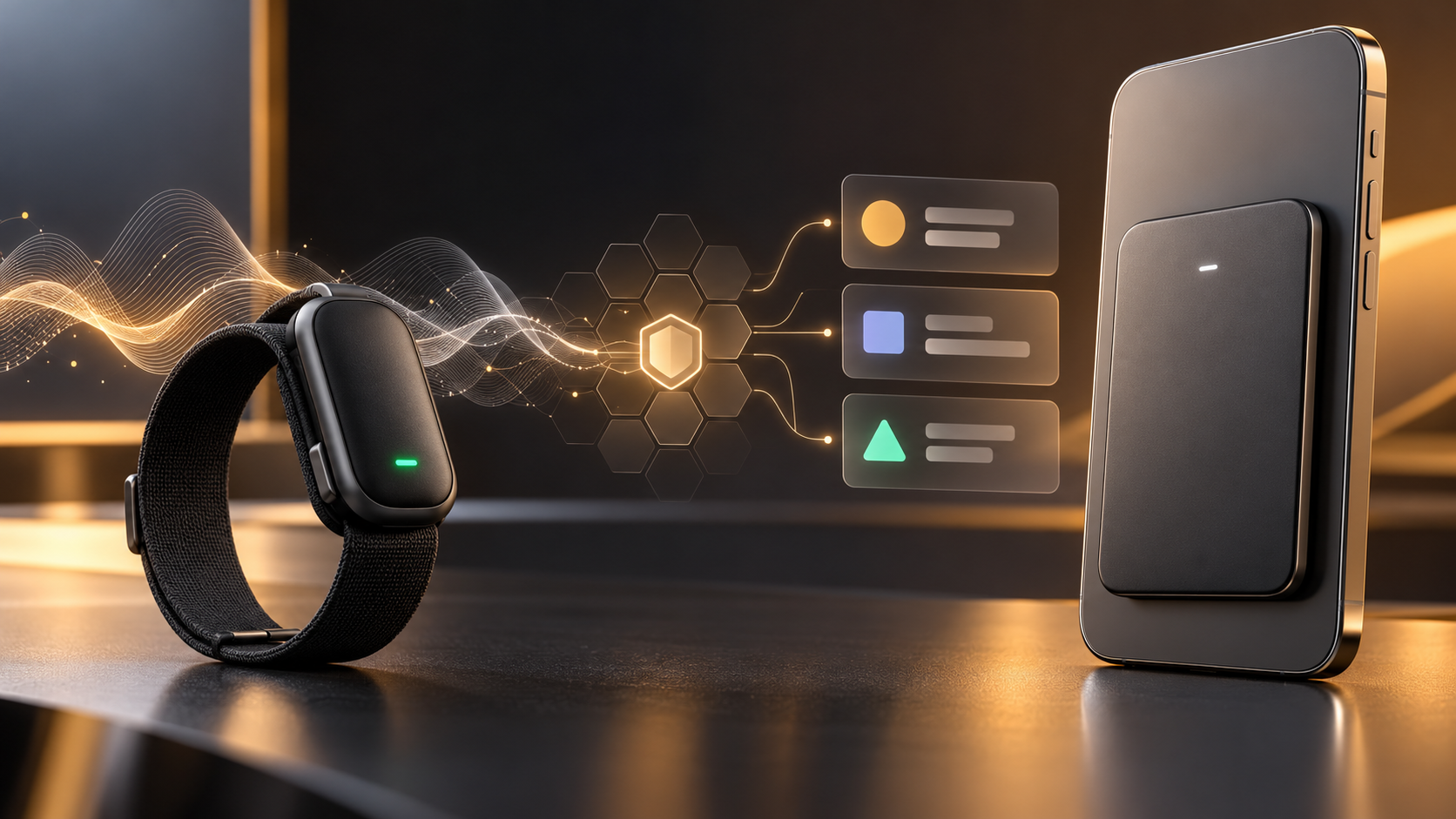
Bee Frontier wearable and Bee Eclipse phone attachment beside secure AI summary cards

Amazon has expanded its Bee personal-AI lineup with two conversation-capture devices: the $74.99 Bee Frontier wearable, which is available now, and the $99.99 Bee Eclipse phone attachment, which is listed as coming soon. Both are designed to turn spoken conversations into searchable summaries, reminders, insights and suggested follow-ups.

The products are affordable compared with many dedicated AI note-taking gadgets, but the purchase price is only part of the decision. Buyers also need to understand the Bee Pro subscription, the privacy architecture, the difference between a wearable and a phone-mounted recorder, and the legal and social responsibility that comes with capturing other people’s words.

Amazon Bee Frontier and Eclipse at a glance

  • Bee Frontier costs $74.99 and is available now in Onyx, Lavender and Sage.
  • Bee Eclipse will start at $99.99 in Silver, Midnight, Honey and Blush, but Amazon has not announced a firm release date.
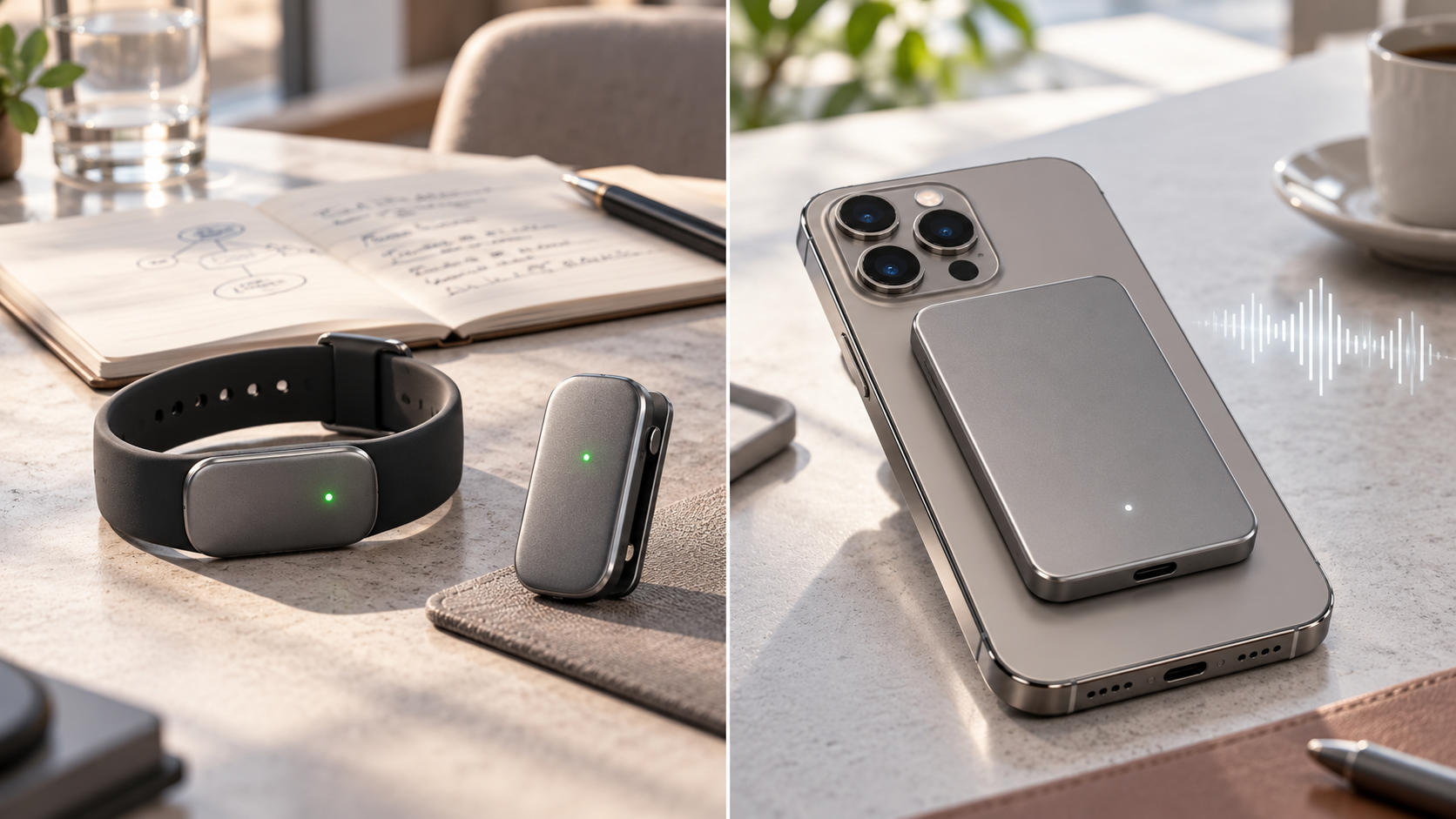
  • Frontier can be worn on a wrist or clipped to clothing; Eclipse is a 4.6mm-thin magnetic phone attachment.
  • Frontier is rated for up to seven days of battery life and IP67 water resistance; Eclipse is rated for more than 21 days.
  • The free service includes conversation summaries, recaps and 14-day memory. Bee Pro costs $11.99 per month and unlocks additional integrations and AI tools.
  • Amazon says raw audio is processed in real time and deleted rather than stored, while transcripts and insights are protected with device-controlled encryption keys.

What Bee actually does

Bee is not a fitness tracker or a conventional voice recorder. When the microphone is activated, the device listens to a conversation, transcribes it, extracts useful details and sends the resulting timeline to the Bee mobile app. The goal is to surface commitments, follow-up tasks, names, dates and themes that a person might otherwise forget.

The app can search past conversations and generate summaries or action items. Bee also supports integrations with services such as Gmail, Google Calendar, Microsoft Outlook and Apple HealthKit. Depending on the plan and permissions, it can help draft a follow-up email, prepare a calendar event or connect a conversation with other information in the user’s account.

Connecting Bee to Alexa+ adds hands-free access to summaries and to-dos. An optional Amazon.com connection can surface shopping suggestions when a product is mentioned. Both connections are opt-in, and readers who do not want conversation context influencing shopping should leave the Amazon integration disabled.

Bee Frontier versus Bee Eclipse

Bee Frontier versus Bee Eclipse

Bee Frontier: the wearable option

Frontier is the model for people who want Bee available away from a desk or phone. The small module fits into an included silicone wristband or clothing clip. It has dual microphones with noise filtering, a physical action button, a green recording indicator, USB-C charging and support for more than 40 languages.

Amazon rates the battery for up to seven days, or roughly 160 hours, and gives the device an IP67 rating. That makes it better suited to everyday movement, commuting and casual meetings than a recorder that must stay on a desk. IP67 does not make it an invitation to swim with the device, and real battery life will vary with capture time and settings.

Bee Eclipse: the phone-mounted option

Eclipse is a credit-card-sized device that attaches magnetically to the back of a compatible phone. A metal ring is included for devices or cases that need it. The 4.6mm body carries a larger battery rated for more than three weeks and is designed to process in-person conversations as well as both sides of a phone call when the user deliberately starts capture.

That makes Eclipse the more natural option for calls, client conversations and long workdays, but it is not yet shipping. Amazon says it will be available soon and has not supplied a specific date. Buyers should also confirm case compatibility and how the attachment affects wireless charging before ordering.

What the free plan includes—and what Bee Pro adds

A Bee device works without a paid subscription. The included tier provides conversation summaries, recaps and 14-day memory. In this context, memory refers to the account’s retained conversation information and generated insights, not stored raw audio. New customers receive a 30-day Bee Pro trial.

Bee Pro costs $11.99 per month. Amazon lists unlimited recent conversation summaries, suggested to-dos, daily memories, a personal chat assistant, conversation templates, the desktop app, third-party application integrations and connections with Alexa+ and Amazon.com among the paid benefits.

The subscription changes the long-term value calculation. Frontier costs $74.99 once, but a year of Bee Pro at the stated monthly rate adds $143.88. Buyers should begin with the included plan, identify which paid features they actually use during the trial and subscribe only if those tools save enough time to justify the recurring cost.

Privacy protections—and the questions buyers should still ask

Amazon says both devices use Bee Private Compute, an isolated processing environment built so that Amazon and outside model providers cannot access a user’s conversation data. According to the company, raw audio is processed in memory and immediately discarded. Transcripts, summaries and to-dos are encrypted with keys created and controlled by the user’s device.

A physical button starts or stops capture, and an LED shows when the microphone is active. Users can delete transcripts and summaries, revoke connected-service permissions and configure the device to stop after a chosen period of silence. Amazon also says its servers must prove they are running approved software before the device shares protected data.

Those safeguards address several common ambient-AI concerns, but they do not eliminate every risk. A transcript can still contain sensitive information, a connected account can be compromised, an inaccurate summary can misstate a commitment, and another person may object even when local law permits recording. ReaderSpice has not independently tested Bee’s transcription accuracy, battery claims or privacy implementation.

Recording consent matters more than the indicator light

Bee’s LED and permission prompts help, but they are not a substitute for consent. U.S. recording rules vary by state and circumstance. Federal law establishes a one-party-consent baseline for many conversations, while several states require everyone’s consent in at least some situations. Calls involving people in different states can be especially complicated.

The safest everyday practice is simple: tell everyone that Bee is active and obtain permission before recording. Stop capture in medical appointments, confidential workplace discussions, classrooms, legal consultations, private homes or any setting where policy or another person prohibits it. Employers should establish written rules before allowing ambient-AI devices in meetings.

This section is practical guidance, not legal advice. Anyone using Bee for regulated, professional or interstate conversations should review the applicable law and organizational policy before switching on the microphone.

Who should choose each model

Choose Bee Frontier if you:

  • Want a wearable or clip-on device for in-person conversations and daily reminders.
  • Need IP67 water resistance and do not want another accessory attached to your phone.
  • Prefer the lower $74.99 entry price and need a device that is available now.
  • Can accept a weekly charging routine.

Wait for Bee Eclipse if you:

  • Spend more time on phone calls than in face-to-face conversations.
  • Prefer a magnetic phone attachment over a wristband or clothing clip.
  • Want the longer 21-plus-day battery claim.
  • Can wait for Amazon to confirm shipping and compatibility details.

What to check before buying

  • Confirm that the free tier covers the summaries and retention window you need.
  • Review which connected apps require Bee Pro and limit permissions to the minimum necessary.
  • Check workplace, school and venue policies before bringing an ambient microphone into shared spaces.
  • Plan how you will disclose capture and document consent for important calls.
  • Treat generated summaries as notes to verify, not an authoritative record of what every participant agreed to.

Should you buy Bee Frontier now or wait?

Frontier is the straightforward choice for early adopters who want conversation summaries today and are comfortable wearing or clipping on a dedicated device. Readers can check the current Bee Frontier price and availability on Amazon. The hardware price is reasonable, but its usefulness depends on whether the free plan is enough and whether people around you are comfortable with the device.

Eclipse is more interesting for phone-heavy work because it can capture both sides of a call when activated and promises triple the battery life. Waiting is sensible until Amazon publishes a ship date, confirms compatibility details and provides real-world units for independent testing.

ReaderSpice may earn a commission from qualifying purchases made through affiliate links, at no additional cost to you.

Bottom line

Bee Frontier and Bee Eclipse are practical attempts to make ambient AI less distracting: press one button, stay in the conversation and review the details later. Frontier is the available wearable with a lower price and week-long battery, while Eclipse is the coming-soon phone attachment with longer endurance and a stronger focus on calls.

The deciding factor is not only hardware. Buyers should weigh the $11.99 monthly Pro tier, verify every important summary, minimize connected-account permissions and make consent part of the routine. If those habits feel burdensome, a phone’s existing recorder or a traditional note-taking workflow may be the better choice.

Sources

Amazon Devices: Bee Frontier and Bee Eclipse launch, features, pricing and availability

Bee: Frontier specifications, included accessories and battery details

Bee: Eclipse specifications, phone-call features and coming-soon status

Amazon Devices: Bee Private Compute architecture and data protections

Reporters Committee for Freedom of the Press: State recording-consent guide

Reuters: Amazon’s Bee device launch and privacy context

Amazon Kids Tablet 8 vs 11: Prices, Parental Controls and Which to Buy

Amazon Kids Tablet 8 and Kids Tablet 11 in colorful protective cases

Amazon has introduced a new family of Kids Tablets that replaces the old Fire-only software formula with full Android and parent-managed access to Google Play. The lineup starts at $229.99, comes in 8.7-inch and 11-inch sizes, and ships in versions designed for children ages 3 and up or 6 and up.

The biggest upgrade is not simply a faster processor or a sharper screen. Parents can approve Google Play downloads, manage screen time remotely and keep Amazon Kids+ content and learning goals in the same dashboard. The buying decision therefore comes down to screen size, memory, case style, subscription cost and how much control a family wants over mainstream Android apps.

ReaderSpice may earn a commission from purchases made through links in this article. As an Amazon Associate, we earn from qualifying purchases.

Amazon Kids Tablet prices and release date

  • Amazon Kids Tablet 8: starts at $229.99 with an 8.7-inch display, 4GB of RAM and 64GB of storage.
  • Amazon Kids Tablet 11: starts at $329.99 with an 11-inch 2.5K display, 8GB of RAM and stylus support.
  • Both sizes are sold in versions for ages 3+ and ages 6+, with different protective cases and age-tuned experiences.
  • Every bundle includes one year of Amazon Kids+ and access to Parent Dashboard controls.
  • U.S. preorders are open, with shipping scheduled to begin October 14, 2026.
  • Amazon also lists October 14 availability for Canada, Mexico and Japan, followed by several European markets on October 19.

Amazon’s new Kids Tablet family

Amazon’s new Kids Tablet family

Amazon is using the Kids Tablet name rather than treating these devices as simple Fire tablet bundles. Both sizes run Android and support Google Mobile Services, which gives them access to the same Google Play ecosystem used by mainstream Android tablets.

That removes a long-standing limitation of earlier Fire Kids models, but it does not give children unrestricted app access. Amazon says every Google Play download goes through parental approval. The Parent Dashboard can also manage content filters, web access, time limits and learning goals from the tablet, a web browser or the companion app on a parent’s phone.

The four main bundle choices are Kids Tablet 8 for ages 3+, Kids Tablet 8 for ages 6+, Kids Tablet 11 for ages 3+, and Kids Tablet 11 for ages 6+. Character designs include Paw Patrol, Barbie and SpongeBob, though exact colors and characters can vary by size and market.

Kids Tablet 8 is the portable and lower-cost option

The Kids Tablet 8 uses an 8.7-inch 1340-by-800 IPS display. Amazon’s developer specifications list 4GB of LPDDR5 memory, 64GB or 128GB of internal storage, Wi-Fi 6, Bluetooth 5.3, an 8-megapixel rear camera and a 5-megapixel front camera.

Amazon rates the smaller tablet for up to 14 hours of video playback. That is a manufacturer estimate rather than an independent ReaderSpice test, so brightness, Wi-Fi use, games and background activity can change real-world battery life.

The 8.7-inch size is easier for smaller hands and less bulky for road trips, flights and restaurant bags. Its lower-resolution screen and 4GB of RAM make it the weaker choice for demanding games, split-screen work or keeping many apps open, but those limits may matter less for books, video and basic learning apps.

Kids Tablet 11 adds the screen and memory older children may need

The Kids Tablet 11 steps up to an 11-inch 2560-by-1600 IPS display, 8GB of LPDDR5 memory and 64GB or 128GB of storage. Amazon’s specifications also list Wi-Fi 6, Bluetooth 5.3 and 8-megapixel cameras on both the front and back.

The sharper screen and doubled memory are meaningful for drawing, schoolwork, multitasking and graphics-heavy games. Stylus support also gives the larger model a role beyond entertainment, although families should confirm whether the desired stylus is included with the exact bundle or sold separately.

The $100 price difference buys a much denser display and more memory, not just a larger body. For a child who will keep the tablet for several years, use more demanding apps or type longer assignments, the 11-inch model has the stronger hardware foundation.

Cases for ages 3+ and 6+

Cases for ages 3+ and 6+

Amazon differentiates the age bundles primarily through their cases and child experience. The ages-3+ versions use a thicker soft bumper intended for younger children, while the ages-6+ versions use a slimmer hard case with a built-in kickstand.

Choose the age-3+ bundle when drop protection and a larger gripping surface matter more than portability. Choose the age-6+ bundle when the child is likely to carry the tablet in a backpack, prop it up for video or use it for homework. Parents should still compare the exact listing because themed designs and included accessories can differ.

Amazon’s announcement specifies a one-year limited warranty for the new Kids Tablets. Buyers familiar with older Fire Kids bundles should not assume that the same two-year worry-free replacement policy applies to every new configuration; verify the warranty shown on the final product page before ordering.

Parent Dashboard makes Google Play access manageable

Parent Dashboard is the control center for each child profile. Amazon says parents can set daily screen-time limits, create different weekday and weekend schedules, review recent activity, adjust age filters, manage web browsing, pause a device remotely and set Learn First goals that prioritize educational activity before entertainment.

Parents can create profiles for up to four children and change settings from the tablet, a browser or the Amazon Kids+ Parent Dashboard app for iOS and Android. That matters in multi-child households because each profile can have its own age filter, schedule and approved content.

Google Play access remains a parent decision. A child can request an app, but an adult approves the download. Amazon’s own help pages warn that third-party apps may contain advertising, outside links, in-app purchases, separate subscriptions or requests for personal information. Approval should therefore include checking the app’s developer, permissions, age rating and purchase settings rather than treating Google Play approval as a one-time switch.

Kids+ and Storybuilder add an ongoing subscription cost

Each tablet includes one year of Amazon Kids+, which combines books, videos, games, apps and audiobooks from brands such as Disney, Nickelodeon, LEGO and Sesame Street. Amazon lists ongoing U.S. pricing from $7.99 per month for Prime members and $8.99 per month for non-Prime customers after the included period.

At those published rates, another year costs $95.88 with Prime or $107.88 without Prime before taxes or future price changes. Families should decide whether the Kids+ catalog remains useful before the included year renews, especially if most preferred apps already come from Google Play.

Storybuilder is the new AI-assisted creative feature. Children can describe characters, settings and plot ideas by voice, and the service produces illustrated stories or comic books. Amazon says parents can view what children create in Parent Dashboard. Because it is a generative feature for children, parents should review the available controls and talk through what information should not be included in prompts.

Storage and app support need a pre-purchase check

Amazon’s developer specifications list 64GB and 128GB configurations for both sizes and show no external storage. That makes the storage tier important for families that download many games, movies or offline learning materials. The 64GB model may be adequate for streaming and lighter use, while the 128GB option provides more headroom when apps and videos will remain on the tablet.

The Kids Tablet 8 and 11 use the same MediaTek MT8189 platform according to Amazon’s technical pages, but memory and display differences can still affect experience. Neither model has independent long-term test data yet, so buyers who are not in a hurry may want to wait for reviews covering durability, thermal behavior, standby drain, display brightness and real battery life.

Which Amazon Kids Tablet should you buy?

  • Choose Kids Tablet 8 for younger children, frequent travel, lighter entertainment use and the lowest starting price.
  • Choose Kids Tablet 11 for older children, a sharper screen, drawing, homework, heavier games and longer-term use.
  • Choose an ages-3+ bundle for the thick bumper case and easier grip.
  • Choose an ages-6+ bundle for the slimmer kickstand case and easier backpack storage.
  • Choose 128GB when the child will keep many large games or offline videos; Amazon’s specifications do not list microSD expansion.
  • Wait for reviews if battery life, ruggedness or performance matters more than receiving the tablet at launch.

Amazon buying links

Compare the Amazon Kids Tablet 8 on Amazon for the current age bundle, storage option, case design, seller and delivery date before ordering.

Compare the Amazon Kids Tablet 11 on Amazon if the sharper 2.5K display, 8GB of memory and stylus support better fit the child’s needs.

As an Amazon Associate, ReaderSpice earns from qualifying purchases.

The bottom line

The new Kids Tablets are a more flexible choice than the old Fire-only approach because parents can approve mainstream Google Play apps without abandoning Amazon’s child profiles and management tools. That flexibility also creates more setup responsibility: adults must review app permissions, purchases, web access and subscription renewal rather than relying only on the included case and age label.

Kids Tablet 8 is the practical travel and younger-child pick. Kids Tablet 11 is the stronger long-term device for older children, creative work and demanding apps. For either size, choose the case style first, then storage, and treat the included year of Kids+ as a trial whose recurring cost should be reviewed before renewal.

Sources

Amazon: Kids Tablet launch, pricing, parental controls and availability

Amazon developer specifications: Kids Tablet 8

Amazon developer specifications: Kids Tablet 11

Amazon Help: Parent Dashboard controls and child profiles

The Verge: Kids Tablet Google Play access and launch details

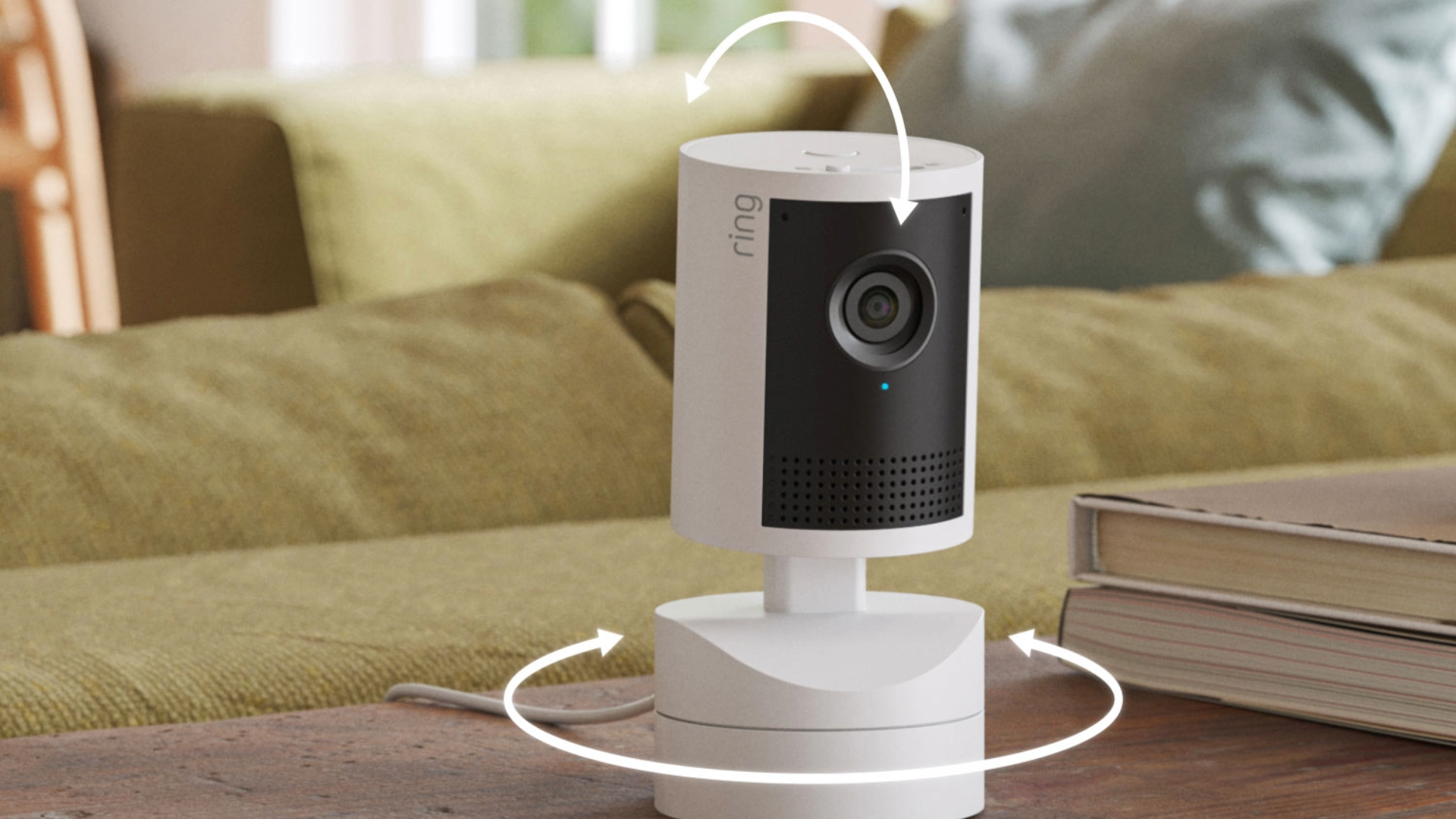
Ring Smart Lock and Five New Cameras: Prices, Release Dates and What to Know

Ring Smart Lock with illuminated keypad and hand-powered backup dial

Ring has expanded its home-security lineup with its first smart lock, four new 4K cameras and a motion-tracking 2K indoor camera. The standout idea is not higher resolution: Ring Smart Lock includes a hand-powered backup dial that can generate enough power to unlock the door when its rechargeable battery is dead.

The cameras cover almost every common installation, from a $99.99 indoor model to battery, solar, wired and Power over Ethernet outdoor options. Availability is split between products you can buy now, models available for preorder and a smart lock planned for early 2027, so the details matter before you replace existing hardware.

Ring launch prices and availability

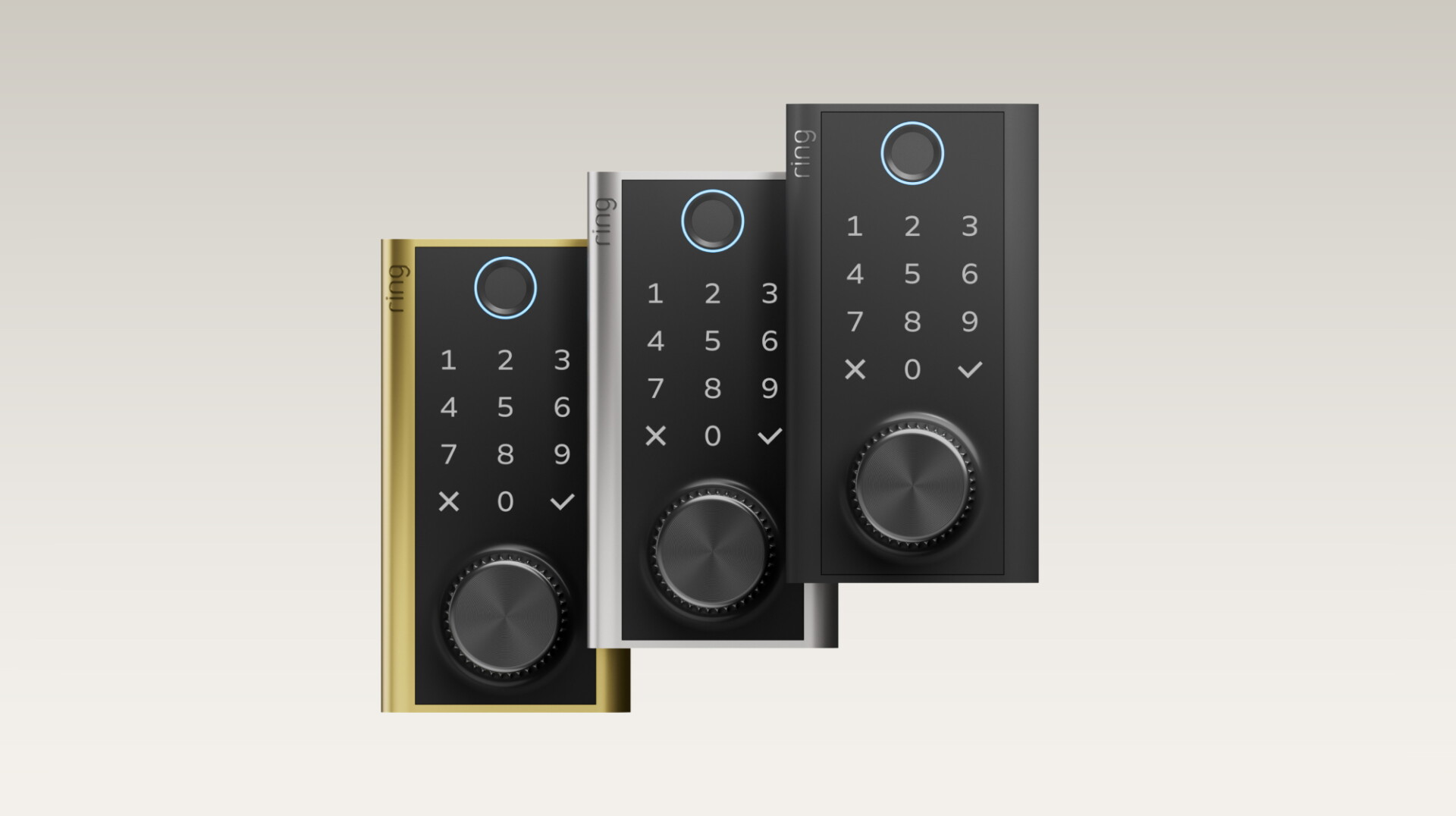
  • Ring Smart Lock: $249.99; planned for the U.S. in early 2027 in black, silver and brass.
  • Indoor Cam 4K: starts at $99.99 for the plug-in version; available now in the U.S.
  • Pan-Tilt Indoor Cam 2K: $69.99; available now in the U.S.
  • Outdoor Cam 4K Plus: starts at $149.99; available for preorder in the U.S. and several other markets.
  • Spotlight Cam 4K Plus: starts at $199.99; available for preorder in the U.S. and several other markets.
  • Floodlight Cam 4K Plus: starts at $219.99; available for preorder in the U.S. and several other markets.

Ring Smart Lock uses a hand-powered backup dial

Ring Smart Lock is designed around a simple fear: a dead battery at the worst possible moment. If the rechargeable Quick Release Ultra Battery Pack is depleted, the user can turn a built-in Backup Power Dial until the keypad wakes up, then enter a PIN. That avoids depending on a hidden physical keyhole or an external emergency battery.

There are four keyless entry methods: a fingerprint reader, a backlit touchscreen keypad, the Ring app and Alexa. The app can show lock status, lock or unlock the door and manage guest access. The lock also integrates with Ring cameras, doorbells and Ring Alarm, and activity appears in the Ring app’s event history.

Installation is intended for a standard single-cylinder deadbolt and does not require new wiring. Buyers should still compare the door’s backset, bore size, thickness and deadbolt condition with Ring’s final compatibility requirements before ordering. The product page also says the device had not yet received required FCC authorization at announcement time, so early-2027 availability remains subject to that process.

Amazon Sidewalk replaces a direct Wi-Fi connection

Ring says the lock connects through Amazon Sidewalk rather than relying on the home’s Wi-Fi range. Sidewalk can extend low-bandwidth connectivity through participating Amazon devices, but coverage varies by location and can be interrupted. That makes an address-level coverage check important before assuming every remote feature will work.

Using Sidewalk also creates a different privacy and network decision than a Wi-Fi-only lock. Owners should review Amazon Sidewalk settings, understand which compatible devices contribute to the network and decide whether the convenience fits their household. A lock must still provide dependable local entry when cloud, app or voice services are unavailable; the keypad, fingerprint reader and hand-powered backup are the practical fallbacks.

Ring’s five-camera 2026 lineup at a glance

Ring’s five-camera 2026 lineup at a glance

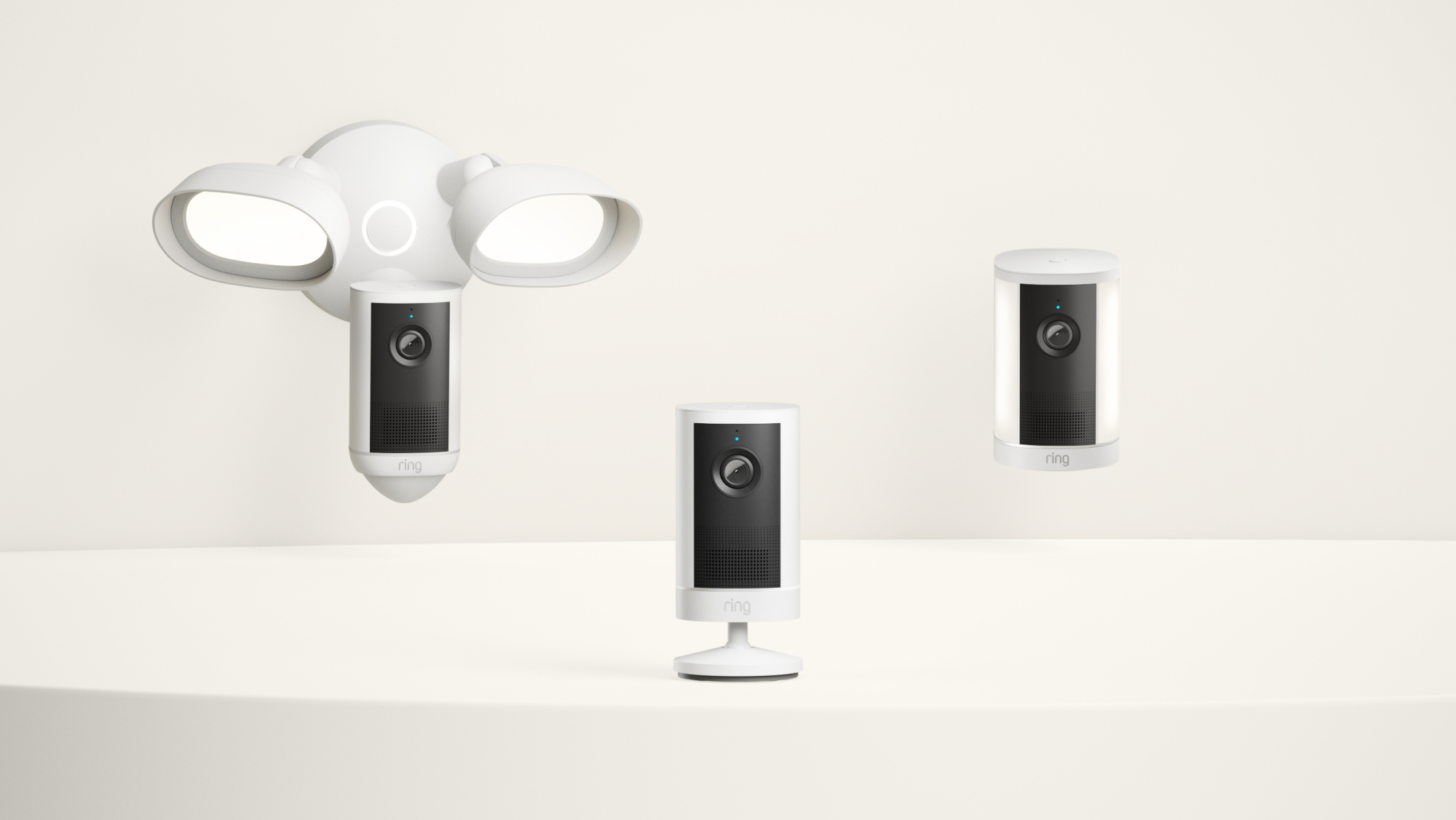
Four of the new cameras use Ring’s Retinal Vision 4K system. Outdoor Cam 4K Plus is the most flexible: Ring lists battery, plug-in, hardwired, solar and Power over Ethernet configurations. That range is useful for renters, existing camera replacements and permanent wired installations, but each power option can change which continuous-recording or accessory features are available.

Spotlight Cam 4K Plus combines 4K video with a 550-lumen spotlight and comes in battery, plug-in and solar configurations. Floodlight Cam 4K Plus targets a brighter, permanently covered area and supports 24/7 Recording and smart detection when the setup and Ring subscription are compatible.

Indoor Cam 4K is Ring’s first 4K indoor model. The $99.99 plug-in version offers a 115-degree horizontal field of view, dual-band Wi-Fi 6, 4K video with Auto HDR, up to 10x enhanced zoom, two-way talk and a removable physical lens cover. A Power over Ethernet package costs more but can provide one cable for data and power where network wiring already exists.

Pan-Tilt Indoor Cam 2K follows motion around the room

Pan-Tilt Indoor Cam 2K follows motion around the room

The $69.99 Pan-Tilt Indoor Cam 2K trades 4K resolution for coverage and movement. It can pan through 360 degrees and tilt through 175 degrees, then use computer-vision motion detection to follow activity around a room. That can make more sense than a fixed 4K view for pets, play areas or a large open living space.

A physical privacy shutter disables both the camera and microphone when closed. That is an important distinction for indoor monitoring because it gives anyone in the room a visible, mechanical privacy state rather than relying only on an app toggle.

Resolution is only one buying factor

4K can preserve more detail for digital zoom and identification, but it also increases network traffic and storage needs. Placement, lighting, field of view, power reliability, motion zones and subscription costs can matter more than the number printed on the box.

A fixed Indoor Cam 4K is best when one doorway, room or valuable area needs maximum detail. The Pan-Tilt Indoor Cam 2K is better when subjects move across a wider space and the user is comfortable with a motorized camera. Outdoors, choose the power method before the camera model: battery and solar simplify installation, while wired or PoE options can better support always-on use.

Ring subscriptions and feature limits

Ring’s announcement says a compatible subscription is required for digital arming or disarming and some other Smart Lock app features. It also says 24/7 camera recording requires a compatible plan, works only on selected devices and configurations, depends on network connectivity, and temporarily stores recordings in the cloud for up to 14 days.

That means the hardware price is not the full cost for buyers who want continuous recording, longer cloud history or advanced app features. Check Ring’s current plan comparison at purchase time, because plan names, pricing and eligibility can change. Also confirm whether a battery, solar or PoE configuration supports the specific recording feature you expect.

Which new Ring product fits which buyer?

  • Choose Ring Smart Lock if you already use Ring and Alexa, want fingerprint and PIN entry, and have confirmed Sidewalk coverage and door compatibility.
  • Choose Indoor Cam 4K for a fixed indoor view where detail and digital zoom matter more than motorized coverage.
  • Choose Pan-Tilt Indoor Cam 2K for pets or open rooms where following movement is more useful than maximum resolution.
  • Choose Outdoor Cam 4K Plus when flexible power options are the priority.
  • Choose Spotlight Cam 4K Plus for a targeted outdoor area that benefits from an integrated light; choose Floodlight Cam 4K Plus for broader, brighter perimeter coverage.

What existing Ring owners should do

There is no automatic reason to replace a working 1080p camera. Upgrade when the current view cannot capture enough detail, the installation needs a different power option, or the new privacy and tracking features solve a real problem. Before changing multiple cameras, test one unit in the intended location and compare night video, notification quality and bandwidth use.

If you need an inexpensive Ring camera now rather than the new 4K model, the current Ring Indoor Cam (2nd Gen) on Amazon remains a relevant 1080p option with color night vision, two-way talk and a manual privacy cover. Confirm the seller and generation before ordering.

As an Amazon Associate, ReaderSpice earns from qualifying purchases.

The bottom line

Ring’s October 2026 launch is broad, but the products are not interchangeable. The Smart Lock’s hand-powered backup dial is the most original idea, while the camera update is about matching 4K detail to more locations and power methods. Pan-Tilt Indoor Cam 2K fills a different role by prioritizing whole-room coverage.

The best buying decision starts with installation and ongoing cost, not resolution. Check door fit, Sidewalk coverage, power, Wi-Fi or Ethernet availability, subscription requirements and privacy controls. The two indoor cameras are available now in the U.S.; the outdoor 4K Plus models are preorder products, and Ring Smart Lock is planned for early 2027.

Sources

Ring: Smart Lock and 2026 camera lineup announcement

Ring: Smart Lock product page and availability notice

Ring: Indoor Cam 4K specifications and pricing

Ring: Current camera lineup prices

The Verge: Ring Smart Lock and camera launch report

TechRadar: Ring 4K and Pan-Tilt camera details

JKMAX Heated Blanket Recall: 195,000 Units Recalled After 53 Burn Injuries

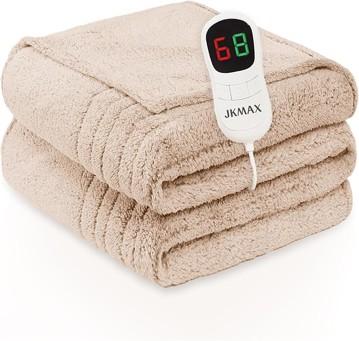
JKMAX heated blanket recall warning showing 195,000 units recalled for fire and burn risks

If you own a JKMAX heated blanket or heating pad, stop using it now. The U.S. Consumer Product Safety Commission announced the recall on September 17, 2026, after hundreds of reports that the products overheated, smoked, melted or burned.

The recall covers about 195,000 units sold through Amazon from September 2022 through July 2026. Federal safety officials say the internal wire elements can overheat, creating fire and burn hazards. JKMAX has received 577 incident reports, including 53 burn injuries.

What the JKMAX recall covers

What the JKMAX recall covers

The recall includes every JKMAX heating pad and heated blanket identified in the CPSC notice. The products were sold in blue, gray, brown and red, and were made from polyester with a detachable white controller.

Owners should not assume a blanket is safe because it has not shown visible damage. The reported failures involve internal wiring, so a product can become hazardous before scorch marks or melting are obvious.

Why the blankets and pads were recalled

According to the CPSC, the internal wire elements can overheat. Reported symptoms include smoking, melting and burning—warning signs that can lead to skin injuries or ignite nearby bedding and furniture.

The scale of the incident reports makes this more than a precautionary paperwork recall. With 577 reports and 53 burn injuries, owners should treat the stop-use instruction as urgent. Unplug the product and do not test it again, even briefly.

Which JKMAX products are affected

The CPSC notice lists these JKMAX model numbers:

  • JKMAX-002
  • JKMAX-7284B
  • JKMAX-6284B
  • JKMAX-10090B
  • JKMAX-8490B

The federal notice says all JKMAX heating pads and heated blankets are included. If the branding matches but the model label is hard to read, stop using the product while you confirm it through the recall process.

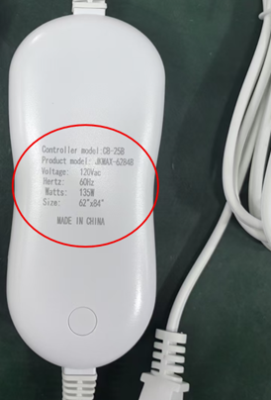
Where to find the model number

Where to find the model number

Look on the back of the detachable white remote and on the packaging label. Photograph the label before contacting JKMAX; a clear image can make it easier to document the product and follow the refund instructions.

What owners should do now

  • Stop using the heated blanket or heating pad immediately and unplug it.
  • Keep the controller, product label and packaging if available.
  • Photograph the model number and the complete product before beginning the refund process.
  • Contact JKMAX for the company’s full-refund instructions.
  • Do not sell, donate or give away a recalled unit.

Do not keep using the item while waiting for a refund. If you notice smoke, melting, discoloration or a burning smell, move away from the product if it is unsafe to approach and contact emergency services when needed.

How to check an old Amazon order

Because the affected products were sold on Amazon from September 2022 through July 2026, your order history can help identify a unit when the packaging is gone or the label is difficult to read. Open Amazon order history and search for “JKMAX,” “heated blanket” or “heating pad.”

  • Compare the order date and product description with the recalled sales window.
  • Save a screenshot of the order page, seller information and model description.
  • Do not rely on a listing photo alone; confirm the controller or packaging label whenever possible.

Keep the product until you have reviewed JKMAX’s refund directions, but leave it unplugged and stored where it cannot be used accidentally. If the company requests proof of purchase or product photographs, your order record can help document the claim.

How to contact JKMAX

JKMAX says consumers can request a full refund. The company can be reached at 800-917-5732 from 8:30 a.m. to 6 p.m. Eastern, Monday through Friday, or by email at JkmaxRecall@outlook.com. Refund information is also available on the JKMAX recall website.

The CPSC recall number is 26-778. Keep that number with your notes in case you need to explain which safety action applies to your product.

Why this recall matters

Heated bedding combines electricity, flexible wiring and prolonged contact with fabric and skin. That makes overheating particularly dangerous, especially when a person is asleep, has limited mobility or may not notice a hot spot quickly.

After removing the recalled product, check that sleeping areas have working smoke alarms. A practical option is to compare First Alert smoke alarms on Amazon, but a smoke alarm does not make a recalled heated blanket safe to use.

Disclosure: ReaderSpice may earn a commission from qualifying Amazon purchases at no additional cost to you.

The bottom line

About 195,000 JKMAX heated blankets and heating pads are under recall after 577 reports of smoking, melting or burning and 53 reported burn injuries. Stop using the product, check the controller or packaging for the model number, and follow JKMAX’s refund instructions. Do not resume use even if your unit appears normal.

Sources

U.S. Consumer Product Safety Commission — JKMAX heated blanket and heating pad recall

Beaumont Enterprise — Amazon recall covers 195,000 JKMAX heated blankets and pads