Grand Canyon November 2026 Update: North Rim Roads, Water Restrictions and What’s Open

A scenic North Rim road curves toward a Grand Canyon overlook at sunrise in early November.

Grand Canyon’s November shoulder season is unusually complicated in 2026. The South Rim remains open for day visits, but Stage 4 water restrictions have closed in-park lodging and shut off water at campgrounds and along inner-canyon trails. On the North Rim, two major scenic roads are scheduled to reopen at sunrise on November 3 after repair work, even as the campground, gas station and most visitor services remain closed.

The practical takeaway is not that the park is closed. It is that access, water and services now vary sharply by rim, road and trail. Travelers who arrive with an old summer itinerary could find a legal road but no fuel, an open trailhead but no drinking water, or an available campsite that operates as dry camping.

This update uses the Arizona Office of Tourism’s October 30 access bulletin and current National Park Service road and North Rim planning pages. Weather, repairs and water-system work can change conditions quickly, so verify the NPS alerts page and road line immediately before leaving a gateway town.

Grand Canyon November 2026 at a glance

  • South Rim day access: open, including overlooks, museums, visitor centers and the paved Rim Trail, subject to current alerts.
  • South Rim lodging: in-park lodging is closed while the park conserves water; gateway lodging remains available in Tusayan, Williams and Flagstaff.
  • North Rim season: limited day-use access is planned through November 30 or the first major snowstorm, whichever comes first.
  • Cape Royal and Point Imperial roads: scheduled to reopen at sunrise on November 3 after temporary repair closures.
  • North Rim services: no campground, gas station, general store, drinking water or food service inside the park.
  • Water status: Stage 4 restrictions remain in effect; visitors must carry adequate drinking water and should not depend on trail taps.
  • Trail access: several corridor sections are open, but rim-to-rim travel and multiple damaged routes remain closed or impassable.
  • Fire restrictions: the October 30 bulletin lists Stage 2 restrictions on both rims; check for a newer notice before using any flame or stove.

North Rim roads reopen November 3—but services do not

North Rim roads reopen November 3—but services do not

Cape Royal Road and Point Imperial Road were temporarily closed from sunset October 15 through sunrise November 3 for critical road repair and rehabilitation. The NPS road page lists the scenic roads as open after that window, but the reopening remains subject to weather and work conditions. Call the park road line at 928-638-7496 before making the long drive from Jacob Lake.

Reopening those roads restores access to two of the North Rim’s most dramatic viewpoints, but it does not restore the summer visitor network. The North Rim Campground, gas station, general store and backcountry information office are closed for the season. Drinking water and food are unavailable inside the North Rim area. Fuel, lodging and supplies are available outside the park around Jacob Lake, and additional services are farther away in Fredonia and Kanab.

Vehicle length also matters. NPS warns that RVs over 22 feet and vehicle-trailer combinations longer than 22 feet are not permitted on Cape Royal Road and the scenic drive because of narrow lanes, tight curves and blind corners. A road being open does not make it suitable for every rental RV or tow setup.

The North Rim is a limited day-use destination

The North Rim entrance is roughly 30 miles south of Jacob Lake on State Route 67, followed by another 14 miles to the rim. The park expects limited fall day use through November 30 unless a major snowstorm closes the route earlier. This is a remote, self-supported visit: arrive with a full tank, food, drinking water, warm layers, a downloaded map and a winter emergency kit.

Do not use a summer service schedule or an old map as proof that a facility is operating. Mobile coverage is unreliable, road conditions can change rapidly and emergency response is more limited after seasonal services close. If the forecast or road line does not support the trip, treat the South Rim as a separate alternative rather than attempting to improvise a cross-canyon route.

Stage 4 water restrictions change South Rim planning

The South Rim remains open to day visitors, but the water shortage is affecting nearly every overnight plan inside the park. The October 30 access update says in-park lodging is closed to conserve water. Mather and Desert View campgrounds are available for dry camping by reservation, which means travelers must bring or buy all the water they need and cannot assume normal campground taps are operating.

Temporary bulk-water tanks are available at the South Kaibab and Bright Angel trailheads, according to the joint visitor update. Water is off at campgrounds, along inner-canyon trails and across the North Rim. Availability at one trailhead does not guarantee water farther down a trail, and a full container at the start should be treated as essential equipment rather than an optional convenience.

The park expects to begin pumping water again around mid-November if repairs stay on schedule, potentially allowing lodging to return in phases near Thanksgiving. That is an estimate, not a reservation guarantee. Do not book a trip around an anticipated reopening until the concessioner and NPS confirm the specific property and date.

What is open on the South Rim

  • South Entrance and Desert View Drive for normal access, unless weather creates a temporary closure.
  • Overlooks, museums, visitor centers and the paved Rim Trail for day use.
  • Free shuttle service where listed on the current park schedule.
  • Mather and Desert View campgrounds as dry camping with reservations.
  • Selected grab-and-go and limited dining inside the park, with broader dining and lodging in gateway communities.
  • Grand Canyon Railway service and activities in Tusayan, Williams and Flagstaff.

Hours can be shorter than summer schedules, and an open park does not mean every restaurant, restroom or shuttle stop is operating. Build the day around one confirmed route, carry food and water, and keep a backup plan in a gateway community.

Trail closures and water limits require conservative hiking

The October 30 bulletin lists Bright Angel Trail as open from the South Rim trailhead to River Resthouse and South Kaibab Trail as open to Black Bridge. The River Trail is open between River Resthouse and South Kaibab Trail, while Plateau Point Trail and part of the Tonto Trail are also listed open. Other routes—including rim-to-rim travel—are closed or impassable.

These openings are not permission to build a long canyon itinerary from an old guidebook. Water is off along the corridor, daylight is shorter, temperatures can swing dramatically between rim and river, and flash floods can occur without warning. Confirm the exact route and turnaround point with current NPS alerts. Turn around early if the group’s water use, pace or weather exposure is worse than planned.

A portable filter can be a useful emergency backup only where a reachable, permitted water source actually exists. It does not create water, remove every chemical or heavy metal, or replace the amount NPS tells visitors to carry. The Sawyer Squeeze Water Filtration System (ASIN B005EHPVQW) is one verified option for treating compatible backcountry water sources, but buyers should confirm the current kit, seller and instructions before ordering.

Affiliate disclosure: ReaderSpice may earn a commission from qualifying Amazon purchases made through the link above, at no additional cost to you.

A practical November visit plan

  • Check NPS alerts, the road page and the recorded road line on the morning of travel.
  • Choose one rim. Driving between the North and South rims takes roughly 4.5 hours each way in normal conditions.
  • Fill fuel and water containers in a gateway town; do not count on North Rim services.
  • Carry tire chains where required, warm layers, food, a first-aid kit, a flashlight and a power bank.
  • Download the NPS app content and maps for offline use before losing mobile service.
  • Use a short, conservative day hike that matches the current open-trail list and available daylight.
  • Keep lodging and dining reservations outside the park flexible until water-service restoration is confirmed.

For the North Rim after November 3, the most realistic plan is an early day trip to Point Imperial or Cape Royal only after confirming the scenic roads are open. For the South Rim, use the year-round entrance, park outside lodging in Tusayan, Williams or Flagstaff, and treat the park as a day-use destination while Stage 4 water restrictions remain in force.

The bottom line

Grand Canyon is accessible in November 2026, but it is not operating like a normal fall season. The North Rim gains important scenic-road access on November 3 while losing nearly all visitor services. The South Rim stays open for day use, but water restrictions close in-park lodging, turn campgrounds into dry-camping sites and remove dependable trail water.

The safest plan is simple: verify the exact road and trail on the day of travel, carry more water and emergency supplies than a summer visit would require, and never treat a projected reopening as confirmed. The canyon will still be there if conditions make a particular route unwise.

Sources

Arizona Office of Tourism — Grand Canyon Area Biweekly Visitor Access Update, October 30, 2026

National Park Service — North Rim status and closures

National Park Service — Directions and travel to the North Rim

National Park Service — Weather, webcams, road conditions and closures

National Park Service — Grand Canyon alerts and conditions

Sawyer Products — Squeeze Water Filtration System

Amazon — Sawyer Squeeze Water Filtration System, ASIN B005EHPVQW

Inline image alt text: Two prepared hikers with water containers and a compact filter look across the Grand Canyon from a North Rim overlook.


Google Genie 4: Real-Time AI Worlds, Native Audio, Access and Limits

Interactive AI world forming from neural geometry with landscapes, weather, audio waves and a simulated city.

Google DeepMind introduced Genie 4 on October 27, 2026 as a research-preview world model that generates interactive environments in real time. Unlike a conventional image or video generator, it lets a tester move through a simulated scene and change the weather, camera, characters or events with natural-language instructions while the world continues running.

The announcement is visually striking, but access and limitations matter more than the demos. Genie 4 is initially available only to trusted testers. Google says it is coming soon to Google AI Ultra subscribers through Project Genie and to selected early-access partners through the Gemini API and Google AI Studio, without announcing a general release date or public price.

Google Genie 4 at a glance

  • Announced: October 27, 2026.
  • Current status: research preview for a limited group of trusted testers.
  • Broader access: coming soon to Google AI Ultra subscribers in Project Genie and selected API and AI Studio partners.
  • Core capabilities: real-time world generation, natural-language steering, simulated physics, characters and native audio.
  • Current limits: short sessions, visual drift, imperfect object permanence, text rendering and audio accuracy.
  • Disclosure: Google says generated video and audio will carry SynthID watermarking.

What Genie 4 can do

What Genie 4 can do

Genie 4 creates a world that can respond to a person’s movement and instructions instead of rendering one fixed clip. Google’s demonstrations show users navigating with standard keyboard controls while typing changes such as moving the camera, adding a person or object, or turning clear weather into a storm. The model then tries to preserve the surrounding scene as the new instruction takes effect.

Google says the system improves photorealism, fluid motion and the behavior of people and objects. It also models events such as collisions, flowing water and wind moving through trees. These are research demonstrations rather than independent benchmarks, so they show intended behavior but do not prove that every generated world will remain physically accurate.

Real-time steering and native audio

The most important change from earlier Genie research is the combination of live steering and sound. Genie 4 generates ambient noise, music and interactive dialogue alongside the visual scene. A character can react to an event or a user’s direction while the simulated environment continues, giving creators a rough, explorable draft instead of a passive video.

That does not make Genie 4 a finished game engine or film-production system. Google acknowledges that audio can be inaccurate, text inside a world may be unreadable, and details can change during longer sessions or after repeated edits. Creators will still need conventional tools for continuity, editing, rights clearance and final delivery.

How Gemini models guide the simulation

Genie 4 incorporates technology from the Gemini family. Google says Gemini Omni helps anchor simulations in real-world appearance and behavior, while Gemini 3.8 Flash operates as a guiding agent that observes incoming frames, breaks goals into steps and checks whether each step has succeeded. If the world changes or a user intervenes, the planning loop can adjust.

Google also demonstrated Genie 4 with Gemini 4 Argon and Gemini Robotics. In one example, Argon breaks a task into smaller actions and sends those steps into the world as it is rendered. The experiment is intended to explore how robots and software agents might train or be evaluated in varied simulated environments before interacting with physical equipment.

Why simulation matters for robots and agents

Training in simulation can expose an agent to rare, dangerous or expensive scenarios without putting people or machinery at immediate risk. It can also generate many variations of a task, helping researchers test whether an agent succeeds only under familiar conditions. A useful simulation still needs validation, because an unrealistic world can teach the wrong behavior or hide failure modes that appear in real settings.

Who can use Genie 4 now

Genie 4 is not a generally available product. Trusted testers in creative industries, journalism, education, gaming and engineering have the first preview. Google has opened a Project Genie waitlist and says Google AI Ultra subscribers are among the next groups planned for access, followed by selected early-access partners using the Gemini API and Google AI Studio.

Google has not published a firm rollout date, country list, API price, output resolution or frame-rate specification. It also has not promised that every research-demo capability will appear in the eventual subscriber or developer experience. Readers should avoid unofficial downloads, browser extensions or “early access” pages that ask for credentials or payment outside Google’s documented channels.

The limitations are as important as the demos

Google describes Genie 4 as early and evolving. The model can support only a few minutes of continuous interaction, and visual details may drift as a session runs longer. Object permanence can fail after multiple complex edits or extensive navigation, which means an item, character or architectural feature may move, change or disappear.

Complex interactions among several independent agents remain difficult. The model cannot reproduce real-world locations with perfect accuracy, legible text is inconsistent, and spatial or physical details may be wrong. Native audio is also a work in progress. These constraints make the preview more suitable for exploration, pre-visualization and controlled experiments than for authoritative historical reconstruction, safety-critical training or final commercial media.

  • Verify important physical and spatial behavior against real data.
  • Keep generated historical or journalistic scenes clearly labeled as simulations.
  • Do not treat a simulated outcome as proof that a robot or agent is safe in the real world.
  • Check music, dialogue, faces and other outputs for rights and consent issues.
  • Preserve prompts, settings and human edits when reproducibility matters.

What creators, developers and educators should prepare

The best first use is a bounded prototype. A filmmaker might explore camera blocking and lighting before a shoot. A game team could test the feel of an environment before building production assets. An educator could demonstrate a concept while making clear that the generated scene is an illustration, not primary evidence. Developers evaluating agent behavior should define success criteria before the run and compare simulated results with real tests.

Google says every generated video and audio output will include SynthID, its imperceptible watermarking system. Watermarking can support provenance, but it does not replace visible disclosure when an audience could mistake a simulation for recorded reality. Newsrooms, schools and brands should label synthetic scenes in the surrounding caption, narration or credits.

For readers who want a broader foundation in agents, planning, robotics and responsible AI, Artificial Intelligence: A Modern Approach, 4th Edition by Stuart Russell and Peter Norvig remains a useful reference. Compare the book on Amazon before ordering, and verify the edition, seller, format and current price.

Affiliate disclosure: ReaderSpice may earn a commission from qualifying Amazon purchases made through the link above, at no additional cost to you.

What Genie 4 is not

Genie 4 should not be confused with a new public version of Gemini chat, a conventional video editor or a downloadable game engine. It is a research-preview world model with limited access. The interactive demonstrations are generated examples, not evidence that the model can reproduce every location, person or real event accurately.

It also does not eliminate the need for human direction. A coherent project still requires a goal, constraints, review and decisions about what is factual, safe and appropriate to publish. The technology can shorten the path from an idea to an explorable draft, but the draft remains synthetic and provisional.

The bottom line

Google Genie 4 is a meaningful step beyond one-shot AI media because it combines navigable worlds, real-time natural-language changes, simulated physics and native audio. The integration of Gemini planning models also points toward training environments where software agents and robots can be tested across many scenarios.

The immediate reality is narrower: Genie 4 is limited to trusted testers, wider access is only promised for later, and the worlds can drift during short sessions. Creators and developers should view it as an experimental pre-visualization and simulation tool, disclose synthetic scenes clearly, and validate important behavior outside the generated world.

Sources

Google Blog — Introducing Genie 4 for real-time interactive simulation

Google DeepMind — Genie 4: A new generation of world simulation

Google DeepMind — Genie 4 model page, limitations and responsibility

TechCrunch — Genie 4 adds audio, realism and real-time steering

Pearson — Artificial Intelligence: A Modern Approach, 4th Edition

Amazon — Artificial Intelligence: A Modern Approach, 4th Edition, ASIN 0134610997

Gemini 4 Carbon: Cybersecurity Benchmarks, Limited Access and Pricing Explained

Faceted carbon crystal inside a protective shield surrounded by secure code and network interfaces.

Google introduced Gemini 4 Carbon on October 28, 2026 as a frontier model aimed at long-running software-engineering work and cybersecurity defense. The headline is not simply that a new Gemini model exists. Carbon is being rolled out cautiously to selected defenders first, while Google continues pre-release testing and guardrail work before broader developer, business and consumer access.

That limited release matters. Carbon is not a model most Gemini users can select today, and Google has not published a general availability date. The announcement is best read as a capability and pricing preview: strong benchmark claims, a focus on vulnerability discovery and patching, and an introductory API price that is scheduled to rise later.

Gemini 4 Carbon at a glance

  • Announced: October 28, 2026.
  • Initial access: selected cyber defenders and trusted partners through Google’s Fairwind Program.
  • Broader rollout: planned for developers, businesses and consumers, with no firm public date.
  • Introductory price: $2 per million input tokens and $10 per million output tokens.
  • Later price: Google says $4 per million input tokens and $20 per million output tokens after the introductory period.
  • Primary focus: long-horizon coding, agentic engineering and cybersecurity defense.

Google also lists cached input tokens at 95% below the introductory input rate. That can lower the cost of workloads that repeatedly reuse a large codebase or reference corpus, but actual spending will depend on context size, tool calls, retry behavior and how long an agent remains active.

What Carbon is built to do

What Carbon is built to do

Carbon is designed for work that cannot be completed reliably in one short response. Google says internal teams have used it on engineering jobs that run for days, including tracing subtle bugs through large repositories, testing hypotheses, and producing patches after earlier approaches fail.

The useful distinction is persistence rather than simple prompt length. A long-horizon system needs to preserve goals, inspect evidence, recover from dead ends and avoid changing unrelated code. Carbon’s announced improvements target that chain of work: coding quality, multimodal understanding, computer use, agentic planning and the ability to operate across very large contexts.

Cybersecurity is the defining angle

Google positions Carbon across three defensive stages. First, it searches for real vulnerabilities. Second, it checks whether a suspected flaw can actually be exploited so teams can prioritize risk. Third, it attempts to repair the underlying cause rather than merely describing the issue.

The company reports an 88.2% score on SEC-bench Pro for vulnerability discovery, 54.8% on ExploitGym for exploitation, and 71.0% on CWE-bench for patching. Google also says Carbon more than doubled the success rate of secure-code generation compared with Gemini 4 Argon in internal testing.

Those figures are meaningful signals, but they are not a warranty. Benchmark environments constrain tools, targets and evaluation criteria. Real organizations add proprietary code, incomplete documentation, permissions, production dependencies and legal limits. Security teams should treat Carbon as an assistant whose findings need reproduction, review and controlled remediation.

The benchmark claims need context

Google says Carbon ranks first on version 5.0 of the Artificial Analysis Intelligence Index with a score of 59. On Google DeepMind’s comparison table, it also posts 65.2% on Terminal-Bench 4.0, 61.2% on FrontierSWE 2 and 81.5% on the listed OSWorld 2.1 offline subset.

Different benchmarks test different skills, and a high aggregate rank does not mean one model leads every task. Carbon’s strongest public case is the combination of competitive general performance with a concentrated jump in cyber-defense evaluations. Buyers should compare the model against their own repository, languages, deployment stack and incident-response process before assuming the benchmark order will transfer.

Safety claims are part of the rollout

Google says Carbon reduced unsupported claims by about half compared with Argon in its internal testing and cut high-severity misalignment alerts by almost 80% in live coding environments. It also reports a 0.0% attack success rate on the evaluated Gray Swan indirect prompt-injection benchmark.

A zero score on one test should not be read as immunity. Prompt-injection defenses can change when an agent connects to email, tickets, browsers, code hosts or internal documents. Least-privilege credentials, isolated environments, approval gates and audit logs remain necessary even when a model performs well in controlled evaluations.

Who can use Gemini 4 Carbon now

Carbon’s first users are selected cybersecurity defenders and trusted partners. Google says it is participating in the U.S. government’s voluntary pre-release testing process and will expand access gradually through the Fairwind Program while collecting feedback.

Regular Gemini app users, Google AI Pro or Ultra subscribers, and general API developers should not assume Carbon is available merely because the model has been announced. Gemini 4 Argon remains the broadly referenced Gemini 4 option in Google’s current consumer and developer surfaces, while Carbon is described as coming later.

Organizations interested in early access should use Google’s official program pages rather than third-party downloads, unofficial endpoints or model files. A fake “Carbon access” page could be especially dangerous because the target audience is likely to grant code, cloud or security-tool permissions.

How the pricing could affect real projects

At the introductory rate, a workload consuming one million input tokens and one million output tokens would carry a published model charge of $12 before discounts, platform fees or other services. After the introductory period, the same token mix would be $24 at Google’s stated future rates.

That simplified example can understate an agentic task. A multi-day workflow may repeatedly inspect files, generate tests, call tools, revise patches and retain a large context. Teams should measure the total run rather than comparing only the price per request.

  • Set a budget and maximum run time before starting an autonomous task.
  • Limit the repository, branches and cloud resources the agent can reach.
  • Require human approval before merging code or changing production systems.
  • Log prompts, tool calls, retrieved files, patches and test results.
  • Reproduce every security finding in an isolated environment.

What developers and security teams should prepare

The most valuable preparation is not writing a longer prompt. It is making the environment auditable. Repositories need clear test commands, dependency locks, ownership rules and a defined path from a suspected issue to a reviewed patch.

For vulnerability work, teams should separate detection from exploitation and remediation. A model that finds a suspicious pattern should not automatically receive broad permission to exploit a live system. Use replicas or purpose-built test environments, record the evidence and route high-risk actions through authorized staff.

A classic reference such as Hacking: The Art of Exploitation, 2nd Edition by Jon Erickson can help readers understand the low-level concepts behind memory errors, networking and exploit development. Compare the book on Amazon before ordering, and verify the edition, seller, format and current price.

Affiliate disclosure: ReaderSpice may earn a commission from qualifying Amazon purchases made through the link above, at no additional cost to you.

What regular Gemini users should know

Carbon’s announcement does not replace the Gemini model already selected in a user’s account. It also does not guarantee that every benchmarked capability will arrive unchanged in the consumer app. Google may apply different tools, limits, safety controls and context windows across Gemini, Google AI Studio, enterprise products and the API.

The practical takeaway is to wait for the official availability notice and model documentation. When Carbon reaches broader access, compare its permissions, pricing and data controls with the task at hand. For coding help, begin with a disposable branch and tests. For security analysis, keep sensitive systems out of reach until the workflow has been validated.

The bottom line

Gemini 4 Carbon is a notable model announcement because Google is pairing long-horizon engineering claims with unusually specific cybersecurity results. Its 88.2% SEC-bench Pro, 54.8% ExploitGym and 71.0% CWE-bench scores suggest a stronger focus on the full defensive cycle from discovery to patching.

The immediate limitation is access. Carbon is starting with selected defenders, not the general public, and broader availability has no fixed date. Its introductory pricing is attractive on paper, but long-running agents can consume far more tokens and tool time than a single chat. The safest reading is promising but provisional: validate the model on controlled workloads, keep humans in the approval path and wait for official access.

Sources

Google Blog — Gemini 4 Carbon: our next frontier model

Google DeepMind — Gemini 4 model page and benchmark table

Google DeepMind — Gemini 4 Carbon evaluation methodology

Reuters — Google launches Gemini 4 Carbon with cybersecurity focus

No Starch Press — Hacking: The Art of Exploitation, 2nd Edition

Amazon — Hacking: The Art of Exploitation, 2nd Edition, ASIN 1593271441

Yellowstone Winter 2026–27 Guide: Road Closures, Snowcoach Dates and What’s Open

Snowcoach travels a groomed Yellowstone winter road past steaming geothermal terrain at sunrise

Yellowstone’s summer driving season ends with a hard reset. The National Park Service’s 2026 road calendar keeps most interior roads open to regular vehicles through October 31, then closes them while crews prepare for winter. The northern road from Gardiner through Mammoth Hot Springs and Tower Junction to Cooke City remains the only park route generally open to ordinary cars year-round, weather permitting.

The next major date is December 15, 2026. That is when the park’s groomed-road system is scheduled to reopen for limited snowcoach and snowmobile travel. The routes do not all stay open to the same March closing date, and a snowcoach reservation is not the same thing as permission to drive a rental car into the interior.

This guide uses the NPS road and operating-date pages updated October 28, 2026, plus the current-conditions page updated October 29. Every date remains weather-dependent, so treat the schedule as a planning framework and check the live road map immediately before travel.

Yellowstone winter 2026–27 at a glance

  • Regular-car access: North Entrance to Northeast Entrance is generally open year-round, weather permitting.
  • Interior road closure: most regular-vehicle routes close after October 31, 2026.
  • Early-winter gap: November 1 through December 14 has no scheduled oversnow access to the interior.
  • Oversnow opening: groomed routes are scheduled to open December 15, 2026.
  • Staggered spring closures: oversnow routes close between March 7 and March 15, 2027.
  • Winter lodging: Mammoth Hot Springs Hotel and Old Faithful Snow Lodge publish limited winter dates.
  • Conditions rule: storms, thin snow, mechanical issues and wildlife can change access without notice.

The most common planning mistake is to read “Yellowstone is open” as “every entrance and attraction is reachable by car.” The park is open 24 hours a day and 365 days a year, but winter access is a network of separate corridors, limited facilities and reservation-based transportation.

What closes after October 31

The West Entrance–Madison–Old Faithful corridor, the Madison–Norris and Mammoth–Norris roads, the Norris–Canyon road, the East Entrance–Fishing Bridge route, Canyon–Bridge Bay, the South Entrance–West Thumb road and the main West Thumb connections are all scheduled to end regular-vehicle service after October 31. Dunraven Pass, Beartooth Highway and Chief Joseph Scenic Byway have earlier seasonal limits or separate state-managed closures.

That creates an important shoulder-season gap. Between the regular-road closure and the December 15 oversnow opening, travelers should not plan a private-car visit to Old Faithful, Canyon, West Thumb or the park interior. The northern road remains the practical in-park driving option, but snow, ice or an incident can still close it temporarily.

Navigation apps may continue drawing routes through a closed entrance. A route line is not an access notice. Use the NPS road map, Wyoming 511, Montana road reports and the park’s recorded road line before leaving a gateway town.

How winter access splits into two systems

How winter access splits into two systems

Yellowstone operates as two very different winter destinations. The northern range is a conventional road trip with winter driving hazards. The interior is an oversnow trip that normally requires a commercially guided snowcoach or snowmobile, except for the park’s limited noncommercial snowmobile permit program.

On the northern road, visitors can drive from Gardiner through Mammoth and Tower Junction toward the Northeast Entrance. The route serves Lamar Valley wildlife viewing and year-round Mammoth services, but the highway east of Cooke City does not function as an unrestricted winter through-route to Red Lodge or Cody.

For Old Faithful and most interior destinations, plan around the operator’s pickup point, departure time, luggage rules and cancellation policy. A reservation from West Yellowstone does not automatically work from Mammoth, Jackson or Cody. The gateway named on the confirmation matters.

Oversnow dates by road segment

The NPS schedule opens the groomed-road system on December 15, but spring closures are staggered so plowing can begin. These are the published 2026–27 dates:

  • Mammoth Hot Springs to Norris: December 15, 2026, through March 7, 2027.
  • Norris to Madison, Norris to Canyon Village, and Canyon Village to Washburn Hot Springs Overlook: December 15, 2026, through March 9, 2027.
  • Canyon Village to Fishing Bridge: December 15, 2026, through March 14, 2027.
  • West, South and East entrances and all remaining groomed roads: December 15, 2026, through March 15, 2027.

These dates describe authorized oversnow travel, not unrestricted access. Weather, snow depth and operational conditions can delay an opening or force a temporary closure. The final week of the season is especially easy to misread: a route to one area may still be operating after the Mammoth–Norris segment has closed.

Choose the right winter gateway

North Entrance: the regular-car option

Gardiner, Montana, is the gateway for the year-round northern road. It is the simplest choice for visitors focused on Mammoth Hot Springs, Lamar Valley, wildlife and a self-driven itinerary. Carry winter emergency supplies, keep the fuel tank comfortably full and leave more time than a dry-road estimate suggests.

The road is open weather permitting, not guaranteed every hour of winter. Park alerts, state highways leading to Gardiner and the approach to Cooke City can each have different conditions. If a closure blocks the chosen wildlife corridor, do not stop in a travel lane or improvise an off-road viewpoint.

West, South and East entrances: oversnow only

West Yellowstone is a major starting point for guided interior trips once the oversnow season begins. The South Entrance can connect with operators serving the Jackson area, while East Entrance access depends on available authorized service and the trip being offered on the selected date. Ordinary wheeled vehicles cannot simply follow a snowcoach route.

Before paying for a flight or hotel, confirm the exact pickup town and whether the tour includes transportation to the park boundary. Winter distances are deceptive: Jackson, West Yellowstone, Gardiner and Cody are separate bases, not interchangeable neighborhoods.

Snowcoach or snowmobile: which fits the trip

A snowcoach is usually the easier choice for first-time winter visitors, families, photographers carrying equipment and travelers who prefer an enclosed vehicle. It offers shelter from wind and cold, but schedules are fixed, space is limited and stops depend on the operator and route.

A guided snowmobile trip is more exposed and physically demanding. Riders need appropriate insulated gear, must follow guide instructions and may face age, license or passenger rules. Noise, cold and hand fatigue can be more significant than expected. The NPS also runs a limited Non-commercially Guided Snowmobile Access Program with permits and specific requirements; it is not a general self-guided exception.

  • Compare the exact route and attractions, not only the vehicle type.
  • Confirm whether outerwear, boots, helmet or lunch is included.
  • Ask about luggage limits for overnight stays at Old Faithful.
  • Read the weather and cancellation policy before booking.
  • Verify mobility needs, child rules and restroom access with the operator.

What is open in winter

Winter services are concentrated. At Mammoth, the NPS lists Albright Visitor Center, Mammoth Park Store, Mammoth General Store, Mammoth Medical Clinic, the post office and Mammoth Campground as year-round operations, subject to their own hours and holiday closures. Mammoth Hot Springs Hotel lodging is listed through March 7, 2027, with dining and several services through March 8.

At Old Faithful, the 2026–27 table lists the Snow Lodge’s lodging and cabins from December 16 through March 5. The Obsidian Dining Room runs December 16 through March 7, while the Geyser Grill is listed from December 15 through March 15. The Old Faithful Visitor Education Center begins its winter season December 15, with its closing date still listed as TBD on the October 28 update.

Canyon, Madison, Fishing Bridge, West Thumb and other locations may have visitor-center lobbies or warming huts during the oversnow season, but most summer lodging, stores, campgrounds and restaurants are closed. A warming hut is not a full-service visitor center. Pack food, water and backup layers even when a tour includes planned stops.

Facility tables can change without advance notice. Recheck both the NPS operating-date page and the concessioner reservation before departure, particularly for holiday hours, dining and luggage transfers.

A realistic three-day winter plan

Day 1: northern range and Mammoth

Base in Gardiner or Mammoth, check the road report at breakfast and drive only as far as conditions comfortably allow. Prioritize Mammoth terraces, pullouts along the northern road and a Lamar Valley wildlife window. Turn around before darkness if the road is icy or visibility is falling.

Day 2: a reserved interior trip

Use the pickup location printed on the reservation and arrive early. A day snowcoach to Old Faithful can consume most daylight once loading, road conditions and scenic stops are included. Do not schedule a tight evening flight or a long cross-state drive immediately afterward.

Day 3: weather buffer

Keep the final day flexible for a delayed tour, a shorter northern-range outing, skiing or snowshoeing on an officially open route, or a gateway-town activity. Winter plans need a buffer because a single storm can change both park access and the highway needed to reach the airport.

Cold, ice and limited connectivity change the safety plan

The NPS says winter daytime temperatures commonly range from 0°F to 20°F, with subzero conditions especially common at night and at higher elevations. A heated vehicle reduces exposure, but it does not remove the need for insulated layers, gloves, hat, dry socks and a way to protect skin in an emergency stop.

  • Carry blankets, water, high-energy food, a headlamp and a charged power bank.
  • Keep the gas tank full enough to handle a closure or long detour.
  • Download the NPS app content and maps before entering the park.
  • Use traction aids on icy boardwalks and stay on designated surfaces.
  • Never walk into a closed road, thermal basin or groomed oversnow route.
  • Text 82190 to 888-777 for Yellowstone road alerts, or call 307-344-2117 for the recorded road report.

Cell service is unreliable. Share the itinerary with someone outside the park and carry the operator’s phone number on paper. If the park closes a road or facility, treat that decision as final for the day instead of searching for an unofficial bypass.

Wildlife viewing requires distance

Winter can make animals easier to see against snow, but it does not make them safer to approach. NPS guidance requires at least 100 yards from bears, wolves and cougars and at least 25 yards from bison, elk and other wildlife. If an animal approaches, move away and give it the route.

Do not stop in a travel lane for a bison or wolf sighting. Use a legal pullout, stay inside the vehicle when appropriate and follow ranger or guide instructions. Food scraps and unsecured packs also create wildlife problems; ravens and other animals can quickly scatter unattended items.

A paper map is useful—but it cannot show live closures

The National Geographic Trails Illustrated Yellowstone National Park Map, ISBN-10 and Amazon ASIN 1566952956, is a waterproof, tear-resistant topographic map with roads, trails and major park features. It can be a useful offline backup when a phone has no signal or battery.

Compare the National Geographic Yellowstone map on Amazon. Confirm the edition, seller, current price and return terms before ordering. Use the map for orientation, then use the current NPS road page for closures and seasonal access.

Affiliate disclosure: ReaderSpice may earn a commission from qualifying Amazon purchases made through the link above, at no additional cost to you.

Booking checklist

  • Choose the trip type: northern-road driving, a day oversnow tour or an overnight Old Faithful stay.
  • Match the hotel to the tour’s pickup gateway.
  • Confirm the operator, date, route, vehicle type and luggage allowance.
  • Check every traveler’s clothing, mobility and age requirements.
  • Save the NPS road map, operating dates and reservation offline.
  • Recheck park roads, state highways and weather 24 hours before departure.
  • Build at least one flexible day into flights and lodging.

The bottom line

Yellowstone winter access is straightforward only after separating regular cars from oversnow travel. After October 31, most interior roads close to wheeled vehicles. The northern road remains generally open, while authorized snowcoach and snowmobile service is scheduled to begin December 15 and close in stages from March 7 through March 15, 2027.

Pick the gateway before the hotel, confirm the exact route before the flight and check conditions again on travel day. A smaller itinerary with one reserved interior trip and one flexible northern-range day is safer—and usually more rewarding—than trying to reproduce a summer loop in winter.

Sources

National Park Service: Yellowstone Park Roads — updated October 28, 2026

National Park Service: Yellowstone Operating Dates — updated October 28, 2026

National Park Service: Yellowstone Current Conditions — updated October 29, 2026

National Park Service: Explore Yellowstone in Winter

National Park Service: Yellowstone Maps and offline resources

National Geographic Maps: Yellowstone National Park Map, product 201, ISBN 9781566952958

Amazon: National Geographic Yellowstone National Park Map, ASIN 1566952956

Gemini Can Now Create and Edit Files in Chat: Supported Formats, Limits and a Safer Workflow

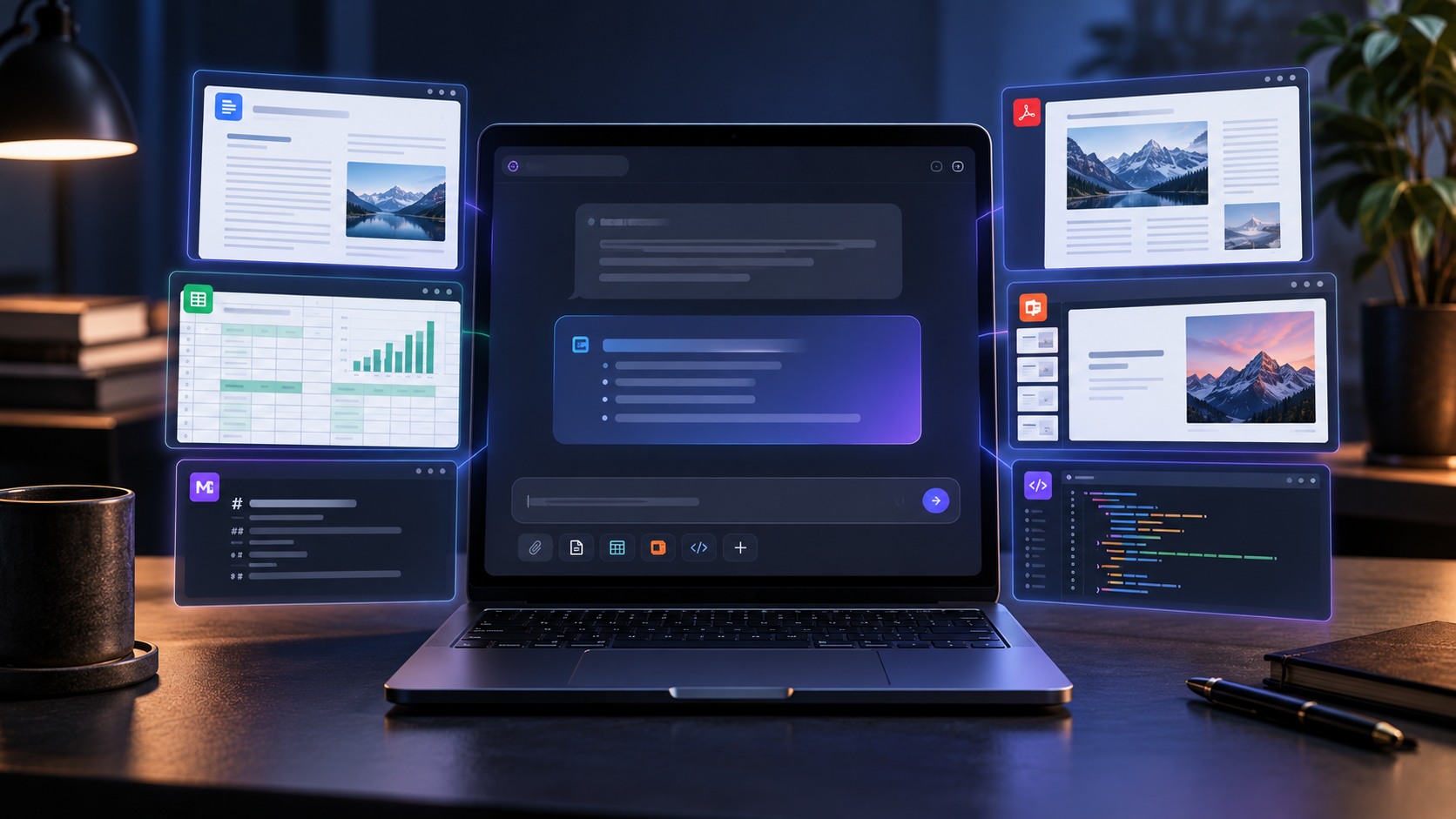
Laptop showing an AI chat workspace editing documents, PDFs, spreadsheets, slides and code.

Google has expanded the Gemini app from a place that mainly returns answers into a workspace where users can generate, preview and refine complete files without leaving the conversation. The new experience brings documents, PDFs, spreadsheets, presentations, text files and code into a single chat-centered workflow.

Google announced the change on October 29, 2026. It is available now to personal Google accounts, Google Workspace customers and Workspace Individual subscribers in every language where the Gemini app is offered. The important caveat is that device support varies: PDF preview and editing work on the web and mobile, while the broader file-editing experience is currently web-only.

What changed inside the Gemini app

A generated file can now open inside the Gemini conversation instead of appearing only as a download or a link to another editor. On the web, users can expand the file to a full-screen view, type changes directly, highlight a passage or visual element and ask Gemini to revise only that selection. They can also continue prompting Gemini to restructure, shorten or extend the file.

The practical benefit is continuity. A user can move from a prompt to a draft, inspect the draft and make a targeted correction without repeatedly downloading versions or rebuilding the file in a separate application. Export remains available when the work is ready for Google Drive, Google Docs, Google Sheets or a standard downloadable format.

This is still an editing surface, not an approval system. Gemini can make a file look complete while leaving incorrect facts, broken formulas, weak citations or misleading charts inside it. The closer the file gets to publication, grading, finance, compliance or customer use, the more important a manual review becomes.

Supported file types and device boundaries

  • PDFs: Preview and editing are supported in Gemini on both the web and mobile. A user can generate a PDF, inspect its pages and request or type revisions.
  • Documents and text: Gemini can create Google Docs, DOCX, LaTeX, Markdown, RTF and TXT files. Direct in-chat editing for the broader document experience is currently centered on the web.
  • Spreadsheets and tabular files: Gemini can build Google Sheets, XLSX, CSV and TSV outputs, preview structured data and export the result for continued work.
  • Presentations: Users can generate and refine slide content, preview a deck and then open it in Google Slides or download it as PPTX or PDF.
  • Code and web files: Gemini can create common programming languages and web formats, including Python, JavaScript, TypeScript, HTML and React-related files.

Google’s help documentation lists a wider range of formats that Gemini can generate than the October announcement names as direct-edit examples. That distinction matters: the ability to create or download a format does not guarantee that every element in that format has a full native editor in every Gemini client.

Generation, preview and export are separate stages

Generation produces a file from the prompt and any approved source material. Preview lets the user inspect what Gemini created. Editing changes the file, either manually or through another prompt. Export moves the result to Drive, a Workspace editor or a downloadable format. Treating those as four separate checkpoints makes it easier to catch errors before they become part of the final asset.

How to create and edit a file in Gemini

  • Open the Gemini app with the Google account that should own the finished file.
  • Describe the output precisely. Name the file type, audience, source material, required sections, tone and any facts that must remain unchanged.
  • Ask Gemini to generate the file. If the task depends on existing material, attach only the files that are necessary and permitted for that account.
  • Open the generated file in the conversation. On the web, expand it to full screen when a larger editing canvas is useful.
  • Make small, auditable revisions. Type a correction directly, highlight the exact section that needs work or prompt Gemini with a narrow instruction.
  • Export or download the result, then open the exported copy in its destination application and verify that layout, formulas, links and media survived the handoff.

A prompt that defines the review boundary

A useful prompt is more specific than “make a spreadsheet” or “turn this into a PDF.” For example: “Create an XLSX project tracker with columns for owner, due date, status and risk. Use only the attached milestone list. Do not invent dates. Add formulas for overdue items, but do not add external links.” The instruction names the format, required structure, allowed source and facts Gemini must not fabricate.

This is different from whole-deck editing in Google Slides

Google also launched multi-slide editing inside Google Slides, but the two experiences solve different problems. The Slides side panel edits selected slides or an entire existing presentation in the native Slides application. The new Gemini-app file workspace is broader: it starts in chat, spans several file types and can hand the result to another editor or download.

For a presentation that already has a theme, speaker notes, approved charts and collaborators, native Slides is usually the safer place for a deck-wide update. For a first draft that begins as notes, a table or a written brief, the Gemini app can be the faster starting surface. Moving between the two is useful, but it also creates a handoff that must be checked.

A safer workflow before you export

A safer workflow before you export

A human review pass between generation and export keeps the speed advantage while giving the final file a clear owner.

  • Start from controlled source material. Use the newest approved brief, dataset or notes rather than asking Gemini to reconstruct facts from memory.
  • Name the invariants. Tell Gemini which numbers, quotations, formulas, citations, filenames and legal statements it must not change.
  • Edit in small passes. Separate structure, factual correction, tone and visual cleanup so each change is easier to inspect.
  • Check calculations independently. Recompute totals, sample spreadsheet formulas and inspect chart ranges before relying on the output.
  • Open every link and citation. A polished reference list is not evidence that the sources exist or support the surrounding claim.
  • Inspect the exported file in its destination app. Confirm page breaks, fonts, image crops, formulas, comments and accessibility details after the handoff.
  • Keep a clean source copy. Save the original notes or dataset separately so an attractive generated file never becomes the only record.

Limits that matter in real work

  • Mobile support is narrower. Google says PDF preview and editing work on mobile, but documents, spreadsheets, slide decks, Markdown, TXT and code editing are currently web-only.
  • Upload limits still apply. Google’s help page says a prompt can accept up to 10 files when available; most non-video files can be up to 100 MB. Plan and account limits can change.
  • Spreadsheet structure can fail silently. A formula may reference the wrong row, a date can become text, or a chart can omit part of the range while the sheet still looks professional.
  • PDF and presentation layout needs visual review. Long tables, unusual fonts, embedded media and dense diagrams can shift during generation or export.
  • Generated facts and citations are not automatically verified. Compare important claims with the original source, especially when Gemini rewrites or compresses them.
  • File ownership and permissions can change at export. Confirm the destination account, folder and sharing state before treating the exported file as the official copy.

Privacy and account ownership

For personal Google accounts, Gemini Apps Activity settings influence how chats and uploaded material are retained and used. Google’s Privacy Hub says that when Keep Activity is on, activity can be used to improve services with help from human reviewers. Temporary chats and conversations created while Keep Activity is off have different retention and training behavior, but Google still retains them for a limited period to provide and protect the service.

Work and school accounts can have different protections and administrator controls. Before uploading customer records, unreleased product details, employee information, financial data or student work, confirm the policy for the exact account in use. Deleting a source file from Drive does not automatically erase related Gemini activity, so data minimization is safer than relying on cleanup later.

A practical rule is simple: do not upload confidential material unless the organization has approved Gemini for that data class and the user understands where the generated file will be stored. Use synthetic or redacted examples when the goal is to test a workflow.

Three useful projects to try first

A PDF study guide from approved notes

Upload a clean set of lecture notes, ask for a structured study guide and require Gemini to keep quoted definitions unchanged. Review the outline, verify every date and formula, then export the PDF and inspect the final page breaks on the device where students will read it.

A spreadsheet tracker with visible formulas

Ask for a simple tracker whose formulas remain visible and easy to audit. Test it with sample rows before adding real operational data. This is safer than starting with payroll, tax, inventory or financial statements where a small formula error can have an outsized consequence.

A presentation draft before native Slides review

Use Gemini to turn an approved brief into a slide outline and first-pass deck. Then move the file into Google Slides for theme cleanup, speaker-note review, chart validation and collaboration. The chat workspace is a fast draft surface; the native editor remains the better final checkpoint.

One practical accessory for longer editing sessions

A compact external keyboard can make full-screen document and spreadsheet editing more comfortable on a laptop or tablet. The Logitech MX Keys Mini is a relevant example with Bluetooth connectivity, backlit keys and support for major desktop and mobile operating systems. Check the Logitech MX Keys Mini on Amazon for current pricing and availability.

Affiliate disclosure: ReaderSpice may earn a commission from qualifying purchases made through the Amazon link above, at no additional cost to you.

Bottom line

Gemini’s new file workspace removes friction between asking for an asset and refining it. PDFs get the widest device support, while documents, spreadsheets, slide decks, text files and code gain a more complete editing experience on the web. For lightweight drafts, study materials, trackers and early presentations, that can save meaningful time.

The feature is most useful when generation and approval remain separate. Define the source, constrain the change, review the file at full size, verify facts and calculations, and inspect the exported copy in its destination app. The faster path is valuable precisely because it leaves more time for the judgment the model cannot supply.

Sources

Google Blog — Edit and preview documents directly in Gemini (October 29, 2026)

Google Workspace Updates — Create, preview, and edit files directly in the Gemini app

Gemini Apps Help — Use Gemini Apps and generate files from chats

Gemini Apps Help — Upload and analyze files in Gemini Apps

Gemini Apps Privacy Hub — Activity, retention and human review

Logitech — MX Keys Mini specifications and compatibility

Google Slides Can Now Edit an Entire Deck With Gemini: How It Works and What to Watch

Laptop showing an AI assistant applying coordinated edits across a grid of presentation slides.

Google has turned Gemini in Slides from a one-slide helper into a deck-wide editor. The new capability can restyle, rewrite, combine and expand multiple slides from one prompt—but the fastest workflow is not the same as the safest one.

Google announced the change on October 30, 2026, with rollout beginning October 29. It is a meaningful upgrade for anyone who inherits inconsistent decks, needs to change a presentation’s audience quickly or spends too much time fixing repeated formatting by hand.

What changed in Google Slides

Gemini can now edit selected slides or an entire presentation from the Ask Gemini side panel. Instead of generating a suggestion that you paste into one slide, the system decides which slides need changes and writes those edits directly into the native, editable deck.

Google says one prompt can handle four broad jobs:

  • Refresh a visual system across the deck, including fonts, backgrounds and color choices.
  • Rewrite or expand content across several slides, optionally grounded in files from Google Drive.
  • Condense several slides into one or add new slides to an existing presentation.
  • Normalize repeated details such as title styling, font sizes or page numbers.

After Gemini finishes, the side panel shows a summary of the changes. Because the results remain native Slides objects, you can keep editing manually, use Undo or restore an earlier version from version history.

This is not an autonomous presentation publisher

The feature is best understood as a bulk editing tool, not a substitute for editorial judgment. Gemini can accelerate a controlled transformation; it cannot know whether an old claim is still true, whether a chart’s scale is misleading or whether a legal disclaimer must stay word-for-word unless you tell it.

Who gets it—and when

Google lists access for Business Standard and Plus, Enterprise Standard and Plus, Google AI Pro and Ultra, and Google AI Pro for Education. The new multi-slide experience is currently limited to desktop and English. Google’s help page also describes it as a beta capability for eligible accounts.

The rollout is extended and may take more than 15 days, so an eligible account may not see it immediately. There is no separate administrator control for the feature, although broader Gemini service access and organizational policies still matter.

Google is also giving Workspace customers promotional access to higher multi-slide creation limits through at least December 1, 2026. Per-user limits will apply after that date, and Google says it will publish more detail before the change.

How to edit an entire presentation with Gemini

  • Open the presentation in Google Slides on a computer.
  • Select Ask Gemini at the upper-right to open the side panel.
  • Describe the scope precisely. Name the slides, audience, tone, visual rules and facts that must not change.
  • Attach or reference a trusted Drive file when the update depends on approved source material.
  • Submit the prompt, then read Gemini’s change summary before reviewing the deck itself.
  • Inspect every changed slide and use Undo or version history if the result crosses the boundary you set.

Prompts that are specific enough to audit

A good deck-wide prompt behaves like a compact editorial brief. It defines the allowed change and the things that must remain untouched.

  • “Make title typography consistent on every slide. Do not change body copy, chart data, speaker notes or image crops.”
  • “Rewrite slides 3–8 for a nontechnical audience. Preserve every number, citation and product name, and flag any sentence you cannot simplify without changing its meaning.”
  • “Match this deck’s visual style to the approved reference presentation. Keep the current slide order and do not add or remove content.”
  • “Combine slides 5–7 into one executive-summary slide. Retain the three decisions and their owners, and move supporting detail into speaker notes.”

Avoid requests such as “make this better.” They are quick to type but difficult to review because success has no defined boundary.

A safer workflow before you let AI touch 40 slides

A safer workflow before you let AI touch 40 slides

A controlled before-and-after pass keeps the speed benefit while making the final deck easier to trust.

  • Save a named version before the first bulk edit. Version history is useful only if you can recognize the clean starting point.
  • Work in small passes. Fix structure first, content second and visual consistency third instead of asking for all three at once.
  • Lock the invariants in the prompt. Call out numbers, quotations, citations, legal text, brand names and chart data that Gemini must not alter.
  • Review at 100% zoom and in grid view. Grid view exposes inconsistent title positions and theme drift; slide view reveals cropped images and overflowing text.
  • Run a factual pass separately. Compare claims, figures and dates with the approved source rather than assuming a visually polished slide is correct.
  • Rehearse the finished deck. A slide can be accurate and attractive yet still break the spoken narrative or duplicate the next slide.

What Gemini can still get wrong

  • Facts can drift during a rewrite. A shorter sentence may silently lose a qualifier, timeframe or comparison basis.
  • Visual consistency can mask semantic inconsistency. Matching colors and layouts do not resolve contradictory messages.
  • Complex charts, diagrams and speaker notes need manual inspection. A bulk edit can alter context even when headline text looks correct.
  • Reference decks may carry outdated branding or confidential material. Use only files you are authorized to reuse.
  • Accessibility still needs a human pass. Check reading order, contrast, font size, descriptive links and image alternatives where your workflow supports them.

Google explicitly warns that Gemini may not support every request and provides feedback controls for inaccurate or unsafe results. Treat that as a reason to design for verification, not as a reason to avoid the tool entirely.

Should you use it?

Yes—when the task is repetitive and the acceptance criteria are clear. Deck-wide editing is a strong fit for aligning title styles, changing a defined tone, condensing a known group of slides or applying an approved reference style.

Use more caution when a presentation contains regulated claims, financial guidance, unreleased product details or dense data visualizations. In those cases, the right unit of work is usually a smaller slide range with a named source and a human approval checkpoint.

The practical advantage is not that Gemini can finish a deck without you. It is that you can spend less time repeating mechanical edits and more time checking the argument, evidence and audience experience.

One useful presentation accessory

For people who present in person, the Logitech Spotlight presentation remote is a relevant companion rather than a requirement. Logitech says it supports Google Slides on Windows and macOS, connects by Bluetooth or USB, offers digital highlighting and can run for up to three months on a full charge. Check the Logitech Spotlight on Amazon for current pricing and availability.

Affiliate disclosure: ReaderSpice may earn a commission from qualifying purchases made through the Amazon link above, at no additional cost to you.

Sources

Google Workspace Updates — Edit entire presentations with Gemini in Google Slides (October 30, 2026)

Google Docs Editors Help — Generate and edit slides with Gemini in Google Slides (Beta)

Google Docs Editors Help — Generate presentations with Gemini in Google Slides

Logitech — Spotlight Advanced Wireless Presentation Remote specifications

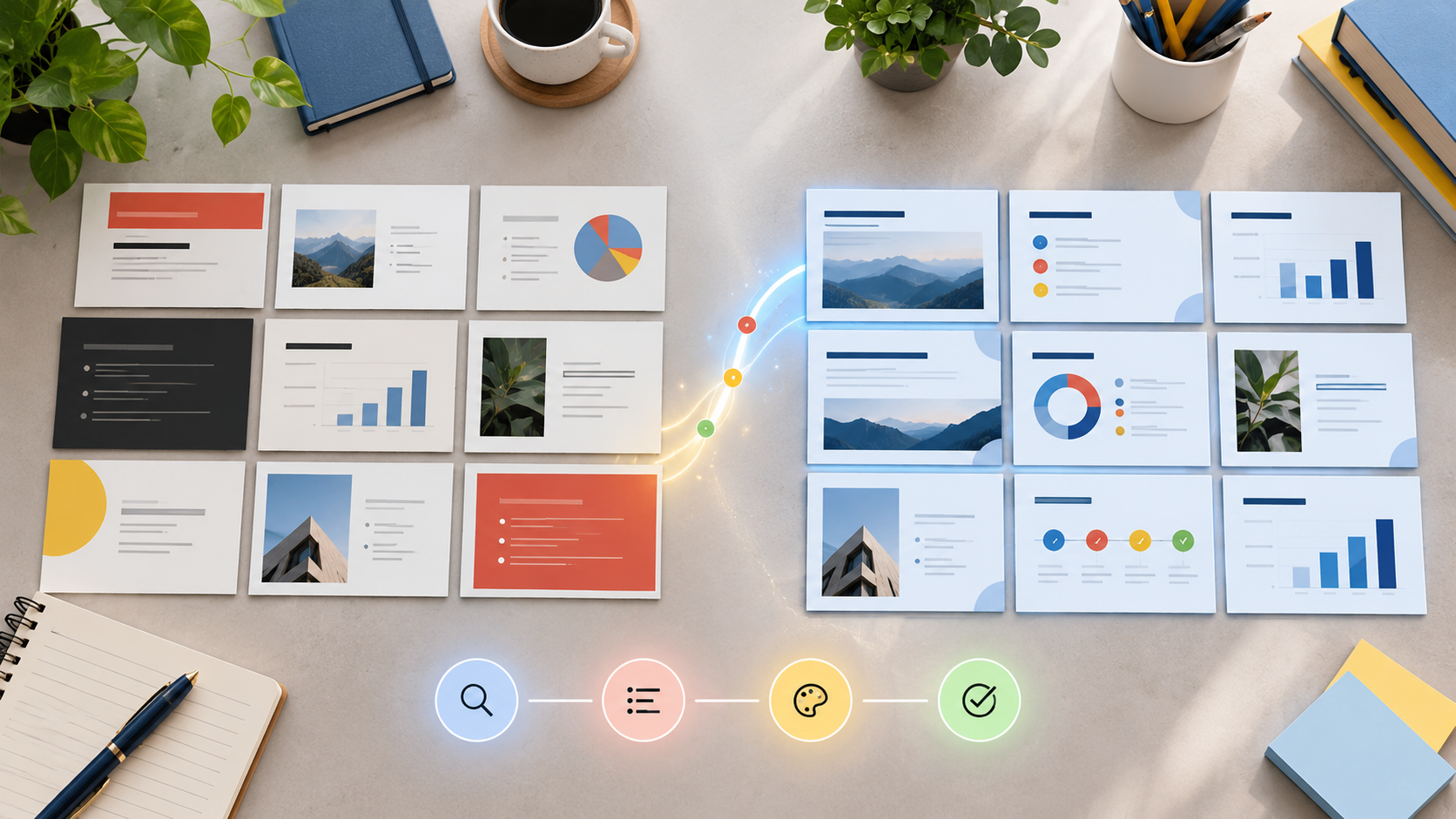
Inline image alt text: Before-and-after slide cards show an inconsistent deck becoming visually coherent through a review workflow.

Inline image caption: A controlled before-and-after pass keeps the speed benefit while making the final deck easier to trust.

Raven Prism Costs $1,499: Linux Smart Glasses Specs, Tradeoffs and Who Should Buy

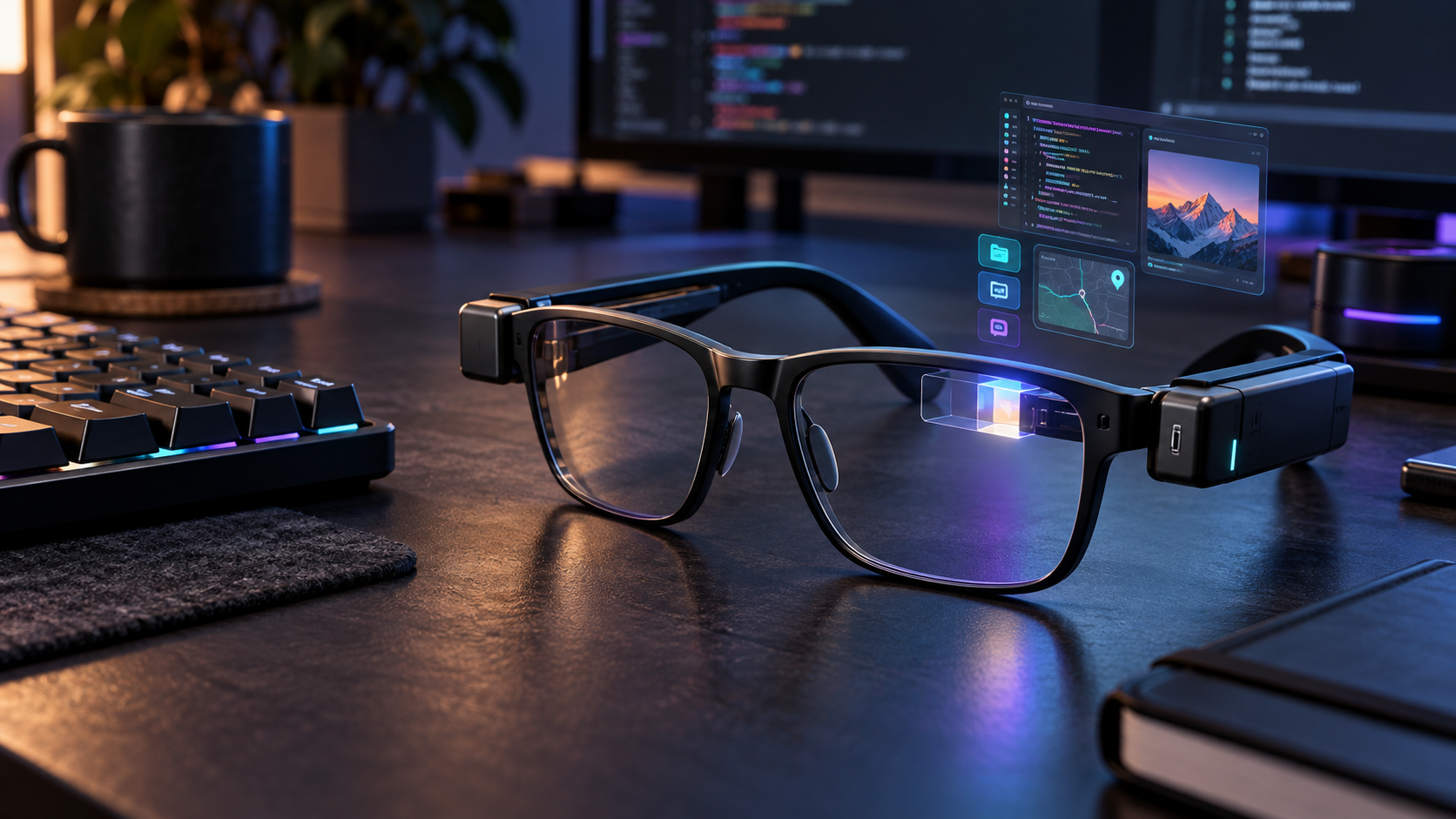
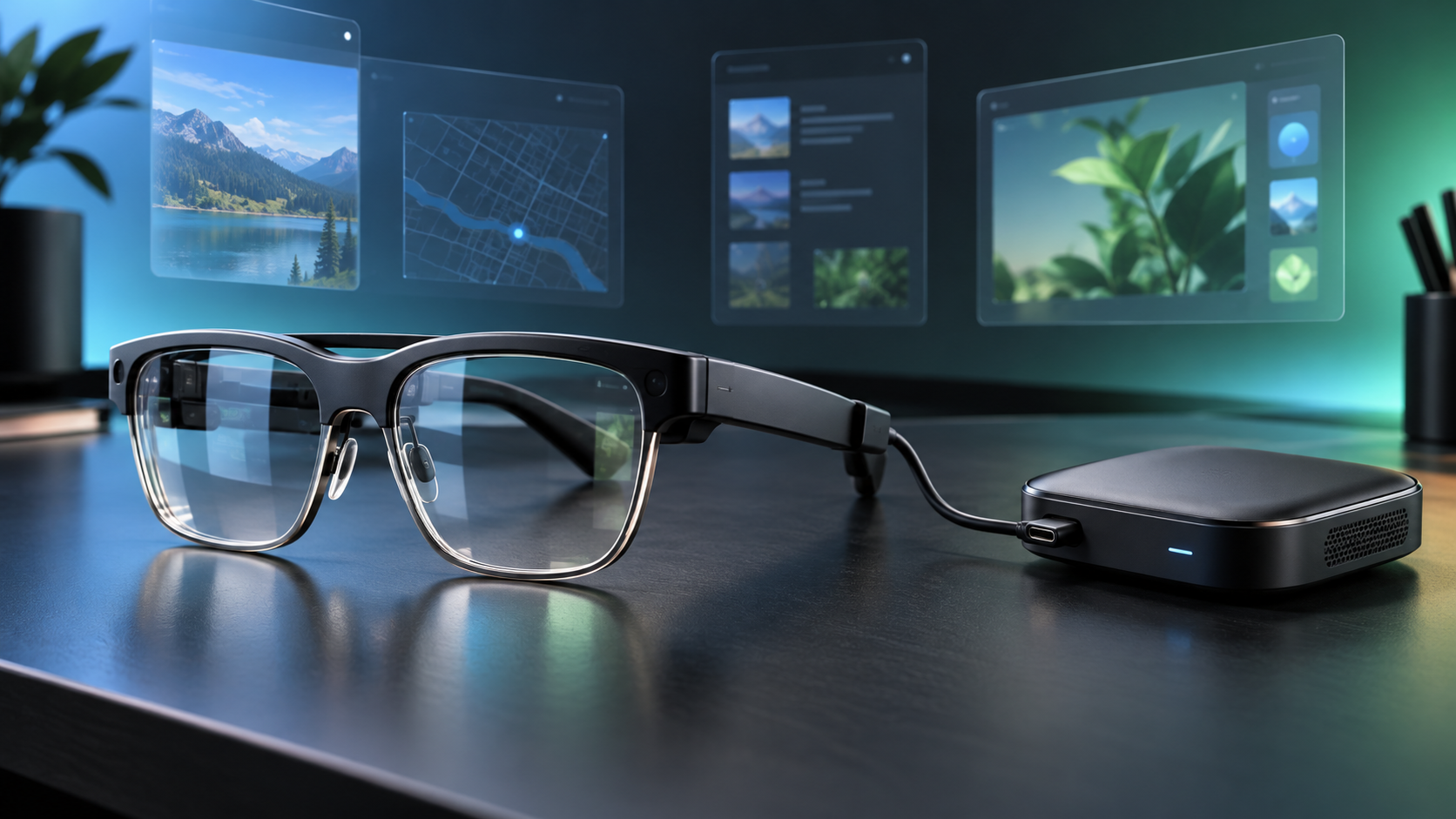
Conceptual black Linux smart glasses on a developer desk with a glowing right-eye display and floating app windows

Raven Prism is a $1,499 pair of standalone smart glasses that puts a 64-bit Linux computer, a full-color display and gaze-based controls into a frame designed for everyday wear. Reservations opened October 29, 2026, with a refundable $49 deposit, and Raven Resonance says the first units are expected to ship in January 2027.

The premise is more ambitious than a phone-connected notification display: Prism can run compatible ARM64 Linux software without a smartphone, expose hardware to developers and keep working while its modular batteries are swapped. The tradeoffs are equally important. Its view is monocular and relatively narrow, the launch is limited to early production batches, and key claims about comfort, endurance, software quality and long-session usability have not yet been independently tested.

Raven Prism at a glance

  • Price: $1,499 for Raven Prism 1; a fully refundable $49 reservation holds a place in the next available production batch.
  • Shipping: Raven says initial shipments begin in January 2027, but the current reservation page assigns later buyers to a later batch; buyers should rely on the date shown at checkout.
  • Availability: U.S. shipping first, with European Union availability promised later but no firm EU launch date.
  • Display: a right-eye, full-color 30-degree diffractive waveguide using an LCoS light engine, rated above 1,500 nits.
  • Compute: quad-core 64-bit ARM processor, up to 4GB of RAM and at least 32GB of storage running the Linux-based Raven OS.
  • Interaction: eye control, voice, Bluetooth keyboards, mice and other peripherals, plus four microphones and two downward-facing speakers.
  • Camera and sensors: 13-megapixel world-facing camera, physical camera cover, visible activity lights, motion, ambient-light and proximity sensors.
  • Power: two pairs of hot-swappable Raven Wings battery modules and a charging Wing Case are listed in the box.

This article separates Raven’s and its partners’ launch claims from facts independently observed by other publications. ReaderSpice has not tested Prism. Display clarity, prescription accuracy, eye-control reliability, battery endurance, heat, audio leakage, camera indicators and the maturity of Raven OS still need independent review testing.

The $49 deposit is not the full purchase price

Raven’s reservation page asks for $49 today, says that amount is fully refundable and lists the complete device at $1,499. The deposit secures a place in a production batch rather than a finished retail unit ready to ship immediately. The company says frame color, memory and storage choices will be selected later.

That distinction matters because early batches can fill. At the time of research, the reservation page displayed a specific next-batch assignment rather than guaranteeing January delivery for every new customer. Anyone considering the deposit should save the displayed batch, shipping region, refund language and final configuration terms before paying.

The price puts Prism above many premium laptops and far above simple wearable displays. What buyers are paying for is the combination of self-contained compute, open Linux access, prescription integration, gaze control, a color waveguide and modular power. Those features make sense only if they serve a defined workflow.

Hardware: monocular display, Linux compute and modular power

Hardware: monocular display, Linux compute and modular power

The glasses use one full-color optical display in front of the right eye. Raven and display partner Avegant describe a 30-degree diagonal field of view and compare the virtual image with a 16-inch screen viewed at arm’s length. The display sits toward the wearer’s periphery so information can be checked with a glance rather than blocking the whole scene.

A monocular design reduces hardware compared with dual-display glasses, but it is not equivalent to a wide binocular workspace. A 30-degree view is better suited to compact dashboards, instructions, messages, navigation or a small application window than to filling the user’s vision with several large virtual monitors. People with vision differences should be especially cautious until qualified testing and return details are available.

Inside the frame is a quad-core 64-bit ARM processor, up to 4GB of memory, at least 32GB of storage and a dedicated FPGA for on-device models and audio processing. Connectivity includes dual-band Wi-Fi and Bluetooth 5. The 13-megapixel camera has an 84-degree horizontal field of view, while four beamforming microphones and two speakers handle voice and audio.

Linux is the feature that makes Prism unusual

It is a standalone ARM64 computer

Raven OS is a custom Linux distribution rather than a closed phone accessory platform. Raven says owners can use SSH, run native ARM64 Linux applications and work with a Wayland compositor and OpenGL ES. That could make Prism useful for developers who want a hands-free terminal, field instructions, equipment status or custom sensor workflows without carrying a phone as the primary computer.

The launch material says more than 25 applications will be available and mentions categories such as navigation, media and AI. A headline app count does not establish quality, accessibility or long-term support. Buyers should ask whether their specific tool exists, whether it works without a cloud subscription and whether it remains usable with the small monocular view.

Open access is powerful—and adds responsibility

Low-level access is attractive for experimentation because Raven says developers can reach the camera, audio, sensors, eye controls and framebuffer. It also means a poorly secured or untrusted application could reach unusually sensitive hardware. The planned Raven App Store is supposed to use an entitlement system, but launch buyers should not assume desktop Linux software is automatically safe or well adapted to glasses.

Treat Prism like a computer worn on the face: install software from sources you trust, review permissions, keep Raven OS updated, use strong account security and separate experimental projects from confidential work. Organizations should evaluate device management, logging, incident response and camera policies before field deployment.

Eye control and voice need real-world testing

Prism’s primary interface combines dedicated eye-tracking sensors with gaze models from Pupil Labs and Raven, then adds voice and optional Bluetooth peripherals. In theory, a glance can move focus and a spoken command can act without touching the frame. In practice, eye control must be judged across different eyes, glasses prescriptions, lighting conditions, fatigue levels and accessibility needs.

A keyboard or mouse can make Linux applications more practical at a desk, but carrying peripherals weakens the all-day, hands-free pitch. Voice input also raises social and privacy questions in an office, train or shared home. Buyers should wait for demonstrations of text entry, focus errors, calibration time and recovery when gaze selection goes wrong.

Hot-swappable Raven Wings solve one problem, not every battery question

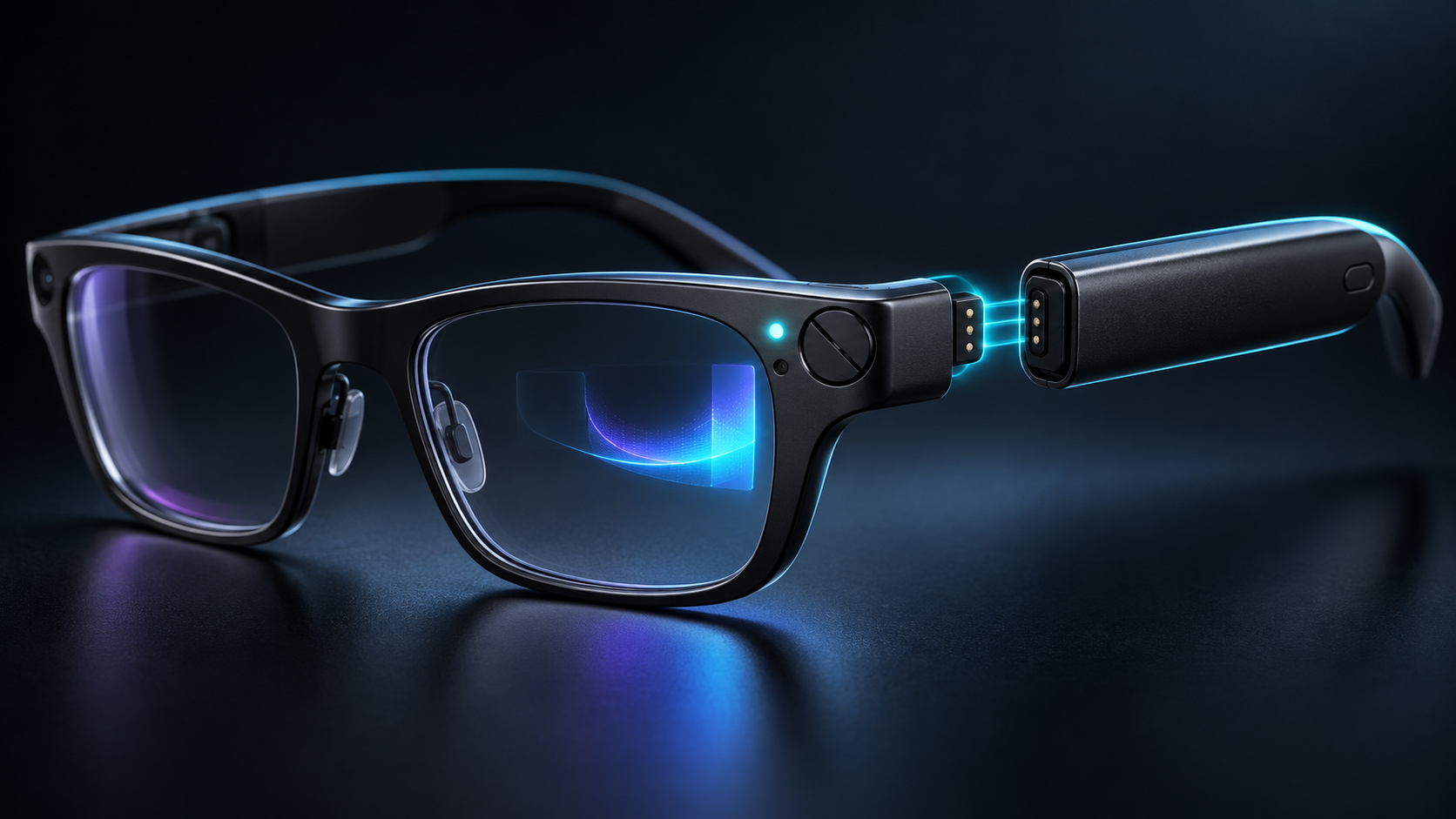
Raven Wings attach magnetically to expansion points on the frame. The company says one set can be removed and replaced while the system stays on, with applications resuming where the user left them. Two pairs and a charging case are listed as included, which could reduce downtime compared with glasses that must stop for wired charging.

Raven has not published a single independent, workload-specific endurance figure that proves all-day use. Camera recording, outdoor display brightness, Wi-Fi, AI workloads and continuous eye tracking can draw very different amounts of power. Battery-module weight, heat, charging speed, cycle life, replacement pricing and how long the internal buffer lasts during a swap all deserve testing.

The modular connector may eventually support GPS, cellular or AI-acceleration modules, according to the company. Those are future possibilities, not included launch capabilities. Do not value a reservation on accessories that have not been priced, dated or independently demonstrated.

Privacy protections are visible, but consent still matters

Hardware safeguards are a meaningful start

Prism places a physical cover over its 13-megapixel camera. Raven says the cover must be manually moved before the camera can operate, and illuminated Beakon indicators on the frame are designed to show nearby people when the camera is active. Eye-control processing is described as local, with core AI work intended to run on the device when possible.

Physical barriers and visible indicators are stronger signals than a software icon alone, but they do not answer every question. Independent reviewers should confirm whether the cover fully blocks capture, whether the activity lights are hard-wired to camera power, what microphones can record, which functions use cloud services and how logs, backups and app permissions are handled.

Wearers must account for other people

A camera-equipped computer at eye level can be uncomfortable in workplaces, classrooms, clinics, homes and public venues even when it is not recording. Follow local recording laws, obtain consent where required, obey employer and venue policies and remove the device in sensitive spaces. A visible light is not a substitute for a clear conversation with the people around you.

Prescription support, fit and shipping limits

Raven’s current reservation page says built-in prescriptions from -4.5 to +4.5 diopters are supported for the advertised batch, with wider ranges and progressive lenses planned later. That is a narrower promise than universal prescription support. Buyers should confirm whether astigmatism, prism correction, pupillary distance, lens material, remakes and refunds are covered before providing a prescription.

The company and Avegant describe the glasses as under 70 grams. That is light for a self-contained computer but still much heavier than many ordinary prescription frames, and the removable temple modules may affect balance. Fit, nose pressure, temple pressure, display alignment and comfort after several hours remain open questions.

U.S. shipping is the only firm initial region listed. The reservation page says European Union availability is coming, without a confirmed date. International buyers should not infer taxes, warranty coverage, radio approvals or support from the U.S. price.

How Prism differs from XREAL AURA and simpler display glasses

XREAL AURA, covered separately by ReaderSpice, uses Android XR and shifts most compute and battery hardware into a cable-connected puck. Its 70-degree binocular view is far wider, while Prism puts a narrower 30-degree monocular display and the computer into the glasses themselves. AURA favors a larger spatial workspace; Prism favors a self-contained, Linux-accessible form factor.

Simpler display glasses such as XREAL One Pro connect to a compatible phone, laptop or gaming handheld. They can cost less and may be better for movies or a private virtual monitor, but they do not offer Prism’s standalone Linux computer, gaze-first interface, camera, sensor access or modular batteries.

That comparison should begin with the job, not the novelty. Choose a standalone developer platform only if custom software and hands-free context matter. Choose a wider XR system if spatial windows and immersive apps matter. Choose basic display glasses if the goal is mainly a portable screen.

Who should reserve—and who should wait

Consider reserving if

  • You are an AR, Linux or wearable-computing developer with a specific ARM64 project and can tolerate early-platform changes.
  • A standalone, hands-free computer is materially more useful to your work than a phone-tethered display.
  • The refundable deposit, batch timing, prescription range and U.S.-first support are acceptable after you read the current terms.
  • You are prepared to test privacy, permissions, security and comfort rather than assuming the launch claims are settled.

Wait if

  • You need proven battery endurance, all-day comfort, mature apps or dependable enterprise support.
  • A narrow right-eye display, voice interaction or gaze control does not fit your vision or accessibility needs.
  • You expect a wide binocular workspace, immersive gaming or a replacement for several desktop monitors.
  • You live outside the United States or need progressive lenses, a wider prescription range or confirmed local warranty service.
  • You would be buying because of future GPS, cellular or AI modules that are not yet priced or scheduled.

A lower-cost display-glasses alternative

Readers who mainly want a wearable screen rather than a standalone Linux computer can compare the XREAL One Pro on Amazon. The verified U.S. listing is ASIN B0FDPGHVCB. One Pro connects to compatible phones, laptops and gaming handhelds and uses XREAL’s X1 chip for spatial display modes, but it does not reproduce Prism’s ARM64 computer, camera, eye-control sensors or modular power. Confirm the selected fit, seller, compatibility and return terms before ordering.

Affiliate disclosure: ReaderSpice may earn a commission from qualifying Amazon purchases made through the link above, at no additional cost to you.

Bottom line

Raven Prism is one of the more technically interesting smart-glasses launches of 2026 because it is not merely an accessory. A standalone Linux computer, local developer access, a color waveguide, gaze input, physical camera cover and hot-swappable batteries create possibilities that closed phone companions cannot match.

Those same ambitions make it an early-adopter product. The $1,499 price, narrow monocular view, limited initial shipping, batch-based reservation, prescription constraints and missing independent endurance data are serious qualifications. Developers with a defined hands-free use case can justify a refundable reservation after reading the current terms. Most consumers should wait for shipping units, full app details and independent comfort, battery and privacy testing.

Sources

Raven Resonance: Raven Prism hardware, display, camera, sensors and Raven OS

Raven Resonance: reservation price, refundable deposit, shipping regions and included accessories

Raven Resonance: developer access, Linux stack, eye control and application permissions

PR Newswire: October 29 launch announcement, preorder terms and privacy claims

Avegant: LCoS waveguide partnership, weight, field of view and launch specifications

Notebookcheck: independent launch summary, limitations and batch availability context

Amazon: XREAL One Pro (ASIN B0FDPGHVCB)

Apple Creator Studio November Update Adds AI Assistants and MCP: What Changes

Abstract creative software workspace showing AI-assisted video, image, music and automation tools

Apple’s next Creator Studio update is much broader than a routine app refresh. Announced on October 27, 2026, the November release brings built-in MotionVFX content to Final Cut Pro, a larger Content Hub, deeper links between Final Cut Pro and Pixelmator Pro, a new Logic Pro assistant, Generate Fill in Pixelmator Pro, and context-aware assistants in Keynote, Pages and Numbers.

The most consequential change may be the least visual one: Model Context Protocol support will let compatible external AI agents and tools read content, perform edits and execute actions inside Apple’s productivity apps. That could turn documents, presentations and spreadsheets into automation surfaces, but it also makes permission design and review more important.

Apple says the update will arrive through the App Store in November at no additional cost for current Creator Studio subscribers. The company has not published an exact November release date, and several assistant features will launch in beta. Buyers should treat the announcement as a roadmap for the month, not a promise that every feature will be mature on day one.

The November update at a glance

  • Final Cut Pro for Mac adds built-in MotionVFX effects, transitions, templates and motion-graphics tools.
  • Final Cut Pro gains Apple-curated stock video, photos and backgrounds through the Content Hub.
  • Images in a Final Cut Pro timeline can open directly in Pixelmator Pro and return to the project after editing.
  • Pixelmator Pro adds Generate Fill for natural-language edits inside selected areas.
  • Logic Pro for Mac gets an intelligent assistant in beta, a redesigned sound Browser and expanded Stem Splitter controls.
  • Keynote, Pages and Numbers gain context-aware assistants plus Model Context Protocol support.
  • The update is scheduled for November and is free for existing Apple Creator Studio subscribers.

That list covers different kinds of value. Some features add bundled content, some remove import-and-export friction, and others place generative AI or automation inside an existing project. A subscription can therefore become more useful without making every creator faster; the benefit depends on whether the new tools replace paid plug-ins, stock libraries or repetitive setup work in a real workflow.

Final Cut Pro gains MotionVFX and a larger Content Hub

Final Cut Pro for Mac will integrate MotionVFX directly, giving subscribers access to thousands of templates, titles, transitions and tools for jobs such as tracking, rotoscoping and color grading. Apple does not say that every MotionVFX product is included, so editors should verify the exact catalog and licensing before assuming an existing third-party purchase is unnecessary.

The Content Hub is also expanding into Final Cut Pro with stock video, photos and backgrounds. The practical advantage is speed: an editor can search for a temporary cutaway, background or visual texture without leaving the application. The tradeoff is dependency. Teams should confirm whether downloaded assets remain licensed inside completed projects after a subscription ends and whether collaborators can reopen timelines that use subscriber-only content.

Apple is also tightening the path between Final Cut Pro and Pixelmator Pro. A still image can open from the timeline in Pixelmator Pro, receive detailed edits, and save back into the video project automatically. That is more useful than a simple “open with” command because it reduces duplicate exports and lowers the chance that an editor relinks the wrong version.

Other Final Cut Pro changes include additional keyframe-easing options, the ability to disconnect clips from the primary storyline and 23 new transcription languages. Those improvements are less dramatic than generative AI, but they may save more time in everyday editing because they affect animation, timeline organization, captions and search.

Pixelmator Pro gets Generate Fill

Generate Fill lets a creator select an area and describe the requested change in natural language. Apple says the system analyzes surrounding lighting, texture and perspective, then can insert the generated result on a new layer with an intelligent mask or merge it into existing layers.

The layer option matters. A generated replacement is easier to inspect, resize, mask or remove when it remains separate from the original pixels. Creators preparing product images, thumbnails or client work should still zoom in for repeated textures, incorrect object edges, distorted hands, false reflections and other synthetic artifacts before publishing.

Generate Fill is not a substitute for source-image rights. It changes pixels; it does not automatically clear trademarks, model releases, copyrighted references or contractual restrictions. Teams should keep the original file, record the prompt where appropriate and preserve a review step for commercial work.

Logic Pro adds an assistant, drum separation and sound discovery

Logic Pro for Mac will receive an intelligent assistant in beta that can help navigate production workflows, start a song, configure a vocal track or refine an active project from a prompt. Apple says it uses a combination of Apple-built and third-party models. The assistant sounds most useful as a setup and discovery layer, not as a replacement for critical listening or engineering decisions.

Stem Splitter is also expanding so users can isolate, replace or rebalance drum parts without the original multitrack session. A redesigned Browser will bring loops, instruments and effect patches into one place. On-device music understanding can analyze and tag imported sounds, then surface related material when a creator searches or drags in a loop.

Those features may shorten the time between an idea and a workable session, particularly for creators with large sample libraries. They also create new quality-control work. Automatic tags can be wrong, stem separation can introduce artifacts, and an assistant can recommend technically valid steps that do not fit the artistic intent.

The bigger shift: assistants and MCP inside documents

The bigger shift: assistants and MCP inside documents

Keynote, Pages and Numbers will add assistants that understand the current document. Apple says Keynote can help design, animate and refine slides; Pages can draft, restructure and tune writing; and Numbers can calculate, organize data, recommend chart types and build custom tables using broader world knowledge.

Model Context Protocol support extends the idea beyond Apple’s built-in assistant. MCP is an open way for an AI application to discover approved tools and data sources. In practical terms, a compatible agent could read a presentation, update a table, reorganize a document or perform a defined workflow without relying only on copy and paste.

What MCP could enable

  • Turn a structured outline into a Keynote draft, then apply a house template and add speaker notes.
  • Read a Pages report, update approved sections from a trusted data source and flag unsupported claims for review.
  • Build or revise a Numbers table, calculate derived values and preview a suitable chart.
  • Connect document work to a broader agent workflow while keeping the final artifact in Apple’s native apps.

Those are possibilities, not guarantees for every third-party agent. The useful boundary will be the permission model: which app can connect, which files it can access, what actions require confirmation and whether changes can be reviewed or reversed. A capable agent with broad access can make broad mistakes quickly.

Organizations should begin with test files, limited scopes and human approval for external sharing, destructive edits, formulas and financial or legal content. They should also decide whether confidential documents may be sent to a model provider before enabling an integration.

AI usage limits and privacy details

Apple’s support material says some Creator Studio intelligence features use outside providers. Generate Presentation uses OpenAI, while certain image, shape and presenter-note generation features use Google Cloud. Apple says users do not need personal accounts with those providers and that requests are not associated with the user’s Apple Account.

Apple also says providers receive the request, shared content and limited context such as region, device type, language and the feature being used. According to Apple, providers may not use that information to train their models and do not store it unless legally required. Those are important protections, but users still choose what content to submit.

The company publishes minimum monthly generation levels if someone uses only one category:

  • At least 50 generated images.
  • At least 250 generated shapes.
  • At least 50 generated presentations of roughly eight to 10 slides each.
  • Presenter notes for at least 700 slides.

Actual use can vary with prompt complexity, server availability and other conditions. A team planning a production dependency should not treat the minimums as unlimited capacity. Keep a manual path for deadlines, and check the in-app usage-status screen before committing to a high-volume project.

What remains free and what still needs a subscription

Keynote, Pages, Numbers and Freeform remain free for creating, editing and collaborating. Creator Studio adds premium templates, curated content and subscriber-only intelligence features. That distinction matters for recipients: a client or family member can still open an ordinary document without paying simply because the author subscribes.

Final Cut Pro, Logic Pro, Pixelmator Pro, Motion, Compressor and MainStage also remain available as separate one-time Mac purchases. Existing owners can keep using their standalone versions. A subscription is more attractive when someone needs several apps across Mac and iPad or values the recurring content and AI additions; a one-time license can still make sense for a stable single-app workflow.

Pricing and release timing

  • Standard U.S. price: $12.99 per month or $129 per year after a one-month free trial.
  • Education price: $2.99 per month or $29.99 per year for eligible college students and educators.
  • Family Sharing: the standard plan can be shared with up to five other family members.
  • New qualifying Mac or iPad purchases can include three free months for eligible new or returning subscribers.
  • November update: free for current subscribers; exact release date not announced.
  • Freeform additions: some announced image-editing and shape-generation features are scheduled for December.

At $129 per year, the bundle costs less than purchasing several included Mac apps separately, but that comparison is incomplete. A one-time purchase can be used without an active subscription, while subscriber-only AI features, premium content and some cross-device access depend on continued payment. Compare the apps you will actually use, not the theoretical value of the whole bundle.

Who should care about this update

Video editors and solo creators

The strongest immediate case is for editors who already use Final Cut Pro and regularly buy templates, motion graphics or stock assets. MotionVFX integration and the Content Hub could reduce context switching and separate subscriptions. The Pixelmator round trip may also help thumbnail and still-image work.

Music producers with large libraries

Logic Pro’s redesigned Browser, sound analysis and expanded Stem Splitter target the unglamorous work of finding, preparing and separating material. The assistant could help new users discover commands, but experienced producers should judge it by whether it speeds setup without interrupting creative decisions.

Teams experimenting with document automation

The Keynote, Pages and Numbers assistants plus MCP support deserve attention from operations, marketing and education teams. They could make Apple’s productivity apps easier to include in agent-driven workflows. The beta label and permission questions mean pilots should begin with low-risk documents.

People who should wait

Wait if you need a guaranteed release date, rely on a plug-in that has not confirmed compatibility, or expect unlimited AI generation. Single-app users who already own a perpetual Mac version should also compare the added features with the recurring cost before switching.

A practical checklist before enabling the new tools

  • Update a duplicate test project first and confirm that essential plug-ins, fonts, media and templates still load.
  • Review the exact MotionVFX and Content Hub licensing terms for client delivery, collaboration and archival projects.
  • Test Generate Fill on noncritical images and keep the original layer or source file.
  • Check which AI provider a feature uses before submitting confidential or regulated information.
  • Limit MCP-connected agents to the smallest set of files and actions needed for the workflow.
  • Require review before an agent changes formulas, publishes a document or shares files outside the team.
  • Record the app version used for a client deliverable so the project can be reconstructed later.

Amazon accessory option for mobile creators

Creators using a compatible MacBook Pro away from the desk may want a second power adapter for a travel bag or studio. The Apple 96W USB-C Power Adapter on Amazon is ASIN B081FVQCHQ; verify wattage, cable requirements and Mac model compatibility before ordering. ReaderSpice may earn a commission from qualifying purchases at no extra cost to you.

Bottom line

Apple Creator Studio’s November update is meaningful because it connects three layers that often live in separate products: professional creative tools, curated assets and context-aware automation. Final Cut Pro and Pixelmator Pro get the most concrete workflow improvements, Logic Pro gains discovery and assistant features, and Apple’s productivity apps become potential endpoints for AI agents through MCP.

The update is not a reason to abandon review or version control. Generative edits can be wrong, assistants can misunderstand context and external agents can change more than intended. Used with scoped permissions and human approval, the new tools could remove repetitive work. Used casually on important projects, they could create new cleanup.

Sources

Apple Newsroom — Apple Creator Studio November update announcement

Apple — Creator Studio features, pricing and requirements

Apple Support — Creator Studio intelligence features, privacy and usage limits

9to5Mac — independent summary of the November AI and MCP update

MacBook Pro PROLED XDR Starts at $2,899: OLED Touchscreen, Specs and Buying Advice

Premium dark laptop with a vivid blue and magenta OLED-style display in a creative studio

Apple’s first touchscreen Mac is a premium MacBook Pro variant built around a new tandem-OLED display. The MacBook Pro with PROLED XDR Display starts at $2,899 in the United States, comes in 14- and 16-inch sizes, and pairs the new screen with M5 Pro or M5 Max chips rather than the M6 used in the separate $1,999 entry model.

The display, touch support, Dynamic Island and lighter chassis are major changes, but the launch also creates a complicated buying decision. The OLED models cost substantially more than the standard MacBook Pro, they do not fold into tablets, and they lack Apple Pencil support. Here is what the specifications mean, what early hands-on reports found and who should wait for full reviews.

PROLED XDR MacBook Pro at a glance

  • U.S. preorder date: October 28, 2026.
  • Availability: November 6, 2026, through Apple Stores and authorized resellers.
  • Starting prices: $2,899 for the 14-inch M5 Pro model and $3,399 for the 16-inch M5 Pro model.
  • M5 Max prices: $4,499 for the 14-inch model and $4,799 for the 16-inch model.
  • Display: tandem OLED, up to 2,000 nits peak HDR or outdoor SDR brightness, 10,000,000:1 contrast and 10Hz-to-120Hz adaptive refresh.
  • New interactions: Multi-Touch input and Dynamic Island; no Apple Pencil support and no convertible tablet mode.
  • Memory and storage ceilings: up to 128GB of unified memory and up to 16TB of SSD storage, depending on configuration.

Launch price and configurations

Apple is selling the OLED touchscreen MacBook Pro as a high-end branch of the lineup rather than replacing every model. The four entry points are:

  • 14-inch with M5 Pro: starts at $2,899.
  • 16-inch with M5 Pro: starts at $3,399.
  • 14-inch with M5 Max: starts at $4,499.
  • 16-inch with M5 Max: starts at $4,799.

Those prices are before expensive memory, storage, nano-texture glass and chip upgrades. Apple lists storage configurations reaching 16TB and memory reaching 128GB on supported M5 Max builds. A fully configured machine can therefore cost far more than the headline price. Buyers should build the exact configuration they need and compare it with an external-storage workflow before treating the starting number as representative.

The new OLED models coexist with the 14-inch M6 MacBook Pro that starts at $1,999. The less expensive M6 system uses the familiar Liquid Retina XDR mini-LED display, has no touchscreen and tops out at 32GB of memory. The OLED models cost more because they combine a redesigned display and chassis with higher-tier M5 Pro or M5 Max chips, more memory bandwidth, Thunderbolt 5 and larger configuration ceilings.

Why PROLED XDR is different

PROLED XDR is Apple’s name for a tandem-OLED display stack. Unlike the mini-LED backlight in the standard MacBook Pro, OLED pixels emit their own light and can switch fully off for black. The tandem construction uses multiple emitting layers to increase brightness and durability while preserving OLED’s pixel-level contrast.

Apple specifies a 10,000,000:1 contrast ratio, one billion colors, P3 and Adobe RGB gamut coverage, and adaptive refresh rates from 10Hz to 120Hz. The display is rated for up to 1,000 nits sustained full-screen brightness and up to 2,000 nits peak brightness for HDR content or outdoor SDR use. Those are maximum conditions, not a promise that every app or full-screen workload will remain at 2,000 nits.

The wider Adobe RGB coverage is particularly relevant to photographers and print-oriented designers. Apple says both P3 and Adobe RGB are available in a single default preset, while professional reference modes remain available for controlled workflows. Color-critical buyers should still profile the display for their environment and wait for independent measurements of uniformity, white point, near-black behavior and long-term image retention.

What Touch changes in real work

What Touch changes in real work

Touch on the PROLED model supports familiar actions such as scrolling, pinch-to-zoom, window movement, file dragging and direct manipulation in supported creative apps. Apple demonstrated drawing in Pixelmator Pro, arranging clips in Final Cut Pro, playing software instruments in Logic Pro and interacting with 3D content directly on the screen.

The Mac remains a conventional clamshell laptop. The screen does not rotate into a tablet, detach or lie flat as a drawing surface, and Apple Pencil is not supported. Early hands-on reporting from The Verge and Ars Technica also found that firm taps can move the display and that small controls in older software can remain awkward even when macOS translates taps into clicks.

That makes Touch an optional input method rather than a replacement for the keyboard and Force Touch trackpad. It may be genuinely useful for quick timeline scrubbing, photo zooming, presentation control, software-instrument pads and testing touch behavior in iPhone or iPad apps. Long drawing sessions, precision masking and sustained finger input may still be more comfortable on a pen display or iPad.

Dynamic Island replaces the notch

The camera cutout now sits inside a Dynamic Island that can expand for Live Activities, Spotlight, media controls, brightness, volume and Siri AI. The smaller floating area reduces the visual weight of the previous notch, although it still occupies screen space and may interact differently with full-screen apps and games.

Apple says developers can work with the new interface through macOS 27. Buyers who depend on full-screen color-grading, gaming or presentation software should wait for compatibility testing. An app can work without being optimized for Touch or Dynamic Island, but its controls and menu behavior may not feel designed for the hardware.

M5 Pro and M5 Max performance tiers

The OLED MacBook Pro uses M5 Pro and M5 Max chips, which remain higher-tier parts even though the entry model now carries the newer M6 name. Chip generation alone is not a reliable performance ranking. The M5 Pro and M5 Max configurations provide more CPU and GPU cores, greater memory bandwidth, larger memory ceilings, additional media engines on Max models and broader external-display support than the base M6 MacBook Pro.

Apple lists M5 Pro configurations with up to an 18-core CPU and 20-core GPU. M5 Max configurations reach an 18-core CPU and up to a 40-core GPU, with memory bandwidth as high as 614GB/s on the top tier. Real performance will depend on the selected chip, memory capacity, thermal behavior and application support.

The M5 Max models are aimed at workflows such as large video timelines, 3D rendering, complex music projects, scientific computing and local AI models that need more than 32GB of unified memory. A creator who mainly edits occasional 4K video, develops standard applications or works in Lightroom may get better value from M5 Pro or even the less expensive M6 model.

Ports, displays and wireless connectivity

Every PROLED model includes three Thunderbolt 5 ports, MagSafe 3, HDMI, an SDXC card slot and a 3.5mm headphone jack. Apple specifies Thunderbolt 5 and USB4 speeds up to 120Gb/s for supported modes and accessories. Actual transfer speed depends on the dock, storage device, cable, enclosure and workload; a Thunderbolt 5 label does not make a slower SSD faster.

M5 Pro configurations support up to three external displays, while M5 Max configurations support up to four, according to Apple. That distinction matters for fixed editing, trading, software-development and control-room setups. Verify the exact resolution and refresh-rate combination in Apple’s technical specifications before buying monitors or docks.

The N1 networking chip adds Wi-Fi 7, Bluetooth 6 and Thread. Wi-Fi 7 requires a compatible router and suitable network conditions, and Thread support is primarily useful for compatible smart-home devices. The laptop cannot overcome an older access point, congested internet connection or poorly positioned router.

Lighter design, but familiar ergonomics

Apple lists the 14-inch model at 3 pounds and the 16-inch model at 4 pounds. That is roughly half a pound lighter for the 14-inch design and 0.7 pound lighter for the 16-inch compared with their preceding high-end counterparts. The chassis is also slightly thinner, with narrower display borders and a 16.3-inch panel on the larger model.

A reinforced hinge is intended to improve stability during touch use, but the device still asks the user to reach across the keyboard. The Verge reported some wobble with firmer taps, while Ars Technica described Touch as familiar and useful without turning the MacBook into a different category of device. Those are early impressions from limited hands-on time, not long-term ergonomic testing.

Apple also revives an illuminated logo on the lid, with brightness tied to the display. That detail is cosmetic, but it helps distinguish the redesign from the standard M6 model and recent MacBook Pro generations.

Battery life and charging

Apple advertises up to 24 hours of battery life across the new family, but the exact claim changes by size and processor. For the 14-inch model, Apple lists up to 22 hours of video streaming with M5 Pro and up to 20 hours with M5 Max, plus up to 14 or 13 hours of wireless web use respectively. Real endurance will fall with high brightness, sustained CPU or GPU work, external displays and connected storage.

The 14-inch model has a 72.6-watt-hour battery and supports fast charging with a 96W or higher USB Power Delivery source. The Mac can charge through MagSafe or USB-C. Check the adapter included with the selected configuration before buying another one; included power supplies can differ by size and chip.

For buyers who want a second high-wattage charger for a 14-inch setup, the Apple 96W USB-C Power Adapter is available on Amazon under ASIN B081FVQCHQ. It does not include a charging cable, and a separate charger is unnecessary if the included adapter already meets the workflow. Confirm the seller, condition, model, return policy and final price before ordering.

Disclosure: ReaderSpice may earn a commission from qualifying Amazon purchases made through the link above, at no additional cost to you.

OLED tradeoffs to evaluate

Tandem OLED addresses brightness and durability more aggressively than a conventional single-stack panel, but it does not remove every OLED question. Static menu bars, editing interfaces and code windows can remain on screen for hours. Apple has not published a consumer burn-in warranty specific to these models, so long-term image-retention behavior needs independent testing.

The glossy touchscreen also collects fingerprints. Apple applies an oleophobic coating and offers nano-texture glass, but buyers should compare glare, cleaning requirements and perceived contrast in person. Nano-texture can reduce reflections in bright rooms, yet it adds cost and may change the appearance of deep blacks or fine detail.

Touch controls can also create accidental input when adjusting the screen or pointing during a meeting. macOS settings and application updates may improve the experience, but buyers should not assume every established Mac app has been redesigned around fingers on day one.

Who should consider the PROLED model

  • Consider it if the built-in display is central to paid work, especially HDR finishing, color-critical photography, print design, high-end motion graphics or mobile 3D production.
  • Consider it if Touch directly improves a supported workflow and the nonconvertible laptop form is acceptable.
  • Choose M5 Pro when strong pro performance, Thunderbolt 5 and up to three external displays are enough.
  • Choose M5 Max only when GPU throughput, extra media engines, four-display support or more than the M5 Pro memory ceiling saves measurable work time.
  • Wait if the purchase depends on burn-in behavior, battery endurance, display accuracy, fan noise or touchscreen ergonomics; full reviews should test all five.
  • Buy the $1,999 M6 model instead if 32GB of memory, Thunderbolt 4, two external displays and the mini-LED screen already meet the requirement.

The bottom line

The MacBook Pro with PROLED XDR Display is Apple’s most consequential laptop redesign in years. Tandem OLED, Touch, Dynamic Island, lower weight, Thunderbolt 5 and high-end M5 Pro or M5 Max configurations give professional users meaningful capabilities that the standard M6 model does not offer.

It is also a specialized and expensive machine. The $2,899 starting price is only the beginning, Touch does not create an iPad-style convertible, Apple Pencil is absent and long-term OLED behavior remains untested. Buyers should select it for a display, memory, GPU or workflow requirement—not simply because it is the newest-looking MacBook Pro.

Sources

Apple Newsroom: MacBook Pro with PROLED XDR Display announcement — October 28, 2026

Apple: MacBook Pro with PROLED XDR Display technical specifications

The Verge: Hands-on with Apple’s touchscreen MacBook Pro

Ars Technica: Touchscreen MacBook Pro hands-on

ReaderSpice: M6 MacBook Pro price, specifications and upgrade advice

Amazon: Apple 96W USB-C Power Adapter (ASIN B081FVQCHQ)

XREAL AURA Launches at $1,099: Android XR Specs, Tradeoffs and Who Should Buy

Optical see-through XR glasses connected by cable to a compact compute puck on a desk with floating app windows

XREAL AURA is now available to order as the first wired optical see-through glasses powered by Android XR. Google and XREAL opened U.S., Canadian and Korean orders on October 28, 2026, with a limited launch price starting at $1,099 and U.S. shipments expected to begin in mid-November.

AURA puts transparent Micro-OLED displays, cameras and sensors on the face while moving the heavier computing and battery hardware into a cable-connected puck. That split design makes the glasses lighter than a self-contained headset, but it also means the experience depends on a second device in a pocket or hand. Buyers should treat the launch as an early-adopter product, not a proven laptop or monitor replacement.

XREAL AURA at a glance

  • Launch price: $1,099 for 12GB of memory and 256GB of storage through the end of 2026; regular price is $1,279.
  • Higher configuration: $1,299 for 16GB of memory and 512GB of storage during the launch offer; regular price is $1,499.
  • Availability: orders are open in the United States, Canada and Korea, with Japan following on November 2; U.S. shipping is scheduled to begin in mid-November.
  • Glasses: optical see-through Sony Micro-OLED displays with 1920 × 1200 pixels per eye, up to 120Hz and a 70-degree field of view.
  • Compute puck: Snapdragon Reality Elite platform, a 4,455mAh battery, Wi-Fi 6/6E, Bluetooth 5.3 and two USB-C ports.
  • Interaction: hand tracking, voice, the puck touchpad, Bluetooth keyboards and mice, game controllers and Gemini on Android XR.
  • Age and setup: Google lists AURA for users 18 and older and says setup and a compatible account are required.

The specifications and performance claims in this article come from Google, XREAL and Qualcomm-linked launch material unless otherwise noted. ReaderSpice has not independently tested AURA, so display clarity, heat, comfort, battery life, tracking stability and camera behavior still need review testing.

The $1,099 price is temporary

Google says the $1,099 starting price applies through the end of 2026. The base configuration combines 12GB of memory with 256GB of storage. The 16GB/512GB model launches at $1,299. XREAL’s regular prices are $1,279 and $1,499, respectively, so waiting until 2027 could add $180 to the base model or $200 to the larger configuration.

A discount is not a reason to rush a first-generation platform purchase. The safer buying path is to confirm the correct fit, understand the return window, identify the Android and XR apps you actually need and wait for independent reviews if comfort or productivity will decide the purchase. Google also says features, subscriptions and availability vary by region.

What the hardware includes

  • Dual Sony Micro-OLED panels at 1920 × 1200 pixels per eye, with up to 120Hz refresh and a claimed 1,050-nit maximum brightness.
  • A 70-degree optical see-through field of view, 32 pixels per degree, 100 percent sRGB coverage and individual factory calibration with a claimed Delta E below 3.
  • Two world-facing tracking cameras for six-degrees-of-freedom spatial anchoring, plus hand tracking and a high-resolution perception camera with a privacy indicator light.
  • Five electrochromic transparency levels that can darken the lenses for more immersive viewing; XREAL claims the darkest setting blocks up to 99.9 percent of outside light.
  • Bose-tuned audio, Android XR spatial audio and a four-microphone array.
  • An XREAL X1S spatial coprocessor in the glasses and Qualcomm’s Snapdragon Reality Elite platform in the compute puck.
  • A prescription-lens insert frame in the box, along with three nose-pad sizes, a carrying case, belt clip, glasses cable and charging cable.

XREAL lists two fit sizes rather than one universal frame. Interpupillary-distance ranges and fit guidance should be checked on the current order page before buying, especially because a mismatched optical fit can affect clarity and comfort more than a headline resolution number.

The tethered design shifts weight off your face

The tethered design shifts weight off your face

Google describes the glasses as under 95 grams, while the puck holds the Snapdragon processor, battery, wireless radios, storage and most of the controls. The on-face hardware is still heavier than ordinary glasses, but moving the battery and primary compute platform away from the temples should reduce the weight users carry on the nose and ears.

The cable is the tradeoff. It can catch on clothing, requires a place for the puck and complicates quick on-and-off use. The puck’s second USB-C port supports charging and DisplayPort input, allowing wired mirroring from compatible laptops and handheld gaming devices while the dedicated glasses port remains connected. Buyers should verify video-output compatibility rather than assuming every USB-C port supports DisplayPort.

The puck includes a touchpad and fingerprint button, and XREAL lists hand, voice, keyboard, mouse and controller input. That flexibility is useful at a desk, but productivity still depends on app support, text legibility, keyboard access and whether the software keeps windows stable through a full session.

Android XR is the main reason AURA is different

It runs apps instead of acting only as a display

AURA is not merely a wearable monitor. Android XR can run familiar Android apps from Google Play alongside experiences built specifically for XR. Google says users can keep multiple spatial and 2D apps visible, play mobile or tablet games, watch immersive video, mirror a PC or handheld and use window-follow mode to keep content in front of them while seated or moving.

XREAL says more than 150 made-for-XR experiences are available around launch, while ordinary Android apps widen the catalog. That does not mean every phone app will feel natural in space. Touch-first interfaces may work best as flat virtual windows, and professional workflows still need testing with real files, peripherals and long sessions.

Gemini can use visual and screen context

Google says Gemini on Android XR can understand what the wearer is seeing and doing across the real world and on-screen apps, then respond conversationally. That could help with navigation, troubleshooting, entertainment and multitasking without requiring the user to describe every visible detail.

The same capability deserves a privacy review. AURA includes a high-resolution camera and four microphones, and the camera has a privacy LED. Before using it around coworkers, family members or confidential information, check the current recording indicators, account controls, app permissions, cloud-processing terms and workplace rules. A visible indicator is useful, but it does not replace consent or careful permission management.

Where AURA could be practical

  • Travelers who want a large private screen at an airport, hotel or airplane seat without carrying a full-size monitor.
  • Developers and businesses evaluating Android XR applications, managed deployments or spatial workflows.
  • Gamers who want Android titles, XR experiences or a wired virtual display for a compatible PC or handheld.
  • Early adopters who value transparent optics and multiple spatial windows more than the simplicity of a conventional laptop screen.
  • Media viewers interested in 3D movies, 180- and 360-degree video and spatial conversion of compatible photos or video.

Important tradeoffs before ordering

  • The $1,099 price is still higher than many laptops, tablets, monitors and simpler display glasses.
  • The compute puck and cable reduce on-head weight but add something else to charge, carry and manage.
  • XREAL has not published one simple real-world battery-life number that covers gaming, video, Gemini and productivity workloads.
  • A 70-degree field of view is wider than XREAL’s earlier glasses but still does not fill natural human vision.
  • Transparent displays face changing room and daylight conditions; electrochromic dimming can help, but buyers should not assume identical clarity everywhere.
  • Prescription users need the insert and compatible lenses, and everyone should confirm the correct frame size and return policy.
  • App quantity is not the same as app quality. Android apps may run in flat windows even when they are not designed for spatial interaction.

Who should buy now—and who should wait

Consider buying now if

  • You have a specific XR development, travel, gaming or multi-screen use case and can tolerate first-generation software changes.
  • You are comfortable with a tethered puck and have verified the fit, prescription path, region, return window and required accessories.
  • The launch discount matters and independent testing is not essential to your decision.

Wait if

  • You need proven all-day comfort, measured battery life or dependable replacement for a work monitor.
  • You dislike cables, want ordinary glasses weight or expect a fully self-contained headset.
  • Your key apps, employer policies or accessibility needs have not been confirmed for Android XR.
  • You mainly want a private virtual screen and do not need Android XR, cameras, hand tracking or Gemini.

A lower-cost XREAL alternative

Readers who mainly want a wearable display rather than a standalone Android XR computer can compare the XREAL One Pro on Amazon. The verified U.S. listing is ASIN B0FDPGHVCB. One Pro uses XREAL’s X1 chip for spatial display modes and connects to compatible phones, laptops and gaming handhelds, but it does not replace AURA’s Android XR compute puck, perception system or full app platform. Confirm the selected IPD size, seller, compatibility and return terms before ordering.

Affiliate disclosure: ReaderSpice may earn a commission from qualifying Amazon purchases made through the link above, at no additional cost to you.

Bottom line

XREAL AURA is one of the clearest attempts yet to turn optical see-through glasses into a portable spatial computer. The 70-degree view, Android XR software, Gemini context, dual-chip architecture and launch pricing are more ambitious than a basic virtual display, while the under-95-gram glasses show why XREAL separated the processing and battery into a puck.

That split is also the product’s defining compromise. AURA is lighter on the face because it is not self-contained, and its broad software promise still needs independent testing in real work, travel and gaming. Early adopters with a specific use case can justify the $1,099 launch price; most buyers should wait for comfort, battery and app-quality reviews before committing.

Sources

Google: XREAL AURA launch, availability, pricing and Android XR features

XREAL: AURA specifications, configurations, fit and included accessories

XREAL: AURA launch announcement and platform overview

Google Cloud: Android Enterprise management context for XREAL AURA

Road to VR: launch configurations, regular prices and independent specification summary

The Verge: launch-day pricing and first-look context

Amazon: XREAL One Pro (ASIN B0FDPGHVCB)