

DeepSeek has opened the capabilities behind its consumer app to developers through its API. Announced on November 13, 2026, the release brings built-in web search, deep-thinking search, file input, URL reading and safety checks to the deepseek-flash model across the Messages, Responses and Chat Completions APIs. DeepSeek is also offering Search, Fetch, OCR, speech recognition and text-to-speech as standalone services for teams that want to assemble their own workflow.
This is more than a model update. It moves several pieces that developers normally have to connect themselves—retrieval, document parsing, link fetching, speech and moderation—behind a common platform. The convenience is real, but so is the responsibility. DeepSeek says public-facing applications must enable safety checks, while developers remain responsible for moderation, applicable model registration and AI-generated-content labeling.
ReaderSpice has not independently benchmarked these new APIs. This guide is based on DeepSeek’s official announcement, change log and current developer documentation. Feature behavior, supported formats, regional access and tool pricing can change, so teams should verify the console and documentation attached to their own account before committing a production workload.
DeepSeek app APIs at a glance
- Release date: November 13, 2026.
- Model path: deepseek-flash supports the built-in tools in Messages, Responses and Chat Completions.
- Search: standard web or image search can return citations; thinking mode can search and read pages across multiple reasoning steps.
- Input: files can be parsed into conversation context, while URL reading can retrieve links included in a user message.
- Standalone services: Search, Fetch, OCR, ASR and TTS can be called separately for custom pipelines.
- Safety: input and output checks can return refusal indicators, and DeepSeek requires them for public-facing apps.
- Cost: tool use adds separate fees to normal model-token charges; developers should check the current pricing table.
- Open-source reference: DeepSeek published a demo chat client and code repository that can import conversation history.
What DeepSeek actually opened to developers
The headline is not simply that the model can search. DeepSeek is packaging the support systems used by its own app so an application can ask the service to coordinate tool calls and assemble context. That can shorten the path from a plain text completion endpoint to a product that understands files, follows links and handles voice.
There are two ways to use the release. Built-in tools are attached to a deepseek-flash conversation and managed server-side. Standalone APIs let a team call a specific capability—such as OCR or speech recognition—without handing the whole interaction to the chat model. The first path is faster for a conventional assistant; the second offers more control over storage, retries, caching, vendor boundaries and the order in which data is processed.
Web search and deep-thinking search

Built-in search can gather web or image results and attach citations, while thinking mode can read pages during multi-step reasoning.
With thinking disabled and the deepseek_web_search tool enabled, DeepSeek says the model can run web or image searches as needed and answer with citations. With thinking enabled, the model can search, open pages and continue across multiple reasoning steps before producing a response. That distinction matters for latency, cost and review: a simple lookup and a multi-step research task should not be treated as the same operation.
Citations are useful evidence trails, not an accuracy guarantee. A production interface should expose the source links, preserve the distinction between retrieved text and generated interpretation, and make it easy for a user to inspect the underlying page. Developers should also test dead links, paywalls, conflicting sources, stale pages and search results that contain instructions aimed at manipulating an AI system.
A safer search implementation
- Constrain the task and define which sources or domains are acceptable when the use case allows it.
- Show citations next to the claim they support instead of hiding them behind one generic sources button.
- Log the query, tool calls and selected sources without storing more personal data than the product needs.
- Set time, tool-call and budget limits so a research loop cannot continue indefinitely.
- Require human review before a searched answer drives a financial, medical, legal or irreversible action.
File input and URL reading

File input and URL reading can reduce integration work, but sensitive content still needs access controls and retention rules.
File input lets deepseek-flash parse PDFs, Office documents, images and other supported formats into the active conversation. URL reading, enabled with deepseek_read_url, lets the service retrieve a link found in a user message. Together, those tools make a familiar assistant workflow possible: upload a document, add a related link and ask for a comparison or summary.
The easy upload button hides several design decisions. A team still needs file-size limits, malware scanning, authorization checks, retention rules and a clear explanation of where the content is processed. A retrieved URL can change after submission, redirect to a different domain or include private data in its query string. Applications should record the final destination and retrieval time, and should block internal addresses and other network targets that the product is not meant to fetch.
What to test before accepting customer files
- Supported formats, page limits, image quality and behavior on password-protected or malformed files.
- Prompt-injection text inside documents and webpages that tries to override the application’s instructions.
- Access checks for shared links, expired links, redirects, shortened URLs and content that changes after upload.
- Deletion, retention and export behavior for files that contain personal, confidential or regulated information.
- Clear user messaging when extraction is partial, OCR confidence is low or the service cannot read a page.
OCR, speech recognition, text-to-speech and safety checks
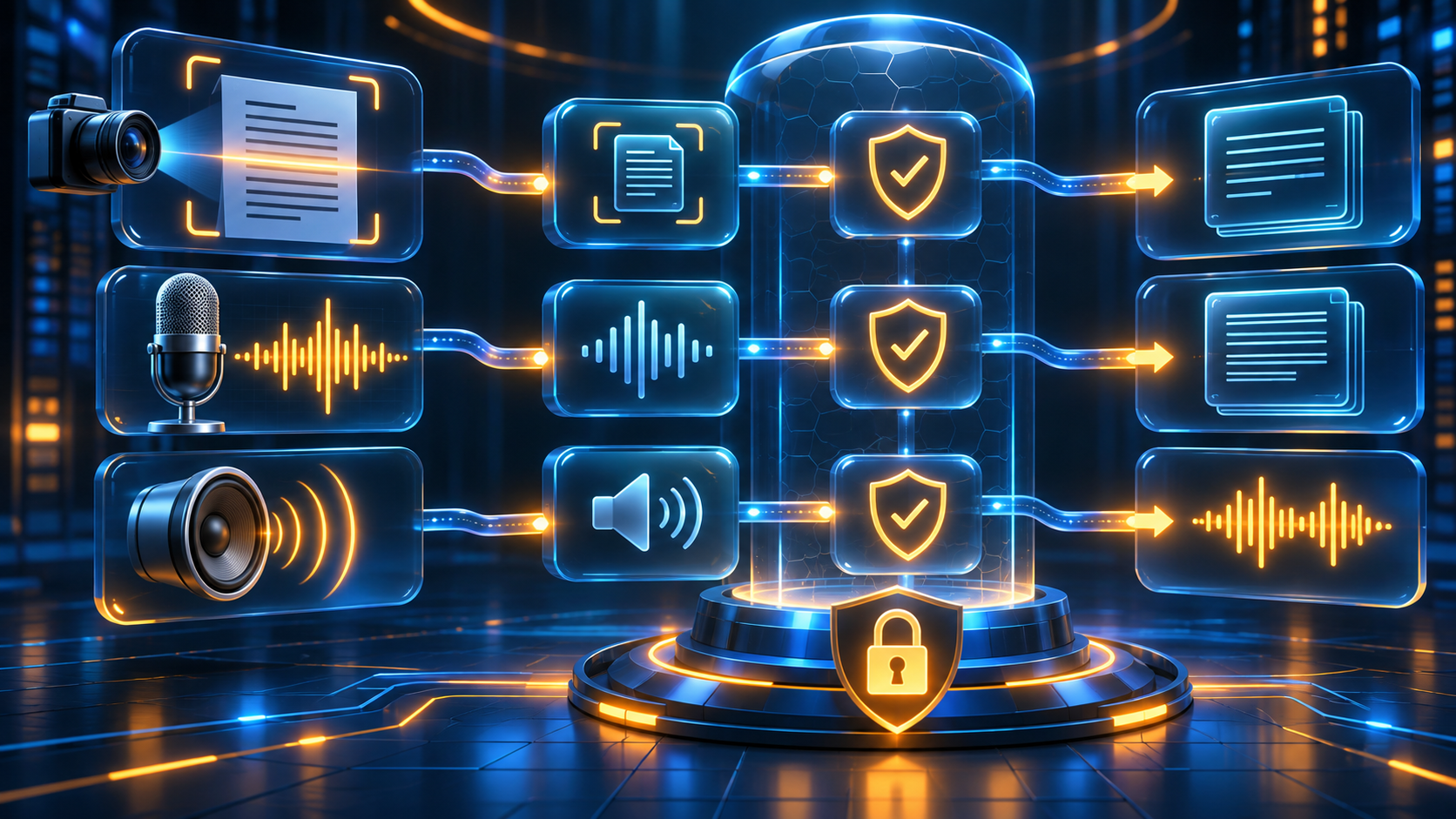
Standalone OCR, ASR and TTS services can be composed with safety checks, but each stage needs its own quality and privacy review.
DeepSeek lists OCR, automatic speech recognition (ASR) and text-to-speech (TTS) among the standalone APIs in this release. Those pieces can support a voice assistant, a document-capture flow, meeting transcription or accessibility features without forcing every step through a single conversational request.
Each modality introduces a different error surface. OCR can misread small type, columns or low-contrast scans. ASR can struggle with noise, overlapping speakers, names and accents. TTS can sound confident even when the source text is wrong. A useful interface lets people inspect and correct the transcript or extracted text before the system acts on it, and it never treats synthetic speech as proof of identity or consent.
Safety checks can screen inputs and outputs and return refusal indicators. They should be treated as one control, not the entire safety program. Public products still need abuse monitoring, rate limits, user reporting, incident handling and policy decisions for edge cases. DeepSeek explicitly places moderation, registration and labeling responsibilities on the developer even when the built-in safety feature is enabled.
Built-in tools versus standalone APIs
Choose built-in tools for a conventional assistant
The server-managed route is attractive when a team wants a fast, coherent chat experience and accepts DeepSeek’s orchestration. It reduces code for tool selection and context assembly, and the official demo can help developers understand the expected interaction pattern.
Choose standalone services for a controlled pipeline
A separate Search, Fetch, OCR, ASR or TTS call is easier to isolate, cache, benchmark and replace. It also lets a team decide exactly when raw documents, audio or retrieved pages are sent to a model. That added control comes with more engineering work: authentication, retries, observability, data contracts and service-specific failure handling remain the application’s responsibility.
A practical rollout checklist
- Start with one low-risk use case and a small test corpus that includes bad files, conflicting sources and adversarial instructions.
- Separate development, staging and production keys. Restrict each credential to the required APIs and store it outside client-visible code.
- Set per-user rate limits, request-size limits, timeouts and a maximum number of tool calls.
- Enable safety checks for every public-facing flow and define the product response when a request or answer is refused.
- Display citations, transcript confidence or extraction warnings wherever the user needs to judge evidence quality.
- Document retention, deletion, logging and data-access rules before real customer files or audio enter the system.
- Measure quality and total cost per completed task, not only token price. Tool fees, retries and long research loops can change the economics.
- Keep a human approval step for messages, purchases, account changes, public publishing and other consequential actions.
Security reading for API builders
Developers building a public integration can compare API Security in Action by Neil Madden on Amazon (ISBN-10/ASIN 1617296023). The Manning book covers authentication, authorization, audit logging, rate limiting and encryption. It is optional background reading and is not required to use DeepSeek. Verify the format, seller, edition, delivery terms and current price before buying.
Affiliate disclosure: ReaderSpice may earn a commission from qualifying Amazon purchases made through the link above, at no additional cost to you.
Who should consider the new APIs
The release is most relevant to developers who are already planning a research assistant, document workflow, voice interface or multimodal support feature and would prefer a managed set of building blocks. A small team can use the built-in tools to prototype quickly, while a larger platform can select standalone services for a more controlled architecture.
Teams with strict data-residency, procurement or compliance requirements should not mistake feature availability for deployment approval. Review the provider terms, geographic processing, retention behavior, security documentation and any sector-specific restrictions before sending production data. Organizations affected by government or corporate rules concerning DeepSeek also need an explicit policy review before adoption.
Bottom line
DeepSeek’s November 13 release turns several familiar app features into developer building blocks. Search, files, URLs, OCR and voice can now be combined behind a conversational product or called as separate services, while the platform can handle more of the tool orchestration than a basic model endpoint.
The strongest use is a measured prototype, not an automatic production migration. Test accuracy, citations, file handling, safety behavior, latency and total cost with representative data. Keep credentials restricted, give users evidence they can inspect and retain human approval for consequential actions. The new APIs reduce integration work; they do not transfer product responsibility back to the model provider.
Sources
DeepSeek API Docs: The full DeepSeek App experience, now via API
DeepSeek API Docs: Change log — releasing the full suite of application APIs
DeepSeek API Docs: Build a chatbot with the app capabilities
DeepSeek API Docs: Responses API reference
DeepSeek GitHub: Open-source chat demo
Manning: API Security in Action by Neil Madden
Amazon: API Security in Action (ISBN-10/ASIN 1617296023)
Inline image 1 alt text: Developer laptop visualizes a web-search API collecting cited sources into an answer panel
Inline image 2 alt text: PDF spreadsheet image and webpage objects pass through a secure API gateway into structured context
Inline image 3 alt text: Secure API pipeline connects OCR scanning microphone and speaker waveforms with a safety shield