
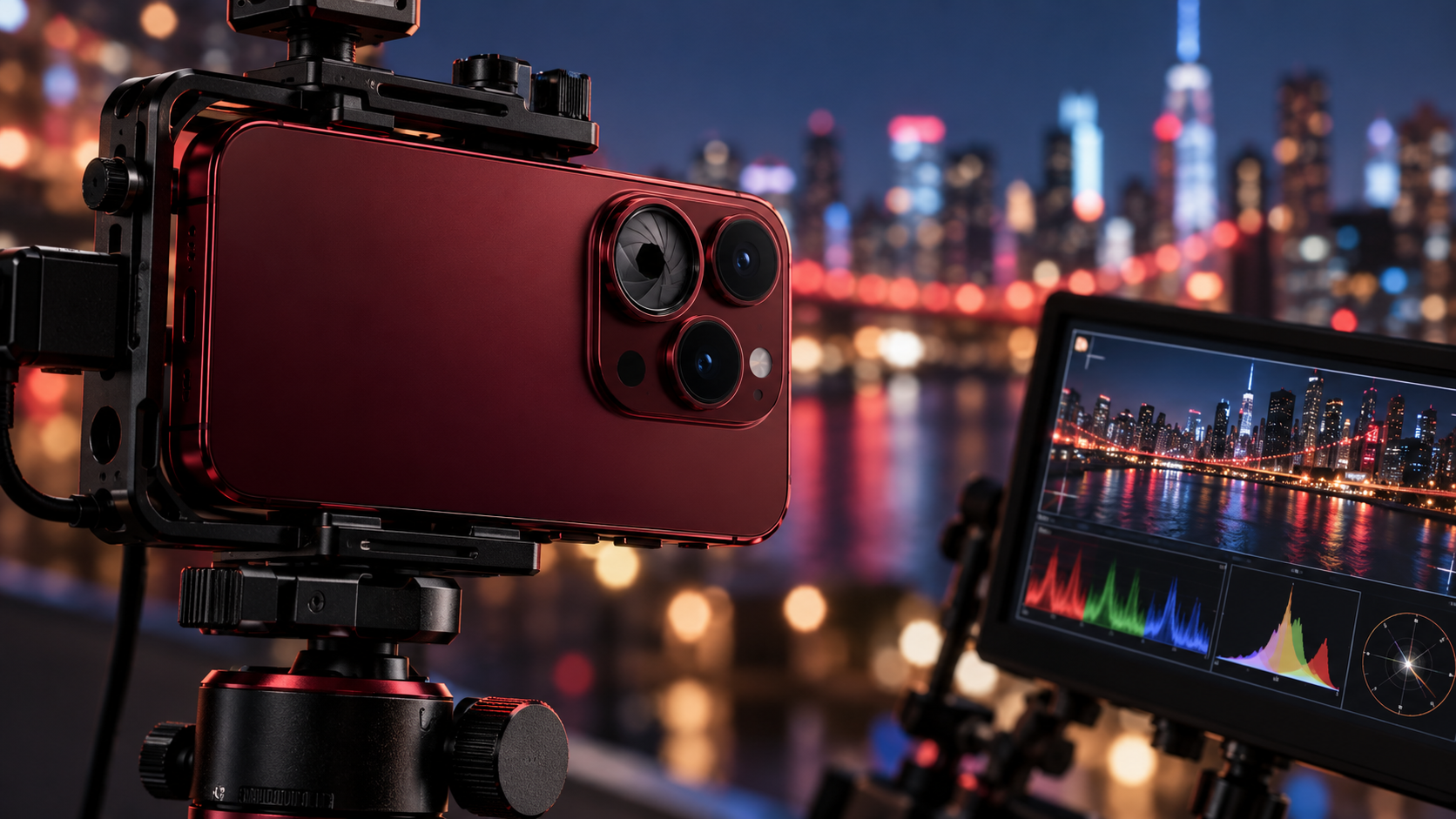
Apple’s Final Cut Camera has received its most important update yet for mobile filmmakers. The new Final Cut Camera 2.4 brings direct variable-aperture control to iPhone 18 Pro, a redesigned interface, better exposure tools, and professional monitoring features that move the free app closer to a compact cinema-camera control center.
According to Apple’s announcement, the update is available now as a free download for supported iPhones. Some features work broadly with iOS 27, but physical aperture control is exclusive to the iPhone 18 Pro and iPhone 18 Pro Max because those models have Apple’s new variable-aperture Fusion Main camera.
Quick take
- Final Cut Camera 2.4 is a free update.
- Variable-aperture control requires an iPhone 18 Pro or iPhone 18 Pro Max.
- The app adds shutter-priority and aperture-priority shooting modes.
- New scopes, clean SDI output, and genlock offset target serious productions.
- Regular ProRes and Apple Log footage can now carry editable Cinematic mode data.
How variable aperture changes iPhone video
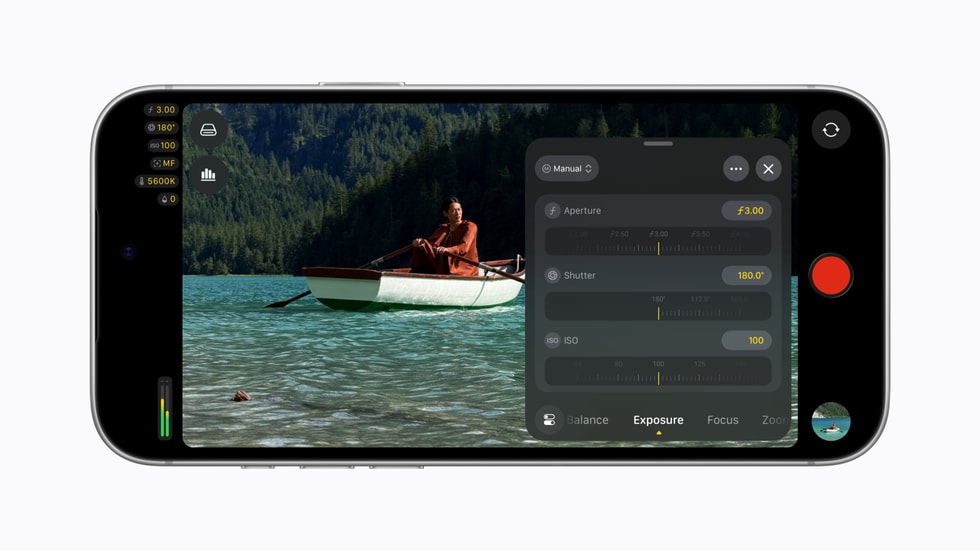
A conventional phone camera usually has a fixed aperture, so exposure is managed mainly through shutter speed, ISO, filters, and software processing. The iPhone 18 Pro’s Fusion Main camera can physically change its aperture. In Final Cut Camera 2.4, creators can select an aperture directly or let the app balance aperture and shutter behavior through priority modes.
That matters in three practical ways. A wider aperture lets in more light and can create shallower depth of field. A narrower aperture admits less light and keeps more of a scene in focus. Most importantly for video, aperture control gives filmmakers another way to hold a preferred shutter angle without immediately reaching for a stronger neutral-density filter or raising ISO.
The effect is not magic. A phone sensor and short focal length still produce more depth of field than a large-sensor cinema camera at comparable framing. But direct aperture control is a meaningful step because it gives creators a real optical choice rather than relying entirely on simulated background blur.
Aperture priority and shutter priority
Final Cut Camera now lets iPhone 18 Pro users choose aperture-priority or shutter-priority operation. Aperture priority is useful when depth of field or low-light performance is the creative priority. Shutter priority is better when motion rendering must remain consistent, such as maintaining a cinematic shutter angle while walking, panning, or filming action.
For controlled productions, manual aperture remains the most predictable option. Auto or priority modes are more convenient when light changes quickly, but creators should watch for visible exposure shifts during a take.
What else is new in Final Cut Camera 2.4
Apple redesigned the app around faster access to common controls and a cleaner viewfinder. The update includes:
- Direct access to shutter angle, ISO, white balance, and aperture controls.
- Customizable overlays with false color and clipping indicators.
- Improved focus peaking with adjustable sensitivity.
- A recording tally light and a two-finger gesture that clears the viewfinder.
- A refreshed interface intended to reduce menu hunting while shooting.
False color and clipping indicators are particularly useful because they make exposure problems easier to spot before recording. Focus-peaking sensitivity should also help when working with detailed scenes or shallow depth of field, where an overly aggressive overlay can become distracting.
Professional scopes, clean SDI output, and genlock offset
Video scopes for more reliable exposure
With iOS 27, the app gains an RGB Parade and histogram. The RGB Parade separates red, green, and blue channel information, making color casts and channel clipping easier to diagnose. The histogram provides a fast overview of tonal distribution. Neither replaces a calibrated monitor, but both are valuable when shooting in Apple Log or under mixed lighting.
Clean SDI output for broadcast workflows
Final Cut Camera can now send a clean video signal through an HDMI-to-SDI converter. “Clean” means the outgoing feed omits the app’s controls and overlays, which makes the signal suitable for external recorders, switchers, monitors, and broadcast streaming systems. The feature is most relevant to multicamera crews and event producers; casual shooters are unlikely to need it.
Genlock offset solves a specialized timing problem
Genlock keeps multiple cameras synchronized to a common timing reference. The new offset control can compensate for latency differences between an iPhone and other genlocked cameras. Apple also says it can help reduce artifacts when recording displays. This is a niche addition, but it signals that Apple expects iPhones to appear in more professional multicamera rigs.
Cinematic effects now work with ProRes and Apple Log
The update also changes how creators can use Cinematic mode. Regular video recorded with Final Cut Camera can carry focus and depth information that remains adjustable in Final Cut Pro, including footage captured in ProRes and Apple Log. Editors can change focus points and depth of field after the shoot instead of committing to every focus decision on location.
Apple’s Creator Studio update says Final Cut Pro and Motion on Mac can apply these effects to native iPhone 18 Pro footage. For creators who prefer to capture a high-quality Log master and make aesthetic choices later, that is more useful than being locked into a separate Cinematic capture mode.
Who should install it
Every Final Cut Camera user benefits from the redesigned controls, exposure overlays, focus-peaking improvements, and monitoring tools. The update is most compelling for iPhone 18 Pro owners who shoot interviews, short films, product videos, live events, or multicamera projects.
Owners of older iPhones will not gain a physical variable aperture through software, but the interface and iOS 27 monitoring features can still improve their workflow. If your production depends on external monitoring or synchronization, confirm that every adapter, converter, cable, and destination device supports the required signal before a live shoot.
How to get started
- Update the iPhone to iOS 27.
- Install or update to new Final Cut Camera 2.4 from the App Store.
- On iPhone 18 Pro, open the exposure controls and test manual aperture, aperture priority, and shutter priority.
- Enable false color, clipping indicators, or scopes one at a time so the viewfinder stays readable.
- Run a short recording test before using clean SDI output, genlock, ProRes, or Apple Log on a paid production.
A stable support is still one of the simplest upgrades for phone video. You can compare iPhone video tripod and rig options on Amazon. As an Amazon Associate, ReaderSpice earns from qualifying purchases.
Bottom line
Final Cut Camera 2.4 makes the iPhone 18 Pro’s variable aperture genuinely useful instead of leaving it as a hardware specification. Direct aperture control, priority modes, exposure overlays, scopes, clean SDI output, and genlock offset create a more coherent professional workflow from capture through Final Cut Pro. Most people will use only a fraction of these tools, but filmmakers now have more control over exposure, focus, motion, and monitoring without paying for the camera app itself.
Sources
Apple Newsroom: Final Cut Camera 2.4 update
Apple Newsroom: Apple Creator Studio updates