Windows 11 Photos Redesign Adds Faster Viewer, HDR Editing, Relight and iCloud Gallery

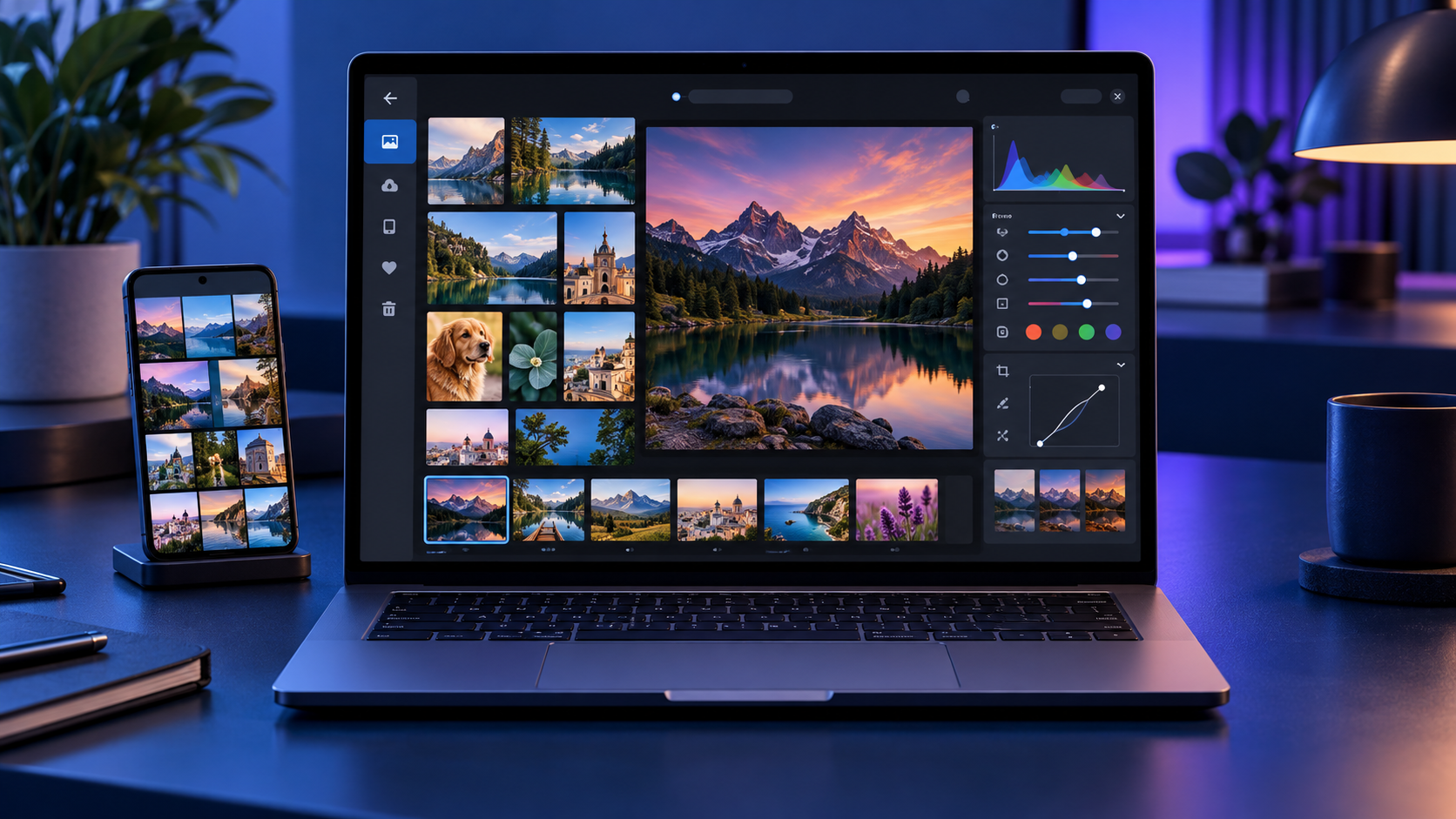
Windows 11 laptop showing redesigned Photos gallery and editor beside a synced smartphone

Microsoft began rolling out a rebuilt Photos app to Windows Insiders on October 15, 2026, with a broader Windows 11 release planned for later this year. The redesign is more than a fresh coat of paint: it combines photos stored on the PC, OneDrive and iCloud in one Gallery, adds a native editing workspace, and makes the Viewer faster.

The most useful changes are practical ones. Microsoft says the new Editor launches 25% faster, the native Viewer opens images about 15% faster on average, and HEIC files can load up to 30% faster. The app also preserves HDR while editing, can save HEIC and WebP files, expands object removal, and introduces Relight controls with as many as three movable light sources.

Windows 11 Photos redesign at a glance

  • Rollout begins with Windows Insiders on October 15, 2026, before expanding to Windows 11 users later in 2026.
  • Gallery brings local folders, OneDrive and iCloud photos into one browsing experience.
  • Natural-language search can find images by subject, place or scene instead of requiring an exact filename.
  • The WinUI 3 Editor adds HDR-preserving edits, HEIC and WebP saving, object removal, crop templates and Relight.
  • The native Viewer is faster and adds SVG support, richer metadata, a map, a histogram and visual search.
  • Some cloud and AI-assisted features depend on account, region, device and staged rollout availability.

One Gallery for PC, OneDrive and iCloud

The redesigned Gallery is meant to reduce the friction of keeping several photo libraries. Local folders remain available, while signing in to OneDrive can add backed-up phone photos and other cloud images. iPhone owners can also surface iCloud Photos through Apple’s iCloud for Windows integration.

A Microsoft account is not required just to browse files stored on the PC, and iCloud uses Apple’s sign-in flow. OneDrive-specific experiences such as People, Albums and Moments do require OneDrive. That distinction matters if you prefer a local library: the core viewer and editing tools are still useful without turning every folder into a cloud collection.

The new layout also makes it easier to filter the library, move between recently added images and inspect a photo without opening a separate editor. Microsoft says the design is optimized for browsing across sources, but the speed of cloud thumbnails will still depend on the network and whether full-resolution files are stored locally.

Natural-language search makes large libraries easier to use

Instead of remembering a filename or the date a picture was taken, the new search can accept ordinary descriptions. Queries such as “sunset at the beach,” “dog in the snow” or “receipts from a restaurant” are the sort of requests the feature is designed to understand.

Search quality will vary with the contents of the library and the services connected to Photos. Treat it as a faster way to narrow a large collection, not a replacement for consistent folders, albums and backups. Sensitive images also deserve extra care whenever a feature analyzes content, so review Microsoft and cloud-provider privacy settings before connecting a personal archive.

Editing tools: HDR, HEIC, Repair and Relight
Editing tools: HDR, HEIC, Repair and Relight

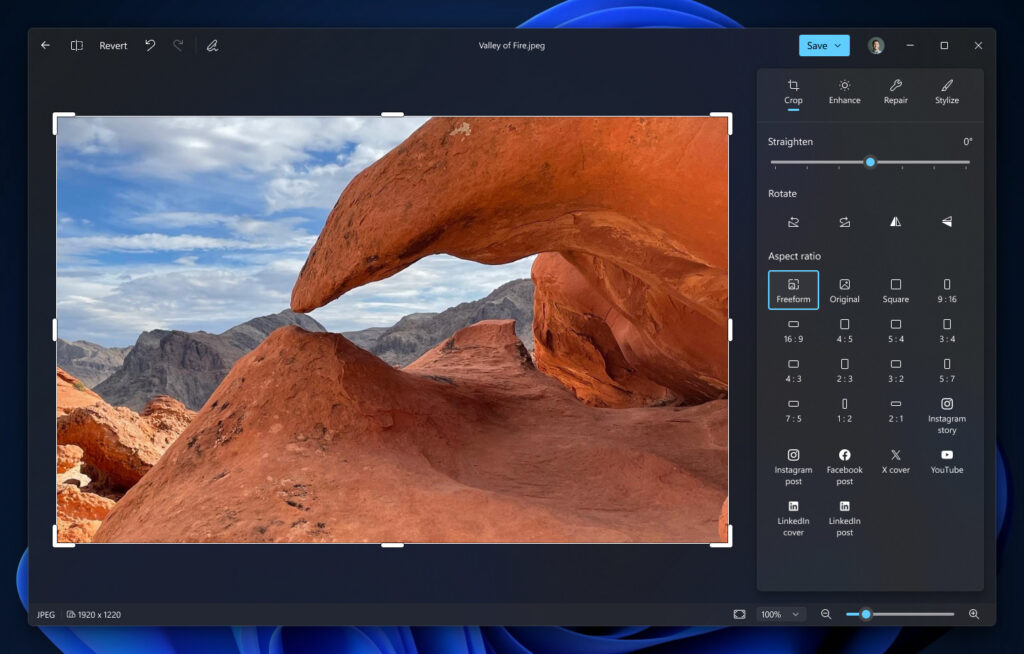
Microsoft rebuilt the Editor as a native WinUI 3 experience and says it starts 25% faster. Its main tool groups are Crop, Enhance, Repair and Stylize. The redesigned workspace keeps common adjustments close to the image and adds crop templates sized for popular social formats.

HDR is a major improvement. Photos can now preserve high dynamic range while you make edits instead of flattening the image into standard dynamic range. The editor can also open, edit and save HEIC and WebP files, which should reduce conversion steps for iPhone photos and images downloaded from the web.

Repair expands the app’s object-removal workflow, while Relight lets you place and tune as many as three virtual lights. The lights can be moved around the subject and adjusted for intensity and color, making Relight useful for portraits or products that were photographed with uneven illumination. Microsoft describes these as editing aids, not a substitute for a full layer-based editor.

Relight availability may differ during the rollout

Microsoft’s October 15 announcement says Relight is expanding to all Windows 11 devices. At the time of publication, Microsoft’s existing Relight support page still describes the feature as exclusive to Copilot+ PCs and notes that its AI processing runs locally. That mismatch likely reflects staged rollout timing or documentation that has not caught up, so do not assume Relight will appear on every PC immediately.

The redesigned Viewer is faster

The native Viewer is the part most people will use every day. Microsoft reports an average 15% launch improvement and as much as a 30% speed gain for HEIC images. Those numbers are Microsoft’s measurements rather than independent benchmarks, and actual results will depend on storage speed, file size and hardware.

The Viewer also improves HDR rendering, adds SVG support and surfaces more useful information without sending you to another app. A metadata pane can show capture details, a map can identify geotagged locations, and a histogram helps evaluate exposure. Visual search provides another route to identify or find related subjects.

What you need for iCloud and OneDrive photos

  • For iCloud Photos, install Apple’s iCloud for Windows app, sign in with the Apple Account that owns the library, and enable iCloud Photos.
  • For Android or iPhone camera uploads, configure OneDrive camera backup in the OneDrive mobile app and allow the permissions it requests.
  • Keep an independent backup of irreplaceable photos. A synchronized cloud library is convenient, but synchronization can also propagate accidental deletions.
  • If cloud photos appear as thumbnails only, open or download the full-resolution file before making an edit you need to preserve at maximum quality.

Microsoft ended the older Samsung Gallery direct-to-OneDrive sync route on September 30, 2026. Samsung phone owners who want new camera photos in OneDrive should use OneDrive’s camera backup instead of relying on the retired Gallery integration.

Rollout timing and how to check for the new app

Windows Insiders are first in line beginning October 15. Microsoft says the new Photos experience will reach all Windows 11 users later in 2026, but it has not promised that every device, region and feature will update on the same day.

  • Open Microsoft Store, choose Library, and select Get updates.
  • Update Microsoft Photos when a newer version is offered.
  • Restart Photos after the update and look for the unified Gallery and redesigned Editor.
  • If the Store reports that Photos is current but the redesign is missing, wait for Microsoft’s server-side rollout rather than reinstalling Windows.

Insider builds are preview software. If Photos is essential to a production workflow, the safer choice is to wait for the stable release and keep another trusted viewer or editor installed until the rollout settles.

What the redesign does not replace

The new Photos app remains a photo organizer, viewer and lightweight editor. It is not a Photoshop-class layer editor, a digital asset manager for large professional catalogs, or a full video-editing suite. Microsoft continues to direct video editing to Clipchamp.

The app’s cloud integrations also do not merge ownership of the original files. A photo stored in iCloud is still governed by the iCloud library and storage plan, while a OneDrive image follows OneDrive’s rules. Before cleaning up duplicates, confirm which service holds the original and whether the file is available offline.

Should you install it now?

For most people, the redesign is worth taking when it reaches the stable channel. Faster HEIC handling, HDR-safe edits and a single view for local and cloud libraries address everyday pain points without forcing users into a complex professional editor.

Insiders should test the app with copies of important files first, especially when using newer formats or cloud-only images. Compare the edited image at full resolution, confirm its color and HDR behavior on another device, and verify that the original remains recoverable.

If an aging PC struggles with large photo libraries, you can compare current Windows 11 laptops on Amazon. A faster SSD and a color-accurate display will usually matter more for photo work than an elaborate spec sheet.

As an Amazon Associate, ReaderSpice earns from qualifying purchases.

Bottom line

The Windows 11 Photos redesign is a meaningful update because it improves the app’s basic jobs before adding novelty. A faster Viewer, better HEIC performance, HDR-preserving edits and a unified Gallery should benefit almost anyone who manages phone and PC photos. Relight and natural-language search add useful depth, but availability will remain uneven while the Insider rollout expands and Microsoft updates its support documentation.

Sources

Microsoft Windows Blog: Meet the new Photos app on Windows 11

Microsoft Windows Blog: What’s new in Windows 11 — everyday experiences reimagined

Microsoft Support: Relight in Photos

Microsoft Support: Edit photos and videos in Windows
Microsoft Support: Use OneDrive on Android and iOS devices

Apple Support: Set up iCloud Photos on a Windows computer

Surface Laptop Ultra Launches October 16: $2,599 Price, RTX Spark Specs and Buying Advice

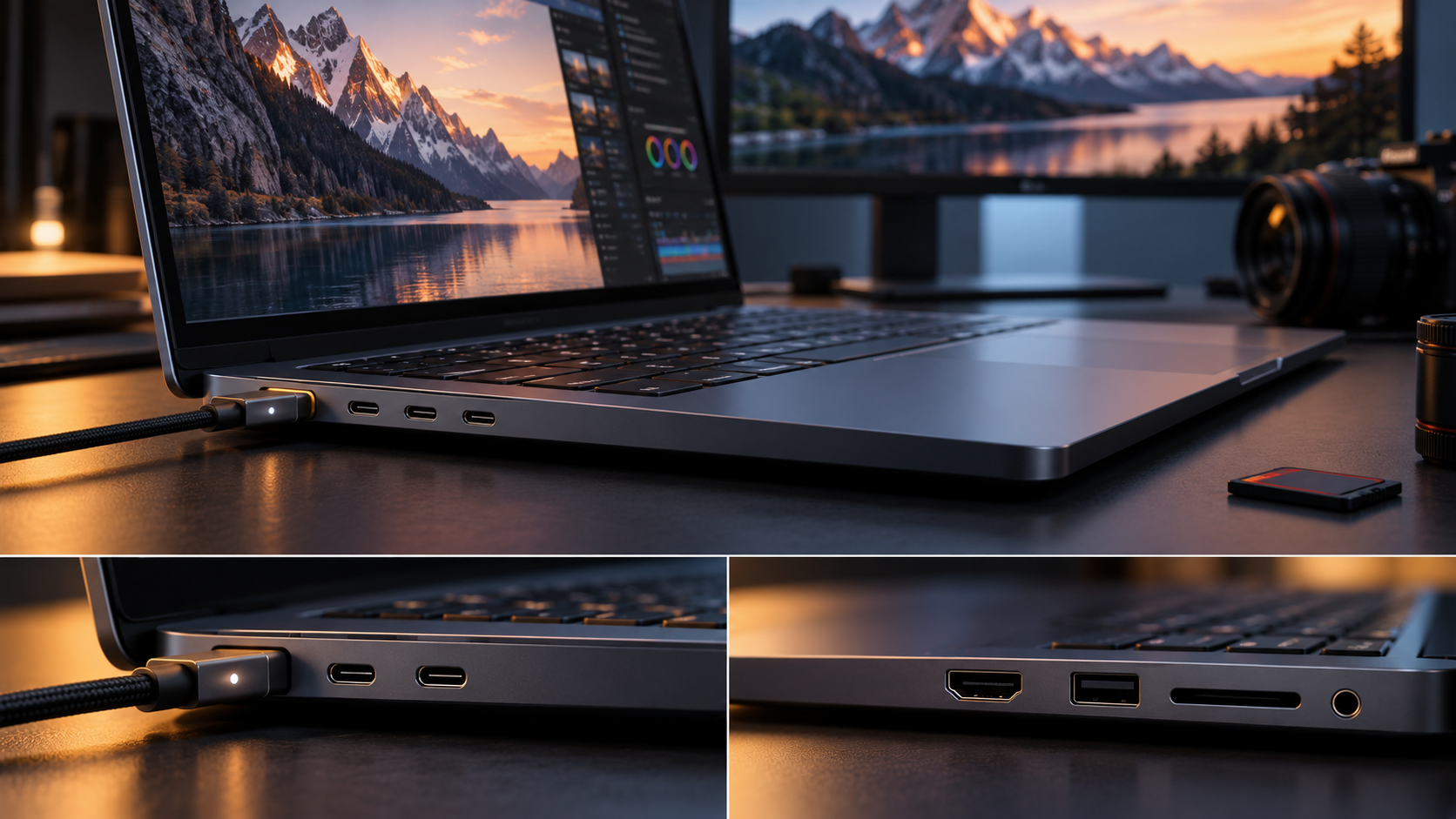
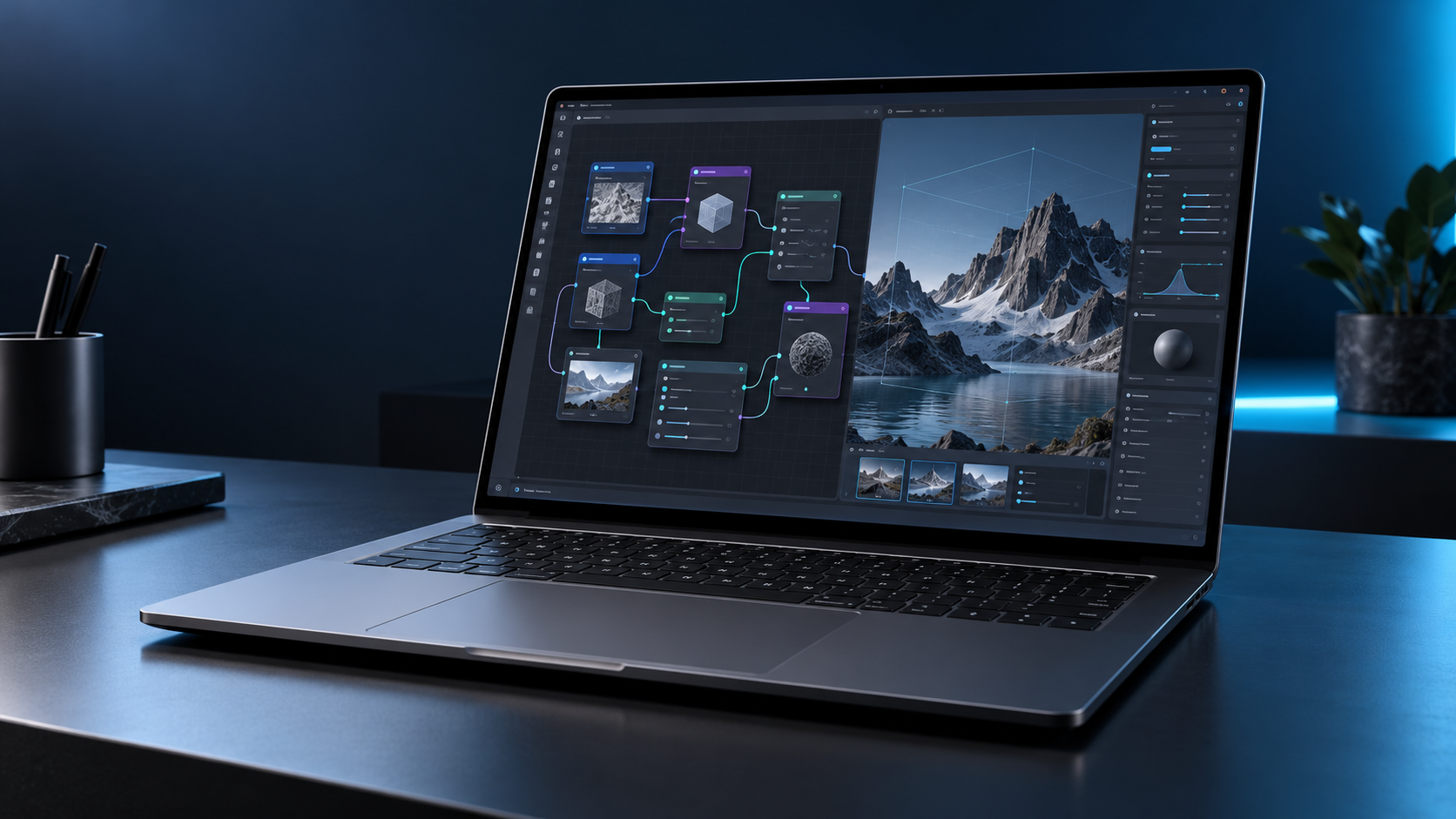
Premium 15-inch Windows workstation laptop running local AI and creative workflows

Microsoft’s Surface Laptop Ultra reaches stores on October 16, 2026, at a starting price of $2,599.99. It is not a routine Surface refresh: the 15-inch laptop is built around NVIDIA’s new RTX Spark N1X platform, pairing a Grace CPU, Blackwell RTX graphics and as much as 128GB of unified memory for local AI, creative work and gaming.

The headline specifications are unusually ambitious for a portable PC, but the launch-day decision is less simple. Microsoft claims up to one petaflop of AI compute and support for models exceeding 120 billion parameters, while its own battery estimate tops out at 12 hours of active web use. At 4.41 pounds, this is a mobile workstation first and an everyday ultraportable second.

Surface Laptop Ultra price and release date

The consumer Surface Laptop Ultra starts at $2,599.99 and becomes available October 16 through Microsoft and selected retailers. Microsoft is offering Platinum and Nightfall finishes, although colors, processors and memory combinations can vary by market and configuration.

Microsoft’s current store listing separates the software by memory tier. The 24GB configuration ships with Windows 11 Home, while 32GB, 48GB, 64GB and 128GB configurations use Windows 11 Pro. Storage options range from a 512GB Gen 4 SSD to 1TB and 2TB Gen 5 SSDs.

The SSD is described as removable, but that does not automatically make it a casual consumer upgrade. Microsoft says service and replacement options vary by market, repairs should follow its service guide, and damage caused during an unsupported repair may not be covered.

Key specifications at a glance

  • Starting price: $2,599.99
  • Release date: October 16, 2026
  • Processor options: NVIDIA RTX Spark N1X with an 18-core CPU and 5,120-core GPU, or a 20-core CPU and 6,144-core GPU
  • Unified memory: 24GB, 32GB, 48GB, 64GB or 128GB LPDDR5x
  • Storage: 512GB Gen 4 SSD or 1TB and 2TB Gen 5 SSD options; removable design
  • Display: 15-inch PixelSense Ultra touchscreen, up to 1,000 nits SDR and 2,000 nits peak HDR
  • Battery claims: up to 15 hours of local video playback or 12 hours of active web use
  • Weight: 4.41 pounds; chassis under 18 mm thick
  • Connectivity: Wi-Fi 7, Bluetooth 5.4, three USB-C/USB4 ports, HDMI, USB-A, SD card reader and headphone jack

What RTX Spark changes

The RTX Spark N1X combines a Grace CPU and Blackwell RTX GPU in one tightly integrated platform. Microsoft lists up to 6,144 GPU cores and 20 CPU cores, while NVIDIA says fifth-generation Tensor Cores and its NVLink-C2C interconnect are central to the design. The highest configuration is rated for up to one petaflop of peak FP4 AI compute.

That number needs context. It is a theoretical peak using sparsity, not a promise that every model or application will run at the same speed. Software support, model precision, memory requirements, thermals and sustained power all affect real performance. The practical advantage is the unified-memory ceiling: a 128GB configuration gives large local models and complex creative projects far more working room than a conventional laptop GPU with a smaller dedicated VRAM pool.

Microsoft says the machine can run AI models exceeding 120 billion parameters locally. Developers can use the CUDA ecosystem, Windows AI tools and local-agent workflows without sending every task to a cloud service. That could benefit teams handling proprietary code or media, but buyers should verify that their exact models, frameworks and plug-ins are optimized for RTX Spark before treating the laptop as a cloud replacement.

Display, size and thermals

The 15-inch PixelSense Ultra display is a touchscreen with a 120Hz refresh rate, 100% DCI-P3 coverage and a claimed 1,000-nit typical SDR maximum. Microsoft advertises a 2,000-nit peak for HDR content, but sustained brightness is lower and real output depends on content and settings.

One limitation is easy to miss: the touchscreen is optimized for touch, but Microsoft says it does not support Surface Pen or Surface Slim Pen input. Artists who expect the new flagship Surface laptop to double as a pen-display workstation should factor that into the purchase decision.

The chassis is under 18 mm thick and weighs 4.41 pounds. That is portable for the performance class, yet substantially heavier than mainstream thin-and-light laptops. Microsoft says a redesigned cooling system provides up to 2.5 times the thermal capacity of the 15-inch Surface Laptop 8th Edition, using larger fans to move more air at lower speeds. Independent testing will still be needed to judge sustained performance, fan noise and surface temperature.

Ports, charging and external displays

Ports, charging and external displays

Surface Laptop Ultra has a notably complete port selection: two conventional USB-C/USB4 ports, a third USB-C/USB4 port with Magnetic Connect, HDMI 2.1b, USB-A 3.1, an SD card reader and a 3.5 mm headphone jack. Microsoft says all three USB-C ports support charging, 40Gbps data and DisplayPort 2.1.

The Magnetic Connect port is a standard USB-C connection with a magnetic breakaway cable rather than a separate proprietary charging socket. The included 140W USB-C adapter and Magnetic Connect cable support convenient attachment, while another compatible USB-C charger can work if it provides at least 115W. That flexibility is useful for travel, but many smaller phone and tablet chargers will not deliver enough power for full-speed charging.

The laptop can drive as many as three 4K displays at 60Hz when the monitors, cables and adapters support the required standards. Creators also get direct SD-card access and HDMI without a hub, a meaningful advantage over premium laptops that rely almost entirely on USB-C.

Battery life: read Microsoft’s two numbers carefully

Microsoft publishes two different endurance figures: up to 15 hours of local video playback and up to 12 hours of active web use. Both came from September 2026 tests of preproduction hardware at 150 nits with default settings, and battery life can change significantly with brightness, radios, applications and workload.

The active-web number is the more useful starting point for ordinary work. Local AI inference, 3D rendering, gaming and sustained GPU use will draw much more power than browsing. Buyers planning to run demanding workloads away from an outlet should wait for independent battery and performance testing rather than assuming that the “all-day” description applies to every task.

The 140W charger also affects mobility. It is appropriate for a high-performance machine, but it adds weight and bulk to a travel bag. A lighter USB-C charger may be useful for low-load travel only if it meets Microsoft’s minimum power requirements.

Windows on Arm compatibility still deserves a check

RTX Spark runs Windows 11 on an Arm-based NVIDIA Grace CPU. NVIDIA says hundreds of games support launch-day technologies including DLSS, Reflex, ray tracing and G-SYNC, and it is promoting broad readiness across creative, AI and developer applications.

That is encouraging, but “supported” is not the same as identical performance or perfect compatibility. Specialized plug-ins, older peripherals, corporate security tools, niche drivers and anti-cheat systems can behave differently on Arm. Before ordering, professional buyers should make a list of indispensable applications and hardware, then confirm native support, emulation behavior and driver availability with each vendor.

The same caution applies to gaming. RTX features and a powerful GPU do not guarantee that every title runs flawlessly. Check the games you actually play, especially competitive titles that rely on anti-cheat software, and wait for measured frame-rate and battery results.

Who should consider it

Surface Laptop Ultra makes the strongest case for developers, AI researchers, 3D artists, video professionals and technical creators who need a large shared memory pool in a machine they can carry. The port selection, removable SSD and high-brightness display also address common workstation complaints.

It is harder to justify for routine office work, web browsing or general school use. A $2,599.99 starting price is high before adding extra memory and storage, and lighter Surface models can deliver a better mobility-to-cost balance for less demanding workloads.

If you need a Windows laptop now but do not require RTX Spark, you can browse current Microsoft Surface laptops on Amazon and compare weight, battery life, memory and ports against the Ultra. Surface Laptop Ultra itself may appear at additional retailers after launch, so verify the exact configuration and seller before buying.

ReaderSpice may earn a commission from qualifying purchases made through affiliate links, at no additional cost to you.

Should you buy on launch day?

Most buyers should wait for independent reviews. Microsoft and NVIDIA have published enough detail to show that Surface Laptop Ultra is a genuine new performance class, but the decisive questions are still practical: sustained speed, noise, heat, battery life under local-AI workloads, Windows-on-Arm compatibility and the price of useful high-memory configurations.

Buying immediately makes more sense when a specific workflow already needs more than typical laptop VRAM, the required software has confirmed RTX Spark support, and portability matters enough to rule out a desktop workstation. Everyone else benefits from seeing how real applications perform and how quickly competing RTX Spark laptops reach the market.

Bottom line

Surface Laptop Ultra is Microsoft’s most ambitious laptop in years. Its RTX Spark platform, up to 128GB of unified memory, full port selection and high-brightness 15-inch display target workloads that normal premium notebooks cannot handle comfortably.

The tradeoffs are equally clear: a $2,599.99 starting price, 4.41-pound weight, no pen support and a 12-hour active-web claim before demanding GPU work begins. Treat the October 16 release as the start of real-world testing, not the end of the buying decision.

Sources

Microsoft Devices Blog: Surface Laptop Ultra launch, design, pricing and availability

Microsoft Store: Surface Laptop Ultra configurations and full specifications

Microsoft Support: Surface Laptop Ultra ports, charging and Magnetic Connect

NVIDIA: RTX Spark launch-day gaming and platform details

NVIDIA Blog: RTX Spark software and application ecosystem readiness

Google Messages Adds Enhanced Scam Protection: Private AI Compute, Link Checks and Call Safeguards

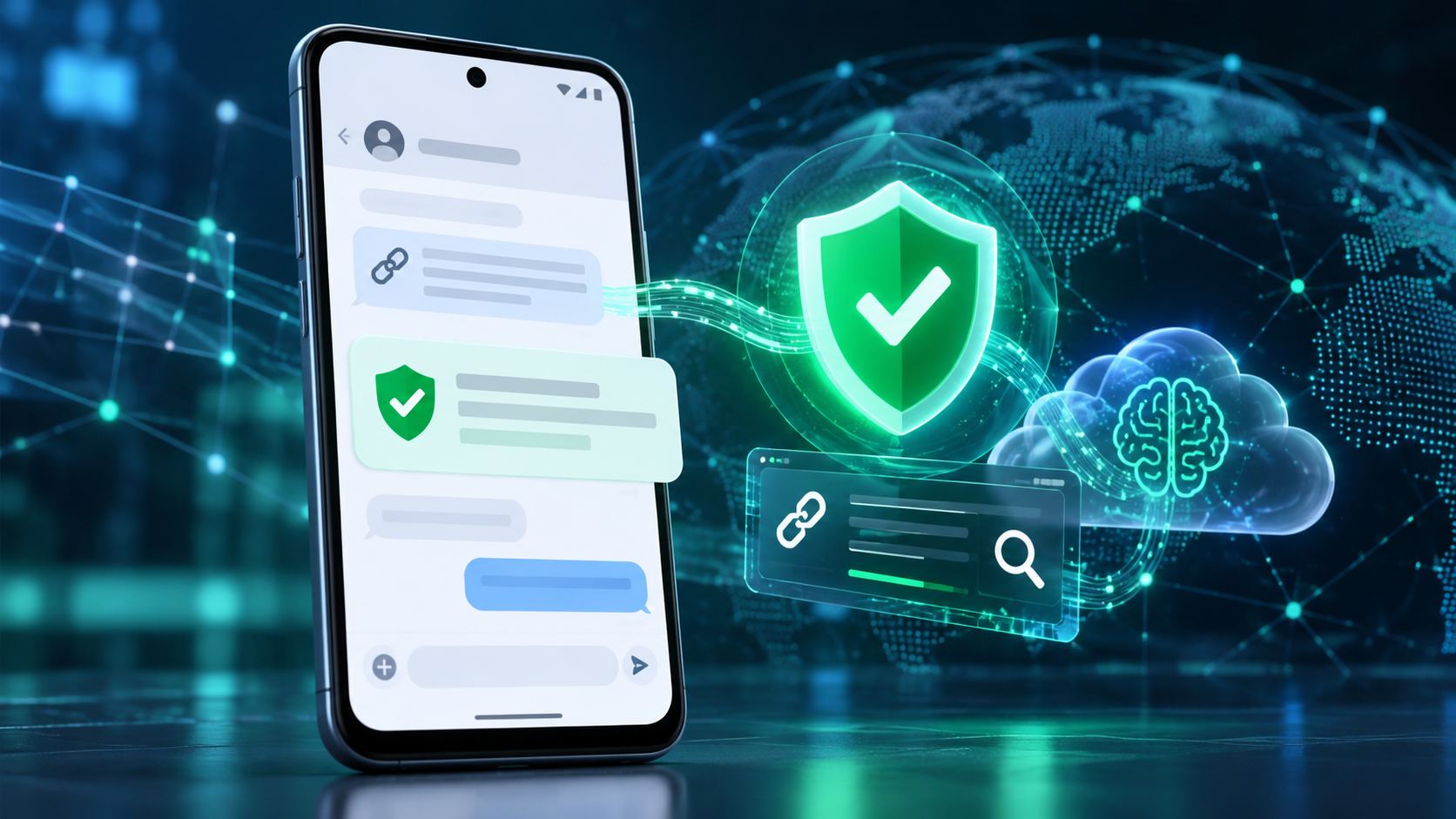
Android phone using AI-powered scam detection, malicious-link checks and private cloud analysis

Google is adding a new layer of Android scam defense that looks beyond obvious spam. Announced on October 14, 2026, Enhanced protection in Google Messages can use Google’s Private AI Compute to evaluate the broader intent of conversations with unknown senders, while Gemini Nano adds more advanced checks for unfamiliar links before a user taps them.

The release also expands scam warnings beyond Pixel phones, blocks apps from quietly enabling call forwarding, and hides login or payment fields during screen sharing. The details matter because availability, processing location and rollout timing differ by feature. Here is what Android users should expect—and what these protections do not guarantee.

Android’s October 2026 scam defenses at a glance

  • Enhanced protection in Google Messages is optional and is scheduled to roll out over the coming weeks.
  • Private AI Compute lets cloud Gemini models analyze complex message context from unknown senders inside an encrypted, dedicated environment.
  • Gemini Nano uses on-device processing plus real-time web signals to check unfamiliar links on supported newer phones.
  • Chat-notification scam warnings are expanding from Pixel to hundreds of millions of additional Android devices later in 2026.
  • Android 15 and newer devices are getting automatic masking of login and payment fields during Chrome and WebView screen sharing this month.
  • Call-forwarding protection is due in early December on Pixel and other select devices.

Enhanced protection looks for slow-burn scam intent

Traditional filters are good at catching a known malicious link or a familiar spam pattern. A patient scammer can behave differently: start with friendly small talk, build trust over several messages and reveal the real request only later. Google says Enhanced protection is designed to recognize that kind of slow-burn intent more quickly in conversations with numbers that are not saved as contacts.

The mode extends the existing on-device Scam Detection system rather than replacing it. When enabled, Google Messages can call on larger Gemini models in the cloud to understand more context than a smaller local model may handle alone. A warning remains a risk signal, not proof that a person is committing fraud, and the absence of a warning does not make a request safe.

What Private AI Compute changes—and what it does not

Google says the cloud analysis runs inside Private AI Compute, a hardware-protected environment that uses encryption and remote attestation. The company describes the data as private to the user and inaccessible to anyone else, including Google. That is different from sending an ordinary chat transcript to a general cloud service.

It is also different from fully local processing. The enhanced conversation analysis uses cloud Gemini models, while other parts of Android’s scam defense continue to run on the device. Users who prefer to keep all supported analysis local can leave Enhanced protection disabled and still use the protections available in the standard mode.

Reporting a message as spam is a separate choice. Google’s help documentation says a user can optionally send the selected message and its contents to Google to improve detection. That voluntary report should not be confused with the protected processing used by the feature itself.

Gemini Nano checks links before you open them

Known phishing pages can be blocked through reputation lists, but newly registered scam sites may not yet appear in those databases. With Enhanced protection enabled, Gemini Nano combines on-device analysis with current web signals to judge whether an unfamiliar link looks trustworthy before it opens.

Google is also redesigning link warnings for messages from unknown numbers. The extra checkpoint is meant to slow down an impulsive tap and explain the risk more clearly. Google lists the checkpoint for Android 6 and newer devices, but the more advanced Gemini Nano link analysis has narrower hardware requirements.

The company currently identifies Pixel 10 and newer phones, the Galaxy S26 series, Galaxy Z Flip8 and Z Fold8, plus other selected devices for the Gemini Nano link checks. Device, language, country, app and system-service versions can all affect whether the feature appears.

Chat scam alerts are expanding beyond Pixel

Android already offers notification-level Scam Detection on selected Pixel phones. It can warn about a suspicious message from a supported chat app before the user opens the conversation. Google says that on-device feature will expand later this year to hundreds of millions of additional devices.

The announced manufacturer partners include HONOR, Infinix, iQOO, itel, JOVI, Motorola, OPPO, OnePlus, realme, TECNO, vivo and Xiaomi. That list does not mean every current model receives the feature at the same time. Manufacturer support, local availability and compatible system components still determine eligibility.

Google’s current Android Help page says notification Scam Detection is on by default where supported. To review the setting, open Android Settings, search for “Scam Detection,” and check the Message scams control. Google also warns that the system may not catch every scam.

Call-forwarding and screen-sharing safeguards

Call-forwarding and screen-sharing safeguards

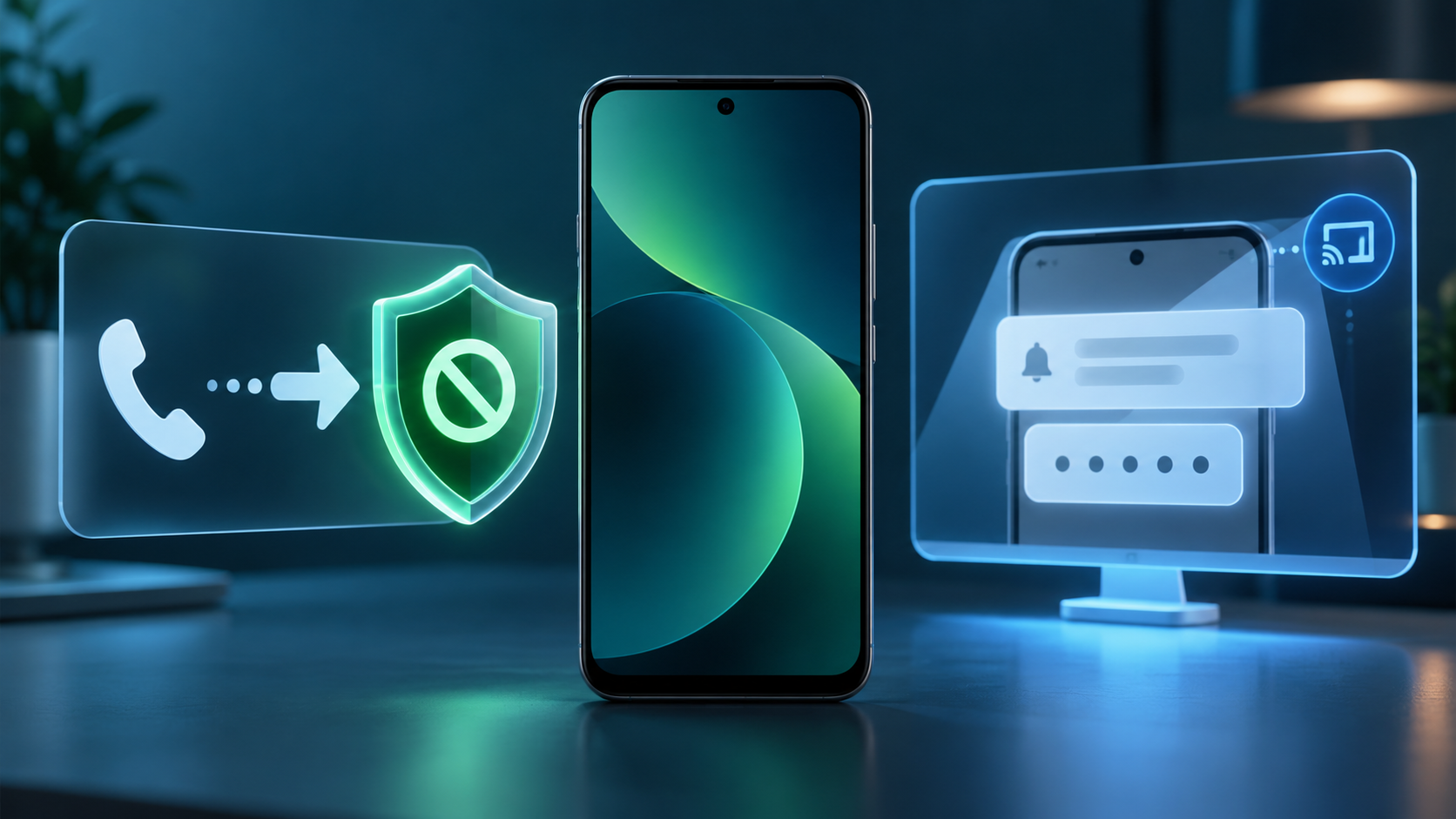
Phone scams often ask a target to dial a forwarding code or install an app that changes call settings. Once incoming calls are redirected, a criminal may try to capture one-time passcodes or account-recovery calls. Android’s new protection blocks apps from silently turning on call forwarding in the background and warns before a manually entered MMI forwarding code can take effect.

That protection is scheduled to start in early December on Pixel and other select devices. It is not a universal Android feature on announcement day, so users should keep their phone and Google system components updated and continue treating unexpected forwarding instructions as suspicious.

Screen-sharing protection follows a different schedule. Android already hides some sensitive fields in native apps. During October, Google is extending automatic masking to Chrome and Android WebView on Android 15 and newer devices, blanking login fields and payment screens during a live share.

Why these protections matter during a live scam

Many mobile scams succeed by keeping the victim moving: stay on the call, share the screen, open a link, type a code and act before checking with anyone else. The new protections insert pauses at several of those steps. A link warning, a hidden password field or a call-forwarding alert can break the script long enough for someone to reconsider.

No technical feature can replace independent verification. If a caller claims to be a bank, delivery company, government agency or family member, end the conversation and contact the organization through a number or app you already trust. Never read a one-time code to an unsolicited caller, and do not install remote-access software at a stranger’s direction.

How to prepare your Android phone

  • Update Google Messages, Phone by Google, Chrome and Google Play system components through their normal update channels.
  • In Android Settings, search for Scam Detection and confirm that Message scams is enabled if your device supports it.
  • When Enhanced protection appears in Google Messages, review the privacy explanation before opting in rather than assuming it is the same as local-only detection.
  • Treat links from unknown numbers cautiously even when no warning appears, and verify urgent requests in a separate trusted channel.
  • If screen sharing is necessary, stop the session before opening a banking app, password manager or account-recovery page.
  • Check call-forwarding status with your carrier if calls or one-time codes unexpectedly stop arriving.

Who gets each feature and when

  • Enhanced protection in Google Messages: opt-in rollout over the coming weeks; exact account, language and device availability may vary.
  • Private AI Compute conversation analysis: tied to Enhanced protection and focused on conversations with unknown senders.
  • Gemini Nano link checks: Pixel 10 and newer, Galaxy S26 series, Galaxy Z Flip8 and Z Fold8, and other selected devices.
  • Unfamiliar-link checkpoints: available on Android 6 and newer devices, subject to rollout and regional support.
  • Screen-share privacy in Chrome and WebView: rolling out in October to Android 15 and newer devices.
  • Call-forwarding protection: starting in early December on Pixel and other select devices.

A relevant upgrade option

Some of the most advanced protections require newer hardware and Android AI system services. Readers comparing supported devices can browse current Android phones on Amazon, then confirm the exact model, region, update policy and feature eligibility with the manufacturer before buying.

As an Amazon Associate, ReaderSpice earns from qualifying purchases.

The bottom line

Google’s October Android security update targets the moments when modern scams become dangerous: a long conversation that suddenly turns urgent, a fresh phishing link, a screen-share request or a forwarding code. Enhanced protection adds more capable cloud analysis through Private AI Compute, while Gemini Nano and Android system safeguards cover links, notifications, calls and shared screens.

The rollout is fragmented by design. Some protections are broad, others need recent flagship hardware, and call-forwarding warnings do not begin until December. Keep the core apps and system services updated, inspect the setting when it arrives, and continue verifying every high-pressure request outside the original conversation.

Sources

Google Security Blog: New Android protections against mobile scams

Google Blog: How Private AI Compute protects sensitive cloud processing

Android Help: Manage Scam Detection for chat messages

Android Help: How AICore and Gemini Nano work on supported devices

Android: How real-time scam detection protects calls and messages

Google Play Adds Personal AI Apps, Gamer DNA and 48-Hour Sprints

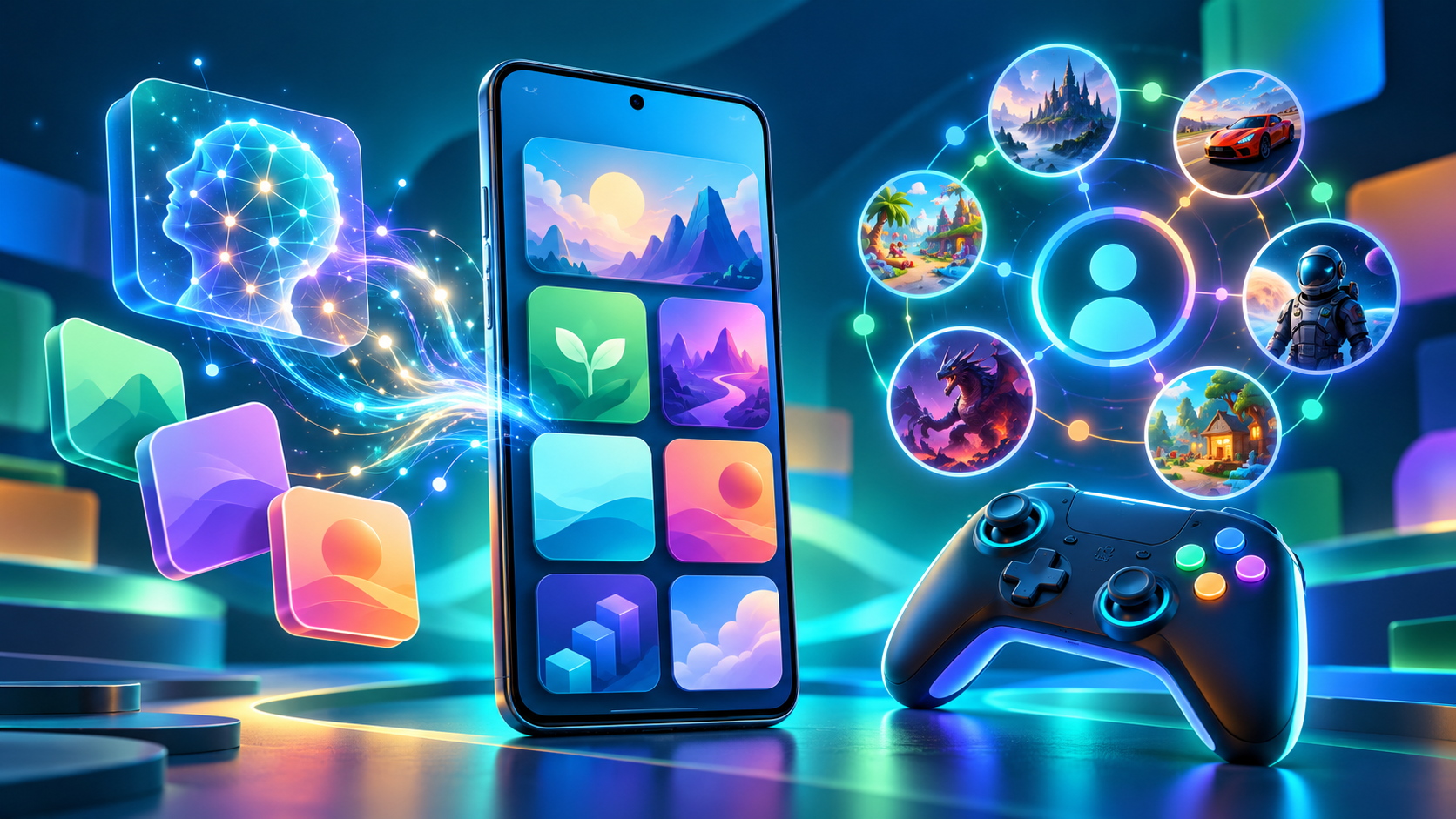
Android phone showing Google Play AI app creation, Gamer DNA recommendations and gaming features

Google Play is turning its store into more than a place to download finished apps. On October 13, 2026, Google announced a package of changes that lets adults launch private AI-built Android apps on their own phones, adds AI-assisted app comparisons, and introduces a personalized game-discovery system called Gamer DNA.

The same release adds 48-hour multiplayer Sprints, short gameplay recordings and broader community tools. Some features are available immediately, while others are limited by country, language, age, device or rollout timing. Here is what changed and what Android users should check before opting in.

Google Play’s October 2026 update at a glance

  • Personal AI apps built in Google AI Studio can run privately on a user’s own Android device without a Play developer account.
  • Ask Play can compare apps using store information and summarized user sentiment.
  • Game Finder uses an optional Gamer DNA profile to recommend titles and explain why they may fit.
  • Sprints create 48-hour challenges for groups of two to five players, while Sidekick can capture 30-second Playbacks on select devices.
  • Community Posts are available across games and languages with automatic translation; developer posts and official announcements are rolling out over the coming weeks.

Personal AI apps no longer require a developer account

Google AI Studio can now produce a custom Android app and send it through Google Play to the builder’s own device. Google says a standard Google account is enough for this private use; a Play developer account is not required. The rollout began October 13 in select markets, including the United States, for users age 18 and older.

This is not the same as publishing an app in the public Play Store. A personal project remains private and separate from the public catalog. Google plans to add limited sharing with close friends and family in the coming months, but an app intended for general distribution still needs a professional developer account and must pass Google Play’s normal Trust & Safety and quality reviews.

The practical benefit is faster experimentation: someone can make a small tracker, calculator, event helper or other personal utility without first learning the full Play Console workflow. The limitation is equally important. AI-generated code can contain logic errors, expose data or request more access than necessary. Before using a generated app with personal information, review every permission, test it with non-sensitive data and avoid treating AI output as automatically secure.

Ask Play and Play in Gemini change app discovery

Ask Play already answers questions about apps. Google says it can now generate side-by-side comparisons that highlight key differences and user sentiment. That could be useful when two apps have similar store descriptions, but generated summaries should be treated as a starting point. Check the current listing for subscription terms, privacy disclosures, offline support and device compatibility before installing or paying.

Play in Gemini will bring apps, games and developer content into Gemini conversations. Google says the feature will begin rolling out to Gemini users soon. Its developer announcement describes one-tap app recommendations and installation, including voice interaction through Gemini Live. Because the consumer announcement does not promise an exact date for every account, readers should expect a phased release rather than immediate availability everywhere.

Game Finder builds a Gamer DNA profile

Game Finder builds a Gamer DNA profile

Game Finder is Google Play’s new recommendation layer for games. Its Gamer DNA profile analyzes how a person plays and combines that activity with preferences the person has shared. Google says users can specify games, genres and mechanics, then tune the profile with “More of this” and “Less of this” feedback.

Recommendations can show how players with a similar profile engage with a title, how many followed players are using it, summaries of reviews, and which games are trending. That mix matters: some explanations are generated from Play data, while community activity and reviews come from other users. A polished AI summary is not the same as a hands-on review, and it may miss battery drain, aggressive monetization or controller problems.

Google’s help documentation lists several requirements for the full Game Finder experience: the user must be in the United States, use English, be at least 18 and have an active Play Games profile. Play personalization and Play History—including app-usage data—also need to be enabled for the complete personalized experience. Google says additional markets are coming, but it has not provided a complete expansion schedule.

How to control Gamer DNA and Play History

Gamer DNA is optional, and Google provides controls for both the profile and the broader data that shapes recommendations. In the Play Store, tap the profile picture, open Personalization in Play and review the main personalization switch, Play History and the content-specific options.

Play History can include Play searches, pages viewed in the store, app usage and certain information shared by apps. Users can turn the main history setting off, exclude activity on Play, exclude app usage, delete individual events or clear history. Auto-delete can be set to 3, 18 or 36 months.

Turning off Play History stops new activity from being saved to the account’s Play History, but it does not stop all collection or processing. Google says it may still temporarily associate activity with an account for contextual experiences, debugging and service maintenance, and it retains records of acquired items so they remain downloadable. Play Games profile data is also separate from Play History.

For a privacy-first setup, review the Gamer DNA card before accepting it, remove preferences that feel inaccurate, use the shortest retention period that fits your needs and periodically inspect recent Play History. Less data may make recommendations less precise, but it gives the profile less long-term behavioral information to use.

Sprints, Sidekick Playbacks and Community Posts

Sprints are short, 48-hour challenges that match groups of two to five players. Google says they are rolling out to all markets, making them one of the least restricted features in this release. The format is designed for brief competition rather than the long seasonal commitment common in mobile games.

Sidekick, Google Play’s in-game overlay, is gaining 30-second Playbacks on select devices. That gives players a quick way to capture a moment without leaving a game, although recording availability can depend on the phone, game and rollout.

Community Posts let players ask and answer questions from a game’s detail page. Google says the feature works across games and languages with automatic translation. Developer posts and official announcements are due over the coming weeks, which could make the same area useful for patch notes and event notices. Automatic translations can lose nuance, so important account, payment or troubleshooting instructions should still be checked against the developer’s original language when possible.

What parents should know about age sharing

Google is also adding a Family Link option that allows a parent to share a child’s age range with an app. The company describes this as a way to provide the minimum information required for an age-appropriate experience instead of disclosing a full birth date.

This is a choice, not a reason to skip the app’s privacy policy. Availability varies by region, and parents should review what the receiving app says it will do with age-range data. A child’s permissions, purchases, chat features and in-game social settings still deserve separate checks.

Who gets each feature and when

  • Personal AI apps: rolling out from October 13 in select markets, including the U.S., for users 18 and older; close-circle sharing is planned for the coming months.
  • Game Finder and Gamer DNA: rolling out in English to U.S. users age 18 and older; an active Play Games profile is required.
  • Sprints: rolling out to all markets now for groups of two to five players.
  • Sidekick Playbacks: rolling out on select devices and limited to 30-second recordings.
  • Community Posts: available across games and languages with automatic translation; developer posts and official announcements are expected over the coming weeks.
  • Play in Gemini: announced for a rollout to Gemini users soon, without a universal account-by-account date.

What Android users should do now

Update the Google Play Store and Google Play Games, then check the profile menu for Personalization in Play and Game Finder. If a new feature is missing, confirm the country, language, age and Play Games profile requirements before troubleshooting. Staged server-side releases can arrive without a separate app update.

Anyone trying personal AI apps should start with a low-risk project and scrutinize requested permissions. Gamers who enable Gamer DNA should review Play History and retention settings rather than accepting the defaults without inspection. Parents should treat age-range sharing as one privacy control, not a substitute for reviewing an app’s data practices.

For games that support physical input, you can browse Android gaming controllers on Amazon and verify Bluetooth or USB-C compatibility with your phone before ordering.

As an Amazon Associate, ReaderSpice earns from qualifying purchases.

The bottom line

Google Play’s October 2026 update combines a genuinely useful creation shortcut with a much more personalized game-discovery system. Running a private AI-built app without a developer account lowers the barrier to experimentation, while Game Finder may surface better matches than a popularity chart.

The tradeoff is more reliance on generated summaries and behavioral data. Use the new tools with clear boundaries: verify app claims, minimize permissions, review Play History and remember that availability differs by market and account. Sprints and Community Posts are easier additions to try, while Gamer DNA deserves a deliberate privacy check before it becomes part of everyday recommendations.

Sources

Google: New on Google Play—More ways to create, discover and play

Android Developers Blog: New tools for discovery and engagement

Google Play Help: Game Finder eligibility and requirements

Google Play Help: Understand and manage Gamer DNA

Google Play Help: Manage personalization and Play History

Google Play Help: Manage a child’s Google Play apps with Family Link

Android Authority: Google Play Game Finder and Gamer DNA rollout

Windows 11 KB5127648 Is Out: Key Fixes, USB Audio Warning and 24H2 End of Support

Windows 11 laptop installing KB5127648 beside a USB audio interface and headphones

Microsoft released Windows 11 cumulative update KB5127648 on October 13, 2026, for versions 24H2, 25H2 and 26H2. It includes the month’s security protections plus fixes for Explorer crashes, VPN failures, printing problems, gaming mouse stutter and several other bugs.

The update is important, but two details deserve attention before you click Restart: a USB Audio Class 1.0 problem is still only partially resolved, and this is the final monthly security update for Windows 11 24H2 Home and Pro.

Windows 11 KB5127648 quick take

  • Windows 11 26H2 moves to build 26300.9711.
  • Windows 11 25H2 moves to build 26200.9711.
  • Windows 11 24H2 moves to build 26100.9711.
  • The update fixes an Explorer black-screen problem in some multi-user environments, Always On VPN failures, AC-3 audio playback, printing failures, game-mouse stutter and fingerprint sign-in after a cold boot.
  • A separate USB Audio Class 1.0 issue can still cause Code 10 errors, missing sound or unresponsive audio controls.
  • October 2026 is the final monthly security update for Windows 11 24H2 Home and Pro. Enterprise, Education and LTSC editions follow different support timelines.

What KB5127648 fixes

Microsoft’s release notes combine the October security improvements with quality fixes carried forward from recent preview and out-of-band updates. The most useful changes for ordinary PCs and managed systems include:

  • File Explorer: Explorer.exe should no longer fail to start or repeatedly crash after sign-in in some multi-user environments, including Azure Virtual Desktop and FSLogix setups. The failure could leave users at a black screen.
  • Audio playback: Applications affected by the recent AC-3 decoding problem should work normally after installing the October update.
  • Always On VPN: Connections that stayed stuck at Connecting or later reported that the specified port was already in use should connect normally again.
  • Storage Spaces Direct: Tiered virtual disks that failed to come online after certain updates should recover, restoring dependent clustered workloads.
  • Printing: Microsoft fixed failures affecting some applications and devices using RAW or Generic Text Only printer drivers.
  • Gaming: A bug that could make mouse input stutter in some games has been addressed.
  • Windows Hello: Fingerprint sign-in should no longer fail after a cold boot on affected PCs.

The release also introduces a new Manitoba time zone for the province’s November 1, 2026 change, adds auditing and optional policy controls for ReFS volumes on externally attached storage, and continues Microsoft’s staged migration to newer Secure Boot certificates.

The USB audio warning is still unresolved

The USB audio warning is still unresolved

Microsoft continues to list a known problem involving some USB Audio Class 1.0 devices. Affected hardware may fail to start with Device Manager Code 10, produce no audio, leave volume at zero, or make Windows sound settings unavailable or unresponsive.

This problem originated with the September 8 security update, not specifically with KB5127648. The September 14 out-of-band update partially fixed failures involving 8-channel and 3D audio modes, but Microsoft says the other symptoms remain under investigation. In some multichannel cases, switching the device to 2-channel mode restored sound; that does not address every symptom.

The issue is limited to USB Audio Class 1.0 devices, so it does not mean every USB headset, DAC or audio interface is affected. If a production workstation depends on one of these devices, schedule the update for a maintenance window, confirm that the interface works after the restart and keep the manufacturer’s current driver or firmware available. Microsoft directs business administrators who need an immediate workaround for the remaining symptoms to Microsoft Support for Business.

Windows 11 24H2 Home and Pro reach end of support

KB5127648 is the last monthly security update for Windows 11 24H2 Home and Pro. After October 13, 2026, those editions will no longer receive the normal monthly security and non-security preview updates that protect against newly fixed threats.

This deadline does not apply to every 24H2 edition. Microsoft’s release lifecycle gives Windows 11 24H2 Enterprise and Education editions updates through October 12, 2027, while LTSC editions have separate, longer timelines.

Home and Pro users still on 24H2 should install the October update, back up important files and move to a supported Windows 11 release as soon as Windows Update offers one. The support deadline is a stronger reason to upgrade than any single new feature: staying on 24H2 Home or Pro means future security fixes will stop.

Should you install KB5127648 now?

For most supported Windows 11 PCs, yes. This is a security update with several practical reliability fixes, and Microsoft distributes it automatically through Windows Update. Back up irreplaceable data, connect a laptop to power and allow enough time for the required restart.

The main exception is a mission-critical system that depends on USB Audio Class 1.0 hardware and cannot tolerate downtime. That is not a reason to skip security updates indefinitely. It is a reason to test the update on comparable hardware, install during a maintenance window and verify audio before the system returns to service.

Windows 11 26H1 uses a different October package, KB5127646, which moves that branch to build 28000.3231. If Windows Update offers KB5127646 instead of KB5127648, the PC is on 26H1 and is following the correct servicing path.

How to install the update and check your build

  • Open Settings, select Windows Update and choose Check for updates.
  • Install 2026-10 Cumulative Update for Windows 11 (KB5127648) when it appears.
  • Save open work and restart the PC when prompted.
  • After the restart, press Windows + R, type winver and press Enter.
  • Confirm build 26300.9711 on 26H2, 26200.9711 on 25H2 or 26100.9711 on 24H2.

Update timing can vary by device and management policy. A work or school PC may wait for an administrator’s deployment ring even when the update is publicly available.

What to check if USB audio stops working

  • Open Device Manager and check the audio device for a Code 10 error.
  • Open Settings > System > Sound and confirm that Windows still lists the device as an output.
  • If the failure affects an 8-channel or 3D mode, try the device’s standard 2-channel mode; Microsoft says that specific symptom was addressed by the September out-of-band update.
  • Install the audio-device maker’s current supported driver or firmware, but avoid unofficial driver packages.
  • For an unmanaged home PC, use the Windows Get Help app if basic checks fail. Business administrators with unresolved symptoms should use Microsoft Support for Business.

If you are shopping for a replacement or an upgrade from an unsupported PC, you can compare current Windows 11 laptops on Amazon and verify the processor, memory, storage, Windows edition and seller before buying.

As an Amazon Associate, ReaderSpice earns from qualifying purchases.

Bottom line

KB5127648 is a worthwhile October security update for Windows 11 24H2, 25H2 and 26H2. It fixes a broad group of real annoyances, including Explorer black screens, VPN connection failures, printing trouble, game-mouse stutter and fingerprint sign-in failures.

The caveats matter just as much as the fixes. USB Audio Class 1.0 users should verify their hardware after the restart, and anyone running Windows 11 24H2 Home or Pro should treat this final update as the point to move to a supported release.

Sources

Microsoft Support: KB5127648 release notes, builds, fixes and known issues

Microsoft Learn: Windows 11 24H2 known issues and USB audio status

Microsoft Learn: Windows 11 release information and support dates

Microsoft Support: KB5127646 for Windows 11 26H1

Microsoft Support: KB5124010 September preview and AC-3 resolution history

Apple HomeView, HomePod mini 2 and New Apple TV 4K: Prices, Features and Release Dates

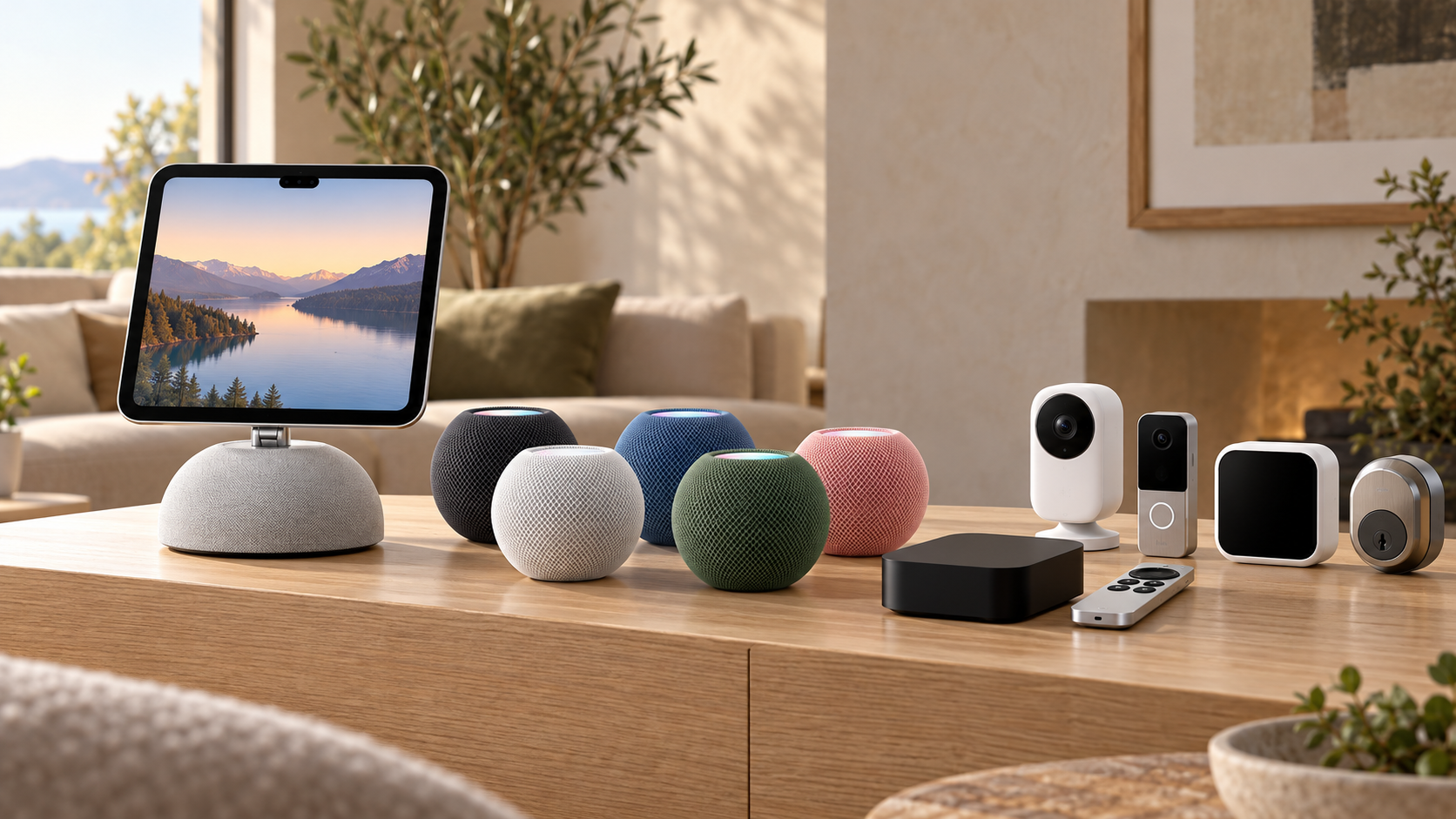
Apple HomeView, HomePod mini 2, Apple TV 4K and smart-home accessories arranged in a modern living room

Apple has turned its long-rumored smart-home push into a real product lineup. On October 13, 2026, the company introduced the $299 Apple HomeView smart display, the $149 HomePod mini 2, a $299 fourth-generation Apple TV 4K and Apple Home Collection accessories built with LG Electronics and Schneider Electric.

The announcements replace months of speculation with firm prices, specifications and release windows. They also create a more complicated buying decision: the least expensive new device arrives first, while some of the most ambitious Siri AI features will still depend on software updates, compatible Apple Intelligence devices or an eligible iCloud+ plan.

Prices and release dates at a glance

  • Apple HomeView: $299; preorders open October 13; available November 13.
  • Apple HomeView (Wall Mounted): $299; preorders open October 13; available November 13. Mounts cost extra.
  • HomePod mini 2: $149; preorders open October 13; available October 30.
  • Apple TV 4K (4th generation): $299; preorders open October 13; available November 13.
  • Apple Home Collection: accessories start arriving in December, with selected products following in early 2027.

Apple HomeView: a $299 screen for the center of the home

Apple HomeView: a $299 screen for the center of the home

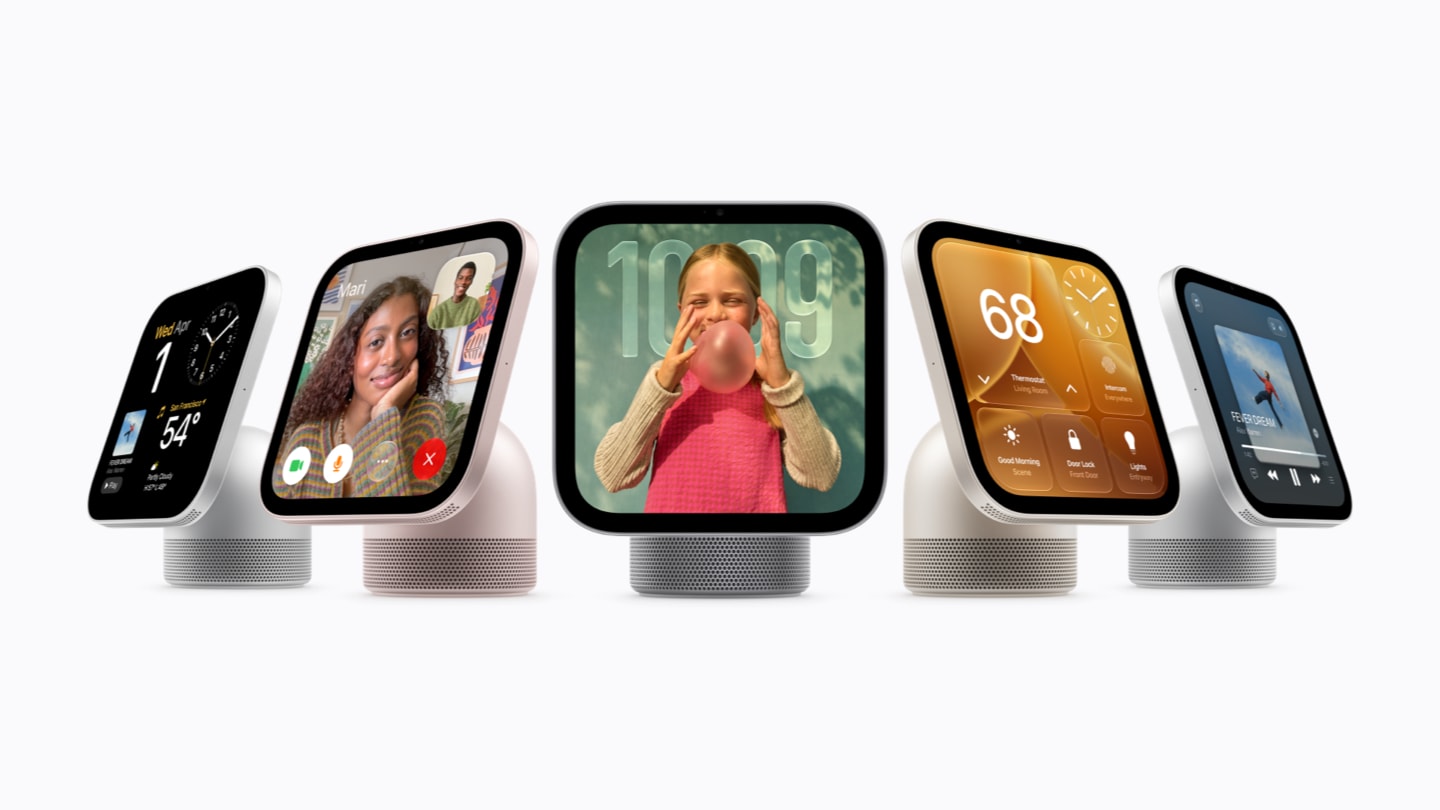
HomeView is Apple’s new shared household screen. The tabletop model combines a 7-inch Liquid Retina display, a tilting stainless-steel hinge and a domed speaker base. It comes in silver, starlight, rose pink and space gray. A separate wall-mounted model uses the same 7-inch display and sells for the same $299 starting price in silver or space gray.

The display automatically adjusts from 500 nits down to 0.3 nits and changes the amount of information shown based on how far away a user is. It can recognize up to six household members by their faces, then present each person’s own Home Screen, widgets and private information. Personal content in apps such as Messages and Calendar appears only when the recognized person’s paired iPhone or iPad is nearby and was recently unlocked.

HomeView is also a FaceTime device, digital photo frame, music player, recipe assistant and smart-home dashboard. Its camera uses Center Stage during calls, while the Home Camera face can show as many as nine live camera feeds. With supported cameras and an eligible iCloud+ subscription, Apple says it can recognize people, pets, packages and vehicles and produce descriptions of HomeKit Secure Video clips.

The tabletop model has two full-range drivers in the display, a down-firing woofer and two force-cancelling passive radiators. The wall model uses two drivers tuned for on-wall placement. Both go on sale November 13 in the United States, United Kingdom, Canada, Australia, India and New Zealand, while Singapore preorders begin October 15. Apple says HomeView will not initially be sold in the European Union because Siri AI is not available in iOS there.

Wall buyers should include the mount in their budget. Schneider Home’s USB-C wall connector starts at $59.95, the AC-wired mount starts at $79.95 and a $129.95 Power over Ethernet mount is scheduled for early 2027.

HomePod mini 2: better audio, new colors and Siri AI later

HomePod mini 2: better audio, new colors and Siri AI later

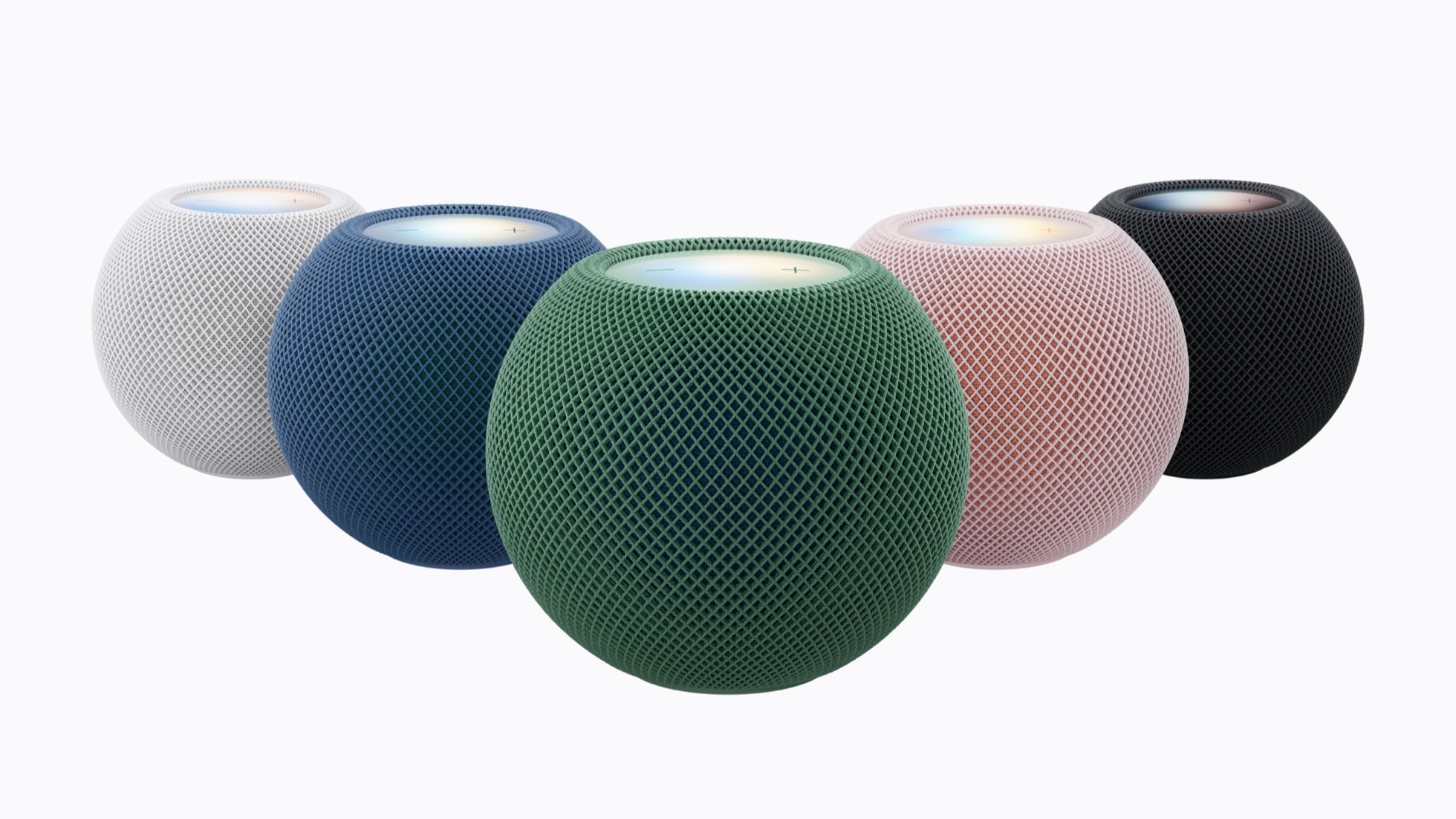
HomePod mini 2 is the first major hardware refresh of Apple’s compact speaker. It keeps the familiar spherical shape but moves to the S10 chip, adds new pink, green, blue, white and midnight finishes, and introduces Sound Glow: the top surface can pulse in colors derived from album artwork and react to bass and treble.

Apple says the speaker uses computational audio to optimize dynamic range, loudness and acoustic performance in real time. A single unit can fill a room, two can form a stereo pair and multiple units can join a multiroom setup. It can also act as a Mac speaker on compatible Macs with Wi-Fi 6E or later.

The biggest new home-theater feature requires more hardware. Four HomePod mini 2 speakers—matching front and rear pairs—can work with the new Apple TV 4K to create a calibrated surround setup. The devices determine speaker position and automatically adjust timing and levels for the room.

Siri AI is a key part of the pitch, but it will not be available on HomePod mini 2 at launch. Apple says it is coming in a free future software update. Personal-context requests will require the home owner to use a compatible Apple Intelligence-enabled iPhone or iPad with Siri AI turned on.

New Apple TV 4K: A19, hands-free Siri and a smarter remote

New Apple TV 4K: A19, hands-free Siri and a smarter remote

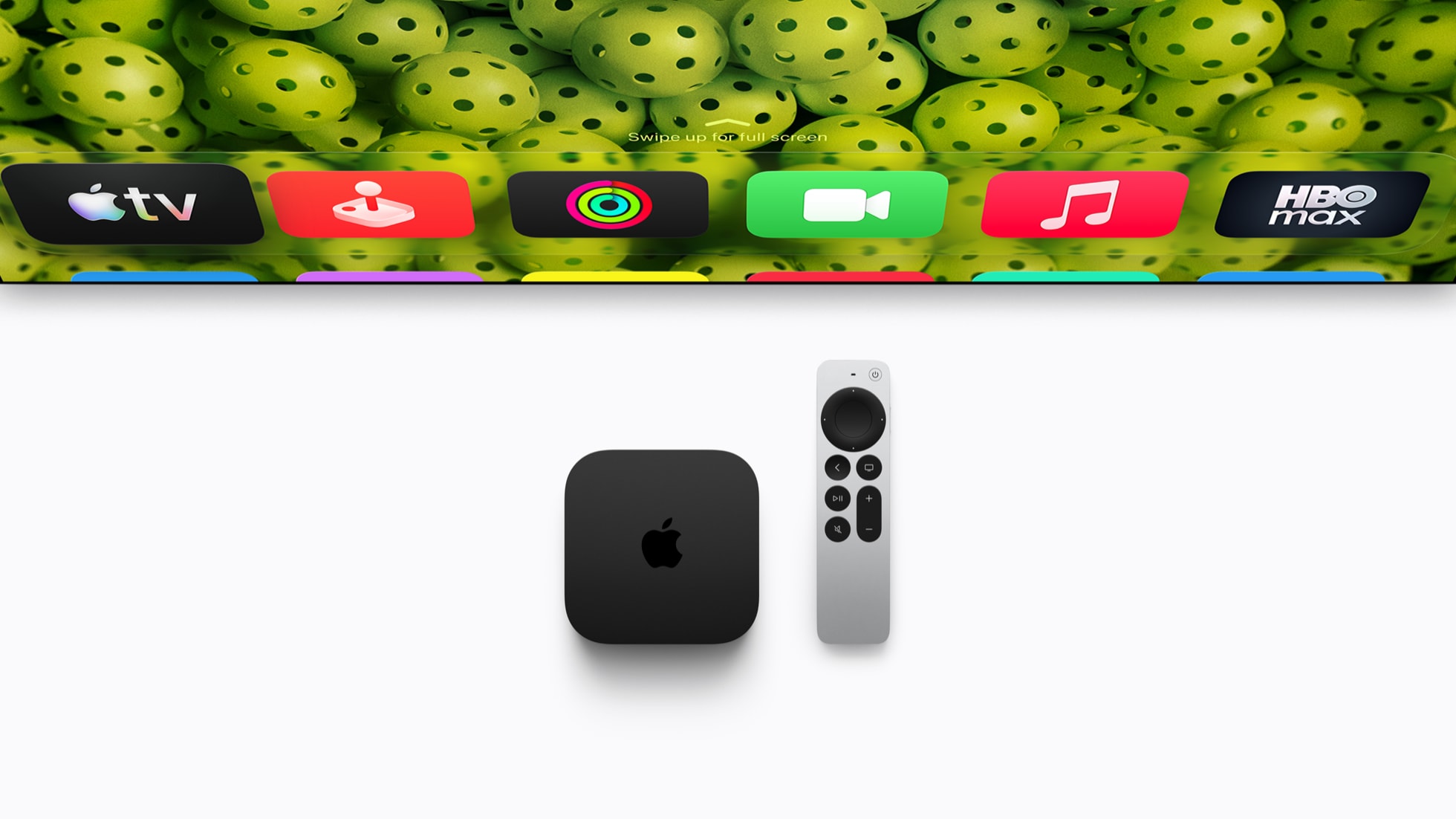
The fourth-generation Apple TV 4K is a larger performance upgrade than its unchanged exterior suggests. Apple says the A19 chip delivers up to 50 percent faster CPU performance and up to twice the GPU performance of the previous model. A dedicated AV1 decoder should make high-quality streams more efficient and reduce bandwidth use for services that support the format.

Three built-in far-field microphones let viewers speak to Siri without holding the remote. Apple says echo cancellation can isolate a voice while audio is playing. Siri AI appears in a full-screen discovery interface, can answer follow-up questions about a show and can draw on personal context from a compatible iPhone for requests such as playing a recommendation mentioned in a message.

The Siri Remote keeps its established shape but adds stronger Find My features. Precision Finding can guide users to the remote when paired with supported recent iPhones, and the newest remote can play a sound. Apple says the remote remains compatible with Apple TV HD and earlier Apple TV 4K models.

For smart-home use, the box includes Wi-Fi and Thread, runs automations, supports guest access and processes HomeKit Secure Video locally. With compatible cameras and iCloud+, Apple Intelligence can generate camera activity descriptions and summarize notifications. The new Apple TV 4K costs $299 and arrives November 13.

Apple Home Collection: cameras, locks and climate controls

Apple Home Collection: cameras, locks and climate controls

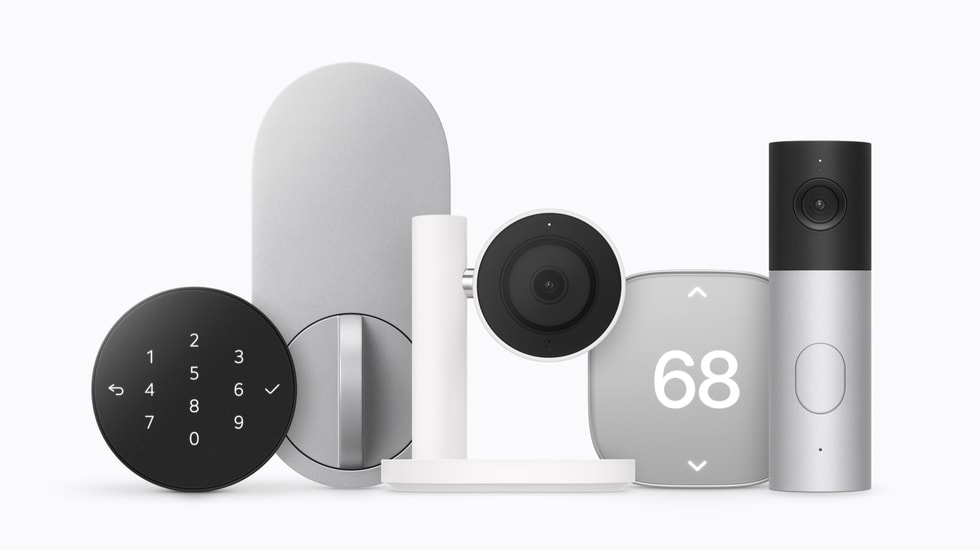
Apple Home Collection is not a set of Apple-manufactured accessories. The products are designed with LG Electronics and Schneider Electric, sold through Apple and built for one-tap iPhone setup, Home app control and Siri. No separate manufacturer account or companion app is required, and Apple says Home app data remains end-to-end encrypted.

The first wave includes four LG cameras with video up to 2.5K, a smart deadbolt, thermostats and room sensors. Each accessory supports Thread, can receive updated network credentials when home Wi-Fi changes and can work alone or as part of an Apple Home scene.

  • LG Video Doorbell Wired starts at $249.95; LG Floodlight Cam starts at $399.95; LG Outdoor Cam Plug-In starts at $299.95; and LG Indoor Cam Plug-In starts at $199.95.
  • LG Smart Deadbolt Lock starts at $349.95 and supports hands-free unlocking with Ultra Wideband, Home Key, a PIN pad and a hidden backup key slot.
  • LG Smart Thermostat and Schneider Home Smart Thermostat each start at $199.95. Compatible temperature and room sensors start at $39.95.

Camera footage can be processed locally on a compatible Apple home hub or through Private Cloud Compute. Eligible iCloud+ plans store event video history for 10 days and add natural-language search and automatic video descriptions. Availability starts in December, although Apple says selected accessories will not arrive until early 2027.

Siri AI is not identical across the new lineup

The shared Siri AI branding hides important differences. HomeView launches with Siri AI in beta in HomeView software 27.2. Apple TV 4K launches with the beta in supported English-language markets, and Apple says second-generation and newer Apple TV 4K models can also receive access. HomePod mini 2 owners must wait for a future update.

Broad world-knowledge answers and more conversational exchanges can work without each person owning an Apple Intelligence device. Personalized requests that use messages, calendars or other private context require a paired compatible iPhone or iPad. Apple also notes that some server-based Apple Intelligence features have daily limits and that expanded access may carry a fee in the future.

What should buyers do?

HomeView is the most distinctive new product, and $299 is competitive for a display, speaker, FaceTime terminal and home hub in one device. Its value will depend on whether a household already uses Apple Home, iCloud+, Apple Music and compatible iPhones. Buyers in mixed Android and Apple households should study the setup and personalization requirements before ordering.

HomePod mini 2 is easier to recommend for new Apple households than as an automatic upgrade for every existing owner. The S10 chip, Sound Glow and four-speaker home theater support are meaningful additions, but the headline Siri AI feature arrives later. Existing HomePod users should wait for final software compatibility details before replacing multiple speakers.

The new Apple TV 4K has the clearest performance story, yet its $299 price is unusually high for a streaming box. The A19 chip, microphones, smarter remote and home-hub features may justify the cost for committed Apple users, but casual streamers should compare it with less expensive alternatives. Readers who need a streamer now can compare the current Apple TV 4K on Amazon while checking Apple’s new-model preorder terms and return policy.

Disclosure: ReaderSpice may earn a commission from qualifying Amazon purchases made through the link above, at no additional cost to you.

Sources

Apple announces Apple HomeView

Apple unveils the fourth-generation Apple TV 4K

Apple announces HomePod mini 2

Apple introduces Apple Home Collection

Microsoft Maia 300 AI Chip: 7x More Rack Throughput and 2027 Rollout

Concept visualization of a chiplet-based AI accelerator inside a liquid-cooled datacenter

Microsoft has announced Maia 300, a third-generation custom AI accelerator that the company expects to become its primary inference system across Microsoft products and services. Production deployments are scheduled to begin in 2027 as Azure expands the Maia platform to multi-gigawatt scale.

The numbers are substantial, but the most important detail is what this chip is—and what it is not. Maia 300 is cloud infrastructure built to serve AI models after they have been trained. It is not a processor consumers will buy for a PC, and Microsoft’s performance figures are forward-looking claims rather than independent benchmark results.

Maia 300 at a glance

Maia 300 at a glance

Microsoft’s official specifications and projections include:

  • Production deployments beginning in 2027, with Maia planned as the primary inference platform for Microsoft products and services.
  • Up to seven times the rack-scale token throughput of Maia 200 in a full 96-accelerator configuration.
  • An expected 40% increase in tokens per megawatt compared with leading GPU-based systems.
  • Eight HBM4 stacks per accelerator, providing 288GB of memory and 18TB/s of peak bandwidth within a 950-watt TDP.
  • A 96-accelerator rack using a 167-kilowatt power envelope, with 27.6TB of HBM capacity and 1.7PB/s of aggregate memory bandwidth.
  • A two-tier Ethernet-based scale-up network designed to connect as many as 12,288 accelerators in a superpod.

Microsoft says Maia 300 is optimized for long-context reasoning, latency-sensitive conversations and sustained multi-step agent workloads. Those tasks can be bottlenecked by memory movement and networking as much as raw arithmetic, which is why the design focuses heavily on data locality, memory bandwidth and rack-scale communication.

Why the chiplet design matters

Maia 300 splits major functions across several chiplets instead of building every component on one monolithic die. Microsoft says the compute chiplets use TSMC’s N2P process, while memory-controller and I/O functions sit on dies chosen for bandwidth, connectivity and cost.

That separation lets Microsoft spend its most advanced manufacturing budget where it produces the largest performance-per-watt benefit. Software then manages locality across the package so model data can stay closer to the compute engines that use it. Microsoft attributes a 36% increase in compute FLOPs, 2.5 times the HBM bandwidth and 14% more scale-up bandwidth to the new approach compared with Maia 200.

The accelerator also supports enhanced MXFP4 and sub-3-bit storage formats. Lower-precision formats can reduce the amount of memory and bandwidth required for inference, although actual answer quality and workload performance depend on how a model and its software stack use those formats.

Microsoft’s efficiency claims need independent proof

Microsoft’s headline comparisons are useful directional targets, not neutral test results. The company expects Maia 300 to produce 40% more tokens per megawatt than leading GPU-based systems and more than 2.5 times the performance per watt of Maia 200, but it has not published a broad set of third-party application benchmarks.

The comparison is also system-level. A Maia 300 rack combines accelerators, hosts, switches, networking, power delivery, cooling and software. Microsoft says liquid cooling removes more than 80% of the rack’s thermal load. That integrated design may improve efficiency, but it means a simple chip-to-chip comparison cannot capture the whole result.

The careful conclusion is that Maia 300 looks technically ambitious and purpose-built for Microsoft’s own workloads. Whether its real-world economics outperform the newest Nvidia and AMD platforms across many models will require deployment data and independent testing after systems enter production.

What Maia 300 could change for Copilot and Azure users

Most people will never see a Maia 300 chip, but they may use services running on it. Microsoft says Maia 200 already supports production workloads including Microsoft Copilot and the company’s MAI model team, with GitHub Copilot and Microsoft Foundry support planned by the end of 2026.

Maia 300 is intended to scale those experiences further. Higher inference capacity could help Microsoft serve more simultaneous requests, support longer context windows and run multi-step agents with less pressure on power and datacenter space. For users, the visible benefits could be faster responses, more reliable availability during demand spikes and lower operating costs that make advanced features easier to offer at scale.

None of those outcomes is guaranteed to appear as an immediate product upgrade. Microsoft has not promised that Maia 300 will reduce subscription prices, and cloud efficiency savings can be absorbed by larger models, more users or new features. The rollout begins in 2027 and will expand over time rather than switch every Microsoft AI service at once.

Does Maia 300 replace Nvidia GPUs?

No. Microsoft describes Azure as an open, heterogeneous platform, and Reuters reports that the company continues to buy large quantities of Nvidia and AMD hardware. Maia gives Microsoft another option for workloads it understands well and may reduce its dependence on any single supplier, but it does not eliminate the need for general-purpose GPUs.

That distinction matters because Maia 300 is designed primarily for inference. Training frontier models, supporting many customer frameworks and handling unusual workloads can favor different hardware. Microsoft’s advantage is the ability to co-design chips, racks and software around its own high-volume services, then choose other accelerators where they remain a better fit.

What readers should do now

There is nothing to preorder and no consumer Maia 300 device to wait for. If you use Copilot, Teams, GitHub Copilot or Azure AI services, the practical move is to judge those products on current price, privacy, speed and usefulness rather than on a 2027 infrastructure promise.

Shoppers who want Microsoft’s current on-device AI experience can browse Microsoft Copilot+ PCs on Amazon. Those computers use consumer processors from companies such as Qualcomm, Intel and AMD; they do not contain Maia 300, which remains a datacenter accelerator.

ReaderSpice may earn a commission from qualifying purchases made through affiliate links, at no additional cost to you.

Bottom line

Maia 300 shows how aggressively Microsoft is moving from buying AI accelerators to designing a larger share of its own inference stack. The combination of chiplets, 288GB of HBM4 per accelerator, 96-accelerator racks and a planned 12,288-accelerator superpod is built for a future in which long-context agents run continuously at enormous scale.

The 2027 rollout could make Microsoft’s AI services faster and more power-efficient, but the strongest claims still belong to Microsoft. Treat the architecture as confirmed, the deployment plan as official and the performance advantages as projections that need real-world validation.

Sources

Microsoft official blog: Azure Maia 300 announcement and 2027 deployment plan

Microsoft Azure Blog: Deep dive into Maia 300 architecture

Microsoft Maia 300 media resources and product imagery

Reuters: Microsoft’s deployment scale, cost strategy and supplier context

The Verge: Maia 300 rollout and Microsoft’s custom-chip strategy

Inline image: Concept visualization of a chiplet-based AI accelerator with high-bandwidth memory stacks

Samsung Wallet Adds USDC Transfers: Eligibility, Fees and What to Know

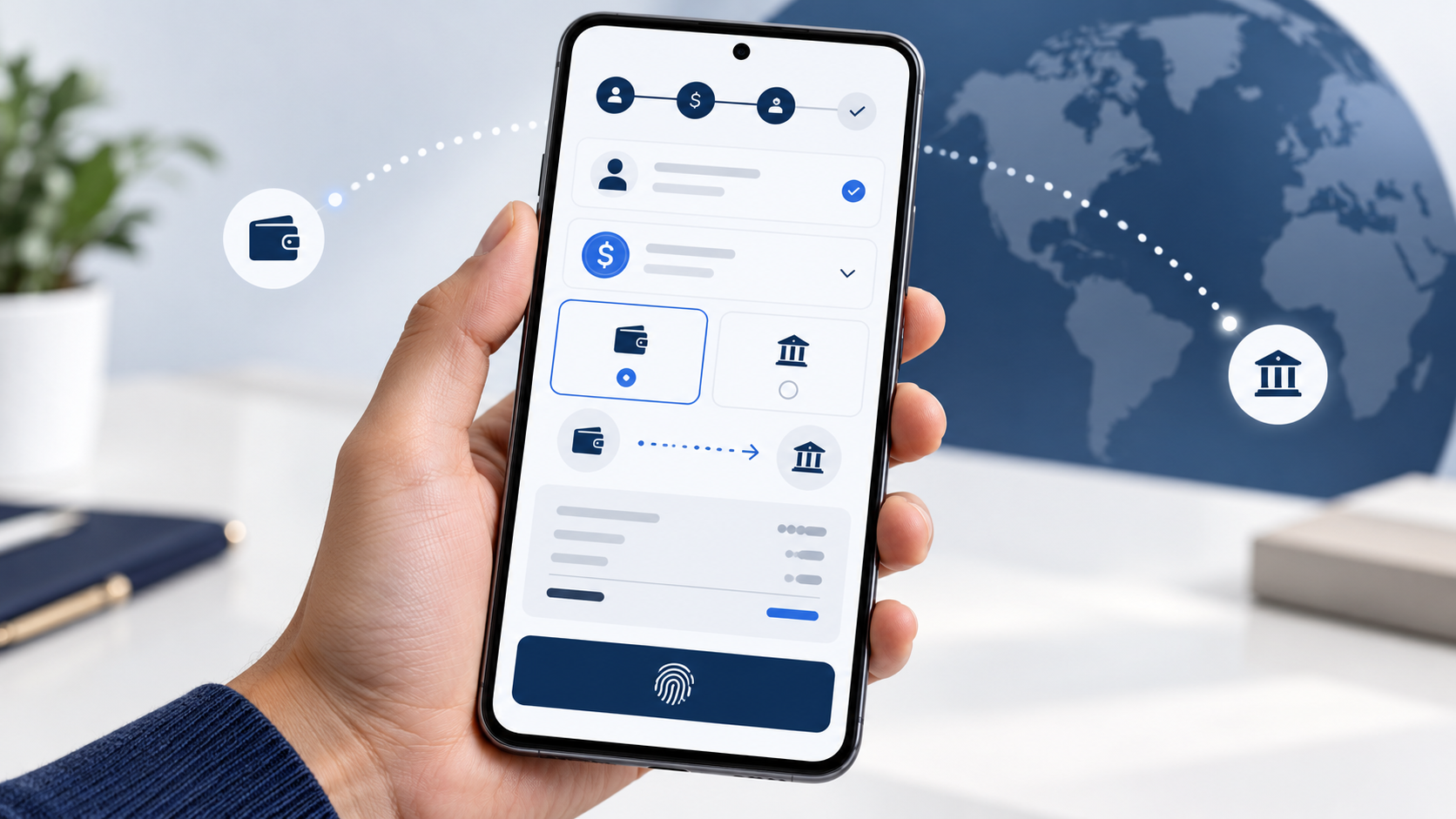
Galaxy-style smartphone showing secure USDC transfers from the United States worldwide

Samsung Wallet is adding built-in access to USDC stablecoin transfers for eligible Galaxy users in the United States during the last week of October 2026. The feature is designed for cross-border payments rather than speculative trading: users will be able to send USDC to compatible crypto wallets or route money to eligible bank accounts in more than 60 countries.

The convenience comes with important limits. Users must be at least 18, complete identity verification and use an eligible Galaxy device with Android 13 or later. Fees, delivery times and recipient eligibility depend on the transfer method, and the USDC balance is a digital asset rather than an FDIC-insured bank deposit.

Samsung Wallet USDC rollout quick take

  • Launch window: the last week of October 2026 for eligible users in the United States.
  • Eligibility: U.S. residents age 18 or older with a Samsung Account, a compatible Galaxy device running Android 13 or later, identity verification and biometric authentication.
  • Supported asset: USDC, a dollar-denominated stablecoin issued by Circle.
  • External-wallet transfers: Samsung says it will not charge a transfer fee, but a receiving wallet, exchange or blockchain network may impose costs.
  • Bank transfers: eligible bank accounts in more than 60 countries can receive local currency; destination-based fees apply and are shown before confirmation.
  • Custody and infrastructure: Bastion operates the stablecoin accounts and transfer framework, while Coinbase Prime Vault is the USDC sub-custodian.

How the new Samsung Wallet transfer flow works

How the new Samsung Wallet transfer flow works

Samsung is placing the stablecoin experience inside the existing Wallet app instead of requiring a separate crypto wallet. When an eligible user selects Buy Stablecoin, USDC will appear as the default dollar stablecoin. The account setup includes identity verification, device registration and biometric authentication.

For a transfer to an external wallet, the sender chooses a compatible destination that supports USDC on a blockchain network supported by Samsung Wallet. Samsung says transfers can arrive in seconds, but timing depends on network conditions. A recipient exchange or wallet provider may charge a fee even when Samsung does not.

For a bank transfer, the user chooses an eligible recipient account in a supported country. The system converts the USDC and routes the payout through local partners so the recipient can receive local currency without operating a crypto wallet. The app will show the fee and estimated delivery time before the sender confirms.

Who is eligible—and who is not

The service is limited at launch to eligible U.S. residents who are at least 18 years old. A Samsung Account, a Galaxy device compatible with Samsung Wallet and Android 13 or newer are required. Users must also complete account registration, identity verification and biometric setup on the registered device.

Samsung says the compatible installed base covers about 82 million U.S. Galaxy devices, but that number is not a promise that every phone, carrier, account or resident will qualify. The stablecoin option can depend on device model, software version, account status and compliance checks.

Transfers to sanctioned jurisdictions are prohibited. Bank-account support also varies by country, bank and account type. The final country list and eligibility details will appear inside Samsung Wallet, so users should verify the destination in the app instead of assuming that every bank in a listed country is supported.

External-wallet transfers and bank transfers have different fees

Samsung’s no-fee statement applies specifically to the fee Samsung charges for sending USDC to a compatible external wallet. It does not guarantee that the entire transaction is free. The recipient’s wallet or exchange can impose a deposit, conversion or withdrawal fee, and supported blockchain conditions can affect timing or cost.

Transfers to bank accounts are different. Samsung says fees apply, vary by destination and amount, and will be displayed with an estimated delivery time before confirmation. Users should compare the final amount the recipient is expected to receive with a bank remittance, card transfer or another money-transfer service.

Exchange rates also matter. A recipient may receive local currency, so the useful comparison is not only the displayed fee but the delivered amount after conversion. The cheapest headline fee can still produce a worse result if the exchange rate is less favorable.

Who holds the USDC

Samsung is not the bank, money transmitter or digital-asset custodian for this service and does not hold customer funds. Samsung says regulated partners provide the stablecoin accounts, custody and money movement.

Bastion supplies the stablecoin account, compliance and cross-border payment framework. Coinbase acts as Bastion’s official sub-custodian, with USDC safeguarded through Coinbase Prime Vault. Solana and Sui are among the partners providing blockchain-network support.

That structure removes the need for most users to manage private keys directly, but it also means access and transactions are subject to partner terms, identity screening, sanctions controls and service availability. Users should review the final in-app disclosures before depositing money.

USDC is designed to track the dollar, but it is not a bank deposit

USDC is intended to be redeemable one-for-one for U.S. dollars. Circle says the circulating tokens are backed by cash and short-term, highly liquid dollar assets, with reserve disclosures and monthly third-party assurance reports.

A stable value target does not make the asset risk-free. USDC is a digital asset, not legal tender, and should not be treated as a checking or savings balance. Coinbase states that USDC balances are not FDIC- or SIPC-insured. Users also face operational risks such as service outages, account restrictions, network congestion and sending funds to an incompatible address or network.

Before confirming an external-wallet transfer, check the exact network, recipient address and wallet support. Blockchain transfers can be difficult or impossible to reverse. For a bank payout, confirm the recipient name, bank details, delivered currency, fee and estimated arrival time.

What may come later

Samsung says future capabilities may include online stablecoin payments and tap-to-pay purchases using an eligible Galaxy device. Those are future possibilities, not launch-day promises. Samsung also points to potential expansion into additional markets as local regulations develop.

At launch, the practical use case is moving USDC or sending money abroad. Users should wait for the live app flow and published partner terms before assuming that Samsung Wallet can replace a payment card, checking account or conventional remittance service.

A relevant Galaxy phone for Samsung Wallet

The current Galaxy S26 Ultra is compatible with Samsung Wallet and remains Samsung’s flagship option for buyers who want the feature on a large-screen device. Check the Samsung Galaxy S26 Ultra on Amazon and verify the storage, color, seller, carrier compatibility and return policy before ordering. A new phone is not automatically required if an existing Galaxy model already meets Samsung Wallet’s compatibility and Android-version requirements.

As an Amazon Associate, ReaderSpice earns from qualifying purchases.

The bottom line

Samsung Wallet’s USDC rollout could make cross-border stablecoin transfers easier for eligible Galaxy users because the app handles account setup, custody integration, compliance checks and biometric authorization without requiring direct private-key management.

The limits are just as important. Eligibility is restricted, bank-transfer fees vary, external providers may charge costs, USDC is not an insured bank deposit, and destination or network mistakes can be costly. Compare the final delivered amount, review every confirmation screen and start with a small test transfer when using a new wallet or recipient.

Sources

Samsung Newsroom U.S.: Samsung Wallet stablecoin announcement

Coinbase: USDC in Samsung Wallet and custody details

Bastion: Samsung Wallet stablecoin infrastructure and compliance

Samsung: Samsung Wallet eligibility and digital-asset FAQ

Circle: USDC reserves and transparency

Coinbase: USDC rewards and deposit-insurance disclosure

PlayStation Portal 7.3.0 Update Adds 3D Audio Toggle and Faster Search

Handheld remote gaming device showing 3D audio and search update graphics

Sony has released PlayStation Portal system software version 7.3.0 with two practical quality-of-life changes: a faster way to manage 3D audio while a game is running and a more responsive search experience for cloud-streaming titles.

The update is not a major redesign, but it removes friction from features that Portal owners use repeatedly. Here is what changed, how to install it and what the update does not add.

PlayStation Portal 7.3.0 quick take

  • 3D audio can now be turned on or off while a game is running from Settings > System > 3D Audio.
  • Search results can appear as you type, and a QR code can continue a PlayStation Store search in the PlayStation App or a web browser.
  • Sony also lists system-performance, stability, messaging and usability improvements.
  • The update does not add ordinary Bluetooth audio; Portal still uses compatible PlayStation Link wireless devices, wired 3.5mm headphones or its built-in speakers.

What version 7.3.0 changes

What version 7.3.0 changes

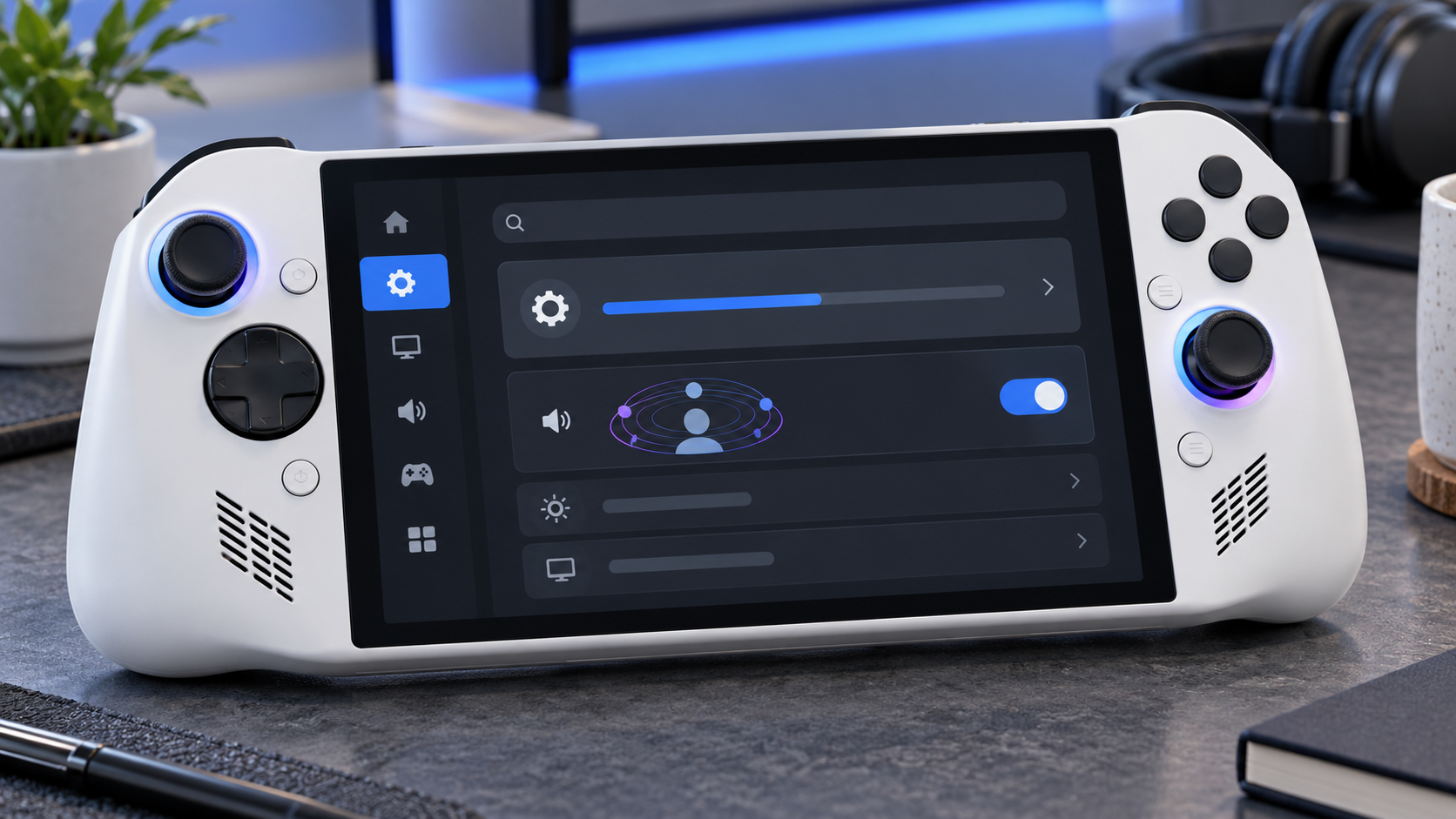
PlayStation Portal already supported Tempest 3D Audio with version 6.0.0. Version 7.3.0 makes the feature easier to control during play instead of treating it like a set-and-forget setting. Open the quick menu, choose Settings, then System and 3D Audio to switch the effect on or off without ending the session.

That matters because spatial audio is not equally useful in every game or with every headset. A cinematic single-player game may benefit from stronger directional cues, while dialogue-heavy or competitive play can sound clearer with a simpler mix. The new toggle makes comparison immediate.

Sony says 3D audio works when a compatible headset or earphones are connected and the game supports the feature. A wired headset connected to the 3.5mm jack or a PlayStation Link wireless headset can be used. Version 7.3.0 does not turn Portal into a general Bluetooth-audio device.

Search is faster and can hand off to another screen

The other visible change is search. Results now update in real time as the user types. Sony also added a QR-code handoff so a search can continue in PlayStation Store through the PlayStation App or a web browser.

That should reduce the awkwardness of entering long game names on the handheld screen. It is especially useful for cloud streaming, where PlayStation Plus Premium members can browse supported titles from their catalog or eligible digital library without first connecting to a PS5.

How to install the PlayStation Portal 7.3.0 update

  • Connect Portal to a stable Wi-Fi network and make sure it has enough battery power or is plugged in.
  • Swipe left from the upper-right corner to open the quick menu.
  • Choose Settings > System > System Software.
  • Select System Software Update and follow the on-screen instructions.

If Portal is several releases behind, Sony says it may need to download and install more than one update. That is normal. Do not power off the handheld or interrupt its network connection while the software is being installed.

What the update does not change

Portal still offers two different ways to play. Remote Play connects to a paired PS5 and does not require PlayStation Plus by itself, although an individual game may require a membership for online multiplayer. Cloud Streaming requires PlayStation Plus Premium and can run supported games without using the owner’s PS5.

The hardware limits are unchanged: the 8-inch LCD can display up to 1080p at 60 frames per second, and streaming quality depends on the network. Sony lists 5Mbps as the minimum connection and recommends at least 15Mbps for a better experience. A firmware update cannot compensate for weak Wi-Fi, congestion or high latency.

Version 7.3.0 also does not reverse the battery-health behavior introduced with version 7.1.7, which defaults charging to an 80% limit. Owners who prioritize maximum time away from a charger can change that setting under Settings > System > Battery, but repeatedly charging above 80% can reduce long-term battery health.

Who will notice version 7.3.0 most

Owners who use headphones and regularly switch between cinematic games, competitive games and voice-heavy titles will get the clearest benefit from the in-game 3D-audio control. PlayStation Plus Premium subscribers who browse a large cloud catalog should notice the search improvements most.

Anyone who uses Portal only for a few Remote Play games may see little beyond the stability and interface refinements. Even so, installing the update is sensible because Sony recommends current system software for security, service compatibility and reliable operation.

Buying a PlayStation Portal now

The current PlayStation Portal Remote Player remains the relevant hardware for this update. Before buying, confirm that your home network reaches the rooms where you plan to play and that your preferred headphones connect through PlayStation Link or the 3.5mm jack. Check the current PlayStation Portal Remote Player on Amazon and verify the seller, color and return policy before ordering.

As an Amazon Associate, ReaderSpice earns from qualifying purchases.

The bottom line

PlayStation Portal 7.3.0 is a focused convenience update. The in-game 3D-audio toggle saves repeated menu travel, while live search results and QR handoff make it easier to find a title without wrestling with the handheld keyboard.

It does not transform the device or solve network-related streaming problems, but it improves two everyday interactions without changing how Portal works. Owners can install it from Settings > System > System Software.

Sources

Sony Interactive Entertainment: PlayStation Portal system software version 7.3.0

Sony Interactive Entertainment: PlayStation Portal user guide and update instructions

Sony Interactive Entertainment: PlayStation Portal specifications and compatibility

MP1st: PlayStation Portal 7.3.0 release report

Amazon Kids Tablet 8 vs 11: Prices, Parental Controls and Which to Buy

Amazon Kids Tablet 8 and Kids Tablet 11 in colorful protective cases

Amazon has introduced a new family of Kids Tablets that replaces the old Fire-only software formula with full Android and parent-managed access to Google Play. The lineup starts at $229.99, comes in 8.7-inch and 11-inch sizes, and ships in versions designed for children ages 3 and up or 6 and up.

The biggest upgrade is not simply a faster processor or a sharper screen. Parents can approve Google Play downloads, manage screen time remotely and keep Amazon Kids+ content and learning goals in the same dashboard. The buying decision therefore comes down to screen size, memory, case style, subscription cost and how much control a family wants over mainstream Android apps.

ReaderSpice may earn a commission from purchases made through links in this article. As an Amazon Associate, we earn from qualifying purchases.

Amazon Kids Tablet prices and release date

  • Amazon Kids Tablet 8: starts at $229.99 with an 8.7-inch display, 4GB of RAM and 64GB of storage.
  • Amazon Kids Tablet 11: starts at $329.99 with an 11-inch 2.5K display, 8GB of RAM and stylus support.
  • Both sizes are sold in versions for ages 3+ and ages 6+, with different protective cases and age-tuned experiences.
  • Every bundle includes one year of Amazon Kids+ and access to Parent Dashboard controls.
  • U.S. preorders are open, with shipping scheduled to begin October 14, 2026.
  • Amazon also lists October 14 availability for Canada, Mexico and Japan, followed by several European markets on October 19.

Amazon’s new Kids Tablet family

Amazon’s new Kids Tablet family

Amazon is using the Kids Tablet name rather than treating these devices as simple Fire tablet bundles. Both sizes run Android and support Google Mobile Services, which gives them access to the same Google Play ecosystem used by mainstream Android tablets.

That removes a long-standing limitation of earlier Fire Kids models, but it does not give children unrestricted app access. Amazon says every Google Play download goes through parental approval. The Parent Dashboard can also manage content filters, web access, time limits and learning goals from the tablet, a web browser or the companion app on a parent’s phone.

The four main bundle choices are Kids Tablet 8 for ages 3+, Kids Tablet 8 for ages 6+, Kids Tablet 11 for ages 3+, and Kids Tablet 11 for ages 6+. Character designs include Paw Patrol, Barbie and SpongeBob, though exact colors and characters can vary by size and market.

Kids Tablet 8 is the portable and lower-cost option

The Kids Tablet 8 uses an 8.7-inch 1340-by-800 IPS display. Amazon’s developer specifications list 4GB of LPDDR5 memory, 64GB or 128GB of internal storage, Wi-Fi 6, Bluetooth 5.3, an 8-megapixel rear camera and a 5-megapixel front camera.

Amazon rates the smaller tablet for up to 14 hours of video playback. That is a manufacturer estimate rather than an independent ReaderSpice test, so brightness, Wi-Fi use, games and background activity can change real-world battery life.

The 8.7-inch size is easier for smaller hands and less bulky for road trips, flights and restaurant bags. Its lower-resolution screen and 4GB of RAM make it the weaker choice for demanding games, split-screen work or keeping many apps open, but those limits may matter less for books, video and basic learning apps.

Kids Tablet 11 adds the screen and memory older children may need

The Kids Tablet 11 steps up to an 11-inch 2560-by-1600 IPS display, 8GB of LPDDR5 memory and 64GB or 128GB of storage. Amazon’s specifications also list Wi-Fi 6, Bluetooth 5.3 and 8-megapixel cameras on both the front and back.

The sharper screen and doubled memory are meaningful for drawing, schoolwork, multitasking and graphics-heavy games. Stylus support also gives the larger model a role beyond entertainment, although families should confirm whether the desired stylus is included with the exact bundle or sold separately.

The $100 price difference buys a much denser display and more memory, not just a larger body. For a child who will keep the tablet for several years, use more demanding apps or type longer assignments, the 11-inch model has the stronger hardware foundation.

Cases for ages 3+ and 6+

Cases for ages 3+ and 6+

Amazon differentiates the age bundles primarily through their cases and child experience. The ages-3+ versions use a thicker soft bumper intended for younger children, while the ages-6+ versions use a slimmer hard case with a built-in kickstand.

Choose the age-3+ bundle when drop protection and a larger gripping surface matter more than portability. Choose the age-6+ bundle when the child is likely to carry the tablet in a backpack, prop it up for video or use it for homework. Parents should still compare the exact listing because themed designs and included accessories can differ.

Amazon’s announcement specifies a one-year limited warranty for the new Kids Tablets. Buyers familiar with older Fire Kids bundles should not assume that the same two-year worry-free replacement policy applies to every new configuration; verify the warranty shown on the final product page before ordering.

Parent Dashboard makes Google Play access manageable

Parent Dashboard is the control center for each child profile. Amazon says parents can set daily screen-time limits, create different weekday and weekend schedules, review recent activity, adjust age filters, manage web browsing, pause a device remotely and set Learn First goals that prioritize educational activity before entertainment.

Parents can create profiles for up to four children and change settings from the tablet, a browser or the Amazon Kids+ Parent Dashboard app for iOS and Android. That matters in multi-child households because each profile can have its own age filter, schedule and approved content.

Google Play access remains a parent decision. A child can request an app, but an adult approves the download. Amazon’s own help pages warn that third-party apps may contain advertising, outside links, in-app purchases, separate subscriptions or requests for personal information. Approval should therefore include checking the app’s developer, permissions, age rating and purchase settings rather than treating Google Play approval as a one-time switch.

Kids+ and Storybuilder add an ongoing subscription cost

Each tablet includes one year of Amazon Kids+, which combines books, videos, games, apps and audiobooks from brands such as Disney, Nickelodeon, LEGO and Sesame Street. Amazon lists ongoing U.S. pricing from $7.99 per month for Prime members and $8.99 per month for non-Prime customers after the included period.

At those published rates, another year costs $95.88 with Prime or $107.88 without Prime before taxes or future price changes. Families should decide whether the Kids+ catalog remains useful before the included year renews, especially if most preferred apps already come from Google Play.

Storybuilder is the new AI-assisted creative feature. Children can describe characters, settings and plot ideas by voice, and the service produces illustrated stories or comic books. Amazon says parents can view what children create in Parent Dashboard. Because it is a generative feature for children, parents should review the available controls and talk through what information should not be included in prompts.

Storage and app support need a pre-purchase check

Amazon’s developer specifications list 64GB and 128GB configurations for both sizes and show no external storage. That makes the storage tier important for families that download many games, movies or offline learning materials. The 64GB model may be adequate for streaming and lighter use, while the 128GB option provides more headroom when apps and videos will remain on the tablet.

The Kids Tablet 8 and 11 use the same MediaTek MT8189 platform according to Amazon’s technical pages, but memory and display differences can still affect experience. Neither model has independent long-term test data yet, so buyers who are not in a hurry may want to wait for reviews covering durability, thermal behavior, standby drain, display brightness and real battery life.

Which Amazon Kids Tablet should you buy?

  • Choose Kids Tablet 8 for younger children, frequent travel, lighter entertainment use and the lowest starting price.
  • Choose Kids Tablet 11 for older children, a sharper screen, drawing, homework, heavier games and longer-term use.
  • Choose an ages-3+ bundle for the thick bumper case and easier grip.
  • Choose an ages-6+ bundle for the slimmer kickstand case and easier backpack storage.
  • Choose 128GB when the child will keep many large games or offline videos; Amazon’s specifications do not list microSD expansion.
  • Wait for reviews if battery life, ruggedness or performance matters more than receiving the tablet at launch.

Amazon buying links

Compare the Amazon Kids Tablet 8 on Amazon for the current age bundle, storage option, case design, seller and delivery date before ordering.

Compare the Amazon Kids Tablet 11 on Amazon if the sharper 2.5K display, 8GB of memory and stylus support better fit the child’s needs.

As an Amazon Associate, ReaderSpice earns from qualifying purchases.

The bottom line

The new Kids Tablets are a more flexible choice than the old Fire-only approach because parents can approve mainstream Google Play apps without abandoning Amazon’s child profiles and management tools. That flexibility also creates more setup responsibility: adults must review app permissions, purchases, web access and subscription renewal rather than relying only on the included case and age label.

Kids Tablet 8 is the practical travel and younger-child pick. Kids Tablet 11 is the stronger long-term device for older children, creative work and demanding apps. For either size, choose the case style first, then storage, and treat the included year of Kids+ as a trial whose recurring cost should be reviewed before renewal.

Sources

Amazon: Kids Tablet launch, pricing, parental controls and availability

Amazon developer specifications: Kids Tablet 8

Amazon developer specifications: Kids Tablet 11

Amazon Help: Parent Dashboard controls and child profiles

The Verge: Kids Tablet Google Play access and launch details